1
Appendices
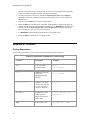
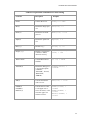
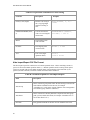
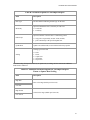
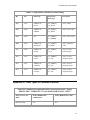
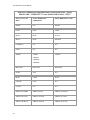
Click the following links for additional information about DCOM, Aliases, Standard Data Types, and
Data Types in common Products.
•
Appendix A - Distributed COM (DCOM)
•
Appendix B - ALIASES
•
Appendix C - Standard Data Types
•
Appendix D - Data Types in Common Products
Appendix A - Distributed DOM (DCOM)
DCOM is an object protocol that enables COM components (such as OPC clients and OPC servers) to
communicate directly with each other across a network. A certain amount of configuration is required
on the system where the OPC server is installed to allow remote OPC clients to connect to it over the
network.
NOTE:The following sections contain only general tips and information. Ask your Windows NT/2000
System Administrator for details on settings for your system, especially for access across domains.
Readers should be familiar with DCOM and with Windows 2000 security features and security
administration. Information regarding Distributed COM and various links to related sites, white papers,
specs, and so on, can be found at http://www.microsoft.com/com/tech/DCOM.asp.
Specifications on DCOM/COM and release notes on COM+ can be found in the MSDN Online
Library at http://www.microsoft.com/com/resources/specs.asp.
DCOM Configuration Utility
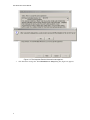
Start the DCOM configuration utility either from the OPC server configuration utility or from the
command-line (execute the DCOMCNFG command). Answer yes to any message boxes that appear,
allowing the utility to assign application ID entries to those OPC servers that don't already have them.
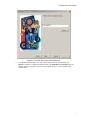
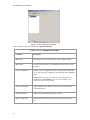
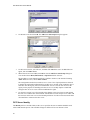
The main window for DCOMCNFG allows the user to either configure default settings for all COM
OPC servers, or else to configure settings for a specific OPC server chosen from the list. The former
affects all OPC servers configured to use the default settings; the latter affects the selected OPC server
only.
NOTE: DCOM settings are stored in the registry and loaded by COM and OPC servers at start-up.
Therefore, OPC server processes must be shut down and restarted in order for these changes to take
effect.
Default Properties
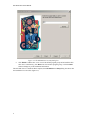
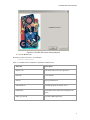
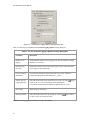
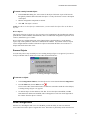
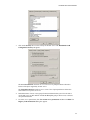
The Default Properties tab contains settings that affect all DCOM communication on the machine.
1.
Ensure that the Enable Distributed COM on this computer is selected in so that the
machine is available to others via DCOM.
2.
Select the Enable COM Internet Services on this computer to allow DCOM access to the
53