1
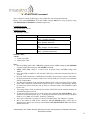
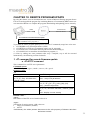
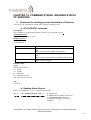
5. Output Port Service
NOTE: An optional I/O plug-in board is needed to plug to Heritage for using this Service.
Contact Maestro Wireless for info.
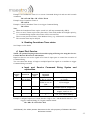
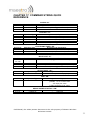
Output Port Service can control the state of I/O board’s output ports by Command String.
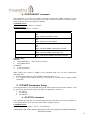
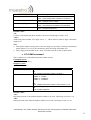
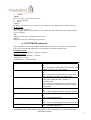
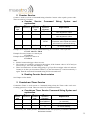
a. Output Port Service Command String Syntax and
explanation
1st field
2nd field
3rd field
4th field
Service
type
Service id
Operation
type
Operation
argument
Explanation
OP
(1 to 6)
SW
0 TO 1
Set the state of Output Port
Example: Set the Output Port #1 with logic state “ON” (1)
OP 1 SW 1
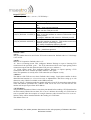
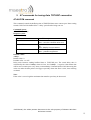
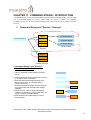
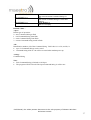
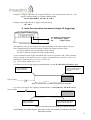
Input Port operation mechanism:
Output Port:
Short: logic 1
Open: logic 0
I/O board plug-in
OP 1 SW 1 Æ Output Port #1 will short
OP 1 SW 0 Æ Output Port #1 will open
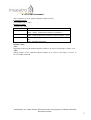
Note:
Read I/O board plug-in documentation for the connecting and specifications of Output Ports.
When power up or reset, ALL Output Ports are set to logic 0 (open). Previous output state will
NOT be kept.
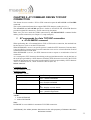
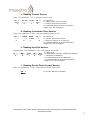
6. SMS Service
This service is used to send out a SMS to phone number recorded in the first 10 phonebook
records in SIM card.
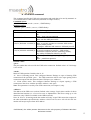
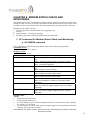
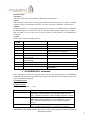
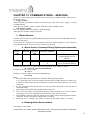
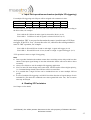
a. SMS Service Command String Syntax and explanation
1st field
2nd field
3rd field
4th field
Service
type
Service id
Operation
type
Operation
argument
SM
(1 to 10)
SN
(SMS content)
%CTn
%IP
%TMn
Explanation
Send out the SMS to phone
number inside SIM card
“%” to indicate “variable”
options in SMS content
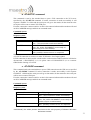
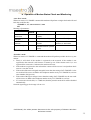
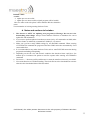
Example: Send a message “ALERT” to phone number store in SIM phonebook #1:
SM 1 SN ALERT
Confidential, the whole present document is the sole property of Maestro Wireless
Solutions Limited.
43