1
CHAPTER 2: HERITAGE PLUGIN SETUP AND
COMMANDS
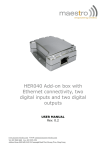
Maestro Heriage allows different harware plug-in boards to be conneted to the expansion slot to
enhance functionality. In software side there are commands to configure and control different
plug-in boards.
1. Selecting Plug-in
AT+HPLUGIN command
Description: This command is used to setup Heritage with individual hardware plug-in board.
Command Syntax: AT+HPLUGIN=<type>
Response Syntax: +HPLUGIN: <type>
Command
AT+ HPLUGIN=?
AT+ HPLUGIN=2
AT+ HPLUGIN=?
Possible responses:
+HPLUGIN: 1
OK
Note: show current settings
OK
Note: use plug-in #2 (CGPS)
+HPLUGIN: (1-4)
OK
Note: possible values
Defined Values:
<type>
Plug-in type
1
I/O plug-in board (default value)
2
CGPS plug-in board
3
reserved
4
Ethernet plug-in board
Note:
• After changing the <type> value the modem will reset immediately.
• Modem will not detect and check if +HPLUGIN value match with actual plug-in , user
should make sure entering is correct
Confidential, the whole present document is the sole property of Maestro Wireless
Solutions Limited.
6