1
Chapter 11. High Availability
This chapter describes the high availability fault-tolerance feature in NetDefend Firewalls.
• Overview, page 529
• HA Mechanisms, page 531
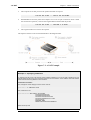
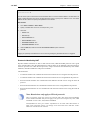
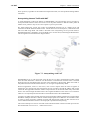
• Setting Up HA, page 534
• HA Issues, page 538
• Upgrading an HA Cluster, page 540
• Link Monitoring and HA, page 542
• HA Advanced Settings, page 543
11.1. Overview
HA Clusters
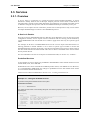
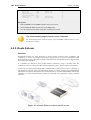
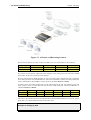
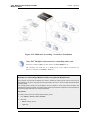
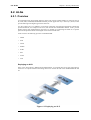
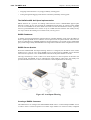
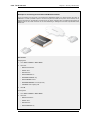
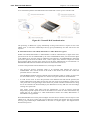
NetDefendOS High Availability (HA) provides a fault tolerant capability to NetDefend Firewall
installations. HA works by adding a back-up slave NetDefend Firewall to an existing master
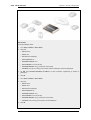
firewall. The master and slave are connected together and make up a logical HA Cluster. One of the
units in a cluster will be active when the other unit is inactive and on standby.
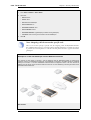
Initially, the cluster slave will be inactive and will only monitor the activity of the master. If the
slave detects that the master has become inoperative, an HA failover takes place and the slave
becomes active, assuming processing responsibility for all traffic. If the master later becomes
operative again, the slave will continue to be active but the master will now monitor the slave with
failover only taking place if the slave fails. This is sometimes known as an active-passive
implementation of fault tolerance.
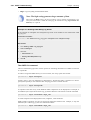
Note: HA is only available on some NetDefend models
The HA feature is only available on the D-Link NetDefend DFL-1660, 2560 and
2560G.
The Master and Active Units
When reading this section on HA, it should be kept in mind that the master unit in a cluster is not
always the same as the active unit in a cluster.
The active unit is the NetDefend Firewall that is actually processing all traffic at a given point in
time. This could be the slave unit if a failover has occurred because the master is no longer
operational.
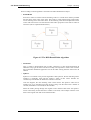
Interconnection of Cluster Units
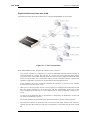
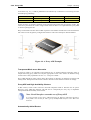
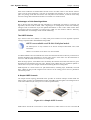
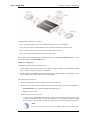
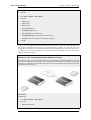
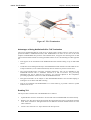
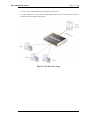
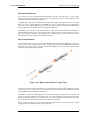
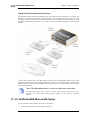
In a cluster, the master and slave units must be directly connected to each other by a synchronization
connection which is known to NetDefendOS as the sync interface. One of the normal interfaces on
the master and the slave are dedicated for this purpose and are connected together with a crossover
cable.
529