1
Importing and Exporting
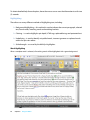
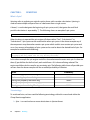
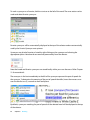
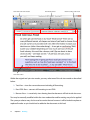
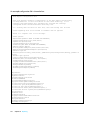
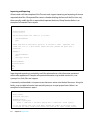
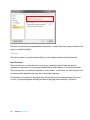
All root nodes with the exception of the Thesauri node support importing and exporting of comma
separated value files. All exported files contain a header detailing the format of the file. Users may
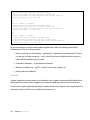
then manually modify the file as required and important back into Chimp Rewriter. Below is an
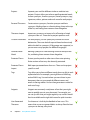
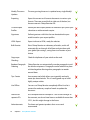
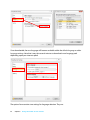
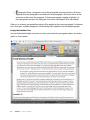
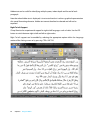
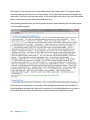
example of a Protected Terms export:
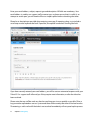
# Monday, 1 October 2012 6:04:44 PM
#
#
#
#
#
#
#
#
#
#
#
#
#
#
#
#
#
#
#
#
Protected Terms
===============
The Protected Terms list format is as follows:
<ProtectedTerms>
Term
...
Where Term must be enclosed in quotes if it contains a comma. Represent line
feeds with "\n". If a quote exists within the term, preceed the quote with a
backslash.
Example:
<ProtectedTerms>
more
well kept secrets
<ProtectedTerms>
protected phrase
dog
food
pet
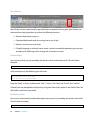
Importing and exporting is particularly useful for advanced users with information contained
within other applications. Examples of imported information may include website lists, user
synonym lists, links, files and snippets.
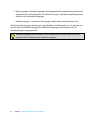
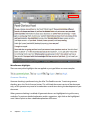
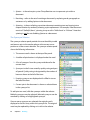
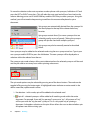
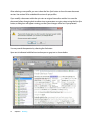
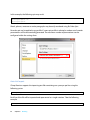
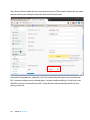
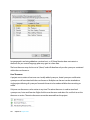
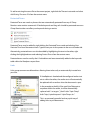
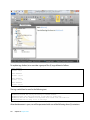
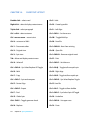
A commonly used method is to import custom thesaurus entries into the local thesaurus. Using this
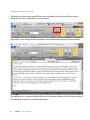
facility, users are able to favorite, hate and add synonyms on a per project bases. Below is an
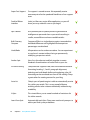
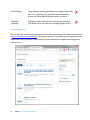
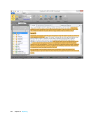
example of a local thesaurus export
#
#
#
#
#
#
#
#
#
#
#
117
SpinChimp Synonym Export v2.0
Basic Format:
word,syn1,syn2,syn3
Extended Format:
word,syn1**,syn2,syn3!!
where ** indicates a favourite synonym and !! indicated a hated synonym
If you are editing this file in MS Excel exclude the commas in the above format
So instead the first column would contain the word and all other columns contain
Chapter 12: Project Center