1
SeisPlus v4.9 User’s Guide
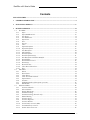
3.3.13 Plot Epicenter Map (if the Mapping option is present) ........................................................ 36
3.3.14 Plot Local Events Map (if the Mapping option is present)................................................... 36
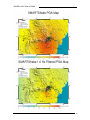
3.3.15 Plot ShakeMap (if this option is present) ............................................................................. 38
3.4
MATH MENU ................................................................................................................................. 42
3.4.1
Detrend ................................................................................................................................. 42
3.4.2
Integrate ............................................................................................................................... 43
3.4.3
Differentiate.......................................................................................................................... 44
3.4.4
Scale ..................................................................................................................................... 45
3.4.5
Instrument Response............................................................................................................. 45
3.4.6
Rotate.................................................................................................................................... 47
3.4.7
Filter or Decimate ................................................................................................................ 48
3.4.8
FFT ....................................................................................................................................... 49
3.4.9
Spectral Ratio ....................................................................................................................... 52
3.4.10 Response Spectra.................................................................................................................. 55
3.4.11 JMA Intensity, PGA and Drift Ratio..................................................................................... 57
3.5
DATABASE MENU (IF THIS OPTION IS PRESENT) ............................................................................. 61
3.5.1
Write location to database.................................................................................................... 61
3.5.2
Run DBPlus .......................................................................................................................... 62
3.6
SETTINGS MENU ............................................................................................................................ 70
3.6.1
General ................................................................................................................................. 70
3.6.2
Location................................................................................................................................ 71
3.6.3
Seismic Source Inversion...................................................................................................... 75
3.6.4
Stations ................................................................................................................................. 78
3.6.5
SUDS Utilities ...................................................................................................................... 82
3.6.6
Velocity Model...................................................................................................................... 82
3.6.7
ShakeMap (if this option is present) ..................................................................................... 84
3.6.8
Get Configuration................................................................................................................. 85
3.6.9
Import Stations and Velocity Model ..................................................................................... 85
3.7
VIEW MENU .................................................................................................................................. 87
3.7.1
Waveform Info ...................................................................................................................... 87
3.7.2
Location................................................................................................................................ 88
3.7.3
Main Toolbar........................................................................................................................ 88
3.7.4
Math Toolbar........................................................................................................................ 88
3.7.5
Status Bar ............................................................................................................................. 88
4
REFERENCES .................................................................................................................................... 89
5
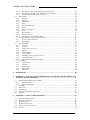
APPENDIX 1 – INSTALLATION OF THIRD-PARTY SOFTWARE USED BY SEISPLUS (IF
MAPPING OPTION IS PRESENT).................................................................................................. 91
5.1
THE GENERIC MAPPING TOOLS (GMT)......................................................................................... 91
5.1.1
GMT Installation .................................................................................................................. 91
5.1.2
GMT Customization..............................................................................................................91
5.2
NETCDF ....................................................................................................................................... 92
5.3
GNU AWK ..................................................................................................................................... 92
5.4
GHOSTSCRIPT ................................................................................................................................ 92
5.5
SYSTEM ENVIRONMENT VARIABLES .............................................................................................. 92
5.6
GSVIEW......................................................................................................................................... 92
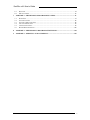
6
APPENDIX 2 – MANUAL PHASE PICKING ................................................................................ 93
6.1
6.2
6.3
6.4
6.5
6.6
USING THE PHASE PICKER ............................................................................................................. 93
WINDOW MOVEMENT .................................................................................................................... 94
PICKING PHASES ............................................................................................................................ 94
PICKING AMPLITUDES ................................................................................................................... 94
NAVIGATING THE DATA FILE ......................................................................................................... 95
FILTERS ......................................................................................................................................... 95
4