1
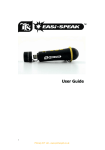
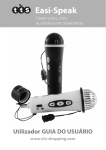
Easi-Speak
Important information
n Please retain these instructions for future reference as they contain important
information.
Easi-Speak® Controls
There are three groups of buttons which are used to control the Easi-Speak.
n Easi-Speak® contains a non-replaceable, rechargeable battery.
n Do not attempt to remove the battery.
n Do not allow your Easi-Speak to come into contact with water or other liquids.
n In the event of an electro-static discharge, your Easi Speak may malfunction. In
this event, please switch it off and then back on to reset it.
Play/Pause
(Green)
Record (Red)
Volume Up/Down
n Easi-Speak is available in different colours.
Previous Track
Mode Change
Next Track
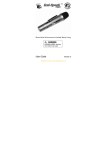
Know Your Easi-Speak®
Microphone
Built-in Speaker
Status LED
Volume buttons
Red ‘Record’ button
Headphone Socket
Green ‘Play’ Button
On-Off Switch
USB
connector
Previous
Track
Next Track
Mode Change