1
PROTECT
EuroProt
Electronics Co. Ltd
4
4.1
Settings for the IEC 61850 communication
Steps of the setting
The settings for the IEC 61860 communication is performed with the extended version (after
version 2.6) of the “Protect for Windows” software (available on the Protecta homepage:
www.protecta.hu).
The required steps of the setting are as follows:
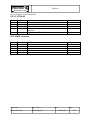
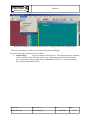
Set the TCP/IP communication parameters on the local LCD of the device. The menu system
of these settings is as follows:
Comm.
TCP/IP
IP addr.
Gateway
Netmask
more
DNS1
DNS2
NTP1
NTP2
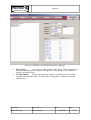
The “IP addr., and “Netmask” addresses must be set correctly, please follow the instructions
of the network administrator. All other addresses can be finalized in the “Protect for
Windows” operating software as well.
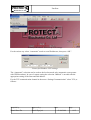
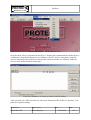
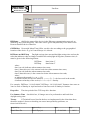
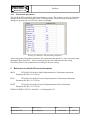
Connect the device to the Ethernet network, then in the “Protect for Windows” operating
software (version 2.6 or later) select the “Device properties/ TCP Settings” menu as follows:
Compiled by:
Approved by:
Kornél Petri Dr.
László Eperjesi
Date:
02.06.2008
Page:
8/15