1
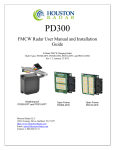
PNL10
OEM Radar Speed Sign Kit
Installation and User Manual
K-Band Doppler Speed Measurement and Display Kit
Rev 2 July 12th, 2010
Houston Radar PNL10 User Manual
Doppler radar in this device complies with part 15 of the FCC Rules. Operation is subject
to the following two conditions: (1) this device may not cause harmful interference, and
(2) this device must accept any interference received, including interference that may
cause undesired operation.
Changes or modifications not expressly approved by the party responsible for compliance
could void the user's authority to operate the equipment.
Any modification or use other than specified in this manual will strictly void the
certification to operate the device.
The radar in this device carries FCC modular approval and as such is labeled with FCC
ID TIASS300. If this label is not visible when the module is installed inside another
device, then the outside of the device into which the module is installed must also display
a label referring to the enclosed SS300 module. This exterior label can use wording such
as the following: “Contains Transmitter Module FCC ID: TIASS300” or “Contains FCC
ID:
TIASS300.” Any similar wording that expresses the same meaning may be used.
Warning: The PNL10 is supplied in an open frame format with exposed electronics and
thus is a static sensitive device. Please use static precautions when handling. Warranty
does not cover damage caused by inadequate ESD procedures and practices.
Note: Specifications may change without notice.
Note: Not liable for typographical errors or omissions.
Page 2 of 21
Houston Radar PNL10 User Manual
Table Of Contents
INTRODUCTION............................................................................................................. 4
INSTALLATION.............................................................................................................. 5
DIRECTION POINTING:...................................................................................................... 5
RECOMMENDED ENCLOSURE FOR THE PNL10:................................................................ 5
HOOKUP:.......................................................................................................................... 7
Power Input: ............................................................................................................... 7
Data/PC Connection:.................................................................................................. 7
Measured Speed Output:............................................................................................. 7
IO CONNECTOR SIGNAL DESCRIPTIONS:.......................................................................... 8
USE..................................................................................................................................... 9
TRIGGERING AN EXTERNAL CUSTOM MESSAGE: ........................................................... 10
CONFIGURING THE PNL10: ..................................................................................... 11
Rotary Switch Configuration .................................................................................... 12
White Strobe Configuration ...................................................................................... 13
Display Brightness Configuration ............................................................................ 14
Operating Mode Configuration ................................................................................ 14
Additional Configuration Options ............................................................................ 15
PNL10 SPECIFICATIONS ........................................................................................... 16
GENERAL ....................................................................................................................... 16
APPROVALS ................................................................................................................... 16
DATA INTERFACES ......................................................................................................... 16
OPTICAL......................................................................................................................... 16
MECHANICAL ................................................................................................................. 16
PERFORMANCE ............................................................................................................... 17
MECHANICAL OUTLINE DIMENSIONS:............................................................... 18
APPENDIX A: PLASTIC WINDOW LOCATION AND SIZE WHEN USING
FRONT METAL MASK................................................................................................ 19
APPENDIX B: ACTIVATE AN EXTERNAL LED MESSAGE ABOVE A PRESET
SPEED.............................................................................................................................. 20
APPENDIX C: EXPANDING TO AN OPTIONAL 3RD DIGIT TO MAKE A 3
DIGIT SPEED SIGN ...................................................................................................... 21
Page 3 of 21
Houston Radar PNL10 User Manual
INTRODUCTION
Congratulations on your purchase of the Houston Radar directional Doppler radar speed
sign kit PNL10. This state of the art two-digit speed display with integrated ultra-low
power 24GHz K-band microwave Doppler radar is specifically designed for the license
free solar power or battery operated speed sign and traffic calming sign market.
Utilizing high performance, ultra low power DSP (Digital Signal Processing) technology
and microwave components based on a planar patch array antenna with integrated low
power PHEMT oscillator, you will find that this high quality product meets your exacting
standards for performance and reliability.
Some of the highlights of this product include:
Zero cables highly integrated design assembles into your enclosure in minutes
10.5” (27cm) digit height with 30% inter-character separation is matched to 300+ ft
(90+ m) detection range of the radar for optimal display legibility
Best in class power efficiency achieved by:
• Low power SS300 radar directly drives display thus eliminating display controller
• Built-in ambient light sensing and automatic brightness control
• Ambient temperature compensation of the LED drive voltage
• High efficiency boost regulator for LED drive voltage
When no traffic is present, the radar automatically powers down display further
reducing power consumption to only 0.1W
Wide input supply voltage operation allows flexible power supply options ranging
from 3, 4 or 5 cell Lithium Ion packs to 6 or 12V Lead Acid batteries without
sacrificing sign efficiency
Built-in rotary switch allows user to set cutoff and violator speed alerts in the field
without connecting to a computer
White LED strobe light and display flashing can be optionally activated to draw
attention to speeding
An expansion connector allows addition of a third digit or a fixed custom external
message, e.g “SLOW DOWN” when speed violation is detected
Built-in radar is FCC approved with CE mark and available in 24.125GHz and
24.200GHz versions for worldwide deployment
Page 4 of 21
INSTALLATION
PNL10 is supplied in an “open frame” format. It requires a weatherproof enclosure before
it may be operated outdoors.
Direction Pointing:
The SS00 radar used in the PNL10 is directional in nature. It may be configured
to detect and measure the speed of incoming or outgoing traffic. It then rejects
traffic moving in the opposite direction. Direction of detection is configured via a
bit in the MO variable in the radar. In the usual “speed sign” configuration the
radar is set to measure and display speeds of incoming vehicles and is the default
shipped from the factory.
To achieve optimal performance please follow a few simple rules:
PNL10 should be pointed into the direction of the oncoming traffic.
PNL10 should be placed along the size of the road to minimize the angle of the
oncoming traffic to the sign.
o If it cannot be placed right along the side of the road, it should be pointed
at least 100-150 feet up the road into oncoming traffic.
The radar in the unit may pickup rotating fans, compressor blades, etc. Avoid
pointing it at any machinery containing moving parts.
PNL10 should be mounted at least 3 feet high from the ground for proper
operation and at least 5 feet high for maximum pickup distance
PNL10 utilizes 15° viewing angle LEDs. For maximum visibility of the digits the
sign should be pointed at the incoming traffic with better than 10° accuracy.
Alternatively, the sign may be oriented towards traffic to maximize the LED
brightness from the desired viewing location on the road. We suggest providing
an adjustable mounting bracket for your enclosure that will allow at least a ±15°
horizontal rotation to allow the user to make an adjustment during installation.
Recommended Enclosure for the PNL10:
The PNL10 display kit needs to be enclosed in a weatherproof enclosure for outside use.
The following needs to be observed for optimal performance:
1. Any plastic cover or window in front of the unit may be mounted as close to the
LEDs as desired. However, please consider any potential damage from flexing
due to an external impact on the sign face (vandalism, etc.) being transferred to
the PNL10. For maximum field reliability we recommend that you test the
Houston Radar PNL10 User Manual
proposed enclosure design to ensure the front face does not flex sufficiently to
transfer an impact to the PNL10.
The PNL10 provides a clear hole in the center to allow you to pass a bracing
standoff through it to transfer any face impact to the back of the enclosure. Do not
mount the PNL10 using this center hole. The center standoff should be mounted
from the rear of the enclosure and clear through the PNL10 display PCB and stop
at the front face. This will allow any front face impact force to transfer to the rear
metal wall of the sign enclosure.
2. The optimum material for the front window/face is Lexan (Polycarbonate) plastic.
3. The optimum thickness of polycarbonate window/sign face is half wavelength at
24.125Ghz or about 3.5 to 3.7mm thick.
a. Commonly available ¼” thick Lexan is not optimal and will reduce pickup
range. 3/16” thick Lexan is a better choice if the recommended thickness
is not available. For metric sizes, 4mm thick Lexan is a reasonably good
choice.
b. Frosted (anti-glare) plastic have been successfully used as well. It does not
matter which side (into the sign or into the traffic) the frosting faces and is
left to your discretion.
4. Other plastic materials may be used as a front window, but the optimum thickness
will wary with the material’s dielectric constant. Please contact Houston Radar for
details.
5. If you want to make a metal mask to hide the electronics on the PNL10 PCB with
holes for the LEDs to pass through, you must provide a plastic window for the
radar microwave beam to pass through. The location and size of this window is
shown in Appendix A.
A dxf drawing to use as a template for the metal mask is available. Please contact
Houston Radar for the drawing.
We strongly recommend that you prototype and test your enclosure on the road to
verify that the radar detection range is not affected by your choice of plastic and
mechanical design prior committing to full production.
Page 6 of 21
Houston Radar PNL10 User Manual
Hookup:
Power Input:
The PNL10 may be powered from a DC supply with output voltage between 5.6 and
18VDC. This allows great flexibility in power options including 6V or 12V (nominal)
lead acid batteries (SLA), 3, 4 or 5 cell Lithium Ion (LiOn) or Lithium Iron Phosphate
(LiFePO4) cells. In all cases, a highly efficient input power regulation system in the
PNL10 adjusts the LED drive voltage to the optimum level required by the sign based on
ambient temperature. There is no other speed sign in the world that even comes close to
the resulting ultra-low power usage of the PNL10. Competing products may consume up
to 5 to 10 times more power. This ultra low operational power translates directly into a
longer battery life or gives you an option to power the unit from smaller batteries and
smaller solar panels.
As an example of the PNL10’s prowess, a 3 cell 96WHr ultra thin and light LiFePO4
battery pack weighing less than 1Kg will power the entire sign on the road for over 2
weeks of continuous operation! A convenient battery life calculator is available on our
website to estimate the run time under different traffic and power supply situations.
Data/PC Connection:
The PNL10 features a standard RS232 interface that is used to configure the sign as
explained later in this document. It also sends out the measured speed over this interface
when a vehicle is detected which may be used to an external controller board to monitor
the speed measured by the radar in the PNL10 kit.
Measured Speed Output:
The PNL10 will send out the measured speed via the ASCII interface as a 3-digit speed
with an optional direction indicator in standard resolution mode. Extended resolution
mode adds up to 3 digits after the decimal point. The format is:
[?,+]nnn[\r,\n] or in extended resolution mode [?,+]nnn[.n[n[n]]][\r,\n]
The format of the speed output can be adjusted to any combination of:
“?”: Optional prefix sent when 000 selected to be sent when no vehicles are detected
“+”: Optional prefix sent when nnn speed is sent for incoming vehicles
“nnn”: Three digit ascii speed in the units selected via the UN variable
“[.n[n[n]]]”: Optional decimal point with up to 3 digits of extended resolution selected
via UN variable.
“\r”: Carriage Return character, optional line ending
“\n”: Line Feed character, optional line ending
Please see serial port configuration section for details on how to select the above format.
The radar used in the PNL10 is the Houston Radar SS300. Please see the SS300 user
manual for more details on setting the output format and decimal point options.
Page 7 of 21
Houston Radar PNL10 User Manual
IO Connector Signal Descriptions:
DB9 RS232 Female Connector:
Connector
Pin #
1
Signal
Name
+VCCNote 1
Direction
Description
PWR Note 1
Radar VCC (battery “+“ terminal) Note 1
2
3
4
RS232 TX
RS232 RX
N/C
OUT
IN
-
RS232 Serial port TX pin from sign
RS232 Serial port RX pin into sign
Do not connect
5
6
GND
N/C
PWR
-
Signal/PWR Ground
Do not connect
7
N/C
-
Do not connect
8
N/C
-
Do not connect
9
N/C
-
Do not connect
(wrt Radar)
Note 1: Pin 1 optionally connected to +VCC (supply +) if PCB pad labeled “DB9 PWR”
near DB9 connector is bridged. This may be bridged by the OEM or by us if you require
this feature.
AUX Connector:
You may optionally connect an off board speed selection switch, DB9 serial connection
port or ambient light sensor.
Connector
Pin #
1
Signal
Name
Vext0 Note 2
Direction
Description
IN Note 2
External Light Sensor Input Note 2
2
3
4
+ VCC
B1
RS232 RX
PWR
IN
IN
Connected to input supply voltage +
External BCD speed switch B1 pin
RS232 Serial port RX pin into sign
5
6
GND
RS232 TX
PWR
OUT
Signal/PWR Ground
RS232 Serial port TX from radar
7
B4
IN
External BCD speed switch B4 pin
8
B2
IN
External BCD speed switch B2 pin
(wrt Radar)
Note 2: Contact us for the part number and hookup schematic for the light sensor. Two
different types of sensors may be used, passive LDR or active IC (recommended).
Internal light sensor must be disabled by removing R24 on the front of the PCB in order
to use an external light sensor.
Page 8 of 21
Houston Radar PNL10 User Manual
USE
Turn on the power to the PNL10 to make it operational. The display will count up to from
1 to 10 and then blank out. The sign is now fully operational.
If the rotary speed switch is enabled (see later section on configuration), turn the speed
switch to the desired position (0 through 7) determined by the speed limits on the road to
set the low-speed display cutoff, violator display flashing speed and the high-speed
display cutoff.
Typically, users set the violator flashing speed at or just above the speed limit on the road
and the high-speed display cutoff at a speed sufficiently above the speed limit to capture
most of the speeding traffic but not high enough to encourage “racing against the radar”.
For example, for a 25mph speed limit road, the violator limit may be set to 26 mph and
the low and high cutoffs will be set 15 mph below and above this value respectively. The
exact values are of course left to the judgment of the user.
No other action is required. The PNL10 will display the measured speed when an
incoming vehicle is detected between the low-speed and high-speed limits. The display
will blink at about 1.4Hz rate if the measured speed is above violator speed. This
indicates to the driver that they are driving above the speed limit.
If the white LED cluster is populated (this is the default, you may chose to have it
removed), and enabled through the software configuration- it will strobe at a 10Hz rate.
The strobe can also be configured to blink at 1.4 Hz rate when activated.
Finally, if the vehicle speed is above the high-speed display cutoff, the display will be
blanked. This prevents drivers from “racing against the sign” (trying to see how high a
speed they can display).
The strobe may be configured to stay active or go blank above this speed.
As long as the radar is tracking a target between the low-speed cutoff and the high-speed
cutoff, the radar will transmit the speed in user selected ASCII format over the serial
interface. This may be observed via our PC based configuration tool or captured by an
external user provided controller board. Monitoring or capturing this speed is not
required for normal operation of the speed sign.
Serial output is affected by low, high and violator speed configuration in the same way as
the panel.
Page 9 of 21
Triggering an External Custom Message:
The PNL10 makes it very easy for OEM’s to connect an external custom LED string
message like “SLOW DOWN” (or any string of LEDs arranged in a local language). This
message can be activated whenever the strobe is active and will also blink if the strobe is
configured to blink.
This configuration allows you to make a full functionality speed sign with a “SLOW
DOWN” type message that is activated if the measured speed is above the speed limit or
above the high-speed display cutoff. Please refer to Appendix B for a schematic of this
simple external message board.
Configuring the PNL10:
The PNL10 supports many user options and configurations that make it a very versatile
device. A user-friendly MS Windows PC based graphical user interface (GUI) software is
provided to make this configuration a snap for the end user.
Rotary Switch Configuration
The above partial window-capture shows the configuration for the rotary switch installed
on the rear of the PNL10.
You have three different options:
1. Enable the rotary switch and have it select the low-speed, violator speed and highspeed limits in the sign.
2. Enable the rotary switch and have it only select the low-speed cutoff. The violator
speed and high-speed limits are then fixed and need to be provided in the
“Effective Radar Speed Limits” window (which are now editable).
3. Disable the rotary switch completely and manually supply fixed values for all
three limits. This option is for fixed installations where the sign will be mounted
permanently in one location and you know what limits will be required for that
location.
Option one above allows the rotary switch to control all three cutoff speeds in a “ganged
manner” or linked manner. In the ganged mode, the single rotary switch will
simultaneously move the low-speed cutoff, violator (speed limit) and high-speed cutoff
speeds for the sign. To configure this option:
Set the violator speed you would like when the rotary switch is in position 0. This
determines the minimum value.
Then set the offset of the high-speed cutoff above the violator speed and the offset of the
low-speed cutoff below the violator speed.
Finally set the speed increment each turn of the rotary switch represents. The speed
increment applies to all three speeds. The total adjustment range is defined by the product
of the maximum switch value (7) and configured increment.
Houston Radar PNL10 User Manual
Now when you turn the rotary switch, all three speeds will move together as programmed
by the user in this configuration screen.
The “Effective Radar Speed Limits” box always shows simulated effective limits for the
sign. You can spin a virtual rotary switch in the “Check limits” box to test what these
speed limits will be for any possible value of the actual rotary switch.
Please note that spinning this “virtual” rotary switch does not affect the actual sign. To
change the speed limits in the sign, the actual rotary switch on the back of PNL10 needs
to be adjusted. The simulated values are provided as a tool to check what actual speed
settings you will get when your configuration is saved to the sign.
Option two above allows you to control just the low-speed cutoff for the sign. Set the
value you want with the rotary switch in position 0. The low-speed cutoff in all other
positions will be determined by the switch position and the switch increment specified by
the user. The violator and high-speed cutoff need to be manually supplied and will
remain fixed even when the rotary switch is moved.
Option three disables the rotary switch completely and allows you to set all three limits
to a fixed value. Turning the rotary switch will have no effect on the speed limits in the
sign.
White Strobe Configuration
The PNL10 has a white LED cluster (strobe light) arranged in a circle in between the two
digits. The cluster strobes at a 10Hz rate and may be selected to activate above the
violator speed limit as well as above the high-speed limit. Both activation conditions may
be independently selected. Note that if enabled above the Violator Speed, the cluster may
also illuminate above the High Speed Cutoff.
Strobe light is typically used to draw attention of the driver to the display and the fact that
their current vehicle speed is above the posted speed limit or that they are driving at an
unsafe speed.
The 10Hz modulation is implemented in the hardware and cannot be disabled via
software. Contact Houston Radar if you require it to be disabled in hardware.
Additionally, this strobe can be configured from this screen to blink on/off at a 1.4Hz rate
together with the speed display.
Page 13 of 21
Houston Radar PNL10 User Manual
If you connect an external message as described in Appendix B, then that message
is activated along with the strobe. Thus the strobe configuration options become
the external message options as well. Note that the 10Hz strobing effect does
affect the external message. However, the 1.4Hz blinking effect is propagated to
the external message.
Display Brightness Configuration
The PNL10 automatically controls the display brightness for optimal visibility under all
ambient lighting conditions. The ambient light is sampled by a built in light sensor
located on the front face of the PCB or by an optional external light sensor wired to the
AUX connector. A control algorithm computes the optimal brightness and adjust the
average LED current via a PWM circuit. PWM circuit is designed to prevent flicker and
color distortion
You may chose to bias automatic brightness control algorithm towards saving battery
(Battery Life Optimized) or making the display brighter and hence more noticeable
(Brightness Optimized).
In the “Battery Life Optimized” setting the display brightness is reduced by about 30%
from the factory default setting for any ambient lighting condition. This can be
particularly advantageous for portable signs operating solely off a battery and allow the
sign to operate up to 30% longer under heavy traffic conditions.
Operating Mode Configuration
For normal operation of the sign select “Normal Operation”. In this mode, you may
choose for the radar to pickup and display the fastest vehicle visible to it or the vehicle
with the strongest return signal. Different customers have different preferences and you
Page 14 of 21
Houston Radar PNL10 User Manual
may wish to try both settings in the field with actual traffic to determine which one you
prefer.
The PNL10 also supports a “Demo Mode”. In this mode, the radar generates a preprogrammed sequence of speeds and shows them on the display. Note that the speed
limits still apply to these speeds, so selecting different limits will change what speeds are
displayed and if the strobe is activated. The ambient light sensor and automatic display
brightness control work as normal. This can be a useful tool to test the sign on a low
traffic road or inside an office or trade show floor.
In demo mode, the radar will not pickup and display actual traffic speeds.
Note: a power cycle a required for the change to take affect after going from Normal to
Demo mode or vice-a-versa.
Additional Configuration Options
The radar utilized in the PNL10 is the Houston Radar model SS300. It supports numerous
other options like detection sensitivity, programmable serial port baud rate, different
measurement units (mph, kph, fps, mps) and fractional high precision speed output over
the serial port.
If you wish to configure these options, we recommend that you read the SS300 user
manual for more details. It is freely available for download on our website. These options
require to set internal configuration variables directly through the procedure described in
the SS300 user manual.
Page 15 of 21
Houston Radar PNL10 User Manual
PNL10 SPECIFICATIONS
General
Operating Band
Frequency
Power Output
Antenna Beam Pattern
Polarization
Supply Voltage
Reverse Battery
Nominal Current Draw
(@12VDC including radar)
Operating Temp.
Weatherproof
IR Remote Programmable
K-Band
24.125 GHz ±50Mhz (US) or 24.20Ghz (UK, Australia)
5mW
45 deg x 38 deg
Linear
5.6V DC to 16V DC (18VDC Maximum)
Protected
Display blank: 9.5 mA
Display at night: 21 mA
Display at max brightness: 415 mA
-40°F to +185°F
(-40°C to +85°C).
No. User supplied enclosure required.
No
Approvals
Radar Approvals
FCC Part 15, modular approval (US Version), CE Mark.
Data Interfaces
Serial Communication
Data Rate
Data Connector
Power
AUX
RS232
1200 to 115200 baud
DB9 Female with RS232 levels wired as a DCD. Use 3 wires
straight through cable to PC RS232 port.
Screw terminal default. Can be user specified. Minimum
quantity order size may apply. Contact us for details.
2mm pitch 4x2rows. Sullins part # NPPN042GFNS-RC
Use mating Sullins part # NRPN042MAMS-RC or equivalent
Optical
LED Color
Brightness
Viewing Angle
ITE Amber (592nm ±4nm) for digits. White for strobe cluster
White LED digits are available as an option. Contact us for
more information.
11,000 nits (cdm) maximum, controlled automatically via
onboard light sensor
550nits at night minimum
15° cone off normal
Mechanical
Weight
Dimensions
Mounting
approx 450 grams (1 lbs)
11”x16”x1.1” (28 x 41 x 2.8 cm)
8x #6 screw plated through holes connected to system GND.
1x #6 center non-plated hole for passing bracing standoff from
the back. Do not use to mount PNL10 PCB.
Specifications continued on next page …
Page 16 of 21
Houston Radar PNL10 User Manual
Performance
Resolution
Accuracy
Detection Range
±0.006 mph (internal and available on serial port) rounded to
whole mph (kph) when shown on display.
±0.5% of reading + 0.1mph
Typically 90+ m (300+ feet) for compact vehicles on open
and level road with radar mounted 1.5 m (5 feet) high and
pointed straight into oncoming traffic. 150+ m (500+ feet)
for larger trucks, lorries and vehicles with inherently large
radar cross-section. May vary with installation and road
conditions. Detection range specified is typical for speeds
between 20kph and 88kph (12 to 55 mph). It tapers off
below and above this speed range. At the low end of the
speed range (2mph (5kph), the detection range is about 34+
m (110+ feet). PNL10 is not recommended for roads with
speeds above 90 kph (56 mph) due to reduced range and
tracking time. Contact Houston Radar if a low speed
operation (down to 0.25 mph) is required.
Page 17 of 21
Mechanical Outline Dimensions:
Rev 1.3 PCB. Dimensions in inches [mm]
Houston Radar PNL10 User Manual
Appendix A: Plastic Window Location and Size When Using Front Metal
Mask
If you chose to use a metal front mask (with holes in the LED locations to allow the
LED’s to show through), you must provide a plastic window for the radar beam to pass
through. Use the drawing below for the recommended location and size for the plastic
window in your metal mask.
The cutout in the PCB in the center of the figure is the actual size and location of the
integrated SS300 radar. The dotted and dashed larger rectangle is the suggested window
size.
The suggested window is larger than the actual radar because the radar waves diverge at a
38x45° angle from the face of the radar. The recommended window size is for a metal
mask within a few mm from the top of the LED’s. If the window is materially further
away from this position a larger size window may be required.
Note: the white rectangle is an on-board light sensor. The light sensor is used to adjust
the brightness of the LEDs based on ambient light conditions. You must allow ambient
light to reach this sensor. Alternatively you may provide an external light sensor wired to
the AUX connector on the back of PNL10. Contact Houston Radar for more details.
All dims in mm except those shown in inches (marked with a ”).
Page 19 of 21
Houston Radar PNL10 User Manual
Appendix B: Activate An External LED Message Above a Preset Speed
Many speed signs have an external VMS type message that gets activated above a preset
speed. This message may spell out text like “SLOW DOWN” or any other message in a
local language. The schematic below shows how to connect a string of LEDs that can be
triggered by the PNL10 above a user set speed limit. The message is activated together
with the on-board strobe. Additionally this message will blink if the user chooses the onboard strobe to blink. The 10Hz strobing effect does not apply to the message.
Connect as many strings of LEDs as required to form a message. For simplification only
two strings are shown on the schematic. Then physically arrange the LED’s in the form
of the message you desire. All LEDs will be lit when the on-board strobe is activated.
The message can be programmed to activate above any user-selected speed. Furthermore
this speed can be adjusted in the field through the rotary switch located on the back of
PNL10. For most configuration purposes this eliminates the need to connect a computer
in the field!
Page 20 of 21
Appendix C: Expanding to an Optional 3rd Digit to Make a 3 Digit Speed
Sign
You may easily expand the PNL10 to a 3rd digit (to show the 100’s place value) via an
LED only PCB. All the drivers are already built on the PNL10 PCB.
Note: The expansion connector to drive this 3rd digit is shared with the on-board strobe.
Hence you must disable the on-board strobe for this scheme to work. Contact us for
details on how to do that or please order your PNL10 without the white strobe populated.