1
Inhalt
BPM Studio 2.0 gastro edition
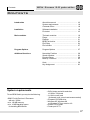
Inhalt
Einführung
Über dieses Handbuch .................................
Systemanforderungen ...................................
Verpackungsinhalt ........................................
4
4
4
Softwareinstallation ......................................
Der erste Programmstart .............................
4
4
Installation
Hauptmodule
Die Hauptmodule ......................................... 5
Der Player ................................................... 5
Die Playliste ................................................. 7
Das BPM File Archiv ..................................... 8
Der File Editor ............................................ 10
Die File Info Box ......................................... 13
Programmoptionen
Die Programmoptionen ................................ 13
Zusatzfunktionen
Die Normalize-Funktion ................................
Der Suchen-Dialog ......................................
Die Preview-Player ......................................
Die Backup-Funktion .....................................
15
15
15
15
Tips und Hinweise ........................................ 16
Tastaturbelegung .......................................... 16
Systemanforderungen
Für die Nutzung von BPM Studio benötigen Sie
folgende Hardware und Software:
• IBM PC mit Pentuim II Prozessor und
einer Taktfrequenz von min. 350 MHz
• min. 128 MB Arbeitsspeicher
• Mindestens 10 MB Festplattenspeicher
für die Installation von BPM Studio
• SVGA-Grafikkarte mit einer
Auflösung von 1024 x 768 Pixel
• 1 16 Bit Soundarte (empfohlen: 6 Soundkarten bzw. Multikanal-Karte)
• 24-fach CD-ROM Laufwerk
• Windows 95, Windows 98
oder Windows NT ab Version 4.0
3