1
Package Contents
Safety Information
This device complies with Part 15 of the FCC Rules. Operation is subject to the
following two conditions: (1) This device may not cause harmful interference,
and (2) This device must accept any interference received, including
interferences that may cause undesired operation.
INSTALLATION INSTRUCTIONS
Security Keypad
WARNING:
Model: KN-MT
Changes or modifications to this unit not expressly approved by the party
responsible for compliance could void the user’s authority to operate the
equipment.
CE - DECLARATION OF CONFORMITY:
A
This equipment complies with the requirements relating to electromagnetic
compatibility, EN 301489-1, EN301489-3, EN300220-1, EN300220-2 and
EN60950-1. This equipment conforms to the essential requirement of the
1999/5/EC R&TTE Directive.
B
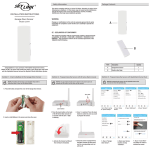
Parts
Congratulations on your purchase of the Skylink Security Keypad,
Model: KN-MT. The wireless keypad can arm or disarm your SkylinkNet and
M-Series Alarm system from a secondary location in your home.
Section 1 - Installing the Security Keypad
Section 2 - Programming the Keypad with M-Series Main Console
NOTE: The battery for the Security Keypad is not included. Please refer to
instruction below to insert an AAA Alkaline Battery.
NOTE: You can program in total up to 4 security keychain remotes or keypads
to your M-Series Alarm System.
Description
Quantity
A
Security Keypad
1
B
Screw
2
Section 3 - Programming the Keypad with SkylinkNet Internet Hub
NOTE: Programming the keypad with the SkylinkNet Internet Hub
must be done from the SkylinkNet App.
NOTE: The Security Keypads must be programmed in Zone 1.
Back
Plate
Keypad
1. Press the learn button on the back
of the M-Series Main Console for
3 seconds until the Zone 1 light
is flashing.
AAA Battery
LED
1
Learn Button
1. Undo the screw (1) on the bottom
side of the Keypad (A) and remove
the back plate.
2. Insert an AAA Battery.
1. Go to “More” and tap
on “System Settings”.
2. Tap on “Setup
Wizard”.
3. Tap on “Add Device”.
Back Plate
B
2. Input Pin followed by the
Disarm button. [Default Pin: 0 0 0 0]
Disarm
Button
Back
Plate
B
1
3. Mount the back plate with the
included screws (B).
4. Attach the Keypad on the back
plate and tighten the screw (1)
on the bottom of the Keypad.
3. Once the keypad is programed to
the M-Series Main Console, the
Zone 1 LED light will be off.
4. Tap on “Security
Remote/Keypad”.
5. Name your Security
Keypad and tap
“Continue”.
6. Tap on the “Learn Now”
button and input the PIN No.
followed by the Disarm
Button [Default Pin is 0000].
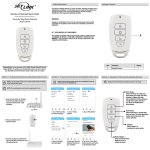
Section 4 - Operation of the Keypad Control
NOTE: The backlight will turn on when pressing the buttons.
NOTE: The factory default password is 0,0,0,0
Section 5 - Changing the Keypad Control Password
NOTE: The factory default password is 0,0,0,0.
NOTE: Dispose of old battery promptly and properly.
NOTE: The password can be 2-8 digits long and with a combination of buttons
from 0-6.
NOTE: The Keypad is powered by an AAA Alkaline Battery.
1. Input current PIN [ factory default 0 0 0 0 ] and press
Disarm
Input your PIN number followed
by the [Disarm] button to
deactivate the alarm system.
Arm Home
Input your PIN number
followed by the [Arm Home]
Button to protect while you’re
at home. This mode
deactivates motion sensors
but leaves other sensors
activated.
Panic Button
Press and hold the Panic
Button for 3 sec. to
activate the alarm.
Section 6 - Replacing the Battery
2. Input the new PIN number followed by the
3. Input new PIN again and press the
buttton.
button.
button.
NOTE: If the pin is different from step 2, the keypad will emit a long error beep
and you have to re-start from step 1.
NOTE: If the Keypad emits 2 beeps, your pin has been successfully changed.
When the operation range is reduced, or when the backlight LED does not
flash during operation, it is time to replace the battery.
Follow the instructions below to replace the battery:
1. Undo the screw (1) on the back plate of the keypad.
2. Pry out the back plate from the keypad.
3. Take out the old battery (2) from the keypad.
4. Place the new battery (2) in position. Beware of the polarity.
5. Close the back plate and re-insert the screw (1).
Arm Away
Input your PIN number followed by
the [Arm Away] Button to protect
your home when you’re away. This
mode activates or triggers the
alarm after a 45 seconds exit delay
and gives you a 30 seconds entry
delay to get-in your home to
disarm the alarm system.
Back
plate
2
1
Troubleshooting M-Series Alert/Alarm System
Warranty
Problem
Solution
ONE YEAR WARRANTY
The M-Series Main Console
does not respond to the
keypad?
- You must program the keypad to the
M-Series Main Console or the SkylinkNet
Internet Hub before they can work together.
- Ensure to input the correct password.
This product is guaranteed to be free of defects in materials and
workmanship for 1 year from the date of purchase. If this product is
defective, call 1-800-304-1187 for repair or replacement parts.
Guarantee does not include normal wear and tear or batteries.
Can I erase just one keypad - You must erase all the Keyapd and Remotes
from a zone in the M-Series
and then program the keypad/remote you
Main Console?
want to keep.
If you have any questions, problems or missing parts,
please call Skylink Customer Support:
9:00am - 5:00pm EST, Monday-Friday.
1-800-304-1187
Or e-mail us at [email protected]
www.skylinkhome.com
CUSTOMER SERVICE
17 Sheard Avenue,
Brampton, Ontario,
Canada L6Y1J3
P/N : 101Y255 Rev:0
©2014 SKYLINK GROUP.