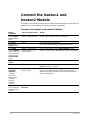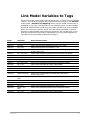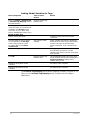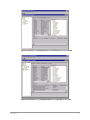
1
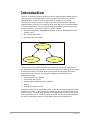
Introduction The user is strongly urged to practice with this tutorial before attempting to implement an on-line application. The time spent in practice will be well rewarded when it comes time to implement an actual on-line model. The objective of this tutorial is to take the user step-by-step through the implementation of an on-line model so that each step of the implementation is clearly understood. There are three major connected elements that must function properly. As shown in Figure 1, these include: the plant Information Management System (IMS) or Distributed Control System (DCS) the engineering model the Aspen OnLine system A s pen O nLin e P lan t D ata M o del Figure 1: The Three Major System Elements The first step in the implementation is to make sure that the connection to the plant data is working properly. The second step is to make sure the model is working correctly. The third step involves configuring Aspen OnLine to support an on-line model. The steps for setting up an Aspen OnLine application include: Creating the on-line project Configuring the engine Developing the graphical user interface Testing Placing the system on line The above tasks can be performed using Aspen OnLine client programs either remotely or locally. In this tutorial one computer will serve as both the client and the server. The operating system for the Aspen OnLine server and client must be Windows NT 4.0 SP6 or Win2K with SP2. In this tutorial Windows NT will be the operating system for both Aspen OnLine client and server. 2 Contents