1
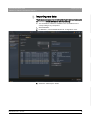
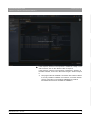
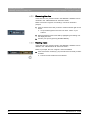
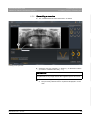
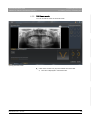
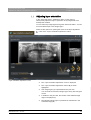
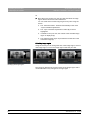
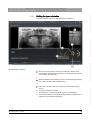
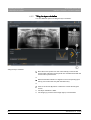
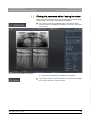
4 Operating panorama editor Sirona Dental Systems GmbH 4.4 Adjusting layer orientation Addendum to "SIDEXIS 4 User Manual" SIDEXIS 4 Or ➢ Move the mouse pointer over the pan view and select an image region with the left mouse button held down. You can scale and move the image region at any time using the mouse. The "Panorama editor" switches automatically to the menu "Layer orientation adjustment" . The "Layer orientation adjustment" button (B) is shown highlighted. In addition to the pan view, the content of the selected image region is displayed (C). The selected image region is presented as a white line in the schematic image (D). Selecting image region Using the mouse you can change the size of the image region, select a new image region or move the image region inside the pan view. Modifying the image region The image (C) displays the current content of the image region and is recalculated after every change to the image region. 22 65 44 550 3592 3592.208.02.01.02 04.2015