1
Page 17
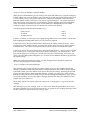
3.4.7 - To Change Your Voicemail Forwarding.
It is possible to forward your voicemail to another mailbox, therefore any messages that are left for
you can be transferred to a colleague automatically. If you use this feature, then all messages will be
transferred including any messages that have been marked as private. The main use of this facility is if
you are going to be away from work for a period of time and you want someone to deal with any
messages in your absence. With voicemail forwarding, the caller leaves a message in your mailbox
and this is automatically forwarded to the nominated mailbox. The only messages that remain in your
mailbox are those that have been sent back to you by the nominated mailbox user. With this option
the caller will hear the personal greeting of the person that they have called and unless they are told
otherwise will not be aware that their message will be forwarded to another mailbox.
Dial the access number for the Voice Connector II system. During the greeting press #1 and then
enter your mailbox number. Enter your password (8888 – until you change it). Press 5 (as soon as
the Personal Options Menu starts to play) then press 7.
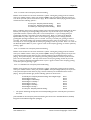
The following sub-menu will then be presented to you: To review your Voicemail Forwarding
To set Voicemail Forwarding
To turn Voicemail Forwarding off
Press 1
Press 2
Press 3
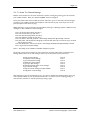
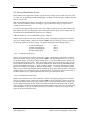
3.4.7.1 - To Review Your Voicemail Forwarding
If you press 1, the system will either announce “Your voicemail is not forwarded” or “Your voicemail is
forwarded to Bob Mason” (if the recipient has recorded a user name for the mailbox), or “Your voicemail
will be forwarded to mailbox number 214” (if the recipient has not recorded the user name for the
mailbox).
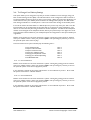
3.4.7.2 – To Set Voicemail Forwarding
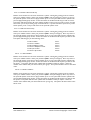
If you press 2, you will hear “Please enter the mailbox number you require”. After you have entered the
mailbox number, the system will announce “Your voicemail messages will be forwarded to Bob Mason” (if
the recipient has recorded a user name for the mailbox) or “Your voicemail messages will be forwarded
to mailbox number 214” (if the recipient has not recorded a user name for the mailbox). You will then
hear the following menu :If this is correct
To re-enter
Press 1
Press 2
You can repeat this option as many times as you require until the correct number is input.
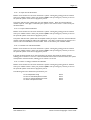
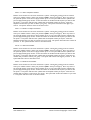
3.4.7.3 – To Turn Voicemail Forwarding Off
If you press 3 the system will announce “Your voicemail is not forwarded”. This can then be checked,
if required by pressing 1 (To Review Your Voicemail Forwarding).
3.4.8 - To Enable/Disable SMS
It is possible for the voicemail system to send a notification to your mobile phone when a message is
left in your mailbox. The notification takes the form of a text message, which is sent via your mobile
telephone provider (only notification is sent not the actual voicemail message).
Dial the access number for the Voice Connector II system. During the greeting press #1 and then
enter your mailbox number. Enter your password (8888 – until you change it). Press 5 (as soon as
the Personal Options Menu starts to play) then press 8. The system will announce “SMS notifications
User Manual 2.2
Voice Connect Copyright 1997-2000