1
Page 21
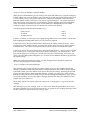
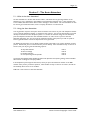
3.5.5 - To Record Your Temporary Personal Greeting
Dial the access number for the Voice Connector II system. During the greeting press #1 and then
enter your mailbox number. Enter your password (8888 - until you change it) and then press 6 (as
soon as the personal options menu starts to play). Press 5 whilst the menu is playing and the system
will announce the following options: To record your Temporary Personal Greeting
To review your Temporary Personal Greeting
To schedule your Temporary Personal Greeting
Press 1
Press 2
Press 3
Press 1 whilst the above menu is playing and the system will respond with “please speak after the tone”.
Record your temporary personal greeting and press the * key at the end of your recording. The
system will announce “If this is correct press 1 or to re-record press 2”. If you are happy with your
greeting then pressing 1 will return you to the above menu. Press * to return to the Personal
Options Menu or press * again to return to the company greeting If you are unhappy with the
greeting then pressing 2 will allow you to re-record. You may re-record your greeting as often as
you wish. The system will play your greeting and then announce “if this is correct press 1 or to rerecord press 2”. You may play and re-record your greeting as often as you wish. Press * to return to
the Personal Options Menu or press * again to return to the company greeting, or exit the system by
pressing * again.
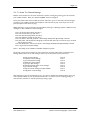
3.5.6 - To Review Your Temporary Personal Greeting
Dial the access number for the Voice Connector II system. During the greeting press #1 and then
enter your mailbox number. Enter your password (8888 – until you change it) then press 6 (as soon
as the personal options menu starts to play). Press 5 and then press 2 whilst the above menu is
playing. The system will play your temporary personal greeting and then announce “If this is correct
press 1 or to re-record press 2”. You may review and re-record your greeting as often as you wish.
Press * to return to the Personal Options Menu or press * again to return to the company greeting,
or exit the system by pressing * again.
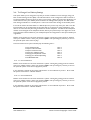
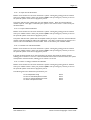
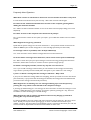
3.5.7 - To Schedule Your Temporary Personal Greeting
Dial the access number for the Voice Connector II system. During the greeting press #1 and then
enter your mailbox number. Enter your password (8888 – until you change it) then press 6 (as soon
as the personal options menu starts to play). Press 5 and then press 3 whilst the above menu is
playing. The system will then give you the following options to choose from: To activate your Temporary Personal Greeting until midnight tonight
Until midnight tomorrow
Until midnight on Wednesday *
Until midnight on Thursday *
Until midnight on Friday *
Until midnight on Saturday *
Until midnight on Sunday *
To cancel your Temporary Personal Greeting
∗
Press 1
Press 2
Press 3
Press 4
Press 5
Press 6
Press 7
Press 8
The system will change the days that are listed depending upon the actual day that you listen to
the menu.
(The schedule for the Temporary Personal Greeting can also be set in the Web Browser, Desktop
Integration and Outlook Integration packages).
User Manual 2.2
Voice Connect Copyright 1997-2000