1
Page 7
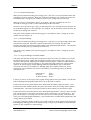
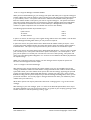
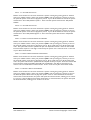
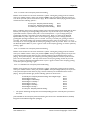
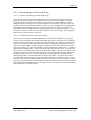
3.1 - To Leave a Message for Another Mailbox
Dial the access number for the Voice Connector II system. During the greeting, press #1 and then
your mailbox number. Enter your password, then press 2 (as soon as the Personal Options Menu
starts to play). You will be asked to enter the mailbox number of the person who you wish to send
the message to. You will then hear the user’s personal greeting and then you will be invited to leave a
message. Once you have finished recording your message press * * * and hang up or press * and wait
for the Message Recording Menu to play: To review your message
To mark as private
To mark as urgent
To request confirmation
To request a reply
To copy this message to another mailbox
To set a delivery time for this message
To cancel this message
Press 1
Press 2
Press 3
Press 4
Press 5
Press 6
Press 7
Press 8
Choose one or any combination of the above options press * again and the system will confirm that
the message has been sent or cancelled and you will be returned to the Personal Option Menu, where
you could choose further options. Press * again and this will return you to the Company greeting,
where you could either enter another extension or press * again and this will take you out of the
system.
N.B. Whilst the personal greeting is playing you may press the * key to take you to the end of that
greeting, so that you can immediately record your message.
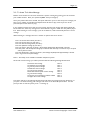
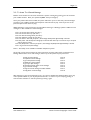
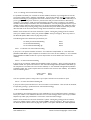
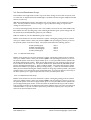
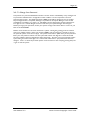
3.1.1 - To Review Your Message
When you have finished recording your message, press *, then press 1.
The message you have just recorded will be played back to you, and the system will give you the
following options: If this is correct
To re-record
Press 1
Press 2
The option to review and record can be carried out as many times as required until you are happy
with the message you have recorded.
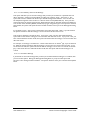
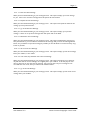
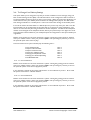
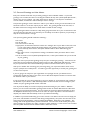
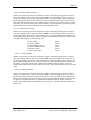
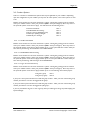
3.1.2 - To Mark as Private
When you have finished recording your message press *, then press 2. The system will confirm that
the message has been marked as private. This option will ensure that your message cannot be copied
to a third party after it has been listened to.
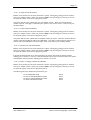
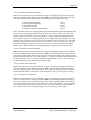
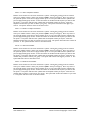
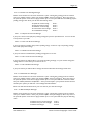
3.1.3 - To Mark as Urgent.
When you have finished recording your message press *, then press 3. The system will confirm that
your message has been marked as urgent. This option will place the message at the top of the queue
when the mailbox user retrieves their messages.
User Manual 2.2
Voice Connect Copyright 1997-2000