1
❶
❷
❸
❹
❻
❺
❼
❾
❽
Required!
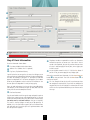
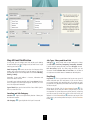
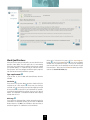
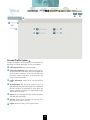
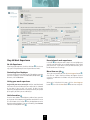
Step #1 Basic Information
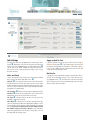
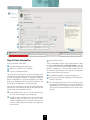
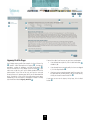
❺ Telephone numbers are optional but useful as an alternative
method for agencies to contact you. Your driver’s license
number is also optional; but you may need to show you have
a license in order to apply for certain jobs, so we suggest you
include it as well.
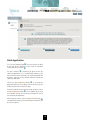
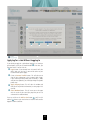
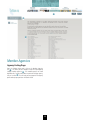
Enter the information shown above:
❶ First Name, Middle Initial and Last Name
❷ Address Line 1 (Address Line 2 is optional)
❸ City, State, Zip Code and Country
❻ Are you eligible to work in the U.S.? Click the Yes button if
you are. If not, you cannot apply for any CalOpps jobs.
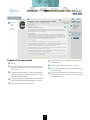
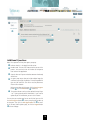
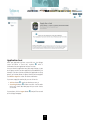
You will notice that as you type the city name, the CalOpps system
will try to figure out (autocomplete) what you’re typing and complete
the name. For example, if you type a “P” you might see Palo Alto
appear in a drop down list. If the correct one appears, hit the down
arrow on your keyboard to select it and then hit Enter/Return. You
also can ignore the drop down list and just keep typing.
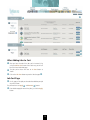
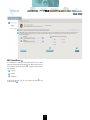
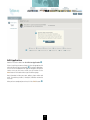
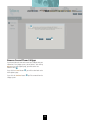
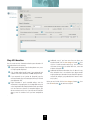
After you’ve entered all your information, click the Save Progress
button
to save your work. Then click the Next button
to
continue to Step #2.
❼
❽
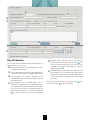
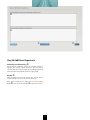
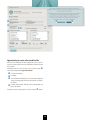
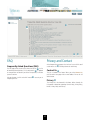
❾ This is an example of how the site will let you know you have
not completed a required field. If you have not completed a
required field, the site will highlight it in red and you will need
to fill in the missing information before you can move on to the
next step.
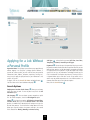
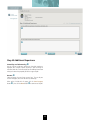
State, zip code and country: Use the two letter state abbreviation
(for example, CA for California) and your zip code (both state and
county have the same autocomplete feature).
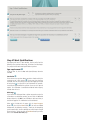
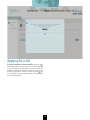
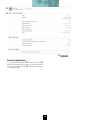
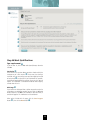
❹ Email and Password
Type the email address and then type (or copy and paste) it again to
confirm. Next, create and enter a Password and confirm it. You may
choose your own password, but it must be at least 6 characters long.
You must enter a real email address that you use regularly.
This email is used by CalOpps to notify you of job openings. In
addition, this is the email that any agency will use to communicate
with and notify you. Ensure that you use a legitimate address and
one that you check regularly.
2