1
______________________________________________________ •
•
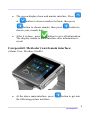
When it is fully charged, the battery power status
icon on screen is in full green (you can see it after
turning on the device).
After charging, press and hold the (A button) for
about 5 seconds to turn on the device until you see
the main interface below.
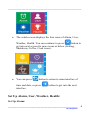
Carepeutic® Medi-alert watch main interface:
(Time, Date, Next alarm reminder time, Temperature, Battery
power status)
Set up Time and Date:
•
The watch screen displays the current military time , date ,
next alarm reminder time, temperature, and battery power
status after it is turned on. (Note: before setting up alarm,
the area of "Next 17:10" will display "No Alarm").
•
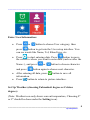
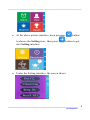
On the above main interface , press and hold the
(A
button) for about 5 seconds to get into the interface of
setting time and date for the watch.
___________________________________________________ 4
By Carepeutic®