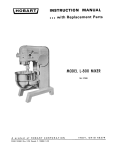
1
DE-1000LP Centrifuge Variable Frequency Drive Issued 15 Jan 11 Rev. 01 Aug 11 Maintenance & Operation Manual Derrick Equipment Company 15630 Export Plaza Drive Houston, Texas 77032 Phone: 281.590.3003 Toll Free: 1.866.DERRICK Fax: 281.442.6948 www.derrickequipment.com UNIT NUMBER IS KEY TO DERRICK SERVICE All inquiries to Derrick must include the equipment unit number. The stainless steel unit number tag attached to each piece of Derrick equipment is your key to efficient service and support. Typical Derrick Unit Number This unique number gives vital information to Service personnel who use it to identify the correct parts when filling orders, provide accurate responses to service questions, track documentation, and trace the equipment’s history or configuration. In short, the unit number provides the critical information needed to ensure that Derrick customers receive the best possible service. The unit number consists of a two-character alphabetic prefix that identifies the equipment type and a series of numeric characters that signify the sequence of the machine’s manufacture. For example, unit number MA000001 would be the first screening machine manufactured by Derrick. Alphabetic prefixes currently in use are: MA - Screening Machine AD - Desilter and Desander DG - Degasser AG - Mud Agitator CF - Centrifuge SF - Screen Frame To ensure that it will remain intact over many years of rigorous service, the heavy-gage tag is riveted to a structural member such as the shaker support structure. It is not to be confused with any other identifier on the machine such as a vibrator motor serial number. For convenient availability, the unit number is also recorded in the Operation and Maintenance manual shipped with the equipment. When contacting Derrick for any equipment question or need, always have the unit number in your possession. It’s the best way to get the most efficient service from our dedicated Service and Engineering personnel. ABOUT THIS MANUAL In this electronic manual, all sections and paragraphs listed in the CONTENTS are linked to the corresponding text. Navigate the electronic manual as follows: 1. To view any desired information, display the CONTENTS page and move the cursor to the desired paragraph or section title. 2. To display the desired information, click on the listing when the pointing finger appears over the text. 3. When finished viewing the text, press Alt + left arrow key to return to the CONTENTS page. 4. If desired to return to the same information, press Alt + right arrow. To locate a different item, repeat steps 1 and 2. 5. Blank pages are included to facilitate accurate two-sided printing on a standard copier. To print any individual section, simply enter the PDF page number range at the top of the screen (not the page number at the bottom of each page). This document contains proprietary information of Derrick Corporation. It is intended solely for the information and use of parties operating and maintaining the equipment described herein. Such proprietary information may not be used, reproduced, or disclosed to any other parties for any other purpose without the expressed written permission of Derrick Corporation. Continuous improvement is a policy of Derrick Corporation. All instructions and procedures are subject to change without notice. CONTENTS Section Page 1 - Introduction ............................................................................................... 1-1 Date 15 Jun 11 Overview ................................................................................................... 1-1 Safety ........................................................................................................ 1-1 Equipment Use.......................................................................................... 1-2 Description ................................................................................................ 1-2 Mechanical Operation ............................................................................... 1-7 Control System.......................................................................................... 1-8 Product Support ........................................................................................ 1-9 2 - Safety ......................................................................................................... 2-1 15 Apr 11 General ..................................................................................................... 2-1 Warnings ................................................................................................... 2-1 Material Safety Data Sheets (MSDSs) ...................................................... 2-3 3 - Installation ................................................................................................. 3-1 15 Jan 11 General ..................................................................................................... 3-1 Safety ........................................................................................................ 3-1 Installation Sequence ................................................................................ 3-1 Required Clearances and Positioning ....................................................... 3-2 Equipment Handling .................................................................................. 3-3 Equipment Positioning and Leveling ......................................................... 3-4 Lower and Secure Rotating Assembly ...................................................... 3-4 Feed and Discharge Connections ............................................................. 3-6 Fresh Water Supply................................................................................... 3-6 Compressed Air......................................................................................... 3-6 Feed Pump................................................................................................ 3-7 Electric Power Connections ...................................................................... 3-7 Polarity Test .............................................................................................. 3-9 Machine Startup ........................................................................................ 3-9 01 Aug 11 TOC-1 DE-1000LPVFDCentrifuge CONTENTS Section Page 4 - Operating Instructions .............................................................................. 4-1 Date 01 Aug 11 General ...................................................................................................... 4-1 Software Version ....................................................................................... 4-1 Operating Safety ........................................................................................ 4-1 Purge System ............................................................................................ 4-2 Initial Startup .............................................................................................. 4-3 Normal Startup........................................................................................... 4-5 Cold Climate Startup.................................................................................. 4-6 Operation ................................................................................................... 4-7 Alarm and Fault Messages ........................................................................ 4-11 Bearing Temperatures ............................................................................... 4-11 Motor Torque Trend ................................................................................... 4-11 System Diagnostics ................................................................................... 4-12 Performance Status ................................................................................... 4-13 Alarms........................................................................................................ 4-14 VFD Status ................................................................................................ 4-15 Pump VFD Fault Status ............................................................................. 4-16 Temperature Trends .................................................................................. 4-17 VFD Fault Reset ........................................................................................ 4-17 Setup Screen ............................................................................................. 4-18 Pump Setup ............................................................................................... 4-18 Login .......................................................................................................... 4-19 Cleanout .................................................................................................... 4-19 Normal Shutdown ...................................................................................... 4-20 Automatic Shutdown .................................................................................. 4-21 Emergency Shutdown................................................................................ 4-21 5 - Maintenance............................................................................................... 5-1 01 Aug 11 General ...................................................................................................... 5-1 Preventive Maintenance ............................................................................ 5-1 Lubrication Chart ....................................................................................... 5-3 Drive Belt Replacement ............................................................................. 5-3 Purge System ............................................................................................ 5-4 Rotating Assembly Maintenance ............................................................... 5-8 Main Bearing Replacement........................................................................ 5-16 Conveyor Bearing Replacement ................................................................ 5-24 Tool List ..................................................................................................... 5-27 Hardware Torque Specifications................................................................ 5-28 TOC-2 DE-1000LPVFDCentrifuge 01 Aug 11 CONTENTS Section Page Date Parts Replacement.................................................................................... 5-31 Recommended Spare Parts ...................................................................... 5-32 Troubleshooting ........................................................................................ 5-34 Alarm and Fault Messages........................................................................ 5-40 VFD Alarm and Fault Cross References ................................................... 5-47 Control Component indicators................................................................... 5-48 6-7 - Not Used 8 - Reference Drawings ................................................................................. 8-1 15 Jan 11 9 - Installation and Maintenance Log ........................................................... 9-1 15 Jan 11 01 Aug 11 TOC-3 DE-1000LPVFDCentrifuge SECTION 1 - INTRODUCTION OVERVIEW This manual provides instructions for installing and operating the DE-1000LP Variable Frequency Drive (VFD) centrifuge (Figure 1-1). The manual is divided into several sections to assist the user in readily accessing the information. Instructions include description, theory of operation, safety, installation, and maintenance. Reference drawings are provided to facilitate parts location and ordering, as well as for understanding of equipment operation and assist in troubleshooting. Figure 1-1 DE-1000LP Variable Frequency Drive (VFD) Centrifuge SAFETY Section 2 of this manual contains relevant safety information for both operation and maintenance of this equipment. Be sure this information is read and understood by all personnel. DO NOT operate the equipment if defective or faulty mechanical or electrical components are detected. 15 Jun 11 1-1 DE-1000LPVFDCentrifuge INTRODUCTION EQUIPMENT USE The DE-1000LP VFD centrifuge is designed expressly for removing low and high specific gravity solids from slurries. In one type of processing, solids are removed and the liquid is returned for recirculation. Alternatively, solids are returned to the active system and the liquid is discarded. Derrick Corporation does not authorize any other use of this equipment. Intended usage of the equipment includes compliance with the operating, maintenance, and safety procedures included in this manual. DESCRIPTION Major components of the centrifuge (Figure 1-2) consist of the rotating assembly, control cabinet, bowl and conveyor drive motors, operator control panel (HMI), purge system, vibration switch, and case, base assembly, and skid. The following paragraphs describe these components. Figure 1-2 DE-1000LP VFD Centrifuge Major Components 1-2 DE-1000LPVFDCentrifuge 15 Jun 11 INTRODUCTION Rotating Assembly The rotating assembly consists of a cylindrically shaped stainless steel bowl, conveyor assembly, and related components. The bowl consists of a straight stainless steel cylinder with a conical section at the discharge end and a flat liquid bowl head at the opposite end. Openings are provided at both ends to permit liquid and solid discharges. The bowl ends are supported by roller bearings having grease fittings to facilitate periodic lubrication. Bowl Assembly The liquid bowl head at the liquid discharge end contains movable effluent ports that permit manual adjustment of the liquid level remaining in the bowl during rotation. Index marks are provided on the weirs to facilitate precise adjustment. The liquid level or pond depth, along with other factors, helps determine the liquid content of the discharged solids. The conical bowl at the solids end forms an upward sloping beach, where solids collect and are continuously discharged through the solids discharge outlet. Replaceable wear inserts installed in the solid bowl head protect the openings from wear. Conveyor The conveyor assembly is a hollow, cylindrical auger that receives the inlet slurry into its interior, disperses it through feed nozzles to the bowl assembly, and transports the solids to the solids discharge outlet. Rotated by an electric motor through a differential gearbox, the conveyor turns in the same direction as the bowl but at a slower rate of speed. The differential speed setting on the control panel determines the conveyor speed in relation to the bowl speed. This relationship remains consistent; as bowl speed is varied, the conveyor speed varies commensurately but maintains the differential relationship. For example, a bowl speed of 2000 RPM and a conveyor differential speed of 10 results in the conveyor rotating at a rate of 1990 RPM. A drive shaft extending through the bowl head transfers motion from the gearbox to the conveyor. The feed tube inserted through the conveyor at the solids end directs inlet slurry against a feed accelerator, which rapidly disperses the material through feed nozzles in the conveyor. Carbide inserts are installed in the feed nozzles, and carbide tiles are welded to the edges of the conveyor flights for wear resistance. Ball bearings support both ends of the conveyor. Gearbox The 52:1 ratio differential reduction gearbox rotates the conveyor at a slower speed than the bowl assembly. The motor is coupled to the gearbox by a flexible coupling, which permits compliance with slight alignment variations. The conveyor’s rotational speed varies directly with bowl speed, maintaining a consistent differential relationship for solids conveyance. The gearbox is an overhung load with one end supported by the liquid end conveyor bearing. The gearbox output shaft, driven by the second-stage planetary gears, engages internal splines in the conveyor to transmit rotary motion. During an overload condition excessive solids in the conveyor may overburden the motor, causing motor torque to increase as it attempts to maintain the differential speed setting. If the conveyor’s pre-set torque limit is reached, the control system automatically reduces the feed rate to enable the conveyor to clear the excess solids. When the centrifuge is operating at the reduced feed rate, the Operation screen displays a message to inform the operator of the modified status. Unless the over-torque condition is removed, the centrifuge will be shut down automatically. 15 Jun 11 1-3 DE-1000LPVFDCentrifuge INTRODUCTION Drive Motors The centrifuge is powered by two inverter-duty 1800 RPM, three-phase, explosion-proof electric motors. The 50 HP bowl drive motor is transmitted to the bowl assembly by a sheave and series of drive belts, while the conveyor is directly coupled to a 20 HP electric motor. A protective guard covers the sheaves, drive belts, and conveyor drive flexible coupling for personnel protection. Control Cabinet The control cabinet is used to start, operate, and shut down the centrifuge. All operating controls and sensing system components needed for centrifuge operation are installed in the cabinet. The cabinet consists of a steel enclosure having a hinged front door. Several twist-lock fasteners retain the door securely closed, and a gasket surrounding the outer edge of the door provides a weather-tight seal for protection of the interior electrical and electronic components. Fittings are installed at the rear of the cabinet to permit entry of power and sensing cables. Variable frequency drives (VFDs), a programmable logic controller (PLC), intrinsically safe barriers, terminal blocks, fuses, and other electrical components are installed in the cabinet. An air-conditioning unit is used to maintain a suitable ambient environment for operation of the electrical equipment, and an automatic purge system maintains a positive internal pressure to prevent entry of hazardous vapors. The purge system turns on electric power to the cabinet components only after thorough evacuation of flammable gases from the control cabinet interior. The operator control panel and mouse are installed on the front of the cabinet above the door. An emergency stop button to the right of the control panel permits instantaneous shutdown of VFDs (motor drives) in case of emergency. For centrifuges installed in hazardous environments, a purge system is installed in the control cabinet to provide a continuous flow of air to prevent the cabinet interior from accumulating explosive vapors. When power is applied to the centrifuge, the cabinet purge system initiates a 16-minute rapid purge cycle at 16 CFM. This cycle consists of five complete air exchanges. When the rapid purge cycle is completed, the purge system automatically closes a switch that supplies power to the cabinet. Cabinet Purge System Before power is applied to the centrifuge, the purge system purges the control cabinet of any flammable gas that may have entered the cabinet while it was not pressurized. The system also maintains positive pressure and automatically compensates for any leakage within the control cabinet to prevent entry of flammable gas. The system has FM, UL, ATEX, and IECEx certifications. The purge unit has a visual indication of purge system status. Minimum pressure and purge flow sensors provide an output signal to the control unit if the purge system is not maintaining satisfactory pressure within the cabinet. Major components of the purge system are described in the following paragraphs. Control Unit The control unit contains a pneumatic logic circuit that controls the cabinet purge and pressurization. It receives filtered air from an external air filtration system installed on the outside of the control cabinet. Components installed in the control unit include air filtration, pressure and purge 1-4 DE-1000LPVFDCentrifuge flow measurement, purge timing, and local visual indication of 15 Jun 11 INTRODUCTION pressurized/alarm and flow sensed. It also provides the required output to turn on power to the cabinet. Relief Valve (RLV) The relief valve unit is installed on the left side of the control cabinet to provide a means of limiting the maximum pressure experienced by the cabinet during operation. The relief valve incorporates a spark arrestor to prevent sparks from being ejected from the cabinet into the hazardous area. The relief valve is combined with the flow measurement mechanism to provide feedback to the control unit. Leakage Compensation Operation Initially, a high flow of protective gas is passed into the control cabinet (Figure 1-3). This flow is verified and performs the purging phase of the operation. When the purge time has elapsed, the flow of protective gas is controlled by an adjustable leakage compensation valve. In addition to maintaining pressurization, this valve compensates for any leakage from the cabinet. For proper functioning of the leakage compensation valve, leakage from the cabinet must exceed 5 l/min. Insufficient leakage will cause the relief valve to cycle open and closed continuously. Figure 1-3 Leakage Compensation Circuit Schematic Diagram Output Signal The purge system provides an intrinsically safe power output. This output consists of a lowvoltage electrical lead connected from the purge unit to an intrinsic barrier in the electrical panel. When the purging phase is completed, this output signal closes the main contactor in the electrical panel, which then energizes all components in the control cabinet. 15 Jun 11 1-5 DE-1000LPVFDCentrifuge INTRODUCTION Vibration Switch The vibration switch (Figure 1-4) is a safety device designed to protect personnel and equipment by shutting down the centrifuge in case of excessive vibration. Normally, the switch contacts are held closed by a mechanical latch. However, strong vibration or a shock of 2 Gs will overcome the magnetic latch, causing the switch armature to break away from the normally closed position, providing an input to the PLC. A reset button on the side of the switch must then be manually pressed to close the contacts and re-engage the magnetic latch. The vibration trip level is adjustable by means of a set point control, which adjusts the air gap between the magnet and latch arm plate. Turning the screw counterclockwise reduces the vibration set point in terms of G force needed to trip the armature. When the control is turned fully clockwise, the switch will trip at the maximum rated vibration level. The vibration switch is mounted on the centrifuge base in an orientation that is most affected by out-of-balance vibration of the bowl assembly. Clogging of the conveyor or worn bearings may produce sufficiently high vibration to trip the switch. Figure 1-4 Vibration Switch Case, Base, And Skid The stainless steel upper and lower case halves provide a sealed, protective enclosure that fully surrounds the bowl assembly. The liquid discharge pipe and the solid discharge chute are installed at the bottom of the lower case half. Mating baffles installed inside the top and bottom case halves separate the solids and liquid. Bolts secure the top and bottom halves together, and a rubber gasket in the top case seals the two halves. A separate, two-piece enclosure encloses the gearbox at the liquid end of the bowl assembly. The case is bolted onto the welded steel base assembly, which contains mounting provisions for the bearing pillow blocks and feed tube support. The base assembly is bolted to the welded steel skid. 1-6 DE-1000LPVFDCentrifuge 15 Jun 11 INTRODUCTION MECHANICAL OPERATION The centrifuge receives slurry at the sheave end (solid discharge end) of the machine. For best performance, the slurry should be screened to 74 microns in vibrating screening machines before being fed to the centrifuge. The slurry flows through a feed tube into the rotating bowl, where centrifugal force separates liquid from the solids. Liquid flows out the liquid discharge connection at the gearbox end of the centrifuge, while solids are conveyed to the solid discharge where they fall into a chute at the bottom of the machine. The centrifuge is configured to operate on a specific AC voltage supplied in three-phase, 50Hz or 60Hz. Electrical controls are mounted on the electrical control box located at the machine’s liquid discharge end. Safety devices built into the centrifuge protect personnel and equipment by shutting down the machine in case of excessive bowl or conveyor torque, high motor temperature, vibration, or other malfunction. G forces produced by the high-speed rotation of a cylindrical bowl separate solids from the feed slurry. Centrifuge performance is based on three variable factors: G force exerted on the fluid - Gravitational force pulling fluid against the outside wall of the centrifuge Retention time in the centrifuge - The longer the slurry remains in the centrifuge the smaller the particle that can be separated Differential speed of conveyor - The faster the conveyor rotates, the wetter the solids and the more solids that are discharged All three factors may be manipulated to alter the liquid and solids discharge. Retention time is controlled by adjusting the liquid discharge ports on the liquid bowl head to change the pond depth (liquid level). G-force is adjusted by changing the bowl speed on the operator control panel, and the conveyor differential speed may be altered by changing the differential speed setting on the control panel. The conveying speed is the difference between the bowl and conveyor speeds. Adjusting the pond depth requires shutdown of the equipment. Another method of altering the discharge results is to change the feed rate. During centrifuge operation, slurry is pumped through the feed tube into the center of the rotating conveyor (Figure 1-5), where it splashes against the feed accelerator. The high velocity slurry is then dispersed out four feed nozzles in the periphery of the conveyor cylinder. Rotating at a higher speed than the conveyor, the bowl creates an additional shearing effect, which further increases the slurry’s acceleration. Figure 1-5 Centrifuge Mechanical Operation 15 Jun 11 1-7 DE-1000LPVFDCentrifuge INTRODUCTION MECHANICAL OPERATION (CONT’D) As the slurry flows in the channels between the conveyor flights, the heavy particles settle at an accelerated rate due to the G force imposed by the rotating bowl. Sand particles settle almost instantly; then the finer, lighter particles settle. Particles that cannot be settled under the present settings will be discharged with the liquid through the adjustable weirs on the liquid bowl head. Liquid exiting the liquid bowl head is directed through the liquid discharge outlet. The settled solids form a cake inside the bowl and are transported by the conveyor toward the narrow end of the bowl (beach). As the solids travel across the beach, their free liquid film is lost due to centrifugal squeezing and drainage. When they are discharged at high velocity through the solid discharge ports on the bowl, they contain only the adsorbed moisture. CONTROL SYSTEM Centrifuge operation is supervised by a PLC that interfaces with the VFDs supplying power to the bowl, conveyor, and feed pump drive motors. Monitoring and control of the centrifuge may be performed locally or up to thousands of miles away. The environmentally hardened PLC also offers short-term data storage and a high degree of operating flexibility. The graphical color interface mounted on the control cabinet facilitates communication with the VFDs and provides real-time access to system operating characteristics. Through the control panel, the operator may start up the centrifuge, enter and adjust bowl and conveyor speeds, set feed rate, and shut down the machine. Various inputs including main bearing temperatures, bowl speed, bowl and conveyor torques, cabinet interior temperature, and vibration are transmitted to the PLC, which then responds with corresponding outputs to govern centrifuge operation. Critical status information is displayed on the control panel, as well as alarm and fault messages that signal the operator of any potential or imminent malfunctions. Any excessive variation from a pre-set limit causes the PLC to automatically shut down the centrifuge and display an explanatory message for the cause of the shutdown. In addition, emergency shutdown may be performed by the operator at any time from the front panel. The positive-displacement feed pump is fully controlled by the PLC in either manual or automatic operation. Automatic operation provides maximum throughput, as the optimum feed rate is assured by the PLC under varying operating conditions. Feed is automatically increased until the pre-set torque limit is reached by either the bowl or conveyor drive motor. If feed slurry properties change, the feed rate is automatically adjusted to remain within the torque limit. 1-8 DE-1000LPVFDCentrifuge 15 Jun 11 INTRODUCTION PRODUCT SUPPORT Derrick Corporation offers 24-hour per day, 7-day per week product support. Product support includes screen replacement / ordering information and repair / replacement parts and service for the entire product line. Refer to the following table for the parts / service center nearest you. PARTS SALES & SERVICE LOCATIONS Colorado Grand Junction - 970.241.2417 Louisiana Broussard - 877.635.3354 New York - Corporate Headquarters Buffalo - 716.683.9010 Oklahoma Oklahoma City - 405.208.4070 Texas Houston (Oilfield Headquarters) - 866.DERRICK (337.7425) 281.590.3003 North Texas (Bridgeport) - 405.208.4070 South Texas (Corpus Christi) - 361.299.6080 West Texas (Midland) - 405.397.4089 East Texas, Arkansas, and Louisiana - 281.546.1166 Wyoming Casper - 307.265.0445 North Dakota Williston - 701.572.0722 15 Jun 11 1-9 DE-1000LPVFDCentrifuge SECTION 2 - SAFETY GENERAL This section contains a summary of WARNINGS used in this manual and a list of material safety data sheets (MSDSs) applicable to the equipment. The centrifuge has been designed to perform the stated functions safely. WARNINGS All persons responsible for operation and maintenance of this equipment must read and understand all safety information in this manual prior to operating and/or maintaining the equipment. The safety warnings listed below are included in applicable procedures throughout this manual. Sound WARNING! TO PROTECT AGAINST HEARING LOSS, HEARING PROTECTION SHOULD BE WORN AT ALL TIMES WHEN WORKING ON OR NEAR DERRICK MACHINES. Electrical Hazards WARNING! TO AVOID SERIOUS PERSONAL INJURY BE SURE EQUIPMENT IS LOCKED OUT, TAGGED OUT, DE-ENERGIZED, AND HAS STOPPED ROTATING BEFORE PERFORMING MAINTENANCE AND/OR ADJUSTMENTS. WARNING! DRIVE MOTOR MUST BE OPERATED AT THE DESIGNATED SUPPLY VOLTAGE. WARNING! HIGH VOLTAGE MAY BE PRESENT. BE SURE FUSED DISCONNECT SUPPLYING ELECTRIC POWER TO THIS EQUIPMENT IS OPEN. LOCK OUT AND TAG OUT POWER SUPPLY TO PREVENT ACCIDENTAL APPLICATION OF POWER WHILE MAINTENANCE AND/OR ADJUSTMENTS ARE IN PROGRESS. WARNING! ELECTRICAL CONNECTIONS MUST BE MADE IN ACCORDANCE WITH ALL APPLICABLE NATIONAL AND LOCAL CODES. FAILURE TO COMPLY MAY RESULT IN AN UNSAFE CONDITION THAT COULD INJURE PERSONNEL OR DAMAGE EQUIPMENT. ENSURE THAT ALL ELECTRICAL AND CONDUIT CONNECTIONS ARE SECURE. WARNING! CENTRIFUGE MUST BE LOCATED IN A NON-HAZARDOUS AREA FREE OF FLAMMABLE GASES. DO NOT BYPASS PURGE SYSTEM IF NOT CERTAIN THAT ENVIRONMENT IS NON-HAZARDOUS. A HIGH RISK OF FIRE AND/OR EXPLOSION WILL RESULT IF PURGE SYSTEM IS BYPASSED IN A HAZARDOUS AREA. 15 Apr 11 2-1 DE-1000LPVFDCentrifuge SAFETY Electrical Hazards (Cont’d) WARNING! USE EXTREME CAUTION WHEN OPERATING EQUIPMENT WITH PURGE SYSTEM BYPASSED. DANGEROUSLY HIGH VOLTAGE WILL BE PRESENT IN CONTROL CABINET IF DOOR IS OPENED WHILE POWER IS APPLIED. Equipment Handling WARNING! USE SPREADER BARS TO PREVENT DAMAGE WHEN LIFTING THE EQUIPMENT. WARNING! TO ENSURE PROPER BALANCE AND ORIENTATION WHEN UNIT IS RAISED AND PREVENT DAMAGE TO COMPONENTS, ATTACH LIFTING SLING ONLY AT DESIGNATED LIFT POINTS. DO NOT ATTEMPT LIFTING BY ATTACHMENT TO MOTOR OR ANY OTHER LOCATION. WARNING! BE SURE THAT HANDLING DEVICES HAVE SUFFICIENT LIFTING CAPACITY TO SAFELY HANDLE THE WEIGHT OF THE EQUIPMENT. WARNING! DO NOT REMOVE SHIPPING BRACKETS UNTIL EQUIPMENT HAS BEEN POSITIONED AT FINAL INSTALLATION SITE. Operation WARNING! ALL OPERATING AND MAINTENANCE PERSONNEL MUST READ AND UNDERSTAND ALL SAFETY INFORMATION IN THIS MANUAL BEFORE WORKING WITH THE EQUIPMENT. WARNING! BE SURE THAT TOP COVER IS CLOSED AND SECURED AND ALL PERSONNEL ARE CLEAR BEFORE STARTING MACHINE. WARNING! BEFORE STARTING CENTRIFUGE, BE SURE THAT ALL SHIPPING BRACKETS HAVE BEEN REMOVED AND BEARING PILLOW BLOCKS ARE PROPERLY TIGHTENED. WARNING! ALWAYS ALLOW MACHINE TO COAST TO A COMPLETE STOP BEFORE OPENING TOP COVER OR REMOVING GUARDS. WARNING! DO NOT OPERATE CENTRIFUGE IF EXCESSIVE NOISE OR VIBRATION DEVELOPS. ALWAYS CONFIRM THAT VIBRATION SWITCH AND OTHER SAFETY DEVICES ARE FUNCTIONAL. Maintenance WARNING! HIGH VOLTAGE MAY BE PRESENT. ALWAYS OPEN FUSED DISCONNECT SUPPLYING ELECTRIC POWER TO THE EQUIPMENT, AND LOCK OUT AND TAG OUT POWER SUPPLY BEFORE PERFORMING ANY MAINTENANCE AND/OR ADJUSTMENTS OF EQUIPMENT. 2-2 DE-1000LPVFDCentrifuge 15 Apr 11 SAFETY Storage WARNING! CENTRIFUGE MAY BE DAMAGED BY STORING IN A HIGH HUMIDITY ENVIRONMENT (GREATER THAN 50% RH). EQUIPMENT MUST BE STORED IN A LOW-HUMIDITY ENVIRONMENT. MATERIAL SAFETY DATA SHEETS (MSDSs) Material Safety Data Sheets (MSDSs) advise personnel of the properties and any possible hazards associated with these materials. Emergency first aid procedures, special precautions, emergency telephone number, and other relevant data are contained in the MSDSs. These documents are prepared by the product manufacturers, which have sole responsibility for accuracy of the information. The MSDSs listed below apply to products used in the manufacture of the Derrick equipment. Where shown, dates are current as of the publication date of this manual. The latest MSDSs may be obtained from the product manufacturer. PRODUCT - APPLICATION MSDS No. / Date Paints PPG Dimetcote 302H Green 302F0250 Resin - Top Coat 1302H-5A / 04-11-10 PPG Dimetcote 302H Clear 302G0910 Cure - Top Coat 1302H-B / 01-21-10 PPG PSX 700 Neutral Tint Resin - Undercoat PX700T3 / 02-28-08 PPG PSX 700FD Cure - Undercoat PX700FD-B / 01-11-07 Lubricants Standard Environment Chevron SRI NLGI 2 - Main, Conveyor, & Motor Bearings 6979 / 08-03-04 Shell Omala 320 - Gearbox 67510E / 07-08-08 Arctic Environment Shell AeroShell 14 - Main & Conveyor Bearings 56200E-9 / 07-07-08 Shell AeroShell 7 - Drive Motor Bearings 56170E-9 / 05-20-03 Exxon Mobil Mobilith SHC 220 - Gearbox Mobilith SHC 220 / 03-23-10 Food Grade Chevron SRI NLGI 2 - Main, Conveyor, & Motor Bearings 6979 / 08-03-04 Exxon Mobil FM 102 - Conveyor Bearings Only 642363-00 / 01-17-02 Shell Omala 320 - Gearbox 67510E / 07-08-08 Sealant Loctite Anti-Seize Lubricant - Fasteners 15 Apr 11 76764 / 05-27-09 2-3 DE-1000LPVFDCentrifuge SECTION 3 - INSTALLATION GENERAL This section describes the recommended installation procedure for the Derrick equipment defined by the model number and drawing number associated with your equipment. The centrifuge is shipped fully assembled. For safety during shipment, however, the rotating assembly is supported by shipping brackets. It must be lowered onto the base and then its bearing pillow blocks secured to the base. SAFETY Read and understand ALL safety information presented in this manual before installing and operating this equipment. Refer to Section 2 for a summary of Warnings addressing installation, operation, and maintenance of this equipment. Before beginning the installation, review the equipment handling procedures in this section. Failure to observe proper equipment handling procedures may result in serious personal injury or death and/or damage to the equipment. WARNING! TO ENSURE PROPER BALANCE AND ORIENTATION WHEN UNIT IS RAISED AND PREVENT DAMAGE TO COMPONENTS, ATTACH LIFTING SLING ONLY AT DESIGNATED LIFT POINTS. DO NOT ATTEMPT LIFTING BY ATTACHMENT TO ANY OTHER LOCATION. WARNING! BE SURE THAT HANDLING DEVICES HAVE SUFFICIENT LIFTING CAPACITY TO SAFELY HANDLE THE WEIGHT OF THE EQUIPMENT. LOWER THE CENTRIFUGE GENTLY INTO PLACE, AS JARRING MAY CAUSE DAMAGE. WARNING! DO NOT REMOVE SHIPPING BRACKETS UNTIL CENTRIFUGE HAS BEEN POSITIONED AT FINAL INSTALLATION SITE. INSTALLATION SEQUENCE Following is the sequence of steps for installing the centrifuge. The sequence presented may vary depending on the user’s facilities and previous experience with this type of equipment. 1. Read and understand all safety information in Section 2 before installing and operating this equipment. 2. Read and understand the equipment handling procedures in this section before lifting and moving the equipment. 3. Position and level equipment at installation site. 4. Remove shipping components, and lower and secure the rotating assembly to the base. 5. Adjust drive belt (refer to Section 5). 6. Connect liquid discharge line. 7. Remove feed tube from rotating assembly. 15 Jan 11 3-1 DE-1000LPVFDCentrifuge INSTALLATION INSTALLATION SEQUENCE (CONT’D) 8. If discharge duct is to be used, connect duct to solids discharge chute. 9. Install feed component, and connect flexible feed lines to inlet feed and flushing liquid flanges. 10. Connect electric power supply to the equipment, and connect feed pump to terminals of feed pump controller. 11. Refer to Section 4 for startup and operating procedures. REQUIRED CLEARANCES AND POSITIONING Sufficient space should be provided around the equipment to facilitate access for maintenance, inspection, and adjustment. Typical operation and maintenance functions include the following activities: 1. Access and operate the system control panel. 2. Open and close the control cabinet door (Figure 3-1). 3. Open and close top cover. 4. Grease rotating assembly bearings. 5. Check and fill gearbox. 6. Connect and disconnect feed and liquid discharge lines. Figure 3-1 Required Control Cabinet Door Clearance 3-2 DE-1000LPVFDCentrifuge 15 Jan 11 INSTALLATION EQUIPMENT HANDLING WARNING! USE SPREADER BARS TO PREVENT DAMAGE WHEN LIFTING THE EQUIPMENT. WARNING! TO ENSURE PROPER BALANCE AND ORIENTATION WHEN UNIT IS RAISED AND PREVENT DAMAGE TO COMPONENTS, ATTACH LIFTING SLINGS ONLY TO LABELLED LIFTING POINTS. DO NOT ATTEMPT LIFTING BY ATTACHMENT TO ANY OTHER LOCATION. WARNING! BE SURE THAT HANDLING DEVICES HAVE SUFFICIENT LIFTING CAPACITY TO SAFELY HANDLE THE WEIGHT OF THE EQUIPMENT. WARNING! DO NOT REMOVE SHIPPING BRACKETS UNTIL EQUIPMENT HAS BEEN POSITIONED AT FINAL INSTALLATION SITE. WARNING! WHEN USING AN OVERHEAD LIFTING DEVICE, USE ALL FOUR LIFTING POINTS PROVIDED. The centrifuge is shipped fully assembled and installed on a shipping skid. A label indicating the weight of the unit was affixed to the machine. Refer to the general arrangement drawing in Section 8 for equipment weight and other technical data. While the centrifuge is still mounted on the shipping skid, it may be transported on the ground using a forklift. After the machine is removed from the shipping skid, an overhead lifting device is required. Four reinforced lifting lugs are built into the equipment frame to allow attachment of an overheadlifting device (Figure 3-2). Lifting points are labeled “LIFT HERE ONLY”. DO NOT attempt lifting equipment by attaching slings or similar lifting aids to the electric motor or other non-designated portions of the unit. Use of spreader bars is recommended. 15 Jan 11 3-3 DE-1000LPVFDCentrifuge INSTALLATION EQUIPMENT HANDLING (CONT’D) Figure 3-2 Lifting Arrangement EQUIPMENT POSITIONING AND LEVELING The centrifuge must be properly leveled for satisfactory operation. The equipment must be leveled along the length and width of the unit (Figure 3-3). A 2-foot or torpedo level is recommended. Non-compressible shims should be used as required to level the machine. Figure 3-3 DE-1000LP VFD Centrifuge Leveling LOWER AND SECURE ROTATING ASSEMBLY Note! Retain shipping brackets that support rotating assembly after removal. The brackets must be re-installed whenever the machine is moved, as they prevent damage to the rotating assembly bearings during transit. Shipping brackets prevent bearing damage during transit, and rubber strips protect the pillow block mounting surfaces. After final positioning and leveling of the centrifuge, the shipping brackets and covers must be removed and the rotating assembly secured to the base. 3-4 DE-1000LPVFDCentrifuge 15 Jan 11 INSTALLATION Each shipping component is labeled DISCONNECT BEFORE STARTUP. To remove the shipping components, proceed as follows: 1. Remove belt guard and gearbox guard. Open case cover. 2. Release and remove two ratchet straps. 3. Using a 1-ton hoist, lift rotating assembly slowly and evenly about 5”. 4. Remove shipping brackets under rotating assembly. 5. Remove rubber shipping strips under rotating assembly and bearing pillow blocks (Figure 34). 6. Using a suitable solvent, clean pillow block mounting surfaces and alignment pin holes. Check for and remove any nicks or burrs. 7. Slowly lower rotating assembly until pillow blocks contact base, but maintain support by hoist. 8. Apply anti-seize compound to pillow block bolts and tapered alignment pins. 9. Insert pillow block bolts and alignment pins through pillow blocks. Tap alignment pins into place. 10. Hand tighten pillow block bolts, and then release hoist. Tighten pillow block bolts in accordance with applicable torque specification in Section 5. 11. Adjust effluent ports, if necessary, from factory setting of 3.4. 12. Close case cover, and evenly tighten all cover bolts sequentially beginning at the center and moving toward ends. 13. Rotate bowl manually to confirm that no binding or rubbing is present. 14. Adjust drive belt tension in accordance with preventive maintenance in Section 5. 15. Install belt guard and gearbox guard. Figure 3-4 Shipping Components Locations 15 Jan 11 3-5 DE-1000LPVFDCentrifuge INSTALLATION FEED AND DISCHARGE CONNECTIONS For vibration isolation, a flexible line must be connected to the feed tube. A source of fresh water is required for flushing the centrifuge prior to shutdown. To connect the flush line, install a tee fitting in the feed line with shutoff valves to permit selection of either the feed line or the flush line (Figure 3-5), The shutoff valves are required to prevent flush water from flowing back into the centrifuge feed. If a customer-supplied liquid discharge line is used, the line must be flexible for vibration isolation. Since the discharge cake is very heavy and sticky because of the lack of free liquid, the centrifuge should be installed over the receptacle that is to receive the discharged solids. If this is not possible a slide or chute is needed to convey the solids. At least a 45-degree angle is required to ensure self cleaning, or a wash system must be provided to prevent material buildup. Figure 3-5 Feed and Flush Connections FRESH WATER SUPPLY A fresh water line with ball-type shutoff valve is required to facilitate dilution of slurry when required and for performing cleanout prior to shutdown. The line is to be connected to the centrifuge using a tee in the feed tube line. COMPRESSED AIR The centrifuge requires a source of clean, preferably instrument quality, filtered, dry compressed air or nitrogen at 60 to 115 PSI at 16SCFM for operation of the control cabinet purge system. The supply line must have a minimum diameter of 3/4” (20mm). The supply must be clean, nonflammable, and from a non-hazardous area. The cleanliness requirements are as follows: Solid particles - 0.5µm <particle size 1µm, max. 1000 particles/m3 Humidity - -40°C* pressure dewpoint Oil content - 0.01mg/m3 concentration total oil * For applications where ambient temperature, Tamb 0°C, the air supply should be Class 2.1.1 with humidity -70°C pressure dewpoint 3-6 DE-1000LPVFDCentrifuge 15 Jan 11 INSTALLATION FEED PUMP The customer is required to supply a feed pump for delivering slurry to the centrifuge. The recommended pump is a progressing cavity type having a fixed ratio gearbox and 15 HP maximum inverter-duty pump drive motor. The motor must be capable of operating in the 180 to 2700 RPM, 6 to 90 Hz speed range and also meet all other application requirements including voltage, frequency, and area of classification. The pump size, motor, and gearbox ratio must be chosen to deliver the maximum desired flow at a pump rotor speed (determined by the manufacturer) to be low enough to prevent accelerated wear of the rotor and/or stator. The pump must be connected to the centrifuge’s control system as described under Electric Power Connections in this section, so that its operation can be supervised by the centrifuge. ELECTRIC POWER CONNECTIONS The centrifuge drive motors require three-phase line power and ground connections. In addition, the customer’s feed pump motor must be connected to the centrifuge control system. For explosion-proof configurations, connect the facility’s three-phase electric power supply to the contactor in the electrical panel (Figure 3-6). For non-explosion-proof machines, power connections are made inside control cabinet as shown. Connect the feed pump motor to the terminal block in the bottom left side of the control cabinet as shown. The control system can operate a 12.5kW feed pump drive motor. The bowl and conveyor drive motors are not dual wound and must be operated at the design voltage. For motor characteristics as well as additional information on electrical connections, refer to the electrical schematic diagram in Section 8. WARNING! CENTRIFUGE MUST BE OPERATED AT THE DESIGNATED SUPPLY VOLTAGE. WARNING! HIGH VOLTAGE MAY BE PRESENT. BE SURE FUSED DISCONNECT SUPPLYING ELECTRIC POWER TO THIS EQUIPMENT IS OPEN. LOCK OUT AND TAG OUT POWER SUPPLY TO PREVENT ACCIDENTAL APPLICATION OF POWER WHILE MAKING ELECTRICAL CONNECTIONS. WARNING! ELECTRICAL CONNECTIONS MUST BE MADE IN ACCORDANCE WITH THE NATIONAL ELECTRICAL CODE (NEC) AND ALL APPLICABLE LOCAL CODES. FAILURE TO COMPLY MAY RESULT IN AN UNSAFE CONDITION THAT COULD INJURE PERSONNEL OR DAMAGE EQUIPMENT. ENSURE THAT ALL ELECTRICAL AND CONDUIT CONNECTIONS ARE SECURE. A fused disconnect primary power supply is required for this equipment. The fused disconnect and interconnecting wiring to the equipment must be suitably sized and in accordance with National Electrical Code (NEC) standards and all other applicable state and local codes. Additional wiring requirements are as follows: 1. The fused disconnect device shall have sufficient interrupting capacity to clear the maximum fault current capability of the power supply system. 2. The GND connections in the electrical panel and control cabinet must be connected to a known ground. 15 Jan 11 3-7 DE-1000LPVFDCentrifuge INSTALLATION ELECTRIC POWER CONNECTIONS (CONT’D) Explosion-Proof Centrifuge Electrical Connections Non Explosion-Proof Centrifuge Electrical Connections Figure 3-6 Input Power and Feed Pump Connections 3-8 DE-1000LPVFDCentrifuge 15 Jan 11 INSTALLATION POLARITY TEST WARNING! BE CERTAIN THAT MOTORS ROTATE IN CORRECT DIRECTION. INCORRECT POLARITY OF CONVEYOR MOTOR WILL CAUSE CONVEYOR TO ROTATE AT AN INCORRECT SPEED, WHICH WILL RESULT IN PROCESSING PROBLEMS. In the following procedure, polarity is critical. Be certain that all motors rotate in the correct directions. Simply checking to see if solids are discharged out the solid end DOES NOT ensure correct polarity! If conveyor motor is wired incorrectly, the conveyor may become plugged or flooded depending on the speed settings of the bowl and conveyor. Test for correct polarity of all connections as follows: 1. Apply power to centrifuge. 2. Confirm direction of rotation for air conditioner condenser and evaporator motors by selecting Test AC on Centrifuge Status screen (refer to Section 4) to turn on motors. Rotation is to be as follows: a. Condenser motor - Clockwise viewed from fan end b. Evaporator motor - Clockwise viewed from inside cabinet 3. Correct reverse rotation of air conditioner motors by shutting down power and switching any two of the three power leads at the motor or terminal strip (refer to Figure 3-6 and electrical schematic diagram in Section 8). WARNING! EQUIPMENT WILL BE DAMAGED IF AIR CONDITIONER EVAPORATOR AND/OR CONDENSER MOTOR ROTATES IN OPPOSITE DIRECTION. CORRECT ROTATION BEFORE OPERATING MACHINE. 4. Run bowl at 20 RPM with a conveyor differential speed of 5 RPM. 5. Confirm direction of rotation for bowl, conveyor, and feed pump motors as follows: a. Bowl - Counterclockwise viewed from fan end b. Conveyor - Clockwise viewed from fan end c. Feed pump - Per manufacturer’s data 6. Correct reverse rotation of bowl or conveyor motor by shutting down power and switching any two of the three power leads at the motor or terminal strip (refer to Figure 3-6 and electrical schematic diagram in Section 8). If feed pump rotation is incorrect, refer to manufacturer’s data for information to reverse rotation. MACHINE STARTUP Refer to Section 4 for initial startup and operating procedures for the centrifuge. WARNING! DO NOT ATTEMPT TO OPERATE MACHINE WITH SHIPPING COMPONENTS INSTALLED. 15 Jan 11 3-9 DE-1000LPVFDCentrifuge SECTION 4 - OPERATING INSTRUCTIONS GENERAL The procedures in this section are for use only by trained personnel who are qualified to operate high-speed rotating equipment. Initial and normal startup, operation, shutdown, and emergency shutdown procedures are included. Following the startup and operation procedures, detailed information on the control screens is provided to assist the operator and technician in understanding centrifuge operation and fully utilizing its capabilities. The centrifuge is designed to be operated only for the purpose specified at the time of purchase. Operation in any other application requires consultation with Derrick engineering. SOFTWARE VERSION The operating procedures in this section apply to DE-1000LP VFD centrifuges having software Version 3.1.4 installed. The software version is shown on the Setup screen (Figure 4-16). Although operating procedures are generally identical, an earlier software version may cause some screens to appear slightly different from those shown on the following pages. OPERATING SAFETY WARNING! ALL OPERATING AND MAINTENANCE PERSONNEL MUST READ AND UNDERSTAND ALL SAFETY INFORMATION IN THIS MANUAL BEFORE WORKING WITH THE EQUIPMENT. WARNING! BE SURE THAT COVER IS CLOSED AND SECURED AND ALL PERSONNEL ARE CLEAR BEFORE STARTING MACHINE. WARNING! BE SURE THAT ALL SHIPPING COMPONENTS HAVE BEEN REMOVED AND BEARING PILLOW BLOCKS ARE PROPERLY TIGHTENED. WARNING! ALWAYS ALLOW MACHINE TO COAST TO A COMPLETE STOP BEFORE OPENING COVER OR REMOVING GUARDS. WARNING! DO NOT OPERATE CENTRIFUGE IF EXCESSIVE NOISE OR VIBRATION DEVELOPS. ALWAYS CONFIRM THAT VIBRATION SWITCH AND OTHER SAFETY DEVICES ARE FUNCTIONAL. 01 Aug 11 4-1 DE-1000LPVFDCentrifuge OPERATING INSTRUCTIONS PURGE SYSTEM Purge Cycle During startup, the control cabinet purge system drives out all gases from the cabinet interior and then maintains positive pressure within the control cabinet to prevent entry of any potentially explosive gases. Purge system operation begins when the system senses sufficient air pressure inside the cabinet. Initially, the purge unit performs a 16-minute rapid purge cycle at 16 CFM. During the rapid purge cycle, the purge system prevents application of electric power to the cabinet. At the end of the rapid purge cycle, the purge system closes the main electrical contactor, allowing electric power to flow to the cabinet. The centrifuge may then be started. After the rapid purge cycle, the purge system maintains positive pressure within the cabinet to prevent entry of hazardous gases, automatically compensating for pressure loss due to cabinet leakage. If at any time a loss of cabinet pressure is detected, the main contactor opens immediately, disconnecting power. If a shutdown occurs during centrifuge operation, the purge system performs another 16-minute rapid purge before power is restored to the cabinet. Purge System Bypass WARNING! CENTRIFUGE MUST BE LOCATED IN A NON-HAZARDOUS AREA FREE OF FLAMMABLE GASES. DO NOT BYPASS PURGE SYSTEM IF NOT CERTAIN THAT ENVIRONMENT IS NON-HAZARDOUS. A HIGH RISK OF FIRE AND/OR EXPLOSION WILL RESULT IF PURGE SYSTEM IS BYPASSED IN A HAZARDOUS AREA. If the centrifuge is located in a non-hazardous environment, the purge system may be turned off. A high risk of fire and/or explosion will result if purge system is bypassed in a hazardous area. Also, with the purge system bypassed, the centrifuge will remain energized if the control cabinet door is opened. Consequently, use extreme caution when operating the equipment or performing any procedure with purge system bypassed. If the centrifuge is moved to a hazardous environment, the bypass must be removed and satisfactory purge system operation confirmed. WARNING! USE EXTREME CAUTION WHEN OPERATING EQUIPMENT WITH PURGE SYSTEM BYPASSED. DANGEROUSLY HIGH VOLTAGE WILL BE PRESENT IN CONTROL CABINET IF DOOR IS OPENED WHILE POWER IS APPLIED. To bypass the purge system, proceed as follows: 1. Be certain that centrifuge is in a non-hazardous environment; then shut down, lock out, and tag out electric power to centrifuge. 2. Remove bolts securing electrical panel door, and open door. 3. Locate intrinsic barrier at upper right side of electrical panel, and install a jumper across terminals 1 and 4 to disable the purge system (Figure 4-1). 4. Label jumper “Purge Bypass”. 5. To restore purge system operation, remove the “Purge Bypass” jumper, and close and secure electrical panel door. Confirm proper operation of the purge system. 4-2 DE-1000LPVFDCentrifuge 01 Aug 11 OPERATING INSTRUCTIONS Figure 4-1 Purge System Bypass INITIAL STARTUP Note! If Rotating Assembly is Heated, Before Starting Centrifuge Follow COLD CLIMATE STARTUP Instructions Later in This Section to Ensure Proper Bearing Lubrication. Perform the initial startup procedure when the centrifuge is being started for the first time following installation or after the machine has been relocated. 1. Check that all tools, documents, and shipping components have been removed, and there are no obstructions to operation. 2. Verify that all personnel are clear of equipment. 3. Confirm that all operators and maintenance personnel have read and understand all operating and safety information in Section 2. 4. Verify that equipment has been installed properly, all shipping brackets have been removed, and bearing pillow blocks have been tightened to specified torque per Section 5. 5. For explosion-proof cabinet, turn on compressed air to purge system. 6. Apply electric power to centrifuge. The following screen will appear (on explosion-proof cabinet, displayed after purge cycle is completed): 01 Aug 11 4-3 DE-1000LPVFDCentrifuge OPERATING INSTRUCTIONS INITIAL STARTUP (CONT’D) 7. Without the centrifuge running, perform the following safety checks to confirm that connections are correct between control cabinet and centrifuge: Operate emergency stop button, and check for Emergency Stop alarm message on control panel. Pull out emergency stop button to clear alarm message. Tap vibration switch housing horizontally with a rubber or rawhide mallet, and check for High Vibration Fault message on control panel. Press reset button on vibration switch to clear alarm message. 8. Select Cent. Status to verify that machine is ready for operation. Correct any deficiencies before proceeding with startup procedure. If condition is satisfactory, click in the upper right corner to return to the Home screen. 9. Select Setup and then select Pump Setup to view pump operating information: 10. Configure pump parameters as follows: a. Input data from the pump and pump motor nameplates. Note! Correct pump data is critical to achieving the desired feed rate to the centrifuge. b. Select Download to update VFD settings with new motor data. This will cause pump to autotune at the next startup. c. Select Disable for Tank High and Low Level inputs, if they will not be used. d. When finished making required changes, click “X” in upper right corner to return to Setup screen; then select Home to return to Home screen. 11. Select Operation to display the following screen: 12. Using up and down arrow buttons, set Bowl Input RPM at 20 RPM, and set Conveyor Input RPM at 5 RPM. 4-4 DE-1000LPVFDCentrifuge 01 Aug 11 OPERATING INSTRUCTIONS 13. Select START to confirm direction of rotation for bowl, conveyor, feed pump, and air conditioner condenser motors as follows: Bowl - Counterclockwise viewed from fan end Conveyor - Clockwise viewed from fan end Feed pump - Per manufacturer’s data Air conditioner condenser - Clockwise viewed from fan end 14. Correct reverse rotation by shutting down power and switching any two of the three power leads at the terminal block(s) inside the cabinet (refer to Section 2 and electrical schematic diagram in Section 8. 15. After confirming correct motor rotational directions, enter desired Bowl Speed of at least 750RPM, and enter desired Differential Speed; select START to begin centrifuge operation. Screen will display actual Bowl Speed, Differential Speed, and Torque %. When bowl speed reaches 750RPM, START/STOP at right side of screen will change to Autotune. 16. Select Autotune to tune pump drive motor to VFD. Allow about 60 seconds for autotuning. 17. Start centrifuge in accordance with Normal Startup procedure below, beginning with step 4. NORMAL STARTUP Note! If Centrifuge is Heated, Before Starting Centrifuge Follow COLD CLIMATE STARTUP Instructions Later in This Section to Ensure Proper Bearing Lubrication. 1. Without electric power applied, open cover and rotate bowl assembly manually to check that the bowl turns freely and no rubbing is felt. 2. Close cover, tighten all cover bolts to required torque (refer to Section 5), and ensure that all guards are in place. 3. Verify that all personnel are clear of centrifuge and all guards are in place before applying electric power to equipment. 4. Apply electric power to centrifuge. The following screen will appear after purge cycle is completed: 01 Aug 11 4-5 DE-1000LPVFDCentrifuge OPERATING INSTRUCTIONS NORMAL STARTUP 5. With Home screen displayed, select Operation to display the following screen: 6. Using up and down arrows, set Bowl and Conveyor Input RPMs at desired speeds (750RPM minimum). 7. Select START to turn on centrifuge. Note that Bowl and Conveyor speeds will gradually rise until settings are reached, and Torque % for bowl and conveyor will rise. If pump drive motor data has been changed since previous startup, select Autotune to tune motor to VFD. 8. When bowl speed has reached speed setting, select Pump START to start feed pump, and slowly introduce feed to centrifuge. Note! Pump will not start until actual bowl speed is within 120RPM of setting. 9. Adjust feed rate, Bowl speed, and/or Conveyor speed as required to optimize centrifuge operation. Select Data screens at any time to review and monitor centrifuge operating characteristics, including air conditioner status, elapsed operating time, and VFD data. Note! Depending on conveyor differential speed setting, at bowl speeds above 300RPM conveyor motor may rotate in opposite direction. COLD CLIMATE STARTUP In below-freezing ambient conditions where steam, portable heaters, or other means is used to raise the temperature of the centrifuge, re-lubrication of bearings may be necessary prior to startup. If bearing housings reach a temperature of 200°F (93°C), grease may liquefy and drain from bearings. This will result in dry running the bearings upon startup. To prevent this condition, proceed as follows: 1. After applying heat and prior to startup, pump 15 shots of grease into each main bearing. 2. Refill conveyor bearings until grease is observed exiting the appropriate drain hole. 3. After machine is started, pump an additional five shots of grease into each main bearing. 4. Monitor bearing temperatures for the first 2 hours of centrifuge operation. Note! It is Normal for Temperatures to Rise for 15 to 30 Minutes After Greasing and Then Return to Normal. 4-6 DE-1000LPVFDCentrifuge 01 Aug 11 OPERATING INSTRUCTIONS OPERATION The properties of the inlet slurry and desired separation should be known in advance. This information can be used to set and change bowl speed, conveyor differential speed, and feed rate (unless set for automatic control) as required during centrifuge operation. Continual monitoring of the centrifuge control panel indications, as well as the condition of the inlet slurry, are essential to achieving desired effluent clarity and solids dryness. Rising conveyor torque indicates that one or more operating parameters should be lowered to reduce torque. Conversely, falling conveyor torque shows that speed can be raised and/or feed rate increased. Operating parameters should be adjusted, as required, to optimize centrifuge operation and prevent automatic shutdown due to excessive bowl or conveyor torque. The Operation screen (Figure 4-2) permits the operator to view current operating information for the bowl, conveyor, and pump and adjust the parameters as required to meet changing conditions. Through this screen, the operator may view and set bowl and conveyor RPMs and torque percentages, set feed pump flow rate, and view bearing temperatures. Adjustments of the conveyor and bowl speeds may be performed using up and down arrows or by entering actual numbers on the numeric keypad. In addition, options are provided for stopping the centrifuge, displaying VFD operation screens, and selecting Status, Clean Out, Faults, Alarms, and Home screens. The following parameters affect centrifuge operation: Feed rate, pond depth, bowl speed, and conveyor speed. Adjustment of one parameter may produce the desired clarity of liquid effluent and solids dryness. Or the desired performance may be achieved by further adjustment. It is important to understand the interdependence of the operating parameters. Changing one characteristic results in other effects that may warrant additional adjustments. Except for pond depth, these parameters can be adjusted while the centrifuge is operating. The operator may then view the results of one change before making additional adjustments. The following paragraphs describe the effect of changing each parameter. Feed Rate When Manual is selected on the Operation screen, the operator manually enters the desired rate on the Operation screen. If the slurry is low in viscosity and density, increasing the feed rate may permit a higher processing rate. However, as feed rate is increased, residence time in the bowl is decreased, resulting in more solids in the liquid discharge. Also, conveyor torque may rise indicating that the conveyor is becoming burdened by moving the increased solids volume at its present speed. To reduce the conveyor torque, the bowl speed may be lowered, the feed rate may be reduced, or the conveyor speed may be increased to move the solids out faster. The feed rate setting and actual feed rate are shown on the control panel to assist the operator in making adjustments. 01 Aug 11 4-7 DE-1000LPVFDCentrifuge OPERATING INSTRUCTIONS At Startup Running Figure 4-2 Operation Screens 4-8 DE-1000LPVFDCentrifuge 01 Aug 11 OPERATING INSTRUCTIONS Bowl Speed The faster the bowl speed, the faster solids are settled through the pond to the outer wall of the bowl and conveyed out of the centrifuge, but faster processing results in wetter solids discharge. To reduce wetness, the slurry must remain in the bowl longer, subjecting it to the settling process for a longer duration before being conveyed out the solids discharge. Conversely, reducing bowl speed may be desirable for thick, heavy slurry to extract only high-density materials or larger particles. Both the bowl speed setting and actual bowl speed are shown on the control panel. The torque percentage of the bowl is also displayed. This information is useful in optimizing bowl speed to produce the desired solids dryness and processing speed. Conveyor Differential Speed With correct wiring polarity, the conveyor responds properly to settings made on the Operation screen. Changing the conveyor differential speed adjusts the solids discharge rate. Generally, a slower differential speed will produce drier solids but reduces the solids discharge rate. Increasing conveyor speed reduces drying time, leading to wetter discharged solids. Reducing conveyor speed results in drier solids discharge. However, excessively slow conveyor speed permits solids to accumulate in the bowl, possibly causing an overload condition. The drying time is reduced by increasing the conveyor differential speed, which will increase the wetness of the solids. Reducing the conveyor differential speed raises the settling time, which will produce drier solids. Both the conveyor speed setting and actual conveyor speed are shown on the control panel. In addition, the conveyor torque percentage is shown to assist in optimizing conveyor speed to produce the desired solids dryness and processing speed. Since the conveyor differential speed is controlled by the PLC relative to the bowl speed setting, wiring polarity of electrical components is critical. Electrical polarity determines the actual speed and direction of conveyor motor for any bowl speed setting. For example, with a bowl speed setting of 2000 RPM and conveyor differential speed set at 60, the conveyor motor will rotate in reverse at -1120 RPM. The correct bowl-conveyor speed relationship depends on correct wiring polarity. If polarity is reversed, the same bowl speed setting of 2000 RPM described above would result in an actual conveyor differential speed of about 17 rather than the setting of 60. Pond Depth Four adjustable effluent ports (Figure 4-3) are provided on the liquid bowl head to facilitate setting the pond depth; all ports must be set identically. A higher pond depth increases settling time by permitting more liquid to remain in the bowl. However, a higher pond depth also reduces the beach area at the solids discharge end of the bowl, which will result in a wetter solids discharge. Pond depth can only be adjusted with the centrifuge fully stopped and disabled. For this reason, pond depth is usually adjusted last. The factory pond depth setting is usually satisfactory when used in conjunction with feed rate, bowl speed, and conveyor speed adjustments. However, if desired results cannot be achieved by other means, the pond depth may require re-setting. 01 Aug 11 4-9 DE-1000LPVFDCentrifuge OPERATING INSTRUCTIONS Pond Depth (Cont’d) To adjust pond depth, proceed as follows: WARNING! DO NOT OPEN COVER OR ATTEMPT ANY ADJUSTMENT OR MAINTENANCE ON THE CENTRIFUGE UNLESS THE BOWL IS AT A COMPLETE STANDSTILL. 1. Shut down, lock out, and tag out the centrifuge using the Normal Shutdown procedure described later in this section. 2. Open case cover. 3. Loosen three screws securing mounting ring to liquid bowl head, rotate the effluent port until the desired setting is positioned at the alignment marks, and tighten screws. All four effluent ports must be set to the same position. 4. Close case cover after completing adjustments. Figure 4-3 Effluent Port Adjustment Differential Speed/Conveyor Torque Generally, a faster conveyor speed results in lower conveyor torque, as solids are discharged faster and usually wetter. Reducing conveyor speed must be done slowly and cautiously, allowing steady-state to be reached before further reduction. Slower conveyor speeds permit solids to remain in the bowl longer. This can permit solids to accumulate in the bowl if the input rate exceeds the discharge rate. Therefore, the torque must be monitored to prevent overload. Torque limit settings control automatic feed reduction and centrifuge shutdown. As conveyor torque rises, the feed rate is gradually reduced. If torque continues to rise, the feed rate is more rapidly reduced. Upon reaching the maximum conveyor torque setting, the centrifuge is shut down. At certain conveyor speeds the drive motor must reverse direction to accommodate the differential speed relationship with the bowl. If this occurs, the centrifuge control system automatically assumes control of the feed pump to reduce its flow rate. The message “Automatic Flowrate” appears on the Operation screen to alert personnel that the feed pump is under automatic control. 4-10 DE-1000LPVFDCentrifuge 01 Aug 11 OPERATING INSTRUCTIONS When the reduced feed rate is reached, a 20-second timer is started. Upon expiration of the timed interval, a new conveyor differential speed is applied to correspond with the revised flow rate. The pump feed rate returns to the previous rate when the new differential speed is reached. Manual control of the feed pump is then restored. This action releases the feed pump from automatic control and clears the Automatic Flowrate message from the screen. ALARM AND FAULT MESSAGES During centrifuge operation, a message may appear to alert the operator to an anomaly that requires operator intervention. Alarm messages signify that the prevailing condition must be corrected or the centrifuge may be shut down automatically. Fault messages inform the operator that a failure requiring automatic shutdown has occurred. Refer to Section 5 for alarm messages and their causes and corrective actions. BEARING TEMPERATURES Bearing temperature trends may be viewed in graphical form on the Bearing Temperature screen (Figure 4-4). Temperatures are updated in accordance with a pre-set interval, and scroll buttons are provided to facilitate examination of trends over time. Solid and liquid end temperatures are displayed at the right side of the screen. The Motor Torque screen is also accessible from the Bearing Temperature screen. The operator may return to the Operation or Home screen using the buttons at the lower right of the screen. Figure 4-4 Bearing Temperature Screen MOTOR TORQUE TREND Bowl and conveyor torque trends may be viewed in graphical form on the Motor Torque trend screen (Figure 4-5). Torques are updated in accordance with a pre-set interval (one minute), and scroll buttons are provided to facilitate examination of trends over time. Bowl and conveyor torques are displayed at the right side of the screen. The Bearing Temperature screen is also accessible from the Motor Torque screen. The operator may return to the Operation or Home screen using the buttons at the lower right of the screen. 01 Aug 11 4-11 DE-1000LPVFDCentrifuge OPERATING INSTRUCTIONS MOTOR TORQUE TREND (CONT’D) Figure 4-5 Motor Torque Trend Screen SYSTEM DIAGNOSTICS Built-in system diagnostics continually analyze the DE-1000LP control system for malfunctions. The Diagnostics screen (Figure 4-6) aids in troubleshooting by displaying any fault in the critical areas of the centrifuge. The current operational status of the Bowl, Conveyor, and Pump VFDs, as well as the speed and temperature sensors are displayed on this screen. Analog readings in mA are displayed at the bottom of the screen for main bearing temperature sensors and bowl speed sensor. The screen is accessible from the Home screen, as well as the three VFD screens. Figure 4-6 Diagnostics Screen 4-12 DE-1000LPVFDCentrifuge 01 Aug 11 OPERATING INSTRUCTIONS PERFORMANCE STATUS Current performance information is shown on the Centrifuge Status screen (Figure 4-7). Cabinet enclosure temperature, as well as VFD temperatures and other status details are shown in Figure 4-8. Parameters displayed include bearing temperatures, bowl speed and sensor condition, status of safety devices (vibration switch, emergency stop, and bowl overspeed), air conditioner operation, and operating hours. Operating status of the air conditioner is also shown (note differences between screens for centrifuge with and without RTD sensor to detect cabinet interior temperature). Exiting this screen returns to the previous screen. Safety shutdowns are denoted by color change from green to red and display of a word explaining cause of shutdown. Centrifuge With RTD Sensor Centrifuge Without RTD Sensor Figure 4-7 Centrifuge Status Screen 01 Aug 11 4-13 DE-1000LPVFDCentrifuge OPERATING INSTRUCTIONS Figure 4-8 Cabinet and VFD Temperature Status Screen ALARMS The Alarms screen (Figure 4-9) permits the operator to review and acknowledge active alarm messages. Each alarm is listed with its status, date and time received, and description. Buttons are provided at the bottom of the screen to facilitate scrolling through the alarms. Messages may be acknowledged individually, or all alarms may be acknowledged simultaneously. Provisions are included for sorting alarms in the order of occurrence, and buttons are included for returning to the Operation or Home screen. Figure 4-9 Alarms Screen 4-14 DE-1000LPVFDCentrifuge 01 Aug 11 OPERATING INSTRUCTIONS VFD STATUS Status screens (Figure 4-10 through 4-12) are selected from the Operation screen. Each VFD status screen permits the operator to view various operational characteristics of the VFD such as present alarms or faults; power, voltage, and current outputs; motor and bowl speeds; direction of motor rotation; VFD temperature, and motor torque. Figure 4-10 Bowl VFD Screen Figure 4-11 Conveyor VFD Screen 01 Aug 11 4-15 DE-1000LPVFDCentrifuge OPERATING INSTRUCTIONS Figure 4-12 Pump VFD Screen PUMP VFD FAULT STATUS The three most recent pump faults are shown on the Pump VFD Fault Status screen (Figure 413). The screen shows the fault number, time of occurrence, and description of the most recent fault. The fault code and time of occurrence are shown for the second and third most recent faults. Figure 4-13 Pump VFD Fault Status Screen 4-16 DE-1000LPVFDCentrifuge 01 Aug 11 OPERATING INSTRUCTIONS TEMPERATURE TRENDS The historical temperature trends of all three VFDs are shown on the Temperature Trend screen (Figure 4-14). This screen is accessible from the Bowl VFD screen. Figure 4-14 VFD Temperature Trend Screen VFD FAULT RESET The Fault Reset screen (Figure 4-15) informs the operator of the readiness of each VFD—Faulted or No Fault—and permits resetting a faulted VFD. The screen may be selected from either the Clean Out or Operation screen. If high conveyor torque causes a reduction in the pump flow rate, the message “Flowrate Reduction” is displayed on the Operation or Clean Out screen to inform the operator that the pump is operating at a reduced flow rate. This message also appears on the Fault Reset screen. After removing the cause of the reduced flow rate, RESET is selected on the Fault Reset screen to return the pump to the normal flow rate. After any fault, be sure that the centrifuge has come to a complete stop before attempting to re-start. Figure 4-15 Fault Reset Screen 01 Aug 11 4-17 DE-1000LPVFDCentrifuge OPERATING INSTRUCTIONS SETUP SCREEN The Setup screen (Figure 4-16) permits the operator to view the number of the software version installed in the PLC and control panel (HMI), bowl and differential speed settings, and feed pump characteristics; as well as set personal preferences. The operator may adjust the brightness of the control panel screen and select the temperature units (°C or °F) that will be shown on other screens. Options are provided to select the Login, Diagnostics, or Home screens. If Login is selected, prompting will appear to enter a user name and password, which is available only to authorized personnel. Once the screen is entered, authorized personnel may set or change bowl, conveyor, and pump VFD parameters. Figure 4-16 Setup Screen PUMP SETUP The pump operating characteristics are viewed on the Pump Setup screen (Figure 4-17). Information keyed in from the pump and drive motor operating specifications is displayed to inform the operator of current motor and pump information. Figure 4-17 Pump Setup Screen 4-18 DE-1000LPVFDCentrifuge 01 Aug 11 OPERATING INSTRUCTIONS LOGIN The Login screen (Figure 4-18) is accessed from the Setup screen (Figure 4-14). It permits authorized personnel to enter a password required to display restricted screens. These screens permit supervisory personnel to re-set operating characteristics and thresholds that govern centrifuge operation. Figure 4-18 Login Screen CLEAN OUT The Clean Out screen (Figure 4-19) is used to set parameters for operating the bowl and/or conveyor to remove accumulated process material that is impeding rotation. With this screen displayed, the operator selects the desired bowl and conveyor RPMs for the cleanout process. During cleanout, the actual RPMs and torque percentages are displayed below the setpoints. Provision is included for selecting the automatic or manual cleanout options. When the cleanout process has timed out or was stopped by the operator, the Operation screen or the Faults screen may be displayed. If automatic reduction of the pump speed is unable to clear out solids from the conveyor, the torque will continue to rise and the centrifuge will shut down. The clean out procedure should then be used to clear out the impacted solids and return the centrifuge to operational status. The following paragraphs explain the two cleanout options: automatic and manual. Figure 4-19 Clean Out Screen 01 Aug 11 4-19 DE-1000LPVFDCentrifuge OPERATING INSTRUCTIONS Automatic Cleanout When the automatic option is selected, the system will perform a cleanout cycle for a pre-set duration. The bowl operates in the forward direction at 300 RPM, while the conveyor operates in the forward direction at a speed that varies from 8 to 30 RPM. If excessive resistance is encountered during the cleanout, the system will pause and alert the operator that the automatic cleanout has been unable to clear the centrifuge. Operator intervention is then required to repeat the automatic cleanout operation. Manual Cleanout If the manual cleanout option is selected, the operator may elect to jog the conveyor in forward and reverse with the bowl set at zero RPM. If desired, however, the operator may choose to operate the bowl as well as the conveyor. Reverse rotation of the conveyor is governed by a timer that terminates reverse operation after a pre-set interval. The primary purpose of the manual cleanout mode is to permit jogging the conveyor in an effort to remove impacted material. NORMAL SHUTDOWN The normal shutdown procedure is to be used for controlled stopping of operation. Normal shutdown is performed for routine activities such as cleaning, lubrication, inspection, or adjustment. Note! Proper shutdown and flushing of the bowl can prevent high vibration at the next startup. NORMAL SHUTDOWN Step Procedure 1 Stop the feed pump. 2 Initially continue the supply of fresh flushing water to remove all solids from conveyor and bowl. Continue flushing for 3 to 5 minutes after feed pump has been shut down. Regardless of shutdown duration, the conveyor operates at a pre-set differential speed while the bowl decelerates to a stop. This process cleans the bowl during the shutdown. The centrifugal force holds the flushing liquid against the bowl wall during the flushing procedure. As the speed gradually drops during the shutdown period, the solids chute can also be flushed. Fittings on the hinge side of the case permit attachment of a hose to wash the exterior of the rotating assembly and interior of the case assembly. 3 Conveyor gearbox drive motor automatically shuts down when bowl speed falls to less than 200RPM. 4 After the centrifuge comes to a complete stop (which may take more than 15 minutes after interrupting power to the bowl motor), the centrifuge should be restarted for 20 to 30 seconds to clear away solids released during collapse of the water ring. 5 Run automatic cleanout procedure. 6 Open fused disconnect supplying electric power to the machine, and lock out and tag out machine. 7 For cabinet with purge system, turn off compressed air supply to cabinet purge unit. 4-20 DE-1000LPVFDCentrifuge 01 Aug 11 OPERATING INSTRUCTIONS AUTOMATIC SHUTDOWN The centrifuge has built-in safety features to protect the equipment. These features will result in automatic shutdown of the centrifuge before damage occurs. The following paragraphs describe these automatic shutdowns. Excessive Vibration Excessive vibration of the centrifuge will cause the vibration switch to interrupt electric power to the centrifuge run relay, shutting down the machine. Such excessive vibration may occur during startup or normal operation due to slumping of the wall cake or other unbalanced condition of the bowl. The machine may be re-started by pressing the reset button on the vibration switch and then using the Normal Startup procedure above. If the machine continually trips during normal startup, flush the bowl with fresh water while running the automatic cleanout routine. Main Bearing Temperatures Temperature sensors are installed on the liquid and solid end main bearings and connected to the PLC. Bearing temperatures are continuously displayed on the Operation screen. An alarm message is displayed on the control panel when bearing temperature exceeds 225°F (107°C). If temperature rises to 250°F (120°C), a fault message appears and the centrifuge is shut down. Excessively high bearing temperatures usually indicate bearing failure, which can result from inadequate or excessive lubrication, contamination, or severe wear. Refer to Section 5 for main bearing replacement procedure. Excessive Bowl Speed A sensor that detects the rotational speed of the bowl provides an input to the PLC that produces a continuous display of actual bowl speed on the Operation and Bowl VFD screens. A fault message is displayed and the centrifuge is immediately shut down if speed rises to 3100 RPM. To re-start the centrifuge, allow the bowl to coast to a complete stop, and check for and remove the cause of excessive speed (refer to Section 5). After correcting defect(s), re-start the machine using the Normal Startup procedure above and re-check speed. EMERGENCY SHUTDOWN To stop the centrifuge in case of emergency, press the EMERGENCY STOP button on the control cabinet, select STOP on the Operation screen, or open the fused disconnect supplying electric power to the machine. Pressing EMERGENCY STOP immediately removes power from the bowl, conveyor, and pump motors, allowing the bowl to coast to a stop. This may take more than 15 minutes depending on the bowl speed and amount of material inside the bowl. To stop the bowl faster, press the STOP button on the Operation screen or display the Bowl VFD screen, and press the BOWL IS COASTING TO A STOP button. However, before pressing this button, all alarms/faults must be cleared. 01 Aug 11 4-21 DE-1000LPVFDCentrifuge SECTION 5 - MAINTENANCE GENERAL This section describes preventive and corrective maintenance procedures for the DE-1000LP VFD centrifuge. Obvious procedures are omitted. Before beginning any centrifuge maintenance, shut down, lock out, and tag out equipment. WARNING! HIGH VOLTAGE MAY BE PRESENT. ALWAYS OPEN FUSED DISCONNECT SUPPLYING ELECTRIC POWER TO THE EQUIPMENT, AND LOCK OUT AND TAG OUT POWER SUPPLY BEFORE PERFORMING ANY MAINTENANCE PROCEDURES. WARNING! FAILURE TO WEAR SAFETY GLASSES MAY RESULT IN SERIOUS EYE INJURY OR PERMANENT LOSS OF VISION. SAFETY GLASSES MUST BE WORN AT ALL TIMES WHILE PERFORMING ANY MAINTENANCE PROCEDURE. PREVENTIVE MAINTENANCE Preventive maintenance consists of inspection, cleaning, and lubrication. These routine procedures will ensure maximum life and trouble-free operation. While the maintenance schedule presented in this section should remain flexible, modifications should be based on experience with operating the equipment at your facilities. A maintenance log should be kept to help establish a preventive maintenance schedule, as well as to monitor and adjust the schedule as necessary throughout the equipment’s life. When establishing a preventive maintenance schedule, consider duty cycle, ambient temperature, and operating environment. The recommended preventive maintenance schedule is presented in the table below. Refer to the lubrication chart on the following page for applicable lubricants and quantities. PREVENTIVE MAINTENANCE SCHEDULE Action Frequency Inspect feed tube connection for leaks, and tighten connection clamp as Each shift required. Inspect liquid discharge connection for leaks. Tighten connection and/or Each shift add silicone sealant to prevent leakage. Grease rotating assembly bearings (Figure 5-1). One shot each shift Remove feed tube, clean interior of tube, and reinstall. Weekly Check gearbox fluid level with fill plug at 12 o’clock position. Every 2 weeks Check interior and exterior of case for accumulated solids, and clean as required. Weekly Purge conveyor bearings. Every 2 weeks Remove belt cover, inspect belt for damage, and check/adjust tension. Monthly 01 Aug 11 5-1 DE-1000LPVFDCentrifuge MAINTENANCE PREVENTIVE MAINTENANCE (CONT’D) PREVENTIVE MAINTENANCE SCHEDULE Action Frequency Remove and clean flinger covers. Monthly Grease bowl and conveyor motors Ten Shots Quarterly Figure 5-1 Rotating Assembly Lubrication Points 5-2 DE-1000LPVFDCentrifuge 01 Aug 11 MAINTENANCE LUBRICATION CHART The following chart lists the Derrick-approved lubricants for the DE-1000LP VFD centrifuge rotating assembly, gearbox, and drive motors. DERRICK APPROVED LUBRICANTS - DE-1000LP VFD CENTRIFUGE Manufacturer Product Application Qty Temp OILS Shell Omala 320 Gearbox 80 Oz. Standard Exxon Mobil SHC 220 Gearbox 80 Oz. Arctic GREASES Chevron SRI NLGI 2 SRI-2 Main & Conveyor Bearings A/R Standard Shell Aeroshell 14 Main & Conveyor Bearings A/R Arctic Chevron SRI NLGI 2 SRI-2 Motor Bearings (Main & Conveyor) A/R Standard Shell Aeroshell 14 Motor Bearings (Main & Conveyor) A/R Arctic Exxon Mobil FM 102 (Food Grade) Conveyor Bearings Only A/R Standard DRIVE BELT REPLACEMENT WARNING! HIGH VOLTAGE MAY BE PRESENT. ALWAYS OPEN FUSED DISCONNECT SUPPLYING ELECTRIC POWER TO THE EQUIPMENT, AND LOCK OUT AND TAG OUT POWER SUPPLY BEFORE PERFORMING ANY MAINTENANCE PROCEDURES. WARNING! FAILURE TO WEAR SAFETY GLASSES MAY RESULT IN SERIOUS EYE INJURY OR PERMANENT LOSS OF VISION. SAFETY GLASSES MUST BE WORN AT ALL TIMES WHILE PERFORMING ANY MAINTENANCE PROCEDURE. The drive belt should be replaced if inspection reveals damage or deterioration. To replace the belt, proceed as follows: 1. Loosen screws securing feed tube clamp, and slide out feed tube. 2. Release latches, and remove belt guard covering sheaves. 3. Loosen bolts securing bowl drive motor mounting plate to base (Figure 5-2), lift motor to loosen belt, and slip belt off sheaves. 01 Aug 11 5-3 DE-1000LPVFDCentrifuge MAINTENANCE DRIVE BELT REPLACEMENT (CONT’D) Figure 5-2 Drive Belt Tensioning 4. Check sheave parallel alignment using a straight edge. Adjust position(s) of sheave(s) to achieve parallel alignment within 0.0156” (0.4mm). 5. Install new belt on drive motor and bowl assembly sheaves. 6. Move motor mount downward in the adjusting slots to apply sufficient belt tension to permit deflection of 5/8” (16mm) with 20 lbs. of pressure exerted at the midpoint of the belt. After correct tension is set, tighten motor mount bolts. 7. Install belt guard, and latch in place. 8. Insert feed tube into feed tube support until shoulder fully contacts support, and tighten screws to specification listed in Hardware Torque Specifications. PURGE SYSTEM Bypassing Purge System The purge unit may be bypassed when necessary to apply electric power to the centrifuge while the control cabinet door is open, but this should be done only after verifying that the centrifuge is in a non-hazardous area. After completing the work, the purge system must be restored to operation and satisfactory operation confirmed. Refer to Section 4 for the purge bypass procedure. WARNING! USE EXTREME CAUTION WHEN WORKING ON EQUIPMENT WITH PURGE SYSTEM BYPASSED. DANGEROUSLY HIGH VOLTAGE WILL BE PRESENT IN ELECTRICAL PANEL AND CONTROL CABINET IF POWER IS APPLIED. WARNING! FAILURE TO WEAR SAFETY GLASSES MAY RESULT IN SERIOUS EYE INJURY OR PERMANENT LOSS OF VISION. SAFETY GLASSES MUST BE WORN AT ALL TIMES WHILE PERFORMING ANY MAINTENANCE PROCEDURE. 5-4 DE-1000LPVFDCentrifuge 01 Aug 11 MAINTENANCE Inspection and Test Procedures Periodic inspection and test procedures, supplemented by any additional requirements imposed by local codes, are recommended. The following tests should be performed at least every 6 to 24 months depending on site conditions. Visual Inspection and Checks 1. Inspect condition of relief valve and spark arrestor. Remove all debris and corrosion or replace relief valve. 2. Check/drain air supply filters on cabinet exterior. 3. Check condition of the purge unit air filter element, and clean or replace as necessary. 01 Aug 11 5-5 DE-1000LPVFDCentrifuge MAINTENANCE Visual Inspection and Checks (Cont’d) 4. At least every two years, check the following additional items: a. Apparatus is suitable for the hazardous location. b. There are no unauthorized modifications. c. Quality of the air supply is correct (refer to Compressed Air in Section 3). d. Approval labels are legible and undamaged. e. Power to the centrifuge is shut down upon loss of air pressure. Initial Purge Time Setting The initial purge time is factory-set to 14 minutes. If purge time varies excessively, the digital timer system inside the purge unit may be adjusted to restore the correct interval. The time intervals marked on each valve are additive. In the photo below, the timer shows that total purge time available is 38 minutes (16+8+8+4+2). If testing reveals that purge time has varied from this setting, the purge time should be changed by opening or closing one or more valves. When making an adjustment, note that valves are either open or closed; no intermediate setting is possible. Leakage Compensation Test A Magnahelic gage and hose kit available from Derrick is required to monitor cabinet pressure. The leakage compensation valve adjustment should be checked for deviation from factory setting as follows: 1. SLOWLY open the supply regulator or leakage compensation valve, and allow the cabinet pressure to rise until the relief valve opens. Check that the relief valve opens at or below 7” ±0.8” WC (17.4 mbarg ±2 mbarg). 2. Repeat the relief valve test several times. 3. Open the supply regulator to between 60 and 115 psi (4 and 8 barg) to start the purge flow. 4. Check that the internal logic gage reads 30 psi (2 bar). 5. At this time the ALARM/PRESSURIZED indicator should be green and the PURGING indicator should be amber. If the amber indicator remains off, the flow through the relief valve is below the minimum for which the flow sensor has been calibrated. Check the air supply pressure at the inlet to the control unit while purging is taking place. It must be above the minimum specified pressure. 5-6 DE-1000LPVFDCentrifuge 01 Aug 11 MAINTENANCE 6. The purge timer will start as soon as the PURGING indicator turns amber. Check that the time delay between the PURGING indicator turning amber and the application of power to the control cabinet is not less than the minimum time required for purging the cabinet. Times in excess of the minimum are permitted, and a tolerance of +20% is normally acceptable. If the time is too short it must be increased accordingly. 7. After power has been applied via the control unit the purging valve will close, and the air flow into the cabinet will be controlled by the leakage compensation valve. The setting of the leakage compensation valve should now be checked. One of the following three conditions will be occurring: a. If a considerable quantity of air continues to flow out the relief valve after power has been applied, the leakage compensation valve is too far open and the air flow is holding the relief valve open continuously. To correct this condition, slowly close the leakage compensation valve. The cabinet pressure will start to fall as the flow decreases but eventually the relief valve will close, and the cabinet pressure will rise again. At this point, the relief valve may start to open intermittently as the cabinet pressure rises to the point where it exceeds the relief valve opening pressure. When the relief valve opens, the pressure will fall quickly to the point where the relief valve re-closes and the cabinet pressure starts to rise again. b. If the relief valve is opening intermittently, the leakage compensation valve is open slightly too far. When the relief valve opens, the cabinet pressure falls quickly to the point where the relief valve re-closes and the cabinet pressure starts to rise again. Continue to close the leakage compensation valve until the cycling stops and the cabinet pressure starts to fall. Carefully adjust the leakage compensation valve until the cabinet pressure is stable. This pressure will be the normal working pressure and should be about 5” WC (12.5 mbarg). 01 Aug 11 5-7 DE-1000LPVFDCentrifuge MAINTENANCE Leakage Compensation Test (Cont’d) c. If, at the end of purging, the cabinet pressure falls below the minimum pressure sensor setting and the leakage compensation valve is fully open, the system will start to purge again. This indicates excessive leakage from the cabinet. In this case, check the cabinet for leakage, and reduce or eliminate the leaks. After sealing cabinet leakage, at the end of purging the cabinet should stay pressurized and the relief valve action will be as in a or b, above. Proceed with adjustments described in the preceding steps. Note! When air conditioner goes off, the relief valve may vent momentarily. This is normal. Minimum Pressure Sensor Setting The setting of the minimum pressure sensor should be checked as follows: 1. Note the position of the leakage compensation valve knob by marking knob with a pencil at the 12:00 o'clock position. 2. Slowly lower the cabinet pressure by closing the leakage compensation valve further, counting the number of turns from the normal working pressure position. Note the pressure at which the alarm/pressurized indicator changes from green to red, and check that this pressure is not lower than 0.2” WC (0.5 mbar). Check also that the ALARM electrical contacts function properly. 3. As soon as the ALARM/PRESSURIZED indicator turns red, the system will begin re-purging, and the enclosure power will be switched off. 4. While the cabinet is re-purging, return the leakage compensation valve to its normal working pressure position so that at the end of purging the cabinet pressure should immediately settle down at the correct normal pressure. Pressure Sensor Calibration If it is decided that the minimum pressure sensor requires recalibration, it must be returned to Derrick for this service. Cleaning Purge Unit Filter Do not use solvents on any part of the purge unit filter assembly. To clean the filter element, unscrew and remove the filter bowl and then unscrew and remove filter element. Clean filter element in soapy water or replace element. ROTATING ASSEMBLY MAINTENANCE Maintenance of the rotating assembly requires disassembly and can only be performed with the assembly removed from the case. After removal from the case, the rotating assembly is oriented with the solid end down and placed in the support stand to facilitate removal of the liquid bowl head and conveyor. The following paragraphs describe maintenance procedures for the rotating assembly. 5-8 DE-1000LPVFDCentrifuge 01 Aug 11 MAINTENANCE Removal and Disassembly 1. Shut down, lock out, and tag out electric power to the centrifuge. WARNING! ALWAYS ALLOW MACHINE TO COAST TO A COMPLETE STOP BEFORE OPENING COVER OR REMOVING GUARDS. 2. After bowl assembly has coasted to a full stop, loosen screws securing case cover until screws are disengaged from lower case, and raise cover. 3. Remove feed tube and drive belt. 4. Remove top cover from gearbox enclosure. 5. Attach a suitable lifting strap and hoist to conveyor drive motor. 6. Remove screws securing both halves of flexible coupling to shafts of conveyor drive motor and gearbox, and remove coupling halves (Figure 5-3). Figure 5-3 Conveyor Drive Flex Coupling 7. Remove nuts and washers securing conveyor drive motor to mounting base, and lift and remove motor. 8. Remove the gearbox as follows: a. Remove six screws securing gearbox (Figure 5-4) to flange. b. Install two 3/8”-16 jack screws into gearbox flange clearance holes, and alternately turn both jack screws a few revolutions at a time to begin separating gearbox from flange. c. Support gearbox during remainder of procedure using a lifting strap and suitable hoist. 01 Aug 11 5-9 DE-1000LPVFDCentrifuge MAINTENANCE Removal and Disassembly (Cont’d) d. Fully separate gearbox from flange by alternately turning jack screws until unit is fully detached. e. With gearbox supported by lifting strap and overhead lifting device, CAREFULLY slide gearbox outward until splined shaft is free of rotating assembly. Place gearbox in plastic bag to prevent contamination. Figure 5-4 Gearbox Removal 9. Tighten nuts on pillow block alignment pins to jack out pins, and remove pins. 10. Remove bolts securing pillow blocks to base mounting pads. 11. Attach lifting straps at two locations on rotating assembly and, using a hoist capable of supporting approximately 2000 lbs (910kg), lift and remove rotating assembly from case. 12. Note locations of all shims found between pillow blocks and base mounting pads, and remove and retain shims. 13. Apply protective coating to mating surfaces of pillow blocks and base. 14. Remove liquid bowl head assembly as follows: a. Hoist and orient rotating assembly vertically with solids end down, and insert end into slot in vertical stand (Figure 5-5) while continuing to support weight with the hoist. b. Note locations of alignment marks on liquid bowl head to ensure proper orientation during reassembly. c. Remove 12 screws securing liquid bowl head to bowl assembly. d. Thread four jack screws into four threaded jack screw holes in bowl head, and tighten evenly until head has separated from bowl. e. Attach a second hoist to liquid bowl head flange, and begin to lift bowl head off bowl with pillow block and splined shaft attached. If bowl head does not fully separate from bowl, lower head down until just enough space remains to insert a pry bar. Carefully pry bowl head evenly until it releases from bowl, and lift and remove bowl head. Remove and discard O-ring from bowl head. 5-10 DE-1000LPVFDCentrifuge 01 Aug 11 MAINTENANCE Figure 5-5 Liquid Bowl Head Removal 15. Remove conveyor assembly as follows: a. Remove four screws securing liquid end seal housing to conveyor (Figure 5-6), and using jack screws to separate seal housing from bearing housing, remove seal housing. Discard seal. b. Position vertical lifting bracket on conveyor, and secure with four screws. c. Attach a hoist capable of lifting at least 750 lbs (340kg) to vertical lifting bracket. d. Slowly lift conveyor from bowl assembly, using care to avoid allowing conveyor to contact interior of bowl. e. Orient conveyor horizontally, and place on a support that does not contact tiles. 01 Aug 11 5-11 DE-1000LPVFDCentrifuge MAINTENANCE Removal and Disassembly (Cont’d) Figure 5-6 Liquid End Seal Housing Removal Cleaning, Inspection, and Repair After removing and disassembling rotating assembly, clean, inspect, and repair as follows: 1. Wash off mud and debris from conveyor and interior and exterior of bowl assembly. 2. Inspect conveyor for missing tiles, distorted or gouged flights, burrs, or other obvious damage. Replace conveyor if serious defects are found. 3. Inspect conveyor feed nozzles for obvious wear. Rotate 180 degrees and reinstall if damage is apparent but not severe. Replace nozzles if found highly damaged. To help preserve dynamic balance, always replace nozzles in pairs that are opposite to each other. 4. Inspect feed accelerator inside conveyor for gouges, fractures, or distortion. If replacement is required, remove three set screws securing feed accelerator and tap from the solid end to remove accelerator. 5. Inspect solid discharge wear inserts on bowl assembly for cracks, fractures, or other damage, and replace if seriously damaged. 6. Inspect bowl interior and exterior for gouges, scratches, or other damage that may affect performance. 7. Check pillow block bearings and conveyor bearings for looseness, noise, or rubbing. Replace any defective bearings in accordance with bearing replacement procedures in this section. 5-12 DE-1000LPVFDCentrifuge 01 Aug 11 MAINTENANCE Reassembly and Installation Reassembly and installation of the rotating assembly are basically the reverse of removal. Proceed as follows to reassemble and install rotating assembly: 1. Prepare and install conveyor into bowl assembly as follows: a. Apply a light coat of grease to bearing seat and seal surfaces of conveyor to facilitate installation. b. With bowl in vertical position on vertical stand, hoist conveyor above bowl and carefully lower into bowl. c. Remove vertical lifting bracket from conveyor. d. Install new seal in seal housing (Figure 5-6), apply light coat of grease to seal, and install seal housing onto bearing housing. Apply anti-seize compound to screws, insert screws through holes of seal housing, and tighten into bearing housing in accordance with Hardware Torque Specifications. 2. Install new O-ring in groove of liquid bowl head, apply a light coat of grease to O-ring, and install liquid bowl head onto bowl. Orient bowl head so that alignment marks correspond, and secure liquid bowl head to bowl with screws. Tighten screws in accordance with Hardware Torque Specifications. 3. Remove all nicks and/or burrs from pillow blocks and mating surfaces. Clean all surfaces of any protective coating applied after removal. 4. Reinstall shims in proper locations, as noted during removal. 5. Clean alignment pins before reinstalling, and apply anti-seize compound. 6. Orient rotating assembly to horizontal position, and carefully lower into case until about 1/2” (13mm) above base. 7. Insert bolts through pillow blocks, and start threads into base. Do not tighten bolts. 8. Lower rotating assembly fully onto base. 9. Insert alignment pins through pillow blocks, and lightly tap into holes to fully align pillow blocks with base mounting holes. 10. Tighten bolts in accordance with applicable specification in Hardware Torque Specifications to secure pillow blocks to base. 01 Aug 11 5-13 DE-1000LPVFDCentrifuge MAINTENANCE Reassembly and Installation (Cont’d) 11. Install gearbox as follows: a. Insert new O-ring into groove in gear flange, and apply grease to shaft to facilitate installation. Place lifting strap on gearbox, and, using an overhead lifting device CAREFULLY lift and position gearbox to engage splined shaft with internal spline of conveyor. b. Insert six new hex head screws through gearbox flange and into threaded mounting holes of gearbox. Alternately turn each screw a few revolutions at a time to evenly draw the gearbox and flange together. Tighten the mounting screws using a star pattern typical for circular bolt patterns. Refer to Hardware Torque Specifications for torque values. 12. Inject grease into conveyor bearing until grease escapes from drain hole located between pillow block and liquid bowl head. Wipe off surplus grease, and distribute grease by rotating liquid bowl head one revolution clockwise and then one revolution counterclockwise. 13. Check and adjust runout of outside diameter of gearbox as described in the steps below. Axial runout may not exceed 0.002” (0.05mm) total indicator reading (TIR). 5-14 DE-1000LPVFDCentrifuge 01 Aug 11 MAINTENANCE 14. To measure and adjust runout, proceed as follows: a. Clean surface of gearbox where dial indicator plunger will make contact. b. Install indicator holder with magnetic base in either position shown. c. Position plunger of dial indicator into contact with outside diameter at horizontal centerline of gearbox. d. Manually rotate the gearbox until dial indicator is at its lowest reading, and zero out dial indicator. e. Manually rotate the gearbox until reading on dial indicator is highest; mark across gearbox and flange along axial centerline where surfaces mate. 01 Aug 11 5-15 DE-1000LPVFDCentrifuge MAINTENANCE Reassembly and Installation (Cont’d) f. Manually rotate gearbox until mark made in step e is at top. g. Loosen hex head screw closest to mark as well as both screws to each side of the mark. h. Insert shim having approximate thickness of dial indicator measurement between flange and gearbox. Shim should barely contact threads of screw hole closest to mark made in step e. i. Tighten screws loosened in step g. j. Repeat steps d through i, if required, until TIR does not exceed 0.002” (0.05mm). k. Trim projecting shim stock. 15. After completing gearbox installation, install top cover over gearbox. 16. Install drive belt, and apply adequate tension to prevent slippage. 17. Install feed tube and secure in its support. 18. Close cover, and secure by tightening screws. MAIN BEARING REPLACEMENT This procedure describes replacement of the main bearings installed in the pillow blocks. Refer to Tools and Equipment for tools used in the removal and installation procedures. Excessive noise or vibration during centrifuge operation may indicate defective bearings. If such conditions are evident, the bearings should be inspected for looseness and replaced if necessary. Bearing replacement must be performed by properly trained and qualified personnel. To prevent contamination of the new bearings and internal components of the centrifuge, the replacement procedure must be performed in a clean environment. The ends of the rotating assembly are supported by roller bearings fitted within pillow blocks. Components on each side of the pillow block form a labyrinth grease cavity, which prevents contaminants from entering. The roller bearing has a separate inner race, which must be removed from the bowl head shaft following removal of the bearing. The pillow block bearings must be replaced as a set. Consequently, if one bearing is found defective, always replace both bearings. 5-16 DE-1000LPVFDCentrifuge 01 Aug 11 MAINTENANCE Liquid End Bearing Removal WARNING! TO AVOID SERIOUS PERSONAL INJURY BE SURE EQUIPMENT IS LOCKED OUT, TAGGED OUT, DE-ENERGIZED, AND HAS STOPPED ROTATING BEFORE PERFORMING MAINTENANCE AND/OR ADJUSTMENTS. 1. Shut down, lock out, and tag out electric power to the centrifuge. Allow rotating assembly to coast to a full stop. 2. Open case cover, and remove screws securing pillow blocks at liquid and solids ends to case. 3. Using a suitable hoist, lift rotating assembly to separate pillow blocks from bottom of case leaving sufficient clearance to permit removal of pillow blocks. 4. Remove gearbox from liquid bowl head (Figure 5-7) as follows: a. Scribe a line across gearbox and flange to ensure correct positioning upon installation. Using a 14mm hex wrench, remove six screws securing gearbox to flange. b. To ensure correct placement of shim(s), mark location of shim(s) between flange and gearbox. Install two 3/8”-16 jack screws into flange clearance holes that are 180° apart. Using a 9/16” box wrench, alternately turn both jack screws a few revolutions at a time to begin separating gearbox from flange. c. To support unit during remainder of removal procedure, place lifting strap around gearbox and attach strap to overhead lifting device. Fully separate unit from flange by alternately turning jack screws until unit is fully detached. d. With gearbox supported by lifting strap and overhead lifting device, CAREFULLY slide unit outward until splined shaft free of conveyor. Place gearbox in a plastic bag to prevent contamination. Figure 5-7 Gearbox Removal 5. Turn flange (Figure 5-8) until large access holes in flange align with retaining screws for outboard flinger cover. Remove screws securing outboard flinger cover to pillow block, and lift and remove flinger cover. 6. Remove screws securing flange to liquid bowl head, and loosen set screw securing flange to liquid bowl head. 01 Aug 11 5-17 DE-1000LPVFDCentrifuge MAINTENANCE Liquid End Bearing (Cont’d) Figure 5-8 Gearbox Flange Attachment 7. Thread two jack screws into flange, and alternately turn each screw a few turns at a time until flange is separated from liquid bowl head; then grasp flange, and pull from liquid bowl head. Note! Outboard flinger will remain attached to flange. 8. Remove flathead screws securing outboard pillow block cover (Figure 5-9) to pillow block, and remove cover. Separate O-ring from pillow block cover and discard O-ring. Figure 5-9 Liquid End Main Bearing Installation 5-18 DE-1000LPVFDCentrifuge 01 Aug 11 MAINTENANCE 9. Remove flat head screws securing inboard pillow block cover to pillow block, and slide pillow block and bearing outer race and rollers off liquid bowl head. 10. Loosen set screw securing inboard flinger to liquid bowl head. 11. Using a suitable puller, and extreme care to avoid damaging bearing seat or shoulder on liquid bowl head, remove bearing inner race from bowl head. Discard inner race. 12. Slide inboard pillow block cover and flinger off bowl head. Separate O-ring from pillow block cover and discard O-ring. 13. Using a suitable puller, remove bearing outer race and rollers from pillow block. Discard outer race and rollers. Cleaning, Inspection, and Repair 1. Clean all components with a suitable cleaner/degreasing agent, and blow dry with filtered compressed air. Remove any corrosion to facilitate inspection. 2. Inspect bowl heads for scratches, nicks, burrs, or deformation that may affect suitability for returning to service. Blend out any minor surface defects. Replace bowl head if shaft is obviously deformed or serious flaws are found that render the bowl head unserviceable. 3. Test fit a new bearing inner race on the main bearing journal. If the journal is undersize, the inner race will slide easily onto the journal. Replace the bowl head if journal is undersize. 4. Inspect pillow block covers, flingers, and flinger covers for corrosion, distortion, nicks, cracks, burrs, fractures, or other defects. Repair any minor defects. 5. Replace any component that cannot be easily repaired. Replace all O-rings, seals, and bearings. 6. Place all cleaned components in clean plastic bags to prevent contamination. Installation WARNING! IN THE FOLLOWING STEP, USE EITHER A BEARING HEATER OR A CLEAN HEATED OIL BATH TO HEAT BEARING INNER RACE. DO NOT USE A TORCH, AS THIS WILL DAMAGE THE BEARING. 1. Place inner race of liquid end bearing in a bearing heater (Figure 5-10) or clean heated oil bath, and heat to approximately 230°F (110°C). Do not use a torch to heat inner race, as this will damage the race. 2. Wearing insulated gloves, remove heated inner race from bearing heater, and immediately slide onto bearing journal until seated against bowl head shoulder. Allow inner race to cool until unmovable on liquid bowl head. 3. Slide inboard pillow block flinger onto shaft (Figure 5-9), followed by pillow block cover. Do not tighten flinger set screw at this time. 4. Position bearing outer race and rollers into chamfer of pillow block. Using a suitable tool that contacts only the outer bearing race, carefully tap outer race into pillow block until about 1/8” (3mm) below the surface of the pillow block. 01 Aug 11 5-19 DE-1000LPVFDCentrifuge MAINTENANCE Installation (Cont’d) TAPPING BEARING INTO PILLOW BLOCK Figure 5-10 Main Bearing Installation Details 5. Install new O-ring against shoulder of inboard pillow block cover, and slide pillow block cover onto shaft. 6. Apply sufficient quantity of the bearing grease listed in customer specification to completely cover bearing rollers. 7. Slide assembled pillow block and bearing outer race onto inner race previously installed on bearing journal. 8. Install new O-ring against shoulder of outboard pillow block cover, slide pillow block cover onto shaft, and rest against pillow block. 9. Orient inboard pillow block cover so that flat edge is aligned with bottom of pillow block. 10. Apply anti-seize compound to four flat head screws, and install screws to secure inboard pillow block cover to pillow block. Tighten screws in accordance with Hardware Torque Specifications. 11. Orient outboard pillow block cover so that flat edge is aligned with bottom of pillow block. 12. Apply anti-seize compound to four flat head screws, and install screws to secure outboard pillow block cover to pillow block and draw bearing into proper position within pillow block. Tighten screws in accordance with Hardware Torque Specifications. 5-20 DE-1000LPVFDCentrifuge 01 Aug 11 MAINTENANCE 13. Slide outboard bearing flinger onto gearbox flange, but leave screw loose. 14. Apply a light coat of grease to surface of bowl shaft where gearbox flange mounts. 15. Heat flange to 200°F (93°C). While handling with insulated gloves, orient notch in flange with key on liquid bowl head shaft and install flange on shaft. Tighten set screw to secure flange. 16. Slide inboard and outboard pillow block flingers close to pillow block covers, leaving about 1/16” (2mm) clearance, and tighten set screws on both flingers. 17. Install flinger covers, and secure with screws. 18. Using lifting strap and overhead lifting device, orient gearbox with lines scribed during removal aligned, and slide gearbox onto splined shaft. Insert screws through flange and into Rotodiff, insert shims at locations marked during removal, and tighten screws. Solid End Bearing Removal 1. Remove screws securing inboard and outboard flinger covers (Figure 5-11) to pillow block, and lift and remove inboard flinger cover. Figure 5-11 Solid End Main Bearing Installation 01 Aug 11 5-21 DE-1000LPVFDCentrifuge MAINTENANCE Removal (Cont’d) 2. Record alignment marks on sheave, and then remove screws securing sheave to solid bowl head. 3. Thread two jack screws into sheave, and alternately turn each screw a few turns at a time until sheave is separated from solid bowl head; remove sheave and outboard flinger cover. 4. Grasp sheave, and pull from solid bowl head. Note! Outboard flinger will remain attached to sheave. 5. Remove flathead screws securing outboard pillow block cover to pillow block, and remove cover. Separate O-ring from pillow block cover and discard O-ring. 6. Remove flat head screws securing inboard pillow block cover to pillow block, and slide pillow block and bearing outer race and rollers off solids bowl head. 7. Loosen set screw securing inboard flinger to solid bowl head. 8. Using a suitable puller and extreme care to avoid damaging bearing seat or shoulder on solid bowl head, remove bearing inner race from bowl head. Discard inner race. 9. Slide inboard pillow block cover and flinger off bowl head. Separate O-ring from pillow block cover and discard O-ring. 10. Using a suitable puller, remove bearing outer race and rollers from pillow block. Discard outer race and rollers. Cleaning, Inspection, and Repair 1. Clean all components with a suitable cleaner/degreasing agent, and blow dry with filtered compressed air. Remove any corrosion to facilitate inspection. 2. Inspect bowl heads for scratches, nicks, burrs, or deformation that may affect suitability for returning to service. Blend out any minor surface defects. Replace bowl head if shaft is obviously deformed or serious flaws are found that render the bowl head unserviceable. 3. Test fit a new bearing inner race on the main bearing journal. If the journal is undersize, the inner race will slide easily onto the journal. Replace the bowl head if journal is undersize. 4. Inspect pillow block covers, flingers, and flinger covers for corrosion, distortion, nicks, cracks, burrs, fractures, or other defects. Repair any minor defects. 5. Replace any component that cannot be easily repaired. Replace all O-rings, seals, and bearings. 6. Place all cleaned components in clean plastic bags to prevent contamination. Installation WARNING! IN THE FOLLOWING STEP, USE EITHER A BEARING HEATER OR A CLEAN HEATED OIL BATH TO HEAT BEARING INNER RACE. DO NOT USE A TORCH, AS THIS WILL DAMAGE THE BEARING. 5-22 DE-1000LPVFDCentrifuge 01 Aug 11 MAINTENANCE 1. Place bearing inner race in a bearing heater (Figure 5-10) or heated clean oil bath, and heat to approximately 230°F (110°C). Do not use a torch to heat the inner race, as this will damage the race. 2. Wearing insulated gloves, remove heated inner race from bearing heater, and immediately slide onto bearing journal until seated against bowl head shoulder. Allow inner race to cool until unmovable on solid bowl head. 3. Slide inboard pillow block flinger onto shaft, followed by pillow block cover. Do not tighten flinger set screw at this time. 4. Position bearing outer race and rollers into chamfer of pillow block. Using a suitable tool that contacts only the outer bearing race, carefully tap outer race into pillow block until about 1/8” (3mm) below the surface of the pillow block. 5. Install new small cross-section O-ring against shoulder of inboard pillow block cover, and slide pillow block cover onto shaft. 6. Apply sufficient quantity of bearing grease listed in customer specification to completely cover bearing rollers. 7. Slide assembled pillow block and bearing outer race onto inner race previously installed on bearing journal. 8. Install new large cross-section O-ring against shoulder of outboard pillow block cover, slide pillow block cover onto shaft, and rest against pillow block. 9. Orient inboard pillow block cover so that flat edge is aligned with bottom of pillow block. 10. Apply anti-seize compound to four flat head screws, and install screws to secure inboard pillow block cover to pillow block. Tighten screws in accordance with Hardware Torque Specifications. 11. Orient outboard pillow block cover so that flat edge is aligned with bottom of pillow block. 12. Apply anti-seize compound to four flat head screws, and install screws to secure outboard pillow block cover to pillow block and draw bearing into proper position within pillow block. Tighten screws in accordance with Hardware Torque Specifications. 13. Slide outboard bearing flinger onto sheave, but leave screw loose. 14. Apply a light coat of grease to surface of bowl shaft where sheave mounts. 15. Heat sheave to 200°F (93°C). While handling with insulated gloves, orient notch in sheave with key on solid bowl head shaft and install sheave on shaft. Secure sheave with screws. 16. Slide inboard and outboard pillow block flingers close to pillow block covers, leaving about 1/16” (2mm) clearance, and tighten set screws on both flingers. 17. Install flinger covers, and secure screws. 18. Operate hoist to lower rotating assembly into centrifuge until pillow blocks contact base. 19. Insert alignment pins into pillow block alignment holes, and insert bolts. Remove alignment pins, and tighten pillow block bolts in accordance with Hardware Torque Specifications. 01 Aug 11 5-23 DE-1000LPVFDCentrifuge MAINTENANCE CONVEYOR BEARING REPLACEMENT This procedure requires removal of the conveyor assembly from the bowl assembly. Conveyor bearing replacement must be performed in a clean environment by trained, qualified personnel. If the conveyor bearings are found to be defective, it is likely that the conveyor will require complete overhaul. Consequently, all parts should be carefully inspected, and fits and clearances should be measured to determine the suitability of parts for re-use. Liquid End Thrust Bearings The liquid end contains two thrust bearings; a single ball bearing is installed at the solid end. Replace all conveyor bearings as a set if excessive vibration, end play, or radial looseness if found. 1. Remove conveyor from rotating assembly in accordance with Rotating Assembly Maintenance in this section. 2. With conveyor supported, remove screws securing lifting bracket to conveyor and remove lifting bracket. 3. Remove screws securing liquid end seal housing (Figure 5-12) to bearing housing, and remove seal housing. Remove and discard O-rings installed in external grooves of seal housing. 4. Using a suitable hammer-type puller, extract both thrust bearings from liquid end bearing housing. Discard bearings. 5. Remove retaining ring securing seal in seal housing, and remove and discard seal. Figure 5-12 Liquid End Conveyor Thrust Bearings installation 5-24 DE-1000LPVFDCentrifuge 01 Aug 11 MAINTENANCE Cleaning, Inspection, and Repair 1. Clean all components with a suitable cleaner/degreasing agent, and blow dry with filtered compressed air. Remove any corrosion to facilitate inspection. 2. Inspect bowl heads for scratches, nicks, burrs, or deformation that may affect suitability for returning to service. Blend out any minor surface defects. Replace bowl head if shaft is obviously deformed or serious flaws are found that render the bowl head unserviceable. 3. Inspect pillow block covers, flingers, and flinger covers for corrosion, distortion, nicks, cracks, burrs, fractures, or other defects. Repair any minor defects. 4. Replace any component that cannot be easily repaired. Replace all O-rings, seals, and bearings. 5. Place all cleaned components in clean plastic bags to prevent contamination. Installation 1. Insert new seal into liquid end seal housing (Figure 5-12), and secure with retaining ring. Install new O-rings in external grooves of seal housing. 2. Place one new thrust bearing on bore of bearing housing and, using a suitable tool, tap bearing evenly into place against shoulder of bearing housing. Orient second thrust bearing with part number up to facilitate identification, and install into housing on top of previous bearing. 3. Install new O-rings into external grooves of seal housing. 4. Position seal housing on bearing housing, and secure with screws. Tighten screws in accordance with Hardware Torque Specifications. 5. Replace solid end bearing in accordance with the following procedure. Re-install conveyor after completing replacement of both bearings and all conveyor repairs. Solid End Bearing Removal 1. Remove conveyor from rotating assembly in accordance with Rotating Assembly Maintenance If not previously done. 2. Remove screws securing seal housing and bearing housing (Figure 5-13) to conveyor, and remove seal housing and bearing housing. Separate seal housing from bearing housing. 3. Remove retaining ring securing seal within seal housing. Remove and discard seal and O-ring from seal housing. 4. Extract bearing from bearing housing, and discard bearing. 5. Remove retaining ring securing seal within bearing housing, and remove and discard seal. 6. Remove wave spring from solid bowl head shaft. 01 Aug 11 5-25 DE-1000LPVFDCentrifuge MAINTENANCE Removal (Cont’d) Figure 5-13 Solid End Conveyor Bearing installation Cleaning, Inspection, and Repair 1. Clean all components with a suitable cleaner/degreasing agent, and blow dry with filtered compressed air. Remove any corrosion to facilitate inspection. 2. Inspect bowl head shafts for scratches, nicks, burrs, or deformation that may affect suitability for returning to service. Blend out any minor surface defects. Replace bowl head if shaft is obviously deformed or serious flaws are found that render the bowl head unserviceable. 3. Inspect bearing and seal housings for corrosion, distortion, nicks, cracks, burrs, fractures, or other defects. Repair any minor defects. 4. Check that solid bowl head wave spring has retained its tension. Replace if damaged tension is insufficient. 5. Replace any component found having damage that cannot be easily repaired. Replace all seals, O-rings, and bearings. 6. Place all cleaned components in clean plastic bags to prevent contamination. Installation 1. 2. 3. 4. 5. Insert new seal into seal housing (Figure 5-13), and secure with retaining ring. Install new O-ring into external groove of seal housing. Insert new seal into bearing housing, and secure with retaining ring. Insert new bearing into bearing housing, and fully seat against shoulder. Insert bearing housing into conveyor opening, place seal over bearing housing, and secure both housings to conveyor with screws. Tighten screws in accordance with Hardware Torque Specifications. 6. Re-install conveyor in bowl assembly, and install bowl assembly on centrifuge in accordance with Rotating Assembly Maintenance. 5-26 DE-1000LPVFDCentrifuge 01 Aug 11 MAINTENANCE TOOL LIST The following tool list includes all tools and equipment supplied to facilitate maintenance of the DE-1000LP VFD centrifuge. Each component is listed with its part number, quantity supplied, and use or application. DE-1000 VFD CENTRIFUGE TOOL LIST PART NO. DESCRIPTION / APPLICATION QTY Allen-33212 Long-Arm Allen Wrenches, 3/32” to 1/2” Various rotating assembly hardware 1 G0008667 Socket, 15/16”, 1/2” Drive Remove and install pillow block bolts 1 OTC-1039 Bearing Puller, 2-Jaw, 10” Reach, 0” to 12” Spread Remove main bearing inner race from liquid bowl head shaft 1 HXCBF38-16X250 Hex Head Jack Bolt, 3/8-16 x 2-1/2” Long Separate gearbox from flange 2 HXCBF31-18X400 Hex Head Jack Bolt, 5/16-18 x 4” Long Separate conveyor bearing housing from liquid end bowl head shaft 4 HXCBF38-16X400 Hex Head Jack Bolt, 3/8-16 x 4” Long Separate conveyor bearing housing from solid end bowl head shaft 4 10792-00 Vertical Lifting Bracket Lift solid end bowl head and conveyor from bowl assembly 1 10791-00 Vertical Stand Support liquid bowl assembly vertically during maintenance 1 WFSS-31 5/16” Flat Washers Attach vertical lifting bracket to gearbox flange 6 NHHS-31-18 Hex Nut, Heavy, 5/16-18 Attach vertical lifting bracket to gearbox flange 6 SKCS-38-16x175 Socket Hd Cap Screw, 3/8-16 x 1-3/4” Attach vertical lifting bracket to gearbox flange 4 G0004114 Socket Hd Cap Screw, 5/16-18 x 1-1/4” Attach vertical lifting bracket to solid end bowl head Bushing, Hex, 1-1/4” x 1-1/2” Reduce opening of feed tube 6 CHE-SRI-2 Grease, Standard* Lubricate main bearings and gearbox spline 1 Aeroshell GR-14 Grease, Arctic* Lubricate main bearings and gearbox spline 1 RED-B150X125 01 Aug 11 1 5-27 DE-1000LPVFDCentrifuge MAINTENANCE DE-1000 VFD CENTRIFUGE TOOL LIST PART NO. DESCRIPTION / APPLICATION QTY EYE-S31-18X113 Eye Bolt, 5/16-18 x 1-1/8” Lift rotating assembly by gearbox flange 2 PP1127 Grease Gun, 1/2” Dia. Hose, 14.5 Oz Inject grease into gearbox and main bearing fittings 2 * Appropriate grease included per climate and customer requirements HARDWARE TORQUE SPECIFICATIONS Use only hardware that is approved by Derrick Corporation. The use of potentially inferior, nonDerrick approved hardware may result in serious injury to personnel and/or damage to equipment. Additionally, any warranty in force, whether written or implied, may be voided by use of unapproved hardware. Contact Derrick Corporation with questions pertaining to hardware type and usage associated with Derrick centrifuges. WARNING! USE OF INFERIOR, NON-DERRICK APPROVED HARDWARE MAY RESULT IN SERIOUS INJURY TO PERSONNEL AND/OR DAMAGE TO EQUIPMENT. Recommended seating torque specifications, lubricants, and other hardware installation specifications for the various types and sizes of hardware used on the centrifuge are shown and described in the following tables. Use the following procedure when tightening hardware: 1. Use only a calibrated torque wrench. 2. Apply specified lubricant to hardware before installing. 3. When tightening more than one bolt, alternate tightening between bolts. 4. Always approach the final torque in several stages. 5-28 DE-1000LPVFDCentrifuge 01 Aug 11 MAINTENANCE SOLID END HARDWARE LOCATIONS SOLID END HARDWARE TORQUE SPECIFICATIONS No. Description Qty Lubricant Torque Location 6 1/4 x 1-1/4 Pin 4 Loctite 680 N/A Solid End Bowl Head 7 5/16-18 x 1/2 Set Screw 2 Loctite 262 N/A Solid End Bowl Head 8 1/8 NPT x 3/4 Grease Fitting 2 N/A N/A Solid End Bowl Head 10 3/8-16 x 1 Hx Skt Hd 8 Anti-Seize 252 in lb/28.5Nm Solid End Bowl Head 11 5/16-18 x 3 Hx Skt Hd 6 Anti-Seize 144 in lb/16.3Nm Solid End Seal Housing 12 1/4 x 1 Pin 1 Loctite 680 N/A Solid End Bearing Housing 13 1-4-20 x 1 Hx Skt Hd 8 Anti-Seize 83 in lb/9.4Nm Pulley Sheave 14 5/16-18 x 4 Hx Hd 6 Anti-Seize Unspecified Flinger Cover 15 3/8-16 x 1 Flt Hd Hx Skt 16 Anti-Seize 183 in lb/20.7Nm Pillow Block Cover 17 1/4-20 x 5/8 Hx Skt Hd 4 Anti-Seize 144 in lb/16.3Nm Pillow Block Flinger 18 3/8-16 x 3/4 Hx Skt Hd 8 Anti-Seize 252 in lb/28.5Nm Case Plows 19 3/8-16 x 1 Set Screw 2 Anti-Seize 75 in lb/8.5Nm Feed Accelerator Bump 20 1/2-13 x 1 Set Screw 1 Anti-Seize 265 in lb/30Nm Feed Accelerator Bump 22 3/8-16 x 1 Hx Skt Hd 12 Anti-Seize 252 in lb/28.5Nm Bowl Extension 01 Aug 11 5-29 DE-1000LPVFDCentrifuge MAINTENANCE SOLID END HARDWARE TORQUE SPECIFICATIONS No. Description Qty Lubricant 23 10-24 x 1/4 Set Screw 2 24 5/16-18 x 3/4 Hx Skt Hd Anti-Seize Torque Location N/A Case Flinger 32 Anti-Seize 144 in lb/16.3Nm Wear Inserts 25 3/8-16 x 3/4 Flt Hd Hx Skt 4 Anti-Seize 183 in lb/20.7Nm Solid Head Plows 27 1/2-13 x 1 Hx Skt Hd 8 Anti-Seize 53 in lb/0.4Nm Feed Nozzle 29 5/8-11 x 2-1/4 Hx Hd 4 Anti-Seize 197 ft lb/267Nm Pillow Block 30 #8 Pin (7/16-20 x 2-1/2) 4 Anti-Seize N/A Pillow Block 31 #7 Pin (3/8-24 x 2-1/2) 4 Anti-Seize N/A Pillow Block 32 #8 Plug 1 Anti-Seize 35 ft lb/47.5Nm Bowl Extension 38 3/8-16 x 2-1/2 Hx Hd 4 Anti-Seize Unspecified Feed Tube Mounting Block 41 3/8-16 x 1-1/2 Hx Hd 4 Anti-Seize Unspecified Feed Tube Support Flange LIQUID END HARDWARE LOCATIONS 5-30 DE-1000LPVFDCentrifuge 01 Aug 11 MAINTENANCE LIQUID END HARDWARE TORQUE SPECIFICATIONS No. Description 1 3/8-16 x 1-1/4 Hx Skt Hd 2 Qty Lubricant Torque Location 12 Anti-Seize 252 in-lb/28.5Nm Liquid End Bowl Head 5/16 x 1 Pin * Loctite 680 N/A Liquid End Bowl Head 3 5/16 x 5/16 x 3 Key 1 N/A N/A Liquid End Bowl Head 4 3/8-16 x 1-1/2 Hx Skt Hd 8 Anti-Seize 252 in lb/28.5Nm Liquid End Bearing Housing 5 3/8-16 x 1 Hx Skt Hd 4 Anti-Seize 252 in lb/28.5Nm Liquid End Seal Housing 8 1/4 NPT x 3/4 Gr. Fitting 2 N/A N/A Liquid End Bowl Head 14 5/16-18 x 4 Hx Hd 6 Anti-Seize Unspecified Flinger Cover 15 3/8-16 x 1 Flt Hx Skt Hd 16 Anti-Seize 183 in lb/20.7Nm Pillow Block Cover 16 3/8-16 x 1 Hx Skt Hd 8 Anti-Seize 252 in lb/28.5Nm Spline Hub 17 1/4-20 x 5/8 Hx Skt Hd 4 Anti-Seize 144 in lb/16.3Nm Pillow Block Flinger 21 5/16-18 x 1 Hx Skt Hd * Loctite 262 300 in lb/34Nm Gearbox Flange 23 10-24 x 1/4 Set Screw 2 Anti-Seize N/A Case Flinger 26 5/16-18 x 7/8 Hx Skt Hd 12 Anti-Seize 144 in lb/16.3Nm Effluent Port 28 3/8-16 x 1/2 Set Screw 2 Anti-Seize N/A Seal Housing 29 5/8-11 x 2-1/4 Hx Hd 4 Anti-Seize 197 ft lb/267Nm Pillow Block 30 #8 Pin (7/16-20 x 2-1/2) 4 Anti-Seize N/A Pillow Block 31 #7 Pin (3/24-20 x 2-1/2) 4 Anti-Seize N/A Pillow Block 34 5/16-18 x 3/4 Hx Skt Hd 6 Anti-Seize N/A Gearbox to Gearbox Flange 36 3/8 x 1 Pin 2 Loctite 680 N/A Spline Hub *2 - 4 on Serial numbers below CF000272 2 on serial numbers CF000272 thru CF000678 0 on serial numbers above CF000979 *21 - 4 on serial numbers below CF000272 6 on serial numbers CF000272 thru CF000678 9 on serial numbers above CF000679 PARTS REPLACEMENT Defective parts should be replaced as soon as possible to prevent further damage to equipment. Refer to the general arrangement drawing, rotating assembly drawing, and electrical drawings in Section 8 for Derrick component locations and part numbers. 01 Aug 11 5-31 DE-1000LPVFDCentrifuge MAINTENANCE RECOMMENDED SPARE PARTS The following table lists the recommended spare parts required to support a single DE-1000LP VFD Centrifuge for two years. However, since all potential part replacements cannot be predicted, the complete spare parts inventory should be based on the user’s experience with similar equipment. RECOMMENDED SPARE PARTS - DE-1000LP VFD CENTRIFUGE Part No. Description Consumable Qty Mechanical G0008378 Magnahelic Gage and Hose Kit, 0-10” WC No 1 G0009762 Drive Belt Yes 1 C000-RA-110-00 Grease, High Speed, Main Bearing, 16 Oz. Yes 4 CA1595X1/2-6 Isolator Mount No 6 CHE-SRI-2 Grease, Std, Main Bearing/Conveyor, 14.5 Oz. Tube Yes 12 CS10-RA-310-00 Support Bearing Inboard Seals No 2 CS10-RA-311-00 Support Bearing Outboard Seals No 2 CS10-RA-312-00 Thrust Bearing Seals No 2 CS10-RA-316-00 O-Ring, Liquid Bowl Head No 2 CS10-RA-321-00 O-Ring, Outer Liquid End No 1 CS10-RA-322-00 O-Ring, Inner Liquid End No 1 CS10-RA-323-00 O-Ring, Feed Accelerator No 1 CS10-RA-324-00 O-Ring, Feed Nozzle No 4 CS10-RA-325-00 O-Ring, Solid End No 1 CS10-RA-510-00 Conveyor Thrust Bearing No 2 CS10-RA-511-00 Conveyor Support Bearing No 1 CS10-RA-512-00 Solid End Main Bearing No 1 CS10-RA-513-00 Liquid End Main Bearing No 1 CS10-RA-630-IC Solid Discharge Wear Inserts (8 Pieces) Yes 4 Sets CS10-RA-634-IC Case Plow Yes 2 Pair CS10-RA-650-IC Bowl Head Plow Yes 2 Pair SHELL-OMALA320G Oil, Gearbox Yes 1 9537-00 Feed Accelerator No 1 5-32 DE-1000LPVFDCentrifuge 01 Aug 11 MAINTENANCE RECOMMENDED SPARE PARTS - DE-1000LP VFD CENTRIFUGE Part No. Description Consumable Qty 9540-00 Feed Tube No 1 ORVI-ARP-242 O-Ring, Gear Flange No 1 G0003211 O-Ring, Main Bearing, Outboard No 2 G0003212 O-Ring, Main Bearing, Inboard No 2 G0008125 Coupling, Gearbox Pinion to Conveyor Motor No G0004365 Wave Spring, Conveyor Support Bearing No 1 9524-00 Feed Nozzle Assembly Yes 4 1 1 Electrical G0008359 Variable Frequency Drive, 50HP, Bowl Drive No G0007241 Variable Frequency Drive, 20HP, Conveyor Drive No G0008360 Variable Frequency Drive, 15HP, Pump Drive No G0004364 O-Ring, Protective Cover No 15181-01-001 Protective Cover, Operator Control Panel (HMI) No G0008089 RTD Sensor, Solid End Bearing Temperature No 1 G0008090 RTD Sensor, Liquid End Bearing Temperature No 1 G0007861 Speed Sensor No 1 G0007862 Cable, Speed Sensor No 1 1 1 1 1 Control Cabinet G0008792 Fuse, 3A, Condenser Fan Motor No 3 G0007583 Fuse, Cube Style, 100A, 600V, Bowl VFD No 3 G0003484 Fuse, Cube Style, 40A, 600V, Pump VFD No 3 G0002910 Fuse, Time Delay, 2.5A, 600Vac, Style CC No 2 G0002911 Fuse, Time Delay, 7A, 250Vac, Style CC No 1 G0002301 Air Filter Element, Type DX Yes 1 G0002302 Air Filter Element, Type BX Yes 1 G0008005 Door Latch No 4 01 Aug 11 5-33 DE-1000LPVFDCentrifuge MAINTENANCE RECOMMENDED SPARE PARTS - DE-1000LP VFD CENTRIFUGE Part No. Description Consumable Qty Control Cabinet (Cont’d) G0008349 PLC Battery Yes 1 G0007228 PLC No 1 G0009286 Intrinsic Safe Barrier, Vibration Switch No 1 G0007918 Intrinsic Safe Barrier, RTD Sensor No 1 17244-01 Intrinsic Safe Barrier, Speed Sensor No 1 G0003504 Surge Suppressor, 120V No 1 17006-01 Mouse No 1 G0007231 Ethernet Switch, 6 Port No 1 G0008825 Operator Control Panel No 1 G0009813 Air Conditioning Unit, 12,000 BTU No 1 G0003552 Power Supply, 24Vdc, 5A No 1 G0004195 Fuse, 0.5A No 2 G0002926 Fuse, 1.25A No 1 G0009286 Intrinsic Barrier, Purge System No 1 G0003493 Fuse, 15A, Air Conditioner No 3 TROUBLESHOOTING Malfunctions due to operating error or other problem can result in unnecessary machine downtime and should be corrected as soon as possible. The troubleshooting procedures presented in this section will assist technicians in isolating and correcting malfunctions. Fault analysis should proceed logically from the simplest cause to the more complex. The most difficult problem is an unexpected shutdown or inability to start. Always eliminate obvious causes of malfunction before proceeding to more complex possibilities. Since more than one cause may be responsible for a malfunction, the technician must proceed methodically to eliminate all possible causes and take all corrective actions at each step of the troubleshooting process. In general, an unexpected centrifuge shutdown is due to an interruption of electric power that has turned off the bowl drive motor. Safety components are installed in key areas of the centrifuge electrical control system to shut down the electric motor if safety parameters such as motor temperature, vibration, or conveyor torque are exceeded. The power interruption may be due to one or more factors, including a local power failure. In case of control system malfunction, with electric power shut down, locked out, and tagged out check that PLC connectors are fully seated in their receptacles. Correct as necessary before proceeding with further troubleshooting. 5-34 DE-1000LPVFDCentrifuge 01 Aug 11 MAINTENANCE The troubleshooting chart consists of failure modes, possible cause(s), and recommended course(s) of action. All electrical continuity checks in this procedure are performed without electric power supplied to the centrifuge. Lock out and tag out equipment before attempting to perform any continuity check. WARNING! CONTINUITY CHECKS MUST BE PERFORMED WITHOUT ELECTRIC POWER APPLIED TO CENTRIFUGE. LOCK OUT AND TAG OUT ELECTRIC POWER BEFORE ATTEMPTING CONTINUITY CHECKS. TROUBLESHOOTING DE-1000LP VFD CENTRIFUGE Possible Cause Isolation Procedure & Corrective Action Failure Mode 1: Acceptable Liquid, Cake Too Thin Insufficient solids in feed Increase feed rate. Increase weir opening (refer to Section 4). Reduce differential speed. Drop in feed pump rate Increase feed rate. Check feed pump; if required, check wear and replace worn parts. Check pump shaft seal, and correct any defects. Select RESET on Fault Reset screen to reset flow rate. Failure Mode 2: Poor Liquid Quality, Acceptable Cake Differential speed too low Increase differential speed. Increase differential speed and/or reduce quantity of solids in feed. Excessive amount of solids in feed Reduce quantity of solids in feed or add dilution stream if possible. Change in feed characteristics Reduce quantity of solids in feed or generally optimize machines settings, i.e. adjust bowl speed, differential speed, and weir opening. Increase in solids wetness Re-optimize machine settings. Reduce feed rate. Increase weir opening (refer to Section 4). Reduce differential speed. Reduce weir opening if improved liquid is desired. 01 Aug 11 5-35 DE-1000LPVFDCentrifuge MAINTENANCE TROUBLESHOOTING DE-1000LP VFD CENTRIFUGE Possible Cause Isolation Procedure & Corrective Action Failure Mode 2: Poor Liquid Quality, Acceptable Cake (Cont’d) Conveyor flights worn excessively. Inspect flights through the solid discharge outlets. If damage is evident, remove and disassemble bowl, and inspect conveyor flights carefully (refer to Rotating Assembly Maintenance). Repair or replace conveyor, if required. Failure Mode 3: Excessive Vibration Bowl assembly unbalanced due to uneven mechanical wear, worn parts, or deformed conveyor flights Remove and disassemble bowl, and inspect conveyor flights (refer to Rotating Assembly Maintenance). Repair or replace conveyor, if required. Conveyor bearing defective due to inadequate lubrication, product entry past seal, or normal wear Remove and disassemble bowl, and inspect conveyor bearing (refer to Conveyor Bearing Replacement). Replace conveyor bearings. Bowl assembly main bearings defective. Remove rotating assembly, and replace both bearings (refer to Main Bearing Replacement). Excessive buildup of solids in bowl and/or conveyor. Perform cleanout procedure (refer to Section 4). Failure Mode 4: No Liquid Discharge, Untreated Feed Material Exits Liquid Discharge Outlet Buildup of solids between flights; solids not being transported to discharge but are discharged with liquid Shut down feed pump and bowl assembly drive motor, but keep conveyor motor running and admit rinse water into machine. If solids emerge before bowl fully stops, re-start centrifuge. Shut down, lock out, and tag out electric power. Open top cover, and insert hose into liquid and solids discharge openings and flush bowl interior with water (preferably hot water). If flushing is unsuccessful in clearing the blockage, remove rotating assembly and remove conveyor to facilitate thorough cleaning. (refer to Rotating Assembly Maintenance). Failure Mode 5: High Power Consumption, Machine Clogged Solids accumulated within case Open top cover, and thoroughly clean case interior, bowl exterior, and solids discharge chute. Failure Mode 6: Machine Clogged Upon Starting After a Brief Shutdown Excessive solids volume in feed due to sedimentation in supply line Perform cleanout procedure (refer to Section 4). Prevent future repetition by clearing feed line immediately after shutting down machine. Failure Mode 7: Machine Shutdown Due to Excessive Power Consumption During Startup Discharge chute clogged 5-36 DE-1000LPVFDCentrifuge Clear discharge chute of all accumulated solids. 01 Aug 11 MAINTENANCE TROUBLESHOOTING DE-1000LP VFD CENTRIFUGE Possible Cause Isolation Procedure & Corrective Action Failure Mode 8: Excessively High Main Bearing Temperature Insufficient lubrication Lubricate bearings (refer to Preventive Maintenance). Excessive grease Remove grease fitting, and direct jet of filtered compressed air to remove grease. Incorrect grease Lubricate with recommended grease (refer to Preventive Maintenance). Defective bearing Replace both main bearings (refer to Main Bearing Replacement). Failure Mode 9: Purge System Purges Correctly, But Alarm Goes On At End Of Purge Interval And Purge Cycle Is Repeated Actual cabinet pressure below setting of minimum pressure sensor. Check cabinet pressure with a Magnahelic gage. Adjust minimum pressure sensor to correspond with actual cabinet pressure. Leakage compensation valve setting to low, causing repurge to occur. Increase cabinet pressure by turning leakage compensation valve adjustment counterclockwise. Contact Derrick for assistance if problem is not corrected. Failure Mode 10: Purging Indicator Does Not Become Amber During Purging Low air pressure. Check that air supply line is at least 3/4” (19mm). Replace line if undersize. Check for stable air pressure of 60-115psi (4-8barg). Adjust air pressure if low. Excessive leakage from cabinet. Check for leakage at cabinet door gasket and at all potential sources of leakage. Maximum permissible leakage is 2.5cfm. Correct as required. Tube between relief valve and flow sensor not air tight. Check that coupling nuts are tight and tube is undamaged. Correct as required. Purge flow sensor out of calibration or defective. Unscrew diaphragm housing from sensor and, using a suitable plug, close off 12mm threaded opening in top of valve module. Turn on system , and check purge indicator color. If indicator becomes amber, re-calibrate or replace sensor diaphragm. Contact Derrick for assistance if color change does not occur. Failure Mode 11: Purge System Fails To Turn On Power After Purge Time Has Elapsed No power to system. Check and correct power loss. Main power contactor turned off. Switch on contactor. Blown fuse. Check and replace fuse(s) if blown. 01 Aug 11 5-37 DE-1000LPVFDCentrifuge MAINTENANCE TROUBLESHOOTING DE-1000LP VFD CENTRIFUGE Possible Cause Isolation Procedure & Corrective Action Failure Mode 11: Purge System Fails To Turn On Power After Purge Time Has Elapsed (Cont’d) Purge cycle not completed. Press indicator button on timer valve. If purge time has been completed, indicator button will return when released. If button does not return, allow additional time for cycle to complete. Low or no pressure at power switch output bulkhead and/or at power switch. Check and adjust pressure if low. Tubing to power switch leaking. Check that coupling nuts are tight and that tubing is not damaged. Correct any defects. Defective power switch. Check that power switch contacts close at 20 psi (1.4 barg). Replace switch if contacts fail to close. Incorrect purge time. Check timer setting, and reset to minimum available purge time. Re-check system operation at new setting. If system functions properly, return purge time to original setting. If system fails to close switch, contact Derrick for assistance. Failure Mode 12: Purge System Relief Valve Remains Open Or Opens Intermittently Leakage compensation valve out of adjustment causing high cabinet pressure. Adjust leakage compensation valve by turning adjustment clockwise to reduce pressure. Debris on relief valve disk, allowing air leakage. Remove relief valve cover, and clean valve disk as required. If necessary to remove disk and spring from relief valve, mark location of disk before removal to ensure proper installation. If cleaning disk fails to eliminate problem, contact Derrick for assistance. Failure Mode 13: Air Conditioner Evaporator Faan Fails to Go On Poor electrical connection Shut down, lock out, and tag out electric power to centrifuge. Open control cabinet door, and locate fan at upper right. Remove 8 screws securing fan to air conditioner housing, and separate fan from housing. While supporting fan, check that fan plugs are securely connected and that all leads are secure in connectors. Correct as required; continue trouble shooting if leads are secure. Fan motor bearings binding or seized. With fan separated from air conditioner housing, unplug and remove fan. Check that fan rotates freely and no rubbing is detected. Replace fan if rubbing or binding is found. High temperature switch motor winding defective Using an ohmmeter, check for continuity across 2 light gray motor leads of fan connector (Figure 5-14 & 5-15). If meter indicates an open circuit, verify that leads are securely connected; correct as needed. If connections are secure, replace fan. 5-38 DE-1000LPVFDCentrifuge 01 Aug 11 MAINTENANCE Figure 5-14 Air Conditioner Electrical Schematic Diagram 01 Aug 11 5-39 DE-1000LPVFDCentrifuge MAINTENANCE TROUBLESHOOTING (CONT’D) Figure 5-15 Air Conditioner Electrical Components ALARM AND FAULT MESSAGES Intervention is required if a message appears to alert the operator to an anomaly that has occurred. Alarm messages signify that the prevailing condition must be corrected or the centrifuge may be shut down automatically. Fault messages inform the operator that a failure requiring automatic shutdown has occurred. Refer to the following table for alarm and fault messages and their causes and corrective actions for assistance in analyzing messages. 5-40 DE-1000LPVFDCentrifuge 01 Aug 11 MAINTENANCE Alarm and Fault Messages Cause Corrective Action Air Conditioner Compressor Motor Overload Fault Motor drawing excessive current Replace air conditioner compressor motor, if defective, or remove other cause of excessive current draw. Air Conditioner Internal Fan Motor Overload Fault Motor drawing excessive current Replace internal fan motor, if defective, or remove other cause of excessive current draw. Air Conditioner Refrigerant Pressure High or Low Fault Check refrigerant pressure; high pressure indicates over-charging, and low pressure indicates system leakage If pressure is high, reduce refrigerant quantity; if low, correct leak(s) and re-charge system. Bowl Exceeded Maximum Speed, Shutdown Incorrect or loose connection at speed sensor or defective speed sensor If reading on Bowl VFD status screen is about 4000 RPM, check connection (refer to Section 3; if connection is secure, replace sensor. Bowl VFD has permitted bowl to exceed maximum pre-set speed limit Replace bowl VFD, and re-start centrifuge while monitoring speed closely. Bowl High Torque Alarm, Reduce Feed Rate Bowl torque exceeds pre-set limit Reduce feed rate. Bowl High Torque Fault and Shutdown, Perform Cleanout and Reduce Feed Rate Bowl torque exceeds pre-set limit Following automatic shutdown, perform cleanout procedure to remove solids buildup, and re-start centrifuge at reduced feed rate. Bowl VFD Alarm, Ref Troubleshooting Section of User Manual Defective bowl VFD Press STOP, and cycle power off and then on. If alarm does not clear, replace bowl VFD. Bowl VFD Communications Error Bowl VFD not communicating with PLC Confirm that green LED next to Ethernet cable is lighted, indicating that hub is functional. Check connections between bowl VFD and PLC, and correct any defects. Replace bowl VFD, if no other defect is found. Bowl VFD Drive OL Alarm, Ref Troubleshooting Section of User Manual Bowl drive motor drawing excessive current 01 Aug 11 Replace motor, if defective, or remove other cause of excessive current draw. 5-41 DE-1000LPVFDCentrifuge MAINTENANCE Alarm and Fault Messages Cause Corrective Action Bowl VFD Fault and Shutdown, Ref Troubleshooting Section of User Manual VFD fault detected, causing shutdown Check and replace bowl VFD. Bowl VFD Ground Warn Alarm, Ref Troubleshooting Section of User Manual Bowl motor has path to ground Check for ground in bowl motor and connections to drive output, and correct defect. Bowl VFD In Phase Loss Alarm, Ref Troubleshooting Section of User Manual Ground detected between VFD and motor in one phase Check wiring between VFD and motor; correct defect(s). Check motor winding for grounded phase; remove ground, if any, or replace motor. Bowl VFD Power Loss Alarm, Ref Troubleshooting Section of User Manual Incoming power loss or low voltage supply Monitor and correct incoming power defect(s). Bowl VFD Undervoltage Alarm, Ref Troubleshooting Section of User Manual Incoming power loss or low voltage supply Monitor and correct incoming power defect(s). Communication Failure with Bowl Speed Sensor Incorrect or loose connection at speed sensor or defective speed sensor If reading on Bowl VFD status screen is about 4000 RPM, check connection at sensor; if connection is secure, replace sensor. Incorrect connection at PLC Check that all connectors are securely seated, as described in this section. Defective speed sensor transmitter/intrinsic barrier Check and replace transmitter/intrinsic barrier, if defective. Defective pump VFD Check and replace VFD, if defective. Communication Failure with Liquid End Bearing Temp Sensor Incorrect or loose connection at temperature sensor If reading is constantly about 392°F (200°C), check and correct connection (refer to electrical schematic diagram in Section 8). Incorrect connection at PLC Check that all PLC connectors are securely seated. Defective temperature sensor If reading is constantly about 392°F (200°C), sensor is defective; replace sensor. Defective liquid end transmitter/intrinsic barrier or poor connection Check connection and/or replace transmitter, if defective. Defective bowl VFD Check and replace VFD, if defective. 5-42 DE-1000LPVFDCentrifuge 01 Aug 11 MAINTENANCE Alarm and Fault Messages Cause Corrective Action Communication Failure with Solid End Bearing Temp Sensor Temperature sensor connection insecure or disconnected If reading is constantly about 392°F (200°C), check and correct connection (refer to electrical schematic diagram in Section 8). Incorrect connection at PLC Check that all PLC connectors are secure, as described in this section. Defective temperature sensor If reading is constantly 392°F (200°C), sensor is defective; replace sensor. Poor connection at liquid end transmitter/intrinsic barrier or defective transmitter If reading is constantly 392°F (200°C), check and correct connection; replace transmitter, if defective. Defective bowl VFD Check and replace VFD, if defective. Control Program Downloaded From Memory Card to Controller Re-loading of PLC program from memory card completed Start centrifuge, and resume operation. Controller Internal Battery Low, Replace PLC battery connections not secure Check connections, and correct, if necessary. PLC battery low Replace battery. Conveyor High Torque Alarm, Reduce Feed Rate Conveyor torque exceeds pre-set limit Reduce feed rate. Conveyor High Torque Fault and Shutdown, Perform Cleanout and Reduce Feed Rate Conveyor torque exceeds pre-set limit Following automatic shutdown, perform cleanout procedure to remove solids buildup, and re-start centrifuge at reduced feed rate. Conveyor VFD Alarm, Ref Troubleshooting Section of User Manual Temperature sensor signal cable disconnected Check and correct connection (refer to electrical schematic diagram in Section 8). VFD temperature too high Check Conveyor VFD status screen for temperature and alarm; shut down, lock out, and tag out centrifuge to determine and correct cause of overheating. VFD load too high Reduce pump feed rate. 01 Aug 11 5-43 DE-1000LPVFDCentrifuge MAINTENANCE Alarm and Fault Messages Cause Corrective Action Conveyor VFD Communications Error Conveyor VFD not communicating with PLC Confirm that green LED next to Ethernet cable is lighted, indicating that hub is functional. Check connections between conveyor VFD and PLC, and correct any defects. Replace conveyor VFD, if no other defect is found. Conveyor VFD Fault and Shutdown, Ref Troubleshooting Section of User Manual VFD fault detected, causing shutdown Check and replace conveyor VFD. Conveyor VFD Ground Warn Alarm, Ref Troubleshooting Section of User Manual Conveyor motor has path to ground Check for ground in conveyor motor and connections to drive output, and correct defect. Conveyor VFD In Phase Loss Alarm, Ref Troubleshooting Section of User Manual Ground detected between VFD and motor in one phase Check wiring between VFD and motor; correct defect(s). Check motor winding for grounded phase; remove ground, if any. Conveyor VFD Power Loss Alarm, Ref Troubleshooting Section of User Manual Incoming power loss or low voltage supply Monitor and correct incoming power defect(s). Conveyor VFD Undervoltage Alarm, Ref Troubleshooting Section of User Manual Incoming power loss or low voltage supply Monitor and correct incoming power defect(s). Electrical Enclosure High Temperature Alarm PLC has detected high temperature inside control cabinet Check that air conditioner is operative; repair or replace air conditioner, if defective. Reduce load by decreasing bowl, conveyor differential speed, and/or pump feed rate. Check VFD temperatures (refer to Section 4); replace VFD if defective. 5-44 DE-1000LPVFDCentrifuge 01 Aug 11 MAINTENANCE Alarm and Fault Messages Cause Corrective Action Electrical Enclosure High Temperature Fault and Shutdown PLC has shut down centrifuge due to high temperature inside control cabinet Check that air conditioner is operative; repair or replace air conditioner, if defective. Reduce load by decreasing bowl, conveyor differential speed, and/or pump feed rate. Check VFD temperatures (refer to Section 4); replace VFD if defective. Interior temperature of control cabinet too high, causing shutdown Check that air conditioner is operating; repair or replace, as indicated. Inspect cabinet interior, and remove cause of high temperature, if any. Re-start centrifuge after removing cause of high temperature. Emergency Stop Switch Activated, Shutdown EMERGENCY STOP pressed Remove cause for emergency stop, and then re-start centrifuge. High Vibration Fault and Shutdown, Correct Problem and Press Reset Button Excessive vibration has caused vibration switch to trip, resulting in power interruption and centrifuge shutdown Rotating assembly overloaded or clogged, producing out-of-balance condition. Remove cause of excessive vibration and re-start centrifuge. Liquid End Main Bearing High Temperature Alarm Temperature sensor connection insecure or disconnected If reading is constantly about 392°F (200°C), check and correct connection (refer to electrical schematic diagram in Section 8). Insufficient bearing lubrication Lubricate bearings (refer to Preventive Maintenance in this section). Excess grease Remove grease fitting, and direct jet of filtered compressed air to remove grease. Incorrect grease Lubricate with recommended grease (refer to Preventive Maintenance in this section). Defective bearing Replace both main bearings (refer to Main Bearing Replacement in this section). 01 Aug 11 5-45 DE-1000LPVFDCentrifuge MAINTENANCE Alarm and Fault Messages Cause Corrective Action Liquid End Main Bearing High Temperature Fault and Shutdown Insufficient bearing lubrication Lubricate bearings (refer to Preventive Maintenance). Excess grease Remove grease fitting, and direct jet of filtered compressed air to remove grease. Incorrect grease Lubricate with recommended grease (refer to Preventive Maintenance). Defective bearing Replace both main bearings (refer to Main Bearing Replacement). Pump VFD Alarm, Ref Troubleshooting Section of User Manual Pump VFD needs re-booting Press STOP, and cycle power off and then on. If alarm does not clear, replace pump VFD. Pump VFD Communications Error Pump VFD not communicating with PLC Confirm that green LED next to Ethernet cable is lighted, indicating that hub is functional. Check connections between pump VFD and PLC, and correct any defects. Replace pump VFD, if no other defect is found. Pump VFD Drive OL Alarm, Ref Troubleshooting Section of User Manual Pump drive motor drawing excessive current Replace motor, if defective, or remove other cause of excessive current draw. Pump VFD Fault, Ref Troubleshooting Section of User Manual VFD fault detected, causing shutdown Check and replace pump VFD. Pump VFD Ground Warn Alarm, Ref Troubleshooting Section of User Manual Pump motor has path to ground Check pump motor and connections to drive output for a grounding; remove ground connection. Pump VFD In Phase Loss Alarm, Ref Troubleshooting Section of User Manual Ground detected between VFD and pump motor in one phase Check wiring between VFD and motor; correct defect(s). Check motor winding for grounded phase; remove ground, if any, or replace motor. Replace VFD. Pump VFD Power Loss Alarm, Ref Troubleshooting Section of User Manual Incoming power loss or low voltage supply. 5-46 DE-1000LPVFDCentrifuge Monitor and correct incoming power defect(s). 01 Aug 11 MAINTENANCE Alarm and Fault Messages Cause Corrective Action Solid End Main Bearing High Temperature Alarm Insufficient bearing lubrication Lubricate bearings (refer to Preventive Maintenance). Excess grease Remove grease fitting, and direct jet of filtered compressed air to remove grease. Incorrect grease Lubricate with recommended grease (refer to Preventive Maintenance). Defective bearing Replace both main bearings (refer to Main Bearing Replacement). Solid End Main Bearing High Temperature Fault and Shutdown Insufficient bearing lubrication Lubricate bearings (refer to Preventive Maintenance). Excess grease Remove grease fitting, and direct jet of filtered compressed air to remove grease. Incorrect grease Lubricate with recommended grease (refer to Preventive Maintenance). Defective bearing Replace both main bearings (refer to Main Bearing Replacement). VFD ALARM AND FAULT CROSS REFERENCES In addition to alarm and fault messages that may appear on the operator control panel, in case of equipment malfunction alarm and fault numbers may appear directly on the VFD screens. An alarm is a condition that, if neglected, may stop the drive. A fault is a condition that stops the drive. The following tables list these alarm and fault numbers and the corresponding text. This information is useful for operators and Derrick personnel to diagnose equipment malfunctions. To expedite troubleshooting, record the code number before calling for service and then relay this information to the service engineer. ALARM CROSS REFERENCE No. Alarm No. Alarm No. Alarm 1 Precharge Active 14 Load Loss 27 Speed Ref Cflct 2 UnderVoltage 15 Ground Warn 28 Ixo Vlt Rang 3 Power Loss 17 Dig In ConflictA 29 Sleep Config 4 Start At PowerUp 18 Dig In ConflictB 30 TB Man Ref Cflct 5 Analog In Loss 19 Dig In ConflictC 31 PTC Conflict 6 IntDBRes OvrHeat 20 BiPolar Conflict 32 Brake Slipped 8 Drive OL Level 1 21 Motor Type Cflct 33 AdjVoltRef Cflct 9 Drive OL Level 1 22 NP Hz Conflict 34 Home Not Set 01 Aug 11 5-47 DE-1000LPVFDCentrifuge MAINTENANCE ALARM CROSS REFERENCE No. Alarm No. Alarm No. Alarm 10 Decel Inhibt 23 MaxFreq Conflict 49 Torq Prove Cflct 11 Waking 24 VHz Neg Slope 50 Prof Step Cflct 12 Motor Thermistor 25 IR Volts Range 52 PI Config Cflct 13 In Phase Loss 26 FluxAmpsRef Rang FAULT CROSS REFERENCE No. Fault No. Fault No. Fault 2 Auxiliary Input 38 Phase U to Grnd 81-85 Port 1-5 DPI Loss 3 Power Loss 39 Phase V to Grnd 87 IXo VoltageRange 4 UnderVoltage 40 Phase W to Grnd 88 Software Fault 5 OverVoltage 41 Phase UV Short 89 Software Fault 7 Motor Overload 42 Phase VW Short 90 Encoder Quad Err 8 Heatsink OvrTemp 43 Phase UW Short 91 Encoder Loss 9 Trnsistr OvrTemp 48 Params Defaulted 92 Pulse In Loss 12 HW OverCurrent 49 Drive Powerup 93 Hardware Fault 13 Ground Fault 51 Flt QueueCleared 100 Parameter Chksum 15 Load Loss 52 Faults Cleared 101-103 UserSet Chksum 16 Motor Thermistor 55 Cntl Bd Overtemp 104 Pwr Brd Chksum1 17 Input Phase Loss 63 Shear Pin 105 Pwr Brd Chksum2 20 TorqProv Spd Band 64 Drive OverLoad 106 Incompat MCB-PB 21 Output PhaseLoss 69 DP Resistance 107 Replaced MCB-PB 24 Decel Inhibit 70 Power Unit 108 Anlg Cal Chksum 25 OverSpeed Limit 71-75 Port 1-5 Adapter 120 I/O Mismatch 28 See Manual 77 IR Volts Range 121 I/O Comm Loss 29 Analog In Loss 78 FluxAmpsRef Rang 122 I/O Failure 33 Auto Rstrt Tries 79 Excessive Load 130 Hardware Fault 36 SW OverCurrent 80 AutoTune Aborted 131 Hardware Fault CONTROL COMPONENT INDICATORS Various indicators are provided to display the operational status of components in the control cabinet. Figures 5-16 through 5-19 locate and define the indications shown on these components. Where applicable, corrective actions are included to assist the operator in fault analysis. Dangerously high voltage is present in the control cabinet. Since opening the control cabinet door and bypassing the cabinet purge system is required to check the indicators, only trained, qualified personnel should be permitted to perform these procedures. Use extreme caution to ensure that the surrounding atmosphere is free of hazardous fumes before opening the cabinet door and bypassing the purge system. 5-48 DE-1000LPVFDCentrifuge 01 Aug 11 MAINTENANCE WARNING! DANGEROUSLY HIGH VOLTAGE IS PRESENT. ONLY TRAINED, QUALIFIED PERSONNEL SHOULD BE PERMITTED TO OPEN CONTROL CABINET DOOR WHILE POWER IS APPLIED. WARNING! HAZARDOUS GASES CAN CAUSE EXPLOSION. BE CERTAIN THAT SURROUNDING ATMOSPHERE IS CLEAR OF ALL POTENTIALLY EXPLOSIVE GASES BEFORE OPENING CONTROL CABINET DOOR. Figure 5-16 VFD Indicators 01 Aug 11 5-49 DE-1000LPVFDCentrifuge MAINTENANCE CONTROL COMPONENT INDICATORS (CONT’D) Figure 5-17 PLC Indicators 5-50 DE-1000LPVFDCentrifuge 01 Aug 11 MAINTENANCE Figure 5-18 Transmitter/Intrinsic Barrier Indicators Figure 5-19 Power Supply Indicators 01 Aug 11 5-51 DE-1000LPVFDCentrifuge SECTION 8 - REFERENCE DRAWINGS This section contains Derrick engineering drawings for your equipment. These drawings are included to provide assistance in troubleshooting, repair, and parts ordering. Number Title 14738-00-008 - General Arrangement, DE-1000LP VFD Centrifuge 14394-00-023 - Electrical Wiring Schematic, DE-1000LP 460/480V 60 Hz XP Centrifuge 9587-00-007 - Rotating Assembly, DE-1000 Centrifuge (Radial Flow) 11372-01 - Gear Unit - DE-1000 Centrifuge, 52:1 10647-00-010 - Lubrication & Maintenance Schedule, DE-1000LP Centrifuge 14894-00 - Rotating Assembly, Hardware Parts List 16615-00 - Parts list, DE-1000 Base Sensor System 16622-00-005 - XP Electrical Control Panel, DE-1000 VFD 16545-00-006 - DE-1000-LP Control Enclosure Assembly, XP 15 Jan 11 8-1 DE-1000LPVFDCentrifuge DERRICK INTRINSICALLY SAFE CIRCUITS 8 D C B A ITEM 1 2 3 4 5 6 7 8 9 10 11 12 13 14 15 16 17 18 19 20 21 22 23 24 25 26 27 28 29 30 31 32 33 34 35 36 37 38 39 40 41 42 43 44 45 46 47 48 49 50 51 52 53 54 55 56 57 58 59 60 61 62 63 64 65 66 67 68 69 70 71 72 73 74 75 76 77 78 79 80 81 82 83 84 85 86 87 88 89 90 91 92 93 94 95 96 97 98 99 100 101 102 103 104 105 106 107 108 109 110 111 112 113 114 115 116 117 118 119 120 121 122 123 QTY X 1 1 1 1 1 1 1 1 1 1 1 1 1 1 1 1 1 1 1 1 1 1 1 1 1 1 3 3 1 1 1 13 1 1 5 3 3 3 2 2 1 3 2 4 13 1 1 1 1 3 1 2 1 2 1 1 1 1 1 5 3 1 1 2 2 1 1 1 1 1 1 8 1 1 3 3 1 1 1 1 2 1 1 12 3 1 2 2 3 1 1 1 1 1 1 1 1 1 1 * 1 1 1 1 1 1 1 2 1 1 1 1 1 1 1 1 1 1 1 DRAWING NUMBER 16545-01-006 16396-01-007 G0008359 G0007241 G0008360 16400-01-006 16404-01-009 16404-02-009 16622-01-005 16401-01-005 G0007865 15181-01-001 17006-01 16401-01-006 17365-01 G0007244 G0005325 G0009813 16404-03-009 15197-01-003 G0002604 G0007588 G0002603 16405-01-001 G0008006 G0004364 G0008825 G0008891 G0008892 G0008889 G0007213 G0012063 G0007012 G0003504 G0003552 G0007585 G0007583 G0003486 G0003484 G0007214 G0012056 G0007610 G0009516 G0007623 G0008563 G0008562 CRH-RE-64 G0007984 G0007228 G0007231 G0009324 17244-01 G0007918 G0009286 G0008571 G0008544 G0003565 NPLE-50X200S-4 G0009927 17420-01 G0008004 G0008003 IMP-116B-02X02 NPLE-50-S4 G0002716 G0009866 G0007338 G0009874 G0009875 G0009876 G0009877 G0009863 G0008005 16403-01-002 17006-02 G0003493 G0008792 G0007230 G0007229 G0007995 G0007252 PAN-TM3S10-C G0003519 G0009966 G0009967 G0009969 G0009968 G0008893 G0008890 G0002873 G0009839 TBS-2535 SHPP-100 G0009767 17377-01 17378-01 17379-01 17382-01 G0001686 G0008809 G0009811 G0003533 G0001687 G0008403 17006-02 G0002300 G0009973 G0009972 17423-01 G0012047 G0012048 G0012010 G0012012 G0012013 G0012008 G0012009 CRH-EL296 G0012062 G0012122 G0012166 G0012168 G0012167 S4PE-EL-100 7 6 DESCRIPTION ASSEMBLY COMPLETE ENCLOSURE ASSEMBLY DRIVE, 50 HP 460 60 HZ DRIVE, 20 HP 460 60 HZ DRIVE, 15 HP 460 60 HZ DOOR ASSEMBLY COMPONENT PANEL (BOTTOM) COMPONENT PANEL (UPPER) EXPLOSION PROOF ELECTRICAL ASSEMBLY CONDENSER COVER PURGE UNIT W/ RELIEF VALVE HMI PROTECTIVE COVER MOUSE ASSY, VFD CENTRIFUGE KIT PURGE COVER E-STOP MOUNTING PLATE NAME PLATE, EMERGENCY STOP BUTTON, EMERGENCY STOP AIR CONDITIONER, 3200 WATT 460/60/3 COMPONENT PANEL (LOWER) INLET CONE EXTENSION INLET CONE AIR CONDITIONER COOLING MOTOR FANWHEEL, 8" BACKWARD CURVED HMI MOUNTING BRACKET RELIEF VALVE (SERIAL # OF PURGE REQUIRED) REPLACEMENT ONLY (INCLUDED IN 11) O-RING, PROTECTIVE COVER OPERATOR INTERFACE, 120 VAC BLOCK, PWR DISTR-3 POLE 2/0-#14 BLOCK, PWR DISTR-1 POLE 2/0-#14 ADDER BLOCK, PWR DISTR-3 POLE #6-350MCM 310A GROUND LUG, INCOMING DIN RAIL, 35MM X 8 TERMINAL BLOCK END BARRIER SURGE SUPPRESSOR, 120V 60HZ POWER SUPPLY, 24VDC-5 AMP HOLDER, FUSE-CUBE STYLE 100 AMP 600V FUSE, CUBE STYLE-100 AMP 600V FUSE HOLDER, CUBE STYLE-60 AMP 600V FUSE, CUBE STYLE-40 AMP 600V FUSE BLOCK, 30 AMP 3P CLASS CC DIN RAIL, 35MM X 14 1/2 GROUND BUS BAR DIN RAIL, 35MM X 2 1/2 FUSE, CUBE STYLE-70 AMP 600V TERMINAL END PLATE-ORANGE TERMINAL BLOCK, 4 COND-GRAY REDUCER, 2" X 1 1/4" DIN RAIL, 35MM X 6 PLC, COMPACTLOGIX ETHERNET SWITCH, 6 PORT TERMINAL BLOCK GROUND, 4 COND-GRN/YEL BARRIER, INTRISIC SAFE-SPEED SENSOR BARRIER, INTRISIC SAFE-RTD SENSOR BARRIER, INTRISIC SAFE-VIBR SENSOR TERMINAL BLOCK, 2 COND-GRN/YEL TERMINAL BLOCK END PLATE-ORANGE AIR FILTER HOUSING, DX ELEMENT- ORDER G0002301 ELEMENT 1/2 X 2 PIPE NIPPLE, SST AIR REGULATOR A/C THERMOSTAT MOUNTING BRACKET 1/2 X 1/2 HOSE BARB 1/2 90 DEG STREET ELBOW, BRASS 1/8 90 DEG STREET ELBOW, BRASS 1/2 CLOSE NIPPLE, SST 1/2 X 1 1/2 PIPE NIPPLE, SST 1/2 X 1/2 FPT PIPE TEE, BRASS WIRE DUCT, 1 1/2 X 2 X 30 3/4 WIRE DUCT, 1 1/2 X 2 X 31 1/4 WIRE DUCT, 1 1/2 X 2 X 17 WIRE DUCT, 1 1/2 X 2 X 7 1/2 WIRE DUCT, 1 1/2 X 2 X 20 1/8 ELBOW, QUICK CONNECT REPLACEMENT ONLY (PART OF ITEM 25) DOOR LATCH A/C SUPPORT ANGLE BRACKET ASSY, VFD CENTRIFUGE-KIT FUSE, TIME DELAY 15A 600VAC CLASS CC FUSE, TIME DELAY 3A 600VAC CLASS CC PLC END BARRIER PLC POWER SUPPLY COMPACT FLASH MEMORY CARD WIRE DUCT FASTENER MOUNT WIRE SADDLE, SMALL WIRE SADDLE, MEDIUM ETHERNET CABLE X 8 1/2 (ETH SW-PLC) ETHERNET CABLE X 47 (ETH SW-HMI & 15HP) ETHERNET CABLE X 94 (ETH SW-50HP) ETHERNET CABLE X 60 1/2 (ETH SW-20HP) TERMINAL BLOCK COVER-2/0 TERMINAL BLOCK COVER-350MCM TRANSFORMER COVER TERMINAL BLOCK JUMPER CORD FITTING, 3/4 NPT PLUG, 1" NPT-SQ HD CORD ASSEMBLY, COND FAN MOTOR TO ENCLOSURE CORD ASSEMBLY, MAIN SUPPLY CORD ASSEMBLY, BOWL MOTOR TO ENCLOSURE CORD ASSEMBLY, CONVEYOR MOTOR TO ENCLOSURE CORD ASSEMBLY-INTRINSIC, PURGE SYSTEM FITTING,CORD-1.500 NPT X 1.188-1.375 DIA FITTING,CORD-1.500 NPT X .875-1.000 DIA FITTING,CORD-2.500 NPT X 1.500-1.800 DIA FITTING,CORD-.500 NPT X .250-.375 DIA 90 DEGREE FITTING,CORD-.500 NPT X .375-.500 DIA CABLE,SHIELDED-18AWG 18 COND LT BLUE (CUT 85" LENGTH) USB/PS2 ADAPTER AND BRACKET ASSEMBLY AIR FILTER HOUSING, BX ELEMENT- ORDER G0002302 ELEMENT SENSOR, RTD RTD CORDSET,MOLDED-3M LONG 4 WIRE GREY HEATER/THERMOSTAT MOUNTING BRACKET HEATER,FAN-FLR MNT 1200W 120VAC 32-140F THERMOSTAT,TEMP-NO 14-122F 15A@120V HOLDER,FUSE-30A 1 POLE 600V MAX MIDGET RELAY,CONTROL 4NO 600V 120 COIL TRANSFORMER,CONT-2000VA 480V PRI 120V SEC FUSE,TIME DELAY-MIDGET 15A 240V FUSE,TIME DELAY-MIDGET 5A 240V FITTING, ELBOW .75 NPT M+F CABLE ASSEMBLY, HEATER VALVE,CHECK 1" NPT FEMXFEM BRASS ARRESTOR,SPARK UNIV SST COVER, WATER/DUST NIPPLE,PIPE-1"XCLOSE SCHED40 304SS ELBOW,PIPE-1" FPT 90 DEG 150# 304SS 5 7 3 2 1 SPECIAL TOOL: PURGE PRESSURE MEASURING KIT - G0008378 21 23 60 9 12 20 D 107 26 35 27 51 14 49 46 50 10 48 11 54 24 53 16 123 121 122 52 65 119 120 62 64 15 17 57 58 73 13 66 61 74 59 40 62 45 46 36 43 2 37 19 C 44 18 112 39 113 42 34 31 6 51 30 33 29 114 28 53 54 55 70 56 71 52 8 69 65 72 B 4 68 25 67 61 62 3 109 5 THE DESIGNS AND INFORMATION CONTAINED ON THIS DRAWING OR COPIES REMAIN THE EXCLUSIVE PROPERTY OF DERRICK CORPORATION BUFFALO, NEW YORK U.S.A. AND ARE NOT TO BE REPRODUCED WITHOUT THE WRITTEN PERMISSION OF DERRICK CORPORATION. THE INFORMATION CONTAINED ON THIS DRAWING SHALL ONLY BE USED BY CUSTOMERS OR PROSPECTS OR THEIR AGENCIES IN THE ARRANGEMENT OR INSTALLATION OF DERRICK EQUIPMENT, OR BY VENDORS IN QUOTING ON OR IN THE SUPPLY OF PARTS OR ASSEMBLIES TO DERRICK, OR BY OTHERS FOR THE SPECIFIC REASON OUTLINE IN THE TRANSMITTAL WHETHER WRITTEN OR VERBAL. 110 7 DRAWN REV 1 2 3 4 5 8 4 6 REVISION HISTORY DESCRIPTION ITEM 44 WAS G0005309; ITEM 57 WAS G0008526; ITEM 35 REPLACED WITH ITEM 54; ITEM 97 WAS G0002966; ADDED ITEMS 108-112 ITEM 64 WAS G0008008; ITEM 65 WAS G0002714; ITEM 67 QTY WAS 2; ITEM 70 QTY WAS 1; ADDED THERMOSTAT BRKT, AIR REGULATOR & ITEM 113 SENSOR, RTD ITEM 32 WAS G0008459; ITEM 41 WAS G0007983; ADDED ITEMS 108 THROUGH 116; DELETED G0003494, -2910, -2911, AND -2874. ITEM 9 WAS 16622-01-005; 84 WAS G0007951; 85 WAS G0009873; 86 WAS G0009871; 87 WAS G0009872; 94 WAS 11881-01-025; 102 WAS G0004418; 46 QTY WAS 12; 92 QTY WAS 1; ADDED ITEMS 117 & 118; ITEM 35 PLACEMENT WAS ON 07; ITEM 41 QTY WAS 1; ITEM 47 WAS G0007980, 11" DIN RAIL; PER JWC ADDED ITEMS 119-123 5 4 3 ccs BY EJR DATE R DERRICK CORPORATION 1/12/2011 CHECKED 2/8/2011 QA 5/4/11 MFG DJK BKS DSD 5/13/2011 APPROVED DJK 6/15/2011 BKS 8/5/2011 TITLE A CONTROL ENCLOSURE ASSEMBLY DE-1000LP EX-PROOF 460/60/3 REV SIZE FILECOPY DWG NO D SCALE 2 Y NTS 5 16545-00-006 SHEET 1 1 1 CENT, MAN OF SECTION 9 - INSTALLATION AND MAINTENANCE LOG PURPOSE This section should be used by operating and maintenance personnel to record historical information gathered during the installation and operation of the Derrick equipment. If properly kept, the log will be useful for altering maintenance intervals and intercepting trends that may indicate the need for changing operating procedures. Each entry in the log should be dated for future reference and tracking. If required, additional pages may be added to the log by copying a blank page or simply inserting ruled paper at the rear of the section. Installation and Maintenance Notes: 15 Jan 11 9-1 DE-1000LPVFDCentrifuge INSTALLATION & MAINTENANCE LOG 9-2 DE-1000LPVFDCentrifuge 15 Jan 11 INSTALLATION AND MAINTENANCE LOG 15 Jan 11 9-3 DE-1000LPVFDCentrifuge INSTALLATION & MAINTENANCE LOG 9-4 DE-1000LPVFDCentrifuge 15 Jan 11 INSTALLATION AND MAINTENANCE LOG 15 Jan 11 9-5 DE-1000LPVFDCentrifuge INSTALLATION & MAINTENANCE LOG 9-6 DE-1000LPVFDCentrifuge 15 Jan 11 Document No.: PE-S-069-03-03 ® CERTIFICATE OF ORIGIN Equipment: Centrifuge Model: DE-1000™ GBD, DE-1000™ FHD, DE-1000™ VFD Characteristics: 0-600VAC, 50/60Hz, 3PH Derrick Corporation acknowledges that the above set-forth product is manufactured in the United States of America as of the data of this certificate. This certificate is governed by the applicable purchase order terms in effect at the time of Derrick Corporation’s original shipment of the referenced product. Date: 29-December-2011 http://dmc-sps/qc/Certificates/Origin Standard/PE-S-069-03-03.doc Revison Number 2 Revision Date: 29-December-2011 Signature: Jennifer J. Polanowski Derrick Corporation Document No.: PE-S-073-04-00 ® SHIPPING FINAL INSPECTION AND RUN TEST CERTIFICATE Equipment: Centrifuges Model: DE-1000™ GBD, DE-1000™ FHD, DE-1000™ VFD, DE-7200 VFD Characteristics: 0-600VAC, 50/60Hz, 3PH The product listed above was inspected and found to be in conformance with Derrick Corporation’s internal coating, run test, and assembly inspection documents that were required for the type of equipment manufactured in accordance with the Derrick quality system. This certificate is governed by the applicable purchase order terms in effect at the time of Derrick Corporation’s original shipment of the referenced product. Date: 29-December-2011 Signature: Jennifer J. Polanowski Derrick Corporation http://dmc-sps/qc/Certificates/Shipping Final Inspection and Run Test/PE-S-073-04-00.doc Revison Number 2 Revision Date: 29-December-2011