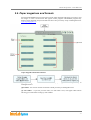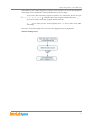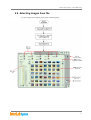
1
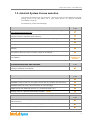
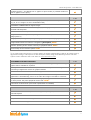
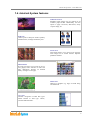
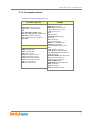
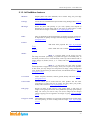
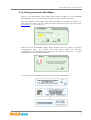
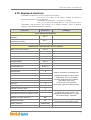
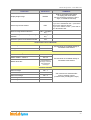
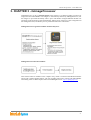
InterLab System - User Manual 1.3. InterLab System license selection One of InterLab System license type is DryLab – the newest software version dedicated to manage printing process in the shop where one or more digital printers are operating (Windows environment is required) The table below presents main advantages. GENERAL INFORMATION DryLab v. 4.0 PROVEN software for many years using "digital Contact Printing” technology (www.digitalcontactprinting.eu) Intuitive, established worldwide USER INTEFACE ensures minimum keystrokes to complete tasks for maximum work efficiency English USER INTERFACE with option to translate into your language InterLab System is fully ICC compatible for total systems matching and calibration Number of EXTERNAL GRAPHIC STATIONS able to communicate with Minilab ANY Last ORDERS ARCHIVE (ability to recall any order with all applied corrections and settings) KEYBOARD SHORTCUTS for all common functions during image preparation-giving the operator optimum tools to increase output to the Minilab Free updates Within the confines of version SUPPORTED MINILABS AND PRINTERS Any kind of Digital printer (ink jet, laser, dye-sublimation, dry minilabs etc.) working in Windows environment DryLab v. 4.0 EXPOSURE MODES SINGLE images PASSPORT images printed on any paper format and any quantity and dimensions PACKAGE defined by user (various formats on one print page) INDEX format with additional options (e.g. IndexPrint Mode, etc.) Dividing order to 4 printers functionality available - NEW! FRAMES-TEXT-ID DryLab v. 4.0 DryLab v. 4.0 STANDARD frame for image (option to select any background color, frame color and frame size) FREE frame loaded from graphic file (bmp, jpeg, tiff and many more) An option to add the frame for cropped image 8