1
Transaction Processing 2
Comm Basis
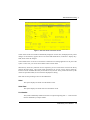
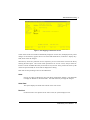
This field indicates the percentage of the commissionable dollars that is allocated to each
salesperson for the line item. If you entered ‘Y’ for Comm on Sub? on the Sales Orders
header record, you cannot make an entry in this field. If you entered ‘N’ for Comm on Sub?,
the commission basis will default from the header record.
If Commission Accounting is part of the system and you did not make an entry for this salesperson on the header record, the first entry defaults to ‘100’ and the second to ‘0’. You may
enter up to 3 digits and 1 decimal to override these defaults. If your system does not include
Commission Accounting, no defaults will appear.
If the commission is to be split between two salespeople, the first entry would represent the
percentage that the first salesperson would receive, and the second entry would represent the
percentage that the second salesperson would receive.
These entries do not need to add up to 100.
Commission Method
This field identifies the method used to calculate the commissionable dollars for each salesperson. If a salesperson/product class combination is on file for this salesperson in the Commission Accounting Sales Classes file, the Commission Method will default from that file.
You may override the display by entering one of the following codes:
“ ”: If blank, commissions will not be calculated
S: The selling price
P: The product commission amount
G: The gross margin (that is, the difference between the selling price and the cost)
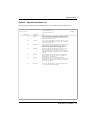
The following table outlines the fields that each commission method is based upon.
S: Amount = (Unit Price x Quantity x Price Disc Pct)
P: Commission Amount (in the Inventory Control Products file)
G: Amount - (Quantity x Cost)
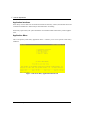
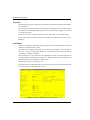
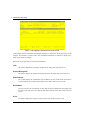
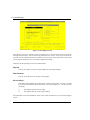
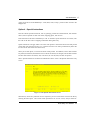
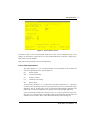
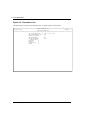
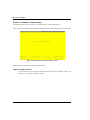
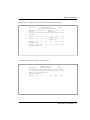
The entered data is validated. Press RETURN to display system-supplied information, and then press
RETURN again to save the contents of this screen.
Select the Previous Image option to go back to the current Sales Orders screen. Select the Next Record
option to go to the next Line Items screen. Select the END option to go to the next Sales Order screen.
At this screen the use of the MODE keys—ADD, DEL, CHG, or INQ—pertain to those records in the
Sales Orders Line Items file.
Order Entry User Manual
25