1
Transaction Processing 2
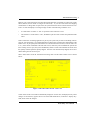
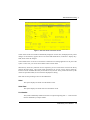
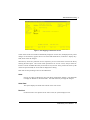
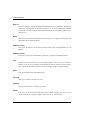
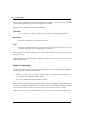
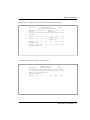
Amount*
The system calculates and displays the amount of this line item by multiplying the unit price
by the quantity ordered, and discounting the resulting amount by the Price Disc Pct.
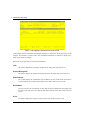
Instruction
If any special instructions were specified for this line item, the system displays that code.
You can use the Scan option to find an appropriate entry. You may enter a code from the
Special Instructions file to override the display.
Back Order?
Depending on the entry made on the Sales Order line item record, the system displays ‘Y’ or
‘N’. You may enter a new value to indicate whether or not this item may be backordered.
Y: This item may be backordered for this order.
N: This item may not be backordered for this order.
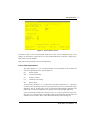
Shipped
The system displays the Qty Shipped from the Sales Order line item record, if any. To enter
or change the quantity shipped, enter up to 5 digits and 2 decimals to override the display. If
you used the Option 17 feature, this field will be set to Qty Ordered from the Sales Order line
item record.
Backordered
The system displays the Qty Backordered entry made on the Sales Order line item record.
You may enter up to 5 digits and 2 decimals to override the display. If you used the Option
17 feature, this field will be set to zero.
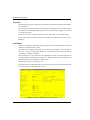
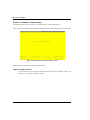
Press RETURN to save the contents of this screen.
Order Entry User Manual
31