1
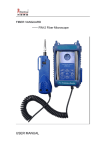
GRANDWAY Optical Testing Instruments
User Manual
English Version
FHP FHS FHM FHA series
User Manual
Shanghai Grandway Telecom Tech.Co.,Ltd
www.grandway.com.cn
Contents
Safety Information
Power Supply
FHP2 Optical Power Meter
FHS2 Multi-wavelength Laser Source
FHP1 Mini Optical Power Meter
FHS1 Mini Dual-wavelength Laser Source
FHM2 Optical Multimeter(Optical Loss Test Set)
FHA2 Variable Optical Attenuator
Maintenance
Warranty
Welcom to our website
www.grandway.com.cn
1
2
4
17
30
42
52
75
87
88
Safety Information
Safety Information
Warnings!
Never look directly into optical outputs or a fiber while the when the laser source is on. The
Laser output of FHS and FHM is Class I. Invisible laser beam may damage your eyes.
Do not short-circuit the terminal of AC adapter / charger and the batteries. Excessive
electrical current may cause personal injury due to fumes, electric shock or equipment
damage.
Connect DC power cord with the equipment and wall socket properly. While inserting the DC
plug, make sure there is no dust or dirt on the terminals and both plugs are fully seated.
Incomplete engagement may cause fuming, electric shock or equipment damage and may
result in personal injury.
Do not operate the equipment near hot objects, in hot environments, in dusty/ humid
atmosphere or when condensation is present on the equipment. This may result in electric
shock , product malfunction or poor performance.
1
Power Supply
Power Supply
1. Discharged batteries
There is a battery indicator on the screen to show the remaining charge. There are four possibilities
the indicator may show, full, with 2 blacks, with 1 black and empty. If an empty battery indicator
flashes it means the power is almost out, and that is when you should recharge the batteries by
connect the AC adapter with the instrument. If the discharged batteries get to their limitations after
long-time use, please replace it with a new one. To replace the batteries, please remove the battery
plate on the back of instrument with a screwdriver.
When the battery charge is extremely low to supply the necessary power, the instrument will
automatically switch off.
Note: 1 The AC indicator is not displayed when power is supplied by battery.
2 To eliminate the possibility of acid leakage, please take out the battery if the unit is not used for
a long time.
2. AC operation
If the instrument is mainly used at one location, e.g. in a laboratory or test department, the AC adapter
can be used to power it instead of batteries. There is a DC input jack on the top side of the F2HP
instrument casing into which the output cable of the AC adapter is plugged. And when the AC adapter
is plugged in, the AC Indicator on the LCD will be displayed.
Note: 1 When AC adaptor is used, make sure not put not-rechargeable battery inside.
2 Make sure that the operating voltage of the AC Adapter / Charger is the same as the local AC
line voltage.
2
Power Supply
3. Power Supply for FHP1 and FHS1 series.
There are battery indicator and power plug on the screen to show the power supply. When you use the
DC 5v charger, there is no battery indicator on the screen. When you do not connect the DC 5v
charger, the adapter indicator will disappear on the screen.
1888
nm
1888
nm
When you use the battery, the battery indicator on the screen will show the remaining charge. An
empty battery indicator means the power is almost out. When the battery charge is extremely low to
supply the necessary power, the instrument will automatically switch off after several beeps of the
buzzer. Please change the battery or recharge it
1888
nm
1888
nm
3
User's Guide to the FHP2
Optical Power Meter
4
FHP2 / Introduction
1 Introduction
FH
1888
FHP2 series
nm
-.8.8.8.8
REF
270Hz
1kHz
2kHz
AUTO-OFF
>2s PERM
>2s SET
FH
FHP2A02
OPTICAL POWER METER
The FHP2 series are full featured palm sized optical
power meters designed for use with an optical laser
source to perform optical loss measurements on optical
fiber cables. The FHP2 series are lightweight and are
controlled by microprocessor. Utilizing state-of-the-art
SMT in its manufacture, optical connections to the FHP2
are made via the universal adapter interface on the top of
the unit. The instrument has 6 working wavelengths to
totally satisfy your needs.
It can be extensively used in telecommunication projects
and other situations where optical power of wavelengths
close to infrared ray needs to be measured.
5
FHP2 / Specifications
2 Specifications
Optical Specifications
Model
Measuring Range (dBm)
Resolution
Calibration Wavelength (nm)
Detector
Precision
Operating Wavelength (nm)
Power
2
Wavelength Recognize
2
Tone Detection (Hz)
Back Light
Auto Power Off
Reference Value
Connector
USB and software support
Data Storage
Note
1
2
6
FHP2A02/FHP2A04
FHP2B02/FHP2B04
-70~+10
-50~+26
0.01dB/dBm; 0.0001uW
850/1300/1310/1490/1550/1625
InGaAs
1
±5%
700~1700
2*1.2V Ni-MH batteries; AC adapter for continuous use
Yes
Yes
Yes
Yes
Yes
FC/SC/ST interchangeable connectors for PC and APC
Available for FHP2A04
Available for FHP2B04
999 records for FHP2A04 & FHP2B04
±5% is effective under 1550nm, CW, 23℃±3℃, humidity≤70%
Input power >-30dBm for FHP2A series; Input power>-20dBm
FHP2 / Specifications
General Specifications
Operation Temperature
-10 oC~+50 oC
Storage Temperature
-20 oC~+70 oC
Humidity
< 90%
Size(H*W*D)
160*76*45(mm)
Weight
about 265(g)
7
FHP2 / Preparing for Operation
3 Preparing for Operation
Unpacking the instrument
Packing material
We suggest that you keep the original packing material. Using the original packing material is your
guarantee of protecting the instrument during transit.
Checking the package contents
The standard accessories of FHP2 are as follows:
Main unit
User's Guide
Quality Check Report
2*1.2-volt Ni-MH Batteries
Carrying Case
AC Adapter
Connectors(Interchangeable FC ,SC ,ST connectors )
Checking for damage in transit
After unpacking the instrument, check to see whether it was damaged in transit. This is particularly
likely if the outer casing is clearly damaged. If there is damage, do not attempt to operate the
instrument or to repair it without authorization. Doing so can cause further damage and you may lose
your warranty qualification.
8
FHP / Operation
4 Operation
4.1 Display and controls
4.1.1 Keypad
The FHP2 keypad is used to access a wide range of instrument functions.
FHP2A/B02
NO.
FH
1888
FHP2 series
nm
1kHz
2kHz
Switches instrument on / off. Long keypress while powering on
to activate the instrument without Auto-off function.
2
Selects measurement wavelength in sequence of
850nm,1300nm 1310nm, 1490nm,1550nm and 1625nm.
3
Switches measurement unit among dBm,dB and mw.
4
Short keypress to display reference level of present test
wavelength. Long keypress to set a new reference level of
present test wavelength.
5
Switches backlighting on / off.
-.8.8.8.8
AUTO-O FF
Function
1
REF
270Hz
Key
>2 s PE RM
>2 s SE T
5
FH
FHP2A02
OPTICAL POWER METER
9
FHP2 / Operation
FHP2A/B04
NO.
FF HH
1888
LPM-4
series
FHP2 series
Function
1
Switches instrument on / off. Long keypress while powering on
to activate the instrument without Auto-off function.
2
Selects measurement wavelength in sequence of 850/1300/1310/
1490/1550/1625nm and to activate auto-wavelength recognition(TWIN).
3
Switches measurement unit among dBm,dB and mw.
nm
-.8.8.8.8
Key
REF
270Hz
1kHz
2kHz
AUTO-O FF
6
5
FH
10
FHP2A04
4
Long keypress for 2s to store the current test value; short
keypress to display the record.
5
Short keypress to display reference level of present test wavelength.
Long keypress to set a new reference level of present test wavelength.
6
Switches backlighting on / off.
FHP2 / Operation
4.1.2 Back
Connector(FC/PC, SC/PC, ST/PC optional)
FF HH
1888
FH
LPM-4
series
FHP2 series
1888
nm
-.8.8.8.8
REF
270Hz
1kHz
2kHz
FHP2 series
nm
-.8.8.8.8
REF
270Hz
1kHz
2kHz
AUTO- OF F
AUTO- OF F
>2 s PE RM
>2 s SE T
FH
FH
FHP2A04
USB interface
FHP2A02
OP TI CA L POW ER M ET ER
Recharge LED
Recharge LED
DC Input Jack
US B
DC Input Tack
AC Adapter LED
AC Adapter LED
Recharge LED lights up when recharging the batteries.
AC Adapter LED lights up when recharging finishes
11
FHP2 / Operation
4.1.3 LCD
Wavelength
AC Adapter
1888
Reference
Battery Charge
-.8.8.8.8
REF
270H z
Frequency
nm
1kH z
2kH z
TW IN
Auto-wavelength recognition
12
AUTO-OFF
Power
Auto-off
Measurement Unit
FHP2 / Operation
4.2 Turning the instrument on and off
-.8.8.8.8
REF
270Hz
1kHz
2kHz
AUTO-O FF
Press the “ON/OFF” key briefly.
The instrument powers on, and backlighting switches on.
Please check the battery capacity if it fails.
Press the “ON/OFF” key briefly again.
The instrument powers off, and backlighting switches off.
FH
Note: Auto-off function
1. The instrument powers off automatically if no keypress in 10 minutes.
2. Press the “ON/OFF” key for about 2 seconds to power on the instrument with “Auto-off” function
deactivated.
FHP2A04
4.3 Setting the wavelength
1625
1550
Press the “λ” key repeatedly until the desired wavelength is
1300
850
displayed. You can select from six optional wavelengths: 850nm,
1300nm, 1310nm, 1490nm,1550nm,1625nm.
The instrument defaults to the wavelength which the user set in the last test.
1490
13 1 0
nm
- 2 0.0 0
AUTO-OFF
4.4 Turning on the wavelength recognition function-- “
TWIN” function
Long keypress
is to activate the auto-wavelength recognition
and the "TWIN" will show on the LCD. Short keypress
is to
close the "TWIN".
When used with the FHS2 Series optical laser source, the
wavelength will shift automatically according to the output
wavelength of the laser source
13 10
13 10
nm
- 25.98
- 25.98
AU TO- OF F
nm
TWIN
AU TO- OF F
13
FHP2 / Operation
4.5 Switching measurement mode
1310
1310
nm
- 2 5.0 8
There are three measurement units you can choose by
pressing the “dBm/dB/mW” key repeatedly, dB, dBm,mW.
nm
2 0.0 0
AU TO- OF F
AUTO -O FF
4.6 Setting reference value
1. Press the “REF” key to display the stored reference valuel
for the current wavelength and a sign of “REF” will be
displayed on the screen to indicate that it is a reference value.
The displayed value only lasts 1 second.
2. Press and hold the “REF” key over 2 seconds to store the
presently measured value as the new reference value for the
current wavelength. During the process the “REF” sign flashes
twice on the screen and buzzer sound is heard. Once the new
reference level is set, the FHP2 switches to the dB
measurement mode. The displayed value only lasts 1 second.
Note: 1.Long keypress
for over 2 seconds, the unit will be
shifted to "dB" automatically.
2.When the input laser power is modulated laser source,
it will affect the setting of REF value. Please guarantee the
input laser source is CW laser when setting REF value.
14
1888
nm
-.8.8.8.8
REF
270Hz
1kHz
2kHz
AUTO-O FF
1310
nm
- 2 0.0 0
REF
AUTO-OFF
short
keypress
1310
nm
0 5.8 8
AUTO-OFF
FHP2 / Operation
4.7 Switching backlighting of the LCD on and off
Press the backlighting key.
Backlighting switches on.
Press the backlighting key again.
Backlighting switches off.
1310
1310
nm
nm
- 5.0
- 5.0
AUTO-OFF
AUTO-OFF
4.8 Frequency detecting
If the tested wavelength is carrying a tone of 270Hz, 1kHz, or 2kHz,
the respective frequency indicates on the screen
13 1 0
1kHz
nm
- 2 0.0 0
AUTO-OFF
4.9 The overflow of the measured power value
If the measured power value is too high, the LCD screen will display “HI”.
1310
nm
AUTO-OFF
If the measured power value is too low, the LCD screen will display “LO”.
1310
nm
L0
AUTO-OFF
15
FHP2 / Operation
4.10 The storage of the current test value( For FHP2A04 and FHP2B04)
Press
key over 2s, the SAVE flashes on the screen once with the sounds of the buzzer. It
indicates the setting is finished. It will display the stored value and the serial number of the storage.
Then, the FHP2A will return to the test state automatically.
1888
4.11 Check the storage records( For FHP2A04 and FHP2B04)
nm
-.8.8.8.8
REF
270Hz
1kHz
2kHz
AUTO-O FF
Press
key, it will display the latest record.
Press
key, it will browse the forward records.
Press
key, it will browse the afterward records.
Press
16
+
key, it will delete all the records.
FH
FHP2A04
User's Guide to the FHS2 Series
Multi-wavelength Laser Source
17
FHS2 / Introduction
1 Introduction
FF HH
1888
LPM-4
series
FHS2 series
nm
-.8.8.8.8
270Hz
1kHz
2kHz
SI NG LE
TW IN
AUTO-O FF
The FHS2 laser source offers excellent stability,
portability and facile adjustments for accurate optical
fiber testing. Single output connector serves multiwavelengths--850nm,1300nm 1310nm,1490nm, 1550nm.
TWIN
CW/Hz
>2 s PE RM
ON
OFF
FH
18
FHS2
LA SE R SO UR CE
FHS2 can be used to test single mode optical fiber of long
distance and local network. Also it can work with optical
power meter to measure the loss of optical fiber.
FHS2 / Specifications
2 Specifications
Optical Specifications
Model
FHS2D02
Output wavelength(nm)
1310&1550±20nm
Laser
FHS2T01
850&1300±20nm
1310&1490&1550±20nm
Class Ι
Spectral Width
3nm typical value
Long term Stability( 15min)
Short term Stability( 8hr )
2
2
CW output power
Modulated Wavelength
Available Connector
Power
NOTE:
FHS2D03
1
±0.05dB@1300,1310
±0.1dB@850,1490nm
±0.2dB@850,1490nm
±0.1dB@1300,1310,1550nm
-5.0dBm±1dB
270Hz,1kHz,2kHz
FC/PC,SC/PC,ST/PC interchangeable connectors
(APC is avaiable at the time of ordering)
2 units of AA rechargeable battaries
1
±5% is effective under 1550nm, CW, 23℃±3℃, humidity≤70%
2
25 min preheat @ 25℃
19
FHS2 / Specifications
General Specifications
Operation Temperature
-10 oC~+50 oC
Storage Temperature
-20 oC~+70 oC
Humidity
<90%
Size(H×W×D)
160mm×76mm×45mm
Weight
About 0.26 kg(including batteries)
NOTE: Please be aware that Grandway will not be responsible for the damage caused by customer's
improper usage of AC power supply, especially when the instrument is working by internal batteries. The
working hours of instrument might show a difference under a different circumstances and batteries
status
20
FHS2 / Preparing for Operation
3 Preparing for Operation
Unpacking the instrument
Packing material
We suggest that you keep the original packing material. Using the original packing material is your
guarantee of protecting the instrument during transit.
Checking the package contents
The standard accessories of FHS2 are as follows:
Main unit(including battery)
Quality Check Report
DC 6V Adapter
Carrying Case
User's Guide
Connectors(FC/PC,SC/PC,ST/PC)
Checking for damage in transit
After unpacking the instrument, check to see whether it was damaged in transit. This is particularly
likely if the outer casing is clearly damaged. If there is damage, do not attempt to operate the
instrument or to repair it without authorization. Doing so can cause further damage and you may
lose your warranty qualification.
21
FHS2 / Operation
4 Operation
TWIN
4.1 Display and controls
CW/Hz
>2 s PE RM
ON
OFF
4.1.1 Font(Panel Board)
No.
Key
1
2
CW/Hz
TWIN
Modulated Wavelength Shifting Key: Switches modulated
wavelength and continuous wavelength.
SINGLE: Auto-wavelength recognition is off.
TWIN: Auto-wavelength recognition is on.
Switches backlighting on/off.
>2s PERM
22
Function
Output Power Increase and Decrease: Increase or decrease output
power by 0.1dB and the adjustable range is ±3dB.
5
6
FHS2D02
LASER SOURCE
Wavelength Shifting Key: Switches working wavelength.
3
4
FH
ON
OFF
Switches Instrument on/off. Long keypress while powering on to
activate the instrument without Auto-off function.
FHS2 / Operation
4.1.2 Back & top
Connector (FC/PC,SC/PC,ST/PC)
Battery Plate
(including 2 units of AA recharging batteries)
DC 6v power input
23
FHS2 / Operation
4.1.3 LCD
Wavelength
DC Adapter
Battery Charge
1888 date
nm
Modulation
270H z
1kH z
2kH z
.8.8.8.8
Power
Measurement Unit(dBm)
Auto-wavelength Recognition
SINGLE
TWIN
24
AUTO-OFF
Auto-off
FHS2 / Operation
4.2 Turning the instrument on and off
>2s PERM
ON
OFF
13 10
nm
.8.5.5.0
Press the “ON/OFF” key briefly.
The instrument powers on.(See the figure)
Press the “ON/OFF” key briefly again.
SINGLE
The instrument powers off.
AUTO-OFF
Note: Auto-off function
1 The instrument powers off automatically if no key press in 10 minutes.
2 Press the “ON/OFF” key for about 2 seconds to power on the instrument with "Auto-off" function
deactivated.
4.3 Switching the wavelength
1550
13 10
Press the “λ” Key to switch the wavelength
between13100nm,1550nm for FHS2D02,850nm,1300nm
for FHS2D03,1310nm,1490nm and 1550nm for FHS2T01.
nm
.8.5.5.0
SINGLE
AUTO-OFF
25
FHS2 / Operation
4.4 Frequency Output
13 10
CW/Hz
nm
1
The instrument defaults to CW when it switch on.
When it is set to CW, there is no frequency on
display.
Press the "CW/Hz" Key to select the output among
270Hz, 1kHz and 2kHz.
2kHz
CW
1kHz
270Hz
.8.5.5.0
SINGLE
AUTO-OFF
1."CW" is not displayed on the LCD
4.5 Auto-wavelength Recognition
TWIN
Press the "TWIN" Key to turn on and off the auto-wavelength recognition function.
Note:1). It is suggested to turn off the "TWIN" code when using the stability of laser source module. The optical
power output of laser source will be fluctuated.
2). The function of "TWIN" and Modulation cannot work together. When the "TWIN" is on, modulation of laser
source module is closed automatically.
3). Wavelength will be shifted automatically according to the recognition when the "TWIN" of power meter
module is on. In another word, the modulated signal of 270Hz, 1kHz and 2kHz cannot be recognized and
received at the moment.
26
FHS2 / Operation
4.6 Switching backlighting of the LCD on and off
Press the backlighting Key to switch the backlighting of the LCD on and off.
13 10
13 10
nm
- 5.0
SINGLE
nm
- 5.0
SINGLE
AUTO-OFF
AUTO-OFF
27
FHS2 / Operation
4.7 Setting the output power
Press the “
” key to to increase the output power. The measurement range is from -2 dBm to -8
dBm. Each time you press it , the value increases by 0.1 dBm.
Press the “
” key to decrease the output power. The measurement range is from -2 dBm to -8
dBm. Each time you press it, the value decreases by 0.1 dBm.
1310
1310
nm
.8.5.5.0
SINGLE
nm
.8.5.4.9
SINGLE
AUTO-OFF
1310
AUTO-OFF
1310
nm
.8.5.5.0
SINGLE
.8.5.5.1
SINGLE
AUTO-OFF
28
nm
AUTO-OFF
FHS2 / Operation
4.8 Connecting with Optical Power Meter
It can work with optical power meter to measure the loss of optical fiber accurately.
FH
1888
270Hz
1kHz
2kHz
FHS2 series
nm
-.8.8.8.8
AUTO- OF F
FF HH
TWIN
1888
LPM-4
series
FHP2 series
nm
-.8.8.8.8
REF
CW/Hz
270Hz
>2 s PE RM
ON
OFF
1kHz
2kHz
AUTO- OF F
FH
FHS2
LA SE R SO UR CE
FH
FHP2A04
29
User's Guide to the FHP1A/B02
Mini Optical Power Meter
30
FHP1A/B02 / Introduction
1 Introduction
FHP1 series
1888 nm
REF
-.8.8.8.8
>2s PERM
ON
OFF
dBm/
dB/mw
>2s SET
REF
The FHP1 series are full featured mini sized optical power meters
designed for use with an optical laser source to perform optical loss
measurements on optical fiber cables.
Utilizing state-of-the-art SMT in its manufacture, optical connections to
the FHP1 are made via the universal adapter interface on the top of the
unit. The instrument has 6 working wavelengths to totally satisfy your
needs. It can be extensively used in telecommunication projects and
other situations where optical power of wavelengths close to infrared
ray needs to be measured.
TM
FHP1A02
Main Features:
Small size with light weight, saving power and easy to carry
Supply with linear and logarithmic optical power display
31
FHP1A/B02 / Specifications
2 Specifications
Optical Specifications
FHP1A02
Calibrated Wavelength (nm)
850/1300/1310 /1490/1550/1625
Detector Type
InGaAs
Connector
FC/PC SC/PC ST/PC Universal
Accuracy
± 0.35dB±10nW
Resolution
0.01dB
Linearity
±5%
Auto Power Off
Yes
Back Light
Yes
Reference Value
Measuring Range(dBm)
Yes
-40 to +23
-60 to +3
USB Interface
N/A
Data Storage
N/A
Wavelength Recognize
N/A
Tone Detection (Hz)
N/A
Note:
32
FHP1B02
Valid at 1550nm, CW,23±3℃, Relative Humidity ≤70%, with an FC connector.
FHP1A/B02 / Specifications
General Specifications
Operating Temperature
-10 oC to +50 oC
Storage Temperature
-20 oC to +70 oC
Power Supply
Dimension (mm)
Net Weight
1pcs*Li-ion Battery; 5V AC/DC Adaptor
115L*62W*30H
140g
33
FHP1A/B02/ Preparing for Operation
3 Preparing for Operation
Unpacking the instrument
Packing material
We suggest that you keep the original packing material. Using the original packing material is your
guarantee of protecting the instrument during transit.
Checking the package contents
The standard accessories of FHP1 are as follows:
Main Unit
User's Guide
Carrying Case
1pcs of Li-ion Battery
5V AC/DC Adapter
Quality Check Report
FC/PC, SC/PC,ST/PC Interchangeable Connectors
Checking for damage in transit
After unpacking the instrument, check to see whether it was damaged in transit. This is particularly
likely if the outer casing is clearly damaged. If there is damage, do not attempt to operate the
instrument or to repair it without authorization. Doing so can cause further damage and you may lose
your warranty qualification.
34
FHP1A/B02 / Operation
4 Operation
4 .1 Display and controls
4.1.1 Keypad
The FHP1 keypad is used to access a wide range of instrument functions.
NO. Key
Function
FHP1 series
>2s PERM
1
1888 nm
ON
OFF
REF
-.8.8.8.8
S w i t c h e s i n s t r u m e n t o n / o ff . L o n g k e y p r e s s o v e r 2 s e c o n d s
while powering on is to activate the instrument without Auto-off function.
Short keypress to display reference level of present test wavelength.
Long keypress to set a new reference level of present test wavelength.
2
>2s PERM
ON
OFF
dBm/
dB/mw
3
>2s SET
REF
dBm/
dB/mw
Selects measurement wavelengths.
5
>2s SET
TM
FHP1A02
4
5
REF
Switches measurement units among dBm, dB and mw.
Switches backlighting on/off.
35
FHP1A/B02 / Operation
4.1.2 Back
Connector interchangeable FC/PC,
SC/PC, ST/PC
FHP1 series
1888 nm
REF
-.8.8.8.8
>2s PERM
ON
OFF
dBm/
dB/mw
>2s SET
REF
TM
FHP1A02
DC 5V
36
DC Input Jack
FHP1A/B02 / Operation
4.1.3 LCD
Wavelength
Auto-off
AC Adapter
1888 nm
Reference
Battery Charge
REF
-.8.8.8.8
Measurement Unit
Power value
37
FHP1A/B02 / Operation
4.2 Turning the instrument on and off
4.2.1. Press the "ON/OFF" key briefly.
The instrument powers on, and backlighting switches on with the short beeper of
the buzzer.
Please check the battery capacity and the connection of the battery in the battery
plate if it fails.
1888 nm
REF
-.8.8.8.8
>2s PERM
ON
OFF
4.2.2. Press the "ON/OFF" key briefly again.
The instrument powers off, and backlighting switches off with the short beeper of
the buzzer. When the battery capacity indicator flashes on the LCD, please
recharge the battery or change new batteries. Otherwise, the instrument will be
damaged by the shortage of the power.
4.2.3. Turn on/off the auto-off function
The instrument powers off automatically if no keypress in 10 minutes.
Press the "ON/OFF" key for about 2 seconds to deactivate the auto-off function
and the indicator will be disappear on the LCD.
The instrument will be power off if the battery capacity is too low to support the
operation.
REF
1888 nm
REF
-.8.8.8.8
1888 nm
REF
-.8.8.8.8
>2s PERM
ON
OFF
38
dBm/
dB/m w
>2s SET
dBm/
dB/m w
FHP1A/B02 / Operation
4.3 Setting the wavelength
Press the "λ" key repeatedly until the desired wavelength is
displayed. You can select from six possible wavelengths:
850nm, 1300nm, 1310nm, 1490nm, 1550nm and 1550nm.
The instrument defaults to the wavelength of 1550nm.
1300
850
1625
13 1 0
1490
1550 nm
- 2 0.0 0
.
4.4 Setting and checking reference level
4.4.1. Setting the reference level
Press and hold the "REF" key over 2 seconds to store the presently
measured value as the new reference level for the current
wavelength. Once the new reference level is set, the LCD displays
0.00dB with the beeper of the buzzer and the FHP1 switches to the
dB measurement mode.
4.4.2. Checking the reference level
Press the "REF" key to display the stored reference level for the
current wavelength and a sign of "REF" will be displayed on the LCD
to indicate that it is a reference value. The displayed value only lasts
1 seconds. The instrument switches to the dB measurement mode.
Note: 1.Long keypress
for over 2 seconds, the unit will be
shifted to "dB" automatically.
2.When the input laser power is modulated laser source, it will
affect the setting of REF value. Please guarantee the input laser
source is CW laser when setting REF value.
1888 nm
REF
-.8.8.8.8
>2s PERM
ON
OFF
dBm/
dB/mw
>2s SET
REF
13 10
REF
nm
- 20.00
short
keypress
nm
13
10 nm
1888
REF
REF
-.8.8.8.8
05.88
REF
>2s PERM
ON
OFF
dBm/
dB/mw
>2s SET
REF
39
FHP1A/B02 / Operation
4.5 Switching measurement mode
1888
13
10 nm
1888
13
10 nm
25.08
-.8.8.8.8
20.00
-.8.8.8.8
REF
Press the "dBm/dB/mw" key, you can select three
measurement modes: dBm for the power value, dB for the
relative value and the mw logarithmic value.
REF
>2s PERM
>2s PERM
ON
OFF
ON
OFF
dBm/
dB/m w
dBm/
dB/m w
>2s SET
>2s SET
REF
REF
4.6 The overflow of the measured power value
If the measured power value is higher than the highest value of the measuring
range,the LCD screen will display "HI".
If the measured power value is lower than the lowest value of the measuring
range,the LCD screen will display "LO".
13 10
nm
13 10
nm
L0
4.7 Switching backlighting of the LCD on and off
Press the backlighting key.
Backlighting switches on.
Press the backlighting key again.
Backlighting switches off.
40
1888 nm
REF
-.8.8.8.8
1888 nm
REF
-.8.8.8.8
FHP1A/B02 / Operation
4.8 Connection with the optial laser source
Connecting with FHS1D series dual-wavelength laser source, FHP1A02 optical power meter can
make accurate measurement of the fiber loss at the largest distance of more than250km(@1550).
On-the-spot measurement will differ with the working wavelength, fiber attenuation and the testing
environment.
FHS1 series
1888 nm
-.8.8.8.8
270Hz
1kHz
2kHz
FHP1 series
>2 s PE RM
ON
OFF
CW
Hz
1888 nm
REF
-.8.8.8.8
TM
FHS1D02
DUAL LASER SOURCE
>2 s PE RM
ON
OFF
dBm/
dB/mw
>2 s SE T
REF
TM
FHP1A02
41
User's Guide to the FHS1D02/03
Dual-wavelength Laser Source
42
FHS1 / Introduction
1 Introduction
FHS1 series
nm
-
270 Hz
1kHz
TM
2kHz
The FHS1D series mini-sized dual-wavelength laser sources offer
excellent stability and portability for accurate fiber optic testing.
Single output port provides stable laser power at dual-wavelength.
The compact unit operates in either continuous wave (CW) mode or
modulated mode. A low battery indicator reminds the user of
replacing the battery.
Main Features:
Single output, providing with CW and modulation of 270Hz, 1kHz
and 2kHz
Supply with backlighting, recharging battery, LCD screen and autooff at the low-battery capacity
43
FHS1 / Specifications
2 Specifications
Optical Specifications
Output wavelength (nm)
FHS -1D02
FHS -1D03
1310 & 1550
850 & 1300
1
Emitter Type
LD
Connector
Output Stability
FC/PC
2
Central Wavelength
Spectral Width
Output Frequency (Hz)
Short Term(15minutes):<0.1dB
Long Term(5Hours or above):<0.2dB
1310+/-20nm & 1550+/-20nm
5nm
270,1K,2K
Output Power
-5dBm
Auto Power-off
Yes
Back-light
Yes
General Specifications
Operating Temperature
-10 oC to +50 oC
Storage Temperature
-20 oC to +70 oC
Power supply
Dimension (mm)
1pcs*Li-ion Battery;5V AC/DC Adaptor
115L*65W*30H
Net Weight
NOTE:
44
1
±5% is effective under 1550nm, CW, 23℃±3℃, humidity≤70%
2
25 min preheat @ 25℃)
140g
FHS1 / Preparing for Operation
3 Preparing for Operation
Unpacking the instrument
Packing material
We suggest that you keep the original packing material. Using the original packing material is your
guarantee of protecting the instrument during transit.
Checking the package contents
The standard accessories of FHS1D02/03 are as follows:
Main unit(including battery)
Quality Check Report
DC 5V charger
Carrying Case
User's Guide
FC/PC(ST/PC, SC/PC optional)
Checking for damage in transit
After unpacking the instrument, check to see whether it was damaged in transit. This is particularly
likely if the outer casing is clearly damaged. If there is damage, do not attempt to operate the
instrument or to repair it without authorization. Doing so can cause further damage and you may lose
your warranty qualification.
45
FHS1 / Operation
FHS1 series
4 Operation
nm
-
4.1 Display and controls
270H z
1kHz
2kHz
4.1.1 Font(Panel Board)
TM
No.
46
Key
Function
1
Switches instrument on/off. Long keypress while powering
on to activate the instrument without auto-off function.
2
Modulated wavelength shifting key: switches modulated wavelength
and continuous wavelength.
3
Switches backlighting on/off.
4
Wavelength shifting key: switches working wavelength between 1310nm
and 1550nm(FHS1D02) or between 850nm and 1300nm(FHS1D03).
FHS1 / Operation
4.1.2 Back & top
FC/PC Connector(SC/PC, ST/PC optional)
Battery Plate
(including Li-ion battery)
DC 5v power input
47
FHS1 / Operation
4.1.3 LCD
Wavelength
Auto-off
DC Adapter
Battery Charge
nm
48
Power
Measurement Unit(dBm)
270Hz
1kHz
2kHz
Modulation
FHS1 / Operation
4.2 Turning the instrument on and off
13 10 nm
Press the “ON/OFF” key briefly.
The instrument powers on.(See the figure)
Press the “ON/OFF” key briefly again.
The instrument powers off.
.8.5.5.0
2k Hz
Note: Auto-off function
1 The instrument powers off automatically if no key press in 10 minutes.
2 Press the “ON/OFF” key for about 2 seconds to power on the instrument with "Auto-off" function
deactivated.
4.3 Switching the wavelength
1550
13 10 nm
.8.5.5.0
2k Hz
Press the “λ” Key to switch the wavelength between 1310nm and 1550nm.
49
FHS1 / Operation
4.4 Frequency Output
13 10 nm
The instrument defaults to CW when it switch on. When it is
set to CW, there is no frequency on display.
Press the "CW/Hz" Key to select the output among 270Hz,
1kHz and 2kHz.
.8.5.5.0
27 0H z
1k Hz
2k Hz
1."CW" is not displayed on the LCD
4.5 Switching backlighting of the LCD on and off
Press the backlighting Key to switch the backlighting of the LCD on and off.
13 10 nm
13 10 nm
- 5.0
2kHz
50
- 5.0
2kHz
FHS1 / Operation
4.6 Connecting with Optical Power Meter
Connecting with FHP1 series optical power meter, FHS1D series dual-wavelength laser source can
make accurate measurement of the fiber loss at the largest distance of more than 250km(@1550).
On-the-spot measurement will differ with the working wavelength, fiber attenuation and the testing
environment.
FHS1 series
1888 nm
-.8.8.8.8
270Hz
1kHz
2kHz
FHP1 series
>2 s PE RM
ON
OFF
CW
Hz
1888 nm
REF
-.8.8.8.8
TM
FHS1D02
DUAL LASER SOURCE
>2 s PE RM
ON
OFF
dB m/
dB /m w
>2 s SE T
REF
TM
FHP1A02
51
User's Guide to the FHM2 Series
Optical Multimeter(Optical Loss Test Set)
52
FHM2/ Introduction
1 Introduction
FH
1888
FHM2 series
nm
-.8.8.8.8
REF
270Hz
1kHz
2kHz
SINGLE
TWIN
SAVE
888
1310 1490 1550
LD
AUTO-OFF
270
TWIN
PD
1K
2K
CW/Hz
>2 s SE T
DE LE TE
>2 s SAVE
mw
uw
dBm/
dB/mW
REF
>2 s PE RM
LOAD
FH
FHM2A02
OPTICAL MULTI-METER
1.1 General Description
The FHM series optical loss test set combines a
power meter and a three- wavelength laser
source, for optical fiber network installation and
maintenance. With the large capacity of data
storage, it’s very convenient for field testing and
transferring the test results to PC through USB
interface.
53
FHM2 / Introduction
1.2 Main Features
Three wavelengths (1310nm, 1490nm and 1550nm) combine in one port;
The output of laser source stables at -5dBm;
Laser source supplies CW and modulated 270Hz, 1KHz, 2KHz output;
Laser source transmits wavelength recognition code;
Optical power meter displays linearity and logarithmic optical power values;
Automatic shifting of measurements in optical power meter;
Automatic wavelength recognition and shifting to the measured wavelength in optical power meter;
Storage of 999 sets of tested data in optical power meter;
Screen backlight;
Rechargeable batteries;
LCD displayer supplies;
Auto- off at low voltage;
Auto-off after 10-min no operation(default);
Display of battery capacity;
Auto shut off of charging
1.3 Typical Application
Transmitter optical power measurements( dBm and W)
Fiber-link loss testing (dB)
Componet/ Device insertion loss testing( dB)
Fiber indentifications with 270 Hz, 1 KHz, 2 KHz signals
Fiber intallation and maintenance applications
FTTx: testing of passive optical networks.
54
FHM2 / Specifications
2 Specifications
FHM2A02
Power
Calibration wavelength(nm)
Meter
Connector
850/1300/1310/1490/1550/1625
Interchangeable FC/SC/ST for PC/APC
Data storage(items)
999
Ref. Value
Yes
dB / dBm / mW /uW
Display Units
0.01
Display precision(dB)
Accuracy
1
± 5%±1nW
1310/1490/1550
Wavelength Recognition
Measuring Range(dBm)
Output wavelength (nm)
2
270 Hz / 1KHz / 2KHz
Tone Detection
Laser
FHM2B02
2
-50 to +26
-70 to +10
1310/1490/1550
Source Connector
Modulation frequencies
Interchangeable FC/SC/ST for PC(APC can be taitored at time of ordering)
Output Power
-5dBm±0.5dB
270/1K/2K Hz
Stability Long-term(8h)
±0.1dB@1310/1550nm; ±0.2dB@1490nm
Stability Short-term (15min)
±0.05dB@1310/1550nm ; ±0.1dB@1490nm
Wavelength Recognizing Code
Note
1
2
Yes
±5% is effective under 1550nm, CW, 23℃±3℃, humidity≤70%
Input power >-30dBm
55
FHM2 / Specifications
General Specification
Auto Power off
2pcs *NiHM 1.2V, 2000mAh; AC/DC Adaptor
Power Supply
PC interface
USB
Battery Life
> 100 Hours (laser off)
Storage Temperature
Operating Temperature
Relative Humidity
Dimension (mm)
Weight (Gram)
1
1 Including battery weight
56
-20°C~+70°C
-10°C~+50°C
<90% (Non-condensing)
168L×76W×43H
310
FHM2 / Preparing for Operation
3 Preparing for Operation
Unpacking the instrument
Packing material
We suggest that you keep the original packing material. Using the original packing material is your
guarantee of protecting the instrument during transit.
Checking the package contents
The standard accessories of FHM2A02 are as follows:
Main unit(including batteries)
User's Guide
Quality Check Report
Carrying Bag
USB Connecting Cable
PC software
Charger/AC Adaptor
Interchangeable FC,SC,ST connectors for both power meter & laser sourse.
Checking for damage in transit
After unpacking the instrument, check to see whether it was damaged in transit. This is particularly
likely if the outer casing is clearly damaged. If there is damage, do not attempt to operate the
instrument or to repair it without authorization. Doing so can cause further damage and you may lose
your warranty qualification.
57
FHM2 / Operation
4 Getting Started
1310 1490 1550
4.1 Introduction of Display, controls panel
Keypad
The FHM2A keypad can be divided into two parts, one is used
to control light source and the other is used to access a wide
range of functions of power meter.
NO.
Laser Source
[
Power Meter
[
58
1
2
Key
1310 1490 1550
270
1K
2K
LD
270
>2s SAVE
2K
CW/Hz
dBm/
dB/mW
REF
>2s SET
DELETE
PD
1K
TWIN
10
>2s PERM
11
LOAD
FH
FHM2A02
OPTICAL MULTI-METER
Description
LED display of wavelength display on laser source
LED display of modulated wavelength display of laser source
3
LD
Wavelength shift key on laser source
4
TWIN
Switch on/ off the auto-recognition code of laser source and power meter
5
CW/Hz
Modulated frequency and CW shift Key on laser source
DELETE
6
PD
Wavelength shift on optical power meter; in “LOAD” mode, it is to delete the value.
7
dBm/
dB/mW
Unit-shifting key of optical power meter and page-up key in “LOAD” mode
>2s SET
8
REF
Reference value setting key on optical power meter and display current reference value
>2s SAVE
9
LOAD
Load and storage of optical power value
Background light key and page-down key in “LOAD” mode
10
>2s PERM
11
ON/OFF key, long-keypress for over 2 seconds to close the auto-off function
FHM2 / Operation
10
FH
1888
FHM2 series
nm
11
-.8.8.8.8
REF
270Hz
1kHz
2kHz
SINGLE
TWIN
SAVE
888
mw
uw
12
AUTO-OFF
59
FHM2 / Operation
NO.
LED
1
LD
1310nm, 1490nm and 1550nm output port(laser source output port)
2
850/1300/1310/
1490/1550/1625nm
Current wavelength tested by the optical power meter
3
REF
Reference value in the optical power meter
4
60
Description
Modulated frequencies identified by optical power meter
5
SINGLE
TWIN
6
SAVE
7
PD
888
SINGLE: Auto-wavelength recognition of laser source and optical power meter is off.
TWIN: auto-wavelength recognition of laser source and optical power meter is on.
Number of the current data in the storage of the optical power meter
Input port of optical power meter(optical power meter input port)
8
State of the USB connection
9
External power supplier indicator
10
Signal of battery capacity. Please make the charge when
flashes to show the insufficient
battery capacity.The system shut off automatically when the battery capacity is not enough.
11
mw uw
Display of value unit.
12
AUTO-OFF
AUTO-OFF indicator. AUTO-OFF defaults to turn on when the equipment is on.
FHM2 / Operation
Input of optical power meter
(Interchangeable FC/PC, SC/PC,
ST/PC connector)
output of laser source
(Interchangeable FC/PC, SC/PC,
ST/PC connector)
Battery plate
( two units of AA batteries)
61
FHM2 / Operation
4.2 USB interface
You can use the USB interface to connect the instrument with a PC and download the stored data.
There is a socket on the bottom side of the instrument right beside the DC input jack and the USB
cable supplied can be used to connect it to the USB interface of a PC. When the USB cable is
connected, the indicator on the LCD will be displayed.
USB interface
DC Input Jack
4.3 Turning the instrument on and off
Press the “ON/OFF” key briefly.
The instrument powers on, and backlighting switches on.
Please check the battery capacity if it fails.
Press the “ON/OFF” key briefly again.
The instrument powers off, and backlighting switches off.
62
FHM2 / Operation
4.4 Activating the Automatic shutdown function
The instrument powers off automatically if no keypress in 10 minutes.Press the “ON/OFF” key for
about 2 seconds to power on the instrument with “Auto-off” function deactivated.
4.5 Switching backlighting of the LCD on and off
Press the backlighting key.
Backlighting switches on.
Press the backlighting key again.
Backlighting switches off.
1310
1310
nm
- 5.0
AUTO-OFF
nm
- 5.0
AUTO-OFF
63
FHM2 / Operation
5 Measuring the optical power or loss. ( Operation of power meter)
5.1 definition of the keys indifferent Mode
Key definition in History Data Mode
Key definition in Testing Mode
LOAD
>2S DEL ALL
DELETE
>2s
GEN DATA
LD WAVE
TWIN
LOAD REF
PD WAVE
dB/dBm/MW
>2S STEP=10
PAGE UP
STEP=1
64
PAGE DOWN
STEP=1
Press REF
, and operate other
keys in 2 seconds to retain "REF"
mode, otherwise, it will go back to
"Testing Mode"
LOAD
LAST PAGE
>2S SAVE
LOAD
REF
to cancle setting
ON/OFF
DEFAUTL
-5dBm
CLEAR
"0 dBm"
>2S STEP=1dB
UP
STEP=0.1dB
REF SAVE
>2S STEP=1dB
>2S PER
LIGHT
>2S DEF ALL
>2S CLR ALL
>2S SET
>2S SETP=10
EXIT LOAD
CW/HZ
Key definition in Ref. Setting Mode
REF
to save setting
DOWN
STEP=0.1dB
REF EXIT
FHM2 / Operation
5.2 Operating inTesting mode
DELETE
5.2.1 The key
PD
for shifting the wavelengths on power meter module.
DELETE
Press the PD
to shift among the six wavelengths of 1490nm, 1550nm, 1625nm, 850nm, 1300nm
and 1310nm and the corresponding LED will be on. The instrument defaults to 1310nm when it firstly
turned on.
1625
1550
1490
850
1300
13 10
nm
- 25.82
AUTO-OFF
Note: the power meter defaults to auto-recognize the modulated signal of 270Hz, 1kHz and 2kHz and
display the signal on the LCD. If the signal is CW, it will not display modulated signal on the LCD.
65
FHM2 / Operation
5.2.2 the key
dBm/
dB/mW
for shifting the units of optical power meter
The power meter defaults to the unit of "dBm". Press the to shift to "dB" and "mW".
Note: 1). "dB" and "mW" are the unit
representing the absolute value of tested
power value. If the tested power value is
less than 1mW in the unit of "mW", the unit
will be shifted to "uW" automatically.
2) "dB" is the relative value of testing power
value. Firstly, the user should set a
reference value. Then, the current value
can be compared by the reference one. The
formula is "dB"value equals to "the
reference value" minus "the current power
value in dBm".
66
13 10
13 10
nm
- 25.82
5.00
AUTO-OFF
13 10
nm
AUTO-OFF
nm
2.6 18
uw
AUTO-OFF
FHM2 / Operation
>2s SET
5.2.3 The key
for setting reference value on optical power meter
REF
The reference value defaults to 0.00dBm on optical power meter module. Long keypress the key for
over 2 seconds, the instrument will set the current optical
power value as the reference. Short keypress the key is to 13 10
13 10
Long
keypress
read the current reference value. The instrument will
return to the testing state after two seconds without
operation. If there's operation, the instrument will shift to
the reference editting state. Please refer to the Second
Part of operation.
Note: 1.Long keypress
for over 2 seconds, the unit will be shifted to "dB" automatically.
2.When the input laser power is modulated laser source, it will affect the setting of REF value.
Please guarantee the input laser source is CW laser when setting REF value.
nm
nm
>2 s SE T
REF
- 25.82
REF
0.00
AUTO-OFF
AUTO-OFF
REF
>2s SAVE
5.2.4 The key
LOAD
for loading and storing the optical power values
Long keypress the "load" is to store the current values including the wavelength, values, modulation,
states and units being tested. It will list and show the number of the current value from "001" to "999"
on the LCD.
Short keypress the key is to check the stored data. The
detailed description refers to the Part three of operation 13 10
13 10
enter into the "load" mode("history mode). Press the
"load" key again to exit the "history records" mode.
nm
nm
2kHz
- 25.82
AUTO-OFF
2kHz
- 25.82
SAVE
00 1
AUTO-OFF
67
FHM2 / Operation
5.3 Operating in Ref. Setting mode
Short keypress the key of "REF" is to check the reference value in the current wavelength. If there is
no operation, the instrument will return to the testing state automatically after two seconds. If there is
any keypress like following operation, the instrument will enter the editting state of reference.
5.3.1 "
dBm/
dB/mW
" is the key for increasing the reference value
Short keypress is to increase the current reference value for 0.1dB.
13 10
13 10
nm
REF
- 25.82
nm
REF
- 25.72
AUTO-OFF
AUTO-OFF
Long keypress is to increase the current reference value for 1dB.
13 10
13 10
nm
REF
- 25.82
AUTO-OFF
68
nm
REF
- 24.82
AUTO-OFF
FHM2 / Operation
5.3.2 "
" is the key for decreasing the reference value.
Short keypress is to decrease the reference value for
0.1dB in the current wavelength.
13 10
13 10
nm
REF
- 25.82
nm
REF
- 25.92
AUTO-OFF
Long keypress is to decrease the reference value for
1dB in the current wavelength.
13 10
AUTO-OFF
13 10
nm
REF
- 25.82
nm
REF
- 26.82
AUTO-OFF
5.3.3 "
LD
AUTO-OFF
" is the key for setting the reference value to the default one
Short keypress is to set the reference value in the current wavelength to "-5dBm".
Long keypress is to set all the reference values in all
nm
13 10
wavelengths to "-5dBm".
REF
Note: Setting the reference value to "-5dBm" is to work
with the output "-5dBm" of the laser source. Then it
can test the attenuation of the circuit.
- 25.82
AUTO-OFF
13 10
nm
REF
- 5.00
AUTO-OFF
69
FHM2 / Operation
DELETE
5.3.4 "
PD
" is the key for deleting the reference value
Short keypress is to delete the reference value
in the current wavelength to "0.00dBm".
Long keypress is to delete all the reference
values in all wavelengths to "0.00dBm".
13 10
13 10
nm
REF
- 25.82
nm
REF
0.00
AUTO-OFF
AUTO-OFF
>2s SET
5.3.5 "
REF
" is the key for storing the current reference setting
>2s SET
Press REF
is to store the current reference setting in the instrument. The stored data will be saved
even the power is cut off. The instrument will return to the measuring state and the unit will return to
"dB" after the storage.
Note: the reference value is displayed but not saved before pressing the key "Ref" . No data will be
restored if it is not saved by pressing the key before the power is off.
>2s PERM
5.3.6 "
" is the key for discarding the reference value of the current setting
>2s PERM
Press
is to discard the reference value of the current setting, and all the setting data are not
saved. The instrument will return to the original state. It will back to the measuring state and the unit
will be shifted to "dB".
70
FHM2 / Operation
5.4 Operating in History Data mode
Short keypress is to check the stored data and enter into the checking state.
5.4.1 Press
dBm/
dB/mW
is to page up for checking the data numbered from 001 to 999
e.g. The current value is saved as number 001, short
keypress is to check the stored value numbered 999,
long keypress for over 2 seconds is to check the
stored value numbered 990. Note: if the data are
saved less than 10 pieces, long keypressing the
will make the instrument shift to the last data stored.
13 10
- 25.82
dBm/
dB/mW
5.4.2 Press
1550
nm
SAVE
0 16
270Hz
nm
- 22.05
AUTO-OFF
SAVE
0 17
AUTO-OFF
is to down the page for checking the data numbered from 001 to 999
e.g. The current value is saved as number 001, short
keypress is to check the stored value numbered 002,
long keypress for over 2 seconds is to check the
stored value numbered 011.
Note: if the data are saved less than 10 pieces, long
keypressing the
will make the instrument shift
to the very first data stored.
13 10
850
nm
- 25.82
SAVE
0 16
AUTO-OFF
1KH z
nm
- 32.64
SAVE
0 15
AUTO-OFF
71
FHM2 / Operation
>2s PERM
5.4.3
is the key for checking the last stored data
>2s PERM
Press the
, you can check the last stored data directly.
>2s SET
5.4.4
REF
is the key for checking the reference value of current stored data
If the unit of the stored data is "dB", there must be the
reference value corresponding to the stored data.
Press REF is to check that reference value. If the
value is not "dB", it displays "----" on the LCD, which
means there are no reference.
13 10
>2s SET
13 10
nm
- 25.82
SAVE
0 16
AUTO-OFF
nm
REF
2.09
SAVE
0 16
AUTO-OFF
DELETE
5.4.5
PD
is the key for deleting the stored data
DELETE
Short keypress the PD is to delete the current stored data displayed on the LCD. Then, the next
piece of stored data will be displayed on the LCD. If the data deleted is the only data being saved in
the storage, the instrument will return to the measuring state.
Long keypress the PD
is to delete all the stored data and the instrument will return to the measuring
state.
DELETE
>2s SAVE
5.4.6
LOAD
is the key for exiting the History Data mode
>2s SAVE
Press
72
LOAD
is to exit the history data mode and back to the measuring state.
FHM2 / Operation
6 Operating of Laser Source
6.1 The key
LD
for shifting wavelengths on laser source module.
Laser source module defaults to be closed when the user turns on the equipment. Press the LD
,
the wavelength LED of 1310nm, 1490nm, 1550nm will be on circularily or the wavelength LED will be
off.
1310 1490 1550
1310 1490 1550
270
270
1K
1K
2K
2K
1310 1490 1550
1310 1490 1550
270
270
1K
1K
2K
2K
Note: It is suggested to turn off the laser source module to save the power of the instrument.
6.2 the key
module.
CW/Hz
for shifting modulated wavelength and CW on laser source
When the laser source works on any wavelength of 1310nm, 1490nm and 1550nm, press to select the
modulation of 270Hz, 1kHz and 2kHz circularily and the LED of modulated wavelength will be on
correspondingly. Pressing the key can also turn off the modulation and shift to the CW. Note: the
operation of cannot work in the condition that the laser source module on FHM2A02 is closed.
1310 1490 1550
270
1K
2K
1310 1490 1550
270
1K
2K
1310 1490 1550
270
1K
2K
1310 1490 1550
270
1K
2K
73
FHM2 / Operation
6.3 The key TWIN for switching on or off the auto-recognition code of laser source
and power meter
The auto-recognition and shifting of wavelength can be realized if the FH series intruments are used.
Press is to turn on the auto-recognition code and "TWIN" will be displayed on the LCD. Press again is
to turn off the code.
13 10
13 10
nm
- 25.82
AUTO-OFF
nm
- 25.82
TWIN
AUTO-OFF
Note: 1). the code of "TWIN" is on or off at the same time in the laser source and power meter modules
of the FHM2A02.
2). It is suggested to turn off the "TWIN" code when using the stability of laser source module. The
optical power output of laser source will be fluctuated.
3). The function of "TWIN" and Modulation cannot work together. When the "TWIN" is on, modulation
of laser source module is closed automatically.
4). Wavelength will be shifted automatically according to the recognition when the "TWIN" of power
meter module is on. In another word, the modulated signal of 270Hz, 1kHz and 2kHz cannot be
recognized and received at the moment.
74
User's Guide to the FHA2S01/02
Variable Optical Attenuator
75
FHA2S / Introduction
1 Introduction
FH
FH
1888
LPM-4
series
FHA2 series
nm
-.8.8.8.8
AUTO-OFF
The FHA2S series digital variable optical attenuator
is a compact,portable instrument widely used in fiber
link certification and routine maintenance as well as
in lab environment.
Features
Dual-wavelengths calibration
Adjustable attenuation
Screen backlight
Charging supplies
LCD supplies
Accurate and quick adjusting the attenuation by key-press
Auto-off at low voltage
Auto-off within 10 mins no-operation(default)
Power supply identification
Battery capacity display
76
FHA2S / Specifications
2 Specifications
Optical Specifications
Model
Working Wavelengths
Attenuation Range 1
Μax Input Power
Linearity
Accuracy 1
Insert ion Loss
Return Loss
Working time
Fiber Type
Connector
FHA2S01
FHA2S02
1310nm/1550nm
0~80dB
0~60dB
24dBm
≤0.3dB
0.2dB @3~30dB
0.5dB @ 30~60dB
1.0dB@60~80 dB
0.2dB @3~20dB
0.5dB @ 20~50dB
1.0dB@50~60 dB
<3dB
>50dB(PC) >60dB(ΑPC)
>10hours(2*size AA)
SMF 9/125μm
Interchangeable FC/PC, SC/PC, ST/PC connectors.
(FC/APC, SC/APC is available at time of ordering)
General Specifications
Operating temperature
Storage temperature
Relative humidity
Dimension
Weight
Note:
1
-10˚C to 50˚C
-20˚C to 60˚C
0%~95% (non-condensing)
160L*76W*45H(nm)
360g(Battery included)
Valid at 1550nm, CW, 23±3 ˚C ,Reliable humidity≤70%, with FC/PC connector.
77
FHA2S / Preparing for Operation
3 Preparing for Operation
Unpacking the instrument
Packing material
We suggest that you keep the original packing material. Using the original packing material is your
guarantee of protecting the instrument during transit.
Checking the package contents
The standard accessories of FHA2S are as follows:
Main unit
Quality Check Report
FC/SC/ST Connectors
AC/DC Adapter/Charger
User's Guide
Carrying Case
Battery
Checking for damage in transit
After unpacking the instrument, check to see whether it was damaged in transit. This is particularly likely
if the outer casing is clearly damaged. If there is damage, do not attempt to operate the instrument or to
repair it without authorization. Doing so can cause further damage and you may lose your warranty
qualification.
78
FHA2S / Operation
4 Operation
4.1 The key definitions indifferent Modes
>2s 1dB
>2s 1dB
>2s REFSET
>2s 1dB
>2s MSET
>2s 1dB
>2s MSET
>2s PERM
FH
>2s 1dB
>2s REFSET
>2s MSET
>2s 1dB
>2s PERM
FH
FHA2S01
FIBER ATTENUATOR
Ref Mode
>2s PERM
FH
FHA2S01
FIBER ATTENUATOR
Long Press
>2s STEP=1dB
up
STEP=0.05dB
up
STEP=0.05dB
>2s STEP=1dB
>2s STEP=1dB
DOWN
STEP=0.05dB
DOWN
STEP=0.05dB
>2s PERM
>2s REFSET
Long Press
Pre value
>2s DEFAULT
Long Press
to save the setting
M
next value
>2s PERM
>2s PERM
Long Press
FHA2S01
FIBER ATTENUATOR
Presetting value Mode
Normal Mode
>2s STEP=1dB
>2s REFSET
Short Press
to cancel the setting
79
FHA2S / Operation
4.2 Controls and connectors
FH
FH
1888
NO.
1
Key
Function
LPM-4
series
FHA2 series
nm
-.8.8.8.8
AUTO-OFF
Shot-keypress is to i ncrease the attenuation step by 0.05dB.
Long-keypress is to increase the attenuation step by 1dB.
6
7
2
3
In "normal mode":
Long press to enter the "presetting values mode".
Short press to change the current value into the presetting values.
In "presetting value mode":
Short press to cancel setting and go back to "normal mode";
Long term press to save the setting and go back to "normal mode"
4
Shot-keypress is to d ecrease the attenuation step by 0.05dB.
Long-keypress is to decrease the attenuation by 1dB/step.
5
Long press to enter the "REF mode"
Short press to check the reference value under "REF mode".
6
7
80
Shift wavelength between 1310nm and 1550nm
Short Press to Turn on or off the LCD background light
Long term press in "Presetting value Mode" to set the presetting
values into default values.
Short keypress to turn on the instrument and long press for more
than 2 seconds to close the Auto-off function.
FH
FHA2S / Operation
LCD
Wavelength
1550
REF mode
REF
Attenuation Value
nm
Battery Charge
-.8.8.8.8
5
AUTO-OFF
AC Adapter
Measurement Unit
Auto-off
No. of presetting value
(show in "presetting value mode")
81
FHA2S / Operation
Back
Optical Output Interface
Optical Input Interface
Battery Plate
DC 6V Input
82
FHA2S / Operation
4.3 Turning the Instrument on and off
-.8.8.8.8
Press the "ON/OFF" Key briefly, the instrument powers on.
If it fails, please check the battery capacity. The instrument
powers off after pressing the "ON/OFF" Key.
AUTO-O FF
Note: Auto-off function
1. The instrument powers off automatically if no keypress in
10 minutes.
2. Press the "ON/OFF" key for about 2 seconds to power on
the instrument with "Auto-off" function deactivated.
4.4 Turning on the Background Light
Short press
key to open or close the background light.
-.8.8.8.8
1888
1888
nm
nm
AUTO-O FF
-.8.8.8.8
AUTO-OFF
-.8.8.8.8
AUTO-OFF
83
FHA2S / Operation
4.5 Operation in "Normal Mode"
1550
4.5.1 Setting the wavelength
13 10
Short keypress the
key, you can shift the wavelength
between 1310nm and 1550nm and the wavelength indicator
will change accordingly. The attenuation value will not
change when the wavelengths are shifted.
nm
.8.5.5.0
AUTO-OFF
4.5.2 Setting the Attenuation Value
You can press
or
key to adjust the attenuation
value. Short-keypress is to increase or decrease the value
of 0.05dB/step; Long-keypress is to increase or decrease
the value of 1dB/step.
1550
10.00
AUTO-O FF
1550
nm
nm
1 0.00
Short keypress
10. 05
AUTO-OFF
1550
Long keypress
(>2 seconds)
1550
nm
1 0.00
AUTO-OFF
84
AUTO-OFF
nm
1 1.00
AUTO-OFF
FHA2S / Operation
4.6 Operating in "Ref Mode"
4.6.1 Entering "Ref Mode" and exit "Ref Mode"
Long-keypress
Long-keypress
(>2s) in "Normal Mode" to enter the "REF Mode".
(>2s) in "Ref Mode" tol exit the "REF Mode"
-.8.8.8.8
AUTO-O FF
13 10
13 10
nm
10.00
nm
REF
0.00
AUTO-OFF
AUTO-OFF
4.6.2 Check the current REF value
Short-keypress the key
4.6.3
to check the reference value under "REF"mode
1550
Change attenuation value in REF mode
You can press
or
key to adjust the attenuation
value. Short-keypress is to increase or decrease the value
of 0.05dB/step; Long-keypress is to increase or decrease
the value of 1dB/step.
1550
nm
REF
Short keypress
1 0.00
nm
REF
AUTO-OFF
1550
Long keypress
(>2 seconds)
AUTO-OFF
1550
nm
REF
1 0.00
AUTO-OFF
10. 05
nm
REF
1 1.00
AUTO-OFF
85
FHA2S / Operation
4.7 Operation in "Presetting values modes"
4.7.1 Entering "Presetting values Mode" and exit "Presetting values Mode"
Long-keypress
Long-keypress
Short-keypress
(>2 seconds) in "Normal Mode" to enter the "Presetting values Mode".
(>2 seconds) to save the setting and exit "Presetting values Mode" .
(<2 seconds) to cancel the setting and exit "Presetting values Mode".
4.7.2 Choosing the presetting value.
Press
or
to choose the presetting value,
and long press
key to save the current
value as the new value for the presetting value
. FHA2 can set nine presetting values for each
wavelength. In the screen, there is a number to
indicator the number of the presetting number.
13 10
13 10
nm
nm
press
10.00
5
18.00
6
AUTO-OFF
AUTO-OFF
4.7.3 Setting presetting values into nine "DEFAULT" values.
Long-keypress
, it will change the nine presetting values into the nine "DEFAULT" values.
,which are 0dB,20dB, 30dB, 40dB, 50dB, 60dB.70dB 80dB(70dB and 80dB is not including in
FHS2S02)
No. of
previous value
DEFAULT value
86
1
2
0dB 10dB
3
4
5
6
7
8
20dB 30dB 40dB 50dB 60dB 70dB
9
80dB
Maintenance
Maintenance
Please disconnect the DC adapter/charger and cover the protective
dust cap once you finish using.
It is a good idea to clean the connector and the instrument when they
get dirty through use. Optical cleaning pads and anhydrous alcohol
is recommended. And please be careful not to get the detergent
inside the instrument.
To ensure the measurement accuracy, please send the instrument to
Grandway Service Center for calibration once a year.
87
Warranty
Warranty
Three Years Limited Warranty
Grandway products are warranted against the defective components and workmanship for a period of
three years from the date of delivery to the original customer. Any product found to be defective within
the warranty period would be returned to Grandway authorized service center for repair, replacement
or calibration.
Exclusions
The warranty on your equipment shall not apply to defects resulting from the following:
Unauthorized repair or modification including battery replacement
Misuse, negligence, or accident
Returning Product
To return product, you may contact Grandway to obtain additional information if necessary. To serve
you better, please specify the reasons for the return.
All delivery and mails should be sent to the following address:
88
Warranty
Shanghai Grandway Telecom Tech. Co., Ltd.
Customer Service
Add:6F, Xin'an building No. 99 Tianzhou Road
Shanghai, 200233 P.R. China
Contact Us
Tel:
Fax:
E-mail:
+86-21-54451260/61/62/63
+86-21-54451266
[email protected]
or
[email protected]
Website: www.grandway.com.cn
NOTE: Specifications, terms and conditions are subject to change without notice.
©Copyright 2008 Grandway. All rights reserved.
Grandway and its logo are trademarks of Grandway.
Printed in China.
89