1
A complete description of all functions are given in chapter 3.
How to save numbers (up to 50 pcs) in the telephone book are described in chapter 4.2.
To get the most out of all functions in the PicoPhone, the installer should go through all
settings and make any changes in the advanced programming mode. This mode are
described in chapter 4.3.
It is recommended that auditive feedback is recorded before the unit shall be used. You
will find more information about this in chapter 3.4.4 and 4.3.
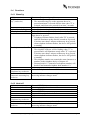
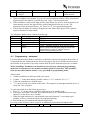
2.1 Keys
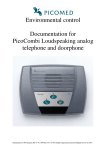
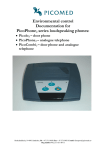
There are 2 visible keys on the front of PicoPhone.
Denomination
Function
Telephone symbol
Hook on/off.
Hand with telephone symbol Enable/disable automatic answering function.
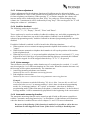
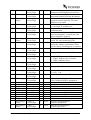
2.2 Light indicators
There are 3 lightindicators on the front of PicoPhone.
Denomination
Function
Power on
Green.
Illuminates when power are connected to the device.
Telephone receiver
Red.
Illuminates when hooked off.
Flashing to indicate ”ready to hook off”.
Automatic answering
Yellow.
Steady on when automatic answering function is enabled.
Flashes slow in programming – plain mode.
Flashes fast in programming – advanced mode.
Double flashing in IR-training mode.
Triple flashing in default recycling mode.
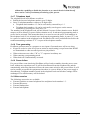
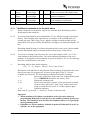
2.3 Connections
On the reverse of the PicoPhone there are the following connections:
Denomination Type
Function
1
3,5 mm monojack.
External switch, phone book no 1.
2
3,5 mm monojack.
External switch, phone book no 2.
3
3,5 mm monojack.
External switch, phone book no 3.
Door
3,5 mm monojack.
Not used on PicoPhone.
Ph
3,5 mm monojack.
External switch, telephone.
12V
4 pins ”telephonecontact”. Power connection. Only the enclosed
powersupply must be used together with the
device.
Tele
4 pins ” telephonecontact” Connection of analog telephone line.
(6 pins wide).
Mic
3,5 mm stereojack.
External microphone.
Sp
2,5 mm stereojack.
External loudspeaker.
Internal loudspeaker will automatically be disconnected when an external loudspeaker is
connected.
PicoPhone loudspeaking analog telephone
Page 5.