1
TriggerCalc User’s Manual
5
Version differences
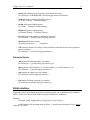
Features
Ability to run calculations for the current contact
Ability to run calculations
for the current lookup or all contacts
Syntax Editor
Trigger Syntax Builder
File referencing in trigger syntax
20 + basic functions
30 + advanced functions
Standard version
9
Pro version
9
9
9
9
9
9
9
9
Registering TriggerCalc
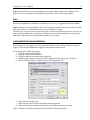
You may buy licenses from Exponenciel. Registration is based on ACT! user names, so you will
have to supply your ACT! username when registering. Once given a registration code, make sure
that ACT! is open then open Windows Explorer and the TriggerCalc folder (by default,
c:\Program Files\Exponenciel\TriggerCalc). Double-click the TriggerCalc.exe file.
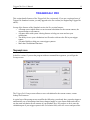
In the Standard version, dismiss the warning message telling you that no arguments were
specified. The About window will show up. Type the registration code in the box below your
username and close the window.
In the Pro version, simply go to the Help | About menu.
To upgrade from TriggerCalc to TriggerCalc Pro, proceed the same way and overwrite the
existing registration code with the new one.
Support
For support, please contact [email protected].