1
TriggerCalc User’s Manual
8
Ex:
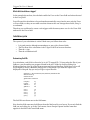
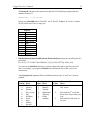
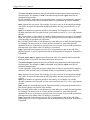
You want to write the sum of the User1 and User2 fields in the User3 field as in the
example discussed before. You can see that:
User1 field ID is 50.
User2 field ID is 51.
User3 field ID is 52.
Hence the syntax: [52]=[50]+[51]
Operators
Basic Operators:
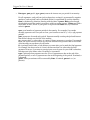
You may use any of these four basic operators:
+ (plus)
– (minus)
* (multiplied by)
/ (divided by)
You may use parentheses as well.
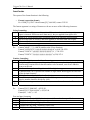
Examples of calculations:
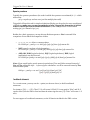
You may use any combination of the above operators with or without parentheses. You
don’t have to use field IDs in the calculation if they are not necessary.
For instance:
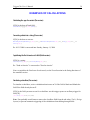
/[53]=([51]+100)*0.05
/[53]=[50]+[51]-[52]
/[53]=([50]*125) + ([51]/5)
/[53]=[52]
/[53]=0
/[53]=[53]-10
/[53]=[50]+_+[51]
etc.
Æ
Æ
Æ
Æ
Æ
Æ
Æ
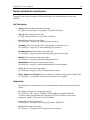
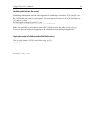
User4 equals 5% of User2 + 100
User4 equals User1 + User2 – User3
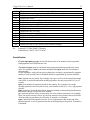
etc.
Copies User3 to User4
Resets User4 to 0
Removes 10 from User4
Concatenates User1 and User2 w/ a space between