1
CONTENTS
CONTENTS.............................................................. 3
Chapter 1 Introduction........................................ 4
1-1.Features.......................................................... 4
Chapter 2 Setup................................................... 5
2-1.
System Requirements................................... 5
2-2.
Installing the Software.................................. 6
2-3.
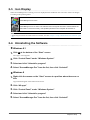
Icon Display.................................................... 7
2-4.
Uninstalling the Software............................. 7
●●Windows 8.1..................................................... 7
●●Windows 8........................................................ 7
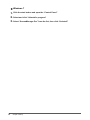
●●Windows 7........................................................ 8
Chapter 3 Displaying and Exiting the
Setting Window.................................. 9
3-1.
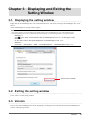
Displaying the setting window..................... 9
3-2.
Exiting the setting window........................... 9
3-3.Version............................................................ 9
Chapter 4 Auto Color........................................ 10
4-1.
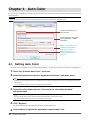
Setting Auto Color........................................10
4-2.
Associating Color Modes with
Unregistered Applications...........................11
4-3.
Settings in a Multi-Monitor Environment...11
Chapter 5 Color Adjustment............................. 12
5-1.
Color Adjustment..........................................12
5-2.
Register / Restore the monitor
adjustment data............................................13
●●Register...........................................................13
●●Delete..............................................................13
●●Restore............................................................13
Chapter 6 Multi-Monitor Match........................ 14
●●Function Requirements...................................14
Chapter 7 EcoView............................................ 16
7-1.
Setting EcoView............................................17
7-2.
Setting EcoView Sense Concurrently in
a Multi-Monitor Environment.......................18
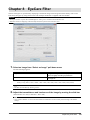
Chapter 8 EyeCare Filter................................... 19
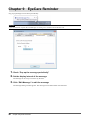
Chapter 9 EyeCare Reminder........................... 20
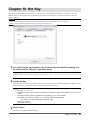
Chapter 10 Hot Key.............................................. 21
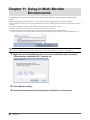
Chapter 11 Using in Multi-Monitor Environments.......................................... 22
Chapter 12 Troubleshooting............................... 23
Chapter 13 Glossary........................................... 24
Appendix............................................................... 25
Trademark................................................................ 25
CONTENTS
3