1
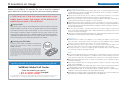
Global Roaming Service Usage Checklist
If you will be using Global Roaming Service, you will need to perform a
few easy operations and procedures on this checklist before you leave,
when you arrive at your destination, and when you return home. Please be
sure to confirm everything on this checklist so that you can fully enjoy
global roaming.
When a trip overseas is planned
Before you leave
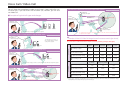
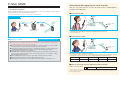
1 Application for Global Roaming Service
4 Set your PIN code.
You must apply for Global Roaming Service to use SoftBank 3G overseas.
Set your PIN code to protect your SoftBank 3G or USIM card against unauthorized
usage by a third party in case of loss or theft while traveling abroad.
SoftBank's website (www.softbank.jp /en)
General Information [Dial 157 then 8 from your SoftBank (free)]
● SoftBank shops
●
How to
apply
●
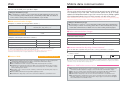
2 Available local carriers/areas/services and charges at your destination
What local carriers are available?
What type of network systems do the local carriers use?
● What services are provided? How far does the service area
extend? What are the charges like?
●
Points to
confirm
●
You can confirm the above details at SoftBank’s website (www.softbank.jp/en) and
in the “Global Roaming Service Areas and Charges List”.
3 Take this guide and your User Manual with you.
When traveling abroad, be sure to take the following useful tools with
you. The latest versions can be downloaded from SoftBank's web page
(www.softbank.jp/en).
Global Roaming Guide
● Global Roaming Service Areas and Charges List (Included with your
handset at the time of purchase)
Important! About handling your USIM card
P1
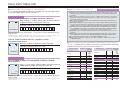
5 Check your S! Mail reception settings.
We recommend retrieving only the necessary mail while overseas. This can be
accomplished by setting your S! Mail retrieving settings to "manual retrieval".
About S! Mail retrieving settings
P8-9
When you arrive at your destination
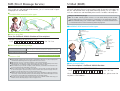
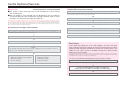
6 Turn on your SoftBank 3G and check the connection conditions.
If necessary, change the network mode of your SoftBank 3G and manually
select a local carrier depending on the conditions.
About changing a network mode
P4
About selecting a local carrier
P4
Global Roaming assistance Q&A
P13
●
Useful
tools
Check here
My handset /USIM card was stolen! I lost it!
In times like these, contact the SoftBank Global Call Center!
■ SoftBank Global Call Center
From the country you are in : +81-3-5351-3491 (charged)
About customer service while overseas
Global Roaming information page
P1
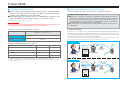
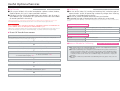
You can also use SotfBank 3G to check the provided services and charges.
〈 How to access 〉
Yahoo! Keitai
メニューリスト
English
User Support
Global Roaming Service
*For information on how to operate your mobile phone, please check the “User Manual”.
After you return to Japan
7 Restore the changed settings to their previous states.
*The network mode will not work if it is set to “GSM mode” while in Japan. Please use “W-CDMA (3G) mode“ after returning to Japan.
3