1
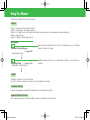
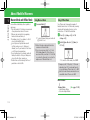
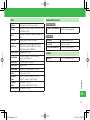
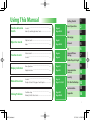
Using This Manual
1
Basic Operations
2
Call
3
Messaging
4
Internet
5
TV
6
Camera/Picture
7
Editing
Media Player/S! Appli 8
Tools
9
Communication
10
Services
Security
11
File Transfer/Backup 12
Customization
13
Appendix
14
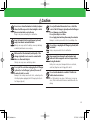
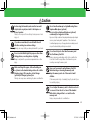
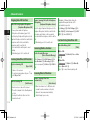
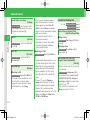
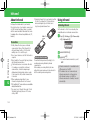
Getting Started
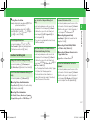
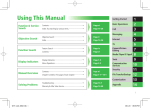
Function & Service
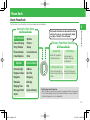
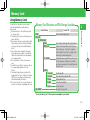
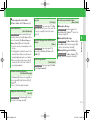
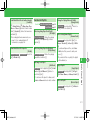
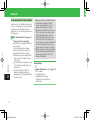
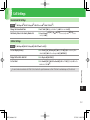
Search
Contents .....................................................................→
Index: Try searching by various terms. ...........................→
Page vi
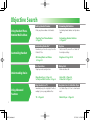
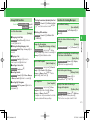
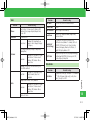
Objective Search
Objective Search ..........................................................→
Index ..........................................................................→
Page ii
Function Search
Feature Search .............................................................→
Contents ......................................................................→
Page iv
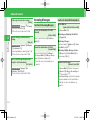
Display Indicators
Menu Operations ........................................................→
Display Indicators ........................................................→
Page 2-2
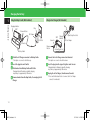
Manual Overview
Contents .....................................................................→
Chapter Contents: First page of each chapter ...............→
Page vi
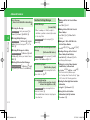
Solving Problems
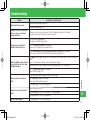
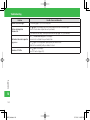
Troubleshooting ..........................................................→
Warranty & After Sales Service .....................................→
Page 14-7
Page 14-26
Page 14-26
Page vi
Page 1-5
Page 1-1∼14-1
Page 14-40
i
920T_Web.indb i
07.12.26 11:47:29 PM
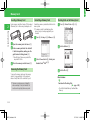
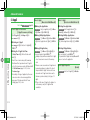
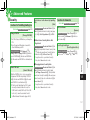
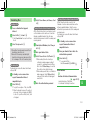
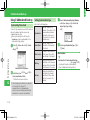
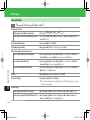
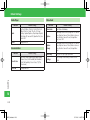
Objective Search
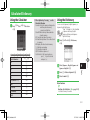
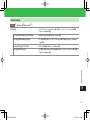
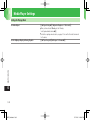
Checking Handset Number
Using Handset Phone
Number/Mail Address
Customizing handset address can help reduce
spam.
Checking Your Phone Number
⇒ Page 3-3
Customizing Handset Address
⇒ Page 4-3
Downloading Chaku-Uta®
Customizing Handset
Customizing Mail Address
Check your phone number on the handset.
Ringtone
Download your favorite songs from the
Chaku-Uta® site.
Select a music file, movie file or Chaku-Uta®
from ringtone settings.
Obtaining Music and Videos
⇒ Page 8-3
Ringtone ⇒ Page 13-10
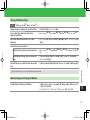
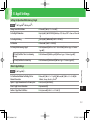
Basic Operations
Making Calls
Using keys and accessing functions.
Make voice/video calls.
Menu Operations ⇒ Page 2-2
Softkeys and Multi Selector ⇒ Page xi
Voice Call ⇒ Page 3-4
Video Call ⇒ Page 3-7
Understanding Basics
Using Handset as a TV
Using Advanced
Features
Using Handset as a Portable Music Player
Immediately enjoy One Seg Digital TV without
needing to join up or pay additional fees.
Use Media Player to listen to downloaded
music.
TV ⇒ Page 6-2
Media Player ⇒ Page 8-2
ii
920T_Web.indb ii
07.12.26 11:47:30 PM
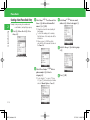
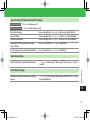
Saving Address to Handset
Sharing Address with Friends
Sharing Address via Infrared
Saving your new address to My Details is
convenient for exchanging information with
others.
Share your new address by sending a message
to multiple addresses simultaneously.
Share your e-mail address by infrared transfer.
Save your e-mail address prior to transfer.
My Details ⇒ Page 3-13
Sending Mail ⇒ Page 4-4, Page 4-6
Adding Recipients ⇒ Page 4-13
Infrared ⇒ Page 12-15
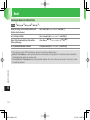
Standby Display
Changing Font Size
Set images captured with handset camera as
wallpaper.
Change menu font size.
Setting Wallpaper ⇒ Page 2-6
Setting the Font Size ⇒ Page 13-4
Text Entry
Sending Different Types of Mail
Accessing the Mobile Internet
Enter text when creating Phone Book entries
or messages.
Select S! Mail or SMS according to your
purpose.
Use Yahoo! Keitai to access Mobile Internet
sites tailored for SoftBank customers.
Text Entry ⇒ Page 2-9
S! Mail ⇒ Page 4-4
SMS ⇒ Page 4-6
Yahoo! Keitai ⇒ Page 5-3
Digital Camera/Digital Video
Using Handset as a Gaming Device
Enjoy shooting pictures and videos with
handset camera.
Play preinstalled S! Appli games or download
games from Yahoo! Keitai.
Taking Pictures ⇒ Page 7-3
Recording Videos ⇒ Page 7-5
S! Appli ⇒ Page 8-8
Using Handset as a Wallet
Use S! FeliCa to pay when you go shopping.
A calculator has been included for your
convenience.
S! FeliCa ⇒ Page 9-11
Calculator ⇒ Page 9-21
iii
920T_Web.indb iii
07.12.26 11:47:30 PM
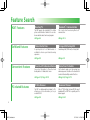
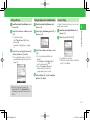
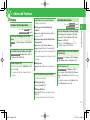
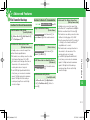
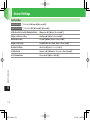
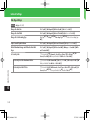
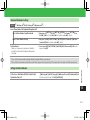
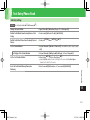
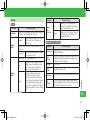
Feature Search
920T Features
SoftBank Features
Convenient Features
PC-related Features
One Seg TV
Bluetooth® Communication
The 920T supports One Seg Digital TV for cellular
phones and information terminals. You can also
browse data broadcast and record programs.
Files can be transferred using Bluetooth ®
communication.
➡Page 6-2
➡Page 12-5
Yahoo! Keitai Sites
A special portal site for SoftBank handsets is
available to enhance your Internet browsing
experience.
➡Page 5-3
Phone Book/S! Addressbook Back-up
Arrange Mail/Feeling Mail
Send Arrange Mail (HTML mail) or Feeling Mail.
➡Page 4-5
Alarm/Event Schedule
Save contact information to Phone Book and
backup data on S! Addressbook Server.
Use the alarm to wake you in the morning. Save
and manage event schedule on the calendar that
can be interfaced with phone/mail functions.
➡Page 2-15, Page 12-13
➡Page 9-4, Page 9-19
PC Site Browser
Document Viewer
The 920T can display websites intended for PCs,
allowing you to view information just as you
would with a PC.
Microsoft® Office Word, Excel and PDF files are all
viewable with the 920T. This is especially useful for
business people.
➡Page 5-4
➡Page 9-24
iv
920T_Web.indb iv
07.12.26 11:47:30 PM
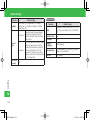
3.24 Megapixel Camera
MicroSD Memory Card
Electronic Books
The 920T is equipped with a 3.24 megapixel
camera that takes extremely high-quality photos
and video.
The 920T supports compact high-capacity
microSD memory cards. This makes exchanging
files with a PC quick and easy.
The electronic book viewer allows browsing of
electronic books and handset manuals.
➡Page 7-2
➡Page 2-23
➡Page 9-25
S! Town/S! Loop/S! Cast
S! Friend's Status/S! Circle Talk
S! GPS Navi
These SoftBank-only communication services
exchange information according to your needs.
These two functions boost communication. Use
S! Friend's Status to share your mood/availability and
S! Circle Talk to talk to a group of people.
Use the GPS function to check your position on a
map. This function can also guide you to your
destination.
➡Page 5-9, Page 9-23
➡Page 10-2, Page 10-5
➡Page 9-15
Barcode Reader
Voice Recorder
Optional Services
Access a variety of information by reading the
increasingly popular QR codes.
Record sounds using the 920T. Use a microSD
memory card to record for an extended period. This
is especially useful for meetings and interviews.
A complete line of services, including Call
Forward and Voice Mail meet your phone needs.
➡Page 9-26
➡Page 9-10
➡Page 3-10
Card Reader Mode
for use with PC
Transferring Music
for use with PC
Use the enclosed USB Cable to connect handset
to a PC and access microSD memory card from
the PC.
Use the music software BeatJam 2007 for 920T to
transfer music stored on a PC to your handset. The
handset can now be used as a portable music player.
➡Page 12-9
➡Page 12-8
➡BeatJam 2007 for 920T Guide Book
v
920T_Web.indb v
07.12.26 11:47:31 PM
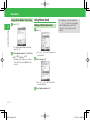
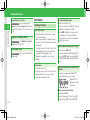
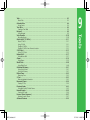
Contents
Introduction .........................................viii
What's in the Box.................................. ix
Using This Manual .................................. x
Safety Precautions ................................ xii
General Notes .....................................xxv
End User License Agreement............... xxix
Trademarks and Patents ..................... xxxi
SAR ................................................. xxxiv
1 Getting Started
Handset Parts ..................................... 1-2
Display Indicators & Information Prompt ... 1-5
Charging the Battery .......................... 1-7
Power On/Off ................................... 1-10
Date & Time ..................................... 1-11
About Mobile Manners..................... 1-12
Codes .............................................. 1-13
2 Basic Operations
Menu Operations ............................... 2-2
Wallpaper/Active Window................... 2-6
Text Entry ........................................... 2-9
Word List ......................................... 2-14
Phone Book ..................................... 2-15
Data Folder ...................................... 2-20
Memory Card ................................... 2-23
Advanced Features ........................... 2-25
3 Call
6 TV
Making Calls ...................................... 3-2
Voice Call........................................... 3-4
Video Call .......................................... 3-7
Call Log ............................................. 3-9
Optional Services.............................. 3-10
Advanced Features ........................... 3-13
TV...................................................... 6-2
Watching TV....................................... 6-3
Recording/Playing Programs ............... 6-6
View/Record Timer.............................. 6-7
Advanced Features ............................. 6-8
4 Messaging
Messaging ......................................... 4-2
Sending Messages.............................. 4-4
Incoming Messages ............................ 4-8
Organizing/Using Messages.............. 4-10
Advanced Features ........................... 4-13
Camera .............................................. 7-2
Taking Pictures ................................... 7-3
Recording Videos................................ 7-5
Camera Functions .............................. 7-7
Picture Editing .................................... 7-8
Advanced Features ........................... 7-10
5 Internet
8 Media Player/S! Appli
Internet .............................................. 5-2
Yahoo! Keitai ..................................... 5-3
PC Site Browser.................................. 5-4
Web Page Operations ......................... 5-5
Bookmarks/Saved Pages ..................... 5-6
S! Quick News ................................... 5-8
S! Town (Japanese)/S! Loop (Japanese) ... 5-9
Advanced Features ........................... 5-10
Playing Music and Videos ................... 8-2
Playlists.............................................. 8-7
S! Appli.............................................. 8-8
Advanced Features ........................... 8-10
7 Camera/Picture Editing
9 Tools
Tools .................................................. 9-2
Calendar/Tasks ................................... 9-4
Time Table .......................................... 9-8
Notepad ............................................ 9-9
vi
920T_Web.indb vi
07.12.26 11:47:31 PM
Voice Recorder ................................. 9-10
Osaifu-Keitai® (S! FeliCa) .................. 9-11
S! GPS Navi ..................................... 9-15
Idokoro Mail .................................... 9-17
Alarms ............................................. 9-19
World Clock ..................................... 9-20
Calculator/Dictionary ........................ 9-21
Kitchen Timer ................................... 9-22
S! Cast............................................. 9-23
Document Viewer ............................. 9-24
Electronic Books ............................... 9-25
Barcode Reader ................................ 9-26
Ku-man's Room (Japanese)............... 9-27
Advanced Features ........................... 9-28
10 Communication Services
S! Friend's Status ............................. 10-2
S! Circle Talk .................................... 10-5
Advanced Features ........................... 10-8
11 Security
Changing Handset Code................... 11-2
Prohibiting/Limiting Use ................... 11-3
Biometrics ........................................ 11-5
Advanced Features ........................... 11-7
12 File Transfer/Backup
14 Appendix
Infrared ............................................ 12-2
Bluetooth® ....................................... 12-4
PC Connection ................................. 12-8
AV Output...................................... 12-10
Memory Card Backup ..................... 12-11
S! Addressbook Back-up................. 12-13
Advanced Features ......................... 12-15
USIM Card ....................................... 14-2
Battery ............................................. 14-4
Software Update .............................. 14-6
Troubleshooting ............................... 14-7
Text Entry Keys ................................. 14-9
Specifications ................................. 14-11
Default Settings.............................. 14-17
Glossary ......................................... 14-25
13 Customization
Index ............................................. 14-26
Display Settings ................................ 13-2 Warranty & After Sales Service ........ 14-40
Incoming Event Settings ................... 13-8 Customer Service............................ 14-41
Sound Settings ............................... 13-10
Mail Settings .................................. 13-13
Internet Settings ............................. 13-18
Call Settings ................................... 13-21
Camera Settings ............................. 13-24
TV Settings..................................... 13-27
Media Player Settings ..................... 13-30
S! Appli Settings............................. 13-31
Reset ............................................. 13-32
Text Entry/Phone Book ................... 13-33
File Transfer .................................... 13-35
Various Tools .................................. 13-37
Communications ............................ 13-43
vii
920T_Web.indb vii
07.12.26 11:47:32 PM
Introduction
Thank you for purchasing the SoftBank 920T handset.
7 To ensure proper usage, read this manual thoroughly before using the SoftBank 920T handset.
7 After reading this manual, retain it for later reference.
7 If this manual is lost or damaged, contact SoftBank General Information (page 14-41).
7 Accessible services may be limited because of contract conditions.
SoftBank 920T handset is compatible with the 3G system.
Caution
• Unauthorized copying of any part of this manual is prohibited.
• The contents of this manual are subject to change without prior notice.
• Steps have been taken to ensure the accuracy of descriptions in this manual. If you find inaccurate or missing information, contact SoftBank Customer Center,
General Information (page 14-41).
The User Guide (Japanese) and Start Book (Japanese) included in the package are also available online from the SOFTBANK MOBILE Corp. Website:
http://www.softbank.jp/mb/r/support/920t/
viii
920T_Web.indb viii
07.12.26 11:47:32 PM
What's in the Box
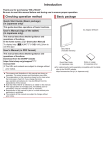
7Handset
7Battery (TSBBB1)
7Battery Cover
7USB Cable*
7Start Book (Japanese)
7User Guide (Japanese)
7First Step Guide
7BeatJam 2007 for 920T Guide Book (Japanese) 7Utility Software for 920T (CD-ROM)* *
1
1 2
*1 Complimentary sample not available for purchase.
*2 Utility Software updates/upgrades may become available via SOFTBANK MOBILE Corp. Website (http://www.softbank.jp) without prior notification.
Please check for the newest versions of Utility Software and download as required.
7 Use only SoftBank specified AC Charger (sold separately) to charge battery.
7 For information about AC Charger and other accessories, contact SoftBank Customer Center, General Information (page 14-41).
7 Battery is available for separate purchase.
7 The 920T accepts microSD Memory Card (not included). Purchase microSD Memory Card to use related functions.
7 microSD Memory Card is referred to as "memory card" in this manual.
ix
920T_Web.indb ix
07.12.26 11:47:32 PM
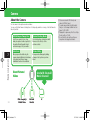
Using This Manual
In this manual, SoftBank 920T is referred to as "handset."
Chapters
Chapter 1 "Getting Started": Basic handset information.
Chapter 2 "Basic Operations": Basic handset operations.
Chapters 3 to 12: Handset functions. Each chapter starts with basic operation descriptions, followed by advanced operation descriptions.
Chapter 13: Handset settings.
Chapter 14 "Appendix": Default settings, Index, etc.
More Features
Functions for Creating Messages
(Epage 4-13)
• Specify Recipients Quickly
Messaging Settings
(Epage 13-13)
• Add Recipients to Simple Input List
Advanced features are listed under this icon. Refer to the indicated page to access "Advanced
Features" at the end of the chapter.
Available settings are listed here. Go to indicated page in Chapter 13 (Customization) for
description.
Symbols
➡ , ➡ and E navigate you to the next action/item.
Press [ to confirm your selection. Some operations are not fully explained in this manual.
Screenshots and Keys
Screenshots and key graphics are simplified to facilitate explanation. Actual appearance may differ.
Japanese Functions & Services
When "(Japanese)" appears in a title, Japanese ability is required to use full range of function and service.
x
920T_web_00.indd x
07.12.27 9:40:03 AM
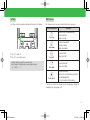
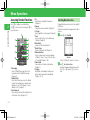
Softkeys
Multi Selector
Use Softkeys to perform operations indicated at the bottom of the Display.
The following notations are used to indicate Multi Selector operations.
Notation/Operation
OK
Menu
A
Press up
B
Press down
• Press J to select OK.
• Press K to access Option menu.
• Softkey operations vary by the current function.
• In this manual, Softkey operations are described as below.
➡jJ (OK) / ➡jjJ/ ➡jkK
D
Press left
C
Press right
[
Press center
Function
Enables Active Window operations*
Increases volume
Moves cursor up
Accesses Phone Book*
Decreases volume
Moves cursor down
Accesses Dialed*
Moves cursor left
Accesses Received*
Moves cursor right
Accesses Main Menu
Confirms the selected item or performs
the selected operation
Acts as the camera shutter-release
* Functions accessible from Standby can be changed by modifying the
Navigation Keys settings (page 2-4).
xi
920T_Web.indb xi
07.12.26 11:47:33 PM
Safety Precautions
• To ensure proper usage, be sure to read the Safety Precautions
thoroughly before using your handset. Always keep this manual
available for future reference.
• Be sure to follow the safety information contained in the
instruction manuals and indicated on the product to prevent
injury to the user and other persons, as well as damage to
property.
• When a child uses the handset, it is recommended that a parent
or guardian reads the instruction manuals thoroughly and
provides proper instructions to the child.
• The following describes the meaning of safety symbols and
signal words. Be sure to understand their meanings before
proceeding to read this manual.
Danger
Symbols
Symbol
Pictographs
Pictograph
1 Serious injury includes loss of sight, wounds, high temperature
burns, low temperature burns (burns causing reddish areas,
blistering and other damage to the skin as a result of heat
exceeding the body temperature contacting your skin for a
prolonged time), electric shock, fractures and poisoning
requiring hospitalization or long-term medical treatment.
2 Injury includes wounds, burns and electric shock not requiring
hospitalization or long-term medical treatment.
3 Damage to property includes extensive damage to homes and
household property, as well as livestock and pets.
Meaning
Indicates an imminently hazardous operation that could
result in death or serious injury1 of the user.
Indicates a potentially hazardous operation that could
Warning
result in death or serious injury1 of the user.
Indicates a potentially hazardous operation that could
Caution result in minor or moderate injury2 to the user or damage
to property3.
Meaning
indicates a prohibited action. The prohibited action is
indicated graphically or described in text in or near the
symbol.
indicates a compulsory action that must be carried
out.
The compulsory action is indicated graphically or
described in text in or near the symbol.
xii
920T_Web.indb xii
07.12.26 11:47:34 PM
Limitation of Liability
• SoftBank and Toshiba accept no liability whatsoever for any
damages arising from natural disasters such as earthquakes,
lightning, storms and floods, as well as fires through no fault
of SoftBank and Toshiba, acts by third parties, other accidents,
improper use by the user, whether intentionally or negligently,
or use under other abnormal conditions.
• SoftBank and Toshiba accept no liability whatsoever for
incidental damages arising out of the use or inability to use
the product, including, but not limited to, corruption or loss
of data, lost business revenue or suspension of business
operations.
• SoftBank and Toshiba accept no liability whatsoever for any
damages arising from improper use not conforming to the
instructions in the instruction manuals.
• SoftBank and Toshiba accept no liability whatsoever for any
damages arising from malfunctions caused by use in
combination with connection equipment or software that is
not authorized for use by SoftBank and Toshiba.
• Image data recorded with the camera, downloaded data and
other data may be corrupted or lost due to malfunction,
repair or other improper handling of the product. SoftBank
and Toshiba accept no liability whatsoever for the restoration
of corrupted or lost data, as well as any damages or lost
revenue and profits.
• SoftBank and Toshiba accept no liability whatsoever for
corruption or loss of stored data resulting from failures or
malfunctions of the product, regardless of the cause. Be sure
to keep a separate memo of important data to limit damage
caused by data corruption or loss to a minimum.
Danger
Do not disassemble, modify or repair the handset,
battery, charger (optional) or Stereo EarphoneMicrophone (optional)
Doing so may cause overheating, rupturing, fire, electric shock,
injury or malfunction. Modification of the handset is prohibited
by Japanese Radio Law. For repair, contact your nearest SoftBank
Shop or SoftBank Customer Assistance (page 14-41).
Do not dispose of the handset, battery, charger
(optional) and Stereo Earphone-Microphone (optional)
in a fire or expose them to heat
If they are exposed to water, do not dry them artificially
in heating equipment (microwave oven, etc.)
Doing so may cause overheating, rupturing, fire or malfunction.
Do not charge, use or leave the handset, battery,
charger (optional) or Stereo Earphone-Microphone
(optional) in hot places such as near a fire or heater
Doing so may cause overheating, rupturing, fire or malfunction.
xiii
920T_Web.indb xiii
07.12.26 11:47:35 PM
Safety Precautions
Danger
Do not expose the handset, battery, charger (optional)
and Stereo Earphone-Microphone (optional) to fluids
such as water, perspiration or seawater
Do not leave them outdoors, in a bathroom or
wherever water or any other fluid is used
Do not place them near cups, vases or other
containers of fluids
Doing so may cause overheating, rupturing, fire, electric shock
or malfunction. If the handset is dropped accidentally in water or
any other fluid, immediately turn off the handset and remove the
battery. If the handset, battery or charger is exposed to fluids such
as water during charging, remove the power plug from the outlet
immediately. Do not charge the wet battery. If the battery gets
wet, contact your nearest SoftBank Shop or SoftBank Customer
Assistance (page 14-41).
Do not use excessive force when inserting the battery
into the handset or connecting the handset to the charger
(optional)
Do not connect any cords with reverse polarity
Doing so may cause the battery to leak, rupture, overheat or catch
fire, as well as cause electric shock or malfunction.
Do not use a battery other than one supplied with or
designated for the handset
Do not use the battery for any other handset
Doing so may cause overheating, rupturing, fire or malfunction.
Use the charger (optional) designated for the handset to
charge the battery
Use the charger (optional) only for charging the
handset's battery
Failing to do so may cause overheating, rupturing, fire or
malfunction.
If electrolyte fluid leaking from the battery comes into
contact with your skin or clothes, wash it immediately with
clean water as this may hurt your body
And if it gets into your eyes, do not rub them, and have
them immediately treated by an ophthalmologist after
washing them with clean water
If the fluid sticks to the equipment, wipe it out without
touching it directly
If the fluid is left as it is, your skin may get irritated or there may
be fear of losing your sight.
Do not touch the battery terminal (metal parts) with
any metal objects (necklace, hairpin, etc.)
Doing so may cause the battery to overheat, rupture or catch fire,
as well as the metal object to overheat.
xiv
920T_Web.indb xiv
07.12.26 11:47:35 PM
Warning
Do not use the handset while driving
Do not make or receive a call and do not use other
functions (messaging, game, camera, TV, video, music,
Mobile Light, etc.)
Doing so may cause a traffic accident. Use of the handset while
driving is prohibited by law. Before using the handset, stop the
vehicle in a safe area where parking is permitted.
Be sure to turn off your SoftBank handset before
entering places such as gas stations where flammable
gases may be produced
Also do not charge the handset in those places
The gases may be ignited.
Be sure to turn off the handset before using S! FeliCa-compatible
reader/writer within gas stations, etc. (When the IC Card Lock is
set, turn off the handset after unlocking the setting.)
Do not swing the handset by its strap, TV Antenna,
USB cable, Video Output Cable II (optional), Stereo
Earphone Conversion Cable (optional) or Stereo
Earphone-Microphone (optional)
Doing so may cause an injury, accident or damage.
Turn off the handset while you are near any precision
electronic equipment
Radio waves may adversely affect the operation of electronic
equipment. Examples of such equipment: medical electronic
equipment such as cardiac pacemakers and hearing aids or fire
alarms and automatic doors. If you use medical electronic
equipment, consult with the equipment manufacturer or distributor
about the influence of radio waves.
Remove the power plug from the outlet if the AC
Charger (optional) is not to be used for a long period
of time or before cleaning
Failing to do so may cause an electric shock, fire or malfunction.
Turn off the handset wherever its use is prohibited
such as on an aircraft
Failing to do so may adversely affect the operation of electronic
equipment and cause an accident.
Use of the handset on an aircraft is prohibited by law.
Check your surroundings to confirm that it is safe
to make/receive calls, send/receive messages, take
pictures, record videos or watch TV
Failing to do so may cause you to trip over or cause a traffic
accident.
xv
920T_Web.indb xv
07.12.26 11:47:36 PM
Safety Precautions
Warning
Do not use the handset with any power voltage other
than the specified voltage
Doing so may cause a fire. The power voltages are 100 to 240 V
AC for the AC Charger (optional) and 12 or 24 V DC (for a
negative ground car only) for the In-Car Charger (optional).
Wipe away any dust on the plug of the AC Charger
(optional) with a dry cloth after removing the plug
from the outlet
Dust on the plug or outlet may cause a fire.
Follow the instructions below when installing and
wiring in-vehicle devices
・Make sure that devices do not interfere with
driving and safety equipment such as airbags
・Make sure that wires are not caught in seatbelt
buckles, doors or other moving parts
Any wire caught around a foot, brake pedal, accelerator pedal,
etc. may interfere with driving and cause a traffic accident. If any
part of an in-vehicle device drops onto the floor, it may startle you
into abrupt braking or steering, leading to a traffic accident.
When thunder is heard outside, stop using the
handset immediately
Turn off the handset and do not touch it
Failing to do so may attract lightning and cause electric shock.
When thunder is heard, stop using the handset and move to a
safe place such as inside a building.
If the battery fails to charge in the specified time,
stop charging immediately
Failing to do so may cause overheating, rupturing or fire. Contact
your nearest SoftBank Shop or SoftBank Customer Assistance (page
14-41).
When inserting the plug of the AC Charger (optional)
into an AC household outlet, make sure that a metal
strap or any other metal object does not touch the
plug
Failing to do so may cause electric shock, short circuit or fire.
xvi
920T_Web.indb xvi
07.12.26 11:47:37 PM
Warning
If something unusual happens to the handset, battery
or charger (optional); for example, it emits smoke or
an unusual odor or is damaged, perform the following
steps immediately
1. If the battery is charging, unplug the AC Charger (optional)
from the AC household outlet or unplug the In-Car Charger
(optional) from the cigarette lighter socket.
2. Make sure that the handset is not hot, then turn it off and
remove the battery.
Failing to do so and continuing use (charging) may cause the
battery to overheat, rupture or catch fire or the handset to
overheat. If something unusual happens, contact your nearest
SoftBank Shop or SoftBank Customer Assistance (page 14-41).
Do not drop the handset or battery or subject it to
excessive shock
Doing so may cause overheating, rupturing, fire or malfunction.
Do not sit down with the handset in your trousers
pocket
Excess weight may damage the Display, battery or other parts
resulting in overheating, fire or injury.
If the handset is used near an implanted cardiac
pacemaker, defibrillator or other electronic medical
equipment, radio waves may interfere with such a
device or equipment
Observe the following guidelines
1. If you have an implanted cardiac pacemaker or defibrillator,
carry and use the handset at a distance of at least 22
centimeters away from the implanted device.
2. Turn off the handset in crowded places such as packed trains
because a person with an implanted cardiac pacemaker or
defibrillator may be nearby. Radio waves can interfere with the
operation of a cardiac pacemaker or other medical device.
3. Follow the precautions below in medical institutions.
・Do not bring the handset into an operating room, intensive
care unit or coronary care unit.
・Turn off the handset in a hospital ward.
・Turn off the handset in a lobby or other location close to
medical equipment.
・Observe the instructions of individual medical institutions
and do not use the handset in or bring it into prohibited
areas.
xvii
920T_Web.indb xvii
07.12.26 11:47:37 PM
Safety Precautions
Warning
4. When using electronic medical devices other than an implanted
cardiac pacemaker or defibrillator outside of medical institutions
(such as at home), consult with the individual medical device
manufacturer about the possible influence of radio waves.
The above information conforms to "The Guidelines on Use of
Mobile Phones and Other Devices to Prevent Electromagnetic
Wave Interference with Electronic Medical Equipment"
(Electromagnetic Compatibility Conference Japan), as well as
refers to "The Investigative Research Report on the Influence of
Electromagnetic Waves on Medical Equipment" (Association of
Radio Industries and Businesses, March 2001).
Do not use the AC Charger (optional) with any power
supply other than a 100 to 240 V AC household power
supply
Doing so may result in a fire, as well as cause the charger to
overheat, catch fire or malfunction.
xviii
920T_Web.indb xviii
07.12.26 11:47:38 PM
Caution
Do not use or leave the handset or battery in places
where it will be exposed to direct sunlight or in hot
places such as inside a car in the sun
Doing so may cause overheating, fire or malfunction.
Keep the handset, battery and charger (optional)
away from infants and small children
Failing to do so may result in the battery or memory card being
accidentally swallowed or cause an injury.
Make sure that the terminals (metal parts) of the
charger (optional) do not come into contact with
wires or other metal objects
Failing to do so may cause overheating or burns.
Do not pull the cord when unplugging the AC Charger
(optional) or In-Car Charger (optional) from an AC
household outlet or socket
Damage to the cord may cause electric shock, overheating or fire.
Hold the plug when unplugging the AC Charger (optional) or InCar Charger (optional).
Do not pull, bend with excessive force or twist the
cords of the AC Charger (optional) and In-Car Charger
Do not damage or modify them
Do not place objects on them
Do not apply heat and keep them away from heaters
Damage to a cord may cause electric shock, overheating or fire.
Do not plug or unplug the AC Charger (optional) with
wet hands
Doing so may cause electric shock or malfunction.
Keep magnetic cards away from the handset and
make sure that a magnetic card is not trapped when
closing the handset
Failing to do so may cause the magnetic data on a cash card,
credit card, telephone card or floppy disk to be lost.
Do not use the handset in a vehicle if it affects invehicle electronic devices
Use of the handset in some types of vehicles may, in some rare
cases, affect in-vehicle electronic devices and interfere with safe
driving.
xix
920T_Web.indb xix
07.12.26 11:47:38 PM
Safety Precautions
Caution
Do not place the handset on an unstable or unlevel
surface
Doing so may result in the handset falling and causing injury or
malfunction. Be particularly careful when vibration is set.
Do not dispose of the used battery with ordinary
garbage
Insulate the terminal with tape and then dispose of the used
battery separately from ordinary garbage or take it to your nearest
SoftBank Shop. Be sure to observe local regulations on the
separate collection of used batteries, wherever applicable.
If the fuse for the In-Car Charger (optional) blows,
replace it with a designated fuse
Replacing the fuse with other than a designated fuse may cause
overheating and fire.
For details on replacing the fuse, refer to the instruction manual of
the In-Car Charger (optional).
Use the handset in well-lighted places and with an
appropriate distance between your eyes and its
screen when you watch TV
Failing to do so may cause decreased vision.
Do not touch the handset with sweaty hands or place
it into a pocket of sweaty clothes
Sweat and humidity may erode the internal components of the
handset and cause overheating or malfunction.
Do not leave the TV Antenna extended except when
using TV
Talking on the handset without retracting the TV Antenna may
cause injury.
Do not use the In-Car Charger (optional) when the car
engine is not running
Doing so may result in a flat battery.
Do not remove the polyester film from Display
Using the handset without the polyester film to protect against
shattering of the reinforced glass may result in an injury if Display
is damaged.
xx
920T_Web.indb xx
07.12.26 11:47:39 PM
Caution
If your skin becomes irritated, immediately stop using the handset and consult with a dermatologist
The following materials and surface treatments have been used for the handset. Some of these materials may cause itching, irritation, eczema, etc. in
some rare cases depending on the individual's constitution and physical condition.
Part
Outer housing (Display lateral side, top face)
Outer cover (Display side)
Outer housing (Keys on Display side, back of Display, lateral side of keypad, top face,
bottom face, Main Camera side, Battery Cover), Keys, Side Keys, Memory Card Slot cap (hard
area), External Device Port cap (hard area), screw covers (back of Display, Main Camera
side)
Back face of Display
Display panel
Keypad panel
Main Camera panel
Sub Camera panel
Material (Surface Treatment)
Magnesium alloy (Acrylic baking coating)
Aluminum alloy (Acrylic baking coating)
PC resin (UV cured acrylic coating)*
Stainless steel (Acrylic baking coating)
Tempered glass with polyester film (UV cured acrylic processing)
PET resin
Acrylic resin
Acrylic resin
External Light
PC resin (UV cured acrylic coating, tin undercoat)
Charging Indicator
Infrared Port
Memory Card Slot cap (soft area), External Device Port cap (soft area)
Charging Terminal
Screws
TV Antenna (top part)
TV Antenna (pullout part, top side)
TV Antenna (pullout part, base side)
TV Antenna (sleeve side)
PC resin
Acrylic resin
Elastomer resin
Stainless steel (Gold plating, nickel undercoat)
Steel (Nickel coating)
PC/ABS resin
PA resin
Stainless steel
Cadmium-less brass
xxi
920T_Web.indb xxi
07.12.26 11:47:40 PM
Safety Precautions
Caution
Part
TV Antenna (hinge part)
Slide (flat part)
Slide (rail part)
Slide (stopper part)
Material (Surface Treatment)
Stainless steel
Stainless steel (Fluorine baked coating)
POM resin
Elastomer resin
* Tin undercoat for Send Key, Center Key, End/Power Key and Camera Key
xxii
920T_Web.indb xxii
07.12.26 11:47:40 PM
Caution
Before using the handset, make sure that no metal
objects (such as pins) are stuck to the Earpiece or
Stereo Speakers
Failing to do so may result in a metal object causing an ear or hand
injury, etc.
If you have a weak heart, be careful with the call
vibration and ringtone volume settings
Failing to do so may startle you and may be harmful to your heart.
Do not use the Mobile Light for purposes other than
taking pictures, recording videos or lighting
Doing so may harm the eyes and cause impaired vision or other
injury.
Make sure things like paper, cloth and bedding are
not placed on the handset during a video call or while
charging using a USB connection, In-Car Charger
(optional), AC Charger (optional), etc.
Failing to do so may cause overheating, fire, burns or malfunction.
Do not turn the volume up too high while using Stereo
Earphone-Microphone (optional)
Do not use Stereo Earphone-Microphone (optional)
continuously for long periods of time
Exposure to high sound levels may impair hearing and prolonged
use may cause hearing defect regardless of the volume level.
Sound leakage may annoy other people and surrounding sounds
may not be heard clearly resulting in an accident.
Do not insert objects other than the memory card
into the Memory Card Slot
Doing so may cause overheating, electric shock or malfunction.
Cover the slot with the cap at times other than when you are
inserting or removing the memory card.
Keep your face away from the Memory Card Slot
when inserting or removing the memory card
Keep the memory card out of the reach of small
children
If the memory card is let go of suddenly, it may fly out and hit your
face resulting in injury.
Do not subject the memory card to vibration or shock
or remove it from the slot or turn off the handset
while data is being written to or read from the
memory card
Doing so may cause data loss or malfunction.
xxiii
920T_Web.indb xxiii
07.12.26 11:47:40 PM
Safety Precautions
Caution
Use only the memory card supported by the handset
Failing to do so may cause data loss or malfunction.
The handset supports memory cards with a storage capacity of up
to 2 GB (as of November 2007).
Do not let children use cables such as USB cable,
Video Output Cable II (optional), Stereo Earphone
Conversion Cable (optional) and Stereo EarphoneMicrophone (optional) unsupervised and keep cables
out of infant's reach
An injury may be caused if, for instance, the cable is wrapped
around a neck.
Use only a USIM Card designated for the handset
Failing to do so may cause data loss or malfunction.
Do not bend the TV Antenna with excessive force
Doing so may result in damage or distortion of the TV Antenna
and cause injury.
Do not pinch hair, finger, cable of the charger
(optional), strap, etc. when you open/close the
handset
If you try to pull out a pinched thing too hard, or to move the
slide, it may cause an injury or damage.
Do not point the infrared beam at anyone’s eye
during infrared communication
Doing so may cause eye damage.
Do not use the Mobile Light close to eyes
Doing so may cause eye damage. Be especially careful not to take
pictures or record videos with the Mobile Light too close to the
eyes of infants.
Do not use excessive force when inserting or
removing the USIM Card
Doing so may cause a malfunction. Be careful not to injure a hand
or finger when removing the card.
xxiv
920T_Web.indb xxiv
07.12.26 11:47:41 PM
General Notes
Using Your Handset
• The handset employs radio waves. Signals may be disrupted
even within service areas if you are indoors, underground,
inside a tunnel or inside a vehicle. If you move to a location
with poor signal reception, a call or the TV image/sound may be
suddenly cut off.
• When using the handset in public places, take care not to
annoy other people around you. Use of the handset is
prohibited in some public places such as in theaters or on buses
and trains.
• The handset is a radio transceiver under Japanese Radio Law.
You may be requested to submit the handset for inspection
based on this law.
• Use of the handset near a landline phone, TV or radio may
affect the image and sound quality of the equipment.
• The handset employs a digital system to maintain a high level of
communication quality even at very low signal levels. However,
calls may be suddenly cut off when the signal strength becomes
too weak.
• The digital system provides a high level of privacy protection.
However, the possibility of someone eavesdropping on your
conversation cannot be ruled out as long as radio waves are
used.
• The handset is exclusively for use in Japan. It cannot be used
outside Japan.
• Data stored on the handset may be corrupted or lost on the
following occasions.
・The handset is used improperly.
・The handset is exposed to static electricity or electric noise.
・The handset is turned off during operation.
・The battery is completely discharged.
・The handset malfunctions or is sent for repairs.
SoftBank and Toshiba accept no liability whatsoever for the
corruption or loss of stored data. Be sure to keep a separate
memo of important data to limit damage caused by data
corruption or loss to a minimum.
• Be sure to charge the battery before using the handset for the
first time or if the handset has not been used for a long time.
When the battery is stored for a long time, it discharges over
time even if it is not used.
• Before using a memory card, read the instruction manual of the
memory card thoroughly to ensure safe and proper operation.
• When the handset is used for extended periods of time,
especially in high temperature conditions, the handset surface
could become hot. Please use caution when touching the
handset under such conditions.
• When certain items are taken out of the country, documentation
may be required to certify that the export of the items is not
controlled, prohibited, or restricted by the Export Trade Control
Order and Foreign Exchange Order. Basically, no such
documentation is required if you take the handset out of the
country and bring it back for the purpose of personal use when
going on vacations or short business trips. In some cases,
however, an export permit may be required if the handset is to
be used by or transferred to anyone else.
Furthermore, a US government export permit may be required
when taking the handset to countries for which the US
government has imposed export restrictions (Cuba, North
Korea, Iran, Sudan, Syria).
For details on export laws, regulations and procedures, refer to
the Web page of the Security Export Control Policy Division of
the Ministry of Economy, Trade and Industry.
• If you use a hearing aid, handset usage may interfere with
hearing aid performance. If there is any interference, consult
with the manufacturer or distributor of the hearing aid.
xxv
920T_Web.indb xxv
07.12.26 11:47:42 PM
General Notes
Inside Vehicles
• Do not use the handset while driving. Use of the handset while
driving is prohibited by law.
Talking on the handset using Stereo Earphone-Microphone
(optional) while driving may be subject to penalties in some
prefectures.
• Before using the handset, stop the vehicle in a safe area where
parking or stopping is permitted.
Aboard Aircraft
• Do not use the handset on an aircraft. Do not turn the handset
on while you are on the aircraft. Use of the handset on an
aircraft is prohibited by law.
Handling Basics
• Do not use the handset in extreme temperatures, direct sunlight
and humid or dusty places.
• Do not drop the handset or subject it to excessive shock.
• To clean the handset, wipe it with a dry soft cloth. Do not use
alcohol, thinner, benzene or other solvents. Doing so may cause
discoloration and remove the printed logo.
• Avoid exposing the handset to rain, snow or high humidity. The
handset, battery, charger (optional), Stereo EarphoneMicrophone (optional) and other optional accessories are not
waterproof.
• Do not remove the battery while handset power is on to avoid
malfunction.
• If the battery has been removed from the handset or the
handset has not been charged for a long time, stored data and
settings may be lost or altered. SoftBank and Toshiba accept no
liability whatsoever for any damage or loss resulting from such
negligence.
• The
battery is a consumable item employing lithium ions.
Replace the battery with a new one if the operation time
becomes extremely short after it is fully charged. Buy a new
battery designated for the handset.
• Do not dispose of batteries with municipal
waste. Insulate the terminal with tape or place
the battery in a plastic bag and take it to the
nearest SoftBank Shop or recycling center. Be
sure to observe local regulations on battery
disposal.
• Be sure to use the PULL tab when removing the battery.
Removing the battery in any other way may damage the
terminals.
• Some handset display pixels may be missing or remain lit. This is
not a defect or malfunction. If the Display is left on for a long
period of time, pictures may be permanently burned into it.
• Make sure Stereo Earphone Conversion Cable (optional) or
Stereo Earphone-Microphone is securely plugged into Earphone
Microphone Jack. Failing to do so may generate noise on the
other party's phone during calls.
• Do not turn the volume up too high while using Stereo
Earphone-Microphone (optional). Exposure to high sound levels
may impair hearing and prolonged use may cause hearing
damage regardless of the volume level. Sound leakage may
annoy other people and surrounding sounds may not be heard
clearly when walking, resulting in an accident.
• When Earphone Microphone Jack, External Device Port and
Memory Card Slot are not in use, make sure to replace the caps.
Otherwise dust or water may enter the handset causing handset
malfunction.
• Hold the plug and do not pull the cord when unplugging Stereo
Earphone Conversion Cable (optional) or Stereo EarphoneMicrophone (optional). Pulling the cord may cause damage or
malfunction.
xxvi
920T_Web.indb xxvi
07.12.26 11:47:42 PM
• The communication antenna of the handset is built into the
body and does not protrude. Signal sensitivity may be reduced
if you touch or cover the portion of the body containing the
Internal Antenna. In particular, do not affix things like stickers
onto this portion of the body. Doing so may prevent you from
making/receiving calls, sending/receiving messages or accessing
the Web.
• When you replace the handset or send it for repair, messages
and other data stored in the handset cannot be transferred to
another handset.
• Do not drop the USIM Card or subject it to excessive shock.
Doing so may cause a malfunction.
• Do not bend the USIM Card or place a heavy object on it. Doing
so may cause a malfunction.
• Do not allow the USIM Card to get wet or leave it in places of
high humidity. Doing so may cause a malfunction.
• Do not use or leave the USIM Card in hot places such as near a
fire or heater. Doing so may cause a malfunction.
• Avoid storing the USIM Card in direct sunlight or hot and humid
places. Failing to do so may cause a malfunction.
• Keep the USIM Card out of infants' reach. Failing to do so may
result in the USIM Card being accidentally swallowed or cause
an injury.
• Before using the USIM Card, read the instruction manual of the
USIM Card thoroughly to ensure safe and proper operation.
• Do not put the handset into a bag or pocket without retracting
the TV Antenna. Doing so may apply excessive force on the TV
Antenna and result in damage.
Functional Limitations
• After
handset upgrade or subscription cancellation, the
following functions become unavailable on the handset:
・Camera
・Digital TV
・Media Player
・S! Appli
• Above functions may become unavailable after long periods of
not using the handset. Contact your nearest SoftBank Shop or
contact SoftBank General Information (page 14-41).
Mobile Camera
• Be sure to observe proper etiquette when using the camera.
• Do not expose the camera lens to direct sunlight. Concentrated
sunlight through the lens may cause the handset to
malfunction.
• Be sure to try taking and previewing pictures before using the
camera on important occasions like wedding ceremonies.
• Do not commercially use or transfer pictures taken with the
camera without the permission of the copyright holder
(photographer), except for personal use.
• Do not use the camera in locations where taking photos and
recording videos are prohibited.
Mobile Light
• Do not use the Mobile Light in hot, cold or humid places. Doing
so may shorten its life.
• The Mobile Light has a limited life. Repeated use will decrease
the light intensity.
xxvii
920T_Web.indb xxvii
07.12.26 11:47:42 PM
General Notes
Copyrights
• Copyrighted
materials, such as music, images, computer
programs and databases, and their respective holders are
protected by copyright laws. Duplication of copyrighted
materials is permitted only for individual or home use. Making
copies (including data conversion), modifications, transfers or
network distributions of copies for purposes other than stated
above without proper authorization constitutes an infringement
of copyrights and moral rights, potentially resulting in claims for
reparations or criminal punishment. If you use the handset to
make copies, observe the copyright laws. Furthermore,
recording materials using the camera is also subject to the same
laws.
Right of Portrait
• Portrait
right is the right of an individual to refuse to be
photographed by others and protects from the unauthorized
publication or use of an individual's photograph by others.
Right of personality is a portrait right applicable to all citizens
and right of publicity is a portrait right (property right) designed
to protect celebrities' interests. Be careful when taking pictures
with the handset camera. Photographing, publicizing and
distributing photographs of citizens and celebrities without
permission are illegal.
xxviii
920T_Web.indb xxviii
07.12.26 11:47:43 PM
End User License Agreement
TOSHIBA CORPORATION
IMPORTANT NOTE: PLEASE READ BEFORE USING YOUR HANDSET
BY ATTEMPTING TO USE ANY SOFTWARE ON THE SUPPLIED
HANDSET THIS CONSTITUTES YOUR ACCEPTANCE OF THESE EULA
TERMS. IF YOU REJECT OR DO NOT AGREE WITH ALL THE TERMS
OF THIS EULA, PLEASE DO NOT ATTEMPT TO ACCESS OR USE THE
SUPPLIED SOFTWARE.
End User License Agreement
This End User License Agreement ("EULA") is a legal agreement
between you (as the user) and TOSHIBA CORPORATION
("Toshiba") with regard to the copyrighted software as installed in
a Toshiba 3G handset supplied to you (the "Handset").
Use or disposal of any software installed in the Handset and
related documentations (the "Software") will constitute your
acceptance of these terms, unless separate terms are provided
by the Software supplier on the Handset, in which case certain
additional or different terms may apply. If you do not agree with
the terms of this EULA, do not use or dispose the Software.
1. License Grant. Toshiba grants to you a personal, nontransferable and non-exclusive right to use the Software
as set out in this EULA. Modifying, adapting, translating,
renting, copying, making available, transferring or assigning
all or part of the Software, or any rights granted hereunder,
to any other persons and removing any proprietary notices,
labels or marks from the Software is strictly prohibited,
except as expressly permitted in this EULA. Furthermore, you
hereby agree not to create derivative works based on the
Software.
2. Copyright. The Software is licensed, not sold. You
acknowledge that no title to the intellectual property in
the Software is or will be transferred to you. You further
acknowledge that title and full ownership rights to the
Software will remain the exclusive property of Toshiba,
Toshiba's affiliates, and/or their suppliers, and you will not
acquire any rights to the Software, except as expressly set
out in this EULA. You may keep a back-up copy of the
Software only so far as necessary for its lawful use. All copies
of the Software must contain the same proprietary notices
as contained in or on the Software and are subject to the
terms of this EULA. All rights not expressly granted under this
EULA are reserved to Toshiba, Toshiba's affiliates and/or their
suppliers.
3. Reverse Engineering. You agree that you will not attempt,
and if you are a business organization, you will use your best
efforts to prevent your employees, servants and contractors
from attempting to reverse engineer, decompile, modify,
translate or disassemble the Software in whole or in part
except to the extent that such actions cannot be excluded by
mandatory applicable law and only if those actions are taken
in accordance with such applicable law. Any failure to comply
with the above or any other terms and conditions contained
herein will result in the automatic termination of this license
and the reversion of the rights granted hereunder to Toshiba.
4. DISCLAIMER OF WARRANTY. The Software is provided "AS
IS" without warranty of any kind. TOSHIBA, TOSHIBA'S
AFFILIATES, AND THEIR SUPPLIERS DISCLAIM ALL
WARRANTIES, CONDITIONS OR OTHER TERMS (WHETHER
xxix
920T_Web.indb xxix
07.12.26 11:47:43 PM
End User License Agreement
xxx
EXPRESS OR IMPLIED), INCLUDING BUT NOT LIMITED TO
WARRANTIES, CONDITIONS AND TERMS OF SATISFACTORY
QUALITY, MERCHANTABILITY, FITNESS FOR A PARTICULAR
PURPOSE AND NON-INFRINGEMENT OF THIRD-PARTY
RIGHTS; AND THE ENTIRE RISK AS TO THE QUALITY
AND PERFORMANCE OF THE SOFTWARE IS WITH YOU.
YOU ACCEPT THAT SOFTWARE MAY NOT MEET YOUR
REQUIREMENTS AND NO WARRANTY CAN BE GIVEN THAT
OPERATION OF THE SOFTWARE WILL BE UNINTERRUPTED
OR ERROR-FREE.
5. LIMITATION OF LIABILITY. TO THE FULLEST EXTENT LEGALLY
PERMITTED, IN NO EVENT SHALL TOSHIBA, TOSHIBA'S
AFFILIATES OR THEIR SUPPLIERS BE LIABLE TO YOU FOR
ANY DAMAGES FOR (A) LOST BUSINESS OR REVENUE,
BUSINESS INTERRUPTION, LOSS OF BUSINESS DATA; OR
(B) CONSEQUENTIAL, SPECIAL, INCIDENTAL OR INDIRECT
DAMAGES OF ANY KIND (WHETHER UNDER CONTRACT,
TORT OR OTHERWISE) ARISING OUT OF: (I) THE USE OR
INABILITY TO USE THE SOFTWARE, EVEN IF TOSHIBA,
TOSHIBA'S AFFILIATES OR THEIR SUPPLIER HAS BEEN
ADVISED OF THE POSSIBILITY OF SUCH DAMAGES; OR (II)
ANY CLAIM BY A THIRD PARTY. SAVE AS SET OUT IN THIS
SECTION, TOSHIBA'S ENTIRE LIABILITY UNDER THIS EULA
SHALL NOT EXCEED THE PRICE PAID FOR THE SOFTWARE, IF
ANY.
PLEASE MAKE AND RETAIN A COPY OF ALL DATA YOU HAVE INSERTED
INTO YOUR PRODUCT, FOR EXAMPLE NAMES, ADDRESSES, PHONE
NUMBERS, PICTURES, RINGTONES ETC, BEFORE SUBMITTING YOUR
PRODUCT FOR A WARRANTY SERVICE, AS SUCH DATA MAY BE
DELETED OR ERASED AS PART OF THE REPAIR OR SERVICE PROCESS.
920T_Web.indb xxx
6. Laws. This EULA will be governed by the laws of Japan.
All disputes arising out of this EULA shall be subject to the
exclusive jurisdiction of the Tokyo District Court.
7. Export Laws. Any use, duplication or disposal of the
Software involves products and/or technical data that may be
controlled under the export laws of applicable countries or
region and may be subject to the approval of the applicable
governmental authorities prior to export. Any export, directly
or indirectly, in contravention of the export laws of applicable
countries or region is prohibited.
8. Third Party Beneficiary. You agree that certain suppliers
of the Software to Toshiba have a right as a third party
beneficiary to enforce the terms of this EULA against you as
a user.
07.12.26 11:47:43 PM
Trademarks and Patents
Licensed by QUALCOMM Incorporated under one or more the following
United States Patents and/or their counterparts in other nations :
4,901,307
5,504,773
5,109,390
5,535,239
5,267,262
5,600,754
5,416,797
5,778,338
5,490,165
5,101,501
5,511,073
5,267,261
5,568,483
5,414,796
5,659,569
5,056,109
5,506,865
5,228,054
5,544,196
5,337,338
5,657,420
5,710,784
Java and all Java-based trademarks and logos are trademarks
or registered trademarks of Sun Microsystems, Inc. in the
United States and other countries.
microSD Logo is a trademark.
Powered by Mascot Capsule®/Micro3D EditionTM Mascot Capsule® is a
registered trademark of HI Corporation © 2002-2003 HI Corporation. All
Rights Reserved.
The Bluetooth word mark and logo are owned
by the Bluetooth SIG, Inc. and any use of such
marks by TOSHIBA is under license.
THIS PRODUCT IS LICENSED UNDER THE MPEG-4 VISUAL
PATENT PORTFOLIO LICENSE FOR THE PERSONAL AND
NON-COMMERCIAL USE OF A CONSUMER FOR (i) ENCODING
VIDEO IN COMPLIANCE WITH THE MPEG-4 VISUAL STANDARD
("MPEG-4 VIDEO") AND/OR (ii) DECODING MPEG-4 VIDEO
THAT WAS ENCODED BY A CONSUMER ENGAGED IN
A PERSONAL AND NON-COMMERCIAL ACTIVITY AND/OR
WAS OBTAINED FROM A VIDEO PROVIDER LICENSED BY
MPEG-LA TO PROVIDE MPEG-4 VIDEO. NO LICENSE IS
GRANTED OR SHALL BE IMPLIED FOR ANY OTHER USE.
ADDITIONAL INFORMATION INCLUDING THAT RELATING TO
PROMOTIONAL, INTERNAL AND COMMERCIAL USES AND
LICENSING MAY BE OBTAINED FROM MPEG LA, LLC.
SEE HTTP://WWW.MPEGLA.COM.
T9 Text Input is covered by Japan Pat.No. 特許
3532780,3492981 and other patents pending.
xxxi
920T_Web.indb xxxi
07.12.26 11:47:43 PM
Trademarks and Patents
Chaku-Uta®, Chaku-Uta Full® is a registered trademark of Sony Music
Entertainment (Japan) Inc.
Copyright © 1998-2003 The OpenSSL Project. All rights reserved.
Copyright © 1995-1998 Eric Young ([email protected]) All rights
reserved.
THIS SOFTWARE IS PROVIDED BY THE OpenSSL PROJECT AND/OR BY
ERIC YOUNG "AS IS" AND ANY EXPRESSED OR IMPLIED WARRANTIES,
INCLUDING, BUT NOT LIMITED TO, THE IMPLIED WARRANTIES OF
MERCHANTABILITY AND FITNESS FOR A PARTICULAR PURPOSE ARE
DISCLAIMED. IN NO EVENT SHALL THE OpenSSL PROJECT, ERIC YOUNG
OR ITS CONTRIBUTORS BE LIABLE FOR ANY DIRECT, INDIRECT,
INCIDENTAL, SPECIAL, EXEMPLARY, OR CONSEQUENTIAL DAMAGES
(INCLUDING, BUT NOT LIMITED TO, PROCUREMENT OF SUBSTITUTE
GOODS OR SERVICES; LOSS OF USE, DATA, OR PROFITS; OR BUSINESS
INTERRUPTION) HOWEVER CAUSED AND ON ANY THEORY OF LIABILITY,
WHETHER IN CONTRACT, STRICT LIABILITY, OR TORT (INCLUDING
NEGLIGENCE OR OTHERWISE) ARISING IN ANY WAY OUT OF THE USE OF
THIS SOFTWARE, EVEN IF ADVISED OF THE POSSIBILITY OF SUCH
DAMAGE.
QR Code is a registered trademark of Denso wave Incorporated.
FeliCa is a contactless IC card technology developed by Sony Corporation.
FeliCa is a trademark of Sony Corporation.
is a registered trademark of FeliCa Networks, Inc.
Edy is a brand name of the prepaid-type electronic money service
managed by bitWallet, Inc.
Sky Mail, S! Mail, S! Appli, S! GPS Navi, S! CAST, S! Addressbook Back-up,
S! Friend's Status, S! Circle Talk, PC Site Browser, Sha-mail, Movie
Sha-mail, Navi appli, S! Quick News, S! Town, S! Loop, Arrange Mail,
Feeling Mail and Ichi Navi are registered trademarks or trademarks of
SOFTBANK MOBILE Corp.
Copyright © 1995-2006 Adobe Systems Incorporated. All rights reserved.
Macromedia, Flash, Macromedia Flash, and Macromedia Flash Lite are
trademarks or registered trademarks of Adobe Systems Incorporated in the
United States and other countries.
BookSurfing® is a registered trademark of CELSYS, Inc., Voyager Japan,
Inc. and INFOCITY, Inc.
xxxii
920T_Web.indb xxxii
07.12.26 11:47:44 PM
"SOFTBANK" SOFTBANK's equivalent in Japanese, and the SOFTBANK
logo are trademarks or registered trademarks of SOFTBANK CORP. in
Japan and in other countries.
Microsoft, PowerPoint, Excel are either registered trademarks or
trademarks of Microsoft Corporation in the United States and/or other
countries.
This product contains NetFront Mobile Client Suite of ACCESS CO.,LTD.
ACCESS and NetFront are trademarks or registered trademarks of ACCESS
CO., LTD. in Japan and other countries.
© 2007 ACCESS CO., LTD. All rights reserved.
This software is based in part on the work of the Independent JPEG Group.
Osaifu-Keitai is a registered trademark of NTT DoCoMo, Inc.
All other company names and trademarks are the property of their respective
owners.
This product uses OKAO ™ Vision of OMRON
Corporation.
"OKAO" and "OKAO Vision" are registered
trademarks of OMRON Corporation in Japan.
Yahoo! and the Yahoo!/Y! logos are trademarks and/or registered
trademarks of Yahoo! Inc.
xxxiii
920T_Web.indb xxxiii
07.12.26 11:47:45 PM
SAR
This 920T mobile phone complies with the technical standards for the
absorption of radio frequency (RF) energy as set by the Japanese government.
These technical standards, based upon scientific evidence, were established to
ensure that RF energy from wireless mobile devices used next to the head do
not have a serious effect on human health. The maximum Specific Absorption
Rate (SAR), which measures the average radio wave energy absorbed by the
human head, set by the Japanese government is 2 W/kg*. This allowed value
includes a substantial safety margin designed to assure the safety of all
persons, regardless of age and health. The value corresponds with the
international guidelines prescribed by the International Commission on NonIonizing Radiation Protection (ICNIRP) in cooperation with the World Health
Organization (WHO).
All models of cellular phones are required to comply with the technical
standards of Japan set forth in the Radio Law before being released for sale.
The 920T has received construction design certification under the Radio Law
with a SAR value of 0.267 W/kg. This maximum SAR value was determined by
TÜV Rheinland Japan, Ltd. (registered certification agency) and the Telecom
Engineering Center (measurement agency) at the maximum transmission
power of this handset with measurement carried out conforming to the
guidelines set by the Japanese government. Depending on the product, there
may be minute differences in the SAR. However, they are within the allowed
limits. During calling, the actual SAR is lower as the phone is designed to use
the minimum transmission power necessary to communicate with the mobile
network.
xxxiv
920T_Web.indb xxxiv
Additional information about SAR can be found at the website listed below.
----------------------------------------------------------------------------------------------Ministry of Internal Affairs and Communications website:
http://www.tele.soumu.go.jp/j/ele/index.htm
Association of Radio Industries and Businesses (ARIB) website:
http://www.arib-emf.org/initiation/sar.html
SoftBank website:
http://www.softbankmobile.co.jp/corporate/legal/emf/emf03.html
Toshiba Mobile Phone website:
http://www.toshiba.co.jp/product/etsg/cmt/
* The technical guidelines are stipulated in the Ministerial Ordinance Related
to the Radio Law (Wireless Equipment Regulations, Article 14-2).
----------------------------------------------------------------------------------------------About SoftBank's Body SAR Policy
* Body SAR: Refers to the SAR of the maximum transmission power when
continuously calling with the handset attached to the body and using an
earphone.
** Specific Absorption Rate (SAR): Measured value of continuous calling at
6 minute intervals.
Our technical standards for body SAR include the U.S. Federal
Communications Commission (FCC) standards and information from
Europe. For more information see the sections on "FCC RF Exposure
Information" and "European RF Exposure Information."
*** Placement on the body: Measurements were taken with the rear of the
phone facing the body at a distance of 1.5 cm as the normal position of
the handset. In order to maintain compliance with radio frequency (RF)
exposure requirements, use accessories that maintain a 1.5 cm
separation distance between the body and the back of the handset.
Choose accessories, such as belt clips and holsters, that do not contain
metallic components.
07.12.26 11:47:45 PM
FCC RF Exposure Information
The guidelines established by the FCC are based on standards that were
developed by independent scientific organizations through periodic and
thorough evaluation of scientific studies. The standards include a substantial
safety margin designed to assure the safety of all persons, regardless of age
and health.
The exposure standard for wireless handsets employs a unit of measurement
known as the Specific Absorption Rate (SAR). The SAR limit set by the FCC is
1.6 W/kg.
The tests are performed according to FCC standards for each model and the
maximum SAR value for this model handset, when tested next to the body as
described in this user guide, is 0.748 W/kg.
Placement on the body: Measurements for the 920T were taken with the
normal position as the rear of the phone facing the body at a distance of
1.5 cm. In order to maintain compliance with FCC RF exposure requirements,
use accessories that maintain a 1.5 cm separation distance between the body
and the back of the handset. Choose accessories, such as belt clips and
holsters, that do not contain metallic components.
The use of accessories that do not satisfy these requirements may not comply
with FCC RF exposure requirements, and should be avoided. Additional
information on Specific Absorption Rates (SAR) can be found on the
homepage listed below:
Cellular Telecommunications & Internet Association (CTIA) website:
http://www.phonefacts.net
European RF Exposure Information
Your mobile device is a radio transmitter and receiver. It is designed not to
exceed limits recommended by international guidelines for exposure to radio
waves. These guidelines were developed by the independent scientific
organization International Commission on Non-Ionizing Radiation Protection
(ICNIRP) and include safety margins designed to assure the protection of all
persons, regardless of age and health.
The exposure standard for wireless handsets employs a unit of measurement
known as the Specific Absorption Rate (SAR). The SAR limit for mobile devices
is 2 W/kg and the highest SAR value for this device when positioned near the
body is 0.477 W/kg*.
As SAR is measured utilizing the device's highest transmitting power the
actual SAR of this device during operation is typically below that indicated
above. This is because the handset was designed to use the minimum level of
transmission power necessary to communicate with the mobile network. The
World Health Organization (WHO) has stated that present scientific
information does not indicate the need for any special precautions for the use
of mobile devices. They note that if you want to reduce your exposure then
you can do so by limiting the length of calls or using a "hands-free" device to
keep the mobile phone away from the head and body. Additional information
about SAR can be found at the WHO homepage listed below.
http://www.who.int/emf
* These tests for wearing the mobile device on the body are carried out in
accordance with FCC standards and the values are based on European
requirements.
xxxv
920T_Web.indb xxxv
07.12.26 11:47:45 PM
xxxvi
920T_Web.indb xxxvi
07.12.26 11:47:46 PM
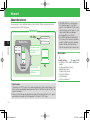
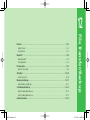
1
920T_Web.indb 1-1
Getting Started
Handset Parts ・・・・・・・・・・・・・・・・・・・・・・・・・・・・・・・・・・・・・・・・・・・・・・・・・・・・・・・・・・・・・・・・・・・・・・・ 1-2
Handset Parts/Key Functions ・・・・・・・・・・・・・・・・・・・・・・・・・・・・・・・・・・・・・・・・・・・・・・・・・・・・・・・・・・・ 1-2
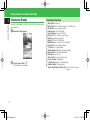
Display Indicators & Information Prompt ・・・・・・・・・・・・・・・・・・・・・・・・・・・・・・・・・・・・・・・・・・・・・・ 1-5
Display Indicators ・・・・・・・・・・・・・・・・・・・・・・・・・・・・・・・・・・・・・・・・・・・・・・・・・・・・・・・・・・・・・・・・・・・ 1-5
Information Prompt ・・・・・・・・・・・・・・・・・・・・・・・・・・・・・・・・・・・・・・・・・・・・・・・・・・・・・・・・・・・・・・・・・・ 1-6
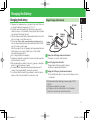
Charging the Battery ・・・・・・・・・・・・・・・・・・・・・・・・・・・・・・・・・・・・・・・・・・・・・・・・・・・・・・・・・・・・・・・・ 1-7
Charging the Battery ・・・・・・・・・・・・・・・・・・・・・・・・・・・・・・・・・・・・・・・・・・・・・・・・・・・・・・・・・・・・・・・・・ 1-7
Power On/Off ・・・・・・・・・・・・・・・・・・・・・・・・・・・・・・・・・・・・・・・・・・・・・・・・・・・・・・・・・・・・・・・・・・・・・・ 1-10
Turning Handset Power On/Off ・・・・・・・・・・・・・・・・・・・・・・・・・・・・・・・・・・・・・・・・・・・・・・・・・・・・・・・・ 1-10
Date & Time ・・・・・・・・・・・・・・・・・・・・・・・・・・・・・・・・・・・・・・・・・・・・・・・・・・・・・・・・・・・・・・・・・・・・・・・ 1-11
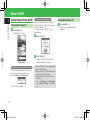
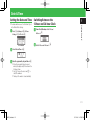
Setting the Date and Time ・・・・・・・・・・・・・・・・・・・・・・・・・・・・・・・・・・・・・・・・・・・・・・・・・・・・・・・・・・・・ 1-11
Switching Between the 12-hour and 24-hour Clock ・・・・・・・・・・・・・・・・・・・・・・・・・・・・・・・・・・・・・・・・ 1-11
About Mobile Manners ・・・・・・・・・・・・・・・・・・・・・・・・・・・・・・・・・・・・・・・・・・・・・・・・・・・・・・・・・・・・・ 1-12
Manner Mode and Offline Mode ・・・・・・・・・・・・・・・・・・・・・・・・・・・・・・・・・・・・・・・・・・・・・・・・・・・・・・・ 1-12
Codes ・・・・・・・・・・・・・・・・・・・・・・・・・・・・・・・・・・・・・・・・・・・・・・・・・・・・・・・・・・・・・・・・・・・・・・・・・・・・・ 1-13
About Codes ・・・・・・・・・・・・・・・・・・・・・・・・・・・・・・・・・・・・・・・・・・・・・・・・・・・・・・・・・・・・・・・・・・・・・・ 1-13
07.12.26 11:47:46 PM
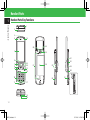
Handset Parts
1
Handset Parts/Key Functions
Getting Started
1
2
3
4
12
20
5
22
23
27
6
7
8
9
13
14
21
25
29
15
16
10
11
28
24
30
26
31
17
18
19
1-2
920T_Web.indb 1-2
07.12.26 11:47:46 PM
5
6
7
8
9
10
11
12
13
14
15
16
17
18
19
20
21
22
23
24
25
26
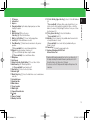
TV Antenna
Infrared Port
Earpiece
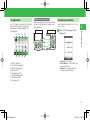
Charging Indicator: Lights during charging and goes out when
charging is complete.
Display
Multi Selector E: Move the cursor.
Center Key [: Access the Main Menu.
Mail Key (Left Softkey) J: Access the Messaging Menu.
Send Key N: Make and answer voice calls.
Clear/Memo Key L: Delete characters and return to the previous
operation.
L (Press and hold): Set or cancel Answering Machine.
Keypad: Enter phone numbers, characters, etc.
*: Turn on/off Mobile Light when using the camera.
# (Press and hold): Set or cancel Manner Mode.
Microphone
Sub Camera
Yahoo! Keitai Key (Right Softkey) K: Access Yahoo! Keitai.
End/Power Key O: End calls/operations.
O (Press and hold): Power handset on/off.
Shortcut Key S: Access the Shortcuts Menu.
External Light
Media Player Key H: Access the Audio Menu or use to make/answer
video calls.
Internal Antenna
Handstrap Hole
Main Camera
Stereo Speakers
Mobile Light
Camera/Video Indicator
Logo
Charger Terminal
Memory Card Slot
27 S! Circle Talk Key (Upper Side Key) P: Access S! Circle Talk Members
List.
P (Press and hold): Set Manner Mode, send a Simple Notice of your
location, turn the torch (penlight) on, display My Status, or check the
balance of e-money for Lifestyle-Appli (it can be set for any one of these
functions (page 2-5)).
28 TV Key (Lower Side Key) Q: Access the Wide Menu.
Q (Press and hold): Watch TV.
29 Hold Key M: Turn on Biometrics (only available when Password Lock is
set and your handset is closed).
M (Press and hold): Set or cancel Hold (only available while your
handset is closed).
30 Camera Key R: Activate the camera and shutter.
31 Earphone Microphone/AV OUT Jack
External Device Port
1
Getting Started
1
2
3
4
• Signal sensitivity may be reduced if you touch or cover the portion of
the body containing the Internal Antenna. In particular, do not affix
things like stickers onto this portion of the body.
• You cannot use the AC Charger and the Earphone-Microphone at the
same time.
1-3
920T_Web.indb 1-3
07.12.26 11:47:47 PM
Handset Parts
1
Display Positions
Getting Started
Slide handset open to use keypad. Be sure to open handset completely, until
it stops. When closing handset, slide back gently.
• Do not attach stickers or labels to underside of Display. Doing so may
jam the handset.
• Be careful to not accidentally push any keys when opening and closing
the handset.
1-4
920T_Web.indb 1-4
07.12.26 11:47:47 PM
Display Indicators & Information Prompt
⑥
Display Indicators
12:30
⑦
⑫⑬⑭⑮⑯⑰⑱
①
②
③
④
⑤
Signal Strength
Strong
Moderate
Weak
Faint
Out of Range
Offline Mode On
/ Voice/Video Call
Dial-up Connection
Positioning
Packet Transmission
Displaying Picture File with Location
Information
My Status Online
Packet Transmission Ready
Packet Network Range
3G Network Unavailable
IC Card Lock Active
New S! Cast
Reception of Rights Object
Indicates the reception of a content key
during operation.
Message Box Full
Message Delivery Failed
New Messages
Delivery Report
New S! Mail/SMS and Delivery Report
⑧
⑨
Battery Level
Sufficiently Charged Low Very Low
Charge Immediately
Charging
⑪ Time
⑫
Keypad Lock Active
Password Lock Active
⑬ Alarm Set
⑭ Answering Machine On (No Messages)
/ / / / Answering Machine On
(Message(s) Recorded)
/ / / / Answering Machine Off
(Message(s) Recorded)
⑮
Missed Call(s) (Message(s) Recorded at
Voice Mail Center)
Call Forwarding (Ringer Off for Voice Call)
Call Forwarding (Ringer Off for Video Call)
Call Forwarding (Ringer Off for Voice and
Video Calls)
⑯
Information Prompt Redisplay
⑰
S! Friend's Status Notification (Invitation)
⑱
Show Secret
⑩
1
Getting Started
①②③④⑤⑥⑦⑧⑨⑩ ⑪
Hold Active
Password Lock Active (displays when timer
viewing or recording TV.)
PC Site Connected
S! Quick News Updated
Memory Card Inserted
Web SSL
Indicates a connection to a web page with
security protection.
/ Bluetooth® Connection Established/
Connection Standby
Bluetooth® Connection Established (SCMS-T
Device Supported)
Some Bluetooth® Connections Lost
Bluetooth® Connection(s) Lost
Infrared Communication
USB Connection
Card Reader Mode
Software Update
External Connection for Data
Synchronization
TV Recording in Progress
/ S! Appli Activated/Paused
Playing Music File
Music File Playback Paused
Playing Video File
Streaming
TV Timer Set
Missed Call(s)
Manner Mode (Silent)
Manner Mode (Alarms)
Manner Mode (Drive)
/ / Manner Mode (Original 1 to 3)
1-5
920T_Web.indb 1-5
07.12.26 11:47:47 PM
Display Indicators & Information Prompt
1
Information Prompt
Getting Started
Information Prompt appears to inform you of missed calls, new messages and
other information.
q Information Prompt appears
w Select an item to check ➡[
The following items are available.
Information Prompt Items
Missed Calls: Missed calls
Missed Calls: New Voice Mail message(s) at Voice Mail Center
Ans Machine: New message(s) recorded
New Messages: Unread S! Mail/SMS
Unsent Messages: Unsent S! Mail/SMS
Partly Sent: Unsent S! Mail for some recipients
Delivered: Unread delivery report(s)
Missed CT: Missed S! Circle Talk calls
Notification: New S! Friend's Status notification(s)
New S! Cast: Content update(s) available
S! Cast Info: S! Cast update failed
Weather Updated: Weather report update available
Update Failed: S! Quick News update failed
Stop Snooze: Cancel snooze
Timer Results: TV view/record timer results
Resume S! Appli: S! Appli paused
IC Card Request: Request from Reader/Writer
Software Update: Software updated
Content Key Memory Full (Keys Full): Content key cannot be saved
any more
1-6
920T_Web.indb 1-6
07.12.26 11:47:50 PM
Charging the Battery
Charging the Battery
Using AC Charger (Not Included)
1
you charge the battery at temperatures of 5°
C to 35°
C.
• The battery cannot be charged by itself. The battery must be inside the
handset to charge it. Use a specified AC Charger (optional), Desktop Cradle
(optional) and In-Car Charger (optional).
• Clean the charger terminals, battery terminal and External Device Port with
a dry cotton swab or contact failure may occur.
• If the message Please check connection with your charger appears,
clean the charger terminals, battery terminal and External Device Port with
a dry cotton swab, etc. and try again.
When the message still does not disappear, stop charging immediately, and
take the battery to your nearest SoftBank Shop or contact SoftBank
General Information (page 14-41).
• Do not charge the battery in humid places.
• Charging is possible while your handset is turned on, but takes longer than
while your handset is turned off.
• When charging while your handset is turned on, appears on the display
and turns to when charging is complete.
• The handset and AC Charger may warm during charging. However, if it
overheats, stop using immediately. There may be some defect.
• If a call arrives while the handset is being charged, it sounds the ringtone,
vibrates, or flashes the external light in the same way as usual.
AC Outlet
Plug
920T
Connector
Release
Buttons
Charging
Indicator
Getting Started
• Charging at low temperatures does not produce the best results. Make sure
AC Charger
External
Device Port
q Connect the AC Charger connector to handset
• Inscription on connector should face down.
w Insert the plug into an AC outlet
Charging Indicator illuminates red while charging;
may take up to approximately 140 minutes.
e Unplug the AC Charger, then disconnect handset
• Press and hold Release Buttons to remove the AC Charger connector
from handset.
• AC Charger and Desktop Cradle support a power supply of 100 to
240 V AC.
• AC Charger is exclusively for use in Japan.
• AC Charger uses the same External Device Port as the EarphoneMicrophone so they cannot be used at the same time.
1-7
920T_Web.indb 1-7
07.12.26 11:47:51 PM
Charging the Battery
1
Using Desktop Cradle (Not Included)
Getting Started
Charging Indicator
920T
Using In-Car Charger (Not Included)
Plug
Plug
Release Buttons
AC Charger
920T
AC Outlet
Connector
Charging
Indicator
Cigarette Lighter Socket
In-Car Charger
Connector
Release
Buttons
Desktop Cradle
External Device Port
q Attach the AC Charger connector to Desktop Cradle
q Connect the In-Car Charger connector to handset
w
e Slide handset into Desktop Cradle until it clicks
w Insert the plug into the cigarette lighter socket in a car
• Inscription on connector should face up.
Insert the plug into an AC outlet
Charging Indicator illuminates red while charging;
may take up to approximately 140 minutes.
r
Remove handset from Desktop Cradle, then unplug the AC
Charger
• Inscription on connector should face down.
Charging Indicator illuminates red while charging;
may take up to approximately 140 minutes.
e Unplug the In-Car Charger, then disconnect handset
• Press and hold Release Buttons to remove the In-Car Charger
connector from handset.
1-8
920T_Web.indb 1-8
07.12.26 11:47:52 PM
• Do not use the In-Car Charger when the car engine is not running.
More Features
1
Getting Started
Doing so may drain the car battery.
• Unplug In-Car Charger when leaving your car. If Charging Indicator
remains on after removing car key, In-Car Charger may drain car battery.
• Use of the handset while driving is prohibited by law. Before using the
handset, stop the vehicle in a safe area where parking is permitted.
Charging In Progress Display (E page 13-6)
• Set the Charging In Progress Display
• Specify a Template for the Charging In Progress Display
• Specify Duration of the Charging In Progress Display
1-9
920T_Web.indb 1-9
07.12.26 11:47:52 PM
Power On/Off
1
Turning Handset Power On/Off
Getting Started
Turning Handset Power On
q Press and hold O
The display goes to Standby.
Retrieving Network Information
Before using network-related services (Yahoo!
Keitai, Messaging or S! Appli), retrieve network
connection information.
The first time you press [, J, K or Q, a
prompt appears.
Turning Handset Power Off
q Press and hold O
Power-off screen appears and handset
powers off.
q Press [/J/K/Q
w Select YES➡[
Standby Display
When Handset Powers On for the First Time
The following window appears the first time you
turn on the power of your handset or after
performing Reset All or Reset Setting.
• Set the Date & Time (page 1-11).
Handset connects to the network and
Network Information is retrieved.
• If Network Information is not acquired, some
features will be limited.
• After you replace the USIM Card, make sure
you retrieve network information.
• To retrieve network information from the
Main Menu:
Press a[➡Settings➡a[➡Connectivity
➡a[➡Retrieve NW Info➡a[➡YES
➡[
a
1-10
920T_Web.indb 1-10
07.12.26 11:47:52 PM
Date & Time
Setting the Date and Time
q Press [➡Settings➡[➡Phone
Settings➡[➡Clock➡[
Clock Window
w Select Date&Time ➡[
q From Clock Window, select 12hour/
24hour ➡[
1
Getting Started
• The date and time are set for the Main City set
in the World Clock settings.
Switching Between the
12-hour and 24-hour Clock
w Select 12hour or 24hour ➡[
e Enter the year, month, day and time ➡[
• Enter the year, month, day, hour and
minute (two digits each). Enter time in the
24-hour system.
• Use F to move the cursor and G to
select the numbers.
• The day of the week is set automatically.
1-11
920T_Web.indb 1-11
07.12.26 11:47:53 PM
About Mobile Manners
1
Manner Mode and Offline Mode
Getting Started
Be careful about disturbing others in public or
quiet areas.
• Turn the handset off in theaters, museums and
other places where silence is the norm.
• Observe signs and instructions regarding
handset use aboard trains, etc.
• In airplanes, turn off your handset so that it
does not disturb flight safety.
• In such places as hospitals and research
institutes, where no use of cell phones is
allowed, turn off your handset so that it does
not affect precision apparatuses.
• In such quite places as restaurants and hotel
lobbies, be careful so that your talking voice
does not bother others around you.
• Refrain from use that interrupts the flow of
pedestrian or vehicle traffic.
Using Manner Mode
q Press and hold #
• To cancel Manner Mode, press and hold
# while it is set.
• Shutter click and recording start/end tone
sound even in Manner Mode.
• If you set your answer status for S! Circle
Talk to Auto Join in My Status, then you
are automatically connected to S! Circle Talk,
so you hear the other party's voice from the
earpiece even if Manner Mode is set.
Using Offline Mode
Use offline mode to temporarily suspend all
handset transmissions. In offline mode, incoming/
outgoing calls and network services, such as
transmission of S! Mail/SMS are blocked.
q Press [➡ Settings ➡[➡ Call
Settings ➡[
w Select Offline Mode ➡[ (twice) ➡
ON ➡[
• To cancel the offline mode, select OFF.
• Emergency calls (110 (police), 119 (fire and
ambulance) and 118 (coast guard)) are also
not possible when offline mode is set to ON.
• Bluetooth® and Infrared communications are
unavailable when offline mode is ON.
More Features
Manner Mode
(E page 13-10)
• Switch Manner Modes
• Customize Original Mode
1-12
920T_Web.indb 1-12
07.12.26 11:47:53 PM
Codes
About Codes
Handset Code
Handset Code is a four-digit number. It is required
to use various handset functions. Your Handset
Code can be changed (page 11-2).
• The default setting is "9999".
Call Barring Service Code is a four-digit number
assigned at initial subscription. It is required to set
Call Barring. The code can be changed (page
3-18).
If the code is incorrectly entered three times, Call
Barring settings lock. If this happens, Call Barring
Service Code and Center Access Code must be
changed. For details, contact SoftBank General
Information (page 14-41).
1
Getting Started
Your Handset Code, Center Access Code, Call
Barring Service Code and Internet Security Code
are required for some functions and settings.
• Write down those codes. If they are lost, contact
SoftBank General Information (page 14-41).
• Do not reveal your codes. SoftBank is not liable
for misuse or damages.
Call Barring Service Code
Internet Security Code
Internet Security Code is required to set Internet
security. The code can be changed (page 11-7).
Center Access Code
Center Access Code is a four-digit number
assigned at initial subscription. It is required to
perform Optional Service operations via landlines
or to subscribe to fee-based content on the
Internet.
1-13
920T_Web.indb 1-13
07.12.26 11:47:54 PM
1
Getting Started
1-14
920T_Web.indb 1-14
07.12.26 11:47:54 PM
920T_Web.indb 2-1
2
Basic Operations
Menu Operations ・・・・・・・・・・・・・・・・・・・・・・・・・・・・・・・・・・・・・・・・・・・・・・・・・・・・・・・・・・・・・・・・・・・・ 2-2
Accessing Handset Functions ・・・・・・・・・・・・・・・・・・・・・・・・・・・・・・・・・・・・・・・・・・・・・・・・・・・・・・・・・・ 2-2
Wallpaper/Active Window ・・・・・・・・・・・・・・・・・・・・・・・・・・・・・・・・・・・・・・・・・・・・・・・・・・・・・・・・・・・・ 2-6
Standby Display ・・・・・・・・・・・・・・・・・・・・・・・・・・・・・・・・・・・・・・・・・・・・・・・・・・・・・・・・・・・・・・・・・・・・・ 2-6
Text Entry ・・・・・・・・・・・・・・・・・・・・・・・・・・・・・・・・・・・・・・・・・・・・・・・・・・・・・・・・・・・・・・・・・・・・・・・・・・ 2-9
About Text Entry ・・・・・・・・・・・・・・・・・・・・・・・・・・・・・・・・・・・・・・・・・・・・・・・・・・・・・・・・・・・・・・・・・・・・ 2-9
Entering Characters ・・・・・・・・・・・・・・・・・・・・・・・・・・・・・・・・・・・・・・・・・・・・・・・・・・・・・・・・・・・・・・・・・・ 2-9
Editing Text ・・・・・・・・・・・・・・・・・・・・・・・・・・・・・・・・・・・・・・・・・・・・・・・・・・・・・・・・・・・・・・・・・・・・・・・ 2-12
Word List ・・・・・・・・・・・・・・・・・・・・・・・・・・・・・・・・・・・・・・・・・・・・・・・・・・・・・・・・・・・・・・・・・・・・・・・・・・ 2-14
Saving Frequently Used Words ・・・・・・・・・・・・・・・・・・・・・・・・・・・・・・・・・・・・・・・・・・・・・・・・・・・・・・・・ 2-14
Phone Book・・・・・・・・・・・・・・・・・・・・・・・・・・・・・・・・・・・・・・・・・・・・・・・・・・・・・・・・・・・・・・・・・・・・・・・・ 2-15
About Phone Book ・・・・・・・・・・・・・・・・・・・・・・・・・・・・・・・・・・・・・・・・・・・・・・・・・・・・・・・・・・・・・・・・・ 2-15
Creating a New Phone Book Entry ・・・・・・・・・・・・・・・・・・・・・・・・・・・・・・・・・・・・・・・・・・・・・・・・・・・・・ 2-16
Using Phone Book ・・・・・・・・・・・・・・・・・・・・・・・・・・・・・・・・・・・・・・・・・・・・・・・・・・・・・・・・・・・・・・・・・・ 2-18
Data Folder ・・・・・・・・・・・・・・・・・・・・・・・・・・・・・・・・・・・・・・・・・・・・・・・・・・・・・・・・・・・・・・・・・・・・・・・・ 2-20
Data Folder Structure ・・・・・・・・・・・・・・・・・・・・・・・・・・・・・・・・・・・・・・・・・・・・・・・・・・・・・・・・・・・・・・・・ 2-20
Checking Files ・・・・・・・・・・・・・・・・・・・・・・・・・・・・・・・・・・・・・・・・・・・・・・・・・・・・・・・・・・・・・・・・・・・・・ 2-21
Managing Files and Folders ・・・・・・・・・・・・・・・・・・・・・・・・・・・・・・・・・・・・・・・・・・・・・・・・・・・・・・・・・・・ 2-21
Memory Card ・・・・・・・・・・・・・・・・・・・・・・・・・・・・・・・・・・・・・・・・・・・・・・・・・・・・・・・・・・・・・・・・・・・・・・ 2-23
Using Memory Cards ・・・・・・・・・・・・・・・・・・・・・・・・・・・・・・・・・・・・・・・・・・・・・・・・・・・・・・・・・・・・・・・・ 2-23
Advanced Features ・・・・・・・・・・・・・・・・・・・・・・・・・・・・・・・・・・・・・・・・・・・・・・・・・・・・・・・・・・・・・・・・・ 2-25
07.12.26 11:47:54 PM
Menu Operations
Accessing Handset Functions
2
Basic Operations
Press [ in Standby to open Main Menu.
Use E to select a menu icon and press [ to
access that menu.
②
①
③
④
⑤
⑥
⑦
⑧
⑨
⑪
⑩
⑫
Main Menu
①Messaging
Create S! Mail/SMS messages. Also check
received and sent S! Mail/SMS messages
(Chapter 4).
②Yahoo! Keitai
From Yahoo! Keitai menu, access the Mobile
Internet to download pictures, melodies and
applications. Use PC Site Browser to access
websites for PCs (Chapter 5).
③Entertainment
Access latest news, launch BookSurfing® and
visit Ku-man's Room (Chapters 5, 9).
④TV
Watch and record Digital TV broadcasts
(Chapter 6).
⑤Camera
Take pictures and record videos (Chapter 7).
⑥S! Appli
Access applications such as games (Chapter 8).
⑦Tools
Access useful functions such as Alarms and
Calculator (Chapter 9).
⑧Data Folder
Save/access files here (Chapter 2).
⑨Media Player
Play music and video files (Chapter 8).
⑩Communications
Access Communication Services provided by
SoftBank (S! Town, S! Loop, S! Friend's Status,
S! Circle Talk) (Chapters 5, 10).
⑪Phone Book
Save and access Phone Book information
(Chapter 2).
⑫Settings
Modify and confirm handset settings, and
perform data communication and backup
(Chapters 12, 13).
Switching Main Menu View
Change Main Menu view from Icon View (default)
to Tab View.
In Tab View, sub menu items appear when a tab is
selected.
q Press [➡J (Switch)
Tab View
• Press J (Switch) to return to Icon View.
w Use G to select an item
Sub menu list appears below the menu title.
Press C or [ and use G to select an
item.
2-2
920T_Web.indb 2-2
07.12.26 11:47:54 PM
Using Wide Menu
①
②
③
Portrait
Landscape
④
Customizing the Main Menu
Customize Main Menu design (icons, font color,
cursor color, etc.).
q
Press [➡K➡Set Images➡[➡
Options➡[
Up
Right
Left
2
Basic Operations
Press Q in Standby to access functions from Wide
Menu and enjoy using the PC Site Browser,
playing games, and watching Digital TV in
Landscape View.
Operations in Landscape View
Differences between cursor movement with Multi
Selector in Portrait View and in Landscape View
are shown below.
Down
⑤
⑥
⑦
① Watch TV (page 6-3)
② PC Site Browser (page 5-4)
③ Digital Camera (page 7-3)
④ Video (page 7-5)
⑤ Navi Appli (page 9-15)
⑥ S! Appli Library (page 8-8)
⑦ Pictures (page 2-20)
⑧ Videos (page 8-5)
⑧
• Original - Default theme.
• Phone Memory - Select a theme from
handset Data Folder.
• Keitaideco - Sets the downloaded
Keitaideco as the Main Menu.
2-3
920T_Web.indb 2-3
07.12.26 11:47:55 PM
Menu Operations
w Select an item➡K
Selecting Menu Items Using Keypad
w Select Navigation Keys➡[
Enter the menu item number on handset keypad
(0 to 9, *, #) for direct access to that
menu item.
2
Basic Operations
e Select Icons➡[➡Phone Memory or
e Press [➡Select the function you
Memory Card ➡[➡Select an image
➡[
• To change the icon order:
Press K➡ Change Order ➡[➡Select
an item➡[➡Select a position➡[
• To change the font color:
Press K➡Font Color ➡[➡Select a
color➡[
• To change the wallpaper:
Press K➡Wallpaper ➡[➡Phone
Memory or Memory Card ➡[➡
Select a wallpaper➡[
• To change the focus frame:
Press K➡Highlight ➡[➡Select a
color➡[
Numbers correspond to the keypad.
Changing Multi Selector Shortcuts
By default, a shortcut is assigned to each Multi
Selector key. Switch the assigned shortcuts.
want to assign to A➡[➡Select the
function you want to assign to B➡
[➡Select the function you want to
assign to D➡[
• The remaining function is assigned
automatically to C.
q Press [➡Settings➡[➡Phone
Settings➡[
Phone Settings Window
2-4
920T_Web.indb 2-4
07.12.26 11:47:56 PM
Setting Upper Side Key Function
Add frequently used functions to Shortcuts Menu
for quick and easy access.
q
Open a function➡S
q From Phone Settings Window, select
Side Key➡[➡Select the function to
set➡[
Sub Menu View
If more than two sub menu items are displayed
when pressing K, set the window so that the
item selected most recently is displayed on top.
q From Phone Settings Window, select
Sub Menu View➡[
w
Select Show or Hide➡[
• This setting is disabled for S! Circle Talk, S!
w Press J (Assign)
More Features
Functions for Menu Operations
(E page 2-25)
• Reset Icons and Wallpaper of the Main Menu
• Reset Multi Selector Functions to Default
• Rename Shortcut Titles
• Change/Move Icons on Shortcuts Menu
• Delete Functions from Shortcuts Menu
2
Basic Operations
Set a function to Upper Side Key. Choose from
Manner Mode, SimpleNotice, Torch, My Status or
Balance.
Press and hold P in Standby to access the set
function.
Adding Functions to Shortcuts Menu
Mini Tool Settings
(E page 13-3)
• Configure Mini Tool Settings
• Set Wide View
• Set an Animation for Mini Tool
Using Shortcuts Menu
q Press S➡Select a function➡[
• Up to two functions can be called up from
Shortcuts Menu.
Circle Talk Call Log and S! Friend's Status.
2-5
920T_Web.indb 2-5
07.12.26 11:47:57 PM
Wallpaper/Active Window
Standby Display
e Select Phone Memory or Memory Card w Select Image➡[
➡[➡Select an image➡[
2
Setting Wallpaper
Basic Operations
q Press [➡Settings➡[➡Display
➡[
Display Setting Window
w Select Idle Screen➡[➡Wallpaper ➡
[➡Picture➡[
• Default image:
Select Preset ➡[ (twice)➡OK➡[
• Keitaideco:
Select Keitaideco➡[ (twice)
• If you select Notify Only Once when a
confirmation window telling that the
Flash® wallpaper or Animation will stop
while Active Window is displayed, this
window will not be displayed from the
next time.
r Use E to adjust the position of the
image➡K (Cut) ➡[
Setting an Animation for Wallpaper
q From Display Setting Window, select
Idle Screen➡[➡Wallpaper ➡[➡
Animation➡[
• To specify the display method:
Select Design➡[➡Select a pattern➡
[ (twice)➡J (Set)
• To specify the display sequence:
Select Order➡[➡Select the display
sequence➡[➡J (Set)
e Select Images List➡[➡Select an
image list➡[
• To set images in Data Folder to an image
list in advance:
Press J (Edit)➡Select an image list item
➡[➡Phone Memory or Memory
Card ➡[➡Select an image➡[ (twice)
➡J (Set)
• To display the images in the selected folder
as an animation:
Select Select Folder ➡[➡Select a
folder➡[
• To set the image preinstalled in the
handset:
Select Preset ➡[
r Press J (Set)➡OK➡[
• If you select Notify Only Once when a
confirmation window telling that the
Flash® wallpaper or Animation will stop
while Active Window is displayed, this
window will not be displayed from the
next time.
2-6
920T_Web.indb 2-6
07.12.26 11:47:57 PM
①S! Quick News
Setting the Clock
q From Display Setting Window, select
Using Active Window
①
②
Shortcut Mode
2
Basic Operations
Idle Screen➡[➡Others➡[➡Select
a clock type➡[ (twice)
• When you select 1-line Digit, 2-line
Digit, World-Digital, or World-Analog,
do the following.
Use E to adjust the position➡[ (twice)
Displays newly received information and
images.
②Weather Indicator
③Members List
Your current status (My Status) is displayed on
the top. Set an icon or a photo for each
member.
Save members from S! Friend's Status Members
List to view their status. Make calls, send
messages or initiate S! Circle Talk in
Communication mode.
Saving People to the Members List
Add members to Members List from S! Friend's
Status Members List or Phone Book to view their
status from Active Window.
Save people to the Members List, and call them,
send them messages and initiate S! Circle Talk
from Active Window. Also, check the latest
information of S! Quick News and weather
forecast from Active Window.
q From Active Window (Communication
Enabling Active Window Operations
Mode), select an empty item➡[ (Save)
③
q Press A
• To change members:
Select the member you want to change➡
K➡ Change Member ➡[➡YES
➡[
You can perform Active Window operations
when the cursor is displayed.
Communication Mode
• Press J (Switch) to toggle between
Shortcut and Communication modes.
w Select Friend Status or Phone Book➡
[➡Select an entry➡[
2-7
920T_Web.indb 2-7
07.12.26 11:47:58 PM
Wallpaper/Active Window
Contacting Members
2
q
From Active Window (Communication
Mode), use G to select a member
Basic Operations
w Use F to select the contact method
Checking Weather Forecast
• For details on using the Weather Indicator, see
page 9-23.
q From Active Window (Shortcut Mode),
use G to select Weather Indicator
icons➡[
➡[
: To make a call
: To create and send a message
: To make an S! Circle Talk call
Checking New Information of S! Quick News
• You must register contents of S! Quick News in
advance (page 5-8).
q From Active Window (Shortcut Mode),
use G to select S! Quick News➡[
• Press J (Update) to update to the latest
information. Press K (Access) to display
the selected site.
• If the reception of new information fails,
Information Prompt appears. While the List
Window is displayed, press kK and then
select Update to receive the information
again.
More Features
Active Window Functions (E page 2-25)
• Set Active Window Not to Always Display
• Display Members in the Shortcut Mode of
•
•
•
•
Active Window
Edit the Members List
Change Members List Icons
Toggle My Status Display On/Off
Check Member Status
Active Window Settings (E page 13-7)
• Select S! Quick News Information to be
Displayed
• Set Ticker Speed
• Set Image Display
• Restore Settings and Registered Contents of
S! Quick News to Default
2-8
920T_Web.indb 2-8
07.12.26 11:47:59 PM
Text Entry
About Text Entry
Switching Text Input Modes
q In a text entry window, press H
• Unavailable text input modes are not
displayed.
• For text entry key assignments, see page 14-9.
Example: Entering 須々木
q In a text entry window, enter すずき
• Press 3 (three times)➡C➡
3 (three times)➡*➡2 (twice)
About Text Entry Window
②
The text input mode is switched.
①
③
w Select a text input mode➡[
2
Basic Operations
There are four kinds of input methods: Standard
mode, Beeper mode, T9 mode and Multi-tap
mode. Unless otherwise noted, text entry
operations are described using Standard mode.
For details on inputting text in Beeper mode, see
page 14-10.
Entering Characters
④
①Number of characters entered/Maximum
number of characters allowed is displayed. The
maximum number of characters allowed varies
depending on the function.
②Indicates the current input mode.
③Selects the range of text.
By pressing [ when a text range is selected,
you can perform operations such as copying or
saving the selected text to the Word List.
④By pressing K, you can perform operations
such as editing text and arranging message
text.
Text Input Mode Icons
: Kanji (hiragana)
: Single-bye katakana
: Double-byte alphanumerics (upper case)
: Double-byte alphanumerics (lower case)
: Single-byte alphanumerics (upper case)
: Single-byte alphanumerics (lower case)
: Double-byte numbers
: Single-byte numbers
URL: Enter e-mail address and URL extensions
from the address library.
Pict: Enter pictographs.
(^-^): Enter emoticons.
My Pict: Enter pictographs in My Pictograms folder.
w Press B
• To exit the suggestion list and enter
characters after すずき , press L.
e
Use E to select 須々木 ➡[
須々木 is determined.
• To finish text entry, press [ after
determining entered text.
2-9
920T_Web.indb 2-9
07.12.26 11:47:59 PM
Text Entry
Lower Case (a, っ, etc.)
2
Hiragana to Alphanumerics/Katakana
Conversion
Basic Operations
In all the input modes except Numeric, you can
change the case of a character selected by the
cursor (unconverted character) (compatible
characters only).
Enter alphanumerics and katakana in Kanji
(hiragana) input mode.
Example: Changing あ to lower case
Example: Entering TOM (single-byte) in Kanji
(hiragana) input mode
q In a text entry window, press 1
w Press #➡[
ぁ is determined.
Adding ゛or ゜
In Kanji (hiragana) input mode and Single-byte
katakana input mode, you can add "゛" (dakuten)
and " ゜" (handakuten) to a character selected by
the cursor (unconverted character) (compatible
characters only).
Example: Entering が
q In a text entry window, press 2
w Press *➡[
が is determined.
• With characters like は to which both "゛"
(dakuten) and "゜" (handakuten) can be
added, you can switch between "゛" and
"゜" by pressing *.
q
In a text entry window, press the key
to which the character is assigned
• Press 8 (once)➡6 (three times)➡
C➡6 (once)
やふは is entered.
w Press J (Kana)
Displaying Characters in Reverse Order
In all the input modes except Numeric, you can
display unconverted characters on the cursor in
the reverse order from the one on the Key
assignments chart by pressing H.
Example: Entering the characters assigned to 2
Press 2
Press H after pressing 2
か き く け こ
⇒
か こ け く き
Symbols
q In a text entry window, press #
The double-byte symbol list window appears.
A suggestion list of roman characters and
katakana appears.
• Press J (Kana)/K (Num.) to switch
between roman character/katakana
conversion and number conversion.
e Press B➡E to select TOM (singlebyte)➡[
TOM (single-byte) is determined.
w Select a symbol➡[
The selected symbol is entered and the
symbol list window disappears.
• To enter symbols continuously from the
symbol list window, press H after
selecting each symbol.
2-10
920T_Web.indb 2-10
07.12.26 11:48:00 PM
Alphanumerics
q In a text entry window, press # (twice)
w Select a number or letter➡[
• Repeat this step to enter another number
or letter.
q In a text entry window, press *
The pictograph list window appears.
• You may be unable to enter pictographs
depending on the function.
w Select a pictograph➡[
The selected pictograph is entered and the
pictograph list window disappears.
• To enter pictographs continuously from the
pictograph list window, press H after
selecting each pictograph.
Emoticons
q In a text entry window, press * (twice)
The emoticon list window appears.
• The number of times * is pressed differs
depending on the function.
2
Basic Operations
The double-byte alphanumeric list window
appears.
• The number of times # is pressed differs
depending on the function.
Pictographs
w Select an emoticon➡[
The selected emoticon is entered and the
emoticon list window disappears.
• To enter emoticons continuously from the
emoticon list window, press H after
selecting each emoticon.
2-11
920T_Web.indb 2-11
07.12.26 11:48:01 PM
Text Entry
E-mail Address and URL Extensions
2
Example: Entering .co.jp (part of an e-mail address)
q
Basic Operations
In a text entry window, press H➡
URL ➡[
The address library is displayed.
Editing Text
Correcting Entered Text
q In a text entry window, move the
cursor to the left of the character you
want to delete➡L
The character to the right of the cursor is
deleted.
• To delete all the characters to the right of
the cursor, press and hold L.
w Enter correct characters
w Select .co.jp ➡[
Deleting Multiple Characters
q In a text entry window, move the
Copy/Cut/Paste
q In a text entry window, move the
cursor to the first character of the text
range you want to copy/cut➡
J (Range・paste)
w Select Start ➡[➡Move the cursor to
the last character of the text range
➡[
e Select Cut or Copy ➡[
The selected range of text is stored on the
clipboard.
r Position the cursor
cursor to the first character of the text
range you want to delete➡J (Range・
paste)
w Select Start ➡[➡Move the cursor to
the last character of the text range
t Press J (Range・paste)➡Paste➡[
➡[
e Select Delete ➡[
2-12
920T_Web.indb 2-12
07.12.26 11:48:01 PM
y Select the text to paste➡[
Undoing Last Operation
q
In a text entry window, press K➡
Undo➡[
More Features
Prediction
• Create Original Emoticons
Functions for Editing Text (E page 2-27)
• Change the Font Size During Text Entry
• Insert Phone Book Information During Text
2
Basic Operations
Text Entry Functions
(E page 2-26)
• Insert a Line Break
• Insert a Space
• Use Single Kanji Conversion
• Convert a Name One Character at a Time
• Enter Text Using Conversion Prediction/Phrase
Entry
• Once text is reconverted or replaced, undo is
unavailable.
• Save Text to the Notepad During Text Entry
• Save Phone Numbers or E-mail Addresses to
Phone Book During Text Entry
• Reconvert Determined Text
• Replace Text with Another Text on the
Clipboard
Text Entry Settings
(E page 13-33)
• Change the Input Method
• Do Not Predict Words from Previously Entered
Text Strings
• Do Not Predict Next Phrase from Previously
Entered Phrases
• Set the Custom Window
• Set the Text Deletion Method
• Reset the Prediction Dictionary/Conversion
Dictionary
2-13
920T_Web.indb 2-13
07.12.26 11:48:02 PM
Word List
Saving Frequently Used Words
2
q In a text entry window, press K➡
Customize➡[➡Word List ➡[
Basic Operations
w Select To Word List ➡[➡Word ➡[
➡Enter a word➡[
e Select Reading ➡[➡Enter a reading
➡[
r Press K (OK)
Saving a Word to the Word List
During Text Entry
q In a text entry window, move the
cursor to the first character of the
word you want to save➡J (Range・
paste)
Editing Saved Words
q In a text entry window, press K➡
Customize➡[➡Word List ➡[➡
Edit Word➡[
w Select Start ➡[➡Move the cursor to
the last character of the word➡[
e
Select To Word List ➡[
A window appears where you can save the
word to the Word List.
r Select Reading ➡[➡Enter the
reading➡[
t Press K (OK)
w Select a word➡J (Edit)➡Select the
word/reading➡[➡Edit the word/
reading➡[
e Press K (OK)
More Features
Word List Functions
(E page 2-28)
• Delete All Words from the Word List
2-14
920T_Web.indb 2-14
07.12.26 11:48:02 PM
Phone Book
About Phone Book
Use Phone Book to save information such as phone numbers and e-mail addresses.
Basic Information
Name and Reading
Entry Number
Phone Number
E-mail Address
Options
Picture
Group
Personal Information
Note
Options
Personal Information
External Light
Ringtone Volume
Ringtone
Vibration
Ringing Time
Message Folder
Secret
Address
Job Title
Company
Birthday
URL
Location Information
2
Data saved to Phone Book can be used with functions
which specify a person, such as making calls, sending
messages, or creating S! Circle Talk groups.
Primary Functions/Services
of Phone Book
Speed Dial
Make calls to people in
Phone Book quickly.
S! Addressbook Back-up
Save your Phone Book to
the server and synchronize
it later.
Basic Operations
Items You Can Save
to Phone Book
Mail Group
Send messages to
members of a group
simultaneously.
Reject Calls
Deny calls from people
not saved in Phone Book.
• Back Up Important Information
When the battery is exhausted or removed for long periods, Phone Book entries may
be lost. Handset damage may also affect handset information recovery. SoftBank is
not liable for damages from lost or altered data.
2-15
920T_Web.indb 2-15
07.12.26 11:48:03 PM
Phone Book
Creating a New Phone Book Entry
2
Example: Saving a name, phone number and
e-mail address, and specifying a group.
Basic Operations
q Press [➡Phone Book ➡[➡New
Entry➡[
w Select Name ➡[➡Last Name or First r Select Email ➡[➡Enter an e-mail
Name ➡[➡Enter a last name/first
name➡[➡J (OK)
• Characters entered for name (reading for
kanji) appear.
• To correct the reading, select a reading
field (last name or first name) and edit the
information.
• When you save to USIM Phone Book,
enter both the first name and last name in
the Name field.
address➡[➡Select a category➡[
t Select No Group ➡[➡Select a group
➡[
Phone Book Entry Window
e Select Phone Number ➡[➡Enter a
phone number➡[➡Select a
category➡[
• To enter a hyphen "-" or a pause "P" (page
3-15), press K while entering a phone number
and select Manual Hyphen or Pause (P).
y Press J (OK)
2-16
920T_Web.indb 2-16
07.12.26 11:48:03 PM
Setting a Picture
q From Phone Book Entry Window, select
Picture➡[
Setting the Ringtone for Individual Entries
q From Phone Book Entry Window, select
Options ➡[
Secret Setting
Set specific Phone Book entries as Secret so other
people cannot see them.
➡[
Ringtone ➡[
• To capture an image:
Select Take Picture➡[➡Take a
picture➡[
For details on taking pictures, see page
7-3.
e Select Pictures or Digital Camera➡[
➡Select a picture➡[ (twice)
• If the selected picture does not fit in the
prescribed frame, adjust the picture size
(page 7-9).
w Select Secret ➡[➡ON➡[
2
Basic Operations
w Select Phone Memory or Memory Card w Select a type of incoming event➡[➡ q
From Phone Book Entry Window, select
Options ➡[
e Select Phone Memory or Memory Card
➡[
• To set a ringtone preinstalled in the
handset:
Select Patterns or Melodies➡[➡
Select a ringtone pattern➡[
• If you select Same as Phone, the
ringtone will be the same as the
corresponding setting of Sounds.
• indicates a Secret entry.
• To view Secret entries, switch Secret Mode
(page 11-4) to Show.
r Select a folder➡[➡Select a ringtone
pattern➡[ (twice)
• If Details of a picture file (page 2-30)
indicate that the file is Unavailable for
forwarding, the picture file cannot be set as
Picture.
2-17
920T_Web.indb 2-17
07.12.26 11:48:04 PM
Phone Book
Saving a Phone Number from Call Log
2
q
Press D/C
Using Phone Book
Making a Call from Phone Book
Basic Operations
q Press B
• In Standby, press and hold a number key
(¢1 to ª9) to access the corresponding
index tab. Alternatively, enter the first
character(s) of the name in the search
window.
• To switch between Dialed and Received,
press D/C.
w Select a phone number➡K➡To Phone
Book ➡[➡Add New ➡[
• To add the phone number to an existing
Phone Book entry, select Add and select
the entry.
• Press D or C to access the previous or
next index tab.
w Select an entry➡[
• Press D or C to scroll entries within
the same index tab.
e Select a phone number➡N
2-18
920T_Web.indb 2-18
07.12.26 11:48:05 PM
Changing the Search Mode
q
More Features
Press B➡K➡Search Mode➡[
• Select from the following search modes.
Tab/Reading (default):
Enter reading (or partial reading) to
search entries or select tab to scroll
through entries.
List View:
Select tab then scroll through entries.
By 1-Touch*:
Search entries by the first letter of
names. Press corresponding number
key (1 to 9).
By Reading:
Enter reading (or partial reading) to
search entries.
By Memory No.:
Search by entry number (Memory
Number). Enter target entry number.
By Phone No.:
Search by entering a phone number.
Group Filter:
Search entries by Group.
* 2タッチ検索 (By 2-Touch), if 言語選択 (Language)
is set to 日本語 (Japanese). In By 2-Touch
search, select the first character of a
reading (Press any of 0 to 9, *,
and #➡Press any of 1 to 5).
920T_Web.indb 2-19
2
Basic Operations
w Select the search mode➡[
Phone Book Entry Functions
(E page 2-28)
• Save Other Information
• Set Location Information
• Check the Number of Phone Book Entries
• Change the Ringtone Volume for Individual
Entries
• Change the External Light and Vibration for
Individual Entries
• Change the Ringing Time of Incoming
Message/Notification Ringtone for Individual
Entries
• Select Received Message Folders for Individual
Entries
• Change the Incoming Event Operation Settings
for Each Group
Functions for Managing Phone Book
(E page 2-29)
• Switch the Displayed Phone Book
• Change the Order of Phone Book Entries
• Edit Phone Book
• Copy/Move Phone Book Entries
• Delete Phone Book Entries
Phone Book Settings
(E page 13-34)
• Change the Default Storage Location
• Prohibit Use of Phone Book
Settings for Phone Book Groups
(E page 13-34)
• Edit a Group Name/Group Icon
2-19
07.12.26 11:48:05 PM
Data Folder
Data Folder Structure
2
Manage the handset data from Data Folder. Pictures and videos you shoot with the camera as well as files transferred from external devices and downloaded
from the Internet are stored in Data Folder.
Basic Operations
Files Saved in Each Folder
Pictures
Digital Camera*1
Ring Song・Tone
Picture files including those
taken with the camera/My
Pictograms folder
Pictures taken in Digital
mode
Sound files such as
melodies, sounds recorded
with Voice Recorder
Videos
TV
Lifestyle-Appli*2
Books
Lifestyle-Appli for using
S! FeliCa
Electronic comic books,
photo albums, etc.
Gamendeco
Keitaideco
Video files including
those recorded with the
camera
Flash(R)
®
Flash image files/
Flash(R) Tones folder
Recorded TV program
files
Main Menu*2
Image files for Main
Menu
Other Documents
Files other than those listed
above, such as vObjects,
document files, etc.
Icon/image files for
screen decoration
S! Appli
Downloaded S! Appli
Keitaideco files
Music
Downloaded music files,
Chaku-Uta Full®
Templates
Mail templates
Mini Tool*2
Mini Tool image
files/Mini Photo folder
• Files saved to the handset may be altered or lost by improper use, accidents, or
•
mechanical failure. We recommend that you make backups of your important files.
appears before a file name if the file requires content usage rights. Press kK
and select Buy Key to obtain a content key.
*1 Shown only in the memory card Data Folder.
*2 Shown only in the handset Data Folder.
2-20
920T_Web.indb 2-20
07.12.26 11:48:06 PM
Checking Files
q Press [➡Data Folder ➡[
Displaying Picture Files in Slide Show
Display picture files in succession about every two
seconds.
➡[
w Select a file➡K➡Change View➡[
e Select a file➡[
Using Download Links
Some folders contain a link to Yahoo! Keitai. Use
links to access Yahoo! Keitai and download
content.
2
Folders can be created in the Pictures, Ring
Song・Tone, Music, Videos, TV, Books,
Flash(R), Main Menu, Gamendeco, Mini
Tool and Other Documents folders.
q Open Data Folder➡Select a folder
➡[
Data Folder Window
w Select a folder➡[
Creating a Folder
e
w Press K➡Create Folder ➡[
Basic Operations
q
Open Data Folder Window➡Pictures
Managing Files and Folders
Select Slideshow➡[
e Enter a folder name➡[
• Folders cannot be created within the TV
folder on a memory card.
2-21
920T_Web.indb 2-21
07.12.26 11:48:06 PM
Data Folder
Moving Files
2
q
Open Data Folder➡Select a folder
➡[
Basic Operations
w Select a file➡K➡Move➡[
e Select One➡[
• To move multiple files:
Select Select Multi ➡[➡Select files➡
[➡J (Move)
• To move all files:
Select All➡[➡Enter your Handset
Code
• If Details of a file indicate that the file is
Unavailable for forwarding or memory card
transfer, the file cannot be moved to other
folders.
• When you move a still picture file taken in
Digital mode to the memory card, or a music
file in MPEG-4 format (.3GP, .MP4 and
.M4A) to another folder, select the fixed
folder first and then select the destination
folder.
Setting Folder Security
Set Security Lock ON to require Handset Code
entry when accessing files in the folder.
q Open Data Folder➡Select a folder you
created➡K➡Security Lock➡[
r Select Phone Memory or Memory Card w Enter your Handset Code➡ON➡[
➡[
t
Select the destination folder➡[
• To move files to a new folder:
Press J (Create)➡Enter a folder name
More Features
Functions for Checking Files
(E page 2-30)
• Change the Data Folder View
• Check File Properties
• Check Data Folder/Memory Card Available
Memory
Functions for Using Files (E page 2-30)
• Use Picture Files
• Use Melody/Music/Video Files and Flash®
• Set a Keitaideco File to Change Icons/Images
Collectively
• Use vObjects
Functions for Managing Files/Folders
(E page 2-31)
• Change Folder and File Names
• Change the Order of Files
• Move a Folder
• Copy Folders and Files
• Delete Folders and Files
➡[
2-22
920T_Web.indb 2-22
07.12.26 11:48:07 PM
Memory Card
Using Memory Cards
Memory Card Structure and File Storage Locations
Folder Name
DCIM
PRIVATE
MYFOLDER
Mail
My Items
TS_Folder
Utility
Calendar
Contacts
Memo
Rights
Tasks
SD_VIDEO*
Saved File
Pictures taken in Digital mode
Same structure as Message Box on the handset
Folders in Data Folder (Pictures, My Pictograms,
Videos, Ring Song・Tone, Music, Templates,
Flash(R), Flash(R) Tones, Books, S! Appli, Other
Documents), bookmark backup files
2
Basic Operations
The pictures you take, videos you record and
various downloaded files can be saved to a
memory card.
• This manual refers to a microSD memory card
as "memory card".
• If the battery level is low, your handset may not
read or write files.
• Never remove the memory card or battery while
files are being accessed or formatted. Damage
to memory card may result and files/data may
be lost.
• Files on the memory card may be changed or
lost by improper use, accidents, or mechanical
failure. We recommend that you make backups
of your important files.
• Do not put labels or stickers on the memory
card.
• For details on saving files to a memory card, see
the corresponding explanation for each
function.
• Your handset supports memory cards with a
storage capacity of up to 2 GB (as of November
2007). There is no guarantee that all memory
cards will work with your handset.
• Do not use excessive force to open the memory
card slot cover. Doing so may damage the cover.
Setting data backed up with the Relocate function,
files for Gamendeco, Keitaideco files, and files
which can be viewed only from Media Player and
Ku-man's Room
Event backup files
Phone Book data and backup files
Notepad backup files
Content key backup files
Tasks backup files
Recorded TV program files
* Do not alter data on your PC. Files may become unreadable on your handset.
2-23
920T_Web.indb 2-23
07.12.26 11:48:07 PM
Memory Card
Inserting a Memory Card
2
Formatting a Memory Card
Insert a memory card after turning off the handset.
Otherwise, files on the memory card may be lost.
Basic Operations
①
②
③
Formatting a memory card deletes all data in the
memory card.
• If a memory card is formatted by another
device, it may not work properly with your
handset.
e Close the memory card slot cover (③)
Removing the Memory Card
To remove the memory card, open the memory
card slot cover, gently push on the card and
release. Gently slide out the card after it ejects.
• The memory card may pop out abruptly
when removing it from your handset. Be
cautious when ejecting the memory card.
q Press [➡Data Folder ➡[➡C
q Press [➡Settings➡[➡Memory➡[
q Open the memory card slot cover (①)
w Push a memory card into the slot until
it locks into position, making sure the
gold terminal is facing down (②)
• Carefully insert the memory card all the
way in until it clicks.
Checking Data on the Memory Card
w Select a folder➡[
w Select Format Card ➡[➡Enter your
Handset Code➡YES➡[
e Select a file➡[
More Features
Functions for Checking Files
(E page 2-30)
• Check Data Folder/Memory Card Available
Memory
2-24
920T_Web.indb 2-24
07.12.26 11:48:08 PM
Advanced Features
Display
Change/Move Icons on Shortcuts Menu
Functions for Menu Operations
Reset Icons and Wallpaper of the Main
Menu
Main Menu K➡Reset Options ➡[➡YES➡
[
Reset Multi Selector Functions to Default
Phone Settings Window Navigation Keys ➡[➡
K➡Reset➡[➡YES➡[
Start at ➡ Shortcut Mode page 2-7
Communication Mode page 2-7
■Setting an Icon Preinstalled in the
Handset
Change Icon ➡[➡Preset Icons ➡[➡
Select an icon➡[
■Setting an Image Saved in Data Folder/
Memory Card
Change Icon ➡[➡Phone Memory or
Memory Card ➡[➡Select an image➡[
➡E to adjust the position of the image➡K➡
[
• You cannot change the icons of preset Shortcut
functions.
Set Active Window Not to Always Display
[➡Settings➡[➡Display ➡[➡Idle
Screen➡[➡Active Window➡[➡ON
(Manual) or OFF➡[
• When set to ON (Manual), press A in
Standby to display Active Window.
Display Members in the Shortcut Mode of
Active Window
Shortcut Mode K➡Settings➡[➡Templates
➡[➡Member/News or Member ➡[
Rename Shortcut Titles
■Moving Icons
S➡Select a function➡K➡Edit Title➡[➡
Enter a title➡[
Arrange Icons ➡[➡Select a destination➡
Edit the Members List
Delete Functions from Shortcuts Menu
Communication Mode K➡Edit List ➡[➡
Select a member➡[➡YES➡[➡Friend
Status or Phone Book ➡[➡Select an entry
S➡Select a function➡K
➡[
[
• You cannot edit the titles of preset Shortcut
functions.
■Deleting One Entry
Delete➡[➡YES➡[
2
Basic Operations
Start at ➡ Main Menu page 2-2
Phone Settings Window page 2-4
Active Window Functions
S➡Select a function➡K
• To add a new member, select Edit List, then
Not Registered, and press [.
■Deleting All Entries
Delete All➡[➡Enter your Handset Code➡
YES➡[
• You cannot delete preset Shortcut functions.
2-25
920T_Web.indb 2-25
07.12.26 11:48:08 PM
Advanced Features
Change Members List Icons
2
Communication Mode Select a member➡K➡
Change Icon➡[➡Phone Book or Icon➡
[➡Select the picture of Phone Book or an icon
Basic Operations
➡[
Toggle My Status Display On/Off
Communication Mode K➡Edit List ➡[➡My
Status➡[ (ON) /[ (OFF)
Check Member Status
Communication Mode G to select a member➡K
➡View➡[
Text Entry
Text Entry Functions
Insert a Line Break
In a text entry window, enter text and convert➡
B to insert a line break
• When the input method is Standard or Beeper,
you can also enter a line break by pressing and
holding #.
• To insert a line break to the left of the text that
has been determined, access line break from
the symbol list window (page 2-10).
• Line break is unavailable in some text entry
windows.
Use Single Kanji Conversion
Example: Entering 鱸 (すずき)
In a text entry window, enter すずき ➡S (twice)➡
Select 鱸 from the suggestion list➡[
• When 単漢候補 (Single Kanji Conversion List) is
not displayed in a text entry window, the
entered characters cannot be converted with
Single Kanji conversion.
Convert a Name One Character at a Time
Example: Entering 亜香梨 (Akari)
In a text entry window, enter あかり (Akari)➡A➡
E to select 名前変換 (Name Conversion)➡[➡
Select 亜 ➡[➡Select 香 ➡[➡Select 梨 ➡[
(twice)
Insert a Space
In a text entry window, C
• To insert a space to the left of the text that has
been determined, select a space from the
symbol list window (page 2-10).
Enter Text Using Conversion Prediction/Phrase
Prediction
The handset is equipped with MobileRUPOTM,
Toshiba's kana-kanji conversion engine.
* MobileRUPOTM is a
trademark of Toshiba
Corporation.
■Using Conversion Prediction
Example: Entering お父さん
In a text entry window, 1 (five times)➡4
(five times)➡B➡E to select お父さん ➡[
2-26
920T_Web.indb 2-26
07.12.26 11:48:09 PM
Create Original Emoticons
In a text entry window, H➡(^_^)➡[➡
User Created ➡[➡Select an empty item➡
J➡Create an emoticon➡[ (twice)
Functions for Editing Text
Change the Font Size During Text Entry
In a text entry window, K➡Customize➡
[➡Font Size➡[➡Select a font size➡[
Insert Phone Book Information During Text
Entry
In a text entry window, K➡Insert➡[
■Inserting Phone Book Information
Phone Book➡[➡Select a Phone Book entry
➡[➡Select an item➡[
Save Text to the Notepad During Text
Entry
In a text entry window, move the cursor to the
first character of the text range➡J➡Start➡
[➡Move the cursor to the last character of
the text range➡[➡To Notepad ➡[➡
Select a notepad➡[
• If you save to a notepad with contents stored,
it will be overwritten.
Reconvert Determined Text
In a text entry window, move the cursor to the
first character of the text range➡J➡Start ➡
[➡Move the cursor to the last character of
the text range➡[➡Convert ➡[
■Converting Hiragana to Kanji
Kana/Kanji ➡[➡Select a word from the
suggestion list➡[
■Converting All into Full/Half Width
Save Phone Numbers or E-mail Addresses
to Phone Book During Text Entry
Full Width or Half Width➡[
In a text entry window, move the cursor to the
first character of the text range➡J➡Start ➡
[➡Move the cursor to the last character of
the text range➡[➡To Phone Book ➡[➡
Add New or Add ➡[
• See "Creating a New Phone Book Entry" (page
2-16) about the following operations.
• If a selected item contains characters or
symbols that cannot be saved to Phone Book,
it won't be saved to Phone Book.
Upper/Lower Case
Upper Case or Lower Case➡[
2
Basic Operations
■Using Phase Prediction
Example: Entering the same phrase 渋谷でライブ that
you have entered before
In a text entry window, enter し ➡B➡E to
select 渋谷 ➡[➡B➡E to select で ➡[➡
B➡E to select ライブ ➡[
■Converting All Roman Characters into
Replace Text with Another Text on the
Clipboard
In a text entry window, move the cursor to the
first character of the text range➡J➡Start ➡
[➡Move the cursor to the last character of
the text range➡[➡Replace➡[➡Select
the text to replace from the clipboard➡[
■Inserting Other Information
My Details, Phrases, Emoticon, Signature,
Notepad, Message Box or URL History ➡[
2-27
920T_Web.indb 2-27
07.12.26 11:48:10 PM
Advanced Features
2
Basic Operations
Word List Functions
■Note
Check the Number of Phone Book Entries
Delete All Words from the Word List
Phone Book Entry Window Note➡[➡Enter a
reminder➡[
■Memory Number (Entry Number)
[➡Phone Book ➡[➡Memory Status➡
[
• Press K (Count) /K (Rate) to switch between
Phone Book Entry Window Select the current entry
number➡[➡Enter a new entry number➡[
• When Secret Mode is set to Hide, the number
In a text entry window, K➡ Customize➡
[➡Word List ➡[➡Delete All ➡[➡
Enter your Handset Code➡YES➡[
Phone Book
Phone Book Entry Functions
Start at ➡ Phone Book Entry Window page 2-16
Save Other Information
■Address/Job Title/Company
Phone Book Entry Window Personal Info.➡[➡
Select an item➡[➡Enter an item➡[➡J
■Birthday
Phone Book Entry Window Personal Info.➡[➡
Birthday ➡[➡Enter a birthday➡[➡J
• Enter four digits for the year and if the month
or date is a single digit, prefix it with a 0.
■URL
Phone Book Entry Window Personal Info.➡[➡
URL➡[➡Enter a URL➡[➡Select a type
➡[➡J
Set Location Information
Phone Book Entry Window Personal Info.➡[➡
No Location ➡[
■Setting Your Current Position
Position ➡[➡Perform positioning➡[➡
J
■Setting from Location Logs/My Locations
Location Logs or My Locations➡[➡
Select location information➡[➡J
■Setting from Picture File
My Pictures➡[➡Select a file➡[➡J
the number of entries and the usage rate.
of entries other than Secret entries is
displayed.
Change the Ringtone Volume for
Individual Entries
Phone Book Entry Window Options➡[➡Voice
Call, Video Call, Message, Circle Talk or
Notification ➡[➡Ringtone Vol.➡[➡
Options or Same as Phone ➡[➡Adjust the
volume➡[
Change the External Light and Vibration
for Individual Entries
Phone Book Entry Window Options➡[➡Voice
Call, Video Call, Message, Circle Talk or
Notification➡[
■External Light
ExternalLight ➡[➡Select an illumination
pattern, OFF or Same as Phone ➡[
■Vibration
Vibration➡[➡Select a pattern, OFF or
Same as Phone➡[
2-28
920T_Web.indb 2-28
07.12.26 11:48:10 PM
Functions for Managing Phone Book
■Copying/Moving All Entries
Switch the Displayed Phone Book
Phone Book Entry Window Options➡[➡
Message or Notification➡[➡Duration➡
[➡Set Duration, 1 Cycle or Same as
Phone➡[➡Enter a ringing time➡[
B➡K➡ Change View ➡[➡Select a
storage location➡[
B➡K➡ Copy or Move ➡[➡All➡[➡
Phone Memory, USIM or Memory Card ➡
[
Select Received Message Folders for
Individual Entries
Phone Book Entry Window Options➡[➡
Message➡[➡MessageFolder➡[➡
Select a folder or None➡[
• The handset Phone Book
, USIM Phone Book
, and memory card Phone Book are
displayed.
[➡Phone Book ➡[➡Group ➡[➡
Select a group➡[➡ Options ➡[
• See "Setting the Ringtone for Individual
Entries" (page 2-17) about the following
operations.
depending on the handset, USIM or memory
card Phone Book.
Delete Phone Book Entries
Change the Order of Phone Book Entries
B➡K➡Sort by ➡[➡Alphabet or
Birthday ➡[
Edit Phone Book
Change the Incoming Event Operation
Settings for Each Group
• The items you can save to Phone Book differ
B➡Select a Phone Book entry➡[➡Select
an item➡[➡Edit the item➡[➡J➡Save
or Save as New ➡[
Copy/Move Phone Book Entries
■Copying/Moving One Entry
■Deleting One Entry
2
Basic Operations
Change the Ringing Time of Incoming
Message/Notification Ringtone for
Individual Entries
B➡Select a Phone Book entry➡K➡Delete
➡[➡One➡[➡YES➡[
■Deleting Multiple Entries
B➡K➡Delete➡[➡Select Multi ➡
[➡Select Phone Book entries➡[➡J➡
YES➡[
■Deleting All Entries
B➡K➡Delete➡[➡All ➡[➡Enter
your Handset Code➡YES➡[
B➡Select a Phone Book entry➡K➡ Copy or
Move ➡[➡ One ➡[➡Phone Memory,
USIM or Memory Card ➡[
■Copying/Moving Multiple Entries
B➡K➡ Copy or Move ➡[➡Select
Multi ➡[➡Select Phone Book entries➡[
➡J (Copy)/J (Move)➡Phone Memory,
USIM or Memory Card ➡[
2-29
920T_Web.indb 2-29
07.12.26 11:48:11 PM
Advanced Features
Data Management
2
Start at ➡ Data Folder Window page 2-21
Functions for Checking Files
Basic Operations
Change the Data Folder View
Data Folder Window Pictures, My Pictograms,
Digital Camera, Videos, TV, Books, Main
Menu, Mini Tool or Mini Photo ➡[➡K
➡ Change View ➡[➡View Type ➡[➡
Select the view type➡[
Check File Properties
Data Folder Window Select a folder➡[➡Select a
file➡K➡Details➡[
Check Data Folder/Memory Card Available
Memory
Data Folder Window Memory Status ➡[
• Press J to toggle between the handset and
memory card status.
Functions for Using Files
Set a Keitaideco File to Change Icons/
Images Collectively
Use Picture Files
Data Folder Window Keitaideco➡[➡Select a
file➡[➡YES➡[
• Wide View is switched to ON in Standby.
Access Data Folder from each function*➡
Pictures➡[➡Select a file➡[➡E to
adjust the position of the image➡K➡[
* See the following: Wallpaper settings (page
2-6), incoming call/message image settings
(page 13-2), video call settings (page 13-22),
Phone Book picture settings (page 2-17).
• For adjusting the picture size, see page 7-9.
• If a GIF animation is selected, only the first
image (still image) is displayed.
Use Melody/Music/Video Files and Flash®
[Use Melody/Music/Video File and Flash®]
Access Data Folder from each function*➡Ring
Song・Tone, Music, Videos, Flash(R) or
Flash(R) Tones ➡[➡Select a file➡[
(twice)
* See the following: Main Menu image settings
(page 2-3), sound settings (page 13-10),
Wallpaper settings (page 2-6), Event/Task/
Reminder alarm tone settings (page 9-28),
alarm tone settings (page 9-32), setting a
different ringtone for each Phone Book entry
(page 2-17).
Use vObjects
• By converting data such as Phone Book entries,
Calendar events and Task data into vObject file
format, you can exchange those data with
other vObject compatible SoftBank handsets
and PCs.
• vObject compatible software is required to use
vObjects on a PC or other device.
• When a vObject includes many characters,
some of the data may not be able to be sent or
received.
• Depending on the software used, vObjects may
not be displayed properly.
2-30
920T_Web.indb 2-30
07.12.26 11:48:12 PM
■Importing a vObject into a Function
Data Folder Window Other Documents ➡[➡
Select a vObject➡K➡To Phone Book, To
Cal./Tasks, To Message, To Bookmarks or
To Notepad ➡[➡ One ➡[
• To import multiple vObjects, do the following.
Select Multi ➡[➡Select vObjects➡[➡
J
Functions for Managing Files/Folders
Move a Folder
Change Folder and File Names
Data Folder Window Select the folder you created➡
K➡Move Folder ➡[➡Enter your Handset
■Changing Folder Name
Data Folder Window Select the folder you created➡
K➡Rename Folder ➡[➡Enter a folder
name➡[
• If Security Lock is set to the folder, Handset
Code entry is required after selecting Rename
Folder.
Code
• When moving a folder created in Ring Song・
Tone or Music, do the following.
Phone Memory or Memory Card ➡[➡
Ring Song・Tone or Music➡[
Copy Folders and Files
■Changing File Name
■Copying a Folder
Data Folder Window Select a file➡K➡Rename➡
[➡Enter a file name➡[
Data Folder Window Select the folder you created➡
K➡ Copy Folder ➡[➡Enter your Handset
Code➡Phone Memory or Memory Card ➡
[
• When copying a folder created in Ring Song・
Change the Order of Files
Data Folder Window Select a folder➡[➡Select a
file➡K➡ Change View ➡[➡Sort by ➡
[➡Select the sort criteria➡[
• Files in the memory card cannot be sorted by
titles.
2
Basic Operations
■Creating a vObject
Display Phone Book (page 2-15)/Calendar (page
9-4)/Tasks (page 9-5)/Message (page 4-2)/
Bookmark (page 5-6)/Notepad (page 9-9)➡
Select a file to be saved as vObject➡K➡
Export➡[➡One➡[
➡Phone Memory, Data Folder or Memory
Card ➡[➡Select a folder➡[
• To save multiple files, do the following.
While files are displayed, K➡Export➡[
➡Select Multi ➡[➡Select files➡[➡
J (Save)/J (Export)
• To save all files, do the following.
While files are displayed, K➡Export ➡[
➡All ➡[
Tone or Music, select the destination folder
from Ring Song・Tone or Music.
■Copying One File
Data Folder Window Select a folder➡[➡Select a
file➡K➡ Copy ➡[➡ One ➡[➡Phone
Memory or Memory Card ➡[➡Select the
destination folder➡[
2-31
920T_Web.indb 2-31
07.12.26 11:48:12 PM
Advanced Features
2
Basic Operations
■Copying Multiple Files
Delete Folders and Files
Data Folder Window Select a folder➡[➡K➡
Copy ➡[➡Select Multi ➡[➡Select files
➡[➡J➡Phone Memory or Memory
Card➡[➡Select the destination folder➡[
■Deleting a Folder
Data Folder Window Select the folder you created➡
K➡Delete Folder ➡[➡Enter your Handset
Code➡YES➡[
■Copying All Files
■Deleting One File
Data Folder Window Select a folder➡[➡K➡
Copy ➡[➡All➡[➡Enter your Handset
Code➡Phone Memory or Memory Card ➡
[➡Select the destination folder➡[
• To copy files to a new folder, do the following.
While selecting the destination folder, J➡
Enter a folder name➡[
• If Details indicate that the file is Unavailable
for forwarding, the file cannot be copied.
However, some files in My Pictograms folder
may be able to be copied even if Details
indicate that they are Unavailable for
forwarding.
• When you copy a still picture file taken in
Digital mode to the memory card, or a file in
MPEG-4 format (.3GP and .MP4) to another
folder, select the fixed folder first and then
select the destination folder.
Data Folder Window Select a folder➡[➡Select a
file➡K➡Delete ➡[➡One ➡[➡YES➡
[
■Deleting Multiple Files
Data Folder Window Select a folder➡[➡K➡
Delete➡[➡Select Multi ➡[➡Select files
➡[➡J➡YES➡[
■Deleting All Files
Data Folder Window Select a folder➡[➡K➡
Delete➡[➡All➡[➡Enter your Handset
Code➡YES➡[
2-32
920T_Web.indb 2-32
07.12.26 11:48:13 PM
3
Call
Making Calls ・・・・・・・・・・・・・・・・・・・・・・・・・・・・・・・・・・・・・・・・・・・・・・・・・・・・・・・・・・・・・・・・・・・・・・・・ 3-2
About Calls ・・・・・・・・・・・・・・・・・・・・・・・・・・・・・・・・・・・・・・・・・・・・・・・・・・・・・・・・・・・・・・・・・・・・・・・・ 3-2
Voice Call・・・・・・・・・・・・・・・・・・・・・・・・・・・・・・・・・・・・・・・・・・・・・・・・・・・・・・・・・・・・・・・・・・・・・・・・・・・ 3-4
Using Voice Call ・・・・・・・・・・・・・・・・・・・・・・・・・・・・・・・・・・・・・・・・・・・・・・・・・・・・・・・・・・・・・・・・・・・・・ 3-4
Answering Machine ・・・・・・・・・・・・・・・・・・・・・・・・・・・・・・・・・・・・・・・・・・・・・・・・・・・・・・・・・・・・・・・・・・ 3-5
Video Call ・・・・・・・・・・・・・・・・・・・・・・・・・・・・・・・・・・・・・・・・・・・・・・・・・・・・・・・・・・・・・・・・・・・・・・・・・・ 3-7
Using Video Call ・・・・・・・・・・・・・・・・・・・・・・・・・・・・・・・・・・・・・・・・・・・・・・・・・・・・・・・・・・・・・・・・・・・・ 3-7
Call Log ・・・・・・・・・・・・・・・・・・・・・・・・・・・・・・・・・・・・・・・・・・・・・・・・・・・・・・・・・・・・・・・・・・・・・・・・・・・・ 3-9
Viewing Dialed Numbers and Received Calls ・・・・・・・・・・・・・・・・・・・・・・・・・・・・・・・・・・・・・・・・・・・・・・ 3-9
Optional Services ・・・・・・・・・・・・・・・・・・・・・・・・・・・・・・・・・・・・・・・・・・・・・・・・・・・・・・・・・・・・・・・・・・ 3-10
Using Optional Call Services ・・・・・・・・・・・・・・・・・・・・・・・・・・・・・・・・・・・・・・・・・・・・・・・・・・・・・・・・・・ 3-10
Advanced Features ・・・・・・・・・・・・・・・・・・・・・・・・・・・・・・・・・・・・・・・・・・・・・・・・・・・・・・・・・・・・・・・・・ 3-13
920T_Web.indb 3-1
07.12.26 11:48:13 PM
Making Calls
About Calls
You can make both voice and video calls with the handset.
Voice Call
Video Call
Make Calls to All Types of Phones
Make Calls Complete with Sound and Video
3
Call
Only with video
call compatible
mobile phones
SoftBank Other Company's Landline
Phone
Mobile Phone
Handset
SoftBank Other Company's
Handset
Mobile Phone
Optional Call Services such as Call
Forward and Voice Mail are available.
Calling Abroad
International You can make and receive both voice and
Call
video calls (a separate application is required).
Using Your Handset Abroad
International This handset does not support international
Roaming
roaming.
It cannot be used outside of Japan.
3-2
920T_Web.indb 3-2
07.12.26 11:48:13 PM
Checking Your Phone Number
q
Press [➡Phone Book➡[➡
My Details➡[
Press kK during a call➡My Details➡a[
About Emergency Calls
Emergency calls (110 (police), 119 (fire and
ambulance) and 118 (coast guard)) are available,
even when Password Lock and/or Call Barring is
active.
Caller's location is notified to emergency agencies
for emergency calls (110, 119 and 118).
There are two types of positioning information,
GPS and base station positioning information.*
This handset sends GPS positioning information.
However if GPS information cannot be used
because of your location, base station information
is sent instead.
*If handset signal is received by a distant base
station, location information may not be accurate.
• Location notification may be inaccurate,
depending on the caller's location and signal
strength.
• This system may not operate if the responding
agency has not installed the proper system.
• If emergency numbers (110, 118 and 119) are
dialed with the 184 prefix, location information
is not provided. However, emergency agencies
may retrieve location information in lifethreatening cases.
• No application fees or connection fees apply.
More Features
Functions for Saving My Details
(E page 3-13)
• Save Information to My Details
• Use the Location Information from My Details
3
Call
• To check your phone number during a call:
Emergency Call Location Notification
• If a video call is made to an emergency
service, the call becomes a voice call.
3-3
920T_Web.indb 3-3
07.12.26 11:48:14 PM
Voice Call
Using Voice Call
w Press N
Answering a Voice Call
q Press N/[ when a call is received
Making a Voice Call
3
• Use G or press P/Q to adjust the
Call
ringtone volume while receiving an
incoming call.
• To stop the ringtone while receiving an
incoming call, press and hold R.
This section explains how to make a voice call in
Japan.
q Enter a phone number
• Include the area code for all numbers.
• Press O or press and hold L to delete
the entire number and return to Standby.
Press L to delete the last number
entered.
• For details on making a call from Phone
Book, see page 2-18.
Voice Call Window
• Use G or press P/Q during a call to
adjust the earpiece volume.
e Press O to end the call
• Antenna is built into the handset. Signal
Dial Window
sensitivity may be reduced if you touch or
cover the portion of the body containing the
internal antenna (page 1-3). In particular, do
not affix things like stickers onto this portion
of the body. Doing so may prevent you from
making/receiving calls, sending/receiving
messages or accessing the Web.
• The TV Antenna is only for receiving
television signals. Retract the antenna when
TV is not activated.
• The orientation and location of the handset
may affect signal strength.
• When Cost Limit is set and the limit is
reached, outgoing voice calls are blocked. If
the limit is reached during a call, the call
ends.
w Press O to end the call
Speed Dial
You can make a call to a phone number saved in
the handset Phone Book by pressing just the last
two digits of the entry number 0000 to 0099 and
then pressing N.
q Enter the last two digits of the entry
number➡N
• For entry numbers 0000 through 0009,
enter the last digit and press N.
3-4
920T_Web.indb 3-4
07.12.26 11:48:14 PM
Making an International Call
q Enter a phone number➡K➡
Intl. Calls➡[
Record a caller's message to your handset when
you are unable to answer a voice call.
q Press and hold L
When you cannot answer the call, the
outgoing message plays and recording starts.
• When recording capacity becomes full or
the call ends, it stops automatically.
• To cancel Answering Machine, press and
hold L.
• Press and hold L or [ to activate
Answering Machine while receiving an
incoming call.
Playing Recorded Messages
q Press L➡Select a message➡[
3
Call
This section explains how to make an international
call from Japan.
• A separate application is required for using the
international call service. For details, contact
SoftBank General Information (page 14-41).
• The handset does not support international
roaming, so it cannot be used outside of Japan.
Answering Machine
• Answering Machine is not available for video
calls and Call Waiting.
• When five messages are recorded, Answering
Country Number List Window
w Select a country➡[➡N
e Press O to end the call
Machine is disabled. Do the following to
delete messages.
l ➡Select a message➡kK➡Delete
Press L
➡a[➡YES➡a[
• Messages may not be recorded when an S!
Appli is set as the Screensaver.
• When Manner Mode is set in Drive Mode,
you cannot cancel Answering Machine.
• When Manner Mode is set in Original Mode,
Answering Machine setting in Original Mode
is given priority. To set or cancel Answering
Machine while in Original Mode, change the
Answering Machine setting in Original Mode.
3-5
920T_Web.indb 3-5
07.12.26 11:48:15 PM
Voice Call
More Features
3
Call
Outgoing Voice/Video Call Functions
(E page 3-13)
• Redial
• Make a Call to a Received Call Number
• Specify Whether or Not to Withhold Caller ID
• Adjust the Earpiece Volume in Advance
• Specify in Advance Whether or Not to Withhold
Caller ID
Outgoing Voice Call Functions
(E page 3-14)
• Make Calls Using Earphone-Microphone
Incoming Voice/Video Call Functions
(E page 3-14)
• Reject an Incoming Call
• Hold an Incoming Call
• Answer Incoming Calls with the
Earphone-Microphone
Answering Machine Functions
(E page 3-14)
• Delete Recorded Messages
Functions During Voice/Video Calls
(E page 3-14)
• Mute Audio During a Call
• Place a Call on Hold
Functions During Voice Calls
(E page 3-15)
• Record the Other Party's Voice During a Call
• Save Number Memo During a Call
• Use Handsfree Call
• Send Touch Tones During a Call
Response Settings for Incoming Calls
(E page 13-8)
• Answer Incoming Calls by Opening the
Handset (Open to Talk)
• Set Any Key Answer
Answering Machine Settings
(E page 13-8)
• Set the Answering Machine Response Time
International Call Settings
(E page 13-21)
• Change the International Code
• Add Country Codes to the Country Number
List
Earphone-Microphone Settings
(E page 13-23)
• Save a Phone Number for
Earphone-Microphone Call
• Set Auto Answer
3-6
920T_Web.indb 3-6
07.12.26 11:48:15 PM
Video Call
Using Video Call
Make video calls with another party. The other
party must use a video call compatible handset.
You can switch between the main and sub
cameras, or send a still picture instead of live
image now being taken.
q Enter a phone number and press H
w Press [
• When Cost Limit is set and the limit is
reached, outgoing video calls are blocked. If
the limit is reached during a call, the call
ends.
Video Call Icons
Video Call
Mute My Voice
Mute All
Faster Moving Mode
Standard Mode
Better Picture Mode
Handsfree ON
Handsfree (Bluetooth® connection)
Image Transfer OFF
Sending Picture
Voice Connection Established
Video Connection Established
Answering a Video Call
q Press N/H/[ when a video call is
received
A confirmation window appears. Select YES
and press [ to send out your live image.
• Press J ( ) while the handset is ringing/
vibrating to view yourself before sending
your live image.
3
Call
Making a Video Call
e Press O to end the call
w Press O to end the call
• If you close the handset during a handsfree
call, the other party s voice only comes
through one speaker.
Video Call Window
• Use G during a call to adjust the speaker
(earpiece) volume.
3-7
920T_Web.indb 3-7
07.12.26 11:48:16 PM
Video Call
More Features
3
Call
3-8
Outgoing Voice/Video Call Functions
(E page 3-13)
• Redial
• Make a Call to a Received Call Number
• Specify Whether or Not to Withhold Caller ID
• Adjust the Earpiece Volume in Advance
• Specify in Advance Whether or Not to Withhold
Caller ID
Incoming Voice/Video Call Functions
(E page 3-14)
• Reject an Incoming Call
• Hold an Incoming Call
• Answer Incoming Calls with the EarphoneMicrophone
Incoming Video Call Functions
(E page 3-14)
• Answer Incoming Video Calls Automatically
Functions During Voice/Video Calls
(E page 3-14)
• Mute Audio During a Call
• Place a Call on Hold
Functions During Video Calls
(E Page 3-16)
• Switch Between Earpiece and Speaker
• Zoom Up the Outgoing Image
• Switch Between Main and Sub Cameras During
a Call
• Switch Outgoing/Incoming Image Windows
• Set a Still Picture as the Outgoing Image
• Change Alternative Picture
• Change Incoming Image Quality
920T_Web.indb 3-8
Video Call Settings
(E page 13-22)
Set Alternative Picture
Set Self-view Confirmation
Set Incoming Image Quality
Add a Phone Number to Auto Answer List
Set Mute
Set Speaker Output
Set Hold Image
•
•
•
•
•
•
•
07.12.26 11:48:17 PM
Call Log
Viewing Dialed Numbers
and Received Calls
q Press D/C
More Features
Call Log Functions
(E page 3-16)
• Delete Call Log Records
• Lock Call Log
Call Log Window
• Press D/C to switch between outgoing
call log and incoming call log.
/ ) to switch between
outgoing S! Circle Talk call log and voice/
video call log.
• Press J ( / ) to switch between
incoming S! Circle Talk call log and voice/
video call log.
• Press J (
3
Call
Functions for Call Time and Cost
(E page 3-16)
• View Call Time and Cost
• Reset the Total Call Time
• Reset the Total Call Cost
Call Cost Settings
(E page 13-21)
• Set Cost Display Currency
• Display Call Cost After Each Call
• Set Cost Limit
3-9
920T_Web.indb 3-9
07.12.26 11:48:17 PM
Optional Services
Using Optional Call Services
• For details on services, contact SoftBank
3
General Information (page 14-41).
• If you are out of the service area, you cannot
operate the service from the handset.
Call
Call
Forward
Use this service to forward
calls to a preset phone number.
Voice Mail
This service allows a caller to
leave a message at the Voice
Mail Center when your
handset is out of range or a
call is in progress (page 3-11).
Call
Waiting*
This service allows you to place
a call on hold to receive another
incoming call (page 3-17).
Multiparty
Call*
Make or receive a call during a
call and talk to multiple parties
simultaneously (page 3-18).
Call
Barring
Stop all outgoing and incoming
calls including international
calls (page 3-18).
Caller ID
3-10
This service allows you to
notify your phone number to
the other party when you make
a call and allows you to
confirm the phone number of
a caller (page 3-13).
Activating Call Forward
Example: Forwarding calls to a phone number
saved in Phone Book when there is No
Answer
q Press [➡Settings➡[➡Call Settings
➡[➡Call Services➡[
t Select Phone Book➡[➡Select an
entry➡[➡Select a phone number➡
[ (twice)
• To enter a phone number directly:
Select Phone Number ➡[➡Enter a
phone number➡[ (twice)
• To save a phone number from Call Log:
Select Call Log➡[➡Select an entry➡
[ (twice)
y Connect to the network
Call Services Setting Window
w Select VM/Call Fwd➡[
VM/Call Fwd Window
e Select Call Fwd ON➡[➡Select a
u Press [
type of call➡[
r
Select No Answer➡[➡Set the
response time➡[
• Select All Calls to forward without
sounding the ringtone.
*You must apply separately for Call Waiting and
Multiparty Call services. For details, contact
SoftBank General Information (page 14-41).
920T_Web.indb 3-10
07.12.26 11:48:17 PM
• Call Forward and Voice Mail cannot be set
Activating Voice Mail
Example: Using Voice Mail if there is No Answer
q From VM/Call Fwd Window, select Voice
Mail ON➡[
w Select No Answer➡[➡Set the
• Voice Mail and Call Forward cannot be set
simultaneously, but Call Forward for video
calls is available with Voice Mail.
• If you activate Voice Mail while you are using
Call Forward, Call Forward is deactivated.
• Receiving Calls After Activating Voice
Mail
PressnN while the ringtone is sounding to
talk to the caller. If you set All Calls, the
handset does not receive calls, but they are
forwarded to the Voice Mail Center.
• Voice Mail Service Options
Access the Personal Options menu from
Voice Mail Center to set/customize outgoing
message. For details, contact SoftBank
General Information (page 14-41).
3
Call
simultaneously, but Call Forward for video
calls is available with Voice Mail.
• If you activate Call Forward while you are
using Voice Mail, Voice Mail is deactivated.
• Receiving Calls After Activating Call
Forward
Press nN while the ringtone is sounding to
talk to the caller. If you set All Calls, the
handset does not receive calls, but they are
forwarded to the phone number you
specified.
response time➡[
e
Connect to the network
r Press [
3-11
920T_Web.indb 3-11
07.12.26 11:48:18 PM
Optional Services
3
Missed Call Notification
Information Prompt notifies you about the calls
that the handset could not receive because it was
out of the service area or the power was off while
Voice Mail was set. If Voice Mail Center receives a
message while you are on another line, the
handset receives a notification.
Call
q Enter 1414➡N
• Follow the voice prompts.
Listening to Your Voice Mail
q From VM/Call Fwd Window, select
Listen VM➡[
More Features
Functions for Optional Call Services
(E page 3-17)
• Check the Optional Call Service Setting Status
• Set Call Waiting
• Answer an Incoming Call During a Call
• Switch Between Two Callers
• Put the Current Caller on Hold and Call
Another Party
• Switch Between Parties
• Talk to Multiple Parties Simultaneously
• Restrict Outgoing and Incoming Voice/Video
Calls and SMS Messages
• Change Call Barring Service Code
Deactivating Call Forward/Voice Mail
q From VM/Call Fwd Window, select
DeactivateAll➡[
• If you select DeactivateAll, both Call
Forward and Voice Mail are deactivated.
• If you are not using Call Forward or Voice
Mail, do one of the following to reject a call.
・When a voice call is received, press and
hold jJ (Divert)
・When a video call is received, press kK
➡Divert
3-12
920T_Web.indb 3-12
07.12.26 11:48:19 PM
Advanced Features
Making Calls
Start at ➡ Dial Window page 3-4
Voice Call Window page 3-4
Video Call Window page 3-7
Functions for Saving My Details
[➡Phone Book➡[➡My Details➡[
➡Select an item➡K➡Edit➡[➡Enter
information➡[➡J
■Entering a Name
Redial
[Dialed Numbers]
D➡Select an entry➡N➡O to end the
call
• To make a video call, select an entry and then
press H.
• To make an S! Circle Talk call, press and hold P
when My Status is Online (page 10-3).
Make a Call to a Received Call Number
[Received Calls]
[➡Phone Book➡[➡My Details➡[
➡Name➡[➡Select an item➡K➡Edit➡
[➡Enter a name➡[➡J (twice)
C➡Select an entry➡N➡O to end the
call
• To make a video call, select an entry and then
press H.
Use the Location Information from My
Details
[Personal Info.]
Specify Whether or Not to Withhold Caller
ID
[Show My ID]
[➡Phone Book➡[➡My Details➡[➡
Personal Info.➡[➡Location Exist➡K
➡Open Map, Location Mail, Add Location
or Delete➡[
• To save a location, select Personal Info. and
then do the following.
No Location➡K➡Add Location➡[
Specify in Advance Whether or Not to
Withhold Caller ID
[Show My Number]
[➡Settings➡[➡Call Settings➡[➡
Show My Number ➡[➡Select Show My
ID, Hide My ID or OFF➡[
• If you select OFF, the settings you chose
when you subscribed to Caller ID service apply.
3
Call
Save Information to My Details
[Save My Details]
Outgoing Voice/Video Call Functions
• Caller ID setting has the following options, and
they are given priority in the order of ① to ③
if they are all set or operated.
① Dial Window K➡Hide My ID or Show
My ID➡[
② Setting for Show My Number
③ Application for Caller ID service
Dial Window K➡Hide My ID or Show My ID
➡[
Adjust the Earpiece Volume in Advance
[Earpiece Volume]
[➡Settings➡[➡Sounds➡[➡
Earpiece Vol.➡[➡Adjust the volume➡[
3-13
920T_Web.indb 3-13
07.12.26 11:48:19 PM
Advanced Features
Outgoing Voice Call Functions
Make Calls Using Earphone-Microphone
[Earphone-Microphone Call]
3
• Save a phone number for Earphone-
Call
Microphone call in advance (page 13-23).
Insert the plug of Earphone-Microphone into the
Earphone Microphone Jack ➡Press and hold the
microphone switch ➡Press and hold the
microphone switch to end the call
• Press and hold the switch again to cancel
dialing.
• Alternatively, press O to end the call.
Incoming Voice/Video Call Functions
Reject an Incoming Call
[Reject Calls]
Answer Incoming Calls with the EarphoneMicrophone
[Earphone-Microphone Answer]
Insert the plug of Earphone-Microphone into the
Earphone Microphone Jack➡Press and hold the
microphone switch when a call is received➡
Press and hold the microphone switch to end the
call
• Alternatively, press O to end the call.
select Reject Call.
Hold an Incoming Call
[Hold Answer]
O when a voice or video call is received
• The caller is charged for the call while placed
on hold.
• Pressing O while the caller is on hold
terminates the call.
speaker will beep and the video call is
automatically connected.
[➡Settings➡[➡Call Settings➡[➡
Video Call➡[➡Auto Answer➡[➡ON/
OFF➡[ (twice)➡ON➡[
Functions During Voice/Video Calls
Mute Audio During a Call
[Mute]
Answering Machine Functions
Delete Recorded Messages
[Delete Recorded Message]
[➡Settings➡[➡Call Settings➡[➡
Ans Machine➡[➡Recordings➡[➡
Select a message➡K➡Delete➡[➡YES➡
[
K when a call is received
• To reject an incoming video call, press K and
• Regardless of Manner Mode setting, the
■Voice Calls
Voice Call Window K➡Mute My Voice or Mute
All➡[
■Video Calls
Video Call Window K➡Mute➡[➡Mute My
Voice or Mute All➡[
• Press [ to cancel the mute during a call.
Incoming Video Call Functions
Answer Incoming Video Calls
Automatically
[Auto Answer]
• When Auto Answer is set to ON, video calls
received from phone numbers on the Auto
Answer List are answered automatically
without having to press a key.
3-14
920T_Web.indb 3-14
07.12.26 11:48:20 PM
Place a Call on Hold
[Hold Call]
Voice Call Window / Video Call Window K➡Hold➡
[
• Subscription to Call Waiting (page 3-17) or
Functions During Voice Calls
Record the Other Party's Voice During a
Call
[Record Voice Memo]
Voice Call Window K➡Voice Record➡[
• Recording stops when the maximum time is
reached or the call ends. To stop recording
manually, press [.
• To play a recording, do the following.
[➡Tools➡[➡Useful Tools➡[➡
Voice Recorder ➡[➡Recordings➡[
➡Phone Memory or Memory Card ➡[
➡Select a file➡[
■Sending Touch Tones Sequentially
Voice Call Window Press the keys on the keypad
• After the call ends, the number memo is
automatically saved.
• You can enter the following numbers and
symbols.
0 to 9, *, #, +, -, P
• To check a number memo, do the following.
[➡Tools➡[➡Useful Tools➡[➡
Number Memo➡[➡Select a number
memo➡[
touch tones (page 2-16) for remotely operating
your home answering machine and other
devices.
Voice Call Window K➡Phone Book➡[➡
Select a Phone Book entry➡[➡Select a touch
tone sequence (phone number) ➡K➡Send
Tone➡[
Use Handsfree Call
[Handsfree Call]
Voice Call Window J
• To cancel handsfree, press J ( ).
• If you close the handset during a handsfree
call, the other party s voice only comes through
one speaker.
Send Touch Tones During a Call
[Send Touch Tones]
■Sending Individual Touch Tones
Voice Call Window Press any of 0 to 9, *
and #
• Phone Book is useful for storing sequences of
3
Call
Multiparty Call (page 3-18) is required to use
the Hold feature for voice calls. For details,
contact SoftBank General Information (page
14-41).
Save Number Memo During a Call
[Save Number Memo]
■Using Pause (P) in Touch Tone Sequences
• The pause "P" allows you to send sequences
of touch tones, each separated with a pause
"P". It is convenient if you register multiple
touch tones such as remote operation numbers
of your home phone.
Example: To store 03123XXXX3 (phone number),
#7777 (answering machine access
code), and #1 (answering machine
playback command), enter the
following in the Phone Number field.
03123XXXX3P#7777P#1
Open a Phone Book entry containing the touch
tones➡N (A call is made to the phone number
before the first "P") ➡[ (The sequence of
touch tones before the next "P" is sent)
• Repeat this step until all the touch tones have
been sent.
3-15
920T_Web.indb 3-15
07.12.26 11:48:20 PM
Advanced Features
Set a Still Picture as the Outgoing Image
[Send Picture]
Switch Between Earpiece and Speaker
[Switch Audio]
Video Call Window K➡Send Picture➡[➡
Send Pic. ON➡[➡Phone Memory or
Memory Card ➡[➡Select a picture➡[
3
Video Call Window J ( / )
Call
Functions During Video Calls
Zoom Up the Outgoing Image
Call Log Functions
Start at ➡ Call Log Window page 3-9
Delete Call Log Records
[Delete/Delete All]
■Deleting a Record
[Zoom]
Video Call Window F
• Zoom is unavailable when a still picture is set
for outgoing image.
Switch Between Main and Sub Cameras
During a Call
[Switch Cameras]
Video Call Window [ (Switch)
Switch Outgoing/Incoming Image
Windows
[Switch Windows]
Video Call Window K➡Screen Set.➡[➡
Switch➡[➡In. Prior, Incoming Only,
Out. Prior or Outgoing Only➡[
Change Alternative Picture
[Alternative Picture]
Call Log Window Select a record➡K➡Delete➡
[➡Delete➡[➡YES➡[
Video Call Window K➡Alt. Picture➡[➡Alt.
Pic. ON➡[
■Deleting All Records
■Selecting the Image Preinstalled in the
Call Log Window K➡Delete➡[➡Delete All ➡
[➡Enter your Handset Code➡YES➡[
Handset
Preset➡[
Lock Call Log
■Selecting an Image from Data Folder/
Memory Card
Phone Memory or Memory Card➡[➡
Select an image➡[
• Handset automatically adjusts the picture size.
Change Incoming Image Quality
[Image Quality]
Video Call Window K➡Screen Set.➡[➡
Image Quality➡[➡Select the image output
format➡[
[Call Log Lock]
Call Log Window K➡Call Log Lock➡[➡
Enter your Handset Code➡Lock➡[
Functions for Call Time and Cost
View Call Time and Cost
[Call Time & Cost]
[➡Settings➡[➡Call Settings➡[➡
Call Time&Cost ➡[➡All Calls or Last
Call ➡[➡Time or Cost ➡[
• The displayed call time/cost serves as a guide
only. The actual call cost billed may be
different.
3-16
920T_Web.indb 3-16
07.12.26 11:48:21 PM
• The total call time does not include mail
Call Waiting
Reset the Total Call Cost
[Call Cost Reset]
[➡Settings➡[➡Call Settings➡[➡
Call Time&Cost ➡[➡All Calls➡[➡
Cost ➡[➡K➡Reset ➡[➡Enter your
PIN2 (page 14-2) ➡[➡YES➡[
Functions for Optional Call Services
Start at ➡ Voice Call Window page 3-4
Call Services Setting Window page 3-10
VM/Call Fwd Window page 3-10
[Call Time Reset]
[➡Settings➡[➡Call Settings➡[➡
Call Time&Cost ➡[➡All Calls➡[➡
Time➡[➡K➡Reset ➡[➡Enter your
Handset Code➡YES➡[
[Call Waiting On/Off]
Call Services Setting Window Call Waiting➡[➡
ON or OFF➡[
Answer an Incoming Call During a Call
[Call Waiting]
Switch Between Two Callers
[Switch Parties]
Check the Optional Call Service Setting
Status
[Status]
During Call Waiting➡2N
• Press 2N to switch between parties.
• If a caller terminates a call during Call Waiting,
a ringtone sounds and Holding is displayed.
Press N to start talking with the other
person on hold.
VM/Call Fwd Window Status ➡[
■Checking Call Waiting Status
3
During a call, the Call Waiting tone is heard➡K
➡Answer➡[
Optional Call Service Setting Status
■Checking Call Forward/Voice Mail Status
Reset the Total Call Time
Set Call Waiting
Call
communications, Web browsing, and S! Circle
Talk connection and speech time.
• Up to 277 hours 46 minutes and 39 seconds
can be displayed for the total call time.
• Sum of charges appears for Multiparty Call
(page 3-18).
• The total call cost does not include mail
communication and Web browsing charges,
and the charge for the number of remarks
made during S! Circle Talk.
• When you make an international call, the call
cost is not displayed.
• Call Cost may be unavailable depending on
your subscription. In that case, the total cost
display and cost limit settings are not available.
Call Services Setting Window Call Waiting➡[➡
Status➡[
■Checking Call Barring Status
Call Services Setting Window Call Barring➡[➡
Status➡[
3-17
920T_Web.indb 3-17
07.12.26 11:48:21 PM
Advanced Features
Multiparty Call
• To talk to just one person during a multiparty
Put the Current Caller on Hold and Call
Another Party
[Call During a Call]
3
Call
Voice Call Window Enter a phone number➡N
• Alternatively, press K and select an entry from
Phone Book (page 2-18) or Call Log (page
3-9).
call:
Select a party to talk with➡K➡Multiparty
➡[➡Private➡[
Call Barring
Restrict Outgoing and Incoming Voice/
Video Calls and SMS Messages
[Call Barring]
Call Services Setting Window Call Barring➡[
Switch Between Parties
[Switch Parties]
Voice Call Window Enter a phone number➡N➡
When the other party answers, 2N
• Press 2N to switch between parties.
• If a caller terminates a call during a call, a
ringtone sounds and Holding is displayed.
Press N to start talking with another person
on hold.
Talk to Multiple Parties Simultaneously
[Multiparty Call]
Voice Call Window Enter a phone number➡N➡
When the other party answers, K➡Multiparty
➡[➡Multiparty➡[
• During a multiparty call, press O to end the
call with all parties simultaneously.
• If one person ends the call during a multiparty
call, the other parties remain connected.
■Restricting Outgoing Calls and SMS
Outgoing Call ➡[➡All Outgoings, All
Out-Intl. or Out-Intl.*➡[➡Enter your Call
Barring Service Code (page 1-13) ➡Connect to
the network automatically➡[
■Restricting Incoming Calls and SMS
Incoming Call ➡[➡All Incomings or All
If Roamed*➡[➡Enter your Call Barring
Service Code➡Connect to the network
automatically➡[
* The handset does not support international
roaming, but settings are saved to the service
center.
■Deactivating Call Barring
Cancel All➡[➡Enter your Call Barring
Service Code➡Connect to the network
automatically➡[
• After connecting to the network, a setting
completed window appears. If the window
does not appear, follow the procedure again.
• You can still make emergency calls (110
(police), 119 (fire and ambulance) and 118
(coast guard)) when Call Barring is activated.
• You cannot use All Outgoings and All
Incomings if you have started using the Call
Forward or Voice Mail service.
• If Call Barring Service Code is incorrectly
entered three consecutive times, Call Barring
settings are locked. Change Call Barring
Service Code and Center Access Code (page
1-13). For details, contact SoftBank General
Information (page 14-41).
Change Call Barring Service Code
[Call Barring Service Code]
Call Services Setting Window Call Barring➡[➡
Security Code➡[➡Enter your current Call
Barring Service Code➡Enter your new Call
Barring Service Code➡[➡Re-enter your new
Call Barring Service Code for confirmation➡[
• After connecting to the network, a setting
completed window appears. If the window
does not appear, follow the procedure again.
3-18
920T_Web.indb 3-18
07.12.26 11:48:22 PM
4
920T_Web.indb 4-1
Messaging
Messaging ・・・・・・・・・・・・・・・・・・・・・・・・・・・・・・・・・・・・・・・・・・・・・・・・・・・・・・・・・・・・・・・・・・・・・・・・・・ 4-2
Message Types ・・・・・・・・・・・・・・・・・・・・・・・・・・・・・・・・・・・・・・・・・・・・・・・・・・・・・・・・・・・・・・・・・・・・・・ 4-2
Customizing Handset Address ・・・・・・・・・・・・・・・・・・・・・・・・・・・・・・・・・・・・・・・・・・・・・・・・・・・・・・・・・・ 4-3
Sending Messages・・・・・・・・・・・・・・・・・・・・・・・・・・・・・・・・・・・・・・・・・・・・・・・・・・・・・・・・・・・・・・・・・・・ 4-4
Sending S! Mail ・・・・・・・・・・・・・・・・・・・・・・・・・・・・・・・・・・・・・・・・・・・・・・・・・・・・・・・・・・・・・・・・・・・・・ 4-4
Sending SMS ・・・・・・・・・・・・・・・・・・・・・・・・・・・・・・・・・・・・・・・・・・・・・・・・・・・・・・・・・・・・・・・・・・・・・・・ 4-6
Incoming Messages・・・・・・・・・・・・・・・・・・・・・・・・・・・・・・・・・・・・・・・・・・・・・・・・・・・・・・・・・・・・・・・・・・ 4-8
Opening New Messages ・・・・・・・・・・・・・・・・・・・・・・・・・・・・・・・・・・・・・・・・・・・・・・・・・・・・・・・・・・・・・・ 4-8
Checking Received Messages ・・・・・・・・・・・・・・・・・・・・・・・・・・・・・・・・・・・・・・・・・・・・・・・・・・・・・・・・・・ 4-8
Replying to Messages ・・・・・・・・・・・・・・・・・・・・・・・・・・・・・・・・・・・・・・・・・・・・・・・・・・・・・・・・・・・・・・・・ 4-9
Organizing/Using Messages ・・・・・・・・・・・・・・・・・・・・・・・・・・・・・・・・・・・・・・・・・・・・・・・・・・・・・・・・・ 4-10
Organizing/Using Received and Sent Messages ・・・・・・・・・・・・・・・・・・・・・・・・・・・・・・・・・・・・・・・・・・・ 4-10
Sorting Messages ・・・・・・・・・・・・・・・・・・・・・・・・・・・・・・・・・・・・・・・・・・・・・・・・・・・・・・・・・・・・・・・・・・ 4-11
Advanced Features ・・・・・・・・・・・・・・・・・・・・・・・・・・・・・・・・・・・・・・・・・・・・・・・・・・・・・・・・・・・・・・・・・ 4-13
07.12.26 11:48:22 PM
Messaging
Message Types
Handset supports S! Mail (MMS) and SMS.
Available Messaging Services
Send messages to phone numbers
or e-mail addresses!
4
Messaging
Server Mail Box
Handset
SMS
SoftBank
Handset
Other Company's
Mobile Phone
Messages are sent via
the Server Mail Box.
• If the recipient is out of the service area, the
message is stored on the Server Mail Box until
the signal becomes available, and resent to the
recipient.
PC
S! Mail
(separate
contract
required)
The Short Message Service (SMS) allows
you to exchange short text messages
with other SoftBank handsets.
This service allows you to exchange long
text messages, pictures, sounds, etc. with
S! Mail compatible SoftBank handsets,
as well as with other company's mobile
phones and PCs that support e-mail.
S! Mail is better than ever.
Arrange Mail
Decorate your messages by changing the size and color
of text and background color. You can also insert
images and My Pictograms into message text.
Feeling Mail
Send messages to other SoftBank handsets expressing
emotions, such as happiness and sadness.
4-2
920T_Web.indb 4-2
07.12.26 11:48:23 PM
Customizing Handset Address
Mail/Mail settings)➡[
• Follow the onscreen instructions.
4
Messaging
Change the account name (part before @) of your
handset e-mail address.
□□□□□□□□□□□@softbank.ne.jp
• For details, contact SoftBank General
Information (page 14-41).
• This operation uses Yahoo! Keitai access.
• Before using Messaging service, retrieve
network connection information (page 1-10).
• A random alphanumeric text string is assigned
at the time of contract. Composing a long
e-mail address using single-byte alphanumerics
and available symbols is an effective way for
preventing spam.
w Select オリジナルメール設定(メール各種設定)(Original
q Press K➡設定・申込 (Settings/Applications)
➡[➡各種変更手続き (Changing Applications)
➡[
4-3
920T_Web.indb 4-3
07.12.26 11:48:23 PM
Sending Messages
Sending S! Mail
q Press and hold J
• To select an address from Phone Book:
Select Phone Book ➡[➡Select an
entry➡[➡Select a phone number/
e-mail address➡[
r Select Subject ➡[➡Enter a subject
• If you enter an e-mail address or input text
that cannot be sent by SMS, the mail type
automatically changes to S! Mail.
• If the other party's handset doesn't support
S! Mail, it might be displayed differently.
➡[
Attaching Files
4
Messaging
Attach an image or melody to an S! Mail.
q From Create Message Window, select
Create Message Window
Files➡[
w Select Address ➡[
t Select Text ➡[➡Enter text➡[
Attachments Window
w Select Data Folder ➡[➡Phone
Set Address Window
e Select Phone Number or Email ➡[➡
Memory or Memory Card ➡[
Enter a phone number/e-mail address
➡[
y Press J (Send)➡OK➡[
• If you select Notify Only Once in the
sending confirmation/completed window,
the window will not be displayed from the
next time.
4-4
920T_Web.indb 4-4
07.12.26 11:48:24 PM
e Select a folder➡[➡Select a file➡[
Creating a Feeling Mail
Feeling Mail can notify the recipient of arrival of a
message with graphics expressing the sender's
mood.
q From Create Message Window, select
Feeling ➡[
This function allows you to make your message
more visually appealing by changing the size and
color of text, background color, assigning actions
to text, and inserting lines or images into text.
Example: Changing the font size and background
color, and inserting a picture
From Create Message Window, select
Text ➡[
w Press K➡Arrange➡[
4
Messaging
q
• Some files may not be able to be attached to
a message. To find out whether a certain file
can be attached or not, check Details of the
file (page 2-30).
Creating an Arrange Mail
w Select a pictograph➡[
• If you send a message with Feeling Mail
graphics to a handset that doesn't support
Feeling Mail, the graphics will be displayed
as a regular pictograph in the subject field.
Arrange Window
• To decorate text using a mail template:
Press K➡Templates➡[➡Phone
Memory or Memory Card➡[➡
Select a template➡[➡YES➡[➡
Edit text➡[
4-5
920T_Web.indb 4-5
07.12.26 11:48:24 PM
Sending Messages
e Select Font Size➡[
y Select a background color➡[
Sending SMS
Send short text messages to other SoftBank
handsets using phone numbers as address.
q Press and hold J
4
Messaging
r Select a font size➡[➡Input text
u Press K➡Arrange➡[➡Picture➡
[➡Phone Memory or Memory Card
➡[
t Press K➡Arrange ➡[➡ScreenColor i Select a folder➡[➡Select an image
➡[
➡[
Create Message Window
w Select Text ➡[➡Enter text➡[
e Select Address ➡[
Set Address Window
4-6
920T_Web.indb 4-6
07.12.26 11:48:25 PM
r Select Phone Number ➡[➡Enter a
phone number➡[
Book:
Select Phone Book➡[➡Select an
entry➡[➡Select a phone number➡[
t Press J (Send)➡OK➡[
• If you select Notify Only Once in the
sending confirmation/completed window,
the window will not be displayed from the
next time.
More Features
Functions for Creating Messages
(E page 4-13)
• Specify Recipients Quickly
• Select an Address from Sent Log/Received Log
to Send a Message
• Send a Message to a Group
• Input Your Name and Other Information
Automatically
• Add Recipients
Functions for Attaching Files
(E page 4-14)
• Shoot a Picture or a Video to Attach
• Have an Attached File Play on the Recipient's
Handset Automatically
Arrange Mail Functions (E page 4-15)
• Use Other Decorations
• Change the Decorations
• Insert a Mail Template
• Save Templates
Functions for Sending Messages
(E page 4-15)
• Save without Sending
• Check the Content Before Sending a Message
• Specify the Length of Time a Sent Message is
Stored on Server Mail Box
• Check Delivery of a Message
• Specify a Time Before Delivering a Message to
Recipients
• Set Message Priority Before Sending
• Activate the Reply to Function Before Sending
• Delete a Sent Message Checked on the
Recipient's Side Automatically
Messaging Settings
(E page 13-13)
• Add Recipients to Simple Input List
• Set Groups
• Set a Signature
• Set Default Mail Type
• Show or Hide Notification When Mail Type is
Switched
Outgoing Messages
(E page 13-14)
• Set the Sending Confirmation Window
• Set the Vibration When Sending is Confirmed
• Check Whether Sent Messages were Delivered
to Recipients
• Set the Length of Time Sent Messages are
Stored on Server Mail Box
• Set Message Priority
• Specify a Time Before Delivering Messages to
Recipients
• Save a Reply Address
• Edit the SMS Center Number (+819066519300)
4
Messaging
• To select a phone number from Phone
• Delete Recipients
• Save a Recipient's Address to Phone Book
• Switch To/Cc/Bcc for an Address
• Save All Addresses to a Group
• Edit Text
• Delete Text
• Change Mail Type
4-7
920T_web_04.indd 4-7
07.12.27 9:44:21 AM
Incoming Messages
Opening New Messages
4
Messaging
When a message arrives, ringtone sounds and
animation plays. When a "Feeling Mail" arrives,
graphics indicating the sender's mood appears in
the background of Information Prompt. Incoming
messages are saved to Received.
Check Information Prompt to confirm any unread
messages. When you have more than one unread
Feeling Mail, background graphics will be that of
the most recent message.
• When you receive an S! Mail message, the
reception method varies depending on the
message size or whether there are any
attachments. The reception method is set to
Immediate (page 13-15) at time of purchase
so that all the data is downloaded
automatically.
q Information Prompt appears
e Select a folder➡[➡Select a message Checking Received Messages
➡[
• To retrieve new messages from the server:
Press jJ➡Retrieve New ➡a[
• If Priority is set to Pause, incoming
messages are notified by a confirmation
window during handset use (except in
Standby). Choose Read Now or Later.
q Press J➡Message Box ➡[➡Received
w Select a folder➡[➡Select a message
➡[
w Select New Messages ➡[
4-8
920T_Web.indb 4-8
07.12.26 11:48:27 PM
• If Retrieve Mode is set to Deferred, the
Replying to Messages
The Create Message Window opens and the
recipient's address is automatically set.
• When replying to an S! Mail, the subject to
which Re: is prefixed is automatically inserted
in the subject field.
Example: Replying by creating new text
q Press J➡Message Box ➡[➡Received
w Select a folder➡[➡Select a message
➡[➡J (Reply)
e Select Blank➡[
• To reply to the sender of a message with
multiple addresses, select To Sender or
To All.
• To reply by quoting the received message
text, select With Text; to reply by referring
to the received text, select Refer.
920T_Web.indb 4-9
More Features
Functions for Receiving Messages
(E page 4-16)
• Retrieve the Continuation of S! Mail Manually
• Forward the Continuation of S! Mail
Functions for Server Mail Box Operations
(E page 4-16)
• Use the Mail List
• Forward Server Messages
• Delete Server Messages
• Check the Server Mail Box Status
4
Messaging
initial portion of text is delivered as an
S! Mail notification and complete message is
stored on the Server Mail Box when:
・Text exceeds 284 single-byte characters
(284 bytes)
・Files are attached
・Message is sent to multiple addresses
・Subject field contains 41 or more singlebyte characters
・Sender's address contains 61 or more
single-byte characters
• If you receive the rest of the message,
transmission fees may be charged on the
recipient's side. For details, contact SoftBank
General Information (page 14-41).
• It may be impossible to display/play a file
until you obtain a content key (content
license) depending on the file.
• Messages exceeding 300 KB cannot be fully
retrieved, part of them is deleted.
Display Settings
(E page 13-14)
• Set the Font Size
• Set the Scroll Unit
• Display/Hide Address and Subject When
Sending/Receiving Messages
Incoming Messages
(E page 13-15)
• Set New Message Retrieve Mode
• Set Automatic Display of Picture Files
• Set Automatic Playback of Sound Files
• Set Spam Filter
3D Pictograms
(E page 13-15)
• Set the Criteria for Displaying Received
Messages with 3D Pictograms
• Set the Font and Background Colors for 3D
Pictograms
4-9
07.12.26 11:48:27 PM
Organizing/Using Messages
Organizing/Using Received q Press J➡Message Box ➡[
and Sent Messages
4
Received and sent messages are saved to the
Received and Sent message folders respectively.
Created messages that have not been sent are
saved to Drafts, and messages that have failed
to be sent are saved to Unsent.
Messaging
• About Auto-delete
If Message Box memory is full, the oldest
message is deleted when receiving/sending
a new message. Set Protect (page 4-17) to
save important messages. Alternatively, set
Auto-delete (page 13-16) to Do not Set.
However, when memory is full, a warning
appears and
appears in Standby. Delete
unnecessary messages to receive new
messages (page 4-18).
• When unable to receive S! Mail notifications
due to insufficient memory, delete
unnecessary messages. Once memory space
becomes available, S! Mail notifications are
redelivered by Retry function. Alternatively,
retrieve Mail List (page 4-16) to receive the
notifications. For details on redelivery of
S! Mail notifications, contact SoftBank
General Information (page 14-41).
Message Box List Window
w Select Received or Sent ➡Select a
folder➡[
①
②
③
Message List Window
①Message Status
Unread Message with Attachment(s)
Unread Message without Attachments
Read Message with Attachment(s)
Read Message without Attachments
Unread S! Mail Notification
Read S! Mail Notification
Sent Message with Attachment(s)/Read
Delivery Report
Sent Message without Attachments/Read
Delivery Report
Sent Message with Attachment(s)/
Unread Delivery Report
Sent Message without Attachments/
Unread Delivery Report
Sent Message with Attachment(s)/
Confirming Delivery
Sent Message without Attachments/
Confirming Delivery
Sent Message with Attachment(s)/No
Delivery Confirmation
Sent Message without Attachments/No
Delivery Confirmation
Partly Sent Message with Attachment(s)
Partly Sent Message without Attachments
Partly Sent Message with Attachment(s)/
Read Delivery Report
Partly Sent Message without
Attachments/Read Delivery Report
Partly Sent Message with Attachment(s)/
Unread Delivery Report
4-10
920T_Web.indb 4-10
07.12.26 11:48:28 PM
Sorting Messages
Received and sent messages can be sorted into
folders under Received and Sent of the Message
Box according to the conditions you set.
q From Message Box List Window, select
a folder from user folders, Ku-man
folder and Idokoro folder➡K➡Sort
Setting ➡[
w Select the sorting criteria➡[➡
Specify the conditions➡[
• Select Person to set an individual entry in
Phone Book as the sorting condition.
• Select Group to set a Group entry in
Phone Book as the sorting condition.
• Select Address to set the specified
addresses that are not saved to Phone
Book as the sorting condition.
• Select Phone Book to set those
addresses that are either saved or not
saved to Phone Book as the sorting
condition.
• Select Ku-man to set messages from
Ku-man as the sorting condition.
• Select Idokoro to set Departure Mail,
Arrival Mail, and Simple Notice as the
sorting condition.
4
Messaging
Partly Sent Message without
Attachments/Unread Delivery Report
Partly Sent Message with Attachment(s)/
Confirming Delivery
Partly Sent Message without
Attachments/Confirming Delivery
Unsent Message with Attachment(s)/
Delivery Failed
Unsent Message without Attachments/
Delivery Failed
Unsent Message with Attachment(s)/
Waiting Delivery
Unsent Message without Attachments/
Waiting Delivery
Unsent Message with Attachment(s)/
Sending
Unsent Message without Attachments/
Sending
Draft with Attachment(s)
Draft without Attachments
②S! Mail/SMS
S! Mail
SMS
SMS on the USIM Card
③Priority/Protection
High/Protected
High/Not Protected
Normal/Protected
Low/Protected
Low/Not Protected
920T_Web.indb 4-11
4-11
07.12.26 11:48:29 PM
Organizing/Using Messages
More Features
4
Messaging
Functions for Organizing Messages
(E page 4-17)
• Set Security for Message Box
• Set Security for Folders
• Edit a Folder Name
• Protect Messages
• Delete Messages
Functions for Using Messages
(E page 4-18)
• Forward Messages
• Make a Call to the Sender/Recipient of the
Message
• Check Delivery Report
• Use Linked Information
• Save Attached Files
• Edit and Send Unsent Messages
• Change the Order of Messages
• Copy Text
• Move SMS Messages to the USIM Card or
Handset
• Check Message Details
• Move Messages to Another Folder
Message List Display Settings
(E page 13-16)
• Switch the Message List Display Mode
• Split the Message List Window
Message List Window Settings
(E page 13-17)
• Display Messages According to the Specified
Criteria
• Create a New Phone Book Entry with a Phone
Number/E-mail Address
• Add a Phone Number/E-mail Address to a
Phone Book Entry
• Switch Between Unread and Read
• Switch All Messages in a Folder Between
Unread and Read
Mini Tool Setting on the Message List
Window
(E page 13-17)
• Set Mini Tool on the Message List Window
Message Box Settings
(E page 13-16)
• Do Not Auto-delete Old Messages
• Switch Between Folder View and All Message
View
• Switch Between Mixed View and Separate View
4-12
920T_Web.indb 4-12
07.12.26 11:48:30 PM
Advanced Features
Sending Messages
Functions for Creating Messages
Start at ➡ Create Message Window page 4-4
Set Address Window page 4-4
Specify Recipients Quickly
[Simple Input]
Input Your Name and Other Information
Automatically
[Insert]
Create Message Window Text ➡[➡K➡
Insert ➡[➡Phone Book, My Details,
Phrases, Emoticon, Signature, Notepad,
Message Box or URL History ➡[➡Do the
respective operations
to Simple Input list (page 13-13) and enter
them.
Set Address Window Simple Input ➡[➡Select
an entry➡[
Add Recipients
[Add Address]
Create Message Window Select the address field➡
K➡Add Address➡[➡Select an address➡
[➡J
Select an Address from Sent Log/Received
Log to Send a Message
[Sent Log/Received Log]
• For details on how to enter addresses, see
Set Address Window Sent Log or Received Log➡
Delete Recipients
[Delete/Delete All/Select Multi]
[➡Select an entry➡[
page 4-4.
■Deleting One Entry
Send a Message to a Group
[Group]
• You can select addresses that you have saved
Create Message Window Select the address field➡
[➡Select an address➡K➡Delete➡[➡
One➡[
to a Group (page 13-13) and enter them.
Set Address Window Group➡[➡Select a group
■Deleting All Entries
➡[
K➡Delete All ➡[
Create Message Window Select the address field➡
Create Message Window Select the address field➡
[➡K➡Delete➡[➡Select Multi ➡[
➡Select addresses➡[➡J
Save a Recipient's Address to Phone Book
[To Phone Book]
Create Message Window Select the address field➡
[➡Select an address➡K➡Save Sender ➡
[➡Add New or Add ➡[
• See "Creating a New Phone Book Entry" (page
2-16) for about the following operations.
4
Messaging
• You can select addresses that you have saved
■Deleting Multiple Entries
Switch To/Cc/Bcc for an Address
[To/Cc/Bcc]
Create Message Window Select the address field➡
[➡Select an address➡K➡To/Cc/Bcc➡
[➡To, Cc or Bcc➡[➡J
To: The recipient's address.
Cc: Select this option to send copies of the
message sent to the address in the To field to
other addresses. Addresses entered in the Cc
(carbon copy) field are also displayed to the
other recipients.
Bcc: Addresses entered in the Bcc (blind carbon
copy) field are not displayed to the other
recipients.
4-13
920T_Web.indb 4-13
07.12.26 11:48:31 PM
Advanced Features
• If the text exceeds the maximum number of
Save All Addresses to a Group
[To Group]
Create Message Window Select the address field➡
K➡To Group ➡[ (twice)➡Select a group
➡[➡Enter a group name➡[
4
Edit Text
Messaging
Create Message Window Select the text➡[➡Edit
the text➡[
[Edit Text]
characters allowed in SMS, a confirmation
window appears. If you select Cut to Fit
SMS after selecting Change, the maximum
amount of text from the beginning is remained
and the excess is deleted.
• If you change the mail type to SMS, the
following items are deleted.
E-mail address, Cc and Bcc setting, Subject,
Attached file, Mail template and Arrange
settings, Feeling Mail setting
■Switching to S! Mail
Delete Text
[Clear Text]
Create Message Window Select the text➡K➡
Clear Field ➡[
Change Mail Type
[Mail Type]
■Switching to SMS
Create Message Window Type➡[➡SMS➡[
• If a message contains something that cannot
be sent by SMS, a confirmation window
appears. The contents which cannot be sent
will be deleted if you select Change.
Create Message Window Type➡[➡S! Mail ➡
[
• By performing the following operations, you can
also change the mail type from SMS to S! Mail
automatically. If these items are deleted, the
mail type will be reset to SMS automatically.
Add an e-mail address, Set Cc/Bcc setting,
Enter Subject, Attach a file, Set Feeling Mail
setting
• If you press K and select Templates or
Arrange while entering text, or if the text
exceeds the maximum number of characters
allowed in SMS, a confirmation window
explaining the message cannot be sent as SMS
appears. Select Change to S!Mail, Cut to
Fit SMS, or Edit Message.
Functions for Attaching Files
Start at ➡ Create Message Window page 4-4
Attachments Window page 4-4
Shoot a Picture or a Video to Attach
[Take Picture/Record Video]
■Taking a Picture
Attachments Window Take Picture➡[➡Take a
picture➡[
■Recording a Video
Attachments Window Record Video ➡[➡
Record a video➡[
Have an Attached File Play on the
Recipient's Handset Automatically
[Auto Play]
• If there are more than one file, you can set just
one to play back.
Create Message Window Attachments➡[➡
Select an attached file➡K➡Auto Play ➡[
➡ON/OFF➡[➡ON➡[➡Display or
Do not Display ➡[➡Enter a caption for the
attached file to play ➡[
• To put a caption to the attached file, select
Display and enter text for the file.
4-14
920T_Web.indb 4-14
07.12.26 11:48:31 PM
Arrange Mail Functions
Start at ➡ Create Message Window page 4-4
Arrange Window page 4-5
Use Other Decorations
[Arrange]
■Changing a Font Color
■Blinking/Scrolling/Swinging a Text
Arrange Window Blink, Telop or Swing➡[➡
Enter text
Functions for Sending Messages
Arrange Window Cancel ➡[➡Delete by Each
➡[➡Select the decoration to delete➡[➡
Save without Sending
■Deleting All Decorations
Create Message Window K➡To Drafts ➡[➡
Save➡[
J
Arrange Window Cancel ➡[➡Delete All ➡
[➡YES➡[
Change the Decorations
[Change/Delete Arrange Settings]
■Aligning a Text
Create Message Window Select text➡[➡Enter
text➡J➡Start ➡[➡Select the end➡[➡
Arrange➡[➡Set/delete decoration
Arrange Window LineUp ➡[➡Select a
character position➡[➡Enter text
Insert a Mail Template
■Inserting a Line in Text
Arrange Window Partition ➡[
■Inserting Sounds
Arrange Window Sound ➡[➡Phone Memory
or Memory Card ➡[➡Select a sound➡[
■Inserting My Pictograms
Arrange Window MyPictograms➡[➡Select a
pictogram➡[
[Switch Templetes]
Create Message Window Select text➡K➡Switch
Templ.➡[➡Switch➡[➡Phone
Memory or Memory Card ➡[➡Select a
template➡[➡Edit text➡[
[Save to Drafts]
Check the Content Before Sending a
Message
[Preview]
Create Message Window H or K➡Preview➡[
4
Messaging
Arrange Window Font Color ➡[➡Select a
color ➡[➡Enter text
■Deleting Decorations Individually from Text
Specify the Length of Time a Sent Message
is Stored on Server Mail Box
[Expiry Time]
Create Message Window Options➡[➡Expiry
➡[➡Select an expiry time➡[
Check Delivery of a Message
[Delivery Check]
Create Message Window Options➡[➡
DeliveryCheck ➡[➡ON➡[
Save Templates
[Save Template]
Create Message Window Select text➡K➡Save
Template➡[➡Edit a title➡[➡Phone
Memory or Memory Card ➡[
• Templates can only be saved when the text has
been decorated with Arrange settings.
Specify a Time Before Delivering a
Message to Recipients
[Delivery Time]
Create Message Window Options➡[➡Delivery
Time➡[➡Select a delivery time➡[
• This function can only be set with S! Mail.
4-15
920T_Web.indb 4-15
07.12.26 11:48:32 PM
Advanced Features
Set Message Priority Before Sending
[Priority]
Create Message Window Options➡[➡Priority
➡[➡Select the priority➡[
• This function can only be set with S! Mail.
4
Messaging
Activate the Reply to Function Before
Sending
[Reply to]
Create Message Window Options➡[➡Reply to
➡[➡Activate ➡[
• Save a Reply address in advance (page 13-14).
• This function can only be set with S! Mail.
Delete a Sent Message Checked on the
Recipient's Side Automatically
[Self-delete]
Create Message Window Options➡[➡
Self-delete➡[➡ON➡[
• This function can only be set with S! Mail.
Incoming Messages
Functions for Server Mail Box Operations
Functions for Receiving Messages
Use the Mail List
[Update Mail List/Retrieve Mail]
Retrieve the Continuation of S! Mail
Manually
[Retrieve Mail]
J➡Server Mail ➡[
■Retrieving and Updating the Mail List
Select S! Mail notification➡[➡Retrieve
Mail➡[
■Retrieving Messages
Forward the Continuation of S! Mail
[Forward Mail]
Select S! Mail notification➡K➡Divert ➡
[➡Server Mail ➡[➡Keep or Do not
Keep ➡[➡Enter an address➡J
• For details on how to enter addresses, see
page 4-4.
J➡Update➡[
Select a message➡K➡Retrieve➡[➡One,
Select Multi or All ➡[
■Retrieving Multiple Messages at Once
K➡Retrieve➡[➡Select Multi ➡[➡
Select messages➡[➡J
Forward Server Messages
[Forward Server Mail]
J➡Server Mail ➡[➡Select a message➡
K➡Divert ➡[➡Keep or Do not Keep ➡
[➡Enter an address➡J
• When Do not Keep is selected, the forwarded
message is deleted from the Server Mail Box.
• For details on how to enter addresses, see
page 4-4.
4-16
920T_Web.indb 4-16
07.12.26 11:48:32 PM
Delete Server Messages
[Delete/Select Multi/Delete All]
J➡Server Mail ➡[
■Deleting One Message
Select a message➡K➡Delete➡[➡One➡
[➡Server Mail or Notif./Server ➡[➡
YES➡[
K➡Delete➡[➡Select Multi ➡[➡
Server Mail or Notif./Server ➡[➡Select
messages➡[➡J➡YES➡[
■Deleting All Messages
K➡Delete➡[➡All Read Mail or All ➡
[➡Server Mail or Notif./Server ➡[➡
Enter your Handset Code➡YES➡[
Check the Server Mail Box Status
[Mailbox Volume]
J➡Server Mail ➡[➡K➡Mailbox Vol.
➡[
• To update the amount of Server Mail Box
space, press J (Update).
• If the Server Mail Box usage exceeds 80%, a
warning window appears. Retrieve messages
stored on the Server Mail Box (page 4-16) or
delete them.
Start at ➡ Message Box List Window page 4-10
Message List Window page 4-10
Edit a Folder Name
[Rename Folder]
Message Box List Window Select a folder➡K➡
Rename Folder ➡[➡Enter a folder name➡
Functions for Organizing Messages
[
Set Security for Message Box
[Security Lock]
Protect Messages
[Protect/Select Multi/Protect All]
J➡Message Box ➡K➡Security Lock ➡
[➡Enter your Handset Code➡Lock ➡[
■Protecting One Message
• To check the content of messages, do the
following.
J➡Message Box ➡[➡Enter your
Handset Code➡Select a folder➡[➡Select a
message➡[
Message List Window Select a message➡K➡
Protect ➡[➡ One➡[➡Protect ➡[
■Protecting Multiple Messages
4
Messaging
■Deleting Multiple Messages
Organizing/Using Messages
Message List Window K➡Protect ➡[➡Select
Multi ➡[➡Protect ➡[➡Select messages
➡[➡J
Set Security for Folders
■Protecting All Messages
[Security Lock]
• You can set the handset so that it asks for
Message List Window K➡Protect ➡[➡All ➡
[➡Protect ➡[ (twice)
entering your Handset Code in order to view
the messages in the selected folder. However,
folder security cannot be set to General
folder.
Message Box List Window Select a folder➡K➡
Security Lock ➡[➡Enter your Handset
Code➡Lock ➡[
4-17
920T_Web.indb 4-17
07.12.26 11:48:33 PM
Advanced Features
Delete Messages
[Delete/Select Multi/All in Folder/Delete
All]
■Deleting One Message
Message List Window Select a message➡K➡
Delete➡[➡ One➡[➡YES➡[
4
■Deleting Multiple Messages
Messaging
Message List Window K➡Delete➡[➡Select
Multi ➡[➡Select messages➡[➡J➡
YES➡[
■Deleting All Messages in a Folder
Message Box List Window K➡Delete➡[➡All
in Folder ➡[➡Enter your Handset Code➡
YES➡[
■Deleting All Received/Sent Messages
Message Box List Window K➡Delete➡[➡All
➡[➡Enter your Handset Code➡YES➡[
Functions for Using Messages
■Making a Call to the Selected Phone
Forward Messages
Number
Voice Call ➡[➡N
[Forward Mail]
• When forwarding an S! Mail, the subject to
which Fw: is prefixed is automatically inserted
in the subject field.
Message List Window Select a message➡K➡
Divert ➡[
Make a Call to the Sender/Recipient of the
Message
[Call Sender/Call Address]
Message List Window Select a message➡K➡Call
Sender or Call Address➡[➡N
Check Delivery Report
[Check Delivery Report]
Message List Window Select a message that has the
deliver check icon ➡[
Use Linked Information
[Call/Create Message/Save Sender/
Activate Navi Appli/Access URL]
Message List Window Open a message that has a
link➡Select a link➡[
• The available linked information is displayed in
blue characters.
■Making a Video Call to the Selected
Phone Number
Voice Call ➡[➡K➡Video Call➡
[ (twice)
■Making an S! Circle Talk Call to the
Selected Phone Number
Voice Call ➡[➡K➡Circle Talk➡[➡J
■Sending a Message to the Selected
Phone Number/E-mail Address
Create Mail ➡[➡ Create➡[➡The
Create Message Window opens
■Adding the Selected Phone Number/
E-mail Address to Phone Book
Save Sender ➡[➡Add New or Add ➡[
➡The Phone Book Entry Window opens
• See "Creating a New Phone Book Entry" (page
2-16) for about the following operations.
■Starting the Navi Appli from Location
Information
Navi Appli ➡[➡Launch ➡[
■Saving the Selected Location
Information to the My Locations
To Locations ➡[
4-18
920T_Web.indb 4-18
07.12.26 11:48:33 PM
■Connecting to the Selected URL
By Yahoo! Keitai or By PC Browser ➡[
Save Attached Files
[Save Attachments]
[Text Copy]
Message List Window Open a message➡K➡Text
Copy ➡[➡Move the cursor to one end of the
text string to copy➡[➡Specify the range to
copy➡[
Move SMS Messages to the USIM Card or
Handset
[Move]
Message List Window Open a message➡K➡
Move➡[➡To Folder, To Phone or To
USIM➡[
Move Messages to Another Folder
[Move Folder]
■Moving One Message
Message List Window Select a message➡K➡
Move Folder ➡[➡ One➡[➡Select the
destination folder➡[
4
■Moving Multiple Messages
Message List Window K➡Move Folder ➡[➡
Select Multi ➡[➡Select messages➡[➡
J➡Select the destination folder➡[
■Moving All Messages in the Folder
Messaging
Message List Window Open a message that has an
attachment➡Select a file➡[➡Save➡[➡
Enter a file name➡[➡Phone Memory or
Memory Card ➡[➡Select a folder➡[
• Some files cannot be saved depending on the
file type.
• To display/play the attached file, open the file
and select View or Play. Some data may not
be displayed/played properly on your handset.
• When a received message has more than 20
attached files, all the files after the 20th file
are not displayed/played.
Copy Text
Message List Window K➡Move Folder ➡[➡
All ➡[➡Select the destination folder➡[
Check Message Details
[View Details]
Message List Window Open a message➡K➡View
➡[➡View Details➡[
Edit and Send Unsent Messages
[Edit Unsent Messages]
J➡Unsent ➡[➡Select a message➡[➡
Select an item➡[➡Edit the item➡[➡J
➡OK➡[
• Press J (OK) after editing the address.
Change the Order of Messages
[Sort by]
Message List Window K➡Sort by ➡[➡Select
the criteria for changing order➡[
4-19
920T_Web.indb 4-19
07.12.26 11:48:34 PM
4
Messaging
4-20
920T_Web.indb 4-20
07.12.26 11:48:35 PM
5
920T_Web.indb 5-1
Internet
Internet ・・・・・・・・・・・・・・・・・・・・・・・・・・・・・・・・・・・・・・・・・・・・・・・・・・・・・・・・・・・・・・・・・・・・・・・・・・・・ 5-2
About the Internet ・・・・・・・・・・・・・・・・・・・・・・・・・・・・・・・・・・・・・・・・・・・・・・・・・・・・・・・・・・・・・・・・・・・ 5-2
Yahoo! Keitai ・・・・・・・・・・・・・・・・・・・・・・・・・・・・・・・・・・・・・・・・・・・・・・・・・・・・・・・・・・・・・・・・・・・・・・・ 5-3
Accessing Yahoo! Keitai・・・・・・・・・・・・・・・・・・・・・・・・・・・・・・・・・・・・・・・・・・・・・・・・・・・・・・・・・・・・・・・ 5-3
PC Site Browser ・・・・・・・・・・・・・・・・・・・・・・・・・・・・・・・・・・・・・・・・・・・・・・・・・・・・・・・・・・・・・・・・・・・・・ 5-4
Accessing PC Sites ・・・・・・・・・・・・・・・・・・・・・・・・・・・・・・・・・・・・・・・・・・・・・・・・・・・・・・・・・・・・・・・・・・・ 5-4
Web Page Operations ・・・・・・・・・・・・・・・・・・・・・・・・・・・・・・・・・・・・・・・・・・・・・・・・・・・・・・・・・・・・・・・・ 5-5
Viewing and Using Web Pages ・・・・・・・・・・・・・・・・・・・・・・・・・・・・・・・・・・・・・・・・・・・・・・・・・・・・・・・・・ 5-5
Bookmarks/Saved Pages ・・・・・・・・・・・・・・・・・・・・・・・・・・・・・・・・・・・・・・・・・・・・・・・・・・・・・・・・・・・・・ 5-6
Using Bookmarks・・・・・・・・・・・・・・・・・・・・・・・・・・・・・・・・・・・・・・・・・・・・・・・・・・・・・・・・・・・・・・・・・・・・ 5-6
Using Saved Pages・・・・・・・・・・・・・・・・・・・・・・・・・・・・・・・・・・・・・・・・・・・・・・・・・・・・・・・・・・・・・・・・・・・ 5-6
S! Quick News ・・・・・・・・・・・・・・・・・・・・・・・・・・・・・・・・・・・・・・・・・・・・・・・・・・・・・・・・・・・・・・・・・・・・・・ 5-8
Checking for Information Updates ・・・・・・・・・・・・・・・・・・・・・・・・・・・・・・・・・・・・・・・・・・・・・・・・・・・・・・ 5-8
S! Town (Japanese)/S! Loop (Japanese) ・・・・・・・・・・・・・・・・・・・・・・・・・・・・・・・・・・・・・・・・・・・・・・・・ 5-9
Using Enjoyable Internet Services ・・・・・・・・・・・・・・・・・・・・・・・・・・・・・・・・・・・・・・・・・・・・・・・・・・・・・・・ 5-9
Advanced Features ・・・・・・・・・・・・・・・・・・・・・・・・・・・・・・・・・・・・・・・・・・・・・・・・・・・・・・・・・・・・・・・・・ 5-10
07.12.26 11:48:35 PM
Internet
About the Internet
Use your handset to access the Mobile Internet via Yahoo! Keitai (SoftBank's mobile portal site). Also
browse the Internet using PC Site Browser.
Internet
PC Sites
Mobile Sites
5
Internet
) for
Press quick access.
Yahoo!
Keitai
Easy viewing with
the PC Site Browser
Play games and chat
with others in a 3D
town online.
Post a diary and
exchange information
with friends.
• SOFTBANK MOBILE Corp., VeriSign Japan
K.K., Cybertrust Japan Co., Ltd., Entrust
Japan Co., Ltd., GlobalSign K.K., RSA Security
Japan Ltd. and Secom Trust Systems Co., Ltd.
cannot be held liable for any damages
associated with the use of SSL/TLS.
• In an HSDPA (High Speed Downlink Packet
Access) area, you can receive at a maximum
speed of 3.6 Mbps and send at a maximum
speed of 384 kbps. Note that transfers of
large files may result in high connection fees.
More Features
PC
Security Settings
(E page 13-18)
• Set Whether or Not to Send the Manufacture
Number
• Configure Send Referer Setting
• Enable/Disable Cookies
• Configure Script Settings
• Check Root Certificates
• Set Authentication
• Set SSL Communication
• About Security
This handset uses SSL/TLS (a protocol for sending encrypted data) to protect against dangers on the
Internet such as eavesdropping, tampering and spoofing. Root certificates necessary for SSL/TLS are
saved on the handset.
• When a security notice appears, subscribers must decide for themselves whether or not to open the
page. Opening secure pages constitutes agreement to the terms of SSL/TLS usage.
5-2
920T_Web.indb 5-2
07.12.26 11:48:35 PM
Yahoo! Keitai
Accessing Yahoo! Keitai
Accessing a Web Page from History
q
q Press K
• To disconnect during communication, press
K (Cancel).
History Window
w Select a title ➡[
q Press and hold K➡Enter URL➡[
Web Page
w Select an item ➡[
e To stop viewing the web page, press
L/O➡YES➡[
URL Window
Functions for Accessing the Internet and
Obtaining Information
(E page 5-10)
• Delete the History
• Use a Previously Entered URL
• Switch Between Yahoo! Keitai and PC Site
Browser
5
Universal Settings for Yahoo! Keitai and
PC Site Browser
(E page 13-19)
• Delete Cache Memory
• Delete All Cookies
• Clear Authentication Info
• Return Browser Settings, Bookmarks, and
Saved Pages to Default
• Restore Settings and Stored Information to
Default
Yahoo! Keitai Settings (E page 13-19)
• Specify Destination to Save Downloaded
Contents
Internet
Accessing a Web Page by Entering the Address
w
More Features
Press and hold K➡History➡[
Select Direct Entry➡[➡Enter a URL
➡[(twice)
5-3
920T_Web.indb 5-3
07.12.26 11:48:36 PM
PC Site Browser
Accessing PC Sites
q Press and hold K➡J(
Accessing a Web Page from History
)
q
➡[
History Window
w Select a title ➡[➡Always Ask or Ask
5
Once Only➡[
Internet
PC Browser Menu
w
Select Homepage➡[➡Always Ask or
Ask Once Only➡[
• If you select Ask Once Only, the
confirmation window will not be displayed
from the next time.
Accessing a Web Page by Entering the URL
q From PC Browser Menu, select Enter
URL➡[
URL Window
w Select Direct Entry➡[➡Enter a URL
➡[(twice)➡Always Ask or Ask Once
Only➡[
Web Page
More Features
From PC Browser Menu, select History
Functions for Accessing the Internet and
Obtaining Information
(E page 5-10)
• Delete the History
• Use a Previously Entered URL
• Switch Between Yahoo! Keitai and PC Site
Browser
Functions for PC Site Browser
(E page 5-10)
• Switch the Screen
• Enlarge/Reduce a Page
• View Pages in Landscape or Portrait
• Display a Selected Frame in the Whole Screen
Universal Settings for Yahoo! Keitai and
PC Site Browser
(E page 13-19)
• Delete Cache Memory
• Delete All Cookies
• Clear Authentication Info
• Return Browser Settings, Bookmarks, and
Saved Pages to Default
• Restore Settings and Stored Information to
Default
PC Site Browser Settings (E page 13-19)
• Do Not Display a Warning Window When
Switching Browsers
• Some websites may not be displayed
correctly or it may take time to open the site
depending on the site.
5-4
920T_Web.indb 5-4
07.12.26 11:48:36 PM
Web Page Operations
Viewing and Using Web Pages
Scrolling Pages
When the whole page is not displayed on the
browser screen, the scroll bar appears on the right
or bottom of the screen. View the remaining part
using G/F to scroll the screen.
Moving the Cursor
Going to the Next Page/Returning to
the Previous Page
Websites you have retrieved are temporarily
stored. Press J (Back) to return to the previous
page. If you press K (Menu) and select Forward,
it takes you to the next page.
When there are entry fields and selectable items
on the screen, operate as follows.
①
② ①Text Entry Field
You can enter text
お名前 年齢
directly. Select □
10代
and press [. The text
性別
entry window opens.
男 女
Enter text and press
[.
資料請求
②Menu List
送信 キャンセル
Select □ and press
[ to display the menu
list. Select an item and
press [.
③
④⑤
③Command Button
Select operations such
as sending or canceling
what you put in the entry fields. Select
and
press [ to execute the indicated command.
④Checkbox
and press [. The checkbox changes to
Select
, indicating that the item is selected.
⑤Radio Button
and
Select one of a range of items. Select
press [. The radio button changes to ,
indicating that the item is selected.
• One on the left is a screen image. The actual
screen may look different.
More Features
Functions for Viewing and Using Web
Pages
(E page 5-10)
• Update the Displayed Page
• Copy Text Strings
• Send a Page URL via Mail
• Search for a Particular Text String on a Page
• Use Files in Web Pages
• Use Files from Links in Web Pages
• Use Text Strings in Web Pages
• Save a Page to Event
• Save a Page to My Locations
• View Page Properties
• View the Server Certificate for the Web Page
• Jump to the Top or End of the Web Page
• Search for a Page by Entering a Keyword
5
Internet
To select items, use G/F to move cursor.
Text Entry & Item Selection
Web Page Settings
(E page 13-20)
• Change the Font Size
• Change the Scroll Unit
• Change the Text Encoding Type
• Adjust Sound Playback Volume
• Do Not Download Images and Melodies from
Web Pages
• Set Security Lock
5-5
920T_Web.indb 5-5
07.12.26 11:48:37 PM
Bookmarks/Saved Pages
Using Bookmarks
If you bookmark frequently accessed pages, you
will be able to access them quickly and easily.
Accessing Web Pages from Bookmarks
q Press and hold K➡Bookmarks➡[
• To access a web page from a PC site
bookmark:
Press and hold K➡J(
Bookmarks➡[
Saving a Bookmark
5
q Display a page➡K➡Bookmarks➡[
w Select Save➡[
Saving Displayed Pages to Saved Pages
q Display a page ➡K➡Saved Pages
➡[
(Save).
Internet
➡[➡Edit the title➡[
If you save frequently accessed information
(pages) to Saved Pages, the information can be
viewed without accessing the Internet later.
)
➡
• If you don't edit the title or URL, press [
e Press J (Edit) ➡Select the title field
Using Saved Pages
Bookmarks List Window
w
Select the title of a page ➡[
w Select Save➡[➡Enter a title➡[
• Some pages may not be saved because of
copyright restrictions, etc.
• If you save a page with the same URL as a
page already saved in Saved Pages, it is
saved as a different page.
r Press J (OK) ➡[
• Select a folder when adding the bookmark
to one of the folders you created.
5-6
920T_Web.indb 5-6
07.12.26 11:48:38 PM
Viewing Saved Pages
q Press and hold K➡Saved Pages➡[
• To view saved pages of PC sites:
Press and hold K➡J (
Pages➡[
) ➡Saved
Saved Pages List Window
More Features
Internet
w Select the title of a saved page ➡[
5
Functions for Bookmarks and Saved Pages
(E page 5-12)
• Delete Bookmarks and Saved Pages
• Change Titles
• Create a Folder to Organize Bookmarks
• Move Bookmarks to a Specified Folder
• Send a Bookmark via Mail
5-7
920T_Web.indb 5-7
07.12.26 11:48:38 PM
S! Quick News
Confirm various pieces of the latest news delivered
by information service providers and S! Loop items
from Active Window by automatic updates
recurring every period of time as you have
specified.
Checking for Information Updates
Registering Contents
5
q Press [➡Entertainment➡[➡S!
Internet
Quick News➡[
e Select Contents List or S! Loop➡[➡
YES➡[
r
Select contents ➡[
• Follow the onscreen instructions to register
contents.
Checking for Updates
q Select contents from the List Window or
S! Loop List Window ➡[
w
Select the item to check ➡[
• Press J to check the previously updated
information and K to check the next
updated information.
More Features
S! Quick News Window
w
Select List or S! Loop List➡[
Functions for S! Quick News
(E page 5-13)
• Update Lists Automatically
• Delete Registered Contents and Items
Active Window Settings (E page 13-7)
• Select S! Quick News Information to be
Displayed
• Set Ticker Speed
• Set Image Display
• Restore Settings and Registered Contents of S!
Quick News to Default
List Window
S! Loop List Window
5-8
920T_Web.indb 5-8
07.12.26 11:48:38 PM
S! Town (Japanese)/S! Loop (Japanese)
Using Enjoyable Internet Services
Using S! Town
q Press [➡Communications➡[
w Select S! Town➡[
Downloaded S! Appli that expand the
functions of S! Town are automatically
stored in the Library. To start S! Appli from
the Library:
Press a[➡Communications➡a[➡S!
Town➡jJ (Libr.)
Using S! Loop
Use S! Loop to keep a diary on the web or
exchange information via BBS.
q Press [➡Communications➡[
w Select S! Loop➡[➡YES➡[
5
Internet
S! Town is an online communication application.
S! Town is a 3D virtual space. Enjoy the S! Town
virtual space e.g. when chatting or shopping.
• When you use S! Town for the first time, a user
registration (free) and profile registration are
required. Please read and agree to the terms of
service before the registration.
• Packet transmission fees apply to use S! Town.
The fees may be expensive.
• If you subscribe to Website access restrictions,
you cannot use S! Town.
• About the Library
• You can cancel the S! Town service by
selecting S!タウン (S! Town) from マイメニュー
(My Menu) of Yahoo! Keitai.
• Upgrade notification may appear when
you start S! Town. Follow the onscreen
instructions to upgrade S! Town.
5-9
920T_Web.indb 5-9
07.12.26 11:48:39 PM
Advanced Features
Internet
Start at ➡ History Window page 5-3, 5-4
URL Window page 5-3, 5-4
Web Page page 5-3, 5-4
Functions for Accessing the Internet
and Obtaining Information
5
Delete the History
[Delete/Select Multi/Delete All]
Internet
■Deleting One Entry
History Window K➡Delete➡[➡One➡[➡
YES➡[
Display a Selected Frame in the Whole
Screen
[Frame In]
Web Page K➡Change View➡[➡Current
Page or Linked Page➡[➡Always Ask or
Ask Once Only➡[
• If you select Ask Once Only, the confirmation
window will not be displayed from the next
time.
Web Page Select a frame ➡K➡Tool➡[➡
Frame In➡[
Functions for PC Site Browser
History Window K➡Delete➡[➡Select Multi
➡[➡Select recorded titles➡[➡J➡YES
➡[
■Deleting All Entries
History Window K➡Delete➡[➡All➡[➡
Enter your Handset Code➡YES➡[
Use a Previously Entered URL
[URL History]
URL Window URL History➡[➡Select a URL
■Returning to the All-Frames Screen
K➡Tool➡[➡Frame Out➡[
Functions for Viewing and Using Web Pages
Update the Displayed Page
Start at ➡ Web Page page 5-4
Switch the Screen
■Deleting Multiple Entries
➡[ (twice)
Switch Between Yahoo! Keitai and PC Site
Browser
[Change View]
[PC Screen/Small Screen]
Web Page K➡Tool➡[➡PC Screen or
Small Screen➡[
Enlarge/Reduce a Page
[Zoom]
Web Page K➡Tool➡[➡Zoom➡[➡
Select magnification/shrinkage percentage ➡[
[Reload Page]
Web Page K➡Reload Page➡[
Copy Text Strings
[Text Copy]
Web Page K➡Text Copy➡[➡Move the
cursor to the first/last character of a text range
➡[➡Specify a range of text to copy ➡[
• Only characters and pictographs can be copied.
Send a Page URL via Mail
[Send URL]
View Pages in Landscape or Portrait
[Landscape/Portrait]
Web Page K➡Tool➡[➡Send URL➡[
Web Page K➡Tool➡[➡Landscape or
Portrait➡[
5-10
920T_Web.indb 5-10
07.12.26 11:48:39 PM
Search for a Particular Text String on a
Page
[Page Search]
Use Files from Links in Web Pages
[File Playback/Save File/File Details/
Set Ringtone/Set Wallpaper]
Web Page K➡Tool➡[➡Page Search➡
[➡Enter a text string to search for ➡[➡
Select the search method ➡[➡UP or
DOWN, or ON or OFF➡[➡J
Display a page that has a file ➡Select a link ➡[
■Playing or Displaying the File
■Making a Call/Adding to Phone Book
Web Page Select a link➡[➡Call or To Phone
Book➡[
Use Files in Web Pages
[Save File/File Details/File Playback]
Play/View ➡[
• Some files may not be displayed/played
properly on your handset.
■Saving the File to Data Folder
Display a page that has a file ➡K➡Saving
Mode➡[➡Select a file➡[
Save➡[
• Some pages may not be saved because of
copyright restrictions, etc.
■Displaying the File Properties
• Available only when the phone number, e-mail
address or URL is underlined.
■Sending a Message/Adding to Phone
Book
Web Page Select a link ➡[➡As Mail or To
Phone Book➡[
■Accessing a Website
Web Page Select a link ➡[
File Details ➡[
■Saving and Setting the File as Ringtone
Save a Page to Event
■Displaying the File Properties
File Details ➡[
Set Ringtone➡[➡Ring Song・Tone or
Music➡[➡Select a type of incoming event➡
[ (twice)
Web Page K➡Tool➡[➡To Event➡[➡
Save the event (page 9-4)
■Playing or Displaying the File
■Saving and Setting the File as Wallpaper
Play/View ➡[
• Some files may not be displayed/played
properly on your handset.
5
Internet
■Saving the File to Data Folder
Save ➡[➡Phone Memory or Memory
Card➡[
• Some pages may not be saved because of
copyright restrictions, etc.
Use Text Strings in Web Pages
[Use Phone Number/E-mail Address/URL]
Wallpaper➡[ (twice)
• If you select Notify Only Once when a
confirmation window telling that the Flash®
wallpaper or Animation will stop while Active
Window is displayed, this window will not be
displayed from the next time.
[To Event]
Save a Page to My Locations
[To Locations]
Web Page K➡Tool➡[➡To Locations➡
[➡Save the location information (page 9-32)
5-11
920T_Web.indb 5-11
07.12.26 11:48:40 PM
Advanced Features
Functions for Bookmarks and Saved Pages
View Page Properties
[Page Details]
Web Page K➡Tool➡[➡Details➡[➡
Page Details➡[
View the Server Certificate for the Web
Page
[Session Info.]
5
Web Page K➡Tool➡[➡Details➡[➡
Session Info.➡[
Internet
Jump to the Top or End of the Web Page
[Jump]
Web Page K➡Tool➡[➡Jump➡[➡To
Top or To End➡[
Search for a Page by Entering a Keyword
[Web Search]
Web Page K➡Tool➡[➡Web Search➡[
➡Enter a keyword➡[ (twice)
Start at ➡ Bookmarks List Window page 5-6
Saved Pages List Window page 5-7
Delete Bookmarks and Saved Pages
[Delete/Select Multi/Delete All]
■Deleting One Entry
Create a Folder to Organize Bookmarks
[Create Folder]
Bookmarks List Window K➡Create Folder➡
[➡Enter a folder name ➡[
Move Bookmarks to a Specified Folder
[Move]
Bookmarks List Window / Saved Pages List Window
Select a title ➡K➡Delete➡[➡One➡
[➡YES➡[
■Moving One Bookmark
■Deleting Multiple Entries
■Moving Multiple Bookmarks
Bookmarks List Window / Saved Pages List Window
K➡Delete➡[➡Select Multi➡[➡
Select titles➡[➡J➡YES➡[
Bookmarks List Window K➡Move➡[➡Select
Multi➡[➡Select bookmarks➡[➡J➡
Select a folder➡[
■Deleting All Entries
■Moving All Bookmarks
Bookmarks List Window / Saved Pages List Window
K➡Delete➡[ ➡All➡[➡Enter your
Handset Code➡YES➡[
Bookmarks List Window K➡Move➡[➡All➡
[➡Select a folder➡[
Bookmarks List Window Select a bookmark➡K➡
Move➡[➡One➡[➡Select a folder➡[
Send a Bookmark via Mail
Change Titles
[Edit Title]
■Changing a Bookmark Title
[As Mail]
Bookmarks List Window Select a bookmark➡K➡
As Mail➡[
Bookmarks List Window Select a bookmark ➡K➡
Edit➡[➡Select the title field➡[➡Edit the
title➡[➡J
■Changing the Title of a Saved Page
Saved Pages List Window Select a saved page ➡K
5-12
920T_Web.indb 5-12
➡Rename➡[➡Edit the title➡[
07.12.26 11:48:41 PM
Functions for S! Quick News
Start at ➡ S! Quick News Window page 5-8
List Window page 5-8
S! Loop List Window page 5-8
Update Lists Automatically
[Auto Refresh]
S! Quick News Window Settings ➡[➡Auto
Refresh➡[➡Flash News, News or S!
Loop ➡[
Automatically
Select the time interval for the automatic update
➡[➡B➡[➡YES➡[
■Deleting One Entry
List Window / S! Loop List Window K➡Delete➡
[➡One➡[➡YES➡[
■Deleting All Entries
List Window / S! Loop List Window K➡Delete➡
[➡All➡[➡Enter your Handset Code➡
YES➡[
5
Internet
■Setting Flash News to Update
Delete Registered Contents and Items
[Delete/Delete All]
■Setting News/S! Loop to Update
Automatically
Automatic ➡[➡B➡[➡YES➡[
• S! Quick News (Flash News) and S! Loop List
updates do not take place during late hours at
night.
• Automatic update may not occur if your
handset is outside the service area or signal
reception is poor.
• If automatic updates stop for some reason,
performing a manual update (page 2-8) can
restart the automatic updates.
5-13
920T_Web.indb 5-13
07.12.26 11:48:41 PM
5
Internet
5-14
920T_Web.indb 5-14
07.12.26 11:48:42 PM
6
TV
TV ・・・・・・・・・・・・・・・・・・・・・・・・・・・・・・・・・・・・・・・・・・・・・・・・・・・・・・・・・・・・・・・・・・・・・・・・・・・・・・・・・ 6-2
About TV ・・・・・・・・・・・・・・・・・・・・・・・・・・・・・・・・・・・・・・・・・・・・・・・・・・・・・・・・・・・・・・・・・・・・・・・・・・ 6-2
Watching TV ・・・・・・・・・・・・・・・・・・・・・・・・・・・・・・・・・・・・・・・・・・・・・・・・・・・・・・・・・・・・・・・・・・・・・・・・ 6-3
Configuring Channel Settings ・・・・・・・・・・・・・・・・・・・・・・・・・・・・・・・・・・・・・・・・・・・・・・・・・・・・・・・・・・ 6-3
Watching TV ・・・・・・・・・・・・・・・・・・・・・・・・・・・・・・・・・・・・・・・・・・・・・・・・・・・・・・・・・・・・・・・・・・・・・・・ 6-4
Recording/Playing Programs ・・・・・・・・・・・・・・・・・・・・・・・・・・・・・・・・・・・・・・・・・・・・・・・・・・・・・・・・・・ 6-6
Recording a Program ・・・・・・・・・・・・・・・・・・・・・・・・・・・・・・・・・・・・・・・・・・・・・・・・・・・・・・・・・・・・・・・・・ 6-6
Playing a Recorded Program ・・・・・・・・・・・・・・・・・・・・・・・・・・・・・・・・・・・・・・・・・・・・・・・・・・・・・・・・・・・ 6-6
View/Record Timer ・・・・・・・・・・・・・・・・・・・・・・・・・・・・・・・・・・・・・・・・・・・・・・・・・・・・・・・・・・・・・・・・・・ 6-7
Setting the View/Record Timer ・・・・・・・・・・・・・・・・・・・・・・・・・・・・・・・・・・・・・・・・・・・・・・・・・・・・・・・・・・ 6-7
Advanced Features ・・・・・・・・・・・・・・・・・・・・・・・・・・・・・・・・・・・・・・・・・・・・・・・・・・・・・・・・・・・・・・・・・・ 6-8
920T_Web.indb 6-1
07.12.26 11:48:42 PM
TV
About TV
Precautions
This handset supports One Seg Digital TV for cellular phones and information terminals.
For more information on One Seg services, visit the Association for Promotion of Digital Broadcasting
Website:
http://www.dpa.or.jp (PC)
http://www.dpa.or.jp/1seg/k/ (Mobile Site) (Japanese)
• Digital TV supports reception in Japan only. Other countries use different broadcast systems and
frequencies, and so Digital TV reception is not possible outside of Japan.
One Seg
6
TV
One Seg is a digital TV broadcasting
service for mobile devices. It uses one
segment of the terrestrial digital band to
allow you to watch TV and data broadcasts
you enjoy at home on your handset.
Data Broadcasts
Enjoy data broadcasts along with watching
your favorite program. You can access related
information and even participate in the
program.
Recording Programs
Record a program to the handset or memory card
while you watch it and enjoy later.
View/Record Timer
Use the timer to view or record programs.
Using the Program Guide makes timer setting
even easier.
Enjoy watching TV in
widescreen.
• Never use the Digital TV while riding a bicycle
or motorcycle, or while driving a car. Doing so
can make it difficult to hear sounds around you,
or the image or audio can distract you and
create the risk of accident. Even while walking,
pay attention to the traffic around you when
using the Digital TV. Be especially careful in the
vicinity of railway crossings and pedestrian
crosswalks.
• Digital TV images and/or audio can be affected
if mail is received while you are using the
Digital TV.
• Note that SoftBank assumes no responsibility
for any loss or corruption of data stored or
settings configured by you due to an accident,
malfunction, or repair of handset. Also note that
Digital TV information (data recorded from the
Digital TV, TV links, etc.) saved on the handset
cannot be transferred to another handset when
replacing the current handset, including
changing to another model and repair.
• You will not be able to watch Digital TV
broadcasts if your handset does not have a
USIM Card installed or if your contract with
SoftBank expires.
• Channels allocated by Set Channels settings are
based on information available as of October
2007. Whenever there is a change in the
regional broadcasting channels, use Scan to
update the channel settings.
6-2
920T_Web.indb 6-2
07.12.26 11:48:42 PM
Watching TV
Configuring Channel Settings
Because the channels that can be received depend
on your location, the first thing you should do
before using the TV is to configure its reception
channel settings.
e Select the area ➡[➡ Select the
prefecture ➡[
Digital TV.
• For some prefectures, select a regional
subdivision as well. If you select
Hokkaido for the area, select the city.
• Broadcast Signals
settings:
Select Scan➡[
Image/audio quality may be poor in the
following areas due to inadequate signal
reception.
・Areas far away from or extremely close to
the broadcast source
・Mountain areas or places beside tall
buildings
・Inside of a moving train or car,
underground, in a tunnel, etc.
・Near high-tension electrical wires, neon
lighting, wireless stations, railway lines,
highways, etc.
・Other areas where there is a large number
of signal obstructions, or areas that are cut
off from the signal
television signals. You should leave it
stowed in the handset whenever you are
not watching the Digital TV.
・Never try to adjust the angle or apply
excessive force by holding the tip of the TV
Antenna. Doing so can cause the TV
Antenna to bend.
・When using the TV Antenna, extend it as
far as it will go. Note, however, that the
best image and audio reception may be
possible with the TV Antenna stowed
inside the handset if you are very close to
the source of the broadcast.
• Battery Level
Use of the Digital TV is not possible when
the battery level is at , except during
charging. The Digital TV will turn off
automatically if the battery level drops to
while you are using it.
• About Charging
You can use the Digital TV while charging
the battery.
・Watching or recording Digital TV while
charging can cause longer charging time
or unfinished charging.
・Locating the AC Charger (optional) cord
too close to the TV Antenna while charging
can cause interference with the Digital TV
image.
6
TV
• To automatically configure channel
・Extend the TV Antenna when using the
・The TV Antenna is only for receiving
q Press and hold Q➡[
w Select Manual ➡[
• About the TV Antenna
6-3
920T_Web.indb 6-3
07.12.26 11:48:43 PM
Watching TV
Watching TV
q Press and hold Q
• Do not remove the battery while the Digital
TV is in operation. Doing so can cause the
Set Channels settings, broadcast memory,
TV links, and other data to become corrupted
or deleted.
Using the Data Broadcast Mode
Digital TV starts up in Data Broadcast Mode. In
the Data Broadcast area you can access a variety
of information relating to the program.
Keys for Using Digital TV
6
TV
TV Screen
w Select channels using the keypad
• Select channel 10 by pressing *,
channel 11 by 0, and channel 12 by
#.
Direct channel selection cannot be used
when keypad operations are used by the
data broadcaster while viewing in Data
Broadcast Mode.
• To change channels one by one, press D/
C. To automatically search for receivable
channels, press and hold D/C.
e To end Digital TV, press O➡YES➡[
Adjust
Volume
A/B*1*2 or P/Q
Toggle View
Screens
H /N
Display
Channel
Information
S (press and hold)*3
Record the
Program
R (press and hold)*3
End TV
L*4/O
*1 Functions assigned to E are different in
Landscape View (page 2-3).
*2 Moves the cursor in Data Broadcast Mode.
*3 Not available during full screen display of a
data broadcast.
*4 You cannot end TV in Data Broadcast Mode.
Data Broadcast Mode
• In the Data Broadcast area, press A/B
to move the cursor and scroll the page.
• Press and hold H while in Data
Broadcast Mode to display a data
broadcast in full screen. To return to the
previous view, press and hold H again.
• Press J (To TV) to switch to Image Mode.
Press J (ToData) again in Image Mode to
return to Data Broadcast Mode.
• Receiving data broadcasts does not incur
connection fees. However, you will be
charged if you utilize a service that uses the
Internet.
• Data broadcasts cannot be displayed in
Landscape View.
6-4
920T_Web.indb 6-4
07.12.26 11:48:43 PM
Image Mode View Screens
Using the Program Guide
Press H/N to switch view screens.
The Electronic Program Guide (EPG) S! Appli lets
you select a program and activate the Digital TV.
q Press [➡TV➡[➡Program Guide
➡[
④
①
②
③
The program guide appears. For details
about the procedure, see the program guide
help.
⑤
⑥
④
Landscape View
Functions for Area and Channel Settings
(E page 6-8)
• Add a Reception Area
• Switch Reception Areas
Functions While Watching TV
(E page 6-8)
• Select a Channel from the Channel List
• Check the Keys for Use While Watching TV
• Capture a Picture
• Use a Wireless Earphone
Functions for Data Broadcast
(E page 6-8)
• Save or Check TV Links
6
TV
Image Mode in Portrait View
More Features
Settings for Watching TV (E page 13-27)
• Change the Channel List Name
• Set the Off-Timer
Settings for Image and Sound
(E page 13-27)
• Set TV Backlight
• Set TV Image Quality
• Set TV Image Sharpness
• Set Economy Mode
• Set Subtitles
• Select the Audio Output While Watching TV
Settings for Data Broadcast
(E page 13-28)
• Set Data Communication Confirmation
Window
• Set Secure Connection Confirmation Window
• Set Memory Access Confirmation Window
• Delete Broadcast Memory
• Set Location Information Send Setting
• Set Whether or Not to Send the Manufacture
Number
• Set the Content Storage Location
④
Full Screen View
① Station Name
③ Channel Number
⑤ Volume
② Program Title
④ Subtitle Area
⑥ Key Guide
6-5
920T_Web.indb 6-5
07.12.26 11:48:44 PM
Recording/Playing Programs
Recording a Program
Playing a Recorded Program
Keys Used While Playing/Paused
You can record a program as you watch it. In
addition to images and audio, you also can record
subtitles and data broadcast information.
q Press [➡TV➡[➡TV Player ➡[➡
Fast Forward
C*1*2
Rewind
D*1*2
Frame Advance
C*1*3
Frame Back
D*1*3
Pause/Play
[
Adjust Volume
A/B*1*4 or P/Q
Phone Memory or Memory Card➡[
q Press and hold Q➡Display the program
to record
• For information about selecting the
channel, see page 6-4.
6
w
Press and hold R
Program recording starts.
TV
e Press [/R➡YES➡[
Recording stops and the recorded program is
saved to the storage location specified by
File Storage.
Recorded Program List Window
w Select the program to play ➡[
*1 Functions assigned to E are different in
Landscape View (page 2-3).
*2 Available during playback only.
*3 Available only when playback is paused.
*4 Moves the cursor in Data Broadcast Mode.
More Features
• Except for your own personal enjoyment, any
use of recordings made by you that infringes
upon the copyrights of copyright holders is
prohibited.
• Due to copyright restrictions, you may not be
able to record certain programs.
Program Playback Window
Functions for Recording and Playback
(E page 6-9)
• Check the Keys for Use During Playback
Functions for Recorded Programs
(E page 6-9)
• Edit a File Name
• Delete Files
• You also can play a recorded program by the
following operation.
Press a[➡Data Folder➡a[➡TV
➡[
➡Select the program to play ➡a[
a
Settings for Recording Programs
(E page 13-29)
• Set the Storage Location for Recorded
Programs
6-6
920T_Web.indb 6-6
07.12.26 11:48:45 PM
View/Record Timer
Setting the View/Record Timer r Select Channel➡[➡Channel List➡
[➡Select a station ➡[
• Configure the channel settings in advance (page
• Select Direct Input to directly input a
6-3).
q Press [➡TV➡[➡Timer➡[
• The first time you use the timer, a warning
appears regarding the TV timer. Press B
to select OK. If you select NO in the
confirmation window, the warning will not
be displayed from the next time.
channel number.
t
Select Start Date➡[➡Enter a start
date and time ➡[➡Select End Date
➡[➡Enter an end date and time
➡[
y Select Do not Repeat➡[➡Select a
u Select As Setting➡[➡As Setting, Phone
Timer List Window
w
Press J(Create)➡Manual➡[
e Select View or Record➡[
Memory or Memory Card➡[
• Select As Setting to save the recorded
program to the location specified by File
Storage.
i Press J (OK)
When the View/Record Time is Near
Five minutes before the View/Record Timer is
activated, a window appears*, an alarm sounds,
and the handset vibrates.
*The actual notification window may look
different from the following.
the following situations.
・If the handset power is turned off
・In Card Reader Mode
Also, turn off any other functions before the
view/record time.
6
TV
repeat method➡[➡Enter a repeat
duration ➡[
If you have selected View in e, skip to i.
• View/Record Timer cannot be activated in
More Features
Functions for View/Record Timer
(E page 6-9)
• Use Program Information to Set View/Record
Timer
• Check/Edit/Delete Timer Information
• Check/Delete Timer Results
• View Available Memory on the Handset and
Memory Card
Settings for View/Record Timer
(E page 13-29)
• Set the Alarm Volume for Timer Notification
• Set the Vibration for Timer Notification
6-7
920T_Web.indb 6-7
07.12.26 11:48:45 PM
Advanced Features
TV
Start at ➡ TV Screen
Data Broadcast Mode
Recorded Program List Window
Program Playback Window
Timer List Window
6
page 6-4
page 6-4
page 6-6
page 6-6
page 6-7
Functions While Watching TV
Functions for Data Broadcast
Select a Channel from the Channel List
[Select Station]
Save or Check TV Links
[Save/Check TV Links]
TV Screen K➡Settings➡[➡Set Channels
➡[➡J➡Select the channel ➡[
■Saving a TV Link
Functions for Area and Channel Settings
Check the Keys for Use While Watching TV
[Key Guide]
Add a Reception Area
TV Screen K➡Key Guide➡[
[Add Channel List]
TV
TV Screen K➡Settings➡[➡Set Channels
➡[➡Empty➡[➡Manual➡[➡Select
the area➡[➡Select the prefecture ➡[
• For some prefectures, select a regional
subdivision as well. If you select Hokkaido for
the area, select a city.
■Configuring Channel Settings
Automatically
TV Screen K➡Settings➡[➡Set Channels
➡[➡Empty➡[➡Scan➡[
Switch Reception Areas
[Switch Channel Lists]
TV Screen K➡Settings➡[➡Set Channels
➡[➡Select a channel list➡[
6-8
920T_Web.indb 6-8
Data Broadcast Mode Select items such as Save TV
Links➡[
• The actual procedure depends on the program.
For details, see the information within the data
broadcast.
■Displaying a Website from a TV Link
Capture a Picture
[Capture]
TV Screen Display the program ➡R➡YES➡[
• Except for your own personal enjoyment, any
use of captured pictures that infringes upon
the copyrights of copyright holders is
prohibited.
• Due to copyright restrictions, you may not be
able to capture pictures of certain programs.
[➡TV➡[➡TV Links➡[➡Select a TV
link ➡[
• To display a Memo, do the following.
[➡TV➡[➡TV Links➡[➡Select a
Memo ➡[
• The following icons appear to indicate the TV
link type.
TV Links
Valid
Expired
Memo
Use a Wireless Earphone
[Output Settings]
[➡TV➡[➡Settings➡[➡Output
Settings➡[➡Wireless➡[➡Select a
paired wireless device ➡[
• For information about pairing a wireless device,
see page 12-5 and the user manual of the
wireless device.
Link communication
contents
Mobile contents
PC contents
• For some TV links, an Internet connection
confirmation window will appear. If you select
Ask Once Only, the confirmation window
will not be displayed from the next time.
07.12.26 11:48:46 PM
Functions for Recording and Playback
Functions for View/Record Timer
Check the Keys for Use During Playback
[Key Guide]
Use Program Information to Set View/Record
Timer
[Set Timer by Program Guide]
Program Playback Window K➡Key Guide➡[
Functions for Recorded Programs
Timer List Window J➡Program Guide➡[➡
Java application starts ➡Select a program ➡Set
the View/Record Timer
Edit a File Name
[Rename]
Check/Edit/Delete Timer Information
[Check/Edit/Delete Timer Information]
■Checking Timer Information
Timer List Window Select an entry ➡[
■Editing Timer Information
Delete Files
[Delete/Select Multi/Delete All]
■Deleting One File
Recorded Program List Window Select a file ➡K➡
Delete➡[➡One➡[➡YES➡[
■Deleting Multiple Files
Recorded Program List Window K➡Delete➡[➡
Select Multi➡[➡Select files➡[➡J➡
YES➡[
Timer List Window Select an entry ➡[➡J➡
Select an item ➡[➡Edit the item➡J
■Deleting a Timer Entry
Timer List Window Select an entry ➡K➡Delete➡
[➡YES➡[
• When the timer is set to repeat, a confirmation
window appears.
■Checking a Timer Result
[➡TV➡[➡Timer Results➡[➡Select
an entry ➡[
■Deleting a Timer Result
[➡TV➡[➡Timer Results➡[➡Select
an entry ➡K➡Delete➡[➡YES➡[
View Available Memory on the Handset
and Memory Card
[Remaining Time]
Timer List Window K➡Remaining➡[
• Press J to switch between available memory
on the handset and memory card.
• The remaining time displayed serves as a guide
only. The actual time you can record depends
on the program.
6
TV
Recorded Program List Window Select a file➡K➡
Rename➡[➡Edit the file name ➡[
• You cannot edit files saved to a memory card.
Check/Delete Timer Results
[Check/Delete Timer Results]
■Deleting All Files
Recorded Program List Window K➡Delete➡[➡
All➡[➡Enter your Handset Code➡YES➡
[
6-9
920T_Web.indb 6-9
07.12.26 11:48:47 PM
6
TV
6-10
920T_Web.indb 6-10
07.12.26 11:48:47 PM
7
920T_Web.indb 7-1
Camera/Picture Editing
Camera・・・・・・・・・・・・・・・・・・・・・・・・・・・・・・・・・・・・・・・・・・・・・・・・・・・・・・・・・・・・・・・・・・・・・・・・・・・・・ 7-2
About the Camera ・・・・・・・・・・・・・・・・・・・・・・・・・・・・・・・・・・・・・・・・・・・・・・・・・・・・・・・・・・・・・・・・・・・ 7-2
Taking Pictures ・・・・・・・・・・・・・・・・・・・・・・・・・・・・・・・・・・・・・・・・・・・・・・・・・・・・・・・・・・・・・・・・・・・・・・ 7-3
Camera Modes ・・・・・・・・・・・・・・・・・・・・・・・・・・・・・・・・・・・・・・・・・・・・・・・・・・・・・・・・・・・・・・・・・・・・・ 7-3
Taking a Picture ・・・・・・・・・・・・・・・・・・・・・・・・・・・・・・・・・・・・・・・・・・・・・・・・・・・・・・・・・・・・・・・・・・・・・ 7-3
Recording Videos ・・・・・・・・・・・・・・・・・・・・・・・・・・・・・・・・・・・・・・・・・・・・・・・・・・・・・・・・・・・・・・・・・・・・ 7-5
Video Modes ・・・・・・・・・・・・・・・・・・・・・・・・・・・・・・・・・・・・・・・・・・・・・・・・・・・・・・・・・・・・・・・・・・・・・・・ 7-5
Recording a Video ・・・・・・・・・・・・・・・・・・・・・・・・・・・・・・・・・・・・・・・・・・・・・・・・・・・・・・・・・・・・・・・・・・・ 7-5
Camera Functions ・・・・・・・・・・・・・・・・・・・・・・・・・・・・・・・・・・・・・・・・・・・・・・・・・・・・・・・・・・・・・・・・・・・ 7-7
Delay Timer ・・・・・・・・・・・・・・・・・・・・・・・・・・・・・・・・・・・・・・・・・・・・・・・・・・・・・・・・・・・・・・・・・・・・・・・・ 7-7
Frame Setting (Still Picture) ・・・・・・・・・・・・・・・・・・・・・・・・・・・・・・・・・・・・・・・・・・・・・・・・・・・・・・・・・・・・ 7-7
Multi Shots (Still Picture) ・・・・・・・・・・・・・・・・・・・・・・・・・・・・・・・・・・・・・・・・・・・・・・・・・・・・・・・・・・・・・・ 7-7
Picture Editing ・・・・・・・・・・・・・・・・・・・・・・・・・・・・・・・・・・・・・・・・・・・・・・・・・・・・・・・・・・・・・・・・・・・・・・ 7-8
Basic Operations for Picture Editing ・・・・・・・・・・・・・・・・・・・・・・・・・・・・・・・・・・・・・・・・・・・・・・・・・・・・・ 7-8
Changing the Size ・・・・・・・・・・・・・・・・・・・・・・・・・・・・・・・・・・・・・・・・・・・・・・・・・・・・・・・・・・・・・・・・・・・ 7-9
Picture Effects ・・・・・・・・・・・・・・・・・・・・・・・・・・・・・・・・・・・・・・・・・・・・・・・・・・・・・・・・・・・・・・・・・・・・・・ 7-9
Compounding Pictures ・・・・・・・・・・・・・・・・・・・・・・・・・・・・・・・・・・・・・・・・・・・・・・・・・・・・・・・・・・・・・・・ 7-9
Advanced Features ・・・・・・・・・・・・・・・・・・・・・・・・・・・・・・・・・・・・・・・・・・・・・・・・・・・・・・・・・・・・・・・・・ 7-10
07.12.26 11:48:48 PM
Camera
About the Camera
• Pictures are saved in JPEG format, and
Use the camera to take pictures and record videos.
You can use the Main Camera to take pictures of other people, animals or scenery, or the Sub Camera to
take self-portraits.
7
A Wide Range of Image Sizes
Various Shooting Modes
Select from a variety of sizes, from
handy-size pictures or videos perfect for
Sha-mail or Movie Sha-mail to high
resolution images, to fit your needs.
Use the delay-timer, take pictures with
frames or other effects, or take
continuous shots.
Camera/Picture Editing
Auto Focus
Picture Editing
When you press the shutter key, the
camera automatically detects the distance
to the subject and focuses. Image
stabilization function is also included.
Compose and edit images by adding
stamps or text to pictures you have
taken.
Shoot Pictures/
Videos
7-2
920T_Web.indb 7-2
Other Company's
Mobile Phone
videos in MPEG-4 format.
• To avoid camera shake, hold the handset
firmly, or set the image stabilizer function
(page 13-25) to ON.
• Fingerprints or grime may affect focus. Wipe
the lens with a soft cloth.
• Do not block the lens with your finger or
strap when shooting pictures/videos.
Send with Sha-mail/
Movie Sha-mail
SoftBank
Handset
PC
07.12.26 11:48:48 PM
Taking Pictures
Camera Modes
There are two modes for taking pictures: Mobile
and Digital.
■Mobile
Take a picture to set as wallpaper, etc.
■Digital
Take a high-quality picture to display on an
external device such as PC.
w Frame the subject in the display➡
[/R
Autofocus adjustment occurs prior to taking
a picture (focus frame appears).
The shutter clicks, and the preview window
appears.
q
compromise image quality. Capture images
in adequate lighting or use Mobile Light.
Keys for Use with Viewfinder
Toggle Camera Modes
Taking a Picture
Preview Window
e Press [/R
If Storage is set to Phone Memory, the
picture is saved to Pictures in Data Folder,
and the viewfinder reappears. If it is set to
Memory Card, a picture taken in Mobile
is saved to Pictures, one taken in Digital
to Digital Camera, and the viewfinder
reappears.
2
Zoom Adjustment
A/B*
Exposure Adjustment
D/C*
Mobile Light On/Off
*
Self-view On/Off
#
Icons Display On/Off
0
Key Guide On/Off
1
*Functions assigned to E are different in
Landscape View (page 2-3).
7
Camera/Picture Editing
Press [➡Camera➡[➡Mobile or
Digital➡[
• Press R in Standby to display the
viewfinder from the last Camera mode you
used.
• Capturing images in low-lighting may
Viewfinder
7-3
920T_Web.indb 7-3
07.12.26 11:48:48 PM
Taking Pictures
More Features
7
Camera/Picture Editing
Functions for Taking Pictures
(E page 7-10)
• Quickly Focus on Subjects Nearby
• Shoot Scenery without Autofocus
• Shoot with the Focus Locked
• Change the Size of Pictures to Take
• Select a Picture Mode That Suits the Type of
Picture You Want to Take
• Take Pictures with Beautiful Skin Tones
Common Functions After Shooting
Pictures/Videos
(E page 7-11)
• View a Picture/Video in Data Folder
• Send a Picture/Video via Mail
• Send a Picture/Video to Another Handset
Settings for Taking Pictures
(E page 13-25)
• Set Focus Mode
• Use Image Stabilization
• Change the Shutter Sound
• Add Date Stamp
• Set Picture Guidelines
• Take a Picture for Phone Book Entry
Settings for Shooting Pictures/Videos
(E page 13-24)
• Save Pictures/Videos Automatically
• Change Storage Location
• Set Image Quality
• Set White Balance
• Adjust Color Control
• Set Picture/Video Effects
• Adjust Flicker
• Set Shortcuts While Shooting Pictures/Videos
• Set the File Name
7-4
920T_Web.indb 7-4
07.12.26 11:48:49 PM
Recording Videos
Video Modes
Recording a Video
There are three modes for recording videos:
Video, Video Mail and Short Video.
■Video
Record a video for a long time.
■Video Mail
Record a video to attach to a message.
■Short Video
Record a video to attach to a message and send
to an MPEG-4-compatible SoftBank mobile phone
(PDC).
Recorded videos are automatically saved to the
Videos folder in the Phone Memory or
Memory Card.
w Frame the subject in the display➡
[/R
The start sound is heard and recording
begins.
q Press [➡Camera➡[➡Video, Video
Mail or Short Video➡[
• Press and hold R in Standby to display the
video viewfinder from the last Video mode
you used.
• In Video mode, press J (Pause) to pause
Video Viewfinder
Camera/Picture Editing
then J (Record) to resume recording.
7
7-5
920T_Web.indb 7-5
07.12.26 11:48:49 PM
Recording Videos
e Press [/R
End tone sounds, and the first frame of the
recording appears.
7
Preview Window
• Videos recorded in Video are
Camera/Picture Editing
automatically saved. To delete the file after
recording:
Press K➡Delete➡[➡YES➡[
r Press [/R
Files are saved in the location specified in
Storage and the video viewfinder
reappears.
Keys for Use with Video Viewfinder
Toggle Video Modes
3
Zoom Adjustment
A/B*
Exposure Adjustment
D/C*
Mobile Light On/Off
*
Self-view On/Off
#
Icons Display On/Off
0
Key Guide On/Off
1
*Functions assigned to E are different in
Landscape View (page 2-3).
More Features
Functions for Recording Videos
(E page 7-11)
• Change the Image Size of Videos
• Change the Format of Videos
Common Functions After Shooting
Pictures/Videos
(E page 7-11)
• View a Picture/Video in Data Folder
• Send a Picture/Video via Mail
• Send a Picture/Video to Another Handset
Settings for Shooting Pictures/Videos
(E page 13-24)
• Save Pictures/Videos Automatically
• Change Storage Location
• Set Image Quality
• Set White Balance
• Adjust Color Control
• Set Picture/Video Effects
• Adjust Flicker
• Set Shortcuts While Shooting Pictures/Videos
• Set the File Name
Settings for Recording Videos
(E page 13-26)
• Do Not Record Sound
• Enlarge the Video Viewfinder
• Change the Start/End Sound
• Set the Preview Display
• Set the Recorded Video as a Ringtone Pattern
7-6
920T_Web.indb 7-6
07.12.26 11:48:50 PM
Camera Functions
Delay Timer
Frame Setting (Still Picture) Multi Shots (Still Picture)
This feature allows you to take a picture or start
recording after [/R is pressed and a specified
time elapses.
q Activate the Viewfinder➡K➡Add
q Activate the Viewfinder/Video
w Select Phone Memory or Memory Card
Viewfinder➡K➡Picture or Movie
➡[
w Select Delay Timer➡[
Frame➡[
activated.
Shots➡[
• To cancel the frame, select OFF.
e Select Pictures➡[
r Select a frame➡[ (twice)
when Picture Size is set to W480×H800,
you cannot use Add Frame.
w Select a speed➡[
• When the Camera mode is set to Digital or
when Picture Size is set to W480×H800,
you cannot use Multi Shots.
• Picture Modes are not available when using
Multi Shots.
7
Camera/Picture Editing
• Zoom is unavailable when the delay timer is
q Activate the Viewfinder➡K➡Multi
➡[
• When the Camera mode is set to Digital or
e Select seconds➡[
Take nine pictures in succession.
7-7
920T_Web.indb 7-7
07.12.26 11:48:50 PM
Picture Editing
Images that have been captured and stored in
Data Folder or memory card can be edited.
The following types of files can be edited: JPEG
files of 2.0 Mbytes or less, PNG files of 1 Mbyte or
less.
Images that are larger than W480×H800 (W800
×H480) are reduced to W480×H800. A picture
that is smaller than W32×H32 cannot be edited.
• If Overwrite is performed, the file cannot be
restored to the original. To leave the original
file, select Save as New.
• If Data Folder is full, delete unnecessary files
from Data Folder before editing a picture.
7
Basic Operations for Picture Editing
e Press K
q Press [➡Tools➡[➡Useful Tools➡
[➡Edit Picture➡[
r Select the edit type➡[➡Perform
edit operations
w Select Edit➡[➡Phone Memory or
Memory Card➡[➡Select a picture
➡[
Camera/Picture Editing
t Press J(OK)➡Overwrite or Save as
New➡[
Picture Editing Window
7-8
920T_Web.indb 7-8
07.12.26 11:48:51 PM
Changing the Size
Picture Effects
q In the Picture Editing Window, press K q In the Picture Editing Window, press K
➡Picture Size➡[
➡Effects➡[
Compounding Pictures
Compound two pictures.
q In the Picture Editing Window, press K
➡Overlay➡[
w Select Phone Memory or Memory Card
w Select a picture size ➡[
• After selecting the size, you can use E to
adjust the position of the picture to clip.
• To adjust the width or height:
e Press K (Cut)➡[
Editing is complete.
• With the Picture Size of Mobile other than
W480×H800, you cannot change the
Picture Size to W480×H800 or W480×
H640 when pressing kK from the preview
window and selecting Edit Picture.
• Press D/C to change the effect level in
Twinkle, Whitening, Change Color,
Shade Off, Pinch, and Brush Up.
e Press [
rate.
e
Press [
Editing is complete.
7
More Features
Editing is complete.
Additional Picture Editing Functions
(E page 7-11)
• Add Text to a Picture
• Add a Frame to a Picture
• Add a Stamp to a Picture
• Rotate a Picture
• Apply a Mosaic to Part of a Picture
• Mix Pictures to Create Wallpaper
• Brighten Dark Areas of a Picture
Camera/Picture Editing
Press J (Resize) ➡Fit to Width or Fit
to Length➡[
• To rotate the picture:
Press J (Resize) ➡Rotate Image➡[
w Select an effect ➡[
➡[➡Select a picture➡[
• Press D/C to adjust the translucency
7-9
920T_Web.indb 7-9
07.12.26 11:48:51 PM
Advanced Features
Camera
Shoot with the Focus Locked
[Auto Focus Lock]
Start at ➡ Viewfinder page 7-3
Preview Window page 7-3, 7-6
Video Viewfinder page 7-5
Functions for Taking Pictures
Quickly Focus on Subjects Nearby
[Macro]
Viewfinder K➡Function➡[➡Focus Mode
➡[➡Macro➡[
7
Shoot Scenery without Autofocus
Camera/Picture Editing
Viewfinder K➡Function➡[➡Focus Mode
➡[➡Infinity➡[
[Infinity]
• The focus mode setting (page 13-25) must be
Auto in order to use Auto Focus Lock.
Viewfinder Frame the subject in the display➡Half
press H/R➡Re-compose the image➡[/R➡
[/R
• The focus frame turns from white to green
when focus was successful and it turns red
when focus has failed.
• After focusing on the subject, half press H/R
again to re-focus the subject.
Change the Size of Pictures to Take
[Picture Size]
Viewfinder K➡Picture Size➡[➡Select a
picture size➡[
• For details on picture sizes, see page 14-14.
Select a Picture Mode That Suits the Type
of Picture You Want to Take
[Picture Mode]
• Bright: Emphasizes beautiful white skin tones.
• Redness: Take pictures with healthy skin tones.
• Night: Suitable for taking night scene pictures.
• Sensitive: Suitable for taking bright pictures in
dark locations.
• Character: Suitable for taking character
pictures.
Viewfinder K➡Picture Mode➡[➡Select a
Picture Mode➡[
• Picture Mode cannot be set while using Multi
Shots (page 7-7).
• If image stabilization (page 13-25) is set to
ON, the setting is disabled while Picture Mode
is active. Picture Mode returns to OFF when
the camera ends and image stabilization
setting returns.
Take Pictures with Beautiful Skin Tones
[Brush Up Mode]
Viewfinder K➡Brush Up➡[➡ON➡[
• When the Camera mode is set to Digital and
Picture Size is set to W2048×H1536 or
W2048×H1232, you cannot use Brush Up
Mode.
7-10
920T_Web.indb 7-10
07.12.26 11:48:52 PM
Functions for Recording Videos
Send a Picture/Video via Mail
[As Mail]
Change the Image Size of Videos
[Image Size]
Video Viewfinder K➡Record Size➡[➡W640
×H480 or W320×H240➡[
• The image size of videos can only be changed
while in Video mode.
Change the Format of Videos
[Encode]
Common Functions After Shooting
Pictures/Videos
View a Picture/Video in Data Folder
[View Picture/Video]
Viewfinder / Video Viewfinder K➡Data Folder or
My Videos➡[➡Select a picture or video➡[
• To use the full screen, press J (Full) while
viewing the picture.
• To display the key guide, press 1 while
playing a video.
Start at ➡ Picture Editing Window page 7-8
picture or video can be sent immediately after
it is taken or recorded.
• Videos recorded in Video cannot be sent.
Preview Window J
• For details on creating S! Mail messages, see
page 4-4.
Picture Editing Window K➡Add Text➡[➡
Select a font size ➡[➡Enter text ➡[➡E
to adjust the position➡[➡J➡Overwrite or
Save as New➡[
Send a Picture/Video to Another Handset
【Via Infrared/Via Bluetooth®】
■Changing the Font Color
While selecting a position, J➡A/B➡[
• If Auto Save (page 13-24) is set to OFF, a
■Changing the Frame Color
picture or video can be sent immediately after
it is taken or recorded.
• Videos recorded in Video cannot be sent.
Preview Window K➡Send via➡[➡Via
Infrared or Via Bluetooth➡[
• For sending by infrared communication, see
page 12-3. For sending by Bluetooth®
communication, see page 12-6.
Add Text to a Picture
[Add Text]
While selecting a position, J➡D/C➡[
Add a Frame to a Picture
[Add Frame]
Picture Editing Window K➡Add Frame➡[➡
Phone Memory or Memory Card➡[➡
Pictures➡[➡Select a frame➡[➡E to
adjust the position➡[➡J➡Overwrite or
Save as New➡[
7
Camera/Picture Editing
Video Viewfinder K➡Movie➡[➡Encode➡
[➡MPEG4 or H.263➡[
• The format of videos can only be changed
while in Video Mail mode.
• If Auto Save (page 13-24) is set to OFF, a
Additional Picture Editing Functions
7-11
920T_Web.indb 7-11
07.12.26 11:48:52 PM
Advanced Features
Add a Stamp to a Picture
[Add Stamp]
Picture Editing Window K➡Add Stamp➡[➡
Phone Memory or Memory Card➡[➡
Pictures➡[➡Select a stamp➡[➡E to
adjust the position➡[➡J(twice)➡
Overwrite or Save as New➡[
• If the size of a stamp is larger than that of the
picture, the stamp cannot be added.
Mix Pictures to Create Wallpaper
[Wallpaper]
[➡Tools➡[➡Useful Tools➡[➡Edit
Picture➡[➡Wallpaper➡[➡Select [1]➡
[➡Phone Memory or Memory Card➡[
➡Select a picture➡[➡E to adjust the
position➡[➡Select [2] to [4] and repeat the
operations➡J➡Phone Memory or Memory
Card➡[
• To unset a picture, press K (Delete).
Rotate a Picture
[Rotate Image]
7
Camera/Picture Editing
Picture Editing Window K➡Rotate Image➡[➡
J(
)/K (
) ➡[➡J➡
Overwrite or Save as New➡[
Apply a Mosaic to Part of a Picture
[Mosaic]
Picture Editing Window K➡Mosaic➡[➡E to
adjust the position➡[➡F to change the
texture➡[➡J➡Overwrite or Save as
New➡[
Brighten Dark Areas of a Picture
[Change Bright]
[➡Tools➡[➡Useful Tools➡[➡Edit
Picture➡[➡Change Bright➡[➡
Phone Memory or Memory Card➡[➡
Select a picture➡[➡F to adjust the
brightness➡[➡Overwrite or Save as New
➡[
7-12
920T_Web.indb 7-12
07.12.26 11:48:53 PM
8
920T_Web.indb 8-1
Media Player/S! Appli
Playing Music and Videos ・・・・・・・・・・・・・・・・・・・・・・・・・・・・・・・・・・・・・・・・・・・・・・・・・・・・・・・・・・・・ 8-2
About Music/Video Playback ・・・・・・・・・・・・・・・・・・・・・・・・・・・・・・・・・・・・・・・・・・・・・・・・・・・・・・・・・・・ 8-2
Obtaining Music and Videos ・・・・・・・・・・・・・・・・・・・・・・・・・・・・・・・・・・・・・・・・・・・・・・・・・・・・・・・・・・・ 8-3
Playing Music・・・・・・・・・・・・・・・・・・・・・・・・・・・・・・・・・・・・・・・・・・・・・・・・・・・・・・・・・・・・・・・・・・・・・・・ 8-4
Playing Videos ・・・・・・・・・・・・・・・・・・・・・・・・・・・・・・・・・・・・・・・・・・・・・・・・・・・・・・・・・・・・・・・・・・・・・・ 8-5
Playlists ・・・・・・・・・・・・・・・・・・・・・・・・・・・・・・・・・・・・・・・・・・・・・・・・・・・・・・・・・・・・・・・・・・・・・・・・・・・・ 8-7
Using Playlists ・・・・・・・・・・・・・・・・・・・・・・・・・・・・・・・・・・・・・・・・・・・・・・・・・・・・・・・・・・・・・・・・・・・・・・ 8-7
S! Appli ・・・・・・・・・・・・・・・・・・・・・・・・・・・・・・・・・・・・・・・・・・・・・・・・・・・・・・・・・・・・・・・・・・・・・・・・・・・・ 8-8
Using S! Appli ・・・・・・・・・・・・・・・・・・・・・・・・・・・・・・・・・・・・・・・・・・・・・・・・・・・・・・・・・・・・・・・・・・・・・・ 8-8
Downloading S! Appli ・・・・・・・・・・・・・・・・・・・・・・・・・・・・・・・・・・・・・・・・・・・・・・・・・・・・・・・・・・・・・・・・ 8-8
Starting S! Appli ・・・・・・・・・・・・・・・・・・・・・・・・・・・・・・・・・・・・・・・・・・・・・・・・・・・・・・・・・・・・・・・・・・・・ 8-8
Advanced Features ・・・・・・・・・・・・・・・・・・・・・・・・・・・・・・・・・・・・・・・・・・・・・・・・・・・・・・・・・・・・・・・・・ 8-10
07.12.26 11:48:53 PM
Playing Music and Videos
About Music/Video Playback
Music and videos stored on the handset are played and organized with Media Player.
• Access Web pages to get music/video files.
• See page 14-14 for a list of file types that can be played with Media Player.
• Use the Earphone-Microphone and a wireless device to play music files with Media Player via a wireless connection.
Play/Manage Music and Video Files
Yahoo! Keitai
Download
Play Music Files
Transfer music files
8
Media Player/S! Appli
PC
Create your own
playlists by artist and
album.
Record videos
Play Video Files
Handset
• You cannot automatically receive S! Mail (page 13-15) while streaming.
• Media Player cannot be used when battery power is low. Charge the battery to use Media Player.
8-2
920T_Web.indb 8-2
07.12.26 11:48:54 PM
Obtaining Music and Videos
Download music and video files from Yahoo!
Keitai, etc.
• You can connect your handset to your PC with
the USB cable and transfer music files to your
handset. For details on transferring music files,
see page 12-8.
q Press [➡Media Player➡[
Streaming
Access Web pages for streaming music/video files.
• Packet transmission fees apply even if playback
is paused because the handset continues
network communication.
q Press [➡Media Player➡[
w Select Streaming➡[➡Enter URL➡
Streaming from Links in Messages and Web Pages
Stream content by selecting a link.
q Select a link in S! Mail/SMS➡[➡By
Yahoo! Keitai or By PC Browser➡[
• To stream data from the Internet:
Select a link➡[
• Operations may vary depending on the
website.
[➡Enter a URL➡[
Streaming from Bookmarked Pages
Access the bookmarked Web pages for streaming.
q Press [➡Media Player➡[
w Select Streaming➡[➡Bookmarks
Videos➡[➡YES➡[
• Follow the onscreen instructions.
➡[
e Select a Bookmark➡[
Streaming from Recent URLs
q Press [➡Media Player➡[
w Select Streaming➡[➡Recent➡[
e Select a title➡[
8
Media Player/S! Appli
w Select Audio or Videos➡[
e Select Download Music or Download
8-3
920T_Web.indb 8-3
07.12.26 11:48:54 PM
Playing Music and Videos
Playing Music
q Press H
Audio Menu Window
w Select All Music➡[
8
Media Player/S! Appli
All Music List Window
• Select Disc Search to display all music
files by artist and album.
• Select Artist, Album or Folder to display
music files by artist, album or folder,
respectively.
e Select a music file➡[
• If a music file includes a jacket photo, the
jacket photo appears on the display when
the file is selected in the list window. Press
8 during playback to switch the jacket
photo.
• To end Media Player, press O.
Music File Playback Window
①
②
③
④
⑤
⑫
⑬
⑭
⑥ ⑦ ⑧⑨ ⑩ ⑪
Music File Playback Window
①Title
②Artist Name/Album Name
③Playback Image
④Play Mode
All
Repeat
Repeat All
Random
Current Only
⑤File Number/Total Number of Files
⑥Help Guidance
⑦Web Link
⑧Playback Volume
⑨Voice Cancel
⑩Surround
⑪Equalizer
⑫Playback Status
Play
Fast Forward
Pause
Rewind
Buffering
Stop
⑬Elapsed Playback Time/Total Playback Time
⑭Progress Bar
8-4
920T_Web.indb 8-4
07.12.26 11:48:55 PM
Operations While Playing/Paused
Playing Videos
Return to the
Beginning of a File/
Skip to Previous File
*/D
q Press [➡Media Player➡[➡Videos
Skip to Next File
#/C
Video File Playback Window
①
➡[
②
Press and hold
Fast Forward
C
Rewind
D
Adjust Volume
G
Video Menu Window
Key Guide
1
w Select Videos➡[➡Phone Memory or
Press and hold
⑦
⑧
⑨
③
④ ⑤⑥
Video File Playback Window
Memory Card➡[
e
8
Media Player/S! Appli
Video List Window
Select a video file➡[
①File Name/Artist Name
②Video
③File Number/Total Number of Files
④Help Guidance
⑤Web Link
⑥Playback Volume
⑦Playback Status
Play
Fast Forward
Pause
Rewind
Buffering
Slow Playback
Stop
⑧Elapsed Playback Time/Total Playback Time
⑨Progress Bar
8-5
920T_Web.indb 8-5
07.12.26 11:48:56 PM
Playing Music and Videos
Operations While Playing/Paused
8
Media Player/S! Appli
Skip to Previous File
D while
playing/*
Skip to Next File
C while
playing/#
Fast Forward
C while playing
Rewind
D while playing
Frame Back
D while paused
Frame Advance
C while paused
Slow Playback
C while paused
Adjust Volume
G
Key Guide
1
Press and hold
Press and hold
Press and hold
More Features
Functions for Music/Video Playback
(E page 8-10)
• Specify a Point to Start Playback
• Access Recently Played Files
Functions for Playing Music
(E page 8-10)
• Replay the Last Played Song
• Play Songs in Random Order
• Play Songs Repeatedly
• Change the Sound Quality of Music
• Do Other Operations While Playing Music
Functions for Playing Videos
(E page 8-10)
• Change the Size of Videos
Functions for Music/Video Files
(E page 8-10)
• Change the Order of Music/Video Files
• Send Music/Video Files to Another Handset
• View Music/Video File Properties
Settings for Playing Music
(E page 13-30)
• Set Audio Output
• Set the Wallpaper Displayed During Playback
8-6
920T_Web.indb 8-6
07.12.26 11:48:57 PM
Playlists
Using Playlists
Using playlists, you will be able to create a list of
your favorite songs and play them as a set. Add
music files to playlists by all tracks at once, by
artist, or by album.
t Select a music file➡[
• To select multiple files, repeat this step.
Adding Songs to a Playlist
q Press H➡Playlist➡[
w Press K➡New Playlist➡[➡Phone
Memory or Memory Card➡[
e Enter a playlist name ➡[➡YES➡[
y Press J (Create)
Playing a Playlist
q Press H➡Playlist➡[
Select Artist or Album➡[➡Select an
artist or album➡[
Playlist Window
w Select a playlist ➡J (Play)
Functions for Playlists
(E page 8-11)
• Add a Song Being Played to a Playlist
• Add a Song Being Played to My Library
• Add Songs to a Playlist
• Change the Playing Order of a Playlist
• Delete a Song from a Playlist
• Copy a Playlist
• Delete a Playlist
8
Media Player/S! Appli
• To select music files by artist or by album:
q Press H➡Playlist➡[
w Select a playlist➡K➡Rename➡[
e Edit the playlist name ➡[
More Features
Playlist Creation Window
r Select All Music➡[
Changing the Name of a Playlist
8-7
920T_Web.indb 8-7
07.12.26 11:48:57 PM
S! Appli
Using S! Appli
Downloading S! Appli
Starting S! Appli
Download an S! Appli from Web pages providing
S! Appli on the Internet. Downloading incurs the
same amount of communication charges as when
you use the Internet.
• For details, contact SoftBank General
Information (page 14-41).
• You can download and use only S! Appli that
are specially designed for SoftBank handsets.
q Press [➡S! Appli➡[➡Library
q Press [➡S! Appli➡[➡Library
➡[
➡[
• To change the Library view from the
handset to the memory card, press
J ( ).
w Select an S! Appli➡[
• When you use a Network S! Appli, a
S! Appli Library
w Select More S! Appli➡[➡YES➡
8
[➡Select an S! Appli➡Download
➡[
Media Player/S! Appli
e Select Phone Memory or Memory Card
➡[
Downloading begins.
• A confirmation window appears when the
download is completed.
communication fee is charged each time the
application connects to the network.
• When using a Network S! Appli while
Access under Security is set to Blanket, the
handset is automatically connected to the
network without displaying the alert.
Suspending/Resuming/Ending S! Appli
q While an S! Appli is running, press O
w Select Pause, Resume or End➡[
• If the battery level is low, the application
may not be completely downloaded.
• If you replace the USIM Card, downloaded
applications will no longer be available.
8-8
920T_Web.indb 8-8
07.12.26 11:48:58 PM
Resuming/Ending Suspended S! Appli
q Press [➡S! Appli➡[➡Library
➡[
w Select Resume or Exit➡[
More Features
S! Appli
(E page 8-12)
• Set an S! Appli as Screensaver
• Move S! Appli
• Delete S! Appli
• View S! Appli Properties
8
Media Player/S! Appli
Settings for Operations While Running S!
Appli
(E page 13-31)
• Change Sound Effect Volume
• Set Backlight Illumination
• Set Backlight Blinking
• Set Vibration
• Set Priority While Running S! Appli
Other S! Appli Settings (E page 13-31)
• Set Confirmation Window for Making Calls or
Network Connection
• Update S! Appli Information on the Memory
Card
• View S! Appli License Information
• Confirm S! Appli Root Certificates
8-9
920T_Web.indb 8-9
07.12.26 11:48:59 PM
Advanced Features
Media Player
Start at ➡ All Music List Window
Music File Playback Window
Video Menu Window
Video List Window
Video File Playback Window
Playlist Window
page 8-4
page 8-4
page 8-5
page 8-5
page 8-5
page 8-7
Functions for Music/Video Playback
8
Functions for Playing Music
Functions for Playing Videos
Replay the Last Played Song
[Play Last Song]
Change the Size of Videos
[Normal Screen/Full Screen]
Press and hold H
Video File Playback Window While a file is playing/
paused➡K➡Normal Screen or Full Screen
Play Songs in Random Order
[Random Play]
➡[
Music File Playback Window While a file is playing/
paused➡K➡Play Mode➡[➡Random➡
Functions for Music/Video Files
Specify a Point to Start Playback
[Search Time]
[
Music File Playback Window / Video File Playback Window
While a file is playing/paused➡K➡Search
Time➡[➡Enter the start position (time) ➡
Play Songs Repeatedly
[
Change the Order of Music/Video Files
[Sort by]
■Changing the Order of Music Files
[Repeat Play]
Media Player/S! Appli
Music File Playback Window While a file is playing/
paused➡K➡Play Mode➡[➡Repeat or
Repeat All➡[
Access Recently Played Files
[Recent]
Playlist Window / Video Menu Window Recent➡[
➡Select a file➡[
Change the Sound Quality of Music
[Surround/Equalizer/Voice Cancel]
All Music List Window Select a file➡K➡Sort by➡
[➡Select the sort criteria ➡[
■Changing the Order of Video Files
Video List Window Select a file➡K➡Change
View➡[➡Sort by➡[➡Select the sort
criteria➡[
Music File Playback Window While a file is playing/
paused➡K➡Surround, Equalizer or Voice
Cancel➡[➡Select a sound effect, ON or
OFF➡[
Do Other Operations While Playing Music
[Background Play]
Music File Playback Window While a file is playing/
paused➡J
8-10
920T_Web.indb 8-10
07.12.26 11:48:59 PM
Send Music/Video Files to Another Handset
[Send File]
[➡Data Folder➡[➡Ring Song・Tone,
Music or Videos➡[➡Select a music or video
file➡K➡Send➡[➡Select the transmission
method➡[
• For sending by infrared communication, see
page 12-3. For sending by Bluetooth®
communication, see page 12-6.
Functions for Playlists
Start at ➡ Music File Playback Window page 8-4
Playlist Window page 8-7
Add a Song Being Played to a Playlist
[To Playlist]
Music File Playback Window While a file is playing/
paused➡K➡To Playlist➡[➡Select a
playlist➡[
Change the Playing Order of a Playlist
[Change Order]
Playlist Window Select a playlist➡[➡Select a
file➡J➡Select a location➡[
Delete a Song from a Playlist
[Remove Tracks]
Playlist Window Select a playlist➡[➡K➡
Remove Tracks➡[➡One➡[➡YES➡
[
View Music/Video File Properties
[Details]
All Music List Window / Video List Window Select a file
➡K➡Details➡[
Add a Song Being Played to My Library
[To My Library]
Music File Playback Window While a file is playing/
paused➡Press and hold H
• To delete multiple music files, select Select
Multi, select files you want to delete, and
press J.
• If you delete all files on a playlist, the playlist
will be deleted, too.
Add Songs to a Playlist
Copy a Playlist
[Copy Playlist]
Playlist Window Select a playlist➡K➡Copy➡
[➡Phone Memory or Memory Card➡[
Delete a Playlist
[Delete Playlist]
Media Player/S! Appli
[Add Tracks]
Playlist Window Select a playlist ➡[➡K➡Add
Tracks➡[➡All Music➡[➡Select a
music file➡[➡J
• To select music files by artist or album, select
Artist or Album and select an artist or album.
8
Playlist Window Select a playlist ➡K➡Delete➡
[➡YES➡[
8-11
920T_Web.indb 8-11
07.12.26 11:48:59 PM
Advanced Features
S! Appli
Move S! Appli
[Move/Select Multi/Move All]
Start at ➡ S! Appli Library page 8-8
■Moving One Application
■Deleting One Application
Set an S! Appli as Screensaver
[S! Appli Screensaver Settings]
S! Appli Library Select an application➡K➡Move
➡[➡One➡[➡YES➡[
S! Appli Library Select an application➡K➡
Delete➡[➡One➡[➡YES➡[
[➡S! Appli➡[➡Settings➡[➡
Screensaver➡[
■Moving Multiple Applications
■Deleting Multiple Applications
S! Appli Library K➡Move➡[➡Select Multi
➡[➡Select applications➡[➡J➡YES➡
Screensavers➡[➡Select an S! Appli➡[
[
S! Appli Library K➡Delete➡[➡Select Multi
➡[➡Select applications➡[➡J➡YES➡
[
➡YES➡[
■Moving All Applications
■Deleting All Applications
S! Appli Library K➡Move➡[➡All➡[➡
Enter your Handset Code➡YES➡[
• Standby settings will be canceled if the S! Appli
set as Screensaver is moved to the memory
card.
• There are some cases when an S! Appli cannot
be moved anywhere according to the type of
the preinstalled S! Appli. There are also some
cases when an S! Appli cannot be moved to
the memory card according to the type of S!
Appli.
• If there is the same S! Appli on the handset or
on the memory card, the S! Appli will be
overwritten.
S! Appli Library K➡Delete➡[➡All➡[➡
Enter your Handset Code➡YES➡[
• If a preinstalled S! Appli is deleted, Reset All
does not restore the application.
■Selecting an S! Appli
■Setting the S! Appli Start Time
8
Delete S! Appli
[Delete/Select Multi/Delete All]
K➡Start Time➡[➡Enter the time until
start➡[
• Even if there is an incoming call, Answering
Media Player/S! Appli
Machine will not operate when an S! Appli is
set as the Screensaver or when the Voice Call
of Calls&Alarms (page 13-31) is set as
Continue Apps.
• According to the type of application, there are
some cases when a Screensaver application
may pause if the time specified for Power
Saving (page 13-5) is over.
View S! Appli Properties
[Details]
S! Appli Library Select an S! Appli➡K➡Details
➡[
8-12
920T_Web.indb 8-12
07.12.26 11:49:00 PM
920T_Web.indb 9-1
9
Tools
Tools ・・・・・・・・・・・・・・・・・・・・・・・・・・・・・・・・・・・・・・・・・・・・・・・・・・・・・・・・・・・・・・・・・・・・・・・・・・・・・・・ 9-2
About Tools ・・・・・・・・・・・・・・・・・・・・・・・・・・・・・・・・・・・・・・・・・・・・・・・・・・・・・・・・・・・・・・・・・・・・・・・・ 9-2
Calendar/Tasks ・・・・・・・・・・・・・・・・・・・・・・・・・・・・・・・・・・・・・・・・・・・・・・・・・・・・・・・・・・・・・・・・・・・・・・ 9-4
Saving Events・・・・・・・・・・・・・・・・・・・・・・・・・・・・・・・・・・・・・・・・・・・・・・・・・・・・・・・・・・・・・・・・・・・・・・・ 9-4
Time Table ・・・・・・・・・・・・・・・・・・・・・・・・・・・・・・・・・・・・・・・・・・・・・・・・・・・・・・・・・・・・・・・・・・・・・・・・・・ 9-8
Creating a Time Table ・・・・・・・・・・・・・・・・・・・・・・・・・・・・・・・・・・・・・・・・・・・・・・・・・・・・・・・・・・・・・・・・ 9-8
Notepad ・・・・・・・・・・・・・・・・・・・・・・・・・・・・・・・・・・・・・・・・・・・・・・・・・・・・・・・・・・・・・・・・・・・・・・・・・・・・ 9-9
Using Notepad・・・・・・・・・・・・・・・・・・・・・・・・・・・・・・・・・・・・・・・・・・・・・・・・・・・・・・・・・・・・・・・・・・・・・・ 9-9
Voice Recorder ・・・・・・・・・・・・・・・・・・・・・・・・・・・・・・・・・・・・・・・・・・・・・・・・・・・・・・・・・・・・・・・・・・・・・ 9-10
Recording Sounds ・・・・・・・・・・・・・・・・・・・・・・・・・・・・・・・・・・・・・・・・・・・・・・・・・・・・・・・・・・・・・・・・・・ 9-10
Osaifu-Keitai® (S! FeliCa) ・・・・・・・・・・・・・・・・・・・・・・・・・・・・・・・・・・・・・・・・・・・・・・・・・・・・・・・・・・・・ 9-11
About S! FeliCa ・・・・・・・・・・・・・・・・・・・・・・・・・・・・・・・・・・・・・・・・・・・・・・・・・・・・・・・・・・・・・・・・・・・・ 9-11
Using S! FeliCa ・・・・・・・・・・・・・・・・・・・・・・・・・・・・・・・・・・・・・・・・・・・・・・・・・・・・・・・・・・・・・・・・・・・・ 9-11
Disabling S! FeliCa・・・・・・・・・・・・・・・・・・・・・・・・・・・・・・・・・・・・・・・・・・・・・・・・・・・・・・・・・・・・・・・・・・ 9-13
Disabling S! FeliCa from a Remote Location ・・・・・・・・・・・・・・・・・・・・・・・・・・・・・・・・・・・・・・・・・・・・・・ 9-13
S! GPS Navi ・・・・・・・・・・・・・・・・・・・・・・・・・・・・・・・・・・・・・・・・・・・・・・・・・・・・・・・・・・・・・・・・・・・・・・・・ 9-15
Using S! GPS Navi ・・・・・・・・・・・・・・・・・・・・・・・・・・・・・・・・・・・・・・・・・・・・・・・・・・・・・・・・・・・・・・・・・・ 9-15
Idokoro Mail ・・・・・・・・・・・・・・・・・・・・・・・・・・・・・・・・・・・・・・・・・・・・・・・・・・・・・・・・・・・・・・・・・・・・・・・ 9-17
Using Idokoro Mail ・・・・・・・・・・・・・・・・・・・・・・・・・・・・・・・・・・・・・・・・・・・・・・・・・・・・・・・・・・・・・・・・・ 9-17
Alarms ・・・・・・・・・・・・・・・・・・・・・・・・・・・・・・・・・・・・・・・・・・・・・・・・・・・・・・・・・・・・・・・・・・・・・・・・・・・・ 9-19
Using Alarms ・・・・・・・・・・・・・・・・・・・・・・・・・・・・・・・・・・・・・・・・・・・・・・・・・・・・・・・・・・・・・・・・・・・・・・ 9-19
World Clock ・・・・・・・・・・・・・・・・・・・・・・・・・・・・・・・・・・・・・・・・・・・・・・・・・・・・・・・・・・・・・・・・・・・・・・・ 9-20
Using World Clock ・・・・・・・・・・・・・・・・・・・・・・・・・・・・・・・・・・・・・・・・・・・・・・・・・・・・・・・・・・・・・・・・・・ 9-20
Calculator/Dictionary ・・・・・・・・・・・・・・・・・・・・・・・・・・・・・・・・・・・・・・・・・・・・・・・・・・・・・・・・・・・・・・・ 9-21
Using the Calculator ・・・・・・・・・・・・・・・・・・・・・・・・・・・・・・・・・・・・・・・・・・・・・・・・・・・・・・・・・・・・・・・・ 9-21
Using the Dictionary ・・・・・・・・・・・・・・・・・・・・・・・・・・・・・・・・・・・・・・・・・・・・・・・・・・・・・・・・・・・・・・・・ 9-21
Kitchen Timer ・・・・・・・・・・・・・・・・・・・・・・・・・・・・・・・・・・・・・・・・・・・・・・・・・・・・・・・・・・・・・・・・・・・・・・ 9-22
Measuring Time ・・・・・・・・・・・・・・・・・・・・・・・・・・・・・・・・・・・・・・・・・・・・・・・・・・・・・・・・・・・・・・・・・・・・ 9-22
S! Cast ・・・・・・・・・・・・・・・・・・・・・・・・・・・・・・・・・・・・・・・・・・・・・・・・・・・・・・・・・・・・・・・・・・・・・・・・・・・・ 9-23
Browsing Updated Information ・・・・・・・・・・・・・・・・・・・・・・・・・・・・・・・・・・・・・・・・・・・・・・・・・・・・・・・・ 9-23
Document Viewer ・・・・・・・・・・・・・・・・・・・・・・・・・・・・・・・・・・・・・・・・・・・・・・・・・・・・・・・・・・・・・・・・・・ 9-24
Viewing PC Files ・・・・・・・・・・・・・・・・・・・・・・・・・・・・・・・・・・・・・・・・・・・・・・・・・・・・・・・・・・・・・・・・・・・ 9-24
Electronic Books ・・・・・・・・・・・・・・・・・・・・・・・・・・・・・・・・・・・・・・・・・・・・・・・・・・・・・・・・・・・・・・・・・・・ 9-25
Using BookSurfing®/e-Book Viewer ・・・・・・・・・・・・・・・・・・・・・・・・・・・・・・・・・・・・・・・・・・・・・・・・・・・・・ 9-25
Barcode Reader ・・・・・・・・・・・・・・・・・・・・・・・・・・・・・・・・・・・・・・・・・・・・・・・・・・・・・・・・・・・・・・・・・・・・ 9-26
Scanning QR Codes ・・・・・・・・・・・・・・・・・・・・・・・・・・・・・・・・・・・・・・・・・・・・・・・・・・・・・・・・・・・・・・・・・ 9-26
Ku-man's Room (Japanese) ・・・・・・・・・・・・・・・・・・・・・・・・・・・・・・・・・・・・・・・・・・・・・・・・・・・・・・・・・・ 9-27
Opening Ku-man's Room・・・・・・・・・・・・・・・・・・・・・・・・・・・・・・・・・・・・・・・・・・・・・・・・・・・・・・・・・・・・・ 9-27
Advanced Features ・・・・・・・・・・・・・・・・・・・・・・・・・・・・・・・・・・・・・・・・・・・・・・・・・・・・・・・・・・・・・・・・・ 9-28
07.12.26 11:49:00 PM
Tools
About Tools
You can use the following useful functions.
Information
Management
Tools
Manage information
on the handset.
Calendar
Tasks
View the Calendar and save
events. Use information stored
in the events to make calls and
create messages.
Save tasks (to-do list) with
Create a time table and check
a time limit. Set the alarm to
your class schedule.
sound at the set time and
manage tasks based on whether
they are done or not.
Notepad
Save notes. You can access
saved notes while entering text.
This is especially useful if oftenused phrases and memos are
saved.
9
Tools
Information
Browsing
Tools
View and check all kinds
of information.
Time Table
Voice Recorder
Record and play back sounds.
The recordings can be sent
via mail and set as ringtone.
S! Cast
Document Viewer
Electronic Books
Allows you to automatically
download subscribed information.
You can also use Weather Indicator
that posts weather forecast in
Standby.
View PDF, Microsoft® Office
Word, Excel, and Power Point
documents.
Use BookSurfing® and e-Book
Viewer to view electronic books,
comics, and albums.
9-2
920T_Web.indb 9-2
07.12.26 11:49:01 PM
Lifestyle
Support
Tools
Other Tools
Barcode Reader
Ku-man's Room (Japanese)
Scan QR codes with the camera, Visit Ku-man's room to change
and view and use scanned
his outfit or receive messages
information.
from him.
These tools support
everyday life.
S! FeliCa
S! GPS Navi
Idokoro Mail
Alarms
Hold this IC device up to
a reader at a store to pay with
electronic money. Also use it as
a ticket for public transportation
or as a point card.
Uses positioning information
to show your location on a
map or the best route to your
destination.
Sends messages to inform
others when you have entered
or left a specific area.
An alarm sounds at a specified
time. You can set the alarm to
sound only on a specific day of
the week and set the snooze
function.
Calculator
Includes a wide array of useful
functions, such as basic arithmetic
operations, percentages, and memory.
You can also calculate currency
conversions.
Dictionary
The handset includes three
useful dictionaries: Japanese,
English-Japanese, and
Japanese-English.
Kitchen Timer
Set an alarm to sound after
a specific time expires.
Tools
World Clock
View dates and times of cities
around the world. Display
the date and time of the city
(or country) where you live and
of another city in Standby.
9
9-3
920T_Web.indb 9-3
07.12.26 11:49:01 PM
Calendar/Tasks
Saving Events
Opening Calendar
q Press and hold A
Saving an Event
q From Calendar Window, select the date
y Select Alarm➡[➡ON➡[
to save an event➡J (Create)
Event Alarm Setting Window
u Select Time➡[➡Enter a date and
Create Event Window
Calendar Window
•A
9
(or a start time and event title) is
displayed on the date that an event is
saved.
• Press * or # to switch between the
previous and next window.
Tools
w Press H to select a calendar view
format
• You can switch the calendar view between
Monthly View, Monthly & Event View,
Weekly View, 4-Month View and All View.
Jumping to the Specified Date
q On the Calendar Window, press K➡
Jump➡[
w Select Title➡[➡Enter a title➡[
e Select the start date and time field➡
[➡Date&Time or Date Only ➡[➡
Enter a date and time➡[
• Enter the time in accordance with the
24-hour system.
• Enter only the date, when you select Date
Only.
r Select End Date➡[➡Enter a date
and time➡[
• Enter the time in accordance with the
24-hour system.
t Select Contents➡[➡Enter details of
the event➡[
time➡[➡J(OK)
• Enter the time in accordance with the
24-hour system.
i Press J (OK)➡OK➡[
• If you select Notify Only Once when a
confirmation window appears telling that
the alarm will not start if the power is
turned off, this window will not be
displayed from the next time.
Alarm Time Operations
The alarm stops automatically after a set duration,
but you can also stop it manually.
q Press any key while the alarm is
sounding
• To view the event details, press J (View)
after stopping the alarm.
w Enter a date➡[
9-4
920T_Web.indb 9-4
07.12.26 11:49:01 PM
Checking an Event
Deleting an Event
q From Calendar Window, select the date q From Daily View Window, select the
to check➡[
event to delete
w Press K➡Delete➡[
e Select One➡[➡YES➡[
Saving Tasks
q Press [➡Tools➡[➡Tasks➡[
w Press K➡Create New➡[
• To delete all events for the day:
Select For this Day➡[➡YES➡[
Deleting All Previous Events
Daily View Window
w
Select an event➡[
• From All View Window, select an event and
press [ to display the Event Details
Window.
q From Calendar Window, select the
event to delete
w Press K➡Delete➡[➡Before Today
➡[➡YES➡[
New Task Window
e Select Title➡[➡Enter a title➡[
r Select Deadline➡[➡Enter a date
and time➡[
• Enter the time in accordance with the
24-hour system.
the task➡[
Tools
t Select Contents➡[➡Enter details of
9
y Select Alarm➡[➡ON➡[
Event Details Window
Task Alarm Setting Window
9-5
920T_Web.indb 9-5
07.12.26 11:49:02 PM
Calendar/Tasks
u Select Time➡[➡Enter a date and
time➡[➡J(OK)
• Enter the time in accordance with the
24-hour system.
Checking Tasks
q
Functions for Calendar (E page 9-28)
• Change the Color of Calendar Dates
i Press J (OK)➡OK➡[
• If you select Notify Only Once when a
confirmation window appears telling that
the alarm will not start if the power is
turned off, this window will not be
displayed from the next time.
Alarm Time Operations
The alarm stops automatically after a set duration,
but you can also stop it manually.
q Press any key while the alarm is
9
sounding
• To view the task details, press J (View)
after stopping the alarm.
More Features
Press [➡Tools➡[➡Tasks➡[
Tasks Window
• To change the view format:
Press K➡Change View➡[➡Select a
view format➡[
• To change the status of a task:
Select a task➡J (Status)➡Select the
status➡[
Deleting a Task
Tools
q From Tasks Window, select the task to
delete
w Press K➡Delete➡[➡One➡[➡
YES➡[
Functions for Saving Events/Tasks
(E page 9-28)
• Set the Alarm Tone
• Set the Alarm Ringing Time
• Display the Events/Tasks for Today or
Tomorrow at the Specified Time
• Hide Special Events/Tasks
Functions for Saving Events
(E page 9-29)
• Repeatedly Save the Same Event
• Edit a Saved Event
Functions for Saving Tasks
(E page 9-29)
• Edit a Saved Task
Functions for Checking/Managing Events
(E page 9-29)
• Use Information Stored in the Event
• Use Related Information Stored in the Event
• Use Information Stored in Contents
• Delete Multiple Events
• Delete All Events
Functions for Checking/Managing Tasks
(E page 9-30)
• Use Information Stored in the Task
• Delete Multiple Tasks
• Delete All Tasks
9-6
920T_Web.indb 9-6
07.12.26 11:49:03 PM
9
Tools
Settings for Saving Events
(E page 13-37)
• Change Alarm Volume
• Change Vibration
• Set the Image to Display at the Set Time
• Set the Stamp Icon
• Set a Category of the Event
• Set a Phone Number/E-mail Address/URL
• Set a Link to a Related Message/Web Page/
Image
• Set a Location
Settings for Calendar (E page 13-38)
• Set the View Format When Opening Calendar
• Change the Font Color of Events
• Lock Calendar
Settings for Saving Tasks (E page 13-38)
• Change Alarm Volume
• Change Vibration
• Set the Image to Display at the Set Time
• Set the Stamp Icon
• Set Task Priority
• Set the Task Status
Settings for Tasks
(E page 13-39)
• Lock Tasks
9-7
920T_Web.indb 9-7
07.12.26 11:49:03 PM
Time Table
Creating a Time Table
A time table from Monday to Saturday can be
created.
Subjects and classrooms of up to eight periods per
day, and font colors can be entered/specified.
q Press [➡Tools➡[➡Useful Tools➡
[➡Time Table➡[
e Select Subject➡[➡Enter a subject
➡[
• To enter a classroom, teacher, or memo:
Select an item➡[➡Enter information
➡[
• To specify the background or font color:
Select BG Color or Font Color ➡[➡
Select a background or a font color➡[
r Press J (OK)
More Features
Time Table Functions
(E page 9-30)
• Copy a Class on Time Table
• Delete All Classes from Time Table
Time Table Settings
(E page 13-39)
• Set Start/End Time of a Period
• Reset Time Settings to Default
Checking the Time Table
q From Time Table Window, select a
period➡[
Time Table Window
9
w
Select a period➡K➡Edit ➡[
Deleting a Class from Time Table
q From Time Table Window, select the
period to delete
Tools
w Press K➡Delete➡[➡One➡[➡
YES➡[
9-8
920T_Web.indb 9-8
07.12.26 11:49:04 PM
Notepad
Using Notepad
q Press [➡Tools➡[➡Notepad ➡[
Deleting a Notepad
q From Notepad List Window, select a
notepad
w Press K➡Delete➡[➡One➡[➡
YES➡[
More Features
Notepad List Window
w Select a blank notepad➡[
e Enter contents➡[
Setting a Category Icon According
to the Contents of the Notepad
notepad to set an icon for➡K➡Set
Category➡[
(E page 9-30)
9
Tools
q From Notepad List Window, select the
Notepad Functions
• Edit a Notepad
• Delete All Notepads
w Select a category➡[
The icon of the selected category is
displayed.
Viewing Notepad
q From Notepad List Window, select a
notepad➡[
9-9
920T_Web.indb 9-9
07.12.26 11:49:04 PM
Voice Recorder
Recording Sounds
w Select Record➡[ (twice)
• Use the Voice Recorder exercising common
morals and manners.
• Note that recording of some concerts and
shows is not allowed even for personal use.
• If the handset receives a call while you are
recording, the recording stops and is
automatically saved in order to give priority to
the call. If you don't want to receive calls while
you are recording, set the handset to the offline
mode.
q Press [➡Tools➡[➡Useful Tools➡
[➡Voice Recorder ➡[
Playing Recordings
q From Voice Recorder Window, select
Recordings➡[
w Select Phone Memory or Memory
Card ➡[
Voice Recorder Recording Window
• You record through a microphone
(mouthpiece).
• Press J (Pause) to pause recording. To
resume recording, press [. To save the
recording data, press J (Save).
• When the remaining time available for
recording is less than 10 seconds,
flashes.
e Select a file➡[
• Use G during playback to adjust the
volume.
More Features
Voice Recorder Functions (E page 9-30)
• Change the Storage Location of Recordings
e Press [
9
Tools
Voice Recorder Window
Sounds recorded with Voice Recorder are
automatically saved in the Ring Song・
Tone folder.
9-10
920T_Web.indb 9-10
07.12.26 11:49:05 PM
Osaifu-Keitai® (S! FeliCa)
About S! FeliCa
S! FeliCa is a service used by mobile phones with
built-in contactless IC card technology. The mark
on the back of the handset can be held up to
a reader/writer for such tasks as shopping with
e-money, using a member's card or a point card.
S! FeliCa can be used even while the handset is
turned off. Note, however, that S! FeliCa cannot
be used while the battery is removed.
• For more information about S! FeliCa, contact
SoftBank General Information (page 14-41).
Getting Started
■FeliCa
• The data on the IC card can be misused if your S!
FeliCa compatible handset is lost or stolen.
Note that SoftBank assumes no responsibility
for any losses suffered by you if this happens.
• Before deciding whether to use an S! FeliCa
service, be sure to contact the service provider
about the terms, conditions, and other rules
governing its use.
• Connection charges may be incurred when
downloading a Lifestyle-Appli or when using a
Lifestyle-Appli that requires network
connection.
• Do not remove the stickers from the back of the
battery cover or from the handset in the area
around the battery, and do not remove the
battery cover. Doing so may make it impossible
to use S! FeliCa.
• Certain types of service and usage conditions
may cause data to be stored on the IC card. The
procedure for deleting such data from the IC
card depends on the Lifestyle-Appli. For details,
contact the S! FeliCa service provider.
• Note that SoftBank assumes no responsibility
for any loss or corruption of data or settings on
the IC card due to malfunction or repair.
• Be sure to keep separate records of the security
code, contact information, and other
information for each service so you do not
forget them.
Using S! FeliCa
Downloading Lifestyle-Appli
q Press [➡Data Folder ➡[➡
Lifestyle-Appli➡[
w Select Download➡[➡YES➡[➡
Download a Lifestyle-Appli from the
Web Page
• Lifestyle-Appli are stored in the LifestyleAppli folder of Data Folder.
• Downloading may not end normally if
battery level is low.
• A downloaded Lifestyle-Appli cannot be
used if you replace the USIM Card.
9
Tools
FeliCa is contactless IC technology that makes it
possible to read data when an IC is held up to a
reader/writer.
■IC card
The term "IC card" means an IC chip built in an S!
FeliCa compatible terminal.
■Lifestyle-Appli
This is an S! Appli for using S! FeliCa.
• Your handset comes with a preinstalled
e-money Lifestyle-Appli called "Edy".
"Edy" is the brand name of a prepaid e-money
service managed by bitWallet, Inc.
Precautions
9-11
920T_Web.indb 9-11
07.12.26 11:49:05 PM
Osaifu-Keitai® (S! FeliCa)
Subscribing to an S! FeliCa Service
and Configure Settings
q Press [➡Tools➡[➡Osaifu-Keitai➡
[➡Lifestyle➡[
w Select the Lifestyle-Appli to subscribe
and set up➡[
• You must subscribe to an S! FeliCa service
(hereafter "service") and configure a
number of settings.
• The subscription method and the settings
depend on the Lifestyle-Appli. Follow the
onscreen instructions.
Using S! FeliCa
The e-money example below shows how to use a
reader/writer to read IC card data.
• Before performing this procedure, you must
subscribe to a service, configure its settings, and
make a deposit in your e-money account.
• There is no need to activate Lifestyle-Appli to
perform this procedure.
• S! FeliCa can be used even while the handset is
turned off. Note, however, that a Lifestyle-Appli
will not activate while the handset is turned off.
q Hold the
• Data may not be read if there is a metal
object or other obstruction between the
mark and the reader/writer.
• S! FeliCa cannot be used when battery
power is low. Charge the battery to use
S! FeliCa.
mark up to the reader/
writer
9
Tools
• Whenever there is difficulty reading the
data, try moving the handset back and
forth, left and right.
w Check the reader/writer display to
confirm that the read was performed
9-12
920T_Web.indb 9-12
07.12.26 11:49:06 PM
Disabling S! FeliCa
Your handset can be set to disable communication
between the IC card and a reader/writer.
Turning IC Card Lock On or Off
q
Press [➡Tools➡[➡Osaifu-Keitai➡
[➡Card Settings ➡[
Disabling S! FeliCa from a
Remote Location
Disable S! FeliCa from a remote location by
placing a call to the handset from another phone
(Call Lock) or by sending an e-mail message with
a preset subject to the handset (Mail Lock).
• You must set either the Lock Phone Number or
Lock Password, and set either the Call Lock or
Mail Lock to ON in advance.
Setting the Lock Phone Number
q From Card Settings Window, select
Card Settings Window
w
Select IC Card Lock➡[➡Enter your
Handset Code➡ON or OFF➡[
Remote Lock➡[➡Enter your
Handset Code
w Select Call Lock➡[
r Press K➡Add➡[➡Phone Book
➡[
• Select Phone Number to enter a phone
number directly.
• Select Call Log to select a phone number
from Call Log.
• Select Payphone or Withheld to
remotely lock your handset from a pay
phone or a withheld number.
t Select an entry➡[➡Select a phone
number➡[ (twice)
Setting the Lock Password
Set a password (subject) for performing Mail Lock.
q From Card Settings Window, select
Remote Lock➡[➡Enter your
Handset Code
Tools
w Select Mail Lock➡[
9
e Select Phone Numbers ➡[
e Select Lock PW➡[
r Enter a lock password➡[
9-13
920T_Web.indb 9-13
07.12.26 11:49:06 PM
Osaifu-Keitai® (S! FeliCa)
Turning Call Lock or Mail Lock On
• Note that you cannot set to ON unless the Lock
Phone Number or Lock Password has been set
in advance.
q From Card Settings Window, select
Remote Lock➡[➡Enter your
Handset Code
w Select Mail Lock or Call Lock➡[
e Select ON/OFF➡[➡ON or OFF
➡[
Using Remote Lock to Lock the IC Card
Using Call Lock to Lock the IC Card
9
q Place a call to the handset from one of
Tools
w Hang up the phone
the preset phone numbers
• The calls must go unanswered three times
in a row within three minutes.
• The current incoming call count is cleared
(becomes zero) whenever any one of the
following occurs.
・If a call is received from another preset
phone number
・If a call placed to the handset is answered
・If the handset is turned off
・If the number of incoming calls does not
reach the preset number (default is 3)
within three minutes
• If Call Lock is performed while a video call is
in progress, IC Card Lock will turn on but
there will be no message to tell that the IC
card has been locked.
• Call Lock cannot be performed while a voice
call is in progress and Call Waiting is set to
OFF.
Using Mail Lock to Lock the IC Card
Canceling Remote Lock
Set IC Card Lock to OFF to release Remote Lock.
More Features
Functions for S! FeliCa (E page 9-31)
Check the Balance of a Lifestyle-Appli
Delete Lifestyle-Appli from Balance List
Change the Number of Calls to Set Call Lock
Set a Reply Address to Send the Lock Engaged
Notification
•
•
•
•
Settings for S! FeliCa (E page 13-39)
• Specify Whether Functions Start Up When
Handset is Held Up Before a Reader/Writer
• Check IC Card Information
• Do Not Send a Lock Engaged Notification
q Create a message with the preset lock
password as the subject, and send it to
the handset
• Do not enter anything for other fields of
the message.
• IC Card Lock will turn on when the
message is received.
• If the handset is unable to receive mail for
some reason, IC Card Lock will not be turned
on even if you send a Mail Lock message.
9-14
920T_Web.indb 9-14
07.12.26 11:49:07 PM
S! GPS Navi
Using S! GPS Navi
About S! GPS Navi
S! GPS Navi uses location information by GPS
satellite and by communication with base stations.
View on the map where you are, and send your
location information to compatible SoftBank
handsets.
The navigation application is preinstalled in your
handset. For details, contact SoftBank General
Information (page 14-41).
Starting the Navigation Application
Use a navigation application to retrieve
information about your current location or check
the route to your destination.
q Press [➡Tools➡[➡S! GPS Navi
➡[
Locate other people or locate the approximate
location of your own handset if you have lost it.
q From S! GPS Navi Window, select Ichi
Navi➡[
• Follow the onscreen instructions.
• To use Ichi Navi, the person requesting
location information must join the service.
• Before receiving a request for location
• When signal reception of the GPS satellite is
S! GPS Navi Window
w Select Navi Appli ➡[
Checking Your Current Position
q From S! GPS Navi Window, select Locate
Me➡[
• A confirmation window appears as to
whether to send out the location
information. If you select Ask Once Only,
the confirmation window will not be
displayed from the next time.
information, you need to sign up on Yahoo!
Keitai the people you allow to request
location information (people you inform of
your location).
• Ichi Navi is not effective in areas that are out
of signal range.
• You need to apply and do the settings in
advance so that you can use a PC to search
for a lost or stolen handset.
9
Tools
poor, the handset position can be
determined by the base station information.
However, depending on the base station's
location or signal strength, the margin of
error could vary from hundreds of meters to
several kilometers in radius.
• When you cannot confirm the right location,
move to a place where you can see the sky.
• Note that SoftBank accepts no liability
whatsoever for any damages arising from
use of the location information provided.
• Positioning cannot be performed by the
handset while Positioning Lock is in use.
Using Ichi Navi
• When the location information send setting
(LocationProperty) is set to Do not Send,
the current position cannot be checked. Set
to Always Ask or Send.
9-15
920T_Web.indb 9-15
07.12.26 11:49:07 PM
S! GPS Navi
More Features
Functions for S! GPS Navi (E page 9-31)
• Send Current Position by Mail
• Check Location Logs
• Use Location Logs
• Delete Location Logs
• Save Location Information to My Locations
9
Settings for S! GPS Navi (E page 13-40)
Save a Map URL
Edit the Map URL Display Name
Edit the Map URL
Delete a Map URL
Set the Map URL
Select the Navigation Application
Lock Positioning
Set Location Information Send Setting
•
•
•
•
•
•
•
•
Tools
9-16
920T_Web.indb 9-16
07.12.26 11:49:08 PM
Idokoro Mail
Using Idokoro Mail
Inform other people of your arrival or departure by
mail notification when you leave or arrive in a
specified area (Departure or Arrival Mail), and
send your location information by a simple
operation (Simple Notice).
Saving People to the Recipients List
Saving Areas to the Areas List
q Press [➡Tools➡[➡Useful Tools➡
q From Idokoro Mail Window, select
[➡Idokoro Mail➡[➡Enter your
Handset Code
Areas List ➡[
w Select an area list➡[
• When signal reception of the GPS satellite is
Idokoro Mail Window
w Select Recipients List ➡[➡Select a
list➡[
Area Settings Window
e Select Area Name➡[➡Enter an area
name➡[
r Select Set Location➡[➡Current➡
[➡Start positioning
• To specify from Location Logs or My
Recipient Window
e Select Recipient ➡[➡Select an entry
from Phone Book➡[➡Select a phone
number or e-mail address➡[
Locations:
Select Location Logs or My Locations
➡[➡Select location information➡[
• To specify from Phone Book:
Select Phone Book➡[➡Select a
Phone Book entry that has location
information➡[
9
Tools
poor, the handset position can be
determined by the base station information.
However, depending on the base station's
location or signal strength, the margin of
error could vary from hundreds of meters to
several kilometers in radius.
• When you cannot confirm the right location,
move to a place where you can see the sky.
• Note that SoftBank accepts no liability
whatsoever for any damages arising from
use of the location information provided.
• Positioning cannot be performed by the
handset while Positioning Lock is in use.
• Communication fees are charged for sending
the Departure/Arrival Mail and Simple
Notice, and for the positioning service.
r Select each mail notification➡[➡Yes
or No➡[➡J (OK)
9-17
920T_Web.indb 9-17
07.12.26 11:49:08 PM
Idokoro Mail
t Select Launch Setting➡[➡Select
Date➡[➡Date➡[➡Enter a date➡
[➡Arrivals Time or Departures Time
➡[➡ON➡[➡Enter the start time
and duration➡[➡J (OK)
• To specify a day of the week:
Select Weekly ➡[➡Select Arrive or
Depart for the day you want to specify ➡
[➡ON➡[➡Enter the start time and
duration➡[➡J (OK)
y Press J (OK)
9
Sending Mail Notifications
Leaving or Arriving in the Specified Area
When the specified time has been reached, your
current position is obtained using GPS and it is
compared with location information of the saved
area. When your departure or arrival is confirmed,
a mail notification is sent. When your departure or
arrival cannot be confirmed during the specified
time period or positioning cannot be performed
because you are out of range, a mail notification
is automatically sent.
Sending Simple Notice of Your Location
You can easily notify someone of your location by
sending Simple Notice to the people who have
been set as Yes on the Recipient Window.
• The Side Key must be set to SimpleNotice in
advance (page 2-5).
Tools
q Press and hold P
More Features
Functions for Idokoro Mail (Epage 9-32)
• Delete People from the Recipients List
• Delete an Area List
9-18
920T_Web.indb 9-18
07.12.26 11:49:08 PM
Alarms
Using Alarms
r Select Once➡[➡Select a repeat
interval➡[
• When you select Weekly, do the
following.
Select day(s) of the week➡[➡J (OK)
Setting an Alarm
q Press [➡Tools➡[➡Alarms➡[
t
Select Snooze➡[➡ON or OFF➡[
➡Enter a time between alarm tones
➡[
y
Alarm List Window
w Select an alarm➡[
Press J (OK)➡OK➡[
• If you select Notify Only Once when a
confirmation window appears telling that
the alarm will not start if the power is
turned off, this window will not be
displayed from the next time.
Alarm Time Operations
Set Alarm Window
e Select Time➡[➡Enter a time➡[
• Enter the time in accordance with the
24-hour system.
q Press any key while the alarm is
q From Alarm List Window, select the
alarm to cancel
w Press J (ON/OFF)
Deleting an Alarm
q From Alarm List Window, select the
alarm to delete
w Press K➡Reset ➡[➡YES➡[
More Features
Alarm Functions
(Epage 9-32)
Change an Alarm Name
Change the Alarm Tone
Change the Alarm Ringing Time
Edit an Alarm
Delete All Alarms
•
•
•
•
•
9
Tools
The alarm stops automatically after a set duration,
but you can also stop it manually.
Canceling an Alarm
sounding
When Snooze is Set
If Snooze is set to ON, the alarm plays in specified
intervals up to five additional times.
To stop Snooze and return to Standby:
Stop the alarm➡Stop Snooze➡[➡YES
Alarm Settings
(E page 13-41)
• Change Alarm Volume
• Change Vibration
• Set the Image to Display at the Set Time
➡[
9-19
920T_Web.indb 9-19
07.12.26 11:49:09 PM
World Clock
Using World Clock
The time displayed on the handset is the time for
the city you set as Main City. If you set the time
for City 1 and City 2, and select World-Digital or
World-Analog in the clock type setting (Others)
(page 2-7), then the time and date of both City 1
and City 2 are displayed in Standby.
Setting World Clock
Setting City 1/City 2
q Press [➡Settings➡[➡Phone
Settings➡[➡Clock➡[➡World
Clock➡[
Switching the Main City
q From World Clock Setting Window,
select Set as Main City ➡[
w Select City 1 or City 2➡[
Displaying World Clock
On the World Clock Window, you can view dates,
time, and time difference by moving a cursor
(yellow line) on the map. City 1 and City 2 of the
World Clock settings are displayed in green and
red lines respectively.
More Features
World Clock Functions
(E page 9-33)
• Edit a City Name
World Clock Settings
(E page 13-41)
• Set the City by the GMT Time Difference
• Set Daylight Saving Time (DST)
q Press [➡Tools➡[➡Useful Tools➡
[➡World Clock➡[
9
Tools
World Clock Setting Window
w Select City 1 or City 2➡[➡F to
select a city➡[
World Clock Window
w
Use F to select a city
• To switch Daylight Saving Time (DST) on or
off, press J (DSTon) or J (DSToff).
9-20
920T_Web.indb 9-20
07.12.26 11:49:09 PM
Calculator/Dictionary
Using the Calculator
q Press [➡Tools➡[➡Calculator
➡[
Calculator Window
Operations on the Calculator Window
Enter Numbers
0∼9
A
−
B
×
D
÷
C
=
[
± (Switch +/−)
N
Tax
J
C (Clear)
L
. (Decimal)
H
Exit
O
Calculator Window
Converter: Enter the currency exchange rate
and then perform currency
conversion calculations.
Clear All: Delete the input value and data
stored in memory.
MS: Save the input value to memory.
M+: Add the input value to the value stored
in memory.
MR: Display the value stored in memory.
%: Calculate a percentage.
1/X: Calculate a reciprocal.
SQRT: Calculate a square root.
Set Tax Rate: Set the tax rate when you
press jJ. Enter the tax rate
and press {[.
Using the Dictionary
You can use the Japanese, English-Japanese, or
Japanese-English dictionaries.
"Jispa" of Gakken Co., Ltd. is bundled
as Japanese dictionary, EnglishJapanese dictionary and JapaneseEnglish dictionary.
q Press [➡Tools➡[➡Dictionary
➡[
w Select Japanese, English-Japanese or
9
Japanese-English➡[
e Press H➡Enter a keyword➡[
r Select a word➡[
Tools
+
• Other Options by Pressing kK on the
More Features
Functions for Calculator (E page 9-33)
• Calculate Currency Conversion
9-21
920T_Web.indb 9-21
07.12.26 11:49:10 PM
Kitchen Timer
Measuring Time
q Press [➡Tools➡[➡Useful Tools➡
[➡Kitchen Timer ➡[
w Enter a countdown time➡[
e Press [ (Start)
After a Specified Time Elapses
The alarm sounds or the handset vibrates, and the
external light blinks.
To stop the alarm, press any of [, 0 to 9,
*, #, O, and L.
• Press [ (Stop) during the count to stop
the timer. To restart, press [ (Start).
9
Tools
9-22
920T_Web.indb 9-22
07.12.26 11:49:11 PM
S! Cast
Browsing Updated Information
Subscribe to contents and receive automatic
updates. Content updates are received during the
night.
• A monthly subscription fee is required to use
this service. No additional fees are required for
receiving content.
Checking Content Updates
q
From S! Cast Window, select What's
new?➡[
Checking the Latest Information from Information Prompt
q When Information Prompt appears➡
New S! Cast ➡[
Subscribing/Canceling Subscription
Connect your handset to a special site to register
or cancel transmission information and select
programs.
• Communication fees apply while you are
connected to the Web.
q Press [➡Entertainment ➡[➡
S! Cast ➡[
Using Weather Indicator
Weather Indicator shows the weather forecast for
the current local area with icons in Standby. The
displayed icons are updated automatically.
• A separate subscription is required to use
Weather Indicator.
Checking Weather Forecast
➡[
S! Cast Window
w Select Reg./Cancel ➡[➡YES➡[
• Follow the onscreen instructions.
S! Cast
(E page 9-33)
• Download Unreceived Information
• Check Past Updates
• Update Weather Forecast Manually
S! Cast Settings
(E page 13-42)
• Do Not Display Weather Indicator Icons in
Standby
• Set Notification of Weather Forecast Updates
9
Tools
q From S! Cast Window, select Weather
More Features
Weather Indicator Window
w Select Weather ➡[
• You can view the weather forecast by
selecting Weather Indicator icons and
pressing [ from Active Window (page
2-8).
9-23
920T_Web.indb 9-23
07.12.26 11:49:11 PM
Document Viewer
Viewing PC Files
Operations While Files are Displayed
®
Your handset can display Microsoft Office Word,
Excel, PowerPoint®, and PDF document files.
formats (extensions) is
• Display of the following
supported: Microsoft® Word (.doc), Microsoft®
®
Excel (.xls), Microsoft PowerPoint® (.ppt), and
PDF (pdf).
q
Press [➡Tools ➡[➡Doc Viewer ➡
[➡Phone Memory or Memory Card
➡[
Scroll up, down, left, right
E
Enlarge page
[
Reduce page
J
Display actual size
1
Display entire page*
2
Rotate 90 degrees right
3
Go to previous page/sheet/
slide
4
Show bookmarks
5
Go to next page/sheet/slide
6
Go to first page/sheet/slide
7
Search
8
Go to last page/sheet/slide
9
Go to specific page/sheet/
slide
0
*
9
Tools
w Select a file➡[
*Available only when viewing PDF files.
• Some document file contents may look
different from how they appear on your PC.
• Some document files may take a long time
to appear.
9-24
920T_Web.indb 9-24
07.12.26 11:49:11 PM
Electronic Books
Using BookSurfing®/e-Book Viewer
®
BookSurfing and e-Book Viewer are viewers to
view electronic comic books, electronic photo
albums, electronic publications (novels, etc.), and
other electronic books.
You can enlarge or reduce images, scroll the
window with simple operations, and use sound,
vibration, and other effects to enhance your
reading experience.
• Some electronic books may require a content
key for viewing.
q Press [➡Entertainment ➡[
w Select BookSurfing or e-Book Viewer
➡[
operations, see
• For the following
®
BookSurfing or e-Book Viewer help.
Supported File Formats
BookSurfing®
CCF (.CCF)
e-Book Viewer
XMDF (.ZBK, .ZBF, .ZBS)
• Titles of unsupported file formats are not
displayed.
• The viewer that starts up depends upon the file
9
Tools
format. To find out the file format, see Details
of the file (page 2-30).
• e-Book Viewer may not be able to display some
PC contents.
9-25
920T_Web.indb 9-25
07.12.26 11:49:12 PM
Barcode Reader
Scanning QR Codes
w Select Scan➡[
About QR Codes
code that is dirty or in the dark.
• Some QR codes cannot be scanned
depending on the size or version.
9
q From Scan Data Window, select
Scanned Data➡[
The camera allows you to scan
QR codes and save them as QR
code data. Connect to a URL
included in the scanned
information, create a message
to send to an address included
in the scanned information or
save it to Phone Book.
• The camera may not be able to scan a QR
Checking Saved Data
w Select QR code data➡[
More Features
Scanning Window
e Frame a QR code on the display➡[
Scanning QR Codes
(E page 9-34)
• Use Scan Results
• Paste Scan Results into Message Text
• Use Location Information
• Use F to adjust the exposure.
• When the QR code has been divided into
data areas, select YES to scan the other
data areas. When all the areas are
scanned, the QR code data is displayed.
Scanning a QR Code
Tools
q Press [➡Tools➡[➡Useful Tools➡
[➡Scan Data➡[
Scan Results Window
Scan Data Window
r
Press K➡Save➡[
9-26
920T_Web.indb 9-26
07.12.26 11:49:12 PM
Ku-man's Room (Japanese)
Opening Ku-man's Room
q Press [➡ エンタテイメント (Entertainment)➡
[➡くーまんの部屋 (Ku-man's Room)➡[
w Select 起動する (Open)➡[➡YES or NO
➡[
• You cannot visit Ku-man's room if the
language setting is set to English. Set the
language to 日本語 (Japanese).
About Ku-man's Room
④
⑤
①
②
⑥
⑦
⑧
Ku-man's Room
© Dora communications
You can change posters.
②Change Cloths
Contains Ku-man's clothes.
③Treasure Chest
Contains Ku-man's treasures.
④Closet
It is decorated with many different types of
trophies.
⑤Take Pictures
You can take pictures of Ku-man or yourself.
⑥Album
Albums with pictures of Ku-man.
⑦Change!
Standby Ku-man changes his outfit by putting
on a plush toy.
⑧Ku-man
Ku-man is a foot-loose and fancy free baby star
bear. He sometimes goes off on journeys.
Playing with Ku-man
Look in Ku-man's Treasure Chest, change the
outfit of Ku-man in Standby or take photos.
Example: Changing the outfit of Ku-man in
Standby
q In Ku-man's Room, press [
Now you can operate Ku-man's Room.
w Press J(前へ (Previous))/K(次へ
(Next))to select へんし∼ん! (Change!)➡[
e Select an outfit➡[
• Ku-man in his room wears the clothes from
before the change.
Checking Messages from Ku-man
Ku-man sends mail after you open his room for
the first time, when he goes on trips and other
times.
Sometimes there are presents attached to
messages from Ku-man.
q In Ku-man's Room, press K➡くーまんメール
(Ku-man Mail)➡[
w Select a message➡[
9
More Features
Ku-man's Room (Japanese)
(E page 9-34)
• Check What You can Do in Ku-man's Room
Tools
③
①Poster
Setting Ku-man for Standby (Japanese)
(E page 13-42)
• Set Ku-man to be Displayed in Standby
9-27
920T_Web.indb 9-27
07.12.26 11:49:13 PM
Advanced Features
Information Management Tools
Start at ➡ Calendar Window
Create Event Window
Event Alarm Setting Window
Daily View Window
Event Details Window
New Task Window
Task Alarm Setting Window
Tasks Window
page 9-4
page 9-4
page 9-4
page 9-5
page 9-5
page 9-5
page 9-5
page 9-6
Functions for Saving Events/Tasks
Set the Alarm Tone
[Alarm Tone]
Display the Events/Tasks for Today or
Tomorrow at the Specified Time
[Reminder]
Event Alarm Setting Window / Task Alarm Setting Window
Tone➡[
Calendar Window / Tasks Window K➡Settings➡
[➡Reminder ➡[➡ON➡[➡Time➡
[➡Enter a time➡[➡J
■Setting a Sound Preinstalled in the
• Enter the time in accordance with the 24-hour
Handset as the Alarm Tone
Patterns or Melodies ➡[➡Select an alarm
tone➡[➡J (twice)➡OK➡[
■Setting Display
Functions for Calendar
■Setting a File Saved in Data Folder/
■Setting a File Preinstalled in the Handset
Change the Color of Calendar Dates
[Set Holiday]
Memory Card as the Alarm Tone
Phone Memory or Memory Card➡[➡
Select a file➡[ (twice)➡J (twice)➡OK➡
[
as the Alarm Tone
Set Alarm➡[➡Tone➡[➡Patterns or
Melodies➡[➡Select an alarm tone➡[➡
J (twice)
■Setting the Time Reader as the Alarm
■Setting a File Saved in Data Folder/
Tone
Time Reading➡[➡J (twice)➡OK➡[
Memory Card as the Alarm Tone
Set Alarm➡[➡Tone➡[➡Phone
Memory or Memory Card➡[➡Select a file
➡[ (twice)➡J (twice)
■Changing the Color of a Specified Date
9
Calendar Window Select a date➡K➡Set
Holiday ➡[➡Current Day➡[➡Select a
color or Deactivate ➡[
Tools
■Changing the Color of a Specified Day of
the Week
Calendar Window K➡Set Holiday ➡[➡
Select Week➡[➡Select a day of the week➡
[➡Select a color➡[➡J
Set the Alarm Ringing Time
[Duration]
Event Alarm Setting Window / Task Alarm Setting Window
Duration➡[➡Enter a ringing time➡[➡
J (twice)➡OK➡[
system.
Today➡[➡Today or Tomorrow➡[➡J
■Setting the Alarm Volume
Set Alarm➡[➡Volume➡[➡Adjust the
volume➡[➡J (twice)
■Setting Vibration
Set Alarm➡[➡Vibration➡[➡Select a
vibration pattern➡[➡J (twice)
9-28
920T_Web.indb 9-28
07.12.26 11:49:14 PM
■Setting the Alarm Ringing Time
Set Alarm➡[➡Duration➡[➡Enter a
ringing time➡[➡J (twice)
■Setting Alarm Repeats
Once➡[➡Select an item➡[➡J
Hide Special Events/Tasks
[Hide]
Create Event Window / New Task Window Options➡
[➡Show/Hide➡[➡Hide➡[
Functions for Saving Events
Repeatedly Save the Same Event
[Repeat Setting]
➡[
• If you set the start date to the last day of the
month, you can set Repeat for to End of
Month.
• To repeat infinitely, enter "00".
repetition is only set for months that include
that date.
• If an event set to repeat daily, weekly, etc. is
deleted, a message asks if you wish to cancel
repeat features. Select Do not Repeat to
delete the event for that day only.
• Canceling a single date of a repeated event
may not be effective if the event is sent as
vObject (page 2-30) and received by another
device.
Edit a Saved Event
[Edit Event]
Daily View Window Select an event➡K➡Edit ➡
[➡Select an item➡[➡Edit the item➡
[➡J➡Overwrite or Save as New➡[➡
OK➡[
Functions for Checking/Managing Events
Use Information Stored in the Event
[Call/Create Message/Access URL]
■Calling or Sending a Message to the
Stored Phone Number
Event Details Window Select the phone number➡
[ (twice)➡Voice Call or Create Mail➡[
• When you select Voice Call, do the following.
K➡Voice Call or Video Call➡[
■Sending a Message to the Stored E-mail
Address
Event Details Window Select the e-mail address➡
[ (twice)
■Connecting to the Stored URL
Event Details Window Select the URL➡[ (twice)
➡YES➡[
Use Related Information Stored in the Event
[To Messages/To Saved Pages/To Pictures]
Functions for Saving Tasks
Edit a Saved Task
[Edit Task]
9
Tools
Create Event Window Options➡[➡Repeat for
➡[➡Daily, Weekly, Monthly, Yearly or
End of Month➡[➡Enter a repeat duration
• If you set Monthly for the 30th or 31st, the
Event Details Window To Messages, To Saved
Pages or To Pictures➡[
Tasks Window Select a task➡K➡Edit➡[➡
Select an item➡[➡Edit the item➡[➡J
➡Overwrite or Save as New➡[➡OK➡
[
9-29
920T_Web.indb 9-29
07.12.26 11:49:14 PM
Advanced Features
Notepad Functions
Use Information Stored in Contents
[Call/Create Message/Save Sender/Access URL]
Delete Multiple Tasks
Event Details Window Select an item in Contents➡
[➡Select the information➡[➡Voice Call,
Create Mail, Save Sender, By Yahoo! Keitai
or By PC Browser ➡[
Tasks Window K➡Delete➡[➡Select Multi
➡[➡Select tasks➡[➡J➡YES➡[
Delete Multiple Events
Tasks Window K➡Delete➡[➡All➡[➡
Enter your Handset Code➡YES➡[
• When Change View is set to other than All
View, you cannot delete all tasks.
[Select Multi]
Delete All Tasks
[Delete All]
[Select Multi]
Calendar Window H➡Switch to All View➡K➡
Delete➡[➡Select Multi➡[➡Select
events➡[➡J➡YES➡[
Time Table Functions
Delete All Events
[Delete All]
9
Calendar Window K➡Delete➡[➡All➡[
➡Enter your Handset Code➡YES➡[
Tools
Functions for Checking/Managing Tasks
Use Information Stored in the Task
[Call/Create Message/Save Sender/Access URL]
Tasks Window Select a task➡[➡Select an item
in Contents➡[➡Select the information➡
[➡Voice Call, Create Mail, Save Sender,
By Yahoo! Keitai or By PC Browser ➡[
Start at➡ Notepad List Window page 9-9
Edit a Notepad
[Edit Notepad]
Notepad List Window Select a notepad with
contents stored➡J➡Edit the notepad➡[➡
YES➡[
Delete All Notepads
[Delete All]
Notepad List Window K➡Delete➡[➡All➡
[➡Enter your Handset Code➡YES➡[
Start at ➡ Time Table Window page 9-8
Voice Recorder Functions
Copy a Class on Time Table
[Copy]
Time Table Window Select a period➡K➡Copy➡
[➡Select the destination period➡[➡J
• To copy to multiple periods, repeat selecting a
destination period and pressing [ as many
times as required.
Delete All Classes from Time Table
[Delete All]
Start at ➡ Voice Recorder Window page 9-10
Change the Storage Location of
Recordings
[Select Storage]
Voice Recorder Window Record➡[➡K➡
SelectStorage ➡[➡Phone Memory or
Memory Card➡[
• A memory card must be inserted to configure
these settings.
Time Table Window K➡Delete➡[➡All➡[
➡Enter your Handset Code➡YES➡[
9-30
920T_Web.indb 9-30
07.12.26 11:49:15 PM
Lifestyle Support Tools
Functions for S! FeliCa
Start at➡ Card Settings Window page 9-13
Delete Lifestyle-Appli from Balance List
[Delete from Balance List]
Card Settings Window Display Balance➡[➡
Enter your Handset Code➡Balance List➡[
➡Select the Lifestyle-Appli
■Setting an Address from Phone Book
Phone Book➡[➡Select an entry➡[➡
Select an address➡[
■Setting an Address from Sent Log or
Check the Balance of a Lifestyle-Appli
[Display Balance]
■Deleting One Entry
Card Settings Window Display Balance➡[➡
Enter your Handset Code➡ON/OFF➡[➡
ON➡[
K➡Delete➡[➡YES➡[
Received Log
Sent Log or Received Log➡[➡Select an
entry➡[
■Deleting All Entries
■Directly Entering a Phone Number or
■Adding a Lifestyle-Appli to Balance List
K➡Delete All➡[➡Enter your Handset
Code➡YES➡[
Card Settings Window Display Balance➡[➡
Enter your Handset Code➡Balance List➡[
➡Empty➡[➡Select the Lifestyle-Appli➡[
E-mail Address
Phone Number or Email➡[➡Enter a
phone number or e-mail address➡[ (twice)
Change the Number of Calls to Set Call
Lock
[Missed Count]
■Checking the Balance
Card Settings Window Remote Lock➡[➡Enter
your Handset Code➡Call Lock➡[➡Missed
Count➡[➡Input the number of calls➡[
Set a Reply Address to Send the Lock
Engaged Notification
[Address]
Card Settings Window Remote Lock➡[➡Enter
your Handset Code➡Mail Lock➡[➡
Address➡[➡K➡Add➡[
■Setting the Mail Lock Address
To Sender ➡[
Start at ➡ S! GPS Navi Window page 9-15
Send Current Position by Mail
[Location Mail]
S! GPS Navi Window Location Mail➡[
9
Tools
• The Side Key must be set to Balance in
advance (page 2-5).
Press and hold P
• The balance is shown by each Lifestyle-Appli
saved on the Balance List. Pressing P switches
the balance display to the next Lifestyle-Appli.
Functions for S! GPS Navi
Check Location Logs
[Location Logs]
S! GPS Navi Window Location Logs➡[➡
Select a log➡[
• If is shown to the left of the log, it means
the positioning was successful; means a
failure.
9-31
920T_Web.indb 9-31
07.12.26 11:49:16 PM
Advanced Features
Use Location Logs
[Open Map/Activate Navi Appli/Send
Message/To Locations/To Phone Book]
Functions for Idokoro Mail
S! GPS Navi Window Location Logs➡[➡
Select a log➡K➡Open Map, Go to,
Location Mail, To Locations or To Phone
Book➡[
Delete People from the Recipients List
[Delete/Delete All]
Delete Location Logs
[Delete/Delete All]
S! GPS Navi Window Location Logs➡[➡
Select a log➡K➡Delete➡[
■Deleting One Entry
Delete➡[➡YES➡[
Change an Alarm Name
[Alarm Name]
Idokoro Mail Window Recipients List ➡[➡
Select a list➡K➡Delete➡[➡YES➡[
■Deleting All Entries
Idokoro Mail Window Recipients List ➡[➡K
➡Delete All➡[➡Enter your Handset Code
➡YES➡[
[Delete/Delete All]
Tools
Delete All➡[➡Enter your Handset Code➡
YES➡[
Save Location Information to My
Locations
[My Locations]
■Deleting All Entries
Set Alarm Window Select an alarm name➡[➡
Enter an alarm name➡[➡J➡OK➡[
Change the Alarm Tone
[Alarm Tone]
Set Alarm Window Alarm Tone➡[➡Tone➡
[
■Setting a Sound Preinstalled in the
Delete an Area List
■Deleting One Entry
S! GPS Navi Window My Locations➡[➡Select
an unregistered item➡[➡Save the location
information➡[➡Enter a title➡[
Start at➡ Alarm List Window page 9-19
Set Alarm Window page 9-19
■Deleting One Entry
■Deleting All Entries
9
Alarm Functions
Start at ➡ Idokoro Mail Window page 9-17
Idokoro Mail Window Areas List ➡[➡Select an
area list➡K➡Delete➡[➡YES➡[
Idokoro Mail Window Areas List ➡[➡K➡
Delete All➡[➡Enter your Handset Code➡
YES➡[
Handset as the Alarm Tone
Patterns or Melodies ➡[➡Select an alarm
tone➡[➡J (twice) ➡OK➡[
■Setting a File Saved in Data Folder/
Memory Card as the Alarm Tone
Phone Memory or Memory Card➡[➡
Select a file➡[ (twice) ➡J (twice) ➡OK➡
[
■Setting the Time Reader as the Alarm
Tone
Time Reading➡[➡J (twice) ➡OK➡[
9-32
920T_Web.indb 9-32
07.12.26 11:49:16 PM
S! Cast
Functions for Calculator
Change the Alarm Ringing Time
[Duration]
Set Alarm Window Alarm Tone➡[➡Duration
➡[➡Enter a ringing time➡[➡J (twice)
➡OK➡[
Edit an Alarm
[Edit Alarm]
Alarm List Window Select an alarm➡[➡Select
an item➡[➡Edit the item➡[➡J➡OK
➡[
Delete All Alarms
[Delete All]
Start at ➡ Calculator Window page 9-21
Start at ➡ S! Cast Window page 9-23
Weather Indicator Window page 9-23
Calculate Currency Conversion
[Converter]
Calculator Window K➡Converter ➡[➡
Exchange Rate➡[➡Main Currency or
Sub Currency ➡[➡Enter a rate➡[➡
L (three times)➡Enter an amount➡K➡
Converter ➡[➡To Main or To Sub ➡[
Download Unreceived Information
[Get Latest]
S! Cast Window Get Latest ➡[➡YES➡[
A connection is established to the redelivery
page.
• You can download only the latest information.
Content cannot be downloaded on nondelivery days.
■Requesting Redelivery from Information
Prompt
Information Prompt appears➡S! Cast Info➡
[➡YES➡[
World Clock Functions
Check Past Updates
[History]
Start at ➡ World Clock Setting Window page 9-20
Edit a City Name
[Rename City]
World Clock Setting Window City 1 or City 2➡[
➡F to select a city➡K➡Rename City➡
[➡Enter a city name➡[
9
Tools
Alarm List Window K➡Reset All➡[➡Enter
your Handset Code➡YES➡[
S! Cast Window History➡[➡Select the
information➡[
Update Weather Forecast Manually
[Update Weather Forecast]
Weather Indicator Window Update➡[➡YES➡
[
9-33
920T_Web.indb 9-33
07.12.26 11:49:17 PM
Advanced Features
Scanning QR Codes
Start at ➡ Scan Results Window page 9-26
Use Scan Results
[Call/Send Message/To Phone Book/
Access URL]
Ku-man's Room (Japanese)
Start at ➡ Ku-man's Room page 9-27
Check What You can Do in Ku-man's Room
[Help]
Ku-man's Room K➡ヘルプ (Help)➡[
Scan Results Window Select the information➡[➡
Call, Send Message or To Phone Book➡[
• When a URL is scanned, select YES after
selecting the URL.
Paste Scan Results into Message Text
[To Message]
Scan Results Window K➡To Message➡[
9
Use Location Information
[Activate Navi Appli/To Locations]
Tools
➡[
Scan Results Window K➡Go to or To Locations
9-34
920T_Web.indb 9-34
07.12.26 11:49:17 PM
10
920T_Web.indb 10-1
Communication Services
S! Friend's Status ・・・・・・・・・・・・・・・・・・・・・・・・・・・・・・・・・・・・・・・・・・・・・・・・・・・・・・・・・・・・・・・・・・ 10-2
About S! Friend's Status ・・・・・・・・・・・・・・・・・・・・・・・・・・・・・・・・・・・・・・・・・・・・・・・・・・・・・・・・・・・・・ 10-2
Using S! Friend's Status・・・・・・・・・・・・・・・・・・・・・・・・・・・・・・・・・・・・・・・・・・・・・・・・・・・・・・・・・・・・・・ 10-3
S! Circle Talk ・・・・・・・・・・・・・・・・・・・・・・・・・・・・・・・・・・・・・・・・・・・・・・・・・・・・・・・・・・・・・・・・・・・・・・・ 10-5
About S! Circle Talk ・・・・・・・・・・・・・・・・・・・・・・・・・・・・・・・・・・・・・・・・・・・・・・・・・・・・・・・・・・・・・・・・・ 10-5
Using S! Circle Talk ・・・・・・・・・・・・・・・・・・・・・・・・・・・・・・・・・・・・・・・・・・・・・・・・・・・・・・・・・・・・・・・・・ 10-6
Advanced Features ・・・・・・・・・・・・・・・・・・・・・・・・・・・・・・・・・・・・・・・・・・・・・・・・・・・・・・・・・・・・・・・・・ 10-8
07.12.26 11:49:18 PM
S! Friend's Status
About S! Friend's Status
S! Friend's Status is a function that lets you share your current mood and availability to receive incoming calls, messages or S! Circle Talk calls with your S! Friends
that are on your Members List.
It makes it easy to check your S! Friend's Status from standby by adding your S! Friends on your Members List to Standby.
• A separate subscription is required to use S! Friend's Status. A monthly connection fee is required.
S! Friend's Status
View the mood or status of your friends.
Communication Services
Update My Status
Status of Ann
S! Friend's Status
compatible handset
Ask me
Calls ● Answer OK
● Replay OK
Mail
S! Circle Talk ● Join OK
10
S! Friend's Status
compatible handset
See you there!
Communications
S! Friend's Status
compatible handset
• You cannot use S! Friend's Status if IP Service Setting is set to OFF.
10-2
920T_Web.indb 10-2
07.12.26 11:49:18 PM
Using S! Friend's Status
r Select an Answer Status ➡[➡Select
Setting Your Own Status (My Status)
q
Press and hold *
t Select the Comment field➡[➡Enter
a comment➡[
My Status Window
w Press
/
➡[➡Online➡
[➡YES➡[
• To go offline:
Select Offline➡[➡J (Update)
e Select a status such as ごきげん (Good
mood) or something➡[➡Select an
item➡[
y
Press J (Update)
• If you switch to offline, you and other people
cannot check each others' current condition.
Also, you will not be able to create S! Friend's
Status Members List or talk to people with S!
Circle Talk.
Adding Members from Phone Book
or by Entering a Phone Number
When you add a person to your S! Friend's Status
Members List, an invitation is sent.
• You can only add friends who have a SoftBank
handset that supports S! Friend's Status to your
S! Friend's Status Members List.
• To create an S! Friend's Status Members List,
set My Status to Online.
• When the person accepts your invitation, you
receive a Saving Completed notification, and
you and the person can check out each other's
status.
q Press [➡Communications➡[➡
Friend Status➡[
w Press J (Add) ➡Phone Book or Direct
Input➡[
• If you select Phone Book, you can search
Phone Book entries in the handset (not
those in the USIM Card or memory card).
Communication Services
an item➡[
• To change all your Answer Statuses at
once:
Press K (All) ➡Select an item➡[➡
Check the settings ➡[
• To customize All Answer Statuses Settings:
Press K (All) ➡Customize➡[➡
J (Edit) ➡Customize the settings➡
J (Save) ➡[
10
e Select a member or enter a phone
number➡[
• To select a group:
Select
r
➡[➡Select a group➡[
Press J (Save) ➡YES➡[
A Saving Request notification is sent to the
person, and Waiting is displayed in the
S! Friend's Status Members List window.
10-3
920T_Web.indb 10-3
07.12.26 11:49:18 PM
S! Friend's Status
• A Saving Failed notification is sent when a
person's S! Friend's Status Members List
already contains 30 people.
Communication Services
10
Checking S! Friend's Status
q
Press [➡Communications➡[➡
Friend Status➡[
Adding a Member from Saving Request
If someone wants to add you to their S! Friend's
Status Members List, you will receive a Saving
Request notification. If you accept, the other
person is saved to the S! Friend's Status Members
List and you and the person can check out each
other's status.
q Information Prompt appears ➡
Notification➡[
w
Select a Saving Request notification ➡
[➡YES➡[
• If you select NO, a Saving Failed
notification is returned to the other person
and the person is not saved to the S! Friend's
Status Members List.
S! Friend's Status Members List Window
w Select a group with F
e Select a member with G➡[
• If you select NO and a Saving Failed
notification is returned to the other person, you
cannot send the person an invitation to the
S! Friend's Status Members List for 24 hours.
• Although you select NO and a Saving Failed
notification is returned to the other person, if
the other person does not receive the
notification because he/she is outside the
service area or offline for more than 24 hours,
you will receive another Saving Request
notification when the person comes online.
More Features
S! Friend's Status Functions
(E page 10-8)
• Add a Member
• Delete Members
• Move Members to a Different Group
• Edit a Group Name
• Update S! Friend's Status Manually
• Check a Notification
• Contact a Member According to Their Current
Status
Settings for S! Friend's Status
(E page 13-43)
• Edit Status Settings of My Status
• Save Members to Active Window
• Ignore Saving Requests from People Not in
Phone Book
• Ignore All Saving Requests
Settings for S! Friend's Status/S! Circle
Talk
(E page 13-43)
• Disable S! Friend's Status/S! Circle Talk
S! Friend's Status Details Window
10-4
920T_Web.indb 10-4
07.12.26 11:49:19 PM
S! Circle Talk
About S! Circle Talk
• You cannot use S! Circle Talk if IP Service
S! Circle Talk is a walkie-talkie style communication service. Talk one-on-one or with a group of people
(up to ten people) using S! Circle Talk compatible SoftBank handsets.
Press and hold the key to talk (one person at a time) and release the key when finished talking. Check
the S! Circle Talk window to check each participant's status and see who is currently talking.
• You must subscribe to S! Friend's Status to use S! Circle Talk. Connection fees apply for using S! Circle
Talk.
Setting is set to OFF.
• You cannot use S! Circle Talk if S! Friend's
Status is set to Offline. Switch to Online
(page 10-3) to use S! Circle Talk.
• S! Circle Talk is unavailable during voice or
video calls. Also, you cannot receive another
S! Circle Talk call during S! Circle Talk.
S! Circle Talk
S! Circle Talk
compatible handset
Communication Services
Talk one-on-one or with a group of people using
S! Circle Talk compatible SoftBank handsets.
10
Speak to
All Members
You can also hear other
members speak.
S! Circle Talk
compatible handset
S! Circle Talk
compatible handset
10-5
920T_Web.indb 10-5
07.12.26 11:49:20 PM
S! Circle Talk
Using S! Circle Talk
Adding Members
Adding a Person
q Press [➡Communications➡[➡
Circle Talk➡[
• A confirmation window appears the first
time you start.
Communication Services
w Press K➡Add Members➡[
• If no one is on the S! Circle Talk Members
List, press J (Add).
Add Members Window
e Select Personal➡[➡Phone Book,
Friend Status or Direct Input➡[
• If you select Phone Book, you can search
Phone Book entries in the handset (not
those in the USIM Card or memory card).
10
r
Select a member or enter a phone
number➡[
Creating a Group
Organize entries by Group to make an S! Circle
Talk call to a group of people.
q From Add Members Window, select
Group➡[➡Create New➡[
w
Select Empty➡[➡Phone Book,
Friend Status or Direct Input➡[
• If you select Phone Book, you can search
Phone Book entries in the handset (not
those in the USIM Card or memory card).
e Select a member or enter a phone
number➡[
• To save more members, repeat w and e.
• If you want to change a member's phone
number, select the member, press [
twice, and then enter the phone number.
Initiating S! Circle Talk
q Enter a phone number, and then press
and hold P
• To make an S! Circle Talk call from the
S! Circle Talk Members List, press P in
Standby, select a person or group, and
then press J (CT).
w Press and hold P to talk
• Talk when Myself appears.
• Initiator can talk as soon as S! Circle Talk
is connected.
Myself disappears after 30 seconds
and the floor is released.
• Only one person can talk at a time.
•
r Press J (Add) ➡Enter a group name
➡[
Adding a Group from S! Friend's Status Members List
q From Add Members Window, select
Group➡[➡Friend Status➡[
w Select a group ➡[
e To sign off, press O➡YES➡[
• When only one person remains, the
S! Circle Talk ends automatically.
10-6
920T_Web.indb 10-6
07.12.26 11:49:20 PM
Joining S! Circle Talk
q Press [ (Answer) when S! Circle Talk
invitation arrives
S! Circle Talk is connected.
• To reject the connection, press K (Reject).
• Alternatively, press P to answer.
S! Circle Talk Operations
Adjusting the Speaker (Earpiece) Volume
q During an S! Circle Talk, use G
Switching Between Earpiece & Speaker
q During an S! Circle Talk, press
J(
/
)
More Features
q During an S! Circle Talk, press K➡Add
➡[
w Select Members List➡[➡Select a
S! Circle Talk Functions (E page 10-9)
• Edit S! Circle Talk Members List
• Delete a Group or Person from S! Circle Talk
Members List
member ➡[
• To call a person from the S! Friend's Status
Members List:
Select Friend Status➡[➡Select an
entry➡[
• To call a person from Phone Book:
Select Phone Book➡[➡Select an
entry➡[➡Select a phone number
Settings for S! Friend's Status/S! Circle
Talk
(E page 13-43)
• Disable S! Friend's Status/S! Circle Talk
Communication Services
Calling Another Member
10
➡[
• To enter a phone number directly:
Select Direct Input➡[➡Enter a
phone number➡[
10-7
920T_Web.indb 10-7
07.12.26 11:49:21 PM
Advanced Features
Communications
• After a member is deleted from the S! Friend's
S! Friend's Status Functions
Start at ➡ S! Friend's Status Members List Window
page 10-4
➡ S! Friend's Status Details Window page 10-4
Add a Member
[Add Members]
Communication Services
10
S! Friend's Status Members List Window K➡Add
Members➡[
Delete Members
[Deletion Request]
S! Friend's Status Members List Window Select a group
■Deleting One Member
Select a member➡K➡Delete➡[➡One➡
[➡YES➡[
■Deleting Multiple Members
Select a member other than yourself (My Status)
➡K➡Delete➡[➡Select Multi➡[➡
Select members➡[➡J➡YES➡[
Status Members List, you cannot send/receive
a Saving Request notification to/from that
person for 24 hours.
S! Friend's Status Members List Window K➡Settings
➡[➡Status Update➡[
Move Members to a Different Group
[Change Group]
Check a Notification
S! Friend's Status Members List Window Select a group
S! Friend's Status Members List Window K➡
Notification➡[
■Moving One Member
Select a member ➡K➡Change Group➡
[➡One➡[➡Select a group➡[
■Moving Multiple Members
Select a member other than yourself (My Status)
➡K➡Change Group➡[➡Select Multi
➡[➡Select members➡[➡J➡Select a
group➡[
■Moving All Members
Select a member other than yourself (My Status)
➡K➡Change Group➡[➡All➡[➡
Select a group➡[
Edit a Group Name
[Rename]
■Deleting All Members
Select a member other than yourself (My Status)
➡K➡Delete➡[➡All➡[➡Enter your
Handset Code➡YES➡[
Update S! Friend's Status Manually
[Status Update]
S! Friend's Status Members List Window Select a group
➡K➡Rename➡[➡Edit the group's name
[Notification]
Contact a Member According to Their
Current Status
[Call/Send Mail]
■Making a Voice Call/Video Call
S! Friend's Status Details Window Select the call
answer status➡[➡K➡Voice Call or Video
Call➡[
■Sending a Message
S! Friend's Status Details Window Select the mail
answer status➡[➡Create a message ➡J
• For details on creating messages, see pages
4-4 and 4-6.
■Initiating S! Circle Talk
S! Friend's Status Details Window Select the S! Circle
Talk answer status➡[
➡[
10-8
920T_Web.indb 10-8
07.12.26 11:49:21 PM
S! Circle Talk Functions
Delete a Group or Person from S! Circle Talk
Members List
[Delete/Select Multi/Delete All]
Edit S! Circle Talk Members List
[Edit Group]
P➡Select a group from S! Circle Talk Members
List➡K➡Edit Group➡[
■Editing the Group Name
Rename➡[➡Edit the group name➡[
■Changing a Member's Phone Number
Change Member➡[➡Select a member ➡
[ (twice)➡Enter a phone number➡[➡J
■Deleting a Member
Change Member➡[➡Select a member➡
K➡Delete➡[➡YES➡[➡J
P➡Select a member or a group ➡K➡Delete
➡[➡One➡[➡YES➡[
■Deleting Multiple Entries
P➡K➡Delete➡[➡Select Multi➡[➡
Select members or groups➡[➡J➡YES➡
[
■Deleting All Entries
P➡K➡Delete➡[➡All➡[➡Enter your
Handset Code➡YES➡[
Communication Services
■Adding Members
Change Member➡[➡Empty➡[➡
Phone Book, Friend Status or Direct Input
➡[➡Select a member or enter a phone
number➡[➡J
■Deleting One Entry
10
■Deleting All Members
Change Member➡[➡K➡Delete All➡
[➡Enter your Handset Code➡YES➡[
10-9
920T_Web.indb 10-9
07.12.26 11:49:22 PM
Communication Services
10
10-10
920T_Web.indb 10-10
07.12.26 11:49:22 PM
11
Security
Changing Handset Code ・・・・・・・・・・・・・・・・・・・・・・・・・・・・・・・・・・・・・・・・・・・・・・・・・・・・・・・・・・・・ 11-2
Changing Handset Code ・・・・・・・・・・・・・・・・・・・・・・・・・・・・・・・・・・・・・・・・・・・・・・・・・・・・・・・・・・・・・ 11-2
Prohibiting/Limiting Use ・・・・・・・・・・・・・・・・・・・・・・・・・・・・・・・・・・・・・・・・・・・・・・・・・・・・・・・・・・・・ 11-3
Prohibiting/Limiting Handset Use ・・・・・・・・・・・・・・・・・・・・・・・・・・・・・・・・・・・・・・・・・・・・・・・・・・・・・・ 11-3
Protecting Handset Information ・・・・・・・・・・・・・・・・・・・・・・・・・・・・・・・・・・・・・・・・・・・・・・・・・・・・・・・ 11-4
Biometrics ・・・・・・・・・・・・・・・・・・・・・・・・・・・・・・・・・・・・・・・・・・・・・・・・・・・・・・・・・・・・・・・・・・・・・・・・・ 11-5
Using Biometrics ・・・・・・・・・・・・・・・・・・・・・・・・・・・・・・・・・・・・・・・・・・・・・・・・・・・・・・・・・・・・・・・・・・・ 11-5
Advanced Features ・・・・・・・・・・・・・・・・・・・・・・・・・・・・・・・・・・・・・・・・・・・・・・・・・・・・・・・・・・・・・・・・・ 11-7
920T_Web.indb 11-1
07.12.26 11:49:22 PM
Changing Handset Code
Changing Handset Code
• Do not forget your Handset Code and do not
reveal it to others. Write down your Handset
Code.
q Press [➡Settings➡[➡Security➡
[➡Change Password➡[
w Enter your current Handset Code
Security
11
e Enter your new Handset Code
r Re-enter your new Handset Code for
confirmation
11-2
920T_Web.indb 11-2
07.12.26 11:49:22 PM
Prohibiting/Limiting Use
Prohibiting/Limiting Handset Use
Activating PIN Settings
Set whether you are requested to enter your PIN
to perform verification each time the power is
turned on when a USIM Card is inserted in the
handset.
q Press [➡Settings➡[➡Security
➡[
q From Security Setting Window, select
Password Lock➡[➡Enter your Handset
Code
• To cancel Keypad Lock, press and hold [
w Select an item to set➡[➡ON➡[
• The settings are shown below.
[➡ON➡[
e Enter your PIN➡[
Prohibiting Handset Use
Set Password Lock to prevent others from using
your handset. When Password Lock is activated,
your Handset Code is required to use the handset.
• To use your handset while Password Lock is
activated, enter your Handset Code to cancel
Password Lock temporarily, and then set
Password Lock to OFF.
• Phone Closed locks the handset when you
close it in Standby. Power Saving locks the
handset when the display is turned off after
a certain amount of time (as set in the power
saving settings) has passed in Standby.
• You cannot make a one-touch call from the
Earphone-Microphone while the handset is
locked with Password Lock.
while it is set.
• Keypad Lock cannot be set when Bluetooth®/
infrared communication is activated.
• When Keypad Lock is set, Information
Prompt does not appear.
Setting Hold
The hold function prevents unintentional
operations while your handset is closed.
q Press and hold M when your handset is
closed
• To cancel Hold, press and hold M while it is
set and the handset is closed.
Security
w Select PIN Settings➡[➡ON/OFF➡
Keypad Lock allows you to disable the keys to
prevent unintentional operations while your
handset is in your bag or pocket.
q Press and hold [
Phone Closed: Locks the handset when
you close it.
Power Saving: Locks the handset when the
display is turned off for
Power Saving.
Power Off: Locks the handset when it is
turned on.
Security Setting Window
Setting Keypad Lock
11
• When the battery level is low, Hold is not
set.
11-3
920T_Web.indb 11-3
07.12.26 11:49:23 PM
Prohibiting/Limiting Use
Using Remote Security Lock
By using the Remote Security Lock service, if your
handset is lost or stolen, you can lock the
functions of the handset remotely by using a PC
or mobile phone.
Once the lock is set, the handset can be turned on
but no other functions work. The IC Card Lock
(page 9-13) will also be turned on automatically.
For more information on conditions for using the
Remote Security Lock, go to http://www.softbank.
jp or access My SoftBank from your handset.
Protecting Handset Information
Prohibiting Use of Phone Book and
Other Features
Set Function Lock to prevent unauthorized access
to Phone Book, Calendar, Tasks functions, Call Log
and Sent/Received Log. When Function Lock is set,
your Handset Code must be entered to access
these functions/features.
q From Security Setting Window, select
Function Lock➡[➡Enter your
Handset Code
Accessing My SoftBank from Your Cell Phone
q Press K➡メニューリスト (Menu List)➡[➡
Displaying Secret Data
Phone Book entries saved as secret (page 2-17)
can be displayed.
q From Security Setting Window, select
Secret Mode➡[➡Enter your Handset
Code
w Select Show ➡[
• Secret Mode is set to Hide if handset power
is turned off.
My SoftBank➡[
More Features
Security
11
w
Select a function ➡[➡Lock➡[
Functions for Prohibiting/Limiting Use
(E page 11-7)
• Change PIN/PIN2
• Cancel PIN Lock
• Restrict Access to the Internet by Inputting
URLs
11-4
920T_Web.indb 11-4
07.12.26 11:49:23 PM
Biometrics
Using Biometrics
Unlock Password Lock, using the Biometrics
feature. The handset identifies the user by verifying
the user's face against pre-saved images.
• Your Handset Code is required to set Biometrics
or save user images. For security purposes, it is
also recommended that you change your
Handset Code (page 11-2).
• S! FeliCa is available, even when Biometrics
feature is enabled.
Saving User Images
q Press [➡Settings➡[➡Security
➡[
w Select Biometrics➡[➡Enter your
Biometrics Setting Window
e Select Save Users➡[
r Select a user ➡[➡Select an
eyes, mouth, nose, eyebrows, and other
distinguishing features are clearly visible.
Proper registration may not be possible if
your hair is hanging over your eyes, or if you
are wearing a hat. Proper registration also
may not be possible if you shoot the image
in an area that is too dark or bright.
• Make sure the entire face is visible within
the window. The image may not be saved if
the entire face is not framed within the
window.
• For verification accuracy, save at least three
images per user.
• Take each image under different lighting
conditions.
• If you plan to wear glasses for
authentication, take images with your
glasses on. If you wear your glasses
occasionally, save images with and without
your glasses.
Enabling Biometrics
q From Biometrics Setting Window,
select ON/OFF➡[
w Select ON➡[(twice)
Security
Handset Code
• When framing the image, make sure that the
11
available entry➡[➡Display your
face➡[
11-5
920T_Web.indb 11-5
07.12.26 11:49:24 PM
Biometrics
Performing Biometric Authentication
Once Biometrics is set to ON and Password Lock
is set, you can use Biometrics to release Password
Lock when you open the handset, when the
display comes out of Power Saving, and when you
turn the power on.
q While Password Lock is active, press M
➡Frame your face in the display
Security
11
Authentication is performed and Password
Lock is released.
The biometric authentication window
launches automatically, if you open the
handset while Password Lock is active.
• Alternatively, enter your Handset Code to
release Password Lock while Password
Lock is active.
• When the handset is closed, press any key
on the front panel and then enter your
Handset Code.
• To unlock Password Lock while the
biometric authentication window is
displayed, press J (Password) and enter
your Security Code.
• Biometrics function is not 100% accurate in
authenticating user identity. SoftBank
assumes no responsibility for any loss or
damage suffered in using this feature.
• During biometric authentication, make sure
that the eyes, mouth, nose, eyebrows, and
other distinguishing features are clearly
visible. Proper authentication may not be
possible if your hair covers your eyes or if
you are wearing a hat. Proper authentication
also may not be possible if you shoot the
image in an area that is dark or too bright.
• Make sure that the face being authenticated
fits fully within the window. Authentication
may not be possible if part of the face is
outside of the window.
More Features
Functions for Biometrics (E page 11-7)
Edit User Names
Reset Registered Users
Change/Delete a Face Image
Change the Accuracy of Biometric
Authentication
•
•
•
•
11-6
920T_Web.indb 11-6
07.12.26 11:49:24 PM
Advanced Features
Security
Functions for Prohibiting/Limiting Use
Start at ➡ Security Setting Window page 11-3
Change PIN/PIN2
[Change PIN/PIN2]
• Set PIN Settings to ON before you change the
PIN.
• Do not forget your PIN and do not reveal it to
others. Write down your PIN.
Security Setting Window PIN Settings➡[➡
Change PIN or Change PIN2➡[➡Enter
current PIN/PIN2➡[➡Enter new PIN/PIN2➡
[➡Re-enter new PIN/PIN2 for confirmation➡
[
Restrict Access to the Internet by Inputting
URLs
[Web]
Functions for Biometrics
Security Setting Window Restricted Mode➡[➡
Web➡[➡Enter Internet Security Code (page
1-13) ➡[➡Set Regulation➡[➡ON➡
Edit User Names
[
■When Internet Security Code is Not
Registered
Security Setting Window Restricted Mode➡[➡
Web➡[ (twice)➡Enter Internet Security Code
➡[➡Re-enter new Internet Security Code for
confirmation ➡[➡Do not Save➡[
• To register a clue to your Internet Security
Code, select Save and enter a clue.
Cancel PIN Lock
[Cancel PIN Lock]
While the PIN/PIN2 Lock is set, do an operation
that requires PIN/PIN2 entry➡Enter PUK/PUK2
➡[➡ Enter new PIN/PIN2➡[➡ Re-enter
new PIN/PIN2 for confirmation ➡[
• If the Personal Unblocking Key (PUK) code is
incorrectly entered ten times in a row, the
USIM Card is locked (USIM lock). If the USIM
lock is set, it cannot be canceled. Contact
SoftBank General Information (page 14-41).
Security Setting Window Restricted Mode➡[➡
Web➡[➡Enter Internet Security Code➡
[➡Change Password ➡[ (twice)➡Enter
new Internet Security Code➡[➡Re-enter new
Internet Security Code for confirmation ➡[➡
Do not Save➡[
[Rename]
Biometrics Setting Window Save Users➡[➡
Select a user➡K➡Rename➡[➡Enter a
user's name➡[
Reset Registered Users
[Reset Registered User]
Biometrics Setting Window Save Users➡[➡
Select a user➡K➡Reset➡[➡YES➡[
Security
■Changing Internet Security Code
Start at ➡ Biometrics Setting Window page 11-5
11
• To register a clue to your Internet Security
Code, select Save and enter a clue.
11-7
920T_Web.indb 11-7
07.12.26 11:49:24 PM
Advanced Features
Change/Delete a Face Image
[Overwrite/Delete Face Image]
■Changing a Face Image
Biometrics Setting Window Save Users➡[➡
Select a user➡[➡Select an image➡K➡
Overwrite➡[➡Take a picture
• For details on taking pictures, see page 7-3.
■Deleting a Face Image
Biometrics Setting Window Save Users➡[➡
Select a user➡[➡Select an image➡K➡
Delete➡[➡YES➡[
Change the Accuracy of Biometric
Authentication
[Security Level]
Security
Biometrics Setting Window SecurityLevel➡[➡
High or Low➡[
11
11-8
920T_Web.indb 11-8
07.12.26 11:49:25 PM
12
920T_Web.indb 12-1
File Transfer/Backup
Infrared ・・・・・・・・・・・・・・・・・・・・・・・・・・・・・・・・・・・・・・・・・・・・・・・・・・・・・・・・・・・・・・・・・・・・・・・・・・・ 12-2
About Infrared ・・・・・・・・・・・・・・・・・・・・・・・・・・・・・・・・・・・・・・・・・・・・・・・・・・・・・・・・・・・・・・・・・・・・・ 12-2
Using Infrared ・・・・・・・・・・・・・・・・・・・・・・・・・・・・・・・・・・・・・・・・・・・・・・・・・・・・・・・・・・・・・・・・・・・・・ 12-2
Bluetooth® ・・・・・・・・・・・・・・・・・・・・・・・・・・・・・・・・・・・・・・・・・・・・・・・・・・・・・・・・・・・・・・・・・・・・・・・・ 12-4
About Bluetooth® ・・・・・・・・・・・・・・・・・・・・・・・・・・・・・・・・・・・・・・・・・・・・・・・・・・・・・・・・・・・・・・・・・・ 12-4
Using Bluetooth® ・・・・・・・・・・・・・・・・・・・・・・・・・・・・・・・・・・・・・・・・・・・・・・・・・・・・・・・・・・・・・・・・・・・ 12-5
PC Connection ・・・・・・・・・・・・・・・・・・・・・・・・・・・・・・・・・・・・・・・・・・・・・・・・・・・・・・・・・・・・・・・・・・・・・ 12-8
About PC Connection ・・・・・・・・・・・・・・・・・・・・・・・・・・・・・・・・・・・・・・・・・・・・・・・・・・・・・・・・・・・・・・・ 12-8
AV Output ・・・・・・・・・・・・・・・・・・・・・・・・・・・・・・・・・・・・・・・・・・・・・・・・・・・・・・・・・・・・・・・・・・・・・・・・12-10
Connecting to a TV ・・・・・・・・・・・・・・・・・・・・・・・・・・・・・・・・・・・・・・・・・・・・・・・・・・・・・・・・・・・・・・・・ 12-10
Memory Card Backup ・・・・・・・・・・・・・・・・・・・・・・・・・・・・・・・・・・・・・・・・・・・・・・・・・・・・・・・・・・・・・・12-11
About Memory Card Backup ・・・・・・・・・・・・・・・・・・・・・・・・・・・・・・・・・・・・・・・・・・・・・・・・・・・・・・・・・ 12-11
S! Addressbook Back-up ・・・・・・・・・・・・・・・・・・・・・・・・・・・・・・・・・・・・・・・・・・・・・・・・・・・・・・・・・・・12-13
About S! Addressbook Back-up・・・・・・・・・・・・・・・・・・・・・・・・・・・・・・・・・・・・・・・・・・・・・・・・・・・・・・・ 12-13
Using S! Addressbook Back-up ・・・・・・・・・・・・・・・・・・・・・・・・・・・・・・・・・・・・・・・・・・・・・・・・・・・・・・・ 12-14
Advanced Features ・・・・・・・・・・・・・・・・・・・・・・・・・・・・・・・・・・・・・・・・・・・・・・・・・・・・・・・・・・・・・・・・12-15
07.12.26 11:49:25 PM
Infrared
About Infrared
Exchange the Calendar data of your handset,
Phone Book entries of your handset, memory card
or USIM Card, pictures/videos taken or recorded
with the camera and Data Folder data that can be
forwarded with an infrared compatible device (PC,
handset).
• Bring the Infrared Port of your handset to within
20 cm of the Infrared Port of the destination
device and align both ports. Make sure no
objects are placed between them.
Using Infrared
Activating Infrared
Set the handset so that it is connected by other
compatible devices via infrared communication.
Within 20 cm
q Press [➡Settings➡[➡Connectivity
➡[➡Infrared➡[
Precautions
• A dirty Infrared Port may cause an infrared
File Transfer/Backup
12
communication failure. If the Infrared Port is
dirty, gently wipe it with a soft cloth while
making sure not to scratch the port.
• Do not move the devices until the file transfer is
complete.
• Direct sunlight or fluorescent light may interfere
with infrared communication.
• If the handset receives a voice/video call while
it is sending or receiving files via infrared
communication, a fixed incoming image is
displayed and a fixed melody ringtone sounds.
If you answer the call, the data communication
is canceled.
• When sending/receiving vObjects, some
information may be altered or not received.
• USB and Bluetooth® communications are unavailable
during Infrared transfers.
• You cannot use S! Friend's Status and S! Circle
Talk while transferring files even if IP Service
setting is ON.
Infrared Window
w
e Select ON➡[
Select ON/OFF➡[
Authentication Password
The authentication password (four digits) is for
sending and receiving all data by infrared
communication.
When sending or receiving all data, the same
authentication password needs to be entered for
both the sending and receiving devices.
• To cancel infrared communication, select
OFF.
• Infrared communication is unavailable when
offline mode is set to ON.
• If the handset does not communicate via
infrared communication in three minutes
after Infrared has been set to ON, the
infrared communication standby is canceled
automatically.
12-2
920T_Web.indb 12-2
07.12.26 11:49:25 PM
Transferring Files
e Select Phone Memory or Memory Card
➡[
Sending a File
q Access a function that supports
infrared
w Select a file➡K➡Send ➡[
• Select Send vCard to access from Phone
Book.
e
Select Via Infrared ➡[
• Files without transfer permission and files in
Saved Pages cannot be sent.
• Removal of the memory card during file
Receiving Files
The handset can receive files when the Infrared
setting is ON.
q
In Standby, receive a connection
request from another infrared
compatible device
w Select YES➡[
q
From Infrared Window, select Transfer
All ➡[
w Enter your Handset Code
e Select Phone Book or Cal./Tasks➡[
• When sending Phone Book entries, a
confirmation window appears asking if
you want to send images saved in Phone
Book. Select Without Image to send the
Phone Book entries without images.
• When sending events/tasks, a confirmation
window appears. Select Without Past to
send events/tasks without including past
events/tasks.
r Enter the authentication password
q In Standby, receive a connection
request from another infrared
compatible device
w Enter your Handset Code➡Enter the
authentication password
e
Select Add ➡[
• To overwrite all files:
Select Overwrite➡[➡YES➡[
More Features
Functions for Infrared Communication
(E page 12-15)
• Send Information of My Details
• Use Infrared for Dial-up Connections
File Transfer/Backup
transfer from the memory card may result in
loss or damage of files on the memory card.
Sending All Phone Book Entries/Calendar & Task Data
All the Phone Book entries in your handset, events
on the Calendar or tasks can be sent to another
infrared compatible handset. Enter the same
authentication password on both the sending and
receiving devices.
Receiving All Phone Book Entries/Calendar & Task Data
All the Phone Book entries, events on the
Calendar or tasks can be received from another
infrared compatible handset. Enter the same
authentication password on both the sending and
receiving devices.
The handset can receive files when the Infrared
setting is ON.
12
• To reject the reception of files, select NO.
• When the handset receives a Phone Book
entry, event, task or notepad, select YES
to save it to your Phone Book, Event, Tasks
or Notepad.
12-3
920T_Web.indb 12-3
07.12.26 11:49:26 PM
Bluetooth®
About Bluetooth®
Transfer Phone Book, picture and other files
between your handset and another Bluetooth®
compatible device. Also use a handsfree
compatible device to make handsfree calls.
Frequency
File Transfer/Backup
12
The Bluetooth® system on the handset uses the
2.4 GHz spectrum ranging from 2.402 GHz to
2.480 GHz. Other wireless devices may be using
the same frequency. In order to avoid radio
interference, note the followings:
• The Bluetooth® system on the handset uses 2.4 GHz
spectrum. This spectrum is used by industrial,
scientific, and medical equipment (microwaves
etc.), other radio stations of the same kind,
premises radio stations for radio frequency
identification which require a license (used in
production lines etc.), license free specified low
power radio stations, and amateur radio
stations (hereafter "other radio stations").
1. Before using the handset, make sure there are
no other radio stations nearby.
2. If radio interference occurs between the
handset and other radio stations, change
locations to use the handset, or stop using the
handset (stop emitting radio waves) at once.
3. For details, contact SoftBank General
Information (page 14-41).
• Handset
2.4FH1
• You cannot use infrared communication and
This wireless device uses
2.4 GHz spectrum. It
employs FH-SS modulation,
and causes interference
within a 10-meter radius.
Precautions
• Communication ®tests have not been performed
for all Bluetooth compatible devices. There is
no guarantee of connection with all Bluetooth®
devices.
• The security function used for wireless
communication complies with the standard
specifications of Bluetooth®. However, take care
when using Bluetooth® for data communication
because, in some cases, security may be
inadequate depending on the operating
environment and configuration.
• SoftBank accepts no liability whatsoever for any
data generated or information leaked during
Bluetooth® communication.
• If the handset receives a voice/video call while
it is sending or receiving files via Bluetooth®
communication, a fixed incoming image is
displayed and a fixed melody ringtone sounds.
If you answer the call, the data communication
is canceled.
• When sending/receiving vObjects, some
information may be altered or not received.
USB functions/settings other than the charge
function during Bluetooth® communication.
• You cannot use S! Friend's Status and S! Circle
Talk while transferring files even if IP Service
setting is ON.
Authentication PIN Code
Authentication PIN code (Bluetooth Passkey) is a
4 to 16 digit number required to connect to a
compatible device. Code must be entered by both
devices before connection is established.
• You can set a different authentication PIN code
on each device.
12-4
920T_Web.indb 12-4
07.12.26 11:49:27 PM
Using Bluetooth®
®
Use Bluetooth to connect the handset with other
Bluetooth compatible devices. Transfer files with
compatible devices and make dial-up connections.
Activating Bluetooth®
Set the handset so that it is connected by other
compatible devices via Bluetooth® communication.
q Press [➡Settings➡[➡Connectivity
➡[➡Bluetooth➡[
w Select ON/OFF➡[
e Select ON➡[
• To cancel the Bluetooth® communication
standby, select OFF.
• Bluetooth® communication is unavailable
when offline mode is set to ON.
Finding and Pairing with a Device
Before establishing a Bluetooth® connection, you
need to search for, find and then pair with a
Bluetooth® compatible device.
Connecting to a Paired Handsfree Device
q From Bluetooth Window, select Paired
Device➡[
q From Bluetooth Window, select Search
Device➡[
The handset starts searching for Bluetooth®
devices and then the names and icons of
devices you can connect to appear.
• The device type icons are as follows:
PC
Audio device
Mobile phone
Peripherals
LAN
Printer
Headset
Other device
Handsfree device
w Select a device➡[➡Enter an
authentication PIN code➡[➡YES or
NO➡[
When the handset is connected to another
Bluetooth® compatible device, the device is
registered in the paired device list.
• Enter the same authentication PIN code
(any 4 to 16 digits) on the handset and
Bluetooth® compatible device.
Paired Device List Window
w
Select a handsfree device➡K
• If a handsfree device is not registered,
press J (Search) and select a handsfree
device to register it to the paired device
list.
e Select Connect ➡[
File Transfer/Backup
Bluetooth Window
Connecting to Bluetooth® Devices
12
• An authentication PIN code needs to be
entered within approximately 30 seconds for
security reasons.
12-5
920T_Web.indb 12-5
07.12.26 11:49:27 PM
Bluetooth®
Transferring Files
Sending a File
q Access a function that supports
Bluetooth®
w Select a file➡K➡Send ➡[
• Select Send vCard to access from Phone
Book.
e Select Via Bluetooth➡[
r From Paired Device List Window, select
File Transfer/Backup
a device➡[
• If the receiving device is not registered,
select J (Search) and then select the
receiving device.
• Files without transfer permission and files in
Saved Pages cannot be sent.
• Removal of the memory card during file
transfer from the memory card may result in
loss or damage of files on the memory card.
12
Receiving Files
The handset can receive files when the Bluetooth
setting is ON.
q In Standby, receive a connection
request➡YES➡[
• If the device information of the handset is
not registered on the sending device, the
same authentication PIN code (any 4 to 16
digits) entry window appears. Enter the
same authentication PIN code on the
handset and Bluetooth® compatible
device.
w Select YES➡[
• To reject the reception of files, select NO.
• When the handset receives a Phone Book
entry, event, task or notepad, select YES
to save it to your Phone Book, Event, Tasks
or Notepad.
Sending All Phone Book Entries/Calendar & Task Data
All the Phone Book entries in your handset, events
on the Calendar or tasks can be sent to another
Bluetooth® compatible handset.
q From Bluetooth Window, select
Transfer All ➡[
w Enter your Handset Code
e Select Phone Book or Cal./Tasks➡[
• When sending Phone Book entries, a
confirmation window appears asking if
you want to send images saved in Phone
Book. Select Without Image to send the
Phone Book entries without images.
• When sending events/tasks, a confirmation
window appears. Select Without Past to
send events/tasks without including past
events/tasks.
the receiving device➡[
e Select Phone Memory or Memory Card r •Select
If the receiving device is not registered,
➡[
• The handset cannot receive files other than
when in Standby.
select J (Search) and then select the
receiving device.
• Enter the same authentication PIN code
(any 4 to 16 digits) on the handset and
Bluetooth® compatible device.
12-6
920T_Web.indb 12-6
07.12.26 11:49:28 PM
Receiving All Phone Book Entries/Calendar & Task Data
All the Phone Book entries, events on the
Calendar or tasks can be received from another
Bluetooth® compatible handset.
The handset can receive files when the Bluetooth
setting is ON.
q In Standby, receive a connection
request➡YES➡[
• If the device information of the handset is
not registered on the sending device, the
same authentication PIN code (any 4 to 16
digits) entry window appears. Enter the
same authentication PIN code on the
handset and Bluetooth® compatible
device.
• To overwrite all files:
Select Overwrite➡[➡Enter your
Handset Code➡YES➡[
• The handset cannot receive files other than
when in Standby.
Functions for Bluetooth® Communication
(E page 12-15)
• Change a Paired Device Name
• Delete a Paired Device
• Cut Off Connection to a Handsfree Device
• Send Information of My Details
• Use Bluetooth® for Dial-up Connections
Settings for Bluetooth® Communication
(E page 13-35)
• Display Details of a Paired Bluetooth®
Compatible Device
• Set a Bluetooth® Compatible Device as a
Trusted Device
• Display Details of the Handset
• Change the Name of the Handset
• Communicate Using a Handsfree Device
• Hide the Handset
File Transfer/Backup
w Select Add ➡[
More Features
12
12-7
920T_Web.indb 12-7
07.12.26 11:49:28 PM
PC Connection
About PC Connection
Use the USB cable to connect your handset to a
PC to transfer music files. You can also check the
Data Folder of the handset on your PC.
Getting Started
• Install the USB Host Driver and Phone Monitor
File Transfer/Backup
software before connecting the USB cable. For
details on the installation procedure, refer to
the USB Host Driver Installation Guide and
Phone Monitor Manual on the supplied Utility
Software (CD-ROM).
• For details on the PC operating environments
supported, refer to the Phone Monitor Manual
on the supplied Utility Software (CD-ROM).
• When using the USB cable to connect your
handset to a PC, be sure to directly insert the
plug of the USB cable into the USB port of the
PC.
• You cannot use USB functions/settings other
than the charge function during infrared/
Bluetooth® communication.
Configuring USB Connection Mode
Transferring Music from a PC to a Memory Card
Configure the mode for using the USB cable to
connect a PC to the handset in Standby. Select
Card Reader to transfer music from a PC and
Communication for a dial-up connection.
To transfer music files from a PC, use Card Reader
mode to establish a connection between the PC
and your handset.
• Offline mode is set while your handset is in
Card Reader mode. When the handset is in
offline mode, it cannot make/receive calls, send/
receive messages, nor connect to Yahoo! Keitai.
In this mode, all the keys are disabled.
• Timer viewing/recording of digital TV will not
start in Card Reader mode.
• Music files cannot be played on the handset
unless they are transferred using music transfer
software.
• For details on transferring music files, refer to
the BeatJam 2007 for 920T Guide Book
(Japanese).
q Press [➡Settings➡[➡Connectivity
➡[➡USB➡[
w
Select Connection➡[➡
Communication, Card Reader or
Always Ask➡[
• Select Always Ask to choose the
connection mode whenever you connect
the USB cable in Standby.
• If the handset is not in Standby when
connecting the USB cable, the handset
changes to Communication mode even if
Connection has been set to Card Reader
or Always Ask.
12
12-8
920T_Web.indb 12-8
07.12.26 11:49:28 PM
Switching to Card Reader Mode by Connecting the
USB Cable
q
In Standby, connect the handset to a
PC with the USB cable
• Open the cover of External Device Port and
plug in the connector of the USB cable
with the inscription facing down.
• If the Connection is set to Always Ask,
select Card Reader.
Transferring Data
q Switch your handset to Card Reader
mode
w Follow the instructions on the PC
Canceling the Card Reader Mode
q Use the connected PC s function to
remove an external device
w Remove the USB cable from the
handset
More Features
the handset does not change to Card
Reader mode when connecting the USB
cable in Standby.
• If the handset is not in Standby when
connecting the USB cable, the handset
changes to Communication mode even if
Connection has been set to Card Reader
or Always Ask.
Functions for PC Connection
(E page 12-16)
• Use the USB Cable for Dial-up Connections
Settings for PC Connection
(E page 13-36)
• Use the USB Cable for Charging
File Transfer/Backup
• If Connection is set to Communication,
12
12-9
920T_Web.indb 12-9
07.12.26 11:49:29 PM
AV Output
Connecting to a TV
Connect the handset to a TV using the video
output cable II (optional) to display picture and
video files. Also view exportable S! Appli saved on
your handset or memory card.
q Open the AV OUT jack cover (①)
w Insert the plug of video output cable
into the AV OUT jack (②)
e Connect the video output cable to the
video input jack (video/audio) on the
TV (③)
File Transfer/Backup
①
Connect the cable
to the following:
Video...........Yellow
Audio (left)....White
Audio (right).....Red
②
12
r Open a file on your handset➡Press
and hold H➡YES➡[
• To stop output to the TV, press and hold
H.
• Some files may not be viewed on TV.
• The video output cannot be switched to TV
while recording a video or when the delay
timer (page 7-7) is activated.
• When plugging/unplugging the video output
cable, make sure the plug is parallel to the
handset jack.
Setting the TV System
The TV systems supported by your handset are
NTSC (Japan and U.S.A.) and PAL (Europe).
SECAM is not supported.
q Press [➡Settings➡[➡Phone
Settings➡[
w
Select AV Output ➡[➡NTSC or PAL
➡[
③
12-10
920T_Web.indb 12-10
07.12.26 11:49:29 PM
Memory Card Backup
About Memory Card Backup
Back up Phone Book entries, events and other
information to a memory card, and restore as
required.
Precautions
• Some data cannot be transferred to the memory
card.
• Do not use a PC or other device to view or
・Since only a single content key backup file
can be saved to a memory card, backing
up another content key will overwrite the
previously saved backup file. If you want to
maintain the previously backed up content
key, import the backup file from the
memory card to the handset and then
perform the backup operation again.
・The file whose content key has been
moved to the memory card for backup will
no longer be available on the handset.
・Importing a content key into the handset
adds it to other content keys in the
handset. It does not overwrite the current
handset content keys.
Backing Up Data to a Memory Card
q Press [➡Settings➡[➡Backup
➡[
Backup Window
w Select Transfer All ➡[➡Backup
➡[
e Select the data to back up➡[
• To select other data, repeat this step.
• To select or unselect all the data:
File Transfer/Backup
change a backup file in a memory card. The file
may be damaged.
• Copyrighted data may not be transferred to the
memory card or restored to the handset, or may
be deleted from the memory card/handset after
the transfer.
• If the file name of data restored to the handset
is more than 32 characters, the characters that
exceed the limit are omitted when the file is
transferred.
• The security settings on the handset may not be
reflected in the transferred data.
• Files in the TV folder cannot be transferred to
the memory card/handset.
• About Backing Up Content Keys
12
Press K➡Mark All or Unmark All
➡[
12-11
920T_Web.indb 12-11
07.12.26 11:49:30 PM
Memory Card Backup
r Press J (Trans.)➡B➡[➡Enter
your Handset Code
w Select the data to restore➡[
• When transferring Phone Book entries, a
confirmation window appears asking if
you want to include images saved in
Phone Book. Select No to transfer the
Phone Book entries without images.
• When transferring events on the Calendar
or tasks, a confirmation window appears
asking if you want to transfer past events/
tasks. Select Futures Only to transfer
events/tasks without including past
events/tasks.
Restoring Data from the Memory Card
File Transfer/Backup
q From Backup Window, select Transfer
All ➡[➡Restore A or Restore B➡[
• If There are no data. is displayed, select
either Restore A or Restore B to restore
the data.
More Features
Functions for Memory Card Backup
(E page 12-16)
• Back Up/Restore Setting Data
• Restore Data on the SoftBank Handset (except
3G)
• Delete Backup Files
• To select other data, repeat this step.
• To select or unselect all the data:
Press K➡Mark All or Unmark All
➡[
e
Press J (Read)➡[➡Enter your
Handset Code
• To restore Phone Book/Events/Tasks/
Messages/Bookmarks/Notepad:
Select Add or Overwrite➡[ (twice)➡
Select data➡[
• If you select Add, you can add the data
without deleting data stored on the
handset.
12
12-12
920T_Web.indb 12-12
07.12.26 11:49:30 PM
S! Addressbook Back-up
About S! Addressbook Back-up
S! Addressbook Back-up is a service that allows you to back up the handset's Phone Book to a network server and synchronize the handset's Phone Book with
the data on the server. It is useful for recovering information if your handset is lost or damaged.
For details on S! Addressbook Back-up, access the following website.
http://www.softbank.jp/SAB
Precautions
• The following Phone Book items cannot be synchronized.
Be careful because the Phone Book settings on the handset are completely deleted when the data is read from the server.
Ringtones/External Light settings/Pictures/Secrets
• The Phone Book on the server is deleted when you end your S! Addressbook Back-up contract.
• Be careful about timing and synchronization directions when you back up or read data on the server.
• If you synchronize Phone Book data with the synchronization type of Synchronize, From Client, or Backup after deleting all the Phone Book entries on
your handset, the Phone Book on the server is deleted.
the server, the Phone Book on the handset is deleted.
Back up to the server!
Restore to the handset when necessary
Handset
PC
Synchronize the handset's Phone Book
with the server when necessary
Export the server Phone Book
to a PC→Edit→Save
S! Addressbook
Back-up Server
Your Personal
Phone Book
Storage Area
File Transfer/Backup
• If you synchronize Phone Book data with the synchronization type of Synchronize, From Server, or Restore after deleting all the Phone Book entries on
12
Phone Book
12-13
920T_Web.indb 12-13
07.12.26 11:49:31 PM
S! Addressbook Back-up
Using S! Addressbook Back-up
Synchronizing Phone Book
Connect to the network server so that Phone Book
data on the handset and the server can be
complemented each other.
• When synchronizing for the first time, the
Synchronize type is used regardless of the
synchronization type setting.
q Press [➡Phone Book ➡[➡Addr.
Setting Synchronization Type
Select from the following types.
Synchronize
From Client
Back up changes to the
information in the handset's
Phone Book.
w Select a synchronization Type➡[➡
From Server
Changes to the information
in the server's Phone Book
are reflected to the handset.
More Features
Backup
Delete the existing Phone
Book data on the server and
back up all Phone Book data
in the handset to the server.
Restore
Delete the existing Phone
Book data in the handset
and reflect all Phone Book
data on the server to the
handset.
File Transfer/Backup
12
S! Addressbook Back-up Window
Enter your Handset Code
• Follow the onscreen instructions.
select Sync Settings➡[➡Select the
current Sync Type setting
Back up changes in the
handset's Phone Book to the
server and download new
information in the server's
Phone Book to the handset
simultaneously.
Bkup➡[
w Select Start Sync➡[➡Start ➡[➡
q From S! Addressbook Back-up Window,
➡[
J (Save)
Functions for S! Addressbook Back-up
(E page 12-17)
• Synchronize Phone Book Automatically
• View S! Addressbook Back-up History
• Upon starting synchronization, your handset
is connected to the Internet. A
communication fee is charged during
Internet connection. Ending synchronization
terminates the connection automatically.
12-14
920T_Web.indb 12-14
07.12.26 11:49:31 PM
Advanced Features
File Transfer/Backup
Functions for Infrared Communication
Send Information of My Details
[Send My Details]
[➡Phone Book ➡[➡My Details➡[
➡J➡Via Infrared ➡[
Functions for Bluetooth® Communication
Start at ➡ Paired Device List Window page 12-5
Change a Paired Device Name
[Device Name]
Paired Device List Window Select a device➡K➡
Device Name➡[➡Enter a device name➡
[
Delete a Paired Device
In Standby, receive a connection request from
another infrared compatible device
• The handset can use dial-up connections when
the Infrared setting (page 12-2) is ON.
• The handset sends a message three times in
three minutes to the same device if the
receiving device does not respond.
• In an HSDPA (High Speed Downlink Packet
Access) area, you can receive at a maximum
speed of 3.6 Mbps and send at a maximum
speed of 384 kbps. Note that sending or
receiving very large files can result in high
connection charges.
Paired Device List Window Select a device➡K➡
Delete➡[➡YES➡[
[Delete Device]
Cut Off Connection to a Handsfree Device
[Disconnect]
Paired Device List Window Select a handsfree device
➡K➡Disconnect ➡[
Send Information of My Details
[Send My Details]
[➡Phone Book ➡[➡My Details➡
[➡J➡Via Bluetooth➡[➡Select a
device➡[
In Standby, receive a connection request from
another Bluetooth® compatible device➡YES➡
[➡Enter an authentication PIN code➡[
• The handset can use dial-up connections when
the Bluetooth setting (page 12-5) is ON.
• Enter the same authentication PIN code (any 4
to 16 digits) on the handset and Bluetooth®
compatible device to connect.
• The handset sends a message three times in
three minutes to the same device if the
receiving device does not respond.
• In an HSDPA (High Speed Downlink Packet
Access) area, you can receive at a maximum
speed of 3.6 Mbps and send at a maximum
speed of 384 kbps. Note that sending or
receiving very large files can result in high
connection charges.
File Transfer/Backup
Use Infrared for Dial-up Connections
[Dial-up Connections]
Use Bluetooth® for Dial-up Connections
[Dial-up Connections]
12
12-15
920T_Web.indb 12-15
07.12.26 11:49:32 PM
Advanced Features
Functions for PC Connection
Use the USB Cable for Dial-up Connections
[Dial-up Connections]
File Transfer/Backup
You can connect the handset to a PC with the
USB cable and access the Internet.
• The handset sends a message three times in
three minutes to the same device if the receiving
device does not respond.
• In an HSDPA (High Speed Downlink Packet
Access) area, you can receive at a maximum
speed of 3.6 Mbps and send at a maximum
speed of 384 kbps. Note that sending or
receiving very large files can result in high
connection charges.
12
Functions for Memory Card Backup
Start at ➡ Backup Window page 12-11
Back Up/Restore Setting Data
[Relocate]
■Backing Up Setting Data
Backup Window Relocate➡[➡Enter your
Handset Code➡Backup ➡[➡Select a
setting data item➡[➡J➡B➡[➡Enter
a backup file code➡Re-enter the code for
confirmation➡B➡[
• To select more than one item, repeat selecting
an item and pressing [ as many times as
required.
• To select or unselect all the items, do the
following.
While an item is selected, K➡Mark All or
Unmark All ➡[
• A backup file code is a four-digit number set at
each backup and required when restoring the
setting data to the handset. Write down your
backup file codes and do not reveal them to
others.
Restore Data on the SoftBank Handset
(except 3G)
[Transfer from Non-3G]
Backup Window Transfer All ➡[➡From
non-3G➡[➡Select the data to transfer➡
[➡J➡[➡Enter your Handset Code
• To select more than one data item, repeat
selecting an item and pressing [ as many
times as required.
• To select or unselect all the data, do the
following.
While data is selected, K➡Mark All or
Unmark All ➡[
• Some data created on the SoftBank handset
(PDC) may not be loaded into the handset.
■ Restoring Setting Data
Backup Window Relocate➡[➡Enter your
Handset Code➡Restore or From non-3G➡
[➡Select a setting data item➡[➡Enter
the backup file code➡B (twice)➡[
12-16
920T_Web.indb 12-16
07.12.26 11:49:32 PM
Functions for S! Addressbook Back-up
Delete Backup Files
[Delete Data]
Backup Window Transfer All ➡[➡Delete
Data➡[
■Deleting All the Files
All ➡[➡YES➡[➡Enter your Handset
Code
■Deleting Phone Book/Events/Tasks/
Synchronize Phone Book Automatically
[Auto Sync]
S! Addressbook Back-up Window Sync Settings➡
[➡Select the current Auto Sync setting➡[
➡ON➡[➡Enter your Handset Code
■Setting Synchronization Schedule
Weekly or Monthly ➡[➡Set the week/date/
time➡[➡J
■Synchronizing Automatically After
Editing Phone Book
After Updated ➡[➡J
• If you select After Updated, synchronization
will be performed automatically after about ten
minutes whenever the handset's Phone Book
is edited.
View S! Addressbook Back-up History
[Sync Log]
S! Addressbook Back-up Window Sync Log ➡[➡
Select a log➡[
File Transfer/Backup
Messages/Bookmarks/Notepad
Select Data➡[➡Select a type of data➡[
➡Select a file➡[➡J➡YES➡[
• To select more than one file, repeat selecting a
file and pressing [ as many times as
required.
• To select or unselect all the files, do the
following.
While a file is selected, K➡Mark All or
Unmark All ➡[
Start at ➡
S! Addressbook Back-up Window page 12-14
12
12-17
920T_Web.indb 12-17
07.12.26 11:49:33 PM
File Transfer/Backup
12
12-18
920T_Web.indb 12-18
07.12.26 11:49:33 PM
13
920T_Web.indb 13-1
Customization
Display Settings ・・・・・・・・・・・・・・・・・・・・・・・・・・・・・・・・・・・・・・・・・・・・・・・・・・・・・・・・・・・・・・・・・・・・ 13-2
Incoming Event Settings ・・・・・・・・・・・・・・・・・・・・・・・・・・・・・・・・・・・・・・・・・・・・・・・・・・・・・・・・・・・・ 13-8
Sound Settings ・・・・・・・・・・・・・・・・・・・・・・・・・・・・・・・・・・・・・・・・・・・・・・・・・・・・・・・・・・・・・・・・・・・・13-10
Mail Settings ・・・・・・・・・・・・・・・・・・・・・・・・・・・・・・・・・・・・・・・・・・・・・・・・・・・・・・・・・・・・・・・・・・・・・13-13
Internet Settings ・・・・・・・・・・・・・・・・・・・・・・・・・・・・・・・・・・・・・・・・・・・・・・・・・・・・・・・・・・・・・・・・・・13-18
Call Settings ・・・・・・・・・・・・・・・・・・・・・・・・・・・・・・・・・・・・・・・・・・・・・・・・・・・・・・・・・・・・・・・・・・・・・・13-21
Camera Settings ・・・・・・・・・・・・・・・・・・・・・・・・・・・・・・・・・・・・・・・・・・・・・・・・・・・・・・・・・・・・・・・・・・13-24
TV Settings ・・・・・・・・・・・・・・・・・・・・・・・・・・・・・・・・・・・・・・・・・・・・・・・・・・・・・・・・・・・・・・・・・・・・・・・13-27
Media Player Settings ・・・・・・・・・・・・・・・・・・・・・・・・・・・・・・・・・・・・・・・・・・・・・・・・・・・・・・・・・・・・・13-30
S! Appli Settings ・・・・・・・・・・・・・・・・・・・・・・・・・・・・・・・・・・・・・・・・・・・・・・・・・・・・・・・・・・・・・・・・・・13-31
Reset ・・・・・・・・・・・・・・・・・・・・・・・・・・・・・・・・・・・・・・・・・・・・・・・・・・・・・・・・・・・・・・・・・・・・・・・・・・・・13-32
Text Entry/Phone Book ・・・・・・・・・・・・・・・・・・・・・・・・・・・・・・・・・・・・・・・・・・・・・・・・・・・・・・・・・・・・・13-33
File Transfer ・・・・・・・・・・・・・・・・・・・・・・・・・・・・・・・・・・・・・・・・・・・・・・・・・・・・・・・・・・・・・・・・・・・・・・13-35
Various Tools・・・・・・・・・・・・・・・・・・・・・・・・・・・・・・・・・・・・・・・・・・・・・・・・・・・・・・・・・・・・・・・・・・・・・・13-37
Communications ・・・・・・・・・・・・・・・・・・・・・・・・・・・・・・・・・・・・・・・・・・・・・・・・・・・・・・・・・・・・・・・・・・13-43
07.12.26 11:49:33 PM
Display Settings
Menus, Incoming Image Display, etc.
Start Here [➡Settings➡[➡Display ➡[➡Main Screens➡[E
Set Menu Icons/Images
Preinstalled Icons/Images
EDeco
Saved Icons/Images (Data Folder)
EDeco
Keitaideco
EDeco
or Deco
➡[➡Original or Ku-man➡[ (twice)
or Deco ➡[➡Phone Memory➡[➡ Gamendeco➡[➡Select a
Gamendeco➡[ (twice) ➡YES➡[
or Deco
➡[➡Keitaideco➡[ (twice) ➡YES➡[
Set Incoming Call Image
Preinstalled Image
EIn-Calls➡[➡Voice Call or Video Call➡[➡Original or Ku-man➡[ (twice)
Saved Image (Data Folder/Memory Card)
EIn-Calls➡[➡Voice Call or Video Call➡[➡Phone Memory or Memory Card
➡[➡Select an image➡[➡E to adjust the position of the image➡K➡[
Keitaideco
EIn-Calls➡[➡Voice Call➡[➡Keitaideco➡[ (twice)
Set Incoming Message Image
Customization
13
Preinstalled Image
EMessages➡[➡Receiving or DeliveryCheck➡[➡Original or Ku-man➡
[ (twice)
Saved Image (Data Folder/Memory Card)
EMessages➡[➡Receiving or DeliveryCheck➡[➡Phone Memory or Memory
Card➡[➡Select an image➡[➡E to adjust the position of the image➡K➡[
Keitaideco
EMessages➡[➡Receiving➡[➡Keitaideco➡[ (twice)
• To set Keitaideco for incoming call/message image, Keitaideco must be set in advance (page 2-30).
13-2
920T_Web.indb 13-2
07.12.26 11:49:33 PM
Start Here [➡Settings➡[➡Display➡[➡Main Screens➡[E
Set the Download/Power On/Power Off Screens
EDownload, Power On or Power Off➡[➡Original or Ku-man➡[ (twice)
Set the Display Collectively
EJ➡Original or Ku-man➡[
• If you receive a call from a person whose picture is saved to Phone Book and Picture under Caller Details is set to ON, the picture is displayed
regardless of the incoming image settings. However, if you receive a call from a Phone Book entry with Secret set to ON when Secret Mode is set to
Hide, the incoming image is displayed.
• If a video file is set as a ringtone, the incoming image is not displayed.
Mini Tool Settings
Select Calendar, Notepad, Weather News, information about songs during playback, or other information to appear on Mini Tool during operations or in
Standby.
• To display Mini Tool, Wide View must be set to OFF.
Start Here [➡Settings➡[➡Display➡[➡Mini Tool➡[E
Configure Mini Tool Settings
EMini Tool➡[➡Preset ➡[ (twice)
EMini Tool➡[➡Phone Memory ➡[➡Select at item➡[ (twice)
Start Here [➡Settings➡[➡Display➡[➡Wide View➡[E
Set Wide View
ESelect a window you want to set➡[➡ON or OFF➡[
•If you change the IdleScreen setting, you also will need to reconfigure the wallpaper
Customization
Set the Default Content
Select a Content
setting.
Set Wide View Collectively
EJ➡Wide View ON or Wide View OFF➡[
13
13-3
920T_Web.indb 13-3
07.12.26 11:49:34 PM
Display Settings
Start Here [➡Settings➡[➡Display➡[➡Mini Tool➡[E
Set an Animation for Mini Tool
EMini Photo➡[➡Image➡[➡Images List➡[➡Select a list➡[➡J
•Images must be set to an image list in advance.
Create an Animation and Save It to an Image
List
EMini Photo➡[➡Image➡[➡Images List➡[➡Select an image list➡J➡
Select an image list item➡[➡Phone Memory or Memory Card➡[➡Select an
image➡[ (twice) ➡J (twice)
Display the Images in the Selected Folder as an
Animation
EMini Photo➡[➡Image➡[➡Select Folder➡[➡Select a folder➡[➡J
Set the Image Preinstalled in the Handset
EMini Photo➡[➡Image➡[➡Preset➡[➡J
Incoming Caller Details
Start Here [➡Settings➡[➡Display➡[➡Caller Details➡[E
Customization
13
Set Caller Name to Appear
ECaller Name➡[➡ON or OFF➡[
Set Caller Photo to Appear
EPicture➡[➡ON or OFF➡[
• When Picture is set to ON, incoming image does not appear. However, if you receive a call from a Phone Book entry with Secret set to ON when Secret
Mode is set to Hide, the picture and caller name are not displayed.
• If a video file is set as a ringtone, the picture is not displayed.
Font Settings
Start Here [➡Settings➡[➡Display➡[➡Font Settings➡[E
Set the Font Size
EFont Size➡[➡Select a window you want to set➡[➡Select a font size➡[
Set the Font Color
EFont Color➡[➡Select a font color pattern➡[
Set the Font Size Collectively
EFont Size➡[➡J➡Select a font size➡[
13-4
920T_Web.indb 13-4
07.12.26 11:49:34 PM
Backlight Settings
Start Here [➡Settings➡[➡Display ➡[➡Backlight ➡[E
Set Power Saving
EPower Saving➡[➡Select a time➡[
Set Keypad Lighting Time
EKeypad Light ➡[➡Enter a lighting time➡[
Set the Backlight
EDisplays ➡[➡Lighting Time➡[➡Enter a lighting time (0 to 60 seconds) ➡[
➡Brightness➡[➡Select a level➡[
Set Media Player Backlight (During Video Playback
and Streaming)
EMedia Player➡[➡Always ON, Always OFF or Same as Phone➡[
External Light Settings
Start Here [➡Settings➡[➡Display ➡[➡External Light ➡[E
Set the External Light for Notifications
ENotification➡[➡Select a type of incoming event➡[➡Select a color or OFF➡[
Set the External Light for Incoming Events
EIllumination➡[➡Select a type of incoming event➡[➡Preset or OFF➡[➡
Select an illumination pattern➡[
EIllumination➡[➡Message➡[➡Pattern➡[➡Preset or OFF➡[➡Select
an illumination pattern➡[
Set the External Light for Incoming Feeling Mail
EIllumination➡[➡Message➡[➡Feeling➡[➡ON or OFF➡[
• Priority is given to Phone Book settings when External Light is set for each Phone Book entry.
Customization
Set the External Light for Incoming Messages
13
13-5
920T_Web.indb 13-5
07.12.26 11:49:35 PM
Display Settings
Interface Language
Switch Language
[➡Settings➡[➡Phone Settings➡[➡言語選択 (Language)➡[➡Select a
language➡[
If you select Automatic, the handset selects the language set in the USIM Card
automatically.
•
Charging In Progress Display
Start Here [➡Tools➡[➡Photo Show ➡[E
Set the Charging In Progress Display
EON/OFF➡[➡ON or OFF➡[➡Settings➡[➡Image➡[➡Images List ➡
[➡Select an image list➡[
•Images must be set to an image list in advance.
Customization
Create an Animation and Save It to an Image
List
EON/OFF➡[➡ON or OFF➡[➡Settings➡[➡Image➡[➡Images List
➡[➡Select an image list➡J➡Select an image list item➡[➡Phone Memory or
Memory Card➡[➡Select an image➡[ (twice) ➡J
Display the Images in the Selected Folder as an
Animation
EON/OFF➡[➡ON or OFF➡[➡Settings➡[➡Image➡[➡Select Folder
➡[➡Select a folder ➡[
Set the Image Preinstalled in the Handset
EON/OFF➡[➡ON or OFF➡[➡Settings➡[➡Image➡[➡Preset ➡[
Specify a Template for the Charging In Progress
Display
EON/OFF➡[➡ON or OFF➡[➡Settings➡[➡Templates➡[➡Select a
template➡[ (twice)
Specify Duration of the Charging In Progress Display
EON/OFF➡[➡ON or OFF➡[➡Settings➡[➡Duration➡[➡Input the
display time➡[
13
13-6
920T_Web.indb 13-6
07.12.26 11:49:35 PM
Active Window Settings
Configure settings for S! Quick News displayed in Shortcut Mode.
Start Here A➡K➡Settings➡[➡Display➡[E
Select S! Quick News Information to be Displayed
EUnread/Read➡[➡Unread Only or Show All➡[
Set Ticker Speed
EScreen Speed➡[➡Select a speed➡[
Start Here [➡Entertainment ➡[➡S! Quick News➡[➡Settings➡[E
Set Image Display
EImage➡[➡Show or Hide➡[
Restore Settings and Registered Contents of S!
Quick News to Default
EReset➡[➡Enter your Handset Code➡YES➡[
Customization
13
13-7
920T_Web.indb 13-7
07.12.26 11:49:36 PM
Incoming Event Settings
Response Settings for Incoming Calls
Start Here [➡Settings➡[➡Call Settings➡[➡Answer Type➡[E
Answer Incoming Calls by Opening the Handset
(Open to Talk)
EOpen to Talk➡[➡ON➡[
Set Any Key Answer
EAny Keys➡[➡ON or OFF➡[
• If Any Key Answer is set to ON, you can answer incoming voice/video calls and S! Circle Talk
h
ª
:
ª
n
a
h
calls with any of 0
to 9
,*
and #
, besides N
,[
and H
(for video call).
Answering Machine Settings
Set the Answering Machine Response Time
[➡Settings➡[➡Call Settings➡[➡Ans Machine➡[➡Set Duration➡
[➡Enter the response time➡[
Reject Settings
Start Here [➡Settings➡[➡Call Settings➡[➡Reject Calls➡[➡Enter your Handset CodeE
Customization
Reject Specific Incoming Calls
ESelect calls to reject➡[➡ON➡[
Reject Calls from Specified Phone Numbers
ESpecific #s➡[➡ON/OFF➡[➡ON➡[
Use Reject List (Save Numbers to Reject List)
ESpecific #s➡[➡Reject List➡[➡J➡Phone Book➡[➡Select an entry➡
[➡Select a phone number➡[ (twice)
Enter a Number
ESpecific #s➡[➡Reject List➡[➡J➡Phone Number➡[➡Enter a phone
number➡[ (twice)
Select a Number from Call Log
ESpecific #s➡[➡Reject List➡[➡J➡Call Log➡[➡Select a phone number
➡[ (twice)
13
• If Call Barring (page 3-18) is set for incoming calls, Call Barring takes priority.
13-8
920T_Web.indb 13-8
07.12.26 11:49:36 PM
Priority Settings
Start Here [➡Settings➡[➡Priority➡[E
Set Priority
ESelect the function under operations➡[➡Select a type of incoming event➡[➡
Pause or Continue➡[
Set Priority While Media Player is Playing
EMedia Player ➡[➡Continue or Pause➡[
Set Priority While Running S! Appli
ES! Appli ➡[➡Select a type of incoming event➡[➡Pause Apps or Continue
Apps➡[
Set Priority During S! Circle Talk
ECircle Talk➡[➡Pause or Continue➡[
Set Priority While Using TV
ETV➡[➡Watching or Recording➡[➡Select a type of incoming event➡[➡
Pause or Continue➡[
Customization
13
13-9
920T_Web.indb 13-9
07.12.26 11:49:36 PM
Sound Settings
Manner Mode
Start Here [➡Settings➡[➡Sounds➡[➡Manner Mode➡[E
Switch Manner Modes
ESwitch Mode➡[➡Select a mode➡[
Customize Original Mode
EOriginal Mode➡[➡Select an Original Mode you want to set➡[➡Select the item
to change➡[➡Set each item➡J
•For details on setting each item, see "Sound and Vibration".
Sound and Vibration
Start Here [➡Settings➡[➡Sounds➡[E
Set the Ringtone
Customization
13
Set a Sound Preinstalled in the Handset as the
Ringtone
EIncoming➡[➡Select a type of incoming event➡[➡Ringtone➡[➡Patterns
or Melodies➡[➡Select a ringtone➡[
Set a File Saved in Data Folder/Memory Card
EIncoming➡[➡Select a type of incoming event➡[➡Ringtone➡[➡Phone
Memory or Memory Card➡[➡Select a file➡[ (twice)
•If a play point is included in the selected file, select the play point after selecting the file.
•If you use SMAF data which includes an image as a ringtone, the image may not be
displayed correctly.
Set Downloaded Keitaideco Ringtone
EIncoming➡[➡Voice Call or Message➡[➡Ringtone➡[➡Keitaideco➡[
(twice) ➡YES➡[
•Keitaideco must be set in advance (page 2-30).
Set Ringtone Volume
EIncoming➡[➡Select a type of incoming event➡[➡Ringtone Vol.➡[➡Adjust
the volume➡[
13-10
920T_Web.indb 13-10
07.12.26 11:49:37 PM
Start Here [➡Settings➡[➡Sounds➡[E
Set Ringing Time
Specify the Time by Direct Entry
EIncoming➡[➡Message, DeliveryCheck, Missed Call or Friend Status➡[➡
Duration➡[➡Set Duration➡[➡Enter a ringing time (1 to 99 seconds) ➡[
Play the Specified File until the End
EIncoming➡[➡Message, DeliveryCheck, Missed Call or Friend Status➡[➡
Duration➡[➡1 Cycle➡[
Set Vibration
EIncoming➡[➡Select a type of incoming event➡[➡Vibration➡[➡Select a
pattern➡[
Set Vibration for Incoming Messages
EIncoming➡[➡Message➡[➡Vibration➡[➡Pattern➡[➡Select a pattern
➡[
Set Vibration for Incoming Feeling Mail
EIncoming➡[➡Message➡[➡Vibration➡[➡Feeling➡[➡ON or OFF➡
[
Set Sound Volume
ESound Vol.➡[➡Adjust the volume➡[
Set Speaker Volume
ESpeaker Vol.➡[➡Adjust the volume➡[
Set Sound Effects
ESound Effects➡[➡Select an item➡[➡Tone Type➡[➡Original➡[
Set a Melody Preinstalled in the Handset
ESound Effects➡[➡Select an item➡[➡Tone Type➡[➡Melodies➡[➡
Select a melody➡[
Set a File Saved in Data Folder/Memory Card
ESound Effects➡[➡Select an item➡[➡Tone Type➡[➡Phone Memory or
Memory Card➡[➡Select a file➡[ (twice)
•Select Original 1 and Original 2 for Keypad Tone.
•You cannot set preinstalled melodies as Keypad Tone.
Customization
Set the Original Tone Preinstalled in the Handset
13
•You cannot set files which include an image as sound effects.
•You cannot set files in Data Folder or memory card as Keypad Tone.
13-11
920T_Web.indb 13-11
07.12.26 11:49:37 PM
Sound Settings
Start Here [➡Settings➡[➡Sounds➡[E
Set Sound Effects Volume
ESound Effects➡[➡Select an item➡[➡Tone Volume➡[➡Adjust the volume
➡[
Set Kacha-ble
Lets you know there are missed calls or new messages
by causing the handset to vibrate when you open it.
EKacha-ble➡[➡Select an item➡[➡ON or OFF➡[
Set Kacha-ble Collectively
EKacha-ble➡[➡J➡ON or OFF➡[
Customization
13
13-12
920T_Web.indb 13-12
07.12.26 11:49:37 PM
Mail Settings
Messaging Settings
Start Here J➡Settings➡[➡Creating➡[E
Add Recipients to Simple Input List
ESimple Input➡[➡Select a list item with no entry➡[➡Enter an address
Set Groups
ECategory ➡[➡Select a group➡[➡J➡Enter addresses
•For details on how to enter addresses, see page 4-4.
Edit a Group Name
ECategory ➡[➡Select a group➡K➡Rename➡[➡Enter a group name➡[
Set Send Type (To/Cc/Bcc) for Each Address
ECategory ➡[➡Select a group➡[➡Select an address➡K➡To/Cc/Bcc➡[➡
Select To, Cc or Bcc➡[
Set a Signature
ESignature➡[➡Signature 1 or Signature 2➡[➡Enter a signature➡[
Cancel Signature Insertion
ESignature➡[➡No Signature➡[
Edit Signature
ESignature➡[➡Signature 1 or Signature 2➡K➡Edit➡[➡Edit the signature
➡[
EDefault Type➡[➡SMS or S! Mail➡[
Show or Hide Notification When Mail Type is
Switched
ENotify Type➡[➡Show or Hide ➡[
Customization
Set Default Mail Type
13
13-13
920T_Web.indb 13-13
07.12.26 11:49:38 PM
Mail Settings
Outgoing Messages
Start Here J➡Settings➡[➡Sending➡[E
Set the Sending Confirmation Window
EConfirmation➡[➡Show or Hide➡[
Set the Vibration When Sending is Confirmed
EVibration➡[➡ON or OFF➡[
Check Whether Sent Messages were Delivered to
Recipients
EDeliveryCheck➡[➡Ask➡[
Set the Length of Time Sent Messages are Stored on
Server Mail Box
EExpiry➡[➡SMS or S! Mail➡[➡Select an expiry time ➡[
Set Message Priority
EPriority➡[➡Select the priority➡[
Specify a Time Before Delivering Messages to
Recipients
EDelivery Time➡[➡Select a delivery time➡[
Save a Reply Address
EReply to➡[➡ON➡[➡Enter an address
•For details on how to enter addresses, see page 4-4.
Edit the SMS Center Number (+819066519300)
Customization
13
13-14
EMessage Ctr➡[ (three times)➡Input the SMS Center Number ➡[
• SMS may become unavailable after changing the SMS Center Number.
• Once SMS Center Number is changed, resetting the handset will not restore default number.
Display Settings
Start Here J➡Settings➡[➡Display➡[E
Set the Font Size
EFont Size➡[➡Select a font size➡[
Set the Scroll Unit
EScroll Unit➡[➡Select a scroll unit➡[
Display/Hide Address and Subject When Sending/
Receiving Messages
EShow Addresses➡[➡Enter your Handset Code➡Select the viewing mode➡[
920T_Web.indb 13-14
07.12.26 11:49:38 PM
Incoming Messages
Start Here J➡Settings➡[➡Receiving➡[E
Set New Message Retrieve Mode
ERetrieve Mode➡[➡Immediate, Phone # Only or Deferred➡[
Set Automatic Display of Picture Files
EAuto-extract➡[➡Picture➡[➡Show or Hide➡[
Set Automatic Playback of Sound Files
EAuto-extract➡[➡Sound➡[➡Unmute or Mute➡[
Set Spam Filter
EAnti-Spam➡[➡Enter your Handset Code➡Sort Messages➡[➡Sort or Do not
Sort➡[➡Select Folder➡[➡Select a folder➡[
3D Pictograms
3D Pictograms are a 3D animation display function compatible with words, pictographs and emoticons in the message text.
Start Here J➡Settings➡[➡3D Pictograms➡[E
EAuto Play➡[➡Select the criteria➡[
Set the Font and Background Colors for 3D
Pictograms
EColors➡[➡Select a color combination➡[
• 3D Pictograms are unavailable in S! Mail notifications and SMS with no text.
• Background playback of a music file may be paused if you use 3D Pictograms.
Customization
Set the Criteria for Displaying Received Messages
with 3D Pictograms
13
13-15
920T_Web.indb 13-15
07.12.26 11:49:38 PM
Mail Settings
Message Box Settings
Do Not Auto-delete Old Messages
J➡Message Box➡[➡Select a folder➡K➡Auto-delete➡[➡Received or
Sent➡[➡Do not Set➡[
Switch Between Folder View and All Message View
J➡Message Box➡[➡K➡Display➡[➡Folder View➡[➡Folder View
or All Messages➡[
Switch Between Mixed View and Separate View
J➡Message Box➡[➡K➡Display➡[➡Received/Sent➡[➡Mixed View
or Separate View➡[
Message List Display Settings
Start Here J➡Message Box➡[➡Select a folder➡[➡K➡Display➡[E
Switch the Message List Display Mode
EDisplay Items➡[➡Subject or Addresses➡[
Split the Message List Window
EChange View➡[➡Preview or Text Only➡[
•If you select Preview, the Arrange settings at the beginning of message text are
displayed.
Customization
•If you do not want to split the message list window, select List Only.
• When Subject is selected for Display Items, the preview window will show the other party's address. When Addresses is selected for Display Items, the
subject will be displayed.
13
13-16
920T_Web.indb 13-16
07.12.26 11:49:39 PM
Message List Window Settings
Start Here J➡Message Box➡[➡Select a folder➡[E
Display Messages According to the Specified Criteria
EK➡Filter➡[➡Select the criteria➡[
Create a New Phone Book Entry with a Phone
Number/E-mail Address
ESelect a message➡K➡Save Sender➡[➡Add New➡[➡Enter other items➡J
Add a Phone Number/E-mail Address to a Phone
Book Entry
ESelect a message➡K➡Save Sender➡[➡Add➡[➡Select a Phone Book entry ➡
[➡J
Switch Between Unread and Read
Switch One Message Between Unread and Read
ESelect a message➡K➡Unread/Read➡[➡One➡[➡To Unread or To Read➡
[
Switch Multiple Messages Between Unread and
Read
EK➡Unread/Read➡[➡Select Multi➡[➡To Unread or To Read➡[➡
Select messages➡[➡J
Switch All Messages in a Folder Between Unread and
Read
EK➡Unread/Read➡[➡All➡[➡To Unread or To Read➡[➡Change➡[
Mini Tool Setting on the Message List Window
Set Mini Tool on the Message List Window
J➡Message Box, Drafts or Unsent➡[➡K➡Display ➡[➡Wide View ON
or Wide View OFF➡[
To display Mini Tool on the Message List Window, select Wide View OFF.
•
Customization
• Only received messages can be switched between unread and read.
13
13-17
920T_Web.indb 13-17
07.12.26 11:49:39 PM
Internet Settings
Security Settings
Start Here for Yahoo! Keitai K (Press and hold)➡Settings➡[➡Security➡[E
Start Here for PC Site Browser K (Press and hold)➡J➡Settings➡[➡Security➡[E
Set Whether or Not to Send the Manufacture Number
EManufacture #➡[➡Send or Do not Send➡[
Configure Send Referer Setting
ESend Referer➡[➡Send or Do not Send➡[
Enable/Disable Cookies
ECookie➡[➡Enable, Disable or Always Ask➡[
Configure Script Settings
EScript➡[➡Ask Once, Enable, Disable or Always Ask➡[
Check Root Certificates
ERoot Certif.➡[➡Select a root certificate➡[
Set Authentication
EAuthentica...➡[➡Retain Info, Per Session or Do not Retain➡[
Set SSL Communication
ESession Info.➡[➡Show or Hide➡[
Customization
13
13-18
920T_Web.indb 13-18
07.12.26 11:49:40 PM
Universal Settings for Yahoo! Keitai and PC Site Browser
Start Here for Yahoo! Keitai K (Press and hold)➡Settings➡[E
Start Here for PC Site Browser K (Press and hold)➡J➡Settings➡[E
Delete Cache Memory
EMemory Mgr.➡[➡Enter your Handset Code➡Clear Cache➡[➡YES➡[
Delete All Cookies
EMemory Mgr.➡[➡Enter your Handset Code➡Clear Cookie➡[➡YES➡[
Clear Authentication Info
EMemory Mgr.➡[➡Enter your Handset Code➡Clear Auth...➡[➡YES➡[
Return Browser Settings, Bookmarks, and Saved
Pages to Default
EBrowser Reset➡[➡Enter your Handset Code➡YES➡[
Restore Settings and Stored Information to Default
EReset Setting➡[➡Enter your Handset Code➡YES➡[
Yahoo! Keitai Settings
Specify Destination to Save Downloaded Contents
K (Press and hold) ➡Settings➡[➡Storage➡[➡Phone Memory or Memory
Card➡[
Do Not Display a Warning Window When Switching
Browsers
K (Press and hold) ➡J➡Settings➡[➡Warning➡[➡PC Browser or Yahoo!
Keitai➡[➡Hide➡[
Customization
PC Site Browser Settings
13
13-19
920T_Web.indb 13-19
07.12.26 11:49:40 PM
Internet Settings
Web Page Settings
Web Page ➡ (page 5-3, 5-4)
Change the Font Size
Web Page➡K➡Settings➡[➡Font Size➡[➡Select a size➡[
Change the Scroll Unit
Web Page➡K➡Settings➡[➡Scroll Unit➡[➡Select a scroll unit➡[
Change the Text Encoding Type
Web Page➡K➡Settings➡[➡Encoding Type➡[➡Select a text encoding type
➡[
Adjust Sound Playback Volume
Web Page➡K➡Settings➡[➡Sound Volume➡[➡Adjust the volume➡[
Do Not Download Images and Melodies from Web
Pages
Web Page➡K➡Settings➡[➡Downloads➡[➡Images or Sounds➡[➡Do
not Download➡[
Set Security Lock
K (Press and hold)➡Bookmarks, Saved Pages, Enter URL or History➡K➡
Security Lock➡[➡Enter your Handset Code➡Lock or Unlock➡[
K (Press and hold)➡Bookmarks➡[➡Select a folder➡K➡Security Lock➡[➡
Enter your Handset Code➡Lock or Unlock➡[
Set Security Lock for PC Sites
K (Press and hold)➡J➡Bookmarks, Saved Pages, Enter URL or History➡K➡
Security Lock➡[➡Enter your Handset Code➡Lock or Unlock➡[
Customization
Set Security Lock for a Bookmark Folder
13
13-20
920T_Web.indb 13-20
07.12.26 11:49:40 PM
Call Settings
International Call Settings
Start Here [➡Settings➡[➡Call Settings➡[➡Call Services➡[➡Intl. Calls➡[E
Change the International Code
EIntl. Code➡[➡Enter your Handset Code➡Enter a new code➡[
Add Country Codes to the Country Number List
ECountryNumber➡[➡K➡Add➡[➡Enter a country name➡[➡Enter a
country code➡[
Call Cost Settings
Start Here [➡Settings➡[➡Call Settings➡[➡Call Time&Cost➡[E
Set Cost Display Currency
ECost Unit➡[➡K➡Settings➡[➡Enter PIN2➡[➡Enter a currency (three
characters)➡[➡Enter the exchange rate➡[➡YES➡[
Display Call Cost After Each Call
ECost Display➡[➡ON➡[
Set Cost Limit
ECost Limit➡[➡K➡Set Max Limit➡[➡Enter PIN2➡[ (twice) ➡Enter the
maximum cost limit➡[
Customization
• You cannot make voice and video calls if the total cost reaches the specified maximum cost limit. If the limit is reached during a call, the call ends.
13
13-21
920T_Web.indb 13-21
07.12.26 11:49:41 PM
Call Settings
Video Call Settings
Start Here [➡Settings➡[➡Call Settings➡[➡Video Call➡[E
Set Alternative Picture
Set the Image Preinstalled in the Handset
EAlt. Picture➡[➡ON➡[➡Preset➡[ (twice)
Set an Image Saved in Data Folder/Memory Card
EAlt. Picture➡[➡ON➡[➡Phone Memory or Memory Card➡[➡Select an
image➡[ (twice)
Set Self-view Confirmation
ESelf-view➡[➡ON or OFF➡[
Set Incoming Image Quality
EImage Quality➡[➡Select the image output format➡[
Add a Phone Number to Auto Answer List
Customization
13
Select a Phone Number from Phone Book
EAuto Answer➡[➡Answer List➡[➡J➡Enter your Handset Code➡Phone
Book➡[➡Select an entry➡[➡Select a phone number➡[ (twice)
Enter a Phone Number Directly
EAuto Answer➡[➡Answer List➡[➡J➡Enter your Handset Code➡Phone
Number➡[➡Enter a phone number➡[ (twice)
Select a Phone Number from Call Log
EAuto Answer➡[➡Answer List➡[➡J➡Enter your Handset Code➡Call Log
➡[➡Select an entry➡[ (twice)
Set Mute
EMute➡[➡Mute My Voice, Mute All or OFF➡[
Set Speaker Output
ELoud Speaker➡[➡ON or OFF➡[
•If you close the handset when Loud Speaker is set to ON, the other party's voice comes
through only one speaker.
Set Hold Image
Set the Image Preinstalled in the Handset
EHold Setting➡[➡Hold on Call or Hold Answer➡[➡Preset➡[ (twice)
Set an Image Saved in Data Folder/Memory Card
EHold Setting➡[➡Hold on Call or Hold Answer➡[➡Phone Memory or
Memory Card➡[➡Select an image➡[ (twice)
13-22
920T_Web.indb 13-22
07.12.26 11:49:41 PM
Earphone-Microphone Settings
Start Here [➡Settings➡[➡Call Settings➡[➡Earphone➡[E
Save a Phone Number for Earphone-Microphone Call
Select a Phone Number from Phone Book
EEarphone Call➡[➡ON/OFF➡[➡ON➡[➡Set Number➡[➡Phone
Book➡[➡Select an entry➡[➡Select a phone number➡[ (twice)
Enter a Phone Number Directly
EEarphone Call➡[➡ON/OFF➡[➡ON➡[➡Set Number ➡[➡Phone
Number➡[➡Enter a phone number➡[ (twice)
Set Auto Answer
Allows you to answer an incoming voice call without
pressing the switch when the Earphone-Microphone is
connected.
EAuto Answer➡[➡ON/OFF➡[➡ON➡[➡Set Duration➡[➡Enter the
response time➡[
• If you set Auto Answer and the Answering Machine, Answering Machine is given priority.
• If you set Auto Answer and Voice Mail, the one with shorter response time is given priority. If the response time is the same, Voice Mail is given priority.
Settings for External Devices
[➡Settings➡[➡Call Settings➡[➡External Device➡[➡Empty➡[➡
Enter the access point name (APN)➡[➡YES➡[
Customization
Set the Access Point Name (APN) to Perform Packet
Transmission from a PC
13
13-23
920T_Web.indb 13-23
07.12.26 11:49:41 PM
Camera Settings
Settings for Shooting Pictures/Videos
Viewfinder ➡ (page 7-3)
Video Viewfinder ➡ (page 7-5)
Customization
13
Save Pictures/Videos Automatically
Viewfinder/Video Viewfinder➡K➡Save Settings➡[➡Auto Save➡[➡ON➡[
Change Storage Location
Viewfinder/Video Viewfinder➡K➡Save Settings➡[➡Storage➡[➡Phone
Memory or Memory Card➡[➡Select a folder➡[
Set Image Quality
Viewfinder/Video Viewfinder➡K➡Picture or Movie➡[➡Quality➡[➡Select the
quality➡[
Set White Balance
Viewfinder/Video Viewfinder➡K➡Picture or Movie➡[➡White Balance➡[➡
Select an item➡[
Adjust Color Control
Viewfinder/Video Viewfinder➡K➡Picture or Movie➡[➡Color Control➡[➡
Select a color tone➡[
Set Picture/Video Effects
Viewfinder/Video Viewfinder➡K➡Picture or Movie➡[➡Effects➡[➡Select an effect➡[
Adjust Flicker
E.g. under fluorescent light, you can set the frequency
(Automatic/50Hz/60Hz) to reduce flicker.
Viewfinder/Video Viewfinder➡K➡Function➡[➡Flicker➡[➡Automatic, 50 Hz
or 60 Hz➡[
Set Shortcuts While Shooting Pictures/Videos
Viewfinder/Video Viewfinder➡K➡Function➡[➡Key Shortcut➡[➡ON or OFF➡[
Set the File Name
Set the Name to the Date and Time
Viewfinder/Video Viewfinder➡K➡Save Settings➡[➡File Name➡[➡
Date&Time➡[
Set a Name to Your Choice
Viewfinder/Video Viewfinder➡K➡Save Settings➡[➡File Name➡[➡Define➡
[➡Select a file name➡[
• Auto Save setting cannot be set in Video mode.
13-24
920T_Web.indb 13-24
07.12.26 11:49:42 PM
Settings for Taking Pictures
Viewfinder ➡ (page 7-3)
Preview Window ➡ (page 7-3)
Set Focus Mode
Viewfinder➡K➡Function➡[➡Focus Mode➡[➡Select a focus mode➡[
Use Image Stabilization
Viewfinder➡K➡Resist Shake➡[➡ON➡[
Change the Shutter Sound
Viewfinder➡K➡Function➡[➡Shutter Sound➡[➡Pattern 1 or Pattern 2➡
[
Add Date Stamp
Viewfinder➡K➡Picture➡[➡Date Stamp➡[➡ON➡[➡Select a font color➡
Set Picture Guidelines
Viewfinder➡K➡Function➡[➡Grid➡[➡ON or OFF➡[
[
Take a Picture for Phone Book Entry
Create a New Phone Book Entry with a Picture
•
•
Add a Picture to a Phone Book Entry
Preview Window➡K➡To Phone Book➡[➡Add➡[➡Select a Phone Book entry
➡[➡J
•If the selected Phone Book entry contains a picture, select YES and press J to change
the picture.
•Set Camera mode to Mobile and Picture Size to W112×H112 in advance.
Customization
Preview Window➡K➡To Phone Book➡[➡Add New➡[➡Create a Phone
Book entry
Set Camera mode to Mobile and Picture Size to W112×H112 in advance.
For details on saving a Phone Book entry, see page 2-16.
13
13-25
920T_Web.indb 13-25
07.12.26 11:49:42 PM
Camera Settings
• Image stabilization cannot be used while a Picture Mode is set.
• Image stabilization may not be effective if hand movement or subject movement is extreme.
• Taking a picture with image stabilization indoors or in other areas where lighting is insufficient can result in an overall graininess in the picture or a
picture that looks like it is low resolution.
• When Camera mode is set to Digital, or when it is set to Mobile with Picture Size set to W112×H112, you cannot enter a date stamp.
Settings for Recording Videos
Video Viewfinder ➡ (page 7-5)
Preview Window ➡ (page 7-6)
Do Not Record Sound
Video Viewfinder ➡K➡Voice Record➡[➡OFF➡[
Enlarge the Video Viewfinder
Video Viewfinder ➡K➡ScreenDisplay➡[
Change the Start/End Sound
Video Viewfinder ➡K➡Function➡[➡Start/End➡[➡Pattern 1 or Pattern 2➡
[
Set the Preview Display
Video Viewfinder➡K➡Function➡[➡Preview➡[➡ON or OFF➡[
Can only be set when Video mode is set to Video.
•
Customization
13
Set the Recorded Video as a Ringtone Pattern
Create a New Phone Book Entry with a Ringtone
Pattern
Preview Window➡K➡To Phone Book➡[➡Add New➡[➡Create a Phone
Book entry
Cannot be set when Video mode is set to Video.
For details on saving a Phone Book entry, see page 2-16.
•
•
Add a Ringtone Pattern to a Phone Book Entry
Preview Window➡K➡To Phone Book➡[➡Add➡[➡Select a Phone Book entry
➡[➡J
•If the selected Phone Book entry contains a ringtone pattern, select YES and press J
to change the ringtone pattern.
•Cannot be set when Video mode is set to Video.
13-26
920T_Web.indb 13-26
07.12.26 11:49:43 PM
TV Settings
Settings for Watching TV
Start Here Q (Press and hold) ➡K➡Settings➡[E
Change the Channel List Name
ESet Channels➡[➡Select a channel list➡K➡Rename➡[➡Enter a channel list
name➡[
Set the Off-Timer
EOff-timer➡[➡30 minutes, 60 minutes, 120 minutes or OFF➡[
Settings for Image and Sound
Start Here Q (Press and hold)➡KE
ESettings➡[➡Screen Settings➡[➡Brightness➡[➡Select a level➡[
Set TV Image Quality
ESettings➡[➡Screen Settings➡[➡Image Quality➡[➡Fine, Normal or
Cinema➡[
Set TV Image Sharpness
ESettings➡[➡Screen Settings➡[➡Sharpness➡[➡Sharp, Soft or OFF➡[
Set Economy Mode
ESettings➡[➡Screen Settings➡[➡Economy Mode➡[➡ON or OFF➡[
Set Subtitles
ESubtitles➡[➡ON or OFF➡[
Select the Audio Output While Watching TV
ESwitch Audio➡[➡Main or Sub➡[
Customization
Set TV Backlight
13
13-27
920T_Web.indb 13-27
07.12.26 11:49:43 PM
TV Settings
Settings for Data Broadcast
Start Here Q (Press and hold)➡K➡Settings➡[➡Datacasting➡[E
Set Data Communication Confirmation Window
EStart Comm.➡[➡Ask before or Do not Ask➡[
Set Secure Connection Confirmation Window
Specify whether a confirmation window appears
whenever data communication that uses encryption, a
digital signature, or some other security function is
performed over a secure connection (SSL).
EGo to Secured➡[➡Ask before or Do not Ask➡[
Set Memory Access Confirmation Window
EAccess Memory➡[➡Ask before or Do not Ask➡[
Delete Broadcast Data
Customization
13
Delete Data by Station
EClear Memory➡[➡Select a station➡K➡Clear➡[➡YES➡[
Delete All Data
EClear Memory➡[➡K➡Clear All➡[➡Enter your Handset Code➡YES➡[
Select Station and Delete by Entry
EClear Memory➡[➡Select a station➡[➡Select a memory➡K➡Clear➡[➡
YES➡[
Delete All Data of Station and Affiliated Stations
EClear Memory➡[➡Select a station➡[➡K➡Clear All➡[➡Enter your
Handset Code➡YES➡[
Set Location Information Send Setting
ESend Location➡[➡Always Ask, Send or Do not Send➡[
Set Whether or Not to Send the Manufacture Number
Specify whether your manufacture number (IMEI) is
sent automatically as a user ID when you use a data
broadcast or packet transmission.
EManufacture #➡[➡Send or Do not Send➡[
Set the Content Storage Location
EStorage➡[➡Phone Memory or Memory Card➡[
13-28
920T_web_13.indd 13-28
07.12.27 9:41:18 AM
• Positioning cannot be done when Positioning Lock is set. When sending location information, select OFF for the Positioning Lock.
• Even if Always Ask or Send is specified for location information send setting, location information is not sent if Do not Send is selected for S! GPS
Navi location information send setting (LocationProperty).
Settings for Recording Programs
Set the Storage Location for Recorded Programs
[➡TV➡[➡Settings➡[➡File Storage➡[➡Phone Memory or Memory
Card➡[
Settings for View/Record Timer
Start Here [➡TV➡[➡Settings➡[E
Set the Alarm Volume for Timer Notification
ENotification➡[➡Alarm Volume➡[➡Adjust the volume➡[
Set the Vibration for Timer Notification
ENotification➡[➡Vibration➡[➡ON or OFF➡[
Customization
13
13-29
920T_Web.indb 13-29
07.12.26 11:49:44 PM
Media Player Settings
Settings for Playing Music
Set Audio Output
H➡Output Setting➡[➡Speaker/Earphone or Wireless➡[
•When you have selected Wireless, do the following.
Select a paired wireless device➡[
•For details on pairing a wireless device, see page 12-5 as well as the instruction manual
for the device.
Set the Wallpaper Displayed During Playback
H➡Player Image➡[➡Original or Ku-man➡[
Customization
13
13-30
920T_Web.indb 13-30
07.12.26 11:49:44 PM
S! Appli Settings
Settings for Operations While Running S! Appli
Start Here [➡S! Appli➡[➡Settings➡[E
Change Sound Effect Volume
EVolume➡[➡Adjust the volume➡[
Set Backlight Illumination
EBacklight➡[➡ON/OFF➡[➡Always ON, Always OFF or Same as Phone➡
[
Set Backlight Blinking
EBacklight➡[➡Blink➡[➡ON or OFF➡[
Set Vibration
EVibration➡[➡ON or OFF➡[
Set Priority While Running S! Appli
ECalls&Alarms➡[➡Voice Call or Video Call➡[➡Pause Apps or Continue
Apps➡[
Set Priority for When There is an Incoming
Message
ECalls&Alarms➡[➡Message➡[➡Pause Apps or Continue Apps➡[
Set Priority for When the Alarm Plays
ECalls&Alarms➡[➡Alarm➡[➡Pause Apps or Continue Apps➡[
Other S! Appli Settings
Set Confirmation Window for Making Calls or
Network Connection
ELibrary➡[➡Select an S! Appli➡K➡Security➡[➡Select a function➡[➡
Blanket, Session, Oneshot or No➡[
Update S! Appli Information on the Memory Card
ECard Sync➡[➡YES➡[
View S! Appli License Information
EInformation➡[
Confirm S! Appli Root Certificates
ECertification➡[➡Select a certificate➡[
Customization
Start Here [➡S! Appli➡[E
13
13-31
920T_Web.indb 13-31
07.12.26 11:49:44 PM
Reset
Resetting the Handset to Its Default State
Start Here [➡Settings➡[➡Security➡[➡Reset➡[E
Return All Settings to Their Defaults and Delete All
Data Stored in the Handset
EReset All➡[➡Enter your Handset Code➡YES➡[
Reset Settings to Default
EReset Setting➡[➡Enter your Handset Code➡YES➡[
Delete All the Phone Book Entries, Data in Data
Folder, and Messages
EClear Memory➡[➡Enter your Handset Code➡YES➡[
Reset Confirmation Windows to Default
EConfirmation➡[➡Enter your Handset Code➡YES➡[
• Files or information saved in USIM Card and memory card are not restored after resetting the handset.
• Reset All and Clear Memory cannot be performed when there is data created by a Lifestyle-Appli on the IC card. Delete the data created with the
Lifestyle-Appli and then perform reset operations again.
• Performing Reset All or Clear Memory deletes some preinstalled S! Appli and other contents, which cannot be restored to the same status as when
the handset was purchased.
Customization
13
13-32
920T_Web.indb 13-32
07.12.26 11:49:45 PM
Text Entry/Phone Book
Text Entry Settings
Start Here In a text entry window➡K➡Customize➡[E
Change the Input Method
EInput Method➡[➡Standard, Beeper, T9 or Multi-tap➡[
Do Not Predict Words from Previously Entered Text
Strings
EPrediction➡[➡Predict Text➡[➡OFF➡[
Do Not Predict Next Phrase from Previously Entered
Phrases
EPrediction➡[➡Phrase➡[➡OFF➡[
Set the Custom Window
ECustom Window➡[➡Add to Window➡[ (twice) ➡Enter symbols and pictographs
➡[
Set Display of the Custom Window
Set the Text Deletion Method
ECustom Window➡[➡Display➡[➡Display or Do not Display➡[
EClear Setting➡[➡Delete or Back Space➡[
•Selecting Delete deletes the text to the right of the cursor. Selecting Back Space
deletes text to the left of the cursor.
EReset Learned➡[➡Prediction or Conversion➡[➡YES➡[
Customization
Reset the Prediction Dictionary/Conversion
Dictionary
13
13-33
920T_Web.indb 13-33
07.12.26 11:49:45 PM
Text Entry/Phone Book
Phone Book Settings
Start Here [➡Phone Book➡[➡Settings➡[E
Change the Default Storage Location
ESelect Storage➡[➡Always Ask, Phone Memory, USIM or Memory Card➡[
Prohibit Use of Phone Book
EPhone Book Lock➡[➡Enter your Handset Code➡Lock➡[
•If you want to use Phone Book, enter your Handset Code to temporarily cancel Phone
Book Lock.
• If Phone Book Lock is set to Lock, speed dial function is unavailable for making calls.
Settings for Phone Book Groups
Edit a Group Name/Group Icon
[➡Phone Book➡[➡Group➡[➡Select a group➡[➡Select the group name
➡[➡Enter a group name➡[➡Select a group icon➡[➡J
Press K and select To USIM or To Phone to switch between the handset and the
•
USIM Card.
Customization
13
13-34
920T_Web.indb 13-34
07.12.26 11:49:45 PM
File Transfer
Settings for Bluetooth® Communication
Start Here [➡Settings➡[➡Connectivity➡[➡Bluetooth➡[E
Display Details of a Paired Bluetooth® Compatible
Device
EPaired Device➡[➡Select a device➡[
Set a Bluetooth® Compatible Device as a Trusted
Device
If you set a paired Bluetooth® compatible device as a
trusted device, a confirmation window is not displayed
and a connection is established when a connection
request is received from that device.
EPaired Device➡[➡Select a device➡K➡Trust Device➡[➡ON➡[
Display Details of the Handset
ESettings➡[➡Details➡[
Change the Name of the Handset
ESettings➡[➡Device Name➡[➡Enter a device name➡[
Communicate Using a Handsfree Device
ESettings➡[➡Set Handsfree➡[➡Handsfree➡[
•To make and receive regular calls from your handset, select Private.
Hide the Handset
ESettings➡[➡Visibility➡[➡Hide➡[
part of the device information is not displayed.
Customization
• If the connection is initiated by a device, on which the authentication PIN code is entered and the handset registers the device to the paired device list, a
13
13-35
920T_Web.indb 13-35
07.12.26 11:49:46 PM
File Transfer
Settings for PC Connection
Use the USB Cable for Charging
[➡Settings➡[➡Connectivity➡[➡USB➡[➡Battery➡[➡ON➡[
• Charging is not possible while the PC or the handset is turned off.
• Charging may not be possible depending on the connection settings of the PC.
• If the handset and PC are connected with the USB cable, either the PC battery or handset Battery is consumed depending on the Battery setting,
regardless of whether they are communicating data.
ON : PC battery is used.
OFF: Handset battery is used.
Customization
13
13-36
920T_Web.indb 13-36
07.12.26 11:49:46 PM
Various Tools
Settings for Saving Events
Start Here [➡Tools➡[➡Calendar➡[➡J➡Enter basic items (page 9-4) ➡[E
Change Alarm Volume
EAlarm➡[➡ON➡[➡Volume➡[➡Adjust the volume➡[➡J (twice) ➡OK
➡[
Change Vibration
EAlarm➡[➡ON➡[➡Vibration➡[➡Select a pattern➡[➡J (twice) ➡OK
➡[
Set the Image to Display at the Set Time
Display the Original Image at the Set Time
EAlarm➡[➡ON➡[➡Image➡[➡Original➡[➡J (twice) ➡OK➡[
Display an Image Saved in Data Folder/Memory
Card at the Set Time
EAlarm➡[➡ON➡[➡Image➡[➡Phone Memory or Memory Card➡[➡
Select an image➡[➡E to adjust the position of the image➡K➡[➡J (twice) ➡
OK➡[
EStamp Icon➡[➡Select a stamp➡[➡J➡OK➡[
Set a Category of the Event
EOptions➡[➡Category ➡[➡Select a category➡[➡J➡OK➡[
Set a Phone Number/E-mail Address/URL
EPhone Number, Address or URL➡[➡Enter a phone number, e-mail address, or URL
➡[➡J➡OK➡[
Set a Link to a Related Message/Web Page/Image
EMessages, Saved Pages or Pictures➡[➡Select a message, web page, or image➡
[➡J➡OK➡[
Set a Location
ELocation➡[➡Enter a location➡[➡J➡OK➡[
Customization
Set the Stamp Icon
13
13-37
920T_Web.indb 13-37
07.12.26 11:49:46 PM
Various Tools
Settings for Calendar
Start Here [➡Tools➡[➡Calendar➡[➡K➡Settings➡[E
Set the View Format When Opening Calendar
EFirst View➡[➡Select a calendar view format➡[
Change the Font Color of Events
EFont Color➡[➡Select a font color➡[
Lock Calendar
ECalendar Lock➡[➡Enter your Handset Code➡Lock➡[
• If you set Calendar Lock to Lock, the event title is not displayed when the event alarm is activated. The event details window cannot be viewed either.
Settings for Saving Tasks
Start Here [➡Tools➡[➡Tasks➡[➡K➡Create New➡[➡Enter basic items (page 9-5) ➡[E
Customization
13
Change Alarm Volume
EAlarm➡[➡ON➡[➡Volume➡[➡Adjust the volume➡[➡J (twice) ➡OK
➡[
Change Vibration
EAlarm➡[➡ON➡[➡Vibration➡[➡Select a pattern➡[➡J (twice) ➡OK
➡[
Set the Image to Display at the Set Time
Display the Original Image at the Set Time
EAlarm➡[➡ON➡[➡Image➡[➡Original➡[➡J (twice) ➡OK➡[
Displaying an Image Saved in Data Folder/
Memory Card at the Set Time
EAlarm➡[➡ON➡[➡Image➡[➡Phone Memory or Memory Card➡[➡
Select an image➡[➡E to adjust the position of the image➡K➡[➡J (twice)
➡OK➡[
Set the Stamp Icon
EStamp Icon➡[➡Select a stamp➡[➡J➡OK➡[
Set Task Priority
EOptions➡[➡Priority➡[➡Select the priority➡[➡J➡OK➡[
Set the Task Status
EOptions➡[➡Status➡[➡Select the status➡[➡J➡OK➡[
13-38
920T_Web.indb 13-38
07.12.26 11:49:47 PM
Settings for Tasks
Lock Tasks
[➡Tools➡[➡Tasks➡[➡K➡Settings➡[➡Tasks Lock➡[➡Enter
your Handset Code➡Lock➡[
Time Table Settings
Start Here [➡Tools➡[➡Useful Tools➡[➡Time Table➡[➡K➡Settings➡[E
Set Start/End Time of a Period
ESet Time➡[➡Select a period➡[➡Enter a start time➡[➡Enter an end time➡
[➡J
•Enter the time in accordance with the 24-hour system.
Reset Time Settings to Default
EReset Time➡[➡YES➡[
Settings for S! FeliCa
Start Here [➡Tools➡[➡Osaifu-Keitai➡[➡Card Settings➡[E
EInterface➡[➡Enter your Handset Code➡Select a function➡[➡ON or OFF➡
[
Check IC Card Information
EIC Card Status➡[
Do Not Send a Lock Engaged Notification
ERemote Lock➡[➡Enter your Handset Code➡Mail Lock➡[➡Notification➡
[➡Do not Send➡[
•You cannot check the contents of an IC card that is locked.
Customization
Specify Whether Functions Start Up When Handset is
Held Up Before a Reader/Writer
13
13-39
920T_Web.indb 13-39
07.12.26 11:49:47 PM
Various Tools
Settings for S! GPS Navi
Start Here [➡Tools➡[➡S! GPS Navi➡[➡NAVI Settings➡[E
Save a Map URL
EMap URL Settings➡[➡Select an unregistered item➡K➡Edit URL➡[➡Enter
a URL➡[
Edit the Map URL Display Name
EMap URL Settings➡[➡Select a map URL➡K➡Rename➡[➡Edit the display
name➡[
Edit the Map URL
EMap URL Settings➡[➡Select a map URL➡K➡Edit URL➡[➡YES➡[➡
Edit the URL➡[
•The preset map URL cannot be edited.
Delete a Map URL
EMap URL Settings➡[➡Select a map URL➡K➡Delete➡[➡YES➡[
Set the Map URL
EMap URL Settings➡[➡Select the map URL you want to set➡[
Select the Navigation Application
ESet Navi Appli➡[➡Select the navigation application you want to set➡[
•The preset map URL cannot be deleted.
•When the application becomes unavailable due to USIM Card replacement, reset the
handset (Reset All) or clear entries/data (Clear Memory) (page 13-32).
Customization
Lock Positioning
EPositioning Lock➡[➡Enter your Handset Code➡ON➡[
Set Location Information Send Setting
ELocationProperty➡[➡B➡[➡Enter your Handset Code➡Always Ask, Send
or Do not Send➡[
13
13-40
920T_Web.indb 13-40
07.12.26 11:49:47 PM
Alarm Settings
Start Here [➡Tools➡[➡Alarms➡[➡Select an alarm➡[➡Alarm Tone➡[E
Change Alarm Volume
EVolume➡[➡Adjust the volume➡[➡J (twice) ➡OK➡[
Change Vibration
EVibration➡[➡Select a pattern➡[➡J (twice) ➡OK➡[
Set the Image to Display at the Set Time
Display the Original Image at the Set Time
EImage➡[➡Original➡[➡J (twice) ➡OK➡[
Display an Image Saved in Data Folder/Memory
Card at the Set Time
EImage➡[➡Phone Memory or Memory Card➡[➡Select an image➡[➡E
to adjust the position of the image➡K➡[➡J (twice) ➡OK➡[
World Clock Settings
Start Here [➡Settings➡[➡Phone Settings➡[➡Clock➡[➡World Clock➡[E
ECity 1 or City 2➡[➡K➡GMT Offset➡[➡G to select the time difference
➡[ (twice)
Set Daylight Saving Time (DST)
ECity 1 or City 2➡[➡K➡DST ON/OFF➡[➡ON or OFF➡[
Customization
Set the City by the GMT Time Difference
13
13-41
920T_Web.indb 13-41
07.12.26 11:49:48 PM
Various Tools
S! Cast Settings
Start Here [➡Entertainment➡[➡S! Cast➡[E
Do Not Display Weather Indicator Icons in Standby
EWeather➡[➡View Settings➡[➡Indicator➡[➡Hide➡[
Set Notification of Weather Forecast Updates
Set whether or not to notify of weather forecast
updates by the Information Prompt.
EWeather➡[➡View Settings➡[➡Prompt➡[➡Show or Hide➡[
Setting Ku-man for Standby (Japanese)
Setting Idle Screen to ON displays Ku-man, a 3D animated character, in Standby. Ku-man communicates with you with the various outfits and gestures
depending on the season, time of the day, and other conditions.
Set Ku-man to be Displayed in Standby
[➡Settings➡[➡Idle Screen➡[➡ON or OFF➡[
• If 言語選択 (Language) is set to English or a language other than Japanese is set for Automatic, or S! Quick News is selected to display new
information, Ku-man cannot be displayed in Standby.
• If Flash® is specified as Wallpaper, Ku-man and Flash® images cannot be displayed at the same time in Standby.
Customization
© Dora communications
13
13-42
920T_Web.indb 13-42
07.12.26 11:49:48 PM
Communications
Settings for S! Friend's Status
Start Here [➡Communications➡[➡Friend Status➡[E
Edit Status Settings of My Status
Set All Answer Statuses Collectively
EK➡Settings➡[➡Status Setting➡[➡Select an item➡[➡Icon➡[➡Select
an icon➡[➡Label➡[➡Enter a label➡[➡J➡YES➡[
EK➡Settings➡[➡Status Setting➡[➡Select an item➡[➡Set All➡[➡
Select an item➡[➡J➡YES➡[
Save Members to Active Window
EF to select a group➡Gto select a member➡K➡Active Window➡[ (twice) ➡
Not Registered➡[
Ignore Saving Requests from People Not in Phone
Book
EK➡Settings➡[➡Request Reply➡[➡Known Only➡[
Ignore All Saving Requests
EK➡Settings➡[➡Request Reply➡[➡Do not Answer➡[
Settings for S! Friend's Status/S! Circle Talk
Disable S! Friend's Status/S! Circle Talk
[➡Settings➡[➡Security➡[➡IP Service➡[➡OFF➡[
Customization
• Before configuring the IP Service setting, you need to retrieve the network connection information (page 1-10).
13
13-43
920T_Web.indb 13-43
07.12.26 11:49:48 PM
Customization
13
13-44
920T_Web.indb 13-44
07.12.26 11:49:49 PM
920T_Web.indb 14-1
14
Appendix
USIM Card ・・・・・・・・・・・・・・・・・・・・・・・・・・・・・・・・・・・・・・・・・・・・・・・・・・・・・・・・・・・・・・・・・・・・・・・・・ 14-2
Handling the USIM Card ・・・・・・・・・・・・・・・・・・・・・・・・・・・・・・・・・・・・・・・・・・・・・・・・・・・・・・・・・・・・・ 14-2
USIM Codes (PIN/PIN2) ・・・・・・・・・・・・・・・・・・・・・・・・・・・・・・・・・・・・・・・・・・・・・・・・・・・・・・・・・・・・・・ 14-2
Inserting and Removing the USIM Card ・・・・・・・・・・・・・・・・・・・・・・・・・・・・・・・・・・・・・・・・・・・・・・・・・ 14-3
Battery ・・・・・・・・・・・・・・・・・・・・・・・・・・・・・・・・・・・・・・・・・・・・・・・・・・・・・・・・・・・・・・・・・・・・・・・・・・・・ 14-4
Handling the Battery ・・・・・・・・・・・・・・・・・・・・・・・・・・・・・・・・・・・・・・・・・・・・・・・・・・・・・・・・・・・・・・・・ 14-4
Battery Installation ・・・・・・・・・・・・・・・・・・・・・・・・・・・・・・・・・・・・・・・・・・・・・・・・・・・・・・・・・・・・・・・・・ 14-5
Software Update ・・・・・・・・・・・・・・・・・・・・・・・・・・・・・・・・・・・・・・・・・・・・・・・・・・・・・・・・・・・・・・・・・・・ 14-6
Updating Software・・・・・・・・・・・・・・・・・・・・・・・・・・・・・・・・・・・・・・・・・・・・・・・・・・・・・・・・・・・・・・・・・・ 14-6
Troubleshooting ・・・・・・・・・・・・・・・・・・・・・・・・・・・・・・・・・・・・・・・・・・・・・・・・・・・・・・・・・・・・・・・・・・・・ 14-7
Text Entry Keys・・・・・・・・・・・・・・・・・・・・・・・・・・・・・・・・・・・・・・・・・・・・・・・・・・・・・・・・・・・・・・・・・・・・・ 14-9
Standard Mode ・・・・・・・・・・・・・・・・・・・・・・・・・・・・・・・・・・・・・・・・・・・・・・・・・・・・・・・・・・・・・・・・・・・・ 14-9
Beeper Mode ・・・・・・・・・・・・・・・・・・・・・・・・・・・・・・・・・・・・・・・・・・・・・・・・・・・・・・・・・・・・・・・・・・・・・ 14-10
Specifications ・・・・・・・・・・・・・・・・・・・・・・・・・・・・・・・・・・・・・・・・・・・・・・・・・・・・・・・・・・・・・・・・・・・・・14-11
Main Specifications ・・・・・・・・・・・・・・・・・・・・・・・・・・・・・・・・・・・・・・・・・・・・・・・・・・・・・・・・・・・・・・・・ 14-11
Specifications by Function ・・・・・・・・・・・・・・・・・・・・・・・・・・・・・・・・・・・・・・・・・・・・・・・・・・・・・・・・・・・ 14-12
Default Settings ・・・・・・・・・・・・・・・・・・・・・・・・・・・・・・・・・・・・・・・・・・・・・・・・・・・・・・・・・・・・・・・・・・・14-17
Glossary ・・・・・・・・・・・・・・・・・・・・・・・・・・・・・・・・・・・・・・・・・・・・・・・・・・・・・・・・・・・・・・・・・・・・・・・・・・14-25
Index ・・・・・・・・・・・・・・・・・・・・・・・・・・・・・・・・・・・・・・・・・・・・・・・・・・・・・・・・・・・・・・・・・・・・・・・・・・・・14-26
Alphabetic Order ・・・・・・・・・・・・・・・・・・・・・・・・・・・・・・・・・・・・・・・・・・・・・・・・・・・・・・・・・・・・・・・・・・ 14-26
By User Action ・・・・・・・・・・・・・・・・・・・・・・・・・・・・・・・・・・・・・・・・・・・・・・・・・・・・・・・・・・・・・・・・・・・・ 14-35
Warranty & After Sales Service ・・・・・・・・・・・・・・・・・・・・・・・・・・・・・・・・・・・・・・・・・・・・・・・・・・・・・14-40
Warranty ・・・・・・・・・・・・・・・・・・・・・・・・・・・・・・・・・・・・・・・・・・・・・・・・・・・・・・・・・・・・・・・・・・・・・・・・ 14-40
After Sales Service ・・・・・・・・・・・・・・・・・・・・・・・・・・・・・・・・・・・・・・・・・・・・・・・・・・・・・・・・・・・・・・・・・ 14-40
Customer Service・・・・・・・・・・・・・・・・・・・・・・・・・・・・・・・・・・・・・・・・・・・・・・・・・・・・・・・・・・・・・・・・・・14-41
07.12.26 11:49:49 PM
USIM Card
Handling the USIM Card
Universal Subscriber Identity Module (USIM) Card
is an IC card containing customer and
authentication information, including handset
number, and limited storage for Phone Book
entries and SMS messages. USIM must be inserted
to use 920T or Network services (calling,
messaging, Web, etc.). Turn handset off before
inserting/removing USIM Card.
• Save Phone Book entries and SMS messages on
USIM Card (pages 4-19, 13-34).
• Insert into compatible SoftBank handsets to
access files.
• Do not insert the USIM Card into any other IC
card device. SoftBank is not liable for any
resulting damages.
• Keep the USIM Card IC chip clean.
• Use a dry, soft cloth to clean the USIM Card.
• Do not attach labels to the USIM Card. Doing
so may damage your handset.
• For details on the USIM Card, refer to the
instruction manual provided with the USIM
Card.
Appendix
IC
• USIM Cards are the property of SoftBank.
• USIM Cards will be reissued for a fee if lost
or damaged.
• Return USIM Cards to SoftBank upon
subscription termination.
• Returned USIM Cards are recycled.
• USIM Card specifications may change
without prior notice. Preinstalled S! Appli
may become unavailable if a different USIM
Card is inserted.
• Back up USIM Card information. SoftBank is
not liable for lost information.
• If your USIM Card or handset (with USIM
Card inserted) is lost or stolen, suspend your
service immediately. For details, contact your
nearest SoftBank Shop or SoftBank General
Information (page 14-41).
USIM Codes (PIN/PIN2)
For security, the USIM Card has two security
codes: PIN and PIN2. Do not forget these codes
and do not reveal them to others.
• PIN and PIN2 can be changed (page 11-7).
• The default setting is 9999 for both PIN and
PIN2.
PIN
This is a four to eight digit security code to prevent
others from using your handset. When PIN
Settings is set to ON, PIN is required each time
the handset is turned on.
PIN2
This is a four to eight digit security code required
for changing data stored on the USIM Card, such
as resetting Call Time&Cost.
PIN Lock & PUK Codes
PIN Lock or PIN2 Lock is activated when PIN or
PIN2 is incorrectly entered three times. PUK
(Personal Unblocking Key) codes are required to
cancel PIN Lock and PIN2 Lock. To obtain PUK and
PUK2, contact SoftBank General Information (page
14-41).
14
14-2
920T_Web.indb 14-2
07.12.26 11:49:49 PM
• If PUK or PUK2 is incorrectly entered ten
consecutive times, the USIM Card is locked.
USIM Card Lock cannot be canceled. Contact
SoftBank General Information (page 14-41).
Inserting and Removing
the USIM Card
Removing the USIM Card
q Slide out USIM Card
Before inserting or removing the USIM Card, turn
off the handset and remove the battery.
Inserting the USIM Card
q With IC (page 14-2) facing down, slide
USIM Card in the direction shown
• Avoid touching or scratching the USIM
Notch
stops
Appendix
w Push USIM Card completely in until it
Card's IC. Do not force the USIM Card into
or out of the handset; damage may result.
• Take care not to lose the USIM Card after
removing it from the handset.
14
14-3
920T_Web.indb 14-3
07.12.26 11:49:50 PM
Battery
Handling the Battery
• Before using your handset for the first time,
charge the battery.
• The battery of your handset uses a lithium ion
battery. It has a tendency to gradually lose its
voltage with the operating time as shown in the
figure below.
Minimum Operating Voltage
• When disposing of a used battery, insulate the
terminal with tape or place the battery into a
plastic bag and then take it to your nearest
SoftBank Shop, a recycle shop or follow the
local disposal regulations for environmental
conservation.
• Be careful not to drop or apply excessive force
to the battery.
Battery Voltage
Battery Drain
• The battery discharges little by little when
Operating Time
• Extreme temperatures will reduce battery
Appendix
capacity and shorten the operating time. Do not
use the battery in high temperatures. This may
shorten battery life.
• When storing the battery separately, make sure
you put it in a case, etc. and store it in a dry
and cool place. This will avoid short-circuiting
the battery terminal. It is recommended that
you store it uncharged.
• Repeatedly charging and discharging a battery
shortens the operating time. If the operating
time becomes too short, purchase a new
battery.
stored for a long time even if it is not used. It
self-discharges at a rate of 10 to 20% per
month and about 50% per half a year.
• If the handset is used in a location with poor
signal reception or left in Standby outside the
service area, or if you use the mobile light or
launch S! Appli, it will shorten the battery's
operating time.
Battery Level
• The battery level on the display (page 1-5)
changes with the operating time. Charge or
replace it when the level is low. When the
battery is about to run out ( ), a message
appears and the battery alarm tone sounds. The
handset shuts down after 30 seconds.
14
14-4
920T_Web.indb 14-4
07.12.26 11:49:50 PM
Battery Installation
e Replace the battery cover
• Do not remove the battery while handset power
is on.
q Pressing down the notch, slide the
battery cover (①), and lift it up (②)
②
①
Notch
w Align the battery terminal with the
handset terminal and insert the
battery
PULL tab
tab. Always remove battery by the PULL
tab. Otherwise terminals may be damaged.
Appendix
• Make sure the PULL tab is facing up.
• When removing the battery, lift the PULL
14
14-5
920T_Web.indb 14-5
07.12.26 11:49:50 PM
Software Update
Appendix
14
Check if software on the handset needs to be
updated, and update it through the network.
• No communication charge applies to update
software.
• There are two ways to update software:
Update now and Schedule update.
Update now: Update software now.
Schedule update: Set a date and time to update
software so that software is
updated automatically at the
time you have specified.
• Software updates may take a long time.
• Update software when the battery is fully
charged. Do not remove the battery while
updating.
• Please update software in a place where the
handset has a good reception, and do not
change locations while updating.
• You cannot use other functions during updates.
If a program is running, software update is not
available.
• You can update software without deleting
Phone Book entries, images and sounds saved
in the handset. However, data may be lost or
damaged if the handset is not in good condition
(broken, damaged, wet, etc.). We recommend
that you make backups of your important data.
• If the software update fails, you may not be
able to operate your handset. In this case,
contact SoftBank General Information (page
14-41).
Updating Software
q Press [➡Tools➡[➡Update➡[➡
YES➡[
w Select Agree➡[ (twice)➡Enter your
Center Access Code (page 1-13)➡[➡
J (OK)
• The check result is displayed. Follow the
onscreen instructions.
After Software is Updated
When software is updated, the handset restarts
automatically. After restarting, a confirmation
window appears showing update information.
Using Schedule Update
A confirmation window for software update
appears on the scheduled time. Press [ or leave
the handset for about ten seconds to start
automatic software update.
• If you are using another function on the
handset on the scheduled time, software is
not updated.
• If the handset indicates that it is out of the
service area on the scheduled time, software
is not updated.
14-6
920T_Web.indb 14-6
07.12.26 11:49:51 PM
Troubleshooting
Problem
Cannot turn the power on.
Displays Please check connection
with your charger. and cannot
charge the battery.
Possible Causes and Remedies
Is the battery inserted properly (page 14-5)?
Is the battery charged (page 14-4)?
Is there dust on the connections and contacts of the AC Charger, External Device Port or battery?
Clean the connections and contacts with a dry cotton swab, etc.
Does the PIN Entry window appear?
PIN Settings is set to ON, enter your PIN.
Cannot operate the handset
normally after turning it on.
Does or Password Lock appear on the display?
Password Lock is activated. Enter your Handset Code.
Does USIM not inserted. Power off the phone and insert USIM. appear on the display?
Turn the power off and make sure the USIM Card is inserted properly (page 14-3).
Cannot establish a connection for
voice and video calls or use mail
and Web functions.
Does appear on the display? Are you out of the service area or in a location where it is difficult to receive a
signal?
Move to a location where a signal can reach your handset and try again.
Is your hand or another object covering the internal antenna part (page 1-3) of your handset?
Does or Offline Mode appear on the display?
Cancel offline mode (page 1-12).
Did you dial the whole phone number starting from the area code?
Does Network busy. appear on the display?
The line is busy. Wait a while and try again.
Is Call Barring (page 3-18) set for outgoing calls?
Is Reject Calls (page 13-8) set?
Cannot receive voice and video
calls.
Is Call Forward (page 3-10) or Voice Mail (page 3-11) set to All Calls?
Is Call Barring (page 3-18) set for incoming calls?
Cannot send messages.
Appendix
Cannot make voice and video
calls.
14
Is Call Barring (page 3-18) set for outgoing calls?
14-7
920T_Web.indb 14-7
07.12.26 11:49:51 PM
Troubleshooting
Problem
Cannot receive messages.
Calls are interrupted or
disconnected.
The handset does not respond to
key presses.
Cannot use S! FeliCa.
Possible Causes and Remedies
Is Call Barring (page 3-18) set for incoming calls?
Does appear on the display? Are you in a location where it is difficult to receive a signal?
Move to a location where a signal can reach your handset.
Is your hand or another object covering the internal antenna part (page 1-3) of your handset?
Does or Password Lock appear on the display?
Password Lock is activated. Enter your Handset Code.
Does appear on the display when operating with your handset closed?
Hold is set. Press and hold M while your handset is closed.
Does appear on the display?
Turn off IC Card Lock (page 9-13).
Appendix
14
14-8
920T_Web.indb 14-8
07.12.26 11:49:52 PM
Text Entry Keys
Standard Mode
Text Input
Mode
Kanji (hiragana)
(Double-byte)*
Single-byte
katakana
あいうえおぁぃぅぇぉ
かきくけこ
さしすせそ
たちつてとっ
なにぬねの
はひふへほ
まみむめも
やゆよゃゅょ
らりるれろ
わをんー、
。
アイウエオァィゥェォ
カキクケコ
サシスセソ
タチツテトッ
ナニヌネノ
ハヒフヘホ
マミムメモ
ヤユヨャュョ
ラリルレロ
ワヲンー、。
Custom, ゛(dakuten),
゜(handakuten),
ー(cho-on), 、(touten),
。(kuten)
Key
1
2
3
4
5
6
7
8
9
0
*
#
Custom, Pictographs,
Emoticons, ゛(dakuten),
゜(handakuten), ー(cho-on),
、(touten), 。(kuten)
Symbols, Alphanumerics, URL
Toggle case
E
L
H
Double-byte alphanumerics
(lower case)
Single-byte alphanumerics
(lower case)
.@−_1
abc2
def3
ghi4
jkl5
mno6
pqrs7
tuv8
wxyz9
∼/?! 0
Custom, Pictographs, Emoticons
Custom,
Pictographs,
Emoticons
Symbols, Alphanumerics, URL
Toggle case
Symbols, Alphanumerics,
URL
Determine entered text/finish text entry
Move cursor, Insert line
breaks with B, Move
up and down on the
suggestion list with G
Move cursor
Double-byte
numbers
Single-byte
numbers
1
2
3
4
5
6
7
8
9
0
Finish text entry
Move cursor, Insert line breaks with B
Delete entered characters
Display characters in opposite order
* While assigning a reading in hiragana to an entry in the Word List (page 2-14), you can enter only double-byte hiragana and "ー" (cho-on).
920T_Web.indb 14-9
Appendix
[
Symbols, Alphanumerics, URL
Toggle case
Double-byte alphanumerics
(upper case)
Single-byte alphanumerics
(upper case)
.@−_1
ABC2
DEF3
GHI4
JKL5
MNO6
PQRS7
TUV8
WXYZ9
∼/?! 0
14
̶
14-9
07.12.26 11:49:52 PM
Text Entry Keys
Beeper Mode
Entering Characters in Beeper Mode
Example: Entering よしお
Switch the input method to Beeper mode. Enter two digits to make one
character. The combinations are as follows:
q In a text entry window, press 85➡32➡15➡[
Press next
¡1 ™2 £3 ¢4 ∞5 §6 ¶7 •8 ª9 º0
Press first
¡1
あ
い
う
え
お
A
B
C
D
™2
か
き
く
け
こ
F
G
H
I
J
£3
さ
し
す
せ
そ
K
L
M
N
O
¢4
た
ち
つ
て
と
P
Q
R
S
T
∞5
な
に
ぬ
ね
の
U
V
W
X
Y
§6
は
ひ
ふ
へ
ほ
Z
?
!
ー
/
¶7
ま
み
む
め
も
¥
&
•8
や
(
ゆ
)
よ
ª9
ら
り
る
れ
ろ
1
2
3
4
5
º0
わ
を
ん
゛
゜
6
7
8
9
0
E
Appendix
indicates upper and lower case are available. Press # to switch
•
immediately after character entry.
• When entering in and , all the characters will be single-byte.
• When entering in , , , and , hiragana will turn to katakana.
• When entering in and the characters will be in lower case.
14
14-10
920T_Web.indb 14-10
07.12.26 11:49:53 PM
Specifications
Main Specifications
920T
Frequency Range
1920 to 2170 MHz
Continuous Talk Time
Approx. 200 min. (Video call: Approx. 100 min.)
Continuous Standby
Time
Approx. 400 hrs
Charging Time
Approx. 140 min.
Dimensions When
Closed (W×H×D)
Approx. 51×112×18 mm
Maximum Output
0.25 W
Weight
Approx. 135 g (with battery)
• The values above were calculated with the battery attached.
• The continuous talk time refers to the average length of time a signal can
received constantly. However, this time may be reduced to half or less if the
handset is used in a location where the signal is weak or the handset is left
in Standby when it is outside the service area. Repeated charging and
discharging a battery shortens the operating time. If the operating time
becomes too short, purchase a new battery.
• If the Mobile Light is used frequently for taking pictures and recording
videos or as a flashlight, the continuous talk time and continuous standby
time become shorter.
• When an S! Appli is activated, the continuous talk time and continuous
standby time become significantly shorter.
• If the handset is used with the display illuminated frequently (for Yahoo!
Keitai use, etc.), the continuous talk time and continuous standby time
become shorter.
• Note that the LCD display may have defective pixels (dead or stuck pixels).
AC Charger (optional)
Input Voltage
100 to 240 V AC, 50/60 Hz
Charging Temperature
Range
5 to 35℃
Appendix
be received normally when the handset is in a stationary state and a new
fully charged battery is attached.
• The continuous standby time refers to the average length of time a signal
can be received normally when the handset is closed, the handset is in a
stationary state, a new fully charged battery is attached and there are no
calls made/received or operations performed. If the handset is in a location
outside the service area or where it is difficult to receive a signal (in a
building, vehicle, bag, etc.), this time may be reduced to half or less. This
time may also be affected by other factors such as the operating
environment (battery state, temperature, etc.).
• The operating time of the battery was calculated when a stable signal was
14
14-11
920T_Web.indb 14-11
07.12.26 11:49:53 PM
Specifications
Specifications by Function
Basic Operations
Text Entry
Word List
100 words (4 words with same reading),
word: 12 characters, reading: 8 characters
Clipboard
20 entries
Phone Book
Data Folder
Available Memory
Approx. 1 GB *1, 2,500 entries*2
File Name
32 characters
*1 Memory capacity when all files that can be deleted are deleted. Data
Folder shares its memory with S! Appli Library.
*2 This number does not include S! Appli and Lifestyle-Appli entries. Up to
approximately 100 S! Appli and Lifestyle-Appli items can be stored in Data
Folder.
Others
Appendix
Number of Entries
1,000 entries
Active Window
5 members on the Members List
Name
16 characters each for first and last names
Shortcuts Menu
40 entries (11 preset)
Reading
16 characters each for first and last names
Phone Number
5 numbers, 32 digits
Call
Address
5 addresses, 128 characters
Dialed, Received
20 entries each
Address
Postal code: 20 digits, country: 32 characters,
state/city/street/additional info: 64 characters
each
Answering Machine
5 messages, 30 seconds per
message
Job Title
32 characters
Voice Memo
60 seconds per memo
Company
32 characters
Number Memo
5 numbers, 32 digits
URL
128 characters
International Call
Service
Note
256 characters
Send Touch Tones
Group
20 groups, group name: 16 characters
Country
Number List
20 countries (17 preset)
32 digits
14
14-12
920T_Web.indb 14-12
07.12.26 11:49:54 PM
Messaging
TV
Received
Approx. 5 MB, 2,000 messages
Recording Time
10 hours per recording
Sent, Unsent
Approx. 1.5 MB, 600 messages
View/Record Timer
Total 5 entries
Drafts
Approx. 700 KB, 60 messages
TV Links
50 entries
Address
To/Cc/Bcc: total 20 entries, phone
number: 24 digits, e-mail address:
254 characters
Camera/Picture Editing
S! Mail Text
15,000 double-byte/30,720 singlebyte characters
Attachments
Approx. 300 KB (including Address,
Subject, Text)
SMS Text
70 double-byte characters/70
single-byte katakana/160 single-byte
alphanumerics
Message Box
20 folders each for Received and Sent
(General folder, 17 user folders,
Idokoro folder, Ku-man folder)
3D Pictograms
150 characters
Available
Memory
Data Transfer Speed
Maximum 3.6 Mbps receiving/
maximum 384 kbps sending (in
HSDPA area)
Bookmarks
50 entries
History (URL)
10 entries
3.24 million pixels
File Format
Still pictures: JPEG, videos: MPEG-4/
H.263
Picture
Editing
File Format
JPEG (2.0 MB or less), PNG (1.0 MB or
less)
Picture Size
W32×H32 to W480×H800
Appendix
Internet
Effective Pixels
14
14-13
920T_Web.indb 14-13
07.12.26 11:49:54 PM
Specifications
Camera Modes
Media Player
Mode
Picture Size
Mobile
Digital
Max. Zoom
Playlist
10 each for the handset and the
memory card, 50 songs per playlist
Approx. 6.4×
My Library
50 songs
Approx. 10.7×
Recent
20 entries
W480×H800
Approx. 2.5×
W240×H320
W144×H176
W120×H160
Approx. 12.8×
W112×H112
Approx. 12.8×
W96×H128
Approx. 16×
W2048×H1536
−
W2048×H1232
−
W1600×H1200
Approx. 1.3×
W1280×H960
Approx. 1.6×
W640×H480
Approx. 3.2×
Playable Data
• Even under the following conditions, some files may not be playable.
• Although files with bit rates other than those listed below may be playable,
their operation is not guaranteed.
File Format
AMR
920T
Handset
Bit Rate
Sampling
Frequency
4.75 to 12.2 kbps 8 kHz
MPEG-4 AAC-LC
16 to 128 kbps 16 to 48 kHz
HE-AAC
16 to 128 kbps 16 to 48 kHz
Video Modes
Mode
Video
Appendix
14
Size
Max. Zoom
W640×H480
−
W320×H240
Approx. 3.2×
Max. Recording Time
Approx. 20 min.
Video
Mail
W176×H144
Approx. 3.2×
Approx. 30 sec.
(Quality: Fine)
Approx. 50 sec.
(Quality: Normal)
Approx. 60 sec.
(Quality: Economy)
Short Video
W128×H96
Approx. 5.3×
Approx. 5 sec.
S! Appli
Available
Memory on the
Handset
Approx. 1 GB *1, 100 entries*2
*1 S! Appli Library shares its memory with Data Folder.
*2 This number includes S! Appli and Lifestyle-Appli entries.
14-14
920T_Web.indb 14-14
07.12.26 11:49:54 PM
Tools
Communication Services
Notepad
20 notepads, 256 characters per notepad
S! Friend's Status
Calendar
400 events (100 events per day), from January 2, 2000
to December 30, 2015
S! Friend's Status Members
30 entries, 10 people per group
List
Tasks
100 entries, from January 2, 2000 to December 30,
2015
S! Circle Talk
Time Table
8 periods per day, Monday to Saturday
Participants
11 people including yourself
30 seconds each time
Dictionary
Japanese dictionary with 40,000 entries, EnglishJapanese dictionary with 40,000 entries, JapaneseEnglish dictionary with 36,000 entries
Speech Time
S! Circle Talk Members List
50 entries, 10 people per group
Voice Recorder
90 minutes per recording
Security
Osaifu-Keitai
8 Lock phone numbers, 2 Mail Lock addresses,
8 entries on the Balance List
World Clock
2 cities, city name:13 characters
S! GPS Navi
20 location logs
Idokoro Mail
Recipients List: 5 entries, Areas List: 7 entries
S! Cast
7 History entries, 3 MB
Document
Viewer
Microsoft® Word (.doc), Microsoft® Excel (.xls),
Microsoft® PowerPoint® (.ppt), PDF (.pdf)
Electronic
Books
BookSurfing®: CCF (.CCF),
e-Book Viewer: XMDF (.ZBK, .ZBF, .ZBS)
3 users, 5 face images per user
Appendix
Barcode Reader QR code data: 10 entries
Biometrics
14
14-15
920T_Web.indb 14-15
07.12.26 11:49:55 PM
Specifications
File Transfer/Backup
Melody List
Infrared
Communication System IrMC1.1
Transmission Range
Approx. 20 cm
Bluetooth®
Communication System Bluetooth® specification Ver.1.2
Output
Bluetooth® Power Class 2
Transmission Range
Within approx. 10 m*1
Supported Bluetooth®
Profiles*2
HFP (Hands-Free Profile)
HSP (Headset Profile)
DUN (Dialup Networking Profile)
OPP (Object Push Profile)
FTP (File Transfer Profile)*3
A2DP (Advanced Audio Distribution Profile)
AVRCP (Audio/Visual Remote Control Profile)
Frequency Band
2.4 GHz (2.402 GHz to 2.480 GHz)
Searchable Devices
8 devices at a time
Paired Devices
20 devices
Appendix
*1 Varies depending on obstacles between the communication device and
the signal conditions.
*2 The specifications of Bluetooth® devices differ according to usage. There
are standards for Bluetooth®.
*3 Only the server function is supported.
14
The preinstalled (fixed) melodies are shown below.
• The fixed melodies cannot be set as Keypad Tone under the Sound Effects
setting.
Title
Bolero
Turandot
Habanera
Oborozukiyo
Aloha Oe
STAR DUST
Grande Valse Brillante
ROMANTIC CITY
Old Phone
Flash News
Electronic Sound 1
Electronic Sound 2
Electronic Sound 3
Electronic Sound 4
Voice 1
Voice 2
Voice 3
Voice 4
Alarm Clock
Pigeon
Composer
RAVEL MAURICE JOSEPH
PUCCINI GIACOMO
BIZET GEORGES
OKANO TEI-ICHI
Hawaiian ballad
CARMICHAEL HOAGY
CHOPIN FREDERIC FRANCOIS
ANDO MASAHIRO
Produced by Toshiba
Produced by Toshiba
Produced by Toshiba
Produced by Toshiba
Produced by Toshiba
Produced by Toshiba
Produced by Toshiba
Produced by Toshiba
Produced by Toshiba
Produced by Toshiba
Produced by Toshiba
Produced by Toshiba
T-0790154
14-16
920T_Web.indb 14-16
07.12.26 11:49:55 PM
Default Settings
Messaging
Function
Yahoo! Keitai
Default Setting
Function
Default Setting
Message Box
Folder View: Folder View, Received/Sent: Separate
View, Display Items: Addresses, Change View: List
Only, Wide View: Wide View ON, Sort Setting: None,
Security Lock: Unlock, Auto-delete (Received: Set,
Sent: Set)
Display
Font Size: Medium-Small, Scroll Unit: Line, Show
Address: Show All
Creating
Signature: No Signature, Default Type: SMS, Notify
Type: Show
Sending
Confirmation: Show, Vibration: ON, DeliveryCheck: Do
not Ask, Expiry (SMS: Not Specified, S! Mail: Not
Specified), Priority: Normal, Delivery Time: Immediate,
Reply to: OFF, Message Ctr: Number in the USIM Card
Receiving
Retrieve Mode: Immediate, Auto-extract (Picture:
Show, Sound: Mute), Anti-Spam (Sort Messages: Do
not Sort, Select Folder: Folder 17)
S! Quick News
Auto Refresh (Flash News: Manual, News: Manual, S!
Loop: Manual), Image: Show
3D Pictograms
Auto Play: OFF, Colors: Color1
Weather
Indicator: Show, Prompt: Show
Ku-man's Room
Ku-man Data: Thumbnail View
Font Size: Medium-Small (Yahoo! Keitai)/Extra-Small
(PC Browser), Scroll Unit: 1 line, Downloads (Images:
Download, Sounds: Download), Warning (PC Browser:
Show, Yahoo! Keitai: Show)
Settings
Security
Manufacture #: Do not Send, Send
Referer: Send, Cookie: Enable, Script: Ask
Once (Yahoo! Keitai)/Enable (PC
Browser), Authentica...: Per Session,
Session Info.: Show
Storage: Phone Memory
Entertainment
Function
Default Setting
Appendix
14
14-17
920T_Web.indb 14-17
07.12.26 11:49:56 PM
Default Settings
TV
Function
Function
Default Setting
Subtitles: ON, Switch Audio: Main, Screen Settings:
(Brightness: Brightness 3, Image Quality: Normal,
Sharpness: OFF, Economy Mode: OFF), Datacasting
Watching/Playing (Start Comm.: Ask before, Go to Secured: Ask before,
TV Program
Access Memory: Do not Ask, Send Location: Always
Ask, Manufacture #: Do not Send, Storage: Phone
Memory), Off-timer: OFF, File Storage: Phone Memory,
Output Settings: Speaker/Earphone, Volume: VOL12
Video
Camera
Default Setting
Appendix
Camera Mode: Mobile, Picture Size: (Mobile: W480×
H800, Digital: W2048×H1536), Brush Up (Mobile:
ON, Digital: OFF), Resist Shake: OFF, Self-view: OFF,
Picture Mode: OFF, Multi Shots: OFF, Add Frame: OFF,
Icons Display: Show, Storage: Phone Memory, File
Name: Date&Time, Auto Save: OFF, Quality: Fine,
Effects: OFF, Date Stamp: OFF, Date Stamp Color:
White w/Black, Mobile Light: OFF, White Balance:
Auto, Color Control: Neutral, Delay Timer: OFF, Focus
Mode: Auto, Grid: OFF, Flicker: Automatic, Shutter
Sound: Pattern 1, Key Shortcut: ON, Exposure: ±
0.0EV
Video: Fine (Fixed) (W640×H480)/Normal
Quality (W320×H240), Video Mail: Normal, Short
Video: Economy (Fixed)
Effects: OFF, Mobile Light: OFF, White Balance: Auto,
Color Control: Neutral, Delay Timer: OFF, Encode:
MPEG4, Flicker: Auto, Start/End: Pattern 1, Key
Shortcut: ON, Preview: ON, Exposure: ±0.0EV
Camera
Function
Default Setting
Video Mode: Video Mail, Record Size (Video): W640
×H480, Self-view: OFF, ScreenDisplay: Normal
screen, Icons Display: Show, Voice Record: ON,
Storage: Phone Memory, File Name: Date&Time, Auto
Save (Video: ON (Fixed), Video Mail/Short Video: OFF)
Scan Data
Exposure: ±0.0EV
S! Appli
Function
Settings
Default Setting
Screensaver: OFF, Start Time: 3 sec, Calls&Alarms
(Voice Call: Pause Apps, Video Call: Pause Apps,
Message: Continue Apps, Alarm: Pause Apps),
Volume: Level 3, Backlight (ON/OFF: Same as Phone,
Blink: ON), Vibration: ON
14
14-18
920T_Web.indb 14-18
07.12.26 11:49:56 PM
Tools
Function
Function
Default Setting
Alarms
Tone: Pattern 1, Volume: Level 3, Vibration: OFF,
Duration: 60 sec, Image: Original, Repeat: Once,
Snooze: OFF
Calculator
Set Tax Rate: 5%
Create Event
Set Alarm: OFF, Show/Hide: Show,
Repeat for: Do not Repeat, Category:
No Category
BG Color: OFF, Font Color: White w/ Black
Kitchen Timer
10 sec
Voice Recorder
Select Storage: Phone Memory
Photo Show
ON/OFF: OFF, Templates: Bubble, Image: Preset,
Duration: 60 min
Osaifu-Keitai®
(Card Settings)
IC Card Lock: OFF, Mail Lock (ON/OFF: OFF,
Notification: Send, Address: To Sender), Call Lock
(ON/OFF: OFF, Missed Count: 3 times), Interface
(Browser, Messaging, Vibration, Notification, S!
Appli): ON, Display Balance: OFF
S! GPS Navi
Map URL Settings: NAVITIME (http://map.navitime.jp/),
Set Navi Appli: NAVITIME, Positioning Lock: OFF,
LocationProperty: Always Ask
Set Holiday (Sunday: Red, Monday to Friday: Black,
Saturday: Blue)
Calendar
Reminder
Reminder: OFF, Schedule for: Today,
Tone: Pattern 1, Volume: Level 3,
Vibration: OFF, Duration: 60 sec,
Repeat: Once
Calendar Lock: Unlock, First View: Monthly, Font
Color: White w/ Black
New Task
Set Alarm: OFF, Show/Hide: Show,
Priority: Normal, Status: Not
Completed
Reminder
Reminder: OFF, Schedule for: Today,
Tone: Pattern 1, Volume: Level 3,
Vibration: OFF, Duration: 60 sec,
Repeat: Once
Tasks Lock: Unlock
Data Folder
Function
Data Folder
Default Setting
Change View (View Type: Thumbnail 3×3/Thumbnail
5×5 (My Pictograms Folder only), Sort by: From
Latest), Security Lock: OFF
Appendix
Change View: All View, Sort by: Deadline
Tasks
Default Setting
Time Table
14
14-19
920T_Web.indb 14-19
07.12.26 11:49:56 PM
Default Settings
Media Player
Phone Book
Function
Audio
Videos
Default Setting
Sort by: (All Music: Title: A to Z, Artist: Title: A to Z,
Album: Track No., Folder: Title: A to Z), Output
Settings: Speaker/Earphone, Player Image: Original,
Play Mode: All, Surround: OFF, Equalizer: Flat, Voice
Cancel: OFF
Function
Search Mode: Tab/Reading
Options
ExternalLight: Same as Phone, Ringtone Vol.: Same as
Phone, Ringtone: Same as Phone, Vibration: Same as
Phone, Duration: Same as Phone, MessageFolder:
None, Secret: OFF
Options
(Group)
ExternalLight: Same as Phone, Ringtone Vol.: Same as
Phone, Ringtone: Same as Phone, Vibration: Same as
Phone, Duration: Same as Phone, MessageFolder:
None
Addr. Bkup
Auto Sync: OFF, Sync Type: Synchronize
Settings
Select Storage: Phone Memory, Phone Book Lock:
Unlock
Display Link: ON
Communications
Function
Default Setting
Friend Status
My Status: Offline, Request Reply: Always Answer,
Answer Status: (Calls: Available, Mail: Available, S!
Circle Talk: Available), Status Setting: ごきげん
(Good mood)
Circle Talk
Loud Speaker: ON
Default Setting
Phone Book
Appendix
14
14-20
920T_Web.indb 14-20
07.12.26 11:49:57 PM
Settings
Function
Sounds
Function
Kacha-ble
Default Setting
MissedCall: ON, Messaging: ON, Delivery: ON, Missed Call
Notification: ON, Missed CT: ON, Status: ON
Incoming
Normal
Mode
Ringtone: Pattern 1, Ringtone Vol.: Level 3,
Vibration: (Pattern): OFF, Feeling: ON,
Duration: 5 sec
Sound Vol.: Level 3, Earpiece Vol.: Level 5, Speaker Vol.: Level 5,
Battery: ON
Sound Effects
Tone Type: Original (Keypad Tone: Original
1), Tone Volume: Level 1
Manner Mode: Unset, Switch Mode: Silent
Silent
Manner
Mode
Ringtone Vol. (Except alarm volume):
Silent, Vibration: Pattern 1, Alarms
(Alarms: Same as Normal Mode, Alarm
Volume: Same as Normal Mode, Vibration:
Same as Normal mode), Feeling: Same as
Normal Mode, Sound Effects: OFF, Battery:
OFF, Answering Machine: Same as Normal
Mode
Drive
Original
1 to 3
Ringtone Vol.: Silent, Vibration: Pattern 1,
Feeling: ON, Effects: OFF, Battery: OFF,
Answering Machine: ON
Display/Idle Screen (Ku-man)
Function
Default Setting
Idle Screen
Wallpaper: Preset (Picture), Others: 1-line Digit, Active
Window: ON (Always)
Main
Screens
Deco (Icons): Original, Deco (Windows): Original, In-Calls:
Original, Messages: Original, Download: Original, Power
On: Original, Power Off: Original
Mini Tool
Mini Tool: Preset
Caller
Details
Caller Name: ON, Picture: ON
Wide View
IdleScreen: ON, Create Msg: ON, Msg Window: ON, Msg Lists:
ON
Font
Settings
Font Size (General: Medium, Messaging: Medium-Small,
Mobile Web: Medium-Small, PC Browser: Extra-Small, Text
Entry: Medium-Small), Font Color: Pattern 1
Appendix
Alarms
Ringtone Vol.: Silent, Vibration: Pattern 1,
Feeling: Same as Normal Mode, Sound
Effects: OFF, Battery: OFF, Answering
Machine: Same as Normal Mode
Manner
Mode
(Continued)
Default Setting
Ringtone Vol.: Silent, Vibration: OFF,
Feeling: OFF, Sound Effects: OFF, Battery:
OFF, Answering Machine: ON
14
14-21
920T_Web.indb 14-21
07.12.26 11:49:57 PM
Default Settings
Function
Backlight
Default Setting
Power Saving: 15 sec, Keypad Light: 5 sec, Displays
(Lighting Time: 5 sec, Brightness: Brightness 3), Media
Player: Always ON
Notification
MissedCall: Garnet, Messages: Emerald,
DeliveryCheck: Sapphire, Missed Call:
Amethyst, Missed CT: Blue Topaz, Friend
Status: Citrine
Illumination
Voice Call: Super Mix A, Video Call: Super
Mix A, Message (Pattern: Super Mix A,
Feeling: ON), DeliveryCheck: Super Mix A,
Missed Call: Super Mix A, Circle Talk:
Super Mix A, Friend Status: Super Mix A,
Opening: Super Mix A, Closing: Super Mix
A, In Call: Super Mix A
External
Light
Idle Screen
(Ku-man)
Phone Settings
Function
Default Setting
Clock
12hour/24hour: 24 hour, World Clock (City 1: Tokyo,
City 2: Tokyo, Set as Main City: City 1, DST ON/OFF:
OFF)
Sub Menu View
Show
AV Output
NTSC
言語選択
(Language)
日本語 (Japanese)
Navigation Keys
A: Active Window, B: Phone Book, D: Dialed
Numbers, C: Received Calls
Side Key
Torch (penlight)
OFF
Appendix
14
14-22
920T_Web.indb 14-22
07.12.26 11:49:57 PM
Security
Call Settings
Function
Default Setting
Password Lock
Phone Closed: OFF, Power Saving: OFF, Power Off:
OFF
Function Lock
Phone Book: Unlock, Calendar: Unlock, Tasks: Unlock,
Call Log: Unlock, Message Log: Unlock
Biometrics
ON/OFF: OFF, SecurityLevel: High
Function
Default Setting
Intl. Code: 0046010
Intl. Calls
Japan (81), UK (44), Italy (39),
Switzerland (41), Spain (34),
Germany (49), Portugal (351),
Netherlands (31), France (33),
CountryNumber
Monaco (377), USA (1), Sweden
(46), Australia (61), China (86),
Hong Kong (852), Taiwan (886),
South Korea (82)
Hide
Sort Messages: Do not Sort, Select Folder: Folder 17
Change
Password
9999
Ans Machine
Setting: OFF, Set Duration: 18 sec
IP Service
ON
Earphone
Auto Answer (ON/OFF: OFF, Set Duration: 10 sec),
Earphone Call: OFF
Restricted Mode
Web: OFF
Answer Type
Open to Talk: OFF, Any Keys: OFF
Hold
Unset
Video Call
Alt. Picture: OFF, Image Quality: Standard, Hold
Setting (Hold on Call: Preset, Hold Answer: Preset),
Mute: OFF, Loud Speaker: ON, Auto Answer: OFF,
Answer List: Unset, Self-view: ON
Reject Calls
Specific #s: OFF, Reject List: No Entry, Unknown: OFF,
Withheld: OFF, Payphone: OFF, Unavailable: OFF
Offline Mode
OFF
Show My
Number
OFF
Appendix
Secret Mode
Anti-Spam
14
14-23
920T_Web.indb 14-23
07.12.26 11:49:57 PM
Default Settings
Connectivity
Text Entry
Function
Default Setting
Function
Default Setting
Bluetooth
ON/OFF: OFF, Settings (Visibility: Show, Set Handsfree:
Private)
Custom Window
Display: Display
Infrared
ON/OFF: OFF
Clear Setting
Delete
USB
Connection: Always Ask, Battery: ON
Input Method
Standard
Font Size
Medium-Small
Prediction
Predict Text: ON, Phrase: ON
®
Priority
Function
Default Setting
Active Window
Mid-operation
Message: Pause, DeliveryCheck: Continue
Video
Message: Pause, DeliveryCheck: Continue
Media Player
Pause
ON/OFF
ON (Always)
Voice Recorder
Message: Pause, DeliveryCheck: Continue
Templates
News
S! Appli
Voice Call: Pause Apps, Video Call: Pause Apps,
Message: Continue Apps, Alarm: Pause Apps
Auto Refresh
Flash News: Manual, News: Manual, S! Loop: Manual
Unread/Read
Show All
Screen Speed
Neutral
Circle Talk
Continue
Appendix
Watching
Voice Call: Pause, Video Call: Pause,
Message: Pause, DeliveryCheck:
Continue, Alarm: Pause
Recording
Voice Call: Continue, Video Call:
Continue, Message: Continue,
DeliveryCheck: Continue, Alarm:
Continue
TV
Function
Default Setting
14
14-24
920T_Web.indb 14-24
07.12.26 11:49:58 PM
Glossary
Terminology
Description
Terminology
Description
A third generation (3G) mobile communication system.
Cache
USIM Card
Use the handset with this card inserted. The card stores
subscriber information such as your phone number and
handset data. You can also save Phone Book entries
and other data to the card. When you replace your
handset, use of the same USIM Card in the new
handset enables you to continue using the data stored
on the card.
The location in the handset for temporarily storing the
data of displayed Web pages, etc.
S! Appli
Applications including games and 3D images that can
be downloaded from the Web pages of S! Appli
providers. Some applications connect to the network to
obtain information in real time and some applications
can be activated as wallpaper.
USIM PIN
A number required for using the USIM Card with your
handset. This number allows you to prevent others from
using your handset in the event that your handset is
lost or stolen.
FeliCa
S! Mail
A service that allows long text messages with picture,
video and melody attachments to be exchanged.
Contactless IC card technology developed by Sony
Corporation. It allows data to be exchanged by simply
holding an IC card up to a reader device. The 920T
handset is capable of managing multiple types of data,
so it can be used for such things as e-money and a
membership card.
HSDPA
SMS
A service that allows short text messages to be
exchanged between handsets.
Short for High-Speed Downlink Packet Access, HSDPA is
a 3G mobile telephone communication protocol that
provides faster W-CDMA data communication speeds.
SSL
A communication method for transmitting data in an
encrypted form over the Internet. It enables data such
as information related to privacy and credit card
numbers to be sent and received safely and protects
against dangers on the Internet such as eavesdropping,
tampering and spoofing. SSL communication uses
server certificates.
Server
Certificate
A digital certificate for identifying that a site on a server
is trustworthy. The server certificate includes
information necessary for SSL communication
(encrypted communication), server information and a
digital signature of a Certificate Authority to verify that
the server is authentic.
Appendix
3G
14
14-25
920T_Web.indb 14-25
07.12.26 11:49:58 PM
Index
Alphabetic Order
Numeric
12hour/24hour ・・・・・・・・・・・・・・・・・・・・・ 1-11
3D Pictograms ・・・・・・・・・・・・・・・・・・・・ 13-15
A
Index
14
AC Charger ・・・・・・・・・・・・・・・・・・・ 1-7, 14-11
Access Memory ・・・・・・・・・・・・・・・・・・・ 13-28
Account Name ・・・・・・・・・・・・・・・・・・・・・・・4-3
Active Window ・・・・・・・・・・・・・・・・・・・・・・・2-7
Change Icon・・・・・・・・・・・・・・・・・・・・・・・・ 2-26
Check Member Status ・・・・・・・・・・・・・・・・ 2-26
Contact Members ・・・・・・・・・・・・・・・・・・・・ 2-8
Edit Members List ・・・・・・・・・・・・・・・・・・・ 2-25
My Status Display ・・・・・・・・・・・・・・・・・・・ 2-26
ON/OFF Settings ・・・・・・・・・・・・・・・・・・・・ 2-25
Save People to Members List ・・・・・・・・・・・・ 2-7
Templates ・・・・・・・・・・・・・・・・・・・・・・・・・ 2-25
Add Address ・・・・・・・・・・・・・・・・・・・・・・・ 4-13
Add Frame (Camera) ・・・・・・・・・・・・・・・・・・7-7
Add Frame (Edit Picture) ・・・・・・・・・・・・ 7-11
Add Stamp (Edit Picture) ・・・・・・・・・・・・ 7-12
Add Text (Edit Picture) ・・・・・・・・・・・・・・ 7-11
Address Library ・・・・・・・・・・・・・・・・・・・・ 2-12
Alarms ・・・・・・・・・・・・・・・・・・・・・・・ 9-19, 9-32
Alarm Tone・・・・・・・・・・・・・・・・・・・・・・・・ 13-41
Alphanumerics ・・・・・・・・・・・・・・・・・・・・・ 2-11
Alternative Picture ・・・・・・・・・・・ 3-16, 13-22
Animation ・・・・・・・・・・・・・・・・・・・・・・・・・・・2-6
Answer Type ・・・・・・・・・・・・・・・・・・・・・・・ 13-8
Answering Machine ・・・・・・・・・・・・・・・・・・3-5
Delete Recorded Message ・・・・・・・・・・・・・ 3-14
Response Time ・・・・・・・・・・・・・・・・・・・・・・ 13-8
Anti-Spam ・・・・・・・・・・・・・・・・・・・・・・・・ 13-15
Any Key Answer ・・・・・・・・・・・・・・・・・・・・ 13-8
Areas List・・・・・・・・・・・・・・・・・・・・・・・・・・ 9-17
Delete ・・・・・・・・・・・・・・・・・・・・・・・・・・・・ 9-32
Arrange ・・・・・・・・・・・・・・・・・・・・・・・ 4-5, 4-15
Attachments ・・・・・・・・・・・・・・・・・・・・・・・・・4-4
Save ・・・・・・・・・・・・・・・・・・・・・・・・・・・・・・ 4-19
Audio Output Setting (Video Call) ・・・ 13-22
Audio Output Switching
S! Circle Talk ・・・・・・・・・・・・・・・・・・・・・・・ 10-7
TV ・・・・・・・・・・・・・・・・・・・・・・・・・・・・・・ 13-27
Video Call ・・・・・・・・・・・・・・・・・・・・・・・・・ 3-16
Voice Call (Handsfree Call) ・・・・・・・・・・・・ 3-15
Authentication ・・・・・・・・・・・・・・・・・・・・ 13-18
Authentication PIN Code (Bluetooth Passkey) ・・ 12-4
Auto Answer (Earphone-Microphone) ・・ 13-23
Auto Answer (Video Call)・・・・・・・・・・・・ 3-14
Auto Answer List (Video Call) ・・・・・・・ 13-22
Auto Focus Lock ・・・・・・・・・・・・・・・・・・・・ 7-10
Auto Play (Attachments) ・・・・・・・・・・・・ 4-14
Auto Save ・・・・・・・・・・・・・・・・・・・・・・・・ 13-24
Auto-delete・・・・・・・・・・・・・・・・・・ 4-10, 13-16
Auto-extract ・・・・・・・・・・・・・・・・・・・・・・ 13-15
AV Output ・・・・・・・・・・・・・・・・・・・・・・・・ 12-10
Available Memory ・・・・・14-12, 14-13, 14-14
B
Background Play ・・・・・・・・・・・・・・・・・・・ 8-10
Backlight Settings ・・・・・・・・・・・・ 13-5, 13-31
Backup
Phone Book ・・・・・・・・・・・・・・・・・・・・・・・ 12-13
Relocate ・・・・・・・・・・・・・・・・・・・・・・・・・・ 12-16
Transfer All ・・・・・・・・・・・・・・・・・・・・・・・・ 12-11
Barcode Reader ・・・・・・・・・・・・・・・・・・・・ 9-26
Battery ・・・・・・・・・・・・・・・・・・・・・・・・ 1-7, 14-4
Charge ・・・・・・・・・・・・・・・・・・・・・・・ 1-7, 13-36
Insert/Remove ・・・・・・・・・・・・・・・・・・・・・・ 14-5
Battery Level ・・・・・・・・・・・・・・・・・・ 1-5, 14-4
Beeper Mode ・・・・・・・・・・・・・・・・・・・・・ 14-10
Biometrics ・・・・・・・・・・・・・・・・・・・・・・・・・ 11-5
Overwrite/Delete Face Image・・・・・・・・・・・ 11-8
Rename ・・・・・・・・・・・・・・・・・・・・・・・・・・・ 11-7
Reset User ・・・・・・・・・・・・・・・・・・・・・・・・・ 11-7
Security Level ・・・・・・・・・・・・・・・・・・・・・・・ 11-8
Bluetooth® ・・・・・・・・・・・・・・・・・・・・・・・・ 12-4
Delete Device ・・・・・・・・・・・・・・・・・・・・・・ 12-15
Details ・・・・・・・・・・・・・・・・・・・・・・・・・・・ 13-35
Device Name ・・・・・・・・・・・・・・・・ 12-15, 13-35
Dial-up Connections ・・・・・・・・・・・・・・・・ 12-15
Disconnect ・・・・・・・・・・・・・・・・・・・・・・・・ 12-15
ON/OFF ・・・・・・・・・・・・・・・・・・・・・・・・・・・ 12-5
Paired Device List ・・・・・・・・・・・・・・・・・・・・ 12-5
Search Device ・・・・・・・・・・・・・・・・・・・・・・ 12-5
Send a Picture/Video After Shooting ・・・・・ 7-11
Send My Details ・・・・・・・・・・・・・・・・・・・・ 12-15
14-26
920T_Web.indb 14-26
07.12.26 11:49:58 PM
Send/Receive Files ・・・・・・・・・・・・・・・・・・・ 12-6
Set Handsfree ・・・・・・・・・・・・・・・・・・・・・ 13-35
Settings ・・・・・・・・・・・・・・・・・・・・・・・・・・ 13-35
Trust Device ・・・・・・・・・・・・・・・・・・・・・・・ 13-35
Visibility ・・・・・・・・・・・・・・・・・・・・・・・・・・ 13-35
Bookmarks ・・・・・・・・・・・・・・・・・・・・・・・・・・5-6
Create Folder ・・・・・・・・・・・・・・・・・・・・・・・ 5-12
Delete ・・・・・・・・・・・・・・・・・・・・・・・・・・・・ 5-12
Edit ・・・・・・・・・・・・・・・・・・・・・・・・・・・・・・ 5-12
Move ・・・・・・・・・・・・・・・・・・・・・・・・・・・・・ 5-12
Send via Mail ・・・・・・・・・・・・・・・・・・・・・・・ 5-12
BookSurfing® ・・・・・・・・・・・・・・・・・・・・・・ 9-25
Brightness (TV) ・・・・・・・・・・・・・・・・・・・・ 13-27
Browser Reset ・・・・・・・・・・・・・・・・・・・・ 13-19
Browser Settings ・・・・・・・・・・・・・・・・・・ 13-18
Brush Up ・・・・・・・・・・・・・・・・・・・・・・・・・・ 7-10
C
Clear Authentication ・・・・・・・・・・・・・・・ 13-19
Clear Cache ・・・・・・・・・・・・・・・・・・・・・・・ 13-19
Clear Field ・・・・・・・・・・・・・・・・・・・・・・・・・ 4-14
Clear Memory ・・・・・・・・・・・・・・・・・・・・・ 13-32
Clear Memory (Data Broadcast) ・・・・・ 13-28
Clear Setting・・・・・・・・・・・・・・・・・・・・・・ 13-33
Clock Type Setting ・・・・・・・・・・・・・・・・・・・・2-7
Color Control ・・・・・・・・・・・・・・・・・・・・・ 13-24
Communication Mode (USB Connection) ・・ 12-8
Confirmation Window
Mail Transmission ・・・・・・・・・・・・・・・・・・ 13-14
Reset ・・・・・・・・・・・・・・・・・・・・・・・・・・・・ 13-32
Secure Connection ・・・・・・・・・・・・・・・・・・ 13-28
Content Key ・・・・・・・・・・・・・・・・・・・・・・・ 2-20
Backup ・・・・・・・・・・・・・・・・・・・・・・・・・・・ 12-11
Continuous Standby Time ・・・・・・・・・・ 14-11
Continuous Talk Time ・・・・・・・・・・・・・・ 14-11
Conversion Prediction ・・・・・・・・・・・・・・ 2-26
Cookie ・・・・・・・・・・・・・・・・・・・・・ 13-18, 13-19
Copy (Characters) ・・・・・・・・・・・・・・・・・・ 2-12
Cost Limit ・・・・・・・・・・・・・・・・・・・・・・・・ 13-21
Country Number List・・・・・・・・・・・・・・・ 13-21
Currency Conversion ・・・・・・・・・・・ 9-21, 9-33
Custom Pallet (Custom Window) ・・・・ 13-33
Customize Handset Address ・・・・・・・・・・・4-3
Cut (Characters) ・・・・・・・・・・・・・・・・・・・・ 2-12
D
Dakuten (゛)/Handakuten ( ゜) ・・・・・・・ 2-10
Data Broadcast Mode ・・・・・・・・・・・・・・・・・6-4
Index
Calculator ・・・・・・・・・・・・・・・・・・・・・・・・・ 9-21
Currency Conversion ・・・・・・・・・・・・・・・・・ 9-33
Calendar ・・・・・・・・・・・・・・・・・・・・・・・・・・・・9-4
Calendar Lock ・・・・・・・・・・・・・・・・・・・・・ 13-38
First View ・・・・・・・・・・・・・・・・・・・・・・・・・ 13-38
Set Holiday・・・・・・・・・・・・・・・・・・・・・・・・・ 9-28
Call ・・・・・・・・・・・・・・・・・・・・・・・・・・・・・・・・・3-2
Call Barring ・・・・・・・・・・・・・・・・・・・・・・・・ 3-18
Call Barring Service Code ・・・・・・・・・・・ 1-13
Change ・・・・・・・・・・・・・・・・・・・・・・・・・・・ 3-18
Call Forward ・・・・・・・・・・・・・・・・・・・・・・・ 3-10
Call Lock ・・・・・・・・・・・・・・・・・・・・・・・・・・ 9-13
Lock Phone Number ・・・・・・・・・・・・・・・・・ 9-13
Lock/Cancel ・・・・・・・・・・・・・・・・・・・・・・・・ 9-14
Missed Count・・・・・・・・・・・・・・・・・・・・・・・ 9-31
ON/OFF ・・・・・・・・・・・・・・・・・・・・・・・・・・・ 9-14
Call Log ・・・・・・・・・・・・・・・・・・・・・・・・・・・・・3-9
Call Log Lock ・・・・・・・・・・・・・・・・・・・・・・ 3-16
Call Time & Cost・・・・・・・・・・・・・・ 3-16, 13-21
Call Waiting・・・・・・・・・・・・・・・・・・・・・・・・ 3-17
Caller Details ・・・・・・・・・・・・・・・・・・・・・・ 13-4
Camera・・・・・・・・・・・・・・・・・・・・・・・・・・・・・・7-2
Settings ・・・・・・・・・・・・・・・・・・・・・・・・・・ 13-24
Camera Modes ・・・・・・・・・・・・・・・・・・・・・・・7-3
Camera/Video Indicator ・・・・・・・・・・・・・・・1-3
Cancel PIN Lock ・・・・・・・・・・・・・・・・・・・・ 11-7
Capture (TV) ・・・・・・・・・・・・・・・・・・・・・・・・・6-8
Card Reader Mode ・・・・・・・・・・・・ 12-8, 12-9
Category ・・・・・・・・・・・・・・・・・・・・・・・・・ 13-13
Center Access Code・・・・・・・・・・・・・・・・・ 1-13
Change Bright (Edit Picture) ・・・・・・・・・ 7-12
Change View (Switch Browsers) ・・・・・・ 5-10
Channel Selection ・・・・・・・・・・・・・・・・・・・・6-4
Channel Settings ・・・・・・・・・・・・・・・・ 6-3, 6-8
Charge Battery ・・・・・・・・・・・・・・・・・・・・・・・1-7
AC Charger ・・・・・・・・・・・・・・・・・・・・・・・・・ 1-7
Desktop Cradle ・・・・・・・・・・・・・・・・・・・・・・ 1-8
In-Car Charger ・・・・・・・・・・・・・・・・・・・・・・・ 1-8
PC Connection ・・・・・・・・・・・・・・・・・・・・・ 13-36
Charger Terminal ・・・・・・・・・・・・・・・・・・・・・1-3
Charging In Progress Display ・・・・・・・・ 13-6
Charging Indicator ・・・・・・・・・・・・・・・・・・・1-3
Charging Time ・・・・・・・・・・・・・・・・・・・・ 14-11
14
14-27
920T_Web.indb 14-27
07.12.26 11:49:59 PM
Index
Index
14
Data Broadcasts・・・・・・・・・・・・・・・・・・・・・・6-2
Data Folder ・・・・・・・・・・・・・・・・・・・・・・・・ 2-20
Available Memory ・・・・・・・・・・・・・ 2-30, 14-12
Datacasting・・・・・・・・・・・・・・・・・・・・・・・ 13-28
Date & Time ・・・・・・・・・・・・・・・・・・・・・・・ 1-11
Date Stamp ・・・・・・・・・・・・・・・・・・・・・・・ 13-25
Daylight Saving Time ・・・・・・・・・ 9-20, 13-41
Default Settings ・・・・・・・・・・・・・・・・・・・ 14-17
Delay Timer ・・・・・・・・・・・・・・・・・・・・・・・・・・7-7
Delete (Characters) ・・・・・・・・・・・・・・・・・ 2-12
Delete Messages ・・・・・・・・・・・・・・ 4-17, 4-18
Delivery Check ・・・・・・・・・・・・・・・ 4-15, 13-14
Delivery Report ・・・・・・・・・・・・・・・・・・・・ 4-18
Delivery Time ・・・・・・・・・・・・・・・・ 4-15, 13-14
Desktop Cradle ・・・・・・・・・・・・・・・・・・・・・・1-8
Dialed Numbers ・・・・・・・・・・・・・・・・・・・・・・3-9
Delete ・・・・・・・・・・・・・・・・・・・・・・・・・・・・ 3-16
Make a Call ・・・・・・・・・・・・・・・・・・・・・・・・ 3-13
Save to Phone Book・・・・・・・・・・・・・・・・・・ 2-18
Dial-up Connections ・・・・・・・・・ 12-15, 12-16
Dictionary ・・・・・・・・・・・・・・・・・・・・・・・・・ 9-21
Digital Mode・・・・・・・・・・・・・・・・・・・・・・・・・7-3
Display ・・・・・・・・・・・・・・・・・・・・・・・・・・・・・・1-3
Display Balance ・・・・・・・・・・・・・・・・・・・・ 9-31
Display Characters in Reverse Order ・・・ 2-10
Display Positions ・・・・・・・・・・・・・・・・・・・・・1-4
Display Settings ・・・・・・・・・・・ 2-6, 2-25, 13-2
Document Viewer ・・・・・・・・・・・・・・・・・・ 9-24
Drafts ・・・・・・・・・・・・・・・・・・・・・・・・・・・・・ 4-15
E
Earphone Microphone/AV OUT Jack ・・ 1-3, 12-10
Earphone-Microphone Answer ・・・・・・・ 3-14
Earphone-Microphone Call ・・・・・・・・・・ 3-14
Earphone-Microphone Settings ・・・・・ 13-23
Earpiece ・・・・・・・・・・・・・・・・・・・・・・・・・・・・・1-3
Earpiece Volume (Adjust During Call)
S! Circle Talk ・・・・・・・・・・・・・・・・・・・・・・・ 10-7
Video Call ・・・・・・・・・・・・・・・・・・・・・・・・・・ 3-7
Voice Call ・・・・・・・・・・・・・・・・・・・・・・・・・・・ 3-4
Earpiece Volume Setting ・・・・・・・・・・・・ 3-13
e-Book Viewer ・・・・・・・・・・・・・・・・・・・・・ 9-25
Economy Mode ・・・・・・・・・・・・・・・・・・・ 13-27
Edit Message Text ・・・・・・・・・・・・・・・・・・ 4-14
Edit Picture ・・・・・・・・・・・・・・・・・・・・・・・・・・7-8
Edit Text ・・・・・・・・・・・・・・・・・・・・・・ 2-12, 2-27
Effects ・・・・・・・・・・・・・・・・・・・・・・・ 7-9, 13-24
Electronic Books ・・・・・・・・・・・・・・・・・・・ 9-25
E-mail Address/URL Extensions ・・・・・・ 2-12
Emergency Call Location Notification ・・3-3
Emergency Calls・・・・・・・・・・・・・・・・・・・・・・3-3
Emoticon ・・・・・・・・・・・・・・・・・・・・・・・・・・ 2-11
Create ・・・・・・・・・・・・・・・・・・・・・・・・・・・・ 2-27
Encode ・・・・・・・・・・・・・・・・・・・・・・・・・・・・ 7-11
Encoding Type ・・・・・・・・・・・・・・・・・・・・ 13-20
Equalizer ・・・・・・・・・・・・・・・・・・・・・・・・・・ 8-10
Events ・・・・・・・・・・・・・・・・・・・・・・・・・・・・・・9-4
Alarm ・・・・・・・・・・・・・・・・・・・・・・・・ 9-4, 13-37
Category ・・・・・・・・・・・・・・・・・・・・・・・・・ 13-37
Check ・・・・・・・・・・・・・・・・・・・・・・・・・・・・・・ 9-5
Delete ・・・・・・・・・・・・・・・・・・・・・・・・ 9-5, 9-30
Edit ・・・・・・・・・・・・・・・・・・・・・・・・・・・・・・ 9-29
Font Color ・・・・・・・・・・・・・・・・・・・・・・・・ 13-38
Reminder ・・・・・・・・・・・・・・・・・・・・・・・・・・ 9-28
Repeat for ・・・・・・・・・・・・・・・・・・・・・・・・・ 9-29
Set a Link to Related Information ・・・・・・ 13-37
Show/Hide ・・・・・・・・・・・・・・・・・・・・・・・・・ 9-29
Stamp Icon ・・・・・・・・・・・・・・・・・・・・・・・・ 13-37
Expiry ・・・・・・・・・・・・・・・・・・・・・・・ 4-15, 13-14
Exposure ・・・・・・・・・・・・・・・・・・・・・・・ 7-3, 7-6
External Device Port ・・・・・・・・・・・・・・・・・・1-3
External Device Settings ・・・・・・・・・・・ 13-23
External Light ・・・・・・・・・・・・ 1-3, 2-28, 13-5
F
Feeling Mail ・・・・・・・・・・・・・・・・・・・・・・・・・4-5
File Name (Camera) ・・・・・・・・・・・・・・・ 13-24
Files
Attach ・・・・・・・・・・・・・・・・・・・・・・・・・・・・・ 4-4
Copy ・・・・・・・・・・・・・・・・・・・・・・・・・・・・・ 2-31
Delete ・・・・・・・・・・・・・・・・・・・・・・・・・・・・ 2-32
Details ・・・・・・・・・・・・・・・・・・・・・・・ 2-30, 8-11
Move ・・・・・・・・・・・・・・・・・・・・・・・・・・・・・ 2-22
Rename ・・・・・・・・・・・・・・・・・・・・・・・・・・・ 2-31
Sort ・・・・・・・・・・・・・・・・・・・・・・・・・ 2-31, 8-10
Use・・・・・・・・・・・・・・・・・・・・・・・・・・・・・・・ 2-30
Filter (Mail) ・・・・・・・・・・・・・・・・・・・・・・・ 13-17
Flicker ・・・・・・・・・・・・・・・・・・・・・・・・・・・ 13-24
Focus Mode・・・・・・・・・・・・・・・・・・ 7-10, 13-25
14-28
920T_Web.indb 14-28
07.12.26 11:49:59 PM
Folders
Copy ・・・・・・・・・・・・・・・・・・・・・・・・・・・・・ 2-31
Create ・・・・・・・・・・・・・・・・・・・・・・・ 2-21, 5-12
Delete ・・・・・・・・・・・・・・・・・・・・・・・・・・・・ 2-32
Move ・・・・・・・・・・・・・・・・・・・ 2-31, 4-19, 5-12
Rename ・・・・・・・・・・・・・・・・・・・・・・ 2-31, 4-17
Font Color ・・・・・・・・・・・・・・ 4-15, 13-4, 13-38
Font Settings ・・・・・・・・・・・・・・・・・・・・・・ 13-4
Font Size
Arrange Mail ・・・・・・・・・・・・・・・・・・・・・・・・ 4-5
Display Settings ・・・・・・・・・・・・・・・・・・・・・ 13-4
Internet ・・・・・・・・・・・・・・・・・・・・・・・・・・ 13-20
Mail ・・・・・・・・・・・・・・・・・・・・・・・・・・・・・ 13-14
Text Entry ・・・・・・・・・・・・・・・・・・・・・・・・・・ 2-27
Format Card ・・・・・・・・・・・・・・・・・・・・・・・ 2-24
Forward Mail ・・・・・・・・・・・・・・・・・ 4-16, 4-18
Function Lock ・・・・・・・・・・・・・・・・・・・・・・ 11-4
G
Gamendeco ・・・・・・・・・・・・・・・・・・・・・・・・ 13-2
GMT Offset ・・・・・・・・・・・・・・・・・・・・・・・ 13-41
Grid・・・・・・・・・・・・・・・・・・・・・・・・・・・・・・ 13-25
Group (Mail) ・・・・・・・・・・・・ 4-13, 4-14, 13-13
Group (Phone Book) ・・・・・ 2-16, 2-29, 13-34
I
IC ・・・・・・・・・・・・・・・・・・・・・・・・・・・・・・・・・ 14-2
IC Card ・・・・・・・・・・・・・・・・・・・・・・・・・・・・ 9-11
Card Settings ・・・・・・・・・・・・・・・・・ 9-13, 13-39
IC Card Lock ・・・・・・・・・・・・・・・・・・・・・・・ 9-13
Ichi Navi・・・・・・・・・・・・・・・・・・・・・・・・・・・ 9-15
Icons
Bluetooth® Compatible Devices ・・・・・・・・ 12-5
Display ・・・・・・・・・・・・・・・・・・・・・・・・・・・・・ 1-5
Message List ・・・・・・・・・・・・・・・・・・・・・・・ 4-10
Text Input Mode ・・・・・・・・・・・・・・・・・・・・・ 2-9
TV Links ・・・・・・・・・・・・・・・・・・・・・・・・・・・・ 6-8
Video Call ・・・・・・・・・・・・・・・・・・・・・・・・・・ 3-7
Idle Screen (Ku-man) ・・・・・・・・・・・・・・ 13-42
Idokoro Mail ・・・・・・・・・・・・・・・・・・・・・・・ 9-17
Illumination ・・・・・・・・・・・・・・・・・・・・・・・ 13-5
Image Mode ・・・・・・・・・・・・・・・・・・・・・・・・・6-5
Image Quality (Camera) ・・・・・・・・・・・・ 13-24
Image Quality (TV) ・・・・・・・・・・・・・・・・ 13-27
Image Quality (Video Call) ・・・・ 3-16, 13-22
Image Stabilization ・・・・・・・・・・・・・・・・ 13-25
In-Car Charger ・・・・・・・・・・・・・・・・・・・・・・・1-8
Incoming Call Image ・・・・・・・・・・・・・・・・ 13-2
Incoming Message Image ・・・・・・・・・・・ 13-2
Incoming Messages・・・・・・・・・・・・・・・・・・・4-8
Infinity ・・・・・・・・・・・・・・・・・・・・・・・・・・・・ 7-10
Information Prompt ・・・・・・・・・・・・・・・・・・1-6
Infrared ・・・・・・・・・・・・・・・・・・・・・・・・・・・ 12-2
Authentication Password ・・・・・・・・・・・・・・ 12-2
Dial-up Connections ・・・・・・・・・・・・・・・・ 12-15
ON/OFF ・・・・・・・・・・・・・・・・・・・・・・・・・・・ 12-2
Send a Picture/Video After Shooting ・・・・・ 7-11
Send My Details ・・・・・・・・・・・・・・・・・・・・ 12-15
Send/Receive Files ・・・・・・・・・・・・・・・・・・・ 12-3
Infrared Port ・・・・・・・・・・・・・・・・・・・ 1-3, 12-2
Input Method ・・・・・・・・・・・・・・・・・・・・・ 13-33
Insert ・・・・・・・・・・・・・・・・・・・・・・・・ 2-27, 4-13
Internal Antenna ・・・・・・・・・・・・・・・・・・・・・1-3
International Call・・・・・・・・・・・・・・・・・・・・・3-5
International Code ・・・・・・・・・・・・・・・・ 13-21
Internet ・・・・・・・・・・・・・・・・・・・・・・・・・・・・・5-2
Settings ・・・・・・・・・・・・・・・・・・・・・・・・・・ 13-18
Internet Security ・・・・・・・・・・・・・・・・・・・ 11-7
Internet Security Code ・・・・・・・・・・・・・・ 1-13
Change ・・・・・・・・・・・・・・・・・・・・・・・・・・・ 11-7
Register ・・・・・・・・・・・・・・・・・・・・・・・・・・・ 11-7
IP Service・・・・・・・・・・・・・・・・・・・・・・・・・ 13-43
Index
H
Handset Code ・・・・・・・・・・・・・・・・・・・・・・ 1-13
Change ・・・・・・・・・・・・・・・・・・・・・・・・・・・ 11-2
Handset Parts ・・・・・・・・・・・・・・・・・・・・・・・・1-2
Handsfree (Bluetooth®) ・・・・・・・・・・・・ 13-35
Handsfree Call ・・・・・・・・・・・・・・・・・・・・・ 3-15
Handstrap Hole ・・・・・・・・・・・・・・・・・・・・・・1-3
Hiragana to Alphanumerics/Katakana Conversion ・・ 2-10
History (Internet) ・・・・・・・・・・・・・・・・ 5-3, 5-4
Delete ・・・・・・・・・・・・・・・・・・・・・・・・・・・・ 5-10
Hold ・・・・・・・・・・・・・・・・・・・・・・・・・・ 1-3, 11-3
Hold Answer ・・・・・・・・・・・・・・・・・・・・・・・ 3-14
Hold Call ・・・・・・・・・・・・・・・・・・・・・・・・・・ 3-15
Hold Setting (Video Call) ・・・・・・・・・・・ 13-22
14
J
Jump ・・・・・・・・・・・・・・・・・・・・・・・・・・・・・・ 5-12
14-29
920T_Web.indb 14-29
07.12.26 11:50:00 PM
Index
K
Kacha-ble ・・・・・・・・・・・・・・・・・・・・・・・・ 13-12
Keitaideco ・・・・・・ 2-3, 2-6, 2-30, 13-2, 13-10
Key Guide
Camera ・・・・・・・・・・・・・・・・・・・・・・・・ 7-3, 7-6
Media Player ・・・・・・・・・・・・・・・・・・・・ 8-5, 8-6
TV ・・・・・・・・・・・・・・・・・・・・・・・・・・・・ 6-8, 6-9
Key Shortcut ・・・・・・・・・・・・・・・・・・・・・・ 13-24
Keypad ・・・・・・・・・・・・・・・・・・・・・ 1-3, 2-4, 6-4
Keypad Light・・・・・・・・・・・・・・・・・・・・・・・ 13-5
Keypad Lock ・・・・・・・・・・・・・・・・・・・・・・・ 11-3
Kitchen Timer ・・・・・・・・・・・・・・・・・・・・・・ 9-22
Ku-man Mail ・・・・・・・・・・・・・・・・・・・・・・・ 9-27
Ku-man's Room ・・・・・・・・・・・・・・・・・・・・ 9-27
L
Index
14
Landscape View Operations ・・・・・・・・・・・2-3
Language (言語選択) ・・・・・・・・・・・・・・・・ 13-6
License Information (S! Appli) ・・・・・・ 13-31
Lifestyle-Appli ・・・・・・・・・・・・・・・・・・・・・ 9-11
Display Balance ・・・・・・・・・・・・・・・・・・・・・ 9-31
Lighting Time ・・・・・・・・・・・・・・・・・・・・・・ 13-5
Line Break ・・・・・・・・・・・・・・・・・・・・・・・・・ 2-26
Locate Me ・・・・・・・・・・・・・・・・・・・・・・・・・ 9-15
Location Information Send Setting・・ 13-28, 13-40
Location Logs ・・・・・・・・・・・・・・・・・・・・・・ 9-31
Location Mail ・・・・・・・・・・・・・・・・・・・・・・ 9-31
Lock Password ・・・・・・・・・・・・・・・・・・・・・ 9-13
Lock Phone Number ・・・・・・・・・・・・・・・・ 9-13
Loud Speaker (Video Call) ・・・・・・・・・・ 13-22
Lower Case ・・・・・・・・・・・・・・・・・・・・・・・・ 2-10
M
Macro ・・・・・・・・・・・・・・・・・・・・・・・・・・・・・ 7-10
Mail Creating Settings ・・・・・・・・・・・・・ 13-13
Mail Display Settings ・・・・・・・・・・・・・・ 13-14
Mail Lock ・・・・・・・・・・・・・・・・・・・・・・・・・・ 9-13
Address ・・・・・・・・・・・・・・・・・・・・・・・・・・・ 9-31
Lock Password ・・・・・・・・・・・・・・・・・・・・・・ 9-13
Lock/Cancel ・・・・・・・・・・・・・・・・・・・・・・・・ 9-14
Notification ・・・・・・・・・・・・・・・・・・・・・・・ 13-39
ON/OFF ・・・・・・・・・・・・・・・・・・・・・・・・・・・ 9-14
Mail Receiving Settings ・・・・・・・・・・・・ 13-15
Mail Sending Settings ・・・・・・・・・・・・・ 13-14
Mail Type ・・・・・・・・・・・・・・・・・・・・・・・・・・ 4-14
Default Type ・・・・・・・・・・・・・・・・・・・・・・・ 13-13
Mailbox Volume ・・・・・・・・・・・・・・・・・・・・ 4-17
Main Camera ・・・・・・・・・・・・・・・・・・・・・・・・1-3
Main Menu ・・・・・・・・・・・・・・・・・・・・・ 2-2, 2-3
Reset Options ・・・・・・・・・・・・・・・・・・・・・・ 2-25
Main Screens ・・・・・・・・・・・・・・・・・・・・・・ 13-2
Manner Mode ・・・・・・・・・・・・・・・・・・・・・・ 1-12
Customize Original Mode ・・・・・・・・・・・・ 13-10
Switch Mode ・・・・・・・・・・・・・・・・・・・・・・ 13-10
Manufacture # ・・・・・・・・・・・・・・ 13-18, 13-28
Map URL Settings ・・・・・・・・・・・・・・・・・ 13-40
Media Player・・・・・・・・・・・・・・・・・・・・・・・・・8-2
Backlight ・・・・・・・・・・・・・・・・・・・・・・・・・・ 13-5
Priority ・・・・・・・・・・・・・・・・・・・・・・・・・・・・ 13-9
Melody List ・・・・・・・・・・・・・・・・・・・・・・・ 14-16
Memory Card ・・・・・・・・・・・・・・・・・・・・・・ 2-23
Memory Card Backup ・・・・・・・・・・・・・・ 12-11
Relocate ・・・・・・・・・・・・・・・・・・・・・・・・・・ 12-16
Memory Card Slot ・・・・・・・・・・・・・・・・・・・・1-3
Memory Status・・・・・・・・・・・・・・・・ 2-28, 2-30
Message Box ・・・・・・・・・・・・・・・・・・・・・・ 4-10
Display Settings ・・・・・・・・・・・・・・・・・・・・ 13-16
Message Details ・・・・・・・・・・・・・・・・・・・ 4-19
Message Folder (Phone Book) ・・・・・・・ 2-29
Message List ・・・・・・・・・・・・・・・・・・・・・・・ 4-10
Settings ・・・・・・・・・・・・・・・・・・・・ 13-16, 13-17
Messaging ・・・・・・・・・・・・・・・・・・・・・・・・・・・4-2
Microphone・・・・・・・・・・・・・・・・・・・・・・・・・・1-3
Mini Photo ・・・・・・・・・・・・・・・・・・・・・・・・ 13-4
Mini Tool ・・・・・・・・・・・・・・・・・・・・ 13-3, 13-17
Missed Call Notification・・・・・・・・・・・・・ 3-12
Mobile Light ・・・・・・・・・・・・・・・・ 1-3, 7-3, 7-6
Mobile Mode ・・・・・・・・・・・・・・・・・・・・・・・・7-3
Mosaic (Edit Picture)・・・・・・・・・・・・・・・・ 7-12
Multi Selector・・・・・・・・・・・・・・・・・ xi, 1-3, 2-4
Reset ・・・・・・・・・・・・・・・・・・・・・・・・・・・・・ 2-25
Multi Shots ・・・・・・・・・・・・・・・・・・・・・・・・・・7-7
Multiparty Call ・・・・・・・・・・・・・・・・・・・・・ 3-18
Music File Playback Window ・・・・・・・・・・・8-4
Music File Transfer・・・・・・・・・・・・・・・・・・ 12-8
Mute ・・・・・・・・・・・・・・・・・・・・・・・・ 3-14, 13-22
My Details ・・・・・・・・・・・・・・・ 3-3, 3-13, 12-15
My Library ・・・・・・・・・・・・・・・・・・・・・・・・・ 8-11
My Locations ・・・・・・・・・・・・・・・・・・・・・・ 9-32
My Status ・・・・・・・・・・・・・・・・・・・・・・・・・ 10-3
14-30
920T_Web.indb 14-30
07.12.26 11:50:00 PM
N
Name Conversion ・・・・・・・・・・・・・・・・・・ 2-26
NAVI Settings ・・・・・・・・・・・・・・・・・・・・・ 13-40
Navigation Application ・・・・・・・ 9-15, 13-40
Notepad・・・・・・・・・・・・・・・・・・・・・・・・・・・・・9-9
Delete ・・・・・・・・・・・・・・・・・・・・・・・・ 9-9, 9-30
Edit ・・・・・・・・・・・・・・・・・・・・・・・・・・・・・・ 9-30
Number Memo ・・・・・・・・・・・・・・・・・・・・・ 3-15
O
Offline Mode ・・・・・・・・・・・・・・・・・・・・・・ 1-12
Off-timer ・・・・・・・・・・・・・・・・・・・・・・・・・ 13-27
One Seg ・・・・・・・・・・・・・・・・・・・・・・・・・・・・・6-2
Open to Talk ・・・・・・・・・・・・・・・・・・・・・・・ 13-8
Osaifu-Keitai® ・・・・・・・・・・・・・・・・・・・・・・ 9-11
Output Setting (Music Player) ・・・・・・ 13-30
Output Setting (TV) ・・・・・・・・・・・・・・・・・・・6-8
Overlay (Edit Picture) ・・・・・・・・・・・・・・・・・7-9
P
Play ・・・・・・・・・・・・・・・・・・・・・・・・・・・・・・・ 8-7
Remove Tracks ・・・・・・・・・・・・・・・・・・・・・・ 8-11
Rename ・・・・・・・・・・・・・・・・・・・・・・・・・・・・ 8-7
Positioning Lock ・・・・・・・・・・・・・・・・・・ 13-40
Power Off Screen ・・・・・・・・・・・・・・ 1-10, 13-3
Power On ・・・・・・・・・・・・・・・・・・・・・・・・・・ 1-10
Power On Screen ・・・・・・・・・・・・・・・・・・・ 13-3
Power Saving ・・・・・・・・・・・・・・・・・・・・・・ 13-5
Prediction ・・・・・・・・・・・・・・・・・・・ 2-26, 13-33
Preview ・・・・・・・・・・・・・・・・・・・・・・・・・・ 13-26
Priority (Mail) ・・・・・・・・・・・・・・・・ 4-16, 13-14
Priority Settings ・・・・・・・・・・・・・・ 13-9, 13-31
Program Guide ・・・・・・・・・・・・・・・・・・・・・・・6-5
Protect (Mail) ・・・・・・・・・・・・・・・・・・・・・・ 4-17
PUK (Personal Unblocking Key) Code ・・ 11-7, 14-2
Q
QR Codes ・・・・・・・・・・・・・・・・・・・・・・・・・・ 9-26
R
Reader/Writer ・・・・・・・・・・・・・・・・・・・・・・ 9-12
Received Calls ・・・・・・・・・・・・・・・・・・・・・・・3-9
Delete ・・・・・・・・・・・・・・・・・・・・・・・・・・・・ 3-16
Make a Call ・・・・・・・・・・・・・・・・・・・・・・・・ 3-13
Save to Phone Book・・・・・・・・・・・・・・・・・・ 2-18
Recent ・・・・・・・・・・・・・・・・・・・・・・・・・・・・ 8-10
Recipients List ・・・・・・・・・・・・・・・・・・・・・ 9-17
Delete ・・・・・・・・・・・・・・・・・・・・・・・・・・・・ 9-32
Reconvert ・・・・・・・・・・・・・・・・・・・・・・・・・ 2-27
Index
Page Details ・・・・・・・・・・・・・・・・・・・・・・・ 5-12
Page Search ・・・・・・・・・・・・・・・・・・・・・・・ 5-11
Password Lock ・・・・・・・・・・・・・・・・・・・・・ 11-3
Biometrics ・・・・・・・・・・・・・・・・・・・・・・・・・ 11-5
Paste (Characters) ・・・・・・・・・・・・・・・・・・ 2-12
PC Connection (USB Connection) ・・・・・ 12-8
Charge Battery・・・・・・・・・・・・・・・・・・・・・ 13-36
Dial-up Connections ・・・・・・・・・・・・・・・・ 12-16
PC Files ・・・・・・・・・・・・・・・・・・・・・・・・・・・ 9-24
PC Site Browser ・・・・・・・・・・・・・・・・・・・・・・5-4
Phone Book・・・・・・・・・・・・・・・・・・・・・・・・ 2-15
Change View ・・・・・・・・・・・・・・・・・・・・・・・ 2-29
Copy ・・・・・・・・・・・・・・・・・・・・・・・・・・・・・ 2-29
Delete ・・・・・・・・・・・・・・・・・・・・・・・・・・・・ 2-29
Edit ・・・・・・・・・・・・・・・・・・・・・・・・・・・・・・ 2-29
Make a Call ・・・・・・・・・・・・・・・・・・・・・・・・ 2-18
Move ・・・・・・・・・・・・・・・・・・・・・・・・・・・・・ 2-29
New Entry ・・・・・・・・・・・・・・・・・・・・・・・・・ 2-16
Picture ・・・・・・・・・・・・・・・・・・・・・・ 2-17, 13-25
Search Mode ・・・・・・・・・・・・・・・・・・・・・・・ 2-19
Sort by ・・・・・・・・・・・・・・・・・・・・・・・・・・・・ 2-29
Phone Book Group ・・・・・・・・・・・ 2-29, 13-34
Phone Book Lock ・・・・・・・・・・・・・・・・・・ 13-34
Photo Show ・・・・・・・・・・・・・・・・・・・・・・・ 13-6
Phrase Prediction ・・・・・・・・・・・・ 2-27, 13-33
Pictographs ・・・・・・・・・・・・・・・・・・・・・・・・ 2-11
Picture Mode ・・・・・・・・・・・・・・・・・・・・・・ 7-10
Picture Size (Camera) ・・・・・・・・・ 7-10, 14-14
Picture Size (Edit Picture) ・・・・・・・・・・・・・7-9
PIN Settings ・・・・・・・・・・・・・・・・・・・・・・・ 11-3
PIN/PIN2 ・・・・・・・・・・・・・・・・・・・・・・・・・・ 14-2
Change ・・・・・・・・・・・・・・・・・・・・・・・・・・・ 11-7
Play Mode ・・・・・・・・・・・・・・・・・・・・・・・・・ 8-10
Player Image・・・・・・・・・・・・・・・・・・・・・・ 13-30
Playlist ・・・・・・・・・・・・・・・・・・・・・・・・・・・・・・8-7
Add Tracks ・・・・・・・・・・・・・・・・・・・・・・・・・ 8-11
Change Order ・・・・・・・・・・・・・・・・・・・・・・ 8-11
Copy ・・・・・・・・・・・・・・・・・・・・・・・・・・・・・ 8-11
Create ・・・・・・・・・・・・・・・・・・・・・・・・・・・・・ 8-7
Delete ・・・・・・・・・・・・・・・・・・・・・・・・・・・・ 8-11
14
14-31
920T_Web.indb 14-31
07.12.26 11:50:01 PM
Index
Index
14
Record Size (Image Size) ・・・・・・・・・・・・ 7-11
Record Videos・・・・・・・・・・・・・・・・・・・・・・・・7-5
Settings ・・・・・・・・・・・・・・・・・・・・ 13-24, 13-26
Recorded Programs (TV)
Delete ・・・・・・・・・・・・・・・・・・・・・・・・・・・・・ 6-9
File Storage ・・・・・・・・・・・・・・・・・・・・・・・ 13-29
Rename ・・・・・・・・・・・・・・・・・・・・・・・・・・・・ 6-9
Reject Calls ・・・・・・・・・・・・・・・・・・・ 3-14, 13-8
Reload Page ・・・・・・・・・・・・・・・・・・・・・・・ 5-10
Relocate・・・・・・・・・・・・・・・・・・・・・・・・・・ 12-16
Remaining Time (TV) ・・・・・・・・・・・・・・・・・・6-9
Reminder ・・・・・・・・・・・・・・・・・・・・・・・・・・ 9-28
Remote Security Lock ・・・・・・・・・・・・・・・ 11-4
Replace Text ・・・・・・・・・・・・・・・・・・・・・・・ 2-27
Reply to
Activate ・・・・・・・・・・・・・・・・・・・・・・・・・・・ 4-16
Messages ・・・・・・・・・・・・・・・・・・・・・・・・・・・ 4-9
Save an Address・・・・・・・・・・・・・・・・・・・・ 13-14
Reset All ・・・・・・・・・・・・・・・・・・・・・・・・・ 13-32
Reset Learned ・・・・・・・・・・・・・・・・・・・・ 13-33
Reset Setting ・・・・・・・・・・・・・・・・・・・・・ 13-32
Internet ・・・・・・・・・・・・・・・・・・・・・・・・・・ 13-19
Restricted Mode ・・・・・・・・・・・・・・・・・・・ 11-7
Retrieve Mail ・・・・・・・・・・・・・・・・・・・・・・ 4-16
Retrieve Mode ・・・・・・・・・・・・・・・・・・・・ 13-15
Retrieve Network Information ・・・・・・・ 1-10
Ringing Time ・・・・・・・・・・・・・・・・・ 2-29, 13-11
Ringtone ・・・・・・・・・・・・・・・・・・・・ 2-17, 13-10
Ringtone Volume ・・・・・・・・・ 2-28, 3-4, 13-10
Root Certificates ・・・・・・・・・・・・ 13-18, 13-31
Rotate Image (Edit Picture) ・・・・・・・・・・ 7-12
S
S! Addressbook Back-up ・・・・・・・・・・・ 12-13
Auto Sync・・・・・・・・・・・・・・・・・・・・・・・・・ 12-17
Sync Log・・・・・・・・・・・・・・・・・・・・・・・・・・ 12-17
Sync Type ・・・・・・・・・・・・・・・・・・・・・・・・・ 12-14
S! Appli ・・・・・・・・・・・・・・・・・・・・・・・・・・・・・8-8
Delete ・・・・・・・・・・・・・・・・・・・・・・・・・・・・ 8-12
Details ・・・・・・・・・・・・・・・・・・・・・・・・・・・・ 8-12
Download ・・・・・・・・・・・・・・・・・・・・・・・・・・ 8-8
End・・・・・・・・・・・・・・・・・・・・・・・・・・・・ 8-8, 8-9
Move ・・・・・・・・・・・・・・・・・・・・・・・・・・・・・ 8-12
Pause ・・・・・・・・・・・・・・・・・・・・・・・・・・・・・・ 8-8
Resume ・・・・・・・・・・・・・・・・・・・・・・・・ 8-8, 8-9
Screensaver ・・・・・・・・・・・・・・・・・・・・・・・・ 8-12
Start ・・・・・・・・・・・・・・・・・・・・・・・・・・・・・・・ 8-8
S! Appli Root Certificates ・・・・・・・・・・ 13-31
S! Appli Settings ・・・・・・・・・・・・・・・・・・ 13-31
S! Cast ・・・・・・・・・・・・・・・・・・・・・・・・・・・・ 9-23
Get Latest ・・・・・・・・・・・・・・・・・・・・・・・・・ 9-33
History ・・・・・・・・・・・・・・・・・・・・・・・・・・・・ 9-33
Weather Indicator ・・・・・・・・・・・・・・・・・・・ 9-23
S! Circle Talk ・・・・・・・・・・・・・・・・・・・・・・・ 10-5
Add Members ・・・・・・・・・・・・・・・・・・・・・・ 10-6
Answer・・・・・・・・・・・・・・・・・・・・・・・・・・・・ 10-7
Call Another Member ・・・・・・・・・・・・・・・・ 10-7
Create a Group ・・・・・・・・・・・・・・・・・・・・・ 10-6
Delete ・・・・・・・・・・・・・・・・・・・・・・・・・・・・ 10-9
Edit Group ・・・・・・・・・・・・・・・・・・・・・・・・・ 10-9
Initiate ・・・・・・・・・・・・・・・・・・・・・・・・・・・・ 10-6
S! FeliCa ・・・・・・・・・・・・・・・・・・・・・・・・・・ 9-11
S! Friend's Status ・・・・・・・・・・・・・・・・・・ 10-2
Add Members ・・・・・・・・・・・・・・・・・ 10-3, 10-8
Call/Send Mail ・・・・・・・・・・・・・・・・・・・・・・ 10-8
Change Group ・・・・・・・・・・・・・・・・・・・・・・ 10-8
Check Member Status ・・・・・・・・・・・・・・・・ 10-4
Deletion Request ・・・・・・・・・・・・・・・・・・・・ 10-8
My Status ・・・・・・・・・・・・・・・・・・・・・・・・・・ 10-3
Rename Group・・・・・・・・・・・・・・・・・・・・・・ 10-8
Request Reply ・・・・・・・・・・・・・・・・・・・・・ 13-43
Save Members to Active Window ・・・・・・ 13-43
Saving Failed ・・・・・・・・・・・・・・・・・・・・・・・ 10-4
Saving Request ・・・・・・・・・・・・・・・・・・・・・ 10-4
Status Setting ・・・・・・・・・・・・・・・・・・・・・ 13-43
Status Update ・・・・・・・・・・・・・・・・・・・・・・ 10-8
S! Friend's Status Notifications ・・ 10-4, 10-8
S! GPS Navi ・・・・・・・・・・・・・・・・・・・・・・・・ 9-15
Location Logs・・・・・・・・・・・・・・・・・・・・・・・ 9-31
Location Mail ・・・・・・・・・・・・・・・・・・・・・・・ 9-31
My Locations ・・・・・・・・・・・・・・・・・・・・・・・ 9-32
S! Loop・・・・・・・・・・・・・・・・・・・・・・・・・・・・・・5-9
S! Mail ・・・・・・・・・・・・・・・・・・・・・・・・・・・・・・4-4
S! Quick News ・・・・・・・・・・・・・・・・・・・・・・・5-8
Auto Refresh ・・・・・・・・・・・・・・・・・・・・・・・ 5-13
Check New Information ・・・・・・・・・・・・・・・・ 2-8
Delete ・・・・・・・・・・・・・・・・・・・・・・・・・・・・ 5-13
Image ・・・・・・・・・・・・・・・・・・・・・・・・・・・・・ 13-7
Reset ・・・・・・・・・・・・・・・・・・・・・・・・・・・・・ 13-7
Ticker Speed ・・・・・・・・・・・・・・・・・・・・・・・・ 13-7
Unread/Read ・・・・・・・・・・・・・・・・・・・・・・・ 13-7
S! Town ・・・・・・・・・・・・・・・・・・・・・・・・・・・・・5-9
Saved Pages ・・・・・・・・・・・・・・・・・・・・・・・・・5-6
14-32
920T_Web.indb 14-32
07.12.26 11:50:02 PM
Side Key Setting ・・・・・・・・・・・・・・・・・・・・・2-5
Signal Strength ・・・・・・・・・・・・・・・・・・・・・・1-5
Signature ・・・・・・・・・・・・・・・・・・・・・・・・・ 13-13
Simple Input ・・・・・・・・・・・・・・・・・ 4-13, 13-13
Simple Notice ・・・・・・・・・・・・・・・・・・・・・・ 9-18
Single Kanji Conversion ・・・・・・・・・・・・・ 2-26
Slideshow ・・・・・・・・・・・・・・・・・・・・・・・・・ 2-21
SMS・・・・・・・・・・・・・・・・・・・・・・・・・・・・・・・・・4-6
Move ・・・・・・・・・・・・・・・・・・・・・・・・・・・・・ 4-19
SMS Center Number ・・・・・・・・・・・・・・・ 13-14
Snooze ・・・・・・・・・・・・・・・・・・・・・・・・・・・・ 9-19
Softkeys ・・・・・・・・・・・・・・・・・・・・・・・・・・ xi, 1-3
Software Update ・・・・・・・・・・・・・・・・・・・ 14-6
Sort by (Mail) ・・・・・・・・・・・・・・・・・・・・・・ 4-19
Sort Setting ・・・・・・・・・・・・・・・・・・・・・・・ 4-11
Sound and Vibration ・・・・・・・・・・・・・・・ 13-10
Sound Effects ・・・・・・・・・・・・・・・・・・・・・ 13-11
Sound Volume ・・・・・・・・・・・・・・ 13-11, 13-20
Space ・・・・・・・・・・・・・・・・・・・・・・・・・・・・・ 2-26
Speaker Volume ・・・・・・・・・・・・・・・・・・・ 13-11
Specifications ・・・・・・・・・・・・・・・・・・・・・ 14-11
Speed Dial ・・・・・・・・・・・・・・・・・・・・・・・・・・・3-4
SSL/TLS ・・・・・・・・・・・・・・・・・・・・・・・・・・・・・・5-2
Standby Display ・・・・・・・・・・・・・・・・ 1-10, 2-6
Start/End Sound ・・・・・・・・・・・・・・・・・・・ 13-26
Stereo Speakers ・・・・・・・・・・・・・・・・・・・・・・1-3
Storage Location Setting
Camera ・・・・・・・・・・・・・・・・・・・・・・・・・・ 13-24
Data Broadcast ・・・・・・・・・・・・・・・・・・・・ 13-28
Internet ・・・・・・・・・・・・・・・・・・・・・・・・・・ 13-19
Phone Book ・・・・・・・・・・・・・・・・・・・・・・・ 13-34
Recorded TV Programs・・・・・・・・・・・・・・・ 13-29
Streaming ・・・・・・・・・・・・・・・・・・・・・・・・・・・8-3
Sub Camera・・・・・・・・・・・・・・・・・・・・・・・・・・1-3
Sub Menu View ・・・・・・・・・・・・・・・・・・・・・・2-5
Subtitles ・・・・・・・・・・・・・・・・・・・・・・・・・ 13-27
Surround ・・・・・・・・・・・・・・・・・・・・・・・・・・ 8-10
Switch Audio (TV) ・・・・・・・・・・・・・・・・・ 13-27
Switch Cameras
Self-view On/Off ・・・・・・・・・・・・・・・・・ 7-3, 7-6
Video Call ・・・・・・・・・・・・・・・・・・・・・・・・・ 3-16
Switch Windows (Video Call) ・・・・・・・・ 3-16
Symbols ・・・・・・・・・・・・・・・・・・・・・・・・・・・ 2-10
T
Take Pictures ・・・・・・・・・・・・・・・・・・・・・・・・7-3
Settings ・・・・・・・・・・・・・・・・・・・・ 13-24, 13-25
Tasks ・・・・・・・・・・・・・・・・・・・・・・・・・・・・・・・・9-5
Alarm ・・・・・・・・・・・・・・・・・・・・・・・・ 9-5, 13-38
Check ・・・・・・・・・・・・・・・・・・・・・・・・・・・・・・ 9-6
Delete ・・・・・・・・・・・・・・・・・・・・・・・・ 9-6, 9-30
Edit ・・・・・・・・・・・・・・・・・・・・・・・・・・・・・・ 9-29
Priority ・・・・・・・・・・・・・・・・・・・・・・・・・・・ 13-38
Reminder ・・・・・・・・・・・・・・・・・・・・・・・・・・ 9-28
Show/Hide ・・・・・・・・・・・・・・・・・・・・・・・・・ 9-29
Stamp Icon ・・・・・・・・・・・・・・・・・・・・・・・・ 13-38
Status ・・・・・・・・・・・・・・・・・・・・・・・・・・・・ 13-38
Tasks Lock ・・・・・・・・・・・・・・・・・・・・・・・・ 13-39
Templates (Mail) ・・・・・・・・・・・・・・・・・・・・・4-5
Save ・・・・・・・・・・・・・・・・・・・・・・・・・・・・・・ 4-15
Switch ・・・・・・・・・・・・・・・・・・・・・・・・・・・・ 4-15
Index
Delete ・・・・・・・・・・・・・・・・・・・・・・・・・・・・ 5-12
Rename ・・・・・・・・・・・・・・・・・・・・・・・・・・・ 5-12
Scan Data ・・・・・・・・・・・・・・・・・・・・・・・・・ 9-26
Screen Display ・・・・・・・・・・・・・・・・・・・・ 13-26
Screen Settings (TV) ・・・・・・・・・・・・・・・ 13-27
Script ・・・・・・・・・・・・・・・・・・・・・・・・・・・・ 13-18
Scroll Unit ・・・・・・・・・・・・・・・・・・ 13-14, 13-20
Search Mode (Phone Book) ・・・・・・・・・・ 2-19
Search Time ・・・・・・・・・・・・・・・・・・・・・・・ 8-10
Secret ・・・・・・・・・・・・・・・・・・・・・・・・・・・・・ 2-17
Secret Mode ・・・・・・・・・・・・・・・・・・・・・・・ 11-4
Security (Internet) ・・・・・・・・・・・・・・・・・・・・5-2
Security Lock ・・・・・・・・・・・ 2-22, 4-17, 13-20
Security Settings ・・・・・・13-18, 13-31, 13-32
Self-delete・・・・・・・・・・・・・・・・・・・・・・・・・ 4-16
Self-view ・・・・・・・・・・・・・・・・・ 7-3, 7-6, 13-22
Send Picture (Video Call) ・・・・・・・・・・・・ 3-16
Send URL ・・・・・・・・・・・・・・・・・・・・・・・・・・ 5-10
Server Certificate ・・・・・・・・・・・・・・・・・・ 5-12
Server Mail Box Operations ・・・・・・・・・ 4-16
Set as Main City ・・・・・・・・・・・・・・・・・・・・ 9-20
Sharpness ・・・・・・・・・・・・・・・・・・・・・・・・ 13-27
Short Video Mode ・・・・・・・・・・・・・・・・・・・・7-5
Shortcuts Menu ・・・・・・・・・・・・・・・・・・・・・・2-5
Change Icon・・・・・・・・・・・・・・・・・・・・・・・・ 2-25
Delete ・・・・・・・・・・・・・・・・・・・・・・・・・・・・ 2-25
Edit Title ・・・・・・・・・・・・・・・・・・・・・・・・・・・ 2-25
Move Icon ・・・・・・・・・・・・・・・・・・・・・・・・・ 2-25
Show My ID・・・・・・・・・・・・・・・・・・・・・・・・ 3-13
Show My Number ・・・・・・・・・・・・・・・・・・ 3-13
Shutter Sound ・・・・・・・・・・・・・・・・・・・・ 13-25
14
14-33
920T_Web.indb 14-33
07.12.26 11:50:02 PM
Index
Index
14
Text Copy・・・・・・・・・・・・・・・・・・・・・ 4-19, 5-10
Text Entry ・・・・・・・・・・・・・・・・・・・・・・・・・・・2-9
Beeper Mode ・・・・・・・・・・・・・・・・・・・・・・ 14-10
Settings ・・・・・・・・・・・・・・・・・・・・・・・・・・ 13-33
Text Entry Keys ・・・・・・・・・・・・・・・・・・・・・・ 14-9
Text Input Modes ・・・・・・・・・・・・・・・・・・・・・2-9
Time Table ・・・・・・・・・・・・・・・・・・・・・・・・・・・9-8
Copy ・・・・・・・・・・・・・・・・・・・・・・・・・・・・・ 9-30
Delete ・・・・・・・・・・・・・・・・・・・・・・・・ 9-8, 9-30
Time Table Settings ・・・・・・・・・・・・・・・・ 13-39
Timer ・・・・・・・・・・・・・・・・・・・・・・・・・・・・・・・6-7
Check/Edit/Delete ・・・・・・・・・・・・・・・・・・・・ 6-9
Notification ・・・・・・・・・・・・・・・・・・・・・・・ 13-29
Program Guide・・・・・・・・・・・・・・・・・・・・・・・ 6-9
Timer Results ・・・・・・・・・・・・・・・・・・・・・・・・ 6-9
To Group ・・・・・・・・・・・・・・・・・・・・・・・・・・ 4-14
To Playlist ・・・・・・・・・・・・・・・・・・・・・・・・・ 8-11
To/Cc/Bcc ・・・・・・・・・・・・・・・・・・・・・・・・・・ 4-13
Touch Tones・・・・・・・・・・・・・・・・・・・・・・・・ 3-15
Troubleshooting ・・・・・・・・・・・・・・・・・・・・ 14-7
Trust Device ・・・・・・・・・・・・・・・・・・・・・・ 13-35
TV ・・・・・・・・・・・・・・・・・・・・・・・・・・・・・・・・・・6-2
Settings ・・・・・・・・・・・・・・・・・・・・・・・・・・ 13-27
TV Antenna ・・・・・・・・・・・・・・・・・・・・・ 1-3, 6-3
TV Links ・・・・・・・・・・・・・・・・・・・・・・・・・・・・・6-8
TV Program Recording/Playback ・・・・・・・6-6
URL History ・・・・・・・・・・・・・・・・・・・・・・・・
USB Connection (PC Connection) ・・・・・
USIM Card ・・・・・・・・・・・・・・・・・・・・・・・・・
USIM Lock ・・・・・・・・・・・・・・・・・・・・・・・・・
5-10
12-8
14-2
11-7
V
Vibration ・・・・・・・・・・・・・・ 2-28, 13-11,13-31
Video Call ・・・・・・・・・・・・・・・・・・・・・・・・・・・3-7
Video Call Settings ・・・・・・・・・・・・・・・・ 13-22
Video File Playback Window ・・・・・・・・・・・8-5
Video Mail Mode ・・・・・・・・・・・・・・・・・・・・・7-5
Video Modes・・・・・・・・・・・・・・・・・・・・・・・・・7-5
View Type (Data Folder) ・・・・・・・・・・・・・ 2-30
Visibility・・・・・・・・・・・・・・・・・・・・・・・・・・ 13-35
vObjects・・・・・・・・・・・・・・・・・・・・・・・・・・・ 2-30
Voice Call・・・・・・・・・・・・・・・・・・・・・・・・・・・・3-4
Make a Call from Phone Book ・・・・・・・・・・ 2-18
Voice Cancel ・・・・・・・・・・・・・・・・・・・・・・・ 8-10
Voice Mail ・・・・・・・・・・・・・・・・・・・・・・・・・ 3-11
Voice Memo ・・・・・・・・・・・・・・・・・・・・・・・ 3-15
Voice Record ・・・・・・・・・・・・・・・・・・・・・・ 13-26
Voice Recorder ・・・・・・・・・・・・・・・・・・・・・ 9-10
Storage Location ・・・・・・・・・・・・・・・・・・・・ 9-30
Volume (S! Appli)・・・・・・・・・・・・・・・・・・ 13-31
Weather Forecast・・・・・・・・・・・・・・・ 2-8, 9-23
Update ・・・・・・・・・・・・・・・・・・・・・・・・・・・・ 9-33
Weather Indicator ・・・・・・・・・・・・ 9-23, 13-42
Web Page Operations ・・・・・・・・・・・・・・・・・5-5
Web Search ・・・・・・・・・・・・・・・・・・・・・・・・ 5-12
White Balance ・・・・・・・・・・・・・・・・・・・・ 13-24
Wide Menu ・・・・・・・・・・・・・・・・・・・・・・・・・・2-3
Wide View ・・・・・・・・・・・・・・・・・・・ 13-3, 13-17
Word List ・・・・・・・・・・・・・・・・・・・・・・・・・・ 2-14
Delete All ・・・・・・・・・・・・・・・・・・・・・・・・・ 2-28
World Clock ・・・・・・・・・・・・・・・・・・・・・・・ 9-20
Rename City ・・・・・・・・・・・・・・・・・・・・・・・ 9-33
Y
Yahoo! Keitai ・・・・・・・・・・・・・・・・・・・・・・・・5-3
Z
Zoom (Camera) ・・・・・・・・・・・ 7-3, 7-6, 14-14
Zoom (Video Call) ・・・・・・・・・・・・・・・・・・ 3-16
W
U
Undo ・・・・・・・・・・・・・・・・・・・・・・・・・・・・・・ 2-13
Unread/Read (Mail) ・・・・・・・・・・・・・・・・ 13-17
Unsent Messages ・・・・・・・・・・・・・・・・・・・ 4-19
Wallpaper ・・・・・・・・・・・・・・・・・・・・・・・・・・・2-6
Wallpaper (Edit Picture) ・・・・・・・・・・・・・ 7-12
Warning ・・・・・・・・・・・・・・・・・・・・・・・・・・ 13-19
Watch TV ・・・・・・・・・・・・・・・・・・・・・・・・・・・・6-4
14-34
920T_Web.indb 14-34
07.12.26 11:50:03 PM
By User Action
A
B
Back Up
Data to a memory card (Transfer All) ・・・・ 12-11
S! Addressbook Back-up ・・・・・・・・・・・・・ 12-14
Setting data (Relocate) ・・・・・・・・・・・・・・ 12-16
C
Call
Call Waiting ・・・・・・・・・・・・・・・・・・・・・・・・ 3-17
Dialed Numbers ・・・・・・・・・・・・・・・・・・・・・ 3-13
Earphone-Microphone call・・・・・・・・・・・・・ 3-14
Handsfree call ・・・・・・・・・・・・・・・・・・・・・・ 3-15
International call ・・・・・・・・・・・・・・・・・・・・・ 3-5
Multiparty Call ・・・・・・・・・・・・・・・・・・・・・・ 3-18
Received Calls ・・・・・・・・・・・・・・・・・・・・・・ 3-13
S! Circle Talk ・・・・・・・・・・・・・・・・・・ 10-6, 10-7
Speed Dial ・・・・・・・・・・・・・・・・・・・・・・・・・・ 3-4
Video call ・・・・・・・・・・・・・・・・・・・・・・・・・・・ 3-7
Voice call ・・・・・・・・・・・・・・・・・・・・・・・・・・・ 3-4
Cancel
Alarm ・・・・・・・・・・・・・・・・・・・・・・・・・・・・・ 9-19
Answering Machine ・・・・・・・・・・・・・・・・・・・ 3-5
Card Reader mode ・・・・・・・・・・・・・・・・・・・ 12-9
Keypad Lock・・・・・・・・・・・・・・・・・・・・・・・・ 11-3
Manner Mode ・・・・・・・・・・・・・・・・・・・・・・ 1-12
Mute ・・・・・・・・・・・・・・・・・・・・・・・・・・・・・ 3-14
Offline mode ・・・・・・・・・・・・・・・・・・・・・・・ 1-12
Password Lock ・・・・・・・・・・・・・・・・・・・・・・ 11-3
Phone Book Lock ・・・・・・・・・・・・・・・・・・・ 13-34
PIN Lock・・・・・・・・・・・・・・・・・・・・・・ 11-7, 14-2
Remote Lock ・・・・・・・・・・・・・・・・・・・・・・・ 9-14
S! Cast subscription ・・・・・・・・・・・・・・・・・・ 9-23
Change
Alternative Picture (video call) ・・・・ 3-16, 13-22
Call Barring Service Code ・・・・・・・・・・・・・ 3-18
Color of a date/day of the week ・・・・・・・・ 9-28
E-mail address of the handset ・・・・・・・・・・・ 4-3
File name ・・・・・・・・・・・・・・・・・・・・・・・・・・ 2-31
Folder name ・・・・・・・・・・・・・・・・・・・ 2-31, 4-17
Folder/File names ・・・・・・・・・・・・・・・・・・・・ 2-31
Font size (Display) ・・・・・・・・・・・・・・・・・・・ 13-4
Font size (Internet) ・・・・・・・・・・・・・・・・・・ 13-20
Font size (Mail) ・・・・・・・・・・・・・・・・・・・・ 13-14
Font size (text entry window) ・・・・・・・・・・ 2-27
Handset Code ・・・・・・・・・・・・・・・・・・・・・・ 11-2
Image quality (video call)・・・・・・・・ 3-16, 13-22
Internet Security Code ・・・・・・・・・・・・・・・・ 11-7
Message Box view format ・・・・・・・・・・・・ 13-16
My Status ・・・・・・・・・・・・・・・・・・・・・・・・・・ 10-3
Picture size・・・・・・・・・・・・・・・・・・・・・・・・・・ 7-9
PIN ・・・・・・・・・・・・・・・・・・・・・・・・・・・・・・・ 11-7
Playlist name ・・・・・・・・・・・・・・・・・・・・・・・・ 8-7
Text encoding type (Internet) ・・・・・・・・・・ 13-20
Text input modes ・・・・・・・・・・・・・・・・・・・・・ 2-9
Index
Access
Internet ・・・・・・・・・・・・・・・・・・・・・・・・ 5-3, 5-4
Activate
Barcode Reader ・・・・・・・・・・・・・・・・・・・・・ 9-26
Add
Country code to Country Number List ・・・ 13-21
Functions to Shortcuts Menu ・・・・・・・・・・・・ 2-5
Lifestyle-Appli to Balance List ・・・・・・・・・・ 9-31
Members to S! Circle Talk Members List ・・ 10-6
Members to S! Friend's Status Members List ・・ 10-3, 10-4
Phone number to Auto Answer List ・・・・・ 13-22
Songs to a Playlist ・・・・・・・・・・・・・・・ 8-7, 8-11
Stamp ・・・・・・・・・・・・・・・・・・・・・・・・・・・・ 7-12
Text (Edit Picture)・・・・・・・・・・・・・・・・・・・・ 7-11
Adjust (Speaker/Earpiece Volume)
in S! Circle Talk ・・・・・・・・・・・・・・・・・・・・・ 10-7
in video call ・・・・・・・・・・・・・・・・・・・・・・・・・ 3-7
in voice call ・・・・・・・・・・・・・・・・・・・・・・・・・ 3-4
Answer
Any Key Answer ・・・・・・・・・・・・・・・・・・・・・ 13-8
Auto Answer (Earphone-Microphone) ・・・ 13-23
Auto Answer (video call) ・・・・・・・・・・・・・・ 3-14
Call Waiting ・・・・・・・・・・・・・・・・・・・・・・・・ 3-17
Earphone-Microphone answer ・・・・・・・・・ 3-14
Open to Talk・・・・・・・・・・・・・・・・・・・・・・・・ 13-8
Response time setting (Answering Machine) ・・ 13-8
S! Circle Talk call ・・・・・・・・・・・・・・・・・・・・ 10-7
Video call ・・・・・・・・・・・・・・・・・・・・・・・・・・・ 3-7
Voice call ・・・・・・・・・・・・・・・・・・・・・・・・・・・ 3-4
Arrange
S! Mail text ・・・・・・・・・・・・・・・・・・・・・・・・・ 4-5
Attach
Files ・・・・・・・・・・・・・・・・・・・・・・・・・・・・・・・ 4-4
14
14-35
920T_Web.indb 14-35
07.12.26 11:50:03 PM
Index
Index
14
Change Order
Files ・・・・・・・・・・・・・・・・・・・・・・・・・・・・・・ 2-31
Main Menu icons ・・・・・・・・・・・・・・・・・・・・・ 2-3
Messages ・・・・・・・・・・・・・・・・・・・・・・・・・・ 4-19
Phone Book entries ・・・・・・・・・・・・・・・・・・ 2-29
Charge (Battery)
by USB connection ・・・・・・・・・・・・・・・・・・ 13-36
with AC Charger ・・・・・・・・・・・・・・・・・・・・・ 1-7
with Desktop Cradle ・・・・・・・・・・・・・・・・・・ 1-8
with In-Car Charger ・・・・・・・・・・・・・・・・・・・ 1-8
Connect
Dial-up connections ・・・・・・・・・・・ 12-15, 12-16
Earphone-Microphone ・・・・・・・・・・・・・・・・ 3-14
Handsfree device ・・・・・・・・・・・・・・・・・・・・ 12-5
PC ・・・・・・・・・・・・・・・・・・・ 12-8, 12-16, 13-36
TV ・・・・・・・・・・・・・・・・・・・・・・・・・・・・・・ 12-10
USB connection ・・・・・・・・・・・・・・・・・・・・・ 12-8
Convert (Characters)
by Single Kanji conversion ・・・・・・・・・・・・・ 2-26
Determined text (Reconvert) ・・・・・・・・・・・ 2-27
Hiragana to alphanumerics/katakana ・・・・ 2-10
Name ・・・・・・・・・・・・・・・・・・・・・・・・・・・・・ 2-26
Copy
Characters ・・・・・・・・・・・・・・・・・・・・・・・・・ 2-12
Class on Time Table ・・・・・・・・・・・・・・・・・・ 9-30
Files ・・・・・・・・・・・・・・・・・・・・・・・・・・・・・・ 2-31
Folders ・・・・・・・・・・・・・・・・・・・・・・・・・・・・ 2-31
Message text (Text Copy) ・・・・・・・・・・・・・ 4-19
Phone Book entries ・・・・・・・・・・・・・・・・・・ 2-29
Playlist ・・・・・・・・・・・・・・・・・・・・・・・・・・・・ 8-11
Text string in web page (Internet) ・・・・・・・ 5-10
Create
Emoticon ・・・・・・・・・・・・・・・・・・・・・・・・・・ 2-27
Folder ・・・・・・・・・・・・・・・・・・・・・・・・ 2-21, 5-12
Phone Book entry ・・・・・・・・・・・・・・・・・・・ 2-16
Playlist ・・・・・・・・・・・・・・・・・・・・・・・・・・・・・ 8-7
S! Mail ・・・・・・・・・・・・・・・・・・・・・・・・・・・・・ 4-4
SMS ・・・・・・・・・・・・・・・・・・・・・・・・・・・・・・・ 4-6
Time Table ・・・・・・・・・・・・・・・・・・・・・・・・・・ 9-8
vObject・・・・・・・・・・・・・・・・・・・・・・・・・・・・ 2-30
Wallpaper ・・・・・・・・・・・・・・・・・・・・・・・・・ 7-12
Customize
E-mail address of the handset ・・・・・・・・・・・ 4-3
Original Mode ・・・・・・・・・・・・・・・・・・・・・ 13-10
D
Delete
Alarms ・・・・・・・・・・・・・・・・・・・・・・・ 9-19, 9-33
Backup data (memory card)・・・・・・・・・・・ 12-17
Bookmarks ・・・・・・・・・・・・・・・・・・・・・・・・・ 5-12
Characters ・・・・・・・・・・・・・・・・・・・・・・・・・ 2-12
Classes from Time Table ・・・・・・・・・・・ 9-8, 9-30
Entries from Balance List ・・・・・・・・・・・・・・ 9-31
Entries from S! Circle Talk Members List ・・ 10-9
Events ・・・・・・・・・・・・・・・・・・・・・・・・ 9-5, 9-30
Folders/files (Data Folder) ・・・・・・・・・・・・・ 2-32
Functions from Shortcuts Menu・・・・・・・・・ 2-25
Members from S! Friend's Status Members List・・ 10-8
Messages ・・・・・・・・・・・・・・・・・・・・・・・・・・ 4-18
Phone Book entries ・・・・・・・・・・・・・・・・・・ 2-29
Playlist ・・・・・・・・・・・・・・・・・・・・・・・・・・・・ 8-11
Recorded messages on Answering Machine ・・ 3-14
S! Appli ・・・・・・・・・・・・・・・・・・・・・・・・・・・ 8-12
Server messages ・・・・・・・・・・・・・・・・・・・・ 4-17
Tasks ・・・・・・・・・・・・・・・・・・・・・・・・・ 9-6, 9-30
Download
Lifestyle-Appli ・・・・・・・・・・・・・・・・・・・・・・ 9-11
Music and video files ・・・・・・・・・・・・・・・・・・ 8-3
S! Appli ・・・・・・・・・・・・・・・・・・・・・・・・・・・・ 8-8
S! Cast information ・・・・・・・・・・・・・・・・・・ 9-33
Software Update ・・・・・・・・・・・・・・・・・・・・ 14-6
E
Edit
Active Window Members List ・・・・・・・・・・ 2-25
Bookmark title ・・・・・・・・・・・・・・・・・・・・・・ 5-12
City name・・・・・・・・・・・・・・・・・・・・・・・・・・ 9-33
Entered Text ・・・・・・・・・・・・・・・・・・・・・・・・ 2-12
Event ・・・・・・・・・・・・・・・・・・・・・・・・・・・・・ 9-29
Phone Book ・・・・・・・・・・・・・・・・・・・・・・・・ 2-29
Picture ・・・・・・・・・・・・・・・・・・・・・・・・・・・・・ 7-8
S! Addressbook Back-up ・・・・・・・・・・・・・ 12-13
S! Circle Talk Members List ・・・・・・・・・・・・ 10-9
S! Friend's Status Members List・・・・・・・・・ 10-8
Enable
Active Window operation ・・・・・・・・・・・・・・ 2-7
End
S! Appli ・・・・・・・・・・・・・・・・・・・・・・・・ 8-8, 8-9
14-36
920T_Web.indb 14-36
07.12.26 11:50:04 PM
F
Format
Memory card ・・・・・・・・・・・・・・・・・・・・・・・ 2-24
Forward
Call Forward ・・・・・・・・・・・・・・・・・・・・・・・ 3-10
Messages ・・・・・・・・・・・・・・・・・・・・・・・・・・ 4-18
Server message ・・・・・・・・・・・・・・・・・・・・・ 4-16
H
Hold
Hold Image (video call) ・・・・・・・・・・・・・・ 13-22
Incoming call ・・・・・・・・・・・・・・・・・・・・・・・ 3-14
I
Jump
to Specified date on Calendar ・・・・・・・・・・・ 9-4
L
Light (Blink)
Backlight ・・・・・・・・・・・・・・・・・・・・・・・・・・ 13-5
Charging Indicator ・・・・・・・・・・・・・・・・・・・・ 1-3
External Light for incoming events ・・ 2-28, 13-5
External Light for notifications・・・・・・・・・・ 13-5
Mobile Light・・・・・・・・・・・・・・・・・・・・・ 7-3, 7-6
Listen to
Voice Mail ・・・・・・・・・・・・・・・・・・・・・・・・・ 3-12
Lock
Calendar Lock ・・・・・・・・・・・・・・・・・・・・・ 13-38
Call Log Lock ・・・・・・・・・・・・・・・・・・・・・・・ 3-16
Function Lock・・・・・・・・・・・・・・・・・・・・・・・ 11-4
IC Card Lock ・・・・・・・・・・・・・・・・・・・・・・・ 9-13
Keypad Lock・・・・・・・・・・・・・・・・・・・・・・・・ 11-3
Password Lock ・・・・・・・・・・・・・・・・・・・・・・ 11-3
PIN Lock・・・・・・・・・・・・・・・・・・・・・・・・・・・ 14-2
Positioning Lock ・・・・・・・・・・・・・・・・・・・・ 13-40
Remote Lock ・・・・・・・・・・・・・・・・・・・・・・・ 9-14
Security Lock (Data Folder) ・・・・・・・・・・・・ 2-22
Security Lock (Internet) ・・・・・・・・・・・・・・ 13-20
Security Lock (Message Box) ・・・・・・・・・・・ 4-17
Tasks Lock ・・・・・・・・・・・・・・・・・・・・・・・・ 13-39
M
Move
Bookmarks ・・・・・・・・・・・・・・・・・・・・・・・・・ 5-12
Files ・・・・・・・・・・・・・・・・・・・・・・・・・・・・・・ 2-22
Folders ・・・・・・・・・・・・・・・・・・・・・・・・・・・・ 2-31
Messages ・・・・・・・・・・・・・・・・・・・・・ 4-11, 4-19
Phone Book entries ・・・・・・・・・・・・・・・・・・ 2-29
S! Appli ・・・・・・・・・・・・・・・・・・・・・・・・・・・ 8-12
Shortcuts Menu icons ・・・・・・・・・・・・・・・・ 2-25
SMS ・・・・・・・・・・・・・・・・・・・・・・・・・・・・・・ 4-19
O
Open
Ku-man's Room ・・・・・・・・・・・・・・・・・・・・・ 9-27
P
Paste
Characters ・・・・・・・・・・・・・・・・・・・・・・・・・ 2-12
Play
Answering Machine ・・・・・・・・・・・・・・・・・・・ 3-5
Background Play ・・・・・・・・・・・・・・・・・・・・ 8-10
Files (Data Folder) ・・・・・・・・・・・・・・・・・・・ 2-21
Music ・・・・・・・・・・・・・・・・・・・・・・・・・・・・・・ 8-4
Playlist ・・・・・・・・・・・・・・・・・・・・・・・・・・・・・ 8-7
Recorded TV Program ・・・・・・・・・・・・・・・・・ 6-6
Video ・・・・・・・・・・・・・・・・・・・・・・・・・ 7-11, 8-5
Voice Recorder ・・・・・・・・・・・・・・・・・・・・・・ 9-10
Protect
Messages ・・・・・・・・・・・・・・・・・・・・・・・・・・ 4-17
Index
Input (Characters)
゛ or ゜ ・・・・・・・・・・・・・・・・・・・・・・・・・・・ 2-10
Alphanumerics ・・・・・・・・・・・・・・・・・・・・・・ 2-11
Beeper mode ・・・・・・・・・・・・・・・・ 13-33, 14-10
E-mail Address/URL extensions ・・・・・・・・・ 2-12
Emoticons ・・・・・・・・・・・・・・・・・・・・・・・・・ 2-11
Kanji・・・・・・・・・・・・・・・・・・・・・・・・・・・・・・・ 2-9
Line break ・・・・・・・・・・・・・・・・・・・・・・・・・ 2-26
Lower case ・・・・・・・・・・・・・・・・・・・・・・・・・ 2-10
Pictographs ・・・・・・・・・・・・・・・・・・・・・・・・ 2-11
Space ・・・・・・・・・・・・・・・・・・・・・・・・・・・・・ 2-26
Symbols ・・・・・・・・・・・・・・・・・・・・・・・・・・・ 2-10
J
14
14-37
920T_Web.indb 14-37
07.12.26 11:50:04 PM
Index
R
Index
14
Receive
Messages ・・・・・・・・・・・・・・・・・・・・・・ 4-8, 4-16
S! Friend's Status notification ・・・・・・・・・・ 10-4
S! Quick News ・・・・・・・・・・・・・・・・・・・・・・・ 2-8
via Bluetooth® communication ・・・・ 12-6, 12-7
via infrared・・・・・・・・・・・・・・・・・・・・・・・・・ 12-3
Record
Answering Machine ・・・・・・・・・・・・・・・・・・・ 3-5
Caller's voice (Voice Memo) ・・・・・・・・・・・ 3-15
TV program ・・・・・・・・・・・・・・・・・・・・・・・・・ 6-6
Video ・・・・・・・・・・・・・・・・・・・・・・・・・・・・・・ 7-5
Voice Mail ・・・・・・・・・・・・・・・・・・・・・・・・・ 3-11
Voice Recorder ・・・・・・・・・・・・・・・・・・・・・・ 9-10
Register
S! Quick News contents ・・・・・・・・・・・・・・・ 5-8
Reply
to Received Messages ・・・・・・・・・・・・・・・・・ 4-9
Reset
Browser ・・・・・・・・・・・・・・・・・・・・・・・・・・ 13-19
Browser settings ・・・・・・・・・・・・・・・・・・・ 13-19
Handset ・・・・・・・・・・・・・・・・・・・・・・・・・・ 13-32
Multi Selector・・・・・・・・・・・・・・・・・・・・・・・ 2-25
Prediction/conversion dictionary ・・・・・・・ 13-33
S! Quick News ・・・・・・・・・・・・・・・・・・・・・・ 13-7
Total call cost ・・・・・・・・・・・・・・・・・・・・・・・ 3-17
Total call time ・・・・・・・・・・・・・・・・・・・・・・ 3-17
Restrict
Access to the Internet by URL entry・・・・・・ 11-7
Call Barring ・・・・・・・・・・・・・・・・・・・・・・・・ 3-18
Resume
S! Appli ・・・・・・・・・・・・・・・・・・・・・・・・・・・・ 8-8
S
Save
Areas to Areas List ・・・・・・・・・・・・・・・・・・・ 9-17
Attachments ・・・・・・・・・・・・・・・・・・・・・・・ 4-19
Bookmark ・・・・・・・・・・・・・・・・・・・・・・・・・・ 5-6
Events ・・・・・・・・・・・・・・・・・・・・・・・・・・・・・ 9-4
File in web pages ・・・・・・・・・・・・・・・・・・・・ 5-11
Message to Drafts ・・・・・・・・・・・・・・・・・・・ 4-15
My Details ・・・・・・・・・・・・・・・・・・・・・・・・・ 3-13
My Locations ・・・・・・・・・・・・・・・・・・・・・・・ 9-32
Number memo ・・・・・・・・・・・・・・・・・・・・・・ 3-15
People to Active Window Members List・・ 2-7, 13-43
People to Recipients List ・・・・・・・・・・・・・・ 9-17
Phone Book entry ・・・・・・・・・・・・・・ 2-16, 2-28
Phone number to Reject List ・・・・・・・・・・・ 13-8
Saved Pages ・・・・・・・・・・・・・・・・・・・・・・・・・ 5-6
Tasks ・・・・・・・・・・・・・・・・・・・・・・・・・・・・・・ 9-5
Words to Word List ・・・・・・・・・・・・・・・・・・ 2-14
Search
Phone Book ・・・・・・・・・・・・・・・・・・・・・・・・ 2-19
Text string on a web page (Internet) ・・・・・ 5-11
Send
Mail notifications ・・・・・・・・・・・・・・・・・・・ 9-18
Music/video files ・・・・・・・・・・・・・・・・・・・・ 8-11
Picture/video after shooting・・・・・・・・・・・・ 7-11
S! Mail ・・・・・・・・・・・・・・・・・・・・・・・・・・・・・ 4-4
SMS message・・・・・・・・・・・・・・・・・・・・・・・・ 4-6
Touch tones ・・・・・・・・・・・・・・・・・・・・・・・・ 3-15
via Bluetooth® communication ・・・・・・・・・ 12-6
via infrared・・・・・・・・・・・・・・・・・・・・・・・・・ 12-3
Video call image ・・・・・・・・・・・・・・・・・・・・・ 3-7
Set
Alarm ・・・・・・・・・・・・・・・・・・・・・・・・・・・・・ 9-19
Start
Navigation application・・・・・・・・・・・・・・・・ 9-15
S! Appli ・・・・・・・・・・・・・・・・・・・・・・・・・・・・ 8-8
Subscribe
S! Cast service ・・・・・・・・・・・・・・・・・・・・・・ 9-23
Suspend
S! Appli ・・・・・・・・・・・・・・・・・・・・・・・・・・・・ 8-8
T
Take
Picture ・・・・・・・・・・・・・・・・・・・・・・・・・・・・・ 7-3
Take Notes
on Notepad ・・・・・・・・・・・・・・・・・・・・・・・・・ 9-9
Transfer
by USB connection ・・・・・・・・・・・・・・・・・・・ 12-9
Setting data (Relocate) ・・・・・・・・・・・・・・ 12-16
Transfer All (memory card) ・・・・・・・・・・・・ 12-11
Turn off
Handset power ・・・・・・・・・・・・・・・・・・・・・ 1-10
IC Card Lock ・・・・・・・・・・・・・・・・・・・・・・・ 9-13
Off-timer (TV)・・・・・・・・・・・・・・・・・・・・・・ 13-27
Prediction・・・・・・・・・・・・・・・・・・・・・・・・・ 13-33
Turn on
Handset power ・・・・・・・・・・・・・・・・・・・・・ 1-10
14-38
920T_Web.indb 14-38
07.12.26 11:50:05 PM
IC Card Lock ・・・・・・・・・・・・・・・・・・・・・・・ 9-13
U
Update
Mail List ・・・・・・・・・・・・・・・・・・・・・・・・・・・ 4-16
S! Appli information on memory card ・・・ 13-31
S! Friend's Status ・・・・・・・・・・・・・・・・・・・・ 10-8
S! Quick News ・・・・・・・・・・・・・・・・・・・・・・・ 2-8
Server Mail Box ・・・・・・・・・・・・・・・・・・・・・ 4-16
Software ・・・・・・・・・・・・・・・・・・・・・・・・・・ 14-6
Weather forecast ・・・・・・・・・・・・・・・・・・・・ 9-33
Web page (Internet)・・・・・・・・・・・・・・・・・・ 5-10
W
Watch
TV ・・・・・・・・・・・・・・・・・・・・・・・・・・・・・・・・ 6-4
Index
14
14-39
920T_Web.indb 14-39
07.12.26 11:50:05 PM
Warranty & After Sales Service
Warranty
A warranty card is included with the handset.
Carefully read the card and check that the store
name and purchase date sections have been filled
in correctly. Then, store it in a safe place.
• SoftBank and Toshiba assume no
responsibility for damages to you or third
parties as a result of a failure, malfunction or
faulty operation of the product.
After Sales Service
Be sure to refer to "Troubleshooting" (page 14-7)
before submitting your handset for repair.
If you are still having problems with your handset,
contact your nearest SoftBank Shop or contact
SoftBank General Information (page 14-41).
• During repair, parts may be replaced with
used parts that meet our quality standards.
• Data and settings may be lost or altered as a
result of failure or repair of your handset. It
is, therefore, recommended that you keep a
backup copy of important data such as
Phone Book data. SoftBank and Toshiba
assume no responsibility for any damages
due to the loss or alteration of handset data
(contents of Phone Book, Data Folder, etc.)
and settings as a result of failure or repair of
your handset.
• Disassembling or modifying the handset is in
violation of Radio Law. Your handset will not
be accepted for repairs if it has been
modified.
Repair within Warranty Period
Repair is carried out in accordance with the
conditions of the warranty.
Appendix
Repair After Warranty Period
Repair is carried out if possible and the handset
owner is responsible for any repair costs.
14
14-40
920T_Web.indb 14-40
07.12.26 11:50:05 PM
Customer Service
If you have any questions about SoftBank handsets or services, call General Information. For repairs, call Customer Assistance.
SoftBank Customer Centers
From a SoftBank handset, dial toll free at 157 for General
Information or 113 for Customer Assistance.
SoftBank Global Call Center
From outside Japan, dial
+81-3-5351-3491 (Please take care to dial the correct
number. International charges will apply to this call.)
Call These Numbers Toll Free from Landlines
Hokkaido, Aomori, Akita, Iwate, Yamagata, Miyagi, Fukushima, Niigata, Tokyo, Kanagawa, Chiba,
Saitama, Ibaraki, Tochigi, Gunma, Yamanashi, Nagano, Toyama, Ishikawa, Fukui
Aichi, Gifu, Mie, Shizuoka
Osaka, Hyogo, Kyoto, Nara, Shiga, Wakayama
Hiroshima, Okayama, Yamaguchi, Tottori, Shimane, Tokushima, Kagawa, Ehime, Kochi, Fukuoka,
Saga, Nagasaki, Oita, Kumamoto, Miyazaki, Kagoshima, Okinawa
General Information
0088-240-157
Customer Assistance
0088-240-113
General Information
0088-241-157
Customer Assistance
0088-241-113
General Information
0088-242-157
Customer Assistance
0088-242-113
General Information
0088-250-157
Customer Assistance
0088-250-113
Appendix
14
14-41
920T_Web.indb 14-41
07.12.26 11:50:05 PM
SoftBank 920T Instruction Manual
SOFTBANK MOBILE Corp.
* For additional information, please visit a SoftBank Shop.
Model: SoftBank 920T
Manufacturer:
Please help the mobile industry maintain high environmental standards. Recycle
your old handsets, batteries and charger units (all manufacturers and brands).
* Handsets, batteries and chargers submitted for recycling cannot be returned.
* Always erase all data recorded on old handsets (Phone Book entries, call records, mail, etc.) before recycling.
920T_Web.indb 14-42
07.12.26 11:50:06 PM