1
MiView Digital Microscope User Manual
Capture
1. Take Picture
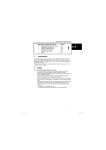
-You can take image by clicking the
snapshot Button or press this
button on the device.
2. Start /Stop Video recording
Click the
button to pop-up the below setting window for recording a video.
Recorder setting:
1. Frame rate: it is the number of frames or images that are projected or displayed per second. The number
range is 1~30
2. Timer limit: it is the time of video recording to avoid video file size exceed to the space of disk. The
number range is 1~99999
3. Compress: click it and you can select the video compressed format to reduce video size. It loads
automatically compress programs according to your PC system. The video quality may be varied with
different compress program.
Page 21 of 27