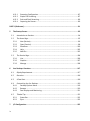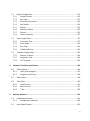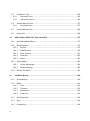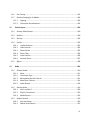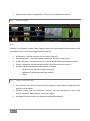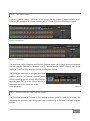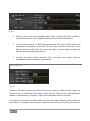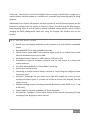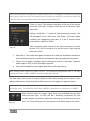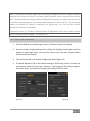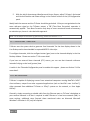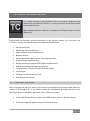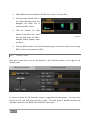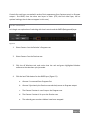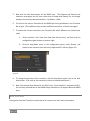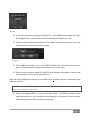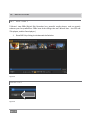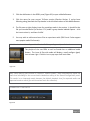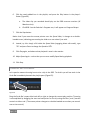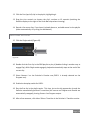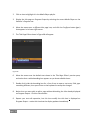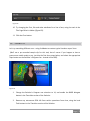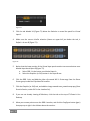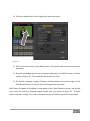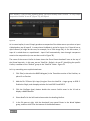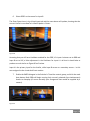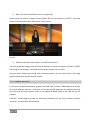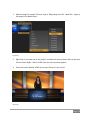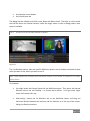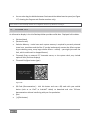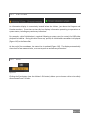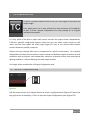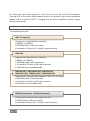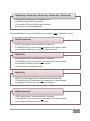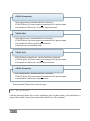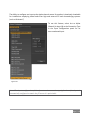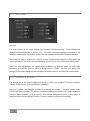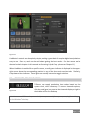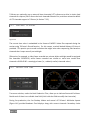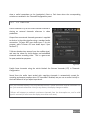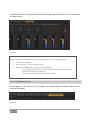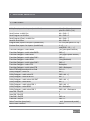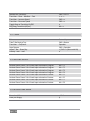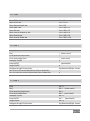
1
Revised – Jan. 11, 2013 Trademarks: NewTek, TriCaster, TriCaster XD, TCXD8000, TriCaster 8000, TriCaster TCXD8000, TCXD850, TCXD850 EXTREME, TriCaster TCXD850 EXTREME, TriCaster 850 EXTREME, TriCaster EXTREME, TriCaster 850, TCXD450, TCXD450 EXTREME, TriCaster TCXD450 EXTREME, TriCaster 450 EXTREME, TriCaster 450, TCXD455, TriCaster 455, TriCaster TCXD455, TriCaster 855, TCXD855, TriCaster TCXD855, IsoCorder, TCXD300, TriCaster 300, TriCaster TCXD300, TCXD40, TriCaster 40, TriCaster TCXD40, TriCaster PRO, TriCaster STUDIO, TriCaster BROADCAST, TriCaster DUO, ProTek, ProTek Care, ProTek Elite, iVGA, SpeedEDIT, 3PLAY, 3Play, 3Play 820, 3PXD820, 3Play 330, 3PXD330, LiveText, DataLink, LiveSet, TriCaster Virtual Set Editor, TriCaster VSE, LiveMatte, TimeWarp, VT, VT[3], VT[4], V[T5], Video Toaster, Toaster, Inspire 3D, 3D Arsenal, Aura, LightWave, LightWave 3D and LightWave CORE are trademarks, service marks, and registered trademarks of NewTek. All other brand names, product names, or trademarks belong to their respective holders. TABLE OF CONTENTS Table of Contents ....................................................................................................................... i PART I (Getting Started).............................................................................................................. 1 1 About This Manual .............................................................................................................. 3 2 Introduction ........................................................................................................................ 5 2.1 Overview ........................................................................................................................... 5 2.2 Startup Screen ................................................................................................................... 6 2.3 Live Desktop ...................................................................................................................... 6 2.4 Features ............................................................................................................................ 7 2.4.1 Physical ..................................................................................................................... 7 2.4.2 (Multi-Tier Failsafe) ................................................................................................... 8 2.4.3 A/V Input and Output ............................................................................................... 9 Timecode .................................................................................................................. 9 2.4.4 2.4.5 Alpha Channel I/O ..................................................................................................... 9 2.4.6 Monitoring .............................................................................................................. 10 2.4.7 Video Processing ..................................................................................................... 10 2.4.8 The Switcher ........................................................................................................... 11 2.4.9 Video Layers and Transitions .................................................................................. 11 2.4.10 Record and Stream ................................................................................................. 13 2.4.11 Import and Export ................................................................................................... 14 2.4.12 Audio Mixer............................................................................................................. 14 2.4.13 Integrated Media Players ........................................................................................ 15 2.4.14 Keying, Virtual Sets and Virtual Inputs .................................................................... 16 2.4.15 Graphics .................................................................................................................. 17 2.4.16 Edit .......................................................................................................................... 17 2.4.17 Optional Control Surfaces ....................................................................................... 17 3 Setting Up ......................................................................................................................... 19 3.1 Command and Control .................................................................................................... 19 i 3.2 Activating & Authorizing Windows® ............................................................................... 20 3.3 TriCaster License and Registration .................................................................................. 21 3.3.1 Online Registration ................................................................................................. 22 3.3.2 Registering by Telephone ....................................................................................... 22 3.4 Rack Mounting TriCaster................................................................................................. 23 3.5 Input Connections ........................................................................................................... 23 3.5.1 Connect A/V Sources .............................................................................................. 23 3.6 Genlock Connection ........................................................................................................ 25 3.7 Timecode Connection ...................................................................................................... 25 3.8 Output Connections ........................................................................................................ 25 3.8.1 A/V Output .............................................................................................................. 26 3.8.2 HD and SD ............................................................................................................... 26 3.8.3 Supplemental Video Outputs .................................................................................. 28 3.9 Tally Lights ...................................................................................................................... 28 3.9.1 External Connections .............................................................................................. 28 3.10 Starting a Session ............................................................................................................ 29 3.11 Configure Video Output .................................................................................................. 32 3.11.1 SD Analog Configuration ......................................................................................... 32 4 3.12 Configure Aux Video Output ........................................................................................... 33 3.13 Configure Multiview Output ........................................................................................... 33 3.14 Configure Video Input ..................................................................................................... 34 3.15 Configure Audio .............................................................................................................. 35 3.16 Configure Genlock ........................................................................................................... 37 3.17 Configure Timecode ........................................................................................................ 38 3.18 Networking ..................................................................................................................... 38 Live Production Walkthrough............................................................................................ 41 4.1 ii Creating a Session ........................................................................................................... 41 4.2 Importing Content ........................................................................................................... 42 4.3 Monitoring ...................................................................................................................... 43 4.3.1 Program and Preview .............................................................................................. 43 4.3.2 All Monitors ............................................................................................................ 44 4.3.3 External and Internal Monitors ............................................................................... 45 4.3.4 Scopes ..................................................................................................................... 46 4.4 Audio Mixer ..................................................................................................................... 47 4.4.1 Mute, Mono and Balance ....................................................................................... 47 4.4.2 Pan .......................................................................................................................... 50 4.4.3 Talk .......................................................................................................................... 50 4.4.4 Follow ...................................................................................................................... 51 4.5 Network Sources ............................................................................................................. 52 4.5.1 iVGA Clients............................................................................................................. 53 4.5.2 Apple AirPlay ........................................................................................................... 54 4.5.3 LiveText™ ................................................................................................................ 54 4.6 Live Switching.................................................................................................................. 54 4.6.1 Switcher Rows ......................................................................................................... 54 4.6.2 Transitions............................................................................................................... 58 4.7 Record and Grab ............................................................................................................. 63 4.7.1 Record ..................................................................................................................... 64 4.7.2 Grab ........................................................................................................................ 65 4.8 Media Players ................................................................................................................. 66 4.8.1 DDR 1 and 2 ............................................................................................................ 66 4.8.2 Graphics, Still & Title ............................................................................................... 71 4.9 LiveMatte ........................................................................................................................ 75 4.10 Virtual Inputs................................................................................................................... 78 4.10.1 Composing Inputs A and B ...................................................................................... 78 4.10.2 Adding an Upstream Overlay .................................................................................. 80 4.10.3 LiveSet™ .................................................................................................................. 81 4.11 Frame Buffers .................................................................................................................. 84 4.12 Streaming ........................................................................................................................ 86 iii 4.12.1 4.12.2 4.12.3 4.12.4 Streaming Configuration ......................................................................................... 87 Simple Pull Streaming ............................................................................................. 87 Push and Flash Streaming ....................................................................................... 89 Capturing the Stream .............................................................................................. 89 PART II (Reference) ................................................................................................................... 91 5 The Startup Screen ............................................................................................................ 93 5.1 Introduction to Sessions .................................................................................................. 94 5.2 The Home Page ............................................................................................................... 95 5.2.1 New (Session) .......................................................................................................... 96 5.2.2 Open (Session) ........................................................................................................ 98 5.2.3 Shutdown .............................................................................................................. 100 5.2.4 Help ....................................................................................................................... 105 5.2.5 Add-Ons ................................................................................................................ 105 5.3 The Session Page ........................................................................................................... 106 5.3.1 Live ........................................................................................................................ 106 5.3.2 Graphics ................................................................................................................ 107 5.3.3 Manage ................................................................................................................. 108 6 Live Desktop: Overview .................................................................................................. 117 6.1 Display Requirements ................................................................................................... 117 6.2 Overview ....................................................................................................................... 118 6.3 A Few Hints ................................................................................................................... 118 6.4 Customizing the Live Desktop ....................................................................................... 119 6.4.1 Desktop Options Menu ......................................................................................... 119 6.4.2 Rename ................................................................................................................. 120 6.4.3 Dual Displays and Monitoring ............................................................................... 121 6.5 Titlebar Tips .................................................................................................................. 122 6.5.1 Status Bar .............................................................................................................. 123 6.5.2 Eject ...................................................................................................................... 123 7 iv I/O Configuration ............................................................................................................ 125 7.1 Output Configuration .................................................................................................... 125 7.1.1 Output Controls .................................................................................................... 126 7.1.2 Proc Amp ............................................................................................................... 127 7.1.3 SD Analog Connections ......................................................................................... 129 7.1.4 Aux Output ............................................................................................................ 130 7.1.5 Failsafe .................................................................................................................. 132 7.1.6 Multiview Output .................................................................................................. 133 7.1.7 Genlock ................................................................................................................. 135 Center Frequency .................................................................................................. 137 7.1.8 7.2 Input Configuration ....................................................................................................... 137 7.2.1 Connection Type ................................................................................................... 137 7.2.2 Act as Alpha .......................................................................................................... 140 7.2.3 Proc Amp ............................................................................................................... 142 7.2.4 LiveMatte & Crop .................................................................................................. 142 7.3 Timecode Configuration ................................................................................................ 143 7.3.1 Subtract 12 Hours ................................................................................................. 144 7.3.2 Production Time .................................................................................................... 144 7.3.3 LTC Timecode ........................................................................................................ 145 8 Switcher, Transitions and Overlay ................................................................................... 146 8.1 Switcher Rows ............................................................................................................... 146 8.1.1 Utility (and Delegate) ............................................................................................ 147 8.1.2 Program and Preview ............................................................................................ 148 8.2 Video Layers .................................................................................................................. 149 8.3 Transitions..................................................................................................................... 150 Local Controls........................................................................................................ 151 8.3.1 8.3.2 Main Controls........................................................................................................ 157 8.3.3 T-Bar ...................................................................................................................... 159 9 Desktop Monitors ........................................................................................................... 161 9.1 Program and Preview .................................................................................................... 161 9.1.1 Configuration Indicators ....................................................................................... 162 9.2 Look Ahead Preview ...................................................................................................... 162 v 9.3 All Monitors Tab ............................................................................................................ 164 9.3.1 Contextual Tools ................................................................................................... 164 9.3.2 Interactive Control ................................................................................................ 166 9.4 External Monitors Tab................................................................................................... 167 9.4.1 Contextual Tools ................................................................................................... 167 9.5 Internal Monitors Tab ................................................................................................... 168 9.6 Scopes Tab .................................................................................................................... 168 10 10.1 Media Players (DDRs, Still, Title and Audio) ................................................................ 171 Specialized Media Players ............................................................................................. 171 10.2 Shared Features ............................................................................................................ 172 10.2.1 Playlists ................................................................................................................. 172 10.2.2 Media Browser ...................................................................................................... 176 10.2.3 Player Controls ...................................................................................................... 179 10.2.4 Preset Bin .............................................................................................................. 181 10.2.5 Speed .................................................................................................................... 182 10.3 Frame Buffers ................................................................................................................ 182 10.3.1 Unique Advantages ............................................................................................... 183 10.3.2 Network Sharing ................................................................................................... 184 10.4 11 11.1 Editing Title Pages ......................................................................................................... 185 LiveMatte & Crop ........................................................................................................ 189 Chromakeying ............................................................................................................... 190 11.2 Matte ............................................................................................................................ 191 11.2.1 Color ...................................................................................................................... 191 11.2.2 Tolerance .............................................................................................................. 192 11.2.3 Smoothness........................................................................................................... 192 11.2.4 Luma Limit............................................................................................................. 192 vi 11.3 Spill Suppression............................................................................................................ 193 11.4 Crop ............................................................................................................................... 193 11.5 Compositing .................................................................................................................. 194 11.6 Fine Tuning .................................................................................................................... 195 11.7 Practical Staging for LiveMatte ..................................................................................... 196 11.7.1 Lighting.................................................................................................................. 196 11.7.2 Connection Considerations ................................................................................... 196 12 Virtual Inputs .............................................................................................................. 199 12.1 Primary Video Sources .................................................................................................. 200 12.2 Position ......................................................................................................................... 200 12.3 Overlay .......................................................................................................................... 202 12.4 LiveSet ........................................................................................................................... 203 12.4.1 LiveSet Selection ................................................................................................... 203 12.4.2 Video Sources ....................................................................................................... 204 12.4.3 Zoom Presets ........................................................................................................ 205 12.4.4 Zoom T-Bar............................................................................................................ 206 12.4.5 Input Position ........................................................................................................ 206 12.4.6 Animate Zoom....................................................................................................... 207 12.5 13 Effects ........................................................................................................................... 208 Audio .......................................................................................................................... 209 13.1 External Audio ............................................................................................................... 210 13.1.1 Mute...................................................................................................................... 211 13.1.2 Connection Type ................................................................................................... 211 13.1.3 Microphone Specific Controls ............................................................................... 212 13.1.4 More Basic Controls .............................................................................................. 214 13.1.5 Audio Groups ........................................................................................................ 218 13.2 Internal Audio ............................................................................................................... 219 13.2.1 Net 1 and Net 2 ..................................................................................................... 220 13.2.2 Effects (Transitions) .............................................................................................. 220 13.2.3 Media Players........................................................................................................ 220 13.3 Output Controls ............................................................................................................. 220 13.3.1 Aux and Stream ..................................................................................................... 220 13.3.2 Master (and Phones) ............................................................................................. 222 vii 13.4 Advanced Audio Configuration ..................................................................................... 222 13.4.1 Equalizer................................................................................................................ 222 13.4.2 Compressor Limiter ............................................................................................... 222 13.5 14 Preset Bin ...................................................................................................................... 224 Network Sources ......................................................................................................... 225 14.1 iVGA .............................................................................................................................. 225 14.1.1 iVGA for OS X® ...................................................................................................... 225 14.1.2 IVGA PRO™ (WINDOWS) ....................................................................................... 227 14.2 AirPlay® ......................................................................................................................... 233 14.3 LiveText ......................................................................................................................... 234 14.4 3Play™ ........................................................................................................................... 234 15 Streaming .................................................................................................................... 235 15.1 Overview ....................................................................................................................... 236 15.1.1 Compact View ....................................................................................................... 237 15.2 Web Browser ................................................................................................................. 237 15.3 Connection Options ....................................................................................................... 238 15.3.1 Browser Based ...................................................................................................... 239 15.3.2 Windows Media Pull ............................................................................................. 243 15.3.3 Windows Media Push ........................................................................................... 244 15.4 Audio Headroom ........................................................................................................... 245 15.5 Capturing the Stream .................................................................................................... 245 15.6 Streaming Strategies ..................................................................................................... 246 15.6.1 On Demand, or Live?............................................................................................. 246 15.6.2 Streaming Protocols .............................................................................................. 249 15.6.3 Streaming Media Providers................................................................................... 251 15.6.4 Other Resources.................................................................................................... 252 15.7 Production and Capture Considerations ....................................................................... 252 15.8 Diagnostics and Troubleshooting .................................................................................. 253 viii 15.8.1 15.8.2 16 Testing your stream .............................................................................................. 253 Is it Really a TriCaster Issue? ................................................................................. 261 Record and Grab ......................................................................................................... 263 16.1 Record ........................................................................................................................... 263 16.1.1 Record Configuration ............................................................................................ 263 16.2 17 Grab .............................................................................................................................. 269 SpeedEDIT and LiveText .............................................................................................. 271 17.1 SpeedEDIT ..................................................................................................................... 271 17.1.1 SpeedEDIT Projects and Display ............................................................................ 271 17.1.2 IEEE1394 I/O Output ............................................................................................. 272 17.1.3 SpeedEDIT Desktop ............................................................................................... 272 17.2 LiveText ......................................................................................................................... 272 17.2.1 Sessions, Projects and Display .............................................................................. 273 17.2.2 Files/Filebin ........................................................................................................... 273 17.2.3 Naming Stand-in Images ....................................................................................... 274 PART III (Appendices) ............................................................................................................. 275 A How Do I … ? ................................................................................................................... 277 A.1 Connections................................................................................................................... 280 A.1.1 Connect cameras? ................................................................................................. 280 A.1.2 Connect fill + alpha sources? ................................................................................ 281 A.1.3 Configure alpha Matte Output? ............................................................................ 281 A.1.4 Color correct mismatched cameras? .................................................................... 281 A.1.5 Connect monitors? ................................................................................................ 282 A.1.6 Connect a supported external control surface? ................................................... 284 A.1.7 Insert/Remove a Drive From TriCaster’s Removable Drive Bay ............................ 285 A.1.8 Connect An External Hard Drive?.......................................................................... 286 A.1.9 Eject A Hard Drive? ............................................................................................... 286 A.1.10 Connect tally lights? .............................................................................................. 287 A.1.11 Connect to a Network? ......................................................................................... 287 A.1.12 Locate a specific TriCaster on my network? ......................................................... 287 ix A.1.13 A.1.14 A.1.15 Connect to an AirPlay® Source? ............................................................................ 287 Resolve iVGA PRO Quirks ...................................................................................... 290 Enable Termination for Video Inputs? .................................................................. 290 A.2 Sessions ......................................................................................................................... 291 A.2.1 Start an SD Session? .............................................................................................. 291 A.2.2 Start an HD Session? ............................................................................................. 291 A.2.3 Work on a Stored Session? ................................................................................... 292 A.2.4 Backup a Session? ................................................................................................. 292 A.2.5 Restore a Session? ................................................................................................ 293 A.2.6 Delete a Session (and its Content)? ...................................................................... 293 A.2.7 Manage Selected Content inside a Session? ......................................................... 293 A.2.8 Rename a Session?................................................................................................ 293 A.2.9 Duplicate a session? .............................................................................................. 294 A.3 Live Production.............................................................................................................. 294 A.3.1 Make Custom Transitions and LiveSets? ............................................................... 294 A.3.2 Restore the Default LiveSet? ................................................................................. 294 A.3.3 Set up the ‘Nightly Show A’ LiveSet? .................................................................... 294 A.3.4 Initiate Streaming? ................................................................................................ 296 A.3.5 Find my Captured Stream file? ............................................................................. 296 A.3.6 Record my Program? ............................................................................................ 296 A.3.7 Find my Recorded Program File? .......................................................................... 297 A.3.8 Change Playback Speed for Clips in the DDR (Media Player)? .............................. 297 A.3.9 Deal With DDR (Media Player) Clips That Seem Blurry? ....................................... 297 A.3.10 Get Stubborn Clips to Play in the DDR? ................................................................ 298 A.3.11 Change Colors for an Entire Title Playlist at Once? ............................................... 300 A.3.12 Get Live Title Pages (.cgxml) to Respect All LiveText Font Attributes? ................. 301 A.3.13 Prepare a Matched Group of Virtual Inputs? ........................................................ 301 A.3.14 Improve the Quality of Multiview Output? .......................................................... 302 A.3.15 View Media Player Time Data on Multiview Out when Set to ‘All Sources’? ....... 302 A.4 Files ............................................................................................................................... 302 A.4.1 Manage Files? ....................................................................................................... 302 A.4.2 Change the MPEG-2 Recording Quality?............................................................... 302 A.4.3 Import Media Files? .............................................................................................. 303 A.4.4 Prepare Clips with Embedded Alpha Channel? ..................................................... 303 x A.4.5 A.4.6 A.4.7 A.4.8 A.4.9 A.4.10 A.4.11 A.4.12 A.4.13 Prepare clips for TriCaster Playback Using Apple® Final Cut Pro? ........................ 304 Add an External File Location to the File Browser? .............................................. 304 Remove a Location From the File Browser? ......................................................... 304 Export files to an External Drive? .......................................................................... 305 Export TriCaster files for Cross-platform use? ...................................................... 305 Import/Export Files Larger Than 4 Gigabytes?...................................................... 306 Repair damaged recordings? ................................................................................ 306 Avoid the Error “…copy this file without its properties?” ..................................... 306 Free up Space by Deleting the Demo Clips? ......................................................... 307 A.5 Software, Maintenance and Updates ........................................................................... 307 A.5.1 Improve Performance? ......................................................................................... 307 A.5.2 Resolve Serious Instability or Dropped frames? ................................................... 307 A.5.3 Update TriCaster? ................................................................................................. 307 A.5.4 Update the Flash® and/or Windows Media Encoder®? ........................................ 308 A.5.5 Install Virus Protection? ........................................................................................ 308 A.5.6 Install My Favorite Software (or Codec)? ............................................................. 309 A.5.7 Restore TriCaster Software ................................................................................... 309 A.5.8 Avoid file path problems due to unique characters in some languages? ............. 312 A.6 Registration And Tech Support ..................................................................................... 312 A.6.1 Register TriCaster? ................................................................................................ 312 A.6.2 Contact Technical Support? .................................................................................. 313 A.6.3 Find TriCaster’s Hardware/Firmware Revision Numbers? .................................... 313 A.7 Miscellaneous ............................................................................................................... 313 A.7.1 Access System Administration Features? ............................................................. 313 A.7.2 Return to TriCaster from Administrator Mode ..................................................... 313 A.7.3 Access Windows®? ................................................................................................ 313 A.7.4 Return to TriCaster from the Windows® Desktop ................................................ 314 A.7.5 Add A Custom Streaming Profile to the Configure Stream Connection Panel? .... 314 A.8 More Questions and Answers ....................................................................................... 317 A.8.1 Can I do anything to improve latency/audio sync? ............................................... 317 A.8.2 Why is my power supply beeping? ....................................................................... 318 A.8.3 Why Do Some Thumbnail Icons Look Wrong? ...................................................... 318 B Performance Considerations ........................................................................................... 319 xi B.1 Testing, One Two … ....................................................................................................... 319 B.2 iVGA and Performance .................................................................................................. 319 B.3 IMAG and Latency ......................................................................................................... 320 B.3.1 Relativity and the Speed of Light .......................................................................... 320 B.3.2 Latency and Your Audience................................................................................... 321 B.3.3 Latency and Your TriCaster ................................................................................... 321 B.3.4 Other Sources of Latency ...................................................................................... 322 C Video Calibration ............................................................................................................ 325 C.1 What (And Where) to Calibrate? .................................................................................. 325 C.2 Calibrating Video Sources ............................................................................................. 326 C.2.1 Setting Black and White ........................................................................................ 326 C.2.2 Adjusting Color ...................................................................................................... 328 C.2.3 Color Metrics......................................................................................................... 329 C.3 Calibrating Your Monitors ............................................................................................. 331 C.3.1 Computer Monitor ................................................................................................ 331 C.3.2 Program Output Monitor ...................................................................................... 332 C.3.3 Setting Black and White ........................................................................................ 332 C.3.4 Color Adjustments ................................................................................................ 335 D xii Keystroke Shortcuts ........................................................................................................ 337 D.1 Switcher… ...................................................................................................................... 337 D.2 T-Bar.............................................................................................................................. 338 D.3 Virtual Inputs................................................................................................................. 338 D.4 Record and Grab ........................................................................................................... 338 D.5 Tabs ............................................................................................................................... 339 D.6 DDR 1 ............................................................................................................................ 339 D.7 DDR 2 ............................................................................................................................ 339 D.8 Still ................................................................................................................................ 340 D.9 Title (or Graphics) .......................................................................................................... 340 D.10 Sounds ........................................................................................................................... 340 D.11 General.......................................................................................................................... 341 D.11.1 Selection and Navigation ...................................................................................... 341 D.11.2 Misc. ...................................................................................................................... 341 E Reliability Testing............................................................................................................ 343 Index ...................................................................................................................................... 345 Credits .................................................................................................................................... 350 xiii PART I (GETTING STARTED) Introducing TriCaster™ – connections and registration, a top-level overview of primary features, and a hands-on tour to get you started. Page | 1 1 ABOUT THIS MANUAL Hate reading manuals? If so, you are part of the majority (estimates are that between 60 and 97% of the human race concur). Most prefer to jump right in, maybe asking a friend for occasional help – and who can blame them? This manual attempts to tell you what you need to know in a friendly, concise way, while also providing a deeper reference section you can turn to when you really need specifics. Even if you hate reading, please take a moment to peruse at least this section, which explains the manual structure. You may find you can escape with a minimum of reading. (Or, if you are a devout reader, you can be the hero others turn to for expert advice.) Part I – Getting Started: introduction to TriCaster; connecting devices (cameras, monitors, etc.) and registration, ending with the Live Production Walkthrough – a brisk jog through fundamentals, about 50 pages (if you’re a quick study, this may provide all you need). Part II – Reference: chapters in this section cover every arcane detail related to using TriCaster (for those who need it, and those who just like to know everything). Part III – Appendices: leads off with a handy section titled “How do I …?“, a helpful question and answer section with its own brief index. When you have a specific need, you may well find a quick answer here, along with cross references to more detailed information when appropriate. Appendix D lists all shortcut keys. Part III is also home to a comprehensive keyword index. (This User Guide discusses two TriCaster models differentiated principally by the input and output configurations they offer. In most other respects operations and the interface are quite similar, and a common description will suffice for our purposes. Wherever a significant difference appears, it is noted in context.) Page | 3 2 INTRODUCTION Thank you for purchasing this NewTek™ product. Your TriCaster™ belongs to a large family of video systems and software with a remarkable heritage. A bona fide video pioneer, NewTek is justifiably proud of its record of innovation, ongoing commitment to design excellence, and superb product support. This chapter provides a quick tour of the major components of your new TriCaster system. 2.1 OVERVIEW Traditionally, producing live high definition television has been very costly, requiring very expensive equipment and a large crew. TriCaster™ changed all that. In one compact system, you can have a complete set of tools to create, broadcast, web stream and project your production. TriCaster even includes NewTek’s revolutionary LiveSet™ system to provide you with network quality virtual sets for ‘bigger than life’ production capabilities. TriCaster thus sets a new benchmark for “portable live production”. Simply put, it is the most complete, reliable and efficient system available for live production and web streaming. Its capabilities are equally well suited to broadcast center control room installation or remote production location, and it requires just one person to operate. No matter what your live broadcast ambitions are, a TriCaster can help you fulfill them. With TriCaster you can produce and distribute live video programs from diverse sources and materials in both Standard and High Definition. Use multiple cameras, recorded digital video, PowerPoint™ presentations on networked laptops, live web pages, digital photos and graphics, and much more. TriCaster also supports Apple’s AirPlay® protocol, allowing compatible off-the-shelf mobile video devices (such as iPhone® and iPad®) to stream content wirelessly to TriCaster. Your presentations can simultaneously be displayed by video projectors, television monitors, broadcast by traditional means, and streamed in high quality on the Internet. Page | 5 2.2 STARTUP SCREEN When you power up TriCaster the Startup Screen appears. This is your command center for initiating most other operations. Figure 1 The Home Page of the Startup Screen allows you to define and open sessions, each of which can be customized for various productions or other purposes. Later, when you re-open a session, all of its assets and settings are remembered. After creating a session (or opening an existing one), you are taken to the Session Page. Here you can launch the Live Desktop (for live production), or perhaps choose to Edit, prepare Graphics (title pages), Manage content, or even create custom transitions. 2.3 LIVE DESKTOP TriCaster’s live production features are all available from its unique Live Desktop, which in many ways mimics familiar production equipment. However, the Live Desktop provides far more functionality than that of similar single-purpose devices, all in one place. The various features, controls and modules comprising TriCaster’s Live Desktop are arranged in three horizontal bands, as seen in Figure 2. Page | 6 Monitoring Live Control Tabbed Modules Figure 2 The uppermost area is devoted to monitoring. The Switcher section is centrally located, and is also home to the Transition and Overlay controls. The bottom-most section of the Live Desktop holds side-by-side tabbed panels featuring media players (DDR, Still and Title), Virtual Input setup, and the Audio Mixer. 2.4 FEATURES Here’s a brief overview of just some of TriCaster’s key features: 2.4.1 PHYSICAL TRICASTER 455 Rugged 2U rack-mount case ensures robust, reliable and quiet performance in fixed or mobile installations. Page | 7 Massive storage capacity – the internal drive holds approximately 20 hours of 1080i, and the removable drive bay can be used to add to this capacity. All audio and video, monitoring and network connectors are easily accessible from the rear for convenient installation in industry standard 19” rack-mount configurations. Audio and video connectors are industry standard (XLR, ¼” phono or BNC as appropriate), ensuring broad compatibility and secure, locked connections. Headphone output uses a standard 1/4” stereo phone jack, and an HDMI port supplies an added Program output. TRICASTER 855 2.4.2 Rugged 4U rack-mount case with redundant power supplies ensures robust, reliable and quiet performance in fixed or mobile installations. Massive storage capacity – the internal drive holds approximately 50 hours of 1080i, and the removable drive bay can be used to add to this capacity. All audio and video, monitoring and network connectors are easily accessible from the rear for convenient installation in industry standard 19” rack-mount configurations. Audio and video connectors are industry standard (XLR, ¼” phono or BNC as appropriate), ensuring broad compatibility and secure, locked connections. Headphone output uses a standard 1/4” stereo phone jack, and the HDMI port supplies an added Program output. (MULTI-TIER FAILSAFE) TriCaster’s ‘Always on Air’ features provide multi-tiered redundant failsafe mechanisms in both hardware and software. To name just a few: Page | 8 Failsafe software monitors live performance and automatically re-starts modules if any unexpected error condition calls for it. Video pass-through ensures that as long there is AC power, in a case of catastrophic software condition, audio and video from the last input are routed to Program output. Streaming output and recording also continue in such cases. 2.4.3 2.4.4 2.4.5 A/V INPUT AND OUTPUT Live switch between as many as eight (TriCaster 855) SDI and analog HD or SD cameras. Professional BNC video connectors provide increased durability and reliability for camera connections. Input and mix 16:9 and 4:3 formats. Freely mix SD and HD sources in both HD and SD sessions. Output HD sessions as SD (4:3 or 16:9) and HD simultaneously from HD sessions. Multiple Media Player modules allow you to insert pre-recorded video, music, sounds and imagery into your live presentations. Select Microsoft Windows® or Apple Macintosh® computers on the same network as Switcher inputs for your live productions using NewTek's iVGA client. Assign one or both Network inputs on the Switcher to receive AirPlay® streams and switch live or recorded content directly from your compatible Apple mobile device or computer. Mix internal and external audio sources. Supply external audio via analog or SDI Embedded audio. Send Aux (Auxiliary) video output to a projection system or secondary monitor at resolutions up to 1920x1080. Send either Aux or Master audio to the Aux audio outputs. Take advantage of an additional Program output via an HDMI connector. Broadcast your Program to the Internet. TIMECODE TriCaster generates and displays ‘local timecode’ based on the system clock. MPEG-2 recordings include full ‘per frame’ time-code. TriCaster supports industry standard (LTC) external timecode. IsoCorder™ multi-stream recording allows recorded clips from multiple sources to easily be aligned for synchronized post show editing using their embedded timecode. ALPHA CHANNEL I/O TriCaster allows alternate video inputs to be configured as alpha channel inputs for the TriCaster Switcher. Page | 9 2.4.6 Alpha channel output is supported on TriCaster’s Aux video output channel. MONITORING Figure 3 TriCaster’s Live Desktop includes large Program output and Look Ahead Preview monitors with associated controls. Also, freely toggle between viewing: 2.4.7 All Monitors - onscreen monitors for all sources (Figure 3). External Monitors – Live video sources supplied to TriCaster’s video inputs. Internal Monitors – all internal sources, including Media Players and Network sources. Scopes – Waveform and Vectorscope monitors and full color source monitor. Secondary Multiview monitor output options including: o All sources plus Preview, Program and clock o Waveform, Vectorscope and video monitor o More … VIDEO PROCESSING Proc Amps for every source preserve pristine image and color fidelity through the entire pipeline to final output. Separate control over the Brightness, Contrast, Hue and Saturation for every video source, along with White Balance and U and V Offset. Individual Proc Amp controls for Program and Multiview outputs. Page | 10 2.4.8 THE SWITCHER TriCaster’s Switcher layout is consistent for all models, but the number of inputs available varies. TriCaster 455 provides a 14-channel switcher, while TriCaster 855 offers 24-channel support. Figure 4 – TriCaster 455 Figure 5 – TriCaster 855 The three-row (Utility, Program, and Preview) Switcher allows you to freely hot-punch between external sources (Cameras or Network 1 or 2), internal sources (Media Players) and Virtual Inputs, or Take/Transition between Preview and Program sources. Use Utility row selections to delegate video and graphics sources to various internal video busses, including the two primary DSK (Overlay) channels, AUX OUT, or to the FX bus (used as a secondary source for virtual sets or for other purposes). 2.4.9 Figure 6 VIDEO LAYERS AND TRANSITIONS The Transition section of TriCaster’s Live Desktop provides powerful tools for arranging and displaying the numerous video and graphic layers contributing to TriCaster’s ultimate program output. Page | 11 Figure 7 Display of one or more user-delegated video layers, including FTB (Fade to Black) is controlled by the main T-bar, supplemented by one-click Take or Auto buttons. Local Transition controls for BKGD (Background) and DSK layers provide flexible and independent configuration and control of these layers and their transitions. Select different transition effects for each layer, and adjust Transition Speed (variable and presets), Reverse and Ping Pong options. Powerful and great looking Animation Store Transitions that support full-color embedded overlays and separate in/out sounds. DSK CHANNELS Figure 8 TriCaster’s DSK layers support dual-channel downstream keyed (or alpha) overlays. Assign any Switcher source or a dedicated Frame Buffer to either channel. DSK channels can be displayed in tandem or independently, or swapped – again, with independent custom transitions. You might use the Graphics or DDR modules to overlay title pages, including scrolls, crawls and lower-thirds – or delegate a Camera input or Network source as an overlay (using the Switcher’s Page | 12 Utility row). Alternatively, use the Frame Buffer feature to assign a specific title or image to any overlay channel, and even update it in realtime over a network using external graphics or titling software. Independent Crop, Position, 3D Rotation, and Scale controls for each DSK channel permit you (for example) to configure two live sources as ‘Picture in Picture’ elements using the DSK channels, freely switching them on and off (with or without individual custom effects), with or without changing the BKGD (Background) video layer using the Program and Preview rows on the Switcher. 2.4.10 RECORD AND STREAM Record your live-switched production at full resolution to a multi-platform compatible format. Recorded MPEG-2 files have embedded timecode. Choose how far below 0dB FS (the maximum digital level) to set nominal level; record files with headroom levels of up to 20dB. Store approximately 20 hours of 1080i video (or 155 hours of SD). Simultaneous output for broadcast, projector and live web stream to in-house and remote audiences. Use either Windows Media™ or Flash Media™ streaming. Archive your Internet stream. Connecting to multiple content delivery networks is a snap using the Configure Stream Connection panel. IsoCorder™ technology lets you record up to eight (855 model) a/v sources at once, including all camera inputs, or a custom set of sources chosen from Program, Aux and camera sources. Multiple encoding formats, including the default Quicktime as well, MPEG-2, AVI, ® and H.264 (m4v). Capture MPEG-2 clips with embedded LTC (linear timecode). Use NewTek’s TimeWarp™ instant replay control surface without interrupting full-time recording of your program (or other sources). Page | 13 2.4.11 IMPORT AND EXPORT IMPORT MEDIA Clicking the Import Media link in Startup opens a dedicated Import Media module in Startup, providing a convenient one-stop approach to managing productions assets. Batch import media files for use in TriCaster’s Media Players. Imported files are automatically categorized and sent to the correct locations, making them easy to find and use during live productions. Optionally transcode selected to high quality and TriCaster-friendly file formats, ensuring smooth playback. EXPORTING CONTENT The Export Media function allows you to create a batch list of files for export, and optionally select new file formats for the exported media. 2.4.12 AUDIO MIXER TriCaster provides extensive multi-channel audio control and management in two dedicated tabbed panels. Adjust individual audio sources (internal and external) and introduce them into your program manually or automatically. Control output levels for program, headphones, auxiliary output and stream separately. Convenient mixer presets allow single-click access to prepared setups. Audio follow video options. Page | 14 Advanced audio controls including: o Seven-band equalization along with compressor/limiter for each source and also every output. o Source grouping routing options. and multi-bus Figure 9 2.4.13 INTEGRATED MEDIA PLAYERS Figure 10 TriCaster’s numerous specialized Media Players and title system serve up graphics, titles, video clips and audio files quickly and easily during your live productions. Add a/v clips, sound files or still image files to Media Player playlists. Trim and re-order playlist entries. Store playlists as presets for easy recall. Flexible playback controls include variable Speed and Loop options. Page | 15 Media Players have volume and more elaborate controls in the mixer, along with convenient per clip audio level adjustments right in the playlist. Start and stop playback manually or automatically based on Switcher activity. Use two Media Players to create automated ‘slide-shows’, complete with transitions. Assign titles, graphics or a/v clips to multiple DSK or Overlay channels. Edit titles live, even while ‘on air’. 2.4.14 KEYING, VIRTUAL SETS AND VIRTUAL INPUTS Use LiveMatte™ realtime keying technology for green/blue screen effects. Apply independent LiveMatte settings to all video sources. Virtual Inputs (Figure 11) permit M/E (Mix/Effect) style compositions of two primary switcher sources, with convenient Scale, Position, Crop and Rotation controls. Figure 11 Achieve the look of a sophisticated studio setting in a very small space with NewTek’s astonishing LiveSet™ virtual set technology. Zoom in/out on LiveSets during your live productions right from the Live Desktop. Virtual Inputs also sport an integrated overlay channel (selected from any Switcher source or an assigned Frame Buffer graphic) with its own position controls. Convenient presets allow single-click access to pre-configured Virtual Input setups. Page | 16 2.4.15 GRAPHICS Also part of TriCaster’s integrated software suite is LiveText, NewTek’s professional titling and graphics application. LiveText allows you to create your own custom title pages and motion graphics, including scrolls and crawls. 2.4.16 EDIT The TriCaster version of NewTek’s popular and versatile non-linear video editing program SpeedEDIT™ is available to TriCaster 455 and 855 owners by download without added cost, as well. Installed as a TriCaster Add-On, SpeedEDIT provides powerful, professional tools to let you prepare movies for insertion into your live productions, or perform broadcast quality post production work on recorded programs. Edit, import and export in full HD resolution. Realtime external hardware project preview in HD or SD. Import and export file format support includes QuickTime, AVI and MPEG-2 for versatility in program delivery. In summary, TriCaster gives you the combined power of both a network control room and a complete post-production facility in one simple to use broadcast appliance. Let’s jump in now. First, we’ll get you connected. Following that, we’ll begin to explore TriCaster’s most important features. 2.4.17 OPTIONAL CONTROL SURFACES Several optional TriCaster control surface are offered, including models designed for primary control and others for specific purposes such as instant replay. Control surfaces make many operations even more convenient, and there’s sure to be one or more that makes an ideal companion for your system. Figure 12 Page | 17 3 SETTING UP This chapter explains how to properly connect power, external control devices, monitors and audio visual sources to your NewTek TriCaster™ system. It also reviews registration for warranty purposes and technical support. After completing this short section, you’ll be all set to continue into the Walkthrough chapter that follows it. To begin, let’s review ‘what came in the box’: 3.1 NewTek TriCaster™ Keys to front panel of case Four attachable rubber feet (for desktop use) A/C power cable(s) BNC removal tool (to assist with cable connection and removal) DVI to VGA adapter NewTek mouse and keyboard Quick Start Guide NewTek 3PLAY™ brochure NewTek TriCaster registration reminder card New product letter COMMAND AND CONTROL 1. Connect an external computer monitor to the (uncapped) DVI port on the backplate (labeled Interface on TriCaster 855). For TriCaster 455, use the DVI connector nearest to the Video In group for the interface monitor connection. (DVI connectors located at left near the network port are normally capped and should not be used.) Note: TriCaster’s interface requires a minimum screen resolution of 1600x1050. 2. 3. 4. Connect the mouse and keyboard to USB ports on TriCaster. Connect the A/C power cord(s) from the three-prong connections on TriCaster’s backplate to an external power receptacle (see Hint below). Turn on the computer monitor. Page | 19 5. Press the Power switch located on TriCaster’s faceplate. At this point, the blue Power LED will illuminate, and the adjacent hard drive activity light should flicker as the device boots up. (If this does not happen, check your connections and retry). Though not a requirement, we do strongly recommend that you connect TriCaster using an uninterruptable power supply (UPS), as for any ‘mission critical’ system. Likewise, consider A/C “power conditioning”, especially in situations where local power is unreliable or ‘noisy’. A word about UPS devices: ‘Modified sine wave’ UPS devices are popular due to low manufacturing costs. However, such units should generally be viewed as being of low quality and possibly inadequate to fully protect the system from abnormal power events.. For a modest added cost, consider a "pure sine wave" UPS. These units can be relied on to supply very clean power, eliminating potential problems, and are recommended for applications demanding high reliability. Surge protection is especially important in some locales. Power conditioners can reduce wear on TriCaster’s power supplies and other electronics, and provide a further measure of protection from surges, spikes, lightning and high voltage. 3.2 ACTIVATING & AUTHORIZING WINDOWS® (Your dealer may have performed this operation for you as part of his pre-delivery service.) When you see the Welcome to Windows screen: 1. 2. 3. 4. 5. 6. Click Next at lower right. Choose your time zone. Accept the license agreement. Enter your 25-digit key (generally, the sticker is affixed inside the front door of the case). Decline automatic updates (by clicking “not right now”). Give TriCaster a distinct computer name for networking. You can authorize your Windows installation by network or by telephone. Assuming you have an Internet connection available, and have connected TriCaster to it with an Ethernet cable, the Page | 20 Internet is the fastest method of activation. (See Section 3.17 and Chapter 14 for more on network connections.) 1. 2. Click ‘Obtain IP and DNS automatically’. Agree to activate Windows. This activation is permanent, and you won’t see these screens again. (Registration with Microsoft is optional). Assign a name to the administrator account. You may type your name, company, or perhaps simply “TriCaster”. Click Finish, and TriCaster will re-start. 3. 4. After restarting and accepting NewTek’s User Agreement, the interface will load automatically. 3.3 TRICASTER LICENSE AND REGISTRATION On launch, TriCaster presents an End User License Agreement dialog. After you accept this, the Registration dialog shown in Figure 13 is presented. If necessary, enter the unique TriCaster Serial Number and Product ID for your system. TriCaster’s video output will show a watermark until the system is registered and unlocked (by entering the registration code). Figure 13 Hint: If the Serial number doesn’t appear automatically, and you can’t find it on your unit, you can obtain it from the registration webpage mentioned in the next section, or by calling Customer Support Desk (open seven days a week). You can register and obtain your registration code either by telephone, or online (directly from TriCaster or from another system connected to the Internet) as described next. Page | 21 Hint: For later convenience, record the registration code for your TriCaster on the sticker provided for the purpose inside the front access panel of the system. 3.3.1 ONLINE REGISTRATION If you have connected your TriCaster to the Internet, simply click the button under Step 2 in the registration dialog. This will take you to the Registration page (http://register.newtek.com) in the Customer Care section of NewTek’s website where you will find further directions. Hint: More information on connecting TriCaster to a network can be found in Section 3.17 and Chapter 14. Otherwise, you can visit the registration webpage from another system with Internet access. In either case, after registering on the website, enter the resulting registration code into the field provided at Step 4 of the dialog. Hint: It’s a very good idea to record the login name and password you choose when creating your website profile and keep them in a safe place. Jot down registration code too; it could come in very handy if you ever need to restore the TriCaster software to its as-shipped state when you don’t have access to the Internet. Check your personal area of the site from time to time afterward; among other things, you’ll be able to download any free software updates that are made available going forward. 3.3.2 REGISTERING BY TELEPHONE NewTek’s Customer Care center can also handle registration requests by telephone, if that is more convenient (when opportunity permits, you should still visit the website as discussed above to gain access to software updates). Please have your Product ID (from the Registration dialog mentioned earlier) handy when you call. The phone numbers for Customer Service follow: Telephone: (US) 1-800-862-7837 (Outside US) +1-210-370-8000 Fax: 210-370-8001 Note: For Technical Support contact information, please see Section A.6.2. Page | 22 3.4 RACK MOUNTING TRICASTER Your TriCaster is designed for convenient mounting in standard 19” racks (mounting rails designed for different TriCaster models are available separately from NewTek Sales). Please keep in mind that adequate cooling is a very important requirement for virtually all electronic and digital equipment, and this is true of TriCaster as well. We recommend allowing 1.5 to 2 inches of space on all sides for cool (i.e., comfortable ‘room temperature’) air to circulate around the chassis. Good ventilation at the front and rear panel of TriCaster 855 is important; When operating TriCaster in a ‘road case’ for mobile production, it’s best to do so with both the front and back covers (of the road case) removed. For TriCaster 455, take special care not to obstruct vents on the system’s sides and upper surface as well. When designing enclosures or mounting the unit, supplying good free air movement around the chassis, as discussed above, should be viewed as a critical design consideration. This is especially true in fixed installations where TriCaster will be installed inside furniture-style enclosures. 3.5 3.5.1 INPUT CONNECTIONS CONNECT A/V SOURCES External audio and video sources are connected to the appropriate inputs on TriCaster’s backplate. Figure 14 – TriCaster 455 Page | 23 Figure 15 – TriCaster 855 1. Connect video sources to the appropriate connectors in the VIDEO IN section, whether SDI, Component, Y/C (S-Video) or Composite (may require RCA to BNC adapter). a. SDI – Attach SDI source connectors to upper row of BNC connectors in the Video In group (marked SDI). Hint: If your equipment supports SDI, this is your best quality I/O option. Page | 24 b. Component – Attach the appropriate BNC connectors from your sources to all three analog BNC connectors (labeled Y, Pb and Pr) in each column in the Video In group. c. Y/C – If your S-Video equipment and cabling has the usual 4-pin mini-DIN connectors, you will need an S-Video to dual BNC adapter. To connect Y/C sources, attach the Y (luma) connector of your source to the second analog BNC connector (labeled Pb). Attach the source’s C (chroma) connector to the bottom connector (labeled Pr). d. Composite – Attach the composite source’s connector (may require an RCA to BNC adapter) to the second connector (labeled Y). Note: The video broadcast standard (such as NTSC, NTSC-J or PAL) of all video sources connected for a given session must be the same. 2. To input analog audio along with the video, connect the external audio sources to the XLR or ¼” connectors in the Audio In group box. Two connectors, labeled “a” and “b”, are provided for each input group. We’ll discuss audio Connection Type options a bit later, in Section 3.15. Note: SDI video sources with embedded audio do not need a separate analog audio connection. 3.6 GENLOCK CONNECTION The Genlock input on TriCaster’s backplate is for connection of a ‘house sync’ or reference signal (often a ‘black burst’ signal intended specifically for this purpose). Many studios use this method to synchronize equipment in the video chain. Genlocking is commonplace in higher-end production environments, and genlock connections are usually found on professional gear. If your equipment allows you to do so, you should genlock all cameras supplying TriCaster, and TriCaster itself. To genlock TriCaster, supply the reference signal from the ‘house sync generator’ to TriCaster’s Genlock In connector. 3.7 TIMECODE CONNECTION TriCaster supports external linear timecode (LTC). Connect the cable from your timecode generator to one of the connectors in Audio Input 7 for TriCaster 855; TriCaster 455 uses Audio Input 3. External timecode is enabled and configured in the Live Desktop (see Sections 3.17 and 7.3). 3.8 OUTPUT CONNECTIONS Next we’ll discuss the audio and video output connectors along with relevant settings. We’ll start with video output, not only so you can view your results, but because some aspects are best considered before even beginning a TriCaster session. Page | 25 3.8.1 A/V OUTPUT TriCaster provides separate video and audio output connector groups, and very flexible options for display of your live and recorded video streams. Here are some of the possibilities: Simultaneously send output to standard and/or high definition devices from HD sessions. Simultaneously send program output to both analog and digital devices. Send program output or other layouts to a secondary monitor or projector using Multiview. Stream program output to the Internet via a suitable network connection. 3.8.2 HD AND SD As mentioned earlier, for HD sessions TriCaster supports simultaneous output of both SD (Standard Definition) and HD (High Definition) video. The Video Output section on TriCaster’s backplate provides vertical columns of four BNC connectors, offering the following connection possibilities for live production: Row 1 video output format is determined by the session (see Section 5.1) o When the session is SD 4:3 or 16:9, output is likewise SD 4:3 or 16:9. o When the session is HD, output is HD. Row 2 outputs are user-configurable, and can be set up in the Live Desktop (Output Configuration panel). o For TriCaster 855, Row 2 outputs a secondary, configurable copy of the main Program video stream. o TriCaster 455 employs Row 2 to supply the AUX video output, which has even more options. TriCaster 855 (only) provides a third video output row, using it to present AUX output. Page | 26 1. Connect downstream video devices to the appropriate output connectors in the VIDEO OUT section, whether SDI, Component, Y/C (BNC) or Composite. Please note that the latter two formats may require RCA (cinch plug) or Svideo (4 pin mini-DIN) to BNC adapters, and also that both of these connection options support output at SD resolution only. a. SDI – Attach SDI connectors to the uppermost row of BNC connectors in the VIDEO OUT group, labeled 1, 2 and AUX. Hint: If your equipment supports SDI, this is your best quality option. b. Component – Attach your device to the second, third and fourth BNC connectors (Y, Pb and Pr). Figure 16 2. c. Y/C – If your S-Video equipment and cabling has the usual 4-pin mini-DIN connectors, you will need an ‘S-Video to dual BNC’ adapter. Attach the Y (luma) connector of your device to the second analog BNC connector row (labeled Pb at far left in the VIDEO IN group). Attach the C (chroma) connector to the third analog connector (labeled Pr). d. Composite – Attach the device’s connector to the first (top) analog connector, labeled Y. Connect TriCaster’s audio outputs: a. Analog audio – Connect external audio devices to the connectors in the AUDIO OUT section. Note that there are two pairs of two connectors each; Connectors 1a and 1b provide Program (Master) output, while 2a and 2b are designated AUX (Auxiliary Output). These two output sections are configured and controlled separately in the Live Desktop. b. Digital audio – A separate digital audio connection is not necessary for SDI output with embedded audio. Page | 27 Hint: TriCaster’s SDI and analog output sections can be used simultaneously. For example, you could use the Composite output to view your program on a local composite monitor at the same time as you use the SDI connection to supply broadcast equipment. 3.8.3 SUPPLEMENTAL VIDEO OUTPUTS Additional dedicated video outputs make it possible to connect monitors or projection devices to TriCaster for a variety of purposes including program output for IMAG (Image Magnification) installations or flexible monitoring for the convenience of the operator. 1. An HDMI connector provides an additional primary Program output. Simply connect a suitable external monitor or device to the HDMI connector on the backplane 2. TriCaster’s Multiview output may be supplied by a DVI connector (TriCaster 855) or an HDMI connector found beside the main Interface DVI connector (TriCaster 455). Again, connect a suitable external monitor or device. The new device should be recognized and enabled by the system automatically. This output offers a variety of optional monitoring layouts that can be selected at any time in TriCaster’s Live Desktop. Note: For best results in IMAG applications, it is important to configure Multiview Output to the native resolution of the external projector. 3.9 TALLY LIGHTS TriCaster’s Tally Light support allows you to connect external tally lights and similar devices. These typically provide a red LED for the video input that is currently selected on the Switcher’s Program row. 3.9.1 EXTERNAL CONNECTIONS Here is a pin-out listing for TriCaster’s DB15 Tally connector: Page | 28 Pin1 – LED1 Pin2 – LED2 Pin3 – LED3 Pin4 – LED4 Pin5 – LED5 (855 only) Pin6 – LED6 (855 only) Pin7 – LED7 (855 only) Pin8 – LED8 (855 only) Pin9 – GND Pin10 – GND Pin11 – GPI1 Pin12 – GPI2 Pin13 – NC Pin14 – 3.3V (with 20 Ohms current limit) Pin15 – NC ENGINEERING NOTES Pins 1-8 are ‘hot’ when the LED should be illuminated. Each LED pin (pins 1 - 8) has a 200 ohm current limiting resistor inside TriCaster. With no load (open circuit) pins 1 - 8 can reach 5V. With a typical LED load, they can be expected to reach about 3V. GPI stands for General Purpose Interface. Pins 11 and 12 are assigned for possible future use as GPI1 and GPI2 connections, but support for GPI triggers has not been implemented in TriCaster at this time.) To prevent damage to TriCaster’s components when making external connections to the tally light jacks, care should be taken that connection to Pins designated GND (Ground) are always at ground potential. 3.10 STARTING A SESSION If TriCaster is not already running, power it up now to reveal the Startup Screen. (If TriCaster is already running, and is in the Live Desktop or another area of the interface, you may need to click the small [x] button at upper-right to exit, or click the Back arrow at upper-left in the Session Page to return to the Home Page.) The Startup Screen consists of two similar pages – Home and Session. Among other things, the Home Page is where you choose basic TriCaster session settings (see Section 5.1 for a discussion of sessions). Page | 29 THE HOME PAGE Figure 17 When no previously created sessions exist, the icon ring dominating the Home Page defaults to New, inviting you to create a new session. A link labeled Enter Session Name is shown at the top of the right-hand pane when New is selected on the icon ring. Click in this area to modify the name using the keyboard if you like. (The default name is the current date.) Note: TriCaster supports a variety of optional session configurations for live production. You can choose either HD (High Definition) or SD (Standard Definition) operating modes. SD options include both 4:3 and 16:9 (widescreen) image aspects. TriCaster Multi-standard models permit you to select from different video standards according to your locale, choosing between NSTC, NTSC-J (Japan) or PAL. Continue with session creation by designating the Video Standard used in your locale (Multistandard models only). For the moment, let’s choose 1080i for Resolution (even if the cameras you plan to connect are SD 4:3), then click the Start Session link below. By default, new sessions are created on TriCaster’s D: (Media) drive (see Section 5.2.1 for a discussion of session Volume options). Page | 30 THE SESSION PAGE Clicking Start Session will take you to the Session Page. As our intention is to configure our connections (done in TriCaster’s Live Desktop), click Live on the icon ring. Figure 18 Simply click the link labeled Start Live Production to launch the Live Desktop, which is likely where you will spend most of your time working with TriCaster. THE LIVE DESKTOP Initially, as you have yet to configure input devices or add content, the Live Desktop will look a bit barren (Figure 19). Figure 19 Page | 31 Take a quick look around, but then let’s continue to configure your devices. (We had a brief glimpse at the Live Desktop back in section 2.3, but we’ll examine it more closely in Chapter 4, Live Production – coming up soon.) 3.11 CONFIGURE VIDEO OUTPUT TriCaster provides complete video input monitoring right on the Live Desktop. This allows you to operate it without even connecting downstream video monitors or devices. You might do just that in the case of productions intended primarily for live streaming. In other cases, however, you will likely connect external monitors to the VIDEO OUT connectors on TriCaster’s backplate (see Section 3.7). High definition video monitors should be connected to either SDI or Component connections. 3.11.1 SD ANALOG CONFIGURATION For standard definition monitoring, however, several types of analog connections are currently in popular use. These include Composite, Y/C (also known as S-Video) and – at the upper end of the analog quality range – Component. To connect an analog standard definition monitor for use in live production*, you must specify the connection type in the Output Configuration panel. *Note: Analog connections for SpeedEDIT™ and LiveText™ output are pre-defined, and cannot be user-modified. Please see Chapter 17 for details. Figure 20 1. Move your mouse pointer over the large Program Output monitor on the Live Desktop. 2. Click the Configure button (gear) that appears above its top-right corner (Figure 20) to open the Output Configuration panel. The first tab in this panel is labeled Output. Optional settings for SD Analog Connections are located in the central part of the panel. Page | 32 These settings provide optional configurations for the first output connection, designated as Output 1 (a.k.a. Program out). Note that the video format for Row 1 output (and, for TriCaster 855, Row 2) invariably conforms to the format you chose for the session (e.g., 1080i). The only suitable analog connection type for HD is component, so the SD Analog Connection options are ghosted in HD sessions. Figure 21 By contrast, SD sessions do support several optional connection types. Choose between Component connection or Composite + Y/C in this case. Selecting Composite + Y/C sends composite video output to the second BNC connector in an output row (Y), and Y/C to the third and fourth connectors (Pb and Pr, respectively). 3.12 CONFIGURE AUX VIDEO OUTPUT The Aux video output allows you to choose a different video source for output if you wish, using the Source menu. Figure 22 You can also choose from a wide array of output formats, and opt to send either the Master or Aux audio mix to accompany it. Aux configuration and options are detailed later, in Section 7.1.4 3.13 CONFIGURE MULTIVIEW OUTPUT The next tab in the Output Configuration panel is Multiview. Settings in this tab determine what is displayed on TriCaster’s secondary DVI output, and the resolution of that display. You might use this output for subsidiary monitoring purposes, or perhaps to supply a projection system. Page | 33 The Screen Layout drop-down menu provides numerous optional displays, including Program, Preview or FX monitors, an All Sources (monitors for all Switcher sources, plus a clock) option, and many more. Set the VGA Output Resolution to the native resolution of the external device, and test the different display options to find a suitable setting. Figure 23 3.14 CONFIGURE VIDEO INPUT Let’s continue by configuring the video sources you connected earlier (Section 3.4): 1. Click the All Monitors tab at upper-left on the Live Desktop. 2. Move your mouse back and forth over the input monitors. Notice that a Configure button (gear icon) appears above the top-right corner of each input monitor as you do so. 3. Click the Configuration button to open a tabbed settings panel for Camera 1 (Figure 24). Figure 24 Page | 34 4. Click the Connection Type button to reveal a drop-down menu listing a variety of connection types. Select the correct format, such as 720p (Component), or 1080i (SDI), etc., for the video source you plan to connect to this input. 5. Close the Configuration panel for now (note that you can click the Close button or simply ‘click outside’ the panel to close it). 6. Continue to configure all connected external video sources in the same manner. We’ll look at the other options and settings in the Configuration panel later (see Section 7.2), but at this point you should be able to view the video inputs you have configured on their respective monitors. 3.15 CONFIGURE AUDIO Click the External Audio tab in the lower-left quadrant of the Live Desktop to reveal set up and control features for external audio sources. Figure 25 The tab houses individual control panels for each of the external audio inputs on TriCaster’s backplate (Inputs 1-4). Page | 35 Hint: Audio tab layouts for different TriCaster models vary. For example, TriCaster 855 has eight audio inputs rather than four, so Network source controls are located in the Internal Audio tab. TriCaster 455 presents Network controls in External Audio (Figure 25). There is a source Type selector drop-down at the top of the control panels for each Input. Clicking it reveals the list of Connection Types (Figure 26). Options include Mic 1, 2 (with and without phantom power), Line, SDI Embedded, and in some cases, Line Quad. (The latter option combines two neighboring input pairs as a one 4 channel source governed by a single Gain slider.) After connecting audio sources to the input connectors (see also Section 3.5.1), the first thing to do is set the correct Type using the drop-down menu: Figure 26 Select Mic 1, 2 for professional grade microphones or other low impedance connections (use the Phantom option for condenser microphones requiring supplementary power). Choose Line for higher impedance device connections (such as a CD player, computer audio output or VCR), or Line Quad where required. Select SDI Embedded to access digital audio from an SDI video source. Note: Analog levels conform to SMPTE RP-155. The maximum input/output level is +24 dBu, nominal input level +4 dBu (-20dBFS), and the sample rate is 96 kHz. The Gain sliders (next to the VU meters) default to their lowest settings on first launch. After adding audio sources, slowly bring these sliders up to pass their signals through the system. Hint: Most numeric controls in TriCaster can be reset to their defaults using Shift + double-click on the control knob. The default for Gain sliders is 0dBVU, equivalent for our purposes to -20dBFS. Figure 27 Page | 36 Some variation exists as respects signal levels from individual sources, even within the same type. For Mic (and Mic + Phantom) connections, the Trim controls provide a preliminary adjustment allowing you to fine tune the input level. Use Trim to bring levels for microphone into a useful range on the meter. Note: In digital audio systems, signal levels exceeding allowable values are ‘clipped’ (uniformly assigned the maximum level value), inevitably entailing audible issues that cannot be corrected later. The Audio Headroom setting In Record Configuration allows you to offset input signal levels to provide a safety margin (see the heading Audio Headroom in Section 16.1.1). This can greatly reduce the possibility of clipping in captured files. Beyond this, use Trim and Gain controls judiciously to avoid over-modulation. Compressor/Limiters in TriCaster’s Advanced Audio Configuration panels also provide powerful tool to help avoid prevent clipping – see Section 13.4. 3.16 CONFIGURE GENLOCK 1. If the Live Desktop isn’t already open, launch a TriCaster session from Startup. 2. Access the Output Configuration panel by clicking the Configure button (gear icon) that appears at upper-right when you move the mouse over the main Program Output monitor on the Live Desktop. 3. Click the Genlock tab in the Output Configuration panel (Figure 29). 4. The default Reference Type in the Genlock settings is SD (Bi-level), as this is currently the most common reference signal type. However, if you supply an HD reference signal to the Genlock input, you may want to change the setting to HD (Tri-level). Figure 29 Figure 28 Page | 37 5. With the aid of downstream Waveform and Vector Scopes, adjust TriCaster’s Horizontal and Vertical Position and Phase settings in the Genlock section of the I/O Configuration panel. Ideally both the cameras and the TriCaster should be genlocked. If they are not genlocked to the same reference signal as the TriCaster output, a TBC (Time Base Correction) operation is automatically applied. Time Base Correction may drop or insert occasional frames as necessary to maintain sync, hence is a less desirable approach. Note: For a deeper discussion of genlocking, please see Section 7.1.7. 3.17 CONFIGURE TIMECODE TriCaster uses the system clock to generate ‘local timecode’ for the time display shown in the Live Desktop and to be embedded in captured MPEG-2 video clips. To configure timecode, click the configure button (gear) next to the timecode display in the Live Desktop titlebar. Please see section 7.3 for more detail. If you have an external linear timecode (LTC) source, you can use that timecode reference instead of relying on the local (system) time. A switch in the Timecode Configuration panel to enable this support - please see Section 13.4 for more detail. 3.18 NETWORKING TriCaster is capable of displaying screens from networked computers running NewTek’s iVGA™ client software, output from other supported applications (such as NewTek’s own LiveText™), video streamed from additional TriCaster or 3Play™ systems on the network, or from Apple AirPlay®. Generally, simply connecting a suitable cable from the Ethernet port on TriCaster’s backplate to your external network is all that is required to add TriCaster to a local area network (LAN). In some settings, additional steps (beyond those mentioned when we discussed Microsoft Windows® activation in 3.2) may be required. Page | 38 You can access the system Network and Sharing control panel to accomplish more extensive configuration tasks – see Settings: Configure Network under the heading Administrator Mode in Section 5.2.3. If further help connecting is required, please consult your system administrator. The next section (Chapter 4, Live Production Walkthrough) will guide you through your first experience using TriCaster. Page | 39 4 LIVE PRODUCTION WALKTHROUGH This chapter provides a quick hands-on tour of the major components and functions of your NewTek TriCaster™. In a very short time, these basics will be second nature to you. More detailed reference material on all aspects of TriCaster follows in Part II (Reference). Having made the essential external connections in the previous section, let’s start your first TriCaster™ session, and skim through some important fundamentals: 4.1 Startup and Import Monitoring and related features. Audio mixing (and the Follow feature). Network sources. Switching between video sources, and using transitions. Program Output and Recording. Playing stored clips using the DDR (‘Digital Disk Recorder’). Adding (and editing) title pages and graphics. Using LiveMatte to create a simple chromakey effect. Virtual Inputs. Creating a LiveSet (virtual set) shot. Streaming to the Internet. CREATING A SESSION We ran through the basics of starting new sessions and configuring input and output devices in sections 3.10 through 3.16. If you need to review this information, go ahead and do so now. (We’ll look at them individually again later in Part II (Reference), too.) 1. In the initial Startup Screen, create a new 1080i session - name it “Practice Session”. 2. The Session Page will appear when you click Start Session. Page | 41 3. Click Manage on the icon ring (Figure 30). Figure 30 4.2 IMPORTING CONTENT Let’s import a few files that we’ll use later in our walkthrough: 4. Click the Import Media button at lower-right. Figure 31 5. Click Add in the Import Media panel (Figure 31) to open a system File Explorer. 6. Navigate to C:\TriCaster\Documentation\Walkthrough Content. 7. Press Ctrl + a (to multi-select everything in the folder shown in the File Explorer) – then click Open, adding these items to the file pane of the Import Media panel (Figure 31). 8. Click Import (different media types are automatically sorted into their respective destination folders on import). We’ll use these files later. Page | 42 Hint: Although you might well never even notice, a two minute initialization period begins after you start (or re-start) TriCaster. This ‘warm-up’ period allows the system to stabilize, ensuring consistent performance of various components (for example, video clips playing in the DDR before the end of initialization could skip some frames). See Section 6.5.1 for more information. We are ready now to commence our tour of the Live Desktop, beginning with further consideration of monitoring features and options. 4.3 MONITORING 4.3.1 PROGRAM AND PREVIEW Inevitably, you’ll be paying a lot of attention to the main Program and Preview monitors (Figure 32), occupying the right half of the upper (monitoring) section in the Live Desktop by default. Figure 32 TriCaster’s ‘Look Ahead’ Preview monitor reflects the outcome of the upcoming switching operation. The Program monitor displays what you are sending to downstream devices and your audience. Situated beneath these principal monitors are Stream, Record and Grab buttons, their respective Configuration buttons, and time/counter fields (we’ll look at those features later). A convenient master volume knob appears here, too (notice the VU meter monitor overlays in Figure 32). Page | 43 Hint: Move your mouse over Program Output, then click the Configure button (gear) that appears above it to open a tabbed panel containing Proc Amp, Multiview and Genlock settings. 4.3.2 ALL MONITORS Click the All Monitors tab at upper left to view dedicated monitors for all camera inputs, along with an array of other sources. These include monitors showing the current playlist items in the two DDRs, Graphics module, and Network sources – such as an iVGA input from another computer on the network, a title overlay from a networked LiveText™ workstation, or Apple AirPlay® stream. Figure 33 Just as Audio tab layouts for different TriCaster models vary, so too do the monitoring tab layouts. For example, for TriCaster 855 the All Monitors tab shows eight camera monitors, while TriCaster 455 naturally has half that number. Otherwise, though, the various aspects of the interface are quite similar. The header of the monitor for the video layer source currently selected on the Program row is highlighted in red. Page | 44 Figure 34 The monitor titlebar for the Preview row selection has a green tint, while the titlebar for the FX source monitor is blue. Note that many of these onscreen monitors are interactive: 1. Click a (source) monitor once to select that source on the Switcher’s Preview row. 2. Click the monitor with the green highlight again to perform a simple Take, swapping the Program and Preview row selections. Looked at another way, what you have done is swap the BKGD (Background) video layer sources – without changing the display status of any other video layers. 3. Double-click any source monitor to send it immediately to Program output. And, as discussed back in Section 3.14, these monitors display a Configuration button allowing input type selection and more, including Proc Amp (see Section 7.2.3) and LiveMatte controls (see Section 4.9), and indicators depicting the on/off status of these features. Further, some onscreen monitors provide other contextual controls and displays including things like Play or Stop (Freeze), current position (timecode) in a clip, and Network source selection (see Section 9.3.1). 4.3.3 EXTERNAL AND INTERNAL MONITORS These two tabs offer other monitor layouts that you may find useful, especially when used in concert with complementary Multiview monitor layouts. Page | 45 4.3.4 SCOPES Figure 35 In this configuration, the tabbed monitoring area in the Live Desktop displays Waveform and Vectorscope displays (along with a full color source video pane), invaluable for calibrating your video sources. 1. Click the Scopes monitor tab. 2. Move your mouse pointer over the vertical divider separating the Scopes pane from the main Preview monitor at right – click and drag the divider as far as it will go to the right. 3. Drag the horizontal divider separating the monitoring section from the Switcher area below downward until you’ve got nice big scopes to work with (Figure 35). 4. Move the mouse onto the video monitor at left, and click the Configure button (gear) at right in its titlebar to display the Configuration panel for the video source. A drop-down menu at upper-left lets you choose whether the current source for the scopes (and full-color monitor) is drawn from the Preview row selection, Program row, or the FX row. Feel free to experiment with the controls, but before leaving, restore the monitoring panes to their default size as follows: Figure 36 5. Move the mouse above one of the Desktop dividers you previously dragged, and double-click it. Then repeat this process for the other divider, too. Page | 46 4.4 AUDIO MIXER Having previously connected and configured your audio inputs, let’s explore a few of the standard features in TriCaster’s two Audio Mixer tabs. Hint: You will need to have speakers connected to (at least) the first two connectors (channel 1 and 2) in the PGM row of TriCaster’s Audio Out section (even better, if you have them handy, connect a pair of stereo headphones and put them on). 4.4.1 MUTE, MONO AND BALANCE 1. Click the Sound tab (at right below the Switcher area of the Live Desktop). 2. Click the Add button in the Sound pane. 3. Click the Practice Session entry under the heading Audio in the Location list at left (this Location entry was created automatically when we imported files back in Section 4.2, Importing Content). Figure 37 4. Find the icon named “3tone_quad.WAV” in the file pane. This is a four channel audio file, with a mid-range tone on channel 1, a higher tone on channel 2, while both channels 3 and 4 both carry a lower tone. 5. Select the icon for this file, and click OK to add this sound file to the DDR 1 playlist. Page | 47 6. Turn on both Single and Loop for the DDR, then turn off Follow for DDR 1. Figure 38 7. To avoid confusion later, click the External Audio tab and Mute any inputs that currently show live audio on their respective VU meters (by clicking the speaker icons in the titlebar of each control group so they show a red stroke through them) – see Figure 38. 8. Click the Internal Audio tab, and make sure audio for the Sound player is not muted. 9. Set the Sound player Gain slider to 0dB (you can do this quickly by holding down the keyboard Shift key while double-clicking the Gain knob). 10. Click the Sound tab, and then click the sound player’s Play button. If you have stereo speakers or headphones connected, you should now hear two distinct tones – a mid-range tone from the left speaker (connected to Output CH1) and a higher pitched tone from the right speaker (connected to Output CH2). Hint: If you happen to have a ‘surround sound’ speaker setup with front and rear speakers, you will also hear another even lower tone coming from the rear speakers. 11. The VU meter for Sound in the Internal Audio tab will show matching levels for all four input channels. Page | 48 12. Next, drag the Balance slider all the way to the left. As you do so, observe that the level shown for channel 2 and channel 4 are gradually reduced. At the extreme left position, these two channels are completely silent. Only the mid-range tone (on channel 1) is heard (in a stereo environment), and only from the left speaker at that. Moving the slider to the right (of center) has the opposite effect, reducing channels 1 and 3 – doing so without any effect on the other 2 channels. At the extreme right position, only the mid-range tone from the DDR file is audible (and only from the right speaker). The lesson here is that (unlike either Mono or Pan, considered shortly) Balance does not ‘move’ audio from one channel to another. You cannot use Balance to ‘blend’ channel 1 with channel 2, for example. Rather, Balance regulates the levels for one pair of channels (1 and 3, or 2 and 4) at a time, and does not affect the other pair in doing so. Figure 39 Let’s consider the effect of the Mono switch next: 13. Center the Balance control once again, so that you hear the mid-tone exclusively from the left speaker, and higher tone from the right only. 14. Click the Mono switch. Notice that now a blend of the (channel 1) mid-range tone and (channel 2) higher tone issue from both speakers. 15. To confirm that for yourself, slide the Balance knob to the extreme left. Although sound is now issuing only from the left speaker, you can hear both tones. 16. Click Stop in the Sound player. Note: the Mono switch has no effect on channels 3 and 4. These two channels are never blended with channels 1 and 2 on output. Page | 49 4.4.2 PAN The Pan control looks much like the Balance slider, but has special abilities. Like Talk, Pan is only available when the one of the two Mic input Types is chosen. A Pan slider is provided for both channels of External Audio sources (when Mic is selected). Sliding the Pan knob left or right actually moves (or ‘pans’) the audio from its original channel onto its neighbor. Pan Figure 40 For example, when the Pan knob for Mic 2 is at the extreme right, all of the sound from that source is sent to output channel 2. Moving the slider leftward places an increasing amount of the sound from Mic 2 on output channel 1. When the slider reaches the extreme left position, the sound from Mic 2 is now entirely sent to output channel 1. Hint: In their default center position, the two Pan controls have exactly the same effect as clicking Mono. Actually, this is why a Mono is not needed in this case. Pan thus provides precise control over where the audio from either Mic input is heard – whether exclusively on output channel 1, 2, or whether differing levels from either source is sent to both outputs. 4.4.3 TALK Talk is an abbreviation of “Talk Over”. The Talk feature is only shown for inputs when they are set to Mic. 17. Start the Sound player playing the audio tone file again. 18. With Input 1 set to Mic 1, 2, enable its Talk switch, watching the Sound player’s VU meter as you do so. Enabling it causes the level for all other audio sources to drop off by 20dB, allowing Mic 1 and 2 to dominate output. This is very useful for public address announcements, which is its principal purpose. Page | 50 4.4.4 FOLLOW Figure 41 19. Connect cameras to both Video In rows 1 and 2. 20. Connect two (audibly different) active audio sources to Audio In rows 1 and 2. 21. Enable the Follow switch in the Audio Mixer for both Input 1 and Input 2. 22. Select the button for video Input 1 on the Switcher’s Program row. 23. Select the button for video Input 2 on the Switcher’s Preview row. 24. Click the Audio Mixer tab. 25. Click the Switcher’s Take button Notice that when the video source assigned to Input 1 is on output, you hear its associated audio input. When you perform a Take placing Input 2 on output, the audio source connected to row 2 in the Audio In section is heard. When Follow is enabled for an audio source, its sound is automatically sent to output whenever the associated video source is displayed on output. In this case, the levels shown in the VU meter for that audio source are drawn in color. When you switch away from that video source, the VU meter still shows its audio level, but the graph is drawn in grayscale (providing confirmation that audio is present, but indicating that it is not going live to Program out). Hint: Follow even works when the associated video source is displayed on Output as an Overlay or Virtual Input source. Page | 51 FOLLOW AND AUDIO GROUPING Each audio control group has an additional drop-down located just below the Connection Type menu. This is the Audio Group control. Grouping allows you to gang multiple audio sources together. When Follow is enabled for a group member, the sound from the entire audio group is heard whenever the corresponding video source is displayed. Let’s test this: Figure 42 1. Supply live sound to audio input 1 and 2, and set both inputs to a single group (color) using the drop-down Group menu. 2. Enable Follow for Camera 1 and Camera 3 (but not Camera 2). 3. Select Camera 1 on the Switcher’s Program row. The audio from both input 1 and 2 should be audible. 4. Switch to Camera 3. The audio from inputs 1 and 2 is muted on output. (If audio input 3 has sound, you will hear it instead.) Switch to Camera 2. Even though Follow is not turned on for input 2, you will nevertheless hear sound from both input 1 and input 2 again. (This is because another input in the same group does have Follow enabled.) 4.5 NETWORK SOURCES Perhaps you’d like to be able to add Microsoft PowerPoint® output, web pages, Skype® video calls, application displays, titles and graphics from NewTek’s LiveText™ or other exotic content to your productions. TriCaster™ supports all such displays from computers on the same network as Network (1 and 2) sources on the Switcher, via the supplied iVGA™ client application (not required for LiveText). Page | 52 4.5.1 1. IVGA CLIENTS For a Microsoft Windows® client, copy the iVGA program from the Extras folder (inside C:\TriCaster) to the sending computer. For OS X client systems, copy the appropriate iVGA.dmg.zip for your version of OS X from the same folder to the Mac. Unzip it by double-clicking it; mount the disk image (.dmg file) in the same manner, then drag the iVGA program icon into Applications. (See Section 14.1 for more detail). 2. Connect TriCaster to the client computer via the local network. 3. Double-click the iVGA icon on the second computer. After agreeing to the NewTek license (and a moment or two for the network connection to be established) the name of the remote computer is added (along with “Black” and any other networked systems with iVGA running on them) to the iVGA client list. Note: Gigabit networking is highly recommended, and should be considered mandatory for HD sessions in particular. Figure 43 When TriCaster recognizes qualified network sources, it adds them to a drop-down menu for quick selection (Figure 43). 4. 5. Move your mouse pointer over a Network monitor in the All Monitors tabbed view. Click the triangular menu button above the monitor to select a networked source (or change the current selection) from the menu that appears. Page | 53 Hint: iVGA places a red-green-blue status icon on the client system. For a Windows-based system, the icon is in the task tray; on Macintosh systems, it is shown in the dock. This indicates this computer’s display is ready to send to TriCaster. The icon is animated when the iVGA source is selected as the active Network source in TriCaster. 4.5.2 APPLE AIRPLAY See Section 14.2 for details on using devices and applications supporting Apple AirPlay® as network sources for TriCaster. 4.5.3 LIVETEXT™ NewTek’s (optional) standalone LiveText™ application offers features that are very similar to TriCaster’s integrated LiveText (see Chapter 17), but installs separately on a compatible Microsoft Windows® computer. A (networked) LiveText workstation effectively constitutes a dedicated CG and title solution for TriCaster presentations. (This is a wonderful addition for those times when you could really use another pair of hands.) When running on the network connected computer, LiveText is listed in the Network selection drop-down menus (just as an iVGA source would be). When you select LiveText (and click the Live button in LiveText), the current title page is available via the Network buttons on TriCaster’s Switcher or in its DSK channels. For more information on installing and using this great tool, please refer to the Chapter 17. 4.6 LIVE SWITCHING Back in Section 3.4, you connected cameras to inputs on TriCaster’s backplate and configured them. If you haven’t already done so, let’s explore basic Switcher operations. 4.6.1 SWITCHER ROWS The Switcher features 3 rows of labeled buttons. From top to bottom, the three rows are labeled Utility, Program and Preview. Each button on a Switcher row represents one of the many and varied video sources available. The first button group at left on any row represents Cameras, while others represent other special sources (discussed soon). Page | 54 Figure 44 – TriCaster 455 Figure 45 – TriCaster 855 Clicking a button in any row selects the active source for that row. Utility row selections serve various special purposes that we’ll come to a bit later. Your Program and Preview row selections determine the content of the BKGD (Background) video layer. VIDEO LAYERS TriCaster video output often consists of multiple sources of imagery, added together layer on layer to form a composite. The Switcher and Transition controls allow you to manage these video layers to show the viewer just what you want him to see. Three of the four primary video layers – BKGD, DSK 1, and DSK 2. Figure 46 Page | 55 The BKGD (Background) video layer constitutes the base of the video composition ultimately sent to Program Output. Based on your Switcher operations, as many as three other primary video layers may be superimposed above the BKGD layer on output: The DSK 1 and DSK 2 video layers are most commonly used to apply graphics or titles to the BKGD layer (DSK stands for ‘Down Stream Keyer’). FTB (Fade to Black) constitutes a final video layer prior to output – one that can obscure all others when called upon to do so. (FTB is less commonly used, and unlike the other primary video layers, has no local transition controls - Figure 46). As stated in the previous section, the Program and Preview row selections determine the content of the BKGD (Background) video layer. The Preview row selection is normally cued up for the next Take (cut) or Transition operation. Either operation, once completed, results in the original Program and Preview row selections exchanging places. (Of course during a transition, portions of both the Program and Preview row selections can be seen in varying amounts.) The BKGD layer composition can include other content as well, as we’ll see later in Sections 4.9 (LiveMatte) and 4.10 (Virtual Inputs). Hint: By default, selecting a tabbed module (DDR1, Still, etc.) on the Preview row automatically shows the corresponding control panel in the tabbed panes below. Click the Desktop Options button (gear), at extreme right just above the tabbed panes, to enable or disable this behavior. CONFIGURING CAMERAS Let’s try out some of these concepts, shall we? (If you previously configured some cameras, feel free to skip ahead to the next sub-heading – The Utility Row). 1. First, confirm that the Connection Type selected for your video sources is correct. a. Move your mouse over an Input monitor (All Monitors view). b. Open the Configuration panel for that video source by clicking the Configure button (gear) that appears in the monitor’s titlebar. c. Choose a Connection Type setting that is appropriate for the camera. d. Close the Configuration panel. 2. Repeat the steps above for all connected cameras. Page | 56 3. Click the Switcher button labeled ‘1’ on the Program row to send Camera 1 to TriCaster’s BKGD layer (the button turns red, denoting its selected state). (For experimental purposes, feel free to use internal sources such as Media Players rather than live cameras if you like – see Section 4.8). 4. Click to select Camera 2 on the Preview row (the button will light up in green). 5. Note that the titlebars of the corresponding source monitors (All Monitor view) are now also tinted red and green, respectively. Figure 47 THE UTILITY ROW Let’s take a moment to discuss the Utility row now. The steps we take here will come into play a bit further on in our exploration. Figure 48 Notice that a group of controls labeled Utility Delegate is provided to the right of the Utility row, as shown in Figure 48). The group contains buttons labeled FX, AUX OUT, DSK 1 and DSK 2. The selection you make here govern the Utility row buttons. 1. Click the tab for the Graphics tab (TriCaster 855 has a dedicated Title module you can use instead), and Add a title to the playlist; choose one that does not cover the entire screen. Page | 57 2. Add a different title to the playlist for DDR 2 (or Still, for TriCaster 855). 3. Click the button labeled DSK 1 in the Utility Delegate group; this delegates the Utility row to control the DSK 1 source. 4. Click the Graphics (or Title) button in the Utility row – note that the label above the DSK 1 delegate button updates when you do so. 5. Figure 49 Click the DSK 2 button in the Utility Delegate group, and use the Utility row to assign DDR 2 as the current source for DSK 2. 4.6.2 TRANSITIONS Now we’re ready now to try out the features in the Transition section, to the right of the Switcher rows. Main Layer Controls Local Layer Controls Figure 50 As shown in Figure 50, the Transition section is organized into two groups – the main layer controls at left, with local layer controls at right. The latter group is divided vertically into individual sections for the BKGD, DSK 1 and DSK 2 video layers. Page | 58 Controls for each layer are stacked in order of their appearance from ‘bottom to top’ on Program output – first BKGD, then the other two layers in order. (FTB, the final video layer, has no optional settings; thus it does not appear in this area.) LOCAL CONTROLS Let’s begin our exploration of switching with local controls and the BKGD (Background) layer. Figure 51 1. Select Camera 1 on the Switcher’s Program row. 2. Select Camera 2 on the Preview row. 3. Click the All Monitors tab, and notice that the red and green highlighted titlebars conform to the selections you just made. 4. Click the local Take button for the BKGD layer (Figure 51). a. Camera 1 is removed from Program Out. b. Camera 2 (previously the Preview row selection) moves to Program output. c. The Camera 2 button is now lit up on the Program row. d. The Camera 1 button is lit up on the Preview row. e. The red and green monitor titlebars have been swapped. Page | 59 5. Now click the local Auto button for the BKGD layer. The Program and Preview row selections swap again, but this time, rather than a simple (and instant) Cut, the change employs the currently selected transition – by default, a Fade. 6. The icon for the current Transition for the BKGD layer has a gold border in the Transition Bin at right. Click a different icon to select a different transition, and click Auto again. 7. To replace the current transition in the Transition Bin with a different one, follow these steps: a. Click a transition ‘slot’ other than Fade (the left-mot icon), and then click the configuration (gear) button at extreme right. b. Click the drop-down menu in the configuration panel, select Browse, and choose a new transition from the many supplied with TriCaster (Figure 52). Figure 52 8. To change the duration of the transition, click the drop-down menu next to the local Auto button. (The time for the transition is shown as seconds and frames.) 9. Now click the local Auto button for the DSK 1 layer. Since Graphics is assigned to DSK 1, the currently selected item in that Media Player transitions in to appear above the BKGD layer. MAIN CONTROLS Having seen how local Transition controls work, let’s move on to their main counterparts. Page | 60 Figure 53 10. In the main Transition control group (Figure 53), click the BKGD button above the T-Bar. This delegates the controls below to affect the Background video layer – only. 11. Click the button labeled Auto below the T-Bar (again, the main Auto button, not to be confused with the local Auto buttons at right). Figure 54 12. Click a different transition icon in the BKGD Transition Bin, and click the Auto button again. (TriCaster supplies a wealth of transitions to suit every need). 13. Select a slower transition speed for the BKGD layer using the drop-down as before, and click Auto again to test the new transition rate. Note that local configuration settings for the BKGD layer do affect transitions performed using the main controls: Hint: Manually control the progress of a transition by grabbing the T-bar with the left mouse button and dragging it downward. 14. Earlier, we displayed DSK 1, using its local Take button. The BKGD transitions we’ve made did not affect it, so it should still be displayed (if you removed it from view while experimenting, please restore it before continuing). Page | 61 Figure 55 15. With the BKGD delegate button lit up, press Ctrl on your keyboard, and keep it pressed while you click the buttons for both DSK 1 and DSK 2 – then release it. Your Transition Delegate buttons should resemble Figure 55, with three delegates multi-selected. Note also that the Take button for DSK 1 is illuminated in Figure 55, and the progress gauge beneath the Delegate button likewise shows that DSK 1 is fully displayed. LOOK AHEAD PREVIEW Back in Section 4.3.4 we promised to spend some time on the Look Ahead Preview monitor, and the time has finally arrived for us to do so together. Figure 56 Page | 62 1. Cast your eyes over the Preview and Program monitors; consider what you see there, and how it relates to the Transition Delegate controls: a. b. The Program monitor shows DSK 1, currently assigned to Graphics (or Title), over the current BKGD layer. The latter, at the moment, is the Program row selection. The Preview monitor shows DSK 2, assigned to Still (or DDR 2) overlaid on the current Preview row selection. The Look Ahead Preview monitor (or simply, Preview) is showing us the composition that will result if a Take or Transition operation is performed – a look into the future, if you will. 2. Hold down Ctrl on the keyboard, and click the BKGD Delegate button (de-selecting it). Note that, after de-selecting the BKGD delegate button, the Preview monitor no longer shows the Switcher’s Preview row selection. Why is that? At this moment, only the DSK 1 and DSK 2 buttons remain lit – thus only those two video layers will be affected by a main Take or Auto operation. The result will be as follows: DSK 1, currently seen on Program out, will be removed from view DSK 2 will be overlaid above Program instead. The BKGD layer will not change in this case. Hence Preview correctly depicts the outcome of a Take or Auto, just as we’ve mentioned. The Look Ahead Preview allows you to switch with real confidence; the Transition Delegate features provide flexible and convenient video layer management, and thus enhanced control over your ultimate Program output composition. 4.7 RECORD AND GRAB Figure 57 Located immediately beneath the Program monitor are Record, Stream and Grab buttons (along with their respective Configure buttons). We’ll discuss streaming further on, but let’s consider Record and Grab here. Page | 63 4.7.1 RECORD Figure 58 1. Click the Configuration button (gear) next to Record (Figure 58). 2. The Record Configuration panel opens (Figure 59). 3. Click in the Base Name field, and enter a unique name for the captured file(s). Hint: TriCaster stores recordings at (drivename):\Media\Clips\sessionname\Capture (where “drivename” and “sessionname” are appropriate entries for your system and session). Figure 59 The default Encoding options and Destination will work just fine for our current purposes, so let’s continue: 4. If necessary, select PGM as the Source to be recorded. 5. You could optionally enable the Add to DDR Playlist switch to automatically add newly recorded clips to the (currently designated DDR) playlist – but let’s not do that yet. With IsoCorder™ technology, TriCaster can capture multiple a/v sources simultaneously. The first of these sources is the Primary source, and defaults to PGM (Program output). Additional sources in many combinations can be added in a Secondary recording group shown below. The options are discussed in more depth in Chapter 16, entitled Record and Grab. Page | 64 6. Click Close. 7. Make sure you have an active source playing on Program output. 8. Press the Record button (Figure 58) – it will illuminate, and the neighboring timecode field will begin keeping track of the duration of your recording. 9. After a little while, press Record again to stop recording. This configuration will record everything that is displayed on Program Output in this manner, letting you capture your entire live production for posterity if you like; it also provides a way for you to capture clips for playback (from TriCaster’s DDRs) during your live events. 4.7.2 GRAB Figure 60 The Grab feature is similar to Record, just described - except of course that it grabs a fresh still image from Program Output each time you click the Grab button. Also, in place of an option to add the captured file(s) to a DDR, you may enable an Add to Still Playlist switch, with the result that every time you click Grab a new image is added to the Still Media Player. Page | 65 4.8 MEDIA PLAYERS 4.8.1 DDR 1 AND 2 TriCaster’s two DDRs (Digital Disk Recorders) are powerful media players, and can greatly enhance your live productions. DDRs have three siblings that we’ll discuss later – the Still and Title players, and the Sound player.) 1. Show DDR 1 by clicking its tab beneath the Switcher. Figure 61 ADDING FILES Figure 62 Page | 66 2. Click the Add button in the DDR 1 pane (Figure 62) to open a Media Browser. 3. Click the name for your current TriCaster session (Practice Session, if you’ve been following along) beneath the Clips header in the left-hand column of the Media Browser. 4. The file pane at right displays icons for recordings made in the session. It should list the file you recorded earlier (in Section 4.7.1) under a group header labeled Capture – click the icon to select it, and then click OK. 5. You may wish to add several more files to experiment with (DDR 1 and 2 also support most popular audio file formats). Hint: See also the sub-heading entitled Section 10.2.1 regarding per clip audio levels. The playlist of the two DDRs as well as Sounds has an additional audio feature. The icons of files with audio will display a small configure (gear) icon at lower right. Click this icon to pop up a small level slider. Figure 63 Note: When playing files located in TriCaster's 'capture folders', DDRs automatically adjust the audio level according to the current Audio Headroom setting in the Record Configuration panel. This results in an improved match between the default playback level for captured audio and imported sounds or music (for which nominal levels are unknown). TRANSPORT CONTROLS Figure 64 Page | 67 6. Click the newly added icon in the playlist, and press the Play button in the player’s footer (Figure 64). a. b. 7. The video clip you recorded should play on the DDR onscreen monitor (All Monitors view). Click DDR 1 on the Switcher’s Program row, it will appear on Program Output. Click the Stop button. Notice that if you move the mouse pointer over the Speed slider, it changes to a doubleheaded arrow, indicating you can drag the slider to a new value if you wish. 8. Instead, try this: simply click inside the Speed slider (engaging direct edit mode), type “50” and press Enter to change the Speed to 50%. 9. Click Play again, and observe that playback is now in slow motion. 10. Adjust Speed again – notice that you can even modify Speed during playback. 11. Click Stop. TRIMMING AND SCRUBBING Let’s spend a moment learning how to trim a clip in the DDR. To do this you will use tools in the Scrub Bar immediately beneath the playlist pane (Figure 65). Figure 65 Drag the Scrub Bar’s square blue knob left or right to change the current play position. Trimming is accomplished by dragging the start and end points for the clip using the blue ] and [ bracket controls at either end. (The mouse pointer changes to a double-headed arrow when you move it over a trim control.) Page | 68 12. Click the first (top-left) clip in the playlist, highlighting it. 13. Drag the trim controls to shorten the clip’s runtime to 10 seconds (watching the Duration display to the right of the Scrub Bar helps when trimming). 14. Record a few more clips, if you haven’t already done so, and add several to the playlist (either automatically or by using the Add button). SINGLE AND AUTOPLAY 15. Click the Single switch (Figure 66). Figure 66 16. Double-click the first clip in the DDR playlist to play it (double-clicking is another way to engage Play). With Single mode engaged, playback automatically stops at the end of the current clip. 17. Select Camera 1 on the Switcher’s Preview row (DDR 1 is already selected on the Program row). 18. Enable the Autoplay switch for DDR 1. 19. Play the first clip in the playlist again. This time, just as the clip approaches its end, the Switcher automatically performs a transition (the sources on Program and Preview are automatically swapped), leaving Camera 1 on Program output. 20. After a few moments, click either Take or Transition in the Switcher’s Transition section. Page | 69 Notice that a transition is performed (returning DDR 1 from Preview to Program) and, more importantly, the next item in the playlist begins to play automatically -- right on time. When it ends, another automatic transition occurs, restoring Camera 1 to Program output. Let’s try Autoplay without Single mode: 21. Click Stop (if necessary). 22. Uncheck Single, leaving Autoplay engaged. 23. With DDR 1 on Program, and Camera 1 on Preview, highlight a fairly long clip (say, a minute or more). 24. Click Play. 25. After a few seconds, perform a Take and watch what happens: a. Naturally, DDR 1 and Camera 1 are swapped on the Switcher. b. DDR playback is stopped at the current frame of the current clip. 26. Perform another Take a. As expected, DDR 1 is restored to Program output. b. Playback re-commences at the next frame of the current clip; The DDR did not automatically jump ahead to the next clip this time. You may find Single mode your usual choice, but it can be useful to turn it off (as just described) at other times. Perhaps a live speaker is presenting a long clip, but wants to be free to interrupt it with live commentary at any time. Turning Single off (with Autoplay on) works perfectly in this scenario. The TriCaster operator can click Take or Transition freely, confident that DDR playback will resume at precisely the right frame when he does so again. PRESETS Let’s consider one more powerful feature common to TriCaster’s media players – the Presets Bin. These bins run vertically down the outer edges of all Media Player (and Audio Mixer) modules, providing instant access to custom playlists and configurations. Page | 70 Normally hidden, the preset bins fly out when you move the mouse pointer to the edge of the screen. Presets store other information about the current state of the module, too, including playback position, selection status, and so on. In many ways, presets act like tabs that reveal even more media players. 27. Click a different preset icon, and use the Add button to populate it. Figure 67 28. Switch back and forth between presets, noting as you do how various attributes are retained. 29. Try copying and pasting playlist icons between two presets (right-click on an icon to access the context menu containing Cut, Copy and Paste). 30. Notice that if a clip is playing, a Stop action occurs when you change presets. 4.8.2 GRAPHICS, STILL & TITLE TriCaster 855 provides dedicated players for Still and Title, while TriCaster 455 offers a combined Graphics player. In either case, all of these are actually essentially the same, identified by name mostly for convenience in use. All are similar to DDRs, just discussed, but for the fact that they do not offer clip playback. Whether your TriCaster has a combined Graphics player, or individual Still and Title players, the type of media files they support remains largely the same. Each of these players, regardless of title, can display TriCaster title pages and popular still image file formats. Hint: The DDRs can play all of the above media types as well as video clips and sound files. EXPLORING AUTOPLAY AND SINGLE The controls of the graphics players are identical to those of the DDR apart from the omission of a playback Speed control (which would be superfluous and possibly confusing). Rather than cover these again, let’s have a little fun: Page | 71 1. Click both DDR 1 and the Graphics (or Still) tabs, so you can see both players. (TriCaster 855 owners can use Still and Title instead). 2. Click any icon in the DDR 1 playlist, and press CTRL + a on the keyboard, to select all of the playlist entries. 3. Press Delete on your keyboard, clearing out the entire playlist (this is a non-destructive deletion, never fear). 4. Repeat the two steps above for Graphics (Still). 5. Add some image files (a dozen or more) to DDR 1 (you can use some of the images from the NewTek Content group under the Still location heading for this example). 6. Click on one the icons about halfway through the playlist, highlighting it. 7. Hold down the Shift key, and click the last icon in the playlist. This will multi-select all of the files from the first one you clicked to the last one (the icons are given a lighter outline to show their selection status). 8. Right-click anywhere in the playlist, and select Cut from the context menu. 9. Right-click in the playlist area of the second Media Player, and select Paste. Let’s pause to review. To this point, we've prepared two Media Players with similar playlists consisting of a series of still images. Hint: Still image files default to a fifteen second duration when added to a playlist. Fine, but ‘what about the aforementioned fun’, you ask? Indeed, let us press on: 10. Turn Single and Autoplay on, and make sure Loop is off for both Media Players. 11. Select DDR 1 on the Switcher’s Program row. 12. Select Graphics (Still) on the Switcher’s Preview row. Page | 72 13. Click the first entry in both playlists (to set the current position). 14. Press DDR 1’s Play button, and watch the ‘hands-free’ slideshow. Let’s consider what is happening: When playback of the first DDR playlist entry reaches its end: o The DDR’s Autoplay setting invokes an automatic BKGD layer transition to Still o And stops DDR 1 playback o Then, unseen on Program output, cues up its next playlist item. Simultaneously, the Graphics (Still) player’s Autoplay setting initiates playback of its first playlist entry. When playback of that item is reached: o The Graphics (Still) player’s Autoplay function performs another transition, returning DDR 1 to the Program row o And stops Graphics (Still) playback o Then, unseen on Program output, the Graphics (Still) player cues up its next playlist entry. Next, DDR 1’s Autoplay setting automatically starts playing its next playlist item. The cycle repeats until all items play through or is interrupted by user actions. TITLE TriCaster title pages can actually be added to any of the Media Players (apart from the Sounds player). The Media Players can also display bitmap files exported from third-party graphics applications (or overlay them using the DSKs when the files are either keyed or have an embedded alpha channel) – all of which is quite handy. However, TriCaster’s native title pages have some distinct advantages over a common still image. Let’s try them out: 1. Click Add, and use the Media Browser to select a few of the prepared title pages from the NewTek location listed under Titles in the Location List at left. Page | 73 2. Click an icon to highlight it in the Media Player playlist. 3. Display the title page on Program Output by selecting the correct Media Player on the Switcher’s Program row. 4. Move the mouse over a different title page icon, and click the Configure button (gear) that appears in its lower-right corner. 5. The Title Page Editor shown in Figure 68 will appear. Figure 68 6. Move the mouse over the default text shown in the Title Page Editor’s preview pane, and notice that a white bounding-box appears as you locate editable items. 7. Double-click inside the bounding-box for a line of text to open a text entry field; type something different, then press Enter on the keyboard to accept the changes. 8. Notice that you were able to edit a page without disturbing the title already displayed on Program Output - Click the Close button. 9. Repeat your text edit operation, but this time modify the title that is displayed on Program Output – notice this time that the display updates immediately. Page | 74 Figure 69 10. Try changing the Font, Size and other attributes for a line of text, using the tools in the Title Page Editor’s titlebar (Figure 69). 11. Click the Close button. 4.9 LIVEMATTE Let’s try something different now – using LiveMatte to create a typical ‘weather report’ shot. (We’ll use a pre-recorded sample clip for this task, but of course if you happen to have a greenscreen studio ready to use, just skip the first three steps below, and select the appropriate Input button on the Switcher’s Program row - instead of the DDR). Figure 70 1. Change the Switcher’s Program row selection to V1, and enable the BKGD delegate button in the Transition section of the Switcher. 2. Remove any extraneous DSKs left from earlier operations from view, using the local Take buttons in the Transition section of the Switcher. Page | 75 Figure 71 3. Click the tab labeled V1 (Figure 71) below the Switcher to reveal the panel for Virtual Input 1. 4. Make sure the current LiveSet selection (shown at upper-left just below the tab, is Default > A over B (Figure 71). Figure 72 5. Notice that the lower portion of the Virtual Input panel contains two source button rows labeled Input A and Input B (Figure 72). a. Select DDR 1 in the button row labeled Input A. b. Select the Graphics (or Still) button in the Input B row. 6. Click the DDR 1 tab, and Add the video clip named Kiki 1 Center.mpg from the Green Screen group inside the Clips>NewTek location. 7. Click the Graphics (or Still) tab, and add the image named texas_weathermap.png (from Practice Session, under Still in the Location list). 8. If you are not already viewing All Monitors, click that tab at the top of TriCaster’s Live Desktop. 9. Move your mouse pointer over the DDR 1 monitor, and click the Configure button (gear) that pops up at right in the titlebar above the monitor. Page | 76 10. Click the LiveMatte tab in the Configuration panel that opens. Figure 73 11. Click on the Color button in the Matte section of the panel, and keep the mouse button depressed. 12. Drag the eye-dropper pointer over the green background in the DDR’s monitor, and then release it (Figure 73). This establishes the primary key Color. 13. The default LiveMatte settings (Tolerance and Smoothness) are close enough for this little demonstration, so you can close the Configuration panel now. We’ll look at the details of LiveMatte in more depth in Part II (the Reference section), but already your result (as viewed on Program output) should look very similar to Figure 70. TriCaster doesn’t stop here, though. Let's look a little more closely at TriCaster’s powerful Virtual Inputs. Page | 77 4.10 VIRTUAL INPUTS Virtual Input buttons sit innocuously on TriCaster’s Switcher rows just like other video inputs, but in fact they possess very powerful features. They can be likened to the M/E (Mix/Effect) rows of a traditional video switcher, in that they permit a composition to be prepared from multiple sources. In addition to the two sources just considered (Inputs A and B), Virtual Inputs provide an integrated Overlay channel, as well. 4.10.1 COMPOSING INPUTS A AND B When we ended the previous section, the simple ‘weather map’ setup (Figure 70) we created was on Program Out. Again, remember that LiveMatte is already enabled for the greenscreen shot from our previous exercise. We can use a few of the unique features of Virtual Inputs to dress up our production. For example, we might want to transpose the greenscreen talent shot to one side, placing it offcenter in the result. Figure 74 1. Click the Position button just to the right of the Input A row to open the Position panel (Figure 74) for Input A. Page | 78 There are three sets of numeric sliders in the Position group in this panel: one with a fourpointed arrow button above, a rotation group, and another identified by a magnifying glass button. Experiment with these controls a bit to see how they work. Hint: Shift + double-click a control to reset it to defaults. You can drag the mouse over the top buttons in each group to freely adjust Position, Rotation or Size on multiple axes at once, or use the numeric sliders below to adjust just one property. As currently configured, Program output displays the result of changes you make; of course, during a live production you’d likely use Preview to set this up, instead. Hint: When the Lock (padlock) button for the Size controls is lit, vertical and horizontal adjustments are locked together – adjusting one affects both. When unlocked, the vertical and horizontal scaling factors are independent. Drag vertically over the ‘magnifying glass’ button to modify vertical scale, or drag laterally to adjust the horizontal scale. Another way to constrain the action to one axis is to hold down the Ctrl key before dragging. 2. Click Reset Positioning to restore default Position, Rotation and Size. 3. Drag the horizontal (upper) Position mini-slider to the right, locating the foreground (talent) shot as seen in Figure 75. Figure 75 Page | 79 Without having moved the physical camera, we have changed the apparent position of our talent relative to the virtual backdrop. 4.10.2 ADDING AN UPSTREAM OVERLAY Figure 76 Just above the Input A row, you’ll see a control area labeled Overlay, with its own source row along with other controls. The Overlay feature in Virtual Input works very much like the two downstream DSK video layers we used back in Sections 4.6.1 and 4.6.2, but is upstream of the Switcher. Thus content in this overlay channel thus appears beneath anything you display in those two video layers on Program Output. 4. Access the Graphics or Title player, and click the “Breaking News.CGXML” icon (imported back in Section 4.2) from the Practice Sessions folder. 5. Edit the top line in the title to say “5 Day Forecast”, as shown in Figure 77. 6. Select Graphics (Title) in the V1 tab’s Overlay row, and display the Virtual Input’s overlay channel by clicking the Auto button in the Overlay Transition area of the VI tab). Figure 77 Page | 80 As you can see, we have replicated on our earlier composition (which relied on the FX channel), with additional benefits: The title page can be displayed automatically or independently when you select V1 on the Switcher, and both of the primary DSK video layers are left free for other uses. Virtual Inputs allow you to offset (and even scale) the primary video source – of course this works every bit as well with live camera streams. As well, since the entire composition is now represented by a single button on the Switcher, it is very easy to Take or Transition directly to it with a single click – and it is just as easy to transition from one Virtual Input to another. Of course, this is just one way to use the basic Virtual Input features. The creative possibilities are endless. For example, Figure 78 shows Input A (with LiveMatte enabled) keyed over Input B, with the Virtual Input’s integrated Overlay channel use to add a PiP (Picture in Picture) effect. Figure 78 Again, note that this setup leaves both primary DSK channels available for other purposes, such as adding two more live PiPs, graphics or a title composition. 4.10.3 LIVESET™ We’ve saved the best for last in connection with Virtual Inputs, however. This is also where we gain access to TriCaster’s virtual set technology called LiveSet. Page | 81 Hint: Actually, if you’ve been following along, you have already used a LiveSet – a very simple composition named “A over B” (Figure 79), the default. Figure 79 As its name implies, A over B simply produces a composite of the video source you select as Input A displayed on top of Input B. In cases where LiveMatte is active for Input A, or if Input A has an alpha channel (as might be the case, for example, for a 32bit image file), or for that matter, if Input A is scaled down or repositioned – Input B will automatically show through transparent areas in the composition (we can see that result in Figure 78). The name of the current LiveSet is shown above the Zoom Preset thumbnail icons at the top of the Virtual Input tab – in this case, we see “NewTek > Default > A over B”, identifying the specific LiveSet, a member of the “Default” group in the “NewTek” folder - Figure 79. Let’s try something more sophisticated now: 1. Click Take (or de-select the BKGD delegate) in the Transitions section of the Switcher, to place V1 on Preview. 2. Add the file TriCaster Spin Logo (Long).avi from the NewTek > Logos group to DDR 2. Enable the Single, and Autoplay switches for both DDR 1 and DDR 2. 3. Click the Configure (gear) button beside the current LiveSet name in the V1 tab to display a Media Browser. 4. Select NewTek in the left-hand column under the heading LiveSets. 5. In the file pane at right, click the thumbnail icon named Center in the World Update group, and then click OK at the bottom of the Media Browser. Page | 82 6. Select DDR 2 as the source for Input B. The Zoom Preset icons in the Virtual Input tab and the name above will update, showing that the current LiveSet is now NewTek > World Update > Center. Figure 80 Assuming that you still have LiveMatte enabled for the DDR, V1’s Input A selector set to DDR and Input B set to Still, a little adjustment in the Positioner for Input A is all that it should take to produce a result similar to Figure 80 on Preview. Input A is the primary input for the LiveSet, while Input B serves as a secondary source – in this case assigned to the virtual desk-front monitor. 7. Enable the BKGD delegate in the Switcher’s Transition control group, and click the main Auto button. Both DDRs will begin running their currently selected clips simultaneously thanks to Autoplay (of course normally your foreground shot would be supplied by a camera). Figure 81 Page | 83 8. Now, click the second Zoom Preset icon (Figure 81). Observe that the view on Program output (Figure 82) has now zoomed in by 33% - the value shown in the adjustable zoom slider above Zoom Preset 2. Figure 82 9. Enable the Animate Zoom switch, and click Zoom Preset 4. The zoom gradually changes from the starting position to the level assigned to Preset 4 (100%). The timing for the change is controlled by the nearby duration time controls. Using the other Virtual Inputs along with convenient presets, you can easily mimic a very large studio complex from a much smaller location. 4.11 FRAME BUFFERS To this point, we have used photos, graphics and titles from TriCaster’s Media Players as sources for several different exercises. Of course, for Overlay and DSK purposes, this requires you to be sure that that the current playlist entry in the respective Media Player is the right one for the moment. TriCaster’s Frame Buffers provide an alternative workflow that not only prevents selection ‘accidents’, but also offers other benefits. Page | 84 1. Add the image file named TriCaster Logo w. Bkgnd.png from Still > NewTek > Logos to the playlist of a Media Player. Figure 83 2. Right-click on the new icon in the playlist, and slide the mouse pointer down to the item Send to Frame Buffer. Select V1 BFR from the sub-menu that appears. 3. Select the button labeled VI BFR as the Input B source in the V1 tab. Figure 84 Page | 85 4. Note that the image you sent to the V1 Frame Buffer now appears on the virtual monitor in the LiveSet. 5. Now, right-click the original TriCaster Logo w. Bkgnd.png icon in the Media Player, and select Remove. Observe that the correct image continues to appear when the LiveSet is displayed, even though the original image file no longer exists in the playlist. Actually, the Send to Frame Buffer function copied the source file and placed it in a special folder (C:\TriCaster\Effects\Frame Buffer\session_name\). It remains available there – even when the original file is not only unavailable from the playlist, but has actually been deleted from the hard drive. TriCaster provides separate Frame Buffers for each Virtual Input, which can be selected as Input A, Input B or Overlay source (for their respective Virtual Inputs), and another for the main Switcher. Important Hint: Frame Buffer files can be updated across a network using any suitable application (including Adobe Photoshop®) when “Share Frame Buffer on Network” is enabled (in the Live Desktop Options menu, opened by the gear button at right beneath the Transition section of the Switcher). See Section 10.3 for more information on Frame Buffers. 4.12 STREAMING Sending your output to the world (or the office) can be nearly as easy as connecting TriCaster to the Internet (or intranet), and pressing the Stream button (located right below the Program output monitor). Page | 86 Figure 85 Note: A few frames may be dropped on video output the first time you enable streaming for a session as the encoder launches. (If you test your stream first, you’ll avoid this.) 4.12.1 STREAMING CONFIGURATION Click the Configure button (gear) situated next to the Stream (on/off) button to open the Configure Stream Connection panel, which lets you view and modify settings related to streaming your production across a network connection (Figure 85). 4.12.2 SIMPLE PULL STREAMING Figure 86 Page | 87 “Pull” streaming is arguably the simplest way to get your production online: 1. Click the New button. The Choose Connection Type dialog switches allow you to select between Browser Based, Windows Media Pull, Windows Media Push, and Adobe Flash streaming protocols. Figure 87 2. Select Windows Media Pull, click OK, and then supply a name for this Connection preset. Figure 88 3. The next thing to do is pick a resolution (and bitrate) from the Resolution menu. 4. Click the Test button. In a few moments, TriCaster provides you with the IP (Internet Protocol) address of your computer as viewed from the network. This information will be provided to you as a ‘punctuated’ numeric value in the Location display field. Page | 88 Hint: If your TriCaster is connected to the network by a router or is behind a firewall, it may be necessary to take further steps to provide external access. See Chapter 15 for a more elaborate explanation. 5. Close the Configure Stream Connection panel now, and click the Stream button. You’re streaming! You can provide clients (or streaming providers supporting Pull streaming) the Location address. Entering this into the File menu of Windows Media Player® (using the Open URL window) will direct WMP to show the stream from your system on client computer system(s) connected to the Internet (or intranet). 4.12.3 PUSH AND FLASH STREAMING Browser Based, Windows Media Push and Adobe Flash streaming are slightly more complex, largely because they depend on external resources to distribute your stream to a wider viewing audience. These may be provided in house by your organization, or you may take advantage of a commercial (or ‘free’, advertising -sponsored) Content Delivery Network. (Arrangements and requirements of various external streaming hosts are diverse, but TriCaster’s Streaming Configuration panel adapts to provide the necessary input and information fields for the various types.) More detail on these matters, including connecting to a network and numerous useful tips on streaming strategies is found in Chapter 15. 4.12.4 CAPTURING THE STREAM TriCaster can archive your live stream file as it is created. Enable the Archive File switch in the Server control group, and supply a file name in the adjoining field. A folder is automatically created (at D:\Media\Clips\sessionname\SavedStreams) to receive the captured stream file. (Note, this option is not shown for Browser-based connections since archival service is commonly offered by the CDN in that case.) Note: Remember to turn off the Stream when your production concludes, or TriCaster will continue writing the stream capture file. Page | 89 PART II (REFERENCE) A thorough examination of the various aspects of TriCaster; every button, menu item, feature and control is considered in this section, so you can take full advantage of your system. Page | 91 5 THE STARTUP SCREEN TriCaster’s Startup Screen is the gateway to a suite of applications as well as session and system maintenance and management features. Icons in the left-hand pane of the Startup Screen provide access to numerous functions. We’ll discuss each of these in the pages that follow, beginning with a review of the concept of sessions. The Startup Screen’s Home Page appears whenever you launch TriCaster™. From here, you create and launch sessions, then choose what sort of activity you wish to pursue by making a selection from the icon ring on the Session Page. Figure 89 Your intention may be to begin a new live production, or to produce another episode of a live series. Perhaps you wish to do some video editing using SpeedEDIT™, to prepare some title pages for an upcoming event, or to perform system maintenance. We’ll look into each of these in turn, but first let’s consider a fundamental TriCaster concept, the session. What is a session, and why are sessions both important and valuable to you? Page | 93 5.1 INTRODUCTION TO SESSIONS Whenever you work with TriCaster, you provide certain information about the production environment: What broadcast standard is used in your locale? Is it PAL, common in Europe among other places, or perhaps NTSC, standard throughout North American regions? If your task includes cameras or other live sources, are they HD, SD or both? How are cameras connected (are you perhaps using component or SDI connections, or a mixture of several types)? As you continue, you may make other adjustments relevant to your current production requirements: You might calibrate your cameras individually using the Proc Amp settings in the Input Configuration panels. If your production plans include the use of greenscreen staging, you will adjust the LiveMatte settings for one or more cameras to provide optimal keying. Perhaps you will use the output Proc Amps to adjust the display sent to a projection system. What are your output device connection preferences? For example, will you send video to a local reference monitor using an S-Video or composite cable, etc. Do you intend to connect to a projection system? What external audio connections and adjustments are required? You might create a playlist of custom title pages in a Media Player, along with preset and playlists for clips in the DDRs. During the course of the actual live production you may perform further fine-tuning, and also add to the media content available: You could grab a series of still images from Program Output. And capture the network Stream output as a file. The list of adjustments, activities and assets involved in a specific production goes on, but the main point to grasp here is that the session is comprised of all of the above collectively. Assuming you do not deliberately delete the session, all of your session media and all of your session settings are ready for immediate recall. Page | 94 When you re-open an existing session, it’s just as if you were continuing an earlier event. Thus, if you return to the same venue another day under more or less similar conditions, simply re-open your prior session and you are virtually ready to go. (Of course, it’s the course of wisdom to test everything before actually beginning the event.) Naturally, you can store multiple sessions and load any session freely. This greatly simplifies business models that involve regular trips to several locations, a number of unique episodic programs, or different users with their own specific needs. 5.2 THE HOME PAGE Figure 90 Having discussed sessions, let’s go on to consider how you create sessions, and choose which one to work on. This and a few other top level functions are found in the TriCaster’s Home Page. This primary screen is the first thing you encounter on launching TriCaster. It is dominated by the icon ring shown in Figure 90. When you click an icon on the ring (such as New or Open), that item advances to the front-most position. Hint: Alternatively, you can use the keyboard’s left and right arrow keys to cycle through the icons on the ring. Also, when you choose an icon from the ring the right-hand pane of the Home Page updates to provide more options related to your choice. Page | 95 Figure 91 For example, the first thing you will likely do on launching a new TriCaster is create a session. In anticipation of that, the New icon is automatically pre-selected whenever no sessions already exist on TriCaster. This results in the corresponding session options being displayed at right, as shown in Figure 91 (Multi-standard model options shown). 5.2.1 NEW (SESSION) As just mentioned, clicking New on the icon ring populates the pane at right with related options. Principally, for each session you must designate (by selecting switches) your local video standard (Multi-standard model only – select NTSC, PAL or NTSC-J) and session format –1080i, 1080/24p, 1080/30p, 720p, 720/30p, 720/24p, 480/30i (16:9) or 480/30i (4:3). Multi-standard models offer PAL format equivalents. SESSION NAME You will see a suggested name for a new session listed above the options pane at right. You can click in this name field to modify the default name provided using your keyboard. Page | 96 VOLUME Figure 92 Beneath the Session name you will see a field labeled Volume. Here you can choose which hard drive the session (and its associated content) will be created and stored on. Suitable hard drives added to one of TriCaster’s removable drive bays are listed in a drop-down menu when you click on the field. You can select any drive shown. Note: External drives are not recommended for active use as session drives. See Section A.1.7 for suggested hard drive specifications for use in TriCaster’s removable drive bays. FORMAT AND OUTPUT CONSIDERATIONS Remember that for live production, TriCaster can supply SD output (for SD sessions), or both SD and HD (in the case of HD sessions). The format of video signal on Program and Aux outputs varies according to the session type: For all HD sessions, Program (Row 1) output is also HD For all SD sessions, Program (Row 1) output is likewise SD. For 16:9 sessions (HD or SD 16:9), Program (Row 1) output is consistently configured as 16:9 too, while for SD 4:3 sessions output is of course formatted as 4:3. Aux row video output is uniquely configurable, within certain limitations for different session formats. For example, during an HD session, you can output either HD or SD video from Row 3, and SD video output can be either a 16:9 widescreen format or one cropped for display on a 4:3 television (see Section 7.1). Page | 97 The session setting has some other significant ramifications, too. For example, if your session format is SD 4:3, this is the file format captured by the Live Desktop’s Record function when capturing Program output … even when the video cameras supplying your inputs are HD; the opposite is also true. Note: See Section 7.1 for more information on Video Output configurations. Having made your selections, you would normally click the Start Session button at lower right to launch TriCaster’s Live Desktop – but first, let’s explore the features of the Home Page a bit more. 5.2.2 OPEN (SESSION) If there are existing sessions on TriCaster, the icon ring on the Home Page will default to Open (Figure 93). Figure 93 Selecting Open causes the Sessions List to appear at right. This pane lists all sessions stored on qualified media currently mounted on TriCaster. Sessions are listed separately under the name of the storage volume they are located on (Figure 94). The listing shows the Session Name and video Format for each one. Let’s look at a few features of the Sessions List briefly before we open a session. Page | 98 Figure 94 EJECT Figure 95 An Eject button at the top right corner of the page allows you to safely disconnect external drives. (Drives can also be ejected from the Live Desktop – see Section 6.5.2.) Note: Media configured as Read Only is not shown for the New or Open (session) features, since they cannot be used for sessions. However, Read Only media can be used for import purposes. CONTEXT MENU Right-click a session name to open a context menu with two items listed in it: Rename and Delete. The Delete function should be used thoughtfully, as it cannot be undone. All content stored in the named session’s folders will be deleted, including clips, images and titles, and even title and edit project files created within the session (unless you have deliberately saved the projects and all constituent files to locations outside the session folders). Note: Content that is not local to the session but which was used in it is not deleted. For example, you may have added still images to your playlist directly from a USB thumb-drive, doing so without actually importing the files into the session. Those external files will not be deleted. Page | 99 RESTORE SESSION BACKUP In another section of the Startup Screen (Session Page>Manage) there is a feature that allows you to back up the current session to another storage volume. The Restore Session Backup link at the bottom of the Session List (for each drive) is provided to compliment this feature. To restore a session you have previously archived, click Restore Session Backup (Figure 96), and use the file explorer provided to select a .SessionBackup file. Figure 96 Click Open, and a progress gauge will track the restoration process. In due course, the newly restored session will be added to the Session List for the specified drive. Hint: Restoring a session that has a lot of content can take considerable time. Be judicious, then, if considering a restoration shortly before a scheduled live production. OPENING A SESSION Just as you were able to select an icon on the ring using the left and right arrow keys, you can highlight a name in the Session List using the Up and Down arrow keys – then press the Enter key to open it (or simply click the name of a session to open it immediately). Selecting a session takes you away from the Home Page to the Sessions Screen. 5.2.3 SHUTDOWN This selection provides Restart TriCaster, Shutdown TriCaster, and Administrator Mode links. The first two options are presumably self-explanatory, but the latter calls for more discussion. Page | 100 ADMINISTRATOR MODE Selecting Administrator Mode from the Shutdown menu on the Home Page icon ring exits TriCaster’s live production environment, and takes you to a new screen (Figure 97) that offers various functions and settings having to do with TriCaster system maintenance and management. Figure 97 Administrator Mode options are grouped under several headings, as discussed next. BROWSE Web – Opens the default system Internet browser. Files on Disk – Opens a system file window. SYSTEM UTILITIES Register TriCaster – TriCaster shows a watermark on output before registration, so we encourage you to register early. Page | 101 Among other reasons, doing so will serve to identify the unit to NewTek as yours in case of theft, and will also allow you to check for software updates that may have been recently released. (The steps in the registration process were outlined back in 3.3, so we won’t repeat them here.) Update TriCaster – NewTek may periodically provide software updates for your TriCaster. Updates can enhance performance, security or even add useful new features. If TriCaster is connected to the Internet, clicking Update TriCaster will automatically check for a more recent software version and offer to install it. This way you can be sure the very latest release version of the software for your TriCaster is installed. Alternatively, you can go to the NewTek web site, click My Account, and use the login details you provided when registering your TriCaster to access your personal product page. Click the “my downloads” link at the top of the page, and check the list shown. If you find an update, you can install it manually as follows: 1. 2. 3. Locate a suitable update in “downloads” and click on it. At the dialog popup, choose Run. Comply with any onscreen prompts that follow. Advance software releases are also sometime posted on the ‘downloads’ page for manual download and installation. The versions, listed as “Latest” on the web page, will be newer than the automatic update version, and (although not yet approved for final release) might be well worth trying if you encounter a software issue. Hint: If you wish, you can instead access the same webpage from a second computer connected to the Internet, then transfer update files to TriCaster using a network connection or perhaps a USB thumb-drive. Defragment all Drives Over the course of lengthy use, data on hard drives devoted to audio and video storage tends to become fragmented, which degrades playback performance. Defragmenting will correct this condition. Page | 102 You could think of your hard drive as being like a shelf in your library. As time goes along, the shelf fills with books. Some are quite large, others smaller – just as TriCaster media files may be larger smaller. As time goes along, you decide to remove books you have finished using from the shelf, in order to make room for new additions. You remove a book here, another there, opening up gaps between Figure 98 the remaining books. This makes some shelf space available by creating gaps between the remaining books. Sadly, another large new book may be too big to fit in any one of the gaps. A foolish librarian might tear the new book into smaller sections, just big enough to fit into the open spaces on the shelf. This would obviously be unwise. When you wish to refer to the book later, you will waste a lot of time locating and assembling its sections before you can access it. How much better it would be to slide the remaining books closer together, combining all the free space first. Unfortunately, computers are ‘foolish librarians’. They tend to want to fill in all the gaps in their storage areas, even if this requires literally shredding your ‘book’ (in reality large video files from your TriCaster sessions) into tiny fragments. Defragmenting the storage volume has the same effect as sliding the books together, resulting in one or more larger gaps. The end result is that TriCaster doesn’t have to frantically search in many different places to assemble the video streams from your recorded session. Hint: Defragmentation can sometimes take considerable time, so it’s not something you want to begin just before an important event. Backup or Restore System – A complete set of Backup and Restore features are available to help in the event of an unforeseen problem. Page | 103 We strongly encourage you to protect against any unforeseen occurrence by using the Backup feature soon after registering TriCaster. Please refer to Section A.5.7 in Appendix A for details. Command Window – Open a system command line window, allowing you (among other things) to use advanced commands to manage your system and network settings. Swap Primary Monitor – reverse the monitor assignments currently in use for TriCaster’s interface and Multiview displays. SETTINGS Regions and Language – Open the system language control panel. Advanced Keyboard – Open the system keyboard controls panel. Date and time – Open the system keyboard controls panel. Configure Network – Open the system network controls panel. Display – Open the system display controls panel (useful for configuring multiple monitors, among other things). Fonts –Open the system font management console, allowing you to add that new font your client wants you to use for their title pages. System Name – It can be very useful to modify the default name your TriCaster is identified on the network. This is especially true when more than one TriCaster might be on the same network. The System Name feature opens the System Properties console’s Computer Name tab. Click the Change button to modify the current name. SHUTDOWN Exit to Windows – Leave the Administration Mode screen and display the standard system desktop. Back to TriCaster – Exit Administration Mode, and return to TriCaster’s Startup screen and the production environment. Page | 104 5.2.4 HELP Figure 99 Select the Help icon to reveal links to open TriCaster manuals, including the primary User Guide as well as documentation for other TriCaster features, such as SpeedEDIT™ and LiveText™. Documentation for optional Control Surfaces and Add-ons will appear here as well. Click the License Agreement link to review the TriCaster license requirements, or the About TriCaster link to list software version information, credits and acknowledgments. 5.2.5 ADD-ONS As time goes on, NewTek offers additional software to extend the power of your TriCaster. Figure 100 Page | 105 The icon labeled Add-Ons on the Home Page provides access to these tools. When you select it, links are displayed for installed software applications, allowing you to launch them. (For example, Figure 100 shows a link to the Virtual Set Editor™ demo, as well as the Animation Store Creator utility included with TriCaster.) 5.3 THE SESSION PAGE Opening a session from the Home Page (whether using Open or New) takes you to the Session Page, providing a new set of selections on the icon ring. The name of the current session is shown in the top-left corner of the screen. The current session is displayed in the form “Home/session name”. If you wish to leave the current session and return to the Home Page, you can click the large Back Arrow displayed beneath the session name, or the word “Home” in the session name label. Figure 101 Initially, the icon ring in the Session Page offers four selections. These are discussed next. 5.3.1 LIVE Figure 102 The icon labeled Live represents the Live Desktop, TriCaster’s live production center. Selecting it (by clicking the icon or using the left/right arrow keys to bring it to the front), presents a Start Live Production link in the Session Page’s right-hand pane – click it to launch the Live Desktop. Page | 106 5.3.2 GRAPHICS Figure 103 TriCaster includes an integrated version of LiveText, NewTek’s standalone titling and CG application. Selecting the Graphics icon displays a number of related items on the right-hand side of the Session Page. Figure 104 When you first enter a new session, no LiveText projects are listed in the area under Project Name. When you have created one or more projects, the name(s) will appear here and, as you would expect, you can re-open the project by clicking its name. Note that TriCaster stores new LiveText projects inside a folder named for the current session, as follows (for example): D:\LIVETEXT PROJECTS\sessionname\projectname.cg. LiveText’s internal File menu and Save As functions default to the same location. Page | 107 However, it is possible to use File>Save As to store a project in another location outside the session structure. Be aware that projects stored outside the session structure are not shown in the project list on the Sessions screen. To re-open them, you’ll need to navigate to the project file using File>Open in LiveText. Note: Similarly, external projects will not be backed up by the Backup Session function (or be deleted by the Delete Session function) To create a new LiveText project, click in the default project name (just above the Start New Project link) and modify it, then click Start New Project. When you are finished working in LiveText, clicking the [x] button in its upper-right corner (or selecting Exit in the File menu) returns you to the Session Page. 5.3.3 MANAGE Figure 105 Various TriCaster components provide filebins to permit you to manually administer files related to their projects, playlists, and so on. The Manage icon in the Session Page provides an alternative approach to file management. At times you may find it useful to be able to quickly access the various files associated with specific sessions. Selecting Manage refreshes the options pane on the right-hand side of the Session Page with a number of convenient items. Page | 108 BROWSE Figure 106 Under the label Browse, you will see direct links to the Clips, Still, and other content associated with the current session. Clicking one of these links (or selecting it with the up/down arrow keys and pressing Enter) opens a system file explorer. You can use the familiar features and shortcut keystrokes in these windows (Cut, Copy, Paste, Rename, Delete and so-on) to manage the session content. Hint: Of course, you can open several of these folders simultaneously, and navigate these file windows to other locations as well. For example, you might copy the title page (.cgxml) files from the Titles folder of one session into the Titles folder for a different session. Figure 107 Several other important features are found in Manage, including Import Media, Export Media and Backup Session. Page | 109 IMPORT MEDIA We discussed importing media for using in TriCaster productions back in Section 4.2, so we’ll just review briefly here. Clicking the Import Media link opens a custom import panel, offering batch import of files for use in TriCaster’s Media Players. It even allows you to transcode files to appropriate high quality TriCaster-friendly file formats at the same time if you wish. Figure 108 Import Media’s quick processing makes this the fastest and most convenient way to pre-load a session with production assets. Figure 109 Page | 110 Click Add to open a standard system file window, and select (or multi-select) items to build a list in the Import Media file pane. Some highly compressed video files may not be well suited to live playback. Enable switches in the Transcode column for files you wish to convert to a friendlier format on import. Files can be re-ordered by dragging their entries up or down with the mouse, or removed from the list by highlighting them and clicking Remove. Once the batch import list is prepared, click Import to complete the operation. Files are processed quickly, and are automatically added to their proper locations (according to type) for easy access during live production. Hint: Sections 4.2, 10.2.2, A.4.3 and A.4.5 discuss other aspects of importing media files. EXPORT MEDIA The Export Media function allows you to create a list of video files for export, select a new file format for these exports to be converted to (on a per file basis), and designate where to send them. Clicking the Export Media button opens a new pane. Click the Add button at upper left to open a custom Media Browser (see Section 10.2.2 for browser details). Use this pane to locate and select (or multi-select) files for export. Hint: The Export Media panel can be resized by dragging its edges or corners with the mouse. Figure 110 The file pane is much like a spreadsheet table, listing all files in the current export batch in its first column, then the current settings for each file in other columns. A Status column shows the current export status or progress for each file in the list. Page | 111 TOOLS The Duplicate feature is very useful for cases when you wish to export a file to multiple target file formats to be used for different purposes or in different applications. Note that Export Media’s file list pane supports multi-selection. When a file (or group of files) is selected, you may use either the Duplicate and Remove buttons to clone or delete selected files from the list. Figure 111 Hint: To multi-select files, you can use the familiar Shift-click or Ctrl-click techniques. Figure 112 TARGET, PRESET & DESTINATION Having prepared the file list, click the triangle button in the Target field to open a drop-down menu listing categories of device or application targets to choose from. Then select a specific encoding Preset in the next column. Export presets vary according to what is appropriate for a given session format. Note: When presets that do not natively support HD are selected during an HD session, output is automatically scaled as required to fit the selected file format. This is a convenience, but be sure to select a Preset suitable for your ultimate needs. Page | 112 A similar Destination button opens a system file browser to let you designate (or create) a location for file output. Each file to be exported can have its own Target, Preset and Destination settings. Figure 113 Hint: It is possible to selected mapped network locations (with a Drive letter assigned) as the Destination, saving time later. Export file format options are updated from time to time (to include popular new formats). Here are some examples, as they appear for an HD session (the list is not all-inclusive, as additions are made from time to time). Target categories are in bold text, while Presets are italicized): Application (formats suitable for use with various popular NLE software) o Apple Final Cut Pro® (.mov) – very high quality M-JPEG encoding, full raster, 4:2:2 sub-sampling, high compatibility. AVI o DV/ DVCPro (.avi) – moderate quality, SD only (NTSC 720x480, PAL 720x576), 25Mbit/s, 4:1:1 (NTSC) or 4:1:0 (PAL) sub-sampling, very broad compatibility. o MJPEG (.avi) – moderate quality, SD or HD capable, 4:2:0 sub-sampling, broad compatibility. DVD o (x) (*.mpg) – SD-only MPEG 2, quality presets up to 9MB/sec bitrate (≈60 minutes) with 4:2:2 sub-sampling. Flash/Flash 9 o A diverse collection of presets suitable for playback in newer or legacy Flash® players. Mobile Devices Page | 113 o Presets suitable for use with iPad®, iPhone® or iPod Touch®. Quicktime o Renderless Conversion – high quality ‘wrapped’ Quicktime file. o DV/DVCPro (.mov) – moderate quality, SD only (NTSC 720x480, PAL 720x576), 25Mbit/s, 4:1:1 (NTSC) or 4:1:0 (PAL) sub-sampling, very broad compatibility. o h.264 Highest Quality (.mov) o h.264 Very Good (.mov) o MJPEG (.mov) Same as Source – file copy (no re-rendering) – for native TriCaster Quicktime files, this is probably the best option. Video Server o Leightronix NEXUS\Ultra NEXUS – SD (NTSC 720x480, PAL 720x576), high quality, MPEG2 Program Stream, 9Mb/s variable bitrate, 4:2:2. o TelVUE Princeton – SD (NTSC 720x480, PAL 720x576), high quality MPEG2 Program Stream, 9Mb/s variable bitrate, 4:2:2, NTSC 720x480 (PAL 720x576). Next, use the Destination field drop-down to designate a target folder for exported files to be sent. A progress gauge is shown during file processing. Click the Export button at the bottom of the dialogue to begin batch export processing. Hint: The time an export takes is affected by numerous factors – the number, duration and resolution of the selected files, the speed of the device selected as target for the files, the designated format, and so on. It is generally unwise to commence a file export shortly before a live event, since you cannot launch TriCaster’s Live Desktop during export. If necessary, you can cancel the current export operation. BACKUP SESSION Clicking the Backup Session button opens a system file explorer that you can use to assign a storage location for the backup files. Backup operations can take some time, depending on the amount of content in the session. For obvious reasons, then, it would be wise not to begin a major backup operation shortly before a scheduled live production. A progress gauge is displayed during processing, and if necessary you may Cancel the operation. Of course, the session to be backed up is the current session (to back up a different session, return to the Home Page and Open a different session. Page | 114 The backup operation feature will determine whether all media used in the session is local (i.e., located in folders named for that session), or whether some content is external – stored in other places on your system, and included in the session using Add Media Location, or from folders belonging to other sessions. If all session media is local the backup proceeds without further interruption. When external media is used in the session, a dialog is presented stating "The following files are external to the session. Would you like to import these files?" The optional actions in the dialog are: Backup without importing Import and Backup Cancel Backup Page | 115 6 LIVE DESKTOP: OVERVIEW TriCaster’s Live Desktop is the control center for all your live production work. It provides control over switching, transitions and overlays, titles and graphics, audio mixing, playback of digitized content, and so on. As well, streaming and recording features are located here, along with keying and virtual set tools. This chapter provides a top-level view, leading into the detailed information in subsequent chapters. TriCaster’s Live Desktop is launched by creating (or opening) a session in the Startup Screen’s Home Page, then selecting the LIVE icon and clicking Start Live Production. 6.1 DISPLAY REQUIREMENTS TriCaster’s interface requires a minimum screen resolution of 1600x1050 or 1600x1200. 1 - Monitoring 2 – Live Control 3 – Tabbed Modules Figure 114 Page | 117 6.2 OVERVIEW TriCaster’s Live Desktop provides visual feedback for operations, including monitoring, live switching, and so on. It is divided into three horizontal bands. From top to bottom, these are: 1 - Monitoring • All Monitors tab - all live inputs and internal sources (such as DDRs, etc.) • External Monitors tab - Camera monitors • Internal Monitors tab - Media Players and Network sources • Scopes tab - source monitor along with Waveform and Vectorscope • Look Ahead Preview and Program output monitors 2 - Live Control • Switcher rows - Utility, Program and Preview, with Delegate buttons • Transition controls - Delegate buttons, T-bar, video layer configuration and control 3 - Tabbed Modules • Media Players (DDRs, etc.) • Virtual Inputs • Audio Mixers 6.3 A FEW HINTS You will find various types of user controls in TriCaster’s Live Desktop. Some examples are shown in the table below. Several convenience features are associated with these controls. As you would expect, all slider controls (whether their motion is vertical or horizontal) can be set to a new value by holding down the left mouse button and dragging in the same direction as the control’s orientation. Hold down the keyboard Shift key and double-click most controls to reset the associated value to its factory default. Page | 118 Control Type Type Examples Usage Slider (vertical or horizontal, single-value) Gain, Balance Drag in line with the control’s orientation to raise or lower the current value. Radial slider (two-value) Position, Size, Rotate Rotary Knob (single-value) Audio Input 1 Trim Drag up-down to adjust one value, left-right to adjust the other value, or diagonally to adjust two values simultaneously. Drag left-right to adjust the current value. Combo-Slider Speed, Zoom Duration Drag in line with the control’s orientation to raise or lower the current value, click to type in a new value, or select from the menu. Hint: To make very fine adjustments to slider values, hold down the Ctrl key on your keyboard while dragging with the mouse (this increases accuracy by a factor of 10.) 6.4 CUSTOMIZING THE LIVE DESKTOP The Live Desktop offers several convenient provisions for tweaking the user interface to suit your particular needs. 6.4.1 DESKTOP OPTIONS MENU Several potentially very useful options are presented in the Desktop Options menu. Open this menu by clicking the gear button at extreme right (just above the large tabbed panes occupying the lower third of the Live Desktop). Follow Preview Row for All Inputs displays the tabbed pane for a Preview row source to be displayed automatically on selection changes. Figure 115 Page | 119 When Tabs Follow Preview for Virtual Inputs is checked, the tab shown updates only when you select a Virtual Input on Preview. The Tabs Follow All Delegates option is especially useful when a TriCaster™ CS (Control Surface) is connected, causing the interface to track your control selections. Enable Link Audio Mixer Tabs to show both External and Internal Audio tabs whenever you click the tab for either of these. See Section 10.3.2 (Network Sharing) for a discussion of the Share Frame Buffer on Network option. You may want to un-check the Enable Keyboard Shortcuts option when you wish to use a keyboard for text editing along with a control surface for switching. Hint: Control surface operations can sometimes result in a tabbed module that you want to view being obscured because related Desktop Options are enabled. Press the corresponding control surface Delegate button again to re-display the tabbed pane you are interest in. 6.4.2 RENAME As charming as descriptive names like Camera 1, DDR 2 and Virtual Input 5 are, we must admit that it’s possible you might wish to change these default labels to something localized. Figure 116 To do so, simply right-click on any of the following items to open the Rename Input dialog (Figure 116): Any monitor in the All Monitors pane Page | 120 Any Switcher source button Any Virtual Input tab The dialog has two editable text fields, Input Name and Button Label. The latter is a short name that will be shown on Switcher buttons, while the longer name is used in dialogs where more space is available. 6.4.3 DUAL DISPLAYS AND MONITORING Figure 117 The Live Desktop monitor tabs and specific Multiview options can be flexibly combined to show what you want to see, where you want to see it. Note: These options are suitable when Multiview output is not tasked to projection or similar display duties. For example: You might select the External layout for the Multiview output. Then select the Internal Monitors tab on the Live Desktop – or reverse these choices. You’ll get much larger views of all sources this way. Alternatively, choose the All Monitors tab as the Multiview layout and drag the horizontal divider between the monitors and the Switcher to of the top of the screen, hiding the Desktop monitors. Page | 121 You can also drag the divider between Preview and the tabbed monitor pane (see Figure 117, showing the Program and Preview monitors only). Hint: Reset a Live Desktop divider to its default location by double-clicking it. 6.5 TITLEBAR TIPS An information display in the Live Desktop titlebar provides useful data. Displayed info includes: (Session Name) (Session format) Switcher Memory – tracks how much system memory is required by currently selected virtual sets, transitions and the like. (If you do inadvertently overtax the effects system by pre-selecting many, many large custom effects – unlikely – you might just reach the limit, which could result in dropped frames.) Timecode (from an external LTC timecode source, or the system clock; may include optional Start/ End time displays) Timecode Configure button (gear) Figure 118 QR Code (Documentation) – click this button and scan a QR code with your mobile device (such as an iPad® or Android® tablet) to download and view TriCaster documentation without interfering with your live production. Eject [x] (Exit button) Page | 122 6.5.1 STATUS BAR Figure 119 Figure 120 An information display is conveniently located below the titlebar, just above the Program and Preview monitors. From time to time this bar displays information pertaining to operations or system status, including any cautionary indications. For example, a brief initialization is required following a system start (or restart) for DDR video playback to stabilize. During this brief ‘warm-up’ period, an initialization countdown is displayed (Figure 119) in the Status Bar. At the end of the countdown, the status line is updated (Figure 120). The display automatically clears itself a few moments later, so as not to pose an unnecessary distraction. 6.5.2 EJECT Figure 121 Clicking the Eject button (near the titlebar’s Exit button) allows you to choose a drive to be safely disconnected from TriCaster. Page | 123 7 I/O CONFIGURATION TriCaster™ provides extensive control over your video signal at both input and output stages. Every video source has its own realtime Proc Amp and keyer (via LiveMatte). As well, TriCaster supports independent Proc Amp settings for its Program and Multiview outputs. It is very useful to be able to adjust each source and also the output stream independently. TriCaster’s plentiful configuration options ensure that you can match camera inputs to each other, and that their signals fall within legal ranges (it’s best to use camera white balance controls whenever possible, mind you). Output proc amp settings allow you to compensate for specific circumstances. For example, independent Proc Amp controls make it simple to tweak the Multiview output to conform to local conditions such as projector color temperature variations, projection surface color and physical lighting conditions – without affecting the video output streams. Let’s begin with a consideration of Output Configuration tools. 7.1 OUTPUT CONFIGURATION Figure 122 Roll the mouse pointer over Program Output to reveal a Configure button (Figure 122) above the top-right corner of the display. Click it to open the Output Configuration panel (Figure 123). Page | 125 Figure 123 NOTE: The format for TriCaster’s Program output (including HDMI) is dictated by the session format. At the time of writing, certain less common session formats are not supported by typical downstream monitors and devices. The Aux video output provides more configuration options, and may provide an alternative in such situations. 7.1.1 OUTPUT CONTROLS Output Configuration contains tabbed panes providing: Output o Proc Amp (processing amplifier) controls for TriCaster’s primary output o SD Analog Connection configuration controls o Aux output configuration controls Including Output Alpha Matte Multiview o Proc Amp controls for Multiview output o Multiview output display options Genlock o Genlock calibration controls o Center Frequency setting Page | 126 This panel closes when you click the Close button or click outside the panel. 7.1.2 PROC AMP Proc Amp adjustments can be toggled on and off using the Enable Proc Amp switch at upper left in the Main and Multiview panes (note that the Multiview output Proc Amp affects only Program and Preview displays), or reset by clicking the Restore Defaults button. Each Proc Amp has numeric slider controls for: Brightness: Adjustment range from -50 to +50 IRE (the default being 0). As reference, the full luminance range of the visible portion of a video signal can be thought of as ‘100 IRE units’ (named for the Institute of Radio Engineers) – ignoring minor regional variations. Contrast – Adjustment range from 25 - 400% (default 100%). Hue – Adjustment range from -180° to +180°. Adjusts the master color of the video signal from the attached source, swinging the entire image through the color wheel’s spectrum. Saturation – Adjustment range from 0-500%. Zero saturation results in a ‘black and white’ picture; increased saturation results in richer colors. High saturation values can exaggerate the color portion of the signal. Note that over-saturated colors are considered illegal for broadcast transmission, and may result in display problems on some devices. Hint: your TriCaster™ system provides Waveform/Vectorscope monitors, an invaluable way to accurately monitor the video signal to avoid issues such as illegal color. Figure 124 Page | 127 To serve as a visual reminder, small indicator lights appear at right above the Program monitor when either output has Proc Amp settings enabled (Figure 124). Click these to enable/disable the associated Proc Amps. Note: TriCaster’s input and output Proc Amps are very useful. However, please keep this important thought in mind: Whenever possible, it is best to perform color adjustments at the source or target device. For example, it is preferable to calibrate a camera's colors at the camera, before sending the signal to TriCaster. Doing so will yield higher color precision. Similarly, it’s better to adjust output color using controls on down-stream devices – monitors or projectors – whenever possible. TriCaster’s Multiview Proc Amp can never completely compensate for a badly calibrated monitor. TriCaster’s Proc amps are available for occasions when no external options are available (many cameras do not have built in color controls; projectors generally do, but at times the physical placement of the device can make it inconvenient to access to them). WHITE BALANCE A secondary group labeled White Balance adds U Offset and V Offset controls. The U portion of the video signal carries the blue and yellow color information. When you adjust the U Offset, you adjust only the blue/yellow portion of the video signal. Rotate U Offset clockwise to shift the signal toward blue and counter-clockwise to shift the signal toward yellow. The V portion of the video signal carries the red and green color information. Adjusting it affects only the red/green portion of the video signal. Rotate V Offset clockwise to shift the signal toward red and counter-clockwise to shift the signal toward green. Figure 125 Page | 128 7.1.3 To automatically white balance – click and hold the mouse button over the Color (eyedropper) button, and then slide the pointer on the monitor for the corresponding source. Release the mouse button over a part of the image that should be white. SD ANALOG CONNECTIONS Figure 126 As discussed back in Section 3.8.2, TriCaster’s VIDEO OUT connectors can variously output HD or SD or even both simultaneously. The second row, referred to as the Aux (Auxiliary) video output, is somewhat unique and in consequence is discussed separately in the next section. Let’s consider the different configuration possibilities for Program video output (Row 1). First, note that the Program video output format always matches the session. In turn, this means its HD video output will be either 1080 or 720. Let’s consider how this affects the SD Analog Connection options offered. The sole analog video connection type commonly supporting HD is Component. Consequently, the analog Connection Type for HD sessions is always Component (SD Analog Connection options are ghosted). This means that the four BNC connectors for Program (Row 1) output will be automatically configured as HD-SDI and HD Component (three connectors – Y, Pr and Pb) for all HD sessions. Somewhat similarly, for SD sessions, Row 1 outputs SD video. (If the session is 4:3, output is also 4:3. When the session is 16:9, video output is also 16:9.) Additional Connection Type options are made available for SD sessions. Select between Composite + Y/C or Component connection types. Page | 129 Choosing Component or Composite + Y/C results in the output connectors in the corresponding row being configured as shown in the following table: Connection Type Component Composite + Y/C 7.1.4 BNC 1 (SDI) SDI SDI BNC 2 (Y) Y Composite BNC 3 (Pb) Pb Y BNC 4 (Pr) Pr C AUX OUTPUT Figure 127 The Aux group in Output Configuration provides more options than are available for the first two video output rows. Two drop-down menus appear here, regardless of session format, labeled Source and Format. SOURCE The Aux video output is uniquely flexible as respects which sources can be displayed. While some of these mirror those presented as options for the Multiview output, others are not. Notably, the Input and Frame Buffer sub-menus support several exclusive displays. Here is the complete list of possibilities: Input – any primary Switcher source (Camera, Network, or Media Player) Frame Buffer – any individual Frame Buffer image. Preview – the Look Ahead Preview display. Page | 130 Figure 128 Program – TriCaster’s main Program output. Program (Clean) – TriCaster’s main Program output, minus the two primary Overlay channels and FTB. FX – the current FX source selection. Hint: Remember than TriCaster’s Record feature can optionally capture output from Aux, providing many useful capabilities – see Section 7.1.4. FORMAT The options in the Format menu actually control both video output format and Connection Type for the Aux video output. The output options vary by session format: HD (1080i or 720p) options appear only when the session format is likewise HD. SD output options are always available – 480i (or 576i for PAL sessions, Multi-standard model only). When you select an SD output option for an HD session, you are able to choose between 16:9 (widescreen) or 4:3 (cropped) output. For each format option, the appropriate Connection Type options are also shown. Let’s try to clarify all of this by considering an example. For an NTSC 1080i session, you can select any of the following output connection and format combinations: 1080i (SDI, Component) 1080/30p (SDI, Component) 720p (SDI, Component) 720/30p (SDI, Component) 480i, 16:9 (SDI, Component) 480i, 16:9 (SDI, Y/C + Composite) 480i, 4:3 (SDI, Component) 480i, 4:3 (SDI, Y/C + Composite) AUDIO SOURCE The audio options portion of the Aux control group allows you to choose which Audio accompanies the Aux video output in two situations. Firstly, this setting determines which audio Page | 131 stream is captured to a file by TriCaster’s Record feature when it is configured to record Aux. Additionally, it governs the embedded audio accompanying the Aux row’s SDI video output. OUTPUT ALPHA MATTE Figure 129 Aux options for TriCaster systems include a switch labeled Output Alpha Matte. This feature can be used independently, or complement the Act as Alpha option (discussed in Section 7.2.2). An alpha matte can be automatically derived from any suitable source. It might be the matte from a LiveMatte keyer effect, allowing Aux output to support downstream compositing of the full color source; or it could be drawn from the Title player; or even a pass-through from an upstream alpha channel source. Output Alpha Matte is easy to use. Simply enable the switch in the Output Configuration panel, and select a suitable source using the Source menu. Hint: The Format setting should match session resolution when Aux is used to supply an Alpha Matte signal to downstream devices. 7.1.5 FAILSAFE Figure 130 TriCaster’s comprehensive hardware and software failsafe system provides audio and video passthrough in all but a ‘no power’ state (see Section 2.4.2). In some control room pipelines, Page | 132 however, TriCaster’s continuous output can prevent more elaborate external failsafe mechanisms from being triggered. In such cases, turn this switch off to disable A/v passthrough. Hint: Only use fail-safe when a stable video source is connected to the last numbered video Input. 7.1.6 MULTIVIEW OUTPUT TriCaster’s Multiview output fills several valuable purposes. You might use it to provide a video stream to a projection or other remote display system at high resolution. If you supply your projector inputs from TriCaster’s SDI or analog video outputs instead, or don’t require projection, the Multiview output can be used to feed a secondary display monitor. Perhaps you wish to use Multiview to output something other than the main Program output. This is where the Screen Layout menu comes in. Figure 131 Hint: See Section 5.3.1 for details on the time shown in Multiview layouts with clocks. Changing Multiview output options (Layout or Resolution) can cause frames to be dropped briefly. Changing these settings during live production is not recommended. Page | 133 Figure 132 Screen Layout offers a diverse list including numerous optional displays as follows: All: this useful display is the default, and combines monitors for all Switcher sources plus Program and Preview and handy digital clocks. External – all 8 primary inputs plus large Program and Preview monitors. Internal – all Media Players (other than Sound) Plus Net 1 and Net 2. Program – TriCaster’s main Program output. Preview – the Look Ahead Preview. FX – the current FX source selection. Preview/ Program – both video sources plus clock(s). Waveform/Vectorscope – the current Preview row selection along with large Waveform and Vectorscope monitors. Hint: The External and Internal layouts complement Live Desktop monitor tabs, and can be used to provide an all-inclusive monitoring solution when the latter are used. The VGA Output Resolution menu provides a long list of popular and useful options to allow you to configure TriCaster output to conform to your downstream external device. Note that it is important to select the native resolution of the external display device (monitor or projector) for best results. Page | 134 7.1.7 GENLOCK TriCaster’s Genlock feature allows it to ‘lock’ its video output to a reference video signal (house sync, such as ‘black burst’) supplied to its Genlock input connector. This synchronizes TriCaster output to other external equipment locked to the same reference. Genlocking is not an absolute requirement, but it is very beneficial, and you should definitely use it if you have the capability. TriCaster mixes and switches output from eight video sources. Miniscule local timing differences between these may force tiny delays during switching operations, which can also contribute to throughput latency. Thus, serving i) TriCaster’s Genlock input and ii) other video devices in the chain with a single reference is the best approach. Hint: “Genlock” refers to “generator locking”. Professional video devices often provide a “genlock input”, which allows an external reference signal (often referred to as ‘house sync’) to control its video timing. The output of video devices connected in this manner is synchronized to the reference signal, and they are referred to as ‘genlocked’. You could think of it this way: Genlocking your cameras has the effect of locking their output together, ensuring optimal synchronization for live switching. This may result in throughput latency benefits. Supplying the same sync source to TriCaster’s Genlock input ensures a match between TriCaster output and any downstream video devices required to handle both it and other (genlocked) sources. Hint: Digital audio is less tolerant in certain respects than analog. Some devices require SDI sources to be genlocked when mixing digital audio (whether for recording or live production). TriCaster, however, includes live dynamic audio re-sampling for each input. Genlocking of SDI audio/video sources is not a requirement for TriCaster. Still, genlocking sources and TriCaster to a house reference signal, or genlocking the cameras directly to the TriCaster output, is encouraged (to genlock cameras, see your camera manual). Page | 135 VERTICAL POSITION, HORIZONTAL POSITION AND PHASE Locking all devices to house sync is important, but this alone does not actually ensure a perfect downstream match. Consider an army marching along: each step the soldiers take occurs at precisely the same moment, so we could say their timing is synchronized. Even so – problems result if one soldier leads with the left foot while everyone else is on the right. Or perhaps everyone is evenly spaced and perfectly aligned but for one misfit who ‘tailgates’ the soldier ahead of him and keeps stepping on his heels. This is essentially why TriCaster provides several adjustments in its Genlock section. The Horizontal and Vertical Position settings pin the image in the proper space in the frame, and in doing so could be likened to making sure each marching soldier is in position relative to his fellows (as viewed from above). The Phase setting ensures proper color alignment, corresponding to making sure everyone is on the left or right foot at the same time. Altogether then, the Vert Position, Horiz Position and Phase settings allow you to tweak synchronization to arrive at an optimum match between devices. Typically, these settings are fine-tuned with the aid of a downstream Vectorscope and Waveform Monitor. (A discussion of these adjustments goes beyond the scope of this manual, but a quick online search for the keywords “genlock” and “adjust” turns up a number of excellent references). Figure 133 REFERENCE TYPE The ‘bi-level’ reference signal long used for standard definition television is often used for genlocking both SD and HD installations. However, if you are supplying an HD reference signal to TriCaster’s Genlock Input (and your other equipment), select the HD (Tri-level) switch in the Reference Type area of TriCaster’s Genlock settings. Page | 136 Note: Reference Type options do not appear for SD sessions. 7.1.8 CENTER FREQUENCY This setting is applied when a Genlock reference signal is not in use. To adjust the setting, supply color bars to an input and pass TriCaster’s video output to a downstream vectorscope. The vectorscope display is completely stable when Center Frequency is properly adjusted. 7.2 INPUT CONFIGURATION Just as for Program Output, the source monitors also have contextual tools that appear when you roll the mouse pointer over them. In every case, the right-most button is a Configure button (gear). Clicking it opens the Configuration panel for a specific source (Figure 134). Figure 134 7.2.1 CONNECTION TYPE The Configuration panel for the Camera inputs features a Connection Type menu at the top of its Input Settings tab. Connection Type menu options vary depending on the Video Standard for the session. TriCaster Multi-standard provides PAL and NTSC-J session options, in addition to NTSC. Page | 137 The Connection Type menu options for a PAL session list PAL HD and SD format options. Choosing NTSC as the session Video Standard results in a Connection Type list with appropriate formats, and it is similar for NTSC-J. Changing from one Video Standard to another requires opening a new session. Hint: All connected cameras must conform to the current Video Standard for the session. The standard options are: 1080i (Component) • Analog source, high definition, interlaced • 1080/60i or 11080/50i • 1920x1080 pixels, 16:9 picture aspect • Connected to TriCaster by Y, Pr and Pb input connectors 1080i (SDI) • Digital source, high definition, interlaced • 1080/60i or 11080/50i • 1920x1080 pixels, 16:9 picture aspect • Connected to TriCaster by SDI input connectors • Optionally carries embedded audio 1080/30p (SDI), 1080/30pPaf (SDI), 1080/24p (SDI), 1080/24PsF (SDI), 11080/25p (SDI), 11080/25pPsF(SDI) • Digital source, high definition, progressive* scan (*PsF is a hybrid) • 1920x1080 pixels, 16:9 picture aspect • Connected to TriCaster by SDI input connectors • Optionally carries embedded audio 720/60p (Component), 1720/50p (Component) • Analog source, high definition, progressive scan • 1280x720 pixels, 16:9 picture aspect • Connected to TriCaster by Y, Pr and Pb input connectors Page | 138 720/60p (SDI), 720/30p (SDI), 720/24p (SDI), 1720/50p (SDI), 1720/25p (SDI) • Digital source, high definition, progressive scan • 1280x720 pixels, 16:9 picture aspect • Connected to TriCaster by SDI input connectors • Optionally carries embedded audio The standard definition options listed below are provided in both 4:3 and 16:9 versions: 480/30i (Component) • NTSC analog format, standard definition, interlaced • 720x480 pixels, 4:3 picture aspect or anamorphic 16:9 picture aspect • Connected to TriCaster by Y, Pr and Pb input connectors 480/30i (SDI) • NTSC digital format , standard definition, interlaced • 720x480 pixels, 4:3 picture aspect or anamorphic 16:9 picture aspect • Connected to TriCaster by SDI input connectors • Optionally carries embedded audio 480/30i (Y/C) • NTSC (S-Video) analog format , standard definition, interlaced • 720x480 pixels, 4:3 picture aspect or anamorphic 16:9 picture aspect • Connected to TriCaster by Y and Pb input connectors 480/30i (Composite) • NTSC analog format , standard definition, interlaced • 720x480 pixels, 4:3 picture aspect or anamorphic 16:9 picture aspect • Connected to TriCaster by Y input connector Page | 139 1576/25i (Component) • PAL analog format, Standard definition, interlaced • 720x576 pixels, 4:3 picture aspect or anamorphic 16:9 picture aspect • Connected to TriCaster by Y, Pr and Pb input connectors 1576/25i (SDI ) • PAL digital format , standard definition, interlaced • 720x576 pixels, 4:3 picture aspect or anamorphic 16:9 picture aspect • Connected to TriCaster by SDI input connectors • Optionally carries embedded audio 1576/25i (Y/C) • PAL (S-Video) analog format , standard definition, interlaced • 720x576 pixels, 4:3 picture aspect or anamorphic 16:9 picture aspect • Connected to TriCaster by Y and Pb input connectors 1576/25i (Composite) • PAL analog format , standard definition, interlaced • 720x576 pixels, 4:3 picture aspect or anamorphic 16:9 picture aspect • Connected to TriCaster by Y input connector 1 Multi-standard TriCaster PAL connection type. 7.2.2 ACT AS ALPHA TriCaster optionally allows one or more neighboring pairs of video inputs to be combined as a single ‘video + alpha’ channel (sometimes also referred to as “fill and matte”). Page | 140 The ability to configure one input as the alpha channel source for another is absolutely invaluable for installations employing video feeds from high end external CG and chromakeying systems ® (such as Ultimatte ). To use this feature, select Act as Alpha Channel for Input (#) as the Connection Type in the Input Configuration panel for an even-numbered input. Figure 135 Note: The input configuration (video format and connection type) for the alpha input is automatically configured to match the fill source it is paired with. Page | 141 7.2.3 PROC AMP Figure 136 The main portion of the Input Settings tab contains Proc Amp settings. These settings are identical to those discussed in Section 7.1.2. Of course, Proc Amp settings are applied to the individual video inputs, thus before output Proc Amp settings (which affect all sources equally). When the Proc Amp is enabled for a specific source, a small yellow indicator is displayed in the upper-right corner, just above the corresponding monitor in any of the three main monitor tabs. Input Proc Amp adjustments are applied after LiveMatte is processed, which can help when composing greenscreen shots to match a background or LiveSet. You may also notice that changes to Proc Amp settings do affect stopped (or frozen) sources, including live camera feeds. 7.2.4 LIVEMATTE & CROP The second tab in the Input Configuration panels is where you configure TriCaster’s powerful realtime keying system for live production, LiveMatte. Keying is a popular and powerful method of combining two images — whether photos, video clips or live camera streams. The process involves eliminating a portion of the image (effectively cutting a digital ‘keyhole’ in it) to reveal a user-defined background scene. It also plays an important role in the workflow of LiveSet, TriCaster’s powerful virtual set technology. Page | 142 Figure 137 LiveMatte’s controls are deceptively simple, making a great deal of complex digital manipulations easy to use. Even so, much can be said about getting the best results. For that reason we’ve devoted a whole chapter in this manual to discussing it (and Crop - please see Chapter 11). When LiveMatte is enabled for a specific source, a small green indicator is displayed in the upperright corner above the corresponding monitor in any of the three main monitor tabs. Similarly, Crop shows a blue indicator. These lights are actually interactive toggle switches. 7.3 TIMECODE CONFIGURATION Figure 138 TriCaster can supply production time values based on the system clock, when necessary. To access timecode options, click the small gear icon next to the timecode display at right in the titlebar of the Live Desktop. Hint: You can set TriCaster’s system clock just as you would for any computer, by first exiting to the Windows® desktop. Page | 143 TriCaster can optionally use an external linear timecode (LTC) reference to drive its clocks (and timecode for capture). We’ll discuss the basic timecode features first, and then review the details of LTC timecode support in TriCaster (in Section 7.3.2). 7.3.1 SUBTRACT 12 HOURS Figure 139 The current time value is embedded in the frames of MPEG-2 video files captured during the session using TriCaster’s Record function. For this reason, a switch labeled Subtract 12 Hours is provided. This permits you to avoid confusion that might arise when sequencing files based on timecode that ‘wraps around’ past midnight. (Otherwise, for example, a video frame recorded one minute before midnight would be assigned the timecode 23:59:59.00, while frames recorded one minute or more later would have timecode ≥ 01:00:00.00 – seemingly a lower (i.e., ordinarily earlier) timecode value.) 7.3.2 PRODUCTION TIME Figure 140 Figure 141 Two more switches, under the label Production Time, allow you to indicate Start and End times. Beside each of these is an editable time field (click inside the field to modify the time value). During live production, the Live Desktop titlebar and several of TriCaster’s Multiview layouts (Figure 141) provide Broadcast Clock displays along with current timecode. Secondary clocks Page | 144 show a useful countdown to the (production) Start or End times when the corresponding switches are enabled in the Timecode Configuration panel. 7.3.3 LTC TIMECODE Linear timecode is by far the most common method of sharing an external timecode reference in video production. Output from an external timecode generator is supplied to devices in the video pipeline using a standard audio connection. TriCaster 855 uses Audio Input 7 for this purpose, while TriCaster 455 uses Audio Input 3 (see Section 3.7) TriCaster decodes time stamps from the audible signal, and uses the values for clock displays and embedded timecode when recording video. This is a great asset for post-production purposes. Figure 142 Enable linear timecode using the switch labeled Use External timecode (LTC) in Timecode Configuration. Sound from the audio input tasked with supplying timecode is automatically muted for recording and output purposes when LTC timecode is enabled, but you can un-mute it briefly in the Audio Mixer to let you adjust input levels. Hint: The timecode display in the Live Desktop titlebar is tinted blue when external timecode is in use. If the external connection is lost for any reason, the display changes to white. TriCaster will attempt to maintain continuous timecode from the interruption on, until a valid signal is restored (in which case the display turns blue once more). Page | 145 8 SWITCHER, TRANSITIONS AND OVERLAY TriCaster’s Live Desktop replicates traditional video switcher controls in easy to comprehend and use fashion. It provides numerous transitions that you can use to add interest when changing scenes, two independent downstream overlay channels, and some very useful automation. This chapter reviews these vital aspects of your live productions. The central band of TriCaster’s Live Desktop – between the upper monitoring section and the tabbed modules below – is taken up by the Switcher and related controls and features, including the Layer Controls, which include main and local (layer) Transition controls and configuration features (Figure 143). Switcher Layer Controls Figure 143 8.1 SWITCHER ROWS Figure 144 From top to bottom, the three Switcher rows are labeled Utility, Program and Preview. Clicking a button in the Program or Preview row selects the active video source for that row (audio sources may or may not be affected by Switcher activity – see Chapter 13). Page | 146 8.1.1 UTILITY (AND DELEGATE) Utility is a special purpose row, and offers additional capabilities, described next. The function of the Utility row is governed by the nearby Utility Delegate button selection(s). Click a single delegate button, or press the Ctrl key while clicking to dedicate the Utility row to selecting the source for the corresponding item(s) – FX, AUX OUT, DSK 1 or DSK 2. Making a selection on the Utility row assigns that source to all selected delegates. The FX channel selection provides an auxiliary video stream which can serve in a variety of ways. For example, it could supply the background scene in a Virtual Input, or be assigned to an Overlay or DSK channel (Chapter 12.3). Selecting the AUX OUT delegate allows direct selection of the Auxiliary Output video stream, without requiring you to open Output Configuration. Hold down Shift on the keyboard when clicking the Utility row buttons on the Live Desktop as listed below to access extended AUX OUT selections: o o o o o 1-8 -> VI Frame Buffers 1-8 Net 1 -> Look Ahead Preview Net 2 -> Program DDR 1 -> Program (Clean) DDR2 -> FX Selecting a DSK (1 or 2) delegate allows direct selection of the associated DSK source. Page | 147 When you make a delegate selection, the Utility row button corresponding to the source currently assigned to that delegate lights up. For a new multi-delegate selection whose current sources are different, no buttons are initially lit. At all times, the source currently assigned to a delegate is listed above its button in the Utility Delegate group. 8.1.2 PROGRAM AND PREVIEW The Program row selection determines the dominant video stream of the Background (BKGD) video layer – the bottom-most layer of the composition shown on Program output. Other sources may be mixed into the Background layer at times, as you apply LiveMatte, or see portions of an incoming Preview row video source during a transition. Normally, the Preview row selection determines which source is queued up for display in the Background layer by the next (BKGD) Take or Transition operation. Figure 145 The Program and Preview rows are extended with buttons labeled V1 to either V4 or V8, depending on the TriCaster™ model. These buttons control display of the composite output of TriCaster’s Virtual Inputs (Chapter 11). Page | 148 8.2 VIDEO LAYERS The concept of video layers is central to understanding how TriCaster’s Switcher and Transition controls relate to one another, and how they combine to form the video seen on Program Out. TriCaster’s Background layer (often shortened to simply ‘BKGD’) is always the base for the video composition displayed on Program out. DSK (Down Stream Keyer, or ‘overlay’) layers may or may not appear above (or, if you like, in front of) the Background. DSK layers are typically used for overlaying graphics, titles, etc., though they may serve other purposes as well. The Background (BKGD) layer supplies the ‘bottom-most’ video layer, seen behind any other layers shown on Program Out. At any given moment, BKGD may consist of a mix of video streams from Program and Preview rows, or even a more complex composition formed from the numerous sources of one or even more Virtual Inputs. In addition to BKGD, three additional ‘primary layers’ can contribute to TriCaster’s final Program output at any given moment: Two overlay layers, DSK 1 and DSK 2, are composed above the BKGD layer on output. DSK 2 appears ‘in front of’ DSK 1 on Program Output – that is, closest to the viewer. FTB (Fade to Black) constitutes a final overlay layer – one that obscures all other layers when applied. BKGD • Program • Preview DSK 1 DSK 2 FTB Program Out Page | 149 Recall, too, that the BKGD layer itself is often a composite of sub-layers: 8.3 Sub-layers may include video from the Program or Preview rows. Selecting a Virtual Input on Program or Preview can bring more sub-layers into the BKGD composite – Input A, B, and the dedicated Virtual Input Overlay. (This being so, the BKGD layer alone can at times actually comprise up to seven sub-layers.) TRANSITIONS Immediately to the right of the Switcher rows is the Transitions section. This group of controls and settings provides many creative and flexible ways to compose the video layers comprising Program output. Main Layer Controls Local Layer Controls Figure 146 With video layers in mind, it’s easy to comprehend the philosophy underlying the Transition control group. The larger right portion of the Transition group provides local control and configuration options individually for three of the four primary video layers, namely BKGD, DSK 1 and DSK 2. We’ll consider the local controls first. Page | 150 8.3.1 LOCAL CONTROLS BKGD Transitions and Overlay (DSK) Transitions are slightly different. BKGD Transitions have Reverse and Ping Pong options. The direction controls have been relocated to the Transition Options panel (opened using the nearby gear button). Overlay Transitions always Ping Pong, so do not offer direction controls. Pressing the local Take button for the BKGD layer will swap the current Preview row selection to the Program row, and vice versa, just as you would expect. Pressing the local Take button for either DSK 1 or DSK 2 displays or hides the corresponding video layer (shown on top of the BKGD layer). Naturally, local Auto buttons perform similarly, but apply transition settings you configure with the controls at right for each layer. Hint: DSK (Overlay) Positioning is toggled on/off in the Transition Options pane, opened by clicking the button labeled “Pos”. A small sidelight beside this button indicates active positioning. TAKE AND AUTO Figure 147 As we have seen, clicking a local (BKGD, DSK 1 or DSK 2) Take button performs a straight cut for that video layer. For BKGD, the Program and Preview row selections will be swapped. If, instead, you press the local Auto button for BKGD, the transition currently selected in the bin at right is performed, but the end result is the same. Page | 151 In similar fashion, DSK layers will be either hidden or displayed (above the BKGD layer) when you click their local Take and Auto buttons. You can halt an Auto operation partway by clicking the button again during the transition. For BKGD transitions, the operation will be completed the next time you click the button. A slightly different result occurs when re-initiating an incomplete DSK transition. If the effect was more than halfway complete when halted, clicking Auto again completes it. Otherwise it is reversed, returning the layer to its prior display state. CONFIGURING TRANSITIONS The duration of transitions is governed by a dropdown menu provided for each local video layer. The menu provides convenient two, one and ½ second duration presets. Figure 148 Alternatively, you can either drag the mouse pointer left or right over the numeric display to set a custom time, or click the numeric field to enable direct keyboard entry (Figure 148). Figure 149 Completing the Transition section is the Transition Bin, which allows you to pre-select the transition effect that will be performed next by clicking its thumbnail icon. The active transition for each video layer is displayed with a gold border (Figure 147). Click the Configure (gear) button at right above the Transition Bin to select and configure transitions for each video layer (Figure 150). Page | 152 Figure 150 The options that appear when you do so differ, depending on whether you are configuring a Background Transition (BKGD layer only) or an Overlay Transition (DSK layers). The first time you click Configure, the only entry in the drop-down menu may be Browse. Selecting it opens a Media Browser to let you choose a transition to replace the current selection. Hint: The frequently-used Fade transition is always available in the left-most slot in the bin. As it has no options and cannot be replaced, the Configure button is ghosted when Fade is selected. By the way, note that the direction of the Overlay Transitions (i.e., DSK layer transitions) automatically alternates. That is, if the first click displays the layer using an effect, the next click removes it using the reverse transition effect, and so on (this behavior mimics the Background Transition option call Ping Pong, discussed momentarily). BKGD TRANSITION OPTIONS Clicking the Configure (gear) button for a Background Transition opens a panel (Figure 150) with a few added options, as listed below: Normal invokes default behavior for the transition. Reverse causes transitions to be performed in the opposite direction. For example, a transition that normally reveals the incoming video stream from left-to-right will operate from right-to-left instead. Page | 153 When Ping Pong is enabled, the Reverse behavior is toggled each time a transition is performed. Using the previous example, if the last transition progressed from left-to-right, the next one time you apply the same transition, it will automatically be reversed (and thus run right-to-left). ANIMATION STORE TRANSITIONS Figure 151 Animation Store transitions can have a full color animated overlay built into them, along with individual sounds for transitioning in and out (transition sounds are optional; also, level of audio control is provided in the Internal Audio Mixer tab). These special Animation Store transitions are loaded into the Transition Bins in the same way as their standard cousins, using the Browse feature. A number of Animation Store transitions are included with TriCaster, but you can generate your own using the supplied Animation Store Creator application and custom animation content you have access to or create using art software. Note: The Animation Store Creator application is covered in its own manual, which can be opened from the Help menu in TriCaster Startup. DSK POSITIONING Each DSK layer has its own Position button and settings. Click the neighboring button labeled with a double-headed arrow to open the Overlay Position panel. Figure 152 Page | 154 Position panel settings are organized into two groups named Crop Edges and Position. The current settings can be toggled on/off using the Enable switch at upper left or Reset (for either group) with a single click. The Crop Edges controls are similar to Crop settings in TriCaster’s Input Configuration panel. However these local DSK settings are independent, and apply even when the Crop in Input Configuration is not enabled. The rest of the panel is devoted to Position settings. At the top are three buttons: Position, Rotation, and Scale, viewed from left to right. Click and drag on the Position button (a double-headed arrow) to relocate the associated DSK layer vertically or horizontally within the frame. Notice that by dragging left or right on either of the two numeric controls below, you can adjust the position on a single axis. You can also constrain mouse actions to one axis by holding down the Ctrl key before dragging. Figure 153 In similar fashion, drag the pointer over the Rotation button with the left mouse button depressed to turn the overlay source in 3D space, as follows: Drag left/right to rotate the source about the Y (vertical) axis. Drag up/down to rotate the source about the X (horizontal) axis. Page | 155 Drag while holding Alt down to rotate about the Z axis. Drag on a single numeric slider below, or hold down Ctrl while dragging to constrain rotation to one axis. DSK layers automatically appear (temporarily) on Preview when the Position panel is open (regardless of the current Delegate selections or layer display state). Dragging the cursor on the Scale button (magnifying glass) affects the size of the overlay. This frees you to tinker with Positioning without the result appearing on Program output prematurely. When the nearby lock button is enabled, dragging in any direction affects scale equally on both axes. Otherwise, dragging vertically on Scale changes the height, while dragging horizontally affects width. Hint: If you click a numeric field (or right-click it), you can type a value into the gadget using the keyboard – press Enter to complete the editing action, or Esc to cancel it). Again, if you drag just one of the numeric gadgets below the Scale button (with the lock disabled) or hold down Ctrl while doing so, you modify just one dimension of the DSK layer – width or height. Individual settings (such as Rotation or Size) can be reset with one by clicking Reset Positioning, and the settings can be globally toggled on or off by clicking the Position buttons in the Overlay section of the Switcher. Hint: See Section 10.3, Frame Buffers for a discussion of this special source option. DSK TRANSPARENCY Remember that the source for a DSK layer is selected using the Switcher’s Utility row. Some DSK sources may be partially transparent. This might be because they are drawn from a Media Page | 156 Player (DDR, Still or Title) file that includes an embedded alpha channel, because LiveMatte or Cropping are enabled for the source, or even all of the above Regardless, DSK layers will automatically respect transparency when the source supplies it. The BKGD layer (and, for DSK 2, its lower-numbered sibling) will appear through or around sources with transparency as appropriate. Important Note: Use straight (a.k.a. “non-premultiplied”) alpha channels in TriCaster’s media players. Premultiplied files may not yield correct results when overlaid on other imagery. Figure 154 TriCaster’s DSK layers offer a lot of creative possibilities. You might use one DSK to display a permanent station ID ‘bug’. Or, you might superimpose a company logo from Still onto a title page, add a ‘spinning globe’ animation playing in the DDR to a lower-third, ‘frame’ a keyed source composed over a title (Figure 154), or set up many other elaborate effects in this manner. 8.3.2 MAIN CONTROLS In large measure, TriCaster’s main Transition controls (Take, Auto and the T-Bar) behave similarly to their local sidekicks. What makes them special is the Transition Delegate button group located just above the main T-Bar. Page | 157 TRANSITION DELEGATES An executive maxim suggests “Don’t do anything yourself when you can delegate it. We briefly examined the Utility Delegate tools back in Section 8.1.1, where we discovered that delegating controls can multiply their functionality. The familiar main T-Bar, Auto and Take controls occupying the left half of TriCaster’s Transition control group are now joined by a set of Transition Delegate buttons. Let’s see how applying the concept of delegating controls affects their use: Figure 155 Assign something suitable to both DSK layers, using the Utility row with FX delegated. Click the local Take buttons to hide both DSK layers, if they are visible on output. Click the BKGD button in the Transition Delegate group. Click the main Auto button (below the T-Bar). The result of the last operation is identical to what would have occurred had you pressed the local BKGD layer Auto button at right instead. Now, hold down the Ctrl key and click the delegate button for DSK 1. Or if you have a TriCaster CS (control surface), press both the BKGD and DSK 1 buttons in its Transition Delegate group at the same time instead. You have just delegated the controls below to two video layers. You can likely guess what comes next. Press Auto or Take, and observe the result. Now add DSK 2 to the delegate selection, and switch again. The BKGD layer is updated, DSK 1 is removed, and DSK 2 is displayed. Hint: The Look Ahead Preview monitor (Section 9.2) reflects your Transition Delegate selections, and allows you to configure video layers for upcoming switcher operations with great confidence. Page | 158 A progress bar beneath the each of the Delegate buttons tracks transition progress. (For the two DSK layers, the bar will remain fully ‘on’ when the related layer is 100% displayed). FTB Let’s discuss the final button in the Transition Delegate group - FTB. The acronym stands for Fade to Black. The result of selecting the button and displaying the video layer it controls will not likely surprise you very much. FTB offers a convenient method of doing precisely what is implied by its name, simply fading Program Output out completely (to black). It might help to think of FTB as ‘DSK 3’, since it represents a final video layer added above all others before ultimate Program output. FTB has several unique characteristics, however. For one thing, DSK 1 and 2 can display colorful video sources (with or without transparency); the FTB video layer is always 100% opaque black, and completely obscures everything below it. Note: Like the DSK layers, hiding or displaying FTB triggers both Autoplay and Audio Follow Video when these settings are active for Media Players. FTB also fades Master Audio to mute when displayed, and back up again when hidden. Also unlike other video layers, FTB does not support custom transitions (pressing Auto simply fades it on or off) or timing; FTB’s fade duration is drawn from the BKGD layer setting. TAKE AND AUTO As we have seen, clicking the main Take button (keyboard shortcut Enter) performs a straight cut for all video layers (BKGD, DSK 1, DSK 2, and FTB) that are currently selected in the Transition Delegate group. Likewise, if you press Auto (or the keyboard Spacebar), transitions configured at right for all delegated video layers are performed. 8.3.3 T-BAR The T-Bar mimics the similar control on a traditional video switcher, and allows you to manually perform a transition between delegated video layers (see Section 0, Video Layers): Page | 159 FTB delegated – show or hide the FTB video layer. DSK 2 delegated – show or hide the DSK 2 video layer. DSK 1 delegated – show or hide the DSK 1 video layer. BKGD delegated – transition between sources selected on the Program and Preview rows. Figure 156 To use the T-bar, pull it downward by dragging it with the mouse pointer. Drag it all the way to the bottom and release to complete a transition; the T-Bar then pops back to the top. Hint: Naturally, when the T-Bar is dragged part way, a partial transition occurs. With certain transitions this can be useful for split screen effects. Page | 160 9 DESKTOP MONITORS The word “monitor” comes from the Latin “monēre” – meaning ‘to warn’. The word has taken on additional meaning since Roman times. As a verb, these include such connotations as ‘keeping an eye’ on something, and ‘checking continually’, as when monitoring a process. As a noun, we understand it to mean devices that permit one to do just that. Fittingly, TriCaster’s desktop monitors are just what you need to keep an eye on and control your live productions, warn you of conditions that might affect output quality, and also allow you to make any necessary adjustments. Note: For convenience, several valuable controls and features are located in the monitoring section. Among others, these include the Proc Amp, Genlock, LiveMatte and Crop controls. To give these features their due, they are treated individually in Chapter 7, which is entitled I/O Configuration. Likewise, Network sources are discussed in Chapter 14. 9.1 PROGRAM AND PREVIEW Figure 157 The Program Output monitor could hardly be more important, hence it’s prominent position at upper-right on the Live Desktop, and eye-catching red toned titlebar. Page | 161 The Program monitor shows what TriCaster is displaying to your viewing audience at any moment. This includes the BKGD video layer as well as any other video layers (such as DSK 1 or 2, or FTB) that are displayed above it. When you move your mouse pointer over the Program monitor, a Configure button (gear) appears above its upper-right corner. Clicking this button opens a tabbed panel that contains Proc Amp controls (for Output and Multiview video) and Genlock settings – see Chapter 7 for details. 9.1.1 CONFIGURATION INDICATORS Small indicators (flags) may appear above the Program Output monitor. Their presence denotes that Proc Amp settings are enabled for Program, Multiview output, or both. Figure 158 Hint: Click these flags to toggle the Proc Amps on/off without opening the Configuration panel. 9.2 LOOK AHEAD PREVIEW Figure 159 Page | 162 Right beside the Program monitor, the Live Desktop also displays the Look Ahead Preview monitor (labeled simply Preview) surmounted by a green tinted titlebar). The Look Ahead Preview is versatile and powerful. Instead of showing just one video source (the Preview row selection), it displays the composite result of a Take operation applied to all currently delegated video layers (see the sub-heading Transition Delegates in Section 8.3.2). IN OTHER WORDS, ‘WHAT YOU SEE IS WHAT YOU WILL GET’ – AFTER A TAKE OR AUTO. Figure 160 This allows you to set up the next shot, check its composition (including titles and overlay positioning), and switch to it with sublime confidence. When BKGD is delegated alone, Take, Auto and Preview work just as in other TriCaster models. A green titlebar always highlights the Preview monitor. Selecting the BKGD delegate tells TriCaster you intend the next transition to swap the Program and Preview layers. The Preview monitor will show the Preview row selection as its background. When the BKGD delegate is not active, the BKGD layer will not change during a transition. Consequently, in this case the Preview and Program monitors share identical backgrounds. Delegated DSK layers are shown above the background on Preview according to their current state. That is, if a delegated DSK layer is currently displayed on Program output it does not appear on Preview – since the next transition would remove it. Page | 163 9.3 ALL MONITORS TAB Figure 161 Click the All Monitors tab at upper-left to reveal a group of preview windows. These previews, often referred to as ISO (Isolation) monitors, display all primary video sources currently available for selection in the Switcher rows below. The actual list of monitors varies according to your TriCaster model. Generally, monitors are provided for all live Camera inputs, along with previews for Media Players. Additional monitors show your current Network (external) source selection (if any). 9.3.1 CONTEXTUAL TOOLS Additional controls pop-up when you move your mouse pointer over the onscreen monitors. The controls provided vary according to the source type represented by the monitor: Page | 164 Figure 162 Camera monitors show Freeze and Configure buttons in the titlebar on mouse roll-over. The function of the first is obvious – click the button to highlight it and freeze the current frame; click it again to restore live input. The Configure button opens the Configuration panel for the related source (see Chapter 7, Section 7.2). Note: Audio is not affected by the Freeze feature. Additional controls appear if you roll-over the onscreen monitor for a Media Player. Stop and Play buttons are supplemented by Previous and Next (playlist item) buttons. These buttons all perform identically to the controls in tabbed modules below the Switcher (see Chapter 9). Figure 163 As well, a timecode field is conveniently situated below the monitor label for Media Player modules (Figure 163). Like its sibling in the tabbed modules, right clicking on it opens a menu allowing you to Reverse Direction for the time counter, show or disable Warning Colors, or use the entire Playlist Duration for the timecode rather than just the time for the current item. Page | 165 Figure 164 On rolling the mouse pointer over the monitor for either Network 1 or Network 2, an additional control is shown – a downward-pointing triangle. Click the triangle to show a menu listing any valid network video sources TriCaster has recognized. This menu might list displays from other computers transmitted across the network via iVGA™, an AirPlay® stream, or perhaps the output from a companion NewTek LiveText™ workstation. (LiveText and iVGA are considered in more depth in Chapter 14.) Slide the mouse down the menu to the entry you wish to select and click the source you wish to assign as the current Network source. 9.3.2 INTERACTIVE CONTROL The onscreen monitors (with the exception of Preview) are actually interactive live production controls. You can click them to perform many Switcher operations. Here’s a list of things to try: Click on an unselected monitor to place it on the Preview row. Click the same monitor again to perform a (BKGD layer only) Take, swapping it with the current Program row selection, and sending it to Program Output). Double-click any monitor to immediately send that source to Program Out (replacing the previous BKGD layer, and sending its predecessor to the Preview row). Shift + click the monitor selected on the Preview row to Transition it to the current BKGD layer, again sending its predecessor to the Preview row. Shift + double-click any unselected monitor to Transition the BKGD layer to it (sending the original Program selection to Preview). Page | 166 (Observe that the Autoplay switches respond normally when you switch interactively in this manner.) INTERACTIVE TITLEBAR INDICATORS Small yellow, green and blue flags representing the Proc Amp, Crop and LiveMatte appear in the monitor titlebar when the corresponding features are active. These are actually switches, and allow you to enable or disable these features simply by clicking them – without requiring you to open the Input Configuration panel. Figure 165 Monitors in TriCaster EXTREME views represents transparency in source imagery with a checkerboard background pattern – see Figure 165. 9.4 EXTERNAL MONITORS TAB This tabbed pane supplies individual monitors for all camera inputs. 9.4.1 CONTEXTUAL TOOLS Just as we noted earlier (Section 9.3.1) when discussing the All Monitors view, rolling the mouse pointer over the preview panes in the External Monitors view presents a row of context sensitive buttons above. These include a Configure button and other features relevant to the source represented by the individual monitors. (The function of these buttons is identical to the corresponding controls in the All Monitors tab.) Page | 167 9.5 INTERNAL MONITORS TAB The Internal Monitors tab provides yet another useful view (especially for times when you may be using TriCaster’s Multiview output to show a complementary monitor set (such as External Monitors). This tab displays individual monitors for all Media Players with Network 1 and Network 2. Again, depending on the TriCaster model, you may find other additions completing the array. 9.6 SCOPES TAB Figure 166 A further and very valuable monitoring tab option is Scopes. This selection presents a full color source video monitor along with Waveform and Vectorscope displays A drop-down menu at upper-left lets you choose whether the current reference source for the scopes (and full-color monitor) is Preview, Program, or the FX row selection. When set to Preview, the two scopes and the associated monitor refer to the current Look Ahead Preview composition (including Figure 167 any delegated DSK channels, or FTB) as source. The Program setting likewise monitors the entire Program Output composition (not merely the Program row selection). When FX is selected, the scopes refer to the FX channel source, providing a handy way to calibrate a single Switcher source. Page | 168 The scopes and monitor permit you to judge the effect of Proc Amp and LiveMatte adjustments while making them. (See Appendix C, Video Calibration for help on using TriCaster’s scopes.) The titlebar for the video monitor shows a Configure button (gear) when appropriate. Click this button to access Proc Amp and LiveMatte™ controls for the current Preview composition’s background source – only. Note: Adjustments you make in the source Configuration panel only affect the background source when the source is either Preview or Program. To use Scopes to adjust a DSK source, first delegate it to Preview by itself, or consider using the FX bus for this purpose. Additional titlebar controls above the scopes let you adjust the Brightness for their display. Drag the slider left/right, or click the control to enter a value directly using the keyboard. As usual, you can also Shift + double-click to reset the slider to its default. Right-click inside the monitor display for either scope to show a menu that allows you to view the trace in full or solid color. Hint: Drag the dividers between the monitoring panes and Switcher or Preview/Program pane to re-size the monitors. Double-click a divider to reset it to its default position. Page | 169 10 MEDIA PLAYERS (DDRS, STILL, TITLE AND AUDIO) TriCaster’s Media Players permit you to integrate video, still images and title pages into your live presentation with utmost simplicity and professional style. Preload content and display it sequentially as a playlist, or singly on demand. The media players can even play, stop and advance automatically in response to your Switcher operations. 10.1 SPECIALIZED MEDIA PLAYERS TriCaster™ sports multiple Media Players, located in tabbed panes found in the bottom third of the Live Desktop. These are the DDR 1, DDR 2, either Still and Title (found on TriCaster™ 855) or a dual-purpose Graphics player (TriCaster™ 455) and Sounds. Figure 168 In essence, all of the different Media Players are specialized variants of a single module, intended for specific and complementary purposes. The foremost difference between players is in the file formats they each support (and even that distinction is not rigidly adhered to, as we will see.) Page | 171 The Title player, when present, is principally intended for display and management of title pages (both those based on TriCaster’s integrated titling system, and titles prepared as image files in third party applications). Even so, if you wished you could use it as a ‘secondary’ media player for a playlist consisting of photographs (for example). Similarly, the Still player is meant for still images – photos, graphics, and the like; but you are not prevented from adding title pages to its playlist if you like (you can even edit a title page in Still, just as you can in Title). You can see that the ‘difference’ in these two modules is really no difference at all. And as mentioned earlier, TriCaster 455 models combine the functionality of both Still and Title players in a unified Graphics module. Of the various Media Players, however, only the two DDRs have the capability to play video clips (including motion titles such as scrolls). Like the other two, though, it can also host images, audio files, or title pages. The purpose of the Sound player is self-explanatory, and perhaps it is obvious why it alone is not represented by a Switcher row button. Sound will play back standard .wav or .mp3 format audio files, but does not support graphics or clips of any sort. Its controls are similar to other Media Players, with the exceptions that no Autoplay or Speed controls are provided. 10.2 SHARED FEATURES Individual Media Players are accessed by clicking tabs in the lower 1/3 of TriCaster’s Live Desktop. Each appears as a ‘half-screen width’ panel. 10.2.1 PLAYLISTS The dominant feature of all of TriCaster’s Media Players is a storyboard-style playlist that is used to organize content for use during your live productions. Figure 169 Page | 172 This arrangement offers large thumbnail icons for each entry. A scrollbar at right accommodates long playlists. Icons can quickly and easily be re-ordered using the familiar drag and drop workflow. The playlist can even be altered during playback (of course, if the currently playing item is removed, playback stops immediately). The filename (with extension) of each item in the current playlist is displayed above the thumbnails, and its duration is shown below. Hint: The duration shown is the play time after any trimming operations, and thus may at times be less than the file length on disk for video clips or audio files. In such cases, the In and Out markers on the Scrub Bar (spanning the width of the playlist immediately below it) show the effect of trimming operations, while the full width of the Scrub Bar depicts the total length of the file on disk. Clicking an item selects it. The play position is automatically set to the In Point on selection. Standard Shift + click and Ctrl + click multi-selection operations are supported, and all selected items are denoted by a white border around their icon. When the Media Player is stopped, its output to video monitors tracks your selection and trimming operations. The current item is displayed as the media player’s output, and in consequence appears on the corresponding monitor in the All Monitors tab. Of course, only one item can be displayed on output at a time; the frame surrounding the thumbnail icon for the currently displayed item is illuminated. Double-clicking a thumbnail (or clicking the Play button) begins playback from the In Point of the current file. Note that even still images and static title pages added to the playlist are given a play duration. The default duration for these items is fifteen seconds. This duration can be adjusted on an item by item basis (or as noted earlier, en masse for multi-selected stills or title pages). During playback, the frame around successive playlist items illuminate as each is played in turn. The playlist pane scrolls to display the icon for the currently playing item. A progress bar is displayed beneath the currently playing thumbnail, and the Scrub-Bar knob also tracks playback progress. Hint: Selection status is independent of which clip is playing. Selected items have a white border in the Playlist pane. Page | 173 FILE OPERATIONS Click the Add button beneath the playlist pane to open a custom Media Browser (see Section 10.2.2). Alternatively, double-click in an empty part of the Playlist pane. Newly-added files become selected items in the Playlist pane. Drag (appropriate type) file(s) from one module’s playlist to another module. Right-click in the playlist pane to show a menu with context relevant items from the following list (operations affect selected playlist items): o Cut o Copy o Paste o Remove o Rename o Clone o Set Duration (Still image and title icons) o Edit Title o Send to Frame Buffer (Still image and title icons)* o Set Audio Level (clips with sound and audio icons) Standard Cut, Copy, Paste and Delete keystrokes are supported for playlist entries. Un-playable (missing, corrupt, or unsupported) file icons are ‘ghosted’. * The Send to Frame Buffer feature is reviewed in Section 10.3. Interestingly, the playlist Rename feature edits a local alias, or ‘playlist nickname’. It does not actually change the name of the file on your hard drive. Roll the mouse over the Alias in the header of the icon to see the actual filename. Hint: Multi-selection is supported for most operations, including Set Duration (applies to Still and Title only). Page | 174 ICON AUDIO SLIDER Figure 170 The playlist of the two DDRs as well as Sounds have an additional audio feature. The icons of files with audio will display a small configure (gear) icon at lower right. Click this icon to pop up a small level slider (Figure 171). Note: When playing files located in TriCaster’s ‘capture folders’, DDRs automatically adjust the audio level according to the current Audio Headroom setting in the Record Configuration panel. This results in an improved match between the default playback level for captured audio and imported sounds or music (for which nominal levels are unknown). SCRUB BAR Just beneath the Playlist pane is a full-width Scrub-Bar (Figure 171). The width of the Scrub-Bar represents the full run time of the current clips or other file. Drag the central knob left or right to change time position in the current playlist item. Figure 171 Initially, In and Out Point handles at opposite ends of the Scrub-Bar are at their extreme positions, marking the actual limits of the file on disk. Dragging these handles adjusts timing for the selected item (multi-selections are ignored for Scrub-Bar trimming). The duration (taking into account trimming operations) is displayed in a timecode field just to the right. Hint: For longer durations, holding SHIFT while dragging In/Out handles increases precision. Page | 175 During playback, the Scrub-Bar knob traverses the span between the In and Out Points. ALPHA CHANNEL SUPPORT For files with transparency (such as 32bit image files), use non-premultiplied alpha channels only in TriCaster’s media players. Premultiplied files will not give the correct results when overlaid on other imagery. (Monitors show a checkerboard background behind transparent content.) 10.2.2 MEDIA BROWSER Figure 172 The custom Media Browser is available anywhere in the Live Desktop interface that you might wish to select content, transitions or effects for use in your project (such as the media players, LiveSet and Transitions sections). Its layout is comprised of left and right panes we’ll refer to as the Location List and File Pane respectively. Page | 176 LOCATION LIST The Location List is a column of favorite “locations”, grouped under headings such as LiveSets, Clips, Titles, Stills, and so on. The Media Browser is context sensitive, so the headings shown are generally appropriate for the purpose for which they were opened. A list of sub-headings will appear under each main heading in the Location List. These may correspond to named sessions, or groups of content. When you select a sub-heading, the right hand pane is populated – this is the File Pane. ADD MEDIA LOCATION & BROWSE Figure 173 Clicking Add Media Location opens a standard system folder selector. The name of a folder you selected using this is added to the Media Browser’s Location List under the main-heading My Media Locations. These locations can be accessed in others sessions opened by the same user. File recursion for listings under My Media Locations is limited to one sub-folder below the folder (sub-heading) selected in the Location List. Recursion is deeper (infinite) for default locations. Note: External devices used with Add Media Location must be fast enough to support realtime playback of the files on it. Really, it’s better to use the Import feature instead of Add Media Location – but the latter can be handy for those times when you need to add smaller files wish after your production is already underway. Click Browse to substitute open and use a standard system file explorer for file selection, rather than the custom Media Browser. Hint: To jump to the standard system file explorer (rather than the custom Media Browser) from a Media Player, hold keyboard Shift while clicking the Add button. Page | 177 FILE PANE Icons appearing in the File Pane represent content located inside the sub-heading selected at left in the Locations List. These are grouped under horizontal dividers named for sub-folders, which allows related content to be organized conveniently. Figure 174 FILE FILTERS The File Pane view is filtered to show only relevant content. For example, when selecting LiveSets, the browser only shows LiveSet files (.vsfx). An additional filter appears above the File Pane. This is a smart filter, which quickly locates files matching criteria you enter, doing so even as you type. For example, if you enter “wav” into the filter field, the File Pane would display all content at the current location with that string as part of its filename. This would include any file with the filename extension “.wav” (WAVE audio file format), but also “wavingman.jpg” or “lightwave_render.avi”. CONTEXT MENUS Right-click a Location listed under My Media Locations to show a context menu with just one item in it. Remove de-lists the location (but does not delete the folder and its contents from the hard drive). Note: this menu is exclusively for use in the “My Media Location” section, and is not available for other headings in the Location List. Page | 178 Right-click on a file icon in the right-hand pane to show a menu providing Rename and Delete options. Be aware that Delete really does remove content from your hard drive. This menu is not shown if the item clicked is write-protected. 10.2.3 PLAYER CONTROLS Transport controls and playback settings are located directly below the Playlist and Scrub-Bar. Figure 175 TIME DISPLAY Figure 176 During playback, a timecode field in the transport controls area displays the Current Time for the player. This may be the current time position relative to the active playlist item, or the duration for the entire playlist, as discussed next (when Single mode is enabled, the duration used is always that of the current playlist item.) Left-click the field to type in a timecode, then press Enter to jump to that point in the file (or playlist). If you right-click the timecode field instead, a menu allows you to choose to between showing current time and remaining time (Reverse Direction), enabling or disabling Warning Colors, or toggling Playlist Duration on and off (versus single playlist item duration). Hint: With Warning Colors enabled, the time display provides visual indication that the playback is nearing its end. Ten seconds before the end of play for the current item, the digits in the time display turn amber. When only five seconds are left, the numbers are shown in red. Page | 179 SINGLE Figure 177 Media Player playback normally conforms to typical playlist practice – each item in the playlist playing back in orderly succession. When Single mode is enabled, playback stops when the Out Point of the current playlist item is reached (unless Loop is also enabled, in which case playback of the current item repeats until manually interrupted). TRANSPORT CONTROLS A simple set of controls beneath the playlist pane provides all playback-related functions: Previous button – go to previous playlist entry Stop (clicking Stop when already stopped goes to the first frame) Play Next button – go to next playlist entry (Not shown) – Double-click an entry in the playlist pane to begin playback at the start of that playlist entry Loop – repeat playback continuously (respecting the Single switch state) AUTOPLAY When enabled, the Autoplay switch has several important effects. Firstly, it initiates playback automatically when the associated Media Player is placed on Program Out by a (Switcher) Take or Transition operation either directly (as a Switcher row selection) or indirectly – as an input for a Virtual Input or Overlay. Secondly, the reverse Switcher transition occurs automatically as the end of play approaches (whether the Out Point of the current item for Single play, or the end of the playlist). In similar fashion, for a media player with Autoplay enabled, performing an Overlay Effect automatically begins playback. Page | 180 Note: Unlike Switcher Transitions, the reverse overlay effect does not occur automatically as the end of play approaches. In either case, when the Media Player is in Single mode, the current play position advances to the next item after playback is automatically stopped. 10.2.4 PRESET BIN Another very useful feature shared by all three of TriCaster’s Media Players is the Preset Bin, which provides quick and convenient access to multiple playlists. As mentioned back in Section 4.8.1, presets also store the state of various Media Player controls. To display the preset bin, roll the mouse pointer to the edge of the screen in a tabbed Media Player or Audio Mixer tab. If you change playlists by selecting another preset, it’s almost as though you are accessing another media player. Use presets for quick access to different categories of content for use during a live presentation, playlists prepared for different clients, or for completely different programs you produce. Presets are named, and conveniently display a small representative image (taken from the first entry in the playlist). As you move the mouse over preset icons they expand to provide an enlarged view of the icon for the first playlist item. To populate a new preset, simply click a blank preset icon. Figure 178 To modify the default name assigned to a preset, right-click a preset icon to open its context menu, and select Rename from the list. Other menu options include Delete, Export and Import (the file will be saved with the extension ‘.pst’). Page | 181 10.2.5 SPEED Figure 179 The Speed control is only found in the DDR. The DDR supports variable speed playback between 25% and 400% of the normal rate (100%). Speed can even be adjusted during playback. Note that certain highly compressed video file formats cannot successfully be played back at rates beyond 200%, even though Speed value is set to a higher value. As is common for numeric input controls in TriCaster, drag left or right to adjust the Speed value, or click the slider to access a direct entry field allowing you to type a value using the keyboard. Hint: Press Shift while double-clicking Speed to quickly reset to the 100% default. 10.3 FRAME BUFFERS TriCaster’s Frame Buffer system provides a very convenient and important alternative source system for Virtual Inputs (including their associated Overlay channels) and the Switcher’s two primary Overlay channels. Graphics (i.e., a title page or image file) assigned to Frame Buffers serve independently from Media Players. Figure 180 These sources are represented by the FRM BFR button on all three Switcher rows (thus available to DSK 1 and 2, FX, Program and Preview, plus dedicated to each Virtual Input. Page | 182 Hint: We considered a Frame Buffer example back in Section 4.11. Any still image or title page in the playlist of one of TriCaster’s Media Players can be assigned to any one (or more) of the Frame Buffers (the number of Frame Buffers provided on your TriCaster is related to the number of Virtual Inputs it offers). Right-click a playlist icon, and choose Send to Frame Buffer from the playlist context menu. Select FRM BFR or the specific Virtual Input Overlay you wish to the file to be assigned to from the hierarchical menu. This actually copies the selected image into a specially provided folder located on the hard drive at C:\TriCaster\Effects\Frame Buffer\session_name\. The copied image file remains available in that folder, even when the original file is not only unavailable from the playlist, but has actually been deleted from the hard drive. Naturally, if an image has previously been assigned to this particular Frame Buffer, the current file is overwritten by the new one. This has no effect on the original source image or title page, however; only the Frame Buffer copy is affected. Hint: Title pages sent to a Frame Buffer are converted to a snapshot – that is, an image – before the copy operation is performed. Modifying the source title page subsequently in the playlist does not affect the copy in the Frame Buffer. (To update the Frame Buffer copy, simply use the Send to Frame Buffer menu item again after modifying the source title page.) 10.3.1 UNIQUE ADVANTAGES Several characteristics differentiate Frame Buffer content from other sources (such as Media Player content). First, any possibility of accidentally displaying the wrong image or title (as might happen if the current playlist item was not the correct one) is eliminated. In fact, even when the original source file no longer exists on the system, the Frame Buffer copy can still be referenced on demand. Among other things, this all means that you can effectively lock a specific title or graphic to one Virtual Input. Second, each of TriCaster’s Frame Buffers is uniquely linked to one specific Overlay channel. Selecting the Frame Buffer button (labeled FRM/BFR) for any given Overlay channel reliably Page | 183 refers to the correct graphic for that channel. This provides assurance when you might temporarily switch to another source and then want to return to the Frame Buffer. Frame Buffers have another extremely powerful feature – network sharing, discussed next. 10.3.2 NETWORK SHARING Another very useful advantage of this system is that, if you wish, you can share the Frame Buffer folder and its content across a network. Share Frame Buffer on Network is easily enabled or disabled even during a live production using the Live Desktop Options menu at the right-hand end of the Switcher (beneath the local Transition controls). Figure 181 TriCaster automatically presents the current session’s Frame Buffer folder using the network share name “Frame Buffer”. This arrangement allows Frame Buffer files to be individually updated across a network using any suitable graphics application (such as Photoshop ®) or similar method. When you save the edited image, the remote copy (on the TriCaster) is immediately updated – even if it is currently displayed live. This allows you to refresh an overlay virtually instantly using your graphics software of choice from any computer with a network connection. Frame Buffer files are stored using the popular 32 bit PNG (Portable Network Graphics) image format. The specific file associated with any Frame Buffer is easily identified by its unique name – overlay_1.png, virtual_input_1.png, etc. Note: This special share name assignment is dynamic. It is automatically updated whenever you enter a session with network sharing enabled, to ensure that applications on the remote system can access and update Frame Buffer graphics for the current (or most recent) TriCaster session. Page | 184 10.4 EDITING TITLE PAGES On mouse-over, title page icons display a configuration (gear) icon in their lower-right corner. Clicking this button (or selecting Edit Title in the icon context menu) opens the pop-up Title Page Editor. Title Page content can be edited during both play and display (changes are detected and shown immediately). Opening the pop-up Title Page Editor during playback is permitted. The panel can be re-sized by dragging its lower-right corner, and re-positioned by dragging its titlebar. When you move the mouse over text in the Title Page Editor’s preview pane, a white boundingbox appears. If you click once inside the box it turns yellow, indicating the text object is selected. Figure 182 If you begin editing the text by pressing a character on your keyboard, a text edit field opens (alternatively, double-click to open the text entry field). Press Enter or click outside the box to complete the operation. Page | 185 A number of keystroke shortcuts are available to help you edit text quickly. Typing keystrokes as listed below will produce the result shown: Any character(s) – text input box opens with the current string cleared and (only) the new character(s) entered. Home – text input box opens with cursor before the first character of the current string. End – text input box opens with cursor after the last character of the current string. Delete – text input box opens empty (the original string is cleared). Spacebar – text input box opens with original text string deleted and a space character inserted in its place. Up or Left Arrow key – text input box opens with the cursor between the last two characters of the current string. Down or Right Arrow key – text input box opens with cursor at the end of the string. Backspace – text input box opens with the last character of the string deleted and the cursor at the (new) end of the string. Tab – advance to next entry field (Shift + Tab to prior field). Hint: A red line under a character or word indicates the spell-checker is questioning its spelling. Right-click the word to open a menu showing various suggested alternatives. Click one of these if you wish to update the original. Figure 183 The titlebar of the Title Page Editor holds an assortment of text attribute controls. These include a Font selector drop-down menu, numeric Size control, and Bold, Italic and Underline switches. Page | 186 Figure 184 STAND-IN IMAGES Images embedded in Title Pages may be locked, or they may be editable stand-ins. When you roll the mouse over an embedded image and a yellow border is displayed around the image, the image is a stand-in. Click a stand-in to open the File Browser, allowing you to select a replacement image file. You can find out which, if any images are unlocked (stand-ins) and which are locked, and toggle the status of any image. Hold down the Shift key while rolling around inside the Title Page. With Shift depressed, a red border is shown around any locked image under the cursor. Stand-in (unlocked) images display a green border on roll-over when Shift is depressed. To toggle the stand-in/locked status for an image, left-click it with Shift depressed. If you right-click a stand-in image, a menu is presented that provides several optional methods of fitting the source image to its frame. Choosing Stretch causes the image to completely fill the frame. Fill Area retains the interested image’s original aspect, cropping if necessary to fit inside the frame. Show All Image also retains the original image aspect, but fits the entire source image inside the frame (which may result in ‘pillar-boxing’ or ‘letter-boxing’). Page | 187 11 LIVEMATTE & CROP Although its controls are deceptively simple, TriCaster’s LiveMatte™ is a very powerful chromakeying technology, capable of extremely high quality results. Whether uses alone or in conjunction with TriCaster’s Overlay or LiveSet features, you will find LiveMatte can play an important role in your live productions. As we mentioned earlier, chromakeying – or simply “keying” – is used to combine images by eliminating a portion of a foreground image (effectively cutting a digital ‘keyhole’ in it) to reveal a different background. TriCaster™ also relies on this method to insert talent seamlessly into virtual sets via LiveSet™. Figure 185 LiveMatte™ controls are located in the Input Configuration panels for every Switcher source. To access them, click the Configure button (gear) that appears above an onscreen monitor in the All Monitors tab. The second tab in the (source) Configuration panel is labeled LiveMatte & Crop. Page | 189 Hint: Clicking Configure for the video monitor in the Scopes tab likewise opens the Input Configuration panel for the corresponding Switcher row source. For Program and Preview selections, note that the controls only affect the Background source (not any active DSK channels). Also, Configure controls are not provided when the Program or Preview source is a Virtual Input. 11.1 CHROMAKEYING The method by which part of the image is defined as transparent is generically referred to as chromakeying, for its dependence on the color values (chrominance) of the video stream. Note: Internally, LiveMatte actually goes well beyond simple chromakeying techniques to provide its great realtime results - but we’ll stick with fundamentals for our discussion here. Chromakeying has become an essential tool in video and film production. Typically, foreground footage is shot in front of a blue or green screen, and then that background color – the key color – is treated as transparent, allowing another image to be inserted. Figure 186 For example, when you see a television meteorologist in front of a weather map, that person is almost certainly posed in front of a green screen. The background is ‘keyed out’ and replaced by computer generated imagery. Page | 190 Of course, if you choose inappropriate settings, foreground areas may inadvertently be cut away as well. Ideal settings require judicious balance between ‘too much’ and ‘too little’. Let’s consider the tools provided to help you achieve a good result. 11.2 MATTE Figure 187 The term Matte refers to a black and white representation defining transparent (background) and opaque (foreground) parts of the image during compositing. Portions of the matte that are grey are treated as semi-transparent, which is very useful in progressively smoothing edges between foreground source material and inserted background imagery. TriCaster’s ‘matte’ is a digital version of this traditional tool. The controls under the Matte label, as you would expect, allow you to define and adjust the matte for the corresponding video input. 11.2.1 COLOR Initially, LiveMatte removes a specific color from the foreground image. This color is chosen using the Color button. To choose this key color, click on the Color button (Figure 187) and keep the mouse button depressed. Drag the eyedropper tool over one of the video monitors to choose the color you wish to remove and then release it. The neighboring ‘color well’ is updated to show the color selected. Page | 191 11.2.2 TOLERANCE No physical greenscreen is perfectly comprised of one color. Wrinkles, folds and shadows along with the seemingly inevitable uneven lighting result in difference. For this reason, TriCaster provides a numeric slider labeled Tolerance just beneath the Color picker. The Tolerance setting allows you to broaden the range considered as the key color, including more ‘near-neighbor’ colors to be included in the matte. A low tolerance removes only color values close to the primary or key color. As you raise the tolerance, you extend the range of values on either side of the primary color that will be treated as transparent. This allows you to deal with those imperfections we mentioned. On the other hand, it may be that there is (usually unplanned for) detail in the foreground that is somewhat similar to the key color. Reducing Tolerance may allow you to prevent unwanted holes appearing when the subject opts to wear his St. Patrick’s Day tie. 11.2.3 SMOOTHNESS Smoothness defines a further tolerance factor, and a very useful one. We want our keyed foreground to blend smoothly into the background – rather than to stand out in hard relief like a postage stamp or decal. Smoothness serves this purpose. Don’t overdo it though, as aggressive settings can cause the foreground to become unnecessarily ‘muddy’. 11.2.4 LUMA LIMIT When working with poorly-lit backgrounds (or poor quality footage), the color Tolerance range separating the foreground (talent) from the background can be extremely narrow. This problem can be aggravated if the subject wears dark clothing, or when there are harsh shadows; there is often a strong chroma component (and associated chroma noise) in dark foreground areas. The ‘noise’ may be partially or completely transparent when tolerances are critical. Because the noise varies over time, ‘holes’ in the foreground can result, and even worse these may flicker on and off from one frame to another. LiveMatte’s Luma Limit control makes it possible to overcome this issue. In essence, it restricts the chromakey operation based on luminance (brightness) values. Dark foreground areas which typically cause the problems just described normally have quite different luminance values from Page | 192 the background color. In simplest terms, problem areas of this type can be decisively ‘pulled’ back into the foreground by pre-filtering the chromakey effect around a luminance threshold. Generally, try to set up the best key you can before raising the Luma Limit from its default value of zero (no effect). Then gradually raise the limit until you are pleased with the result. 11.3 SPILL SUPPRESSION Figure 188 The term Spill refers to key color unintentionally reflected or ‘spilled’ onto the foreground subject. It’s very common for a little green spill to occur on the shoulders of a person in a greenscreen shot, for example. The Spill controls, when enabled, remove key color spill in your scene by reducing the amount of that color in the foreground where it doesn’t belong. The net result is that it is eliminated, or at least reduced to the point where it is not objectionable. Use the Tolerance and Smoothness controls under Spill Suppression in similar fashion to the controls by the same name discussed earlier. Endeavor to subdue spill without overdoing it, which could result in an unsightly gray fringe around offending edges of your foreground. 11.4 CROP It is very common for a greenscreen shot to have unintentional inclusions that remain after the base chromakey process is applied, but which need to be removed along with the background. Page | 193 Figure 189 Common examples include microphones or lighting fixtures dangling from above, or perhaps a harsh crease, blemish or tear in the background screen. Or, as is frequently the case, the source video itself may have a few pixels of black or video ‘noise’ along one or more of its edges. Cropping can be used to remove such unwanted ‘garbage’ from the scene, or it can be used independently for other purposes – such as to isolate some portion of the screen for use as a Picture in Picture overlay source. Essentially, the four numeric controls in this group allow you to define independent margins for the frame. Drag left or right on the number fields to adjust the values interactively, or doubleclick a field to type a value using the keyboard. The region defined by these four controls will be completely cropped. Hint: For added convenience, similar cropping tools are available separately in the Position panels of Overlay channels and Virtual Inputs. 11.5 COMPOSITING When you enable (and configure) LiveMatte for an input, the onscreen monitor for that input shows the source keyed over a checkerboard pattern. If you select the (LiveMatte-enabled) input as an in a Virtual Input tab, the other imagery will appear in the transparent regions of the keyed source. You will see the composite result when the Virtual Input is selected on either the PGM row or the PVW row. Page | 194 11.6 FINE TUNING You’ll find LiveMatte easy to configure with a little experimentation – but a few handy workflow tips follow below. You may find it useful initially to turn Smoothness off or nearly so. Likewise begin with a low value for Tolerance – perhaps just 5-10, or so. Put the video source on Preview or Program Output before you do so, to provide a larger view to help you assess your settings. Hint: The best method for optimizing the key is to begin with the best incoming source possible; if your cameras have both composite and S-video outputs, check to see which one gives you the best picture quality. Pick your primary Color, but - before releasing the mouse button - slide the eyedropper around to different parts the background. Watch the monitor as you do so to see how the area of transparency is affected by different Color choices. Release the mouse when you find the color that produces maximum results. It’s often preferable to pick a color from a location fairly close to the boundary between the background and foreground regions. Now you can start to ramp up Tolerance. Bring it up slowly until most of the background color has been eliminated, cutting away most of the background to within a few pixels of the foreground/background boundary. Now raise Smoothness to fine tune that edge region, and you’re nearly done. Before considering your settings final, make sure to test the result using a moving source. This will sometimes reveal that overly aggressive settings cause small ‘blocks’ of pixels in the edge region to appear to snap on and off during motion - as they either qualify or disqualify for inclusion in the matte. (A little reduction in Tolerance and increase in Smoothness will usually resolve this problem. Hint: it can be useful to zoom in using Position controls when fine tuning LiveMatte. Page | 195 11.7 PRACTICAL STAGING FOR LIVEMATTE We’d like to offer a few suggestions here to guide you in preparing, so you get the most out of LiveMatte. 11.7.1 LIGHTING The single most important aspect of ‘pulling a clean key’ is lighting. The lighting should be even and diffuse. Hotspots and shadows create different green or blue shades on the wall, and overexposed areas lack sufficient color for clean keying. (It is not how much light you have on the key wall, but how evenly lit that wall is.) Naturally, you want to keep your green (or blue) screen clean and free of wrinkles, ripples, folds, tears, or other blemishes, as well. Second, the distance from your talent to the screen behind can make a profound difference in key quality. When the subject stands too close to the key colored background, the key color reflects back onto the subject, creating a green or blue fringe that is difficult to remove. If you have available space, move your subject farther away from the wall. When good distance is out of the question, you can improve things somewhat by placing lights above and behind the talent, lighting them from behind with a complimentary color filter over the light to ‘cancel out’ unwanted reflection (for green use a magenta filter; for blue, orange or amber. Don’t overdo back (or top) lighting, however. The limited dynamic range of the camera means there will be little useful color data in badly over-exposed highlights. This can make it next to impossible to separate fringe zones (such as hair detail) from the background (especially when this is also overexposed). 11.7.2 CONNECTION CONSIDERATIONS As mentioned above, washed-out areas in the video signal lack sufficient color information to provide good separation. For similar reasons, it’s worth considering the color characteristics different types of video signals. SDI connections are ideal, if you can use them. Otherwise, in the analog video realm you will encounter three main types of camera connections. We present them here in ascending order Page | 196 according to the quality of video signal they provide (and as things go, in the reverse order of their cost, and the likelihood that you will have access to them): Composite – a two conductor design using the classic RCA connector (also referred to as a phono connector or CINCH/AV connector) Y/C – typically using a round, 4-pin mini-DIN connector or two BNC connectors, Y/C keeps Y (luminance) and C (chrominance) signals separate. Hint: Y/C is occasionally called “component” (which while technically correct, can be a bit confusing given the name of the next class), S-Video (legitimate) or “S-VHS” (completely incorrect, though a common error.) Component (a.k.a. ‘YUV’ or ‘Y, Pb, Pr’) – a three wire system typically using BNC (push & twist-on) connectors. For analog connections, either of the last two methods is to be preferred – but it is entirely possible to succeed with only a composite signal. When you have something better available, however, you should naturally use it. (Try to avoid downgrading the pre-LiveMatte signal from a Y/C camera, for example, by connecting it to your TriCaster using composite cabling.) Hint: cameras using IEEE 1394 connection (such as mini-DV or HDV format) are not supported as live switching sources, for several reasons. However they may often be connected by Y/C cable (mini-DV cameras only) or Component cabling. This configuration may actually provide a better color rendition for keying purpose than if it were possible to connect them by IEEE1394 cable. Page | 197 12 VIRTUAL INPUTS Virtual Inputs are a wonderful TriCaster™ innovation, opening up whole new levels of convenience and production value. You can pre-configure Virtual Inputs as multi-source compositions (with or without an overlay) and introduce them into your productions like any single Switcher source. Virtual Inputs also provide TriCaster’s connection to LiveSet, NewTek’s astonishing realtime virtual set technology, investing it with great new capabilities. We illustrated the value of Virtual Inputs back in Section 4.10 of the Live Production Walkthrough chapter. Now we’ll look into this powerful tool in depth. Figure 190 Virtual Input tabs straddle the lower-left pane of the Live Desktop. These correspond to similarly labeled Switcher buttons in the Program and Preview rows (there are no Virtual Input buttons in the Switcher’s Utility row). Hint: The actual number of Virtual Inputs available varies by TriCaster™ model. Page | 199 As you would expect, selecting one of the Virtual Input buttons on the Program row displays the output from the corresponding Virtual Input output on Program Output. Likewise, clicking a Virtual Input button (labeled V1, V2, etc.) on the Preview row cues up that Virtual Input’s composite output for an upcoming Take/Transition operation (and also displays the corresponding control panel in the tabbed area below). This all makes it easy to Take or Transition directly to, from or between Virtual Inputs with a single click – even if the video sources used in the composition for both are identical. 12.1 PRIMARY VIDEO SOURCES Figure 191 Virtual Inputs support two primary video sources. These two sources are labeled Input A and B. Selection is made using buttons in the lower part of the tabbed panel. (The number of buttons corresponds to the Switcher source count for the TriCaster model.) When a Virtual Input is displayed, Input A appears above (or, if you prefer, ‘in front of’) Input B by default. This means that when Input A is fully opaque it completely hides Input B. However, when LiveMatte settings for an input result in transparency, or the source has transparency by virtue of being a 32bit file, or its active Position settings mean it does not completely fill the frame, then other imagery can appear through the transparent regions in the result. 12.2 POSITION Figure 192 Page | 200 Position controls for both Input A and Input B appear to the right of their respective selector button rows (Figure 192). Click the double-headed arrow button to open the Position panel (Figure 193) for either input. Enable or disable all settings using the switch provided at upper left. Figure 193 At left is a group of controls labeled Crop Edges, which provide identical but independent functionality to that found in the LiveMatte & Crop tab of Input Configuration. Position controls are grouped at right. Located at the top of this section are three interactive buttons; from left to right these represent Position, Rotation, and Size. Click and drag on Position to adjust the location of the source within the output frame. (It is useful to display the corresponding Virtual Input using the Switcher’s Preview row while making adjustments). Notice that by dragging left or right on either of the two numeric gadgets below, you can adjust Position on a single axis. Hint: If you click a numeric field a second time (or right-click it), you can type a value into the gadget using the keyboard – press Enter to complete the editing action, or Esc to cancel it). In similar fashion, drag the pointer over the Rotation button with the left mouse button pressed to turn the source in 3D space, as follows: Drag left/right to rotate the source about the Y (vertical) axis. Page | 201 Drag up/down to rotate the source about the X (horizontal) axis. Hold down Alt on the keyboard while dragging to rotate about the Z axis. Drag on a single numeric slider below, or hold down Ctrl while dragging to constrain rotation to one axis. Dragging the mouse on the Size button (magnifying glass) affects the scale of the overlay. When the nearby lock button is enabled, dragging in any direction affects size equally on both axes. Otherwise, dragging vertically changes the height of the overlay, and dragging horizontally affects its width. Again, if you drag just one of the numeric gadgets below the Size button (with lock disabled), you modify just one dimension of the overlay stream – width or height. Position and Size can be reset by clicking Reset Positioning, and can be toggled on or off by clicking the Position button located to the left of the Configure button (gear). You will likely have realized by now that simply using the Virtual Input controls considered so far, you could scale a live video source down, and position it above another source to create a picture-in-picture effect – or even two live insets (with a black background). 12.3 OVERLAY Figure 194 Another switcher-style source selector is situated right above the Input A row in Virtual Input tabs. It is labeled Overlay. Just above that at right, you will also see local transition controls that are quite similar to those found in the Switcher’s Transition pane. Really, the Virtual Input Overlay feature matches the DSK channels found in the Switcher’s main Transition section in almost all respects. Unlike the DSKs, though, its inclusion in Virtual Input tabs make it a ‘pre-Switcher’ sub-layer (along with Input A and B). Page | 202 This means that the Overlay is applied before that composition is sent to the Switcher. Thus content in a VI Overlay appears beneath anything displayed via the two (Switcher) DSK channels. The Overlay selection and Position controls work just like their Input A and B cousins, discussed earlier (see Section 12.2). 12.4 LIVESET This brings us to the LiveSet section of the Virtual Input tab. LiveSet allows you to achieve the look of a large, sophisticated studio setting (Figure 196) within a very small studio space (Figure 195) without the need for external equipment. Figure 195 Figure 196 12.4.1 LIVESET SELECTION An information line at the top of the Virtual Input tab lists the current LiveSet (if any) for this Virtual Input. The default LiveSet simply composites Input A over Input B (if any part of the image assigned to Input A is transparent, Input B will show through). Hint: Many virtual sets require LiveMatte settings to be applied to Input A. TriCaster 455 and 855 also support keying of the Input B source. Page | 203 To select a different LiveSet, click the Add button at the right-hand end of this field line, opening a custom Media Browser (Figure 197). Figure 197 The Location List of the Media Browser lists any installed LiveSet groups under the heading “LiveSets”. Select an entry beneath to show thumbnail icons in the Browser’s File Pane. 12.4.2 VIDEO SOURCES Virtual Inputs provide LiveSet with a new standard of flexibility, allowing you to easily and flexibly assign inputs from the Virtual Input tab(s), without Switcher involvement*. *Hint: One special case is when you select FX as a LiveSet input. Conveniently, this allows you to use the Switcher to change the input without either interfering with other common Switcher operations or accessing the corresponding Virtual Input tab. Page | 204 Figure 198 Virtual sets in the LiveSet system display video from either one or two different TriCaster sources. It will not surprise you that these correspond to Input A and B, the primary video sources we discussed back in Section 12.1. (Again as you might expect, Input B is often assigned to secondary purposes, such as to supply the display for a ‘monitor’ in a virtual set.) 12.4.3 ZOOM PRESETS Unlike earlier LiveSet implementations, LiveSet does not need multiple LiveSets to mimic different ‘virtual camera distances’ (for a single camera angle). Making a single selection populates four Zoom Presets just below (Figure 199). Figure 199 Initially, these four presets represent default stops between the maximum and minimum distance for the specific set - the ‘closest’ view is 100%. Click a preset thumbnail to jump to the camera view it represents. An active Zoom Preset is shown with a gold border (a white border tracks your cursor when selecting presets). Notice that a numeric slider is provided above right for each preset. These work the same as other numeric sliders in TriCaster’s Live Desktop – drag to adjust the value, click to type directly into the field using the keyboard, or press (keyboard) Shift and then double-click to restore the default value for that preset. Page | 205 Note: Some LiveSets (e.g., double-box sets) do not support zooming. In such cases, the Zoom Presets and the Zoom T-Bar are inactive. 12.4.4 ZOOM T-BAR Figure 200 The Zoom T-Bar is located beside the Zoom Presets. Dragging it vertically adjusts the virtual ‘camera distance’ for the active LiveSet, between 0-100%. When you click a Zoom Preset, the T-Bar updates to the new zoom level (displayed numerically above). Conversely though, adjusting the T-Bar does not change the value for a Preset. (When the current T-Bar position does not correspond to any presets, none of them are shown with a white border.) 12.4.5 INPUT POSITION We discussed the Position controls for video Inputs A and B back in Section 12.2. It’s worth adding here that these controls, when active, do affect the scale, rotation and position for LiveSet video inputs (this is another unique advantage of this LiveSet implementation). You will find that you can often use Position controls to ensure a ‘good fit’ and natural appearance of talent or other source appearing in your virtual sets (greatly reducing the need to fuss with physical camera positions to do so). Page | 206 12.4.6 ANIMATE ZOOM Figure 201 As noted earlier, you can use the Zoom T-Bar to manually zoom in on most LiveSets, even when displayed on Program Output. The Animate Zoom switch makes it possible to easily perform this realtime zoom automatically with a single click. With Animate Zoom enabled, simply clicking a preset automatically zooms from the current position to the virtual camera ‘distance’ represented by the preset. A built-in ease in/out is applied to ensure a smooth zoom. The duration for the animated zoom is controlled by a menu beside the Animate Zoom switch. This works just like the similar Duration menu buttons in the Switcher’s Transitions section, providing instant access to three preset durations. Alternatively, click and drag in the neighboring numeric field to set a custom duration – or click the field once more to enter a value directly using the keyboard. The maximum duration for an animated zoom is 120 seconds. Hint: LiveSets each ‘zoom in’ on a predetermined target. A given group of LiveSets may offer variations on the basic set that allow you to zoom in on an actor at center stage, or a ‘virtual monitor’ situated on a desk beside the talent, or something else entirely. You will find many creative uses for the different versions of the LiveSet. Page | 207 12.5 EFFECTS The virtual Input tabs provide access to some other special purpose effects, in addition to LiveSets. Among these are effects found in Media Browser groups labeled Alpha, Alignment, and 3D. Figure 202 The effects in the first two groups are largely self-explanatory, but it’s worth reviewing Anaglyph, found in the 3D group. The anaglyph method of displaying 3D imagery depends on stereo video inputs that have been filtered and composited into a single output stream. In turn, this combined stream resolves into 3D when viewed through special glasses with red and cyan (blue-green) filters for left and right eyes respectively. Figure 203 TriCaster provide easy access to anaglyphic technology by means of its Anaglyph effect. The 3D effect combines the 2 primary video inputs in a Virtual Input panel. 3D output can then be switched easily like any other source. No complex configuration steps or tricky control surface operations are required. Page | 208 13 AUDIO Less than 100 years ago, movies were silent. We’ve come a very long way since “The Jazz Singer” (1927, Warner Bros.) High quality audio and audio management tools are almost certainly a requirement for your live productions. When it comes to audio, TriCaster™ provides professional quality and convenience, which we’ll explore in this chapter. External audio connections and configuration were briefly discussed back in Sections 3.5.1 and 3.8.1. You’ll observe that there are two side-by-side audio tabs – External Audio at left and Internal Audio on the right (Figure 204 and Figure 205). External Audio controls govern all external audio sources, including sound from TriCaster’s analog (XLR) and digital (SDI-embedded) sources. The Internal Audio pane provides control over internal audio sources like the Media Players, along with controls for TriCaster’s several audio output streams. Figure 204 Page | 209 Compact sub-panels in each tabbed pane provide configuration and control for one audio source or output stream. Figure 205 Note: Illustrations in this chapter depict TriCaster 455 unless otherwise noted. TriCaster’s Audio tab layout is virtually identical for all models, but for the following items: The number of inputs. Net 1 and Net 2 control location varies. TriCaster EXTREME has several exclusive features: o The Configuration button in the titlebar, which provides access to advanced configuration options. o The Group color swatch just below the titlebar. 13.1 EXTERNAL AUDIO The sub-panels in the External tab are labeled for correspondingly numbered Input rows on TriCaster’s backplate. Figure 206 Page | 210 You may choose to think of these audio sources as being associated with the same-numbered video inputs in the nearby rows (see the sub-heading Follow, below) but you are completely free to use them in various other configurations. 13.1.1 MUTE Figure 207 The labeled header for each input or source is also where Mute switches are located. Click the speaker icon in the header to toggle Mute on or off. A single button controls all channels associated with an input apart from those assigned as microphone inputs, in which case twin Mute switches appear in the header. Enabling a Mute switch removes the sound from that source from the Master audio mix, and most all other internal mixes and outputs too. The two exceptions involve TriCaster’s Aux and Solo features. TriCaster’s multi-purpose Aux mix can be configured to duplicate the Master mix. In this case, the Aux mix respects the Mute settings of each upstream source. All other optional Aux sources ignore upstream Mute settings. The Solo feature always ignores Mute. If Solo is enabled for a source, it is heard on the Headphone output regardless of the Mute switch state. Note: Audio 7 is automatically muted when Use Linear timecode (LTC) is enabled in Timecode Configuration. You can un-mute it briefly to adjust signal levels, but of course you don’t want this to be audible during a live production – Solo might be useful in such cases. 13.1.2 CONNECTION TYPE Figure 208 Individual sub-panel panels for external sources govern a group of audio connections comprised variously of two XLR or ¼” phone jack inputs, or an SDI Embedded digital audio source. Page | 211 Only one input type can be operative for a given audio input group at any moment. A drop-down Connection Type menu at the top allows selection of one of the following options: Mic 1, 2 – low impedance microphones and other common professional audio sources. Mic 1, 2 + Phantom (power) – microphones (typically condenser mics) requiring supplementary DC power. Line – generally consumer audio sources such as CD players, VCRs, etc. AES/EBU – digital audio. SDI Embedded – digital audio embedded with digital video transmitted via a Serial Digital Interface (SDI) connection. Line Quad – for convenience in some environments, neighboring (same-type) input groups can be configured as a single quad input governed by one set of controls. 13.1.3 MICROPHONE SPECIFIC CONTROLS Certain controls are only shown when the Connection Type for an input is set to one of the Mic options, as follows. TALK It is often useful to reduce all other audio source levels so that an important announcement can be clearly understood by the audience. The Talk switch (also known as “Talk Over”) makes this a simple matter. Enabling Talk for a source (typically a microphone) reduces the output level of all other audio sources by 20dB. PAN When the Connection Type is set to one of the Mic options, TriCaster presents two small Pan sliders above each of the VU meters. Page | 212 Figure 209 Pan Pan adjusts placement of the corresponding input sound on output channels, and progressively modulates levels in the process so that the overall volume neither rises nor drops as a result of adjustments. Using Pan, one can send part of channel 1 to channel 2, and vice versa. Let’s consider an example: When Pan is set to the extreme left position for Input 1a, its audio signal is passed exclusively to Program Output 1a (ignoring Aux output 1a for this discussion). Centering the Pan knob splits the sound from Input 1a, so that it is heard equally on outputs 1a and 1b. (The levels in this case are automatically reduced, so that the overall level sent from Input 1a sent to output remains constant). Sliding Pan for Input 1a all the way to the right results in that source only being audible on Program Output 1b. Hint: “Pan” is not the same as “Balance”. The balance control for a stereo source varies the relative level of the left and right channels, but the sound from the left channel will never come out of the right speaker, or vice versa (whereas Pan can do this). TRIM Figure 210 When the Connection Type is set to one of the Mic options, input controls also include Trim knobs for each microphone input. This is a variable gain setting, enabling you to adjust input gain to suit the level of a variety of audio sources. LOCK Clicking the Lock button links the level sliders above relative to each other. This enables them to be adjusted in unison. Figure 211 Page | 213 13.1.4 MORE BASIC CONTROLS Most of the features that follow are common to all Connection Types, with exceptions as noted. FOLLOW Figure 212 Enabling the Follow switch for an audio source directs TriCaster to track switcher operations for the related video source. This results in the audio for this source being completely muted until the associated video source is displayed on Program Output (whether as the Switcher’s Program row selection, via Overlay, or as Input A for a Virtual Input). Hint: When Follow is enabled but the corresponding video source is not displayed on Output, the audio level display on the VU meter is displayed as a grayscale, rather than in full color. When Follow causes an audio source to be added to TriCaster’s output, the audio from this input is quickly ramped up (or down, on removal) over a period of 5 frames. The Follow feature is especially powerful used in concert with TriCaster’s Audio Group features – please see Section 13.1.5 for more detail. MONO Figure 213 A Mono switch appears in the control panel for sources set to any Connection Type other than Mic. Enabling Mono centers audio sources on both channels. Page | 214 For digital inputs (AES/EBU or SDI Embedded) with more than two channels, only channels 1 and 2 are centered. (If present, two additional digital audio channels are passed through unchanged on channels 3 and 4.) SOLO Solo implementations and options vary widely in the audio industry, but broadly speaking, the feature provides several very useful functions. TriCaster’s Solo feature offers remarkable flexibility without overly confusing complexity. Consider a few basic principles: The Solo switch state never has any impact on Program out audio. When all Solo switches are off, the combined audio mix from all sound sources is sent to the Master and Headphones output connectors. Enabling Solo for a source sends its (after-fader) sound to the Headphones output, but removes any non-soloed sources from that output. Enabling Solo for a source sends its (after-fader) sound to the Headphones output, but removes any non-soloed sources from that output. Enabling Solo for a source also sends its (after-fader) sound to the Aux mix whenever Solo is selected in the Source menu of the Audio tab’s Aux control group. Let’s consider some practical applications using these options. AUDITIONING AN AUDIO SOURCE It can be very useful to be able to preview one or more audio sources, doing so without allowing the test sound to be audible on Program output. Typically, this need arises in connection with testing microphones or other audio sources that will be used in the production. To audition an audio source in this manner: 1. First, Mute it (to remove it from Program output). Page | 215 2. Then enable Solo – allowing you to hear it on Headphones output (and Aux, at times when Solo is selected as its Source). ISOLATING A SOURCE At other times, you may want to output specially configured audio signals using TriCaster’s Aux audio output. For instance, some installations call for sending the output from one or more internal sources (such as a DDR or the Sounds player) to a secondary distribution system. Alternatively, you may want a ‘clean’ output from one or more sources for use apart from the main Master mix. This arrangement is often referred to as ‘mix minus.’ It can be invaluable for productions like ‘phone-in’ shows. The remote caller needs to be able to hear the interviewer; but if you simply send the Master mix back to him, he is forced to endure a late-arriving echo of his own voice. Needless to say, this would be confusing and undesirable. Suppose your interviewer is speaking into a microphone connected to Input 1. The audio from your interviewee is routed into another TriCaster input. 1. 2. Enable the Solo switch for Input 1. Select Solo as the Source for Aux. This setup gives you a clean output consisting of just the interviewer’s voice on Aux. By connecting the input of your remote call hookup to TriCaster’s Aux output, you can send that clean signal to your remote caller, and control its level independently. This eliminates annoying echoing, feedback and the like. Meanwhile, both participants can be heard on the main Program output. Hint: TriCaster’s Audio Groups feature (Section (13.1.5) can also be used for mix minus setups, but Solo provides an especially useful alternative when the use of grouping is already in use for managing sources for Follow purposes. BALANCE A Balance slider is likewise shown for all source types other than Mic. In a conventional stereo environment, centering the Balance knob will result in Gain being applied equally to the left and right channels. Page | 216 Sliding the knob to the left decreases the gain applied to the right channel (channel 2), while moving to the right of center decreases the gain applied to the left (channel 1). Of course, TriCaster provides supports four audio output channels (quad). When considering how Balance works in this configuration, it may help to think of these four channels as comprising two independent stereo (left/right) pairs – channels 1 and 2 (or a and b, if you like) forming one pair, and 3 and 4 (c and d) the other. Sliding Balance to the left decreases Gain for channels 2 and 4 (the notionally ‘right’ channels), and so on. VU METERS AND GAIN The largest portion part of the individual control panels is devoted to VU (Volume Unit) meters with Gain control knobs. The VU meters displayed vary depending on the Connection Type. The default calibration of the VU scale also varies according to source type, but can be changed to taste. Two VU Meters are displayed when an analog Connection Type is set to a Mic option, with individual knobs to control the Gain for each input channel. When the Connection Type is Line, the VU meter displays the levels for the two analog input channels, controlled by a single Gain knob. Also, the Pan sliders are replaced with a Balance control. Figure 214 Other connection Type selections and sources display a single VU meter with either two or four level graphs controlled by a single Gain knob. Page | 217 As mentioned earlier, the default calibration used for the VU scale depends on the source type. Mic and Line sources are normally displayed using the traditional dBVU scale, while in other cases a dBFS scale is shown by default. Click the downward-pointing triangle next to the label above the VU scale for any source control group to manually choose a different VU scale calibration option. AUDIO LEVELS TriCaster’s analog audio conforms to SMPTE RP-155. The maximum input/output level is +24 dBu. Nominal input level is +4 dBu (-20dB FS), and the sample rate is 96 kHz. Levels above 0dB are shown in red in the VU meters, to caution you that overly high levels can result in clipping in recordings. Hint: An error message appears in the Status Bar above the main Program output monitor to warn you if clipping occurs – see Section 6.5.1. See also Section 13.4, Advanced Audio Configuration, and the heading Audio Headroom in Section 16.1.1. 13.1.5 AUDIO GROUPS Audio control panels for TriCaster EXTREME sources (both internal and external) have a drop-down Group menu that allows you to link different audio sources together. This allows you to assign individual sources to groups identified by color. Figure 215 Audio Groups are especially useful in two respects: First, Audio Groups are very useful in combination with TriCaster’s Audio Follow Video feature (see Section 13.1.4). Consider a typical scenario: o o o Page | 218 Two participants are behind a sports desk. Cameras 1, 2 and 3 are left, center and right views, and there are individual close up cameras as well – 4 and 5. An external audio mixer is connected to TriCaster at Audio Input 1. Video clips will be played back from the DDR on demand. o Audio from Input 1 needs to be heard whenever any camera (1 through 5) is on output. When we switch to the DDR, we want to hear DDR output exclusively. To accomplish all of this, simply assign Inputs 1-5 to the same (color) group, enable the Follow switch for each input in the group, and for the DDR. As well, a selected Audio Group can be assigned as the source for TriCaster’s Aux output (see Section 13.3.1). 13.2 INTERNAL AUDIO Figure 216 Besides external audio sources, sounds played from TriCaster’s internal storage volumes (including removable media such as external hard drives or ‘thumb’ drives) via the content players (DDR, etc.) can be added to the output mix. Separate sub-panels are provided to control audio added to TriCaster’s Program output mix by the DDR and Sound media players. Page | 219 13.2.1 NET 1 AND NET 2 The Net 1 and Net 2 audio control groups affect sound associated with the Switcher sources by the same name. At present, AirPlay® and 3Play Source selections support audio (see Chapter 14). Note: Net 1 and Net 2 controls may be found in either the Internal or External Audio tabs depending on the model. 13.2.2 EFFECTS (TRANSITIONS) This control group governs the embedded sound from Animation Store Transitions. 13.2.3 MEDIA PLAYERS Video and audio-only files in DDR 1 and 2 playlists along with audio files in the Sounds player may contain one or more audio channels. At most, Media Players output the first four audio channels of multiple channels – additional embedded streams are ignored. The options and controls in these sub-panels are similar to those in the input control panels, with the obvious exception that a Connection Type menu is unnecessary. Note: See also Sections 13.1.5, Audio Groups, and the heading Follow in Section 13.1.4. 13.3 OUTPUT CONTROLS Each of the audio sources discussed earlier provides its own contribution to TriCaster’s audio output mix. Settings in the output control panels in the Internal Audio tab take effect downstream from all sources, further governing audio levels sent to two different sets of output connectors plus headphones, and – when in use – the Internet stream. 13.3.1 AUX AND STREAM Aux Output, as you might expect, controls audio sent to the four AUX output connectors. An important control in this group is the Source drop-down menu. This allows you to decide to supply sound to the AUX outputs exclusively from one of the following selections: Page | 220 DDR 1 - The meters show the levels for audio (the first 4 channels) from DDR 1 output, which are individually sent to AUX output connectors (2a-2d). DDR 2 - The meters show the levels for audio (the first 4 channels) from DDR 2 output, which are individually sent to AUX output connectors (2a-2d). Sound – The meters show the levels for audio (the first 4 channels) from the Sounds player output, which are individually sent to AUX output connectors (2a-2d). Internal – This is a unique configuration, providing support for a number of interesting and useful situations. o The first two channels from DDR1 are blended with output from the Sounds player and placed on the left AUX output pair (2a and 2b). o The first two channels from DDR2 are placed on AUX outputs 2c and 2d. Figure 217 All – The AUX outputs provide a supplementary program output channel with independent level control. Solo – When this option is selected, AUX connectors will output a blend of all soloed sources (i.e., audio inputs that have their respective Solo switches enabled). (Color) Group – Send the selected group (color) output to the AUX connectors. The Stream sub-panel provides a method of independently adjusting (stereo) audio levels sent to the network when streaming is enabled. Its sources options are similar to those above. Hint: Shift + double click Gain knobs to restore their default values (0dB). Page | 221 13.3.2 MASTER (AND PHONES) The main Program outputs (labeled PGM on TriCaster’s backplate) are controlled by the Gain knob and Balance control in the Master sub-panel, located at far-right in the Audio tab. Just above this is a simple level control for the Phones output. Remember that both Aux and Phones outputs are affected by source Solo switches. When Solo is on for one or more sources, only those sources will be sent to Aux (in Solo mode) and Headphones. 13.4 ADVANCED AUDIO CONFIGURATION Each audio input (including internal sources) as well as every output sports a configuration button in their respective mixer panels. Clicking the familiar ‘gear’ icon opens the new Advanced Audio Configuration panel. 13.4.1 EQUALIZER The seven-band equalizer allows you to ‘shape’ sound to taste, accommodate sources with different acoustic characteristics (such as mismatched mics), minimize feedback and roll off unwanted parts of the audio spectrum. Enable or disable the Equalizer using the switch Figure 218 beside the label above its control group. The sliders attenuate or boost the tonal range centered on the frequency shown at the top, with the amount of effect applied falling off toward neighboring frequencies on either side. Click Reset to return all sliders to 0dB. Hint: Naturally, reducing or increasing hanging the level of one or more tonal bands affects the overall output level as well. This may call for you to trim the main level setting for the input or output involved. 13.4.2 COMPRESSOR LIMITER The Compressor/Limiter is capable of preventing clipping from unexpected peaks or transients, and making talent sound better than they do in real life, bringing voices, music and other audio sources into an optimal dynamic range. Page | 222 Being able to do this independently for each output too is icing on the cake, especially for internet streaming, as it ensures correct levels at any time. Compressor or Limiter – what’s the difference? Compression and limiting are not really different processes, but really rather a matter of degree and perceived effect. Compression, ideally, takes the form of a subtle, almost imperceptible modulation of the sound level to bring it into a more pleasing and convenient range. A limiter is applied more for the purpose of managing, even crushing, unwanted spikes and transients. That distinction aside, a limiter is essentially just a compressor set to a high ratio and, generally, a fast attack time. Audio engineers generally consider compression with ratio of 10:1 or more as limiting. THRESHOLD Sound above the set Threshold level will be compressed; the amount of compression and the manner in which it is applied are both dictated by the other settings. RATIO A Ratio of 4:1 means that if input level is 4 dB over the threshold, the output signal level after compression will be just 1 dB over the threshold. The gain (level) is reduced by 3dB. Very high ratio settings are the reason for the word “limiter” is part of the title for this feature. The highest ratio setting will effectively reduce any signal that would rise above the threshold all the way down to the threshold level (with the exception of a brief period during a sudden increase in source loudness, as dictated by the Attack setting). ATTACK Attack (like Release) is labeled in milliseconds. The setting represents the amount of time it takes for the gain to change by a specified amount. It would not be grossly incorrect to think of this setting as changing the slope of a graph depicting how aggressively the compressor pursues the target value (defined by applying the Ratio setting to the amount the signal surpasses the Threshold). Shorter values are more aggressive, while longer values are more subtle (and tend to be less noticeable to the audience). Page | 223 RELEASE Release is similar to Attack in many ways, but refers instead to the speed with which the compression effect is removed as a source signal falls back on its own so that it no longer exceeds the Threshold. GAIN Naturally, compression impacts the overall output level of the source or output. The Gain control allows you to compensate, bringing the post-compressor signal back to a comfortable nominal range. Hint: Different circumstances call for different Attack and Release strategies. For example, much less aggressive settings could work nicely for vocals, but fail badly when applied to a snare drum. Many websites provide suggestions on establishing the best compressor/limiter settings for different environments. 13.5 PRESET BIN Audio presets work just like their counterparts in the Media Players. Presets are a convenient way to quickly store and recall audio steps and settings for different venues, productions, and users. Hint: When you roll the mouse to the edge of the screen, the very same Audio Preset bin appears either at left (in External Audio) or at right in the Internal Audio tab. In other words, there is just one uniform set of Audio presets, rather than one for each tab. Page | 224 14 NETWORK SOURCES The network source features of your TriCaster™ are very useful. TriCaster supports two simultaneous network sources, so you can live switch displays from networked computers as part of your productions. Connecting to a networked workstation or laptop computer running LiveText™, NewTek’s powerful realtime title and graphics software, means you can optionally assign CG preparation and display to a second operator. This frees you to focus exclusively on live switching, and expanding your production capabilities. External computer display inputs served across a network can be selected as video sources in TriCaster’s live production environment. Potential sources include displays from network connected (Windows® or OS X® based) computer systems (via iVGA™), and text and graphics overlays from LiveText™. The currently selected Network sources are directly available for selection on the Switcher, and can of course be captured or streamed as well as included in your presentation. Note: Gigabit networking is highly recommended, and should be considered mandatory for HD sessions in particular. 14.1 IVGA For an iVGA source to be recognized by TriCaster, you must first install a small iVGA client program a computer on your network. iVGA client programs are supplied for Microsoft Windows® (2000, XP and Vista, and Windows 7) or Apple OS X®. You will find the iVGA installation files inside the C:\TriCaster\Extras folder, or on the supplied iVGA disk. 14.1.1 IVGA FOR OS X ® The iVGA installation for OS X is supplied as a zipped disk image (.dmg) file. To install it, first copy the correct file for the iVGA version suited to your Macintosh® to its Desktop (either using a network connection between your Macintosh and TriCaster™ systems, or perhaps by using a USB thumb drive). Page | 225 Figure 219 – mounting the iVGA disk image Figure 220 Double-click the Zip file to decompress it, and then double-click the .dmg file to mount it. The NewTek iVGA icon shown above will be placed on your Desktop. Open it (by doubleclicking, and you will see two files in a Finder window – the readme file, and the iVGA client program. Drag the iVGA icon from the finder to your Applications folder. Run it by double-clicking the icon, and in a moment or two the iVGA swirl will be placed in your Dock, and an onscreen dialog reporting ‘iVGA Ready and listening!’ When you roll your mouse over the Net 1 or Net 2 monitors in TriCaster’s All Monitors tab, a triangular button appears next to the Configure button (gear). The new source (your ‘Mac’ desktop) will be listed in the drop-down selection menu that opens when you click the triangle. Hint: A single iVGA source cannot be connected to both Net 1 and Net 2 simultaneously. When iVGA is running, the icon in the (OS X) Dock has a menu you can access by right-clicking it: Engaging Privacy Mode prevents the client display from appearing accidentally on the TriCaster display when you don’t want it to. Page | 226 Keynote Mode allows the iVGA client to update the screen even if Keynote® is running. (This also can be used with some games, though the framerate will likely be only one frame per second.) You can set iVGA to show either desktop monitor when you have more than one attached using the Monitor 1 or Monitor 2 options in the menu. The Options list contains settings for Open at Login, Remove from Dock, and Show in Finder. Figure 221 14.1.2 IVGA PRO™ (WINDOWS) Figure 222 Page | 227 The iVGA PRO™ installation for Microsoft Windows® systems is supplied as an executable (program) file. Copy this file to the client system from its location in the iVGA folder (found inside C:\TriCaster\Extras). Run iVGA on the client computer by double-clicking its icon. iVGA PRO will run from anywhere you put it on the client system (even from a USB thumb drive). Note: For use with SD-only model TriCasters (or 32bit iVGA client computers) use the original version of iVGA. The first time you launch iVGA PRO you’ll be asked to accept an End User License Agreement. Afterward, several things will occur: A small icon is added to the Windows® task bar notification area. The iVGA PRO control panel (dialog) is opened on your desktop. The control panel, Taskbar iVGA PRO icon (and its context menu) along with a marquee, discussed momentarily, provide all the settings and controls you need to configure and manage the application and its output. Figure 223 THE CONTROL PANEL Let’s begin our review of the tools provided by looking more closely at the control panel. DESTINATION The default Destination setting is None, indicating that iVGA PRO’s audio and video output is not connected to a TriCaster on your local network. Figure 224 Page | 228 When one or more TriCaster systems are detected, the drop-down menu will display their machine names (Figure 224). A given TriCaster may display more than one possible entry in the list depending on how many are currently free for iVGA selection. Alternatively, TriCaster operators on the same network can directly select your iVGA client as a network source for their Net 1 or Net 2 inputs. When a TriCaster you have not previously connected to selects your iVGA output, iVGA pops up a ‘connection request’ dialog. You can then authorize or decline the connection request (click the gear icon next to Destination and checkmark Accept All Connections in the menu if you prefer that this dialog not be shown). RECORDING The last entry in the Destination menu is always Record. Selecting Record redirects iVGA PRO output into a movie file instead of transmitting it across the network. When you select Record a file window opens to let you set the path and file name for the clip that will be captured. Figure 225 Note: You can choose the file format that will be employed for recording in this file window, by modifying the ‘Save as type’ setting. Also, the Send button at the bottom of the control panel is re-labeled Record. As you would expect, clicking the button initiates recording of the current iVGA source. Press it again to end capture. Hint: Changing the Video Source while recording will automatically stop and restart recording. The current file name is numerically incremented as required. QUALITY (CONFIGURE) Click the Configure (gear) button beside Destination to reveal a menu providing quality options. Page | 229 The setting here affects iVGA’s video compression parameters. You can use these options to improve performance when your local network connection lacks the bandwidth required to deliver the highest quality iVGA output to TriCaster. Note: Gigabit network connection provides the best transfer rates and the best quality video output. Slower connections may cause dropped frames, and should be considered unsuitable, especially for HD sessions. In extreme cases, where network capability is low or unreliable because of other traffic, iVGA may still be useful for static displays. VIDEO SOURCE The video source menu governs the imagery iVGA transmits or captures. The menu lists a number of important options (Figure 226). At the top, you will see all monitors connected to the system iVGA PRO is running on named. Selecting a monitor by name assigns its entire display as the current iVGA source. Just beneath the list of monitors is the Region option. This refers to the portion of the screen that is inside a rectangular marquee that is shown when Region is newly selected. Figure 226 o Drag the cross-hair icon in the center of the marquee to relocate it on the screen or to a different monitor. o Drag the mouse on any border of the marquee to scale it up or down. By default, scaling is Figure 227 constrained to retain a 16:9 marquee aspect. Hold down Ctrl when dragging to release the aspect lock. To restore the marquee’s standard widescreen aspect, simply drag the border again without the Ctrl key depressed. Page | 230 o The next Video Source option shown in the menu is Window. This is a particularly useful option, as it allows you to ‘snap’ iVGA to a specific application window (or child window). Figure 228 For example, you might designate just the video player pane on a web browser page or in Skype™ as the source; or perhaps you might want to snap to the video display pane to an application window. When you select the Window option in the Video Source menu, a new icon is shown at right (Figure 228). Click the mouse on this icon, and then drag it to the application window you want to assign as the source. (The marquee updates as you drag the mouse around the screen from one application window to another. Note that it automatically disappears from view when the control panel is closed.) Hint: Many application windows actually comprise a number of child windows grouped together. When you drag the marquee around in Window mode its borders snap to the current child window, showing what is currently selected. o Finally, if you have any webcams or similar video input devices connected to the system, you’ll see these listed below the Window option in the Video Source menu. AUDIO SOURCE This menu allows you to directly select sound from available audio inputs and system audio devices (the latter may provide useful level and mixing options). iVGA PRO transmits the selected sound to the Network inputs of TriCaster’s that support this feature. A nearby mute icon allows you to toggle sound output on/off. Hint: Select None to mute audio output. (Privacy mode also temporarily engages Mute.) OPTIONS Hide Mouse Cursor –the mouse pointer will not appear on iVGA’s video output when this option is enabled. Page | 231 Follow Mouse – the marquee tracks mouse movement when this option is enabled. SEND/RECORD/STOP A multi-function button at the bottom of the iVGA PRO control panel toggles output (or recording) on and off. The button label updates to display the action that will occur if you click it according to the current operation and state of the application. It may variously show Send, Record or Stop, as appropriate. TASKBAR ICON MENU Figure 229 A ‘radio beacon’ icon (shown at left in Figure 229) is shown in the system taskbar when iVGA PRO is running. The icon shows a ‘radiating’ animation when connected to a TriCaster. Click the icon to show the iVGA PRO Control Panel (and marquee, when enabled). Right-click the icon to display its context menu (Figure 230) listing the following items: Disconnect – releases the currently selected TriCaster connection (equivalent to selecting None in the control panel Destination menu). Figure 230 Setup – shows the iVGA PRO control panel. Privacy – while engaged, iVGA PRO’s video output is replaced by a static privacy image (see hint below) and audio output is muted. Privacy mode allows the user to check email, or perhaps view or arrange something, without risk of the audience observing. The taskbar icon shows a red indicator when Privacy mode is engaged. Page | 232 Hint: If an image named “privacy.bmp (or privacy.jpg) exists in the folder that iVGA is launched from, it will be sent. Otherwise the default privacy screen is used. About – displays information about the application. Exit (exits the iVGA application) HOTKEYS In Region mode, it’s possible to zoom the marquee to several preset sizes (150%, 200%, 400%) using the hotkeys Right Ctrl + number pad 1, 2 or 3 (these hotkeys enable Region mode). Right Ctrl + (number pad) 0 selects the full screen for output. Pressing Right Ctrl + (number pad) 5 5 toggles the Marquee display on/off (even if the control panel is closed), while Right Ctrl + (number pad) 9 enables or disables the Follow Mouse option. 14.2 AIRPLAY® AirPlay® is Apple’s protocol for getting audio and video from ‘here’ to ‘there’ – specifically, from an AirPlay source (which may be an Apple® computer, or a mobile device such as iPad®, iPod®, or iPhone®) to a second device. The local network is the means of transmission between units, and a wireless connection from the player to the network is perfectly acceptable. Typically, the target device for AirPlay might be a television display or set of speakers, but in this case, your TriCaster is the beneficiary. It basically works as follows: You select the AirPlay entry in the Source menu for Net 1 or Net 2, just as you would select an iVGA or LiveText source. (Unlike iVGA, embedded audio, with level control, is supported.) TriCaster identifies itself as a network client for AirPlay apps/applications. You can then designate TriCaster as the output device for content played on the device. AirPlay streams audio, video. or both from the device to the local network, and on to TriCaster. The AirPlay® output is available just like any other TriCaster Switcher source. Page | 233 Consider just a few of the countless possibilities: Use your iPad as a touch-driven external (wireless) DDR, or capture video or snapshots on your iPhone, and instantly stream this content to the TriCaster. Note: Please see Appendix A, Section A.1.13 for more on Airplay connections. 14.3 LIVETEXT As we noted in the Walkthrough chapter (Section 4.5.2) a companion workstation on your TriCaster network with LiveText standalone installed serves as a dedicated CG and title solution for your live presentations. When running and connected, LiveText will be listed in TriCaster’s Net 1 and Net 2 drop-down menus, similar to an iVGA source. For more information on installing and using LiveText, please refer to its manual. Figure 231 – LiveText LIVE Output pane 14.4 3PLAY™ 3Play’s Output A and Output B are available as Switcher sources to TriCaster. They appear in the source selector menu for TriCaster’s network inputs as “3Play(A)” and “3Play(B),” where “3Play” is the name for the system. Conveniently, the output includes embedded audio, freeing up multiple TriCaster a/v inputs for other purposes. Figure 232 Page | 234 15 STREAMING Live webcasting has dramatically altered the broadcast landscape. Information can now be shared among audiences around the world with very small transmission costs – and the future is bright. Without question, the live streaming market will continue to expand, providing many creative and profitable opportunities. When it comes to taking advantage of this new medium, TriCaster™ places you in the forefront of all the excitement. Internet streaming for different purposes involves a wide variety of attributes; at times, too, account login details are required for your streaming service (or CDN – content delivery network), or possibly even multiple accounts you maintain for different purposes. Figure 233 TriCaster’s Streaming Configuration panel supports the creation and configuration of all of the information and settings you are likely to need in this context. The information you enter for a given Connection is retained in a preset that is easily accessed afterward from a convenient dropdown me. In addition, this panel has built-in web browser capabilities, permitting you to both Page | 235 view your stream from the remote site (just as your audience will see it) and use webpage based controls as required. 15.1 OVERVIEW To open the Configure Stream Connection panel, click the Configure button (gear) beside the Stream button, just below the Stream (on/off) button monitor. 1 - Header 2 – Web Browser 3 – Footer The panel is comprised of three bands: The uppermost contains the controls for creating and managing Connection profiles, along with familiar web browser navigation tools. The larger area beneath this displays the current webpage, if any. Finally, beneath this is the footer, which contains a status line and OK button. Page | 236 15.1.1 COMPACT VIEW Figure 234 Just to mention it in passing, once you have configured one or more Connections, you can collapse the header to a compact view using the up/down control to the left of the connection name field (Figure 234). 15.2 WEB BROWSER A simple set of navigation controls (Figure 235) is provided above the Web Browser viewport. Figure 235 Easily recognizable Backward, Forward and Refresh buttons operate just like those on a typical web browser. The URL field allows you to type in a webpage address, and access it using the Go button at right. The operation of the Home button varies a bit from familiar usage, and bears a little explanation. Figure 236 It helps to understand the distinction when you recall that this is not a general purpose webbrowser. The purpose here is to access the main account page you use for a specific Connection (as opposed to a ‘landing page’ you like to use for more mundane browsing). Thus, you very likely Page | 237 want the Home Page for one custom Connection to be different than the one you use for another Connection you configure for a different end use. The URL field above the viewport is always the current URL (Uniform Resource Locator, or simply, web page address). A second URL field, labeled Home, is located below the selected connection name at left. The address shown in this field is the assigned Home Page for the current Connection. To copy the address for the currently displayed webpage into the Home field for the Connection, simply click the Return button at right of the Home field (Figure 237). Figure 237 Afterward, clicking the Home button in the navigation control group at upper center will always return you to this location. 15.3 CONNECTION OPTIONS The process of configuring a Connection (preset) begins with clicking New to create it. This action will immediately open a dialog entitled Choose Configuration Type. The options available are as shown in Figure 238. Page | 238 Figure 238 Hint: The Connection Types options may seem unfamiliar if you are new to streaming. You may find it helpful to read over Section 15.6, entitled Streaming Strategies, in this case. After selecting a Connection Type and clicking OK, the Name field in the main Configure Stream Connection panel is highlighted, to encourage you to supply a descriptive name for the preset. 15.3.1 BROWSER BASED The basic Browser Based connection option can arguably be thought of as the lowest common denominator, and also the least demanding approach in terms of learning curve for you, the operator. The only local setting required beyond the initial Connection Type selection is the URL of the Home field (see Section 15.2) for the streaming site you intend to use. Many of the organizations providing streaming services offer free accounts with limited capabilities and options, often ad-sponsored. These arrangements can be just what you need to get started experimenting with live streaming, or may even satisfy all of your needs in this regard. Generally, the companies involved also offer paid-for accounts as upgrades. The benefits may include such things as removing the ads, more streaming options (such as higher bitrate and resolutions or multi-bitrate streaming), two-way live chat, and so-on. Page | 239 Note: The steps involved in creating an account with a streaming service provider and configuring the stream vary widely, and unfortunately cannot really be dealt with in depth here. Generally, though, they are pretty simple, and the provider offers step by step information and support through the site. And, of course, NewTek’s own TriCaster forum membership can generally be relied upon for helpful hands-on experience and advice. Once configured on the remote site, you can audition your streaming broadcast using the Test button provided in the Configure Stream Connection panel. After leaving this panel, the Stream button underneath the Program Out monitor on the Live Desktop toggles streaming (note that if you start streaming with the Test button, then close the Configure Stream Connection panel, streaming continues uninterrupted.) If you do not wish to archive your test stream, disable the Archive File switch beforehand – but remember to re-enable it later if desired. Hint: Some services may show you what they are receiving from TriCaster when you press Test or Stream, but do not actually broadcast that stream until you indicate that you are ready to go ‘on air’, using controls on the website. For Browser Based streaming, the encoding of your program into a stream for transmission to the service provider (and ultimately beyond, to your Internet audience) is performed by an applet running on the website. As mentioned before, however, this arrangement often doesn’t give you as much control or as many options as you might want. Other Connection Type options are more hands-on in this respect, but require you to manually select related settings, as discussed next for each type. Hint: Password protected streams are an option with certain CDN accounts. In some cases (where Flash is used to provide the client side password support), using this option will mean that iOS devices cannot view the stream. This is not a TriCaster issue, per se, but something you can discuss with your streaming service if it arises. Page | 240 Figure 239 TriCaster can encode and stream using Adobe Flash®, and this is a very popular choice. In determining whether you should choose Flash or another encoding method for your own purposes, you might find it helpful to review the section titled Live Streaming in Section 15.6.1. When you select Adobe Flash as the Connection Type, the controls presented in the header of the Configure Stream Connection panel update accordingly. Figure 240 The first thing you might notice is the Resolution menu at left beneath the Home field (Figure 240). This drop-down selector lets you choose from a prepared list of streaming profiles, labeled to show their respective frame rate (fps), resolution and bandwidth settings. Figure 241 At right, you will see the Server control group (Figure 241), where you will enter the specific parameters required by your streaming service (or CDN – Content Delivery Network). Let’s Page | 241 consider the information you need to complete this successfully. The Username and Password are supplied to you by the streaming service, and are specific to your account. Location (also referred to as the Server Address) is the address TriCaster will send the stream to (this is supplied to you by the service provider). The Stream ID may or may not be provided, depending on the service provider; in some cases you can simply enter a custom ID number. Many service providers will supply you with a streaming profile in the form of an XML file for use with Flash Media Encoder. If this is the case, you can click the button labeled Import Settings From File, navigate to and select the XML file, and TriCaster will automatically import the Location and Stream ID values for the Connection. Note: By design, the Import feature does not automatically change the Resolution profile you have selected at left. You should ensure that this setting is compatible with your service. BROWSE (IMPORT A CUSTOM PROFILE) A related function involves the ability to directly import a custom Resolution profile. You might create such a profile for a specific purpose, using either the Adobe Flash Media Encoder® or Windows Media Encoder® application installed on your TriCaster). The Browse item at the top of the Resolution menu (Figure 242) allows you to select an appropriate file in a system file explorer, which is then copied to the correct location for it to be listed in the menu for your use in future. Note: the nearby Delete button allows you to dispose of unused imports of this type. The default Resolution profiles cannot be deleted, however. Figure 242 Page | 242 Figure 243 One other Flash-related detail may require your attention. The first time you configure a Flash stream, a webpage applet may pop-up up a configuration dialog (Figure 243) asking you to permit Flash to access your TriCaster audio and video devices. Click Allow, and checkmark Remember, too. Then, in turn, click the ‘microphone’ button and ‘webcam’ button, selecting TriCaster’s audio and video devices from the drop down menus provided. (If you ever need to open this panel again, you can get to the settings by right-clicking on a flash applet in the browser, and select Settings.) 15.3.2 WINDOWS MEDIA PULL If you are streaming internally (to people in your building or inside your own corporate firewall), Pull streaming may well provide the easiest approach. (Be aware that since your stream may be constrained by lower bandwidth than a commercial streaming service typically offers, Pull streaming may falter when more than a few users are viewing the stream.) For a Pull Connection Type, the Location field attempts to automatically display the Internet address you would provide viewers, or in some cases, your streaming service provider. This the IP (Internet Protocol) address of your computer on the network. This information will be provided as ‘punctuated’ numeric value. IMPORTANT Note: routers provide a measure of network security by masking the details of systems connected to them, thus preventing direct external access. Page | 243 If TriCaster is connected to the network by a router, the IP number shown in the location field is only valid for viewers connected on the same side of the router as your TriCaster (as they might be in a local intranet configuration.) The Location provided in this case is merely a local number assigned by the router, and is not accessible to the world at large. To find out how to provide external access to your stream in this configuration, please see Section 15.8, Diagnostics and Troubleshooting, for information on routers and “port forwarding”. You can provide any clients or streaming providers this address. Entering this address into the File menu of Windows Media Player® (using copy, and pasting it into the Open URL window) will direct the player to show the stream from your system on client computer system(s) connected to the Internet. Hint: Most web browsers can be also configured to invoke a compatible player when required, as well, but using WMP directly in this fashion may save some steps. Beyond this, simply select a suitable profile from the Resolution menu for your need. Once you are done setting up the connection, click OK to close the panel. Your live program stream will be sent continuously to the network while the Stream button is enabled. 15.3.3 WINDOWS MEDIA PUSH A Push Connection Type is often the most convenient method, especially in cases where TriCaster is connected behind a firewall. Push streaming is also usually simpler when you need to stream from major venues (such as hotels or convention centers). The program stream passes quietly out through any firewalls or routers between the facility and your streaming server. Also, once your streaming provider has provided you the connection specifics, you can resume the stream at any time without intervention from the server. When a Push profile is chosen, the Server control group updates to allow entry of the (pre-arranged) host web address (Location), Username and Password. Note: The publishing point is placed at the end of the URL, following a forward slash (i.e., http://225.21.1.4:8080/NewTek). Page | 244 Enabling the Stream button then “pushes” the stream from your location, logging into the prearranged web address using the username and password you provided. The streaming service then re-transmits your stream for all to see. Note: You will find information on the use of custom streaming profiles including MBR (multibitrate) options at Section A.7.5 in Appendix A. 15.4 AUDIO HEADROOM Figure 244 TriCaster provides an Audio Headroom setting that provides the ability to choose how far below 0dB FS (the maximum allowable digital level) to set the nominal level for your streaming audio. This lets you customize your streaming audio headroom level separately to make sure your audience hears sound at an appropriate level, while still eliminating any possibility of audio clipping in captured streaming files. Hint: Recall, as well, the Stream control group in the Internal Audio Mixer tab provides a Compressor/Limiter that can help you deliver the best possible sound to your listeners. 15.5 CAPTURING THE STREAM TriCaster archives your live stream file as it is created. A new folder will be automatically created as needed (at D:\Media\Clips\sessionname\SavedStreams) to receive the captured stream file. (You have the option of deleting the file on completion of a streaming session if you wish.) Page | 245 15.6 STREAMING STRATEGIES One of the best approaches when beginning (to stream your productions) is to establish a relationship with a commercial streaming media provider. A good provider can guide you past firewalls, provide public addresses for everyone to view your stream, and provide no end of valuable guidance. And it may not be as expensive as you think (costs vary based on considerations such as how many viewers you expect, how much web bandwidth you use each month, and so-on). Some services based on an advertising model will even host your stream free. 15.6.1 ON DEMAND, OR LIVE? Not all ‘streaming’ is ‘live streaming.’ The difference is similar to i) watching a television program you previously recorded at a time convenient for you, or ii) watching a live event. On demand streams are stored on a server (often supplied by an external service provider), ready to be transmitted whenever a viewer wishes. Live streams are available at the time they are broadcast, such as during a live concert or event. ON DEMAND HOSTING TriCaster permits you to record live productions to a local hard drive. The resulting files can be hosted on a network later, so viewers can connect whenever they like. If you have the resources available, you can host the video yourself – but if many people will likely want to view your production, you will likely avail yourself of a service to stream it on your behalf. Ideally, ‘on demand’ streaming video begins to play on request after a few moments. (Letting the stream get a bit ahead of the client playback device is called ‘buffering’, and helps ensure smooth playback). This stands in contrast to other types of online video distribution which requires the viewer to completely download the video file before he can begin play. Given a sufficiently high speed connection between host and viewer, they may well be able to enjoy a seamless viewing experience without stuttering or other issues. Page | 246 LIVE STREAMING Live streaming is a growing international market, and one you may well wish to serve. This form of streaming is a somewhat more demanding implementation. Rather than record a file and deal with it later, live video is transmitted over the network (effectively in realtime, give or take a little ‘time in the pipe’ as it were.) Delivering a good quality stream requires that you consider both your network connection capabilities and that of your viewers. As well, to ensure reliable delivery, you will ideally have some idea of the size of your audience. Nevertheless, for all cases, TriCaster gives you the tools to do the job. Naturally, streaming video is highly compressed to reduce bandwidth demands and make it available to a wider group. TriCaster supports two popular and prolific encoding systems, Microsoft’s Windows Media® and Adobe Flash Media®. The decision as to which encoding format to use for your live stream is up to you or – in some cases – your client. Here are some things to consider: Some corporate and institutional network administrators opt to support one or another format exclusively. (Check with your IT department to find out if this affects your decision). Flash has a very wide installed user base, and seems poised to increase in proliferation in the foreseeable future. Flash works well across multiple platforms (PCs, Macs, Linux, etc.). Windows Media is well represented, but perhaps not quite to the same degree. Some sources report that the Flash movies will have a larger file size and use greater bandwidth than Windows Media for a given stream quality. (This is hard to assess, and changes constantly as developers update their products). Codecs for both types are updated with fair regularity, and when you choose the ‘latest, greatest’ encoding, your viewers may not all have the current player, requiring them to download and install updates. Page | 247 BANDWIDTH CONSIDERATIONS You’ll often hear the term ‘bitrate’ in connection with streaming video. This expression refers to data throughput per second (generally measured in Kilobits per second, or Kbps.) You could think of this as being like water flowing through a hose. You control the ‘faucet’, because you get to choose the Stream Profile in TriCaster’s Stream Configuration panel. However, you don’t own the ‘hose’ – or at least, not the entire hose. Once the stream leaves your immediate environment, even if you can supply good throughput locally, bandwidth may be constricted elsewhere along the transmission path. The level of Internet traffic can impose limits, but another major factor is the sort of connection your viewing audience may have. Consider an example scenario: Even though you know that most of your audience is going to connect to your program using (relatively slow) wireless devices, you use a very high outgoing bitrate – thinking that this will surely be enough to fill the need. The fact is, though, a high bitrate actually ensures their experience will be poor! The client player tries to play the stream at the bitrate you specified, but (in this example) the wireless bottleneck impedes flow. It is as if you connected a fire hose on your end, giving them a suitable high capacity nozzle for their end – but in the last stage of flow, the stream must pass through a small garden hose. Sadly, the stream will be quite insufficient, and output from the ‘nozzle’ (the client player) will falter badly. For reliable performance, try to ensure the potential upload bandwidth from your system to the net is around twice the bitrate you choose. You can broadcast at a rate closer to your actual ceiling, but reliable performance cherishes headroom. Also consider the expected download abilities of your viewers. Ideally, a safety margin 1.5 times the stream’s bitrate is desirable. This may mean you need to consider using a lower resolution, or lower framerate for your stream – but doing so when required will generally deliver a smooth result, and is the wise course. (Nothing inclines viewers to turn away quicker than a stuttering, start and stop stream. See “Speed Tests” in Section 15.8.1 for some useful resources.) Page | 248 15.6.2 STREAMING PROTOCOLS Additionally, there are two primary streaming methods, known as Pull and Push. Choosing the best method for your needs is important. Let’s review each, and consider what is best for your needs. PULL BY END USERS Simply put, the Windows Media Encoder in TriCaster allows your (networked) audience to connect directly to it, and it distributes the stream to them. Connecting in this manner requires you to have a connection with sufficient bandwidth to deliver a stream to each individual user. For this reason, the simple Pull streaming method rarely works well for more than 1 or 2 viewers. Advantages: o When TriCaster is not behind a firewall or does not have a public IP address, this is a very simple way to let a few viewers watch your program stream. Disadvantages: o Requires either a public IP address or requires users to be on the same network. Facilities such as hotels or convention centers will usually not provide a public IP address. Even if they do, getting them to open holes in their firewall is next to impossible. o If TriCaster is behind a router, your router must be configured to ‘port forward’. o Requires significant bandwidth -- for example, with TriCaster connected to the Internet by a DSL or Cable Modem line, upload bandwidth is often less than 400kbits/second. Allowing for network overhead, at best a 320kbit steam can be accommodated. This bandwidth would be fully consumed by two viewers watching 160kbit streams, or a single viewer pulling a 170-320kbit stream. (Even a T1 digital line can only handle four simultaneous 300kbit streams) . Page | 249 A variation on the Pull method involves using an external streaming provider. At one time the only method for streaming using such a provider was to have the server ‘pull’ it from the encoder. Under this system the server did not receive the stream until the first user requested it. Then the server would connect to the encoder, pull the stream to it, and finally begin re-distributing it to everyone requesting it. This method worked passably until firewalls became more common. Advantages: o Pull doesn’t waste bandwidth; no signal is being sent out to the server unless somebody wants to view it. o If you lose your connection to the (provider side) server, the server will reconnect to your encoder automatically when Internet connection resumes. o Providers typically have significant bandwidth, and are able to meet necessary requirements to deliver stutter-free, high quality streams to large numbers of viewers. Disadvantages: o Like the “Pull by End Users” method above, this requires a public IP address, preferably a “static IP address” (which does not change dynamically if you need to reconnect) as well as open ports for the connection to be established. These requirements are becoming increasingly difficult to meet (given common security measures). PUSH TO PROVIDER Windows 2003 Server introduced “Push” technology. With this method, the encoder sends the stream to downstream servers. This allows the encoder to establish a connection to the server on a specified port. Once this connection is established, additional network ports may be opened as required (since the Encoder established the connection, not the server.) Advantages: Page | 250 o Easy to connect to the provider. There are no requirements for open ports on your local system, or public IP’s. In addition, firewalls do not get in the way. Disadvantages: o Live streams that have no viewers are still consuming bandwidth. From a provider point of view, it is possible that all of our bandwidth could be utilized with no viewers. However, that is more theoretical than practical. o Some external streaming providers prefer to Pull streams, as re-connection can performed from their end automatically if necessary. But in many venues system administrators are very reluctant to configure their system with an open port to have your stream Pulled from. 15.6.3 STREAMING MEDIA PROVIDERS Using a commercial streaming media provider (sometimes referred to as a Content Delivery Network, or simply ‘CDN’) bypasses otherwise high-bandwidth requirements for the encoding computer. When you have made arrangements for a streaming media provider to distribute your stream, the encoder only needs enough bandwidth to get a single a/v stream to the provider. All end users connect to the provider to view the stream. Most streaming providers have access to massive bandwidth (and often, with a few hours notice, they can scale up your allotment on demand to meet a temporary need.) Since your local bandwidth is really only used for uploading a single stream, you can send a high quality stream, secure in the knowledge that it will not degrade as soon as a second viewer attempts to see it. Hint: A helpful way to find a good streaming service provider is to ask other TriCaster users for recommendations in NewTek’s online discussion forums. Page | 251 15.6.4 OTHER RESOURCES If you’re still struggling with the differences between Push and Pull streaming methods, you can find lots of online resources (in addition to excellent information available in NewTek’s user forums!) The popular web resource Wikipedia® hosts many articles on the subject, notably these two: http://en.wikipedia.org/wiki/Push_technology http://en.wikipedia.org/wiki/Pull_technology Microsoft even hosts an animation on the subject at: www.microsoft.com/windows/windowsmedia/knowledgecenter/wminaction/streaming_pushpull.asx (Ignore the detailed discussion of configuring the encoder, and just enjoy the pretty pictures – your TriCaster makes that part easy for you!) 15.7 PRODUCTION AND CAPTURE CONSIDERATIONS If you’re not intent on live streaming, but wish to capture a live switching session, you would likely record at full resolution using the Record button (rather than Stream). The high quality captured files can then be used later in TriCaster’s DDR, edited in SpeedEDIT, or even be transferred to another computer (even on a different platform) for external processing or editing. Hint: use an external hard drive to transfer the files between systems, or simply transfer them across a local network. You can always convert these files to a streaming file format if you later decide you’d like to supply them for ‘on demand’ Internet viewing. This lets you retain best quality right through to final output. When you eventually encode for streaming, you can choose settings that best suit the intended audience and streaming environment. At the very least, if (perhaps to save conversion time) you capture video for web distribution, it’s best to capture it at least at the size that you intend for final output, to ensure satisfactory video quality for your viewers. When video is compressed (as it invariably is for web viewing) you can Page | 252 lose important detail; compressing a full-screen video down to a quarter or a sixteenth of its size is a lesson in humility! OTHER FACTORS Other variables to keep in mind when you’re creating video for the web are contrast and motion. During video encoding for web distribution, a fair amount of video information and detail can be lost. For this reason, good lighting of your source video is essential. Also, web streaming doesn’t handle detail, transitions and motion all that well -- so your best shots should be close up, and without a lot of movement. Too, audio from cameras and camcorders is rarely as good as that from external microphones. You should at least use a clip-on lavaliere microphone, if not a directional or shotgun microphone to be sure you record only the audio you really want. Finally, for high quality streaming, consider using a 720p session, even when your cameras may be SD and interlaced (there is no particular benefit to working in SD when your goal is a smaller streaming output. 15.8 DIAGNOSTICS AND TROUBLESHOOTING As technologies go, video streaming is still in its adolescent phase, at best. There are a lot of different standards and diverse environments to consider. TriCaster gives you the necessary tools, but there are still some teething problems you may encounter. This section will point you in the right direction to overcome them. 15.8.1 TESTING YOUR STREAM When it comes to using your TriCaster in a professional live production environment (i.e., your bread and butter depends on getting it right, and now - not tomorrow), failure to test beforehand is not merely unwise - it can be professional suicide. You should already be aware of the need for redundancy in a professional environment (you didn’t bring just one camera, did you?) As reliable as any device may be, Murphy and his Law are alive and well. So you plan for this, bringing the appropriate equipment, such as uninterruptable Page | 253 power supplies, backup recording devices (there’s no shame in having a VCR backing up your digital record – ‘low tech’ still has a place in the grand scheme.) But you also need to perform onsite testing, to ensure your live stream is working well before ‘zero hour.’ No-one will thank you for excuses, no matter how brilliantly they point the finger at forces beyond your control. 1. Set up and enable a test program stream from your TriCaster. 2. You can use the tools and integrated web browser in the Streaming Configuration panel, but you may want to confirm using an external system, too. Open Windows Media Player®, and select File> Open URL from its file menu (in some versions, you need to right-click WMP’s title bar to present the menu). 3. Enter the IP address and port number for your stream here. 4. You should be able to connect and view your program stream. Success at this point does not necessarily mean you’re done. You may be able to see the stream locally, but can someone outside the local environment connect to it over the Internet? The best way to find out is to have someone at a remote location verify that your stream is streaming properly. If it is, great! Otherwise, keep reading… FLASH® MEDIA LIVE ENCODER NOTES Unfortunately, there are cases in which Flash® Media Live Encoder fails to report significant error conditions. For example, no error message is displayed if the network cable is disconnected while streaming, or if the connection to the remote server is lost. Note: If the connection to a server is lost after initial success, the encoder attempts to resume streaming automatically if the connection becomes available again during the session. TESTING WITH PING Before your stream can be seen - whether on a local intranet or the Internet - client computers (or your service provider) need to be able to establish a network connection with your TriCaster. Page | 254 Ping is a humble but effective tool to ensure the basic connection exists, thus it can help you with streaming, iVGA and LiveText connection issues, too (and it works just fine in a multi-platform environment!) Ping sends a small set of data packets to the target host (IP number), then ‘listens’ for an echo response in return. Ping estimates the round-trip time in milliseconds, records any data losses, and displays a summary when finished. Bottom line, if you can’t ‘ping’ your target, your connection has problems (the problem might be as simple as a bad cable connection). To issue a ping, you need know the IP number of the target computer. Finding the target IP number For Windows XP® 1. Select Run from the Windows Start Menu (look in the Settings sub-menu if it is not listed at the top level). 2. Type “cmd” (without the quotation marks) into the dialog, and press Enter on the keyboard. 3. In the command shell that opens, type “ipconfig” (without the quotation marks) and press Enter again. 4. The IP Address for the system will be reported in the window, along with other data. For Windows Vista® (or later) 1. Type “run” (without the quotation marks) into the Search field, then press Enter on the keyboard. 2. Type “cmd” (without the quotation marks) into the dialog, and press Enter on the keyboard. 3. In the command shell that opens, type “ipconfig” (without the quotation marks) and press Enter again. Page | 255 4. The IP Address for the system will be reported in the window (listed next to “IPv4 Address”), along with other data. To find the IP Address for a system running OS X® 1. Click the Apple icon at upper left on the Desktop, and select About This Mac. 2. Click More info … in the panel which opens. 3. Click Network in the Contents column at left. 4. The IP number for the system will be listed in the right hand pane. Issuing a Ping Ping is a command line program, and must be run from a command shell on the issuing computer. To open a command shell and send a ping, follow the procedure below that applies. Windows 1. Repeat the steps you performed above to re-open a command shell. 2. Type “ping” (without quotes) followed by a space and the target IP number, as in the image below – then press Enter. Figure 245 3. Ping will go to work, and in a moment or two begin reporting results. A ping failure (indicating a network problem) will look like Figure 246. A success ping will display a report like Figure 247. Page | 256 Figure 246 Figure 247 Apple OS X For a system running Apple’s OS X®: 1. Double-click Terminal in the Applications\Utilities folder. Page | 257 2. Type the following command into the Terminal (without quotations) and then add the IP number, and press Enter: “ping –c 4 ipnumber.” (So, for example, you might type: ping –c 4 192.168.1.101) The response will be similar to the Windows example described above. Again, a ping failure indicates a problem with the network connection. PULL CONNECTION ISSUES Note that - if you are Pull streaming from ‘behind’ a router – the IP number shown in the TriCaster’s Location field will only be valid for other systems behind the router. You will need to derive the true external IP address to pass to your viewers (or service provider.) Again, in this environment you may wish to consider Push streaming with the aid of a Content Delivery Network (a commercial service), as this is generally free of firewall and router woes that often require a friendly system administrator to resolve otherwise. You will also need to enable “port forwarding” on the router, as discussed next. Port Forwarding If you are streaming from behind a router, to preserve a reasonable level of security while allowing outside computers to connect to your system you will need to ‘port forward’ your router. Port forwarding permits a sort of ‘blind hand-off’ between external clients (your viewers) and a local transaction port which you manually specify. (The router will pass requests to view the stream through to the TriCaster, without exposing the internal IP routing.) To enable port forwarding, you need three pieces of information: The login information for the router. Your router’s manual will have this information, which typically involves entering a specific IP number into your web browsers URL field, and perhaps also a password you have set previously. Page | 258 The specific IP local number that the router has assigned to your TriCaster. You can read this right from TriCaster’s Location display. It will comprise the entire string of punctuated numbers before the colon (the colon separates the port number you chose for your stream). The port number just mentioned (the part after the colon). Although the steps vary a bit by brand and model, generally you would proceed as follows: 1. Log into the router, so it shows its control panel in your web browser. 2. Select the port forwarding page of the router controls. These options may be found in an obscure place, such as the router’s “Applications and Gaming” page (since online gaming often requires port forwarding). Figure 248 3. Enter an Application name, if required (this is for your own recognition purposes, so use anything you like). 4. Enter the Start and End port values – you can use the same port number in both fields, but of course it must be the one you set in TriCaster’s Port field. 5. IF possible, select Both for Protocol (or select UDP). Page | 259 6. Enter the full (punctuated numeric) local IP address shown in the Location field of your TriCaster after you enable the stream. 7. Checkmark Enable. Some routers may have other security settings that need to be modified for your Pull stream to be visible from the outside. For example, the Linksys® router shown above has a setting in the Security page named Block Anonymous Internet Requests. While this may be a great idea normally, it’s not going to help much when outside computers request that your system permit them to Pull the video stream, is it? There are countless makes and models of routers – for information on various models, and a great deal of help on port forwarding generally, we can recommend the following site: http://www.portforward.com/english/routers/port_forwarding/routerindex.htm Firewalls: You may also run into software firewalls. Generally, these can be configured in similar to permit exceptions to the firewall policy, permitting specific ports or applications to be opened to the world. Information on exceptions in the Microsoft Windows® Firewall can be found in its Help system. FINDING YOUR EXTERNAL IP NUMBER Again, the numbers assigned behind your router only work locally. In a Pull scenario, you need to supply the true external IP number (and port) for your TriCaster to viewers outside the LAN (Local Area Network.) You can find this number in several ways. For example, your router will display it as its “IP Address” in its Status page. Or, you may want to use one of several handy websites that will quickly supply your current IP number (one such is http://www.whatismyip.com). Simply go to the website in your browser and read the IP number from the screen. Append a colon and the port number you are using to this number and you’ve got everything you need for your viewers to connect. Page | 260 SPEED TESTS Are you sure your upload bandwidth is adequate to the bitrate you’ve set for your stream? Why not test and make sure. Again, a number of websites provide free speed testing. These will give you a basic idea of what your local bandwidth really is. One site which provides a list of online speed test resources is: http://www.dslreports.com/speedtest?more=1 15.8.2 IS IT REALLY A TRICASTER ISSUE? With regard to streaming issues, don’t overlook the fact that TriCaster is just one of the pieces of the puzzle. There are many others that are just as important. Here are some useful things to try: CHECK THE FILE Archive the streaming output file locally, and then examine it to see if it has any problems. This file corresponds exactly to what TriCaster is sending the downstream server. In cases of sync problems, low frame-rate problems, audio popping problems, etc., if it's a TriCaster issue, the problem will be seen in this file. On the other hand (if the file looks good), then the issue has to be up-stream of the TriCaster. DROPPED FRAMES To really confirm that TriCaster is outputting the frame-rate you chose (i.e., not dropping frames) you can edit a profile inside Flash® to cause FMLE to write out frame-rate stats. These settings apply when using the TriCaster, which lets you verify that it is uploading the stream at the rate designated. (In FMLE, select the Encoding tab, and check mark "Log To File"). Page | 261 16 RECORD AND GRAB You will often want to capture video clips from external sources, as well as to record your own outgoing live production. Similarly, it can be quite useful to be able to grab stills from Program output for use in the current production. This chapter will provide everything you need to know about this topic. 16.1 RECORD TriCaster™ provides a great deal of flexibility when it comes to capturing your production, a part of it, or a wide array of internal and external sources (with embedded timecode) to files. This ability will be very helpful for immediate post production purposes, or as a way to capture video clips for playback from the DDR during a live production. Figure 249 TriCaster’s unique IsoCorder™ technology provides you with even more powerful recording capabilities. For example, it’s possible to record all incoming sources simultaneously (with embedded timecode), or a mix of sources and output streams, including Program, Program (Clean) - along with many other useful Aux or input selections. Settings and controls for recording are grouped in the Record Configuration panel. Click the Configure button (gear) near the Record button to open this panel (Figure 249). 16.1.1 RECORD CONFIGURATION The Record Configuration panel allows you to select a Primary source for recording and configure it. (TriCaster EXTREME systems allow you to go on to set up as many as seven additional (Secondary) recordings – we’ll discuss that a bit later). Page | 263 BASIC SETTINGS Figure 250 The first thing you may want to do is enter a Base Name for captured files. The name you enter will be numerically incremented as necessary when you start and stop recording. ADD TO DDR Figure 251 Enable the Add to DDR Playlist switch to automatically include newly captured clips from the designated (primary) source to the end of the playlist of the Media Player designated below. These clips are available for immediate playback during your live production. AUDIO HEADROOM In digital audio systems, signal levels exceeding allowable values are clipped (uniformly assigned the maximum value), inevitably entailing audible issues. TriCaster’s Record Configuration panel provides an Audio Headroom setting that lets you choose an offset value (in decibels) between 0dB FS (the maximum allowable digital level) and the benchmark ‘alignment level’. Page | 264 Figure 252 This lets advanced users record files with a professional level of headroom right up to 20dB, selectively conforming to regional standards or local preference. It also effectively eliminates any possibility of audio clipping in recorded files. Hint: The Audio Mixer features Compressor/Limiters for each input and output. These can also be invaluable in avoiding clipping due to over-modulation. In a related point, when playing playlist files located in TriCaster’s default ‘capture folders’, Media Players automatically adjust the audio level by a commensurate amount. This automatically produces an improved match of playback levels for captured audio added to playlists that include imported sounds or music (for which nominal levels are unknown). PRIMARY RECORDING Other common controls permit you to define the video steam to capture (again, this is the recording stream used for the ‘Add to DDR’ feature, and that is controlled by an optional TimeWarp™ control surface when connected). Figure 253 A drop-down menu labeled Source permits you to choose which video stream to capture. TriCaster provides numerous source options. Beyond simply selecting PGM (Program output), you might select AUX (a particularly flexible option, since it can be independently set to a variety of useful configurations in Output Configuration). In addition, any single camera input can be designated as a source (allowing the Aux Output to be freely assigned to something else). Page | 265 Hint: The Aux video output format can be configured in Output configuration, and it can likewise be accompanied by either Aux or Master audio. For this reason, directly selecting Cam 1 (for example) as Source can easily produce a very different recording than would occur if you record and output ( 1 or 2) assigned to Cam 1 and then select that output as Source. ENCODING The Encoding option menu allows you to choose between encoding formats for the recorded file. Let’s consider the default encoding format first. QUICKTIME® TriCaster’s Quicktime® encoding options provide of a number of important advantages. Both are high bitrate, I-frame only MPEG-2 formats providing excellent image fidelity, embedded timecode support, as well as excellent cross-platform compatibility. Here is a short list of its benefits: High quality and high performance (designed to be read and written to disk very efficiently). This permits most systems and video applications to handle it with relative ease. Can be read on all common computer platforms and OSes without any need for transcoding of intermediate file formats (a codec pack installation is required for standalone Windows® systems). Compatible for uploading to virtually all social media and video hosting sites (e.g. YouTube®). You can even upload files to web sites while they are still being actively recorded. Supports embedded timecode. Play back clips in a DDR even while the files are still being recorded. Fault tolerance – TriCaster will generally auto-repair any incomplete files that might result from issues such as an intermittent power supply). For all of these reasons, we strongly encourage use of Quicktime for recording. Page | 266 ALTERNATE ENCODING FORMATS TriCaster features a number of additional file formats that you might consider for specific recording needs. These optional selections are discussed next. MPEG-2 TriCaster’s ‘double-rate’ I-frames MPEG-2 format produces excellent image quality. Two variants are provided: MPEG-2 Compatibility encoding invokes 4:2:0 color sampling (similar to that of the popular ‘DV’ and ‘HDV’ formats). MPEG-2 High Profile encoding raises color sampling to 4:2:2. These files retain more color information than standard DV/HDV files as well as many other file formats. The increased color fidelity is especially valuable for chromakeying purposes. Note that support for High Profile MPEG-2 files by various applications is not universal, however. It would be prudent to test file compatibility with your favorite third-party programs before making extensive use of this option. AVI (SPEEDHQ) Selecting AVI encoding tells TriCaster to capture the designated source using NewTek’s own AVI format, SpeedHQ, a high quality 4:2:2 file format suitable for both SD and HD applications. Hint: Users of Microsoft Windows® can download a free NewTek codec pack from their personal downloads page in the Registration area of the NewTek website. H.264 Another encoding option is H.264. TriCaster supports two bitrates, High Quality and Web Quality. The first uses 20 Mbit/sec encoding, the latter invokes 2 Mbit/sec bitrate suitable for online use. Note: H.264 encoding is processor intensive. We recommend this format be used to encode just one video stream, to avoid dropped frames or other glitches. Page | 267 DESTINATION Select drives or other storage volumes as targets for the different recordings using the Destination drop-down menu. Figure 254 SECONDARY RECORDINGS NewTek’s IsoCorder technology provides the ability to record multiple output a/v streams. An additional list of Secondary sources can be added in the Record Configuration panel (the number depends on the model). These are configured in exactly the same manner as the Primary source discussed previously. Figure 255 Click the Add Source button to add an entry to the Secondary list, up to the total limit for the model – either four (TriCaster 455) or eight (TriCaster 855) sources in total, including the Primary source. To remove an entry, click the corresponding [X] button at left. Caution: It is recommended that any single drive serve to capture one or two video sources at most, and a warning message is displayed if you exceed this number when configuring Destination settings. TriCaster does not prevent you from exceeding this limit, however, when you are confident that very fast volumes are capable of handling the load. Page | 268 16.2 GRAB At times, all you really want to capture is a still image from the current Program Output video stream. This is the purpose of TriCaster’s Grab function. Click the Configure button (gear) next to Grab beneath the Program Output monitor to open the Grab Still Configuration panel. Figure 256 The options presented are similar to those of Record Configuration, though a bit simpler. Again, enter a Base Name. The name you supply which will be numerically incremented as required. Enable the Add to Graphics (or Still, depending on the model) Playlist switch to automatically include newly captured clips at the end of the current Still tab playlist, ready for immediate playback during the live production. Close the Grab Still Configuration panel by clicking Close, or clicking anywhere outside the panel. Then click the Grab button to capture the selected a/v source to your hard drive. Image files are stored in a folder named for the session, inside the main Still folder. Hint: During a session, the ‘grab counter’ situated beside the button keeps track of the number of images you have stored for the current base name entry. Page | 269 17 SPEEDEDIT AND LIVETEXT LiveText™ is a powerful title and CG application, allowing you to create title pages for use in the Live Desktop’s Media Players. Title pages can be still or motion pages, including scrolls and crawls. SpeedEDIT™ provides a host of world-class editing tools for pre and post production purposes. You’ll find it innovative and powerful, ready to handle numerous editing and also file conversion chores. SpeedEDIT and LiveText are both full-blown, powerful, professional program also available as a standalone applications. Each of these programs has its own complete manual, which can be accessed from the Help icon in the Startup Screen (the source .pdf files are located in the C:\TriCaster\Documentation folder, in case you wish to print them out). In this section, then, we will review matters specific to the different applications when running in as an integrated part of the TriCaster™ environment. 17.1 SPEEDEDIT SpeedEDIT projects are launched from the Home Page in TriCaster’s Startup Screen. After creating a new session or opening an existing one, click Add-Ons on the icon ring (see Section 5.2.5). This reveals options and links at right, including SpeedEDIT if it has been installed (SpeedEDIT is an optional download, and can be found in your TriCaster registration section on NewTek’s website). 17.1.1 SPEEDEDIT PROJECTS AND DISPLAY Normally, TriCaster uses its current session settings for video output. New SpeedEDIT projects (created using SpeedEDIT’s File menu (New), for example) may be a various resolutions, however. SpeedEDIT sends output to TriCaster’s audio and video outputs continuously, without selecting any menu setting. Unlike the arrangement for Live Desktop output, for SpeedEDIT purposes TriCaster’s video outputs (rows 1-3) will all attempt to conform to the SpeedEDIT project format. That is, if the project is HD, the SDI outputs will all be HD, and the analog outputs will all be Component HD. Page | 271 Likewise when the project is SD, the SDI outputs will all be SD. As there are multiple connection options for analog SD video, please refer to the following table in this case: Row Number 1 2 SDI Analog BNC 1 SD SD Y Composite Analog BNC 2 Pb Y Analog BNC 3 Pr C Note: When opening projects, TriCaster will attempt to provide hardware video output for SpeedEDIT, which may require it to reset the display hardware from HD to SD (or vice versa). It’s possible that this could result in a monitor, its connection type, or both being inappropriate for TriCaster’s output mode. 17.1.2 IEEE1394 I/O OUTPUT The realtime IEE1394 (DV/HDV) preview found in SpeedEDIT standalone is not supported for TriCaster, which has other (superior) video display options. 17.1.3 SPEEDEDIT DESKTOP TriCaster launches SpeedEDIT on a desktop of its own, spanning all connected monitors. You can exit SpeedEDIT by clicking the [x] button in the upper-right corner of the desktop, or by using the File men item Close. If you have a secondary monitor connected to TriCaster, you can drag SpeedEDIT’s Video Output window (opened from the Window menu) onto that screen, then maximize it by double-clicking inside the preview area (double-clicking a second time restores the standard floating window). Similarly, you might find it convenient to maximize the SpeedEDIT window to fill the primary monitor display. To do this, double-click the window border. In this configuration, the Desktop exit button is not available, but you can exit the application using the File menu’s Close item. 17.2 LIVETEXT LiveText projects are launched from the Session Page in TriCaster’s Startup Screen. After creating a new session or opening an existing one, click Graphics on the icon ring (see Section 5.3). This Page | 272 reveals options and links at right, discussed previously in the Startup Screen chapter just mentioned. 17.2.1 SESSIONS, PROJECTS AND DISPLAY LiveText uses the current session settings for output to TCXD855 video outputs, new projects (created within the LiveText File menu or from the Session Page) and bitmap file exports. If you use the File menu to Open a project whose settings do not correspond to the current session settings, TriCaster will attempt to display it on its hardware video outputs, if possible. LiveText sends output from the canvas to TriCaster’s outputs continuously while running. For this reason, the Live Display pane and associated tools that appear at upper-right (above the Pages Panel) in LiveText standalone do not appear in TriCaster’s LiveText interface. When LiveText is running, TriCaster’s video outputs (rows 1-3) will all conform to the session format. That is, if the project is HD, the SDI outputs will all be HD, and the analog outputs will be Component HD. Likewise when the project is SD, the SDI outputs will all be SD. As there are multiple connection options for analog SD video, please refer to the following table in this case: Row Number SDI 1 2 Analog BNC 1 SD SD Y Composite Analog BNC 2 Pb Y Analog BNC 3 Pr C Note: It is possible to use LiveText’s File menu to open a project that does not correspond to the current session settings. TriCaster will attempt to provide video output, but it’s possible that a given monitor may not display it correctly. 17.2.2 FILES/FILEBIN LiveText’s file dialogs (for File>Open, File>Add, File>Save and Save As) have pre-configured QuickTabs pointing to the following default paths for the current session. Note: the Quicktab links refer to ‘session-dependent’ paths, thus are not permanent. That is, for a given session, the path the Quicktab refers to is established at launch time. For this reason, the TriCaster version of LiveText does not support user-added Quicktabs. Page | 273 LiveText’s File menu has two special items – Send Current Page to Live, and Send All Pages to Live. (These take the place of other export options appearing in the standalone version of LiveText.) As you would expect, these functions creates files for use in the Live Desktop, automatically storing them in the correct place(s) for easy access. Titles prepared in LiveText can be either still or motion pages. When you send a still page to Live, it becomes a Title Page file, with the characteristic filename extension “.cgxml”. Title Page files can be edited in the Live Desktop’s Media Players. Send Current Page to Live will automatically store these files in the D:Media\Titles\sessionname\projectname folder. Motion pages (scrolls and crawls) that you send to Live are stored as bitmap animation files (with an .avi file extension), suitable for playback in Live Desktop’s DDR. These are sent to the session folder inside TriCaster’s main Clips folders. The content of motion pages cannot be edited in the Live Desktop. When you select Send All Pages to Live, each page in the project is exported in turn to the appropriate format and location. This means they are readily accessible in the Live Desktop’s Media Browser afterward, for easy addition to a Media Player playlist. Title Page icons will appear grouped under their project names in the Media Browser’s File Pane when you select the session name in the Location List at left. 17.2.3 NAMING STAND-IN IMAGES Among other things, the Title Editor in TriCaster’s Media Players (DDR, Still and Titles) allows you to substitute a different image for stand-in (or “placeholder”) images in Title Pages (.cgxml) exported from LiveText (working with stand-in images is discussed in Section 10.3). When creating title pages for this purpose in LiveText, you may find it saves you time to add the string “_placeholder” somewhere in the filename of images you prepare for this purpose. For example, you might name an image "headshot_placeholder.png", or "_PLACEHOLDER_crest.jpg". Images named in this manner will automatically appear as stand-in images (unlocked) in the Title Pages you export to TriCaster using the Send to Live options in LiveText’s File menu. Page | 274 PART III (APPENDICES) A time-saving question and answer section, followed by an extensive listing of Shortcut Keys, schematic diagram and keyword index … Page | 275 A HOW DO I … ? In this section, we’ll consider the most common questions TriCaster™ operators may have (and of course we’ll provide the answer, too). The answers are intentionally brief – perhaps just a reminder of one or two steps required to perform some operation. For this reason, we’ll also point you to explanatory information elsewhere in this manual whenever that would be useful. If you’ve largely mastered your TriCaster™ but have a specific question, this may be the best place to look first. The headings that follow list related questions and answers together, along with cross-references and other helpful remarks. Hint: The NewTek website includes a comprehensive FAQ database containing a wealth of useful information on all of its products – please see http://www.newtek.com/faq/ How do I ... Connections............................................................................................................................... 280 Connect cameras? ................................................................................................................ 280 Connect fill + alpha sources .................................................................................................. 281 Color correct mismatched cameras? .................................................................................... 281 Connect monitors? ............................................................................................................... 282 Supplement: Why don’t I see the Multiview monitor resolution I want listed in the VGA Output Resolution menu? ................................................................................................. 283 Supplement: After reconnecting monitors, my Multiview and Interface monitor configuration is messed up. What can I do? .................................................................... 283 Connect a supported external control surface ..................................................................... 284 Supplement: TriCaster TCXD850 CS has suddenly stopped working. What can I do? ...... 284 Insert/Remove a Drive From TriCaster’s Removable Drive Bay............................................ 285 Supplement: What hard drives are recommended for TriCaster? ................................... 286 Connect an external hard drive? .......................................................................................... 286 Eject a hard drive? ................................................................................................................ 286 Connect tally lights? .............................................................................................................. 287 Connect to a network/the Internet? .................................................................................... 287 Page | 277 Locate a specific TriCaster on my network? ......................................................................... 287 Connect to an AirPlay® source? ............................................................................................ 287 Why doesn’t my AirPlay® device list TriCaster as a target? .............................................. 287 Supplement: Why do some clips not play properly across an AirPlay connection? .......... 290 Resolve iVGA PRO Quirks? .................................................................................................... 290 Enable termination for video inputs? ................................................................................... 290 Sessions ..................................................................................................................................... 291 Supplement: What is a ‘session? .......................................................................................... 291 Start an SD session? .............................................................................................................. 291 Start an HD session? ............................................................................................................. 291 Supplement: What is the best session format for streaming? ............................................. 292 Work on a stored session? .................................................................................................... 292 Backup a session? ................................................................................................................. 292 Restore a session? ................................................................................................................ 293 Delete a session (and its content)? ....................................................................................... 293 Manage selected content inside a session? ......................................................................... 293 Rename a session? ................................................................................................................ 293 Duplicate a session?.............................................................................................................. 294 Live Production.......................................................................................................................... 294 Make custom transitions and LiveSets?................................................................................ 294 Restore the default LiveSet? ................................................................................................. 294 Set up the ‘Nightly Show A’ LiveSet? .................................................................................... 294 Initiate streaming? ................................................................................................................ 296 Find my captured stream file? .............................................................................................. 296 Record my program? ............................................................................................................ 296 Find my recorded program file? ........................................................................................... 297 Change playback speed for clips in the DDR (Media Player)? .............................................. 297 Deal with clips that seem blurry when examined in the DDR (Media Player)? .................... 297 Get stubborn clips to play in the DDR? ................................................................................. 298 Quicktime® ........................................................................................................................ 298 AVI ..................................................................................................................................... 298 Flash® (F4V)....................................................................................................................... 299 Change the colors for an entire title playlist at once? .......................................................... 300 Get live title pages (.cgxml) to respect all LiveTEXT font attributes? ................................... 301 Prepare a matched group of virtual inputs? ......................................................................... 301 Page | 278 Improve the quality of Multiview output? ........................................................................... 302 View Media Player time data on Multiview out when set to ‘All Sources’? ......................... 302 Files ........................................................................................................................................... 302 Manage files? ........................................................................................................................ 302 Change the MPEG-2 Recording quality? ............................................................................... 302 Import media files? ............................................................................................................... 303 Connect alpha Matte output ................................................................................................ 303 Prepare Clips with Embedded Alpha Channel? .................................................................... 303 Import Clips with Embedded Alpha Channel? ...................................................................... 303 Prepare clips for TriCaster playback using Apple® Final Cut Pro? ........................................ 304 Add an external File Location to the File Browser? .............................................................. 304 Remove a Location From the File Browser? ......................................................................... 304 Export Files to an external drive? ......................................................................................... 305 Export TriCaster files for Cross-platform use? ...................................................................... 305 Supplement: Why does the ‘Renderless’ Quicktime export only work with ‘Normal Profile’ MPEG2 files? ..................................................................................................................... 305 Import/Export files larger than 4 Gigabytes? ....................................................................... 306 Repair damaged recordings? ................................................................................................ 306 Free up space by deleting the demo clips? ........................................................................... 307 Software, Maintenance and Updates ....................................................................................... 307 Resolve serious instability or dropped frames? .................................................................... 307 Update the Flash® and/or Windows Media Encoder®? ........................................................ 308 Install virus protection? ........................................................................................................ 308 Install my favorite software (or codec)? ............................................................................... 309 Supplement: Can I install the MainConcept AAC Encoder for Flash®? ............................. 309 Restore TriCaster software? ................................................................................................. 309 Avoid file path problems due to unique characters in some languages? ............................. 312 Registration and Tech Support .................................................................................................. 312 Register TriCaster? ................................................................................................................ 312 Access Technical Support? .................................................................................................... 313 Find TriCaster’s hardware/firmware revision numbers? ...................................................... 313 Access System Administration Features ............................................................................... 313 Return to TriCaster from Administrator Mode ..................................................................... 313 Miscellaneous ........................................................................................................................... 313 Page | 279 Access Windows ................................................................................................................... 313 Return to TriCaster from the Widows® Desktop .................................................................. 314 Add A Custom Streaming Profile to the Configure Stream Connection Panel ...................... 314 Supplement: Does TriCaster support multi-bitrate streaming profiles ............................. 316 Supplement: Is it better to use a Baseline or Main profile for H.264 encoding ? ............. 317 More Questions and Answers ................................................................................................... 317 Can I do anything to improve latency/audio sync? .............................................................. 317 Supplement: Why does latency seem higher for certain video formats (i.e. 24p)? ......... 318 Why is my power supply beeping? ....................................................................................... 318 Supplement: Where can I obtain replacement or spare Power Supply modules? ........... 318 Why do some thumbnail icons look wrong?......................................................................... 318 A.1 CONNECTIONS A.1.1 CONNECT CAMERAS? 1. Connect video sources to the appropriately labeled BNC input connectors on TriCaster’s backplate according to your camera’s video output connection type (see Section 3.4). (Because of the ‘busy’ nature of the backplate, you may find the BNC removal tool provided with TriCaster™ helpful for this purpose). 2. Open a TriCaster session (or create a new one) from the Home Page of the Startup Screen. 3. Click the Live icon on the Session Page of the Startup Screen, and press Enter (or click the Start Live Production link). 4. Click the All Monitors tab at the top of the Live Desktop, roll the mouse pointer over the camera monitor you want to set up, and click the Configure (gear) button that appears above it. 5. Choose an appropriate Connection Type for your camera in the Input Settings tab (see Sections 3.4 and 7.2.1). Page | 280 A.1.2 CONNECT FILL + ALPHA SOURCES? 1. Connect the Fill (color) source to an odd-numbered video Input. 2. Connect the Alpha channel source to the next higher even-numbered video Input. 3. Open a TriCaster session (or create a new one) from the Home Page of the Startup Screen. 4. Click the Live icon on the Session Page of the Startup Screen, and press Enter (or click the Start Live Production link). 5. Click the All Monitors tab at the top of the Live Desktop, roll the mouse pointer over the camera monitor you want to set up, and click the Configure (gear) button that appears above it. 6. Choose the appropriate Connection Type for the source attached to the odd-numbered input in the Input Settings tab (see Sections 3.4 and 7.2.1). 7. Choose Act as Alpha Channel for Input (#) as the Connection Type for the evennumbered in the Input Settings tab. (See Section 7.2.2). A.1.3 CONFIGURE ALPHA MATTE OUTPUT? 1. 2. 3. Open the Output Configuration panel by clicking the Configure button (gear) above the main Program Output monitor. Click the Output tab in Output Configuration, and enable the Output Alpha Matte switch. Select a suitable source using the (Aux) Source menu. A.1.4 COLOR CORRECT MISMATCHED CAMERAS? TriCaster permits the use of sources that do not match the current session format. You might connect an SD camera during an HD session, for example. The official broadcast standard for SD Page | 281 video is Rec. 601, but HD video conforms to Rec. 709 – and TriCaster output color space is governed by the session format. When the natural color space for a connected source does not match TriCaster’s current output specification (in this example, Rec. 709), TriCaster automatically attempts to compensate – but as always, it’s good to refer to the scopes for critical accuracy. As required, TriCaster’s Waveform and Vectorscope displays can be used to monitor corrections made using the Proc Amp tools. (Scope calibration automatically conforms to the broadcast color specification for the current session – HD or SD, and is appropriately labeled as a convenient reminder.) A.1.5 CONNECT MONITORS? COMPUTER MONITOR With the power off, connect an external computer monitor to a DVI port on TriCaster’s backplate, using an adapter if necessary. For TriCaster 455, use the DVI connectors nearest to the Video In group for the interface (DVI connectors located at left below the power supply are normally capped and should not be used.) MULTIVIEW MONITOR (OR PROJECTOR) TriCaster supports the use of its secondary output connector by means of its Multiview output feature. This output can serve as a supplementary program output for projection, or for operational monitoring purposes (see Section 7.1.5). 1. Connect the external device to the secondary output on TriCaster’s backplate using an appropriate cable (and/or adapter, if required). 2. Open a TriCaster session (or create a new one) from the Home Page of the Startup Screen. 3. Click the Live icon on the Session Page of the Startup Screen, and press Enter (or click the Start Live Production link). 4. Roll the mouse pointer over the main Program output monitor, and click the Configure (gear) button that appears above it. Page | 282 5. In the Output Configuration panel’s Multiview tab, set VGA Output Resolution to match the native resolution of the external device. 6. Select an optional display mode from the Screen Layout menu. SUPPLEMENTARY QUESTIONS: Q1: Why don’t I see the Multiview monitor resolution I want listed in the VGA Output Resolution menu? A: Normally the VGA Output menu option list is updated using DDC (Display Data Channel) information the monitor itself provides. In some cases this information may not be not available (e.g., a monitor switch or adapter might prevent the available display mode information from being supplied to the operating system). If you are sure your monitor supports an unlisted mode, you can attempt to add it to the menu manually by editing an (XML format) configuration file supplied for this purpose. The file is named multiview_resolutions.xml, and is located in the folder at C:\TriCaster\Configuration. Comments in the file provide details of its use. (Note that if your display hardware declines to work with additions you make to the menu, the Live Desktop error flash line may show an ‘unsupported display mode’ message, and the monitor may either revert to the previous mode or simply not show anything at all.) NOTE: Changing Output Resolution can cause frames to be dropped briefly. recommend changing this setting during live production. We do not Q2: After reconnecting monitors, my Multiview and Interface monitor configuration is messed up. What can I do? A: If you disconnect (or power down) and reconnect monitors while on TriCaster’s Live Desktop, the operating system can have difficulty with monitor recognition and configuration. To avoid problems, naturally it’s best to leave display devices alone while live. In the case of an accidental disconnection, avoid reconnecting both monitors at the same time. Rather, allow the display on the first monitor connected to stabilize before connecting the second. Page | 283 VIDEO MONITORS/DEVICES Downstream video monitoring devices must be compatible with the video broadcast standard (such as NTSC or PAL) you intend to use in the TriCaster session. 1. Connect cables between downstream devices (whether monitors or other devices) and appropriately labeled connectors on TriCaster’s backplate (see Section 3.8.1). 2. Open a TriCaster session (or create a new one) from the Home Page of the Startup Screen. 3. Click the Live icon on the Session Page of the Startup Screen, and press Enter (or click the Start Live Production link). 4. For SD display devices, you may need to adjust the connection options found in Output Configuration: a. Move the mouse over the Program monitor, and click the Configure button (gear) that appears above it to open Output Configuration. b. Click the Output tab, and select one of either Composite + Y/C or Component according to the connection type used by your device. (Please see Section 3.11 for more information.) A.1.6 CONNECT A SUPPORTED EXTERNAL CONTROL SURFACE? Connect the USB cable from the Control Surface to one of TriCaster’s USB ports. SUPPLEMENTARY QUESTION: Q: TriCaster TCXD850 CS has suddenly stopped working. What can I do? A: The foremost reason this might happen is if the cable (or extender cable) you are using between the control surface and the TriCaster failed to deliver sufficient current consistently. In the short term (if you are in the middle of a show), you can generally resolve this issue by simply unplugging and re-plugging the control surface. Page | 284 However, please note that the use of so-called "USB extenders" is not recommended. Whenever possible, use a single USB cable of the correct length. Each added connector on the signal path is a potential connection problem, and also causes signal ‘reflections’. Such an arrangement may seem to work for a while, then fail unpredictably. If you are using a very long USB cable (or a poor quality cable), you should supply a powered hub at the end of the cable nearest the control surface, then complete the connection with a short USB cable from the hub to TriCaster TCXD850 CS. (An unpowered hub will be of no help.) A.1.7 INSERT/REMOVE A DRIVE FROM TRICASTER’S REMOVABLE DRIVE BAY 1. If TriCaster is running, and if applicable – Eject the hard drive you wish to remove (see Section A.1.9). Open TriCaster’s front panel. Open the removable drive bay door. Pull the hard drive currently in the drive bay (if applicable) to remove it. Insert the new hard drive (‘connector end’ first) 2. 3. 4. 5. Figure 257 (TriCaster 855 shown) 6. 7. Close the drive bay door. Close TriCaster’s front panel. Page | 285 SUPPLEMENTARY QUESTION: Q: What hard drives are recommended for TriCaster’s removable drive bay(s)? A NewTek supplied storage media has been carefully tested to meet exacting specifications, and can be expected to provide optimal performance and reliability. Of course, you are free to purchase storage media from other sources. Keep in mind that manufacturer specifications and reviews may highlight favorable statistics, focusing on results from ‘typical’ (i.e., less demanding) operating environments. Naturally, NewTek cannot guarantee that hard drives obtained from such sources will provide performance adequate to TriCaster’s requirements. Here are some guidelines to keep in mind if you employ hard drives purchased from other sources: All else being equal, larger drives are normally faster – try to use 1TB drives or above. Use SATA 3.0GB/s drives with rotational speed of 7200 R.P.M. (or better). Drives should have a larger onboard cache (32Mb or better is recommended). A.1.8 CONNECT AN EXTERNAL HARD DRIVE? Connect a suitable USB cable from the external hard drive to one of TriCaster’s USB2.0 ports. Note that the hard drive should probably be formatted using the NTSF file system (the FAT file system chokes on exported files exceeding 4 Gigabytes, as will often be the case). A.1.9 EJECT A HARD DRIVE? 8. Launch TriCaster, and click the Open icon on the Home Page of the Startup Screen. 9. Click the Eject gadget at upper right on the screen, and select the hard drive you wish to safely disconnect (see Section 5.2.2). or… 10. Click the Eject button in the titlebar of the Live Desktop (see Section 6.5.2). Page | 286 A.1.10 CONNECT TALLY LIGHTS? External tally light devices and their connections vary widely. Please refer to Section 3.9.1 for details on TriCaster’s tally light jack implementation. A.1.11 CONNECT TO A NETWORK? Please refer to Section 3.18 and Chapter 14. A.1.12 LOCATE A SPECIFIC TRICASTER ON MY NETWORK? Please refer to Section 3.2 for details on giving your TriCasters unique network names. A.1.13 CONNECT TO AN AIRPLAY® SOURCE? The local network (the same network you connect TriCaster to) is the means of transmission for AirPlay®, and a wireless connection from the player to the network is perfectly acceptable. 1. 2. 3. Select the AirPlay entry in the Source menu for Net 1 or Net 2 (just as you would select an iVGA or LiveText source). TriCaster identifies itself as a potential client device to the AirPlay source. One or more TriCaster devices will be listed as potential output devices for the AirPlay device. Select one and you are done. Note: A limitation of the current iTunes release prevents it from properly addressing the second AirPlay® connection it detects. Instead, it attempts to use the first connection. If the first connection is already committed to another source, this attempt will fail. SUPPLEMENTARY QUESTIONS: Q: Why doesn’t my AirPlay® device list TriCaster as a target? A1: The first time you connect to a network with the TriCaster, you must choose a network location. This is a standard Windows® process that automatically configures appropriate firewall and security settings for the type of network that you connect to. You will be presented with 3 Page | 287 options: Home, Work, and Public. If TriCaster’s active network has inadvertently been set to ‘Public’, AirPlay® will not connect. Be sure this is set to either Home or Work. A2: By default, the Windows® firewall is disabled on TriCaster. If your AirPlay device does not recognize TriCaster after enabling AirPlay for Net 1 or Net 2, it may be that someone has enabled it, and it is preventing connection. You can either disable it, or (if you really must have it) adjust its settings as follows: 1. 2. 3. 4. 5. 6. Exit to Windows from the Shutdown menu in TriCaster’s Home Page. Open the Windows® Firewall interface by clicking the Start button, and then clicking the Control Panel link. (Alternatively, type “firewall” without quotes into the Search box and press Enter; then click Windows Firewall). In the left pane, click Advanced Settings. (If prompted for an administrator password or confirmation, type the password or provide confirmation). In the Windows Firewall with Advanced Security dialog box, click Inbound Rules in the left pane, and then click New Rule in the right pane. Follow the instructions in the New Inbound Rule wizard. Ensure that the following ports are open: Port Protocol Name 80 TCP HTTP 443 TCP HTTPS 554 TCP/UDP RTSP 3689 TCP DAAP 5353 UDP mDNS (Bonjour) A3: Make sure you are connected to the correct network, especially for Wi-Fi. iOS® connects to known networks by default. If multiple Wi-Fi connections are available, it may connect automatically to a previously known network. For a wireless AirPlay® source such as iPad®, follow these steps: Page | 288 1. 2. 3. Tap Settings > Wi-Fi. If Wi-Fi is off, turn it on by tapping the on/off icon. Available Wi-Fi networks appear under Choose a Network... Locate and tap the Wi-Fi network that TriCaster is connected to. A4: Wi-Fi uses radio frequency technology to connect hardware and software applications so that they can communicate. However, RF interference can be a major problem, especially in an environment such as a trade-show or conference that might entail numerous competing signals. Other devices contributing to RF clutter include microwave ovens, cordless phones, Bluetooth devices, wireless video cameras, outdoor microwave links, wireless game controllers, fluorescent lights, and so on. These sources can cause significant interference and signal degradation. Where possible, try to eliminate or minimize the potential interference in your installation design. A5: Consider the following suggestions when many conflicting wireless sources are in the immediate area: Set the wireless network SSID to any unique name. Choose a name that is unique to your network and is not shared by other nearby networks or other networks you are likely to encounter to avoid connection failures, or unintentionally connecting to other networks sharing the same SSID. Make sure that the network is not set to ‘hidden.’ iOS® devices may interpret this as a closed network and fail to connect. If using security, make sure that it is set to WPA2 Personal (AES). Use of WEP is not recommended for compatibility, reliability, performance, and security reasons. If possible, configure 2.4 GHz Radio mode to 802.11b/g/n. If the router supports 5 GHz Radio mode, set it to 802.11a/n. Channel Settings should be set to 1, 6 or 11 (11 is the most common choice, since it is the starting channel, making 1 or 6 a good choice). Channel width should be set to 20 MHz or “Narrow Band” in 2.4 GHz mode. Channel width should be set to both 20 MHz and 40 MHz in 5 GHz mode. Ensure that only one DHCP server is active on the network. Page | 289 Q2: Why do some clips not play properly across an AirPlay® connection? A: There are several possibilities: First, TriCaster cannot play media governed under Digital Rights Management (DRM) schemes. This is a common limitation of commercial content. Otherwise, If an iOS® device loses its connection with the network for any reason, it does not refresh its AirPlay® destination list for about one hour. It may seem as though the TriCaster is detected even though the connection has been lost. One way to flush the AirPlay list is to enable and disable ‘Airplane mode’ in the device settings. Finally, make sure you are connected to the correct Wifi network (etc.) A.1.14 RESOLVE IVGA PRO QUIRKS • Some antivirus software can interfere with certain iVGA PRO features. If you encounter a persistent quirk, you might try disabling your antivirus protection briefly to see if the problem disappears. If the problem goes away consider using a different anti-malware product or disabling realtime protection while using iVGA PRO. • If iVGA PRO’s connection to TriCaster seems intermittent, make sure only one network path exists between the two systems, to prevent the PC from switching back and forth between connections. • Some systems deliberately restrict access to system sound (for DRM reasons), preventing the system ‘Stereo Mix’ from appearing as an audio source option for iVGA PRO. Several workarounds exist; as a starting point, try an Internet search for terms like “audio loopback software”. A.1.15 ENABLE TERMINATION FOR VIDEO INPUTS? TriCaster has full-time video termination. If you need to loop through (or t-off from) other video devices (such as an external monitor) prior to TriCaster in your video pipeline, you should ensure termination is OFF for earlier devices. Page | 290 A.2 SESSIONS SUPPLEMENTARY QUESTION: Q: What is a session? A: Sessions can be thought of as ‘top-level presets’. They store all of the settings, playlists, device configurations, and so on for a given live production. See Section 5.1. A.2.1 START AN SD SESSION? 1. Connect your SD sources to TriCaster’s input connectors (see Section 3.4) 2. Connect your SD monitors to TriCaster’s output connectors (see Section 3.8.1) 3. Select the New icon in the Home Page of the Startup Screen. 4. Click the Enter Session Name link (under Session Name at right) and supply a name for the new session. 5. Select a Volume (hard drive) for the new session. 6. TriCaster Multi-standard only: choose your local Video Standard (NTSC, NTSC-J or PAL) 7. Choose either SD 4:3 or SD 16:9 (widescreen) for Resolution 8. Click the Start Session link (lower-right). (See also Sections 3.10 and 5.1.) A.2.2 START AN HD SESSION? 1. Follow steps 1-6 in the preceding section. Page | 291 2. Select either 720p or 1080i for Resolution, and then click the Start Session link (lowerright). SUPPLEMENTARY QUESTION: Q: What is the best session format for streaming? A: We strongly recommend that you use a progressive video format for sessions you intend primarily for streaming. Doing so eliminates fielding artifacts that might otherwise occur due to converting fielded video to progressive video for streaming. This will generally result in quite noticeably better quality. A.2.3 WORK ON A STORED SESSION? 1. Click the Open icon in the Home Page of the Startup Screen. 2. Click the name of the session you want to re-open. A.2.4 BACKUP A SESSION? 1. Open the TriCaster session you wish to backup. 2. Click the Manage icon in the Startup Screen’s Session Page, then click the Backup Session button (below the Browse list). 3. If the session has external files in its playlists, choose one of the options from the dialog that opens next. 4. Use the system file explorer that opens next to select the location for the backup file, and click OK. This process can take considerable time if the session has a lot of content; in such cases, it’s best not to commence unless time (before a production) permits. (See Backup Session under Section 5.3 for more detail.) Page | 292 A.2.5 RESTORE A SESSION? 1. 2. 3. Click the Open icon the Home Page of the Startup Screen Click the Restore Session Backup link at the bottom of the Sessions list as right. Navigate to and select the previously stored session backup file, and click Open. A.2.6 DELETE A SESSION (AND ITS CONTENT)? 1. Right-click the name of the session in Home Page of the Startup Screen. 2. Select Delete from the menu. This will delete the session, and any content that is local to the session, including associated LiveText projects (external data that has not been imported will not be deleted). See Section 5.2.2 for more information. A.2.7 MANAGE SELECTED CONTENT INSIDE A SESSION? 1. Click the name of the session containing the content you wish to delete in the Home Page of the Startup Screen. 2. Click the Manage icon on the Session Page. 3. Under Browse at right, click the link for the type of content you wish to manage (see the sub-heading Manage in Section 5.3). A.2.8 RENAME A SESSION? 1. Make sure all drives that have session data on them (such as captured clips) are inserted. 2. Right-click the name of the session you want to rename in the Home Page of the Startup Screen, and choose Rename from the menu that appears. Page | 293 A.2.9 DUPLICATE A SESSION? It can be very useful to make a copy of a session. For example, it might often take less time to modify a copy of an existing session than to configure an entirely new one. 1. Backup a session – see Section A.2.4. 2. Rename the current session – see Section A.2.8. 3. Restore the backed up session – see Section A.2.5. A.3 LIVE PRODUCTION A.3.1 MAKE CUSTOM TRANSITIONS AND LIVESETS? The Animation Store Creator application is included with TriCaster. Its documentation can be accessed from the Help menu on the Home Page in Startup. As well, an optional, user-friendly, tool called TriCaster Virtual Set Editor™ is available. This tool makes it easy to modify LiveSets to suit your specific needs. A.3.2 RESTORE THE DEFAULT LIVESET? 1. Click the ellipsis button [...] to the right of the current LiveSet name to open the LiveSet Browser. 2. Click the NewTek heading beneath the LiveSets heading in the locations list at left. 3. Click A over B in the Default group in the file pane at right. (See Section 12.4.1.) A.3.3 SET UP THE ‘NIGHTLY SHOW A’ LIVESET? As you may know, TriCaster 455 and 855 support two primary LiveSet video inputs, along with a third source dedicated to an Overlay channel. The ‘Nightly Show A’ LiveSet is special in that it appears to show many different video sources simultaneously (see Figure 258), even including a moving ‘news ticker’. Page | 294 Figure 258 This virtual multi-monitor effect depends on a single clip (played from a DDR) which is itself a montage composed of a number of different looping video clips composited into a single frame (e.g., Figure 259). Figure 259 Figure 260 Hint: Several sample montage clips are supplied in the Clips>NewTek folders, and there is also a template clip (Figure 260) you can use as a guide to prepare similar clips that reference your own custom content with the software of your choice. To configure the effect: Page | 295 1. 2. Assign your talent shot to Input A in the Virtual Input tab Put the looping montage clip in a DDR, and select that DDR as Input B. A.3.4 INITIATE STREAMING? 1. Connect TriCaster to the Internet (see Section 3.17). 2. Open (or create) a TriCaster session (see Section 3.10). 3. Click the Configure (gear) button next to Stream (under the Program monitor) 4. Supply Connection parameters in this panel as required (passwords, username, etc. See Chapter 15, Streaming.) 5. Close the panel, and – when ready – click the Stream button. (See Section 4.12 and Chapter 15 for full details.) A.3.5 FIND MY CAPTURED STREAM FILE? 1. Got to Locate the Home Page of the Startup Screen and click Open. 2. Click the name of the session you streamed at right. 3. Click the Manage icon on the Session Page. 4. Under Browse at right, click the Clips link. A system file explorer will open. 5. Open the Saved Streams folder in the file explorer. A.3.6 RECORD MY PROGRAM? 1. Open (or create) a TriCaster session (see Section 3.10). 2. Click the Configure (gear) button next to Record (under the Program monitor) Page | 296 3. Choose your recording options (see Section 4.7.1 and Chapter 16) and enter a Base Name for the file(s). 4. Close the panel, and – when ready – click the Record button. (See Chapter 16 for full details.) A.3.7 FIND MY RECORDED PROGRAM FILE? 1. Got to Locate the Home Page of the Startup Screen and click Open. 2. Click the name of the session you streamed at right. 3. Click the Manage icon on the Session Page. 4. Under Browse at right, click the Clips link. A system file explorer will open. 5. Open the Capture folder in the file explorer. A.3.8 CHANGE PLAYBACK SPEED FOR CLIPS IN THE DDR (MEDIA PLAYER)? The DDR’s Speed control adjusts playback speed between 25-400%. Simply adjust the slider knob to suit the need. (Note that certain highly compressed video file formats cannot successfully be played back at rates beyond 200%, even though Speed value is set to a higher value.) See Section 10.2.5 for more. A.3.9 DEAL WITH DDR (MEDIA PLAYER) CLIPS THAT SEEM BLURRY? When paused or stopped, TriCasters DDRs perform motion removal (to avoid unwanted flicker). This can make the image seem slightly blurred when paused, but it should look perfect during playback. (Recorded static title pages look their best when captured using the Grab function with De-Interlace turned off.) Page | 297 A.3.10 GET STUBBORN CLIPS TO PLAY IN THE DDR? First, note that TriCaster has a two minute warm-up period during which system software initializes. During this period, frames may be dropped during playback (see Section 6.5.1). QUICKTIME® At the time of writing, a 64bit version of Quicktime® for Microsoft Windows® is not available. TriCaster provides internal support for many QuickTime file formats, but not all of them. If a QuickTime file fails to play smoothly (or at all) in the DDR, we recommend converting it to a friendlier format. We highly recommend installing the NewTek codecs for OS X® included with TriCaster. These provide excellent optional Quicktime formats that you can render to from your OS X graphics and editing software – including several Quicktime variants that support an embedded alpha channel. You’ll find the installer, named NewTek SpeedHQ (Mac).dmg, in the C:\TriCaster\Extras\Codecs folder (requires OS X version 10.6 or better and an Intel® processor). Otherwise, Final Cut® users can use M-JPEG, MPEG2, DVCPRO HD, or the DV Quicktime codecs (for SD clips only, of course) as intermediate formats. Hint: With the NewTek codecs installed, most Apple applications will be able to read SpeedHQ AVI files, as well. AVI AVI codecs are plentiful. Most are suitable for DDR playback, but a few are not. For a given clip to play in the DDR, a corresponding 64bit codec needs to be available. However, we strongly discourage installing ‘foreign’ codecs, codec packs and the like downloaded from internet sites, etc. By contrast, though, we do highly recommend installing the NewTek codecs Microsoft® Windows included with TriCaster. These provide excellent optional AVI formats that you can render to from your OS X graphics and editing software. You’ll find the installer, named NewTek TriCaster XD Codec Pack, in the C:\TriCaster\Extras\Codecs folder. For the sake of stability, if an AVI clip does not play well in the DDR, please consider converting it to a ‘friendlier’ format. We recommend NewTek’s own SpeedHQ (see above), or perhaps DV (for Page | 298 Standard Definition clips), M2T or MPG – please continue reading for more information on file conversion. REMUXING CLIPS Even when a specific AVI exists and can generally be considered ‘friendly’, the manner in which audio and video data is multiplexed (or ‘muxed’, in the jargon) by some few applications can cause playback issues that are only evident under stress. That is, a clip that plays back adequately in a typical player or NLE application may not do as well when played in a DDR at times when many other concurrent operations are occurring simultaneously. In general, remuxing such files is all that is needed to obtain good performance. One approach is to use any of a number of freely obtainable remuxing utilities. A quick internet search for “remux avi” turns up several applications you could use, some free. Installed on an external system, these will remux AVI files losslessly, resolving the issue. You may prefer one of several simpler approaches that can be performed right on your TriCaster. For example, if the clip will play properly in a DDR when the system is not heavily loaded with other tasks, you could simply put the DDR on Program output, click Record, play the clip, and stop recording. With a little trimming of the recorded clip you’ll have a very usable file. Or, you can use SpeedEDIT – its Convert to SpeedHQ feature (found in the Filebin’s context menu) can easily convert a number of clips in a single operation. FLASH (F4V) F4V format files written by Adobe® Flash Media Encoder are incompatible with most video playback applications (even those from Adobe). The developer has explained the situation as follows: “Adobe Flash Media Server version 3.5 and later and Adobe Flash Media Live Encoder 3 can record content in MPEG-4 (F4V) format using an industry-standard recording technology known as "fragments" or "moof atoms." Some MPEG-4 compatible tools and players do not support moof atoms, and therefore cannot recognize files recorded by Flash Media Server. The F4V Post Processor tool aggregates the information from all the moof atoms into a single moov atom and outputs a new file” Page | 299 Unconverted F4V files imported will not play in TriCaster’s DDR either. Conveniently, TriCaster can automate the conversion for you to a degree. If you locate the folder named Media\Clips\sessionname\SavedStreams on your primary session drive, you will see the “raw” (unprocessed) streaming file(s) and a batch file (.bat) that can be used to convert all files in that folder. Simply double-click the .bat file to initiate processing. (Note that processing can take some time, so don’t do this just before a production.) Output files will be placed in the same folder after conversion. Hint: The .bat file supports several additional features if run using command line switches. The readme file located in the same folder provides details of these alternatives. If you prefer to perform this post-processing on another computer, you can transfer the raw files to it and use the Adobe F4V Post Processor tool, available from the URL below (requires an account to login): https://www.adobe.com/cfusion/entitlement/index.cfm?event=custom&sku=FS0000522&e=fms35 A.3.11 CHANGE COLORS FOR AN ENTIRE TITLE PLAYLIST AT ONCE? You can quickly alter the default colors for a complete playlist of Title Pages in a Media Player (such as Titles). 1. Select the button for the player containing the titles on the Preview row of the Switcher. 2. Click the Configuration (gear) button for the player’s onscreen monitor to access the Proc Amp. 3. Click and drag the Hue slider left or right, swinging colors through the spectrum. Observe that black and white graphics and titles are unaffected by the hue shift. In many cases, this allows you to modify background imagery without any effect on text objects (which are often white). Page | 300 A.3.12 GET LIVE TITLE PAGES (.CGXML) TO RESPECT ALL LIVETEXT FONT ATTRIBUTES? TriCaster’s Title Page file format (.cgxml) presently supports almost every attribute that LiveText offers – but there are a few exceptions. For example, multiple font styles on one text line are not supported, which means that different words on a single line cannot be different colors, or use different typefaces. (Of course you can achieve the same effect by using additional text objects as necessary.) For similar reasons, text entered as paragraphs is automatically split into multiple lines in .cgxml Title Page files. A.3.13 PREPARE A MATCHED GROUP OF VIRTUAL INPUTS? Suppose you want to assign matching shots from one theme group of LiveSets to different Virtual Inputs (or Presets). You might, for example, want everything to be the same except that one shot is centered on a virtual monitor in the LiveSet, while another is centered on the set itself. 1. Prepare the first Virtual Input – click its tab, and use the controls to select a LiveSet, assign and position an Overlay source, even click a Zoom Preset to be the default. 2. Right-click on the Preset icon in the bin at left, and select Export. 3. Supply a filename for the Preset. 4. Click the second Virtual Input tab. 5. Right-click on a blank Preset, and select Import from the menu. 6. Select the file you exported above, and click Open. The second Virtual Input will adopt the exact same settings as the first. Now all you need to do is replace the currently assigned LiveSet with a matching one by clicking Add at upper-right in the tab, choosing the LiveSet you want, and clicking OK. Page | 301 A.3.14 IMPROVE THE QUALITY OF MULTIVIEW OUTPUT? For best quality, be sure that the VGA Output Resolution you choose corresponds to that of the monitor connected (see Section 7.1.5). NOTE: Changing Output Resolution can cause frames to be dropped briefly. Thus we do not recommend changing this setting during live production. A.3.15 VIEW MEDIA PLAYER TIME DATA ON MULTIVIEW OUT WHEN SET TO ‘ALL SOURCES’? Space limitations prevent TriCaster from displaying timecode fields beneath monitors on Multiview output when VGA Output Resolution is set to 720x480. A.4 FILES A.4.1 MANAGE FILES? Please refer to the item (How do I) Manage Selected Content inside a Session? (Section A.2.7). A.4.2 CHANGE THE MPEG-2 RECORDING QUALITY? TriCaster has two optional quality settings for recording live video as MPEG-2, Normal Profile (Compatibility Mode) and High Profile. Both of these alternatives record ‘I-frame only’ MPEG2 files at a rate of approximately 100mbps for HD video (or half that for SD sessions). The Normal setting produces a ‘standard profile’ MPEG2 with 4:2:0 encoding, and has best compatibility with third-party products. High quality files comply with the MPEG2 ‘high profile’ standard, resulting in 4:2:2 encoding at the expense of slightly less cross-product compatibility. To change the setting: 1. Open a TriCaster session. 2. Access Record Configuration, by clicking the ‘gear’ icon just right of the Record button (beneath the Program monitor). Page | 302 3. Use the Encoding menu to select the Quality setting you wish to use. A.4.3 IMPORT MEDIA FILES? Importing files implies copying them into the TriCaster session folders, making them local (rather than external). To import media files: 1. Open (or create) a TriCaster session. 2. Click the Manage icon in the Startup Screen’s Session Page. 3. Click the Import Media button (below the Browse list). 4. Use the Import Media module that opens to create a list of files you wish to import into the current session, and click the Import button. Hint: You may know that external files can be used in a session without being imported, by adding them to Media Player playlists using the “Add Media Location” feature. However, such external files used in a session will not be included in session backups (unless they are deliberately imported during the backup process), nor are they deleted when sessions are deleted. Also, the transfer speed of many external devices is too slow for reliable playback of media content, making it wise to use Import instead whenever possible. A.4.4 PREPARE CLIPS WITH EMBEDDED ALPHA CHANNEL? Probably the best format to use for files with embedded alpha channel for use in TriCaster are those encoded using NewTek’s own SpeedHQ 4:2:2:4 codec. This format can serve for either SD or HD clips, and represents a high quality, moderately compressed alternative. (The NewTek codec packs for both windows® and OS X® are included in your TriCaster content and from your personal Downloads page on the NewTek website – see also Section A.4.5). (OS X users have several other options available which support an alpha channel, including the Animation and PNG Quicktime movie codecs – select “Millions of Colors +” in the codec settings to include alpha in the file). Page | 303 A.4.5 PREPARE CLIPS FOR TRICASTER PLAYBACK USING APPLE® FINAL CUT PRO? We are often asked what format to use for export from Final Cut for best compatibility in TriCaster, especially for HD clips. Here are recommended steps: 1. Click on Final Cut’s File menu and choose Send To > Compressor (Compressor will open automatically). 2. Select your encoder setting as follows: a. b. c. Inside Compressor, click on the Settings tab (in the bottom left panel). Find the Program Stream setting from the Apple/Formats/Mpeg-2 folder. Drag this setting and drop it onto your Sequence. 3. Set your destination setting as follows: a. Click on the Destinations tab (in the bottom left panel). b. Drag the destination of your choice onto your job item. 4. Click Submit. A.4.6 ADD AN EXTERNAL FILE LOCATION TO THE FILE BROWSER? 1. Open (or create) a TriCaster session. 2. Click the Add button for a Media Player (DDR, Still or Title). 3. Click the Add Media Location button at bottom left in the File Browser. 4. Select the folder you wish to list as a location in TriCaster’s File Browser, and click OK. (See Add Media Location in Section 10.2.2) A.4.7 REMOVE A LOCATION FROM THE FILE BROWSER? 1. Click the Add button for a Media Player (DDR, Still or Title) Page | 304 2. Right-click the name of the location you wish to remove from the list, and select Remove in the menu that opens. (See the sub-heading Context Menus in Section 10.2.2) A.4.8 EXPORT FILES TO AN EXTERNAL DRIVE? There are several approaches to exporting media files from within TriCaster sessions. By far the simplest is to use the Export Media feature – see the sub-heading by that title in Section 5.3.3. A.4.9 EXPORT TRICASTER FILES FOR CROSS-PLATFORM USE? TriCaster’s default Quicktime capture format can be successfully imported without any unusual steps into standard OS X applications with MPEG-2 playback support, such as Final Cut Pro and AVID Media Composer. To export media files you might have used in your live production that are in other formats or which are intended for some special cross-platform purpose, you may wish to use the Export Media feature: 1. 2. 3. 4. 5. 6. 7. In the Startup Screen’s Home Page, Open the session containing the recorded files you are interested in. Click the Manage icon in the Startup Screen’s Session Page. Click the Export Media button at lower right, and then click Add to open a Media Browser. Add the files(s) you wish to export to the Export Media file list. Use the drop-down preset menus to select export options for the files you add. Click the selection gadget (triangle) and choose a target location for the output file(s). Click the Export button in the panel to commence transcoding. Please see the subheading entitled Export Media, in Section 5.3.3 for more on TriCaster’s Export feature. SUPPLEMENTARY QUESTION: Q: Why does the ‘Renderless’ Quicktime export option in Export Media only work properly with ‘Normal Profile’ MPEG2 files? Page | 305 A: The “Renderless” export preset in Export Media (Startup > Session Page) re-wraps TriCaster’s MPEG2 files as Quicktime a/v files without re-compression. Quicktime does not currently decode High Profile MPEG2 files (even when wrapped as Quicktime files). Some applications with internal MPEG2 support play ‘High Profile‘ .mov exports, but generally it’s better to simply use TriCaster’s default Quicktime recording option directly. A.4.10 IMPORT/EXPORT FILES LARGER THAN 4 GIGABYTES? This question may arise if you are using external media, perhaps portable hard drives or USB ‘thumb’ drives. These are commonly prepared using the FAT32 file system, which does not support files larger than 4GB. As video files will often exceed this size, FAT32 is not very suitable for use in that context. You should reformat these drives using the NTFS system to eliminate this limitation (or you might consider transferring larger files to TriCaster over a network connection). A.4.11 REPAIR DAMAGED RECORDINGS? At times, a catastrophic event (such as a power outage) that interrupts recording will result in a damaged Quicktime® clip. Generally, such a clip can be repaired by simply adding it to a DDR playlist. (Note that this process depends on the clip being stored as-is within the NTFS file system at all times before repair. Operations like zipping the file, transferring it to a FAT32 drive and then back, etc., will make recovery impossible). A.4.12 AVOID THE ERROR “…COPY THIS FILE WITHOUT ITS PROPERTIES?” Windows shows this error message when you export a media file from TriCaster to an external volume that does not use the NTFS file system. The warning is not really a concern (although we highly recommend using NTFS formatted storage, as noted in Section A.4.10). The files will copy just fine regardless. TriCaster generates metadata attributes for media files for internal use. This metadata is only retained when you export to storage formatted as NTFS. That being said, the metadata is automatically regenerated if you use the files with TriCaster again later, so its loss poses no issue. Page | 306 A.4.13 FREE UP SPACE BY DELETING THE DEMO CLIPS? 1. Go to TriCaster’s Startup Screen. 2. Open a session (it doesn’t matter which one). 3. Click Manage on the icon ring. 4. Click the Clips link at right. 5. Use the system File Explorer that opens to navigate up one level in the folder hierarchy, to D:\Media\Clips. 6. Selectively delete content from the sub-folders you find in this location. A.5 SOFTWARE, MAINTENANCE AND UPDATES A.5.1 IMPROVE PERFORMANCE? 1. In the Administrator Mode screen, click the Defragment Hard Drive link (under the System Utilities heading) and follow directions provided (see the heading System Utilities under Administrator Mode in Section 5.2.3). This process can take considerable time, so it’s best not to commence unless time (before a production) permits. A.5.2 RESOLVE SERIOUS INST ABILITY OR DROPPED FRAMES? If the system becomes seriously unstable or is dropping frames with ‘known compatible’ video files (after the warm-up period), consider a full System Restore – see item A.5.7. A.5.3 UPDATE TRICASTER? 1. 2. Click the Shut Down icon on the Home Page of the Startup Screen. Click the Administrator Mode link at right to exit the TriCaster environment. Page | 307 3. In the Administrator Mode screen, click Update TriCaster under the System Utilities heading, and follow directions provided (see the heading System Utilities under Administrator Mode in Section 5.2.3). A.5.4 UPDATE THE FLASH® AND/OR WINDOWS MEDIA ENCODER®? TriCaster is not designed to be user-upgradeable. For certain features to work correctly, specific versions of third-party utilities must be present. These applications are upgraded in timely fashion in official TriCaster updates. It is quite likely that any attempt to update these manually will have unintended results, and you are strongly cautioned against doing so. A.5.5 INSTALL VIRUS PROTECTION? Virus and malware protection applications can dramatically impact system performance (this is true even for Windows Defender®, which is deliberately disabled for this reason). In general, once additional software or services are enabled on TriCaster, real-time performance cannot be guaranteed. In a perfect world, we'd love to recommend that you do not install virus and/or malware protection software on TriCaster. Certainly you should always take sensible precautions to avoid introducing infected files into TriCaster by rigorously virus-checking media you plan to connect or import beforehand – ideally, do so on a laptop or other system before connecting to TriCaster. Realistically though, in some settings you may feel the need for protection outweighs the risk. If you really feel you must install virus protection, switch all of its ‘active scanning’ operations off so that nothing can occur in the background while TriCaster’s Live Desktop is running. Anything that provides full-time protection will dramatically reduce memory and disk speed on your system, so you should disable those features. Then, only when you need to do so (perhaps on a daily or weekly schedule), perform a manual scan. Never let scanning continue into a live switching event, and do not assume that you can now omit pre-checking files and external media for nasty surprises. Hint: In the unfortunate event that malware ever does evade your defensive measures, you can always use TriCaster’s Restore TriCaster function to completely rehabilitate your system.) Page | 308 A.5.6 INSTALL MY FAVORITE SOFTWARE (OR CODEC)? TriCaster is not a ‘general purpose’ computer. The installed software suite is finely tuned to provide reliable performance and amazing features. Anything you install apart from official TriCaster updates places these important goals at risk. Doing so is strongly discouraged. Regarding codecs, TriCaster supports the vast majority of popular image, audio and video formats. That said, hardly a day passes without another new one appearing on the scene. If a file you would like to use does not play back well (or at all), consider converting it to a friendlier format. If you feel the format is so popular that TriCaster should support it, please submit the details as a feature request. (Please also see Section A.3.10 above.) SUPPLEMENTARY QUESTION: Q: Can I install the MainConcept AAC Encoder - Plug-In for Adobe® Flash® Media Live Encoder? A: This is not required. A.5.7 RESTORE TRICASTER SOFTWARE We firmly expect you will never need it, but isn’t it good to know that comprehensive TriCaster Restore features are available in the event of an unforeseen problem? You can use one of two methods to access TriCaster’s Restore features, depending on your situation. To restore your TriCaster system software after the system launches normally: 1. Click the Shut Down icon on the Home Page of the Startup Screen. 2. Click the Administrator Mode link at right to exit the TriCaster environment. 3. In the Administrator Mode screen, select the link labeled Backup or Restore System. 4. Select the Restore Factory Defaults bootup option. If TriCaster should ever fail to boot up properly, you may need to try a different approach to restore your TriCaster system software, as follows: Page | 309 1. Select the menu item labeled Restore Factory Defaults from the black boot screen that appears shortly after powering TriCaster up. (If this screen does not automatically appear, reboot and press F8 a few times in quick succession, say once per second, immediately after powering up.) Either method described above will ultimately present you with powerful system backup and restore tools. The management screen initially presents you with 3 options as follows: Restore System Partition to Factory Defaults: overwrites the C partition (only) on the existing system drive from the disk image in its local Restore partition. Note: Following a Reset to Factory Defaults operation, the Windows® system software must be re-activated. To do this, you will need the operating system serial number, which you will find on a sticker affixed to the exterior of your TriCaster. This procedure restores your system drive (“C:”) to its ‘as-shipped’ state. The "D:" drive, which holds content and sessions won't be modified. However any TriCaster software updates (possibly including optional TriCaster expansion packs) will be overwritten – so use this function only when necessary. When you do restore, remember to update the TriCaster software afterward. Create User Backup Drive: create a bootable clone of the entire system drive (as it exists at the time) on either an external HDD or a drive mounted in a removable hard drive bay. The clone operation includes: o The existing (factory-prepared) Restore partition o The complete C partition o For 455 systems only, the D partition and its content is copied too. In cases of catastrophic drive failure requiring drive replacement, a service technician can simply connect the User Backup ‘clone’ drive in place of the original internal system drive and you’ll be back in production (prudence would call for creating a new User Backup drive as the first order of business . Restore System Partition from User Backup Drive: overwrites the C partition (only) on the existing system drive with the C partition on the external user backup drive. This Page | 310 allows you to insert a User Backup drive into a removable drive bay (or otherwise connect it), and regain a functional system partition as stored on the clone drive. By design, the process overwrites only the C partition on the existing system drive with the C partition on the User Backup drive. This protects any existing content on the restored drive’s D partition (455 only), which may include media assets that are more recent than those stored on the User Backup drive. If you do wish to restore the D content from the User Backup, you can do so manually after restoring the C partition (User Backup files are not compressed). Note: This feature it is intended to allow a restore operation of the system drive that the clone was prepared on. It is not intended to allow restoration from a ‘foreign’ TriCaster. Using the ‘Restore System Partition from User Backup Drive’ in the latter manner will almost certainly cause multiple problems. In a dire emergency, however (such as if a system drive fails when no User Backup from the same unit has been prepared) a User Backup created on a similar model TriCaster can be helpful, as follows: - Install the ‘foreign’ User Backup drive to replace the defunct system drive. - Power up, and – at the boot selection screen – select ‘Manage TriCaster’. - Choose ‘Restore System Partition to Factory Defaults’, and follow prompts. It will be necessary to re-activate Windows, re-enter the registration unlock code, and possibly update the TriCaster software after the restoration process in this case. Be aware that the approach above is not encouraged, since minor hardware differences between the two TriCasters involved may well result in issues in the resulting Windows installation. As well, the new system drive will no longer have a factory restore partition. Still, it might be better than nothing in a crisis. Page | 311 A.5.8 AVOID FILE PATH PROBLEMS DUE TO UNIQUE CHARACTERS IN SOME LANGUAGES? Some languages employ characters and symbols that, when used in session or project names, can cause file path errors in SpeedEDIT™ and LiveText™. In such cases, a ‘file not found’ type error message will typically be shown. To resolve this problem, Exit to Windows, and open the Control Panel applet named Region and Language from the Windows Start. In the Administrative tab of this dialog, click the “Change system locale” button, and then select the correct local language. This will update the “Current language for non-Unicode programs”. A.6 REGISTRATION AND TECH SUPPORT A.6.1 REGISTER TRICASTER? 1. Read and accept the License Agreement shown when TriCaster launches. 2. Select and copy (Ctrl + c) the characters in the Product ID field in Step 1 of the registration dialog that appears next. 3. If you have connected TriCaster to the internet, click the button in Step 2 of the registration dialog. 4. Follow the directions on the Registration webpage (in the Customer Care section of the NewTek website) to obtain your registration code 5. If TriCaster does not have internet access, call (or email) Customer Service with the Product ID: (US) 1-800-862-7837 (Outside US) +1-210-370-8000 6. http://www.newtek.com/faq/index.php?contact=service Page | 312 7. Enter the Registration Code provided into the Registration dialog at Step 3 (Please see Section 3.3 for more detail.) A.6.2 CONTACT TECHNICAL SUPPORT? Visit the NewTek Website, at www.newtek.com and select Technical Support from the main Customer Care menu at the top of the page. This page always contains the latest support information for your NewTek products, including FAQs for all products. It also lists the Technical Support Department’s hours of operation and contact details. A.6.3 FIND TRICASTER’S HARDWARE/FIRMWARE REVISION NUMBERS? Click the About icon in the Startup Screen’s Home Page. Doing this opens an information panel that lists significant version numbers (at the bottom). A.7 MISCELLANEOUS A.7.1 ACCESS SYSTEM ADMINISTRATION FEATURES? 1. Exit the Live Desktop, and navigate to the Home page in Startup. 2. Click the Shutdown icon, and then click the Administrator Mode link. A.7.2 RETURN TO TRICASTER FROM ADMINISTRATOR MODE Click the Back to TriCaster link in the Administrator Mode screen to return to the TriCaster Startup Screen. A.7.3 ACCESS WINDOWS®? 1. Exit the Live Desktop, and navigate to the Home page in Startup. 2. Click the Shutdown icon, and then click the Administrator Mode link. 3. Click the Exit to Windows link at right (and confirm the warning dialog). Page | 313 A.7.4 RETURN TO TRICASTER FROM THE WINDOWS® DESKTOP Double-click the TriCaster icon on the Windows® desktop to return to the TriCaster Startup Screen. A.7.5 ADD A CUSTOM STREAMING PROFILE TO THE CONFIGURE STREAM CONNECTION PANEL? The streaming profiles shown in the drop-down Resolution menu in the Configure Stream Connection panel are drawn from the folder C:\TriCaster\Streaming Profiles. These files are organized according to whether they are WMV or Flash profiles, again into NTSC or PAL versions (Multi-standard models only), and then finally sub-divided into folders labeled 4x3, 16x9 (the latter two being Standard Definition profiles), and HD. (Note that profiles in the various sub-folders only appear in the Stream Type List for the corresponding session type.) The easiest method of creating a custom profile is to modify an existing profile and then store it using a new name. The procedure differs depending on whether you are working with a Flash or Windows Media profile. Note: It is possible to create streaming profiles that place very high demands on system resources, or are impractical for streaming over most networks. The default profiles are suitable for most purposes, and should not interfere with other operations. Attention to these considerations when creating custom profiles is vital to ensure reliable performance, and we encourage you to perform real world testing beforehand. IMPORTING A CUSTOM PROFILE USING ‘BROWSE’ Flash Media Encoder profiles are XML files, while Windows Media Encoder uses a .prx file extension for its profiles. If you already have a prepared custom profile and wish to import it, follow these steps: 1. Open the Configure Stream Connection panel, by clicking the Configure button (gear) next to the Stream button on the Live Desktop. Page | 314 2. Click New (Connection) 3. Select the option appropriate to the profile you wish to import in the popup Choose Connection Type panel. 4. Click the Resolution drop down menu, and slide the pointer all the way down to the bottom to select Browse. 5. Navigate to the custom profile, select it and click Open. CREATING A CUSTOM WINDOWS MEDIA PROFILE 1. From TriCaster’s Startup Screen, click the Shutdown icon, and select Exit to Windows. 2. Click the Exit to Windows button in the confirmation dialog that pops up. 3. Double-click the My Computer icon, and navigate to C:\TriCaster\Streaming Profiles\WMVPRofiles. 4. Identify a profile (.prx file) similar to the one you wish to create inside the appropriate sub-folder at that location. 5. Copy the file, and paste the copy in at the same location. 6. Double-click the new profile to open it in the Windows Media Profile Editor. 7. Make such changes to the settings as you see fit, then click the Save and Close button. 8. Rename the modified profile to differentiate it from the others in the same folder. 9. Close the folder, and re-launch TriCaster. Page | 315 CREATING A CUSTOM FLASH STREAMING PROFILE 1. From TriCaster’s Startup Screen, click the Shutdown icon, and select Exit to Windows. 2. Click the Exit to Windows button in the confirmation dialog that pops up. 3. Launch Adobe Flash Media Live Encoder from the Windows Start menu. 4. Select Open Profile from the File menu in the encoder application. 5. Navigate to C:\TriCaster\Streaming Profiles\FlashProfiles\. 6. Continue to identify a profile (.xml file) similar to the one you wish to create inside the appropriate sub-folder at that location, and click the Open button in the file explorer. 7. In Adobe Flash Media Live Encoder, modify the settings for the profile to suit your need. 8. Select Save Profile from the File menu. 9. Navigate (again) to the appropriate sub-folder inside the main C:\TriCaster\Streaming Profiles\FlashProfile directory, supply a suitable name for the new profile, and click the Save button. 10. Exit Adobe Flash Media Live Encoder, and re-launch TriCaster. SUPPLEMENTARY QUESTION: Q: Does TriCaster support multi-bitrate streaming profiles? A: Yes it does, but there are a few things you should consider. Multi-bitrate encoding places higher demands on system resources than usual. It is entirely possible to create a custom multibitrate profile that is impractical, either because its bandwidth expectations are unrealistic, or because the encoding requires so many cpu cycles that it can intrude into other important live functionality. For this reason, we encourage you to use the profiles supplied with your system Page | 316 whenever possible, and if you do opt to use a custom profile – especially a multi-bitrate one – do perform meaningful testing in advance, to ensure everything goes as planned. Note: The Stream ID (text string) for multi-bitrate profiles must contain the character combination “%i”, without the quotation marks. (The exact position of the character combination does not matter, and spaces are permitted – though the latter may pose issues for some CDNs.) A multi-bitrate profile without “%i” in the Stream ID will produce a Flash Media Encoder® error on attempting to stream. Also, the filename for multi-bitrate streaming recordings TriCaster saves will automatically include the requisite “%i” (because the originating stream ID contains it). SUPPLEMENTARY QUESTION: Q: Is it better to use a Baseline or Main profile for H.264 encoding? A: Flash Media Live Encoder lets you choose either Baseline or Main type profiles in the Advanced Encoder Settings that opens when you click the Configure (wrench) button beside the Format menu (in the Video section of FMLE’s Encoding Options tab). At the time of writing, all NewTek H.264 profiles use the Baseline option as it seems to be the best supported by various online services, and produces excellent results. A.8 MORE QUESTIONS AND ANSWERS A.8.1 CAN I DO ANYTHING TO IMPROVE LATENCY/AUDIO SYNC? Latency might be defined as the ‘transit time’ for an a/v stream. Each device in the video chain introduces some limited (transmission) delay. TriCaster’s latency is very minimal, but you can take measures to keep it to a minimum – first and foremost, by genlocking your video devices – see Section 7.1.7. In a seemingly related matter, note that audio and video passing through TriCaster are always synchronized. However, aspects of the physical design for IMAG (video projection) installations can make mimic a sync issue for viewers at some locations in the auditorium. These issues are discussed in detail in Section B.3, IMAG and Latency. Page | 317 SUPPLEMENTARY QUESTION: Q: Why does latency seem higher for certain video formats (i.e. 24p, 25p, or 30p)? A: TriCaster passes frames through the switcher at the appropriate frame rate. When the session format calls for frames at 60Hz, displayed frames are refreshed much more often than (for example) a 24p format. Consequently, apparent latency will also be less than half what it would be at 24Hz. In general, the lower the frame-rate of the session video format, the higher latency will seem to be. A.8.2 WHY IS MY POWER SUPPLY BEEPING? TriCaster 855 provides redundant, replaceable power supply units. When you i) disconnect or ii) power down just one of the modules, or iii), if a PSU should fail, a beep is sounded to alert you. If you wish, you can mute the alert by pressing the green button on the back of the unit. SUPPLEMENTARY QUESTION: Q: Where can I obtain replacement or spare Power Supply modules? A: Contact NewTek Sales for purchase information for spare TriCaster components. A.8.3 WHY DO SOME THUMBNAIL ICONS LOOK WRONG? Some file formats (notably AVI) do not provide embedded aspect ratio information. As a result, certain files (such as 1440x1080 files intended to be displayed as 16:9) the thumbnail image in Media Player icons for may not be properly proportioned. Generally the problem does not extend to playback (the DDR will ‘guess’ the aspect ratio correctly). Page | 318 B PERFORMANCE CONSIDERATIONS Your TriCaster™ has been carefully designed to faithfully execute its duties under any reasonable circumstances. Still, your production environment – especially in remote locations – may impose limitations that you are wise to consider. This chapter discusses a few matters that may help you get optimal performance in less than ideal settings. B.1 TESTING, ONE TWO … Professionals simply do not leap into new environments blindly. They prepare, plan, plan some more, and then – most importantly – they test. This allows them to tackle the really tough jobs with confidence. B.2 IVGA AND PERFORMANCE Although iVGA is highly efficient, it does require significant system resources – taxing the CPU, GPU (and even the AGP or PCIe bus) of client systems, especially when a large portion of the display is refreshed. This is not normally problematic as – for iVGA purposes – the client system is not required to perform other concurrent tasks. Its entire duties involve providing a video source for the (downstream) TriCaster™ via the iVGA client software. However, it is very unwise to install and run the iVGA client software directly on a TriCaster itself. TriCaster’s live video processing requires unhindered CPU and GPU access. Adding the resource demands of the iVGA client to TriCaster would almost certainly cause frames to be dropped on output, and should simply never be done. The same warning applies to other ‘screen-sharing’ or ‘remote desktop’ applications, which would actually be as bad or worse. Of course iVGA benefits from the fastest possible network connections between remote clients and TriCaster even when “used as directed”. This is especially true if you intend to stream high resolution motion graphics to TriCaster using iVGA. Page | 319 B.3 IMAG AND LATENCY What’s IMAG? It’s a compression of the expression “image magnification.” Typically in modern IMAG applications, video cameras supply live imagery to projection systems, magnifying speakers and performers so that audience members further back in large venues can still see what’s going on. IMAG is a very tricky task at the best of times, one that calls for excellent planning, and where possible, testing. Those designing an IMAG installation have, not just one, but two inter-related broadcasts to consider – in the form of the audio and video streams. B.3.1 RELATIVITY AND THE SPEED OF LIGHT Wouldn’t it be nice if audio and video travelled from their respective broadcast devices at the same speed? Then, wherever you were seated in the audience, the sound from hypothetically perfect speakers and the video image from huge video displays co-located at the front of the auditorium would reach your ears and your retinas at precisely the same moment! This is not the case, however. Sound travels quite slowly – so slow, in fact, that even in relatively small venues it reaches those in the rear of the audience noticeably later than those in the front. In loose terms, for a mid-size auditorium 600 feet long, it takes around a half-second for the audio to reach those in the back. For this reason, audio engineers often position speakers throughout the ‘house’, then introduce carefully considered delays by electronic means - to ensure ‘late sound’ from front speakers does not arrive after sound from the nearest speaker to those further back. Light, on the other hand, travels so much faster that for all intents transmission can be considered instantaneous in the same setting. So a person in the rear will see the image on a screen at the front long before sound from a co-located speaker arrives. If transmission of the video signal from the camera lens right through to the projection screen were instantaneous (it’s not, mind you), we’d likely need to find a way to delay it (as otherwise, the carefully timed delays the audio engineers induced would ensure a mismatch between video and late arriving audio). Viewed in this light, a certain amount of latency is actually “A Good Thing!” Page | 320 Still waiting for the promised mention of ‘relativity’? OK, here it is then: E=MC 2 B.3.2 LATENCY AND YOUR AUDIENCE “Latency” - what’s that you ask? In this context, latency refers to the time it takes for the video signal to transit one part of the IMAG path, from camera lens to final display. Latency is usually expressed either in milliseconds or in video “frames” (typically either 25 or 29.97 to the second.) As we said above, really a little video latency is not a bad thing as viewed from a surprisingly short distance back into the audience. This is just as well, since for all practical purposes a little latency is also unavoidable. Even so, as long as audio and video are in sync at your seat, only a rather ‘significant’ degree of latency will be objectionable – unless you happen to be very near the stage. For those in the front rows, a few extra frames of latency may be rather disconcerting. (It’s true that IMAG was conceived primarily for the benefit of those further back, but if the latency is too obvious for those nearest the front it can be disconcerting distraction.) For this reason, it’s desirable to keep video latency to an agreeable minimum – but put away any notion of ‘zero latency.’ Not only would this require bending the laws of physics, it would be a bad idea. Even before considering minimizing latency in the device chain, acknowledging that there is always going to be some latency calls for some creative thinking with regard to practical staging. For example, if you design your IMAG layout in such a fashion that those in the front row are unlikely to be able to see the screen(s) without lifting their eyes from the onstage talent, they are extremely unlikely to notice a small amount of latency. B.3.3 LATENCY AND YOUR TRICASTER TriCaster is a wonderful tool in the IMAG arsenal, but inevitably it is only one (albeit critical) link in a chain of devices. It is common for each device to contribute a little to the combined total latency for the system. TriCaster’s portion of the total latency sum is well within acceptable standards for devices of this sort (the actual amount can vary slightly within this range, depending on several factors). Page | 321 For example, suppose a ‘video frame’ supplied by a camera arrives at TriCaster’s inputs one millisecond after a different frame has been sent to the output. Obviously the new arrival must wait its turn; it can’t be transmitted until the correct duration for its predecessor has elapsed. Thus the newly arrived frame must ‘wait’ almost one entire frame, until its turn comes. How can you achieve the lowest possible latency for the TriCaster section of the IMAG chain? One trick is to ‘Genlock’ your cameras to the TriCaster output (see Sections 3.6, 3.16 and 7.1.7). This allows TriCaster to bypass its input time-base correctors, ensuring latency is consistent during switching operations. Hint: you can actually assess the latency of your TriCaster installation fairly easily. Run timecode directly to 1) a monitor and at the same time 2) through the TriCaster to a second (identical) monitor. Take a photograph that encompasses both monitors, and compare the timecode shown! B.3.4 OTHER SOURCES OF LATENCY More often than not, significant latency is added by other devices in the IMAG chain that come after the TriCaster. Projectors are a common contributor, but at times the cameras themselves are a factor. Here are some helpful points to consider when designing and connecting your system: If you use Multiview output from the TriCaster to the projector -- if at all possible, match the resolution sent from the TriCaster to the native resolution of the projector. On some projectors this allows the unit to avoid using its own internal scaling, which is often a significant factor in unwanted latency. When possible, try supplying the projector with analog video. This can eliminate a lot of the complexity from the process (of course, this is not always possible.) Certain projectors provide a ‘low latency mode’ to disable features of the unit that carry a heavy toll in latency. Enabling this mode can make positioning the projector slightly more challenging (as you may sacrifice some ability to position and scale the image using projector menu functions) -- but the latency reduction can be very worthwhile. Page | 322 Some cameras include features that add more latency than you would expect. For instance, image stabilization (by definition) adds one field of latency and sometimes more. Disable anything of that sort that you can. Latency may be slightly lower for progressive sessions, so for lowest latency, (genlocked) 720p cameras and session are theoretically ideal. Page | 323 C VIDEO CALIBRATION An oft-heard expression is “Don’t worry – we’ll fix it in post”. Post-production techniques are invaluable, but they do not repeal another often repeated axiom – “Garbage in, garbage out.” And, in the case of live production, the results are immediately obvious to your audience, for good or for bad. For these reasons and many more, it’s important to control the visual quality of your work all the way through the production pipeline. Adequate lighting, good cameras, and high quality connections are critical, but there are other things to consider. Human vision is remarkably adaptable. In one study, participants equipped with inverting lenses initially saw everything upside-down. After a few days, people reported that things appeared rightside-up again. Even when things are dramatically wrong our brains compensate to a remarkable degree. Have you ever looked at a television in a store without noticing anything untoward, and then realized that the colors on another unit nearby looked much better? This built-in tolerance makes it difficult for us to judge whether the blacks in our video productions are really black –or just dark gray; whether reds are purple or tinged with a slight greenish caste, and so on. What we really need is a reference for comparison – just as we find it easier to pick the best-looking display from a row of television sets on a store shelf. C.1 WHAT (AND WHERE) TO CALIBRATE? Tip one – forget ‘point and shoot’. Lighting, set design, and countless other factors have an impact on the video attributes our cameras ‘see’. Page | 325 As a first step, cameras need to be properly calibrated. Ideally, this is done right at the camera. Corrective measures taken downstream never fully compensate for problems at the first link in the chain. Most cameras, even inexpensive consumer models, provide adequate controls for this purpose. Some other video sources do not offer much if anything in the way of adjustment, however. You may need to adjust TriCaster’s Proc Amp settings to improve previously recorded video played from a DVD player, or a networked ‘video chat’ system. In both cases above, the Waveform and Vectorscope monitors in TriCaster’s Preview Scopes tab will help. We also need to give consideration to downstream devices, though. Computer displays are inherently different than television sets. Thus the video you see on your computer interface can vary quite a bit from what your viewers see on their televisions. Too, you will want to be able to correctly judge colors when preparing titles and graphics. It will help you a great deal if your downstream (from TriCaster) video monitors are properly set up to allow you to make these judgments. C.2 CALIBRATING VIDEO SO URCES The obvious disparity between neighboring televisions on display in a store amply demonstrates that even identical (and brand-new) video devices can differ dramatically. When mixing multiple cameras we need to ensure that their output matches. Switching to a camera with obviously different color characteristics will be seen as a glaring error by your viewers. Even when we restrict matters to a single unit, color characteristics can change as the system warms up, and as it ages. For this reason, it’s important to allow a device to warm up before attempting to calibrate it. C.2.1 SETTING BLACK AND WHITE Naturally, the color range available for transmission and recording is bounded at the upper level by white and at the lower level by black. Anything else falls somewhere in-between. Consider what happens if you gradually raise the brightness control on your television. Beyond a certain point (and unlike claims made for laundry detergent) your whites do not become whiter. They can’t – the upper limit (white) is firmly fixed. Instead, parts of the image that are nearly Page | 326 white are boosted, eventually also becoming white. Meanwhile, black portions of the picture are tending towards gray. Since white cannot become whiter, and black has become gray, we could say that the dynamic range of the image has been narrowed. The net result is a less vibrant image. The same thing is true for video from your cameras. If the black and white levels from the camera are incorrect, you are effectively losing either shadow or highlight detail. For this reason, the first thing many do is calibrate their camera for correct levels. WAVEFORM MONITOR For video engineering purposes, the scale between black and white is defined in IRE units (IRE being an acronym for “Institute of Radio Engineers”). White is pegged at 100 IRE. For PAL (and NTSC-J) countries, black is defined as 0 IRE. For NTSC lands, black properly sits at 7.5 IRE. Using TriCaster’s Waveform monitor (in the Live Desktop’s Preview Scopes tab), you can actually see the IRE values for your video sources graphed on a vertical scale (select the source on the Switcher’s Preview row). Figure 261 Confirming that the black and white levels your camera is sending TriCaster are correct is as simple as sending first black, and then white, and reading the value from the scale. Connect your camera to the correct TriCaster input, block the lens so it receives no illumination, and check the level shown in the Waveform monitor. For NTSC, it should be 7.5 IRE, for all others, 0 IRE. To check white, use a standard white card or even a sheet of white paper. Ensure that it is evenly illuminated with the same lighting your main subject will receive, move or zoom to fill the viewfinder with it, and confirm that the Waveform monitor is showing 100 IRE. If not, you might try using your camera’s Auto White Balance feature with the white card – your camera manual will provide instructions. Afterwards, check the black level again. Some more professional cameras offer full manual controls for white balance and/or black level. Use these as instructed to ensure your camera is providing the correct white and black levels. Page | 327 If you cannot make source adjustments, or can’t get it quite right by these means alone, you can use the Brightness and Contrast controls in the Proc Amp TriCaster provides for that input to tweak black and white levels. (Of course it is always best to perform adjustments at the source if possible.) C.2.2 ADJUSTING COLOR We’re going to move into color calibration next, but first we can actually use our black and white signals for some further tests. VECTORSCOPE While we’re still working with black and white levels, we can introduce TriCaster’s Vectorscope, and perform an initial test of the camera’s color balance. A vectorscope (Figure 262) can be likened to the familiar ‘color wheel’ (Figure 263) which sweeps radially through the colors of the spectrum – yellow, red, magenta, and so-on, around the arc of a circle. Colors are more progressively intense (saturated) towards the outside of the circle, while color saturation is zero at its center. Figure 262 Figure 263 As it happens, from the vectorscope point of view, neither black nor white properly have any color saturation. Thus with the lens cap on (or with a white card filling the viewfinder), the vectorscope should show only a small fuzzy trace at its center. If the fuzzy dot is off-center horizontally or vertically, this would indicate that the camera is incorrectly calibrated, actually tinting gray areas. Page | 328 When the trace is off center, the direction and distance of the offset tells us what sort of tint (and how much) is represented by the deviation. You may be able to use the color controls at your camera to correct for this offset, or you can use the U Offset and V Offset controls in TriCaster’s Proc Amp to do so (as always, source controls are best). Adjustments to U Offset move the trace left or right, while V Offset changes adjust its vertical position. Let’s move on to a slightly more rigorous testing. C.2.3 COLOR METRICS At this point, we’ve assured ourselves that the signal from the camera is neither too bright nor too dark, that its output falls within broadcast legal luminance limits, and that the black & white part of the signal does not have an unwanted color cast. We haven’t done anything yet, though, to assure our reds are red, not slightly brown, or that our blues are not slightly green or magenta, etc. The Vectorscope can provide much more specific information about your cameras color signal. Let’s see how it can assist you to ensure your colors are accurate. USING COLOR BARS You’ll no doubt have seen the familiar color bars used as a standard reference for video signal calibration. Two examples are shown here. Figure 264 is an example of the color bars used in NTSC countries, while Figure 265 is a PAL example, common throughout European nations. Figure 264 (NTSC) Figure 265 (PAL) Page | 329 You can use color bars in conjunction with TriCaster’s Waveform and Vectorscope to make sure the video supplied to the Switcher is consistent, accurate and broadcast legal. Most video cameras are capable of displaying color bars – check your camera manual to see how to display these (given a choice, use 75% bars). Then look at the Vectorscope to see how it traces the individual colors comprising the image. Figure 266 The Vectorscope graticule has six distinct rectangular targets, one each for Yellow, Red, Magenta, Cyan, Blue, and Green. The targets are small rectangles with a cross-hair superimposed on them. When a source is properly calibrated, the trace from the different colored segments of the color bars displayed will fall right inside their individual targets (see Figure 267). Page | 330 Figure 267 If the trace vectors do not line up as they should even after performing a white balance at the camera, you can use TriCaster’s Proc Amp controls to tweak the signal. Adjust the Hue control to rotate the vectors around the center point to line them up correctly on their respective targets. Increasing Saturation will move the trace further out towards the edge of the scope. Decreasing Saturation lowers color intensity, bringing the trace back closer to the center. Hint: Naturally, you should repeat the steps above for each connected source, to ensure a perfect match when switching from camera to camera during your live productions. At this point, your video signal should be reasonably accurate, and broadcast legal. Naturally, there are other devices between that signal, you, and your viewers. Let’s discuss ways to calibrate downstream video monitors to ensure that you see your video at its best. C.3 CALIBRATING YOUR MONITORS In most cases, you will use a computer monitor of one type or another to display TriCaster’s controls – the so-called user interface. Even though the television monitors you likely use for final program output may look somewhat similar to your computer monitor, they do differ in a number of important respects. For this reason, we will approach their calibration separately. C.3.1 COMPUTER MONITOR This is a subject that could (and does) easily fill multiple volumes, but which we will sadly give short shrift. It may not be quite as important to achieve ‘spot-on’ color calibration for the monitor used for the user interface. Not surprisingly, video output color is best judged on larger downstream video monitors. Nevertheless, you may find a trip to one of any number of websites providing test imagery and calibration hints useful. A search for “computer monitor calibration” will yield an endless list, along with some commercial utilities for those who feel the need. Here are links to several such sites: http://epaperpress.com/monitorcal/ Page | 331 http://www.lagom.nl/lcd-test/ http://www.jasc.com/support/kb/articles/monitor.asp http://www.photofriday.com/calibrate.php http://www.onecomputerguy.com/windows7/windows7_calibrate_color.htm C.3.2 PROGRAM OUTPUT MONITOR Again, a search of the internet for “video monitor calibration” will yield a large number of resources, both free and commercial. If you have television monitors connected to TriCaster’s outputs, though, you can make further use of the color bars. The approach is somewhat similar to what we did for our video sources, in that the first adjustments are to ensure that black and white levels are correct. Color calibration is performed afterward. First, warm up your monitor for at least 10 minutes (some sources recommend a half-hour), to stabilize its output. Dim room lights and window light, to eliminate light sources that might skew your color perception. Pass the color bars from your camera through to program output (or use a color bars image in one of TriCaster’s media players for this purpose. C.3.3 SETTING BLACK AND WHITE As mentioned earlier, NTSC and PAL (and NTSC-J) regions use different black levels, so it’s no surprise that they take different approaches to setting black and white levels, and that their respective color bar displays vary from one another. Likewise, we’ll treat calibrating for NTSC and PAL separately. NTSC NTSC color bars have a special group of grayscale bars designated as the “PLUGE” (the acronym stands for Picture Line-Up Generation Equipment) in the lower-right area. Page | 332 Figure 268 (The images in this section have been adjusted slightly to accentuate the subtle differences in the black bars making up this region.) Figure 269 The large blocks at left and right in the PLUGE represent ‘NTSC black’ - 7.5 IRE. Between these larger blocks are three smaller bars – one at left that is slightly darker than NTSC black (3.5 IRE), one at right that is slightly lighter (10.5 IRE). These are separated by another equal-sized 7.5 IRE bar. Our criteria for adjusting black level takes advantage of the fact that nothing in NTSC should ever be ‘blacker’ than 7.5 IRE. This means that when the monitor’s black level is too bright, both the 7.5 IRE and 3.5 IRE bars will be distinct. Set properly, it will be impossible to distinguish them from one another. Conversely, if the monitor’s black level was too dark, it would be impossible to distinguish between the (lighter-than NTSC black) 10.5 IRE bar and its darker neighbors. Here are steps you can follow: Page | 333 1. Having warmed the monitor up as described earlier, start by enabling the monochrome switch, if your monitor is so equipped (otherwise, turn the Color or Saturation knob all the way down). 2. Set the monitor’s Contrast knob to its center detent. 3. Play with the Brightness knob until you can clearly discern the bars for all three black levels in the PLUGE. 4. Gently turn Brightness down until the 3.5 IRE and 7.5 IRE bars merge, becoming indistinguishable from one another. 5. You should be able to just notice the difference between the 7.5 IRE bars and the brighter 10.5 IRE bar. 6. Raise the Contrast level, brightening the 10.5 IRE bar quite a bit. You may notice that the large white bar second from the left at the bottom (Super White) becomes overblown, showing blooming into its neighboring color bars. 7. Dial Contrast back down until the Super White bar is just white, not blazingly so, and does not bleed into the other bars. The 10.5 IRE bar in the PLUGE should be just distinct from the 7.5 IRE bars again at this point. 1. Warm up the monitor as previously mentioned. 2. Set the monitor’s Color (or Saturation), Contrast and Brightness to their lowest settings. 3. Slowly raise Brightness until the black bar just begins to lighten. 4. Adjust the Contrast until the bars seem to be evenly graduated (ignore the white bar). PAL Page | 334 5. Tweak the Contrast watching the white bar carefully. When it stops getting brighter in response, pull it back slightly to the point where it just starts to have a dimming effect again. C.3.4 COLOR ADJUSTMENTS Having set the black and white levels earlier, let’s continue… NTSC 1. If your monitor has a “Blue-gun only” setting, enable it. Depending on the brand of your monitor, the alternating bars will appear either as light gray and black, or blue and black (Figure 270). Figure 270 2. If the monitor lacks a “Blue-gun only” feature, you can obtain a colored filter such as a Kodak Wratten #47B gel, and hold that between your eyes and the monitor for a similar result. 3. Tweak the Color (or Saturation) knob until the small rectangular patches at very bottom of the tall upper bars on the extreme right and left of your screen merge with the tall bars above. Page | 335 4. Tweak the monitor’s Hue control until the small rectangles beneath the third and fifth tall upper bars likewise blend into bar above. 5. You may need to redo the last two steps several times, balancing the adjustments of these two controls until all four of the lighter bars evenly match the smaller rectangles just beneath them. (Note that a perfect match simply may not be possible on some monitors.) 6. Check your results with some familiar imagery, and make any further tweaks you feel are required. 1. If your monitor has a “Blue-gun only” setting, enable it. Raise the Color or Saturation setting until the three right hand bars all appear to be the same shade. 2. If the monitor lacks a “Blue-gun only” feature, you can obtain a colored filter such as a Kodak Wratten #47B gel, and hold that between your eyes and the monitor for a similar result. 3. Turn off the “Blue-gun only” feature (or dispense with the filter if you used one), and examine the red bar. It should appear not be so vivid that it bleeds onto the nearby bars. 4. Check your results with some known familiar imagery, and make any further tweaks you feel are required. PAL Page | 336 D KEYSTROKE SHORTCUTS D.1 SWITCHER… Utility Row, Inputs 1 to Input x (model limit) Send Preview to AUX Out Send Program to AUX Out Send Program (Clean) to AUX Out Send FX to AUX Out Program Row, Inputs 1 to Input x (model limit) Preview Row, Inputs 1 to Input x (model limit) Transition Delegate – select BKGD Transition Delegate – multi-select BKGD Transition Delegate – select DSK 1 Transition Delegate – multi-select DSK 1 Transition Delegate – select DSK 2 Transition Delegate – multi-select DSK 2 Transition Delegate – select FTB Transition Delegate – multi-select FTB Select FTB Delegate and perform Fade Utility Delegate – select FX Utility Delegate – multi-select FX Utility Delegate – select AUX OUT Utility Delegate – multi-select AUX OUT Utility Delegate – select DSK 1 Utility Delegate – multi-select DSK 1 Utility Delegate – select DSK 2 Utility Delegate – multi-select DSK 2 Auto DSK 1 On/Off Auto DSK 2 On/Off Take DSK 1 On/Off Take DSK 2 On/Off Select Transition (prev/next) Select Fade Transition Alt + (1 – 0, -, =) plus Alt + Shift + (1-4) Alt + Shift + 5 Alt + Shift + 6 Alt + Shift + 7 Alt + Shift + 8 F1 – F12 plus [Shift + F1-12] 1 – 0, -, =, and [Shift + 1-0, -, =,] [ key (left square bracket) Shift + [ ] key (right square bracket) Shift + ] \ key (backslash) Shift + \ Backspace Shift + Backspace Ctrl + b Alt + [ Shift + Alt + [ Alt + ] Shift + Alt + ] Alt + \ Shift + Alt + \ Alt + Backspace Shift + Alt + Backspace a S Shift + a Shift + s , and . (comma and period) Ctrl + f Page | 337 Restore Last Transition Transition – Slow … Medium … Fast Transition – Increase Speed Transition – Decrease Speed Toggle Reverse Transition On/Off Ping Pong Transition (off/on) Shift + Ctrl + f z…x… c Shift + c Shift + z e Alt + e D.2 T-BAR Take Take T-Bar Back to Top Transition … Go/Pause. Auto Reverse Adjust T-Bar… Down/Up Halfway T-Bar… Take Return Key Shift + Return Spacebar Shift + Spacebar t / Shift + t (faster add Alt) h D.3 VIRTUAL INPUTS Activate Zoom Preset 1 for Virtual Input selected on Program Activate Zoom Preset 2 for Virtual Input selected on Program Activate Zoom Preset 3 for Virtual Input selected on Program Activate Zoom Preset 4 for Virtual Input selected on Program Activate Zoom Preset 1 for Virtual Input selected on Preview Activate Zoom Preset 2 for Virtual Input selected on Preview Activate Zoom Preset 3 for Virtual Input selected on Preview Activate Zoom Preset 4 for Virtual Input selected on Preview Alt + F1 Alt + F2 Alt + F3 Alt + F4 Alt + F5 Alt + F6 Alt + F7 Alt + F8 D.4 RECORD AND GRAB Record on/off Grab (still image) Page | 338 r/ Shift + r p D.5 TABS Show DDR 1 tab Show V1-Vx tab Show External Audio tab Show DDR 2 tab Show Still tab Show Title (or Graphics) tab Show Sounds tab Show Internal Audio tab Ctrl + F1 Ctrl + F2-F9 Ctrl + F10 Ctrl + Shift + F1 Ctrl + Shift + F2 Ctrl + Shift + F3 Ctrl + Shift + F4 Ctrl + Shift + F10 D.6 DDR 1 Stop Play Go to previous playlist item Go to next playlist item Autoplay On/Off Loop On/Off Single On/Off Navigate through Playlist items Set In Point for current Playlist Item (Clip or Audio file) Set Out Point for current Playlist Item (Clip or Audio file) k l (lower case L) j ; (semi colon) u ‘ (apostrophe) q Up/Down/Left/Right Arrows i o D.7 DDR 2 Stop Play Go to previous playlist item Go to next playlist item Autoplay On/Off Loop On/Off Single On/Off Navigate through Playlist items Alt + k Alt + l (lower case L) Alt + j Alt +; (semi colon) Alt + u Alt + ‘ (apostrophe) Alt + q Up/Down/Left/Right Arrows Page | 339 Set In Point for current Playlist Item (Clip or Audio file) Set Out Point for current Playlist Item (Clip or Audio file) Alt + i Alt + o D.8 STILL Stop Play Go to previous playlist item Go to next playlist item Autoplay On/Off Loop On/Off Single On/Off Shift + k Shift + l (L) Shift + j (J) Shift + ; (:, colon) Shift + u (U) Shift + ‘ (“, quotation) Shift + 1 (Q) D.9 TITLE (OR GRAPHICS) Stop Play Go to previous playlist item Go to next playlist item Autoplay On/Off Loop On/Off Single On/Off D.10 Ctrl + k Ctrl + l (lower case L) Ctrl + j Ctrl +; (semi colon) Ctrl + u Ctrl + ‘ (apostrophe) Ctrl + q SOUNDS Stop Play Go to previous playlist item Go to next playlist item Loop On/Off Single On/Off Set In Point for current Playlist Item Set Out Point for current Playlist Item Page | 340 Ctrl + Shift + k Ctrl + Shift + l (lower case L) Ctrl + Shift + j Ctrl + Shift + ; (semi colon) Ctrl + Shift + ‘ (apostrophe) Ctrl + Shift + q Ctrl + Shift + i Ctrl + Shift + o D.11 GENERAL D.11.1 SELECTION AND NAVIGATION Select All First/Last Item Navigate through Playlist items Select All Previous/Following Items Playlist - select to Top/Bottom Playlist – add to selection (Up/Down) Ctrl + a Home/End Up/Down/Left/Right Arrows Shift + Home/End Shift + Home/End Shift + Up/Down arrow D.11.2 MISC. Cut Copy Paste Delete Ctrl + x Ctrl + c Ctrl + v Delete Key Page | 341 E RELIABILITY TESTING We know our products play vital roles in the productions of our customers. Durability and consistent, robust performance are much more than just adjectives for your business and ours. For this reason, all NewTek products undergo rigorous reliability testing to ensure they meet our exacting test standards. For TriCaster™ 855, the following standards are applicable: Test Parameter Evaluation Standard Temperature Ambient Operating Ambient Non-Operating Humidity Ambient Operating Ambient Non-Operating Vibration Sinusoidal Random Electrostatic Discharge Air Discharge Contact Mil-Std-810F Part 2, Sections 501 & 502 0°C and +40°C -10°C and +55°C Mil-STD 810, IEC 60068-2-38 20% to 90% 20% to 95% ASTM D3580-95; Mil-STD 810 Exceeds ASTM D3580-95 Paragraph 10.4: 3 Hz to 500 Hz Mil-Std 810F Part 2.2.2, 60 minutes each axis, Section 514.5 C-VII IEC 61000-4-2 8K Volts 4K Volts Page | 343 INDEX 3 3D, 208 A AAC Encoding, 309 Act as Alpha. See I/O Configuration: Video Input Activate Windows. See Windows Add-Ons, 105 Administrator Mode, 39, 100, 101, 309, 313 AirPlay®, 220, 287 Alpha Channel, 82, 157 Alpha Input. See I/O Configuration: Video Input Anaglyph, 208 Apple AirPlay®, 220, 233, 287 Apple® Final Cut Pro, 304, 305 Artisan, 106 Audio Mixer. See Live Desktop:Audio Mixer Audio Sync, 317 Aux Output (Audio), 27, 216, 220, 222 Aux Output (Video), 27, 130 AVI Codecs, 298 AVID® Media Composer, 305 B Beep, 318 C Calibration, 325 IRE Units, 327 Chroma Keying. See LiveMatte Clocks. See Multiview Output and Sessions Codecs, 298, 309 Connections Cameras, 23, 137, 280, 281 External Drive, 286 Genlock, 25 LC-11, 284 Output, 25, 282, 284 Tally Lights, 28, 287 Crop, 193 Crop Edges, 155, 201 D DDR. See Live Desktop: Media Player E Edit. See SpeedEDIT Eject, 99, 123, 286 EULA. See TriCaster: Register Export Media. See Startup Screen External Audio. See Live Desktop:Audio Mixer F F4V, 299 Failsafe, 8, 132 FAQ, 277 Files Export, 181, 274, 301, 305, 306 Import, 181, 303 Final Cut Pro, 304, 305 Flash. See Streaming Flash F4V, 299 Frame Buffers, 84, 85, 86, 130, 182, 183, 184 Network Sharing, 184 Page | 345 G Genlock. See Connections:Genlock Configure. See I/O Configuration Grab. See Live Desktop:Grab Graphics. See LiveText H Hard Drive Eject, 99, 123, 286 Hard drive (external), 286 Home Page, 29 I I/O Configuration Audio, 35 Genlock, 37, 135, 136, 137 Proc Amp, 10, 44, 45, 94, 127, 128, 142, 169 Video Input, 34, 137 Act as Alpha, 140, 281 Connection Type, 137, 140 Video output alpha Output, 281 Video Output, 32, 125, 126 Aux Output, 130, 131 SD Analog Connections, 129 IMAG, 28, 317, 320, 321, 322 Images, Stand-in. See Live Desktop: Media Player:Title Pages Input Connectors, 23 Input, Virtual. See Virtual Input Installing Third-Party Software, 309 Internal Audio. See Live Desktop:Audio Mixer iVGA. See Network K Keyboard, 19 Page | 346 Keying. See LiveMatte L Language, 312 Latency, 320, 321, 322 LC-11 Control Surface, 284 Live Desktop, 6, 31, 117, 118 Audio Mixer, 14, 47, 209 Balance, 47, 216 Connection Type, 212 External Audio tab, 120, 210 Follow, 51, 214 Internal Audio tab, 219 Link Audio Mixer Tabs, 120 Lock, 213 Mono, 47, 214 Mute, 47, 211 Output, 222 Pan, 50, 213 Phones Output, 222 Presets, 224 Program Output, 222 Solo, 211, 215 Stream Output, 221 Talk, 212 Trim, 213 VU Meters, 217 Dual Displays, 121 Grab, 65, 263, 269 Media Browser, 67, 176 Add Media Location, 177, 304 Filter, 178 Menus, 178 Media Player, 15, 66, 220 Add Files, 66 Autoplay, 69, 180 Presets, 70, 181 Scrub, 68 Single, 69, 180 Speed, 68, 182, 297 Title Pages, 185 Editing, 185, 186 Stand-In Images, 187, 274 Trimming, 68 Options Menu, 119 Tabs Follow Preview Row, 119, 120 Tabs Follow Preview Row for Virtual Input, 120 Overlay, 156 Crop Edges, 155 Position, 154 Record, 63, 64, 252, 263, 296 Quality Setting, 267 Switcher, 11, 54, 146, 148 Take, 45, 56, 69, 151, 159, 166 T-Bar, 159 Transition, 58, 152 Waveform/Vectorscope, 38, 127, 134, 136, 168, 326, 327, 328, 330 LiveMatte, 16, 75, 142, 189, 190, 191, 192, 196, 197 Luma Limit, 192 Spill Suppression, 193 LiveSet, 16, 81, 106, 203 Animate Zoom, 84 Default, 82, 294 Nightly Show, 294 Source Positioning, 206 Sources, 205 Tools, 294 Zoom Presets, 83, 205 Zoom T-Bar, 206 LiveText, 17, 271, 273, 274 Standalone, 44, 54, 225, 234 Locale, 312 Luma Keying. See LiveMatte M Media composer, 305 Media Player. See Live Desktop: Media Player Mix Minus, 216 Monitors All Monitors Tab, 44 Computer, 19, 282 Dual Displays, 121 Output (external), 126, 284 Switcher Monitors Tab, 46 Multi-bitrate Streaming, 316 Multiview Output, 133 Broadcast Clocks, 134, 144 N Network 3Play™, 234 AirPlay®, 220, 287 Connecting, 53, 244, 253 iVGA, 38, 44, 53, 166, 225, 319 for OS X, 225 for Windows, 227 iVGA PRO, 227 Ping, 254 Port Forwarding, 258 Testing, 253 NTSC. See Video Standard O Open/Manage Session. See Startup Screen Overlay Virtual Input. See Virtual Input: Overlay P PAL. See Video Standard Pause, 338 Page | 347 Ping, 254 Play, Pause, & Stop, 338 Power Supply, 318 Profile, H.264 Baseline, 317 Profile, Streaming, 309 multi-bitrate, 316 Program Output Monitor, 43 Pull. See Streaming:Pull Push. See Streaming:Push Q Quicktime, 298 R Record. See Live Desktop Register. See TriCaster: Register Rename Input, 120 Restart. See Startup Screen:Shutdown System Restore TriCaster, 103, 309 S Session Volume (Storage), 98 Session Page, 31 Sessions, 29, 94, 291 Backup/Restore, 100, 108, 114, 292, 293 Shutdown. See Startup Screen:Shutdown Software Installing Third-Party, 309 Speed. See Live Desktop: Meida Player SpeedEDIT, 17, 271, 272 Spell Check, 186 Spill Suppresion. See LiveMatte Startup Screen, 6, 29, 93 Export Media, 14, 111 New Session, 291 Page | 348 Open/Manage Session, 98, 293, 296 Shutdown, 100 Exit to Windows, 100 System Utilities Defragment, 307 Restore TriCaster, 309 Update TriCaster, 307, 308 Stills. See Live Desktop: Media Player Stop, 338 Storage (external), 286 Streaming, 239, 246, 247, 249 AAC, 309 Bitrate, 248 Capture, 245, 296 Flash, 247, 254, 261, 299, 308, 309 Port Forwarding, 258 Production Tips, 253 Profile, 248, 309 H.264, 317 multi-bitrate, 316 Providers, 243, 244, 246, 250, 251 Pull, 243, 249, 258 Push, 243, 244, 250 Session Format, 292 WME, 247, 308 Support, 313 Switcher. See Live Desktop T Tally Lights. See Connections:Tally Lights Technical Support, 313 Titlebar, 122 Titles. See Live Desktop: Media Player Titling. See LiveText TriCaster Register, 21, 312 U Unicode, 312 V Vectorscope. See Live Desktop Video Calibration. See Calibration Streaming. See Streaming Video Standard, 25 Virtual Input, 16, 78, 199, 301 LiveSet. See LiveSet Overlay, 80 Overlay, 202 Position, 201 Sources, 200 Virtual Set. See LiveSet Virtual Set Artisan, 106 Virus Checker, 308 W Waveform Monitor. See Live Desktop Windows™ Activate, 20 Exit to. See Startup Screen:Shutdown Page | 349 CREDITS Acknowledgments: Tim Jenison, Jim Plant Engineering: Andrew Cross, Alvaro Suarez, Bennie Pierce, Bob Peene, Brian Brice, Cary Tetrick, Charles Steinkuehler, Dan Fletcher, Greg Heine, James Killian, Jan Uribe, Jarrod Davis, Jeremy Brosius, Jeremy Wiseman, John Perkins, Karen Zipper, Kevin Nations, Kevin Rouviere, Kirk Morger, Kristen Perez, Mahdi Mohajer, Masaaki Konno, Menghua Wang, Michael Joiner, Michael Watkins, Mike Murphy, Nathan Kovner, Naveen Jayakumar, Ryan Hansberger, Shawn Wisniewski, Steve Bowie, Thomas Nanninga, Todd Bryant, Troy Stevenson Design Consultants: Kris Gurrad Additional thanks to: NewTek Marketing and Sales NewTek Customer Support NewTek Business Development This product uses the following libraries, licensed under the LGPL license (see link below). For the source, and the ability to change and recompile these components, please visit the links provided: FreeImage library http://freeimage.sourceforge.net/ LAME library http://lame.sourceforge.net/ FFMPEG library http://ffmpeg.org/ For a copy of the LGPL licence, please look in the folder c:\TriCaster\LGPL\ Portions use Microsoft Windows Media Technologies. Copyright (c)1999-2008 Microsoft Corporation. All Rights reserved. VST PlugIn Spec. by Steinberg Media Technologies GmbH. This product uses Inno Setup. Copyright (C) 1997-2010 Jordan Russell. All rights reserved. Portions Copyright (C) 2000-2010 Martijn Laan. All rights reserved. Inno Setup is provided subject to its license, which can be found at: http://www.jrsoftware.org/files/is/license.txt. Inno Setup Page | 350 is distributed WITHOUT ANY WARRANTY; without even the implied warranty of MERCHANTABILITY of FITNESS FOR A PARTICULAR PURPOSE. All other software with the TriCaster not expressly noted as free is proprietary and subject to NewTek's copyright rights or those of its licensors. Trademarks: NewTek, TriCaster, TriCaster XD, TCXD8000, TriCaster 8000, TriCaster TCXD8000, TCXD850, TCXD850 EXTREME, TriCaster TCXD850 EXTREME, TriCaster 850 EXTREME, TriCaster EXTREME, TriCaster 850, TCXD450, TCXD450 EXTREME, TriCaster TCXD450 EXTREME, TriCaster 450 EXTREME, TriCaster 450, TCXD455, TriCaster 455, TriCaster TCXD455, TriCaster 855, TCXD855, TriCaster TCXD855, IsoCorder, TCXD300, TriCaster 300, TriCaster TCXD300, TCXD40, TriCaster 40, TriCaster TCXD40, TriCaster PRO, TriCaster STUDIO, TriCaster BROADCAST, TriCaster DUO, ProTek, ProTek Care, ProTek Elite, iVGA, SpeedEDIT, 3PLAY, 3Play, 3Play 820, 3PXD820, 3Play 330, 3PXD330, LiveText, DataLink, LiveSet, TriCaster Virtual Set Editor, TriCaster VSE, LiveMatte, TimeWarp, VT, VT[3], VT[4], V[T5], Video Toaster, Toaster, Inspire 3D, 3D Arsenal, Aura, LightWave, LightWave 3D and LightWave CORE are trademarks, service marks, and registered trademarks of NewTek. All other brand names, product names, or trademarks belong to their respective holders. Page | 351 Page | 352