1
Wireless USB Hub
To Make Cable Association
You will need to associate your Wireless USB device with the host adapter, so the
device can be recognized and connected.
1.
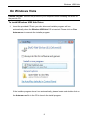
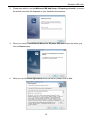
Both of Wireless USB Host & Wireless USB Device driver installation complete is
necessary before you start to make cable association.
2.
Get started by plugging your Wireless USB host adapter into an available USB or
Expresscard/34 port your computer or notebook first and then Power on your
Wireless USB device after.
3.
Using a USB Type A to Mini B cable, connect the wireless device to the computer.
4.
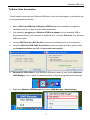
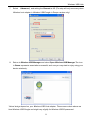
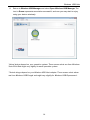
When the Wireless USB Cable Association screen prompted as below, please
Click on Accept Association and OK for Association successful.
5.
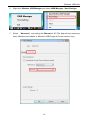
Remove the USB Cable on you Wireless USB device and you may find the
Wireless USB Manager color in white, it means the status of device recognized
and connected.
12