1
WGW 3300 Basic
4.4.1.3
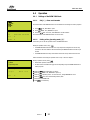
Change WGW-Install Nr [ 3 ]
You can choose up to 12 Installation numbers..
If using only one WGW than the installation number is not important (Default factory setting is „1“)
Every installation number consists of specified radio canal blocks. Therefore it is important to set
every WGW to a different installation number if there are more then one operated.
You can use up to 12 WGW 3300 Basic within one radio field (350m) or building.
The installation number must be set up BEFOR programming (teach in) radio detectors to a WGW
3300 Basic. The radio detectors automatically take over the installation number of the WGW 3300
Basic.
If you change the installation number of a WGW 3300 Basic with teached in radio detectors then
these radio detectors need to be deleted and afterwards re programmed to the WGW 3300 Basic
(Teach in)
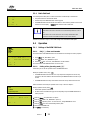
[Men]
[1] WGW
[3] WGW-InstallNr
– – C h a n g e
WG W
I n s t N r –
1
Press key [ Men ]. The „Main-Menu“ will appear
2
Press key [ 1 ] „WGW“. The „WGW-Menu“ opens
3
Press key [ 3 ] „WGW-InstallNr.“ The menu „--Change WGW InstNr-“ opens
4
Press key [ Ent ]. The cursor flashes behind „Mod“.
5
Enter the desired Installation number (1-12)
Confirm with the key [ Ent ]. The ID-No. is stored.
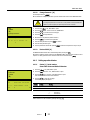
WG W- I n s t N r
:
1
4.4.1.4
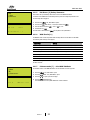
RF-Timeout [ 4 ] – Setting up
Radio interference can sporadically occur at the radio detectors. For this case it is possible to set a
specified radio field timeout before the WGW 3300 Basic detects an radio fault.
It is possible to set the RF-timeout to a different value so that the WGW 3300 Basic sets of a radio
fault later.
The default value is 96. This value represents seconds.
This means that the WGW 3300 Basic expects an radio signal within 96 seconds from the radio
detector. If this is not the case than a radio fault will be announced at the WGW 3300 Basic.
This value can be set between 10 and 2000 to avoid a radio fault message.
We recommend not to set the value below 96.
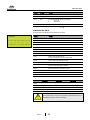
[Men]
[1] WGW
[4] RF-Timeout
– – C h a n g e
R F – T i me o u t –
1
Press the key [ Men ]. The „Main-Menu“ opens
2
Press key [ 4 ] „RF-Timeout“
Confirm with the key [ Ent ]
3
Enter the desired timeout value
4
Confirm with the key [ Ent ]
The new timeout value is set and stored.
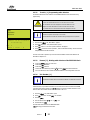
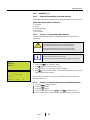
O p t i mu m
:
9 6
T i me o u t - C n t :
9 6
Version 2.1
21