1
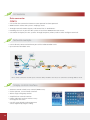
Various Managements
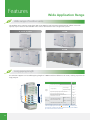
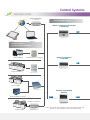
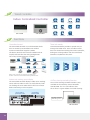
Simple Operation and Management
Click & Operate, a user-friendly interface allows even
non-experts to perform the building management system easily.
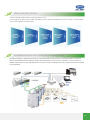
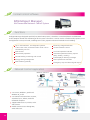
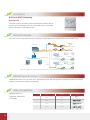
Data Management
Operational information of individual indoor units are
monitored, allowing for distribution of power consumption
at outdoor units.
Stores operation data on multiple systems and displays it in
graphical format for visual management.
Uses IMM software to generate tenant reports and help
building owners bill for energy use.
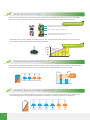
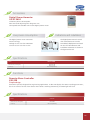
Electricity Charge Distribution(Patented)
Provides information on proportional electrical power distribution
to optimize electricity consumption management.
Uses software to calculate electric power proportional distribution, output and save electricity consumption data for
each indoor unit (or group) which is connected to the intelligent manager.
It calculates the consumption rates according to capacity demand which is based on various parameters: setting
temperature, room temperature, running mode, rated HP, public areas, unused rooms, and nighttime use; outputs
this information on a charge calculation sheet to evenly divide power consumption charges among tenants.
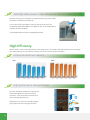
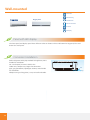
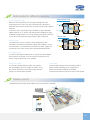
Highlights
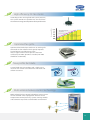
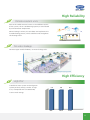
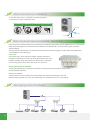
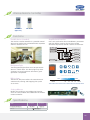
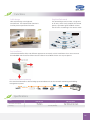
Web Access function
With the web access function, a PC, laptop
computer or a smart phone can be used as a
remote controller.
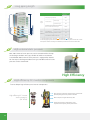
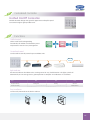
Visual Navigation
Clicking the jump button will display a list
of all available screens. Clicking the back
button will return to the previous screen.
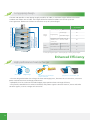
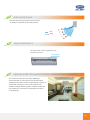
Energy Saving Management
Based on a predetermined schedule, the
Intelligent Manager executes capacity control
and intermittent operations on all air conditioning
units to maintain a high comfort index.
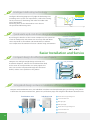
Data Backup
The M-interface will automatically back up
data on the installed SD card (2GB) in case
system failure occurs, such as: power failure
or system dam. IM software also stores the
previous 3 months’ operationaldataontheHDD.
Schedule Control
Automatically performs facility start/stop control,
switches the operating mode, sets temperatures
and enables/disables the remote control according
to the present time schedule. 4 sections and 20
actions per day for each single unit or group.
Multiple Languages Provides 7 language settings:
English
French
Italian
Russian
German
Spanish
Simple Chinese
Warning Message
The system can receive error messages from air
conditioning units in more than one buildings o
structures via public phone lines.
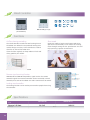
Electricity Charge Distribution
Electricity charges can be easily divided
when billing users for air conditioning
power charges; for example, for tenants
in a commercial building, offices in a
rented building, or rooms in a hotel.
131