1
UM0080 - USER MANUAL
Launching the Reader USB CRX14 Demokit V4.0 DemoKit Software
Connect the reader(s) to your PC. Run the Reader USB CRX14 Version4.0.exe to launch the program.
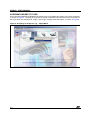
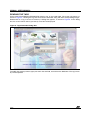
The program will detect all the readers automatically, and the main window appears at once (Figure 4.).
The various areas of this screen are described in detail in the remaining sections of this document.
Figure 4. Standard Mode Main Screen
6/14










![Lite Reader Getting Started Guide [In Progress]](http://vs1.manualzilla.com/store/data/005692633_1-050fc996995aae18a2c8846f796d5b4a-150x150.png)