1
CHAPTER 14: Hyperlinks
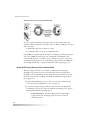
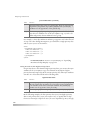
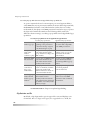
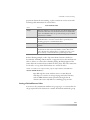
• Some
clips can also define hyperlinks. A RealText clip, for example, can
define hyperlinks for portions of text. When a viewer clicks an area where
a clip link and a SMIL link overlap, the SMIL link is used.
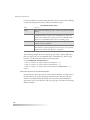
• When turning a clip into a hypertext link, include the longdesc
attribute in
a clip source tag, using it to describe the hyperlink destination. See “Using
a Long Description” on page 170 for more information.
Creating a Simple Link
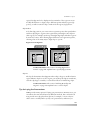
The simplest type of link connects an entire source clip to another clip. As in
HTML, you define the link with <a> and </a> tags. But whereas you enclose
text between <a> and </a> in HTML, you enclose a clip source tag between <a>
and </a> in SMIL:
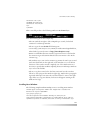
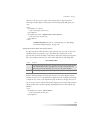
<a href=”rtsp://realserver.example.com/video2.rm”>
<video src=”video.rm” region=”videoregion”/>
</a>
The preceding example links the source clip video.rm to the target clip
video2.rm . When the viewer clicks video.rm as it plays, video2.rm replaces it. In
an <a> tag, the href attribute is required. The URL begins with rtsp:// if the
linked clip streams to RealONE Player from RealServer, or http:// if the file
downloads from a Web server.
For More Information: For information on link attributes, see
“Defining Basic Hyperlink Properties” on page 290. See either
“Linking to HTML Pages” on page 294 or “Linking to
Streaming Media” on page 301 depending on your intended
link target.
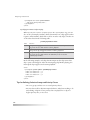
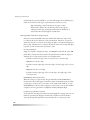
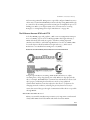
Using the <area/> Tag
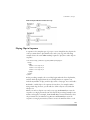
The <area/> tag differs from the <a> tag in that you place it within the clip
source tag rather than around it. This means that you must turn unary clip
source tags such as <video/> into binary tags such as <video>...</video> . The
<area/> tag typically ends with a closing slash, but in some cases you need to
use an <area>...</area> tag pair. The following is a basic <area/> tag that links
one video clip to a second video clip:
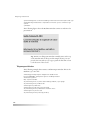
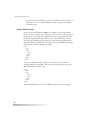
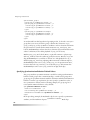
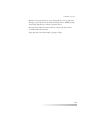
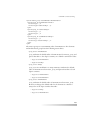
<video src=”video.rm” region=”videoregion”>
<area href=”rtsp://realserver.example.com/video2.rm”/>
</video>
283