1
Quick Start Guide for GR712RC-BOARD
17
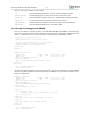
grmon2> Exiting GRMON
Alternatively you can run GRMON with the -gdb command line option and then attach a gdb session to
it. For further information see Chapter 3 of [RD-7].
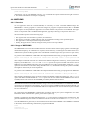
4.4. MKPROM2
4.4.1. Overview
To run application from the on-board PROM, it's necessary to create a bootable PROM image file.
MKPROM2 is a utility program to create boot-images for programs compiled with the BCC or RTEMS
cross-compiler. It encapsulates the application in a loader suitable to be placed in a boot PROM. The application is compressed with a modified LZSS algorithm, typically achieving a compression factor of 2.
The boot loader operates in the following steps:
•
•
•
•
The register files of IU and FPU (if present) are initialized.
The memory controller, UARTs and timer unit are initialized according to the specified options.
The application is decompressed and copied into RAM.
Finally, the application is started, setting the stack pointer to the top of RAM.
4.4.2. Usage of MKPROM2
The MKPROM2 tool can be downloaded from the Aeroflex Gaisler website [http://gaisler.com/index.php/
downloads/compilers]. No installation is required, but the directory containing the executable must be included in the system's PATH, together with a valid SPARC toolchain (sparc-elf, sparc-rtems or sparc-linux).
To generate a boot PROM for a GR712RC Development Board and running your program from SRAM:
mkprom2 -leon3 -freq 80 -rmw -ramsize 8192 -romsize 65536 -baud 38400 -ramws 1 -o hello.prom hello.exe
This example command will work for a board in the default configuration at delivery, with a system clock
frequency of 80 MHz. The -ramsize and -romsize options are expressed in KB. The former value is
8MB, the size of the SRAM. The latter value is 64 MB, the size of the on-board flash. Finally the -ramws
option sets the number of wait states during SRAM access to 1, needed when running the system at 80 MHz,
but might be unnecessary at lower frequencies.
To generate a boot PROM for a GR712RC Development Board and running your program from SDRAM:
mkprom2 -leon3 -freq 80 -rmw -nosram -sdram 128 -romsize 65536 -baud 38400 -o hello.prom hello.exe
This example command will, again, work for a board in the default configuration at delivery. The -nosram
option will disable the SRAM and the -sdram option sets the size of the available SDRAM. This value is
128 MB, which is the value for the SODIMM provided by default with the board.
When SRAM is disabled, the SDRAM address range is moved from 0x60000000 to 0x40000000, therefore
not requiring recompilation of executables. To run your program in SDRAM without disabling SRAM, you
need to link your program to the 0x60000000 address at compilation time. See the manual of your toolchain
for more information.
It's required that the MKPROM2 command line parameters match your system configuration. For more
information about command line options, please refer to [RD-12].
If EDAC is enabled on the board's PROM, then the -bch8 flag must be included in the command line. The
generated PROM image that needs to be flashed on the device in this case would be hello.prom.bch8.
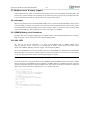
Once the PROM file is generated, it can be loaded onto the board with GRMON. Once GRMON is attached
to the board, run the following commands to program the PROM.
flash
flash erase all
flash load hello.prom