1
that your grid will fill.
4) Now that we have our basic scene set up it's time to explain some of the data in our
scene. PGI uses a View/Model approach to make it easier to add new functionality by
developing different kinds of views (for example, one that uses Game Pads) as well as better
support for saving/loading inventories and networked games. For the most part, if the
model is changed in some way, the view should automatically update to represent the new
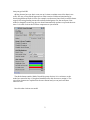
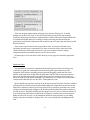
state. Let's take a look at the PGIView component we just created.
The third element entitles 'Model' should be pretty obvious. It is a reference to the
model we created in Step 1. Drag that GameObject into this slot now to assign it. The
rest of the elements are explained in the user manual and you can just leave them
alone for now.
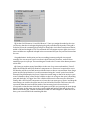
Now let's take a look at our model.
2