1
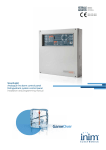
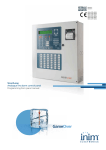
SmartLine
Conventional Fire Detection Control Panel
Extinguishant system Control Panel
Installation and Programming Manual
GameOver
Installation and Programming Manual
Copyright
The information contained in this document is the sole property of Inim Electronics s.r.l. No
part may be copied without written authorization from Inim Electronics s.r.l.
All rights reserved.
This Control panel has been designed and developed to the
highest standards of quality and performance implemented by
Inim Electronics.
This control panel must be installed in accordance with the
instructions described in this manual and in compliance with
the laws in force.
All control panels from the SmartLine series are EN54-2;
EN54-4 compliant.
All control panels from the SmartLine series, and all
accessory items and special functions have IMQ Sistemi di
Sicurezza certification, unless otherwise stated.
2
Installation and Programming Manual
Table of Contents
Chapter 1
1.1
1.2
1.3
Chapter 2
2.1
2.2
2.3
2.4
2.5
2.6
2.7
2.8
2.9
2.10
2.11
2.12
2.13
2.14
2.15
2.16
2.17
Chapter 3
3.1
3.2
3.3
Chapter 4
4.1
4.2
4.3
Chapter 5
5.1
5.2
Chapter 6
6.1
6.2
6.3
6.4
6.5
6.6
6.7
6.8
6.9
6.10
6.11
6.12
6.13
6.14
6.15
Chapter 7
7.1
7.2
7.3
7.4
Introduction ........................................................................ 5
Application and use 5
Other parts of the system - definitionsi 6
The SmartLine fire control panel models 7
General information.............................................................. 8
Documentation supplied 8
Manual details 8
About the Software 8
Addressees 8
Operator authorization - access levels 8
Intellectual property rights 9
Disclaimer 9
Recommendations 9
Testing the system 9
Note to the installer 9
Technical support 9
Conventions 9
Menu paths 10
Manufacturer's name and address 10
Device identification details 11
Warranty 11
Safety laws 11
Device management ............................................................13
Product handling and storage 13
Environmental conditions 13
Unpacking the device 13
Technical description ...........................................................15
Internal devices 15
Technical specifications 16
PCB current draw 16
User Interface.....................................................................17
SmartLine frontplate 17
Repeater (optional system enhancement panel) 22
Installing the SmartLight Panel .............................................24
Mounting the SmartLine/8Z expansion board (accessory item) 24
Installing the Extinguishant module (accessory item) 26
Wall mounting 27
Connecting the Lines 28
Connecting the Dialler 32
Connecting the RS485 BUS 32
Connecting the fault signaling outputs 34
Connecting the Alarm signaling output 35
Connecting NAC outputs to the Smart/8Z expansion board 35
Connecting AUX and AUX-R outputs 36
Connecting the RELAY output 36
Connecting the Extinguishant module (optional system enhancement tool) 37
Connecting the Mains 39
Connecting the batteries 39
Thermal Probe 40
Powering up and configuring the system.................................42
Testing wiring integrity 42
Testing Repeaters 43
Connecting the RS232 PC serial link 43
Powering up the system 45
3
Installation and Programming Manual
Chapter 8
Programming from the panel ................................................ 47
Chapter 9
Programming the Control panel ............................................ 48
9.1
9.2
9.3
9.4
9.5
9.6
Chapter 10
Chapter 11
11.1
11.2
11.3
11.4
Chapter 12
Chapter 13
13.1
Chapter 14
14.1
14.2
14.3
14.4
14.5
14.6
14.7
14.8
14.9
Chapter 15
15.1
15.2
15.3
15.4
15.5
Appendix A
Appendix B
Notes:
4
Configuring the control panel 48
Programming the zones 48
Setting holidays 55
Setting the Timers 55
Setting the Control panel options 56
Setting up equations 57
Detection line Threshold-adjustment Wizard .......................... 58
Programming the Extinguishant module ................................. 59
Enable programming via PC 60
Configuring the extinguishant module 60
Programming the module 60
Programming extinguish Inputs/Outputs 61
Configuring Repeaters ......................................................... 62
Closing the programming session.......................................... 63
Reset default programming 63
Other maintenance operations.............................................. 64
Set Time and date 64
Test Panel LEDs 64
View Events 64
Day/Night Mode 64
Bypassing a zone 65
Bypass the Dialler output or Alarm NAC output 65
Testing the zones 65
Activate the outputs manually (only I/O lines configured as outputs). 66
Setting the date for the next maintenance session 66
Diagnostics - Clearing Faults ................................................ 67
Fault “Open” 67
Fault “Shorted” 67
Repeater faults 67
Battery Fault 68
Other faults 68
Maintenance ...................................................................... 69
Order Codes....................................................................... 70
........................................................................................ 71
Installation and Programming Manual
Chapter 1
Introduction
Note:
The products described in this manual have been designed and developed to the highest
standards of quality, reliability and performance. All product components are capable to
application requirements and able to operate in compliance with the related technical
specifications when the temperature external to their casing complies with Category 3k5 of IEC
721-3-3.
Danger:
The GAS control function is not EN54-2 compliant, as this feature is not mentioned in
the aforesaid standard.
Danger:
In order to validate the IMQ-SISTEMI DI SICUREZZA certification, and in compliance
with EN54-2, all the manual alarm buttons and fire detectors employed in the system
must be associated with fire detection and alarm functions.
1.1
Application and use
The SmartLine conventional fire control panel manages 20 conventional detector lines (zones). Each
line (zone) accepts up to 30 devices and is provided with an additional I/O line that can be configured
as an open-collector output (the activation principles can be defined during the configuration phase)
or as an independent input line (separate from the zone) for Fire detection, Gas detection line, etc.
The basic model has 4 on-board zones (2 for the SmartLine020-2 model) expandable to 20 by means
of 2 SmartLine/8Z optional attachment boards (8 lines per board). The control panel also provides a
series of outputs for the activation of signaling or remote transmission devices. The display and LEDs
provide visual indication of the system status and real-time signaling of fault conditions. The control
panel supports up to 4 Repeater panels (SmartLetUSee/LCD). These remote consoles replicate all the
information provided by the control panel and allow access to level 1 and 2 functions. The control
panel can also house and manage the SmartletLoose/ONE gas extinguishant module (optional
attachment board).
D
C
ESCLUSIONE
ESTINZIONE
TACITA
ESTINZIONE
TACITATO
PRE-ESTINZIONE
ESCLUSIONE
AUTOMATICO
Esc
Ok
ESCLUSIONE
MANUALE
RESET
GUASTO
INIBITO
BLOCCO ESTINZIONE
GUASTO CPU
EVACUAZIONE
ESCLUSIONI
ESC/GUASTO
COMUNICATORE
UNITA’ LOGICA
TEST
ESC/GUASTO
CAMPANE
ON
NOTTE
ALLARME
GUASTO
PREALLARME
COMUNICATORE
ON
LIV. 2
LIV. 1
RICOGNIZIONE
B
A
Figure 1 - Example of a SmartLine application
Introduction
5
Installation and Programming Manual
Overview
[A] The Zones
Each zone is provided with a pair of terminals (lines) for the connection of the fire-detection devices deployed in
the protected area. Each line (zone) accepts up to 30 devices (conventional detectors or callpoints). The control
panel can be configured to discriminate between detector and callpoint triggered alarms. Each line can be
configured to activate various signals (Fire Alarm, Gas Alarm, etc.).
The lines accommodate:
1.
Conventional detectors: these devices sense for smoke and/or flames and issue alarm signals thereby
alerting building occupants to the danger of fire. They can be:
- Optical Smoke detectors: that look for the presence of visible by-products of combustion in the detection
chamber (Tyndall effect).
- Optical/Heat detectors: these devices operate in the same way as optical smoke detectors but also sense
for increase in the environment temperature. The combination of both sensing methods (smoke and heat)
provides faster detection and reduces the false alarm rate.
- Heat detectors: these devices monitor the temperature in the protected environment. There are two types
of heat detectors: Fixed temperature — that signal alarm if the temperature exceeds the predefined
threshold; and Rate-of-rise — that as well as monitoring the predefined fixed temperature also respond to
rapid increase in temperature.
- Ionization smoke detectors: feature a harmless radioactive source within a dual detection chamber. They
operate by sensing for a change in electrical conductivity across the detection chamber.
- CO detectors: sense the levels of carbon monoxide given off by all carbon-based materials in the smoldering
stages of a fire (often combined with heat detection sensor).
2.
Conventional Callpoints: these are clearly labeled fire button with instructions for use in the event of fire.
Usually placed near building entrances/exits. These push-button alarm-trigger devices allow building
occupants to activate system alarms.
For further information regarding the list of the detectors the lines accommodate, and for details regarding their
operating principles, refer to Chapter 10 - Detection line Threshold-adjustment Wizard.
Danger:
In order to comply with EN54-2 requirements, no more than 32 detectors/devices
should be connected to each line.
Each detection line must be terminated with a 3900 ohm resistor (included), in such way as to allow the control
panel to monitor the integrity of the wiring.
[B] The Repeater (accessory item)
This optional system enhancement tool (equipped with keypad, LEDs, fast buttons and display) replicates all the
system data. The panel supports 4 repeaters (maximum cable length 1000m from panel). Repeaters should be
located at building entrances/exits in such way as to allow persons in charge to view the system status without
going too far inside the building.
[C] Gas extinguishant system (optional system enhancement feature)
The panel can house and manage a gas extinguishant module. The Gas extinguishant module is EN 12094
compliant.
[D] Audible and visual signaling devices
1.2
Other parts of the system - definitionsi
Zone: a group of points (detectors, etc.) connected to a detection line. The control panel provides an extra
terminal (I/O) for each zone. If the terminal (I/O) is configured as an input, the control panel will be able to split
the detection line of each zone. This feature can be used when zones require a detector line that is separate from
the callpoint line in order to ensure proper operation of one line in the event of fault on the other.
Power supply (refer to Figure 31 - Connecting the Mains): a module, connected to the mains 230 Vac, that
provides a stabilized voltage @ 24 V (27.6 V) to the system and the charge source to the batteries. The EN54-4
compliant power-supply module is housed below the motherboard. The mains voltage (230 Vac) is the primary
power source of the system. Refer also to paragraph 6.13 Connecting the Mains.
Batteries: the secondary power source of the system. The panel houses two lead batteries @ 12V 7Ah (to be
connected in series). The system monitors the battery status (efficiency and charge). In the event of inefficient or
low battery conditions, the system will signal battery fault. If primary (230 Vac) power failure occurs, the
batteries will take over, however, they will shutdown automatically if the blackout persists. The automatic battery
6
Introduction
Installation and Programming Manual
shutdown feature prevents irreparable damage to the batteries. Refer also to paragraph 6.14 Connecting the
batteries.
Thermal probe: an accessory tool, to be connected to the panel and attached to the battery pack. This device
monitors the temperature of the external battery pack and regulates the battery charge accordingly. Refer also
to paragraph 6.15 Thermal Probe.
RS485 Bus: 4 wire BUS for the Repeater connections. Four pole shielded twisted cable must be used for all
connections. Refer also to paragraph 6.6 Connecting the RS485 BUS.
Timer: a logical unit (the panel provides 8 timers) for automatic time-management of preset intervals (2
intervals per day) on preset days of the week and specific dates. The timers can be used in equations and/or to
manage predefined operations or activate outputs.
Equation: a group of logical conditions defined by the installer. An equation comprises a series of operators
(AND, OR, +, etc.) and a series of operands (Points, Zones, Timers, etc.). An equation can be associated with an
output that will activate when the equation is satisfied.
Holidays: a list of days defined during the system configuration phase that can be associated with a timer.
1.3
The SmartLine fire control panel models
The available models are:
• SmartLine020-4 Conventional fire alarm control panel with 4 zones expandable to 20
• SmartLine020-2 Conventional fire alarm control panel with 2 zones (NON expandable)
Introduction
7
Installation and Programming Manual
Chapter 2
General information
2.1
Documentation supplied
• Installation manual (this manual)
• User's Manual
The Installation manual is supplied with the device. For further copies of the Installation Manual,
please contact INIM ELECTRONICS offices quoting the order number shown in Appendix B Order
Codes.
2.2
Manual details
Title: SmartLine Installation and Programming Manual
• Edition, Issue: 1.0
• Month and year of printing: June 2007
• Installation Manual Code: DCMIINE0SLINE
2.3
About the Software
• SmartLine Firmware Version: 1.0.0
• Extinguishant module Firmware Version: 1.0.0
• SmartLeague Software Version: 2.x.x
2.4
Addressees
• Installer
• Technical assistance
2.5
Operator authorization - access levels
The SmartLine is EN-54 compliant. There are four access levels:
Level 1:
The public
All building occupants can view the active events and the events log; silence the panel
beeper, test the control panel LEDs and, under pre-alarm conditions, override pre-alarm
status and activate an instant alarm in order to Evacuate the building.
Level 2:
Person/s responsible for the safety of the building and its occupants.
An authorized key user can, after inserting their key in the keyswitch: silence the outputs;
reset the panel; activate the 'Investigate' timer; disable zones and outputs; change the
operating mode (Day/Night) and activate instant alarms in order to Evacuate the building.
Level 3:
Authorized technicians appointed by the Installer company.
Installer company technicians can, by means of a screw driver or similar tool, remove the
screws and open panel cabinet, in order to insert the programming jumper and access the
programming phase (from panel or PC) or carry out maintenance work. The control panel
is unable to process data or generate fault or alarm signals of any kind during the
programming phase.
Level 4:
Authorized technicians, appointed by the Manufacturer (INIM Electronics s.r.l.).
The manufacturer company technicians can, by means of special tools, repair or replace
the control panel components.
8
General information
Installation and Programming Manual
Note:
2.6
This manual is for Authorized installer company technicians (Level 3). However, it also provides
some installation information related to level 1 and level 2.
Intellectual property rights
The information contained in this document is private property. All rights reserved
No part of this document may be copied or reproduced unless expressly authorized in writing by INIM
Electronics, in particular the parts regarding the device specified in 2.15 Device identification details
2.7
Disclaimer
INIM Electronics s.r.l. shall not be responsible for damage arising from improper application or use.
This control panel should be handled by qualified personnel only. Installation must be carried out
strictly in accordance with the instructions described in this manual, and in compliance with the local
fire code in force.
2.8
Recommendations
INIM Electronics recommends that the entire system be tested on a regular basis (refer to paragraph
2.9 Testing the system).
2.9
Testing the system
This system has been designed to the highest standards of quality and performance. However, the
system may fail to function as intended due to the failure of a component. Most problems that prevent
a fire control system from operating as intended can be found by regular testing and maintenance
(refer to Appendix A - Maintenance).
Testing should include all detectors, signaling devices and any other operational devices that are part
of the system.
2.10
Note to the installer
In order to provide adequate protection and instructions for proper use, you (the installer) must be
familiar with the operating procedure of this device. As the only individual in contact with system
users, it is your responsibility to instruct them on how to use this system properly and to bring to their
attention that every fire is different in the amount of smoke and rate of burning. Therefore, smoke
and heat detectors may not provide timely warning of fires caused by violent explosions, escaping gas
or improper storage of inflammable materials.
Regardless of its capabilities, a fire alarm system is not a substitute for the necessary precautions
building occupants must take to prevent or minimize the harmful effects of fire.
2.11
Technical support
Our professional engineers are readily available to assist you. Call our phone number and you will be
connected right away to a person who will answer all your questions and provide you with full
technical support.
2.12
Conventions
2.12.1 Glossary and terminology
Panel; device; system: refer to the devices defined in 2.15 Device identification details.
Left, right, behind, above, below: refer to the directions as seen by the operator in front of the
mounted device.
Communicator (telephone, SMS, digital): synonym of dialler.
STP: Shielded twisted pair cable.
General information
9
Installation and Programming Manual
Qualified personnel: those persons whose training, expertise and knowledge of the laws and bylaws
regarding service conditions and the prevention of accidents, are able to identify and avoid all possible
situations of danger.
Select: click on and select a specific item (from drop-down menu, options box, graphic object, etc.).
Press: click on a video button, or press a key on the panel keypad.
2.12.2 Graphic conventions
Following are the graphic conventions used in the text. For a description of the graphic conventions
relating to the interface, refer to paragraph 5.1 SmartLine frontplate.
Conventions
Text in Italics
<text>
Example
Refer to paragraph
4.1 Internal
devices
#<CustomerCode>
[lowercase
letter]
or [number]
[A] or [1]
BUTTON
CANC, ESC, RESET
description
Text in italics: indicates the title of a chapter, section, paragraph,
table or figure in this manual or other published reference.
Variable data
Representation of a part of the system or video object.
Computer or control panel keys.
Note:
The detached notes contain important information about the text.
Attention:
The attention prompts indicate that total or partial disregard of the procedure could
damage the device and/or its attachment/peripheral devices.
Danger:
The danger warnings indicate that total or partial disregard of the procedure could
injure the operator or persons in the vicinity.
2.13
Menu paths
Example
From panel: <key>, Programming, Prog. zone, <select a zone>, <OK>, Zone Parameters
From PC: Control panel, Zones
Access to specific functions can be achieved by using the panel keys or PC video objects and the
respective path.
Note:
This manual describes the recommended programming flow from the control panel.
Attention:
For most part this manual describes programming from the control panel.
2.14
Manufacturer's name and address
INIM Electronics s.r.l.
Via Fosso Antico, Centobuchi
63033 Monteprandone (AP) - Italy
Tel: +39 0735 70 50 07
10
General information
Installation and Programming Manual
Fax: +39 0735 70 49 12
[email protected] - www.inim.biz
2.15
Device identification details
Figure 2 - Overview
Product type: Fire control panel
Model: SmartLine
Year of Manufacture: 2007
2.16
Warranty
INIM Electronics s.r.l. warrants the original purchaser that for a period of 24 months from the date of
final acceptance, the product shall be free of defects in materials and workmanship. The warranty
applies only to defects in parts and workmanship relating to normal use. It does not cover:
•
•
•
•
Improper use or negligence
Damage caused by fire, flood, wind or lightning
Vandalism
Fair wear and tear
Inim Electronics s.r.l. shall, at its option, repair or replace any defective products. Improper use, that
is, use for purposes other than those mentioned in this manual will void the warranty. For the full
details and conditions regarding the warranty, refer to the purchase order.
2.17
Safety laws
The aim of the instructions in this section is to ensure that the device is installed and handled
properly. This chapter contains vital information. The installer should be familiar with this section and
bring each item to the attention of the system users.
2.17.1 Compliancy
The design and manufacture of the SmartLine control panel comply with EN 54-2 requirements Fire
detection and signaling systems - Control and signaling panels.
The design and manufacture of the power supply comply with EN 54-2 Fire detection and signaling
systems - Power supply devices.
General information
11
Installation and Programming Manual
The SmartLetLoose/ONE extinguishant board enhanced SmartLine control panel has been developed
and designed in compliance with EN 12094-01 Fire-fighting Systems - Components of fireextinguishant systems - Part 1: Requirements and testing methods for automatic electrical command
and fire-extinguish or delay management devices.
2.17.2 Managing electronic devices
The normal motions of any person may generate electrostatic potential of thousands of volts.
Discharge of this current through semiconductor devices during handling may cause serious damage
which although may not be immediately evident may reduce the reliability of the circuits.
If located in their housings, the electronic circuits of INIM Electronics products are highly immune to
electrostatic discharge.
Do not expose the circuits to damage by removing the modules unnecessarily from their housings.
3. When removing or handling the boards, hold the board edges only.
4. Do not touch the electronic components, the printed circuits or the metal parts of the connectors.
5. Do not hand the module to another person without first ensuring that you both have the same
electrostatic potential. This can be achieved by simply shaking hands.
6. Place the board on an anti-static surface or a conductor surface with the same potential.
Further information regarding procedures relating to safety when working with electronic devices can
be found in Directive IEC 60147-0F.
2.17.3 Setting up the system
In order to provide adequate protection and instructions for proper use, security professionals
(Installers and maintenance technicians) must be familiar with the operating procedure of this device.
Please read the instructions carefully before installing and/or servicing the system.
Before first power-up, be sure that the earth connection has been completed properly on the
respective terminal.
The recommended minimum wire cross section for the earth connection is 2.5 mm2, that is, unless
otherwise stated in accessory documentation.
2.17.4 Replacement and disposal of used devices
Replacement
When replacing used devices, disconnect the devices concerned then complete the connections of the
new devices in compliance with the instructions printed on the respective leaflets.
In order to avoid short-circuits, take all the necessary precautions when removing used batteries.
Disposal
Do not burn used electronic devices, or allow them to pollute the environment (countryside, rivers,
etc.). Electronic devices must be disposed of in a safe environment-friendly way.
Contact your local municipal offices for information regarding the disposal of electronic devices and/or
batteries.
12
General information
Installation and Programming Manual
Chapter 3
Device management
3.1
Product handling and storage
This device is safely packed inside a cardboard box, however, care must be taken to avoid accidental
damage during handling. Cartons/boxes should be placed in such a way as to avoid knocks and falls,
and special care must be taken to protect the devices from extreme heat and/or cold.
3.2
Environmental conditions
Temperature limits:
-10° / +55°C for transport and storage
-5° / +40°C operating temperature
3.3
Unpacking the device
Take due care when unpacking the product, and dispose of all waste packaging in accordance with the
local method of disposal.
The cardboard box contains the SmartLine control panel (cabinet in metal).
Note:
The two lead batteries @ 12 V - 7 Ah are not included. Be sure you have the batteries on hand
before starting.
When you remove the four screws and metal-frontplate, you will find:
• The SmartLine motherboard supported by a plastic frame that rests on the sides of the metal
backbox.
• Power supply module located under the plastic frame. Power supply module is already connected to
the SmartLine motherboard.
• A plastic bag containing:
- Battery connection wires
- Resistors and EOL diodes for supervised circuits
Figure 3 - Inside the box
The following accessory items must be ordered separately (refer to Appendix B Order Codes).
Device management
13
Installation and Programming Manual
[A] Extinguishant module
[B] Repeater panel
[C] Thermal probe for battery charge optimization
[D] SmartLine/8Z 8-zone expansion board
A
B
C
D
Figure 4 - Accessory devices
14
Device management
Installation and Programming Manual
Chapter 4
Technical description
4.1
Internal devices
S
Q
P
D
R
A
A
B
A
B
A
B
B
L
C
E
F
G
H
J
I
M
O
N
K
Figure 5 - SmartLine Board
Main components
[A]
Zone detection-line terminals (+ / -)
[B]
Zone I/O terminals
[C]
RS485 BUS terminals for Repeater connections, max. 0.9A
[D]
RS232 serial port for PC connection
[E]
Fault output—dry contact
[F]
Supervised dialler output
[G]
Supervised alarm output
[H]
24 V 0.8A output for external loads
[I]
24 V output - Off during Reset - 0.8 A for external loads
[J]
Programmable dry contact (Alarm at default)
[K]
Connector for the earth wire of the power supply module
[L]
Power-supply module connector
[M]
Battery connector
Technical description
15
Installation and Programming Manual
[N]
Thermal probe connector for batteries
[O]
Earth-fault bypass jumper — if the jumper is removed, earth faults will not be signaled.
[P]
J8 - Jumper for programming from panel (keypad and LCD)
[Q]
J9 - Jumper for programming from PC
[R]
Extinguishant module connector
S
Buzzer
Note:
4.2
INIM s.r.l. reserves the right to change, replace, in part or entirely, the components not strictly
relating to the installation process described in “Chapter 6 - Installing the SmartLight Panel”.
Technical specifications
Power supply
230 Vac (-15% + 10%) 50/60 Hz
Maximum current draw 230V
0.5 A
DC current
1.4 A
Nominal output voltage
27.6 V
Maximum current for external loads, boards
and optional devices
0.9 A
Maximum current draw on terminal +AUX
0.8 A
Maximum current draw on terminal +AUX-R
0.8 A
CURRENT RIPPLE on AUX and AUX-R outputs
1% MAX
Maximum battery-charge current
400mA
Battery specifications
2 x 12 V/7 Ah YUASA NP-12 FR or similar with case flame
class UL94-V2 or higher
Output current
19V - 27.6V
Fuse (F2) - Switching power supply
F 6.3 A 250V
Fuse (F1) - Switching power supply (not
resettable)
T 3.15 A 250V
Maximum output current ripple
1%
Operating temperature
-5°C ... 40°C
Dimensions
325 x 325 x 80 mm
Weight
2.8Kg
4.3
PCB current draw
Module
Standby current draw
Maximum current draw
SmartLine motherboard
90 mA
90 mA
SmartLine/8Z motherboard
50 mA
50 mA
Extinguishant module
10 mA
70 mA
SmartLetUSee/LCD (Repeater)
40 mA
80 mA
16
Technical description
Installation and Programming Manual
Chapter 5
User Interface
B
X
F
DISABLE
EXTINGUISH
A1
EXTINGUISH
G
PRE-EXTINGUISH
DISABLE
AUTO
C1
H
Esc
I
A
Ok
RESET
C
FAULT
INHIBITED
K
STOP EXTINGUISH
D1
Z
SILENCED
J
B1
Y
SILENCE
DISABLE
MANUAL
EVACUATE
N
L
CPU FAULT
FAULT
ALARM
E1
P
PRE-ALARM
CPU FAULT
DISABLED
TEST
DISABLE/FAULT
BELLS
U
S
DIALLER ON
ON
R
D
DISABLE/FAULT
DIALLER
Q
O
M
T
NIGHT MODE
LEV.2
LEV.1
INVESTIGATE
E
V
Figure 6 - Frontplate
5.1
SmartLine frontplate
5.1.1
Commands
Buttons/Keys
Access level 1
Access level 2
[A]
4 scroll keys
To be used to navigate through
the menus on the display. The
effect these keys have during
programming depends on the
specific field. Refer to Chapter 8 Programming from the panel.
S/T/OK/Esc
[B]
SILENCE
[C]
RESET
User Interface
Note
Push this button to
silence (turn OFF) the
panel beeper.
Switches Off Silenceable
outputs. The silenceable
outputs will hold silenced
status until a new event
occurs that releases the
outputs automatically. The
SILENCE button operates as a
toggle switch, therefore,
silenced outputs can be
unsilenced by pushing the
button again.
If the system is operating in
Night mode, SILENCE status will
be held for the preset SILENCE
time only. This is a safety
precaution designed to protect
building occupants and persons
in charge of night-security who,
after silencing the system, may
be overcome by smoke or fumes
during fire investigation and
unable to restart the alarm
signaling devices manually.
Push this button to clear any
active events, delete the
memory and restore standby
conditions.
Any alarm/fault conditions which
persist after RESET operations
will generate new alarm/fault
signals.
17
Installation and Programming Manual
Buttons/Keys
[D]
EVACUATE
Access level 1
If this button is
pressed during active
pre-alarm conditions,
the system will
override the
programmed prealarm time and
generate an instant
alarm (i.e. activate all
evacuation-warning
devices).
Access level 2
Note
If you push this button when
pre-alarm conditions are not
active, the system will
generate a panel alarm.
If you push this button during
active pre-alarm conditions,
the system will add the preset
time to the running pre-alarm
time (this operation can be
done once only for input).
[E]
INVESTIGATE
The extended alarm delay will
allow authorized building
occupants and/or security staff to
check and verify the fire hazard.
Extinguishant module (accessory item) commands
If you push this button once,
the system will disable
Extinguish commands. If you
push this button again, the
system will re-enable
Extinguish commands.
[F]
DISABLE
EXTINGUISH
If this button is pressed once,
the system will disable
automatic extinguish
commands generated by the
Extinguishant module. If this
button is pressed again, the
system will re-enable
automatic extinguish
commands generated by the
Extinguishant module.
[G]
DISABLE
AUTOMATIC
If you push this button once,
the system will disable manual
extinguish commands. If you
push this button again, the
system will re-enable manual
extinguish commands. Refer
also to “Connecting the
Extinguishant module
(optional system
enhancement tool)” on
page 37.
[H]
DISABLE
MANUAL
5.1.2
This button can be used during
testing and maintenance of the
fire extinguishant devices.
Visual Signaling
LED
ON Solid:
[I]
Display
[J]
SILENCED
ON Blinking:
Note
See Chapter 8 - Programming from the
panel.
Indicates that the system
has been silenced.
(giallo)
18
User Interface
Installation and Programming Manual
LED
[K]
INHIBITED
RESET
(giallo)
[L]
ALARM (red)
[M]
PRE-ALARM
(red)
[N]
FAULT
(yellow)
User Interface
ON Solid:
ON Blinking:
Note
Indicates that reset
commands are not allowed
during pre-alarm/alarm
events. Reset will be
allowed when all outputs
have been silenced and
this LED goes Off.
This feature ensures that persons
responsible for the safety of the building
and its occupants do not reset the system
without first silencing the outputs, and
evaluating the alarm. The silence operation
will stop the signaling devices and restore
quiet thus allowing the operator to consider
the best way to proceed. The operator will
then be able to reset the system and
restore standby status.
Signals an alarm condition,
that is, activation of a zone
point (detector, callpoint,
etc.) that is programmed
with the alarm attribute.
Examples: a smoke detector has sensed a
quantity of smoke that exceeds its alarm
threshold; a heat detector has sensed rise
in temperature that exceeds its alarm
threshold; a callpoint has activated, etc.
Only authorized persons (level 2) can clear
this status (which may occur after an early
warning, pre-alarm, etc.) by means of
silence/reset operations. Signaling will
continue even after the cause of the alarm
has ceased.
Signals a pre-alarm
condition, that is,
activation of a zone point
(detector, callpoint, etc.)
that is programmed with a
pre-alarm time.
Signals restoral of a
pre-alarm condition
(GAS zone prealarm).
Examples: a smoke detector has sensed a
quantity of smoke that exceeds its alarm
threshold; a heat detector has sensed rise
in temperature that exceeds its alarm
threshold; a callpoint has activated, etc.
Only authorized persons (level 2) can clear
this status (which may occur after an early
warning, pre-alarm, etc.) by means of
silence/reset operations. Signaling will
continue even after the cause of the alarm
has ceased. If the operator does not
intervene in the meantime, the point in prealarm status will generate an alarm when
the programmed pre-alarm time expires.
The pre-alarm time is a short alarm delay
that notifies the person/s responsible for
the safety of the building and its occupants
of the possibility of fire. An alarm will be
generated when the programmed pre-alarm
time expires, thus causing the evacuation of
all the building. After pre-alarm notification,
the person/s responsible for the safety of
the building and its occupants will have
time to verify the real risk of fire and, in the
event of a false alarm, will be able to avoid
unnecessary evacuation signaling. In the
event of pre-alarm status generated by the
GAS detection line, the pre-alarm signal will
reset when the gas detector values drop
below the pre-alarm threshold.
Signals an active system
fault condition. The display
will provide the fault
details.
Indicates memory of
a cleared fault
event. To view the
restored fault
condition details,
consult the events
log via the Main
menu (level 1).
Reset the panel (level 2) to restore the fault
memory (LED Off).
19
Installation and Programming Manual
LED
[O]
CPU FAULT
(giallo)
[P]
ON Solid:
Indicates trouble with the
panel CPU—the panel must
be sent back immediately
to the manufacturer for
repair.
ON Blinking:
Indicates that the
CPU re-initialized
(due to control
panel shutdown or
fault condition).
Note
Danger:
If this LED “blinks”, the
efficiency
of
entire
system must be checked.
Reset the panel (level 2)
to turn this LED Off.
Indicates that one or more
components of the system
(zone or output) have
been bypassed.
The display will provide the respective
details. Bypassed components (disabled/
out-of-service components) will be unable
to generate faults, alarms or signals of any
sort and cannot be activated under any
circumstances. Components must be
bypassed (put out-of-service) during
maintenance work.
Indicates that one or more
zones are undergoing
tests.
A zone which is undergoing tests cannot
generate alarms or signaling of any kind.
However, the respective LED will turn On for
several seconds and then reset and turn Off
automatically. The Alarm NAC output will
activate for approximately 3 seconds to
confirm that the detector is working
properly. This feature allows technicians to
carry out tests and inspections alone, as it
eliminates the need of constantly returning
to the panel to verify/reset the events
generated by the points.
ON (verde)
Indicates that the system
is operating (On).
This LED will go Off in the event of joint
primary (230 V ac) and secondary
(batteries) power failure.
[S] DIALLER
ON (red)
Indicates that the dialer
activation output is active.
In the event of an alarm, the dialler will
activate (after the pre-set delay).
[T]
Indicates that the dialer
activation output is
disabled or faulty—the
display will provide the
respective details.
Indicates restoral of
a fault event. This
condition can be
cleared by reset
only (level 2).
Indicates that the sounder/
flasher activation output is
disabled or faulty—the
display will provide the
respective details.
Indicates restoral of
a fault event. This
condition can be
cleared by reset
only (level 2).
DISABLED
(giallo)
[Q]
TEST (giallo)
[R]
DISABLE/
FAULT
DIALLER
(giallo)
[U]
DISABLE/
FAULT
BELLS
(yellow)
[V]
NIGHT MODE
(giallo)
Indicates that the panel is
operating in night mode.
In tale modalità il tempo di preallarme sarà
ridotto a zero per tutte quelle zone per le
quali non è programmato il preallarme in
modo notte. As a further safety precaution,
the system can be silenced for the pre-set
SILENCE time only. Night Mode should be
applied when no or few persons are present
or awake in the building, and the building
security is the responsibility of a night
watchman or security patrol guard notified
by the dialler.
Extinguishant module signaling (optional system enhancement tool)
20
User Interface
Installation and Programming Manual
LED
ON Solid:
DISABLE
EXTINGUISH
Indicates disablement of
all types of extinguish
commands, via key [F]
(refer to the previous table
5.1.1 Commands).
[X]
[Y]
DISABLE
AUTOMATIC
[Z]
DISABLE
MANUAL
[A1]
EXTINGUISH
[B1]
PREEXTINGUISH
[C1]
FAULT
[D1]
STOP
EXTINGUISH
[E1]
CPU FAULT
User Interface
ON Blinking:
Note
Indicates disablement of
automatic extinguish
commands, via key [G]
(refer to the previous table
5.1.1 Commands).
Indicates disablement of
manual extinguish
commands, via key [H]
(refer to the previous table
5.1.1 Commands).
Indicates that fire
extinguish is running.
Signals activation or the
pre-extinguish output refer to table on page 38,
“PRE-EXT.
Indicates that only
one zone is in alarm
status, therefore,
the extinguishant
system will not be
activated. If another
zone latches in
alarm, the
extinguishant
system will activate.
Indicates trouble with the
fire extinguish circuits.
Indicates restoral of
a fault event.
Indicates that the fire
extinguishant system has
been stopped from a
remote Hold-off unit (refer
to table on page 37,
“STOP-EXT).
Indicates restoral of
a Stop extinguishant
event.
Indicates a CPU fault. The
device must be sent back
to the manufacturer for
immediate repair.
Indicates restoral of
a fault event.
This condition can be cleared by reset only
(level 2).
21
Installation and Programming Manual
5.2
Repeater (optional system enhancement panel)
Up to four Repeater panels can be connected to the RS485 Bus. Repeater panels replicate all the
information provided by the control panel and allow access to all Level 1 and 2 functions (View active
events, Reset, Silence, etc. Access to the Main menu is not possible).
A
STATUS
FAULTS
M
K
ALARM
L
PRE-ALARM
DISABLED
P
TEST
Q
NIGHT MODE
TEST
G
FAULT
CPU FAULT
R
O
ON
N
X
DIALLER
Esc
Y
ACTIVE
ACTIVE
W
BATTERY
S
Z
FAULT
DISABLED
FAULT
Z1
1
DISABLED
4
EARTH
T
ghi
7
FUSE
pqrs
U
2
abc
5
jkl
8
tuv
3
def
6
mno
9
LEV.2
wxyz
MAINS
BUZZER
F
BELLS
V
INVESTIGATE
J
E
SILENCE
RESET
H
I
C
D
EVACUATE
0.,
LEV.1
B
Figure 7 - Front view of the Repeater panel
The SmartLetUSee/LCD Repeater is supported by most control panel models. However, when it is
connected to a SmartLine control panel, some of the command buttons are not operational. The
following keys/buttons are operational:
[A] S/T
Scroll keys which will allow navigation through menus, etc.
[B] EVACUATE
As per paragraph 5.1 SmartLine frontplate
[C] SILENCE
As per paragraph 5.1 SmartLine frontplate
[D] RESET
As per paragraph 5.1 SmartLine frontplate
[E] INVESTIGATE
As per paragraph 5.1 SmartLine frontplate
[F] BUZZER
Turns the panel beeper Off
[G] TEST
Turns On al the LEDs to verify functionality.
Repeaters provide the following signals.
5.2.1
Display
The display provides same event data as the panel.. For further details refer to paragraph 2.5
Signaling on the display in the User's Manual.
5.2.2
LED
LED
[H] SILENCED
22
ON Solid:
ON Blinking:
As per paragraph 5.1 SmartLine
frontplate
User Interface
Installation and Programming Manual
LED
ON Solid:
ON Blinking:
[I] INHIBITED RESET
As per paragraph 5.1 SmartLine
frontplate
[J] INVESTIGATE
Indicates that time to investigate the
fire risk has been requested.
[K] ALARM
As per paragraph 5.1 SmartLine
frontplate
[L] PRE-ALARM
As per paragraph 5.1 SmartLine
frontplate
[M] FAULT
As per paragraph 5.1 SmartLine
frontplate
[N] CPU FAULT
Indica che la CPU del repeater è guasta
(è necessario inviare il repeater in
riparazione) o che non c’è
comunicazione con la centrale
(controllare le connessioni).
[O] DISABLED
As per paragraph 5.1 SmartLine
frontplate
[P] TEST
As per paragraph 5.1 SmartLine
frontplate
[Q] NIGHT MODE
As per paragraph 5.1 SmartLine
frontplate
[R] BATTERY
Indicates that the panel batteries are
low or inefficient.
Indicates restoral of the low/
inefficient battery event.
[S] EARTH
Indicates voltage dispersion to earth.
Indicate restoral of the voltage
dispersion to earth event.
[T] FUSE
Indicates that either the “AUX” or “AUXR” output is shorted and the protection
fuse has intervened.
Indicates the restoral of “AUX” or
“AUX-R” output-shorted event.
[U] MAINS
Indicates Mains failure.
Indicates restoral of the Mains
failure event.
[V] BELLS - ACTIVE
Indicates that the ALARM NAC output is
active.
[W] BELLS - FAULT
Indicates an “ALARM NAC” output fault.
[X] BELLS - DISABLED
Indicates that the “ALARM NAC” output
is disabled.
[Y] DIALLER - ACTIVE
Indicates that the “Dialer” output is
active.
[Z] DIALLER - FAULT
Indicates a “Dialer” output fault.
[Z1] DIALLER - DISABLED
Indicates that the “Dialer” output has
been disabled.
User Interface
Indicates restoral of the “ALARM
NAC” output fault event.
Indicates restoral of the “Dialler”
output fault event.
23
Installation and Programming Manual
Chapter 6
Installing the SmartLight Panel
6.1
Mounting the SmartLine/8Z expansion board (accessory item)
The SmartLine/8Z zone expansion board can be used with the SmartLine020-4 model only. The
control panel can manage 2 SmartLine/8Z zone expansion boards (8 zones each board) bringing the
total number of zones to 20. The zone expansion board also provides a 1A supervised output, the
operating principles of which can be defined during the system configuration phase.
The zone expansion board is packed inside a separate cardboard box. Together with the expansion
module (IN015), you will find a plastic bag containing:
•
•
•
•
A cable for the zone expansion board to SmartLine motherboard connection.
Metal plate
Screws
Resistors and EOL diodes
Figure 8 - Zone expansion board - in box components
24
Installing the SmartLight Panel
Installation and Programming Manual
A
B
D
C
F1
G
F2
E2
E1
F1
G
F2
Figure 9 - Mounting the expansion Module
Installing the SmartLight Panel
25
Installation and Programming Manual
1. Remove the four securing screws and the frontplate (Figure 9 - A).
2. Remove the four securing screws and the plastic holder.
3. Locate the zone expansion board in its housing, using the metal supports if you are installing two
boards (Figure 9 - B) or the screws if you are installing one board only. Be careful to use the
mounting holes indicated in the photograph.
4. Position the zone expansion board in its location on the backbox (Figure 9 - C).
5. Using the respective wire, plug the expansion board in (Figure 9 - D).
6. If you are not installing two zone expansion boards, go to step 10.
7. Locate the second zone expansion board (if necessary) on the metal spacers. Be careful to use the
mounting holes indicated in the photograph (Figure 9 - E1).
8. Connect the wire coming from the first zone expansion board (Figure 9 - E2).
9. Insert the wire for the connection with the SmartLine motherboard (Figure 9 - F1)
10. Connect the wires coming from the zone expansion board to the SmartLine motherboard (Figure 9
- F2).
11. Replace the plastic holder and close the control panel cabinet (Figure 9 - G).
Note:
The control panel will consider the board that is directly connected to the motherboard as
expansion 1 (zones 5 to 12), and the board that is connected downstream as expansion 2 (zones
13 to 20).
Note:
In order to allow the control panel to manage the expansion board, you must include it in the
configuration. Refer to the Programming section for details.
6.2
Installing the Extinguishant module (accessory item)
The Extinguishant module is packed in a separate cardboard box. Together with the Extinguishant
module (IN015), you will find a plastic bag containing:
• Connector for the Extinguishant board to SmartLine motherboard connection.
• Screws
• EOL resistors and diodes
Figure 10 - Extinguishant module—in box
26
Installing the SmartLight Panel
Installation and Programming Manual
1
3
2
4
5
6
Figure 11 - Mounting the Extinguishant Module
1. Remove the four securing screws and the frontplate.
2. Remove the four securing screws and the plastic holder.
3. Move the SmartLine motherboard to the position indicated in Figure 10.
4. Position the Extinguishant module in its location.
5. Using the four screws, secure the Extinguishant module in place.
6. Connect pins J13 of the SmartLine motherboard to the respective pins J2 on the Extinguishant
board.
7. Move the SmartLine motherboard back to its original position.
8. Replace the plastic holder.
Note:
In order to allow the control panel to manage the connected extinguishant board, you must
include it in the configuration. Refer to the Programming section for details.
6.3
Wall mounting
6.3.1
Panel
Figure 12 - Mounting the panel
• Pull the wires through the wire entry and ensure they do not get in way of operations.
Installing the SmartLight Panel
27
Installation and Programming Manual
• Using the wall plugs, attach the backplate to the wall.
Danger:
6.3.2
Care must be taken not to drill in the vicinity of electrical wiring, heating ducts and
plumbing.
Repeater (optional system enhancement panel)
Figure 13 - Mounting a Repeater
• Remove the four frontplate screws and lift off the frontplate.
• Pull the wires through the wire entry on the back of the Repeater and ensure they do not get in way
of operations.
• Using the wall plugs, attach the backplate to the wall.
6.4
Connecting the Lines
6.4.1
Connecting the Detection Lines
Each control panel zone has a pair of detector or callpoint connection terminals (Detection Line).
Attention:
In order to validate the IMQ-SISTEMI DI SICUREZZA, NOT more 512 detectors and/or
manual callpoints can be connected.
The following diagrams illustrate the AURORA devices detection line wiring:
CONVENTIONAL DETECTOR
CONVENTIONAL DETECTOR
CALLPOINT
Jumper
3907
1
-
+
-
3907
2
-
+
R
3
+
-
+
WHITE
ORANGE
RED
GOLD
R
3.9K7
4
4707
6807
Figure 14 - Connecting detectors and manual callpoints
If detectors and callpoints are wired as per the diagram and the zone "Monitor Callpoints" option is
enabled, the control panel will discriminate between detector and callpoint triggered alarms.
28
Installing the SmartLight Panel
Installation and Programming Manual
CONVENTIONAL DETECTOR
CONVENTIONAL DETECTOR
CALLPOINT
Jumper
3907
1
3907
2
WHITE
ORANGE
-
+
-
-
+
R
3
+
-
RED
GOLD
3.9K7
R
+
4
4707
6807
1N4007
22MF 35V
Figure 15 - Connecting detectors using bases with diodes
If detectors and callpoints are wired as per the diagram and the “Det.Missing” option is enabled, the
control panel will generate a fault signal when a detector is removed from its base and at the same
time will be able to receive alarm signals from other detectors connected downstream.
Attention:
GRAY
BLUE
If you enable the “Det.Missing” option for a zone that is not wired as illustrated in the
diagram, the control panel will signal fault only.
BROWN
6807
GOLD
6807
RED
RED
2207
2207
BROWN
GOLD
WHITE
ORANGE
PRE-ALARM
ALARM
Gas
Detector
FAULT
N. C.
24V
+
PRE-ALARM
ALARM
Gas
Detector
(End of Line)
FAULT
N. C.
RED
GOLD
3.9K7
24V
+
Figure 16 - Connecting GAS detectors to the detection line
If the wiring is completed as per the diagram, it will be possible to interface the control panel with a
GAS line (Line configured as a GAS line - refer to the Zone programming section).
Installing the SmartLight Panel
29
Installation and Programming Manual
Contact 1
Contact 2
End of Line Resistor
WHITE
ORANGE
RED
GOLD
3.9K7
GRAY
BLUE
BROWN
GOLD
6807
Figure 17 - Connecting generic contacts to the detection line
The wiring diagram above illustrates the connection of a generic device (callpoint, switch, generic
device output) to the detection line. If the line is wired in this way, it will signal a fault if a short-circuit
or cable interruption occurs, and will generate the pre-set line signals (Alarm, Sprinkler, Change Class,
etc.) if the contact closes.
6.4.2
Connecting I/O Lines
Each zone I/O line can be wired in one of the following ways:
+24V
+24V
Signaling LED
Relay 24V
Figure 18 - Wiring the I/O Line as an Output
The diagram above illustrates a line wired as an output. The terminal will operate in the same way as
an open-collector output, that is, it will be open during standby status and close to Ground (-) in the
event of activation.
Contact 1
Contact 2
End of Line Resistor
VIOLET
YELLOW
ORANGE
GOLD
47K7
GREEN
BROWN
ORANGE
GOLD
15K7
Figure 19 - Wiring the I/O Line as an Input
The diagram above illustrates a line wired as an input. The EOL resistor will allow the control panel to
supervise the wiring, and the resistor connected in series to the activation contact will allow it to
discriminate between an activation signal and short-circuit.
30
Installing the SmartLight Panel
Installation and Programming Manual
GREEN
BROWN
+24V
BROWN
GOLD
+
1507
S
GAS
DETECTOR
4 / 20 mA
-
Figure 20 - Connecting 4-20mA GAS detectors
The diagram above illustrates a line wired as a 4-20mA GAS input, this wiring method allows the line
to interface with a 4-20mA GAS detector.
CALLPOINT 1
CALLPOINT n
VIOLET
YELLOW
1
2
1
ORANGE
GOLD
2
47K7
3
4
3
4
4707
4707
6807
6807
CONVENTIONAL DETECTOR 1
CONVENTIONAL DETECTOR n
3907
-
+
-
R
+
3907
-
+
-
R
+
WHITE
ORANGE
RED
GOLD
3.9K7
Figure 21 - Setting up two separate lines for each zone (detectors and callpoints)
The diagram above shows how to set up two separate lines in the same zone , one for detectors and
the other for callpoints. The I/O Line is wired as a “Fire Alarm Input and the Pre-alarm option is set as
“NO”.
Note:
6.4.3
In order to validate the IMQ-SISTEMI DI SICUREZZA certification, this output should not be used
as a type C, E or J output (EN 54-1), and must not be used to command Fire-alarm or Fault
transmission devices.
Wiring
Installing the SmartLight Panel
31
Installation and Programming Manual
1. Use 2 pole cable with Fire code compliant flame class.
Note:
In order to validate the IMQ-SISTEMI DI SICUREZZA certification:
the total number of fire detectors and/or manual callpoints connected to a zone using the split
method (terminals + with - and I/O with -), must not exceed 30 units;
the maximum wire length must not exceed 3000m and the wire resistance must not exceed 100
ohm.
2. Fire alarm wires must be separate from other power wiring circuits.
3. All cabling, connections and junctions should be completed using the local country Fire Code
compliant method.
Fire code guidelines
Danger:
6.5
All circuits should be wired using the local country Fire Code compliant method.
Connecting the Dialler
The panel dialler must have an activation terminal that will generate calls when it connects to GND
(activation -A).
-A
DIALER
8
-
GND
7
+
DIALLER
BLACK
BROWN
ORANGE
GOLD
(Activation
when connected
to GND)
+12V / +24V
10 K7
Figure 22 - Connecting the Dialler
1. Connect the telephone dialler to the Dialler terminals.
2. Connect a 10 k: resistor to the telephone dialler, as illustrated in the previous wiring diagram.
The resistor will monitor the integrity of the connection between the control panel and the
telephone dialler and will signal any short-circuits or interruptions.
In the event of an alarm, the panel will trigger the dialler which, after the programmed delay, will send
the respective calls to pre-set telephone numbers.
6.6
Connecting the RS485 BUS
The RS485 BUS terminals accommodate up to 4 Repeaters. These devices replicate all the panel data
and provide remote access to the system. Repeaters should be located near the entrances/exits of the
protected premises.
32
Installing the SmartLight Panel
Installation and Programming Manual
Repeater panels should be connected in parallel. The panel communicates with the Repeater panels
using a highly noise-immune digital protocol.
-
-
Figure 23 - Connecting the RS485 BUS
6.6.1
Wiring
1. Use 4 pole STP cable.
2. The cable length between the panel and Repeater should not exceed 1000 m.
3. Connect the shield to earth (terminal 6 can be used for this connection).
6.6.2
Repeater settings
1. Using the Dip Switch [A], assign an address to the Repeater.
DIP Switch
Address
1
ON
1
2
3
4
2
ON
1
2
3
4
3
A
ON
1
2
3
4
4
ON
1
2
3
4
Figure 24 - DIP Switch
Installing the SmartLight Panel
33
Installation and Programming Manual
Attention:
All other DIP switch configurations are NOT allowed.
2. Ensure that the EOL jumper is set in the EOL position on the last Repeater on the line ONLY.
Jumper in EOL
position for the
last Repeater
Jumper position for
other Repeaters
Figure 25 - Jumper position
6.7
Connecting the fault signaling outputs
The control panel provides a Fault signal output (Normally Open, NON-Supervised contact).
FAULT
17 18
24V
+ -
FAULT
signaling
Light
Figure 26 - Connecting the Fault signal output
During standby status, the 2 terminals will be open. If the control panel detects any type of fault, the
two terminals will close together. The contact can switch a maximum load of 1A - 30V.
Note:
6.7.1
In order to validate the IMQ-SISTEMI DI SICUREZZA certification, this output should not be used
as a type J output (EN 54-1), therefore, it must not be used to command Fault transmission
devices.
Wiring
Use NON-shielded cable. The wire section should be compatible with the wire length and load
connected to the output.
34
Installing the SmartLight Panel
Installation and Programming Manual
Connecting the Alarm signaling output
ALARM NAC
21
22
6.8
VIOLET
YELLOW
1N4007
ORANGE
GOLD
47K7
Figure 27 - Connecting the Alarm output
The alarm output is a silenceable supervised output protected by a resettable fuse @ 0.9 A.
During standby status the panel will allow a low supervisory current to circulate on the line, with
reverse polarity to that indicated on the board. The diodes connected in series to each load on the line
will ensure that the current closes on the EOL resistor. This current allows the panel to verify cable
integrity. Open or shorted conditions on the wires will generate a fault signal: Open OR Shorted
Alarm Output.
In the event of an alarm, the output will activate and the panel will supply 24 V in accordance with the
polarity indicated on the board.
6.8.1
Wiring
1. Use NON-shielded cable.
The wire section should be compatible with the wire length and load connected to the output.
2. Connect the EOL resistor (47 K:) in parallel to the last device on the line.
3. Connect a 1N4007 diode (or equivalent) in series to each load.
6.9
Connecting NAC outputs to the Smart/8Z expansion board
The NAC outputs on the expansion boards are programmable, supervised outputs protected by a
resettable 0.9 A fuse.
During standby status the panel will allow a low supervisory current to circulate on the line, with
reverse polarity to that indicated on the board. The diodes connected in series to each load on the line
will ensure that the current closes on the EOL resistor. This current allows the panel to verify cable
integrity. Open or shorted conditions on the wires will generate a fault signal: Open OR Shorted
Alarm Output.
In the event of an alarm, the output will activate and the panel will supply 24 V in accordance with the
polarity indicated on the board.
Note:
6.9.1
In order to validate the IMQ-SISTEMI DI SICUREZZA certification, and to comply with type C
outputs, thus suitable to command Fire Alarm signaling devices, these outputs must be
programmed to activate only in the event of fire. Furthermore, they should not be used as type E
or J outputs (EN 54-1) and consequently should not be used to command Alarm or Fault
transmission devices.
Wiring
Refer to paragraph 6.8.1 Wiring.
Installing the SmartLight Panel
35
Installation and Programming Manual
6.10
Connecting AUX and AUX-R outputs
- Linear-Beam
23 2425 26
+AUX- AUX
+ R
+
Smoke
Detector
24V
-
External
device
24V
+
Figure 28 - Connecting AUX and AUX-R outputs
The AUX output supplies 24V (27.6V), 0.9A current (maximum) power source for external devices.
The AUX-R output supplies 24V (27.6V) and 0.9A current (maximum) that is removed during Reset,
and therefore can be used as a power source to beam detectors, that once latched in alarm must be
switched off in order to reset to standby status. The AUX-R output can be wired to activate/deactivate
as a consequence of different conditions (refer to the Programming section).
6.10.1 Wiring
Use NON-shielded cable. The wire section should be compatible with the wire length and load
connected to the output.
6.11
Connecting the RELAY output
RELAY
27 28 29
C NC NO
24V
+ -
Device to
be activated
Figure 29 - Connecting the RELAY output
The RELAY output provides a dry contact that can switch 1A 30V loads. At default the relay is
configured to activate in the event of an alarm but can be configured to activate in the event of
various conditions.
Note:
In order to validate the IMQ-SISTEMI DI SICUREZZA certification, this output should not be used
as a type C, E or J output (EN 54-1), and must not be used to command Fire-alarm or Fault
transmission devices.
6.11.1 Wiring
Use NON-shielded cable. The wire section should be compatible with the wire length and load
connected to the output.
36
Installing the SmartLight Panel
Installation and Programming Manual
6.12
Connecting the Extinguishant module (optional system enhancement
tool)
A
VIOLET
YELLOW
C
ORANGE
GOLD
VIOLET
YELLOW
47K7
ORANGE
GOLD
47K7
1N4007
GREEN
BROWN
ORANGE
GOLD
15K7
24V
+ -
Gas Release
Valve
24V
+-
3 4 5
R + STOP-EXT
9
8
D
VALVE
B
VIOLET
YELLOW
RED
GOLD
4.7K7
STOP-EXTINCTION
signalling activated
Figure 30 - Extinguishant module
Terminal
description
6.12.1 Inputs
Device to be
connected
Input Type
Note
Wiring Diagram
MAN-EXT
extinguish
system Start
button
Supervised
Up to 20 devices can be connected
to this input.
see Figure 30 - A
47K = Standby
15K = Active
STOP-EXT
extinguish
system Stop
button
Supervised
The STOP EXTINGUISH button
should always be located near to
the protected area. This will allow
any persons present during the
release of extinguishant gas to
stop the process and evacuate the
area unharmed. Up to 20 devices
can be connected to this input.
see Figure 30 - A
47K = Standby
15K = Active
PRESS
Gas
extinguishant
pressure switch
Supervised
The pressure switch has two
functions:
- Under normal operating
conditions, it monitors the pressure
of the Gas extinguishant. If the
pressure drops spontaneously
below the pre-set value, it will
generate a fault signal.
- After an 'Extinguish' command, it
confirms that the command has
been carried out.
see Figure 30 - A
47K = Standby
15K = Active
Installing the SmartLight Panel
37
Installation and Programming Manual
Terminal
description
6.12.2 Outputs
Device/s to
connect
Output Type
Note
Wiring Diagram
VALVE
Electrovalve for
gas release
Supervised
PRE-EXT
Audible and
visual signaling
devices
Supervised
The signaling devices activate as
soon as the detectors sense fire
conditions that require gas
extinguishant intervention. This
will allow building occupants to
evacuate the building before the
gas extinguishant is released. The
delay between the activation of
alarm signaling devices and the
release of the gas extinguishant is
customizable.
see Figure 30 - C
47K Balancing
RELEASED
"Extinguishant
Gas release"
signaling devices
Supervised
There are two activation modes:
- activation on confirmation of
Extinguishant Gas release;
- simultaneous activation with the
electrovalve output. This mode
requires gas detectors in the
protected environment.
see Figure 30 - C
47K Balancing
R
Remote LED that
signals the
deployment of a
STOP
EXTINGUISH
button.
Open Collector
(nonsupervised)
Activates (closes to GND) in the
event of activation of the STOP EXT
input (max 100 mA).
see Figure 30 - D
38
see Figure 30 - B
Installing the SmartLight Panel
Installation and Programming Manual
6.13
Connecting the Mains
The switching power supply module (housed inside the box under the motherboard) provides the
power source to the entire system and recharges the batteries.
The panel must be connected to a separate line on the electrical switch board. The line must be
protected by a fire code compliant sectioning device.
The protective earthing system must be compliant with the local safety regulations, fire code, laws
and bylaws in force.
6.13.1 Technical specifications
Primary power source: 230 V ac (-15% + 10%) 50/60 Hz
Panel current draw: 0.5 A. (max.)
6.13.2 Wiring
A
B
Figure 31 - Connecting the Mains
Danger:
Switch Off the mains power before starting the mains connections.
1. Connect the wires to the terminal board [A] of the power supply.
2. Using a plastic cable tie, secure the cable to the hook [B] on the back of the control panel.
Attention:
6.14
Wiring circuits must not be commingled without proper separation. Adhere to the
connection wiring in the diagram.
Connecting the batteries
The panel box provides housing for two 12 V-7 Ah lead batteries. The two batteries must be connected
in series, in such way as to provide a 24 V current.
Using the connection wires (included), connect the batteries together and then connect the batteries
to the Smartline control panel. The actual connection must be completed during the process described
in “Powering up the system” on page 45.
The batteries are the secondary power supply of the system. Once powered up, the panel will charge
and monitor the batteries automatically. The battery monitoring process is as follows:
• Efficiency Test
The panel checks the efficiency of the batteries approximately every 60 seconds by decreasing the
output voltage of the power supply and simulating load current demand. If the batteries fail to meet
the demand, the event will be signaled on the respective fault LED Battery disconnected.
Installing the SmartLight Panel
39
Installation and Programming Manual
• Battery level test
In the event of mains failure, the panel continuously monitors the battery voltage. If it drops below
22.8 V, the panel will signal Low Battery. The event will end when the voltage restores to 24.6 V.
• Deep discharge shutdown
If a mains failure event lasts for a long period, and the battery voltage drops below 18 V, the panel
will shutdown the batteries automatically in order to avoid irreparable damage.
6.15
Thermal Probe
Attention:
In order to validate the IMQ-SISTEMI DI SICUREZZA certification and comply with EN
54-4 requirements, installation of a thermal probe is essential.
The battery has an on-board connector for a Thermal probe (accessory item). This device will regulate
the charging process in accordance with the battery temperature. The thermal probe protects against
battery overheating and consequent damage.
6.15.1 Connecting a thermal probe
A
Figure 32 - Connecting a thermal probe
1. Disconnect the batteries (if already connected).
2. Connect the thermal probe to the connector [A].
3. Using adhesive-insulating tape, attach the thermal probe to one of the batteries, in such way as to
provide optimized heat-transfer measurements.
4. Hold a thermometer against the probe, and measure the probe temperature.
40
Installing the SmartLight Panel
Installation and Programming Manual
5. Using the following graph, find the value the measurement will be based on.
Volt
29
28,5
28
27,5
27
26,5
26
25,5
0
5
10
15
20
25
30
35
40
45
50
°C
Figure 33 - Voltage charge in relation to Battery Temperature
6. Using a tester, measure the voltage on the AUX [B] terminals and turn the trimmer [C] to the
previously measured value.
C
B
Figure 34 - Adjusting the voltage charge
Installing the SmartLight Panel
41
Installation and Programming Manual
Chapter 7
Powering up and configuring the system
7.1
Testing wiring integrity
Double check the integrity of the wiring before first power up.
7.1.1
Earth Isolation
Figure 35 - Isolation between cable shields and earthing system
1. Remove the jumper J3 in order to bypass earth fault check.
2. Using a tester, check that the resistance between each wire and earth (see Figure above) is
infinite.
3. Replace the jumper J3 in order to unbypass earth fault check.
4. Disconnect the wires of each line.
5. Using a tester, ensure that the line resistance corresponds to the value as the EOL resistance.
7.1.2
Testing the wiring integrity of the supervised outputs
Figure 36 - Supervised outputs
42
Powering up and configuring the system
Installation and Programming Manual
6. Disconnect the wires of the supervised outputs from the respective terminals on the motherboard.
7. Using a tester, measure the cable resistance. Test both polarities. At least one must have the
same resistance value as the EOL resistor indicated in the previous figure.
7.1.3
Final tests
Refer to paragraph 6.13.2 Wiring.
8. Check that all cables are properly bunched (by means of cable ties) and attached firmly to the
cable hooks on the backbox.
9. Check the proper polarity of the primary power source connections (230 Vac).
10. Ensure that the cable is attached firmly (by means of a plastic cable tie) to the cable hook.
7.2
Testing Repeaters
A
B
Figure 37 - Testing Repeaters
11. Check that the Repeater panel DIP microswitches [A] have been set properly. Refer to “Repeater
settings” on page 33.
12. Check that the EOL resistance jumper [B] is in the EOL position on the last Repeater panel only.
7.3
Connecting the RS232 PC serial link
Connect the RS232 cable to the device as indicated in the figure.
Figure 38 - RS232 serial port connection
Note:
The connection between the panel and the PC will be operative only when the PC programming
jumper is inserted.
Powering up and configuring the system
43
Installation and Programming Manual
The cable should be connected to the device as shown:
SmartLine end
DB9F connector
PC end
DB9F connector
2
3
3
2
4
4
5
5
6
6
7
7
8
8
SmartLine-GP end
DB9F connector
PC end
DB25F connector
2
2
1
3
3
4
20
5
7
6
6
7
8
Note:
44
4
25
5
The RS232 link can be ordered separately. The order code is indicated in “Appendix B”.
If the computer you are working on has a USB port, and not a RS232, use an RS232-USB adapter.
Powering up and configuring the system
Installation and Programming Manual
7.4
Powering up the system
C
A
B
B
Figure 39 - Connecting the batteries
1. Connect the connection wire [A] to the batteries. Refer also to “Connecting the batteries” on
page 39.
2. Connect the connection wire [B] to the batteries.
Attention:
Be sure that cable polarity is correct.
3. Connect the connector [C] of the battery wire to the control panel.
Attention:
Ensure that connector polarity is correct.
The panel will take several seconds to stabilize, start up will be indicated by an intermittent audible
signal and the Resetting message.
N
Figure 40 - Reset signaling
Full panel reset will be indicated by:
- The On status of the green LED (indicating that the panel is operative).
- Blinking on the CPU LED (indicating that the board has just reinitialized).
- If the following step (Power up the panel) is not completed within two minutes, the FAULT LED [N]
will go On and the display will show the “Mains Fault” message.
Powering up and configuring the system
45
Installation and Programming Manual
4. Power up the panel from the mains.
A restored 'Mains faults' will be signaled by:
- Blinking on the Fault LED (indicating fault memory).
5. If the fault persists, check all wiring sections thoroughly. Refer to Chapter 15 Clearing Faults.
Diagnostics -
6. Once all faults have been cleared, turn the key (inside the control panel keyswitch) to Access Level
2 and press the RESET button [C].
C
R
Figure 41 - RESET
Once the Reset operation has been completed, all the LEDs will go Off except for the green LED [R]
ON.
The display will show the IN SERVICE message.
7. Press any key to access the main menu. Using the scroll key T, select the “Test LEDs”option
from the menu. Press and hold <OK>, and check that all the LEDs go On.
46
Powering up and configuring the system
Installation and Programming Manual
Chapter 8
Programming from the panel
Access to programming is allowed only after the programming jumper has been inserted:
1. Remove the frontplate.
P an el
IN P RO GR AM MI NG
V er . 1. 00
0 1/ 01 /0 0
0 0: 00
2. Insert the jumper J8 (see Figure 5 - P).
P an el
I N MA IN TE NA NC E
V er . 1. 00
0 1/ 01 /0 0
0 0: 00
If this message appears, the programming phase has been blocked via PC. If this occurs, only maintenance functions can be
accessed.
Note:
3. The display shows the relevant message
4. The panel switches Off: no faults or alarms will be signaled.
To unblock the programming phase, start the SmartLeague application on the PC and type in the
code previously used to block it. This feature protects the system from being accessed by persons
other than qualified technicians authorized by the Installer company.
Menu options
J 00 1< Zo ne D es cr .>
00 2< Zo ne D es cr .>
00 3< Zo ne D es cr .>
0 04 <Z on e De -
Press <OK> to access the zone screen.
‘l’ indicates that there is further information after the last line.
Press <ESC> to step back to the previous screen.
Editable alphanumeric field
M od if y de sc r.
j l: mo ve O k: e di t
< Zo ne
00 1>
Use keys SandT to move along the string.
Press and hold <OK> to scroll the alphanumeric characters.
Press <ESC> to confirm the data entry, exit and step back to the
previous screen.
Editable numeric field
J R it . ma in s fa il u re
-- h ou r -- m in
De la y di al le r
Press and hold <OK> to scroll the values the two-digit counters
(for example, 0 to 99 and “--”, which means non-specified).
Use key SorT to move to the next programming field.
Press <ESC> to confirm the data entry, exit and step back to the
previous screen.
Variable field
Al ar m:
Y ES
Pr e- al ar m:
YE S
GA S Al ar m: Y ES
GA S Pr e- Al ar m:
Programming from the panel
Use key SorT to scroll the list.
Press <OK> to toggle the value (YES, NO).
Press <ESC> to confirm the data entry, exit and step back to the
previous screen.
47
Installation and Programming Manual
Chapter 9
Programming the Control panel
This section describes how to program the control panel.
9.1
Configuring the control panel
From panel: <key>, Programming, Configuration
From PC: Go to Design, Devices/Extinguishant board or Repeater, drag and drop the devices
to the SmartLine control panel (if Repeaters are connected to the BUS RS485).
The first step is to configure the control panel. Select “Acquire int. bus” and press OK, the display will
show the current configuration of the control panel (i.e. the number of extinguish and expansion
boards).
C ur re nt d ev ic es
E xt in . m od ul e
0
E xp an si on
0
O K to e xe cu te
Press OK to initiate the scanning phase. On completion of this
phase, the control panel will enroll the properly connected
extinguish board (one only) and expansion boards (maximum 2).
Ensure that the configuration is correct, then press ESC to exit.
Select “Acquire ext.bus” and press OK, the display will show the number of Repeaters in the current
system configuration.
C ur re nt d ev ic es
R ep ea te r
0
Press OK to initiate the RS485 BUS scanning phase. On
completion of this phase, the control panel will enroll all the
properly connected Repeaters found on the RS485 BUS.
O K to e xe cu te
Once a component has been enrolled, it will be monitored by the control panel. If the device for any
reason does not respond or is not functioning properly, the control panel will signal a fault.
9.2
Programming the zones
From panel: <key>, Programming, Progr. zone, <select zone number>, <OK>
From PC: Go to SmartLine control panel/ Zones, Programming
This section describes the zone parameters of the detection line and the I/O line.
Attention:
9.2.1
Consult the local laws in force for any restrictions regarding the "definition of zones"
(dimensions and installation).
Zone Parameters
ZONE
Pre-set Zone Number (from 2 to 20 depending on the control panel model).
<aaaaaaaaaaaaaa>
Zone Description (e.g.downstairs kitchen).
Pre-alarm
Length of pre-alarm signal for the zone. The zone will trigger an alarm when the
set time expires..
Investigate
Length of "Investigate" time. The countdown starts when the <INVESTIGATE>
button is pressed during pre-alarm status. Pressing this button will stop the prealarm timer and start the <INVESTIGATE> timer.
48
Programming the Control panel
Installation and Programming Manual
Verify alarm time
If this option is enabled for the detection line (details follow), the control panel will
not activate an alarm when it receives an alarm signal from one of the line
detectors but will reset the detector that triggered the alarm and will start the preset verify alarm time. The control panel will consider the alarm valid only if the
detector signals the condition again within the preset time.
Filter time
If the “Filtered” option is enabled for the zone detection line or I/O line, this
represents the minimum duration of an line alarm or fault signal before the control
panel will consider it as valid. This filter avoids unnecessary signaling of alarms
and/or faults generated by a instantaneous activation (for example, when a fork-lift
truck passes in front of the detection beam for an instant).
Detection line
Press OK when the cursor is positioned on this line, to access the programming
page relating to the detection line of the selected zone.
I/O line
Press OK when the cursor is positioned on this line, to access the programming
page relating to the I/O line of the selected zone.
9.2.2
Detection Line Parameters
<aaaaaaaaaaaaaa>
Zone Description (e.g.downstairs kitchen). The field cannot be edited at this point. If
you wish to change the string, you must step back to the previous menu.
Line Type
Using the OK key, scroll the various activation types that can be assigned to the
detection line:
FIRE ALARM
The line will operate as a fire detection line. Activation of the line will generate a fire
alarm. The line will remain active until the control panel resets.
RESET. ALARM
The line will operate as a fire detection line. Activation of the line will generate a fire
alarm. The line will remain active until the detectors connected to it remain in alarm
status, once the detectors restore to standby, the signaling on the control panel will
stop.
SPRINKLER
The line will operate as a resettable alarm line (it will remain active for the duration
of the alarm condition). Activation of the line will generate a fire alarm and the
display will indicate activation of the “Sprinkler” system. The line will also generate
the “Sprinkler” signal that can be used for the activation of specific outputs which
provide separate signals.
SUPERVISORY
The line will signal a specific Fault condition and will activate Fault and Supervision
signals that can be used for the activation of specific outputs.
GAS RELAY
The line will interface between the detectors and output relay (see the respective
diagram). Pre-alarm activation will generate a pre-alarm GAS signal, if the pre-alarm
clears (restores to standby), the control panel will stop signaling. In the event of
alarm activation, the control panel will signal a GAS Alarm.
EXTINGUISH
The line will be used to command the Extinguishment board functions. The type of
command that is achieved by activating the line can be set on the two lines that
follow. The available functions are: Bypass Extinguish; Bypass Manual Extinguish;
Bypass Automatic Extinguish; Confirm Extinguish; Manual Extinguish; Stop
Extinguish. For further details regarding the previously mentioned functions, refer to
the Extinguishant board section.
Modify levels
Position the cursor on this option then press OK to access the detection line
threshold-adjustment wizard, refer to the respective paragraph for details.
Det.Missing
If this option is enabled, the voltage on the line will be reversed periodically for
several mS, in order to check if any detectors have been removed from their bases.
This function mode can be applied only when bases with diodes have been suitably
wired using an EOL diode/capacitor connected in parallel (refer to the wiring
diagram).
Detect CP
If this option is enabled, the line will discriminate between alarms generated by
callpoints and detector. Alarms generated by callpoints will override the pre-alarm
time and activate instant alarms. This option can be enabled only when the line is
wired as indicated in the respective wiring diagram.
Programming the Control panel
49
Installation and Programming Manual
Short=Alarm
If this option is enabled, short-circuits on the line will activate the line itself
(depending on the type of line: Alarm, Supervision, etc.).
Night Preal.
If this option is enabled, the line will signal pre-alarm conditions even when the
system is operating in Night Mode (the Pre-alarm feature must also be enabled).
Verify
If this option is enabled, the control will remove the power from the line (and its
detectors) when it receives an alarm signal from one of the line detectors. After reset
(several seconds), it will repower the line (and detectors) and will consider the alarm
valid only if the detector signals the condition again within the preset “Verify Alarm
Time”.
Pre-alarm
If this option is enabled, the control will signal pre-alarm for the pre-set time when
the line tigers an alarm.
Filtered
If this option is enabled, an alarm or fault condition on the line will be activated only
when it persists for a period of time longer than the pre-set “Filter Time”.
9.2.3
I/O Line Parameters
<aaaaaaaaaaaaaa>
Zone Description (e.g.downstairs kitchen). The field cannot be edited at this point. If
you wish to change the string, you must step back to the previous menu.
Line Type
Using the OK key, scroll the various programming options for the I/O line:
OUTPUT ZONE STATUS
OUTPUT
DISABLEMENTS
50
In this mode, the line will operate as an Open-Collector output that will activate in
response to any of the selected signals ("Alarm", "Pre-alarm", "Gas alarm", "Gas prealarm", "Sprinkler", "Supervisory", "Class Change" and "Fault") relative to the control
panel (if the "Panel" option is selected from the following list ), or relative to the zones
specified in the list (All zones set as “YES”).
At least 1
The output will activate if one or more signals activates on at least one
of the selected zones.
At least 2
The output will activate if one or more signals activates on at least two
of the selected zones.
All
The output will activate if one or more signals activates on all of the
selected zones.
Silenceable
If “YES” is selected, it will be possible to switch Off the activated output
by inserting the key and pressing the <SILENCE> button.
Inverted
If selected, the output will always be closed to ground and will open
when activated.
Duration
-- min -- sec
Activation time (0 to 10 minutes); if the duration is not defined (“--” or
“bistable” for SmartLeague) the output will not deactivate. Under all
circumstances, if the condition clears the output will deactivate.
In this mode, the line will operate as an Open-Collector output that will activate when
any of the control panel components is bypassed (if t"Panel" option is selected), or
when one or more zones (all the zones set as “YES”) are bypassed.
At least 1
The output will activate if at least one of the selected zones is
bypassed.
At least 2
The output will activate if at least two of the selected zones are
bypassed.
All
The output will activate if all selected zones are bypassed.
Silenceable
If “YES” is selected, it will be possible to switch Off the activated output
by inserting the key and pressing the <SILENCE> button.
Inverted
If selected, the output will always be closed to ground and will open
when activated.
Duration
-- min -- sec
Activation time (0 to 10 minutes); if the duration is not defined (“--” or
“bistable” for SmartLeague) the output will not deactivate. Under all
circumstances, if the condition clears the output will deactivate.
Programming the Control panel
Installation and Programming Manual
OUTPUT EXTINGUISH
OUTPUT SIGNALS
OUTPUT TIMERS
OUTPUT EQUATIONS
OUTPUT GAS OUTPUT
In this mode, the line will operate as an Open-Collector output that will activate in
response to the selected Extinguishant Module signals: "Disable manual"; "Disable
automatic"; "Pre-extinguish"; "Extinguish"; "Confirm extinguish"; "Pressure Switch".
Silenceable
If “YES” is selected, it will be possible to switch Off the activated output
by inserting the key and pressing the <SILENCE> button.
Inverted
If selected, the output will always be closed to ground and will open
when activated.
Duration
-- min -- sec
Activation time (0 to 10 minutes); if the duration is not defined (“--” or
“bistable” for SmartLeague) the output will not deactivate. Under all
circumstances, if the condition clears the output will deactivate.
In this mode, the line will operate as an Open-Collector output that will activate in
response to the selected conditions: (“Reset”, “Day”, “Night”).
Silenceable
If “YES” is selected, it will be possible to switch Off the activated output
by inserting the key and pressing the <SILENCE> button.
Inverted
If selected, the output will always be closed to ground and will open
when activated.
Duration
-- min -- sec
Activation time (0 to 10 minutes); if the duration is not defined (“--” or
“bistable” for SmartLeague) the output will not deactivate. Under all
circumstances, if the condition clears the output will deactivate.
In this mode, the line will operate as an Open-Collector output that will activate in
response to the activation of the specified Timers (i.e. all Timers set as “YES”).
Silenceable
If “YES” is selected, it will be possible to switch Off the activated output
by inserting the key and pressing the <SILENCE> button.
Inverted
If selected, the output will always be closed to ground and will open
when activated.
Duration
-- min -- sec
Activation time (0 to 10 minutes); if the duration is not defined (“--” or
“bistable” for SmartLeague) the output will not deactivate. Under all
circumstances, if the condition clears the output will deactivate.
In this mode, the line will operate as an Open-Collector output that will activate when
at least one of the specified equations is satisfied (all the equations set as “YES”).
Silenceable
If “YES” is selected, it will be possible to switch Off the activated output
by inserting the key and pressing the <SILENCE> button.
Inverted
If selected, the output will always be closed to ground and will open
when activated.
Duration
-- min -- sec
Activation time (0 to 10 minutes); if the duration is not defined (“--” or
“bistable” for SmartLeague) the output will not deactivate. Under all
circumstances, if the condition clears the output will deactivate.
In this mode, the line will operate as an Open-Collector output that will activate when
the average reading of the values relating to the 4-20 mA GAS detector, connected to
the I/O lines of the selected zones, exceeds the set level.
Analogue
This option is available for the first four zones on the motherboard
only.; if selected, the output will operate as a PWM (Pulse Width
Modulation) output with a period of 0.5 s and a Duty Cycle of:
• 0%, if the average smoke reading is less or equal to the "Level 1"
setting;
• 100%, if the average smoke reading is more or equal to the "Level
2" setting;
• proportional to the average reading, if it is between the two set
levels.
If the output is set as “Analogue” and is equipped with an external
filter, it can be used to control an inverter that activates a ventilator
whose speeds will be proportionate to the average smoke reading.
Silenceable
If “YES” is selected, it will be possible to switch Off the activated output
by inserting the key and pressing the <SILENCE> button.
Programming the Control panel
51
Installation and Programming Manual
Inverted
INPUT FIRE ALARM
INPUT GAS 4-20mA
INPUT
DISABLEMENTS
The line will operate as a fire detection line. Activation of the line will generate a fire
alarm. The line will remain active until the control panel resets.
Pre-alarm
If “YES” is selected, a pre-alarm signal will be sent when the line
activates and will last for the duration set for the zone concerned.
Night Preal.
If this option is enabled, the line will signal pre-alarm conditions even
when the system is operating in Night Mode (the Pre-alarm feature
must also be enabled).
Filtered
If “YES” is selected, alarms or faults on the I/O line will be signaled
only when the conditions persist for longer than the “Filter Time” of the
zone concerned.
In this mode, the I/O line will operate as a GAS detection line for GAS detectors with
4-20mA output. If a detector exceeds the pre-alarm threshold, it will generate a GAS
Pre-Alarm signal. If the current output drops below the pre-alarm threshold, the signal
will clear. If a detector exceeds the Alarm threshold, it will generate a GAS Alarm
signal.
Modify
levels
This option accesses the Detection line Change-Threshold Wizard (refer
to the respective paragraph).
Resettable
alarm
If you select "Yes", alarm signalling will cease when the value returns
below the set threshold;
otherwise alarm signalling will persist until the next reset operation
occurs.
Filtered
If “YES” is selected, alarms or faults on the I/O line will be signaled
only when the conditions persist for longer than the “Filter Time” of the
zone concerned.
In this mode, the I/O line operates as a supervised input line that when activated
bypasses the zones specified in the lines that follow (all zones with “YES”).
Filtered
INPUT CLASS
CHANGE
INPUT SPRINKLER
52
If selected, the output will always be closed to ground and will open
when activated.
If “YES” is selected, alarms or faults on the I/O line will be signaled
only when the conditions persist for longer than the “Filter Time” of the
zone concerned.
During this operating mode, the I/O line will operate as a supervised output which
when activated will not provide any data on the display but will activate the “Class
Change” signal for the zones specified below (all zone set as “YES”). In this way it will
be possible to activate al the outputs that are set up to activate the “Class Change”
signal of the respective zones. This function is useful in school building installations,
where the alarm bells can be activated manually in order to signal the end of a lesson.
NAC on
Class
Change
If you select "Yes", each time the "Change Class" signal activates, the
Alarm NAC output on the panel will also activate .
Filtered
If “YES” is selected, alarms or faults on the I/O line will be signaled
only when the conditions persist for longer than the “Filter Time” of the
zone concerned.
The line will operate as a resettable alarm line (it will remain active for the duration of
the alarm condition). Activation of the line will generate a fire alarm and the display
will indicate activation of the “Sprinkler” system. The line will also generate the
“Sprinkler” signal that can be used for the activation of specific outputs which provide
separate signals.
Pre-alarm
If “YES” is selected, a pre-alarm signal will be sent when the line
activates and will last for the duration set for the zone concerned.
Night Preal.
If this option is enabled, the line will signal pre-alarm conditions even
when the system is operating in Night Mode (the Pre-alarm feature
must also be enabled).
Programming the Control panel
Installation and Programming Manual
Filtered
INPUT COMMAND
In this mode, the I/O line will operate as a supervised output that when activated will
perform the actions specified below :
INPUT EXTINGUISH
9.2.4
If “YES” is selected, alarms or faults on the I/O line will be signaled
only when the conditions persist for longer than the “Filter Time” of the
zone concerned.
Reset
Replicates the <RESET> button on the control panel.
Investigate
Replicates the <INVESTIGATE> button on the control panel.
Silence
Replicates the <SILENCE> button on the control panel.
Toggle day
Inverts the Day/Night operating from Day to Night.
Force night
The control panel will operate in Night mode for the time the input is
active.
EVACUATE
Functions only when the pre-alarm time is running, in this case the
pre-alarm time will be ignored and the control panel will generate an
instant alarm. If the pre-alarm time is not running, it will have no effect
Filtered
If “YES” is selected, alarms or faults on the I/O line will be signaled
only when the conditions persist for longer than the “Filter Time” of the
zone concerned.
The line will be used to command the Extinguishment board functions. The type of
command that is achieved by activating the line can be set on the two lines that follow.
The available functions are: "Disable extinguish"; "Disable manual"; "Disable
automatic"; "Confirm extinguish"; "Manual extinguish"; "Lock extinguish". For further
details regarding the previously mentioned functions, refer to the Extinguishant board
section.
NC input
If you select "Yes", the standby and alarm intervals will be reversed for use with Normally Closed contacts.
Filtered
If “YES” is selected, alarms or faults on the I/O line will be signaled
only when the conditions persist for longer than the “Filter Time” of the
zone concerned.
Programming the Outputs
From panel: <key>, Programming, Progr. output, <select an output>, <OK>
From PC: Go to SmartLine control panel/Outputs to configure, Programming
This option will allow you to set up the operating mode of each output (RELAY, Expansion board NAC
outputs).
9.2.5
Parameters
Relay
Name of the output you are configuring (Relay, NAC Exp 1, NAC Exp. 2)
Activation Type
Using the OK key, scroll the various activation types that can be assigned to the output:
OUTPUT ZONE
STATUS
In this mode, the output will activate in response to any of the selected signals
("Alarm", "Pre-alarm", "Gas alarm", "Gas pre-alarm", "Sprinkler", "Supervisory", "Class
Change" and "Fault") relative to the control panel (if the "Panel" option is selected from
the following list ), or relative to the zones specified in the list (All zones set as “YES”).
At least 1
The output will activate if one or more signals activates on at least one
of the selected zones.
At least 2
The output will activate if one or more signals activates on at least two
of the selected zones.
All
The output will activate if one or more signals activates on all of the
selected zones.
Programming the Control panel
53
Installation and Programming Manual
OUTPUT
DISABLEMENTS
OUTPUT EXTINGUISH
OUTPUT SIGNALS
OUTPUT TIMERS
54
Silenceable
If “YES” is selected, it will be possible to switch Off the activated output
by inserting the key and pressing the <SILENCE> button.
Inverted
If selected, the output will always be closed to ground and will open
when activated.
Duration
-- min -- sec
Activation time (0 to 10 minutes); if the duration is not defined (“--” or
“bistable” for SmartLeague) the output will not deactivate. Under all
circumstances, if the condition clears the output will deactivate.
In this mode, the output will activate when any of the control panel components is
bypassed (if t"Panel" option is selected), or when one or more zones (all the zones set
as “YES”) are bypassed.
At least 1
The output will activate if at least one of the selected zones is
bypassed.
At least 2
The output will activate if at least two of the selected zones are
bypassed.
All
The output will activate if all selected zones are bypassed.
Silenceable
If “YES” is selected, it will be possible to switch Off the activated output
by inserting the key and pressing the <SILENCE> button.
Inverted
If selected, the output will always be closed to ground and will open
when activated.
Duration
-- min -- sec
Activation time (0 to 10 minutes); if the duration is not defined (“--” or
“bistable” for SmartLeague) the output will not deactivate. Under all
circumstances, if the condition clears the output will deactivate.
In this mode, the output will activate in response to the selected Extinguishant Module
signals: "Disable manual"; "Disable automatic"; "Pre-extinguish"; "Extinguish";
"Confirm extinguish"; "Pressure Switch".
Silenceable
If “YES” is selected, it will be possible to switch Off the activated output
by inserting the key and pressing the <SILENCE> button.
Inverted
If selected, the output will always be closed to ground and will open
when activated.
Duration
-- min -- sec
Activation time (0 to 10 minutes); if the duration is not defined (“--” or
“bistable” for SmartLeague) the output will not deactivate. Under all
circumstances, if the condition clears the output will deactivate.
In this mode, the output will activate in response to the selected conditions: (“Reset”,
“Day”, “Night”).
Silenceable
If “YES” is selected, it will be possible to switch Off the activated output
by inserting the key and pressing the <SILENCE> button.
Inverted
If selected, the output will always be closed to ground and will open
when activated.
Duration
-- min -- sec
Activation time (0 to 10 minutes); if the duration is not defined (“--” or
“bistable” for SmartLeague) the output will not deactivate. Under all
circumstances, if the condition clears the output will deactivate.
In this mode, the output will activate in response to the activation of the specified
Timers (i.e. all Timers set as “YES”).
Silenceable
If “YES” is selected, it will be possible to switch Off the activated output
by inserting the key and pressing the <SILENCE> button.
Inverted
If selected, the output will always be closed to ground and will open
when activated.
Duration
-- min -- sec
Activation time (0 to 10 minutes); if the duration is not defined (“--” or
“bistable” for SmartLeague) the output will not deactivate. Under all
circumstances, if the condition clears the output will deactivate.
Programming the Control panel
Installation and Programming Manual
OUTPUT EQUATIONS
9.3
In this mode, the output will activate when at least one of the specified equations is
satisfied (all the equations set as “YES”).
Silenceable
If “YES” is selected, it will be possible to switch Off the activated output
by inserting the key and pressing the <SILENCE> button.
Inverted
If selected, the output will always be closed to ground and will open
when activated.
Duration
-- min -- sec
Activation time (0 to 10 minutes); if the duration is not defined (“--” or
“bistable” for SmartLeague) the output will not deactivate. Under all
circumstances, if the condition clears the output will deactivate.
Setting holidays
From panel: <key>, Programming, Progr. holidays, select a holiday, <OK>
From PC: Go to SmartLine control panel/Holidays, Programming
This option will allow you to set specific periods which determine exceptions with regard timer
programming, for example, holidays, bank holidays, etc. Navigate through the programming field and
set the new values.
9.3.1
PARAMETERS
HOLIDAY
Number of holidays (maximum 15), already preset.
Day, Month, Year
Date of the holiday or start date of the holiday period. To indicate any day, month or
year, set “--” (for example, every 3rd day of every month: "Day" = 3, "Month" = “-”, "Year" = “--”).
Duration
Length of time (expressed in days) of the holiday period (0 at default). If you set 0,
the system will not take the holiday into account.
Sunday, etc.
Day of the week for weekly arrangements. Valid only when "Duration"=1 and "Day",
"Month", "Year" = “--”.
9.4
Setting the Timers
From panel: <key>, Programming, Progr. timer, <select a timer>, <OK>
From PC: Go to SmartLine control panel/Timers, Programming
This option will allow you define the timer intervals (e.g. 13.00 to 14.00) and dates (e.g. 25-122007) or special days (e.g. Sundays and days off). The timer can be included in an equation and can
contribute to the activation of an output. Timer activation may trigger associated actions (e.g. bypass
a zone, switch to Night Mode).
Navigate through the programming field and set the new values.
9.4.1
PARAMETERS
TIMER
Timer number (maximum 8), preset.
Enabled
If you select "Yes", the selected Timer will be enabled.
Start/End time 1
Hour and minutes of the Start and End of the interval 1.
Start/End time 2
Hour and minutes of the Start and End of the interval 2.
Day, Month, Year
Operational date of the timer. To indicate any day, month or year, set “--” (for
example, every 3rd day of every month: "Day" = 3, "Month" = “--”, "Year" = “-”).
Sunday, etc.
Day of the week for weekly arrangements. Valid only when "Day", "Month",
"Year" = “--”.
Programming the Control panel
55
Installation and Programming Manual
Holiday
If "YES" has been selected, the timer will activate during the programmed holiday
periods (refer to paragraph 9.3 Setting holidays).
NO Holiday
If you select "Yes", the timer will not activate during holiday periods; this option
has priority over the previous two options.
Force night
Activation of the timer will switch the panel to Night mode. The panel cannot be
switched back to Day mode until the set timer interval expires. Once the set
timer interval expires, the panel can be switched back to day mode either by
another timer or manually from the panel (refer to paragraph 14.4 Day/Night
Mode).
Set night
Activation of the timer will switch the panel to Night mode. The panel can be
switched back to Day mode either by another timer or manually from the panel.
Set day
Activation of the timer will switch the panel to Day mode. The panel can be
switched back to Night mode either by another timer or manually from the panel.
Disable zone
On activation the timer will bypass the specified zone.
Enable zone
On deactivation, the timer will unbypass the selected zones.
Disable verif.
Se il timer è attivo, sulla zona selezionata è disabilitata la verifica allarme.
Zone
List of zones to be bypassed on timer activation (zones set as "YES" will be
bypassed).
9.5
Setting the Control panel options
From the panel: <key>, Programming,Options
From PC: Go to SmartLine control panel, Programming
Navigate through the programming field and set the new values.
9.5.1
PARAMETERS
Delay mains failure
This is the delay (0 to 30 minutes) between a mains failure event and mains failure
signaling on the control panel. This delay avoids unnecessary signaling of brief
'Mains failure' events.
From PC: Go to SmartLine control panel/Power supply, Programming
Delay dialler
Delay (0 to 10 minutes): time between a zone alarm and DIALLER output
activation.
If an alarm is activated from a manual callpoint or by means of the <EVACUATE>
button, the output will activate immediately.
From PC: Go to SmartLine control panel, Programming
Silence lenght
Silence Time (0 to 10 minutes) during Night Mode (starts when the <SILENCE>
button is pressed)
From PC: Go to SmartLine control panel, Programming
Time Lock Reset
This is the period (0 to 30 minutes), after activation of the Valve output, during
which Reset operations are not allowed. If the extinguishant module receives a
confirmation signal during this period, reset will be re.-enabled.
Time Reset
Line reset time (2 to 10 seconds): during this period the power supply to the line is
removed, in order to restore the detectors to standby after an alarm.
Time Ignore
During this period (1 to 5 seconds), which starts after reset, the lines will not be
taken into account thus allowing the line devices to stabilize and restore to
standby.
56
Programming the Control panel
Installation and Programming Manual
24VR cond.
If this option is set
Reset time when it
If this option is set
one or more of the
status.
as “NO”, the AUX-R output will always be active except during
will be Off.
as “YES”, the AUX-R output will always be active except when
zones listed under the option is set as “YES” go into alarm
Real time
9.6
Panel
If this option is enabled (option =“YES”), the display provides a value bar showing
the real-time values of the I/O lines of the specified zones during standby status.
This function can be used when the I/O lines are configured as 4-20mA GAS lines,
and allows users to view the level of gas detected by each line.
Repeater n
If this option is enabled (option =“YES”), the Repeater display provides a value bar
showing the real-time values of the I/O lines of the specified zones during standby
status. This function can be used when the I/O lines are configured as 4-20mA
GAS lines, and allows users to view the level of gas detected by each line.
Setting up equations
From Panel: NOT Available
From PC: Go to SmartLine control panel/Equation, Programming
This section will allow you to define 7 equations that the control panel can use in order to activate the
outputs.
Each equation can be defined using operands (Zone Signals, Timers and constants) and operators
(AND, OR, NOT, XOR, + , >, >=, <, <=, !=, =).
Programming the Control panel
57
Installation and Programming Manual
Chapter 10
Detection line Threshold-adjustment Wizard
By means of the guided Threshold Settings procedure, it is possible to configure the intervention
thresholds of the detection lines and I/O lines configured as "INPUT GAS 4-20mA".
From panel: <key>, Programming, Progr. zone, <select a zone>, Detection line or I/O line,
Modify levels, Use wizard, <OK>
From PC: NOT Available
The control panel will ask you to perform a series of operations on the line you are working on (open
the line then press OK, Balance the line then press OK, etc.). During each phase, the display will show
the terminal value reading (expressed in Volts), and a graphic bar that indicates the reading.
Once the requested operations have been completed, the display will show the value in volts and the
point on the graphic bar where the various thresholds are set. Each threshold can be adjusted by
means of the UP and DOWN scroll keys. After setting the required value, press OK to confirm the
entry.
This threshold-setting procedure will allow you to define the current limit (for each line) that
discriminates standby status from an alarm, etc.
In this way, the control panel can be set up to work with all types of conventional detectors and
existent detection lines with unknown resistance and balancing values. etc.
From panel: <key>, Programming, Progr. zone, <select a zone>, Detection line or I/O line,
Modify levels, Import from, <OK>
From PC: NOT Available
The control panel will allow you to import the thresholds of a previously configured zone.
Attention:
58
If you change the line type of a zone, the thresholds will be restored automatically to
default values.
Detection line Threshold-adjustment Wizard
Installation and Programming Manual
Chapter 11
Programming the Extinguishant module
The extinguishant module manages a gas extinguishant system activated by automatic or manual
commands:
• automatic commands triggered by the fire-control panel when the programmed zones go into alarm
status.
• manual commands from devices connected to the extinguishant module inputs or set up as firedetection loop input point.
Therefore, the board makes use of it own terminals and those of the control panel zones, in order to
obtain the activation conditions and command the outputs:
Stand By
ACTIVATION
Manual
Activation
Automatic
Activation
Input
STOP-EXT
Stop?
NO
NO
YES
STOP-EXT
Manual
Pre-Extinguish
Time
Automatic
Pre-Extinguish
Time
Input
Restored
?
NO
YES
Automatic Pre-Extinguish
Time NOT Expired
Manual Pre-Extinguish
Time NOT Expired
Pre-Extinguish
Time Expired
EXTINGUISH
Extinguish
Time
Activated
until
Reset
Extinguish
Confirmed
?
YES
NO
MAX 3
Discharge attempts
PS
activated
?
NO
YES
Wait for
RESET
Figure 42 - Extinguishant module: operating principles
Programming the Extinguishant module
59
Installation and Programming Manual
To ensure proper programming of the gas extinguishant system you must:
1. Configure the extinguishant module
2. Program the operating principles
3. Configure the Detection Lines and I/O utilzed by the extinguishant module.
11.1
Enable programming via PC
If the programming jumper is not inserted, access to the programming via PC will be denied.
Pr og ra m.
Fr om P C
1. Remove the frontplate.
2. Insert the jumper J9: the respective message will appear. The
panel keys will be disabled.
3. Connect your PC to the serial port (J7)
11.2
Configuring the extinguishant module
From PC: Go to Design, Devices/Extinguishant module, drag and drop it to the SmartLine
control panel
From panel: <key>, Programming, Configuration, Acquire int. bus, <OK>, <OK>
This function allows the control panel to detect the presence of the expansion boards and the
extinguishant module.
11.3
Programming the module
From PC: Go to SmartLine control panel/Extinguish module, Programming
From the panel: -<key>, Programming, Extinguish module, <OK>
It is necessary to define the parameters that determine the operating mode of the fire-extinguishment
system.
11.3.1 PARAMETERS
Zone mask
Zones that activate Extinguish commands when they go into alarm status.
Operating
mode:
At least 1
If you select this mode, only one of the selected zones need be in alarm
status in order to activate the fire extinguishant system.
At least 2
If you select this mode, at least 2 of the selected zones must be in alarm
status in order to activate the fire extinguishant system.
All
If you select this mode, ALL the selected zones must be in alarm status in
order to activate the fire extinguishant system.
Confirm
extinguish
60
Extinguishant module feature that provides confirmation of extinguishant gas release.
No confirm
If an “Extinguish” event occurs, the extinguishment module will activate the
VALVE output (for the pre-set time) and the RELEASED output without
awaiting confirmation of extinguishant gas release.
Confirm by
pressure
switch
The RELEASED output will be activated when the Extinguish Time ("T.
extinguish") expires, that is, if the “pressure switch” signal has been
activated (from the pressure switch input or from an point set up as a
“pressure switch” input). The “pressure switch” signal will be considered
valid only when the signal persists after expiry of the Extinguish Time.
EXAMPLE: You can connect a pressure gauge to the PRESS. input, or to an
input with the "pressure switch" attribute, that will signal when the
cylinders empty (in order to confirm the successful saturation of the
protected space) .
Programming the Extinguishant module
Installation and Programming Manual
Confirm by
flow
Pressure
switch
The RELEASED output will be activated when the Extinguish Time ("T.
extinguish") expires, that is, if the “from flow detector” signal has been
activated during this phase (from the pressure switch input or from a point
set up as a “flow detector” input).
EXAMPLE: You can connect a gas-flow signaling device to the PRESS input
or a point set up as a “flow detector” input (the device will signal when gas
is being released).
Defines the significance of the signal coming from the PRESS. input.
Supervisory
Activation of the input signals a drop in gas extinguishant pressure.
Confirm
Activation of the input confirms that the gas cylinders are empty (therefore,
the protected space is saturated), and activates the "confirm extinguish
from pressure switch" signal.
Flow sensor
Confirmation from flow detector: activation of the input indicates that gas
has been released, and activates the "confirm extinguish from flow
detector" signal. If this option is selected, and the pressure switch activates
during control panel standby status, it will trigger a control panel alarm.
T. preextinguish
Duration of the automatic Pre-extinguish Time, activated by a zone in alarm status.
T. Extinguish
Length of time the electrovalve remains active, starting from the end of the pre-extinguish
phase. If the value is not specified, Fire extinguishment will be continue until the control
panel <RESET> button is pressed.
T. Preextinguish
manual
The duration of the manual pre-extinction phase, activated by a MAN-EXT input or
Detection line set up as a manual extinction input.
T. Confirm
extinguish
Delay between activation of the electrovalve output and the pressure switch activation
analysis (if programmed as "Confirm extinguish").
EXAMPLE: In this way, the device connected to the pressure switch input can detect the
pressure drop inside the cylinders and intervene.
T. gap
discharges
Length of the pause between one gas discharge and another in the event of nonconfirmation of gas discharge (extinguishant module allows three discharge events).
11.4
Programming extinguish Inputs/Outputs
From PC: Go to SmartLine control panel/Zones/Detection Line or I/O, Line, Programming,
tick extinguish point
From panel: <key>, Programming, Progr. zone, <select a zone>, Detection line or I/O line,
<OK>
Each Detection Line or I/O Line can be set up to generate functional signals to the Extinguishant
board, or to be activated by (in the case of an I/O Line configured as an output) signals from the
Extinguishant board.
For further details regarding the extinguishment functions that can be associated with zones, refer to
the Zone Configuration section.
Programming the Extinguishant module
61
Installation and Programming Manual
Chapter 12
Configuring Repeaters
From panel: <key>, Programming, Configuration, Acquire ext.bus, <OK>, <OK>
Repeaters are clone panels. They are equipped with displays and LEDs and replicate all the
information provided by the panel. The panel supports up to 4 repeaters which, under normal
circumstances, should be located at entrances/exits, in such way as to allow building occupants or fire
officers to view alarm details without going too far inside the building.
After installing and addressing each Repeater, you must include them in the system configuration.
C ur re nt d ev ic es
R ep ea te r
n
This will allow the panel to recognize how many repeaters are
connected to the BUS and show those found.
O K to e xe cu te
Note:
The panel uses the screen above, to indicate the current configuration of repeaters and
extinguishant modules. if you press OK (working from this screen), the panel will search the
communication BUS and include any newly found devices in the configuration.
From PC: Design, Devices/Repeaters, drag and drop to RS 425 BUS
62
Configuring Repeaters
Installation and Programming Manual
Chapter 13
Closing the programming session
Once you have completed the programming, remove the panel/PC programming jumper. The panel
will be ready to go into service and the display will be as follows.
P an el
wo rk in g
Double check the functionality of all the input/output devices.
07 /0 7/ 07 0 7: 00
13.1
Reset default programming
In the Main programming menu, after Options, you will find Default data. If you select this option, you
will access the 'Confirm' screen. If you press OK (working from this screen) all the programming data
(panel and extinguishant module) will reset to default values (factory settings).
Closing the programming session
63
Installation and Programming Manual
Chapter 14
Other maintenance operations
14.1
Set Time and date
From the panel: <key>, Maintenance, Date & Time
From PC: Go to SmartLine control panel, Programming, Date/Time
Navigate through the programming field and set the new values. The system will select the day of the
week automatically.
14.2
Test Panel LEDs
Press <key>, Test LED, <OK>: all the panel LEDs will go On briefly.
14.3
View Events
The system displays information regarding real-time events of major importance and disregards those
of minor importance (for example, if the system is dealing with three fault events when a pre-alarm
event occurs, the fault events will be disregarded and cleared from the display and the pre-alarm will
take priority). All events are saved to the log and can be viewed.
14.3.1 Signaling on the display
If several events of the same type occur, only the first will be shown on the display. If several alarms
occur, the first alarm will remain on the first line of the display and the most recent alarm will be
shown on the line below.
To view the events on the display, press button SorT.
14.3.2 Viewing the events log
Press <key>, View log, <OK>: all the recorded events (maximum 100) can be viewed in
chronological order.
14.4
Day/Night Mode
14.4.1 day
There are people in the building, therefore, those in charge of the safety of the building and its
occupants should be duly informed before the evacuation command is given.
Silence
Silences (turns Off) the panel beeper and silenceable outputs. The Silence command will be
undone automatically, if a new alarm event occurs (for example, if another detector signals
alarm conditions).
Pre-alarm
Some points can be programmed to signal pre-alarm status. If no-one intervenes during the
pre-alarm phase, the system will generate an alarm when the programmed pre-alarm time
expires. Refer to paragraph 9.2.2 Detection Line Parameters to enable/disable the pre-alarm
time of points.
64
Other maintenance operations
Installation and Programming Manual
14.4.2 night
There are no people in the building, therefore, there is only one person in charge of building safety
(e.g.: night watchman, guard).
Silence
The Silence command holds off signaling. The Silence phase will run for the pre-set time. If
no-one intervenes during this phase, the system will undo the silence command and the
alarm will continue. To change the night-mode silence time, refer to paragraph 9.5 Setting
the Control panel options.
Pre-alarm
The pre-alarm signal can be disabled on certain points. Alarm events will generate instant
alarms. Refer to paragraph 9.2.2 Detection Line Parameters to enable/disable the pre-alarm
time on points during Night mode.
14.4.3 Changing Day/Night mode manually
From the panel:<key>, Settings
14.4.4 Changing Day/Night mode automatically
Setting up a timer (refer to paragraph 9.4 Setting the Timers) to toggle the panel status.
14.5
Bypassing a zone
From the panel:<key>, Maintenance, Test zone, <select a zone>, <OK>
During maintenance or under fault conditions, it may become necessary to bypass a zone. Bypassed
zones or points cannot generate fault or alarm signals and cannot be activated.
14.6
Bypass the Dialler output or Alarm NAC output
From panel:<key>, Disablement, Disablement output, <OK>
During maintenance or under Fault conditions, it mat become necessary to bypass one of the dialler
outputs (terminals 19-20) or Alarm NAC (terminals 21-22). The bypassed element cannot be
activated.
Bypass may be necessary in the event of fault signaling triggered by the Dialler or a Supervised
output (refer to Chapter 15 - Diagnostics - Clearing Faults).
14.7
Testing the zones
From Panel:<key>, Maintenance, Test zone, <select a zone>, <OK>
During maintenance, it may become necessary to put a zone in Test status. Activation of an alarm
when a line is in Test status will activate the ALARM NAC output for approximately 3 seconds. The
control panel will reset the line automatically when the brief output signal ends. This feature allows
the technician to test the system without the assistance of another person.
Note:
The LEDs of detectors in test status will go On for several seconds, and the ALARM NAC will
activate for 3 seconds to confirm reception of the alarm signal. The detector will reset
automatically.
Z on e
< Zo ne
04
04
>
I n t es t
Other maintenance operations
K
1. Press <OK> to put the zone into Test/In Service status.
2. Press SoUT to go to the adjacent zones.
L
65
Installation and Programming Manual
14.8
Activate the outputs manually (only I/O lines configured as outputs).
From Panel:<key>, Maintenance, Test outputs, <select a zone>, <OK>
In the event of maintenance or first power up, it may be necessary to activate manually the output of
an I/O line configured as an output.
Z on e
< Zo ne
04
O ff
14.9
04
>
K
1. Press <OK> to activate/deactivate the output.
2. Press SorT to go to the adjacent output.
L
Setting the date for the next maintenance session
From panel:<key>, Maintenance, Maintenance Data, <OK>
From PC: Go to SmartLine control panel, Programming
M ai nt . Fa ul t
1 /1 /0 1 01 :0 1
M on da y
66
Once you have set the date of the next maintenance session, the
system will signal a fault event on the specified date. Only a new
date, selected via this menu, will clear this fault signal.
Other maintenance operations
Installation and Programming Manual
Chapter 15
Diagnostics - Clearing Faults
Danger:
15.1
Only authorized operators (Level 2 or 3) may search for, and correct faults.
Fault “Open”
The panel is unable to find the EOL resistor on the supervised input/output terminals. The following
line will specify the terminals concerned (NAC, Detection Line, I/O Line, etc.).
Check the EOL resistor connection on the last device. Using a tester check that the resistor has not
burnt out.
15.2
Fault “Shorted”
A short-circuit has occurred on the input/output terminals, the following line will specify the terminals
concerned (NAC, Detection Line, I/O Line, etc.). Check the device connections and cable sections.
15.3
Repeater faults
If the number of Repeaters recognized by the control panel is less than expected (refer also to
Chapter 12 - Configuring Repeaters):
1. Check that the address of each Repeater has been set properly (by means of the DIP switches
[D]).
D
Figure 43 - Repeater Settings
2. Check that the cabling is intact.
3. Check the connection polarity.
4. Check that the EOL jumper is in the EOL position only on the last Repeater connected the BUS.
5. Using a tester measure the voltage over terminals +24 V and GND of the RS485 BUS.
If it is below 20 V, the resettable fuse is open due to an excessive load (current draw) on the BUS.
Disconnect the BUS devices and reconnect them one by one until you find the problem.
Diagnostics - Clearing Faults
67
Installation and Programming Manual
15.4
Battery Fault
15.4.1 Battery Disconnected
The battery is not connected or has failed the battery efficiency test.
1. Allow the batteries to charge for several hours.
2. If the fault signal persists, disconnect the batteries from the panel and test them separately.
3. If only one of the batteries has a voltage below 12.5 - 13 V:
•Replace the faulty battery only.
•Allow the batteries to charge for several hours.
•Check that the fault has cleared.
4. If both batteries have a voltage of 12.5 - 13 V, it means they are both inefficient (even though the
voltage without load is correct).
•Replace both batteries.
•Allow them to charge for several hours.
•Check that the fault has cleared.
B
A
Figure 44 - Battery charge
•With the batteries disconnected, check the voltage on the battery connector [A], ensure
that it is:
-27.6 V, without a thermal probe, or
-that it matches the measurement indicated on the graph in Figure 33 - Voltage charge in
relation to Battery Temperature on page 41, if a thermal probe is fitted.
•If the voltage is incorrect, use the trimmer [B] to adjust it.
15.4.2 Low Battery
The batteries are running low.
This signal should only be present during primary power source failure (Main 230 Vac). Mains power
must be restored in order to charge the batteries.
15.5
Other faults
The panel shows the message:
Meaning
Fault Dialler
Trouble on the dialler communication line (dialler output).
Fault AUX
Short-circuit on the AUX terminals protected by the resettable fuse.
Mains failure
Primary power failure (230 Vac).
Ground fault
Voltage dispersion detected
Maintenance
The pre-set date for Maintenance has expired.
68
Diagnostics - Clearing Faults
Installation and Programming Manual
Appendix A
Maintenance
The following operations must be carried out regularly.
1. Using a damp lint-free cloth, remove any dust that may have gathered on the control panel (do
not use any kind of cleaning product or solvent!).
2. From panel, Press <key>, Test led, <OK> to check the proper operating capability of the LEDs
and beeper.
3. Check the battery efficiency and change them if necessary.
4. Check the integrity of all wires and connections.
5. Ensure that there are no insects inside the control panel.
6. Carry out maintenance on the detectors (clean the outside and the detection chamber).
Note:
Maintenance
Points 1 and 2 can be carried out by authorized persons, whereas all other points must be carried
out by qualified technicians.
69
Installation and Programming Manual
Appendix B
Order Codes
Quote the following order codes when ordering INIM Electronics s.r.l. products:
Code
Description
SmartLine020-2
Conventional fire control panel with 2 Zones (NON expandable)
SmartLine020-4
Conventional fire control panel with 4 Zones espandable to 20 Zones
SmartLine/8Z
8 Zone conventional zone- expansion board
DCMIINE0SLINE
Installation Manual
DCMUINIE0SLINE
User's Manual
SmartLetLoose/ONE
Extinguishant Module
ProbeTH
Thermal probe for battery charge optimization
SmartLetUSee/LCD
Repeater
SmartLeague
Programming software, runs under Windows
Link232F9F9
RS232 link
70
Order Codes
Installation and Programming Manual
Notes:
Notes:
71
INIM Electronics s.r.l.
Via Fosso Antico
63033 Monteprandone
Centobuchi
AP - Italy
Tel. +39 0735 70 50 07
Fax. +39 0735 70 49 12
email: [email protected]
www.inim.biz
DCMIINE0SLINE-R100-20070627