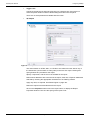
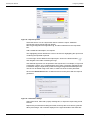
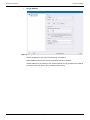
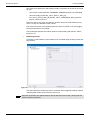
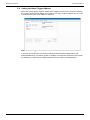
1
User Manual
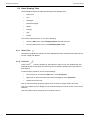
RollMap
RollCall Schematic Viewer
www.s-a-m.com
RollMap User Manual
Information and Notices
Information and Notices
Copyright and Disclaimer
Copyright protection claimed includes all forms and matters of copyrightable material and
information now allowed by statutory or judicial law or hereinafter granted, including without
limitation, material generated from the software programs which are displayed on the screen
such as icons, screen display looks etc.
Information in this manual and software are subject to change without notice and does not
represent a commitment on the part of SAM. The software described in this manual is
furnished under a license agreement and can not be reproduced or copied in any manner
without prior agreement with SAM, or their authorized agents.
Reproduction or disassembly of embedded computer programs or algorithms prohibited.
No part of this publication can be transmitted or reproduced in any form or by any means,
electronic or mechanical, including photocopy, recording or any information storage and
retrieval system, without permission being granted, in writing, by the publishers or their
authorized agents.
SAM operates a policy of continuous improvement and development. SAM reserves the right
to make changes and improvements to any of the products described in this document
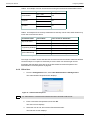
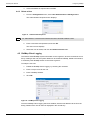
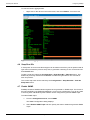
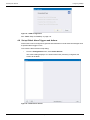
without prior notice.
Contact Details
Customer Support
For details of our Regional Customer Support Offices please visit the SAM web site and
navigate to Support/Contact Support.
www.s-a-m.com/support/contact-support/
Customers with a support contract should call their personalized number, which can be found
in their contract, and be ready to provide their contract number and details.
Issue 6 Rev 1
Page 2
© 2015 SAM
RollMap User Manual
Contents
Contents
Information and Notices . . . . . . . . . . . . . . . . . . . . . . . . . . . . . . . . . . . . . . . . . . . . . . . . 2
Copyright and Disclaimer . . . . . . . . . . . . . . . . . . . . . . . . . . . . . . . . . . . . . . . . . . . . . . 2
Contact Details . . . . . . . . . . . . . . . . . . . . . . . . . . . . . . . . . . . . . . . . . . . . . . . . . . . . . . 2
1. Introduction. . . . . . . . . . . . . . . . . . . . . . . . . . . . . . . . . . . . . . . . . . . . . . . . . . . . . . . . . 8
1.1 RollMap Versions . . . . . . . . . . . . . . . . . . . . . . . . . . . . . . . . . . . . . . . . . . . . . . . . . 8
2. Installation . . . . . . . . . . . . . . . . . . . . . . . . . . . . . . . . . . . . . . . . . . . . . . . . . . . . . . . . . 9
2.1 Prerequisites . . . . . . . . . . . . . . . . . . . . . . . . . . . . . . . . . . . . . . . . . . . . . . . . . . . . . 9
2.2 Install RollMap . . . . . . . . . . . . . . . . . . . . . . . . . . . . . . . . . . . . . . . . . . . . . . . . . . . . 9
2.2.1 Setup Type . . . . . . . . . . . . . . . . . . . . . . . . . . . . . . . . . . . . . . . . . . . . . . . . . . 9
2.2.2 Editing/Monitoring Workstation . . . . . . . . . . . . . . . . . . . . . . . . . . . . . . . . . . 10
3. General Operation . . . . . . . . . . . . . . . . . . . . . . . . . . . . . . . . . . . . . . . . . . . . . . . . . . 11
3.1 Screen Components . . . . . . . . . . . . . . . . . . . . . . . . . . . . . . . . . . . . . . . . . . . . . . .11
3.2 Main Toolbars . . . . . . . . . . . . . . . . . . . . . . . . . . . . . . . . . . . . . . . . . . . . . . . . . . . 12
3.2.1 New . . . . . . . . . . . . . . . . . . . . . . . . . . . . . . . . . . . . . . . . . . . . . . . . . . . . . . 12
3.2.2 Open . . . . . . . . . . . . . . . . . . . . . . . . . . . . . . . . . . . . . . . . . . . . . . . . . . . . . 12
3.2.3 Save . . . . . . . . . . . . . . . . . . . . . . . . . . . . . . . . . . . . . . . . . . . . . . . . . . . . . . 12
3.2.4 Cut . . . . . . . . . . . . . . . . . . . . . . . . . . . . . . . . . . . . . . . . . . . . . . . . . . . . . . . 12
3.2.5 Copy . . . . . . . . . . . . . . . . . . . . . . . . . . . . . . . . . . . . . . . . . . . . . . . . . . . . . . 12
3.2.6 Paste . . . . . . . . . . . . . . . . . . . . . . . . . . . . . . . . . . . . . . . . . . . . . . . . . . . . . 12
3.2.7 Print . . . . . . . . . . . . . . . . . . . . . . . . . . . . . . . . . . . . . . . . . . . . . . . . . . . . . . 12
3.2.8 Back One Level/Forward One Level . . . . . . . . . . . . . . . . . . . . . . . . . . . . . 12
3.2.9 Home Schematic . . . . . . . . . . . . . . . . . . . . . . . . . . . . . . . . . . . . . . . . . . . . 12
3.2.10 Edit Schematic . . . . . . . . . . . . . . . . . . . . . . . . . . . . . . . . . . . . . . . . . . . . . 12
3.2.11 Login . . . . . . . . . . . . . . . . . . . . . . . . . . . . . . . . . . . . . . . . . . . . . . . . . . . . . 13
3.2.12 Lock/Unlock Views . . . . . . . . . . . . . . . . . . . . . . . . . . . . . . . . . . . . . . . . . . 13
3.2.13 Log Logic . . . . . . . . . . . . . . . . . . . . . . . . . . . . . . . . . . . . . . . . . . . . . . . . . 13
3.2.14 Cascade . . . . . . . . . . . . . . . . . . . . . . . . . . . . . . . . . . . . . . . . . . . . . . . . . . 13
3.2.15 Tile Horizontally . . . . . . . . . . . . . . . . . . . . . . . . . . . . . . . . . . . . . . . . . . . . 13
3.2.16 Tile Vertically . . . . . . . . . . . . . . . . . . . . . . . . . . . . . . . . . . . . . . . . . . . . . . 14
3.2.17 Minimize/Un-Minimize . . . . . . . . . . . . . . . . . . . . . . . . . . . . . . . . . . . . . . . 14
3.2.18 Zoom . . . . . . . . . . . . . . . . . . . . . . . . . . . . . . . . . . . . . . . . . . . . . . . . . . . . 14
3.2.19 Scale to Fit Window . . . . . . . . . . . . . . . . . . . . . . . . . . . . . . . . . . . . . . . . . 14
3.2.20 Fullscreen . . . . . . . . . . . . . . . . . . . . . . . . . . . . . . . . . . . . . . . . . . . . . . . . . 14
3.2.21 Previous/Next . . . . . . . . . . . . . . . . . . . . . . . . . . . . . . . . . . . . . . . . . . . . . 14
3.3 Customize Screen Layout and Color Theme . . . . . . . . . . . . . . . . . . . . . . . . . . . 15
3.3.1 Docking Windows . . . . . . . . . . . . . . . . . . . . . . . . . . . . . . . . . . . . . . . . . . . . 15
3.3.2 Customize Toolbars. . . . . . . . . . . . . . . . . . . . . . . . . . . . . . . . . . . . . . . . . . . 16
3.3.3 Set a Color Theme . . . . . . . . . . . . . . . . . . . . . . . . . . . . . . . . . . . . . . . . . . . 17
4. Configuring RollMap . . . . . . . . . . . . . . . . . . . . . . . . . . . . . . . . . . . . . . . . . . . . . . . .
4.1 Set the Log Server Connection . . . . . . . . . . . . . . . . . . . . . . . . . . . . . . . . . . . . . .
4.1.1 TCP/IP Input . . . . . . . . . . . . . . . . . . . . . . . . . . . . . . . . . . . . . . . . . . . . . . . .
4.1.2 File Input . . . . . . . . . . . . . . . . . . . . . . . . . . . . . . . . . . . . . . . . . . . . . . . . . . .
4.1.3 Control Connection . . . . . . . . . . . . . . . . . . . . . . . . . . . . . . . . . . . . . . . . . . .
4.1.4 Thumbnail Server Connection. . . . . . . . . . . . . . . . . . . . . . . . . . . . . . . . . . .
4.2 Set up the Unit List . . . . . . . . . . . . . . . . . . . . . . . . . . . . . . . . . . . . . . . . . . . . . . .
4.2.1 Set up Keyword Headers . . . . . . . . . . . . . . . . . . . . . . . . . . . . . . . . . . . . . .
4.2.2 Special Keyword Headers . . . . . . . . . . . . . . . . . . . . . . . . . . . . . . . . . . . . . .
4.3 Set the Global Time Format . . . . . . . . . . . . . . . . . . . . . . . . . . . . . . . . . . . . . . . .
4.4 Manage Users . . . . . . . . . . . . . . . . . . . . . . . . . . . . . . . . . . . . . . . . . . . . . . . . . . .
4.4.1 Add a User . . . . . . . . . . . . . . . . . . . . . . . . . . . . . . . . . . . . . . . . . . . . . . . . .
4.4.2 Edit a User . . . . . . . . . . . . . . . . . . . . . . . . . . . . . . . . . . . . . . . . . . . . . . . . .
4.4.3 Delete a User . . . . . . . . . . . . . . . . . . . . . . . . . . . . . . . . . . . . . . . . . . . . . . .
4.5 RollMap Client Logging . . . . . . . . . . . . . . . . . . . . . . . . . . . . . . . . . . . . . . . . . . . .
4.6 Snap Shot IDs . . . . . . . . . . . . . . . . . . . . . . . . . . . . . . . . . . . . . . . . . . . . . . . . . . .
Issue 6 Rev 1
Page 3
18
18
18
19
19
20
20
21
22
24
24
24
26
27
27
28
© 2015 SAM
RollMap User Manual
Issue 6 Rev 1
Contents
4.7 Enable SNMP . . . . . . . . . . . . . . . . . . . . . . . . . . . . . . . . . . . . . . . . . . . . . . . . . . .
4.8 Set up Global Alarm Triggers and Actions . . . . . . . . . . . . . . . . . . . . . . . . . . . . .
4.8.1 About Alarm Triggers . . . . . . . . . . . . . . . . . . . . . . . . . . . . . . . . . . . . . . . . .
4.8.2 About Alarm Actions . . . . . . . . . . . . . . . . . . . . . . . . . . . . . . . . . . . . . . . . . .
4.8.3 Add an Alarm Trigger . . . . . . . . . . . . . . . . . . . . . . . . . . . . . . . . . . . . . . . . .
4.8.4 Configure Alarm Triggers . . . . . . . . . . . . . . . . . . . . . . . . . . . . . . . . . . . . . .
4.8.5 Add an Alarm Action . . . . . . . . . . . . . . . . . . . . . . . . . . . . . . . . . . . . . . . . . .
4.8.6 Alarm Action Operations . . . . . . . . . . . . . . . . . . . . . . . . . . . . . . . . . . . . . . .
4.8.7 Trigger Operations . . . . . . . . . . . . . . . . . . . . . . . . . . . . . . . . . . . . . . . . . . .
4.8.8 Multi Alarm Triggers . . . . . . . . . . . . . . . . . . . . . . . . . . . . . . . . . . . . . . . . . .
4.8.9 Configure Alarm Actions . . . . . . . . . . . . . . . . . . . . . . . . . . . . . . . . . . . . . . .
4.8.10 Global Alarm Actions Versus Object Auto Command Actions. . . . . . . . . .
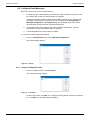
4.9 Configure Email Messages . . . . . . . . . . . . . . . . . . . . . . . . . . . . . . . . . . . . . . . . .
4.9.1 Create a Transport Profile . . . . . . . . . . . . . . . . . . . . . . . . . . . . . . . . . . . . . .
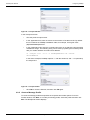
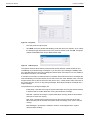
4.9.2 Create a Message Profile . . . . . . . . . . . . . . . . . . . . . . . . . . . . . . . . . . . . . .
4.10 Specify the Location of the Home Schematic . . . . . . . . . . . . . . . . . . . . . . . . . .
4.11 Set up Search Paths . . . . . . . . . . . . . . . . . . . . . . . . . . . . . . . . . . . . . . . . . . . . .
4.12 Multi-window Configuration . . . . . . . . . . . . . . . . . . . . . . . . . . . . . . . . . . . . . . . .
4.12.1 Define Target Windows . . . . . . . . . . . . . . . . . . . . . . . . . . . . . . . . . . . . . . .
4.12.2 Rules for Opening Schematics . . . . . . . . . . . . . . . . . . . . . . . . . . . . . . . . .
4.12.3 Full Screen Options. . . . . . . . . . . . . . . . . . . . . . . . . . . . . . . . . . . . . . . . . .
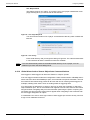
4.12.4 Manually Display Schematics Outside of the RollMap Window . . . . . . . .
4.12.5 Edit Released Windows . . . . . . . . . . . . . . . . . . . . . . . . . . . . . . . . . . . . . .
4.13 Configure Shortcut Links . . . . . . . . . . . . . . . . . . . . . . . . . . . . . . . . . . . . . . . . . .
4.14 Other Configuration Options . . . . . . . . . . . . . . . . . . . . . . . . . . . . . . . . . . . . . . .
28
29
30
30
31
32
34
34
34
34
35
52
53
53
54
56
57
58
59
59
59
59
60
60
61
5. System Alarms Window. . . . . . . . . . . . . . . . . . . . . . . . . . . . . . . . . . . . . . . . . . . . . .
5.1 Description . . . . . . . . . . . . . . . . . . . . . . . . . . . . . . . . . . . . . . . . . . . . . . . . . . . . .
5.2 Connect to Units . . . . . . . . . . . . . . . . . . . . . . . . . . . . . . . . . . . . . . . . . . . . . . . . .
5.3 Mask Units. . . . . . . . . . . . . . . . . . . . . . . . . . . . . . . . . . . . . . . . . . . . . . . . . . . . . .
5.3.1 Mask Setup . . . . . . . . . . . . . . . . . . . . . . . . . . . . . . . . . . . . . . . . . . . . . . . . .
5.3.2 Mask Unit / Unmask Unit. . . . . . . . . . . . . . . . . . . . . . . . . . . . . . . . . . . . . . .
5.3.3 Mask Unit Until Green . . . . . . . . . . . . . . . . . . . . . . . . . . . . . . . . . . . . . . . . .
5.3.4 Mask Unit Until Time . . . . . . . . . . . . . . . . . . . . . . . . . . . . . . . . . . . . . . . . . .
5.3.5 Mask Cell / Unmask Cell . . . . . . . . . . . . . . . . . . . . . . . . . . . . . . . . . . . . . . .
5.3.6 Mask Cell Until Green . . . . . . . . . . . . . . . . . . . . . . . . . . . . . . . . . . . . . . . . .
5.3.7 Mask Cell Until Time . . . . . . . . . . . . . . . . . . . . . . . . . . . . . . . . . . . . . . . . . .
5.3.8 Unmask All Cells . . . . . . . . . . . . . . . . . . . . . . . . . . . . . . . . . . . . . . . . . . . . .
5.4 Query the State of a Unit . . . . . . . . . . . . . . . . . . . . . . . . . . . . . . . . . . . . . . . . . . .
5.5 Change View Options . . . . . . . . . . . . . . . . . . . . . . . . . . . . . . . . . . . . . . . . . . . . .
5.5.1 Aggregate State. . . . . . . . . . . . . . . . . . . . . . . . . . . . . . . . . . . . . . . . . . . . . .
5.5.2 Highlight Changes . . . . . . . . . . . . . . . . . . . . . . . . . . . . . . . . . . . . . . . . . . . .
5.5.3 Auto-arrange Column Widths . . . . . . . . . . . . . . . . . . . . . . . . . . . . . . . . . . .
5.5.4 Show Error State in Network Tree . . . . . . . . . . . . . . . . . . . . . . . . . . . . . . . .
5.6 Override Keyword Headers . . . . . . . . . . . . . . . . . . . . . . . . . . . . . . . . . . . . . . . . .
5.7 Log Field Logic . . . . . . . . . . . . . . . . . . . . . . . . . . . . . . . . . . . . . . . . . . . . . . . . . .
5.8 View Unit Details . . . . . . . . . . . . . . . . . . . . . . . . . . . . . . . . . . . . . . . . . . . . . . . . .
5.9 Printing . . . . . . . . . . . . . . . . . . . . . . . . . . . . . . . . . . . . . . . . . . . . . . . . . . . . . . . .
5.9.1 Page Setup Options . . . . . . . . . . . . . . . . . . . . . . . . . . . . . . . . . . . . . . . . . .
5.9.2 Printer Setup Options . . . . . . . . . . . . . . . . . . . . . . . . . . . . . . . . . . . . . . . . .
5.9.3 Print Preview . . . . . . . . . . . . . . . . . . . . . . . . . . . . . . . . . . . . . . . . . . . . . . . .
5.9.4 Print . . . . . . . . . . . . . . . . . . . . . . . . . . . . . . . . . . . . . . . . . . . . . . . . . . . . . . .
5.10 User Alarms. . . . . . . . . . . . . . . . . . . . . . . . . . . . . . . . . . . . . . . . . . . . . . . . . . . .
5.10.1 Set up an Alarm Document . . . . . . . . . . . . . . . . . . . . . . . . . . . . . . . . . . . .
5.10.2 Unit State. . . . . . . . . . . . . . . . . . . . . . . . . . . . . . . . . . . . . . . . . . . . . . . . . .
5.10.3 Mask/Unmask Units . . . . . . . . . . . . . . . . . . . . . . . . . . . . . . . . . . . . . . . . .
5.10.4 Set Viewing Mask . . . . . . . . . . . . . . . . . . . . . . . . . . . . . . . . . . . . . . . . . . .
5.10.5 Move Faulty Units . . . . . . . . . . . . . . . . . . . . . . . . . . . . . . . . . . . . . . . . . . .
5.10.6 New Alarm. . . . . . . . . . . . . . . . . . . . . . . . . . . . . . . . . . . . . . . . . . . . . . . . .
5.10.7 Hide the Mask Window . . . . . . . . . . . . . . . . . . . . . . . . . . . . . . . . . . . . . . .
62
62
62
62
62
63
63
63
63
63
63
63
64
64
64
64
64
65
65
65
68
69
69
69
69
69
70
70
70
71
71
71
72
72
Page 4
© 2015 SAM
RollMap User Manual
Contents
5.10.8 Print the User Alarm window . . . . . . . . . . . . . . . . . . . . . . . . . . . . . . . . . . .
5.11 Configure Headers . . . . . . . . . . . . . . . . . . . . . . . . . . . . . . . . . . . . . . . . . . . . . .
5.11.1 Select Columns . . . . . . . . . . . . . . . . . . . . . . . . . . . . . . . . . . . . . . . . . . . . .
5.11.2 Deselect Columns After Pin. . . . . . . . . . . . . . . . . . . . . . . . . . . . . . . . . . . .
5.11.3 Edit Header . . . . . . . . . . . . . . . . . . . . . . . . . . . . . . . . . . . . . . . . . . . . . . . .
5.11.4 Create All Headers . . . . . . . . . . . . . . . . . . . . . . . . . . . . . . . . . . . . . . . . . .
5.11.5 Sort Headers By Name . . . . . . . . . . . . . . . . . . . . . . . . . . . . . . . . . . . . . . .
5.11.6 Delete Unused Headers . . . . . . . . . . . . . . . . . . . . . . . . . . . . . . . . . . . . . .
5.11.7 Fix Header Position . . . . . . . . . . . . . . . . . . . . . . . . . . . . . . . . . . . . . . . . . .
5.11.8 Auto-arrange Column Widths . . . . . . . . . . . . . . . . . . . . . . . . . . . . . . . . . .
72
73
73
74
74
74
74
74
74
74
6. Network Tree. . . . . . . . . . . . . . . . . . . . . . . . . . . . . . . . . . . . . . . . . . . . . . . . . . . . . . .
6.1 Description . . . . . . . . . . . . . . . . . . . . . . . . . . . . . . . . . . . . . . . . . . . . . . . . . . . . .
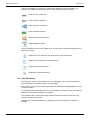
6.2 Auto Discovery . . . . . . . . . . . . . . . . . . . . . . . . . . . . . . . . . . . . . . . . . . . . . . . . . .
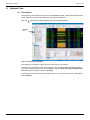
6.3 Load Control Screen . . . . . . . . . . . . . . . . . . . . . . . . . . . . . . . . . . . . . . . . . . . . . .
75
75
76
77
7. User Tree . . . . . . . . . . . . . . . . . . . . . . . . . . . . . . . . . . . . . . . . . . . . . . . . . . . . . . . . . . 78
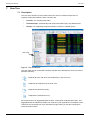
7.1 Description . . . . . . . . . . . . . . . . . . . . . . . . . . . . . . . . . . . . . . . . . . . . . . . . . . . . . 78
7.1.1 Filtered Groups . . . . . . . . . . . . . . . . . . . . . . . . . . . . . . . . . . . . . . . . . . . . . . 79
8. History Tabs . . . . . . . . . . . . . . . . . . . . . . . . . . . . . . . . . . . . . . . . . . . . . . . . . . . . . . .
8.1 Description . . . . . . . . . . . . . . . . . . . . . . . . . . . . . . . . . . . . . . . . . . . . . . . . . . . . .
8.2 Managing History Tabs . . . . . . . . . . . . . . . . . . . . . . . . . . . . . . . . . . . . . . . . . . . .
8.2.1 Create Complimentary Tab . . . . . . . . . . . . . . . . . . . . . . . . . . . . . . . . . . . . .
8.2.2 Create New Tab . . . . . . . . . . . . . . . . . . . . . . . . . . . . . . . . . . . . . . . . . . . . .
8.2.3 Move Tab Order Left / Right . . . . . . . . . . . . . . . . . . . . . . . . . . . . . . . . . . . .
8.2.4 Delete Tab . . . . . . . . . . . . . . . . . . . . . . . . . . . . . . . . . . . . . . . . . . . . . . . . . .
8.2.5 History Tab Log File Setup . . . . . . . . . . . . . . . . . . . . . . . . . . . . . . . . . . . . .
8.2.6 Columns . . . . . . . . . . . . . . . . . . . . . . . . . . . . . . . . . . . . . . . . . . . . . . . . . . .
8.2.7 History Tab Properties . . . . . . . . . . . . . . . . . . . . . . . . . . . . . . . . . . . . . . . . .
8.3 History Tab Example . . . . . . . . . . . . . . . . . . . . . . . . . . . . . . . . . . . . . . . . . . . . . .
82
82
82
82
82
83
83
83
84
86
87
9. Schematic Window. . . . . . . . . . . . . . . . . . . . . . . . . . . . . . . . . . . . . . . . . . . . . . . . . . 90
9.1 Description . . . . . . . . . . . . . . . . . . . . . . . . . . . . . . . . . . . . . . . . . . . . . . . . . . . . . 90
9.2 Working with Schematic Documents . . . . . . . . . . . . . . . . . . . . . . . . . . . . . . . . . . 90
9.2.1 Starting a New Schematic Document . . . . . . . . . . . . . . . . . . . . . . . . . . . . . 90
9.2.2 Run and Design Modes. . . . . . . . . . . . . . . . . . . . . . . . . . . . . . . . . . . . . . . . 91
9.2.3 Full Screen Navigation . . . . . . . . . . . . . . . . . . . . . . . . . . . . . . . . . . . . . . . . 91
9.2.4 Setting Document Properties . . . . . . . . . . . . . . . . . . . . . . . . . . . . . . . . . . . 92
9.2.5 Basic Editing Functions . . . . . . . . . . . . . . . . . . . . . . . . . . . . . . . . . . . . . . . . 96
9.2.6 Viewing Item Properties . . . . . . . . . . . . . . . . . . . . . . . . . . . . . . . . . . . . . . . 96
9.2.7 Ordering Items in the Schematic Window . . . . . . . . . . . . . . . . . . . . . . . . . . 97
9.2.8 Opening Schematics in the Same Window . . . . . . . . . . . . . . . . . . . . . . . . . 97
9.2.9 Printing a Schematic . . . . . . . . . . . . . . . . . . . . . . . . . . . . . . . . . . . . . . . . . . 97
9.3 Basic Drawing Tools . . . . . . . . . . . . . . . . . . . . . . . . . . . . . . . . . . . . . . . . . . . . . . 98
9.3.1 Select Tool . . . . . . . . . . . . . . . . . . . . . . . . . . . . . . . . . . . . . . . . . . . . . . . . . 98
9.3.2 Line Tool . . . . . . . . . . . . . . . . . . . . . . . . . . . . . . . . . . . . . . . . . . . . . . . . . . . 98
9.3.3 Rectangle Tool . . . . . . . . . . . . . . . . . . . . . . . . . . . . . . . . . . . . . . . . . . . . . . 99
9.3.4 Round Rectangle Tool . . . . . . . . . . . . . . . . . . . . . . . . . . . . . . . . . . . . . . . . 99
9.3.5 Ellipse and Circle Tool . . . . . . . . . . . . . . . . . . . . . . . . . . . . . . . . . . . . . . . . 99
9.3.6 Triangle Tool . . . . . . . . . . . . . . . . . . . . . . . . . . . . . . . . . . . . . . . . . . . . . . . . 99
9.3.7 Polygon Tool . . . . . . . . . . . . . . . . . . . . . . . . . . . . . . . . . . . . . . . . . . . . . . . . 99
9.3.8 Text Tool . . . . . . . . . . . . . . . . . . . . . . . . . . . . . . . . . . . . . . . . . . . . . . . . . . 100
9.3.9 Picture Tool . . . . . . . . . . . . . . . . . . . . . . . . . . . . . . . . . . . . . . . . . . . . . . . 103
9.4 Advanced Drawing Tools. . . . . . . . . . . . . . . . . . . . . . . . . . . . . . . . . . . . . . . . . . 103
9.4.1 Schematic Link Tool . . . . . . . . . . . . . . . . . . . . . . . . . . . . . . . . . . . . . . . . . 103
9.4.2 Status Control . . . . . . . . . . . . . . . . . . . . . . . . . . . . . . . . . . . . . . . . . . . . . . 106
9.4.3 Thumbnail Tool . . . . . . . . . . . . . . . . . . . . . . . . . . . . . . . . . . . . . . . . . . . . . 108
9.4.4 Web Browser Tool . . . . . . . . . . . . . . . . . . . . . . . . . . . . . . . . . . . . . . . . . . .110
9.4.5 Streaming Control Tool . . . . . . . . . . . . . . . . . . . . . . . . . . . . . . . . . . . . . . . .111
Issue 6 Rev 1
Page 5
© 2015 SAM
RollMap User Manual
Contents
9.4.6 Pie Chart Tool . . . . . . . . . . . . . . . . . . . . . . . . . . . . . . . . . . . . . . . . . . . . . . .112
9.4.7 Meter Tool . . . . . . . . . . . . . . . . . . . . . . . . . . . . . . . . . . . . . . . . . . . . . . . . .113
9.4.8 Exception Monitoring Widget . . . . . . . . . . . . . . . . . . . . . . . . . . . . . . . . . . .115
9.4.9 Insert Component . . . . . . . . . . . . . . . . . . . . . . . . . . . . . . . . . . . . . . . . . . . .117
9.4.10 Load Control Screen Template From Cache . . . . . . . . . . . . . . . . . . . . . .118
9.5 Components . . . . . . . . . . . . . . . . . . . . . . . . . . . . . . . . . . . . . . . . . . . . . . . . . . . .118
9.5.1 Component Documents. . . . . . . . . . . . . . . . . . . . . . . . . . . . . . . . . . . . . . . .118
9.5.2 Inserting a User Component . . . . . . . . . . . . . . . . . . . . . . . . . . . . . . . . . . . .118
9.6 Control Objects . . . . . . . . . . . . . . . . . . . . . . . . . . . . . . . . . . . . . . . . . . . . . . . . . 120
9.6.1 Control Objects and Addressing . . . . . . . . . . . . . . . . . . . . . . . . . . . . . . . . 122
9.7 Adding ActiveX Objects. . . . . . . . . . . . . . . . . . . . . . . . . . . . . . . . . . . . . . . . . . . 123
9.7.1 Inserting an ActiveX Object . . . . . . . . . . . . . . . . . . . . . . . . . . . . . . . . . . . . 123
9.8 Snell ActiveX Objects . . . . . . . . . . . . . . . . . . . . . . . . . . . . . . . . . . . . . . . . . . . . 125
9.8.1 Snell State LED ActiveX Object . . . . . . . . . . . . . . . . . . . . . . . . . . . . . . . . 126
9.8.2 Snell General Button . . . . . . . . . . . . . . . . . . . . . . . . . . . . . . . . . . . . . . . . 128
9.8.3 Snell State Text . . . . . . . . . . . . . . . . . . . . . . . . . . . . . . . . . . . . . . . . . . . . . 137
9.8.4 Snell State Frame . . . . . . . . . . . . . . . . . . . . . . . . . . . . . . . . . . . . . . . . . . . 139
9.8.5 Snell State Meter . . . . . . . . . . . . . . . . . . . . . . . . . . . . . . . . . . . . . . . . . . . 142
9.8.6 Snell Check Box . . . . . . . . . . . . . . . . . . . . . . . . . . . . . . . . . . . . . . . . . . . . 145
9.8.7 Snell Roll Clock Object . . . . . . . . . . . . . . . . . . . . . . . . . . . . . . . . . . . . . . . 153
9.8.8 Snell XY Router Panel . . . . . . . . . . . . . . . . . . . . . . . . . . . . . . . . . . . . . . . 155
9.8.9 Snell BPX Router Panel . . . . . . . . . . . . . . . . . . . . . . . . . . . . . . . . . . . . . . 159
9.8.10 Snell Dial-up Router Panel . . . . . . . . . . . . . . . . . . . . . . . . . . . . . . . . . . . 162
Appendix A. RollMap Command Line Parameters . . . . . . . . . . . . . . . . . . . . . . . . . 166
A.1 Replacing a schematic variable . . . . . . . . . . . . . . . . . . . . . . . . . . . . . . . . . . . . 168
Appendix B. SNMP Setup for RollMap . . . . . . . . . . . . . . . . . . . . . . . . . . . . . . . . . . . 170
B.1 Installing SNMP Services for Windows XP . . . . . . . . . . . . . . . . . . . . . . . . . . . . 170
B.2 Installing SNMP Services for Windows 7 / 2008. . . . . . . . . . . . . . . . . . . . . . . . 173
Appendix C. Deferred Addressing . . . . . . . . . . . . . . . . . . . . . . . . . . . . . . . . . . . . . .
C.1 Hierarchic Principle. . . . . . . . . . . . . . . . . . . . . . . . . . . . . . . . . . . . . . . . . . . . . .
C.2 Set the Schematic Address . . . . . . . . . . . . . . . . . . . . . . . . . . . . . . . . . . . . . . .
C.3 Set the Address of a Component, Tool, or ActiveX Object. . . . . . . . . . . . . . . .
C.4 Setting the Alarm Trigger Address . . . . . . . . . . . . . . . . . . . . . . . . . . . . . . . . . .
176
176
177
177
178
Appendix D. Integrating RollMap with Volicon Observer . . . . . . . . . . . . . . . . . . . .
D.1 Overview. . . . . . . . . . . . . . . . . . . . . . . . . . . . . . . . . . . . . . . . . . . . . . . . . . . . . .
D.2 Configuring Shortcut Links . . . . . . . . . . . . . . . . . . . . . . . . . . . . . . . . . . . . . . . .
D.3 Setting up the INFORMATION2 Log Field . . . . . . . . . . . . . . . . . . . . . . . . . . . .
D.4 Setting up the RollMap History Tabs . . . . . . . . . . . . . . . . . . . . . . . . . . . . . . . .
D.5 Working with Volicon Observer. . . . . . . . . . . . . . . . . . . . . . . . . . . . . . . . . . . . .
179
179
179
180
181
181
Appendix E. Virtual Units. . . . . . . . . . . . . . . . . . . . . . . . . . . . . . . . . . . . . . . . . . . . . .
E.1 Overview . . . . . . . . . . . . . . . . . . . . . . . . . . . . . . . . . . . . . . . . . . . . . . . . . . . . . .
E.2 Troubleshooting . . . . . . . . . . . . . . . . . . . . . . . . . . . . . . . . . . . . . . . . . . . . . . . .
E.2.1 Cannot see virtual unit in User Alarms View . . . . . . . . . . . . . . . . . . . .
E.2.2 Cannot see the virtual header in User Alarms View . . . . . . . . . . . . . .
182
182
182
182
182
Appendix F. Rules Engine . . . . . . . . . . . . . . . . . . . . . . . . . . . . . . . . . . . . . . . . . . . . .
F.1 Overview . . . . . . . . . . . . . . . . . . . . . . . . . . . . . . . . . . . . . . . . . . . . . . . . . . . . . .
F.2 Rule Editor . . . . . . . . . . . . . . . . . . . . . . . . . . . . . . . . . . . . . . . . . . . . . . . . . . . .
F.2.1 Rule Editor Settings . . . . . . . . . . . . . . . . . . . . . . . . . . . . . . . . . . . . . . .
F.3 Example Rules . . . . . . . . . . . . . . . . . . . . . . . . . . . . . . . . . . . . . . . . . . . . . . . . .
F.3.1 Example 1 . . . . . . . . . . . . . . . . . . . . . . . . . . . . . . . . . . . . . . . . . . . . . .
F.3.2 Example 2 . . . . . . . . . . . . . . . . . . . . . . . . . . . . . . . . . . . . . . . . . . . . . .
183
183
183
183
184
184
185
Appendix G. RollMap Parameterization . . . . . . . . . . . . . . . . . . . . . . . . . . . . . . . . . . 189
G.1 Relative Paths . . . . . . . . . . . . . . . . . . . . . . . . . . . . . . . . . . . . . . . . . . . . . . . . . 189
Issue 6 Rev 1
Page 6
© 2015 SAM
RollMap User Manual
Contents
G.2 Search Paths . . . . . . . . . . . . . . . . . . . . . . . . . . . . . . . . . . . . . . . . . . . . . . . . . .
G.3 Macros . . . . . . . . . . . . . . . . . . . . . . . . . . . . . . . . . . . . . . . . . . . . . . . . . . . . . . .
G.4 Dynamic Log Field Insertion . . . . . . . . . . . . . . . . . . . . . . . . . . . . . . . . . . . . . . .
G.5 Dynamic Data Insertion . . . . . . . . . . . . . . . . . . . . . . . . . . . . . . . . . . . . . . . . . .
G.6 Variables. . . . . . . . . . . . . . . . . . . . . . . . . . . . . . . . . . . . . . . . . . . . . . . . . . . . . .
G.6.1 Variables replacement. . . . . . . . . . . . . . . . . . . . . . . . . . . . . . . . . . . . .
G.6.2 Variables and Addressing . . . . . . . . . . . . . . . . . . . . . . . . . . . . . . . . . .
Issue 6 Rev 1
Page 7
189
190
191
191
193
195
195
© 2015 SAM
RollMap User Manual
Introduction
1. Introduction
RollMap, the RollCall Schematic Viewer, is a companion program to the existing RollCall set
of programs for logging and control. In addition to a configurable System Alarm window, there
is a schematic drawing package built into RollMap to provide a visual representation of the
network and connectivity of your system. Alarms from the units can be assigned to trigger
events in objects in the schematic. RollMap is a full ActiveX container; hence it can use some
ActiveX objects registered in the Windows operating system.
1.1 RollMap Versions
RollMap is available in three different versions:
RollMap 10
Management of up to 10 RollCall enabled Enclosures, ideal for the
management of small systems.
RollMap10 includes the following licenses:
1 x Schematic Creation license
2 x Schematic Viewing licenses
Prerequisites
RollCall Middleware services are required.
Options
RollSNMP is an option with this product
RollMap 30
Management of up to 30 RollCall enabled Enclosures, ideal for the
management of medium sized infrastructure systems.
RollMap30 includes the following licenses:
1 x Schematic Creation license
5 x Schematic Viewing licenses
Prerequisites
RollCall Middleware services are required
Options
RollSNMP is an option with this product
RollMapENT
RollMap Enterprise Edition offers totally scalable systems management
of unlimited RollCall enabled Enclosures. RollMap Enterprise Edition
includes RollMap Middleware services and RollSNMP. It is the best
option for customers that wish to implement an integrated monitoring
environment for medium to large infrastructure systems.
RollMapENT includes the following licenses:
2 x Schematic Creation licenses
10 x Schematic Viewing licenses
1 x RollCall Middleware license
1 x RollSNMP Framework license
1 x RollMechanic license
Issue 6 Rev 1
Page 8
© 2015 SAM
RollMap User Manual
Installation
2. Installation
2.1 Prerequisites
RollMap requires a fully working version of RollCall Middleware Services to be installed,
either on the same machine as RollMap, or on a network-connected machine. Without a
running RollCall LogServer, RollMap has no functionality. The recommended configuration is
a single, dedicated log server PC, with one or more workstation PCs running RollMap,
connected to the server via a TCP/IP LAN. Only a single log server can collect log data from
any RollCall device, but multiple log viewers like RollMap can connect to a server.
RollMap has the facility to generate V1 Simple Network Management Protocol (SNMP) Trap
events. These traps are sent to co-operating SNMP Managers and can be used as an
additional alarm monitoring system. RollMap relies on the Microsoft "SNMP" and "SNMP
Trap" services to be installed on the computer. These services are available on the Windows
installation media as standard. For more information about installing and configuring SNMP
for use with RollMap, See SNMP Setup for RollMap on page 170.
2.2 Install RollMap
RollMap is installed by means of a Windows installation executable file. To install RollMap,
run the installation executable and follow the on-screen instructions.
Note:
When installing on a PC running Windows 7, Vista, or Server 2008, it may be necessary to
set the User Account Control settings to “Never notify”. This is set from the Windows
control panel.
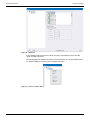
2.2.1 Setup Type
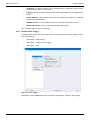
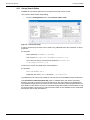
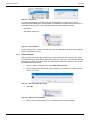
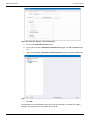
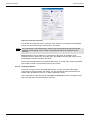
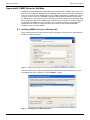
After accepting the Licence agreement and installation directory you will be asked which type
of install you would like.
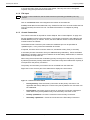
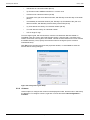
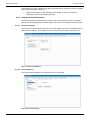
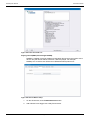
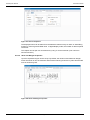
Figure 1
Setup Type
Per User Local - Each user has their own configuration, and is stored in their local user
profile
%LOCALAPPDATA%\SAM\RollMap\Configuration\
Issue 6 Rev 1
Page 9
© 2015 SAM
RollMap User Manual
Installation
Per User Roaming - Each user has their own configuration as above, but will integrate with
domain roaming profiles if enabled.
%APPDATA%\SAM\RollMap\Configuration\
All Users - All users on that PC will share the same configuration file.
%ALLUSERSPROFILE%\SAM\RollMap\Configuration\
In Application Folder - This will install the configuration files to the same directory as the
application. This is for legacy support of previously configured environments and does not
fully support Windows User Account Control.
[Install Directory]\Configuration\
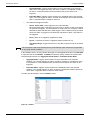
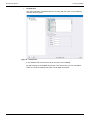
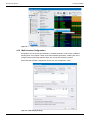
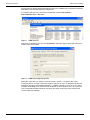
2.2.2 Editing/Monitoring Workstation
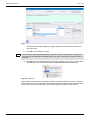
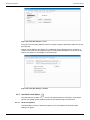
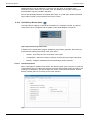
The next dialogue will ask if you want to be able to use this workstation to be able to modify
schematics. If it is to be used for operators only, the recommendation is to select Monitoring
Workstation.
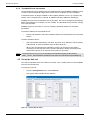
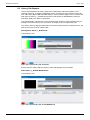
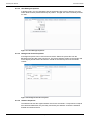
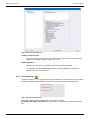
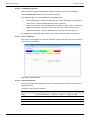
Figure 2
Issue 6 Rev 1
Editing/Monitoring Workstation
Page 10
© 2015 SAM
RollMap User Manual
General Operation
3. General Operation
3.1 Screen Components
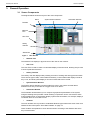
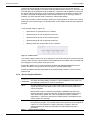
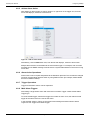
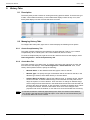
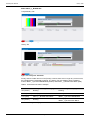
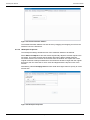
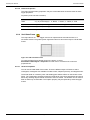
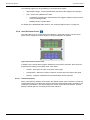
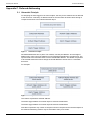
The diagram below shows the layout of the main components.
System Alarms Window
Menu
Schematic Window
Toolbars
Network
Tree
User Tree
History
Tool Bar
Status Bar
Figure 3
•
Main Window
Network Tree
The Network Tree displays a physical view of the units on the network.
•
User Tree
The User Tree is used to create a customized display of selected units, allowing easy access
to units of particular relevance.
•
History Tool Bar
The History Tool Bar displays tabs providing a means of viewing and saving previous states.
There are two type of tabs, current status and history. Current status tabs display events as
they occur, and history tabs display a record of events that have occurred.
•
System Alarms Window
The System Alarms Window is a table made from units in the system and their alarm
headers. Each entry in the table is a trigger event for an alarm.
•
Schematic Window
The Schematic window allows you to compose a graphical representation of the system,
using the drawing tools provided. Certain drawing components can be connected to alarm
events enabling them to dynamically display system state information, for example, display a
red border when an error state occurs.
•
Toolbars
The main toolbars are very similar to a standard Windows-type toolbar with some of the more
familiar file and view options. See “Main Toolbars” on page 12.
Other Toolbars are explained in each relevant section according to the Window with which
they are associated.
Issue 6 Rev 1
Page 11
© 2015 SAM
RollMap User Manual
General Operation
•
Status Bar
The Status Bar displays some information about the current state of RollMap, and provides
quick access to the Control Connection redundancy controls.
•
Menus
A set of menus display at the top of the screen. The majority of these menus are similar to
standard Windows type menus and need no further explanation here.
The Configuration menu provides shortcuts to some of the features available in the various
Windows. See “Configuring RollMap” on page 18.
Right-clicking in a window displays a further menu related to that window.
3.2 Main Toolbars
The main toolbars, immediately below the menu, have the following tools available:
3.2.1 New
Start a new User Alarm Screen, Schematic, or Component file.
3.2.2 Open
Open an existing User Alarm Screen, Schematic, or Component file.
3.2.3 Save
Save the current User Alarm Screen, Schematic, or component to a Component file.
3.2.4 Cut
Cut a component from a schematic.
3.2.5 Copy
Copy a component from a schematic.
3.2.6 Paste
Paste a previously cut or copied component to the current schematic.
3.2.7 Print
Print the current User Alarm Screen, Schematic, or component.
3.2.8 Back One Level/Forward One Level
Selects the previous or next schematic. The order of selection is the same as the order in
which the schematics were opened.
3.2.9 Home Schematic
Displays the home schematic as set up in the Configuration menu. Any previous schematic is
still available, but the home schematic becomes the currently active schematic.
3.2.10 Edit Schematic
This button toggles between edit mode and run mode.
Issue 6 Rev 1
Page 12
© 2015 SAM
RollMap User Manual
General Operation
3.2.11 Login
By creating different log in templates, it is possible to provide restrictions on parts of the
system for certain users. For example, an “administrator” will have system-wide access,
whereas different “users” may only have access to specified parts of the system.
See “Manage Users” on page 24.
3.2.12 Lock/Unlock Views
With a schematic running, it is possible to lock the screen to protect against accidental
changes to the system. Click the Lock icon to lock the current schematic. Click the icon again
to unlock. It is also possible to trigger this option from a button placed on a schematic using
alarm actions.
3.2.13 Log Logic
Enables Log Logic to be added/edited.
See “Log Field Logic” on page 65.
3.2.14 Cascade
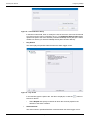
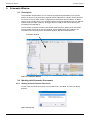
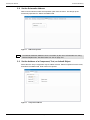
Displays all non-minimized templates as a cascade. This is the default setting.
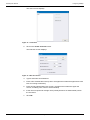
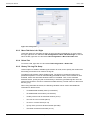
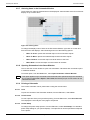
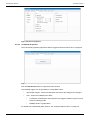
Figure 4
Cascade
3.2.15 Tile Horizontally
Displays all non-minimized templates in a horizontal tile.
Figure 5
Issue 6 Rev 1
Tile Horizontally
Page 13
© 2015 SAM
RollMap User Manual
General Operation
3.2.16 Tile Vertically
Displays all non-minimized templates in a vertical tile.
Figure 6
Tile Vertically
3.2.17 Minimize/Un-Minimize
Minimize - minimizes all opened templates.
Un-Minimize - restores all opened templates.
3.2.18 Zoom
Click on the + or - icons to increase or decrease the zoom factor on the current schematic, or
select a specific zoom factor from the drop-down list.
3.2.19 Scale to Fit Window
With this button selected the schematic scales to fit within its window. If the window size is
subsequently changed, the schematic dynamically scales to fit at the maximum possible size
within the window.
3.2.20 Fullscreen
This button which switches the current schematic or alarms window to fullscreen mode. In
fullscreen mode, the full window is occupied, and the toolbars, Network Browser and
Connected Units are hidden.
To return to normal mode, select Exit full screen mode from the on-screen menu.
Alternatively, use the keyboard shortcut Alt-Enter to toggle between fullscreen mode and
normal mode.
3.2.21 Previous/Next
Selects the previous or next non-minimized template. The order of selection is the same as
the order in which the templates were opened.
Issue 6 Rev 1
Page 14
© 2015 SAM
RollMap User Manual
General Operation
3.3 Customize Screen Layout and Color Theme
The size and position of the component windows within the screen may be changed to suit a
particular application. Tool bars can be configured to show only those items that are being
used. Choose from the dark and light color themes according to preference.
Any changes to the windows and toolbars are saved on closing RollMap, and are restored
automatically when reopening the application.
The layout settings are stored in an external file that, if required, can be copied to other
RollMap clients to give a standard look across clients, or, a number of alternative layouts can
be saved in other folders, and restored depending on the application.
To reference an alternative saved layout file: in the Configuration.cfg file enter the following
line in the [Rollmaster] section:
LayoutFile=(insert the path of the saved file)Layout.xml
3.3.1 Docking Windows
The Network Tree and User Tree windows, and the History and Status Tabs are dockable
windows. Dockable windows can be arranged to suit working practices. Windows can either
be floating windows, or docked in different positions around the working area. All windows
can be resized, whether docked or floating, by clicking on the edge of a window and dragging
to a new size. Docked windows can only be resized and repositioned within the confines of
the RollMap application screen.
If a window is dragged to a new position without docking, it stays as a floating window.
To move a window to a different docked position:
1.
Click on the title bar of a window and drag. Several position markers show the
possible docking positions.
2.
Drag the window over the position markers that display in the centre of the screen and
at the edges denoting the available positions. A colored rectangle indicates the
destination position of the window if it is docked at the current marker. Release the
window to dock it in the required position.
Figure 7
Issue 6 Rev 1
Docking Windows
Page 15
© 2015 SAM
RollMap User Manual
General Operation
Docking a window directly over an existing window, causes the two windows to be tabbed
allowing selection of either of them.
Docked windows can be pinned to the edge of the screen so that they become tabbed
windows.
•
To pin a window to the edge of the screen, click the
Figure 8
•
button.
Pinned Windows
To restore the window, click the
button.
3.3.2 Customize Toolbars
The buttons on the toolbars at the top of the screen can be customized to remove or add
buttons, as required.
To remove buttons from a toolbar:
1.
Click on
2.
Click on Add or Remove Buttons.
3.
Select the toolbar to customize.
4.
From the list of buttons that displays uncheck the buttons not required in the toolbar.
Figure 9
Issue 6 Rev 1
at the right of a toolbar.
Add and Remove Toolbar Buttons
Page 16
© 2015 SAM
RollMap User Manual
General Operation
To add buttons back in to a toolbar:
Note:
1.
Click on
at the right of a toolbar.
2.
Click on Add or Remove Buttons.
3.
Select the toolbar to customize.
4.
From the list of buttons that displays check the buttons required, or click on Reset
Toolbar to add all buttons.
When using Reset Toolbar a prompt display asking for confirmation of the reset.
3.3.3 Set a Color Theme
Color themes are available from the drop-down list at right-hand side of the main toolbar.
Select from Dark Theme or Light Theme.
Figure 10 Dark Theme Example
Figure 11 Bright Theme Example
Issue 6 Rev 1
Page 17
© 2015 SAM
RollMap User Manual
Configuring RollMap
4. Configuring RollMap
4.1 Set the Log Server Connection
In order for RollMap to have any functionality, it must be connected to a RollCall Log Server,
which is in turn connected to and monitoring a RollCall enabled network.
To configure RollMap's connection to the Log Server:
•
From the Configuration menu, select Log Server Connection.
The Log Server Connection dialog displays.
Figure 12 Log Server Connection
The configuration for the current status file allows selection of saved file for input, or by direct
TCP/IP input.
The Control Connection is the address of the RollCall Network proxy or chassis. That is, the
same address used to connect the RollCall Control Panel to the network.
4.1.1 TCP/IP Input
Check the Use TCP/IP Log server checkbox to make a TCP/IP connection to a RollCall Log
Server. This has significant speed improvements over the polling status file method above,
and is recommended for all installations.
When using a TCP/IP connection to the Log Server, the File Input parameters are ignored.
In the Log Server IP Address field, enter the IP address or name of the Log server. If the Log
server program is running on the same PC as RollMap, the IP "localhost" address of
127.0.0.1 can be used. (Note: For RollCall Version 3.3, set AllowSockets=1 in the [RollLog]
section of the ROLLCALL.INI file in the Windows directory, and then restart the Log Server).
The default Log Server port is 2052, but a different port can be specified as <ipaddress:port>,
or any of the other allowable IP formats.
Note:
Issue 6 Rev 1
All IP address fields can be input as any of the following formats: ipaddress:port,
ipaddress@port, port:ipaddress or port@ipaddress
Page 18
© 2015 SAM
RollMap User Manual
Configuring RollMap
A Connection Retry Time of 5 seconds is the default. This retry time can be changed if
required, using the up and down arrow buttons.
4.1.2 File Input
Note:
If using a current status file, the file must have been previously generated by the Log
Server.
Click on the Browse button and navigate to the location of the status file.
RollMap reads data from this status file every "Status File Poll Time" seconds. Define the Poll
Time (in seconds) and set a Time out. The Status file timeout is in multiples of polling
intervals.
4.1.3 Control Connection
The control connection is required for Control Objects. See “Control Objects” on page 120.
Set the IP address of the Control Connection. The Control Connection is the address of the
RollCall Network proxy or chassis. That is, the same address used to connect the RollCall
Control Panel to the network.
The default Control Connection port is 2050, but a different port can be specified as
<ipaddress:port>, or any of the other allowable IP formats.
If required, check the Auto reconnect check box, and define a Retry Time (in seconds).
A secondary Control Connection IP may be added allowing redundancy. Check the Enable
Redundancy checkbox, and enter an IP address in the Secondary Address field, or select an
address from the drop-down list.
When using Control Connection redundancy priority can be given to the primary connection,
by selecting the Priority Primary radio button. Select the Priority None radio button if priority is
not required for the primary connection.
The primary and secondary connections can be controlled from the status bar.
Right click on the “Control” part of the status bar to display the control menu:
Figure 13 Control Connection Menu
Issue 6 Rev 1
•
Priority Primary—Sets the Primary Connection as the priority connection. The
application will always attempt to connect to the primary address if a connection can
be established.
•
Priority None—No priority given to primary or secondary connection. Attempts to
switch back to the primary address only if the secondary connection is lost.
•
Primary <ipaddress>—forces the connection to the Primary Connection.
•
Secondary <ipaddress>—forces the connection to the Secondary Connection.
Page 19
© 2015 SAM
RollMap User Manual
Configuring RollMap
4.1.4 Thumbnail Server Connection
The thumbnail server is a Windows service installed as part of the RollMap installation, which
is used to retrieve thumbnail images from remote units, in readiness for use in RollMap.
A thumbnail service is always available on the loopback address (127.0.0.1). However, this
location can be changed and, if required, an additional location added for redundancy.
RollMap connects to the thumbnail server on port 2064. This can be changed by specifying a
different port address, for example, 127.0.0.1:60000. The thumbnail service must be running
on the port specified.
RollMap requires a connection to a server containing thumbnail images for use within
schematics.
To set the IP address of a thumbnail server:
•
Enter the IP address in the Primary Address field in the Thumbnail Server Connection
section.
To add a redundant server:
•
Check the Enable Redundancy checkbox, and enter an IP address in the Secondary
Address field, or select an address from the drop-down list.
When using Thumbnail server redundancy priority can be given to the primary
connection, by selecting the Priority Primary radio button. Select the Priority None
radio button if priority is not required for the primary connection.
Note:
The thumbnail server port can be specified in the Windows registry at this location:
HKEY_LOCAL_MACHINE\SOFTWARE\Snell & Wilcox\ThumbnailService\[RollMapPort]
4.2 Set up the Unit List
The Unit List specifies which unit's alarms to monitor. This is usually the list of units available
from the current status file.
To set up the Unit List:
•
From the Configuration menu, select Unit List.
The System Alarms Setup window displays.
Figure 14 System Alarms Setup
Issue 6 Rev 1
Page 20
© 2015 SAM
RollMap User Manual
Configuring RollMap
The address of each unit must be added to the Units to View list. The addresses that display
in the current status file are displayed on the left. You can select all or a sub-set of addresses
available. The AutoSel button selects only those items currently present on the network. The
Add button adds all the selected items. To delete an item, select the item in the Units to View
list and select the Delete Item button. Only units that are present in the Units to View list are
displayed by the System Alarms. The display order is set by the list order, which can be
changed by pressing Sort, (sorts numerically by address), or by using the Up and Down
buttons to move individual units.
4.2.1 Set up Keyword Headers
Keyword Headers are the column headings that display at the top of the unit list. Keyword
headers are identical to those used by the RollCall Log Viewer, (RollView). Changes made to
these settings also affect settings in the RollView package. Each column is listed by position
number. The first column is numbered 0.
To delete, add or modify the keyword headers (column headings):
•
From the Configuration menu select Keyword Headers > Edit Headers.
The Headings dialog displays.
Figure 15 Keyword Headers
The column is identified by the Header Keyword listed in the current status file. One of the
header keywords available in the current status file can be selected using the Browse button.
The display line for the unit can be made to change color depending on the words matched in
the Warning Keyword and Failure Keyword fields. The Warnings field generates a -Yellow
State Failure field generates a -Red State
The Magenta and Cyan parameters can be configured in the same way as Green, Yellow, etc
states. They are used to highlight a condition that isn't necessarily a fault; for example, if you
had a network switch, you could have all the ports running at 10 Mb be Cyan and all the ports
running at 100 Mb as Magenta.
Issue 6 Rev 1
Page 21
© 2015 SAM
RollMap User Manual
Configuring RollMap
The Exclude Keyword field removes the assigned words from the column and does not
display in any state. Multiple word match can be separated with a semicolon (;) character, wild
card matching can be assigned using the asterisk (*) character, and the EMPTY keyword can
be used to match a blank string. If no keywords are matched to generate any specific state,
the state is assigned the Default State. If the checkbox Show only on warning or failure is
selected, only items that are either in Warning or Failure state display.
If the column header contains numerical values such as temperature, the state can be set by
entering a set of number ranges as a Number Field. To skip a band, enter the same values for
its range.
In the example shown in Figure 16:
•
Values below 10 generate an error condition.
•
Values between 10 and 20 generate a warning.
•
Values between 20 and 30 are considered good.
•
Values between 30 and 40 generate a warning.
•
Values greater than 40 generate an error condition.
Figure 16 Number Field
The column header positions can be changed from this setup dialog box by entering the new
column number into the "Column Number" field. Alternatively, the header can be selected and
then dragged to its new position using the mouse.
The Enable SNMP Trap on change checkbox enables and disables SNMP traps for this
header. This allows only specific events of interest to generate SNMP traps.
Create All Headers searches the header list and automatically creates a column for each
header found.
4.2.2 Special Keyword Headers
Keyword
ADDRESS
INFO
Description
The alarm list should always contain the column ADDRESS. This is the only
true identifying reference to a unit on the network.
All other header keywords in the current status file that are not assigned to a
column are shown in the INFO column. This column is always present and
cannot be deleted.
Note that this column contains the full display of HEADER=VALUE so the
warning and failure keywords must also contain the header keyword and its
value. Note that by default, there are several failure keyword conditions
separated by ; (semicolon) and that the TIME keyword is excluded from this
column (Uses UCT instead).
MSG
Table 1.
Issue 6 Rev 1
Messages for this keyword header can be generated by the unit or artificially by
the LogServer program. It is normally used to show presence on the network of
a device. If a unit responds to a polling request by LogServer, then the
message MSG=Unit present is generated, otherwise MSG=Unit lost is
generated.
Special Keyword Headers
Page 22
© 2015 SAM
RollMap User Manual
Configuring RollMap
Keyword
Description
TIME / UCT The LogServer program generates two time keywords for each unit in the
current status file. The first is TIME. This is the ASCII version of the time at
which the event was logged according to LogServer using its local PC time.
However, this TIME field when viewed by a LogViewer on a PC in a different
time zone (Wide area network system), indicates incorrect local time. The
second keyword is UCT (Universal Co-coordinated Time). This is a numerical
value indicating the number of seconds elapsed since 1st January 1970.
LogViewers can use this value to generate local or GMT time depending on its
own time zone settings.
For example: If a LogServer in San Francisco, California, USA is configured to
collect information on a network of RollCall units, it may generate an entry
similar to the one below for an IQD1FPG.
NAME=01:IQD1FPG-0,ADDRESS=0000:A0:01,TIME=Thu Apr 30
10:52:41 1998,MSG=Unit present, UCT=893929961, EXTREF=N/A,
STD=625, SN=270207,
The time that the event occurred was Thu Apr 30 10:52:41 1998. This is in San
Francisco local time. If a monitoring site in Rome, Italy, was configured to view
the same status file as generated by the LogServer in San Francisco, then the
monitoring site in Rome would also see Thu Apr 30 10:52:41 1998 which is
wrong respective to Rome local time. In order to adjust for local time anywhere
in the world, the UCT header keyword should be used instead. Each PC should
have its Time Zone variable set either by the environmental variable TZ or by
setting it within the COMMTROL program. (See COMMTROL: Setting Time
Zone). If the Time Zone for San Francisco is set to GMT+8, and Rome to
GMT-2, then the LogViewer in San Francisco automatically converts the UCT
value (in this example 893929961) into the ASCII string Thu Apr 30 10:52:41
1998. The LogViewer in Rome converts the same UCT value to Thu Apr 30
20:52:41 1998. The LogViewers also have the options of showing the UCT
value in GMT time which is identical for both sites (Thu Apr 30 18:52:41 1998
GMT).
Table 1.
Note:
Issue 6 Rev 1
Special Keyword Headers
Keyword headers can be overridden in the unit list. See “Override Keyword Headers” on
page 65.
Page 23
© 2015 SAM
RollMap User Manual
Configuring RollMap
4.3 Set the Global Time Format
The global time format defines how the Time stamps display in the History Toolbar.
•
From the Configuration menu, select Time Format...
The Global Time Display Format screen displays.
Figure 17 Time Format
Configure the time format as per the on-screen instructions, and click OK.
Note:
Changing this time format does not change the time format in the status bar at the bottom
of the screen.
4.4 Manage Users
Setup user types and control user access. Users can have differing levels of read and write
access to schematics in the system. Also, an “Administrator” can have full user management
capabilities.
The system works on a hierarchical scale, with two scales, one for read, and one for write,
allowing different users to have unique access to schematics within a RollMap System.
User access is also controlled by the authentication level set for each schematic. See
Authentication Levels Properties on page 95.
4.4.1 Add a User
To add a user:
1.
Note:
Issue 6 Rev 1
From the Configuration menu, select User Authentication > Manage Users
The first user added must be an “Administrator” user, and be used for adding, editing and
deleting further users. A Username and Password must be entered.
Page 24
© 2015 SAM
RollMap User Manual
Configuring RollMap
The Users screen displays.
Figure 18 Create User
2.
Click on the Create new user button.
The Edit User screen displays.
Figure 19 Edit User Screen
Issue 6 Rev 1
3.
Type a Username and Password.
4.
Enter a Run authentication level (0-250 - the higher the number the higher the access
level for running schematics)
5.
Enter an Edit authentication level (0-250 - the higher the number the higher the
access, for editing none, some or all schematics)
6.
If this user is expected to manage users (usually limited to an Administrator) check
the check box.
7.
Click OK.
Page 25
© 2015 SAM
RollMap User Manual
Configuring RollMap
Table 2. An example of a user access structure using the hierarchical authentication levels.
Username
Administrator
Run = 250
Edit = 250
Run = 150
Engineer
Edit = 150
Run = 50
Operator
Table 2.
Access levels
Edit = 50
Manage users
Yes
No
No
User Access Levels
Table 3. An example of how to setup schematics so that they can be read, and/or written to by
some user levels and not others.
Schematic Name
Top Level menu
Engineering Settings
System Monitoring
Table 3.
Read / Write
User access to Schematic
Read = 0
All users
Write = 250
Administrator only
Read = 100
Administrator and Engineer
Write = 100
Administrator and Engineer
Read = 0
All users
Write = 100
Administrator and Engineer
Example Schematic Read / Write Authentication Levels
The range of numbers used to allocate both access levels and schematics read/write abilities
can be as simple or complex as necessary to ensure each user has the right access.
Schematic authentication levels are set in the Schematic Document Properties. See
Authentication Levels Properties on page 95.
4.4.2 Edit a User
1.
From the Configuration menu, select User Authentication > Manage Users
The Authentication Required screen displays.
Figure 20 Authentication Required
Note:
An “Administrator” Username and Password must be entered to edit a user.
2.
Enter a Username and password, and click OK.
The Users screen displays.
3.
Select the user to edit, and click the Edit selected button.
The Edit User screen displays.
Issue 6 Rev 1
Page 26
© 2015 SAM
RollMap User Manual
Configuring RollMap
4.
Amend the details as required and click OK.
4.4.3 Delete a User
1.
From the Configuration menu, select User Authentication > Manage Users
The Authentication Required screen displays.
Figure 21 Authentication Required
Note:
An “Administrator” Username and Password must be entered to delete a user.
2.
Enter a Username and password, and click OK.
The Users screen displays.
3.
Select the user to delete, and click the Delete selected button.
4.5 RollMap Client Logging
This feature sends RollMap system information to the Logserver, where it is treated as a unit.
So by creating a new unit, the system details can be viewed in RollMap, added to schematics,
or viewed by other RollMap clients on the same Logserver.
To setup the new unit:
1.
Enable the RollMap Client Logging, by checking the checkbox.
2.
Enter a unique name for the unit.
3.
Enter a RollMap address.
4.
Click OK.
Figure 22 RollMap Client Logging
Once the RollMap Client Logging has been enabled, add the new address via the Unit List
dialog. Details of the unit can then be displayed in the normal way.
Issue 6 Rev 1
Page 27
© 2015 SAM
RollMap User Manual
Configuring RollMap
To view the Client Logging details:
•
Right-click on the device in the network tree, and select Details... from the menu.
Figure 23 Client Logging Details
4.6 Snap Shot IDs
A "Snap shot" of current unit IDs and types can be made so that if any unit is replaced and its
type does not match the previous snap shot, it generates a warning or error for that unit's ID
and IDNAME field.
To take a snap shot, select the Configuration > Snap Shot IDs > Take Now menu. This
deletes all previously stored ID and IDNAME overrides and generates a new override for
each unit present.
The current snap shot can be cleared by the Configuration > Snap Shot IDs > Clear All
Snap Shots menu.
4.7 Enable SNMP
RollMap contains a SNMP extension agent that can generate V1 SNMP traps. The format of
the trap is defined by the SAM-ROLLMAP.mib. A trap can be configured to occur for any state
of each log field. Individual keyword headers can be configured to generate SNMP traps.
To enable SNMP traps:
1.
From the Configuration menu, select SNMP.
The SNMP Configuration dialog displays.
2.
Issue 6 Rev 1
Select Enable SNMP Traps and then specify the state or states that generate SNMP
Traps.
Page 28
© 2015 SAM
RollMap User Manual
Configuring RollMap
Figure 24 SNMP Configuration
See “SNMP Setup for RollMap” on page 170.
4.8 Set up Global Alarm Triggers and Actions
Alarm actions can be configured to generate internal alarms or send external messages when
a specified alarm trigger occurs.
To access the alarm actions setup dialog:
•
From the Configuration menu, select Alarm Actions.
The Actions dialog displays. If no actions have been previously configured, this
screen will be blank.
Figure 25 Blank Actions Screen
Issue 6 Rev 1
Page 29
© 2015 SAM
RollMap User Manual
Configuring RollMap
4.8.1 About Alarm Triggers
Alarm triggers are the specified events that initiate an alarm action. The alarm triggers that
can be specified in the alarm window are:
•
State Trigger—initiates the specified alarm actions when the state of specified units
on the network changes.
•
Logserver Lost Trigger—initiates the specified alarm actions when the connection
to the log server is lost.
•
Control Connection OK Trigger—initiates the specified alarm actions when control
connection changes to an OK state.
•
Control Connection Warning Trigger—initiates the specified alarm actions when
control connection changes to a Warning state.
•
Control Connection Lost Trigger—initiates the specified alarm actions when control
connection is lost.
•
Auto—trigger initiates the specified alarm action when RollMap is started.
•
Time Based Trigger—trigger initiates an alarm after a defined period of time.
See Configure Alarm Triggers on page 32.
4.8.2 About Alarm Actions
Alarm actions are the actions that are carried out when the alarm trigger event occurs. They
include:
Issue 6 Rev 1
•
Command Line—executes a specified command line.
•
Macro—runs a specified macro command.
•
Play Sound—plays a specified .wav audio file.
•
Send RollTrack—sends a specified RollTrack command.
•
Get RollTrack—gets a specified RollTrack command. The way that the action is
handled can be configured.
•
Send Message—sends an email message.
•
Send SNMP—sends an SNMP message (OID set).
•
Get SNMP—executes a specified SNMP get.
•
Mask Unit—masks specified units.
•
UnMask Unit—unmasks specified units.
•
Mask Header—masks specified headers of specified units.
•
UnMask Header—unmasks specified headers of specified units.
•
Login—prompts for user login.
•
Logout—logs out of the current schematic.
•
Lock—locks all schematics.
•
Unlock—unlocks all schematics.
•
Toggle Lock—provides a panel lock and unlock function for when the alarm trigger is
activated or deactivated.
Page 30
© 2015 SAM
RollMap User Manual
Configuring RollMap
•
QC Report—configures a report from an existing history or status tab. Report can be
output as HTML, XML or CSV format.
•
Logging—allows the History/Current Status tabs logging feature to be configured via
actions.
•
Ping IP Address—sends a ping command to an IP address and returns a pre-defined
result which sets a log field.
•
SAM MV Control—control a SAM multiviewer, using the Hydra Open Protocol.
•
Streaming Control—control a video stream (play, pause, stop).
See “Configure Alarm Actions” on page 35.
4.8.3 Add an Alarm Trigger
To add an alarm trigger, right-click in the actions list and, from the menu that displays, select
one of the following:
•
Add Trigger > State Trigger
•
Add Trigger > Logserver Lost Trigger
•
Add Trigger > Auto
Figure 26 Alarm Triggers
Alternatively, click the Add button and, from the list that displays, select an alarm trigger.
Issue 6 Rev 1
Page 31
© 2015 SAM
RollMap User Manual
Configuring RollMap
Figure 27 Add Trigger
4.8.4 Configure Alarm Triggers
The Logserver Lost Trigger requires no configuration; however, the State Trigger has several
configuration options.
Figure 28 Configuring Alarm Triggers
In the Individual State Trigger section, specify:
Issue 6 Rev 1
•
Whether the alarm is to be applied to All Addresses in the RollCall Network, or only
to be applied to Specific Addresses. If Specific Addresses is selected, select the
addresses to which the alarm applies in the network tree below.
•
Whether the alarm should be triggered by the Aggregate State of the units, or by the
Individual State of units.
Page 32
© 2015 SAM
RollMap User Manual
Configuring RollMap
•
Note:
•
Aggregate State—triggers actions based on the overall state of the selected
units. If one unit triggers the alarm, the alarm condition is considered to apply to
all units. If a second unit also reaches an alarm state a new alarm is not
triggered.
•
Individual State—triggers actions based on the individual state of the selected
units. If one unit triggers an alarm, and then a subsequent unit reaches an alarm
state. A separate alarm is raised for each unit.
The States that trigger the alarm.
•
Green, Yellow, Red—alarm triggers on any selected state.
When the states make a transition from one color to another, if both of the states
are selected as triggers, it is still treated as a single event. For example, if Yellow
and Red are both selected as the state triggers, when a Yellow warning condition
arises, the alarm is triggered, if the state then transitions to Red, a new alarm is
not triggered.
•
None—alarm is not triggered, regardless of state.
•
Ignore—if selected, an alarm is triggered whether masked or not.
•
Any Data Change—triggers the alarm on any data change so long as the states
match.
Care should be used when selecting the Any Data Change option because it can generate
a very large number of alarms.
In the Headers section, specify whether the trigger is to be applied based upon the Unit State
or upon the state of the Headers. If Headers is selected, specify whether the header state
should be determined by the Aggregate Header State or Individual Header State.
•
Aggregate State—triggers actions based on the overall state of the selected
headers. If one header triggers the alarm, the alarm condition is considered to apply
to all headers. If a second header also reaches an alarm state a new alarm is not
triggered.
•
Individual State—triggers actions based on the individual state of the selected
headers. If one header triggers an alarm, and then a subsequent header reaches an
alarm state. A separate alarm is raised for each header.
To select specific headers, click the Headers button.
Figure 29 Headers
Issue 6 Rev 1
Page 33
© 2015 SAM
RollMap User Manual
Configuring RollMap
4.8.5 Add an Alarm Action
After adding an alarm trigger, to add an action to it, right-click on the trigger and, from the
menu that displays, select one of the actions.
Figure 30 Add an Alarm Action
Alternatively, click the Add button and, from the list that displays, select an alarm action.
Multiple alarm actions can be added to the same alarm trigger. For example, both an email
message and an SNMP message could be sent to a system administrator in the event of a log
server loss.
4.8.6 Alarm Action Operations
Alarm actions can be copied and pasted via the Windows clipboard. The can also be changed
into their corresponding opposite action by using Reflect Action (for example, Mask Header
becomes UnMask Header).
4.8.7 Trigger Operations
Triggers and all their actions can be duplicated.
4.8.8 Multi Alarm Triggers
Associating a single Alarm action with more than one Alarm Trigger creates a Multi Alarm
Trigger type.
To create a Multi trigger, add the first trigger and create an action for it, then add a second
trigger at the same level in the tree as the action.
In the example shown in Figure 31 the same Email message has been linked to both a
Logserver Lost Trigger and a State Trigger.
Issue 6 Rev 1
Page 34
© 2015 SAM
RollMap User Manual
Configuring RollMap
Figure 31 Multi Alarm Triggers
4.8.9 Configure Alarm Actions
When an alarm action (either global or object) is added its configuration parameters display
on the right side of the Actions window.
•
Command Line
The Command Line action allows the execution of programs via the command line
interpreter.
Figure 32 Command Line
To configure a command line action, enter the command to be run in the text box.
The Command Line action supports several property substitutions, which are listed in
the dialog.
•
Macro
The Macro action allows you to select a pre-configured macro command to be run. As
well, the dialog provides access to the Macro Commands Setup dialog, from which
new macros can be created and existing macros can be edited.
Issue 6 Rev 1
Page 35
© 2015 SAM
RollMap User Manual
Configuring RollMap
Figure 33 Macro
To specify the macro to be run, select the corresponding check box. More than one
macro can be selected.
To edit the existing macros, or to create a new macro, click Edit Macros…. The
Macro Commands Setup dialog displays.
Figure 34 Macro Commands Setup
The Macro Commands Setup dialog displays all of the macros that have already been
defined.
•
To edit an existing macro, select it from the list and then click Modify.
•
To create a new macro, click New.
In both cases, the Command Macro Setup dialog displays.
Issue 6 Rev 1
Page 36
© 2015 SAM
RollMap User Manual
Configuring RollMap
Figure 35 Command Macro Setup
In the Macro name field, enter or modify the name of the macro, and in the Command
Line field, enter the macro command to be run. The Substitute Search Paths option
replaces the path to the macro with the pre-defined RollMap search path (if the macro
resides in a directory for which a RollMap search path has been defined).
•
Play Sound
This action plays a specified .WAV file when the alarm trigger occurs.
Figure 36 Play Sound
In the text field, type the path to the .wav file to be played, or click the
button to
browse for the file.
•
•
Select Repeat and specify an interval at which the sound is played for the
duration of the alarm condition.
Send RollTrack
This action sends a specified RollTrack command when the alarm trigger occurs.
Issue 6 Rev 1
Page 37
© 2015 SAM
RollMap User Manual
Configuring RollMap
Figure 37 Send RollTrack
•
Get RollTrack
This action gets a specified RollTrack command when the alarm trigger occurs. The
way that the action is handled depends on the configuration of this screen.
Figure 38 Get RollTrack
Issue 6 Rev 1
Page 38
© 2015 SAM
RollMap User Manual
Configuring RollMap
To handle the state of a unit, define the values for the OK, Warning, and Fail States.
To display the results in a meaningful format, process the received data, converting to
an actual value with the appropriate unit, for example, mV, °C.
Use the Test button to apply values to the definition and check for the expected
results.
Define the address for the unit to which Get RollTrack is sent. Also define the Log
Header address.
The log unit and log header fields are used to specify the destination of the Get action.
It will populate the field on the specified unit with the processed data. This can be
either an additional field on an already existing live unit or on a "virtual" unit by
choosing an unused address.
•
Send Message
This action sends an email to a specified recipient or recipients when the alarm trigger
occurs. Before emails can be sent as alarm actions, at least one email profile must be
configured. See “Configure Email Messages” on page 53.
Figure 39 Send Message
To configure a Send Message action:
•
In the Send To: field, specify a recipient.
•
In the Message text box, create the message body. You can include any log field
header into this email message and RollMap inserts the correct data.
For example: To receive an email that says the following:
"Unit: Hyperion 1, Type: IQSDA02, at Address: 1100:10:01, has
triggered an alarm at Time=15:13:56, 19 November 2015."
You would insert the following into the Message section:
Issue 6 Rev 1
Page 39
© 2015 SAM
RollMap User Manual
Configuring RollMap
"Unit: #NAME#, Type: #IDNAME#, at Address: #ADDRESS#, has
triggered an alarm at Time=#TIME#, #UCT#."
•
Send SNMP
This action sends a parameter value set via SNMP when the alarm trigger occurs.
Figure 40 Send SNMP
In this window, enter the details of the SNMP message to be sent. Dynamic data
insertion can be used on the Agent Address, OID and community fields. See Dynamic
Data Insertion on page 191.
•
Get SNMP
This action gets a value via SNMP when the alarm trigger occurs. The log unit and
header destination for the value can be specified.
Issue 6 Rev 1
Page 40
© 2015 SAM
RollMap User Manual
Configuring RollMap
Figure 41 Get SNMP
In this window, enter the details of the SNMP data to be requested. Dynamic data
insertion can be used on the Agent Address, OID and community fields. See Dynamic
Data Insertion on page 191.
The results can be processed into states by entering lists of possible values to be
matched separated by semi-colons.
The virtual unit and log field header that the result is sent to can also be configured. If
no specific Log Header is given the OID is used.
•
Mask Unit
This action masks a specified selection of unit(s) with the option of only masking until
they become green.
Issue 6 Rev 1
Page 41
© 2015 SAM
RollMap User Manual
Configuring RollMap
Figure 42 Mask Unit
In this window select from the tree which unit are to be masked, there is also the
option to mask until green.
By right-clicking on the Mask Unit action in the actions tree you can use Reflect Action
to convert a Mask Unit Action into an UnMask Unit action.
Figure 43 Actions - Reflect Action
Issue 6 Rev 1
Page 42
© 2015 SAM
RollMap User Manual
Configuring RollMap
•
Unmask Unit
This action unmasks a specified selection of unit(s) with the option of only masking
until they become green.
Figure 44 Unmask Unit
In this window select from the tree which unit are to be unmasked.
By right-clicking on the UnMask Unit action in the actions tree you can use Reflect
Action to convert a UnMask Unit Action into an Mask Unit action.
Issue 6 Rev 1
Page 43
© 2015 SAM
RollMap User Manual
Configuring RollMap
•
Mask Header
This action masks a specified selection of header(s) for a selection of unit(s) with the
option of only masking until they become green.
Figure 45 Mask Header
In this window select from the tree which headers of which units are to be masked,
there is also the option to mask until green.
By right-clicking on the Mask Header Unit action in the actions tree you can use
Reflect Action to convert a Mask Header Action into an UnMask Header Unit action.
Issue 6 Rev 1
Page 44
© 2015 SAM
RollMap User Manual
Configuring RollMap
•
Unmask Header
This action unmasks a specified selection of header(s) for a selection of unit(s) with
the option of only masking until they become green.
Figure 46 Unmask Header
In this window select from the tree which headers of which units are to be unmasked.
By right-clicking on the Mask Header Unit action in the actions tree you can use
Reflect Action to convert a UnMask Header Action into an Mask Header Unit action.
•
Login
The Login action provides a means of user access to a schematic. When in run mode,
a username and password must be entered to gain access.
There are no extra parameters available with this action.
•
Logout
The Logout action provides a means of logging out of the current schematic, thus
requiring a login operation to regain access.
There are no extra parameters available with this action.
•
Lock
Provides a means of locking the panel in run mode, so that it is in a read-only state.
There are no extra parameters available with this action.
•
Unlock
This action deactivates a previously locked panel.
There are no extra parameters available with this action.
Issue 6 Rev 1
Page 45
© 2015 SAM
RollMap User Manual
Configuring RollMap
•
Toggle Lock
Combines the panel lock and unlock function into a single action. If this action is
active the panel remains unlocked. Deactivating the action locks the panel.
There are no extra parameters available with this action.
•
QC Report
Figure 47 QC Report
This action allows an HTML, XML, or CSV file to be created from the data of any of
the status tabs (current status or history tabs) in the form of a report. Filtering and
styling features are provided for the report.
Specify a report title, and the source of the data for the report.
Define which addresses are to be used in the report, either All, or Specific Addresses
selected by checking the appropriate checkboxes in the Filtering window.
Apply any rules, as required. See Rules Engine on page 183.
Define the output format and filename for the report.
Click on the Properties button next to the report name, to display the Report
Properties window. From here the styling of the report is set.
Issue 6 Rev 1
Page 46
© 2015 SAM
RollMap User Manual
Configuring RollMap
Figure 48 Report Properties
Select the theme. This is a style-sheet used to create the report. Additional
style-sheets can be referenced from [Install
Directory]/Configuration/Configuration.cfg, and then selected from this drop-down
box.
Add a subtitle and description, as required.
The Highlighting section defines the colors to be used for highlighting the report rows
containing the specified keywords.
A custom logo can be added to the output report. Click on the browse button (
and navigate to the folder containing the logo.
)
User-defined arguments can be passed to the style-sheet. For example, in Figure 48
a parameter “custom_arg” is defined with a string value. The theme “Default Layout”
is rendered using the style-sheet [Install Directory]/Configuration/DefaultReport.xslt.
This file can be edited using a text editor, to make use of the custom parameter.
Click on the Notifications button to define an action to take place after the report is
generated:
Figure 49 Notification Settings
Select from None, Alert with a popup message box, or Open the report using a web
browser.
Reports are processed as a background task, and may take some time to generate.
While processing a “QC” indicator displays on the right-hand side of the status bar.
Issue 6 Rev 1
Page 47
© 2015 SAM
RollMap User Manual
Configuring RollMap
•
Logging
Allows the History/Current Status tabs logging feature in RollMap to be configured via
actions. For example, a button could be placed on a schematic which
enables/disables logging.
Figure 50 Logging
Select a source from the History or Status tab drop-down list.
Determine the action by selecting the appropriate radio button.
Issue 6 Rev 1
Page 48
© 2015 SAM
RollMap User Manual
Configuring RollMap
•
Ping IP Address
Figure 51 Ping IP Address
Set the IP address of the unit to send the ping command to.
Define additional text for the success and failure results, if required.
Set the address for the virtual log unit. Check the Write to Log checkbox if the result is
to be sent to the Log Server so it is visible to other clients.
Issue 6 Rev 1
Page 49
© 2015 SAM
RollMap User Manual
Configuring RollMap
•
SAM MV Control
A SAM multiviewer, using the Hydra Open Protocol, can be controlled using the
commands available on this screen.
When an action is triggered the command is sent to the multiviewer.
Figure 52 Snell MV Control
The address of the multiviewer can be set as IP, FQDN, or #field# specifying the
value from another log field.
Select the type of multiviewer from the drop-down list, and select the relevant Module.
Set command type from the drop-down list:
•
Adjust border - updates the border of an object
•
Adjust UMD - updates the UMD text of an object
•
Adjust Text - Updates the lines in a text object
•
Get Source Tally - Gets the state of a tally for a source
•
Get Version - Gets the version of firmware running
•
Load Layout and Update - Loads a layout and send it to the screen
•
Set Source Name - Sets the name (UMD) for a source
•
Set Source Tally - Sets the state of a tally for a source
The arguments table, immediately below the command type, dynamically updates
according to the command type selected.
Arguments can be entered as fixed strings or #fields# specifying the value from
another log field (using the deferred unit address or address override syntax
#??::??,field#).
Issue 6 Rev 1
Page 50
© 2015 SAM
RollMap User Manual
Configuring RollMap
The result of the GetVersion and GetSourceTally commands can be set on the virtual
log unit.
•
Get version creates fields MV_FIRMWARE_VERSION and MV_OS_VERSION
•
Get source tally creates MV_TALLY_SOFT1_SRC_[N],
MV_TALLY_SOFT2_SRC_[N] and MV_TALLY_HARDWARE_SRC_[N] where
[N] is a numeric source id.
Check the write to log server checkbox to send the virtual unit (and headers) to log
server, so they are viewable in other clients.
Poll causes the action to be repeated (when the action is placed on an auto trigger).
Set a poll interval time accordingly
Comms timeout specifies the network timeout communicating with the MV. Set the
timeout in ms.
•
Streaming Control
A streaming control allows a video stream to be controlled using the Play, Pause and
Stop actions.
Figure 53 Streaming Control
This action takes the stream URL and a command. When triggered it finds the player
controlling that stream and invokes the action on it.
Note:
Issue 6 Rev 1
Because the streams are shared between objects with the same location, pausing has the
affect of pausing all objects.
Page 51
© 2015 SAM
RollMap User Manual
Configuring RollMap
VLC Requirement
This feature requires VLC player. If you have not got VLC player installed then it will
popup a dialog when you use the tool for the first time.
Figure 54 VLC Player Required
You can enter the location of VLC player. It should be the directory which includes the
libvlc.dll.
Figure 55 VLC Library
Enter a bad directory and you will get the dialog in Figure 55. The code has tested that
it can load libvlc.dll and the methods it needs are available.
Note:
The code automatically searches the default install directory for VLC player, so in all
likelihood you won't see these dialogs at all.
4.8.10 Global Alarm Actions Versus Object Auto Command Actions
Auto triggers or state triggers can either be "Global" or "Object" specific.
If an Auto trigger is defined under the Configuration / Alarm Actions section of RollMap then it
will be active the whole time RollMap is open, and not linked to a specific schematic. This has
the benefit of field values being present at all times and can be used as general triggers, for
example, initiating other actions such us sending emails or triggering GPIs.
If an Auto trigger is assigned to an object, it will only run when the schematic on which the
object resides is open. This is more efficient with regards to server load; however field values
will get lost when navigating away from that schematic (assuming the option of opening one
schematic at a time has been chosen) and re-appear when navigating to the schematic with
the auto trigger assigned to an object.
It is advisable not to use to use a high number of Auto triggers per machine as they can have
a high cost on hardware resources.
Issue 6 Rev 1
Page 52
© 2015 SAM
RollMap User Manual
Configuring RollMap
4.9 Configure Email Messages
Before any emails can be sent as alarm actions:
1.
A transport profile, which specifies the method by which emails are to be sent, must
be created. See “Create a Transport Profile” on page 53.
By default RollMap includes the Open Source SMTP tool blat.exe for sending mail
messages. The arguments for this tool can be configured in the Configuration >
Message Configuration > Transports dialog. For full details, refer to the online
documentation at http://www.blat.net/syntax/syntax.html
2.
A message profile, which specifies the email recipients and structure, must be
created. See “Create a Message Profile” on page 54.
3.
A Send Message alarm action must be created.
To access the email configuration dialogs:
•
From the Configuration menu, select Message Configuration.
The Profiles dialog displays.
Figure 56 Profiles
4.9.1 Create a Transport Profile
•
From the Profiles window, click Transports.
The Transports dialog displays.
Figure 57 Transports
To add a new profile, click New, or to modify an existing profile, select the profile and
then click Edit. The Transport window displays.
Issue 6 Rev 1
Page 53
© 2015 SAM
RollMap User Manual
Configuring RollMap
Figure 58 Transport Window
In the Transport window:
•
Give the profile a unique name.
•
In the Application field, enter or browse to the location of the blat.exe file. By default
this is located in the RollMap installation folder, for example, C:\Program Files
(86)\SAM\RollMap\blat.exe.
•
In the Parameters field, enter the command line to be run by blat.exe using the listed
substitution strings. The following string can be used by replacing the necessary fields
with your sender address and mail server address:
%f -subject "%s" -to %t -f [email protected] -server
serverAddress
In the above example, RollMap replaces %f with the email text, and %s is replaced by
the subject line.
Figure 59 Transport Details
•
Click OK to close the Window, and then click OK again.
4.9.2 Create a Message Profile
To create a message profile that specifies the recipients and emails options. From the
Profiles window, click New, or to modify an existing profile, select the profile and then click
Edit. The Recipients window displays.
Issue 6 Rev 1
Page 54
© 2015 SAM
RollMap User Manual
Configuring RollMap
Figure 60 Recipients
•
Give the profile a unique name.
•
Click Add, and in the window that displays, enter the name of a recipient. Then, select
the transport type (which was set up in the previous section) and click OK. If required,
multiple email addresses can be added at this stage.
Figure 61 Add Recipient
The Options sections at the bottom of the window specify whether emails should be sent
immediately or joined into larger messages. If you choose to join messages, RollMap waits
for a specified period to see if any subsequent alarms follow. If this does occur, the details of
both alarms are sent in one message.
A scenario in which this is useful would be if a modular frame was turned off. If messages are
sent immediately, one email would be sent to alert of the loss of the Gateway card, a second
email would be sent to alert of the loss of the card in slot 1, a third email to alert of the loss of
the card in slot two, and so on. By joining messages, these alerts would be combined into a
single message.
The parameters for joining messages are:
Initial Delay—specifies how long the system waits after receiving the first alert before
it assumes that no further alerts are coming and sends the message.
Max Idle—specifies how long the system waits after receiving another alert before it
assumes no more are coming.
Max Time—specifies the maximum amount of time from the first alert to the last.
When this time limit is reached, the system sends a message, even if more may be
coming.
Max Messages—specifies the maximum number of messages that the system
queues before sending.
Issue 6 Rev 1
Page 55
© 2015 SAM
RollMap User Manual
Configuring RollMap
•
Click the Contents button to open the Message Text window, in which the email
subject line, header text and footer text can be specified.
Figure 62 Message Text Window
After completing this configuration, email alarm actions can be set up.
4.10 Specify the Location of the Home Schematic
To specify the location of the Home Schematic:
•
From the Configuration menu, select Home Schematic.
This function sets up the Home Schematic command path. Once you have built a schematic,
it can be saved and the command path entered into the Home Schematic parameter as
shown in Figure 63
Figure 63 Home Schematic Setup
The Home Schematic can then be recalled by pressing the "Home" button in the toolbar.
Issue 6 Rev 1
Page 56
© 2015 SAM
RollMap User Manual
Configuring RollMap
4.11 Set up Search Paths
RollMap can use search path macros to locate the full path name of a file.
To access the Search Path Setup dialog:
•
From the Configuration menu, select Search Paths > Edit.
Figure 64 Search Path Setup
A macro can be set up so that it can be used in any path field within the schematic or object
properties.
For example:
Macro definition: ROLLMAP=C:\RollMap
Use of macro: RollMap.exe $ROLLMAP$\Schematic.sch
At run time, the above command line expands to: RollMap.exe
C:\RollMap\Schematic.sch
A macro may contain only ONE other macro definition.
For example:
TEST=$ROLLMAP$\Test
Expanding the macro $TEST$ becomes C:\RollMap\Test
A predefined set of macros is provided for use with the current RollMap component libraries.
If the Use Search Paths Automatically option is enabled and a path field is entered by
browsing, the path is scanned and may be reduced by the use of path macro substitutions.
This allows the target files to be relative to the current schematics and fixed path names can
be avoided. For this feature to work, the schematic being edited must have a filename so that
its current location can be found. A manual "Paths" button is also available next to most fields
that support search path substitutions.
Issue 6 Rev 1
Page 57
© 2015 SAM
RollMap User Manual
Configuring RollMap
Figure 65 Search Paths Automatically
4.12 Multi-window Configuration
Schematics can be opened automatically in separate windows, under certain conditions,
allowing them to be placed outside of the main RollMap application, enabling the use of
multiple monitors and large displays within the control and monitoring system.
Select the Multi-window Configuration option from the Configuration menu.
Figure 66 Multi-display Settings
Issue 6 Rev 1
Page 58
© 2015 SAM
RollMap User Manual
Configuring RollMap
The following can be set from the dialog:
•
Target windows, names and locations
•
Rules specifying which schematics to open in which window
•
Actions upon selection of full screen mode
4.12.1 Define Target Windows
A Details window is always present and cannot be removed. However, its location and
description can be edited. Configure further target windows in the Define Target Windows
section.
Enter a name and a description for a new window. Click on the Add button.
The name and description are displayed in the title bar when opened. The dynamic strings
%N and %U can be used in the description.
Note:
If this window is targeted by a Details schematic, these fields are replaced with the unit’s
NET and UNIT address components.
4.12.2 Rules for Opening Schematics
Schematics can be set to automatically open and run in different windows in the following
ways:
•
Check the Open ‘details’ schematics in a separate window checkbox to ensure that
schematics containing %N and %U in the path are detected and opened in the details
window (by default).
•
A schematic filename, or the folder in which a schematic resides, can be checked,
and upon matching a rule opened in a window as defined in the rule.
•
Specify a target window directly from a schematic link - defined in the schematic
properties dialog.
4.12.3 Full Screen Options
The following options are available for controlling which screens can show as full screen:
Disable full screen for released windows—The main application screen can be set to full
screen, but other windows remain as pop-ups, which can be placed over the main screen.
Disable full screen for released windows if more than one displayed—Allows the main
screen and one other to be displayed as full screen. In the event of there being more than one
released screen, only the main screen can be displayed full screen.
Enable full screen for released windows always—In this case only one of the released
windows will be displayed along with the main screen, but both will be full screen.
4.12.4 Manually Display Schematics Outside of the RollMap Window
To display the current schematic outside of the RollMap window, right-click, and from the
menu select Release Window.
Note:
To release a schematic it must be in Run Mode not Design mode.
To return a window to the main screen, right-click, and from the menu select Restore
Window.
Issue 6 Rev 1
Page 59
© 2015 SAM
RollMap User Manual
Configuring RollMap
4.12.5 Edit Released Windows
Released windows can only be edited in the main application screen.
To edit a released window, right-click and from the menu select Restore Window to Edit.
The window is placed back into the main application screen and Edit Mode is selected.
4.13 Configure Shortcut Links
The links menu provides a set of shortcut links that can be configured if desired. After
configuring the links menu, the links menu shown below can be used.
Figure 67 Shortcut Links
To add the links option, add the following parameters to the Configuration.cfg file, which is
located in the Configuration folder of the installation directory. By default, the location of this
file is:
C:\Program Files\SAM\RollMap\Configuration\Configuration.cfg.
Note:
RollMap must be closed before opening the configuration file, and not restarted until the
changes in the files have been saved.
The parameters to add are:
[AlarmViewRightClickAllUnits]
Item0=System Home page,$PROJECT$\Schematics\Home.sch
Item1=Sub-system home page,$AREAS$\%N.sch
[AlarmViewRightClickPortZero]
Item0=View unit details,$DETAILS$\%N_%U.sch
[AlarmViewRightClickPortNonZero]
Item0=View module details,$DETAILS$\%N_%U_%P.sch
Item1=View rack details,$DETAILS$\%N_%U.sch
Issue 6 Rev 1
Page 60
© 2015 SAM
RollMap User Manual
Configuring RollMap
4.14 Other Configuration Options
The options described in this section set several other preferences that allow you to
customize RollMap.
•
Open Schematics in Design Mode—specifies whether RollCall Schematics open in
Run or Design Mode.
To open RollCall schematics in design mode, from the Configuration menu, select
Open Schematics in Design Mode. If this option is not selected, RollCall schematics
open in run mode.
•
Fonts—specifies the font used in the System Alarms window.
To change the font used in the System Alarms display, from the Configuration menu,
select Fonts. A font selection dialog displays, from which the font can be selected.
•
Colors—specifies the state and system colors used in the System Alarms window.
To change the state and system colors, from the Configuration menu, select Colors.
To change the color for an item, select the item from the drop-down list and click
Change. A color selection palette box displays. Any custom or predefined color can
be selected. The system can store up to 16 custom colors.
To reset any field, click Default.
•
Highlights—configures the highlight behavior displayed when a field in the System
Alarms window changes.
When a fields changes, it can be highlighted using a "Highlight Color". To change the
highlights settings, from the Configuration menu, select Highlights.
The color can be set from the Color menu.
The highlight duration can be set from 1 to 32000 seconds. If the Manual reset
checkbox is selected, the highlight remains on the field. To manually reset the
highlight, from the View menu, select Highlight Changes > Clear All or Clear Line.
•
Time Format—configures the time format used by RollMap.
To specify the time format, from the Configuration menu, select Time Format.
Specify whether the time should be displayed as Greenwich Mean Time or Local
Time, and using the parameters shown in the dialog, construct the desired time
display format.
The time and date are displayed at the bottom of the RollMap main window, and also
displayed in the System Alarm window under the "Network Time" heading.
Issue 6 Rev 1
•
Auto Discovery—enables Auto Discovery mode. See Auto Discovery on page 76.
•
Clear Cache—deletes all files in the RollMap cache directory.
Page 61
© 2015 SAM
RollMap User Manual
System Alarms Window
5. System Alarms Window
5.1 Description
The System Alarms Window is a table made from units in the system and their alarm
headers. Each entry in the table is a trigger event for an alarm.
System Alarms Window
Fig 68.
System Alarms Window Configuration
5.2 Connect to Units
RollMap can connect to the RollCall Control Panel and open a specified unit's template; or, if
the unit has an IP Address log field, connect to its Web-based management interface.
•
To open a unit in the RollCall Control panel, right-click on the unit in the System
Alarms window and from the menu, select Connect to RollCall Panel. The unit's
template displays in the RollCall Control Panel.
•
To open a unit's Web-based management interface (if the unit has an IP Address log
field), right-click on the unit in the System Alarms window and from the menu, select
Connect to URL. The unit's management interface displays.
5.3 Mask Units
5.3.1 Mask Setup
The Mask Setup option specifies whether item masks are saved locally, or received from a
server.
To change the Mask Setup:
•
From the Configuration menu, select Mask Setup.
The Mask Setup dialog displays.
Issue 6 Rev 1
Page 62
© 2015 SAM
RollMap User Manual
System Alarms Window
Figure 69 Mask Setup
Select either Use Local masks from alarm files or Use Server masks from RollLog.
•
In local mode, items that are masked are saved to the Alarm File. Changes saved
locally are not reflected in other RollMap clients.
•
On the other hand, remote masking from the LogServer allows all other RollMap
clients to see the same masking information. This option only functions when using
the RollCall V4 suite or higher.
The unit masking options described below are accessed by right-clicking on a unit in the
System Alarms window.
5.3.2 Mask Unit / Unmask Unit
This sets and clears the mask of an item. If an item is masked, then no alarms are generated
for it and its state displays as UNKNOWN to schematic and component objects.
5.3.3 Mask Unit Until Green
Mask Unit Until Green masks the unit until its status returns to green or it is unmasked by
means of the Unmask Unit option. This option behaves as though the unit using local masks
from the alarm file (even if using server masks).
5.3.4 Mask Unit Until Time
Mask Unit Until Time masks the unit for the specified period of time (either preset or custom).
Once the time has elapsed the unit is automatically unmasked by the LogServer. This feature
is accessible from all menus where the current unit can be masked.
5.3.5 Mask Cell / Unmask Cell
This sets and clears the mask of an individual cell. To mask/unmask a cell, click on a unit in
the System Alarms window to select it, click on the cell, right-click on the selected cell, and
then select Mask/Unmask Cell.
5.3.6 Mask Cell Until Green
Mask Cell Until Green masks the cell until its status returns to green or it is unmasked by
means of the Unmask Cell option.
5.3.7 Mask Cell Until Time
Mask Cell Until Time masks the cell for the specified period of time (either preset or custom).
Once the time has elapsed the cell is automatically unmasked by the LogServer. This feature
is accessible from all menus where the current cell can be masked.
5.3.8 Unmask All Cells
This option unmasks all cells.
Issue 6 Rev 1
Page 63
© 2015 SAM
RollMap User Manual
System Alarms Window
5.4 Query the State of a Unit
To view the details of any warnings or errors with a unit, right-click on the unit in the System
Alarms window and select Query State. A dialog displays indicating warnings or errors
currently being generated by the unit.
Figure 70 Query State
5.5 Change View Options
There are eight tool/status bars available on the System Alarm window. The General Toolbar,
Schematic Toolbar and Alarm Objects Toolbar appear just beneath the menus. The Status
bar contains six boxes with colored icons, displaying the total number units in each state and
the total number of units. Their description can be viewed by placing the cursor over the
boxes and a tool tip will appear. The green bar at the right of the status bar is an activity
indicator only. Full Screen - expands the System Alarm window to fill the monitor screen.
Show text on Tool bars - places the function name of a tool icon under the icon Hide When
Minimized - hides the RollMap icon in the bottom right system tray.
Figure 71 View Options
5.5.1 Aggregate State
The display can be set to show the total aggregate of a unit based on the states of all its
triggers. This shows the unit as a single colored line. Turning off the aggregate state displays
each trigger field as its actual state color.
5.5.2 Highlight Changes
When "Highlights" are enabled, recent changes are shown in a different color. The duration
and reset mode can be changed in the Configuration > Highlights menu.
5.5.3 Auto-arrange Column Widths
Selecting this option automatically adjusts the column widths to fit all data.
Issue 6 Rev 1
Page 64
© 2015 SAM
RollMap User Manual
System Alarms Window
5.5.4 Show Error State in Network Tree
Selecting this option displays unit states in the network tree by placing a dot corresponding to
the states color on the object icons.
5.6 Override Keyword Headers
A single cell of the System Alarms window can be selected by first selecting the row with the
left mouse button, then clicking on a cell within the selected row. This highlights the cell with a
dotted rectangle. Right-click in a selected cell and from the menu that displays, select
Override Keyword Headers.
This cell's state can be given a different set of keywords, similar to the overall keywords for
the whole column. If an override exists for that cell, its background color is set by the "Header
Override Color" in the Color setup dialog box.
Figure 72 Override Keyword Headers
5.7 Log Field Logic
Log Field Logic outputs a value to a Log Field that depends on the value of two or more input
Log Fields. Input Fields can be added or logically compared.
To access the Log Field Logic dialog:
•
Issue 6 Rev 1
Right-click on a log field in the System Alarms window and select Log Field Logic
from the menu.
Page 65
© 2015 SAM
RollMap User Manual
System Alarms Window
Figure 73 Log Field Logic Screen
Within the Log Field Logic screen there are shortcut buttons at the bottom of the screen
allowing quick access to create a State Trigger, and to open the Alarm Actions screen.
Example:
Log Field Logic is used to compare the Input PID to the Output PID on an IQSDA02 and raise
an alarm if the values differ.
1.
Create a new Keyword Header for the comparison output. See Set up Keyword
Headers on page 21.
Figure 74 Example Screen 1
2.
Issue 6 Rev 1
In the alarm list, select the COMPARE_PID_HOUSE_ID field for the IQSDA02
module to be monitored. Right-click in the field and select Log Field Logic.
Page 66
© 2015 SAM
RollMap User Manual
System Alarms Window
3.
In the Log Field Logic dialog, select the Address and Log Header of the Input PID,
then click Add.
Figure 75 Example Screen 2
4.
Select the Address and Log Header of the Output PID, then click Add.
Figure 76 Example Screen 3
5.
Issue 6 Rev 1
In the Comparison Logic section, enter the text to be displayed when the log data is
equal and when the log data is not equal.
Page 67
© 2015 SAM
RollMap User Manual
System Alarms Window
Figure 77 Example Screen 4
6.
Click OK to close the dialog and save the changes.
The COMPARE_PID_HOUSE_ID displays:
•
OK when the Input PID and Output PID match.
•
WARNING:PID Changed when the Input PID and Output PID do not match.
5.8 View Unit Details
The Details option brings up a popup dialog box showing only the headers and fields for the
selected item. This box also allows drag operations onto ActiveX objects in the schematic and
component windows for trigger assignment.
•
To open the Details dialog, right-click on a unit in the System Alarms window and
select Details from the menu.
Figure 78 Viewing Unit Details
At the top of the unit details screen is a drop-down list allowing the screen information to be
sorted. Details can be sorted by:
Issue 6 Rev 1
•
Header - This is the default sort, and is based on the system alarm window order, and
then alphabetically by name.
•
Keyword - Alphabetically by name
Page 68
© 2015 SAM
RollMap User Manual
System Alarms Window
•
Data - Alphabetically by data
•
Status - Errors are reported first, followed by warnings, followed by everything else
•
Mask - Masked cells followed by unmasked cells
5.9 Printing
The current state of the System Alarms window can be printed.
5.9.1 Page Setup Options
To change the page setup options:
•
From the File menu, select Page Setup.
The Page Setup for Printing dialog displays.
Figure 79 Page Setup
There are two print setup options available in this dialog:
•
Always resize horizontally to fit paper—configures RollMap to print all headers
across a single page, re-scaling if necessary. If this option is not selected, only the
fields that fit on the first page using the current font are printed.
•
Use black and white only—produces a clearer monochrome gray scale output on a
black and white printer.
5.9.2 Printer Setup Options
To change the printer setup option:
•
From the File menu, select Print Setup.
The standard printer setup dialog for your printer displays. The options that can be
specified here depend on the printer.
5.9.3 Print Preview
To view a preview of the print job before printing:
•
From the File menu, select Print Preview.
This displays the exact layout of the page to be printed.
5.9.4 Print
To print the contents of the System Alarms window:
•
From the File menu, select Print.
The printer setup dialog displays.
•
Issue 6 Rev 1
Specify any required print options and then click OK to continue.
Page 69
© 2015 SAM
RollMap User Manual
System Alarms Window
5.10 User Alarms
User Alarm documents can be created to manage smaller numbers of units. This can be a
subset of the units available from the System Alarms window. The Alarm window is split into
two windows. The left window is the Active state window. This shows the current status of
user-selected units. The right hand window is the masked window. This shows the status of
units that you have masked, or have already noticed and wish to ignore. Using a combination
of viewing masks, you can be informed of changes quickly and accurately.
File Open, Close, Save and Save As are standard file options for an alarm document.
Settings for each User Alarm document can be saved with the extension .ALM. Edit options
Cut, Copy and Paste from the System Alarms window can be used to aid editing of the alarm
document.
Configuration options are the same as those available in the System Alarms window.
5.10.1 Set up an Alarm Document
To create a new User Alarm document:
•
From the File menu, select New.
The New File dialog displays.
Figure 80 New Alarm Document
•
Select User Alarms and then click OK.
The default list of units and column headings reflect those available from the System
Alarms window.
5.10.2 Unit State
The left-hand window indicates the active state of the units and the right hand window
indicates the status of masked units. Each window has a viewing mask for each of the states.
Click on the right hand mouse to bring down a context menu. The drop-down menu has
options to view Errors, Warnings, Unknowns and OK states.
Figure 81 Unit State
Issue 6 Rev 1
Page 70
© 2015 SAM
RollMap User Manual
System Alarms Window
5.10.3 Mask/Unmask Units
An item can be masked by selecting a mask menu option or by selecting the unit and then
dragging it across to the masked window (right hand window). Unmasking a unit is performed
by selecting one of the unmask options or by dragging the item from the right hand window to
the left hand window.
Figure 82 Masking/Unmasking Units
This masking effect allows you to remove unwanted items from the Active window so that
known faults can be put aside for action. With a combination of viewing masks, the Active
window can be made to show only new errors that have not been masked.
5.10.4 Set Viewing Mask
Set viewing mask to Errors and Warnings only. (Remove check for Unknown and OK states).
Figure 83 Set Viewing Mask
5.10.5 Move Faulty Units
Now we can move all the known faulty units to the mask window by selecting all the units and
then dragging them across to the mask window.
Figure 84 Move Faulty Units
The left-hand Active window is now free of unwanted information and only new changes to
error or warning states display. If a previously good unit develops a fault, then it changes from
its OK state to an ERROR state.
Issue 6 Rev 1
Page 71
© 2015 SAM
RollMap User Manual
System Alarms Window
5.10.6 New Alarm
Figure 85 New Alarm
The faulty unit now displays in the Active window. This indicates that a new change of status
has occurred and action needs to be taken.
5.10.7 Hide the Mask Window
The Mask window can be reduced or made hidden by dragging the centre splitter pane to the
right hand side.
Figure 86 Hide Mask Window
5.10.8 Print the User Alarm window
The page setup is similar to that in the System Alarms window, except that you must select
either the active or masked window to print or preview.
Figure 87 Print Alarm List
Issue 6 Rev 1
Page 72
© 2015 SAM
RollMap User Manual
System Alarms Window
5.11 Configure Headers
Any of the column headers available from the System Alarms window can be added to the
User Alarms windows. Columns can also be deleted if not required.
A header can be selected and dragged to a new position with the mouse.
The Edit menu provides access to Copy, Paste and Select All options. Unit entries can be
copied to the clipboard for use in the User Alarm window. Items in this window can be
dragged onto the User Alarm windows for faster editing operations.
Right-click on the header bar in the System Alarms window to display a context menu and
select the required option.
Figure 88 Headers Menu
The User Alarms window has a similar menu, but with a subset of these features.
5.11.1 Select Columns
Selecting this option brings up a dialog box with all the available column headers on the left,
and the currently used headers, in the order that they display in the system alarms screen, on
the right.
Figure 89 Select Columns
To add a new header:
Note:
Issue 6 Rev 1
1.
Select a header name from the left column, and click on
2.
The new header is added to the bottom of the list. Use the Move Up and Move Down
buttons to position the new header where required.
This dialog can be resized, if required.
Page 73
© 2015 SAM
RollMap User Manual
System Alarms Window
5.11.2 Deselect Columns After Pin
This function can only be performed after fixing a header. See “Fix Header Position” on
page 74.
Select to remove all columns to the right of the fixed header from the alarm window.
5.11.3 Edit Header
See “Set up Keyword Headers” on page 21.
5.11.4 Create All Headers
Headers are created dynamically. However, if a new unit is added which contains new header
information stored in the Information field, selecting this option creates the new headers from
that header data. The header data from the Information field is deleted after the headers have
been created.
Once the new headers are created they are updated in the normal way along with all other
headers.
5.11.5 Sort Headers By Name
When a fixed header is set, this function sorts all headers after the fixed header into
alphabetical order. See “Fix Header Position” on page 74.
Without a fixed header, all headers may be sorted into alphabetical order. A dialog displays
asking for confirmation that all columns are to be sorted.
5.11.6 Delete Unused Headers
When units are removed the header information for the units remains. It is good practice, after
removing a number of units, to delete the headers from these units that are no longer used.
5.11.7 Fix Header Position
Select to fix the current header. A pin
in the header indicates the current fixed header
position, a position after which all other headers may be sorted or deselected.
This is used in conjunction with the Deselect Columns After Pin and Sort Headers By Name
functions.
Note:
Only one header may be fixed (pinned) at any one time.
5.11.8 Auto-arrange Column Widths
Column widths are automatically set so that each column displays all data without truncation.
Each column width is set to accommodate the longest item in that column.
Issue 6 Rev 1
Page 74
© 2015 SAM
RollMap User Manual
Network Tree
6. Network Tree
6.1 Description
The Network Tree is displayed on the left of the RollMap window, as with the RollCall Control
panel, when the network is first displayed, all nodes are collapsed.
Click the
sign next to a node to display the units contained within it.
Network
Tree
Figure 90 Network Tree Window
The Network Tree displays a physical view of the units on the network.
To add a unit to the lower portion of the Network Tree, drag and drop it from the top portion.
The order of the two sections can be changed by using the User Tree above Network Tree
menu option (this requires a restart of RollMap).
Units that are online can be renamed. Right-click on a unit, and from the menu that displays,
select Rename.
Issue 6 Rev 1
Page 75
© 2015 SAM
RollMap User Manual
Network Tree
Units can be dragged to a schematic, automatically adding the unit's information. The
Network Tree toolbar specifies the behavior of drag and drop options as follows:
Insert as Front Component
Insert as Rear Component
Insert as Device Component
Insert as Graphics Object
Always Browse for Component
Assign Address to Object
There are additional icons on the toolbar which can be used to show and hide elements in
Network Tree View:
Expands all units, and other sub-components, in the network tree
Collapses all components in the network tree
Expands the selected unit only
Collapses the selected unit only
6.2 Auto Discovery
Auto discovery mode can be enabled from the configuration menu, and "Auto Discovery
Active" displays on the status bar when it is operational.
When active, auto discovery automatically adds new cards/frames/networks/devices to the
current list without.
In combination with Filtered groups there is the possibility to instantly monitor new network
items as soon as they are added to the network.
The expected usage of this mode is first manually add all the units to the unit list. Then
activate "Auto discovery Mode".
Auto discovery mode is disabled if you change the unit list manually and on startup of
RollMap.
Issue 6 Rev 1
Page 76
© 2015 SAM
RollMap User Manual
Network Tree
6.3 Load Control Screen
Control screens from active units can be cached for use in schematics.
•
Right-click on a unit in the network tree window, and select Load Control Screen.
The control screen is cached and can be selected from within a schematic. See Load Control
Screen Template From Cache on page 118.
Issue 6 Rev 1
Page 77
© 2015 SAM
RollMap User Manual
User Tree
7. User Tree
7.1 Description
The User Tree window is used to build custom tree views of network components. To
organize components within the User Tree there are:
•
Location—For creating trees within.
•
Filtered Groups—Automatically add components based upon user-defined rules.
•
Folders—For organizing components within Locations or Filtered groups.
User Tree
Figure 91 User Tree Window
The User View can be customized to display selected units, allowing easy access to units of
particular relevancy.
:
Expands all units, and other sub-components, in the User Tree
Collapses all components in the User Tree
Expands the selected unit only
Collapses the selected unit only
Each of these show an aggregated state of all the components contained within them. This
aggregated state is added as a header to a virtual unit. (see Appendix E) The address of the
virtual unit can be specified on a per item basis by right-clicking on the item selecting the
Virtual Unit menu option.
Issue 6 Rev 1
Page 78
© 2015 SAM
RollMap User Manual
User Tree
Figure 92 Virtual Unit
If no virtual unit address is specified then the default address is used from the setting
UserTreeVirtualUnitAddress in Configuration.cfg. Headers are created with names made up
of the path to the tree item. For the example below the virtual headers would be:
-Test Room
-Test Room: Channel 2
Figure 93 Default Headers
Using the popup menu, items in the User Tree can be reordered by using the move up/down
options, expand and contract.
7.1.1 Filtered Groups
Filtered groups are an auto-generated group of units based upon user-defined rules. Rules
are defined using the Rules Engine (See Rules Engine on page 183.). The following example
shows how to create a rule which adds all units that have Channel 01 OR Channel 2 in their
INFORMATION2 header field.
1.
From the User Tree popup menu select New Filtered Group.
2.
Choose whether the new filtered group is added to the Test Room location or be the
start of a new tree.
Figure 94 New Filtered Group Location
3.
Select No.
Figure 95 Add Filtered Group Name
4.
Issue 6 Rev 1
Click on the new filtered group icon, and the Rule Editor screen displays.
Page 79
© 2015 SAM
RollMap User Manual
User Tree
k
Figure 96 New Rule Screen
5.
Select INFORMATION1 from the header list, select the “Equal to” operator, and enter
Channel 1 in the String/Number field.
Figure 97 New Rule Part
6.
Click Insert.
The expression is added to the rule.
Issue 6 Rev 1
7.
Select the “OR” join operator, select INFORMATION2 from the header list, and
change the String /Number field to Channel 2.
8.
Click Insert.
Page 80
© 2015 SAM
RollMap User Manual
User Tree
Figure 98 Rule Added
The editor automatically wraps the existing expression in brackets, and inserts the
new expression.
9.
Note:
Click OK. The changes are saved.
The rule can be manually edited within the edit box, to remove brackets, or to change the
rule. If the edit box displays red instead of green the rule is invalid and the syntax should be
checked.
10. Click OK and the new Filtered Group Channel 1 displays in the User Tree View and it
automatically list all units that have their INFORMATION2 field as Channel 01.
Figure 99 Unit List
Other options include "Show all contents of frames", with this enabled if a card or a frame is
matched by the rule then all the other cards within that frame are added. Also the option Show
cards in their frames" adds the frame of a matched card and shows the card within it.
Issue 6 Rev 1
Page 81
© 2015 SAM
RollMap User Manual
History Tabs
8. History Tabs
8.1 Description
The history tabs provide a means of viewing and saving previous states. There are two type
of tabs, current status and history. Current status tabs display events as they occur, and
history tabs display a record of events that have occurred.
Figure 100 History Tabs
8.2 Managing History Tabs
To configure the history tabs, right-click on a tab to display the following menu options.
8.2.1 Create Complimentary Tab
This option creates a tab that is the opposite of its originating tab. That is, if you create a
complimentary tab to a history tab, it is a current status tab, and vice versa.
To create a complimentary tab, right-click on a tab, and from the menu that displays, select
Tab Configuration > Create Complimentary Tab.
8.2.2 Create New Tab
This option creates a new history tab. To create a new history tab, right-click on a tab, and
from the menu that displays, select Tab Configuration > Create New Tab. Then, in the
History Tab Properties window, specify the following:
Note:
Issue 6 Rev 1
•
Window Name—In the Window name field, type a name for the tab.
•
Window Type—To specify the type of information that is recorded on the tab, in the
Window Type section, select either History or Current Status.
•
Address Range or Ranges—Specify the address range, or address ranges, that are
shown on the tab. To add an address range, enter new start and end points for the
range as required, or click to browse. Then click Add. To change an address range,
select a range from the list and then in the fields below the list enter new start and end
points for the range as required, or click to browse. To delete an address range, select
the range from the list, and then click Delete. Click OK to save changes to the
properties and close the window, or click Cancel to close the window with out saving.
A new tab can also be created by right-clicking in the User Tree section of the Network
Tree window, and selecting the Create Tab option. From here an auto-named History tab
or a Current Status tab can be created.
Page 82
© 2015 SAM
RollMap User Manual
History Tabs
Figure 101 History Tab Properties
8.2.3 Move Tab Order Left / Right
Use these options to rearrange the order in which the tabs are displayed. To move a tab to
the right, right-click on it and select Tab Configuration > Move Tab Order Right. To move a
tab to the left, right-click on it and select Tab Configuration > Move Tab Order Left.
8.2.4 Delete Tab
To remove a tab, right-click on it and select Tab Configuration > Delete Tab.
8.2.5 History Tab Log File Setup
Use this option to enable or disable log file creation for a tab, and to specify the location and
file-naming convention to be used for the log file.
To enable log file creation, select Enable log file. The log file is created according to the
parameters specified. To use an automatically generated file name, which is based on time
and date, select Use automatic filename based on Time/Date. Then, in the Automatic
filename section, specify the path to the directory in which the generated log files are to be
stored. This must be in a local or network accessible directory. The file name is in the format
dd-mm-yy.log.
When using automatic file names, the following variables can be used to add additional
information to the file name:
Issue 6 Rev 1
•
%a Abbreviated weekday name (3 characters)
•
%b Abbreviated month name (3 characters)
•
%d Day of the month as a decimal number (01-31)
•
%H Hour in 24-hour format (00-23)
•
%I Hour in 12-hour format (01-12)
•
%j Day of the year as a decimal number (001-366)
•
%m Month as a decimal number (01-12)
Page 83
© 2015 SAM
RollMap User Manual
History Tabs
•
%M Minute as a decimal number (00-59)
•
%p Current locale's AM/PM indicator for a 12-hour clock
•
%S Second as a decimal number (00-59)
•
%U Week of the year as a decimal number, with Sunday as the first day of the week
(00-51)
•
%w Weekday as a decimal number (0-6; Sunday is 0) %W Week of the year as a
decimal number, with Monday as the first day of the week (00-51)
•
%y Year without the century as a decimal number (00-99)
•
%Y Year with the century as a decimal number
•
%% As single % sign.
To use a single log file, with a fixed name, clear the Use automatic filename based on
Time/Date check box. And in the Fixed filename section, enter the path, or browse to the
location, and name of the log file to be created. This file must be located in a local or network
accessible directory. Then, specify the maximum size for the log file (set to 0 to allow
unlimited file size).
Click OK to save changes and close the properties window, or click Cancel to close the
window without saving changes.
Figure 102 History Tab Log File Setup
8.2.6 Columns
Use this option to configure the columns to be displayed on tabs, and the order in which they
are displayed. To configure columns, right-click on a tab and select Tab Configuration >
Columns.
Issue 6 Rev 1
Page 84
© 2015 SAM
RollMap User Manual
History Tabs
Figure 103 Columns
In the Columns window, the list on the left shows the columns that are available and the list on
the right shows the columns to be displayed.
To move a column to the right, select it on the left and click the
button.
The columns at the top of the displayed columns list display on the left of the tab and the
columns at the bottom of the list display on the right of the tab. To move a column up or down
in the list, select it and then click either Move Up or Move Down as required.
Certain columns can be displayed specifically on error or on the clearance of an error. To
specify this criterion, select the column in the display list and, in the mode section, click On
Error or On Cleared as required.
Click Ok to save changes and close the window, or click Cancel to close the window without
save.
In the log files, the column headings are not displayed. The order in which the default
columns are shown in the files are as follows:
Current Status
Column1=Unit Name,NAME
Column2=Unit Type,IDNAME
Column3=Unit Address,ADDRESS
Column4=Time Stamp,UCT
Column5=Message,MESSAGE
Column6=Duration,DURATION
Issue 6 Rev 1
Page 85
© 2015 SAM
RollMap User Manual
History Tabs
History
Column1=Unit Name,NAME
Column2=Unit Type,IDNAME
Column3=Unit Address,ADDRESS
Column4=Time Stamp,UCT
Column5=Message,MESSAGE
Column6=Duration,DURATION
Column7=Time Cleared,TIMECLEARED
Column8=Timecode,TIMECODE
Column9=Timecode Cleared,TIMECODE
8.2.7 History Tab Properties
To display the History Tab Properties window at any time, right-click on a tab and select Tab
Configuration > Properties.
Figure 104 History Tab Properties
Issue 6 Rev 1
Page 86
© 2015 SAM
RollMap User Manual
History Tabs
8.3 History Tab Example
This section illustrates how History Tabs and Complimentary tabs work together. In the
following sequence, a Hyperion (IQSDA02) card is monitoring its input while the input goes
from 100% Color Bars to Black and then back to 100% Color Bars again. Thus, in terms of the
field state, the INPUT_1_BLACK field goes from OK (Green) to WARN:Black (Amber) to
FAIL:Black (Red), then back to OK (Green).
The Complimentary Tab shows the current active event. When an event is deemed OK (for
example, the state is Green), the event does not display on the Complimentary Tab.
The History Tab only displays states that are not Green (OK) and have completed; that is, the
state of the event is now in another state.
Starting State: INPUT_1_BLACK=OK
Complimentary Tab
Figure 105 Complimentary Tab - Black=OK
At first, while the state is still OK (Green), neither tab displays any information.
State: INPUT_1_BLACK=WARN:Black
Complimentary Tab
Figure 106 Complimentary Tab - Black=WARN:Black
Issue 6 Rev 1
Page 87
© 2015 SAM
RollMap User Manual
History Tabs
When the state changes to INPUT_1_BLACK=WARN:Black (Amber), because it is no longer
Green and is an active event, the state is displayed on the Complimentary Tab. However,
because it has not yet completed, nothing is displayed on the History Tab.
State: INPUT_1_BLACK=FAIL:Black
Complimentary Tab
Figure 107 Complimentary Tab - Black=FAIL:Black
History Tab
Figure 108 History Tab - Black=FAIL:Black
When the state changes from INPUT_1_BLACK=WARN:Black (Amber) to
INPUT_1_BLACK=FAIL:Black (Red), the active event (INPUT_1_BLACK=FAIL:Black) is
displayed on the Complimentary Tab. The event that has just completed
(INPUT_1_BLACK=WARN:Black) is now displayed on the History Tab.
Issue 6 Rev 1
Page 88
© 2015 SAM
RollMap User Manual
History Tabs
State: INPUT_1_BLACK=OK
Complimentary Tab
Figure 109 Complimentary Tab - Black=OK
History Tab
Figure 110 History Tab - Black=OK
Finally, when the state returns to OK (Green), because there are no longer any active events,
the Complimentary Tab displays nothing. The History Tab now displays both completed
events, INPUT_1_BLACK=WARN:Black (Amber) and INPUT_1_BLACK=FAIL:Black (Red).
Table 4. summarizes the above example.
State
OK (Green)
Nothing
History tab displays...
Nothing
WARN (Amber) INPUT_1_BLACK=WARN:Black
Nothing
FAIL (Red)
INPUT_1_BLACK=FAIL:Black
INPUT_1_BLACK=WARN:Black
OK (Green)
Nothing
INPUT_1_BLACK=WARN:Black
INPUT_1_BLACK=FAIL:Black
Table 4.
Issue 6 Rev 1
Complimentary Tab displays...
History Tab Displays
Page 89
© 2015 SAM
RollMap User Manual
Schematic Window
9. Schematic Window
9.1 Description
The Schematic window allows you to compose a graphical representation of the system,
either in its logical or physical layout. Special ActiveX objects from a library can be placed on
the screen to receive alarm events configured from the System Alarms window. An alarm
Trigger event is a table entry in the System Alarms list uniquely identified by the unit address
and the keyword header (column). All Trigger entries contain a state and a caption (text
message) associated with it.
The schematic document contains some simple drawing tools for editing of the schematic.
The schematic window is an ActiveX container, which enables third party objects to be
included into the document such as MS Paint pictures, MS Word documents etc.
Schematic Window
Figure 111 Schematic Window
9.2 Working with Schematic Documents
9.2.1 Starting a New Schematic Document
To start a new schematic document, from the File menu, click New. The New File dialog
displays.
Figure 112 New File
Issue 6 Rev 1
Page 90
© 2015 SAM
RollMap User Manual
Schematic Window
Select Schematic and then click OK. A default (blank) schematic displays:
Figure 113 Blank Schematic
The Schematic and Custom Objects tool bars are activated. These provide a selection of the
most often used features. In this state, the schematic is in Design mode.
9.2.2 Run and Design Modes
The Edit Schematic button
Design mode.
in the toolbar toggles the schematic between Run mode and
9.2.3 Full Screen Navigation
The Full Screen button
in the toolbar switches the current schematic, whether in Run
mode or Design mode, to display full screen.
Once in full screen a navigation bar is available by hovering at the bottom left of the screen.
Figure 114 Full Screen Navigation Bar
Exit full screen
Step back to the previous schematic
Step to the next schematic
Go to the home schematic
Opens an on-screen keypad (for touch screen use only)
Login / Logout
Schematic Lock / Unlock
Move and pin the navigation bar to a different part of the screen.
Click and hold the pin to move the position of the navigation bar.
Click on the pin to fix the navigation bar to the current position on the screen.
Once fixed the navigation bar does not fade.
Issue 6 Rev 1
Page 91
© 2015 SAM
RollMap User Manual
Schematic Window
The transparency of the navigation bar (when not fixed) can be changed, so that it is partially
visible when not being hovered over.
•
Right-click anywhere on the navigation bar to display a menu, and select the
transparency level required from this menu.
9.2.4 Setting Document Properties
To set the general document properties, double-click on the background of the schematic
window or if the properties box is already visible, just click on the background of the window.
9.2.4.1
General Properties
The border, fill color and fonts properties are used as default values for new objects that are
added to the schematic. The background color of the schematic window can also be set.
Figure 115 General Properties
9.2.4.2
Fonts Properties
The font properties enable the text style and font to be specified.
Figure 116 Fonts Properties
Issue 6 Rev 1
Page 92
© 2015 SAM
RollMap User Manual
9.2.4.3
Schematic Window
Grid Settings Properties
In design mode, you can changed the size of the drawing grid, show or hide the grid, and
select whether items placed should snap to position. The grid size value is arbitrary and has
no units.
Figure 117 Grid Settings Properties
9.2.4.4
Background Picture Properties
A background picture can be used for the schematic. Select the picture file from the
Background Picture tab of the property box. The picture displays relative to the window and
not to objects placed within it and hence it should not be used as part of the schematic
content.
Figure 118 Background Picture Properties
9.2.4.5
Address Properties
The Address tab sets the highest address level for this schematic. If components or objects
have deferred addresses, they are finally resolved by this address. It takes the standard
RollCall unit address format.
Issue 6 Rev 1
Page 93
© 2015 SAM
RollMap User Manual
Schematic Window
Figure 119 Default Schematic Address
The Default Schematic Address can also be set by dragging and dropping a unit from the
Network Tree to the Schematic.
9.2.4.6
Workspace Properties
The Workspace settings enable the size of the schematic window to be defined.
Select Size to fit objects to have the window dynamically adjust to fit all the objects in the
schematic. This option ensures that the whole document is always visible within the
schematic window. This removes all scroll bars from the window. The aspect ratio of the
original document is always maintained. If the schematic window is larger than the original
document, then the zoom ratio is set to 100% and aligned with the top left corner of the
window.
Alternatively, select Fixed page size and enter width and height values to specify an exact
window size.
Figure 120 Workspace Properties
Issue 6 Rev 1
Page 94
© 2015 SAM
RollMap User Manual
9.2.4.7
Schematic Window
Control Level Properties
The Control Level properties are for enabling and disabling the interactive controls on the
schematic. This is a page-wide setting that can be overridden on an individual basis.
To set the default for the schematic to be enabled, click on the Control enabled radio button.
Figure 121 Control Level Properties
The three buttons on the screen allow for the resetting of all interactive control objects on the
schematic. This also allows the enabling of features on controls on schematics which were
designed in previous versions.
Reset all children to enable control — Reset all interactive control objects on the schematic
to be enabled
Reset all children to disable control — Reset all interactive control objects on the
schematic to be disabled
Reset all children to inherit control level — Reset all interactive control objects on the
schematic to inherit from the selection above
9.2.4.8
Authentication Levels Properties
The Authentication Levels allow access control settings for schematics, defining which users
may or may not access a particular schematic. Set read and write settings in a hierarchical
scale to allow the level of user permitted to access the current schematic.
These settings must be used in conjunction with the user access settings. See Manage Users
on page 24.
Issue 6 Rev 1
Page 95
© 2015 SAM
RollMap User Manual
Schematic Window
Figure 122 Authentication Levels Properties
9.2.5 Basic Editing Functions
9.2.5.1
Cut, Copy, Paste, Delete, Undo and Redo
These are standard editing features. Draw items and objects can be selected and copied to
other schematics via the clipboard. Standard select operators are implemented when in
Select mode.
•
Left-click to select item.
•
Right-click for drop-down context menu on item.
•
Shift+left-click to select / deselect of multiple objects.
•
Ctrl+left-click drag for copy of selected item.
•
Ctrl+C for copy to clipboard of selected item.
•
Ctrl+V for paste from clipboard.
•
Del key to delete item.
•
Ctrl+Z to undo the last operation.
•
Ctrl+Y to redo the last undo.
9.2.6 Viewing Item Properties
When an item is selected, its properties can be edited via the properties box. Depending on
the item type, different property pages display. See properties for individual items for details.
Issue 6 Rev 1
Page 96
© 2015 SAM
RollMap User Manual
Schematic Window
9.2.7 Ordering Items in the Schematic Window
These menus re-order the selected item in the display list. Items that are at the front of the list
display on top of other items.
Figure 123 Ordering Items
To change the display order of items in the Schematic Window, right-click on an item and
from the menu that displays, select Ordering and one of the following options:
•
Move To Front—places the selected object in front of all other objects.
•
Move To Back—places the selected object behind all other objects.
•
Move Forward—moves the object one level nearer to the front.
•
Move Back—moves the object one level nearer to the back.
9.2.8 Opening Schematics in the Same Window
This re-uses the current window to open new schematics. Otherwise each schematic opens
in a different window.
To set this option, from the View menu, select Open Schematic in Same Window.
Note:
This option applies only to schematics and schematic links opened through the command
line. It does not affect File > Open or File > New, which always open a new window for the
selected schematic.
9.2.9 Printing a Schematic
The current schematic can be printed with a using the menus below.
9.2.9.1
Print
To print the contents of the Schematic window, from the File menu, select Print.
9.2.9.2
Print Preview
To view a preview of the print job before printing, from the File menu, select Print Preview.
This displays the exact layout of the page to be printed.
9.2.9.3
Printer Setup
To change the printer setup options, from the File menu, select Print Setup. The standard
printer setup dialog for your printer displays. The options that can be specified here depend
on the printer.
Issue 6 Rev 1
Page 97
© 2015 SAM
RollMap User Manual
Schematic Window
9.3 Basic Drawing Tools
The Schematics window includes the following basic drawing tools:
•
Select Tool
•
Line
•
Rectangle
•
Round Rectangle
•
Ellipse
•
Polygon
•
Text
•
Picture
To access the drawing tools, do one of the following:
•
From the Edit menu, select Drawing Objects and select the tool.
•
Click the desired tool's icon in the Schematic Edit toolbar.
9.3.1 Select Tool
The Select tool allows the selection of items. Multiple selections are allowed and items can be
moved, copied and deleted.
9.3.2 Line Tool
Use the Line tool to draw a simple line. After selection, place cursor over window and click
and hold the left mouse button and then drag across window. Release left mouse button to
draw the line.
To edit the line's properties, do one of the following:
•
Click on the line, and from the Edit menu, select Properties.
•
Right-click on the line and from the menu that displays, select Properties.
•
Double-click on the line.
Click on the General tab to specify options such as the line's weight, border and color.
Click Line / border colors to display a color selection dialog from which the line's color can be
selected.
Click the Position tab to specify the line's position and size.
Issue 6 Rev 1
Page 98
© 2015 SAM
RollMap User Manual
Schematic Window
9.3.3 Rectangle Tool
Use the rectangle tool to draw a simple rectangle. After selection, place cursor over window
and click and hold the left mouse button and then drag across window. Release left mouse
button to draw the rectangle.
To edit the rectangle's properties, do one of the following:
•
Click on the rectangle, and from the Edit menu, select Properties.
•
Right-click on the rectangle and from the menu that displays, select Properties.
•
Double-click on the rectangle.
Settings for its caption, border width, border color, transparency, fill color, and position are
available. The background colors options has no effect.
Note:
Holding down shift while drawing allows an even sided square to be drawn. This works for
round rectangle, ellipse, text box, picture, schematic link and status control.
9.3.4 Round Rectangle Tool
Select and place as rectangle tool. Adjust the radius of the corners by clicking on the top right
hand marker and then dragging it from the centre to the outer edge of the rectangle. The
round rectangle has the same properties as the rectangle.
9.3.5 Ellipse and Circle Tool
Select and place as before. The ellipse and circle has the same properties as the rectangle.
9.3.6 Triangle Tool
Select and place as before. The triangle has the same properties as the rectangle, with the
addition of selecting a triangle style and orientation using radio buttons.
9.3.7 Polygon Tool
Select the polygon tool. Click to start the first point of the polygon. Move and click the left
mouse button to join more points to the object. To finish, double-click the left mouse button
and the last point is automatically connected to the first starting point. Use the grab handles to
re-shape the polygon. This has the same properties as the rectangle object.
Issue 6 Rev 1
Page 99
© 2015 SAM
RollMap User Manual
Schematic Window
9.3.8 Text Tool
This is a general text item that can be placed on the screen.
Figure 124 Text Tool
The text tool has the following properties:
9.3.8.1
Text General Properties
Figure 125 Text General Properties
•
Caption—In the caption field, enter the text to display. This text can be either a static
entry or it can be a header expansion variable.
For example, inserting #ADDRESS# into the caption field displays the actual unit
address when the schematic is run.
Issue 6 Rev 1
•
Line/Border/Style/Color—Use these options to specify the outer border of the text
object.
•
Fill/background color—Use these options to specify the fill and background colors
of the text object.
Page 100
© 2015 SAM
RollMap User Manual
9.3.8.2
Schematic Window
Text Fonts Properties
Figure 126 Text Fonts Properties
•
Styles—These settings allow the horizontal and vertical alignment of the text within
the text object to be specified. The escapement options specify the direction in which
the text is displayed.
- Horizontal (text runs left to right)
- Vertical Down (text runs from top to bottom)
- Vertical Up (text runs from bottom to top)
•
Change font—Click Change font to specify the font type, style and size for the text.
The font options specified by this setting determine the font that is normally displayed
in run mode.
•
Highlight / Change highlight font—If required, a different font can be specified as a
highlight font. The specified highlight font is displayed in run mode when the mouse
pointer passes over the text object (a rollover).
To use a highlight font, select the Highlight check box and then click Change
highlight font to specify the font.
Issue 6 Rev 1
Page 101
© 2015 SAM
RollMap User Manual
9.3.8.3
Schematic Window
Text Unit Address Properties
Figure 127 Text Unit Address Properties
These settings allow a unit address to be associated with the text object.
9.3.8.4
Text Position Properties
Figure 128 Text Position Properties
These settings allow the position and size of the text object to be specified.
Issue 6 Rev 1
Page 102
© 2015 SAM
RollMap User Manual
Schematic Window
9.3.9 Picture Tool
This is a static picture object. It has properties similar to the rectangle tool with the addition of
a picture. The picture can be made to stretch to fit the frame boundaries or centered with its
original aspect ratio.
To set the picture, use the "Picture" tab of the properties box to enter or browse to the picture
to be inserted.
Figure 129 Picture Properties
9.4 Advanced Drawing Tools
As opposed to the drawing tools described in the previous section, which only provide
graphical elements to the schematic, these tools gather information from the RollCall logs and
changing appearance, providing information and adding functionality to the schematic.
The tools described in this section are:
•
Schematic Link
•
Status Control
•
Thumbnail Control
•
Web Browser Control
•
Pie Chart Tool
•
Meter Control
9.4.1 Schematic Link Tool
The Schematic Link tool provides an active link to another schematic document when the
schematic is in Run mode. It has similar properties to the rectangle tool but its border color is
not set manually - the color reflects the overall state of the schematic to which it links. For
example, if all objects in the linked schematic are in the green (OK state), then the border is
colored green; otherwise the border is colored yellow or flashing red depending on the most
serious error in that schematic.
Issue 6 Rev 1
Page 103
© 2015 SAM
RollMap User Manual
Schematic Window
Figure 130 Add Schematic Link
In addition to the general properties and font settings, a schematic document can be assigned
to this object. Use the browse button to locate a schematic.
To enable a set of linked schematics to be moved from one directory or PC to another, you
should use relative paths rather than absolute paths. For example, if you enter a file name
with no drive or directory, this is searched for in the same directory as the parent schematic
file.
Figure 131 Schematic Properties
The Report status checkbox indicates whether the state of this schematic object should be
included as part of the overall status of all objects in the current schematic. Disabling this
option makes the state of the object display as UNKNOWN to the current schematic.
For correct and intuitive operation with a set of linked schematics, the Report status checkbox
should be set as follows, assuming that schematic A is being edited, and includes a link to
schematic B:
•
If schematic B represents a true child or sub-set of schematic A, then Report status
should be checked
•
If B represents a peer or parent of A, then Report status should not be checked.
The on-screen rectangle representing the schematic link displays the border color appropriate
to the state of all the objects on the linked schematic, whether Report status is checked or
not. Uncheck the Use State Colours check box if this is not required.
The Replace Document Address option allows a single schematic, containing monitoring
and/or control elements for a particular product type, to be used for multiple units of the same
type. This option is useful in instances where there are unit 'detail' screens for a group of units
that all need to be identical, except for the unit address that they relate to.
Issue 6 Rev 1
Page 104
© 2015 SAM
RollMap User Manual
Schematic Window
At runtime, the address entered here replaces the default address specified in the schematic.
Any changes made to the schematic file is automatically applied to all uses of the schematic
for different units and addresses.
Link tool mode allows for setting a link directly to another named schematic, returning back to
the previous schematic, or stepping forward to the next schematic.
In Run mode, selecting the schematic object opens a window with the assigned schematic
document. If that document is already open, it is moved to the front of all other windows.
The State Actions properties page allows Alarm Triggers and Alarm Actions to be configured.
Figure 132 State Actions Properties
Click the Edit Actions button to open the Actions window.
Figure 133 Edit Actions
Issue 6 Rev 1
Page 105
© 2015 SAM
RollMap User Manual
Schematic Window
The following triggers can be specified for a Schematic Link:
•
Object State Trigger - actions initiated when the state of the assigned unit changes
•
Button Press - actions initiated when the button is pressed
•
Auto - actions are initiated when either:
•
a schematic containing the object with the auto trigger is loaded or goes into Run
mode from Design mode
•
RollMap starts if in global alarm
•
CheckBox Checked Press - actions are initiated when a checkbox is pressed when in
checked state.
•
CheckBox Un-checked Press - actions are initiated when a checkbox is pressed when
in unchecked state.
For details of the attributable alarm actions, see “Configure Alarm Actions” on page 35.
Log fields can be used with a SAM General Button. See “Dynamic Log Field Insertion” on
page 191.
The State Pictures properties page allows a different picture to be shown in the object
dependent on its state. If a single static picture is required independent of state, select the
Use Default Picture Only checkbox and enter a path to the picture in the Default / Black
Picture field. Different pictures can also be defined for when a mouse pointer is over the
object (Alt).
Figure 134 State Pictures Properties
9.4.2 Status Control
The Status Control adds a box that displays status messages from a unit on the network,
specified by the address property. Error conditions, Warnings and Informational messages
are displayed. Messages can be copied from the Schematic window when in run mode, and
the messages history can be manually cleared. The object has two configuration modes:
Issue 6 Rev 1
•
Simple Mode—in which only basic information is displayed.
•
Custom Mode—in which any or all available headers can be displayed by the control.
Page 106
© 2015 SAM
RollMap User Manual
Schematic Window
Figure 135 Add Status Control
To configure the object's operational mode, open the Object Properties dialog and click the
Mode tab.
Figure 136 Mode Properties
To display only basic information (Severity, Time, and Message), select Simple Mode.
Alternatively, to specify the headers to be displayed by the control, select Custom Mode and
then click Headers. A new dialog opens in which you can select the headers to be included.
Figure 137 Select Headers
Select the headers to be displayed by the control and then click OK.
Issue 6 Rev 1
Page 107
© 2015 SAM
RollMap User Manual
Schematic Window
9.4.3 Thumbnail Tool
The Thumbnail tool displays "Thumbnails" from Hyperion; by inputting the RollCall address of
the Hyperion card, whatever the Hyperion card is monitoring at that time is displayed in the
Thumbnail window. A number of Thumbnails can be added to the schematic window.
Figure 138 Add Thumbnail
To set the general object properties, double-click on the background of the Thumbnail or if the
properties box is already visible, just click on the background of the Thumbnail.
Figure 139 General Properties
To connect to the Hyperion card manually, either:
•
Issue 6 Rev 1
Uncheck the Defer check boxes and enter the card's RollCall address in the three
boxes (RollMap uses the IP Address and IP Port from the frame's log fields to connect
to the Hyperion card), or
Page 108
© 2015 SAM
RollMap User Manual
Schematic Window
•
Check the Use manual IP address checkbox and enter the IP Address and IP Port.
Figure 140 Address Properties
The aspect ratio for the Thumbnail image is set on the Control tab.
Figure 141 Control Properties
The size and placement of the Thumbnail image can be specified on the Position tab.
Issue 6 Rev 1
Page 109
© 2015 SAM
RollMap User Manual
Schematic Window
9.4.4 Web Browser Tool
This function inserts a "Web Browser" control into the schematic window, this works the same
as Internet Explorer™. This would be used for web based control using applications such as
RollCall Control Panel.
1.
Click on the Web Browser tool in the tool bar.
2.
Click on the schematic window and expand out the required area for the Web Browser
as shown in Figure 142
Figure 142 Add Browser
3.
With the Web Browser window still selected right-click with the mouse with in the
Browser window and select Properties....
Figure 143 Browser Address Properties
Issue 6 Rev 1
4.
Enter an IP address to connect directly to external servers, or URL can be entered
directly into the Home URL box.
5.
Click the Edit Schematic button, and either save the Schematic or open the Web
Browser.
Page 110
© 2015 SAM
RollMap User Manual
Schematic Window
Figure 144 Web Page
9.4.5 Streaming Control Tool
This function inserts a "video stream" control into the schematic window.l.
1.
Click on the Streaming Control tool in the tool bar.
2.
Click on the schematic window and expand out the required area for the Streaming
Control, as shown in Figure 145
Figure 145 Add Streaming Control
3.
Issue 6 Rev 1
With the streaming control selected right-click with the mouse and select
Properties....
Page 111
© 2015 SAM
RollMap User Manual
Schematic Window
Figure 146 Streaming Control Properties
Note:
4.
Enter an IP address to connect directly to external servers, or URL or file path can be
entered directly into the Location box. Alternatively use a #field# to look for any other
header.
5.
Select the appropriate radio button for whether the video stream is a file or a network
stream.
6.
If required, change the aspect ratio, selecting from the options in the drop-down list.
By default the aspect ratio of the source is used. If the aspect ratio is changed the target
aspect ratio stretches the source to fit., No cropping or zooming takes place, so the source
may appear squashed, If the box does not fit, black borders are added.
7.
Click the Edit Schematic button, and either save the Schematic or start the video
stream.
RollMap provides the ability to start, stop, and pause the streams via a command action
which can be applied to any trigger, including a button press trigger. See “Configure Alarm
Actions” on page 35.
9.4.6 Pie Chart Tool
This function displays a "Pie Chart" diagram that takes its values from parameters in the
RollCall Log fields. It is used to display information, for example, hard drive capacity levels.
Figure 147 Add Pie Chart
Issue 6 Rev 1
Page 112
© 2015 SAM
RollMap User Manual
Schematic Window
The Address is the RollCall address of the unit the information for the Pie Chart is taken from,
and the Trigger is the Log field that is being monitored, the values that are output from the log
field are used to draw the Pie Charts.
Figure 148 Values Properties
The Value and Total Format Strings set the text label below the chart. For example: %0.1 sets
the value as a floating point number, with 1 digit after the decimal point. %0.2 returns a value
of 2 digits after the decimal point.
Figure 149 Display Properties
9.4.7 Meter Tool
This function displays an Audio "Bar" Meter used to display audio values taken from a
RollCall Command value such as data from each of the audio output channels in Hyperion.
Issue 6 Rev 1
Page 113
© 2015 SAM
RollMap User Manual
Schematic Window
Figure 150 Add Meter
Select the addressing components as required. Only a single component may be edited at a
time, select the properties from the menu and enter values as required.
Figure 151 Unit Address Properties
Set the RollCall Command, or select from the pull down menu, then set the minimum and
maximum ranges.
Figure 152 RollCall Commands Properties
Issue 6 Rev 1
Page 114
© 2015 SAM
RollMap User Manual
Schematic Window
RollCall Commands settings need to match the settings of the particular item being
monitored; these can be found by enabling the Show Command Numbers preference in the
RollCall Control Panel.
Meter tab can be used to turn on a "Peak Marker" to display a peak audio level. The fall time
determines how quickly the Peak Marker falls down to the current audio level.
Figure 153 Meter Properties
9.4.8 Exception Monitoring Widget
This is the exception monitoring tool. Use this tool in order to create a widget which displays a
dynamically updating list of ‘alarming’ units and an optional history of alarms. This provides a
very visible way of informing an operator of an alarm and the current state of the system.
When in assign address mode, you can drag and drop units (including virtual units) from the
network tree onto the widget to build up a list of items to monitor.
Figure 154 Configuration mode / run mode
Items can also be added though the exception monitoring properties window as shown below:
Figure 155 Properties window
Issue 6 Rev 1
Page 115
© 2015 SAM
RollMap User Manual
Schematic Window
The following options are available:
9.4.8.1
•
The Monitoring List tab enables the address and title to be specified.
•
Link - Select a schematic link to open when the item is clicked in run mode.
•
Hide Below Level - Select the warning level after which this item should be displayed
in the list (options are: Never Hide, Yellow, Red).
•
Command - Open the command actions dialog box to define triggers/commands for
this item (valid triggers are: button press, item visible, item hidden).
•
New - Add a new item to the list.
•
Delete - Delete selected items from the list.
•
Move Up/Down - Move the selected items Up/Down in priority.
•
Show Priority - Display the priority number in the top left of the item.
•
Show Address - Display the address in the top right of the item.
•
Enable Latching - When enabled, previous alarms remain on display within the
widget (see Latching below).
Latching
If a unit goes red and then green again whilst the operator is not looking at the screen, then
the fact that an error occurred, is not visible to the operator. This is the purpose of the latching
option. When this option is enabled, a second list appears below the first and displays all
previous alarms until they are acknowledged by the operator.
Figure 156 Latching options
The following options are available:
•
Caption - The caption to display above the latched alarm list. If empty, the list
consumes this space.
•
Ordering - The order in which the latched alarms are displayed (Address, Date/Time,
Priority or Severity). Note that the order is used in conjunction with the Unit and Total
Limit options, in order to decide which items to remove.
•
Display date/time - If enabled, the date/time of when the error occurred and the
length of time it was in the error state, is displayed at the bottom of the latched item.
•
Unit Limit - The total number of latched errors to display for any given unit. For
example, to only display the fact that an error occurred for a unit, set this to 1.
•
Total Limit - The total number of latched errors to display in the list.
The limits can be disabled by entering 0 as the value.
Issue 6 Rev 1
Page 116
© 2015 SAM
RollMap User Manual
9.4.8.2
Schematic Window
Latched Error Dismissal
Latched errors can be dismissed by right clicking on an item and selecting one of the clear
options.
Figure 157 Latching dismissal
The following options are available:
9.4.8.3
•
Clear latched error - Removes just this error from the list.
•
Clear all latched errors - Fully clears the list.
•
Clear all latched errors for unit - Clears the item clicked on, plus any other errors for
the same unit address.
Masking
In addition to the standard options, right clicking an item provides a shortcut to mask, mask
until green or create a duration based mask.
You can also open the item details using right click, and perform any detailed operations as
normal.
Figure 158 Masking
9.4.9 Insert Component
Insert a component into the current schematic.
Select a component file (.CPT) using the Open dialog box that displays.
Issue 6 Rev 1
Page 117
© 2015 SAM
RollMap User Manual
Schematic Window
9.4.10 Load Control Screen Template From Cache
Add a control screen template into a Schematic to allow for control of a unit.
Clicking on this icon displays a screen from which to select the control screen template.
Select the appropriate screen and click Add to insert the control screen template into the
schematic.
Control screen templates must first be cached before they can be selected for inclusion into a
schematic. See “Load Control Screen” on page 77.
9.5 Components
9.5.1 Component Documents
The general facilities for a component document are the same as for a schematic document.
The exception is that a component document does not have a "Run" mode. A component
document must be included into a schematic document for it to become active. The idea of a
component is to enable you to build a library of re-usable objects that represent more
complex pieces of equipment. The alarm triggers for ActiveX objects can have deferred
addressing and hence can be assigned at the schematic link level.
Figure 159 New Component
Refer to the Schematic Window section for details of menu options. The file options for a
component are similar to those of the schematic with the exception that the default file
extension is .CPT.
9.5.2 Inserting a User Component
This allows the selection of a user-created component file with the extension .CPT. A
component is similar to a schematic document with the exception that it cannot be made to
Run by itself. It must be included as part of a schematic document. This gives you the ability
to create re-usable objects. Select Insert User Component from the menu or the Component
button from the toolbar.
Figure 160 Open Component File
Issue 6 Rev 1
Page 118
© 2015 SAM
RollMap User Manual
Schematic Window
Use the Open dialog box to select a component file.
The component displays as one object and can be move and edited just like any other
drawing object. A component has Component, Addressing, and Position tabs in its properties
box.
Figure 161 Component Properties
•
Click the Re-load Component button to refresh a component.
Figure 162 Addressing Properties
Objects inside the component may have deferred addresses assigned. These deferred
addresses can be assigned at this level or left so that it is assigned by the next level
schematic document.
See Deferred Addressing on page 176.
The settings on the Position tab define the placement and size of the Component.
Issue 6 Rev 1
Page 119
© 2015 SAM
RollMap User Manual
Schematic Window
Figure 163 Position Properties
9.6 Control Objects
The Load Control Screen contextual menu item downloads a selected unit's template,
enabling any control from the template to be embedded in a schematic. Using this feature, a
custom user-interface can be created, enabling the unit to be monitored and adjusted as
required from the schematic viewer.
To add control objects to a schematic:
With a schematic open in Drawing Mode, from the Network List on the right, right-click the unit
from which to download the template, and then select Load Control Screen.
Figure 164 Load Control Screen
Issue 6 Rev 1
Page 120
© 2015 SAM
RollMap User Manual
Schematic Window
The unit's template is downloaded, and a window displaying the unit's RollCall control panel is
displayed.
To add a control to the schematic, drag any item from the template display and drop it on to
the schematic.
Figure 165 Add Control
Continue using this method to place all of the required controls on the schematic. Once a
control has been placed on the schematic, it can be resized or moved like any of the other
drawing objects.
The control can be set to be live (enabled) or read only (disabled). This can be set once for
the whole schematic. See “Control Level Properties” on page 95.
To disable or enable an individual control, double-click on the control and select the desired
behavior from the Control Level tab.
Figure 166 Control Level Properties
Issue 6 Rev 1
Page 121
© 2015 SAM
RollMap User Manual
Schematic Window
When the schematic is switched to Run Mode, the control becomes active on the screen and
can be used to monitor and adjust the module's settings as necessary.
Note:
If the unit is not present at runtime, a red border displays around the control.
9.6.1 Control Objects and Addressing
The RollCall addresses of Control Objects are relative to the network point identified by the
Control Connection specified in the Log Server Connection settings. See “Set the Log
Server Connection” on page 18. In some configurations, this may not be the same address
that is seen by the Log Server, and consequently the rest of RollMap.
In order for Control Objects to function correctly, it is essential that the Control Connection IP
address presents the same view of the RollCall network as the IP address to which the Log
Server is pointing (not the IP address of the Log Server itself).
If, for example, all units show a red border at runtime, it is highly likely that the IP address of
the Control Connection is down, or on a different segment of the network from the IP address
used for the logging connection.
Control Objects may have deferred addresses assigned. These deferred addresses can be
assigned at this level or left so that it is assigned by the next level schematic document.
When a Control Object is added to a schematic, the schematic records the command
numbers and menu lines required to operate the controls; however, the schematic does not
record the type of unit (unitID) that the controls came from.
If the actual unit present at runtime is of a different type (or command set version), the Control
Object will not function correctly. This problem will likely result in a flashing red border around
all controls for the unit; but, in some cases, the object may appear to function correctly while
adjusting other settings. Therefore, extreme caution must be exercised when including
Control Objects in components and schematics.
Note:
It is highly recommended that Control Objects are only used with the actual unit from which
the controls were taken.
See Deferred Addressing on page 176.
Issue 6 Rev 1
Page 122
© 2015 SAM
RollMap User Manual
Schematic Window
9.7 Adding ActiveX Objects
Registered ActiveX objects are globally available to any program. Many default objects are
pre-installed by MS Windows itself such as Bitmap Image, WordPad document. MS Office
installs other objects such as Word document, Excel Chart and PowerPoint Slide. Several
RollMap ActiveX objects are installed for the specific use with the Schematic document and
are available on the custom tool bar. These objects contain special properties (variables) and
methods (function calls) that allows events from the System Alarm window to be passed into
the object.
The two primary events are:
1. State property
This can be a property or a method of numeric type. The object's property can be a character,
16 bit integer, 32 bit integer, a floating point value or a long floating point value. The object's
State property is set to one of the following values when in Run mode.
0
State is UNKNOWN
1
State is OK
2
State is WARNING
3
State is ERROR
2. Caption property
This can be a property or method of ASCII text type. The object's property must be a text
value made from 8 or 16 bit characters (UNICODE). The object's caption property is set to the
text as displayed by the Systems Alarms window for the assigned trigger.
9.7.1 Inserting an ActiveX Object
To add an ActiveX object into the schematic, select the Edit > Insert ActiveX Object menu.
If using Microsoft Windows 2000 or XP operating system an option box displays. All SAM
ActiveX objects are listed under "ActiveX Controls".
Figure 167 Insert ActiveX Object
The dialog box displays a list of available objects. Many of these can be used as static
objects. The standard objects installed by RollMap start with the name SAM.
Issue 6 Rev 1
Page 123
© 2015 SAM
RollMap User Manual
Schematic Window
Figure 168 Insert ActiveX Control Object
After selecting an object, the object is placed in a default position. Use the grab handles to
re-position the object on the screen. The object can be copied, pasted and moved just like
any of the basic drawing objects. ActiveX objects have their own Properties... menus and
their behavior depends on their implementation.
Figure 169 ActiveX Object Menu
The context menu for an ActiveX object has more options. The Properties... menu brings up
the property box for the object (dependent on object).
Issue 6 Rev 1
Page 124
© 2015 SAM
RollMap User Manual
Schematic Window
9.8 Snell ActiveX Objects
The Snell ActiveX objects are a subset of the ActiveX objects available to RollMap. They are
included in the Insert ActiveX object menu, but are also available from the Alarm Objects
toolbar.
The Snell ActiveX objects are:
•
Snell State LED
•
Snell General Button
•
Snell State Frame
•
Snell State Text
•
Snell State Meter
•
Snell Check Box
•
Snell Roll Clock
•
XY Router Panel
•
BPX Router Panel
•
Dial Up Router Panel
Each ActiveX object has a selection of triggers that can be attributed. See the relevant section
for details of the triggers available.
All ActiveX objects can have actions added based on a trigger. The actions available are the
same for all object triggers. See “Actions” on page 165.
Figure 170 Alarm Triggers Properties
Use the editing buttons to Add, Update and Delete alarm triggers. The current object on the
schematic may be hidden during specific circumstances using the check boxes at the bottom
of the screen. If an item is checked and the described situation is true, the object is hidden,
until the state changes.
Issue 6 Rev 1
Page 125
© 2015 SAM
RollMap User Manual
Schematic Window
9.8.1 Snell State LED ActiveX Object
This object allows an alarm trigger event to be represented as a LED in a schematic window.
The global system registered name for this ActiveX object is Snell State LED.
Figure 171 Add LED ActiveX Object
To resize an LED double-click on the object, or select Snell State LED Object > Properties
from the main or context menu to show its properties box.
9.8.1.1
General Properties
You can set the initial color state of an LED, or the LED can be made to flash on any color. Or,
it can be made to flash only on RED, for example. The LED object does not have a
user-editable Caption property.
Figure 172 General Properties
Issue 6 Rev 1
Page 126
© 2015 SAM
RollMap User Manual
9.8.1.2
Schematic Window
Commands Properties
The Commands properties page allows Alarm Triggers and Alarm Actions to be configured.
Figure 173 Command Properties
Click the Edit Actions button to open the Actions window.
Figure 174 Edit Actions
The following triggers can be specified for a Snell State LED ActiveX Object:
•
Object State Trigger - actions initiated when the state of the assigned unit changes
•
Auto - actions are initiated when either:
•
Issue 6 Rev 1
a schematic containing the object with the auto trigger is loaded or goes into Run
mode from Design mode
Page 127
© 2015 SAM
RollMap User Manual
Schematic Window
•
RollMap starts if in global alarm
For details of the attributable alarm actions, see “Configure Alarm Actions” on page 35.
9.8.1.3
External Properties
This object exposes many properties. Only the ones listed below should be used as alarm
trigger properties.
Properties (read and write variables)
External Name
Type
Valid Values
State
VT_12 (16 bit integer)
Caption
VT_BSTR (text string) Caption for command line substitution
UserString
VT_BTSR (text string) %r substitution field
Table 5.
0 - Black, 1 - Green, 2 - Yellow, 3 - Red
External Properties
9.8.2 Snell General Button
This object allows has no alarm trigger facilities. It is a general ActiveX button that can be
used in a schematic to invoke a command line parameter. The command line is passed to the
standard MS Window's command line interpreter.
Figure 175 Add Snell General Button
To resize the Snell General Button double-click on the object, or select
Snell General Button Object > Properties from the main or context menu to show its
properties box.
9.8.2.1
General Properties
This tab enables the button caption to be entered and provides access to the command
actions.
Issue 6 Rev 1
Page 128
© 2015 SAM
RollMap User Manual
Schematic Window
Figure 176 General Properties
Click the Command Actions button to open the Actions window.
Figure 177 Actions Window
The following triggers can be specified for a Snell General Button:
•
Object State Trigger - actions initiated when the state of the assigned unit changes
•
Button Press - actions initiated when the button is pressed
•
Auto - actions are initiated when either:
•
Issue 6 Rev 1
a schematic containing the object with the auto trigger is loaded or goes into Run
mode from Design mode
Page 129
© 2015 SAM
RollMap User Manual
Schematic Window
•
RollMap starts if in global alarm
•
CheckBox Checked Press - actions are initiated when a checkbox is pressed when in
checked state.
•
CheckBox Un-checked Press - actions are initiated when a checkbox is pressed when
in unchecked state.
For details of the attributable alarm actions, see “Configure Alarm Actions” on page 35.
Log fields can be used with a Snell General Button. See “Dynamic Log Field Insertion” on
page 191.
9.8.2.2
Font Properties
The font style, size and color can be changed, as can the position of the text within the button
face. Highlight text may be added to change the font properties for when the button is
hovered over.
Figure 178 Font Properties
9.8.2.3
Picture Properties
The standard button face can be replaced with a picture. The original aspect ratio of the
picture can be maintained and the caption displayed over it. The button bevel and button
background can be removed by deselecting the corresponding check boxes.
Issue 6 Rev 1
Page 130
© 2015 SAM
RollMap User Manual
Schematic Window
Figure 179 Picture Properties
A rule can be added to the button to dynamically display a different picture when the rule
evaluates to true (based on current log data). To enable this option, check the enable rule
driven picture checkbox and enter the picture and rule in the boxes provided.
The rule and picture can also be edited from the Button Style properties tab.
9.8.2.4
Button Style Properties
Buttons can have custom designs to enable them to have a specific look and feel. On the Roll
Button Style Properties Page check the Enable custom design checkbox.
From here you can change the design of both the unpressed (Normal) state, and also of the
pressed state.
Either a solid color, gradient fill, or a button shine can be used. Or, an external image, for
example, a jpeg file can be applied to the button face.
The shape of the button (rectangular through to circular) and the opacity may be customized
to suit the application.
Changes in format may be copied to all other button modes by clicking on the Copy style to all
button modes button. This button is always active for normal mode. To copy styles from other
modes, first check the checkbox for that mode, then click on the copy style button.
Issue 6 Rev 1
Page 131
© 2015 SAM
RollMap User Manual
Schematic Window
Figure 180 Button Style Properties
A rule can be added to the button to dynamically display a different picture when the rule
evaluates to true (based on current log data). To enable this option, check the enable rule
driven picture checkbox and enter the picture and rule in the boxes provided.
The rule and picture can also be edited from the Picture properties tab.
9.8.2.5
External Properties
This object exposes many properties. Only the ones listed below should be used as alarm
trigger properties.
Properties (read and write variables)
External Name
Valid Values
State
VT_12 (16 bit integer)
Caption
VT_BSTR (text string) null terminated string (%c field)
UserString
Table 6.
Issue 6 Rev 1
Type
0 - Black, 1 - Green, 2 - Yellow, 3 - Red
VT_BTSR (text string) %r substitution field
External Properties
Page 132
© 2015 SAM
RollMap User Manual
9.8.2.6
Schematic Window
Common uses for the General Button
Invoking the RollCall Control Panel
Figure 181 General Button Setup
1.
On the General tab, click Command Actions button.
2.
Add a Button Press trigger with a Command Line action.
3.
In the Command Line, enter: $ROLLCALL$\RollCall.EXE /u %a
Where the search path macro ROLLCALL is set to:
"C:\RollCall" (when using 16-bit application), or
“C:\Program Files\SAM\RollCallSuite” (32-bit application), or
“C:\Program Files (x86)\SAM\RollCallSuite” (when using Windows 7)
The "%a" field and the ROLLCALL macro is expanded at run time.
For example:
"C:\RollCall\RollCall.EXE /u 0000:10:01", or
“C:\Program Files\SAM\RollCallSuite\Control Panel\Rollcall Control Panel.exe /u
0000:10:01”, or
“C:\Program Files (x86)\SAM\RollCallSuite\Control Panel\Rollcall Control Panel.exe
/u 0000:10:01”.
Issue 6 Rev 1
Page 133
© 2015 SAM
RollMap User Manual
Schematic Window
Figure 182 Enter Command Line
Operating the System Alarms Window from a Schematic
To add a button that loads the Systems Alarms window, set the General Button to call
the RollMap application itself, using the "-sys" command line parameter to specify the
Systems Alarm window.
Figure 183 General Button Setup
Issue 6 Rev 1
1.
On the General tab, click Command Actions button.
2.
Add a Button Press trigger with a Command Line action.
3.
In the Command Line, enter: $ROLLMAP$\RollMap.EXE -sys
Page 134
© 2015 SAM
RollMap User Manual
Schematic Window
Figure 184 Enter Command Line
Playing sound (WAV) files through RollMap
RollMap is capable of playing standard sound (WAV) files through the system sound
device. Only file names with the extension .WAV are played. For example:
RollMap.exe "sound file.wav" $ROLLCALL$\RollCall.EXE%p\alarm.wav
Figure 185 General Button Setup
Issue 6 Rev 1
1.
On the General tab, click Command Actions button.
2.
Add a Button Press trigger with a Play Sound action.
Page 135
© 2015 SAM
RollMap User Manual
Schematic Window
Figure 186 Enter Command Line
Loading a Document
Any document available on the computer can be loaded by a General Button. The
exact syntax of the command line depends on the document and application required.
Figure 187 General Button Setup
For example, to load the RollMap User Manual (Assuming it is located in the RollMap
installation directory).
Issue 6 Rev 1
1.
On the General tab, click Command Actions button.
2.
Add a Button Press trigger with a Command Line action.
3.
In the Command Line, enter: $ROLLMAP$\RollMapManual.pdf
Page 136
© 2015 SAM
RollMap User Manual
Schematic Window
Figure 188 Enter Command Line
Loading an Internet URL
If your system has internet access, the button object can be used to access an URL
address. For example: iexplore "www.s-a-m.com".
Header Expansion
Variables can be used in command actions to insert column headers.
For example, inserting #ADDRESS# into the command displays the actual unit
address when the command is run.
9.8.3 Snell State Text
This object allows an alarm trigger event to be represented as a color text item in a schematic
window. The global system registered name for this ActiveX object is Snell State Text.
Figure 189 Add Snell State Text
To resize the State Text Box double-click on the object, or select
Snell State Text Object > Properties from the main or context menu to show its properties
box.
Issue 6 Rev 1
Page 137
© 2015 SAM
RollMap User Manual
9.8.3.1
Schematic Window
General Properties Page
The text color can be set according to the State property of the object. If Use State Color is
not set, then you can change the text color to any available color in the Fonts or Colors
property pages. Text alignment properties are similar to the generic Fonts property page. The
border frame and text can be made to flash or flash only on red (error state). The border can
be made visible or invisible. The border width is always 1 pixel.
Figure 190 General Properties
9.8.3.2
Fonts Properties Page
The horizontal, vertical and escapement (orientation) of the font can be set from this page.
Some combinations of style allow multi-line formatting. Select Change Font to select a font
available in the system. The font color can also be set from this dialog if the Use State Color
property from the General page is not set.
9.8.3.3
Commands Properties Page
The Commands properties page allows Alarm Triggers and Alarm Actions to be configured.
Click the Edit Actions button to open the Actions window.
The following triggers can be specified for Snell State Text Box:
•
Object State Trigger - actions initiated when the state of the assigned unit changes
•
Auto - actions are initiated when either:
•
•
a schematic containing the object with the auto trigger is loaded or goes into Run
mode from Design mode
•
RollMap starts if in global alarm
Caption Changed - actions are initiated when the caption of an object is changed.
This could be via control panel or an alarm trigger.
For details of the attributable alarm actions, see “Configure Alarm Actions” on page 35.
9.8.3.4
Colors Properties Page
Sets the font and foreground colors of the text box.
Issue 6 Rev 1
Page 138
© 2015 SAM
RollMap User Manual
9.8.3.5
Schematic Window
External Properties
This object exposes many properties. Only the ones listed below should be used as alarm
trigger properties.
Properties (read and write variables)
External Name
Type
Valid Values
State
VT_12 (16 bit integer)
Caption
VT_BSTR (text string) null terminated string (%c field)
UserString
Table 7.
0 - Black, 1 - Green, 2 - Yellow, 3 - Red
VT_BTSR (text string) %r substitution field
External Properties
9.8.4 Snell State Frame
This object allows an alarm trigger event to be represented as a bordered frame in a
schematic window. The global system registered name for this ActiveX object is Snell State
Frame.
Figure 191 Add Snell State Frame
To resize the State Frame double-click on the object, or select
Snell State Frame Object > Properties from the main or context menu to show its
properties box.
9.8.4.1
General Properties
You can set the initial state of the border. There are different styles of frames to select:
rectangular, rectangular with variable rounded corners, elliptical (circular), and diagonal lines.
The border width is in arbitrary units. 3D shading puts shadow effects on the borders of the
frame. The Transparent checkbox makes the inside area of the frame transparent and hence
allows any drawing objects behind the frame to become visible. The borders can be made to
flash or flash only on RED state. The Caption property may be replaced by external trigger
events.
Issue 6 Rev 1
Page 139
© 2015 SAM
RollMap User Manual
Schematic Window
Figure 192 General Properties
9.8.4.2
Commands Properties
The Commands properties page allows Alarm Triggers and Alarm Actions to be configured.
Figure 193 Commands Properties
Click the Edit Actions button to open the Actions window.
The following triggers can be specified for a Snell State Frame:
•
Object State Trigger - actions initiated when the state of the assigned unit changes
•
Auto - actions are initiated when either:
•
a schematic containing the object with the auto trigger is loaded or goes into Run
mode from Design mode
•
RollMap starts if in global alarm
For details of the attributable alarm actions, see “Configure Alarm Actions” on page 35.
Issue 6 Rev 1
Page 140
© 2015 SAM
RollMap User Manual
Schematic Window
Log fields can be used with a Snell State Frame. See “Dynamic Log Field Insertion” on
page 191.
9.8.4.3
Pictures Properties
A picture may be assigned to each state of the object. If a single picture is required regardless
of state, then the "Use Default Picture Only" checkbox should be checked. If a picture has not
been assigned to a particular state, when that state occurs, the Default Picture is used.
Figure 194 Pictures Properties
The Embed Picture checkbox is available for embedding all picture files into the schematic.
The content of the picture files are stored in the schematic itself and hence do not require the
link to the picture file afterwards. This feature should be avoided as the schematic files can
become very large in size and changes to the pictures are reflected until the picture is
reselected and re-saved.
The Keep Aspect Ratio checkbox maintains the original aspect of the picture.
9.8.4.4
Colors Properties
This sets the colors for the Foreground Color.
Figure 195 Color Properties
Issue 6 Rev 1
Page 141
© 2015 SAM
RollMap User Manual
9.8.4.5
Schematic Window
External Properties
This object exposes many properties. Only the ones listed below should be used as alarm
trigger properties.
Properties (read and write variables)
External Name
Type
Valid Values
State
VT_12 (16 bit integer)
0 - Black, 1 - Green, 2 - Yellow, 3 - Red
Caption
VT_BSTR (text string)
Null terminated string. Can be used in command
line substitutions as %c
UserString
Table 8.
VT_BTSR (text string) %r substitution field
External Properties
9.8.5 Snell State Meter
This object allows an alarm trigger event to be represented as a segmented bar or numerical
meter with up to five color level ranges in a schematic window. The global system registered
name for this ActiveX object is Snell State Meter. This object is useful when the Caption of an
alarm trigger is a number value (the EDHERR header or FAN_SPEED header). The Caption
can be assigned to the ValueString property and the meter converts the ASCII text into a real
number for display.
Figure 196 Add Snell State Meter
To resize the Snell State Meter double-click on the object, or select
Snell State Meter Object > Properties from the main or context menu to show its properties
box.
9.8.5.1
General Properties
The initial state and caption can be set in the General properties. The meter object has three
basic styles: elliptical, rectangular (bar) or digital (numeric). In elliptical mode, the meter can
be made to maintain its circular aspect ratio and show its range values in numbers. In
rectangular mode, the meter is represented as a bar meter. If the width dimension is greater
than its height, then the bar is drawn as a horizontal bar meter, else a vertical bar meter.
Issue 6 Rev 1
Page 142
© 2015 SAM
RollMap User Manual
Schematic Window
Figure 197 General Properties
The displayed value can be taken from the absolute value as set by its Value or ValueString
property or from its general State value. In digital display mode, the number of decimal points
can be set.
The caption can be split over several lines by using '/n' as a line break. (Line one/nLine
two/nLine three/n)
9.8.5.2
Value and Ranges Properties
Up to five separate ranges can be set-up. By default, the minimum and maximum danger
zones are shown in red, the minimum and maximum warning zones are in yellow and the safe
zone is shown as green.
Figure 198 Value and Ranges Properties
Issue 6 Rev 1
Page 143
© 2015 SAM
RollMap User Manual
9.8.5.3
Schematic Window
Commands Properties
The Commands properties allows Alarm Triggers and Alarm Actions to be configured.
Click the Edit Actions button to open the Actions window.
The following triggers can be specified for a Snell State Meter:
•
Object State Trigger - actions initiated when the state of the assigned unit changes
•
Button Press - actions initiated when the button is pressed
•
Meter Zone Change - actions initiated when a change in value causes a change to a
different meter zone, for example from a safe zone to a minimum warning zone.
•
Meter Value Change - actions initiated when the value of the meter changes.
For details of the attributable alarm actions, see “Configure Alarm Actions” on page 35.
9.8.5.4
Colors Properties
The colors for the background, foreground, danger, warning and safe area colors can be set
from the Colors properties.
Figure 199 Colors Properties
9.8.5.5
External Properties
This object exposes many properties. Only the ones listed below should be used as alarm
trigger properties.
Properties (read and write variables)
External Name
Valid Values
State
VT_12 (16 bit integer)
Caption
VT_BSTR (text string) null terminated string
ValueString
VT_BSTR (text string) converted to a real value
UserString
VT_BTSR (text string) %r substitution field
Table 9.
Issue 6 Rev 1
Type
0 - Black, 1 - Green, 2 - Yellow, 3 - Red
External Properties
Page 144
© 2015 SAM
RollMap User Manual
Schematic Window
9.8.6 Snell Check Box
The Snell Check Box works in a similar way to the Snell General Button, but can have two
actions/states assigned to it.
To place a check box onto a schematic or component:
•
Click the check box icon in the toolbar.
Figure 200 Add Snell Check Box
Double-click on the new object, or select Snell Check Box Object > Properties from the
main or context menu to display the properties window.
9.8.6.1
General Properties
In this General tab, enter a name for the check box.
Figure 201 General Properties
•
Issue 6 Rev 1
Click the Command Actions button to open the Actions window to configure the
actions of the check box.
Page 145
© 2015 SAM
RollMap User Manual
Schematic Window
Figure 202 Actions
The following triggers can be specified for a Snell Check Box:
•
Object State Trigger - actions initiated when the state of the assigned unit changes
•
Button Press - actions initiated when the button is pressed
•
Auto - actions are initiated when either:
•
a schematic containing the object with the auto trigger is loaded or goes into Run
mode from Design mode
•
RollMap starts if in global alarm
•
CheckBox Checked Press - actions are initiated when a checkbox is pressed when in
checked state.
•
CheckBox Un-checked Press - actions are initiated when a checkbox is pressed when
in unchecked state.
For details of the attributable alarm actions, see “Configure Alarm Actions” on page 35.
A check box can have an un-checked and a checked state action defined by the state of the
check box.
In the example above, when the box is in an un-checked state and then pressed, to check,
then it will mask the selected unit. Similarly, when the checkbox is in a checked state, and
then clicked, to un-check, then the unit is unmasked.
in the Actions windows select the criterion to set the checkbox to a checked state. In this
example it will automatically check the box even if the unit is masked by a third party giving an
indication to its current state.
Issue 6 Rev 1
Page 146
© 2015 SAM
RollMap User Manual
9.8.6.2
Schematic Window
Font Properties
The font style, size and color can be changed, as can the position of the text within the button
face. Highlight text may be added to change the font properties for when the button is
hovered over.
Figure 203 Fonts Properties
9.8.6.3
Picture Properties
The check box face can be replaced with a picture based on the Unchecked and checked
state defined. The original aspect ratio of the picture can be maintained and the Caption
displayed over it. Also, the button bevel and button background can be removed by
deselecting the corresponding check boxes.
Figure 204 Picture Properties
9.8.6.4
Check Box Style Properties
There are a number of ways the appearance can be altered, these can be done via the Check
Box Style properties page.
Issue 6 Rev 1
Page 147
© 2015 SAM
RollMap User Manual
Schematic Window
Figure 205 Check Box Style Properties
9.8.6.5
External Properties
This object exposes many properties. Only the ones listed below should be used as alarm
trigger properties.
Properties (read and write variables)
External Name
Type
Valid Values
State
VT_12 (16 bit integer)
Caption
VT_BSTR (text string) null terminated string (%c field)
UserString
VT_BTSR (text string) %r substitution field
Table 10.
0 - Black, 1 - Green, 2 - Yellow, 3 - Red
External Properties
Check Box Example 1:
This example shows how to create a check box to turn a LAN port on and off, and report the
state to a virtual unit, F000:36:00, under the header "LAN_PORT_ADMIN_STATE". With the
check box checked, the port is Up and OK.
1.
Open a new schematic.
2.
Add a check box, and double-click on it to open the Properties.
3.
From the General tab, click the Command Actions button.
4.
In the Actions screen add an Auto trigger, and add a Get SNMP action.
This will poll the SNMP field on the unit to get the current value.
5.
Issue 6 Rev 1
Enter the Get SNMP details, and Polling, as required.
Page 148
© 2015 SAM
RollMap User Manual
Schematic Window
Figure 206 Check Box Example - Actions
6.
Click on the Handle state: radio button.
7.
From the mode drop-down list select Match by List, and enter the following
parameters:
OK
1 The value received by the virtual unit when the check box is set to On.
Warning
0 No action
Fail
2 The value received by the virtual unit when the check box is set to Off.
8.
In the Actions screen add a CheckBox Un-checked Press trigger, and add a Send
SNMP action.
9.
Enter the unit details, and a Value of 1.
This sets the check box such that when checked, the LAN port is set to On.
Figure 207 Check Box Example - LAN Port On
10. In the Actions screen add a CheckBox Checked Press trigger, and add a Send
SNMP action.
11. Enter the unit details, and a Value of 2.
Issue 6 Rev 1
Page 149
© 2015 SAM
RollMap User Manual
Schematic Window
This sets the checkbox such that when unchecked, the LAN port is set to Off.
Figure 208 Check Box Example - LAN Port Off
12. Enter the virtual unit address (F000:36:00) into the Log Unit field.
13. Enter “LAN_PORT_ADMIN_STATE” into the Log Header field.
14. Click OK.
For further details about triggers and actions, see “Unit Triggers and Actions” on page 164.
To ensure the checkbox is checked even if an external source changes the value:
•
In the General Properties tab, click on the States: radio button in the Check When?
section, and check the OK checkbox.
Figure 209 Check Box Example - General Properties
•
Issue 6 Rev 1
In the Alarm Triggers tab, select an address from the drop-down list, and click Add, or
defer the address using the Defer checkboxes.
Page 150
© 2015 SAM
RollMap User Manual
Schematic Window
Figure 210 Check Box Example - Alarm Triggers
After running this schematic, if a new header is chosen, you will need to "create all headers".
See “Set up Keyword Headers” on page 21.
Check Box Example 2:
This example shows how to create a check box to add a Panel Lock/Unlock feature to a
schematic. When the panel is locked the screen will “grey-out” not allowing any input, other
than clicking on Unlock to give back access to the panel.
Panel Unlocked
Panel Locked
Figure 211 Check Box Example - Panel in Locked and Unlock State
Issue 6 Rev 1
1.
Open a new schematic.
2.
Add a check box, and double-click on it to open the Properties.
3.
From the General tab, add a caption “Panel Lock.
4.
Select the Locked radio button in the Check when? section.
Page 151
© 2015 SAM
RollMap User Manual
Schematic Window
Figure 212 Check Box Example - General Properties
5.
Click on the Command Actions button.
6.
In the Actions screen a Checkbox Checked Press trigger, and add an Unlock action
to it.
7.
Add a second trigger, Checkbox Un-Checked Press trigger, and add an Lock action.
Figure 213 Check Box Example - Actions
8.
Click OK.
The appearance and functionality of the control can be changed, for example the caption
highlight, font style and color, from within the Fonts tab.
Issue 6 Rev 1
Page 152
© 2015 SAM
RollMap User Manual
Schematic Window
Figure 214 Check Box Example - Fonts
The style of the checkbox itself may also be changed, using the parameters within the Check
Box Style tab.
Images can be added to the display as an additional aid to indicate when the checkbox is
locked or unlocked. in this example an open or closed padlock displays to show the current
state of the check box. Add images in the Picture tab.
Figure 215 Check Box Example - Pictures
9.8.7 Snell Roll Clock Object
This object allows an alarm trigger event to be represented as a clock item in a schematic
window. The global system registered name for this ActiveX object is Snell Clock.
9.8.7.1
General Properties
The initial state is set in the General properties. The clock object has two basic styles:
analogue or digital.
Issue 6 Rev 1
Page 153
© 2015 SAM
RollMap User Manual
Schematic Window
Figure 216 General Properties
From the Clock type drop-down list select Analogue or Digital.
An offset (either plus or minus) may be added to the time by selecting the appropriate values
from the drop-down lists.
To resize the clock, click on the object and drag the desired size, or select Properties from
the main or context menu, and select the Position tab. From here a size and position may be
entered numerically.
9.8.7.2
Commands Properties
The Commands properties tab allows Alarm Triggers and Alarm Actions to be configured.
Click the Edit Actions button to open the Actions window.
Figure 217 Actions
Issue 6 Rev 1
Page 154
© 2015 SAM
RollMap User Manual
Schematic Window
The following triggers can be specified for a Snell Roll Clock Object:
•
Object State Trigger - actions initiated when the state of the assigned unit changes
•
Auto - actions are initiated when either:
•
a schematic containing the object with the auto trigger is loaded or goes into Run
mode from Design mode
•
RollMap starts if in global alarm
For details of the attributable alarm actions, see “Configure Alarm Actions” on page 35.
9.8.8 Snell XY Router Panel
This object allows an XY router panel to be added to a schematic window. The XY router
panel can be configured, and the display of the panel adapted, as required.
Figure 218 Default XY Router Panel
In addition to the normal alarm triggers, addressing and position properties, there are three
properties tabs relating to the setup of the router panel:
9.8.8.1
•
Presets - quick setup for each of the basic router types
•
Configuration - define the number of buttons, and the layout and style of the panel
•
Routing - configure individual source and destination button operation
Presets Properties
When a new panel is added to a schematic, the default Custom type is selected. To start the
configuration using one of the preset routers, select the relevant radio button according to the
router type connected to. This will configure the correct commands and numbers, and will
display a default grid size, according to the router selected.
Issue 6 Rev 1
Page 155
© 2015 SAM
RollMap User Manual
Schematic Window
Figure 219 Router Presets
Two option checkboxes, one to reset the button grid size according to the selected router, and
one to retain the router command numbers, are both checked by default. These can be
unchecked, if the functions are not required.
9.8.8.2
Configuration Properties
In this tab, set up the number of sources and destinations required for the panel, and define
the format of the router panel layout, and the style of each of the elements of the panel.
Figure 220 XY Panel Configuration
For both sources and destinations, define a title caption and set the number of rows and
columns of buttons to display for each. By default, the Total number of buttons adjusts in line
with the number of columns and rows selected. However, this can be overridden, if required.
Note:
The number of columns and rows defines the area allocated for the buttons. If the total
number of buttons is subsequently reduced the buttons do not spread to fill the allocated
space.
In the Define Styling: section, click on any of the items in the list to display the format styling
properties for that item.
Issue 6 Rev 1
Page 156
© 2015 SAM
RollMap User Manual
Schematic Window
Figure 221 Panel Style Properties
From within this properties screen, the button color, text font, and scaling can be adjusted.
Images may also be imported to some buttons, if required.
Note:
Any of the items in the Define Styling: section of the Configuration tab may be selected
whilst this format styling screen is open. The properties change according to what is
selected.
Additional buttons may be added to or removed from the panel, for example, Undo,
Destination Protect, Panel Lock, and Take. Also, tally displays showing the current source
and destination may be included in the panel.
Source and destination buttons may display left to right, or up and down. Select the desired
layout, either vertical or horizontal from the Layout: section.
9.8.8.3
Routing Properties
In this tab, set up the source and destination buttons. The Source Value and Routing
Commands are used to perform the routing. It is also possible to define how buttons are
named, either queried from the unit, or using a fixed button name.
Use a combination of the drop-lists and the Next and Previous buttons to navigate to each
button and allocate a name/command as required.
Issue 6 Rev 1
Page 157
© 2015 SAM
RollMap User Manual
Schematic Window
Figure 222 Routing Properties
Set Up Source Buttons
To set buttons numerically using auto fill:
1.
Select the first source button (button 1).
2.
Set a source value from which the routing should begin (either 0 or 1 depending on
the router type being configured).
3.
Click on the Auto Fill button.
The Auto Fill screen displays.
Figure 223 Auto Fill
The source value displays as was set in the source value on the main screen (and
cannot be edited on this screen).
4.
Set the Increment after value to define how many buttons are to be set with the
current fill attributes
5.
Set the Increment by value to determine how much the value increments after each
button allocation.
6.
Click OK.
All buttons are setup sequentially from the starting source value.
To use fixed button names:
Issue 6 Rev 1
1.
Check the Fix button name checkbox.
2.
Either, enter text to fix the button name, or select the command radio button and enter
a command number for a command that will be queried from the unit.
Page 158
© 2015 SAM
RollMap User Manual
Schematic Window
If using a command, auto fill can be used to set commands for a number of
subsequent buttons, as defined in the auto fill screen.
The Name Command Base/Offset Source and Destination fields specify the RollCall
command number to use to obtain a name. Depending on the router type the Base
Command Number is added to the Source Value to obtain the full command number,
or in the case of routers where they have the same command number, this value
specifies what the command number is. Whichever of these is applicable is
determined automatically.
Set up Destination Buttons
1.
Select the first destination button (button 1).
2.
Define the full command number in the Command (Base + Offset) field. The offset is
automatically calculated from this value.
Alternatively, define the Routing Base, and define the Routing Command Offset (the
number to add to the Routing base to obtain the full command number).
Each destination will have a different command offset, incremental from 0 or 1
typically.
3.
Enter the value in the Base Protect field for the base command that defines the
destination protect function (applicable routers only).
9.8.9 Snell BPX Router Panel
This object allows a BPX router panel to be added to a schematic window. The BPX router
panel can be configured, and the display of the panel adapted, as required.
Figure 224 Default BPX Router Panel
In addition to the normal alarm triggers, addressing and position properties, there are two
properties tabs relating to the setup of the router panel:
9.8.9.1
•
Presets - quick setup for each of the basic router types
•
Configuration - define the number of buttons and their operation, and the layout and
style of the panel
Presets Properties
When a new panel is added to a schematic, the default Custom type is selected. To start the
configuration using one of the preset routers, select the relevant radio button according to the
router type connected to. This will configure the correct commands and numbers, and will
display a default grid size, according to the router selected.
Issue 6 Rev 1
Page 159
© 2015 SAM
RollMap User Manual
Schematic Window
Figure 225 Router Presets
Two option checkboxes, one to reset the button grid size according to the selected router, and
one to retain the router command numbers, are both checked by default. These can be
unchecked, if the functions are not required.
9.8.9.2
Configuration Properties
In this tab, set up the number of buttons required for the panel, and define the format of the
router panel layout, the style of each of the elements of the panel, and define the crosspoints.
Figure 226 BPX Panel Configuration
For the panel, define a title caption and set the number of rows and columns of buttons to
display. Rows and columns may be spaced to divide buttons into different groups. By default,
the Total number of buttons adjusts in line with the number of columns and rows selected.
However, this can be overridden, if required.
Note:
Issue 6 Rev 1
The number of columns and rows defines the area allocated for the buttons. If the total
number of buttons is subsequently reduced the buttons do not spread to fill the allocated
space.
Page 160
© 2015 SAM
RollMap User Manual
Schematic Window
Use a combination of the drop-list and the Next and Previous buttons, navigate to each
button and allocate a name/command as required.
Each button can either take the name of the source directly from the router, or a fixed button
name can be added manually. Command numbers may also be attributed to buttons.
To set button names:
1.
Check the Fix button name checkbox.
2.
Either, enter text to fix the button name, or select the command radio button and enter
a command number for a command that will be queried from the unit.
If using a command, auto fill can be used to set commands for a number of
subsequent buttons, as defined in the auto fill screen.
The Name Command Base/Offset field specifies the RollCall command number to
use to obtain names. Depending on the router type the Base Command Number is
added to the Source Value to obtain the full command number, or in the case of
routers where they have the same command number, this value specifies what the
command number is. Whichever of these is applicable is determined automatically.
To set crosspoints:
1.
Enter a value in the Routing Command field (the command number that corresponds
to a specific destination). Use the Auto Fill button to fill subsequent buttons, if
required.
2.
Enter a value in the Routing Value field (the command number that corresponds to a
specific source). Use the Auto Fill to fill subsequent buttons, if required.
In the Define Styling: section, click on any of the items in the list to display the format styling
properties for that item.
Figure 227 Panel Style Properties
From within this properties screen, the button color, text font, and scaling can be adjusted.
Images may also be imported to some buttons, if required.
Note:
Issue 6 Rev 1
Any of the items in the Define Styling: section of the Configuration tab may be selected
whilst this format styling screen is open. The properties change according to what is
selected.
Page 161
© 2015 SAM
RollMap User Manual
Schematic Window
Additional buttons may be added to or removed from the panel, for example, Undo,
Destination Protect, Panel Lock, and Take. Also, tally displays showing the current source
and destination may be included in the panel.
Source and destination buttons may display left to right, or up and down. Select the desired
layout, either vertical or horizontal from the Layout: section.
9.8.10 Snell Dial-up Router Panel
This object allows a Dial-up router panel to be added to a schematic window. The dial-up
router panel can be configured, and the display of the panel adapted, as required.
Figure 228 Default Dial-up Router Panel
In addition to the normal alarm triggers, addressing and position properties, there are three
properties tabs relating to the setup of the router panel:
9.8.10.1
•
Presets - quick setup for each of the basic router types
•
Configuration - define the number of buttons, and the layout and style of the panel
•
Routing - configure individual source and destination button operation
Presets Properties
When a new panel is added to a schematic, the default Custom type is selected. To start the
configuration using one of the preset routers, select the relevant radio button according to the
router type connected to. This will configure the correct commands and numbers, and will
display a default grid size, according to the router selected.
Figure 229 Router Presets
Issue 6 Rev 1
Page 162
© 2015 SAM
RollMap User Manual
Schematic Window
Two option checkboxes, one to reset the button grid size according to the selected router, and
one to retain the router command numbers, are both checked by default. These can be
unchecked, if the functions are not required.
9.8.10.2
Configuration Properties
In this tab, set up the number of sources and destinations required for the panel, and define
the format of the router panel layout, and the style of each of the elements of the panel.
Figure 230 Dial-up Panel Configuration
In the Define Styling: section, click on any of the items in the list to display the format styling
properties for that item.
Figure 231 Panel Style Properties
From within this properties screen, the button color, text font, and scaling can be adjusted.
Images may also be imported to some buttons, if required.
Note:
Issue 6 Rev 1
Any of the items in the Define Styling: section of the Configuration tab may be selected
whilst this format styling screen is open. The properties change according to what is
selected.
Page 163
© 2015 SAM
RollMap User Manual
Schematic Window
Additional buttons may be added to or removed from the panel, for example, Undo,
Destination Protect and Panel Lock.
The dial-up panel numeric buttons may be inverted.
9.8.10.3
Routing Properties
In this tab, set up the source and destination buttons. The Source Value and Routing
Commands are used to perform the routing. It is also possible to define how buttons are
named, either queried from the unit, or using a fixed button name.
Use a combination of the drop-lists and the Next and Previous buttons to navigate to each
button and allocate a name/command as required.
Figure 232 Routing Properties
Set Up Source Buttons
To set buttons numerically using auto fill:
1.
Select the first source button (button 1).
2.
Set a source value from which the routing should begin (either 0 or 1 depending on
the router type being configured).
3.
Click on the Auto Fill button.
The Auto Fill screen displays.
Figure 233 Auto Fill
The source value displays as was set in the source value on the main screen (and
cannot be edited on this screen).
4.
Issue 6 Rev 1
Set the Increment after value to define how many buttons are to be set with the
current fill attributes
Page 164
© 2015 SAM
RollMap User Manual
Schematic Window
5.
Set the Increment by value to determine how much the value increments after each
button allocation.
6.
Click OK.
All buttons are setup sequentially from the starting source value.
To use fixed button names:
1.
Check the Fix button name checkbox.
2.
Either, enter text to fix the button name, or select the command radio button and enter
a command number for a command that will be queried from the unit.
If using a command, auto fill can be used to set commands for a number of
subsequent buttons, as defined in the auto fill screen.
The Name Command Base/Offset Source and Destination fields specify the RollCall
command number to use to obtain a name. Depending on the router type the Base
Command Number is added to the Source Value to obtain the full command number,
or in the case of routers where they have the same command number, this value
specifies what the command number is. Whichever of these is applicable is
determined automatically.
Set up Destination Buttons
1.
Select the first destination button (button 1).
2.
Define the full command number in the Command (Base + Offset) field. The offset is
automatically calculated from this value.
Alternatively, define the Routing Base, and define the Routing Command Offset (the
number to add to the Routing base to obtain the full command number).
Each destination will have a different command offset, incremental from 0 or 1
typically.
3.
Issue 6 Rev 1
Enter the value in the Base Protect field for the base command that defines the
destination protect function (applicable routers only).
Page 165
© 2015 SAM
RollMap User Manual
RollMap Command Line Parameters
Appendix A. RollMap Command Line Parameters
RollMap can be run from any MS Windows command line interpreter or shortcut. The format
is: RollMap.exe [-min | -max] [-sys] [-mask= | -unmask=] [-maskcell= | -unmaskcell=] [-snmp=]
[-maxframe | -minframe] [-details=] [-address=] [-replace=] [T1 | T2 | B2| L2 | R2 | TL4 | TR4 |
BL4 | BR4] [-hide] [-fullscreen] [filenames…]
Where [ ] are optional parameters:
-min
Starts the program with child windows minimized.
-max
Starts the program with child windows maximized.
-sys
Opens the home schematic.
-home
Opens the Systems Alarms window.
-mask=NNNN:UU:PP
Mask unit at address NNNN:UU:PP (standard RollCall address of unit).
-maskuntilgreen=NNNN:UU:PP
Mask unit at address NNNN:UU:PP (standard RollCall address of unit) until green.
-unmask=NNNN:UU:PP
Unmask unit at address NNNN:UU:PP (standard RollCall address of unit).
-maskcell=NNNN:UU:PP:HEADER
Masks a cell on a specified unit where HEADER is the header keyword and NNNN:UU:PP is
the RollCall address of the unit.
-maskcelluntilgreen=NNNN:UU:PP:HEADER
Masks a cell on a specified unit where HEADER is the header keyword and NNNN:UU:PP is
the RollCall address of the unit, until green.
-unmaskcell=NNNN:UU:PP:HEADER
Unmasks a cell on a specified unit where HEADER is the header keyword and NNNN:UU:PP
is the RollCall address of the unit.
-maskcellallunits=HEADER
Masks a cell on all units where HEADER is the header keyword.
-maskcellallunitsuntilgreen=HEADER
Masks a cell on all units where HEADER is the header keyword, until green
-unmaskcellallunits=HEADER
Unmasks a cell on all units where HEADER is the header keyword.
-snmp="NNNN:UU:PP,UnitName,ID,IDName,EventTime,EventState,LogMessage"
This causes RollMap to generate a SNMP trap in the format specified by the ROLLSNMP
MIB. The fields are as follows:
Issue 6 Rev 1
•
NNNN:UU:PPStandard RollCall unit address
•
UnitNameASCII name of unit.
•
IDUnique ID of unit type (1 to 65535)
•
IDName Corresponding type name for ID.
•
EventTimeASCII display of time of event. For example, "Tue Feb 20 12:00:01 2003".
Page 166
© 2015 SAM
RollMap User Manual
RollMap Command Line Parameters
•
EventStateNumerical value indicating state of event. 0 is UNKNOWN, 1 is GOOD, 2 is
WARNING and 3 is FAILURE.
•
LogMessageRollCall log message that generated this event. For example,
"INPUT=LOST"
All fields must be comma separated and hence the fields themselves must not contain
commas. Any field that contains a space must be enclosed by double quotes.
Example: -snmp="0000:50:05,DA5,56,IQDVDA,Wed Feb 21 12:00:00
2003,3,INPUT=LOST"
-maxframe
This maximizes the whole RollMap window.
-minframe
This minimizes the whole RollMap window.
-details=NNNN:UU:PP
This brings up the "Details" window for the unit at address NNNN:UU:PP.
-address=NNNN:UU:PP filename.sch
Overrides the background address of a schematic specified by filename with the specified
address. Note that the schematic file is not affected, so the same file can be opened multiple
times with different address overrides.
-replace=NNNN:UU:PP~NNNN:UU:PP filename.sch
This finds all instances of the first RollCall address (NNNN:UU:PP) and replaces them with
the second RollCall address. The -replace option supports wildcard substitution as follows:
•
"-" or "*" can be used in place of any nibble (character) in the original address,
preserving the total length of the string pattern to 10 characters.
•
"-" wildcard means don't replace that particular address nibble.
The total length of the parameter following -replace= must be 21 characters, even
when some of the source address nibbles are set to "don't replace", and the
replacement value is therefore unused. Only hex digits and wildcard characters are
allowed in the pattern; command-line arguments that do not match this fixed pattern
are ignored. Any deferred addresses are ignored by the replacement process (left as
deferred).
The -replace command should come before the schematic path on the command line.
Example: -replace 1---:--:--~8000:00:00 filename.sch
This command changes any RollCall Networks beginning with 1 into networks
beginning with 8.
Note:
No user feedback is given by the -replace command - the modified schematic is
automatically opened and closed. After running the -replace command, the results should
be verified by opening the RollMap GUI.
filename -T1
Open file and place new window as full screen of client area within RollMap
filename -T2
Open file and place new window at top half of the client area within RollMap
filename -B2
Open file and place new window at bottom half of the client area within RollMap
filename -L2
Open file and place new window at left half of the client area within RollMap
Issue 6 Rev 1
Page 167
© 2015 SAM
RollMap User Manual
RollMap Command Line Parameters
filename -R2
Open file and place new window at right half of the client area within RollMap
filename -TL4
Open file and place new window at top left quarter of the client area within RollMap
filename -TR4
Open file and place new window at top right quarter of the client area within RollMap
filename -BL4
Open file and place new window at bottom left quarter of the client area within RollMap
filename -BR4
Open file and place new window at bottom right quarter of the client area within RollMap
-hide
Hides the RollMap window and places a small icon in the Taskbar icon area.
-fullscreen
Starts the program in Fullscreen mode
filename is the paths of 1 or more Alarm, Schematic or Component files with the extensions
ALM, SCH or CPT respectively. Long file names with spaces in them must be enclosed with
double quotes. If the file name has the extension .WAV, it is assumed to be a standard sound
file and RollMap plays the file through the standard sound device.
-logdata
Allows a RollCall message to be sent to the currently configured LogServer. The client
logging must be enabled and the following text must be a valid RollMap sentence to work
correctly. Also, the source address may be embedded in the message in one of the following
formats:
•
ADDRESS=XXXX:XX:XX
•
or the first characters in the message may be either ‘XXXX:XX:XX’ or ‘=XXXX:XX:XX’.
If no source address is found, the system sends the message from RollMap.
Example:
-LogData=2000;29;0C,ID=432,NAME=FooBar,MSG=UNIT_PRESENT,MYVAR=Hello
A.1 Replacing a schematic variable
The RollMap command line can be used to replace a schematic variable in a schematic or
component. This is useful if there are a lot of schematics to change at once, in which case it is
scriptable.
The syntax is:
RollMap.exe -replacevariable=VAR_NAME:VAR_VALUE FilePath
For example:
Rollmap.exe -replacevariable=IP:0.0.0.0 c:\testschematic.sch
Note:
If the value contains spaces, then include quotes around it
Rollmap.exe -replacevariable=VAR_NAME:"Some String" c:\testschematic.sch
Issue 6 Rev 1
Page 168
© 2015 SAM
RollMap User Manual
RollMap Command Line Parameters
Multiple variables can be specified on the same command line, by delimiting them with a
comma.
For example:
Rollmap.exe -replacevariable=VAR_NAME:"Some String",VAR_NAME2:"Some String2"
c:\testschematic.sch
Issue 6 Rev 1
Page 169
© 2015 SAM
RollMap User Manual
SNMP Setup for RollMap
Appendix B. SNMP Setup for RollMap
RollMap uses the standard Microsoft SNMP services to generate V1 SNMP trap events. This
feature can be enabled or disabled from the RollMap menu. The computer where RollMap is
to be run on must have the "SNMP Service" and "SNMP Trap Service" installed and running
correctly. These services are available in Windows 2000 and XP as standard components.
For Windows NT4, these may be found on the Service Pack CD (SP6 is recommended). SAM
do not support the operation of SNMP traps on Windows '95, '98 or ME. The following guide is
for setting up the SNMP services in Windows XP. For Windows 2000 the procedures are
similar but some names of components may vary. Please to refer to Microsoft SNMP
installation guide for further details.
B.1 Installing SNMP Services for Windows XP
Use the Control Panel and select Add or Remove Programs. Then select the Add / Remove
Windows Components option.
Figure 1
Windows Components
From the selection box, select the Management and Monitoring Tools component. To view
more details about the component, click the Details… button.
Figure 2
Issue 6 Rev 1
Management and Monitoring Tools
Page 170
© 2015 SAM
RollMap User Manual
SNMP Setup for RollMap
Ensure both the "Simple Network Management Protocol" (SNMP) sub-component is selected.
Click OK to continue and install the components.
To configure the services, use the Service Manager under Control Panel >
Administration Tools > Services.
Figure 3
SNMP Services
Right-click on SNMP Service and click Properties. Select the Agent control tab and enter a
contact name and location.
Figure 4
SNMP Service Agent Properties
Select the Traps tab. The default community name is "public". If required, add a new
community name. For each community required, add one or more IP addresses for the trap
destination (location of the SNMP manager). If a SNMP manager is to be run on the same
computer as RollMap, then add the name "localhost" or the IP address 127.0.0.1 to the list.
The corresponding SNMP manager must have the same community name configured to
receive traps from RollMap.
Issue 6 Rev 1
Page 171
© 2015 SAM
RollMap User Manual
SNMP Setup for RollMap
Figure 5
SNMP Service Traps Properties
The Security tab sets up the access modes of the SNMP variables and which sources to
accept messages from (for SNMP managers).
Figure 6
SNMP Service Security Properties
All RollMap SNMP trap variables are READ ONLY so changing the access mode makes no
difference to RollMap. This however does affect other SNMP devices which may use the
same community name but require READ/WRITE access. The Send authentication trap
checkbox allows the basic SNMP system to generate an authentication error trap when an
invalid access occurs.
All other tab controls should be left as default. The SNMP Trap Service is not required by
RollMap. The SNMP Service can be manually stopped or re-started, but must be running in
order for RollMap to generate SNMP traps. Both the SNMP Service and SNMP Trap Service
can be manually stopped or restarted.
Issue 6 Rev 1
Page 172
© 2015 SAM
RollMap User Manual
SNMP Setup for RollMap
B.2 Installing SNMP Services for Windows 7 / 2008
Use Control Panel from Programs select the Programs and Features option. Select the Turn
Windows features on or off option.
Figure 7
Windows Features
Ensure both the Simple Network Management Protocol (SNMP) component and the WMI
SNMP Provider sub-component are selected. Click OK to continue and install the
components.
To configure the services, use the Service Manager under Control Panel >
System and Security > Administration Tools > Services.
Figure 8
SNMP Services
Right-click on SNMP Service and click Properties. Select the Agent control tab and enter a
contact name and location.
Issue 6 Rev 1
Page 173
© 2015 SAM
RollMap User Manual
SNMP Setup for RollMap
Figure 9
SNMP Services Agent Properties
Select the Traps tab. The default community name is "public". If required, add a new
community name. For each community required, add one or more IP addresses for the trap
destination (location of the SNMP manager). If a SNMP manager is to be run on the same
computer as RollMap, then add the name "localhost" or the IP address 127.0.0.1 to the list.
The corresponding SNMP manager must have the same community name configured to
receive traps from RollMap.
Figure 10 SNMP Services Traps Properties
Issue 6 Rev 1
Page 174
© 2015 SAM
RollMap User Manual
SNMP Setup for RollMap
The Security tab sets up the access modes of the SNMP variables and which sources to
accept messages from (for SNMP managers).
Figure 11 SNMP Services Security Properties
All RollMap SNMP trap variables are READ ONLY so changing the access mode makes no
difference to RollMap. This however does affect other SNMP devices which may use the
same community name but require READ/WRITE access. The Send authentication trap
checkbox allows the basic SNMP system to generate an authentication error trap when an
invalid access occurs.
All other tab controls should be left as default. The SNMP Trap Service is not required by
RollMap. The SNMP Service can be manually stopped or re-started, but must be running in
order for RollMap to generate SNMP traps. Both the SNMP Service and SNMP Trap Service
can be manually stopped or re-started.
Issue 6 Rev 1
Page 175
© 2015 SAM
RollMap User Manual
Deferred Addressing
Appendix C. Deferred Addressing
C.1 Hierarchic Principle
On assigning an alarm trigger for an ActiveX object, the entry for the address can be deferred
to the next level. A hierarchy of address exists for the schematic document down through a
component and then to an individual ActiveX object.
Figure 1
Hierarchic Principle
All RollCall addresses have 3 parts. The network, unit and port address. At each stage of
address entry, each part of the address can be left blank and deferred to a higher level. The
topmost level of the schematic does not have a deferrable address. This allows components
to be created without the need to assign the actual addresses until its use in a schematic
document.
For example:
Figure 2
Example Addresses
The value X represents a deferred address.
The alarm trigger address for ActiveX object A resolves to 2000:50:01
The alarm trigger address for ActiveX object B resolves to 2000:60:03
Note that components may contain a compound of other components and ActiveX objects so
the deferred addressing scheme may be extended to many more levels.
Issue 6 Rev 1
Page 176
© 2015 SAM
RollMap User Manual
Deferred Addressing
C.2 Set the Schematic Address
With no items selected, select the Properties option from the menu. This brings up the
Document properties box. Select the Address tab.
Figure 3
Note:
Address Properties
The Default Schematic Address can be over-ridden by the use of a Schematic Link using
Address Replacement. See Schematic Link Tool on page 103.
C.3 Set the Address of a Component, Tool, or ActiveX Object
Select the item. Only a single item may be edited at a time. Select Properties from the menu,
and select the Address tab. Enter values as required.
Figure 4
Issue 6 Rev 1
Component Address
Page 177
© 2015 SAM
RollMap User Manual
Deferred Addressing
C.4 Setting the Alarm Trigger Address
Select the ActiveX object required. Select Alarm Triggers from the menu. Enter the address
as required. Note that after adding to the main list, the entry contains 0000:00:00 X X X. The
'X' denotes which part of the address is deferred.
Figure 5
Alarm Trigger Address
In general, all Components and its internal objects should be built using partial or fully
deferred addressing. This allows greater re-usability of components anywhere in the system.
All SAM library components use deferred addressing and search path substitutions.
Issue 6 Rev 1
Page 178
© 2015 SAM
RollMap User Manual
Integrating RollMap with Volicon Observer
Appendix D. Integrating RollMap with Volicon Observer
D.1 Overview
RollMap can be integrated fully with Volicon Observer monitoring and logging software.
To configure Volicon integration:
1.
Install and configure Volicon Observer. This is not described in this manual; please
refer to the Volicon documentation.
2.
Set up the RollMap Links menu in the Configuration.cfg file. See Configuring Shortcut
Links below.
3.
Edit the Gateway template pages to set the correct INFORMATION2 log field (for the
IQHIP00). See Setting up the INFORMATION2 Log Field on page 180.
4.
Create History Tabs and Complimentary Tabs monitoring each Hyperion (IQHIP00)
card per Volicon channel. See Setting up the RollMap History Tabs on page 181.
The system is now ready to use. See Working with Volicon Observer on page 181.
D.2 Configuring Shortcut Links
After Volicon Observer is set up and running, the RollCall Links menu must be set up to
access Observer.
To configure the Links menu, edit the Configuration.cfg file, which is located in the installation
directory. By default, the location of this file is:
C:\Program Files\SAM\RollMap\Configuration\Configuration.cfg, or
C:\Program Files (x86)\SAM\RollMap\Configuration\Configuration.cfg
Open this file in a text editor such as Notepad, and in the [AlarmViewRightClickAllUnits]
section, add an entry similar to this:
Item1=View video in Volicon Observer,"C:\Program Files\
Internet Explorer\iexplore.exe"
192.168.50.90/monitor.php?ch=#Information2#&time=#UCT#
Where:
View video in Volicon Observer
is the name the that displays in the links menu.
"C:\Program Files\Internet Explorer\iexplore.exe"
is the link to the Internet Explorer Program. This can be set to
another type of browser if required.
192.168.50.90
is the IP address of the Volicon Server PC. This can also be a DNS recognizable
name.
/monitor.php?ch=#Information2#&time=#UCT#
is the text required by the Volicon Server. This text should always be exactly as
displayed here.
Issue 6 Rev 1
Page 179
© 2015 SAM
RollMap User Manual
Integrating RollMap with Volicon Observer
For example:
[AlarmViewRightClickAllUnits]
Item0=System Home page,$PROJECT$\Schematics\Home.sch
Item1=View video in Volicon Observer,"C:\Program Files\
Internet Explorer\iexplore.exe"
192.168.50.90/monitor.php?ch=#Information2#&time=#UCT#
After editing the Configuration.cfg file, save the changes and restart RollMap. To check that
the Links menu has been changed, highlight a unit in the System Alarms window, right-click
on it and follow the Links entry. The Links menu displays as shown in Figure 1
Figure 1
Links Menu
D.3 Setting up the INFORMATION2 Log Field
A Volicon Observer system is normally set up to monitor four video feeds. A
Hyperion-enabled card (IQSDA02 or IQHIP00) monitors the video, then the feed goes on to
the Volicon Observer system. Volicon Observer can only integrate Hyperion cards that have a
specific log field enabled, INFORMATION2. When integrating the systems, the standard
convention is to edit the INFORMATION2 field on each IQSDA02 or IQHIP00 card and set to
Channelxx, where xx identifies a number (i.e. Channel01, Channel02, Channel04 etc.).
To set up the INFORMATION2 log field, open the RollCall Control Panel of the Gateway card
hosting the Hyperion card. Navigate to the relevant Slots dialog page and edit the 2nd
Information Field. For more information, refer to the IQH3 chassis operator's manual.
Issue 6 Rev 1
Page 180
© 2015 SAM
RollMap User Manual
Integrating RollMap with Volicon Observer
D.4 Setting up the RollMap History Tabs
For each Hyperion card monitoring a Volicon channel, create a History Tab and a
Complimentary Tab. It is important to set up both a History Tab and a Complimentary Tab. The
Complimentary Tab will display the current alarm (any non-green event), while the History Tab
records the last changed state and its duration.
To make using the tabs easier, mask any event that you are not interested in.
See Auto discovery mode is disabled if you change the unit list manually and on startup of
RollMap. on page 76.
D.5 Working with Volicon Observer
Volicon Observer records video and allows review of previous material using a TIMECODE
key. To view an event with Volicon, select the event from either the History Tab or the
Complimentary Tab. Right-click and navigate to View video in Volicon Observer. This opens
the Volicon viewer at the specified TIMECODE event.
Issue 6 Rev 1
Page 181
© 2015 SAM
RollMap User Manual
Virtual Units
Appendix E. Virtual Units
E.1 Overview
Virtual units are used in number of different ways:
•
Reporting of aggregate states from the User Network Tree
•
Receiving data from the Get SNMP action
The virtual units and their virtual headers can be treated in exactly the same way is real units
and headers. You can use them in Alarm Actions, History Tabs, etc.
E.2 Troubleshooting
E.2.1 Cannot see virtual unit in User Alarms View
Check that they have been added to the Unit List.
E.2.2 Cannot see the virtual header in User Alarms View
Ensure that you have either added the column manually to the User Alarms View or have run
Create All Headers.
Issue 6 Rev 1
Page 182
© 2015 SAM
RollMap User Manual
Rules Engine
Appendix F. Rules Engine
F.1 Overview
The rule editor allows you to create complex expressions based upon data from units and
their log fields. Rules that evaluate to True/False are typically used for filtering data (for
example, when used in filtered groups and QC reports), however, rules may also be defined
that evaluate to a string or decimal; which are often used in log field logic for the creation of
new log fields, from existing ones.
F.2 Rule Editor
The Rule Editor is shown in Figure 1
Figure 1
Rule Editor
The Rule Editor provides the following features:
•
Syntax checking of rules in each key press
•
A rule builder for inserting queries into the rule
•
Operators: Equal to, Not equal to, Less than, Less than or equal to, greater than,
greater than or equal to, addition, subtraction, multiplication, and division
•
Query on string, number (decimal, integer, RollMap unit address), or date and time
F.2.1 Rule Editor Settings
Name
The name of the filtered group. This name can be edited.
For QC reports and Log Logic this field is unused.
Virtual Unit Address
Used to define a new virtual unit that is used to store the
aggregate result from the rule.
Show all contents of frames Frames displayed in the filtered group also display the cards
within the frames.
Issue 6 Rev 1
Show cards in their frames
Cards displayed in the filtered group display the frame they
belong to.
Compiled RPN
A read-only information field, that reads from right to left, and
is used to help with debugging a rule. For example, it may
help indicate if brackets are required around parts of the rule.
Page 183
© 2015 SAM
RollMap User Manual
Rules Engine
F.3 Example Rules
F.3.1 Example 1
The following example creates a rule that matches any unit that has the INFORMATION2 field
as either Channel 01 or Channel 02.
Figure 2
1.
Select INFORMATION1 from the header list, select the “Equal to” operator, and enter
Channel 1 in the String/Number field.
Figure 3
2.
New Rule Screen
New Rule Part
Click Insert.
The expression is added to the rule.
3.
Issue 6 Rev 1
Select the “OR” join operator, select INFORMATION2 from the header list, and
change the String/Number field to Channel 2.
Page 184
© 2015 SAM
RollMap User Manual
Rules Engine
4.
Click Insert.
Figure 4
Rule Added
The editor automatically wraps the existing expression in brackets, and inserts the
new expression.
5.
Click OK.
The changes are saved.
Note:
The rule can be manually edited within the edit box, to remove brackets, or to change the
rule. If the edit box displays red instead of green the rule is invalid and the syntax should be
checked.
F.3.2 Example 2
The following example creates a rule within Log Field logic to add two separate numeric log
fields and display the result formatted as a string.
Figure 5
1.
Issue 6 Rev 1
Log Field Logic Screen
Open the Log Field Logic screen (right click on a system alarm, and select Log Field
Logic from the menu).
Page 185
© 2015 SAM
RollMap User Manual
Rules Engine
2.
Select the Advanced Query radio button, and click on the Edit Rule button.
The Rule Editor displays.
Figure 6
Rule Editor
When used in Log Logic, the Rule Editor screen has an extra Unit field, allowing a unit
address to be selected.
3.
Select a unit that contains the first numeric field to add, and select the “Addition”
operator.
4.
Click Insert.
Figure 7
Issue 6 Rev 1
Valid Rule
5.
Select the second unit, and the appropriate header.
6.
Manually edit the rule to remove the trailing “Addition” operator.
7.
Click OK.
Page 186
© 2015 SAM
RollMap User Manual
Rules Engine
The rule is displayed in the Log Field Logic screen.
Figure 8
Log Field Logic Screen with Rule
The rule may be manually edited within this screen.
8.
Select the Use Rule Output Logic radio button in the Rule Logic section, and ensure
that the Raw Values radio button is also selected.
9.
Click OK.
The result displays in the main alarms window of RollMap.
Figure 9
Alarm Window Display
If required, text string formatting can be added to the result by editing the rule.
•
Open the Log Logic window and add some text as shown in Figure 10.
Figure 10 Edit the Rule
Note:
Issue 6 Rev 1
In this instance brackets are required around the numeric part of expression, so that it is
evaluated before it is converted to a string value.
Page 187
© 2015 SAM
RollMap User Manual
Rules Engine
Figure 11 Alarm Window Display with Text String
Note:
Issue 6 Rev 1
The Create State Trigger and Alarm Actions buttons provide a convenient means of
creating a global action on the logic driven field. Taking a different example, where two
input fields (INPUT1=FAIL and INPUT2 = FAIL) are aggregated together by a Log Logic
rule into a new field AGG_INPUT, the "Create State Trigger" button can be used to
generate a state trigger on this field, and the "Alarms Actions" button provides a shortcut to
the global alarm actions dialog where a standard action can be configured. Only when both
fields go to FAIL will the trigger be fired.
Page 188
© 2015 SAM
RollMap User Manual
RollMap Parameterization
Appendix G. RollMap Parameterization
G.1 Relative Paths
Everywhere in RollMap that a path is entered, (for example links to images, links to
components within schematics or other components, links between schematics, and links to
external commands to execute), you can enter a relative path, which is considered relative to
the starting directory of the enclosing file.
Example:
If c:\myfolder\screen1.sch has a navigation button that links to
c:\myfolder\screen2.sch, the link could be defined simply as screen2.sch.
The huge advantage of storing the relative path is that you can move the entire set of files
from c:\myfolder to D:\newlocation and all the relative links still work.
D:\newlocation\screen1.sch containing a relative link to screen2.sch now
automatically links to D:\newlocation\screen2.sch, with no editing required.
This allows the control & monitoring system to be maintained, moved between local and
server-shared locations, moved between PCs with different hard drive structures, without
tedious changes.
RollMap design mode automatically finds the best relative path when you browse for files, for
example, when editing the link from c:\myfolder\screen1.sch and browsing to target
file c:\myfolder\screen2.sch, RollMap automatically identifies the common relative
path and inserts just screen2.sch into the configuration. (Unless superior methods such as
search paths are used - see below.)
G.2 Search Paths
Everywhere in RollMap that a path is entered, (for example links to images, link to
components within schematics or other components, links between schematics, and links to
external commands to execute), you can enter a combination of a base variable search path
prefix, with a hard-coded suffix. The syntax is $varname$ where varname is the defined
name of the search path variable. Search paths can be defined with absolute hard-coded
values, or with nested values referencing other search paths. The key point is that you can
edit the search path definitions in one central place, and have the changes ripple through to
every use of that search path within the configured system.
Worked example, as used in the SAM standard RollMap library:
Variable $LIBRARY$ defined hard-coded on each PC as required:
$LIBRARY$=C:\WhateverPathYouLike\MyLibraryRoot
Variable $IQ$ defined in a nested relative way: $IQ$=$LIBRARY$\SAM\IQ
Modular
Within a typical control and monitoring system, there may be thousands of file links
referencing entries from the RollMap library for IQ Modular devices, which take the form
$IQ$\static_suffix, for example: Insert component from path
$IQ$\IQAAD00\Device-1A.cpt.
The library itself contains thousands of cross-references between library entries, and also the
customer-specific project files. Schematic screens, for example, contain numerous links to
entries from within the library. All of these are defined based on the IQ search path.
In this example, the link defined to $IQ$\IQAAD00\Device-1A.cpt is expanded at
run-time to the actual file location:
C:\WhateverPathYouLike\MyLibraryRoot\SAM\IQ Modular\IQAAD00\Device-1
A.cpt.
Issue 6 Rev 1
Page 189
© 2015 SAM
RollMap User Manual
RollMap Parameterization
But if somebody decided to move the library to a shared network location to reduce
maintenance workload, (or wanted to move the data to the D: drive, or ...), they could simply
edit the one central definition for the $LIBRARY$ search path:
$LIBRARY$=M:\SharedLocation\NewLibraryRoot and all the thousands of
references automatically change to use this new location. The link defined to
$IQ$\IQAAD00\Device-1A.cpt is expanded at run-time to the new file location
M:\SharedLocation\NewLibraryRoot\SAM\IQ Modular\
IQAAD00\Device-1A.cpt.
RollMap design mode automatically finds the best search path suffix when you browse for a
file. In the example above, if you browsed for the target file
M:\SharedLocation\NewLibraryRoot\SAM\IQ Modular\
IQAAD00\Device-1A.cpt, RollMap would automatically find the best matching search
path, (the one requiring the smallest hard-coded suffix), and insert into the configuration
$IQ$\IQAAD00\Device-1A.cpt.
RollMap does allow a single search path to be defined with multiple destination folders, and
RollMap searches for the target file within the sequence of target folders, hence the name
"search path". This is an advanced feature and rarely used by SAM when we build RollMap
systems.
Search paths are intended to be case INsensitive, so $iq$ should work the same as $IQ$.
G.3 Macros
Everywhere in RollMap that an executable command is specified, (for example an action
triggered by pressing a configured button, or an action triggered from a customised right-click
context menu, or an action triggered by a defined status from the live monitoring system),
RollMap allows you to reference command macros. The syntax is <macroname> to reference
a defined macro, and the macros are defined centrally.
Q: What is the difference between macros and search paths?
A: Search paths are intended to be used for paths, for example, directory names and/or file
names. Macros can contain paths, but in addition they can contain other data, typically
command line parameters being passed to the external program.
Worked example, as used in the SAM standard RollMap library:
Macro definition:
<CONTROL_PANEL>=$CONTROL$ -runonce -u %a
Search path definitions:
$CONTROL$=$ROLLCALL$\Control Panel\Rollcall Control Panel.exe
$ROLLCALL$=C:\Program Files (x86)\SAM\RollCallSuite
Many places within the RollMap library or a customer's configured system may call the macro
<CONTROL_PANEL>. At run-time, this is expanded through the various nested macro and
path definitions to resolve to an absolute external path reference:
C:\Program Files (x86)\SAM\RollCallSuite\Control Panel\Rollcall
Control Panel.exe with various command line parameters appended: -runonce -u
%a. (See below for explanation of %a.)
On a different PC, the RollCall Control Panel could be installed in a different location:
C:\Program Files\... on a 32-bit PC, or C:\Programme\... on a French-language
PC, or indeed any location chosen by the customer. By simply editing the one global search
path definition for each PC, all of the buttons and other links to the Control Panel are
automatically updated appropriate to each installed PC.
Macros are intended to be case INsensitive, so <control_panel> should work the same as
<CONTROL_PANEL>.
Issue 6 Rev 1
Page 190
© 2015 SAM
RollMap User Manual
RollMap Parameterization
G.4 Dynamic Log Field Insertion
Everywhere in RollMap that string parameters are entered, dynamic data from the monitoring
system can be included using the syntax #logfieldheader#, which is replaced
dynamically at run-time with the current contents of the specified log field header. For
example, by entering the string #PSU_1_STATE#, this is replaced dynamically at run-time
with the current value of the PSU_1_STATE= log field header for the appropriate unit. The
string values might be OK or FAIL.
Q: What string parameters support dynamic #logfield# processing?
A: Examples include:
•
Text labels displayed, for example, static text objects within a schematic design.
These automatically update any time that the referenced log field value changes.
•
Command line paths and parameters executed by RollMap, for example, the subject
or body of an email being sent via the command line blat tool. The live value is used
each time the command is executed, whether this is triggered interactively, (a
configured button press), or automatically, (in response to a configured status
condition). Note that updating of the log field value does not necessarily cause the
command to be executed again - this is determined by the configuration of the
command trigger.
•
Paths to displayed images. These automatically update, with corresponding image
redraws, any time that the referenced log field value changes.
•
Address specification. For example, #1234:56:78,NAME# takes the NAME log field
from the unit address 1234.56.78. Deferred addressing may also be used by
replacing numerals with ? where required. See “Deferred Addressing” on page 176.
Q: What string parameters do NOT support dynamic #logfield# processing?
A: Path references to schematic or component file links. RollMap's structure requires the link
structure to be known and fixed from the point the application starts up. This allows status
propagation to work correctly. Undefined behavior results from attempting to use dynamic log
field values within schematic links or embedded component links.
#logfield# codes are intended to be case INsensitive, so #psu_1_state# should work
the same as #PSU_1_STATE#.
G.5 Dynamic Data Insertion
The following codes can be entered in RollMap strings, and are replaced dynamically at
run-time with the live values, and also trigger redraws when the value changes. These are
used in the same string parameters explained above for #logfields#, with the same
exclusions, (sch and cpt paths).
Code
%a
Full RollCall address of current unit, in NNNN:UU:PP form
Example Output
Value From Code
0000:10:03
%N RollCall address route of current unit, in NNNN form
0000
%U RollCall unit address (hex switch) of current unit, in UU form
10
%P
RollCall port address (slot number) of current unit, in PP form
03
%p
C:\Program
Directory containing RollMap.exe in long format (see below for
Files(x86)\
use within ActiveX objects)
SAM\RollMap\
%H
Cause RollMap to hide the executed program - empty string
returned for this code
Table 1.
Issue 6 Rev 1
Meaning
String Fields Codes
Page 191
© 2015 SAM
RollMap User Manual
RollMap Parameterization
Code
Example Output
Value From Code
Meaning
%% Literal percent character, escaping the normal %code handling %
Table 1.
String Fields Codes
% Codes applicable to most string fields within RollMap
Code
Example Output
Value From Code
Meaning
%i
Numerical state assigned to this object (0=Black including
Masked, 1=Green, 2=Yellow, 3=Red)
%j
Numerical state assigned to this object ignoring any masking,
1
(0=Black, 1=Green, 2=Yellow, 3=Red)
%s
Textual state assigned to this object
Green
%v
Textual state assigned to this object, ignoring any masking
Green
%c
Observed behavior: current value of caption property of object This is my
button label
Documented feature in manual: Cause string. For example,
FAIL
contents of log field that produced the state of this object
%t
Cause header. For example, name of log field that produced
the state of this object
%r
Value of UserString property, which can be written to via alarm
OK
triggers
%p
Directory containing RollMap.exe in 8.3 format
Table 2.
1
PSU_1_State
C:\PROGRA~2\
SAM\RollMap\
ActiveX Components Codes
% Codes only applicable to string fields within embedded ActiveX components within
RollMap schematics and components
Issue 6 Rev 1
Note:
%v and %j appear to be triggered only by the overall unit state, whereas %s and %i takes
the specified cell state.
Note:
RollMap treats these % codes in a case SENSITIVE manner, so %P is not the same as %p
for example.
Note:
Different % fields are used within RollMap time field definitions.
Page 192
© 2015 SAM
RollMap User Manual
RollMap Parameterization
G.6 Variables
Everywhere in RollMap that string parameters are entered, variables can be included using
the syntax {VARIABLE_NAME}, which is replaced dynamically at run time with the current
value of this variable. This feature can be used to create generic components which can be
customized when placed inside a schematic.
In a similar way that search paths can be used to centralise the location of file path
parameters, variables can be used to centralise the location of other inputs, for example,
captions, IP address, stream URLS, etc... They provide a degree of adaptability to schematics
and components, as these can be built using variables as placeholders, which can simply be
updated as required in a single location, without requiring each and every
schematic/component to be edited separately.
Variables can be defined at three levels:
•
Global level (Configuration > Variables menu)
Figure 1
Global variable definitions
•
Schematic level (Schematic properties dialog box)
•
Component level (Component properties dialog box)
Figure 2
Schematic/Component Variable definitions
This forms a hierarchy with global variables at the top. During variable resolution, if the
variable can not be found at the current level, the level above is checked. This allows a
default value to be defined globally and then redefined within schematics or components at a
later time.
Issue 6 Rev 1
Page 193
© 2015 SAM
RollMap User Manual
RollMap Parameterization
The other place variables can be overridden is when a component is included in a schematic.
The component properties window also shows the variables tab, which is automatically
populated with all variables defined in the component. This dialog only allows existing values
to be changed, it does not allow variables to be created or deleted (this must be done in the
component itself).
Figure 3
Component object variables (overriding)
Using this feature, a single component can be created and then used in multiple schematics,
or multiple times within the same schematic but customized to work with a different set of
data. For example, it can use a different trigger list or stream URL.
Note:
To revert to the original values, click the "Reload-Component" button on the Component
Tab. Reloading after a change to the component retains existing overrides.
To pass a schematic variable to a component, use the schematic variable name as the
component override. For example, type {IP} into the value box to pass the IP value defined at
schematic level to the component.
Variables work well in combination with dynamic log field inserted parameters and allow
entries such as this:
#INPUT_{SOURCE_NUM}_VALUE#
Here, the {SOURCE_NUM} is resolved first to a number and then the #field is resolved using
the log data.
Example:
We can define a component to trigger of a log field where the source number is a variable
{INPUT} in this case:
Figure 4
Dynamic log fields
We then include this component in the same schematic twice and override the INPUT
variable to hook each instance of the component to different sources.
Issue 6 Rev 1
Page 194
© 2015 SAM
RollMap User Manual
RollMap Parameterization
Figure 5
Overriding the INPUT variable
Then when run mode is enabled, the same component is used to display the state of different
sources:
Figure 6
Displaying source state
G.6.1 Variables replacement
The RollMap command line can be used to replace a schematic variable in a schematic or
component. See “Replacing a schematic variable” on page 168.
G.6.2 Variables and Addressing
Variables can be used in the addressing tab of any object to specific an address which is
resolved at runtime. Resolution is performed in the normal way, so addresses can be defined
at component, schematic or global level.
Figure 7
Specifying the object address using variables
This feature enables components to be created which interrogate data from multiple different
units, rather than being limited to a single unit by using the standard deferred address
approach.
Issue 6 Rev 1
Page 195
© 2015 SAM
RollMap User Manual
RollMap Parameterization
For example:
Figure 8
1.
First create a component and define component level variables for any "customisable"
addresses.
Figure 9
2.
Defining variables on the component for each address
Configure the objects to use the variable address
Add any objects and configure them to use the variable address. Within the Alarm
Triggers tab, you can continue to use the deferred address which is now taken from
{UNIT_ADDRESS} at runtime.
Figure 10 Changing the address when including the component in a schematic
Issue 6 Rev 1
Page 196
© 2015 SAM
RollMap User Manual
RollMap Parameterization
3.
Include the component into any schematics as many times as required. The example
above includes the component twice. Override the component variables as required
with the real address.
Figure 11 The component in run mode pulls the data from multiple different units
Now when running the schematic, the objects are correctly wired up to 4 different unit
addresses.
Figure 12 Specifying the variable address in the trigger list
Note:
Issue 6 Rev 1
It is possible to specify the unit address directly in the trigger list as shown above.
Page 197
© 2015 SAM