1
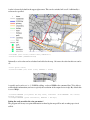
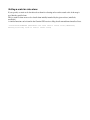
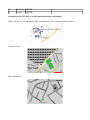
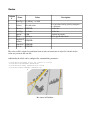
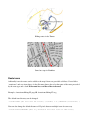
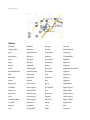
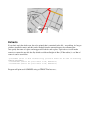
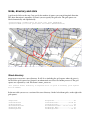
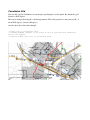
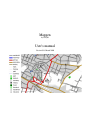
Declutter Usually when drawing maps (especially with lots of details) clutter may occur. •mapgen will register an used area for each drawn label (except street labels) and won't use this area again. •mapgen will register an used area for each drawn icon and won't use this area again. Icons will be placed at the given location. Text labels for nodes and areas will be placed on a default position and orientation. If this is not possible other positions and alignments will be tried. So labels might me moved and/or omitted at all. At the end of map drawing program will show how many labels and icons were omitted or moved. To prevent a special form of clutter caused by certain parallel ways the following option may be specified: -declutter (declutter text; WARNING: some labels might be omitted; motorway and trunk will only be labeled in one direction) •Motorways and trunks will be labeld only in one direction mapgen tries not to put labels on ways that are too short. To do so it calculates the length of the way and the length of the text. This is done by assuming a need of 6 pixels per character for a 10pt font. Other font sizes are calculated automatically. If you find out that 6 ppc doesn't suit your used font, please reconfigure the value using the following option. -ppc=<float> (pixels needed per label char using font size 10, DEFAULT=5.5) Using option allowiconmove you can permit the program to slightly move icons if they don't fit the original position. Icons might be moved by 10 pixels in each direction. Labels are drawn afterwards and will be placed accordingly. Using this option will significantly increase the number of drawn icons in cluttered areas! (In Frankfurt using a scale of 1:50.000 150 more icons could be drawn.) -allowiconmove (allows icons to be moved if they don't fit the exact position)