1
OrderlyStats Users Manual
2.2 Agent Status
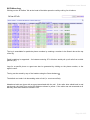
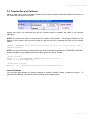
In the above example, agent SIP/2002 is currently Paused (i.e. in wrap-up after taking a call), and can
be unpaused by clicking the Play icon .
Dynamic Agents can also be Logged Out of their queues by clicking the Eject button
Agent’s name.
next to the
NOTE: If you cannot see the Eject button, it means your agents are statically defined in your
queues.conf file, which means OrderlyStats cannot log them out for you. You will need to remove
the lines that look like this:
member => SIP/1001
and then restart Asterisk, and also restart OrderlyStats, so that the agents can be logged in and out,
and dynamically reassigned to different queues on the fly.
Each Agent is assigned their own unique colour automatically by the system, which is used consistently
in all reports and displays.
Note: You can change the name displayed for each Agent by editing the Description field for the Agent
in the OrderlyStats Agents page (see below). Most call centres edit this to show the agent’s full name.
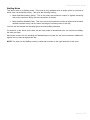
Next to the Agent’s name is a status field. This shows one of:
Waiting
Ringing
Talking
Paused
Busy
Logged Off
Dialling
The Agent is not in wrap-up, and is waiting for a call to come in.
A call has been placed to the Agent’s phone, which is ringing.
The Agent is on a call. Details of the call are also shown.
The Agent has hit the Pause button in the Agent Toolbar. No more calls will
be placed to the agent until they hit Resume.
The Agent is busy on a call from another queue, or is making an Inbound or
Outbound call.
This is shown in the INBOUND and OUTBOUND sections if a Agent that is
currently Logged Off is making or receiving a direct call.
The Agent is making an Outbound call which has not yet been answered.
Page 12 of 65