1
Micros 60
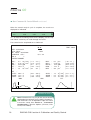
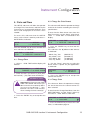
b Printout continued:
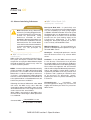
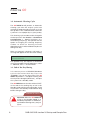
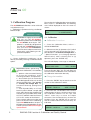
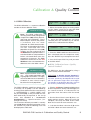
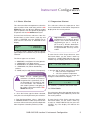
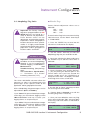
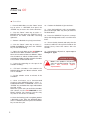
From the Results Menu, use the “Down” arrow
key to select 3 - UNITS.
2 - Use the “Up” or “Down” arrow keys to make
your selection of the (3) OPTIONS as indicated
on the display:
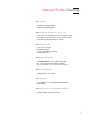
PRINTOUT
10:35
> * 1 - WITH HISTO.
2 - WITHOUT HISTO.
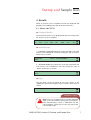
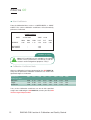
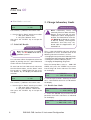
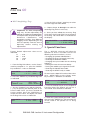
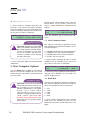
1 - Use the “Down” arrow to move the cursor
to select the Units required for your applications,
as indicated on the display:
UNITS
10:38
> * 1 - STANDARD
2 - SI
MICROS 60 CS/CT
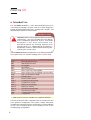
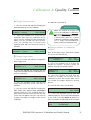
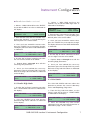
The Units are as listed:
!
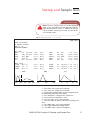
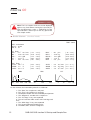
Note: The Printout WITHOUT RBC
HISTOGRAMS option is Highly
recommended on the CITIZEN
Model printer. This option gives less
print time on the Citizen printer.
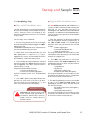
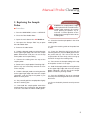
3 - Press the “ENTER” key once you have made
your selection.
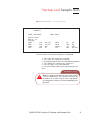
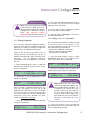
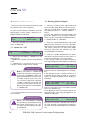
1.3. Units
- 1 - STANDARD, used in the United States and
in most European countries.
- 2 - SI, used in some European countries and
in Research Laboratories.
- 3 - INTER 1, are used Internationally, but Not
in the United States.
- 4 - INTER 2 are used Internationally, but Not
in the United States.
2 - Once your selection has been made, press
the “ENTER” key to accept your choice.
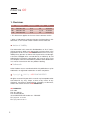
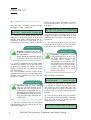
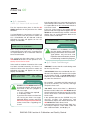
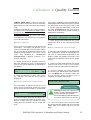
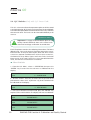
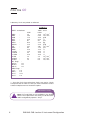
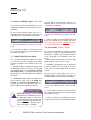
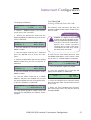
This sub-menu allows the operator to select
between (4) different Units of Measurement.
These Units vary from Country to Country and
are designed for International applications.
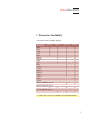
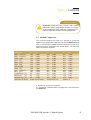
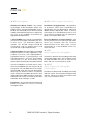
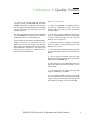
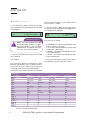
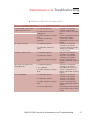
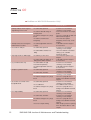
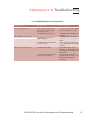
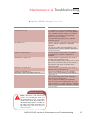
The choices are listed on the chart as indicated:
PARAMETERS
UNITS
COUNTRY
WBC
RBC
HGB
HCT
PLT
MCV
MCH
MCHC
MPV
LYM %
LYM #
MON %
MON #
GRA %
GRA #
STANDARD
U.S. / EUR.
103/ mm3
106/ mm3
g/dl
%
103/ mm3
µm3
pg
g/dl
µm3
%
#
%
#
%
#
SI
EUR. / R LAB
109/L
1012/L
mmol/L
I/L
109/L
fl
fmol
mmol/L
fl
%
#
%
#
%
#
INTERNATIONAL 1
NOT IN U.S.
103/ mm3
106/ mm3
g/dl
%
103/ mm3
fl
pg
g/dl
fl
%
#
%
#
%
#
R Lab. = Research Laboratories
4
RAB 043 CAS /section 5: Instrument Configuration
INTERNATIONAL 2
NOT IN U.S.
109/L
1012/L
g/L
I/L
109/L
fl
pg
g/L
fl
%
#
%
#
%
#