1
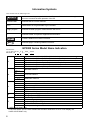
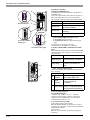
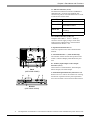
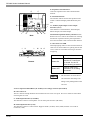
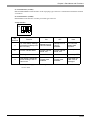
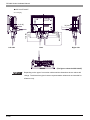
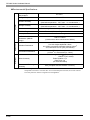
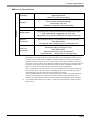
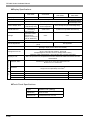
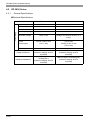
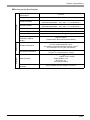
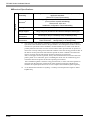
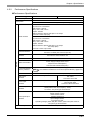
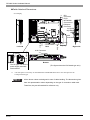
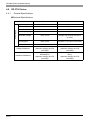
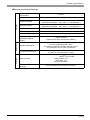
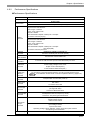
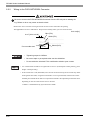
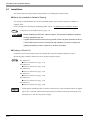
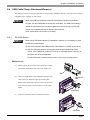
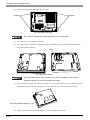
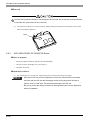
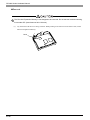
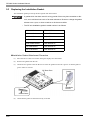
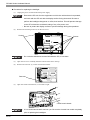
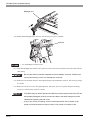
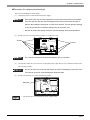
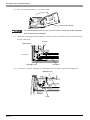
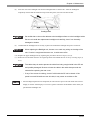
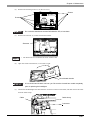
GP3000 Series Hardware Manual 9.4.2 AGP-3500S Preparation Please have the following ready beforehand. • Replacement backlight (Model: PS501S-BU00 (Set of two)) • One pair of clean (preferably new) cotton gloves. • Phillips screwdriver (no.2) About the Backlight GP units use a CFL, long-life type backlight. In a real world situation, the backlight may need to be replaced depending on the GP’s operating environment. It is recommended that it be replaced periodically. A backlight life refer to “ Display Specifications (page 4-48)”, when the backlight is lit continuously (time required for brightness to fall to half its normal level.) • If the backlight or the display unit is damaged, the screen display will go out. Even if the screen goes out, however, there is a possibility that the touch panel is still operating correctly. Therefore, since any type of touch panel contact could have an unexpected or dangerous effect or result, be sure not to touch the screen when this condition occurs. [Electric shock] • Whenever changing the backlight, be sure the GP’s power cord has been disconnected and that the unit is cooled down. • When the GP’s power cord is connected and the GP is ON, high voltage runs through the wires in the backlight area do not touch them! [Burn] • When the GP’s power has just been turned OFF, the backlight area is still very hot! Be sure to wear gloves to prevent being burned. [Glass] • The backlight is very fragile. Do not touch the glass tube directly or try to remove its power cord. If the glass tube breaks you may be injured. 9-16