1
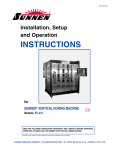
I-SV-109 Installation, Setup and Operation INSTRUCTIONS FOR SUNNEN® 2-COLUMN VERTICAL HONING MACHINE MODEL: SV-2015-2LB READ THE FOLLOWING INSTRUCTIONS THOROUGHLY AND CAREFULLY BEFORE UNPACKING, INSPECTING, OR INSTALLING THE SUNNEN® SV20152LB 2-COLUMN VERTICAL HONING MACHINES. “SUNNEN® AND THE SUNNEN LOGO ARE REGISTERED TRADEMARKS OF SUNNEN PRODUCTS COMPANY.” SUNNEN® PRODUCTS COMPANY • 7910 MANCHESTER ROAD • ST. LOUIS, MO 63143, U.S.A. • PHONE: 314-781-2100 GENERAL INFORMATION THE SUNNEN® EQUIPMENT HAS BEEN DESIGNED AND ENGINEERED FOR A WIDE VARIETY OF PARTS WITHIN THE CAPACITY AND LIMITATION OF THE EQUIPMENT. WITH PROPER CARE AND MAINTENANCE THIS EQUIPMENT WILL GIVE YEARS OF SERVICE. READ THE FOLLOWING INSTRUCTIONS CAREFULLY AND THOROUGHLY BEFORE UNPACKING, INSPECTING, OR INSTALLING THE EQUIPMENT. IMPORTANT: READ ANY SUPPLEMENTAL INSTRUCTIONS BEFORE INSTALLING THIS EQUIPMENT. THESE SUPPLEMENTAL INSTRUCTIONS GIVE YOU IMPORTANT INFORMATION TO ASSIST YOU WITH THE PLANNING AND INSTALLATION OF YOUR SUNNEN EQUIPMENT. SUNNEN TECHNICAL SERVICE DEPARTMENT IS AVAILABLE TO PROVIDE TELEPHONE ASSISTANCE FOR INSTALLATION, PROGRAMMING, & TROUBLESHOOTING OF YOUR SUNNEN EQUIPMENT. ALL SUPPORT IS AVAILABLE DURING NORMAL BUSINESS HOURS, 8:00 AM TO 4:30 PM CENTRAL TIME. REVIEW ALL LITERATURE PROVIDED WITH YOUR SUNNEN EQUIPMENT. THIS LITERATURE PROVIDES VALUABLE INFORMATION FOR PROPER INSTALLATION, OPERATION, AND MAINTENANCE OF YOUR EQUIPMENT. TROUBLESHOOTING INFORMATION CAN ALSO BE FOUND WITHIN THE INSTRUCTIONS. IF YOU CANNOT FIND WHAT YOU NEED, CALL FOR TECHNICAL SUPPORT. WHERE APPLICABLE, PROGRAMMING INFORMATION FOR YOUR SUNNEN EQUIPMENT IS ALSO INCLUDED. MOST ANSWERS CAN BE FOUND IN THE LITERATURE PACKAGED WITH YOUR EQUIPMENT. HELP US HELP YOU. WHEN ORDERING PARTS, REQUESTING INFORMATION, OR TECHNICAL ASSISTANCE ABOUT YOUR EQUIPMENT, PLEASE HAVE THE FOLLOWING INFORMATION AVAILABLE: HAVE ALL MANUALS ON HAND. THE CUSTOMER SERVICES REPRESENTATIVE OR TECHNICIAN WILL REFER TO IT. HAVE MODEL NUMBER AND SERIAL NUMBER PRINTED ON YOUR EQUIPMENT SPECIFICATION NAMEPLATE. WHERE APPLICABLE: HAVE DRIVE MODEL AND ALL NAMEPLATE DATA. MOTOR TYPE, BRAND, AND ALL NAMEPLATE DATA. FOR TROUBLESHOOTING, ADDITIONAL INFORMATION MAY BE REQUIRED: POWER DISTRIBUTION INFORMATION (TYPE - DELTA, WYE, POWER FACTOR CORRECTION; OTHER MAJOR SWITCHING DEVICES USED, VOLTAGE FLUCTUATIONS) INSTALLATION WIRING (SEPARATION OF POWER & CONTROL WIRE; WIRE TYPE/CLASS USED, DISTANCE BETWEEN DRIVE AND MOTOR, GROUNDING). USE OF ANY OPTIONAL DEVICES/EQUIPMENT BETWEEN THE DRIVE & MOTOR (OUTPUT CHOKES, ETC.). FOR FAST SERVICE ON YOUR ORDERS CALL: SUNNEN AUTOMOTIVE CUSTOMER SERVICE TOLL FREE AT: 1-800-772-2878 SUNNEN INDUSTRIAL CUSTOMER SERVICE TOLL FREE AT: 1-800-325-3670 CUSTOMERS OUTSIDE THE USA, CONTACT YOUR LOCAL AUTHORIZED SUNNEN DISTRIBUTOR. ADDITIONAL INFORMATION AVAILABLE AT: HTTP://WWW.SUNNEN.COM OR E-MAIL: [email protected] NOTE: SUNNEN RESERVES THE RIGHT TO CHANGE OR REVISE SPECIFICATIONS AND PRODUCT DESIGN IN CONNECTION WITH ANY FEATURE OF OUR PRODUCTS CONTAINED HEREIN. SUCH CHANGES DO NOT ENTITLE THE BUYER TO CORRESPONDING CHANGES, IMPROVEMENTS, ADDITIONS, OR REPLACEMENTS FOR EQUIPMENT, SUPPLIES OR ACCESSORIES PREVIOUSLY SOLD. INFORMATION CONTAINED HEREIN IS CONSIDERED TO BE ACCURATE BASED ON AVAILABLE INFORMATION AT THE TIME OF PRINTING. SHOULD ANY DISCREPANCY OF INFORMATION ARISE, SUNNEN RECOMMENDS THAT USER VERIFY THE DISCREPANCY WITH SUNNEN BEFORE PROCEEDING. ESD PREVENTION REVIEW LET’S REVIEW THE BASICS OF A SOUND STATIC CONTROL SYSTEM AND ITS EFFECTIVE IMPLEMENTATION. FIRST, IN THE THREE STEP PLAN: 1. ALWAYS GROUND YOURSELF WHEN HANDLING SENSITIVE COMPONENTS OR ASSEMBLIES. 2. ALWAYS USE A CONDUCTIVE OR SHIELDED CONTAINER DURING STORAGE OR TRANSPORTATION. THESE MATERIALS CREATE A FARADAY CAGE, WHICH WILL ISOLATE THE CONTENTS FROM STATIC CHARGES. 3. OPEN ESD SAFE CONTAINERS ONLY AT A STATIC SAFE WORK STATION. AT THE STATIC SAFE WORK STATION, FOLLOW THESE PROCEDURES BEFORE BEGINNING ANY WORK: A. PUT ON YOUR WRIST STRAP OR FOOT GROUNDING DEVICES. B. CHECK ALL GROUNDING CORDS TO MAKE SURE THEY ARE PROPERLY CONNECTED TO GROUND, ENSURING THE EFFECTIVE DISSIPATION OF STATIC CHARGES. C. MAKE SURE THAT YOUR WORK SURFACE IS CLEAN AND CLEAR OF UNNECESSARY MATERIALS, PARTICULARLY COMMON PLASTICS. D. ANTI-STATIC BUBBLE WRAP HAS BEEN INCLUDED FOR USE AT THE MACHINE WHEN AN ESD SAFE WORKSTATION IS NOT AVAILABLE. YOU ARE NOW PROPERLY GROUNDED AND READY TO BEGIN WORK. FOLLOWING THESE FEW SIMPLE RULES AND USING A LITTLE COMMON SENSE WILL GO A LONG WAY TOWARD HELPING YOU AND YOUR COMPANY IN THE BATTLE AGAINST THE HAZARDS OF STATIC ELECTRICITY. WHEN YOU ARE WORKING WITH ESD SENSITIVE DEVICES, MAKE SURE YOU: GROUND ISOLATE NEUTRALIZE ii SUNNEN® LIMITED PRODUCT WARRANTY SUNNEN® PRODUCTS COMPANY AND ITS SUBSIDIARIES (SPC) WARRANT THAT ALL NEW SPC HONING MACHINES, GAGING EQUIPMENT, TOOLING, AND RELATED EQUIPMENT WILL BE FREE OF DEFECTS IN MATERIAL AND/OR WORKMANSHIP FOR A PERIOD OF ONE YEAR FROM THE DATE OF ORIGINAL SHIPMENT FROM SPC. UPON PROMPT NOTIFICATION OF A DEFECT DURING THE ONE-YEAR PERIOD, SPC WILL REPAIR, REPLACE, OR REFUND THE PURCHASE PRICE, WITH RESPECT TO PARTS THAT PROVE TO BE DEFECTIVE (AS DEFINED ABOVE). ANY EQUIPMENT OR TOOLING WHICH IS FOUND TO BE DEFECTIVE FROM IMPROPER USE WILL BE RETURNED AT THE CUSTOMER’S COST OR REPAIRED (IF POSSIBLE) AT CUSTOMER’S REQUEST. CUSTOMER SHALL BE CHARGED CURRENT RATES FOR ALL SUCH REPAIR. PRIOR TO RETURNING ANY SPC PRODUCT, AN AUTHORIZATION (RMA) AND SHIPPING INSTRUCTIONS MUST BE OBTAINED FROM THE CUSTOMER SERVICE DEPARTMENT OR ITEMS SENT TO SPC WILL BE RETURNED TO THE CUSTOMER. WARRANTY LIMITATIONS AND EXCLUSIONS THIS WARRANTY DOES NOT APPLY TO THE FOLLOWING: • NORMAL MAINTENANCE ITEMS SUBJECT TO WEAR AND TEAR: (BELTS, FUSES, FILTERS, ETC). • DAMAGES RESULTING FROM BUT NOT LIMITED TO: › SHIPMENT TO THE CUSTOMER (FOR ITEMS DELIVERED TO CUSTOMER OR CUSTOMER’S AGENT F.O.B., SHIPPING POINT) › INCORRECT INSTALLATION INCLUDING IMPROPER LIFTING, DROPPING AND/OR PLACEMENT › INCORRECT ELECTRIC POWER (BEYOND +/- 10% OF RATED VOLTAGE) INCLUDING INTERMITTENT OR RANDOM VOLTAGE SPIKES OR DROPS › INCORRECT AIR SUPPLY VOLUME AND/OR PRESSURE AND/OR CONTAMINATED AIR SUPPLY › ELECTROMAGNETIC OR RADIO FREQUENCY INTERFERENCE FROM SURROUNDING EQUIPMENT (EMI, RFI) › STORM, LIGHTNING, FLOOD, OR FIRE DAMAGE › FAILURE TO PERFORM REGULAR MAINTENANCE AS OUTLINED IN SPC MANUALS › IMPROPER MACHINE SETUP OR OPERATION CAUSING A CRASH TO OCCUR › MISAPPLICATION OF THE EQUIPMENT › USE OF NON-SPC MACHINES, TOOLING, ABRASIVE, FIXTURING, COOLANT, REPAIR PARTS, OR FILTRATION › INCORRECT SOFTWARE INSTALLATION AND/OR MISUSE › NON-AUTHORIZED CUSTOMER INSTALLED ELECTRONICS AND/OR SOFTWARE › CUSTOMER MODIFICATIONS TO SPC SOFTWARE THE LIMITED WARRANTY DESCRIBED HEREIN IS EXPRESSLY IN LIEU OF ALL OTHER WARRANTIES. SPC MAKES NO REPRESENTATION OR WARRANTY OF ANY OTHER KIND, EXPRESS OR IMPLIED, WHETHER AS TO MERCHANTABILITY, FITNESS FOR A PARTICULAR PURPOSE OR ANY OTHER MATTER. SPC IS NOT RESPONSIBLE FOR THE IMPROPER USE OF ANY OF ITS PRODUCTS. SPC SHALL NOT BE LIABLE FOR DIRECT, INDIRECT, INCIDENTAL, OR CONSEQUENTIAL DAMAGES INCLUDING BUT NOT LIMITED TO: LOSS OF USE, REVENUE, OR PROFIT. SPC ASSUMES NO LIABILITY FOR PURCHASED ITEMS PRODUCED BY OTHER MANUFACTURERS WHO EXTEND SEPARATE WARRANTIES. REGARDLESS OF ANY RIGHTS AFFORDED BY LAW TO BUYER, SPC’S LIABILITY, IF ANY, FOR ANY AND ALL CLAIMS FOR LOSS OR DAMAGES WITH RESPECT TO THE PRODUCTS, AND BUYER’S SOLE AND EXCLUSIVE REMEDY THEREFORE, SHALL IN ALL EVENTS BE LIMITED IN AMOUNT TO THE PURCHASE PRICE OF THAT PORTION OF THE PRODUCTS WITH RESPECT TO WHICH A VALID CLAIM IS MADE. SHIPPING DAMAGES EXCEPT IN THE CASE OF F.O.B., BUYER’S DESTINATION SHIPMENTS, SPC WILL NOT BE LIABLE FOR ANY SETTLEMENT CLAIMS FOR OBVIOUS AND/OR CONCEALED SHIPPING DAMAGES. THE CUSTOMER BEARS THE RESPONSIBILITY TO UNPACK ALL SHIPMENTS IMMEDIATELY AND INSPECT FOR DAMAGE. WHEN OBVIOUS AND/OR CONCEALED DAMAGE IS FOUND, THE CUSTOMER MUST IMMEDIATELY NOTIFY THE CARRIER’S AGENT TO MAKE AN INSPECTION AND FILE A CLAIM. THE CUSTOMER SHOULD RETAIN THE SHIPPING CONTAINER AND PACKING MATERIAL. SUNNEN® SOFTWARE LICENSE AGREEMENT THIS DOCUMENT IS A LEGAL AGREEMENT BETWEEN YOU, AS USER AND LICENSEE (LICENSEE), AND SUNNEN® PRODUCTS COMPANY (SPC) WITH RESPECT TO PREPROGRAMMED SOFTWARE (SOFTWARE) PROVIDED BY SPC FOR USE ON SPC EQUIPMENT. BY USING THE SOFTWARE, YOU, AS LICENSEE, AGREE TO BECOME BOUND BY THE TERMS OF THIS AGREEMENT. IN CONSIDERATION OF PAYMENT OF THE LICENSE FEE (LICENSE FEE) WHICH IS PART OF THE PRICE EVIDENCED BY YOUR RECEIPT (RECEIPT), SPC GRANTS TO YOU AS LICENSEE A NON-EXCLUSIVE RIGHT, WITHOUT RIGHT TO SUB-LICENSE, TO USE THE PARTICULAR COPY OF THE SPC SOFTWARE LICENSED HEREUNDER ONLY ON THE PARTICULAR EQUIPMENT SOLD WITH THE SOFTWARE. SPC RESERVES ALL RIGHTS INCLUDING RIGHTS NOT OTHERWISE EXPRESSLY GRANTED, AND RETAIN TITLE AND OWNERSHIP TO THE SOFTWARE INCLUDING ALL SUBSEQUENT COPIES OR UPDATES IN ANY MEDIA. THE SOFTWARE AND ALL ACCOMPANYING WRITTEN MATERIALS ARE COVERED BY COPYRIGHTS OWNED BY SPC. IF SUPPLIED ON REMOVABLE MEDIA (FLOPPY DISK), YOU, AS LICENSEE, MAY COPY THE SOFTWARE ONLY FOR BACK UP PURPOSES; OR YOU MAY REQUEST THAT SPC COPY THE SOFTWARE FOR YOU FOR THE SAME PURPOSES. ALL OTHER COPYING OF THE SOFTWARE OR OF THE ACCOMPANYING WRITTEN MATERIALS IS EXPRESSLY FORBIDDEN AND IS IN VIOLATION OF THE AGREEMENT. THE SOFTWARE AND ACCOMPANYING WRITTEN MATERIALS (INCLUDING THE USER’S MANUAL, IF ANY) ARE PROVIDED IN AN “AS IS” CONDITION WITHOUT WARRANTY OF ANY KIND INCLUDING THE IMPLIED WARRANTIES OF MERCHANTABILITY AND FITNESS FOR A PARTICULAR PURPOSE, EVEN IF SPC HAS BEEN ADVISED OF THIS PURPOSE. SPC SPECIFICALLY DOES NOT WARRANT THAT IT WILL BE LIABLE AS A RESULT OF THE OPERATION OF THE SOFTWARE FOR ANY DIRECT, INDIRECT, CONSEQUENTIAL OR ACCIDENTAL DAMAGES ARISING OUT OF THE USE OF OR INABILITY TO USE SUCH PRODUCT EVEN IF SPC HAS BEEN ADVISED OF THE POSSIBILITY OF SUCH USE. IT IS RECOGNIZED THAT SOME STATES DO NOT ALLOW THE EXCLUSION OR LIMITATION OF LIABILITY FOR CONSEQUENTIAL OR ACCIDENTAL DAMAGES AND TO THE EXTENT THIS IS TRUE, THE ABOVE LIMITATIONS MAY NOT APPLY. ANY ALTERATION OR REVERSE ENGINEERING OF THE SOFTWARE IS EXPRESSLY FORBIDDEN AND IS IN VIOLATION OF THIS AGREEMENT. SPC RESERVES THE RIGHT TO UPDATE THE SOFTWARE COVERED BY THIS AGREEMENT AT ANY TIME WITHOUT PRIOR NOTICE AND ANY SUCH UPDATES ARE COVERED BY THIS AGREEMENT. iii SAFETY INSTRUCTIONS READ FIRST This machine, like any equipment, may be dangerous if used improperly. Please read all warnings and instructions before attempting to use this machine. Always disconnect power at main enclosure before servicing machine.1 Always wear eye protection when operating this machine. NEVER open or remove any machine cover or protective guard with power “ON.” Always disconnect power at main enclosure before servicing this equipment.1 DO NOT attempt any repair or maintenance procedure beyond those described in this book. Contact your Sunnen® Field Service Engineer or Technical Services Representative for repairs not covered in these instructions. Due to the wide variety of machine configurations, all possibilities cannot be described in these instructions. Instructions for safe use and maintenance of optional equipment ordered through Sunnen, will be provided through separate documentation and/or training provided by your Sunnen Field Service Engineer or Technical Services Representative. DO NOT attempt to defeat any safety device on this machine or on any of the optional equipment. If specially built automation components are added to this system, be sure that safety is not compromised. If necessary, obtain special enlarged work area safety system from Sunnen Products Co. 1 DO NOT TOUCH ELECTRICAL COMPONENTS UNTIL MAIN INPUT POWER HAS BEEN TURNED OFF AND CHARGE LAMPS ARE EXTINGUISHED. WARNING: THE CAPACITORS ARE STILL CHARGED AND CAN BE QUITE DANGEROUS. IMPORTANT NOTE The temperature requirements of the Sunnen® SV20152LB 2-Column Vertical Honing Machines have been established as 35 degrees C (95 degrees F). Above this temperature, an optional cooler will be available to handle temperatures from 35º to 46º C (95º to 115º F). IT IS NOT recommended that the SV machine be operated at temperatures above 46º C (115º F). Sunnen Products Company warrants the SV machine for operating environments up to 35ºC (95º F). For operating environments of 35º to 46º C (95º to 115º F) the warranty only applies if the optional cooler is installed on the machine. No warranty coverage is offered for operating environments above 46º C (115º F). iv TABLE OF CONTENTS TABLE OF CONTENTS ................................................................................................................................................... v INTRODUCTION ............................................................................................................................................................. vi GENERAL INFORMATION & SPECIFICATIONS ................................................................................................... vii SECTION 1 INSTALLATION .......................................................................................................................................... 1 PURPOSE ........................................................................................................................................................................ 1 SAFETY SYMBOLS ....................................................................................................................................................... 1 TOOLS & MATERIALS ................................................................................................................................................. 1 MAJOR COMPONENTS ................................................................................................................................................ 1 INSTALLATION ............................................................................................................................................................. 3 PNEUMATICS ................................................................................................................................................................ 4 LUBRICATING SYSTEM .............................................................................................................................................. 4 ELECTRICAL ................................................................................................................................................................. 4 Electrical Connection................................................................................................................................................... 5 COOLANT SYSTEM ...................................................................................................................................................... 5 Coolant System Connection......................................................................................................................................... 5 MAGNETIC SEPARATOR (OPTIONAL) ..................................................................................................................... 6 FIXTURE (OPTIONAL) ................................................................................................................................................. 6 OPERATIONAL CHECK ............................................................................................................................................... 6 SECTION 2 PREPARING FOR OPERATION .............................................................................................................. 7 GENERAL ....................................................................................................................................................................... 7 OPERATOR CONTROL PANEL ................................................................................................................................... 7 SECTION 3 SETUP & OPERATION .............................................................................................................................. 9 GENERAL ....................................................................................................................................................................... 9 SAFETY PRECAUTIONS .............................................................................................................................................. 9 SETUP - INITIAL ............................................................................................................................................................ 9 SETUP - INDEXING TABLE ......................................................................................................................................... 9 Machines Equipped with a Rotary Indexing Table ...................................................................................................... 9 SETUP - FIXTURE INSTALLATION.......................................................................................................................... 10 SETUP - TOOL INSTALLATION ................................................................................................................................ 10 COLUMN A and B SETUP (Specific to Husqvarna Application) ................................................................................ 11 TC TOOLS® .................................................................................................................................................................. 12 SAFE SHUTDOWN (TURNING MACHINE OFF) ..................................................................................................... 12 SECTION 4 ROUTINE MAINTENANCE .................................................................................................................... 13 GENERAL ..................................................................................................................................................................... 13 CLEANING ................................................................................................................................................................... 13 LUBRICATION ............................................................................................................................................................. 13 Grease Lubricating System ........................................................................................................................................ 13 ROUTINE MAINTENANCE SCHEDULE .................................................................................................................. 13 PNEUMATIC LINES CHECK ...................................................................................................................................... 14 Filter Element Replacement....................................................................................................................................... 14 COOLANT LINES CHECK .......................................................................................................................................... 14 Sump Tank Cleaning ................................................................................................................................................. 14 Filter Element Replacement....................................................................................................................................... 14 SECTION 5 TROUBLESHOOTING ............................................................................................................................. 17 GENERAL ..................................................................................................................................................................... 17 OPERATIONAL TROUBLESHOOTING .................................................................................................................... 17 MACHINE OPERATION TROUBLESHOOTING ...................................................................................................... 18 APPENDIX A TYPICAL COOLANT SYSTEM FLOW DIAGRAM ........................................................................ 19 APPENDIX B DECLARATION OF CONFORMITY (CE) ........................................................................................ 20 v INTRODUCTION This Instruction Manual provides information required to install, operate, and maintain Sunnen® Vertical Honing Machine. When ordering parts for, or requesting information about your machine, include model and serial numbers, located on electrical enclosure of your machine. The Sunnen® Vertical Honing Machine is to be used for finishing bores in small workpieces. In finishing bores, this machine can achieve any or all of following results: fast stock removal, consistent final size, a high degree of cylindrically, fine surface finish. To achieve best results and ensure safe operation, ONLY Sunnen tools and abrasives are to be used in the SV machines. vi GENERAL INFORMATION & SPECIFICATIONS SUNNEN® SV-2015-2LB SERIES 2-COLUMN VERTICAL HONING MACHINES COLUMN A COLUMN B 3 - 65 mm (0.12 - 2.56 in.) 3 - 65 mm (0.12 - 2.56 in.) 250 mm (9.8 in) 250 mm (9.8 in) 175 x 175 x 150 mm (7 x 7 x 6 in.) 175 x 175 x 150 mm (7 x 7 x 6 in.) Carriage Travel: 630 mm (24.8 in.) 630 mm (24.8 in.) Carriage Speed: 0,001 to 0,800 mps (2 to 2000 ipm) 0,001 to 0,800 mps (2 to 2000 ipm) 30-400 spm 30-400 spm 7,5 kW (10 hp) 7,5 kW (10 hp) 100 to 4000 rpm 100 to 4000 rpm 7,5 kW (10 hp) 7,5 kW (10 hp) Up to 3800 newtons (850 lbs.) force Up to 3800 newtons (850 lbs.) force 1 Diameter Range (ID) : Workpiece Length 1: 3 Work Area Envelope (Table) : Reciprocation Speed (Stroke): Column Motor: Spindle Speeds: Spindle Motor: Feed Force: Sump Pump 2: Centrifugal Pump 2 0,67 kW (.5 hp) 2 208 LPM @ 4 m (55 GPM @ 15 feet) Sump Pump Motor : Sump Pump Rate : Coolant System: Optional Coolant Requirements: Sunnen Industrial Honing Fluids Floor Space: (Doors Open & Column at Top of Travel) 3200 W x 4956 D x 2946 H mm (126 x 195 x 116 in.) Floor Weight (Dry): Floor Load: Pneumatic Requirements: Electrical Requirements: Color: Noise Emission: 6668 kg (14700 lbs.) 2050 kg/sq. meter (415 lbs./sq. ft.) 5,5 to 6,9 Bar (80 to 100 psi) 460V, 60Hz, 3Ph; 400V, 50Hz, 3Ph Black/Stainless Steel Less than 76 dB(A) continuous: Less than 78 dB(A) peak: Load (max. noise) condition in a typical 1 Diameter range, length range, and workpiece weight are contingent on workpiece and application. 2 The SV Machines DO NOT come with a Coolant System. The Coolant System is an option and MUST be ordered separately. 3 Work Area may vary with machine configurations and options ordered. vii 1038,2 MM 40.9 IN 669.6 MM 26.4 IN 3081 MM 121.3 IN 836,7 MM 32.9 IN 3200 MM 126 IN 2429 MM 95.6 IN 2946 MM 116 IN. AT MAX TRAVEL TOP VIEW 2824 MM 111.2 IN 3695 MM 145.5 IN FRONT VIEW SIDE VIEW Figure 1-A, Floor Plan Layout viii SECTION 1 INSTALLATION PURPOSE TOOLS & MATERIALS Consult this section when unpacking, inspecting, and installing Sunnen® 2-Column Vertical Honing Machine, hereafter referred to as the machine. The following tools and materials are required for unpacking and installing of your machine: Knife Hex Wrenches Hammer Open End Wrench Crow Bar Cleaning Solvent Tin Snips SAFETY SYMBOLS For a description of safety symbols that may be used on this machine, refer to Table 1-1, Safety Symbols. TABLE 1-1, Safety Symbols SYMBOL DESCRIPTION FUNCTION Warning Label Warns that an electrical hazard exists. Warning Label Warns that safety glasses should be worn at all times when operating this machine. Label Designates this machine is “CE” compliant. Warning Label Warns that a hazard from objects falling off work table exists and that proper precautions should be taken. Warning Label Warns that an arc flash hazard exists. 4e. the spindle nose, which imparts stroking and rotational motion from spindle to honing tool. (Not Shown) 5a. An indexing table (optional) allows the (Not Shown) 5b. Workholding fixture (optional) to be indexed and aligned with tool. (Not Shown) 6a. The adjustable coolant lines allow manual regulation of honing fluid flow. (Not Shown) 7a. The sump pump pumps coolant from the machine base reservoir. (Not Shown) 7b. A coolant interface allows an optional coolant system to be attached to the machine. (Not Shown) 8a. A coolant system (optional) can be added to ensure debris is removed from coolant. (Not Shown) 8b. Coolant maintenance kit (optional). (Not Shown) 9a. Gaging system (optional). (Not Shown) 9b. Air gage feedback interface (optional). (Not Shown) 10. An automatic lubricator provides grease to the major components of the machine. (Not Shown) 11a. Tooling (optional). (Not Shown) 11b. Tool alignment stand (optional). (Not Shown) MAJOR COMPONENTS For location and function of major components on this machine, refer to the following list and Figure 1-1, Major Components. 1a. The machine base is equipped with 1b. Leveling bolts for stabilizing machine and 1c. Stainless steel guard doors. 2a. Column electrical enclosure. 2b. Machine electrical enclosure. 3a. The operator station houses all electronic hardware and software for hone control. It is also main operator interface with machine. 3b. The carriage controls. (Not Shown) 4a. A ball screw stroker assembly, which provides stroking power to (Not Shown) 4b. the spindle carriage, which is mounted on (Not Shown) 4c. the column assembly, which houses (Not Shown) 4d. the spindle motor, which by way of a belt drives (Not Shown) 1 -2bMACHINE ELECTRICAL ENCLOSURE -2aCOLUMN ELECTRICAL ENCLOSURE -1cSTAINLESS STEEL GUARD DOORS -1bLEVELING FEET -3aOPERATOR STATION -1aMACHINE BASE Figure 1-1, Major Components 2 NOTE: Machine should be located on a leveled concrete floor away from heavy traffic. Allow at least 1 meter (38 inches) around enclosure to any adjacent equipment and walls. Refer to Figure 1-A, Floor Plan Layout. INSTALLATION Read the following instructions carefully and thoroughly before unpacking, inspecting, and installing your machine. All references to right and left in these instructions are, unless otherwise noted, as seen by operator as one looks at machine or assembly being described. Refer to Figure 1-2, Vertical Honing Machine. NOTE: When ordering parts for, or requesting information about your machine, include model number and serial numbers that are printed on the nameplate. LEFT RIGHT Figure 1-3, Fork Lift 9. Once machine is in desired location; move main electrical enclosure away from machine base and reinstall straight section of wire way removed for shipping. Refer to Figure 1-4, Electrical Wireway. FRONT ELECTRICAL ENCLOSURE Figure 1-2, Vertical Honing Machine 1. Move machine to staging/unpacking area. 2. Remove carton and plastic wrap. Cut, remove, and discard shipping bands. 3. Remove all loose components from carton. 4. Check all components against items ordered. 5. Inspect machine and components for dents, scratches, or damage resulting from improper handling, by carrier. If damage is evident, immediately file a claim with carrier. ELECTRICAL WIREWAY CAUTION Weight is approx. 5756 kg (12,690lb). Figure 1-4, Electrical Wireway 10. Place a machinist’s level on machine table and level machine by adjusting leveling bolts on the leveling feet, using a 24mm open-end wrench. Adjust leveling bolt in six leveling feet as required. Tighten jam nuts to lock bolt in place. Refer to Figure 1-5, Leveling Foot. Machine does not need to be bolted to floor, but should be set on a solid concrete floor of six inch minimum thickness. 6. Remove bolts securing machine to skid. 7. Using a forklift, slide forks (minimum 7 feet long) under machine as shown. Refer to Figure 1-3, Fork Lift. Lift machine and install leveling feet. Refer to Figure 1-5, Leveling Foot. 8. Using a forklift, remove machine from skid and move to desired location and lower into place. 3 ADJUSTABLE LEVELING BOLT AIR LINE PORT Figure 1-5, Leveling Foot Figure 1-7, Air Line Routing NOTE: The cable track has been disconnected from column for shipping purposes. CAUTION Do not connect machine to any air supply with a pressure greater than 1,4 MPa (200 psi). 11. Reattach cable track to top of column using bolt and washer supplied. Refer to Figure 1-6, Cable Track. 2. Filter/regulator has been factory set to .55 MPa (80 psi). Air supply to machine must be at least this or machine’s special fixturing and accessories will not operate properly. With air supply connected, check regulator gage for .55 MPa (80 psi). If not set correctly, lift knob on top of regulator and turn to adjust. After setting correct regulated pressure, push knob down to lock. CABLE TRACK ATTACH HERE LUBRICATING SYSTEM The machine is equipped with an automatic grease lubricating system. Grease reservoir is filled at the factory with Kluberplex #BEM 34-132 or its equivalent. System is equipped with a pressure switch, which flashes a warning on the operator display screen when the level/pressure drops below minimum requirement. Figure 1-6, Cable Track 12. Wipe all protective shipping oil and grease from machine. ELECTRICAL All wiring is to be performed by a competent, licensed electrician in accordance with all local, state, and federal codes and regulations; along with any special information provided on machine nameplate or electrical specification plate. PNEUMATICS Refer to Figure 1-7, Air Line Routing and connect pneumatic line (air line) as follows: NOTE: The factory air supply line is not supplied. A minimum of 0,55 MPa (80 psi) clean, dry compressed air is required for proper operation. CAUTION This machine was wired for 460VAC. If it is to be run at 400VAC, the taps on the control transformer must be changed. All wiring is to be performed by a competent, licensed electrician in accordance with all local, state and federal codes and regulations. FAILURE TO COMPLY CAN RESULT IN PERSONAL INJURY AND DAMAGE TO THE MACHINE. 1. Connect factory air supply to air line port on filter/regulator. NOTE: Air line port is 1/2 Rc (BSPT). WARNING All wiring and electrical equipment service should be performed by authorized personnel ONLY. 4 6. Strip 254 mm (10 in) off cable’s outer jacket. 7. Strip 6 mm (1/4 in) of insulation off each wire. 8. Connect green wire (earth ground) to terminal PE on electrical disconnect switch (earth ground). 9. Connect other three wires to disconnect block (1DISC) as noted on block (1L1, 3L2, 5L3). 10. Route and secure cord inside of enclosure. 11. Tighten oil tight fitting. 12. Close and secure/lock door(s) to enclosure. 13. Remove lock-out/tag-out device. Turn disconnect ON/OFF switch ON. CAUTION Do not attempt to connect machine if supply voltage is not within following acceptable limits as noted on nameplate or electrical specification plate. If supply voltage is not within these limits MACHINE WILL BE DAMAGED. Verify supply voltage is the same as voltage on machine nameplate or electrical specifications plate, located on front of enclosure. Electrical Connection A pre-drilled hole has been provided in the electrical enclosure for electrical supply cord (not supplied). Refer to Figure 1-8, Electrical Connection and connect cord as follows: COOLANT SYSTEM The machine comes with a sump pump within the base of the machine for return of dirty coolant. Because of the numerous application possibilities, the machine is not supplied with a coolant system, however optional coolant systems are available. Placement and system requirements will vary with coolant system used. Sunnen provides several optional coolant systems. Check with your local Sunnen Products Company representative, or authorized distributor, for available systems or before installing another manufacturer’s system. PE TERMINAL NOTE: Operating Instructions and Repair Parts Manuals for the optional coolant systems are supplied by the systems manufacturer. DISCONNECT BLOCK Figure 1-8, Electrical Connection 1. Unlock door to electrical control enclosure using key supplied with machine 2. Turn disconnect ON/OFF switch to OFF position and open door. Door WILL NOT open unless disconnect ON/OFF switch is in OFF position. 3. Open door to enclosure. Fill coolant reservoir with either Sunnen Industrial Honing Oil or Sunnen Water-Based Coolant. Refer to coolant systems manufacturer’s instructions. Coolant System Connection CAUTION Supply coolant pressure should not exceed 20 psi (0,14 MPa). WARNING You must use the hole provided. Drilling any new holes in the electrical enclosure may void the warranty. The machine comes with a sump pump within the machine base. Intake and outlet connections are located near the bottom of the back of the machine base. A flow sensor is installed inline with the supply line connection on the right side of the machine base when viewed from the machine’s back. A return line (without flow sensor) connects on the left side of the machine base when viewed from the machine’s back. CAUTION Door is equipped with lockable safety door latch. Door should be closed and latched during operation to prevent accidental interruption of operation from doors being opened. Door latch should be locked-out and tagged-out during servicing to prevent machine from being powered up. 4. Remove hole plug located on top, right side of the enclosure. Then install an oil tight fitting. 5. Insert electrical supply through oil tight fitting and route to electrical disconnect block. Allow for approximately 305 mm of cable from where it enters enclosure; then cut off excess. Electrical supply must include a proper earth ground. 5 FIXTURE (OPTIONAL) FLOW SENSOR Because of the numerous applications possibilities the machine is not supplied with any fixturing, however optional fixtures are available. Check with your local Sunnen Products Company representative, or authorized distributor. OPERATIONAL CHECK Read Sections 1, 2 and 3 thoroughly and carefully before performing the operational check. COOLANT SUPPLY LINE NOTE: Power up and start machine to check for proper operation. Figure 1-9, Coolant System Connection 1. Release E-STOP and press power ON button. 2. Power-up machine and check rotation of sump pump motor. Rotation of shaft should be as shown on motor cover. 3. If rotation is incorrect, turn power to machine OFF and reverse any two wires (red, white, or black) of electrical supply cord, where they connect to disconnect block. 4. Operate machine and check rotation of optional equipment according to installation instruction package with optional equipment. 5. Set up and test all machine functions. Refer to Section 3, Safety and Shutdown. 6. After unpacking and installing machine, clean and lubricate. Refer to Section: 4, Routine Maintenance. MAGNETIC SEPARATOR (OPTIONAL) Like the coolant system, the machine is not supplied with a magnetic separator. If your application produces large amounts of metal residue, it is recommended that you employ a magnetic separator or filter system (or both). Check with your local Sunnen Products Company representative, or authorized distributor, for available options or before installing another manufacturer’s system. 6 SECTION 2 PREPARING FOR OPERATION GENERAL OPERATOR CONTROL PANEL Consult this section when preparing machine for operation. For location and function of operator controls, refer to Figure 2-1, Operator Control Panel and Table 2-1, Operator Control Panel. 1 10 9 2 3 4 6 5 7 8 Figure 2-1, Operator Control Panel TABLE 2-1, Operator Control Panel LOCATION 1 DESCRIPTION LCD Display and Touch Screen Operator Panel 2 Left Palm Button 3 Stroker/Tool Positioning Handwheel 4 Emergency STOP (E-Stop) Button 5 Cycle STOP Button 6 Manual Dwell Button 7 Power ON Button/Light 8 9 USB Port Right Palm Button 10 Ethernet Port (Optional) FUNCTION Operation of the machine can generally be done via the touch screen, which means that a function may be started by touching the corresponding key on the screen. Press both palm buttons (left and right simultaneously) to start cycle. Select either Tool Position or Tool Feed Mode on Operator Touch Screen, then Tool Position Mode: Dial can be used to position tool vertically in bore (up or down). Tool Feed Mode: Dial can be used to expand or retract stones in bore. Shuts all power to the machine functions OFF. Button must be released before power ON button can be pushed. Brings the machine to a controlled stop at the first available opportunity when any axis is in motion. Switch is used to make stroker dwell while machine is honing. (NOTE: Under Run screen, Run Settings, Control Tab, Column A Bore Profile, there are five marks in middle of screen that represent five locations in bore. Use the up or down arrow keys, to move this marker to desired location of dwell. When dwell button is pressed, stroker will dwell in that location for two seconds.) For continuous dwell, hold the Dwell Button for the desired length of time. Turns control power to the machine ON. Light illuminates when power is ON. Allows for connection of a USB device. Press both palm buttons (left and right simultaneously) to start cycle. Allows Sunnen Service personnel to connect to Simotion for diagnostics purposes or to the Internet. 7 8 SECTION 3 SETUP & OPERATION GENERAL Be sure to work in a well-lit area Use ONLY factory authorized or recommended parts or replacement accessories. Using parts or accessories other than those approved by Sunnen could result in damage to machine and loss of warranty. Electrostatic discharge can damage the circuitry of the electronic components used in this machine. Use proper electrostatic controls when working with or around electronic components. Ground machine and use wrist strap to reduce the chances of static discharge. Residual Voltage exists for 2-3 minutes after master ON/OFF switch is turned OFF. Before working inside enclosure, wait for all fans to stop running to allow drives to drain. Machines equipped with uninterrupted power supply (UPS) please wait 3 minutes before restarting the system after power has been shut off at main power supply. This section gives step-by-step setup and operating Procedures for Sunnen® 2-Column Vertical Honing Machine. SAFETY PRECAUTIONS The following precautions should be observed to ensure maximum safety while working on or around the machine. Wear proper safety items (such as safety glasses and other personal safety equipment as necessary or required). DO NOT wear loose fitting clothes or jewelry while working on or around machine. Keep area around machine free of paper, oil, water and other debris at all times. Keep machine and area around machine cleaned of excessive lubricant and lubricant spills. Keep tools and other foreign objects clear of machine while in operation. Keep tools clean and in their proper storage compartments to maintain them in proper working condition and to prolong tool life. Inspect Tools before using. Check for cracks, burrs, or bent parts that might affect operation. DO NOT force tools when operating. Tools will do a better and safer job when operated at the rate for which they were designed. Turn OFF electrical power when performing service on your machine, which does not require power. Disconnect machine from main power supply and allow drives to drain before any work is performed inside of electrical enclosure. Ensure all Guards are in place and are in proper working order. DO NOT override safety switches or lockouts. Where interlocking systems rely on special actuators or keys, DO NOT keep spare/master actuators or keys on, around or near machine. Use proper lifting procedures when loading and unloading the machine. Keep all non-essential persons clear of work area. Visitors, especially children, should not be permitted near the work area. DO NOT use machine for other than its intended use. Using these machines for other purposes could result in damage to machine and loss of warranty. SETUP - INITIAL To set up your machine for operation select SETUP from main menu. The machine’s operating system software will walk you through the setup procedure step-by-step on the display screen. Follow all instructions carefully. SETUP - INDEXING TABLE Machines Equipped with a Rotary Indexing Table On top of the table is a round tooling plate. This plate is the mounting surface for the work piece holding fixtures. If your fixtures were purchased as part of a complete Honing System, it is likely that the tooling plate was machined specially to mount the unique fixtures for your application. If you are making your own fixtures, you will probably have to machine the tooling plate to accept the fixtures you provide. If your Sunnen fixtures arrive assembled to the tooling plate, then they have also been accurately aligned to the spindles for best honing performance. No other alignment should be necessary, but be sure to read any special instructions that come with your unique fixtures. If you are providing the fixtures or if they are taken off the tooling plate for any reason, they must be aligned to the spindles when they are reinstalled. The tooling plate is bolted and pinned to the rotary indexing table. The roll pin provides precise repeatability of location if the tooling plate is ever removed. 9 The rotary indexing table can be made to index only through simultaneously touching palm buttons on the side of the operator control panel. Refer to Figure 2-1, Operator Control Panel. The control program will only allow this indexing motion at points in the Setup or in Diagnostics Modes where it is safe and pertinent to the instructions displayed on the operator control console screen. NOTE: An alternate method is to mount a special close fitting alignment bar in the spindle, adjust its run out to nearly zero (see run out adjustment), and then use this bar to locate fixture on tooling plate. 17. When first fixture is aligned, advance table to next fixture and align next fixture. 18. Repeat with each fixture in turn, until all fixture bases are aligned. 19. Route and attach airlines to fixtures as needed. 20. Attach and position coolant lines at column. CAUTION Never attempt to activate the palm buttons without first reading the display screen. . SETUP - TOOL INSTALLATION At some points during the setup and operation, the indexing table will only move one station at a time; the table may continue to move until the required position is reached. To set up your machine for operation select SETUP from main menu. The machine’s control software will walk you through the setup procedure step by step on the display screen. Follow all instructions carefully. If additional information is needed at any time during set up, refer to the related setup overview, which follows. Consult the Operating Display Screen manual I-SV124(-SE) for more detailed Explanation of feature with definitions. (Machine’s control software will walk you through the setup procedure step-by-step on the view screen. Follow all instructions carefully.) 1. Install Workpiece. 2. Release E-stop by turning clockwise. 3. Press Power ON button. SETUP - FIXTURE INSTALLATION This procedure is provided as an overview to align fixture base with spindle. For detailed instructions; refer to instructions packaged with your fixture. To initially align Spindle and Fixture, proceed as follows: 1. Install Fixture bases at each station on table. Roughly align fixtures with hole in table and secure with mounting bolts. Snug, DO NOT tighten bolts at this time. 2. On spindle column mount a dial indicator. 3. Close all Guards. 4. Turn ON power at Master ON/OFF Switch, located on Electrical Enclosure. 5. Release Emergency STOP Button on Operator Control Console. 6. Press POWER-ON Button. 7. Press Palm Buttons to HOME the machine. 8. Go to Main Menu. System Settings and click on Indexing Settings Tab. 9. Press Index Positions and select number of positions (fixture) and press OK. 10. Go to Diagnostics, Machine and click on Index Table Tab. 11. Verify that tooling is out of way of fixtures. 12. Press and hold Palm Buttons to position fixture #1 under spindle. 13. Open Guards. 14. Position indicator so it can sweep a hole or other cylindrical surface on your fixture. 15. Turn the spindle by hand (with Power OFF) and read the indicator. Adjust fixture location until precise alignment is achieved. The allowable amount of misalignment depends on your application and the type of fixturing used. 16. Then, tighten mounting bolts. NOTE: After E-Stop Button is pushed; Power ON button must be pushed once to reset E-Stop relay and again to turn ON control power. 4. Once Main Menu display screen appears, press F1, Setup Menu. 5. Then press F2, New Setup. 6. Follow direction on display screen for entering a new setup: START DIAMETER: Key in desired value using key pad - Press OK to accept. FINAL DIAMETER: Key in desired value using key pad - Press OK to accept. BORE LENGTH: Key in desired length - Press OK to accept. MATERIAL: Select material - Press OK to accept. HARDNESS: Select hardness - Press OK to accept. SELECT BLIND BORE OPTION: Enter blind bore amount - Press OK to accept 7. Press NEXT and continue to Diameters page: 10 Change start and finish diameter for Column A Change Start and finish Diameter for Column B. 17. Press NEXT and continue the follow direction on display screen to set spindle speeds feed rates on each tab. Helpful hint: Use file SAVE AS (Windows) make changes to new set ups without affecting the current setup 18. Press NEXT and continue the follow direction on display screen for setting stroke use manual stroker function set up found on the honing tab page. 19. With Manual stroker function you must also set limits it is also important that you check the lock out bottom of stroke button (This will keep the operator from making adjustments to the bottom stroke position due to a blind bore) 20. Press NEXT when stroke is set and follow directions on display screen for setting load position. 21. Press FINISH when stroke is set. 22. Repeat steps 17-21 for Column B following the directions on the screen. 23. Press FINISH when stroke is set. 24. Press Yes to save setup. 25. Select location to save file. Name the File. Then Press Save. 26. Press F1 to return to Main Menu. 27. Press F2 to access Run Menu. 28. Install work piece in fixture. 29. Press F2, Run Settings. 30. Click on Machine Tab. 31. Toggle ON Coolant (Green light) to check flow and position. 32. Under Cycle Mode click Single. 33. Press APPLY and then press OK. 34. Press check parts button and set part status on index table. 35. Close all Guards. 36. Press CYCLE START button and run a honing cycle. 37. Open Guards. 38. Remove and check (gage) work piece(s). 8. Press NEXT and continue to follow direction on display screen for Index Table. (Check all required boxes for table position part status.). This screen allows for the setting of the various airlines. Active Airlines by clicking in boxes. 9. Press NEXT and continue to follow direction on display screen: This screen allows for the setting of the Fixture Interlocks. These settings are calculated based on preprogrammed information. Do Not change these settings at this time. COLUMN A AND B SETUP (SPECIFIC TO HUSQVARNA APPLICATION) Column A Tool Selection –This will display your tool selection options. Select Tool Adapter. (Husqvarna) Select Tool Family. (User) Select Tool. (TC xxxx-xx) 10. Press NEXT and continue to follow direction on display screen for Column A Setup: Column B Tool Selection –This will display your tool selection options. Select Tool Adapter. (Husqvarna) Select Tool Family. (User) Select Tool. (TC xxxx-xx) 11. Press NEXT and continue to follow direction on display screen for Column B Setup. 12. Press NEXT and select Install New Tool. 13. Press NEXT and follow direction on display screen for installing tool To edit: Press F4 Edit Setup. Then press F4 to edit Part Specifications or F5 to edit Column Setup (Machine). 38. Press OK when finished. 39. Press F1 to return to Main Menu. 40. Press F2 to return to Run Menu. 41. Load parts. 42. Continue Honing. NOTE: Refer to instructions for Tool Installation. 14. Once tool is installed; press NEXT and then press YES. 15. Set tool SNUG: Automatic snug is the preferred method used with a multiple spindle machine. With manual snug moving tool around in bore, while using hand wheel, expand tool (CW) or retract tool (CCW), until tool feels snug in bore. 16. Press TEACH to set Snug Diameter. Box to right will turn green and display “the snug size is set.” 11 Figure 3-1, Collet TC TOOLS® Consult the following procedure when installing TCSeries Tools: 1. Go to Setup Menu. Click on Column A Setup and select Tool. Then follow directions on screens. 2. Install collet and collet nut on spindle shaft. Refer to Figure 3-1, Collet. 3. Refer to Figure 3-2, Install Tool and install tool as follows: HONING TOOL Figure 3-2, Install Tool SAFE SHUTDOWN (TURNING MACHINE OFF) NOTE: To turn the machine OFF properly, DO NOT just turn off the disconnect switch. Please follow the following steps: Insert tool into collet; until bottom flange of tool is seated firmly against the bottom of the collet nut, making sure there is no gap. If the tool is not in the correct position, the tool could be positioned down too far and could make contact with the bottom of the bore (mounting flange on tool is flush with face of collet). Push mandrel up against collet while tightening collet nut until hand tight. Tighten collet nut to 68 N/m (50 ft/lbs), using spanner wrench. 1. 2. 3. Press the SAFE SHUTDOWN button. Then press YES. This will allow the machine to prepare for shut down. After a few moments, the screen will go blank. At this time, you can turn the disconnect switch OFF. BASIC SETUP IS COMPLETE For a complete list of screen functions and more detailed setup instructions, refer to Sunnen SV-124(-SE) Series Screen Manual shipped with your machine. 12 SECTION 4 ROUTINE MAINTENANCE GENERAL ROUTINE MAINTENANCE SCHEDULE The following procedures are given as guides only and are not to be construed as absolute or invariable. Each machine must be maintained individually according to its particular requirements. The following procedures and suggested maintenance periods are given as guides only, and are not to be construed as absolute or invariable. Local conditions must always be considered. Each machine must be maintained individually, according to its particular requirements. Daily: WARNING ALWAYS have power OFF when hoods are open or performing service not requiring power. CLEANING Check coolant level of attached coolant system, and add coolant as necessary. If using Sunnen Coolant Concentrate, check concentration and add water or concentrate as necessary. Every 1000 Hours: Daily, after use, wipe exterior of the machine with a clean, dry cloth to remove any coolant, dust, and grime. Monthly, wipe with a clean dry cloth. Then clean the exterior of machine with warm water and a mild detergent or mild industrial solvent. Rinse thoroughly with clean hot water and wipe dry. Lightly lubricate following lubrication instructions. Remove the large plastic cover and the sheet metal covers that are attached to the carriage. Examine the way covers for breaks or tears. If the way covers fall down rather than stay in place on the ways, then they must be replaced. The replacement way cover assembly number is Sunnen # SV-32820A. LUBRICATION Inspect grease lines and fittings monthly for leaks or damaged parts. Replace parts as required. NOTE: When installing a replacement way cover assembly, it is important to note that it is shipped with two screws, one in each end, to hold all the springloaded components together. Once the new cover is installed on the ways, these two screws must be removed to assure proper operation. Grease Lubricating System Fill grease reservoir with Kluberplex #BEM34-132 or its equivalent. Refer to Figure 4-1, Lubrication System. Fill grease reservoir through grease fitting with grease gun equipped with air relief valve. It is important to the operation of the grease pump that no air is in the grease reservoir. System is equipped with a pressure switch, which flashes a warning on the operator display screen when the level and/or pressure drops below the minimum requirement. Verify the operation of the lubrication system as follows: Wipe all excess grease from the ball screw and the ball spline. Under the diagnostics section of the software, set the lube system to cycle 100 times. After this is complete, move the carriage up and down once by hand. Verify that new grease rings have been left on the ball screw and ball spline. The presence of this excess grease indicates adequate lubrication is being delivered. Inspect the ball spline and ball screw grooves for pitting or wear. Pitting or wear in a region where the machine strokes during the honing cycle indicates that a failure is imminent; therefore, replacement should be planned for the near future. Check the tension of the motor and spindle belts. Belt tension should be no less than 780 N for used belts. A newly installed belt should be tensioned to 1210 N to allow for some relaxation after break-in. GREASE RESERVOIR GREASE FITTING Figure 4-1, Lubrication System 13 10. Turn red safety valve ON. 11. Turn power to the machine ON at disconnect ON/OFF switch located on the electrical enclosure. CAUTION Both belts can be tensioned with the aid of screws placed in the assembly. These screws are only to assist in belt tensioning. Care must be taken that belts are not over-tightened by attempting to tighten these screws. COOLANT LINES CHECK Inspect coolant lines and fittings monthly for leaks or damaged parts. Replace parts as required. PNEUMATIC LINES CHECK Inspect pneumatic lines and fittings monthly for leaks or damaged parts. Replace parts as required. Sump Tank Cleaning Periodically check and clean sump tank. Sump tank should be checked and cleaned if a “Sump overflow detected” error occurs and is displayed on the control screen. Filter Element Replacement RED SAFETY VALVE Filter Element Replacement Periodically check and clean air intake filter element located on the side of the column and replace as required. To clean or replace the filter element, refer to Figure 4-3, Air Filter Access Panel and Figure 4-4, Air Filter Element and proceed as follows: REGULATOR FILTER BOWL DRAIN Figure 4-2, Pneumatic Line Check The filter element in the air line regulator should be cleaned or replaced when there is a noticeable drop in air pressure. To clean or replace the filter element, refer to Figure 4-2, Pneumatic Line Check and proceed as follows: 1. Turn power to machine OFF at disconnect ON/OFF switch located on the electrical enclosure. 2. Turn red safety valve to OFF and disconnect incoming factory air line at quick-disconnect. 3. Bleed any trapped air from filter. 4. Remove bowl assembly from unit, by holding down on release button and rotating bowl. Lay bowl aside for reinstallation. AIR FILTER ACCESS PANEL Figure 4-3, Air Filter Access Panel CAUTION Use care during disassembly to prevent O-ring from being damaged. 5. Unthread the baffle and remove baffle and filter element from shaft. 6. Wipe bowl and internal parts clean. 7. Install new filter element on shaft. While holding filter in place, thread baffle into place. FILTER COVER Figure 4-4, Air Filter Cover 1. Turn all power to machine OFF at disconnect ON/OFF switch. 2. Remove access panel at the rear of machine, by removing four button socket head capscrews, refer to Figure 4-3, Air Filter Access Panel. 3. Snap filter cover off filter, refer to Figure 4-4, Air Filter Cover. NOTE: Replacement elements and parts are available through the unit manufacturer or your local supplier. 8. Install bowl assembly with O-ring on unit. Rotate bowl until button on side of bowl snaps into place, locking bowl into unit. 9. Connect incoming factory air line at quickdisconnect. 14 4. Remove filter element. 5. Clean filter element and filter cover with warm water and a mild detergent or mild industrial solvent. 6. Rinse thoroughly with clean hot water and allow to dry. 7. Reinstall filter element. 8. Snap filter cover into place over filter element. 9. Reinstall access panel. 10.Repeat steps 2-9 for each honing column. 11. Turn power to the machine ON. NOTE: Replacement elements and parts are available through Sunnen or your local supplier. 15 16 SECTION 5 TROUBLESHOOTING reference to section of manual where detailed instructions may be found to correct problems. GENERAL This section contains troubleshooting information in table form, which should be used when problems occur with machine. The table lists problems encountered, possible causes, and solutions for problems along with OPERATIONAL TROUBLESHOOTING For suggestions on correcting problems with bore conditions or with honing operation, refer to Table 5-1, Operational Troubleshooting. TABLE 5-1, Operational Troubleshooting PROBLEM Stone not cutting PROBABLE CAUSE 1. Stone Glazing (Stone looks clean) 2. Stone Loading (Metal particles on stone surface) SOLUTIONS A. Dress stone B. Increase feed C. Increase stroking speed D. Use softer stone A. Dress stone B. Increase stroking speed C. Use softer stone D. Use coarser stone E. Check coolant * Slow stock removal 1. Improper spindle speed 2: Inadequate stone feed up 3. Improper stone A. Increase spindle speed A. Increase feed A. Use softer stone B. Use coarser stone Poor stone life 1. Excessive stone feed up 2. Inadequate spindle speed 3. Improper stone A. Decrease feed A. Increase spindle speed A. Use harder stone B. Use coarser stone Bellmouth 1. Improper overstroke 2. Improper stone A. Shorten overstroke A. Use softer stone Barrel 1. Improper overstroke 2. Improper stone A. Increase overstroke A. Use finer stone Taper in Blind End 1. Inadequate coolant flow 2. Part 3. Material 4. Inadequate relief in blind end A. Adjust coolant nozzle A. Short stroke tight end A. Use hardtip stone A. Provide sufficient relief Out-Off-Round 1. Workpiece flexing (thin wall) A. Decrease feed B. Change method of fixturing 17 TABLE 5-1, Operational Troubleshooting (continued) PROBLEM Rough Finish PROBABLE CAUSE 1. Improper feed 2. Improper stone A. Decrease feed A. Use finer stone B. Use softer stone A. Check coolant * 3. Improper or Diluted coolant Scratches in Bore (Random) SOLUTIONS 1. Improper feed 2. Improper stone A. Decrease feed A. Use finer stone B. Use softer stone A. Check coolant * 3. Improper or diluted coolant *Many honing problems, such as poor cutting action, poor stone life, and rough finish are caused by wrong honing oil, insufficient honing oil, dirty honing oil, or contaminated honing oil. Use only clean, full-strength Sunnen Industrial Honing Oil. Verify that honing oil is neither diluted or “cut” with other oils. Keep solvents and cleaning fluids away from honing machine. 6. After all grease lines have been reconnected, allow the system to finish the 100 cycles. If no faults occur in those 100 cycles, then the air has been successfully bled out of the system. PROBLEM: Routine inspection of lubrication system shows that grease is not coming out of one or more grease lines. SOLUTIONS: Remove the grease lines from the tops of the grease injectors. Under the diagnostics section of the software, set the lube system to cycle 50 times. 1. If grease is seen coming out of the injectors, then the problem is with the grease line. It either is clogged or has a leak. In either case, the grease line should be replaced. 2. If grease is not seen coming out of one or more injector, then remove the injector(s) from the manifold. Is grease coming out of the manifold port(s) as the system continues to cycle? If not, then proceed to step 5. 3. If grease is coming out of the port(s), then reinstall the injector(s). Only reinstall an injector into a port where grease is present. If air is trapped below the injector, it will not work properly. 4. If grease does not come out of the reinstalled injector, then the injector is not working properly. An injector may be disassembled and cleaned to get it to resume working, if that does not work then the injector is defective and should be replaced. 5. If grease is not seen coming out of the port(s) when the injectors are removed, then air must be bled from the grease pump. Open the air bleed port just below the grease reservoir and continue cycling the system until grease can be seen coming out of the port. If this does not happen, then the pump is defective. 6. After taking the necessary corrective action and reassembling, but before reattaching the grease lines to the ball screw and ball spline, cycle the lube system 50 times and verify that grease is coming out of the lines. MACHINE OPERATION TROUBLESHOOTING Error Messages: The SV-Series machines have built in error messages that will appear on display screen to alert operator when machine has stopped due to an error, problem, or incorrect setup. Problems/Solutions: WARNING Some troubleshooting procedures require examining parts inside machine enclosure. ALWAYS have power OFF when guards are open. If problem cannot be diagnosed by power OFF inspection, then consult a Sunnen Service Technician. PROBLEM: Control system gives a message indicating that the grease system is out of grease, but grease can still be seen in the reservoir. SOLUTIONS: An air pocket in the grease system can cause this fault. Use the following procedure to bleed the air from the system: 1. Disconnect all grease lines from their grease injectors. 2. Remove all the grease injectors from the manifold. 3. In the diagnostics section of the control software, set the grease system to cycle 100 times. 4. Watch the open ports in the manifold. As soon as grease comes out an open port, install that injector in the open port. NOTE: If you cannot hear the grease pump cycling, then either the pump is defective or there is a loose electrical connection. 5. When all injectors are installed, begin looking for grease to come out of the injectors. As soon as grease can be seen coming out of an injector, then connect a grease line to that injector. 18 APPENDIX A TYPICAL COOLANT SYSTEM FLOW DIAGRAM Figure A-1, Coolant System Flow Diagram 19 APPENDIX B DECLARATION OF CONFORMITY (CE) 20 21 Like any machinery, this equipment may be dangerous if used improperly. Be sure to read and follow instructions for operation of equipment. WARNING An Arc Flash Hazard Exists. Follow safe work practices and wear appropriate Personal Protective Equipment. Follow proper lockout/tagout procedures. Failure to comply can result in death or injury. 22 FRACTION / DECIMAL / MILLIMETER EQUIVALENTS CHART INCH MILLIMETER INCH FRACTION DECIMAL MILLIMETER INCH FRACTION DECIMAL MILLIMETER FRACTION DECIMAL … .003937 0,1000 9/32 .281250 7,1438 21/32 .656250 16,6688 … .007874 0,2000 19/64 .296875 7,5406 … .669291 17,0000 17,0656 … .011811 0,3000 5/16 .312500 7,9375 43/64 .671875 1/64 .015625 0,3969 … .314961 8,000 11/16 .687500 17,4625 … .015748 0,4000 21/64 .328125 8,3344 45/64 .703125 17,8594 … .019685 0,5000 11/32 .343750 8,7313 … .708661 18,0000 … .023622 0,6000 … .354331 9,0000 23/32 .718750 18,2563 … .027559 0,7000 23/64 .359375 9,1281 47/64 .734375 18,6531 1/32 .031250 0,7938 3/8 .375000 9,5250 … .748031 19,0000 … .031496 0,8000 25/64 .390625 9,9219 3/4 .750000 19,0500 … .035433 0,9000 … .393701 10,0000 49/64 .765625 19,4469 … .039370 1,0000 13/32 .406250 10,3188 25/32 .781250 19,8438 3/64 .046875 1,1906 27/64 .421875 10,7156 … .787402 20,0000 1/16 .062500 1,5875 … .433071 11,000 51/64 .796875 20,2406 5/64 .078125 1,9844 7/16 .437500 11,1125 13/16 .812500 20,6375 … .078740 2,0000 29/64 .453125 11,5094 … .826772 21,0000 3/32 .093750 2,3813 15/32 .468750 11,9063 53/64 .828125 21,0344 7/64 .109375 2,7781 … .472441 12,0000 27/32 .843750 21,4313 21,8281 … .118110 3,0000 31/64 .484375 12,3031 55/64 .859375 1/8 .125000 3,1750 1/2 .500000 12,7000 … .866142 22,0000 9/64 .140625 3,5719 … .511811 13,0000 7/8 .875000 22,2250 5/32 .156250 3,9688 33/64 .515625 13,0969 57/64 .890625 22,6219 23,0000 … .157480 4,0000 17/32 .531250 13,4938 … .905512 11/64 .171875 4,3656 35/64 .546875 13,8906 29/32 .906250 23,0188 3/16 .187500 4,7625 … .551181 14,0000 59/64 .921875 23,4156 … .196850 5,0000 9/16 .562500 14,2875 15/16 .937500 23,8125 13/64 .203125 5,1594 37/64 .578125 14,6844 … .944882 24,0000 7/32 .218750 55563 … .590551 15,0000 61/64 .953125 24,2094 15/64 .234375 5,9531 19/32 .593750 15,0813 31/32 .968750 24,6063 … .236220 6,0000 39/64 .609375 15,4781 … .984252 25,0000 1/4 .250000 6,3500 5/8 .625000 15,8750 63/64 .984375 25,0031 17/64 .265625 6,7469 … .629921 16,0000 1 1.000000 25,4000 … .275591 7,0000 41/64 .640625 16,2719 1-1/16 1.062500 26,9880 FORMULAS: MULTIPLY INCHES (in) FEET (ft) x x BY 25.4 = 0.30.48 = TO GET MULTIPLY MILLIMETERS (mm) MILLIMETERS (mm) METERS (m) METERS (m) x BY 0.03937 = x 3.281 = TO GET INCHES (in) FEET (ft) “SUNNEN® AND THE SUNNEN LOGO ARE REGISTERED TRADEMARKS OF SUNNEN PRODUCTS COMPANY.” Sunnen® reserves the right to change or revise specifications and product design in connection with any feature of our products contained herein. Such changes do not entitle the buyer to corresponding changes, improvements, additions, or replacements for equipment, supplies or accessories previously sold. Information contained herein is considered to be accurate based on available information at the time of printing. Should any discrepancy of information arise, Sunnen recommends that user verify discrepancy with Sunnen before proceeding. PRINTED IN U.S.A. 1504 SUNNEN PRODUCTS COMPANY 7910 Manchester Road, St. Louis, MO 63143 U.S.A. Phone: 1 314 781 2100 Fax: 1 314 781 2268 U.S.A. Toll-Free Sales and Service:1 800 325 3670 International Division Fax: 314 781 6128 http://www.sunnen.com e-mail: [email protected] Brazil – Sunnen do Brasil LTDA Phone: +55 11 4177 3824 Fax: +55 11 4362 3083 www.sunnen.com.br e-mail: [email protected] Belgium – Sunnen Benelux BVBA Phone: +32 3 880 28 00 Fax: +32 3 844 39 01 www.sunnen.be e-mail: [email protected] China – Shanghai Sunnen Mechanical Co., Ltd. Phone: 86 21 5813 3990 Fax: 86 21 5813 2299 www.sunnensh.com e-mail: [email protected] Czech Republic – Sunnen S.R.O. Phone: +420 383 376 317 Fax: +420 383 376 316 www.sunnen.cz e-mail: [email protected] France – Sunnen SAS Phone: +33 (0)1 69 30 00 00 Fax: +33 (0)1 69 30 11 11 www.sunnen.fr e-mail: [email protected] Italy - Sunnen Italia S.R.L. Phone: 39 02 383 417 1 Fax: 39 02 383 417 50 www.sunnenitalia.com e-mail: [email protected] Poland – Sunnen Polska Sp. Z o.o. Phone: +48 22 814 34 29 Fax: +48 22 814 34 28 www.sunnen.pl e-mail: [email protected] Russia – Sunnen RUS Phone: +7 495 258 43 43 Fax: +7 495 258 91 75 www.sunnen.ru e-mail: [email protected] Switzerland – Sunnen AG Phone: ++ 41 71 649 33 33 Fax: ++ 41 71 649 34 34 www.sunnen.ch e-mail: [email protected] UK – Sunnen Products Ltd. Phone: ++ 44 1442 39 39 39 Fax: ++ 44 1442 39 12 1 e-mail: [email protected] www.sunnen.co.uk ©COPYRIGHT SUNNEN® PRODUCTS COMPANY 2014, ALL RIGHTS RESERVED