1
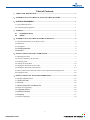
Table of Contents
1.TERMS AND DEFINITIONS..................................................................................................1
2.INTRODUCTION TO THE FUNCTIONS OF THE SOFTWARE .....................................1
3.OPERATION ENVIRONMENT ........................................................................................................1
3.1 System Requirements..............................................................................................................1
3.2 Connecting the Equipment......................................................................................................1
4.STARTUP ..................................................................................................................................1
4.1
4.2
Preparing for startup ..........................................................................................................1
Startup ...............................................................................................................................1
5.INTRODUCTION TO THE SOFTWARE INTERFACE .....................................................2
5.1 Interface Introduction of the Imposa Tools .............................................................................2
5.2 Menu Bar ................................................................................................................................3
5.3 Setting Bar ..............................................................................................................................4
5.4 LDU Management Bar.................................................................................................................4
5.5 Status Bar..................................................................................................................................4
6.EXPLANATIONS ON BASIC OPERATIONS ......................................................................5
6.1 Managing the LDU .................................................................................................................5
6.2 Saving or Opening a Project File ............................................................................................7
6.3 Adjusting Time........................................................................................................................9
6.4 Testing the Serial Ports..........................................................................................................10
6.5 Setting the Parameters for the LDU ......................................................................................11
6.6 Setting the Parameters of the Screen.....................................................................................14
6.7 Basic Information of the LDU, Basic Color Adjustment and Display Test...........................18
6.8 Equipment Test......................................................................................................................22
7.EXPLANATIONS ON ADVANCED OPERATIONS ..........................................................23
7.1 Backup and Restoration ........................................................................................................23
7.1.1 Backup LDU data...................................................................................................................24
7.1.2 Recover ................................................................................................................................26
7.1.3 Backup Config Files for All Display Tiles ...................................................................................28
7.2 Repair and Upgrading ...........................................................................................................28
7.2.1 Upgrading software ................................................................................................................29
7.2.2 Read back the data ................................................................................................................30
7.2.2 Repairing ..............................................................................................................................31
7.3 Guide to Repairing ................................................................................................................32
2
www.pledco.com