1
Topaz B&W Effects
User Manual
Workflow
Sample Project
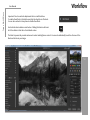
In this project, we will walk you through a quick example workflow to help you get acquainted with the tools and setup
of Topaz B&W Effects. This example will show you a basic workflow and introduce you to the layout of the program.
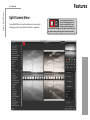
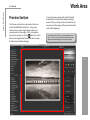
As you begin, you can choose a Collection type from the Effects
menu and then apply one of its presets to convert your image,
or you can start your work manually using the tabs and sliders in
the tool panel. Whether you decide to work with presets, manual
adjustments or both, you will be able to customize your conversion
and enhancements using the pre-defined workflow as indicated by
the numbered tab setup.
51
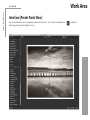
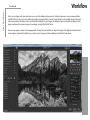
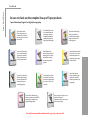
So let’s take a look at the purpose of each tab and what tools and
features are inlcuded in each.
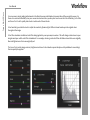
1. This step includes basic tools for black and white conversion, using
standard and adaptive exposure adjustments. Conversion also
includes the tools to enhance contrast and tone sensitivity.
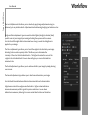
2. This step features creative stylized tools including realistic, graphic
and artistic effects.
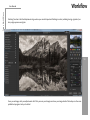
3. This step allows you to selectively apply image adjustments using an
advanced brush. Adjustments include burning, dodging and selective color.
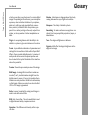
4. This final steps is for applying important finishing touches to your image.
It includes toning, vignettes, grain and more.