1
Shooting Options: The Shooting Menu
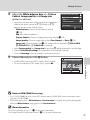
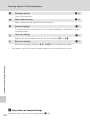
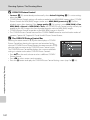
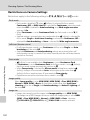
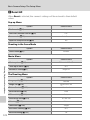
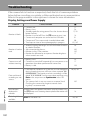
AF area mode
When AF area mode is set to Center while Metering is set to Spot AF area, the
Metering setting will automatically change to Matrix. When a setting other than
Center is selected for AF area mode, the Metering setting automatically reverts
back to Spot AF area.
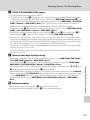
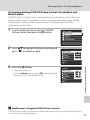
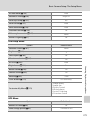
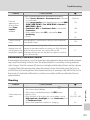
Noise reduction
• When Auto of Noise reduction is applied with Continuous set to an option
other than Single or Intvl timer shooting, or with Auto bracketing set to an
option other than Off, noise reduction will not be performed.
• Selecting On for Noise reduction changes all modes to Single, when an option
other than Intvl timer shooting is selected for Continuous, and Auto
bracketing is changed to Off.
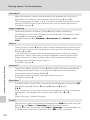
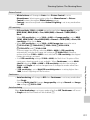
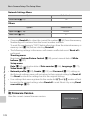
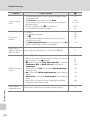
Wide-angle converter
Selecting On for Wide-angle converter changes the flash mode to W (off ).
Distortion control
• When Distortion control is set to On, Continuous is automatically set to Single
and Auto bracketing is set to Off.
• Even when the Distortion control option is changed back to Off, Continuous
will still be set to Single and Auto bracketing will still be set to Off.
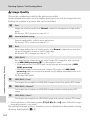
• Distortion control cannot be used if the image quality setting is set to NRW (RAW),
NRW (RAW) + Fine, NRW (RAW) + Normal or NRW (RAW) + Basic.
Shooting, Playback and Setup Menus
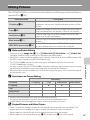
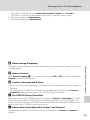
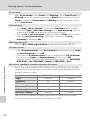
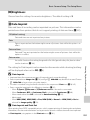
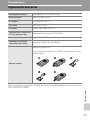
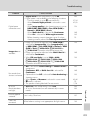
Built-in flash, Speedlights (available separately from Nikon)
Built-in flash and Speedlight SB-400, SB-600, SB-800, or SB-900 flash unit (available
separately from Nikon) operation is restricted, as shown below, depending upon the
applied Continuous setting.
Continuous mode
Single
Continuous
BSS
Continuous flash
Multi-shot 16
Intvl timer shooting
Built-in flash
Available
Off
Off
Available
Off
Available
Flash units
Available
Available
Not available
Not available
Available
Available
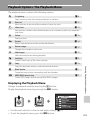
When a flash unit (available separately from Nikon) is mounted on the camera’s
accessory shoe, the built-in flash is automatically set to W.
152