1
Chapter 4
John Depp
Marie Smith
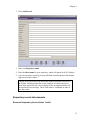
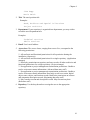
2. Title. The user's position title.
Examples:
Head, Archives and Special Collections
Project archivist
3. Department. If your repository is organized into departments, you may wish to
record the user's department here.
Examples:
Technical services
Public services
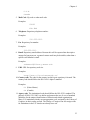
4. Email. User's email address.
5. Access class. The access classes, ranging from zero to five, correspond to the
following permissions:
5 - All read/write and functional permissions for all repositories sharing the
installation. (Superuser)
4 - All read/write and functional permissions for a single repository. (Application
manager)
3 - Read only permissions on repository and user records, all other read/write and
functional permissions for a single repository. (Project manager)
2 - No application or project management customization permissions. Unable to
read or write name contact information. (Advanced data entry staff)
1 - No application or project management customization permissions. Unable to
read or write name contact information. Read only access to accession, digital
object, name, subject, and location records. Read/write permissions on resource
and component description records. (Beginning data entry staff)
0 - May search accession and description records. May not enter any data.
(Reference staff)
6. Repository. Use the drop down box to assign the user to the appropriate
repository.
41