1
4. UNDERSTANDING PROTOCOL CONVERTER
4.3
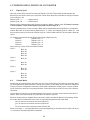
Repeat Cycle
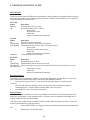
User can control Block execution by using the Repeat Cycle field. This number decides whether the
Block will be executed in each cycle. Larger the number lower the priority of the Block. Range for Repeat
Cycle setting is 1-99.
Repeat Cycle = 1 ………… Highest priority
Repeat Cycle =99 …………Lowest priority
Repeat cycle is important when using Protocol converter in Master - Master mode. If Protocol converter
is used in Master - Slave mode, Repeat Cycle field should be kept as ‘1’.
Repeat cycle defines the number of times a Block will be skipped while executing Blocks in a sequential
manner. Block will not be executed for [Repeat Cycle - 1] cycles. So if Repeat Cycle for a Block is 1, it will
be executed in each cycle whereas if Repeat Cycle is 2, then this Block will NOT be executed in alternate
cycles.
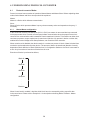
For example, suppose Blocks are defined with following Repeat Cycles:
Block #1
Repeat Cycle = 1
Block #2
Repeat Cycle = 2
Block #3
Repeat Cycle = 3
Block #4
Repeat Cycle = 4
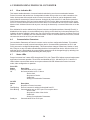
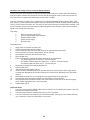
After power up, Cycles will be executed as follows:
Cycle 1:
Block #1
Block #2
Block #3
Block #4
Cycle 2:
Block #1
Cycle 3:
Block #1
Block #2
Cycle 4:
Block #1
Block #3
Cycle 5:
Block #1
Block #2
Block #4
4.4
Control Word
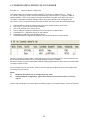
Another way of controlling Block execution is by use of the Control Word. This feature is extremely useful
for small applications where less than 17 blocks are required. Control Word can be enabled or disabled in
Protocol converter Configuration. Normally Control Word is disabled for a New project. It can be enabled
just by clicking on check box in the setup software. Control Word can be chosen from any of the Devices
connected.
Control Word can only be used in Master-Master mode since no continuous data transfer takes place in
Master -Slave mode (data transfer only takes place on Master’s request)
When the Control Word is disabled, Block execution is totally controlled by Repeat Cycle settings. When
the Control Word is enabled, Block execution is controlled using discrete bits of that word.
Bit 0 in control word controls execution of Block #1
Bit 1 in control word controls execution of Block #2
:
Bit 15 in control word controls execution of Block #16
When a bit is high, ‘1’, corresponding Block is executed depending on its Repeat Cycle. When a bit is low,
‘0’, execution of corresponding Block is disabled.
19